Customer Ratings & Reviews







- Model:
- 910-006945
- SKU:
- 10968257
Rating by feature
- Value
Rating 4.6 out of 5 stars
- Quality
Rating 4.9 out of 5 stars
- Ease of Use
Rating 4.9 out of 5 stars
to a friend
Customers are saying
Customers recognize the MX Anywhere 3S for Mac as easy to use with great battery life and a superb scroll wheel. Users appreciate its overall performance, comfortable design, seamless connectivity, and convenient size for travel. While the tracking and DPI are well-received, some find the side buttons too clicky, and a few consider the price a potential drawback. Overall, the mouse appears to be a well-regarded product with a strong emphasis on usability and performance.
This summary was generated by AI based on customer reviews.
Great
||Posted . Owned for 2 months when reviewed.This reviewer received promo considerations or sweepstakes entry for writing a review.Excellent mouse, smooth gliding, roller feels good vibration wise
I would recommend this to a friendBrand response from Logitech
Posted .We're glad to hear you're enjoying the MX Anywhere 3S! Its smooth scrolling and comfortable design are designed to enhance your productivity. Thank you for your feedback.
Unique mouse
||Posted .This reviewer received promo considerations or sweepstakes entry for writing a review.Love this mouse, I can wirelessly connect to 3 different devices.
I would recommend this to a friendBrand response from Logitech
Posted .We're glad to hear that you're enjoying the MX Anywhere 3S for Mac. Thank you for choosing Logitech!
Works great
||Posted . Owned for 1 week when reviewed.This reviewer received promo considerations or sweepstakes entry for writing a review.Very smooth and works great! Definitely works with apple products just fine!
I would recommend this to a friendBrand response from Logitech
Posted .Thank you for your positive review of the Logitech MX Anywhere 3S for Mac mouse! We're glad to hear that it works seamlessly with your Apple products. Your feedback is valuable to us as we continue to provide compatible and high-quality products that meet the needs of our customers.
Mouse
||Posted . Owned for 2 weeks when reviewed.This reviewer received promo considerations or sweepstakes entry for writing a review.This mouse is perfect! I would definitely purchase again.
I would recommend this to a friendBrand response from Logitech
Posted .We're glad to hear that you love the MX Anywhere 3S! Thank you for your positive feedback.
Nice Mouse
||Posted . Owned for 1 week when reviewed.This reviewer received promo considerations or sweepstakes entry for writing a review.Has a nice feel, works great! Very good quality. I would recommend this mouse.
I would recommend this to a friendBrand response from Logitech
Posted .Thank you for your kind words about the MX Anywhere 3S for Mac mouse. We're glad to hear that you're enjoying the comfortable feel, great performance, and high-quality build. Your recommendation means a lot to us.
Wonder mouse
||Posted . Owned for 1 week when reviewed.This reviewer received promo considerations or sweepstakes entry for writing a review.Great mouse. You can use it on every surface imaginable.
I would recommend this to a friendBrand response from Logitech
Posted .We appreciate your positive feedback on the Logitech MX Anywhere 3S for Mac! We're glad to hear that you're enjoying the versatility and performance of this mouse. Thank you for choosing Logitech.
Great fit
||Posted . Owned for 3 weeks when reviewed.This reviewer received promo considerations or sweepstakes entry for writing a review.Very comfortable for my daughters hand. No more cramps!
I would recommend this to a friendBrand response from Logitech
Posted .Hey! Thanks for the great review! We’re thrilled our product is meeting your expectations. Your support helps us continue to innovate and improve.

Logitech Quality
||Posted . Owned for less than 1 week when reviewed.This reviewer received promo considerations or sweepstakes entry for writing a review.Great quality as always from Logitech. Perfect laptop companion.
I would recommend this to a friendBrand response from Logitech
Posted .We're thrilled to hear that the Logitech MX Anywhere 3S has met your expectations for quality and is a great companion for your MacBook! Its performance and compatibility are appreciated. Thank you for your positive feedback.
Practical Product at a Good Price
||Posted . Owned for 1 week when reviewed.This reviewer received promo considerations or sweepstakes entry for writing a review.I really liked this product; it's very practical and reasonably priced.
I would recommend this to a friendBrand response from Logitech
Posted .Hey! Thanks for the feedback on the MX Anywhere 3S for Mac! We're happy to hear you find it a practical and affordable option. We strive to create high-quality products that meet users' needs at a competitive price.
LG never fails to impress
||Posted . Owned for 1 week when reviewed.This reviewer received promo considerations or sweepstakes entry for writing a review.Really great product east to switch to different devices
I would recommend this to a friendBrand response from Logitech
Posted .We're glad to hear you're impressed with the Logitech MX Anywhere 3S and its ability to easily switch between devices! Its versatility and performance are definitely highlights. Enjoy using it!
Does the job for now
||Posted . Owned for 1 week when reviewed.This reviewer received promo considerations or sweepstakes entry for writing a review.It's been fine -- I'm still getting used to it. I'm still not sure how to change out the battery, so that will be an interesting adventure when the time comes.
I would recommend this to a friendBrand response from Logitech
Posted .Hey! Thanks for the feedback on the MX Anywhere 3S for Mac! We're glad it's working well for you so far. In case you need it down the line, replacing the battery is actually quite straightforward. We have a guide available online that can walk you through the steps. Just let us know if you have any trouble finding it.
Will not buy again.
||Posted . Owned for 1 month when reviewed.This reviewer received promo considerations or sweepstakes entry for writing a review.Nice product, but cannot use side buttons or other features without Logitech software. Logitech software asks for complete access to all my files and overrides any security. Was not expecting a mouse to need access to everything I do.
No, I would not recommend this to a friendBrand response from Logitech
Posted .We understand your concern regarding the software requirements for customizing your mouse's features and apologize for the unexpected access request. We appreciate your feedback about this experience.

Worth the Upgrade
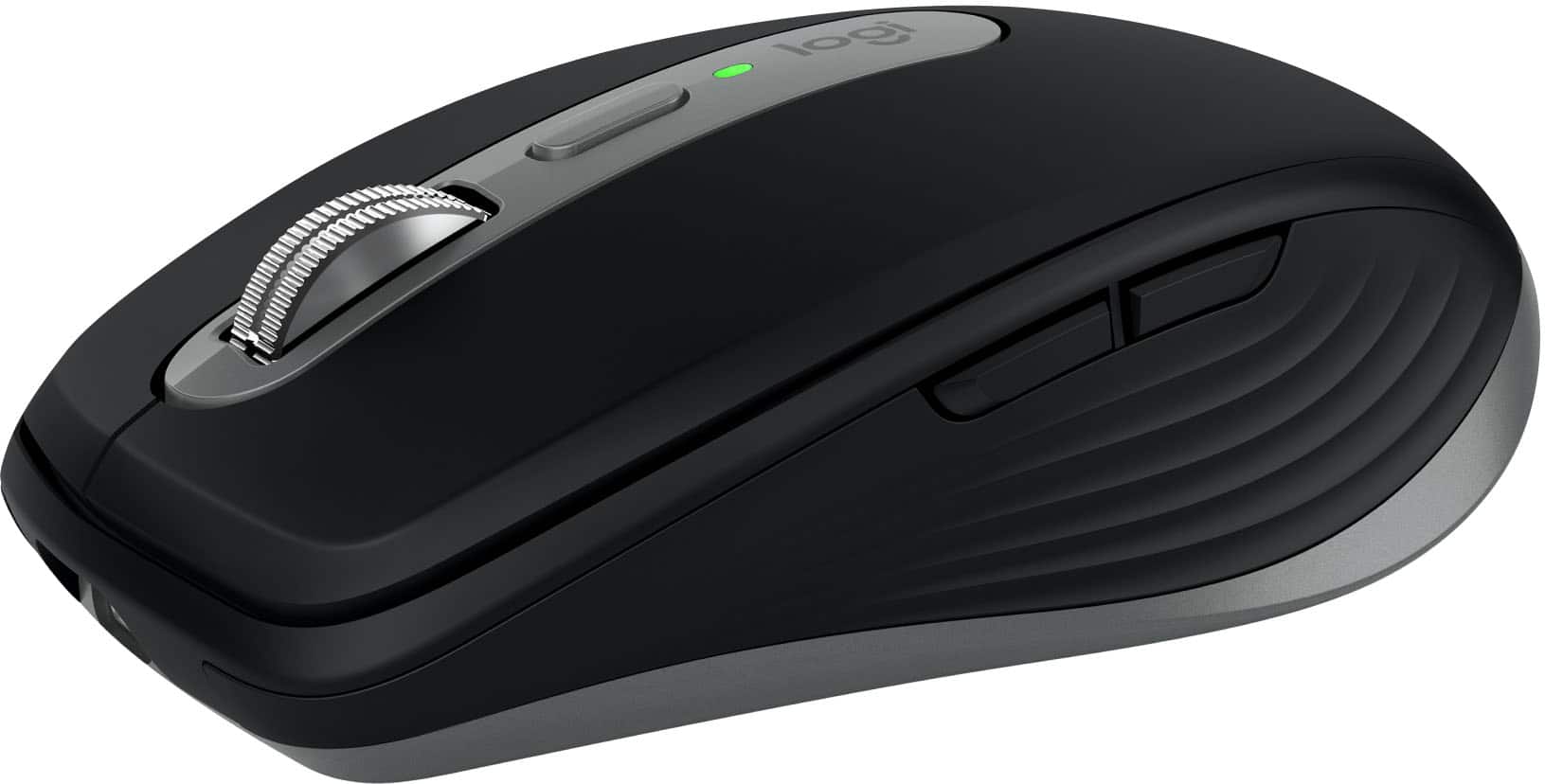
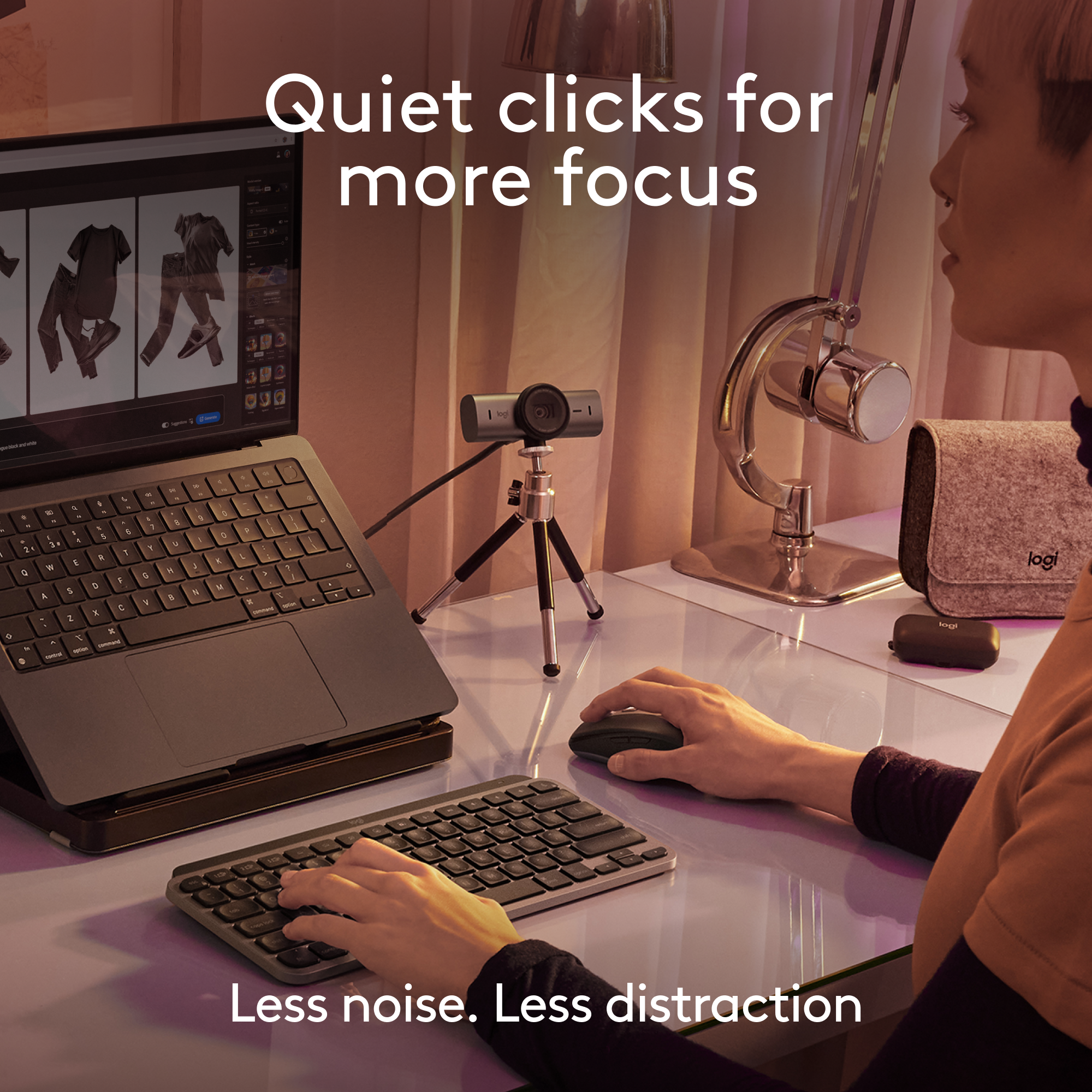
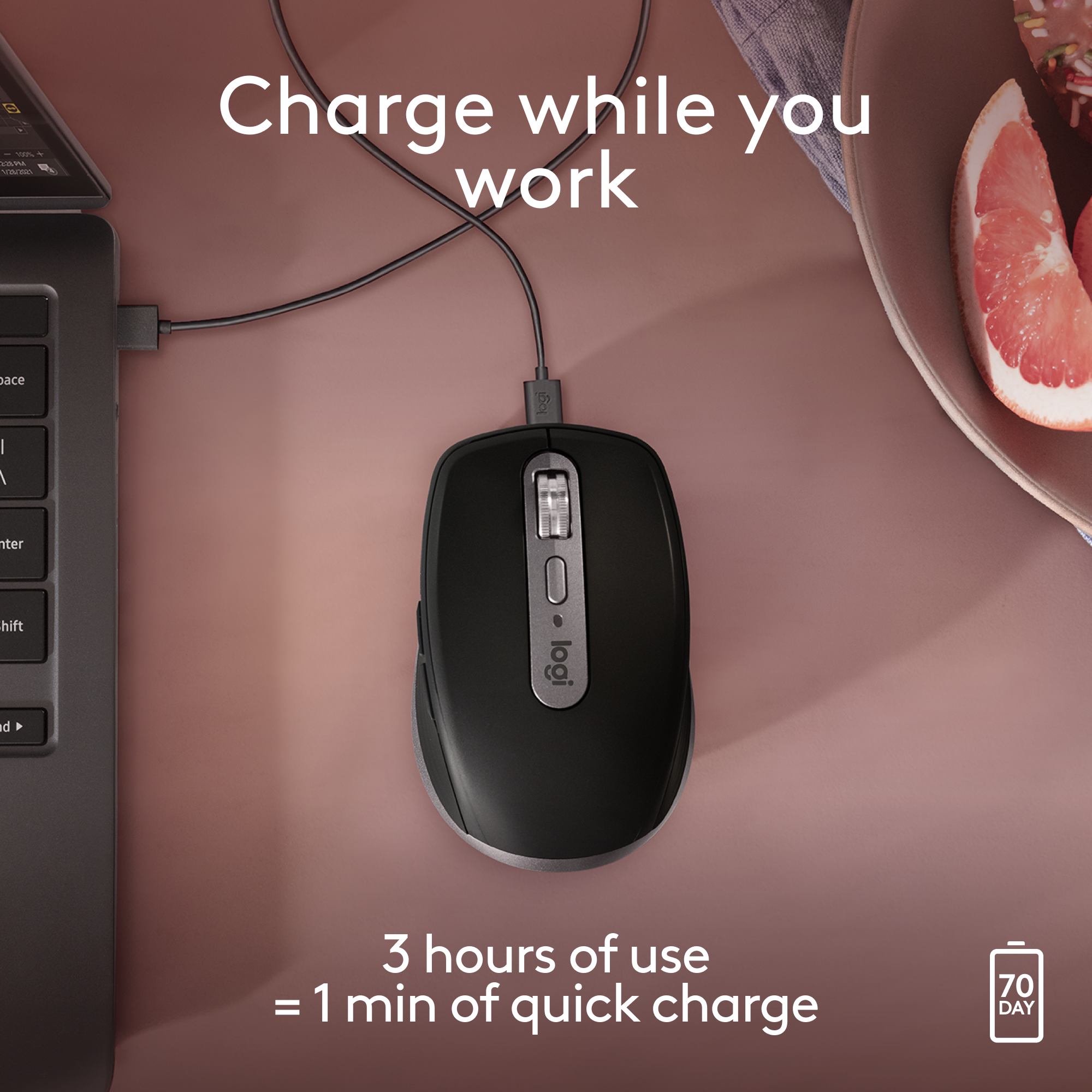
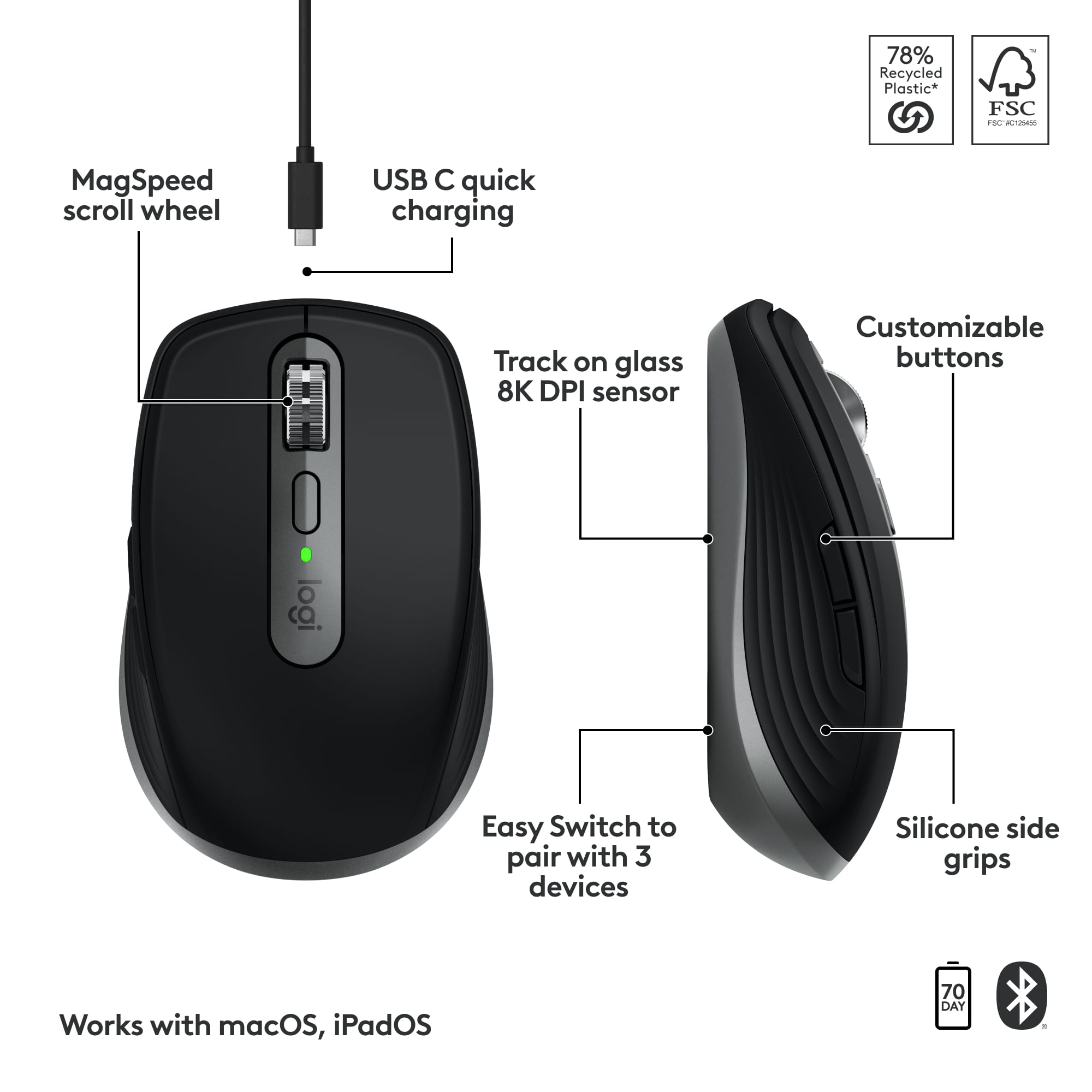
|Posted .This reviewer received promo considerations or sweepstakes entry for writing a review.Compared to the MX Anywhere 3 for Mac, which I own, there aren't many differences. However, the improvements that are there make the upgrade worth it for me. First, the optical sensor is now an 8K DPI which means you can use this on nearly any surface. I tested this on a dark wood desk, light granite countertop, white notebook, medium toned couch cushion, and even glass - because, why not. Every surface performed extremely well. There were a few hiccups on the couch cushion, but let's be honest, how often are you using that as your trackpad. The scroll wheel has been improved, but I have to be honest - the MX Anywhere 3 for Mac's scroll wheel was already fantastic and I had a hard time noticing the difference. Hands down, the best improvement is what Logitech calls the Quiet Click buttons. They aren't kidding. No false advertisement here - the left and right buttons are SUPER QUIET. Not much surprises me when it comes to a computer mouse, but I was genuinely stunned at just how quiet these buttons are. 1000% worth upgrading, or purchasing, if you need or desire less noise from your mouse. All the terrific features you come to expect are still here as well. The fast USB-C charging (still at the front of the mouse), forever and a day battery life (or 70 days per Logitech), portability with the compact size, stellar Bluetooth connection, and the ability to connect up to three devices and switch seamlessly at the push of a button. While advertised and built for Mac, I did test and use this on MacOS, iPadOS, Windows 11, and a Samsung Galaxy Tab S9 Ultra. Every device connected and worked flawlessly. This is now my daily driver mouse. I already loved everything about the original MX Anywhere 3, and the ultra-quiet buttons on the 3S make this my go-to mouse.
I would recommend this to a friendBrand response from Logitech
Posted .Thanks for the informative review of the Logitech MX Anywhere 3S for Mac! We appreciate you sharing your experience, especially the improvements you noticed over the MX Anywhere 3. Sounds like the quieter clicks and smooth tracking make this a great choice!
limited control
||Posted . Owned for 3 weeks when reviewed.This reviewer received promo considerations or sweepstakes entry for writing a review.it doesn't have the scrolling feature where I the page moves up down or sideways by moving the mouse
I would recommend this to a friendBrand response from Logitech
Posted .Thanks for pointing that out! The MX Anywhere 3S for Mac does not include dedicated horizontal scroll functionality like the MX Master 3S, which features a side scroll wheel specifically for that purpose.
High-end mouse - at home, on the road or anywhere!
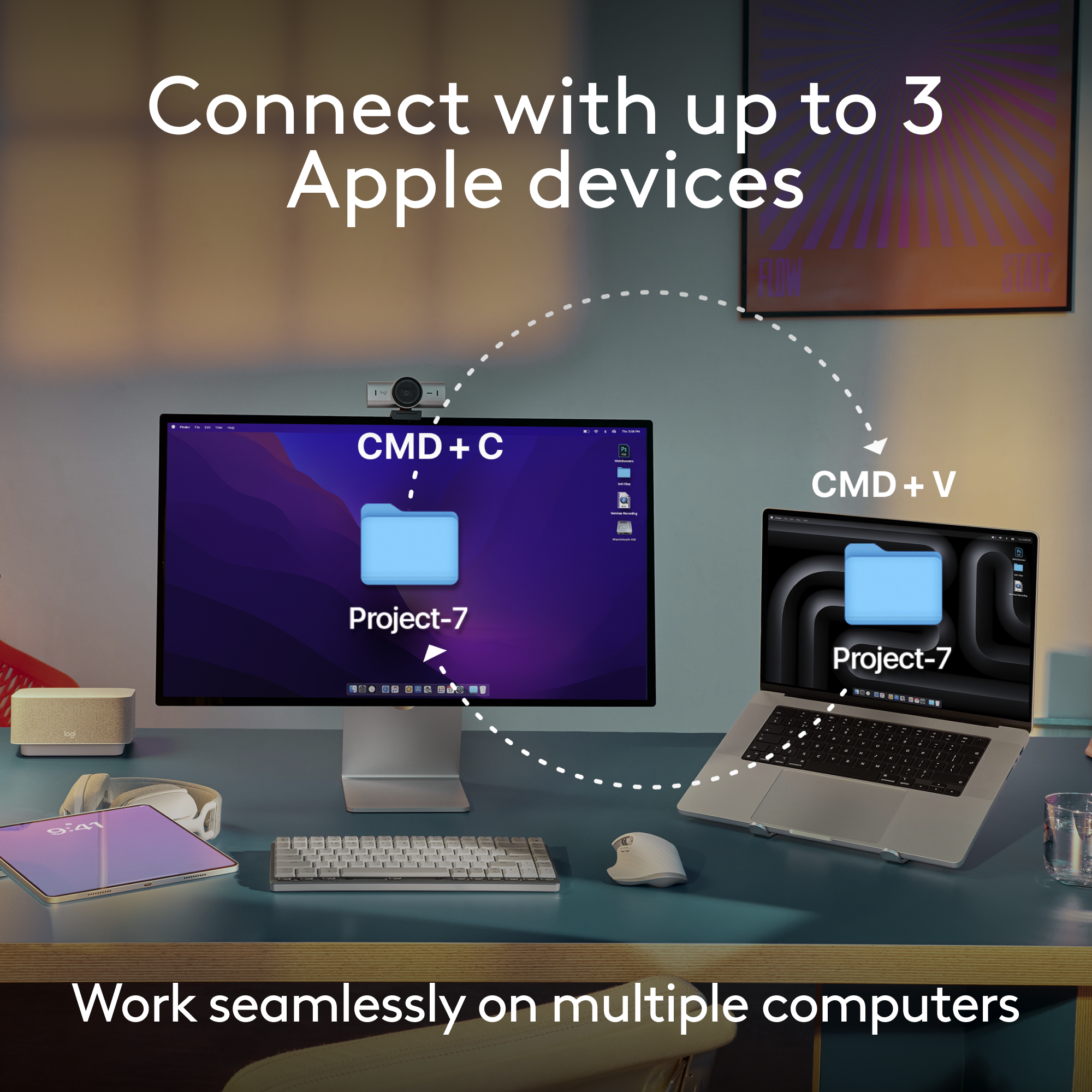
|Posted .This reviewer received promo considerations or sweepstakes entry for writing a review.Logitech knows how to build mice (and other computer peripherals) - full stop. I've used a variety of their mice over the last 20 years and have always been pleased. THIS mouse may be the best yet, at least if you're a frequent traveler who uses multiple devices. Is it right for you? Read on to find out! First off, while you can certainly use this mouse at home, it's compact size and wireless connectivity just BEGS to be used on the go. It connects to up to three devices over either Bluetooth or using a USB-A "Bolt" receiver (not included) or a combination of the two and you can switch which device you're controlling with just a tap of a button on the bottom. And there's even an LED near that button to say which device you're attached to. Brilliant! Pairing is easy and hassle free - and not just with MacOS or iOS devices. I was able to use this with Mac/iPad/Windows and ChromeOS. And it was flawless. The mouse is quite comfortable and the tracking is accurate on nearly any surface, even if it's not perfectly flat (hence the "Anywhere" title). Button clicks are fast and accurate and the scroll wheen is easy to dial in (ha) just how you want it. The mouse changes quickly using USB-C and the battery life is LONG particularly if you turn off the mouse when you're not using it, but it will still last a good long time even if you don't (it just might wake your device in your bag, which wouldn't be good). So if you're looking for an awesome on the go mouse - or a compact at home mouse - that can quickly connect to up to 3 devices, this is a GREAT option with all the Logitech quality they've been known for over the years. Give it a try today!
I would recommend this to a friendBrand response from Logitech
Posted .Hello! Thanks for the detailed review of the Logitech MX Anywhere 3S for Mac! It's very helpful to hear your experience with its portability, multi-device connectivity, and long battery life. It sounds like a great option for users on the go or those who need a compact mouse at home.
Decent Mouse
||Posted . Owned for 1 month when reviewed.This reviewer received promo considerations or sweepstakes entry for writing a review.Decent priced mouse. The scroller is a little draggy.
I would recommend this to a friendBrand response from Logitech
Posted .Thanks for your feedback on the MX Anywhere 3S for Mac. We understand that a smooth scrolling experience is important, and we're always working to improve our products. Please reach out to our support team so we can look into this further for you. Your input helps us make our mice even better for everyone.
A bit small, but extremely flexible mouse
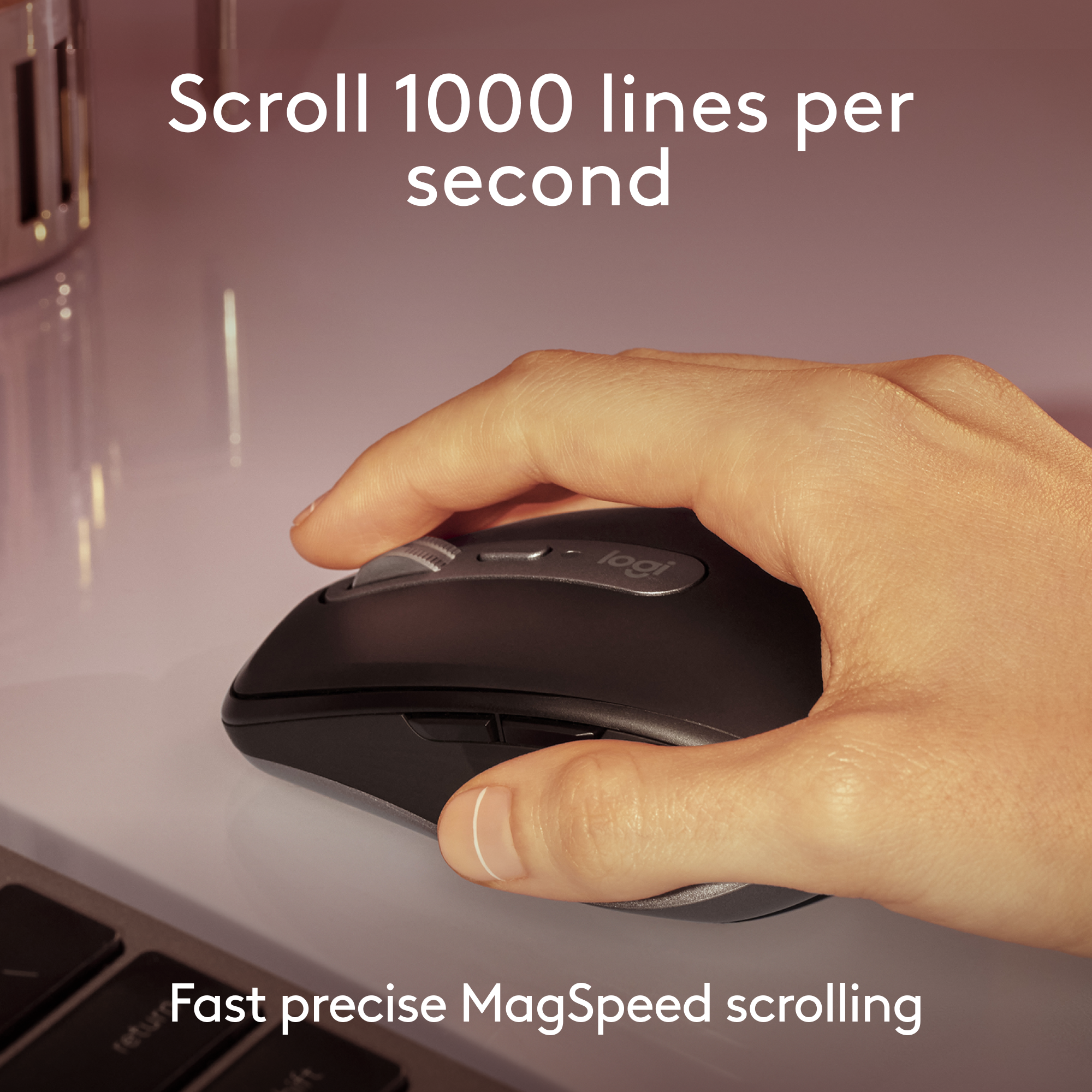
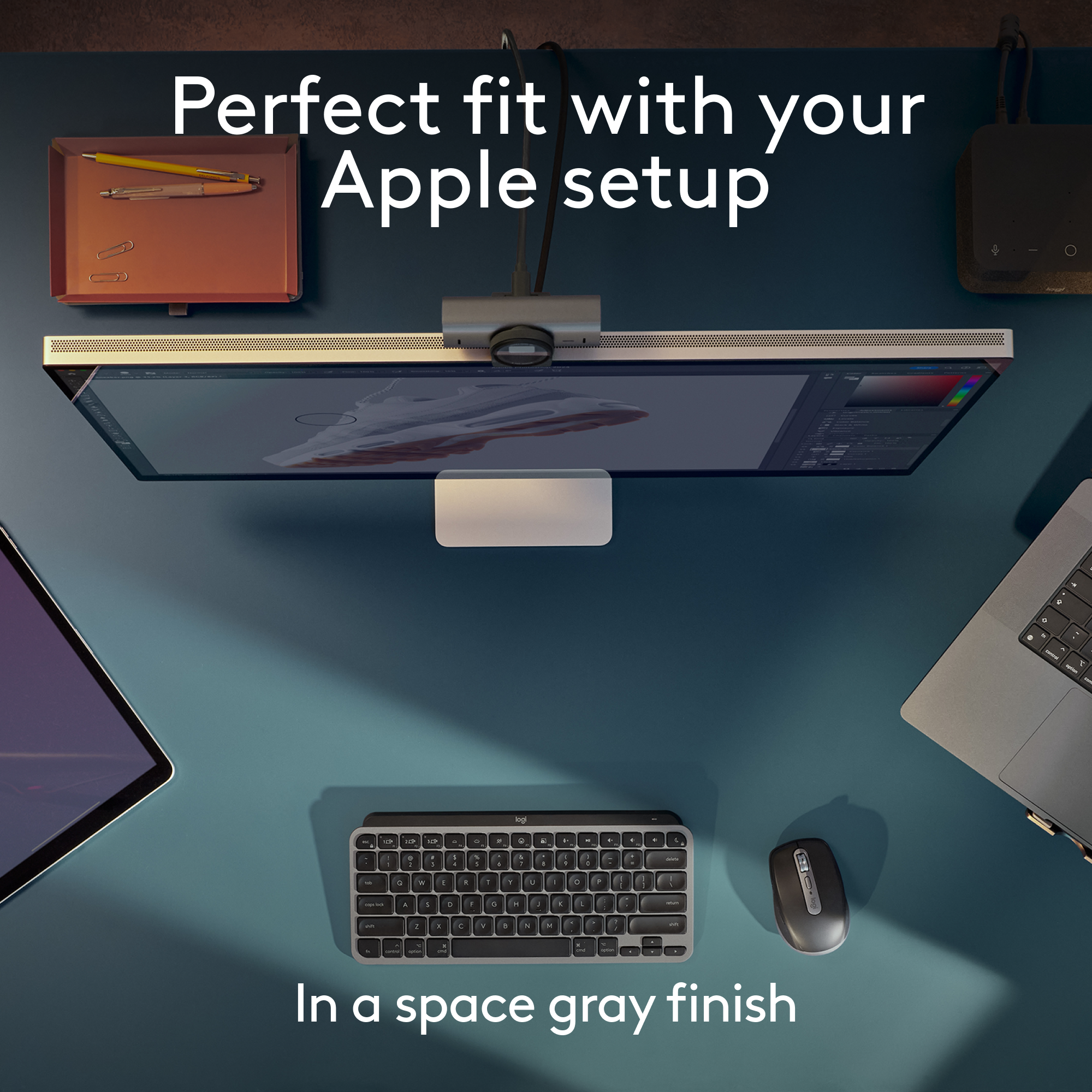
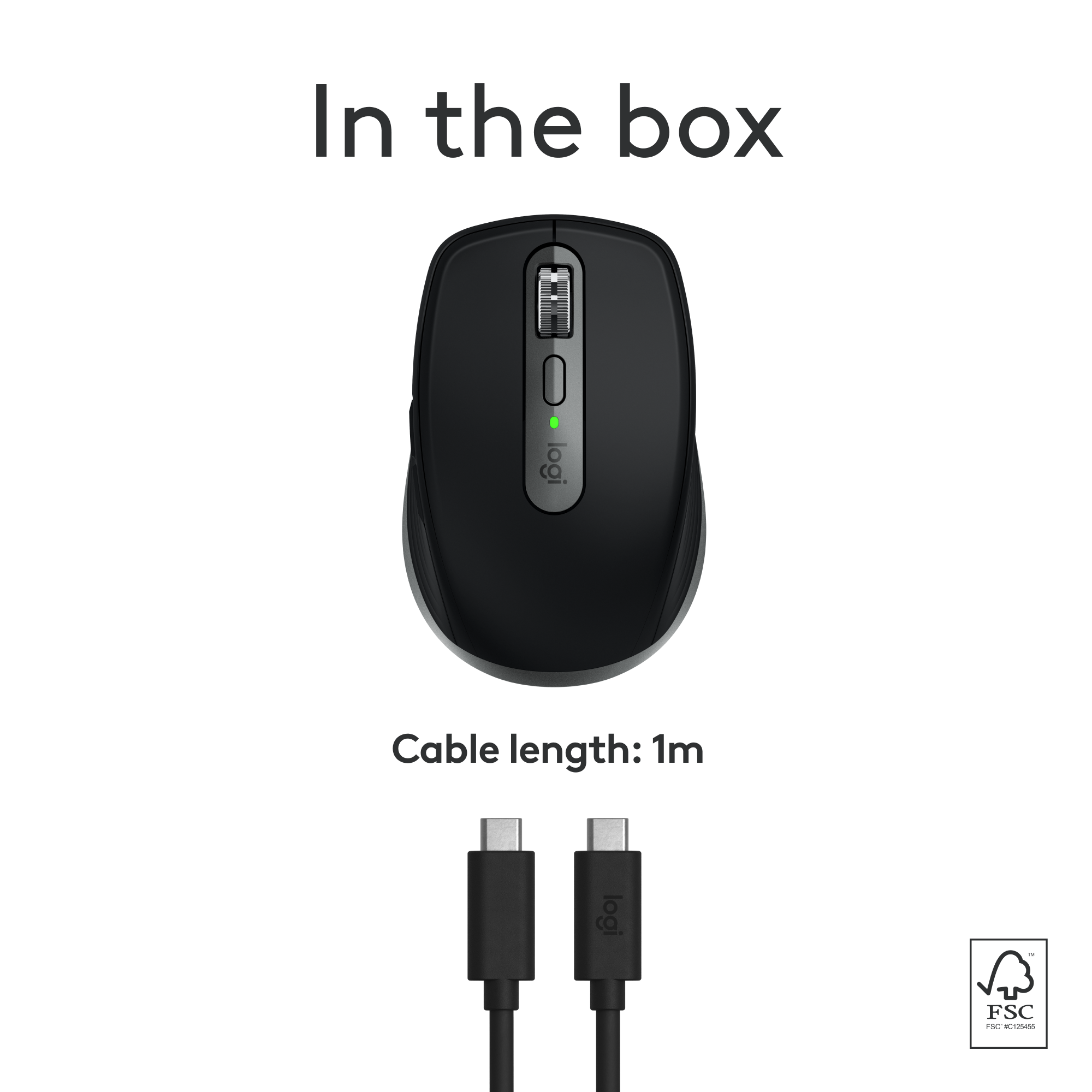
|Posted .This reviewer received promo considerations or sweepstakes entry for writing a review.Let’s face it, there is a good chance that you are using more than one device that can utilize a traditional computer mouse. Desktop and laptop computers are the most obvious, but now even tablets like the iPad can use them. Depending on the work you are doing, a mouse is much easier to use than a trackpad or touchscreen. Fortunately, many mice and keyboards come with what I typically call “channels”. With a button press, you can change the Bluetooth or receiver “channel” to one of three, and each of those can be associated with a different device, meaning you only need one mouse or one keyboard with three devices. The Logi MX Anywhere 3S For Mac mouse is a great choice, especially if you need to pack your mouse in a backpack or bag to take with you. It’s a bit smaller, so it will fit in the bag easily and not add a lot of weight. That said, it is a little small. First, this mouse works on a Mac, obviously, but also worked on my Windows computer, and Linux computer, and my iPad without any issues. The Bluetooth connection setup was extremely easy and quick. The first time you set this mouse up, all “channels” are unassociated and will automatically be rapid-flashing when you switch to them - this is Bluetooth pairing mode. If you wish to change the associated, simply press and hold the same button (on the bottom of the mouse) for a few seconds until it begins flashing rapidly, and you’ll be back in pairing mode. This makes it easy enough to where you can actually use this mouse with more than 3 devices. On both Mac and Windows, download the Logi Options+ app (yes, this is different than the regular Logi Options app) to configure the mouse. As mentioned, this mouse is a bit small. It’s not at all uncomfortable, but the size and layout of the buttons made the side buttons (traditionally back and forward in the web browser) a bit hard for me to reach because I have long fingers. I used the app to reverse the placement of the back and forth buttons easily, and this made the back button (which I simply cannot live without anymore) much easier to use. You can adjust global mouse settings to make some of the buttons always take the same action, which is helpful for operating system shortcuts. Additionally, this app will allow you to customize the functions of the mouse buttons within specific software applications. For example, are “CMD + Z” or “CTRL + Z” your favorite keyboard shortcut ever??? Program Photoshop or Affinity Photo to use one of the side buttons for this keyboard shortcut. Work a lot in spreadsheets? Use the side buttons for “CMD + C / CTRL + C” and “CMD + V / CTRL + V”, and your cup of coffee never has to leave your hand! In addition to this added functionality, there is also two methods of wheel scrolling - smooth and line-by-line. With line-by-line, you will feel a slight bump each time the mouse wheel moves up or down slightly. This is great for reading long documents. The smooth scrolling has no resistance and makes it easy to use the hyper-scroll that you might use on an Apple trackpad. Note that this does work in certain Windows applications as well, such as modern browsers. Even better, the with enough force (meaning move the wheel rapidly, you can get this hyper-scrolling feature even when you have the line-by-line turned on, and that “bump” you feel can actually be adjusted as well, to be more or less resistant! Note that this is a rechargeable mouse that charges via USB-C, so you won’t need batteries. It comes with a USB-C to USB-C charging cable, but if you don’t have a USB-C port or plug, you’ll need a different cable. With USB-C charging, the mouse charged 6% in under 5 minutes (from 59% to 65%). The mouse button clicks are very quiet. They are audible in a silent room, but quiet enough to where you are unlikely to be disturbing anyone around you. The side buttons do make a bit more noise as they don’t have the same membrane behind them, but they are still not all that noisy. The tracking on this mouse is very precise, although there were a few times where I though it was a bit hyper-sensitive, as scrolling pages in the web browser, especially in Windows, became a bit jittery. However, the tracking speed is also adjustable in the app. The mouse wheel is metal, giving it a quality feel and better precision in your hand. The mouse is sleek looking with the white body and gray accents. However, I imagine the cleaning will be frequent as this will show dirt easily. The sides are a texturized rubber that feels good and allows for a good grip, but I imagine it will discolor quickly. Overall, this is an excellent mouse regardless of the device(s) you want to pair it with. It gives a ton of features and a comfortable and controllable grip, provided that the size is not too small for you.
I would recommend this to a friendBrand response from Logitech
Posted .Hi! Thanks for the in-depth review of the MX Anywhere 3S for Mac! We appreciate you covering its multi-device compatibility, Bluetooth connection, and customization options via the Logitech Options+ app. The feedback on size and button layout is valuable. We appreciate you highlighting the scroll wheel features, rechargeable battery, and quiet clicks. This comprehensive review will help users make informed decisions!
Compact, portable mouse for any surface
|Posted .This reviewer received promo considerations or sweepstakes entry for writing a review.Compact, lightweight, and precise, Logitech’ MX Anywhere 3S for Mac is the perfect mouse to take with you anywhere, either at your workspace, your couch, or on the go. With fast, accurate tracking, great battery life, and multi-device capabilities, this is the only mouse you need. Packaged with simply a user manual and a USB-C charging cable, the MX Anywhere 3S is a low-profile, minimally designed mouse. The pale gray color covers the entire mouse. It has two thumb buttons that default as forward and back navigation, and the MagSpeed scroll button spins fast and clean. Bigger hands may need to get used to this small device, and as a right-handed person, I found that it felt a little too symmetrical, meaning it didn’t quite have that ergonomical feel that a larger mouse does. However, the sacrifice of feel gives way to its very welcomed portability. You can take the MX mouse literally anywhere. This device tracks on any surface, be it your wooden desk, textured couch, or glass dining table. You can even place it on your lap and navigate that way. Its compact size can be transported easily on the go, and it has no excessively protruding buttons or edges that hinder that portability. As a wireless mouse, the MX Anywhere 3S stays powered a long time. I’ve tested it heavily and continuously for a week on its initial, unboxed charge. It advertises for 70 days of battery life, and just as impressive, you can quick charge it for a minute for a three-hour use in a pinch. Finally, what really stands out in this device is its use across multiple devices all at once. Connect up to three devices via Bluetooth (holding down the pairing button alerts your devices automatically if it can search for devices with which to pair). Connect to your MacBook Pro, your iPad Air, and a Windows desktop and seamlessly switch among all of them at the touch of a button. This mouse works on them all and works well. Overall, I have no trouble recommending the MX Anywhere 3S for Mac, a do-it-all mouse with great battery life, a compact, portable design, and accurate, reliable tracking on any surface. A great product.
I would recommend this to a friendBrand response from Logitech
Posted .Hi there! Thanks for the informative review of the Logitech MX Anywhere 3S for Mac! Great points on portability, battery life, and multi-device use. Consider mentioning the size for users with large hands. We appreciate you sharing!
One of the best mice for daily use.
|Posted .This reviewer received promo considerations or sweepstakes entry for writing a review.The Logitech MX Anywhere 3S is one of the most useful mice I’ve used thus far. Since it’s a mouse that’s built for everyday daily use, it’s made just for just that. The ergonomics is perfect for my large hands so it’s very suited for everyone’s palms. The design is very easy on the eyes but gives you a firm grip, there are ridges on the side of the mouse that keeps the mouse solely in your palms. MX Anywhere 3S very lightweight and easy to carry in a bag, so taking with you anywhere is covenant. The scroll wheel can lock and unlock the scrolling on your personal PC, this makes it easier for me to scroll though long pages when doing word documents and surfing the web. I love this feature because it has many uses. The mouse feels sturdy, well-constructed, and durable, there isn’t a hint of cheapness anywhere with this mouse. Logitech MX Anywhere 3S can connect to three Macs/PC with Bluetooth, the Bluetooth works on both Mac and PC and connects easier. The mouse can connect to Android as well. USB-C gives the mouse a fast charge and the battery life is astronomical. I’ve been using for a week straight and battery life hasn’t died on me yet. I always enjoy the MX Anywhere 2S, so having this model is pretty much the same just made more modern for today’s use. I like the mouse and would give it a 5 out of 5, it’s an easy-to-use comfortable mouse. Using it every day has made my daily web browsing easier.
I would recommend this to a friendBrand response from Logitech
Posted .Thanks for the detailed review of the Logitech MX Anywhere 3S! We appreciate you mentioning its comfortable design for large hands, easy grip, smooth scrolling with the lockable scroll wheel, and long battery life. It's valuable to hear that you find it a great everyday mouse!
The best mouse for rheumatoid arthritis
|Posted .This reviewer received promo considerations or sweepstakes entry for writing a review.I’ve need a new mouse for a while that I can use with both my MacBook and iPad Pro 13”. I’ve tried several before and they don’t quite work well with the iPad. The MX 3s is a great improvement over the older series. It has a really nice smooth scrolling which others have not when using on the Mac and it seems a lot better on the iPad than other are. Ergonomically this is is really comfortable. I have rheumatoid arthritis and find a many other products make my hands and fingers hurt after using for a little while. This doesn’t cause me any issues even after a couple of hours. One thing I will mention is if you have large hands this may be a little uncomfortable due to the more compact nature. The mouse buttons click nicely and are way quieter than previous version which used to be something that really annoyed me. You can also use this on a glass surface which is something I’ve never been able to do before. Makes my desk setup much cleaner. The app is easy to use like always from Logitech Overall I love this mouse because it doesn’t make me hurt, it’s smooth and I don’t require a mouse mat on my glass top desk. It has great battery life and also looks nice.
I would recommend this to a friendBrand response from Logitech
Posted .Thank you for your detailed review of the Logitech MX Anywhere 3S for Mac. We're thrilled that you've found a mouse that addresses your needs and provides comfort. Your insights into the mouse's performance, ergonomic design, and features are invaluable.