Customer Ratings & Reviews
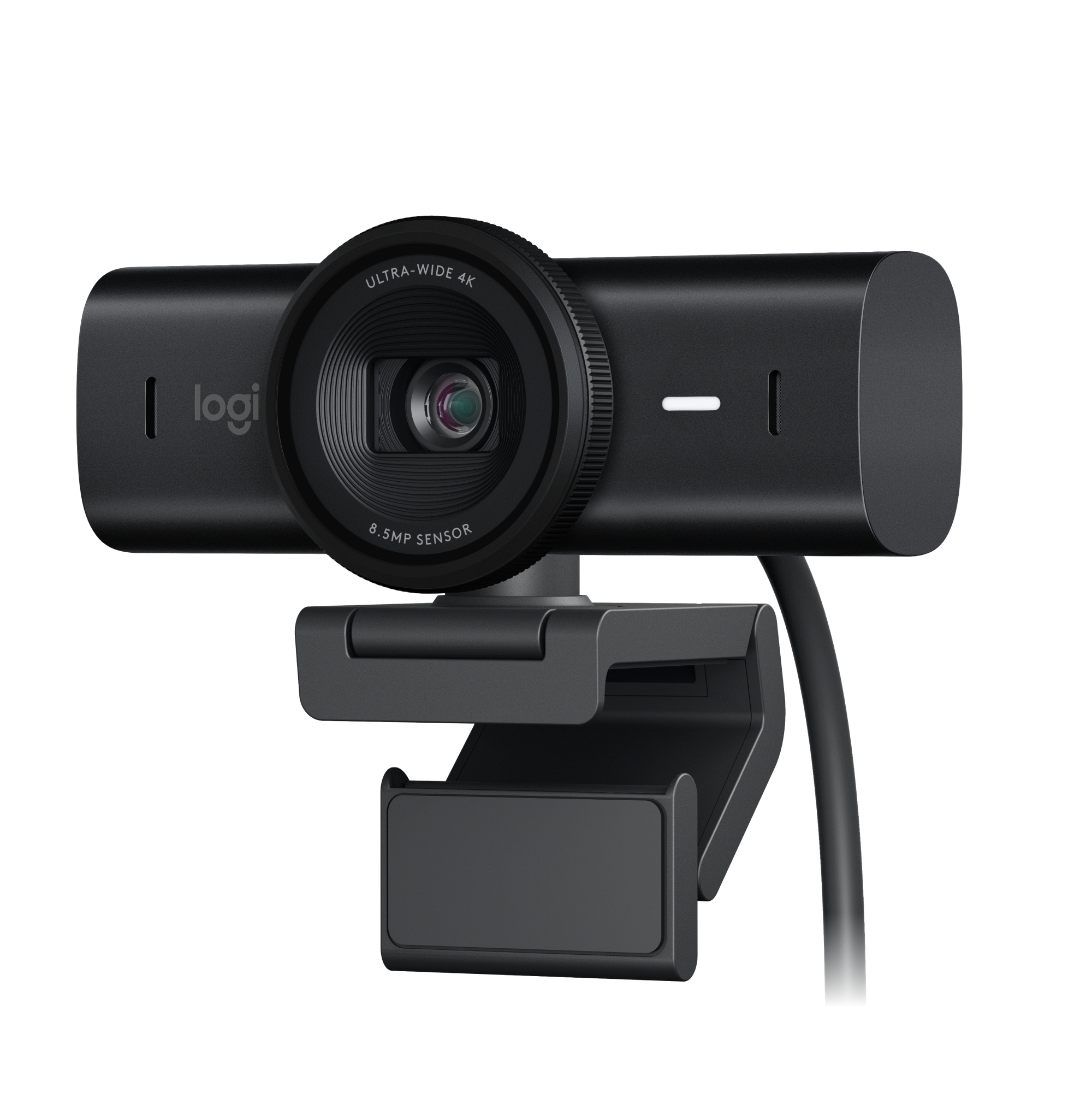





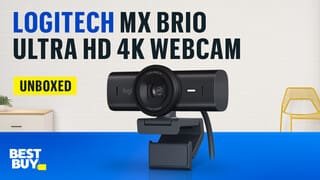
- Model:
- 960-001558
- SKU:
- 6571670
Rating by feature
- Value
Rating 4.5 out of 5 stars
- Quality
Rating 4.8 out of 5 stars
- Ease of Use
Rating 4.8 out of 5 stars
Customers are saying
Customers appreciate the excellent image quality, along with the welcomed privacy feature, great field of view, and versatile connectivity options. They also highlight the device's unmatched ease of use and simple setup process. However, some feedback indicates a desire for more robust mounting options and improved low-light performance.
This summary was generated by AI based on customer reviews.
Great camera, awesome for streaming!
||Posted . Owned for 1 month when reviewed.This reviewer received promo considerations or sweepstakes entry for writing a review.Camera works perfectly, love the magnet that attaches to it, very useful!
I would recommend this to a friendBrand response from Logitech
Posted .Hello! Thanks for the great feedback on the MX Brio Ultra HD Camera! We love to hear that you're finding it perfect for streaming and that the magnetic mount is a handy feature. We appreciate you taking the time to share your experience!
Not as good as predecessor brio 4k
||Posted . Owned for less than 1 week when reviewed.This reviewer received promo considerations or sweepstakes entry for writing a review.Seemed to be a little more compatible with my Mac mini M2 as far as not giving me a green screen on zoom however, video quality on zoom Was worse than my Logitech 4K. Also, several reviews mentioned how the audio sounds Tenny and I noticed this as well. Ultimately, I returned this WebCam and stuck with my logitech Brio 4K. It has a better lens cover, so that was cool, but main functions were a downgrade from predecessor brio 4k. This Mx also has no depth sensor so cannot be used for windows hello login, and this can’t be fixed with a firmware update since it doesn’t have depth sensing hardware that is required for windows hello. Many settings to adjust but I want something that just works well at default, again, brio 4k shines here. Sad to see Logitech release a downgraded device with fewer features at this premium price
No, I would not recommend this to a friendBrand response from Logitech
Posted .Hello! Thank you for your MX Brio feedback. We apologize for the video quality, audio, and missing features compared to Brio 4K. We'll consider your insights for future webcams.
- Pros mentioned:Connectivity, Ease of use, Image quality

Awesome Small Video Camera
|Posted .This reviewer received promo considerations or sweepstakes entry for writing a review.I love this small camera; it is easy to use and easy to connect to my computer. You should download Logitech Options Plus to get the most out of this camera. I have had other Logitech Camera's but this by far is the best. you can mount it on a stand or hang it on your monitor. Pictures and video are clear and no choppiness. You can use this camera to replace the one on your laptop as this is so much more adjustable. Inside the app you can do a lot of adjustments including zoom and adjust up and down to center what your camera is looking at. It can mount on any tripod and use it to stream video online or making movies at home or actually any there you can take your computer. This works with multiple apps like Skype and Zoom also Webex plus a lot of others like Facebook, and any of the messaging apps. This also has a privacy window built-in to the Lense. Use this whenever and whenever you want to even make documenters and video reals for other apps. This is the best all around camera for my laptop/ desktop systems
I would recommend this to a friendBrand response from Logitech
Posted .Wow, thanks for the glowing review of the MX Brio! Sounds like it's become your go-to webcam for its ease of use, versatility, and crystal-clear video. We appreciate you recommending Logitech Options+ to get the most out of the features. Happy streaming!
- Pros mentioned:Image quality, Privacy feature
Two Steps Forward, One BIG Step Backwards
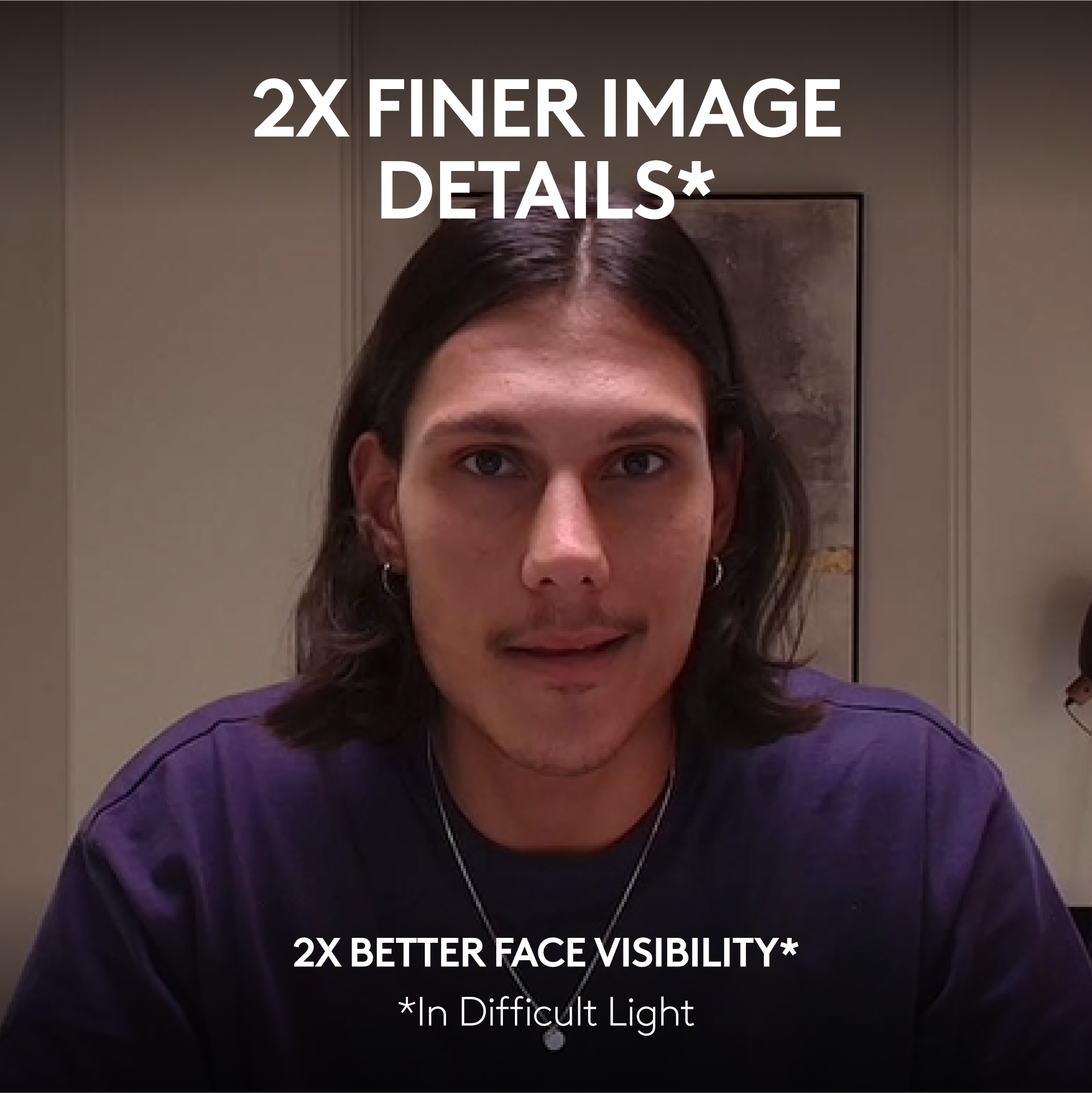
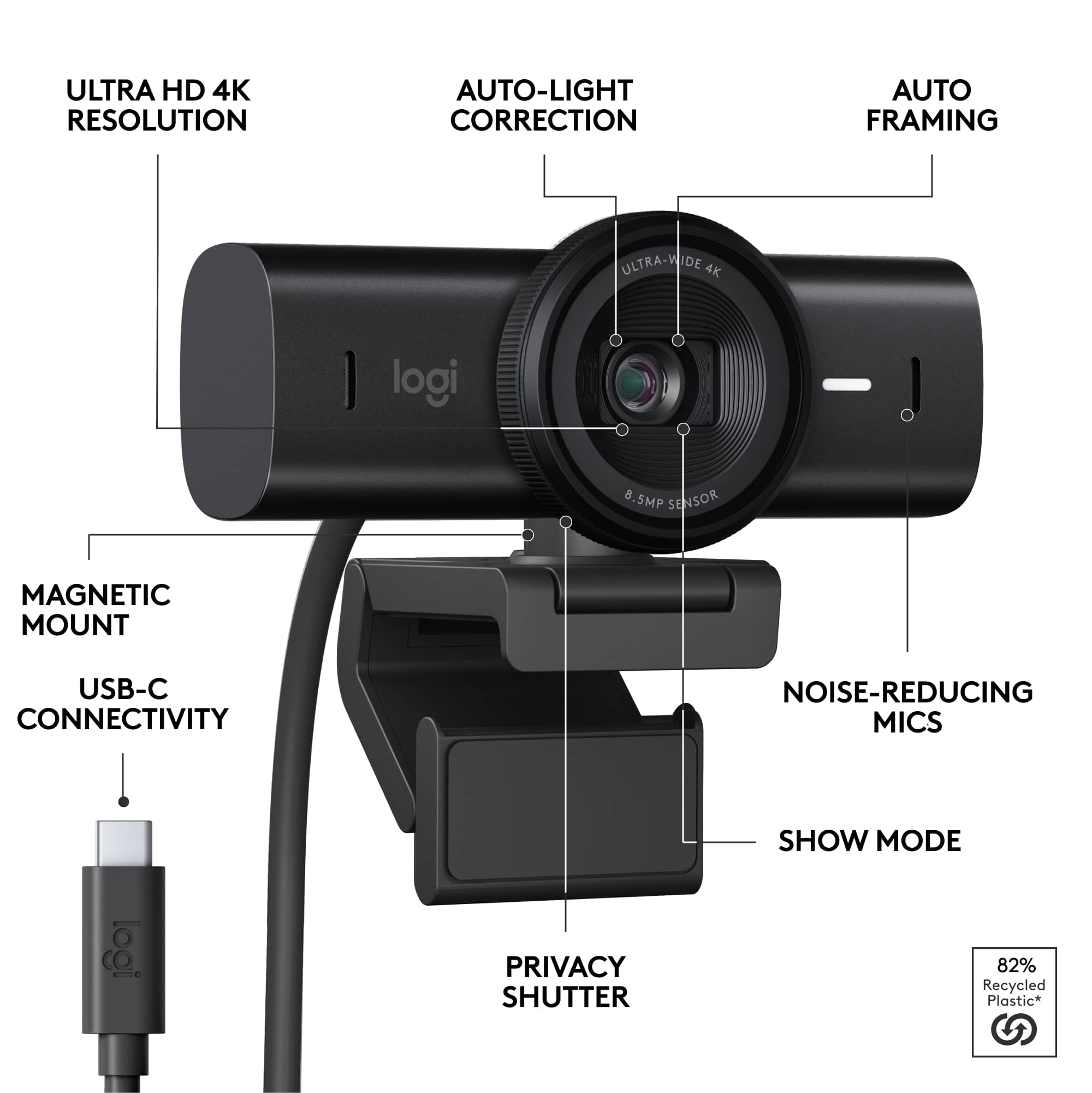
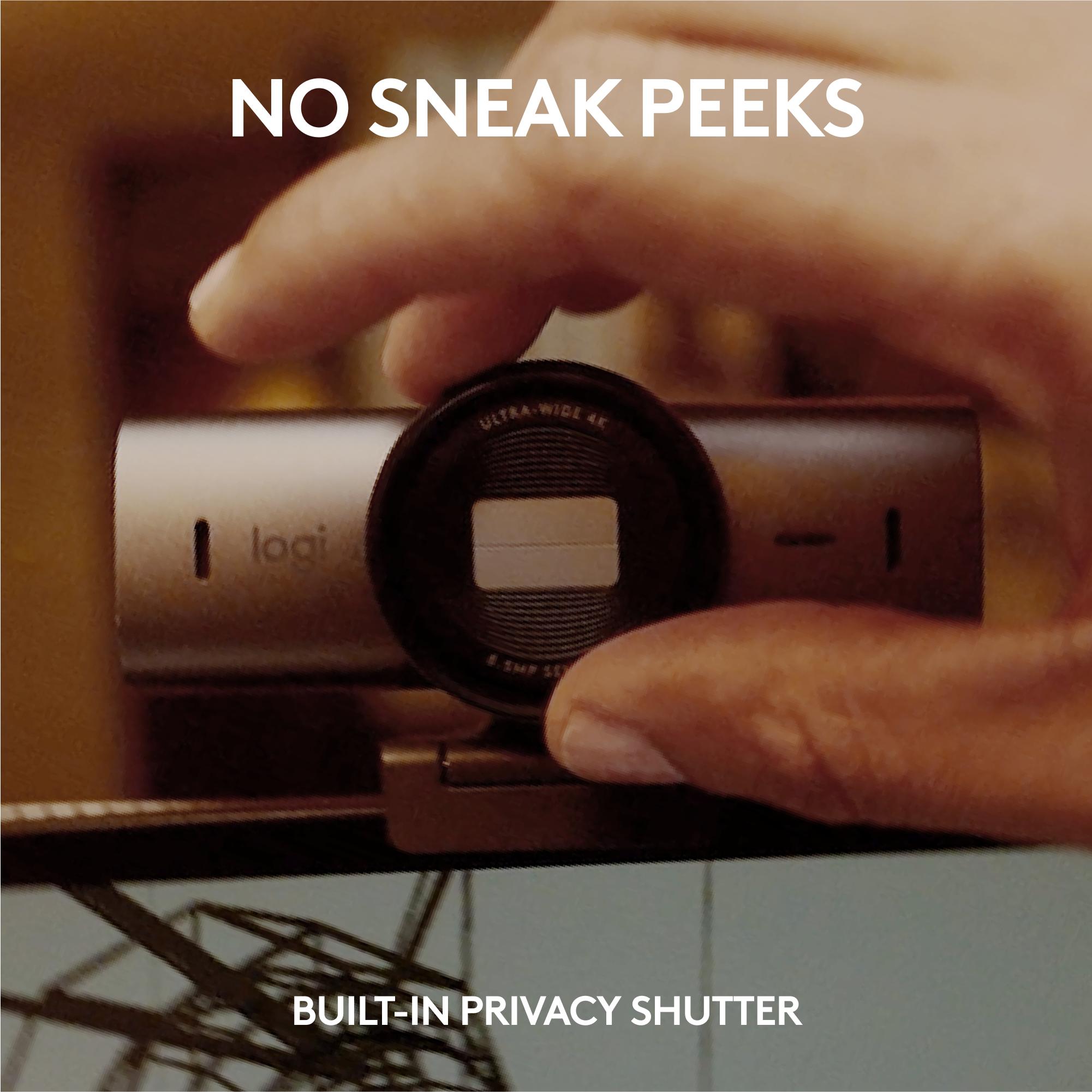
|Posted .This reviewer received promo considerations or sweepstakes entry for writing a review.I've been using Logitech's C920 webcam as my "work from home" webcam for the past few years and had been considering an upgrade to the previous 4K Brio webcam since I sit in on quite a few video calls each week. I was about to order the previous 4K Brio camera when I saw that Logitech had launched this new MX Brio model. The MX Brio is a great webcam and is superior in many ways, but it is missing one major feature that I think many people would have valued. === PROS === - Like any webcam, the MX Brio is incredibly easy to set up. The included cable is USB-C and is about 5 feet long, which is longer than the cables for other webcams that I've used. The cable is detachable from the back of the webcam. - As expected, the camera works perfectly with Microsoft Teams, Zoom, Cisco Webex, and every other Windows application that I've used. There is an LED to the right of the lens that changes colors to alert you when the camera is on: white means audio and video are on; yellow means only audio is on. - I'm a big fan of the included privacy shutter, which is very easy to open or close by gently turning the ring surrounding the lens. It's a much more elegant solution than the plastic flip-down covers that come with cheaper webcams. - The webcam mount is highly adjustable and very sturdy. It includes a suction pad on the back which adheres to the back of your monitor. Once mounted, you can easily adjust the webcam either side-to-side or up and down. - Since I have some gaming accessories connected to my computer, I manage all of my Logitech devices via the G HUB app. I was happy to see the MX Brio instantly recognized in G HUB when I connected it. You can also manage the MX Brio via the Logi Options+ app. Available adjustments include crop, exposure, white balance, brightness, contrast, saturation, focus, and more. - Compared to 1080p webcams, the 4K resolution of the MX Brio provides a noticeable uptick in fine details and sharpness. Logitech claims that the MX Brio also uses "AI-enhanced image quality" which results in "2x better face visibility" in difficult lighting conditions. I can't verify the numbers, but I can verify that the image quality is far and away the best I've seen on any webcam, even when I turn off my overhead office lights. - The microphone is also excellent. Logitech claims that it uses omnidirectional microphones to suppress background noises, and it seems to work very well. - The MX Brio feels very premium with an all-aluminum body and fingerprint-resistant design. ===CONS=== - Here's my biggest gripe: for some inexplicable reason, Logitech decided to remove Windows Hello support from the MX Brio. Even though its previous high-end webcam supported the feature, Logitech does not support it with the MX Brio. This is a major loss and was one of the main reasons I was considering upgrading to the previous 4K Brio camera. When I ordered the MX Brio, I made the mistake of assuming that Windows Hello support would have carried over to this new, updated model. But that is NOT the case. The MX Brio does not include the infrared hardware required for Windows Hello. I'm not sure what Logitech was thinking here, but it certainly makes the webcam much less desirable for Windows users. - The USB-C cable is very stiff - so much so that it puts a bit of downward pressure on the back of the webcam, causing some unintended movements when swiveling the camera side-to-side or up and down. ===OVERALL=== Strictly from a camera quality perspective, the MX Brio excels at almost every level. It is highly customizable via the G HUB or Logi Options+ apps and has a premium design with a very functional privacy shutter. But the lack of Windows Hello support is a major drawback in my book, and enough for me to deduct one star.
I would recommend this to a friendBrand response from Logitech
Posted .Hey! Thank you for your informative review of the Logitech MX Brio webcam! Your detailed breakdown of the pros and cons, including the image quality, functionality, software integration, and build quality, is very helpful. We especially appreciate your insights on the value of the privacy shutter, microphone quality, and 4K resolution. Your feedback about the Windows Hello support is valuable for our product development team to consider in future iterations.
- Pros mentioned:Image quality
Excellent camera for video conferencing
|Posted .This reviewer received promo considerations or sweepstakes entry for writing a review.The Logi MX Brio webcam is a great addition to the family of Logitech MX products. I already own an MX mechanical keyboard, and also an M mouse, and with the Logi Options+ App, I can access them all to perform custom configuration. The instructions state attaching the MX Brio webcam to the back of the Monitor using the sticky suction pad. So, it looks like if you move the webcam to another monitor, you might need a new sticky pad. On the two Windows 11 devices I’ve tried the webcam, I just needed to connect the MX Brio to them using the provided USB-C cable and the device was ready to use, I was able to video conference with no issues, clear image, and crisp mic-sound. There are some caveats explained below, though. One of them is that you need to install the Logi Options+ App to have access to advanced features such as zoom (if you don’t already have the App). So far, I’ve used the camera for video conferencing only, I haven’t tried streaming yet. I’ve used the webcam with different video conferencing tools, and I found the zoom capability and being able to pan and tilt the camera to be extremely useful when video conferencing with others; for example, to have the others look at your desk for written notes and diagrams. Now, add the 4K resolution to that, and you have a great webcam. - Pros: zoom, 4K, crisp image, clear mic, easy to pan & tilt, privacy shutter. - Cons: not too portable. >> Setup The camera’s base/stand must be attached to the back of the monitor using the micro suction pad that it comes with. So, if you want to move the camera to another monitor, you’d to peel remove the suction pad, and potentially need to replace it with another pad to be able to attach properly to the other monitor. The camera itself is magnetically attached to the base, so if you move your camera a lot, getting another base for the other monitor doesn’t seem a bad idea. This is one of the things that I was not impressed at all with. After attaching the camera to the monitor (or where you want to place it) and using the provided USB-C cable, you can connect it to your PC (or whatever device you are using). In my case, I am mostly a Windows guy and in A couple of machines, as soon as I plugged the webcam, it became available for use. There are a few things though: - Advanced options were not readily available. I had to add the MX Brio to the list of devices in the Logi Options+ App, so that I could have access to those features. - Going to the device manager it shows in “Other devices” that the MX Brio is missing drivers; however, the MX Brio is available in the “Camera” section. So, I am not sure what is happening, is there a set of features not accessible because of the missing drivers? Even after updating the firmware and Logi Options+ software, still shows that the device is missing drivers. - Going to the System->Sound options, the MX Brio is portrayed as a speaker phone. I’d speak other “branding”. Anyways, all seems to be working just fine, the only thing that bothers me is the Warning icon on the MX Brio entry in the “Other Devices” section in Device Manager. >> Logi Options+ App I had an old version of the Logi Options+ app, so I had to update the software to be able to add the MX Brio to the list of devices, and to have access to the advanced options on the device. I experienced on glitch during this update, when I first updated the App from the Logi Option+ itself, it still wouldn’t recognize the MX Brio, and only after downloading the software from the Logi website logi.com/mxbriosetup, I was able to successfully add the webcam to the list of devices. After the MX Brio webcam was recognized, it asked to update the firmware on the Camera, which I chose yes. The camera light was flashing slowly during the firmware update, and all seemed to have gone fine. >> Advanced Features Unfortunately, advanced features/options are not available within the Video Apps themselves, you have to use Logi Options+ to access them. There are multiple features to choose from, and the one I would like to highlight is the Zoom capability. For example, in Skype, you cannot directly zoom within the app, and since I have my camera about 3 feet away from me, depending on who I am talking to and what I want them to focus on, I can zoom in and out using the Logi options+ App on the side, this is extremely useful. >> Other notes A few notes to share: - It only happened once, but about two hours into a video call, it looked like the camera stopped working altogether, no video nor sounds the other parties could hear. After unplugging and plugging it back, it was functional again. I am not sure if it was the length of the meeting I was in, but at least in three other meetings that exceeded the two-hour mark the camera worked fine. - I tried the camera from 1 foot to about 4 feet distance away. The image quality was always great, and people could hear clearly (great mic). And with the zoom capability, I was able have better control on what others could focus on. - It gets a little hot to the touch after prolonged use. - (Already noted) Still after all the upgrades, the Device Manager shows the MX Brio with a warning sign.
I would recommend this to a friendBrand response from Logitech
Posted .Thank you for your thoughtful MX Brio review! We appreciate your insights on image quality, audio, and features like pan/tilt/zoom. We understand the portability and software points and are always looking to improve.
- Pros mentioned:Field of view, Image quality
Top Tier for Webcams
|Posted .This reviewer received promo considerations or sweepstakes entry for writing a review.The Logitech MX Brio is a premium webcam designed to elevate your video conferencing, streaming, and content creation workflow. It offers a choice between ultra-sharp 4K video at 30 fps or smooth 1080p video at 60 fps. Here’s the info that really counts… Features • 4K Ultra HD Video: Capture incredibly detailed video for next-level clarity. • 1080p at 60 fps: Ideal for smooth, fluid video calls and capturing dynamic content. • AI-Enhanced Image Quality: Provides automatic image correction, including light balancing, improved details, and enhanced performance, even in challenging lighting situations. • 4x Digital Zoom: Allows you to get closer to the action without sacrificing quality. • Adjustable Field of View: Choose between 65, 78, or 90 degrees to perfectly frame yourself or include more of your surroundings. • Dual Omnidirectional Mics with AI Noise Cancellation: Capture clear audio with reduced background noise. Experience The Logitech MX Brio delivers fantastic image quality, even in less-than-ideal lighting conditions. The AI-powered image adjustments work seamlessly. The HDR feature does a great job of making colors pop and the image more vibrant. I enjoyed using the built-in privacy shutter, since my previous webcam actually used a piece of plastic to cover the lens. It is so much more convenient to have a lens cover built-in. The ability to customize the field of view, zoom, and focus means you can set up the camera to fit your needs perfectly. While the included mics sound remarkably good for a webcam, if you want truly professional audio, a dedicated microphone is still recommended. I say this as someone who has utilized high-end mics on gaming headsets and my own videography equipment. When I tested out Show Mode, I was impressed with how quickly the webcam adjusted itself to viewing what was on my desk. I imagine this feature being useful to people who build things at their desk, or people who unbox trading cards. I think Show Mode will be used by content creators and business professionals, mostly because the experience was seamless and the resulting video looked great as well. Software The Logitech software provides easy access to additional controls for fine-tuning your image. You can adjust exposure, white balance, brightness, contrast, saturation, vibrance, and sharpness. While autofocus works well, you have the option for manual focus if you want complete control over your image. Only use the manual focus when the situation calls for it though! Most people, myself included, are better off leaving the autofocus enabled. Conclusion The Logitech MX Brio is an excellent webcam for anyone wanting the absolute best video quality and a wealth of AI features. It offers outstanding image clarity, great automatic image adjustments, and customization options. The rapid video adjustments that this webcam is capable of gave me the impression that I was working with an iPhone or Google Pixel camera – and that’s a big deal for streamers and professionals. While the price point is higher than some other webcams, if you prioritize professional-grade video, the MX Brio is a fantastic investment.
I would recommend this to a friendBrand response from Logitech
Posted .Thank you for taking the time to write such a comprehensive review of the Logitech MX Brio. We appreciate your insights on the camera's image quality, features, and software. We're particularly glad you found the AI adjustments and Show Mode to be helpful for your workflow.
- Pros mentioned:Field of view, Image quality
Everything Brio, MX-ified
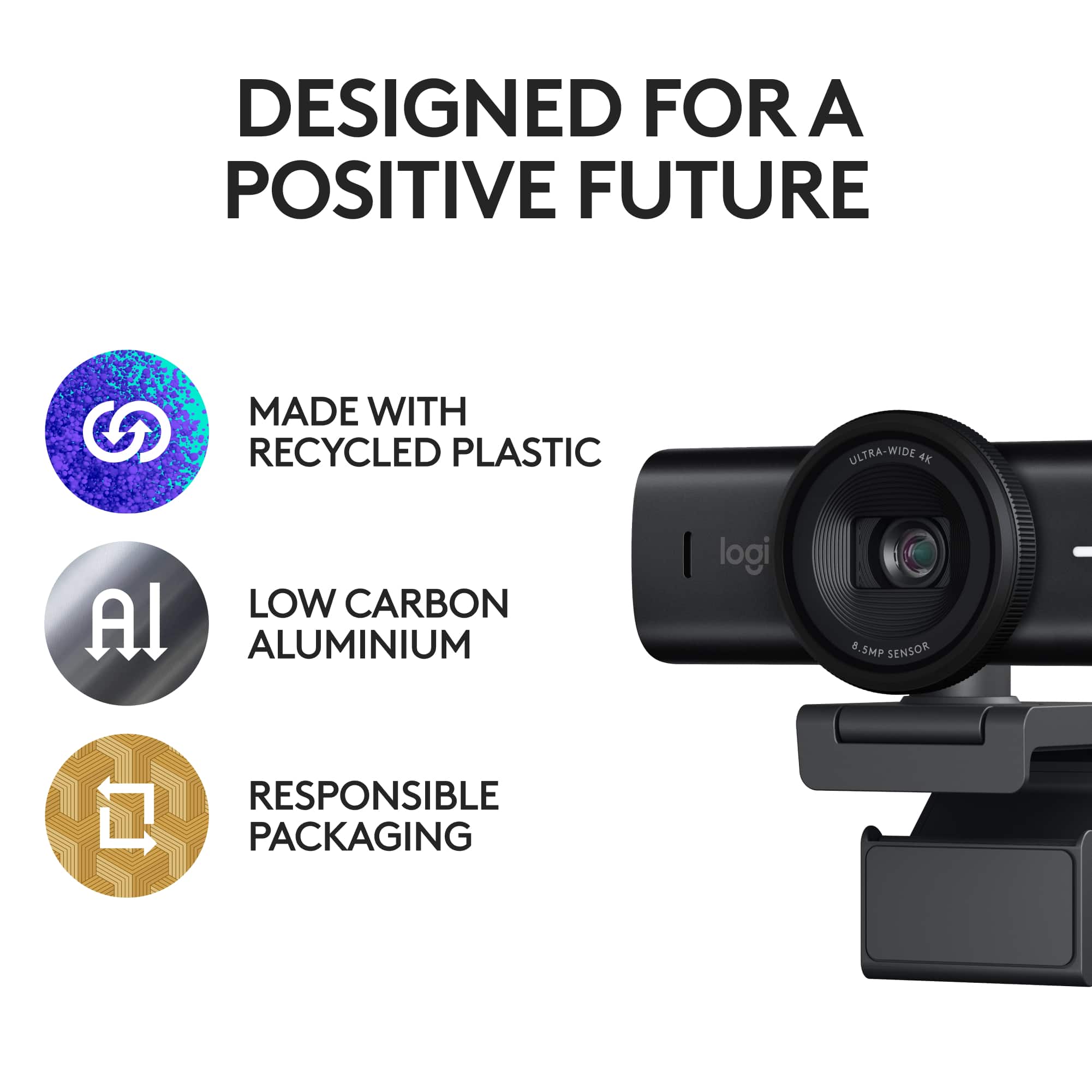
|Posted .This reviewer received promo considerations or sweepstakes entry for writing a review.For those of you who don't know, the Logitech Brio 4K webcam has been around for a year or two, and offers a lot of great features for the price. Logitech has now released the MX Brio, a souped-up design-forward version of the Brio that—like all of Logi's MX-series products—brings all the great functionality of the original, and adds some really premium touches. Altogether, the MX Brio is the ultimate cross-functional webcam, offering excellent performance and tremendous customizability. While low-light video still lacks a bit of clarity and there is no infrared sensor for Windows Hello, everything else about this camera is a winner. Let's dig in to what makes it so special. The important specs are these: • Multiple resolutions, including 1080p 60fps and 4k 30fps • Adjustable field of view and zoom, 65°, 78°, or 90° • Advanced fine image control: HDR, anti-flicker, Auto focus and exposure • Dual beam-forming microphones • Low-carbon aluminum body, glass lens, built-in privacy shutter • Responsible packaging and certified carbon-neutral production process The specs don't lie; this is a beast of a webcam, with an 8.5 MP Sony STARVIS image sensor capable of 4K Ultra HD at 30 fps. But the real stars of the show here are the welcome design touches and creature comforts. The camera comes with a multi-angle mount that magnetically clips to the bottom of the MX Brio, along with a standard tripod mounting hole if you should choose it. Importantly, the monitor mount does not occlude your computer screen even on monitors with very slim bezels. The privacy shutter is built-in, and activated by gently twisting a dial that surrounds the lens body, opening and closing with a perfect little "click." The matte black finish on the aluminum body looks very nice, and feels even better to the touch. Moreover, it doesn't show fingerprint smudges nearly as much as the front glass of the older Brio model, so you can grab and adjust the camera's position without having to wipe it down after. The MX Brio is compatible with a variety of Logitech software, including Logi Options+, G Hub and Logi Tune. These programs allow you to customize how the MX Brio performs, changing all the settings to get the exact right video output for you. One new setting is called "Right Sight" which automatically adjusts the frame to keep your face front and center. In practice, it works okay, but I prefer to keep my camera stationary and move to the right spot in the frame myself. The only two downsides I've encountered with the MX Brio is that it doesn't have an infrared sensor (i.e. cannot do face recognition login—although the older Logi Brio can) and it has some difficulty with low light performance. It seems like the auto exposure and white balance struggle a bit in these situations, leaving faces too ruddy and pixelating the video output a bit too much. This was also true of the older Brio model. But when paired with a decent natural light source, or substantial electric illumination, the MX Brio looks quite nice indeed. Absolutely recommended for people who want a major webcam upgrade.
I would recommend this to a friendBrand response from Logitech
Posted .Great review! The MX Brio sounds like a feature-packed webcam for streamers and video conferencing.
- Pros mentioned:Ease of use, Image quality
Excellent 4K video quality with clever Show Mode
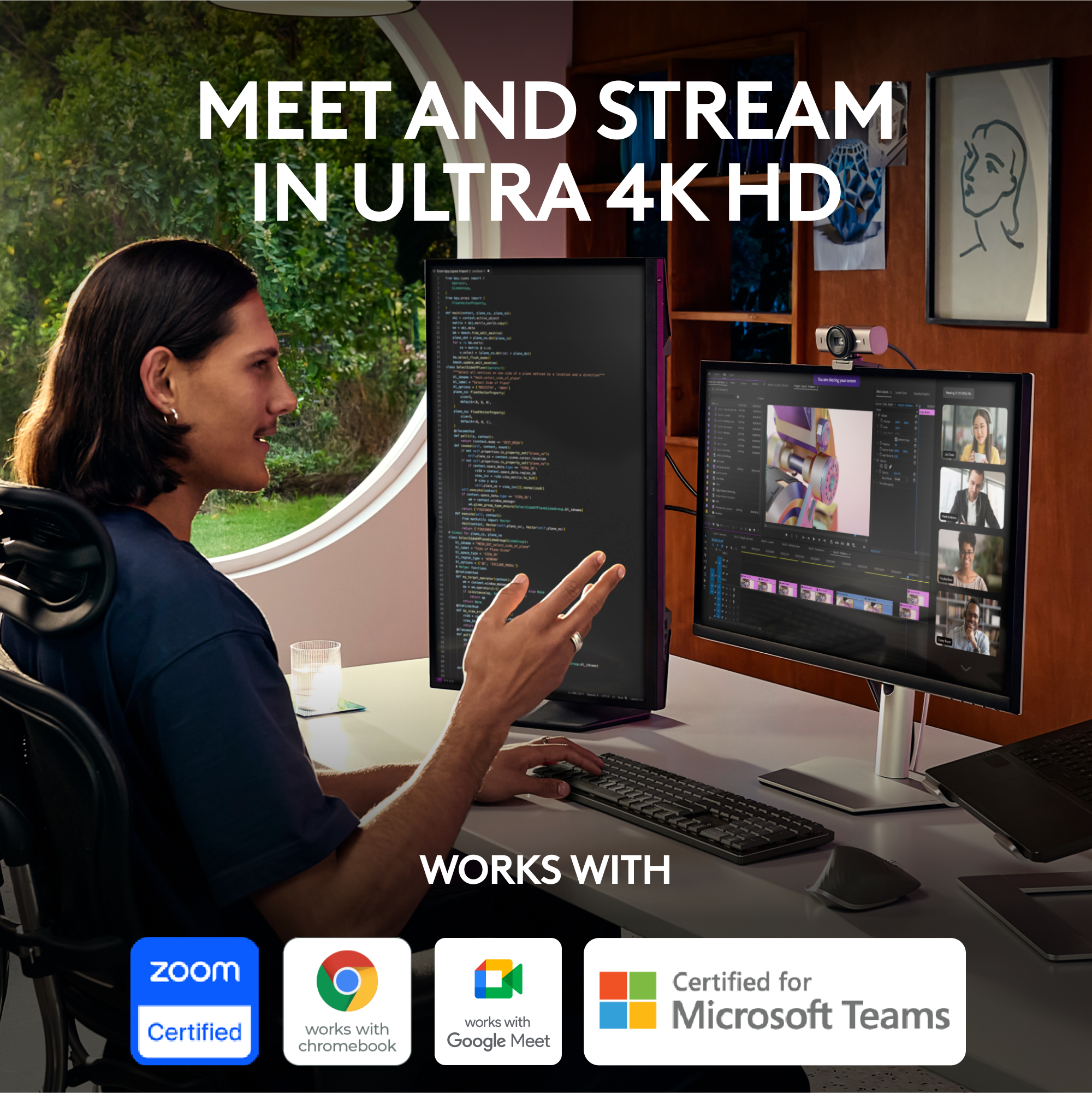
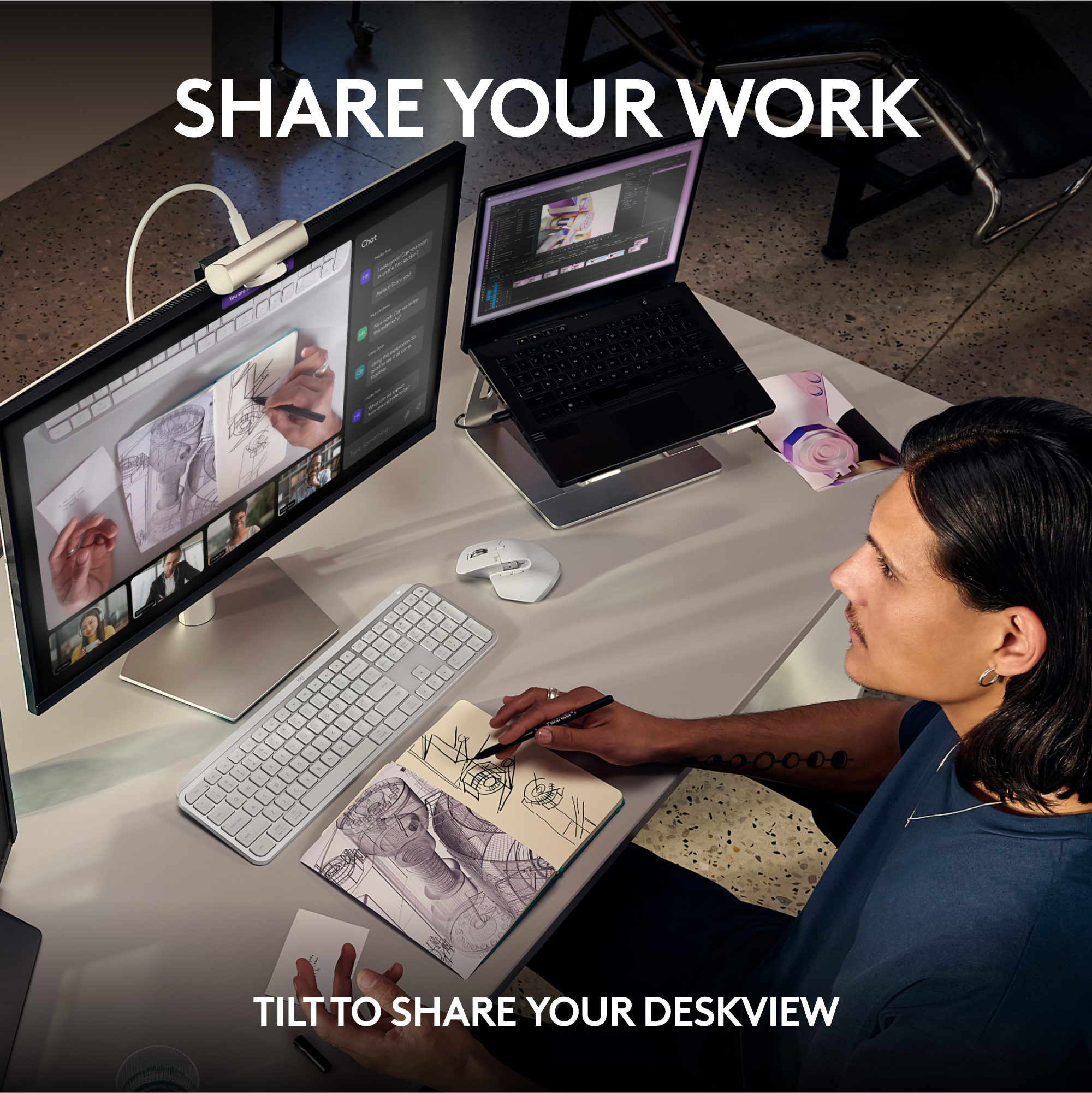
|Posted .This reviewer received promo considerations or sweepstakes entry for writing a review.This is the webcam meant for anyone that values how well they show up on camera for video streams or recordings. The Logitech MX Brio Ultra HD 4K is for someone that wants to ensure a high quality video image in 4K resolution from their streaming webcam. What I'm loving about this camera so far is the crisp 4K resolution for my online social media video streams. I use this MX Brio Ultra HD 4K for various uses such as recording YouTube videos, gaming videos, and work from home Zoom and Teams videos. The camera is very easy to operate with the included camera body and lid fastener, and the 5' USB-C to USB-C cable. You'll need to have an available USB-C port on your dock, or computer in order to use this with your machine. I have this attached to my laptop computer lid and it holds firmly on the top of the lid, and the USB-C cable is sturdy as well. This webcam can also be mounted to a standard tripod thread of 1/4". The resolutions that this camera is capable of are impressive and much better than any webcam I've used before. Resolutions include 4K/30fps, 1080p/60fps, auto focus, glass lens. There is a visible LED light indicator that shows you when the camera is in use. The lens area is very easy to open and close the privacy shutter with a simple turn/twist on the ring of the lens. Audio when I speak is very clear and picks up my voice without any background noise due to the dual beamforming microphones that work best for speaking within a 4ft range. There is a 8.5MP Sony Starvis image sensor built into this webcam. There are many useful and helpful fine imaging controls when you use the Logi Options+ or G HUB software from Logitech. With these downloadable free software I have been able to tweak the camera settings to be the exact way I want to look on camera with HDR settings, low light, hues, tints, and image optimization. The image quality is crisp and sharp and on par with what many of us are expecting as we use our smartphones. An interesting feature on this webcam is the Show Mode which is great for someone like me that wants to share my drawings, notes, or workspace with my audience or colleagues. With a simple tilt down of the webcam the image displays on the screen of what it looks like for an overhead shot of sharing something with your audience. Much like what you'd get to see or experience in an unboxing or cooking video. This is compatible across multiple platforms so it should be an ideal match for many users. MX Brio is compatible with Windows, macOS, and ChromeOS. So far I have tried it only with Microsoft Teams, Zoom, and Google Meet. There are more programs that it will work with according to Logitech. And if you're concerned about the environmental impact, this webcam is made from recycled plastics and also has a carbon neutral footprint. The Logitech MX Brio Ultra HD 4K webcam is worth upgrading from your built-in laptop camera. This is a worthy upgrade to invest in for your career or artistic endeavors. Always look good on camera and give your audience the best video presentation of yourself with this MX Brio webcam.
I would recommend this to a friendBrand response from Logitech
Posted .Thanks for the in-depth review of the MX Brio! We're thrilled you love the crystal-clear 4K video, versatile features (Show Mode!), and customization options with Logi Options+ software. Sounds like a conferencing and content creation champion!
- Pros mentioned:Image quality, Privacy feature
Good camera, minor case irritations
|Posted .This reviewer received promo considerations or sweepstakes entry for writing a review.First and foremost, this is a great webcam. Video and audio have been amazing and will be my permanent replacement for the Logitech C920 I've been using for many years. Logitech really did think about how people use their webcam and this one is definitely aimed towards people who teach or show of items. The hinge on the stand works beautifully for tilting the camera down at your area in front of a monitor and the mechanical shutter works wonderfully when you don't want your camera on, but you might still want to use your microphone. The stand hooked on to my monitor without issue and the sticky pad helps keep it in place when I decide to tilt the camera forward. The quick release magnet also works, but more to come on that later So with all the praise, I still have some cons for this. The first is the choice of USB cable. As you can see in the photo, it's a straight connect with no external weight support. This puts a lot of strain on the USB port inside the case. A 90 degree connect with some sort of hook on each side to hold the cable would have been much better. Next, the magnet I mentioned earlier works great for keeping the camera attached to the stand, but it's so strong compared to the sticky tape they include, they either there should have been stronger tape or a weaker magnet. I'm personally replacing the tape on mine with double sided mounting tape. Lastly, the 1/4" threaded socket under the magnet was drilled wrong. There is a tiny screw that Logitech added inside the threads. It doesn't appear to do anything as removing it does not allow the magnet to fall off, but if you leave the screw there, than standard hot-shoe plates do not attach properly. This doesn't matter if you have a mounting bracket that has the adjustable nut on it, but for any 1/4" connect that is just a bolt, well, I suggest removing the screw to get the clearance you need. All in all I do recommend the camera, but I hope Logitech reads this and makes some subtle changes to the next iteration.
I would recommend this to a friendBrand response from Logitech
Posted .Thanks for the detailed MX Brio review! We appreciate your praise for the video, audio, and thoughtful design features. We're aware of your feedback on the USB cable, magnet strength, and threaded socket. We'll take this into account for future iterations. Happy video conferencing!
- Pros mentioned:Image quality
Great Camera is Nearly Perfect
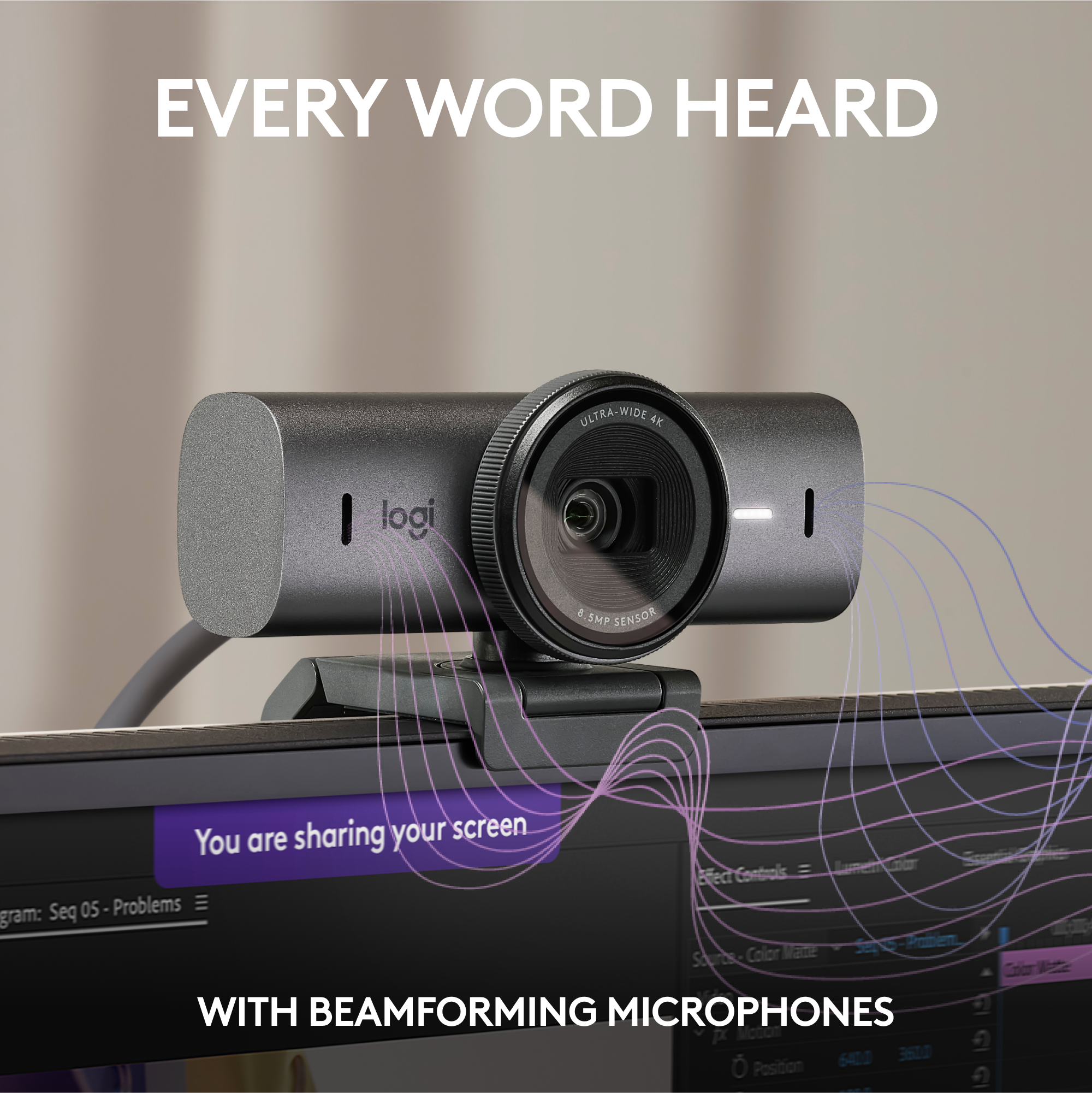
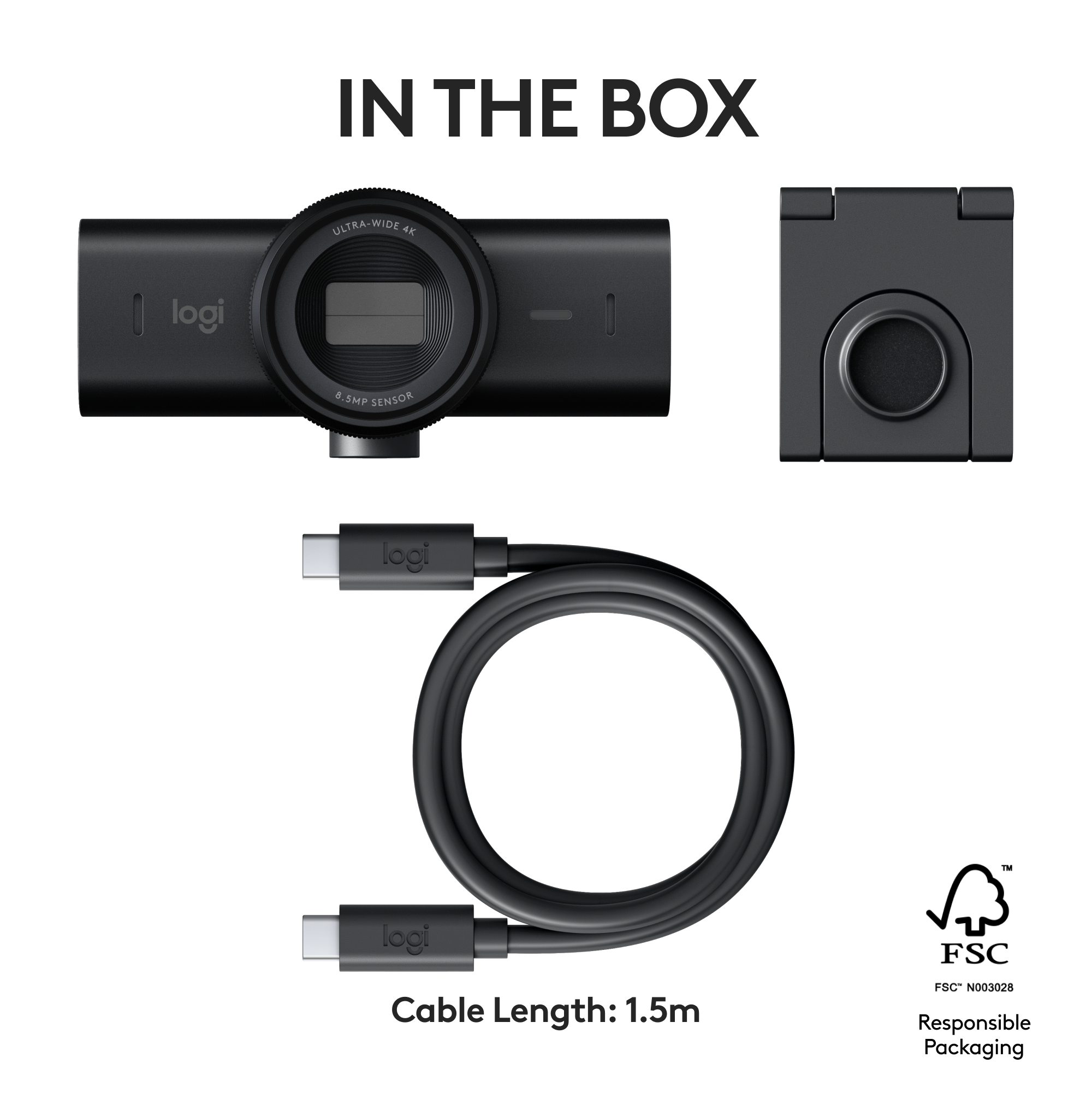
|Posted .This reviewer received promo considerations or sweepstakes entry for writing a review.Logitech has released their new MX Brio Ultra HD 4K PC webcam. The box includes the webcam, USB-C cable, magnetic mounting bracket, and quick user guide/paperwork. The monitor comes with a manufacturer's 1-year warranty. PROS: ----------- * The quality of the camera casing and lens area is exceptional. It's quite heavy (and heavy-duty) for a webcam. The flat black color is classy too. * The video is what you're paying for, and it is also exceptional. The PC you use will need to be able to handle the processing power to use 2K & 4K modes. If it can't, you still have normal HD/FHD modes that can be used in the LogiTune app. * The dual microphones on this thing are - Exceptional. Hard to believe a mic on a webcam can sound the same as a high-quality headset. That was the reaction I got from my team on my Microsoft Teams call today. I had used a very nice headset with boom mic before switching to the webcam... when I swapped over to this webcam with mic, they said the audio was identical to the high-quality headset. That's impressive. The mics also have the ability to focus on the user and filter out other noise not in the conversation with the use of beamforming. * The shutter cover is easy to open/close with a twist motion. * The light on the front of the camera gives a clear indicator that it's being used (amber - audio only, white - video/audio, magenta - updating firmware, or OFF - not in use or mic is muted) * You can use 2 Logitech software programs to control the webcam - LogiOptions+ or LogiTune. I already have an MX keyboard and mouse, so this MX Brio was simply added to the mix in LogiOptions+ with no issues. The webcam did take an immediate firmware update out of the box then reconnected flawlessly. The options in LogiOptions+ allow a ton of changes to be done with regard to motion, zoom, focus, low-light compensation, HDR, and a type of "follow-me" function where the camera will keep you in the center of the frame. Many of these options can be done automatically or manual, so you can get that perfect shot. The LogiTune app has many of the same features as LogiOptions+ but also has some preset color filters that can be used in addition to being able to set your resolution to 720p, 1080p, 2K, or 4K. There is also a grid that can be toggled on/off if you need your picture centered. So it will be good to download both of those apps. * The webcam can be mounted on a basic tripod with the bolt attachment area on the bottom, in the center of the magnetized area. This is a necessary option for those not wanting to place on a monitor. * Works with a ton of programs; however I use MS Teams with my company. Other include Webex, Skype, Google Meet, Zoom, and a handful of others. CONS: ----------- * The 5-foot USB-C cable provided does the job quite well; however, sometimes a PC is a bit further away from the monitor than this cable can reach in "wire feet", meaning sometimes the wire has to be routed under a desk, through a hole, etc before it reaches the PC. Having 2-3 more feet would be helpful especially given the lack of cable management of this webcam... * Cable management. There is none, and most webcams simply don't need it because of the cables are typically very lightweight. But this webcam is heavy along with high-quality/thick USB-C nylon cable with significant weight and nothing to hold it up or route it somewhere other than 90-degrees out the back of the webcam. There needs to be 2 L-adapters provided with this camera - one that L's up/down, and one that L's to either side. And on top of that, perhaps some kind of clip mechanism to hold the cable in place if it uses a "side" L-bracket for weight distribution reasons. With the cable coming straight out the back, there is a bit of pressure on the USB-C port itself. The cable could get damaged or the port itself could get damaged from the weight of the cable causing stress in that area. Though the cable is of high quality, some cable management is needed along with some L-brackets because of weight distribution... * Weight distribution. It's heavy for a webcam. The cable comes out of the back and causes the user to have to balance the cable and camera so it doesn't fall forward in front of the monitor and possible damage the monitor screen. Now, it DOES come with a "sticky" back-side which Logitech obviously thought would be enough; however, sometimes I like to move my webcam from one PC to the next - OR I may take it with me to work and use on those monitors. It's probably not normal to take them on-the-go, but even with the sticky side, the back of my monitor is slightly rounded, so the flat sticky surface will only make contact to a point - and that doesn't help a lot. A camera this heavy may need a bigger and different designed perch to combat weight distribution issues. In most cases it may work fine, but it is an issue that could likely be corrected. OTHER OBSERVATIONS: ----------- * The perch has a portion cut out so the camera can be twisted to look down at your keyboard area or directly in front of your monitor. I personally have no need for this feature, but some people might. The camera is connected to the perch via what appears to be rare earth magnets that are insanely strong (which they may have to be due to the weight of the camera itself). If the perch is not stuck to the back of the monitor, it may easily clunk into your monitor screen if you're not careful with it. * Resolution gives 4K at 30fps or 1080p at 60fps - these are pretty basic and should work great for most applications. * The zoom is digital and goes up to 4x. CONCLUSION: ===================== Overall, I'm highly impressed with the build of the product itself along with the video/mic quality and the Logitech software provided. My biggest issue is with the weight distribution and cable management on the backside of the webcam. There are issues there that should be worked out to make sure this thing doesn't fall off my monitor. The sticky base only does so much, and the cable itself, though high-quality, needs some support to keep the cable from pulling back on the webcam. If these minor issues are fixed, I think Logitech will have a complete winner here. It definitely beats the Logitech CS920 FHD webcam I have been using for the last decade or more.
I would recommend this to a friendBrand response from Logitech
Posted .Hey! Thank you for your comprehensive review of the Logitech MX Brio Ultra HD 4K webcam! Your detailed breakdown of the pros and cons, including the video/audio quality, software features, and mounting options. We especially appreciate your insights on the weight distribution and cable management considerations. This feedback will be valuable for our product development team as they look for ways to improve future iterations.
- Pros mentioned:Connectivity, Image quality
Great webcam
||Posted . Owned for 3 months when reviewed.This reviewer received promo considerations or sweepstakes entry for writing a review.This is the first webcam I have used and I must say. I am happy I purchased it. It is extremely clear. Audio is top notch. The process was plug and play no hassle. Been using it for several months and have received several compliments. While purchasing it I was stuck on what to buy and luckily the employee was rather knowledgeable about the product and they said they personally owned one and highly recommended it. Even though it was higher in price compared to others I got what I paid for.
I would recommend this to a friendBrand response from Logitech
Posted .We’re so glad you’re enjoying your Logitech MX Brio Ultra HD Webcam. Your feedback helps us stay on track and continue delivering great experiences.

- Pros mentioned:Privacy feature
The best camera on the market for collaboration
|Posted .This reviewer received promo considerations or sweepstakes entry for writing a review.Remember the days before the pandemic, when video cameras were just for (1) YouTube creators and (2) catching up with family? I admit that I had occasionally used them for the odd work meeting, but just like the family overseas call the features and quality were never really a concern. Can you see and hear me ok? Ok, then we're good. Fast forward a few years to today, and I feel like I'm missing something when I 'work' with someone remotely and I can't see them. Those subtle person-to-person cues that you miss out on in voice calls make the difference between talking to someone and connecting with them. Like most people I live and die with the camera on now, primarily for work - meeting with customers, catching up with colleagues is all part of my day to day experience, and the latest Logitech Brio has a few tricks up its sleeve to make things easier. There are the usual features you would expect - a built in 'shutter' for privacy, and through the Logitech software ,the ability to change the field of view, apply filters and adjust for light/white balance etc.as well as the ability to make fine grain changes (or just use 'auto' and let the sensor figure it out - my preferred option) For those of you familiar with Apple devices and their 'center stage' camera option, the MX Brio adds something called 'RightSight' , which performs exactly the same function. As you move about in the field of view, the image automatically tracks to keep you in the center. In my testing this was a little hit and miss depending on the settings you use for distance and speed, but again using the default settings seems to the best option. If you're coming from the previous Logitech Brio - you're probably thinking, do I need to upgrade? Well just on the RightSight feature alone, I'd say probably not - but if like me you are collaborating and want people to see what you're doing the killer feature is the update to the mount. You can now pivot the camera straight down to show your desk, so if you're illustraiting something , playing an instrument (like I do) and want people to see that - no need for additional cameras, just flip the camera down, and it will automatically flip the image to keep it right-way-up in 'show mode'. As I'm doing more collaboration these days, the combination of these image and audio enhancements (some taken care of by AI) all enhance that person to person experience, but the RightSight and the flip-down Show Mode make it much more of an interactive experience. The only question is , do I buy two to make sure the person on the other end is getting the same benefits!
I would recommend this to a friendBrand response from Logitech
Posted .Thanks for the fantastic review! We're thrilled you're enjoying the Logitech MX Brio Ultra HD 4K webcam and its features like RightSight and Show Mode. They're designed to enhance your video conferencing experience. If you have any questions or need further assistance, please don't hesitate to reach out!
- Pros mentioned:Field of view, Image quality, Privacy feature
A Premium Choice for Crystal-Clear Video
||Posted . Owned for 1 month when reviewed.This reviewer received promo considerations or sweepstakes entry for writing a review.The Logitech Brio Ultra HD Pro Business Webcam is a top-tier option that combines cutting-edge features with exceptional performance. Here’s why it stands out: Crystal-Clear Video: With 4K resolution at 30fps, the Brio delivers stunning image quality. Whether you’re in a conference call or recording content, your video will be sharp and detailedAd1. Auto Focus and HDR: The Brio’s auto focus ensures you’re always in focus, while HDR enhances contrast and color accuracy. Say goodbye to washed-out or blurry visualsAd1. Adjustable Field of View: Choose from three fields of view (65 degrees, 78 degrees, or 90 degrees) to frame your shot perfectly. Ideal for presentations, interviews, or streamingAd1. Great Sound Quality: The built-in stereo-dual omni-directional microphone captures clear audio. No need for an external micAd1. Privacy Shutter and Travel Bag: Protect your privacy with the included shutter. Plus, the travel bag makes it easy to take the Brio on the goAd1. While it’s on the pricier side, the Logitech Brio Ultra HD Pro Business Webcam is worth every penny for professionals who demand the best
I would recommend this to a friendBrand response from Logitech
Posted .Hey! Thank you for your detailed review of the Logitech Brio Ultra HD Pro Business Webcam! It's very helpful to hear your thoughts on the camera's features, especially the crystal-clear video quality, auto focus, and adjustable field of view. We appreciate you taking the time to share your experience!
- Pros mentioned:Image quality
Top of the Line Webcam
|Posted .This reviewer received promo considerations or sweepstakes entry for writing a review.Logitech has really made a name for themselves as the best when it comes to computer accessories - as in keyboard, mice, and of course cameras! I was excited to get my hands on their new Logitech MX Brio and it has been fantastic so far. PROS: - Unboxing, I was immediately impressed with the build quality of this camera! It has some good weight to it, looks and feels premium, and just has a great design to it. The USB-C cord on it is heavy duty as well, very thick for a cable so you know it will last. - Setup is pretty simple! Attach the camera to the top of your monitor, and plug it in to your USB-C port. Logitech has two apps you can use for this “Logi Options+” and “LogiTune” which they recommend using the Logi Options+ but I found that both work well. - The camera quality is fantastic! 4K 30fps with an ultra wide camera that can get your whole room if you want to. Of course in the app you can zoom in and make edits to the exposures and color balances, but really out of the box it looks incredible. - The built-in shutter is a personal favorite of mine as well. You just twist the rim of the camera and it opens and closes the shutter manually, just a nice touch to give yourself that extra added layer of privacy when you do not want to be on camera. - The microphone on it is also really high end! I have taken many calls on this so far and I sound great and it does not pick up a bunch of the background noise. - The “show mode” is another nice feature that allows you to tilt your camera down at the surface of your desk so you can showcase a document or drawing or something you are working on. Really nice versatility! CONS: - Really no issues or downsides I have ran into so far! BOTTOM LINE: - If you work from home, or are a content creator, or take video calls often, you simply want to look the best you can. The new Logitech MX Brio is an excellent truly top of the line camera with 4K video, AI image enhancers, ultra wide lense, and an excellent microphone on it. Logitech continues to prove why they are the brand to buy in this space!
I would recommend this to a friendBrand response from Logitech
Posted .Thanks for the detailed MX Brio review! We're thrilled you love the premium build, 4K image quality, AI enhancements, and features like Show Mode. It's perfect for video calls, streaming, and content creation!
- Pros mentioned:Image quality
Crystal Clear Webcam
|Posted .This reviewer received promo considerations or sweepstakes entry for writing a review.I haven’t used a dedicated standalone webcam in a while and given that my laptop’s webcam wasn’t the best I decided to give this a try and, I was pleased with the Logitech MX Brio Ultra HD 4K Webcam that I’ve been using over the last few days. Inside the box came the MX Brio, a USB C to USB C cable and the usual paperwork. From the moment you unbox the Logitech MX Brio, its sleek and premium build quality is seen and experienced as you handle the device. It seems to be made of a combination of aluminum and plastic delivering a solid feel in the hand that leaves no doubt in my mind it will last awhile. The entire setup is split in two, you have the main camera unit and then a multi-stage stand it attaches to magnetically. I was surprised at how strong the magnets are while still allowing the camera unit to freely move left or right. Also, the stand allows for the camera to be tilted directly down towards your keyboard, called Show mode by Logitech. It allows you to quickly give a birds-eye view of your notes, sketches or whatever you have on your desk while also adjusting the image rotation to ensure the video is still right side up. The standout features of the MX Brio for me is undoubtedly its 4K resolution capability and versatility. I primarily used this for virtual meetings (Zoom, Teams, Skype etc.) and the clarity and detail captured by this webcam was unparalleled especially when compared to my default webcam. I’m sure this could easily be used by content creators and streamers as the video quality is astounding. The Mx Brio is capable of 4K 30fps or full-HD capture at 60fps frame rate. Moreover, the MX Brio performs well under varying lighting conditions especially low lights, you’ll consistently appear bright and clear. Another nice touch I appreciate is the physical privacy shutter that you easily engage and disengage by simply twisting the rotating lens frame. The MX Brio doesn't just excel in video quality; its audio capabilities are better than I expected. The Brio is equipped with dual integrated omnidirectional microphones, it delivers clear and natural sound, eliminating the need for external microphones in most scenarios. Of course, it is not as good as a dedicated mic but it gets the job done and from my meetings, I was told my voice came through loud and clear. The Mx Brio could be used without installing software but it really gets unlocked when use one of Logitech's companion software. I went with Logi Option+ which I am more accustomed to and it added layers of customization and control to my experience. You can adjust the field of view, zoom, exposure, you name it. Two thumbs up here Logitech. In conclusion, the MX Brio is a pretty good webcam. It has a stunning 4K resolution, good features, and premium build quality. Whether you're doing video conferencing or streaming content the MX Brio will ensure that you're always seen and heard in the best possible light.
I would recommend this to a friendBrand response from Logitech
Posted .Hey! Thank you for your comprehensive review of the Logitech MX Brio Ultra HD 4K Webcam! It's very helpful to hear your experience with the webcam's build quality, video and audio capabilities, and the included software. We especially appreciate you mentioning the strong magnetic mount and the clarity of the 4K resolution video, even in low light conditions. Your insights are valuable for us as we continuously strive to improve our offerings.
- Pros mentioned:Image quality
Simple to use, sharp webcam
|Posted .This reviewer received promo considerations or sweepstakes entry for writing a review.I use a webcam frequently due to remote work and online classes. After using it for about a week or so, I would easily recommend this camera, but only if you need the extra 4k sharpness or 60 fps at 1080p given its hefty price tag. I previously use a Logitech 920 webcam. It has lasted me for awhile and it's still a good camera overall, but the MX Brio is a clear step above. For starters, the image quality is very crisp and the colors pop more than your usual build-in laptop webcam. Camera performance is good under low light conditions. A lot of the image settings can be tweaked using some the Logitech Camera Settings such as Standard or Wide Screen, Brightness, Contrast, White Balance, etc. Even if your application(like Twitch) restricts you to just 720p or 1080p, the 4k image can be down scaled so there's still a bit of add sharpness. One nice feature that's included with the camera is a privacy shutter. You can turn if on and off by twisting the lens clockwise and counter clockwise. By default the privacy shutter is on so make sure to open it before first use. The mount sticks to monitors and laptop screens well. You can make a lot of minor adjustments and rotations with the camera. The mount has a sticky portion to it in case you need to stick the camera somewhere (there's also an included adhesive strip). Camera also has a 1/4 inch hole so it can be mounted to tripods. Microphone sound quality is adequate. It does pick up a lot of background noise so the noise cancellation isn't that great. Nevertheless, the person you're talking to should be able to hear you clearly though the audio will not be as good as a headset or actual USB or XLR microphone. As mentioned, great webcam that I can easily recommend, but only if you need the additional visual fidelity given its price.
I would recommend this to a friendBrand response from Logitech
Posted .Thanks for the insightful MX Brio review! We appreciate your balanced perspective on the image quality, features, and price. We understand it might not be for everyone, but great choice for those who need that extra sharpness. Happy video conferencing!
- Pros mentioned:Image qualityCons mentioned:Low-light performance
Pretty great video quality
||Posted . Owned for 6 months when reviewed.This reviewer received promo considerations or sweepstakes entry for writing a review.Fantastic focus and really crisp and video, my con workers noticed right away something changed in my home setup. Could be a bit better with low light but is not that big of a deal, as long as you have a good source of light it is great.
I would recommend this to a friendBrand response from Logitech
Posted .We’re so happy to hear your experience has been positive. Your feedback helps us stay focused on what matters most—our users. Thanks for supporting Logitech!
- Pros mentioned:Image quality
Great - even better with a light
Posted .This reviewer received promo considerations or sweepstakes entry for writing a review.A premium business camera with a clear microphone this easy to plug-and-play Webcam works well with my PC laptop, and even better when paired with a light such as the litra glow LED light also from Logitech.
I would recommend this to a friendBrand response from Logitech
Posted .Thank you for your kind words and for letting us know how our product is working for you. We’re thrilled that it’s meeting your needs and making a positive impact. Your feedback is incredibly valuable to us, and we’re grateful you chose Logitech.
- Pros mentioned:Ease of use, Image quality, Privacy feature
Outstanding 4K video and great mic for us on OSX!
||Posted . Owned for 1 month when reviewed.This reviewer received promo considerations or sweepstakes entry for writing a review.Great all-around webcam that includes excellent mic capabilities. Easy to setup and use with Logi Options+ software that easily manages this and other Logitech products. Twist the bezel to cover camera - nice feature, unlike the manual cap that Dell uses.
I would recommend this to a friendBrand response from Logitech
Posted .That's fantastic to hear! We're thrilled you find the Logitech MX Brio Ultra HD 4K Webcam to be an outstanding all-around webcam with excellent mic capabilities, especially for macOS users. It's great that you appreciate the easy setup with Logi Options+ and the convenient twist-to-cover privacy feature!
- Pros mentioned:Image quality
Phenominal
||Posted .This reviewer received promo considerations or sweepstakes entry for writing a review.I normally use my GoPro Hero 11 Black, which works great for streaming. However, if I really need top-tier quality, I’ll break out my Sony Alpha a6000. That said, the a6000 setup is extreme for a non-professional streamer—and tearing down and rebuilding that setup every time is not practical. The only reason I picked up the MX Brio was because I had reward points stacked with a Black Friday $50 discount. I ended up paying around $110, and honestly, it has exceeded all expectations. This camera is outstanding. Light capture is excellent, colors are accurate and vibrant, and clarity at 1080p 60fps is phenomenal (especially considering most streaming software caps at that resolution). I’ve also tested it at 4K, and the quality is shockingly close to my Sony a6000 in terms of sharpness, lighting, and color reproduction. Comparing a compact webcam to a mirrorless camera paired with a 35mm or 50mm lens sounds crazy—but here we are. Even in my office, where lighting is far from ideal (which usually exposes camera weaknesses fast), the MX Brio performs extremely well. If you’re on the fence: buy it—you won’t regret it. Pros: Video Quality Ease of Setup Ease of Use Excellent Build Quality For the price I paid, this camera punches way above its weight.
I would recommend this to a friendBrand response from Logitech
Posted .Thank you for your detailed feedback! We’re thrilled the MX Brio Webcam exceeded your expectations with its quality and performance.