Customer Ratings & Reviews





- Model:
- 920-012660
- SKU:
- 6593421
Rating by feature
- Value
Rating 4.3 out of 5 stars
- Quality
Rating 4.5 out of 5 stars
- Ease of Use
Rating 4.1 out of 5 stars
Customers are saying
Customers recognize the product's highly customizable settings, the quality of its accompanying dial, and its impressive battery life. They also appreciate the great overall integration and the good feel of its buttons. However, some customers experienced initial issues getting the required software to work and noted that Bluetooth connectivity could be somewhat laggy compared to a USB-C connection.
This summary was generated by AI based on customer reviews.

Great Tool for Video Editing and Beyond
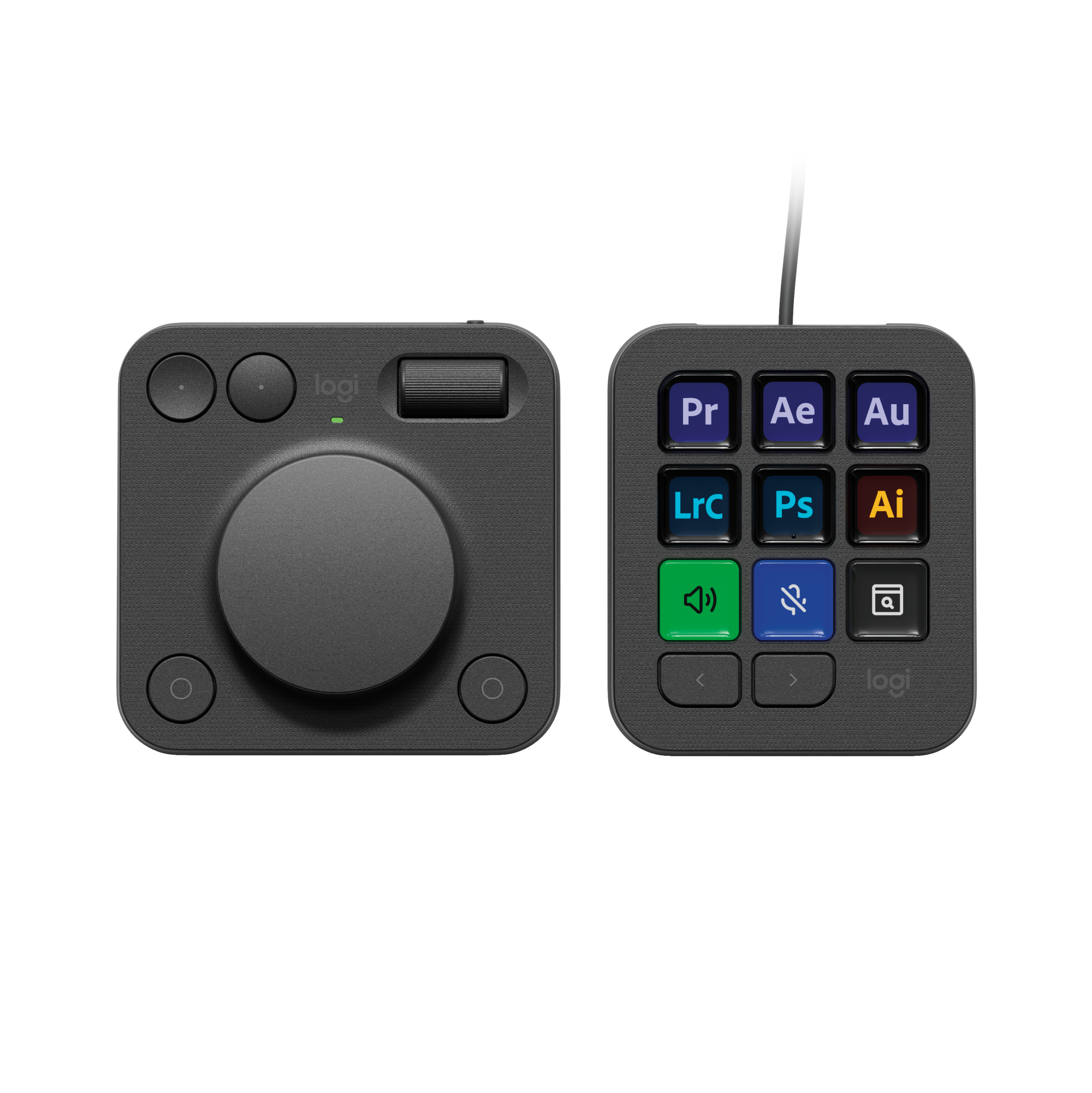
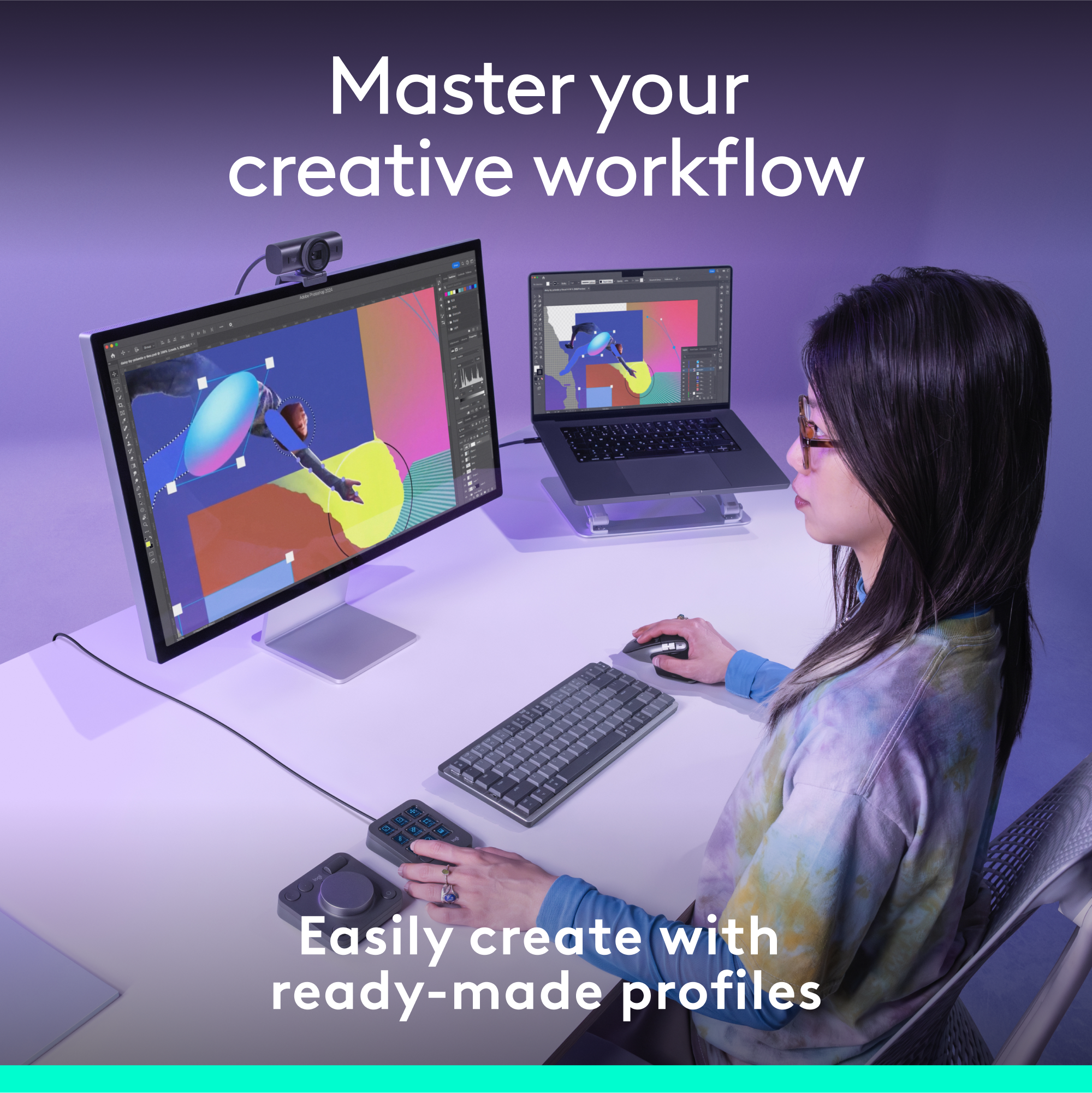
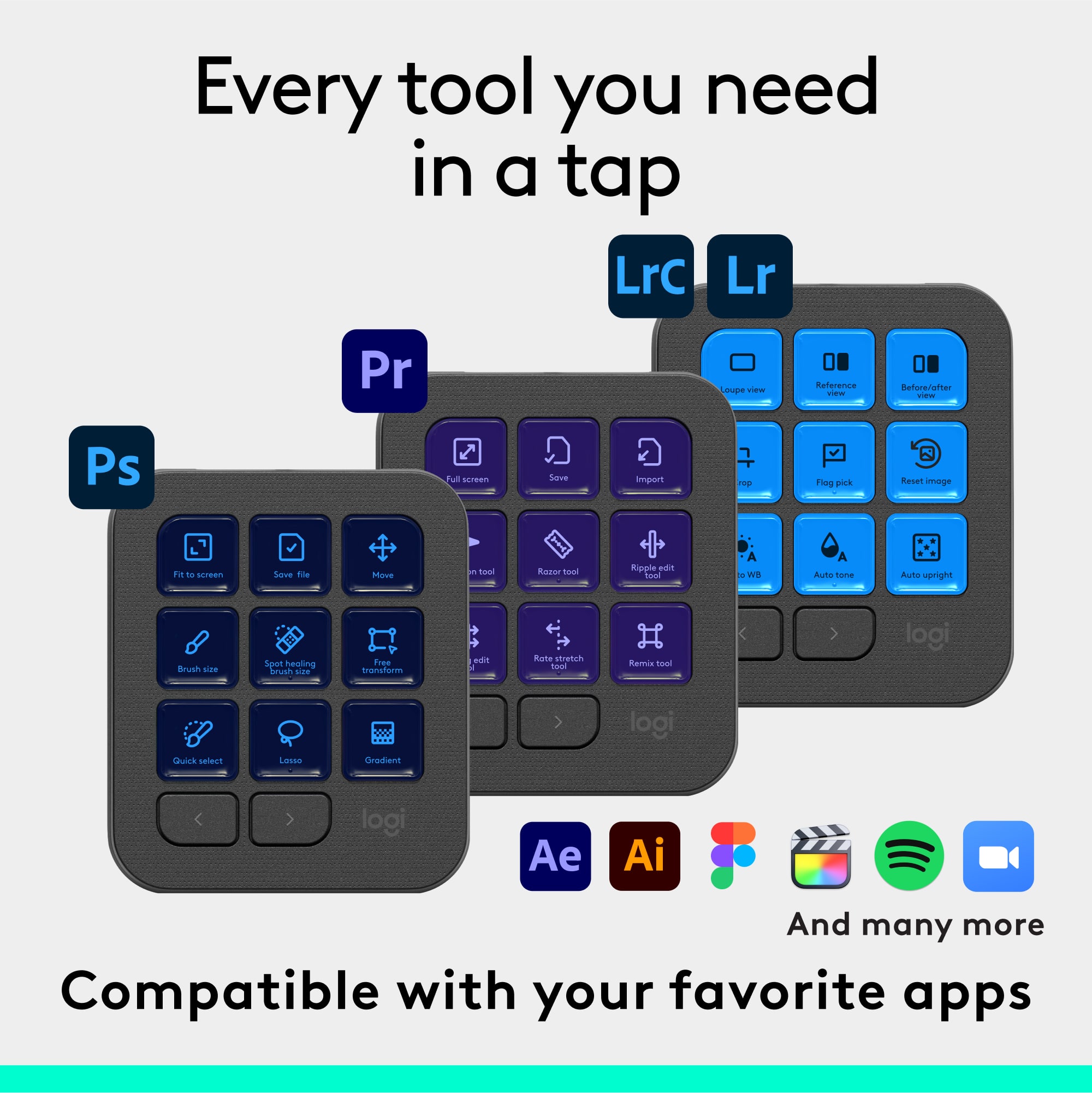
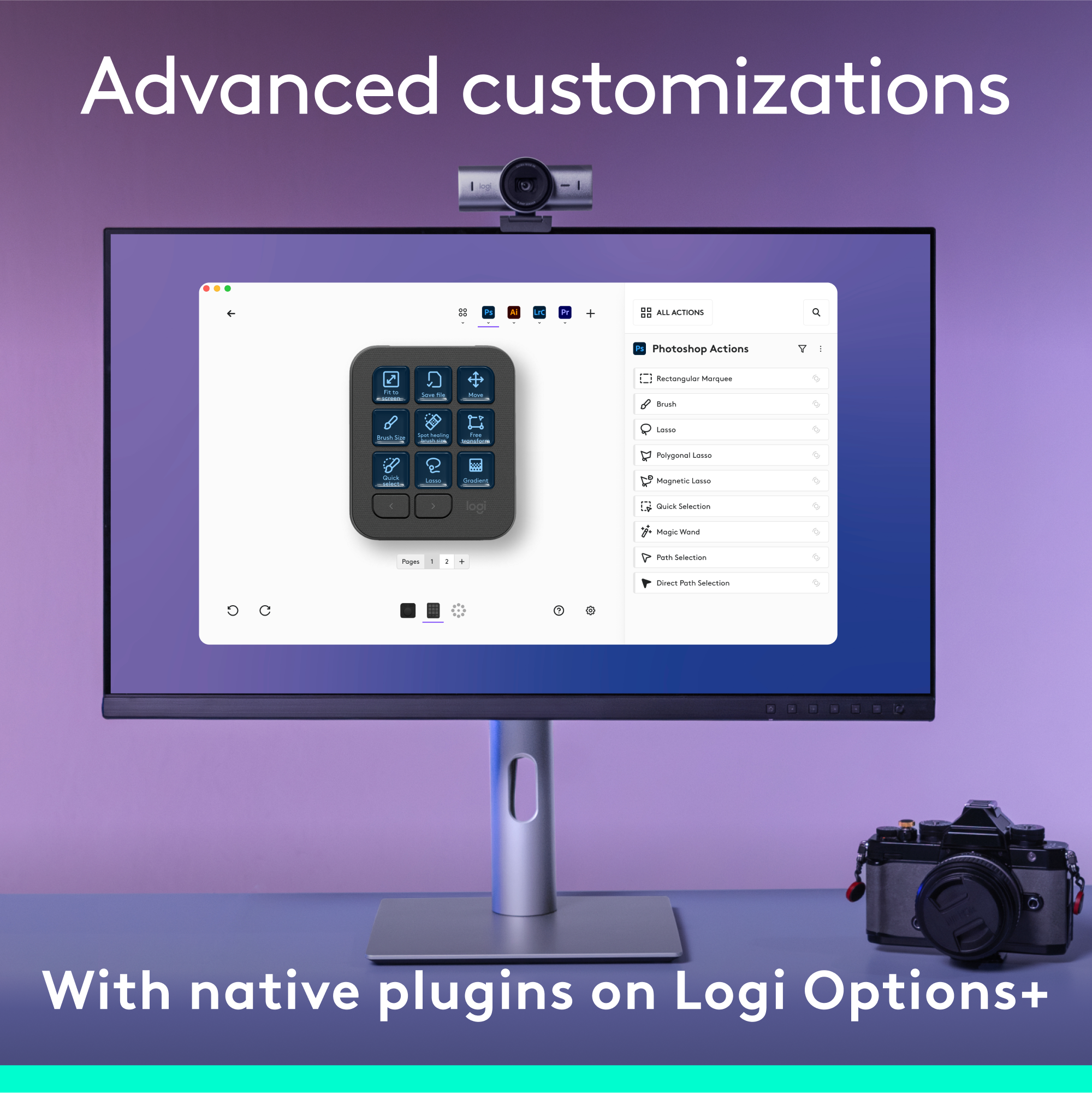
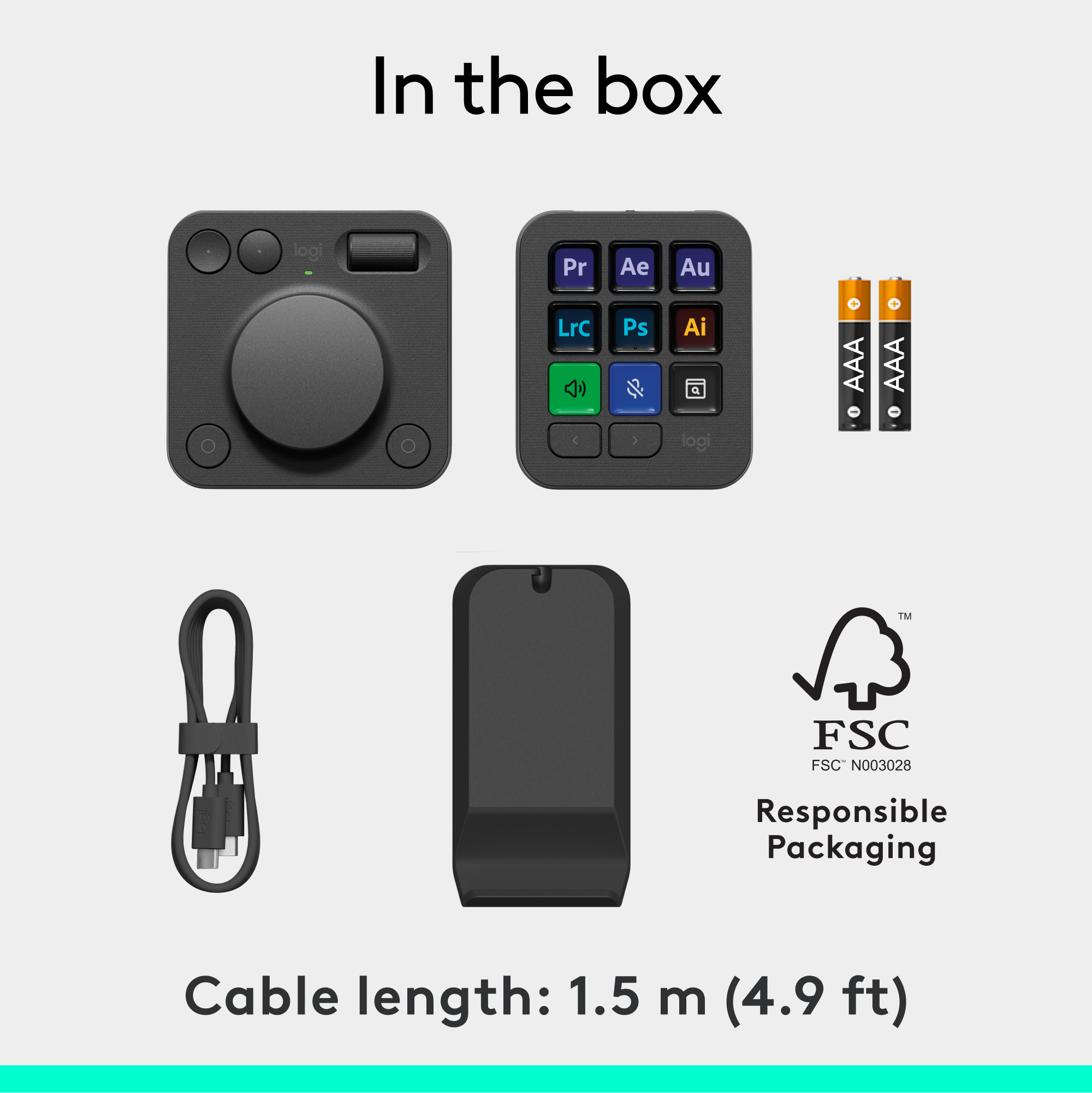
|Posted .This reviewer received promo considerations or sweepstakes entry for writing a review.Video editing for most people is tedious work. Having good video editing hardware is a necessity to make it easier and get it done faster. The MX Creative Console is Logitech’s solution for that particular purpose. The device has enormous potential but right now it’s catered more to Adobe Creative Cloud users. Thankfully, the device comes with 3 months of creative cloud subscriptions, which would normally cost nearly the price of the device. Design and setup The product consists of a keypad and a Dialpad and they all feel solid. There’s a stand included to support the keypad upright. I’m not a fan of plastic buttons on the keypad but they’re not bad. The plastic buttons are illuminated really well, and texts are easily legible. Setup requires a bit more work. Logi Options + needs to be installed and in the said app there is a specific profile that needs to be activated before the device can be relevant as an editing tool in the Premiere Pro application. Even without activating specific profiles that cater to context-based application, the general profile is always active and useful as an extension and shortcuts of your keyboard. You can also customize and tweak the buttons further right from the app. Features and performance I tested the device in both PC and Mac and it works pretty well as a shortcut tool in either system. It’s quite clear that the device is geared more toward PC users, even more so, Adobe Premiere Pro users. Currently there’s no profile for Final Cut Pro. Even for PC users there’s no profile being made available for other video editing software such as DaVinci Resolve, no matter how hugely popular the software is. As a video editing tool for Adobe Premiere Pro, the device works well. Undo and redo changes in a clip are just within a click of button in the Dialpad, same goes for marking the clip in and out. The dial works smoothly, and context manipulation works to the speed of dialing. Button response is good and once you get the hang of it, accessing every shortcut will become second nature. The only thing is that the buttons on the Dialpad are without label and perhaps Logitech should have provided labels to make it easier for users to get used with the buttons. So yes, Logitech has largely been able to make video editing a bit easier. I just wish that Logitech would create a profile or plugin for Final Cut Pro. Not just for video editing, useful profiles and plugins already available on Logi Marketplace includes Zoom, Discord and a few streaming popular apps. Conclusion Logitech has been successful in creating video editing hardware with enormous potential for other use cases as well. Hopefully for Mac users there will be profiles or plugins for Final Cut Pro, as well. I can see that the MX Creative Console appeals to someone who use Adobe Premiere Pro a lot. Also, the device is useful for those who need dedicated buttons when using certain apps, such as Zoom, Discord, etc.
I would recommend this to a friendBrand response from Logitech
Posted .Thank you for your detailed review of the Logitech MX Creative Console Programmable Keypad! We appreciate your insights into the product's features and your suggestions for future improvements. Your positive feedback means a lot to us as we continue to create exceptional products that elevate your productivity and creative workflows.
- Cons mentioned:Bluetooth
Pretty good. Could be better.
||Posted . Owned for 1 week when reviewed.This reviewer received promo considerations or sweepstakes entry for writing a review.I’m a Logitech fan and had high hopes for this product. I’m mostly satisfied, but there are a few quirks and absent features. 1. The rotating knob is connected to the computer via Bluetooth. Sometimes I’ll reach over to adjust volume and the computer doesn’t respond. It turns out that it needs some time to wake up if it hasn’t been used in a while. About 3 - 5 seconds. 2. I really wish the knob was also a button. Programmable. Push to mute. Push to mark. Whatever. 3. There really aren’t any plugins (or whatever they’re called) beyond those developed for Adobe apps. Which means that I’m programming everything manually. And the only app functionality I can tap into are those that have a keyboard shortcut. Teams. SketchUp. Pixelmator Pro. PowerPoint. That’s a lot of setup time. 4. The whole thing feels a bit cheap. I would say it’s appropriate given the price tag (really not a bad price), but they could have added a bit of weight or stiffener up the buttons/knob a bit for a more premium feel. All things considered, it’s an impressive device and I’m hopeful that advanced users and Logitech join forces to make it better and better over time.
I would recommend this to a friendBrand response from Logitech
Posted .We appreciate your thoughtful feedback on the Logitech MX Creative Console. We're glad to hear that you're mostly satisfied with the product. Your suggestions regarding the rotating knob's functionality, expandability of plugins, and the overall build quality are valuable to us. We're committed to continuously improving our products, and your feedback will help us shape future iterations. Thank you for your support and for choosing Logitech.
Great but I wish the dial had more buttons
||Posted . Owned for 1 year when reviewed.This reviewer received promo considerations or sweepstakes entry for writing a review.I was initially dreading setting up the shortcut profiles for each piece of software I owned, but the community integration made it extremely easy (provided you are willing to learn someones keybinds). I wish the dial had more buttons on it as it wasn’t enough controls for my needs.
I would recommend this to a friendBrand response from Logitech
Posted .Hey! We’re pleased to hear that our product is serving you well. Your review helps us grow and evolve. Thanks for being part of the Logitech experience.

Easy to use
||Posted . Owned for 1 week when reviewed.This reviewer received promo considerations or sweepstakes entry for writing a review.I like how easy it is to customize the dialer and pad. The one problem is that the dialer is not rechargeable and requires batteries. I use it with Davinci Resolve and just regular browsing on my macbook pro.
I would recommend this to a friendBrand response from Logitech
Posted .We’re so pleased to hear your experience has been positive. Your input helps us build better products for everyone.
- Pros mentioned:Customization
Final Cut Pro Enhancer
||Posted . Owned for 2 months when reviewed.This reviewer received promo considerations or sweepstakes entry for writing a review.This is a great tool! My productivity has skyrocketed since using this. Especially when navigating through my files and editing in Final Cut. I like all the customization you can do to the key panel to make it personal for you. My only concern is the screen burn in… I had this on for hours on one single page and for the next 2 or 3 days, it burned that image onto the screen. After a couple of days, it is fine now, but definitely something to be aware of. Overall I recommend this to anyone that can afford it.
I would recommend this to a friendBrand response from Logitech
Posted .Thank you for the fantastic feedback on the MX Creative Console! We're thrilled to hear it has significantly boosted your productivity, especially with file navigation and Final Cut editing, and that you appreciate the customization options. We also appreciate you bringing the screen burn-in issue to our attention and will take this valuable feedback into consideration. We're glad to hear it resolved itself, and we appreciate your recommendation!
- Pros mentioned:Overall performance
I love this
||Posted . Owned for 1 year when reviewed.This reviewer received promo considerations or sweepstakes entry for writing a review.This definitely increased my productivity and helped me gaining time
I would recommend this to a friendBrand response from Logitech
Posted .We’re really grateful for your thoughtful review. It’s wonderful to know that our product is delivering the performance and ease of use you were hoping for. Hearing from satisfied users like you keeps us motivated. Thanks for choosing Logitech!
- Pros mentioned:Overall performance
Started with 2 star ended with 5 stars!
||Posted .This reviewer received promo considerations or sweepstakes entry for writing a review.Had problems on my Mac using Final Cut Pro (what I purchased it for.) Worked with Logitech support over a couple weeks and now it works like a charm! The amount of shortcuts with FCP is overwhelming for a beginner and frustrating! This console along with the Logitech MX Keyboard and Mouse is a complete dream workflow. I can't recommend it enough!
I would recommend this to a friendBrand response from Logitech
Posted .We're so glad to hear your initial experience with the Logitech MX Creative Console turned into a 5-star one! It's fantastic that our support team could help you unlock its full potential with Final Cut Pro. We're thrilled it's now a "complete dream workflow" for you!
Love it!
||Posted . Owned for less than 1 week when reviewed.This reviewer received promo considerations or sweepstakes entry for writing a review.Powerful tool once you understand how it works. The hardware is solid and works exactly as described. The customization potential is excellent, especially for creative workflows. That said, the downloadable profiles and apps do not include every command for Adobe Premiere Pro. To unlock its full value, you must manually assign keyboard shortcuts and then map those shortcuts to the keys and dial. I nearly returned this product before realizing this. Once configured properly, it becomes a very useful editing tool.
I would recommend this to a friendBrand response from Logitech
Posted .Thank you for sharing such detailed feedback! We’re glad the MX Creative Console proved to be a powerful and customizable tool for your workflows. Your insights are truly valuable to us!
- Pros mentioned:Button quality
One flaw marrs what would be a great device
||Posted . Owned for 6 months when reviewed.This reviewer received promo considerations or sweepstakes entry for writing a review.The button stream deck-like part of this bundle works well and has nice functionality. The buttons feel solid, the screen clear and bright. The software customizability is good, not as good as a stream deck though. The dial part would be great... if it didn't sleep after a very short period of time. It also doesn't wake when you move the scroll wheel. This might sound harsh, but that makes this device borderline useless. I did not buy it to engage in an extra step to wake my device everytime I want to use the scroll wheel. You basically have to either turn the device off and on, or press another button beforehand, or the the inputs will not register. How did this get out of the R and D with this flaw?
No, I would not recommend this to a friendBrand response from Logitech
Posted .Thanks for letting us know about your experience with the Logitech - MX Creative Console Programmable Keypad. We’ll pass this along to our product team, and our support team would be happy to assist you further at socialcare@logitech.com
- Cons mentioned:Software
Plenty of functionality, hopefully more to come.
||Posted . Owned for 2 weeks when reviewed.This reviewer received promo considerations or sweepstakes entry for writing a review.I’ve really enjoyed this. It has really helped speed up my work flow in photoshop for the more tedius or repetitive things. The only negative input that I have, is that there are only a limited amout of adobe applications that fully support the product and I hope this is short lived.
I would recommend this to a friendBrand response from Logitech
Posted .The Logitech MX Creative Console is a powerful tool for creative professionals, especially those who work with Adobe Creative Suite. Its customizable dials and buttons can significantly streamline your workflow, allowing you to focus on the creative process.
- Pros mentioned:Customization
Makes Repetitive Tasks Easier
||Posted . Owned for 1 week when reviewed.This reviewer received promo considerations or sweepstakes entry for writing a review.Love this device. Very customizable and stable. I use the multiple screens for different projects. Really helps make things more efficient. Worth the money
I would recommend this to a friendBrand response from Logitech
Posted .We're delighted to hear you're finding the MX Creative Console so helpful! It's fantastic that you're leveraging its customization and stability to streamline your workflow across multiple screens. We're glad to hear it's making your tasks more efficient and that you feel it's worth the investment. Thank you for sharing your positive experience.
Great accessory
||Posted . Owned for 1 month when reviewed.This reviewer received promo considerations or sweepstakes entry for writing a review.Added shortcuts that improved productivity. Easy to set up and use.
I would recommend this to a friendBrand response from Logitech
Posted .Thanks for the great review! We’re thrilled our product is meeting your expectations. Your support helps us continue to innovate and improve.
Great Device
||Posted . Owned for 2 weeks when reviewed.This reviewer received promo considerations or sweepstakes entry for writing a review.Cuts my editing time in half, suck a great product.
I would recommend this to a friendBrand response from Logitech
Posted .We’re thrilled to hear the MX Creative Console has halved your editing time! It’s awesome to know the keypad is making your creative workflow so much more efficient.
- Pros mentioned:Overall performance
Nice
||Posted . Owned for 1 month when reviewed.This reviewer received promo considerations or sweepstakes entry for writing a review.No issues at all. Plug it in and go. I would recommend.
I would recommend this to a friendBrand response from Logitech
Posted .Thank you for your feedback on the MX Creative Console. We're glad you found it so easy to connect and start using right away. Your recommendation is greatly appreciated.
A Home Run!
||Posted .This reviewer received promo considerations or sweepstakes entry for writing a review.Needed something to easily navigate video in order to make clips and this is a home run. Love the interface and simple ease of use (so far for Final Cut Pro but the expandability to other apps is seamless).
I would recommend this to a friendBrand response from Logitech
Posted .Thanks for the great review. We're glad the MX Creative Console is hitting the mark for your video editing workflow and delivering seamless integration with your favorite apps.
Tech and more tech
||Posted .This reviewer received promo considerations or sweepstakes entry for writing a review.This was an easy set up out of the box and it came with everything you needed to get started!
I would recommend this to a friendBrand response from Logitech
Posted .Thanks for your review! We’re thrilled to hear everything’s working smoothly. Your feedback helps us stay focused on what matters.
Great tools for video editing.
||Posted .This reviewer received promo considerations or sweepstakes entry for writing a review.Great for editing videos especially in Adobe Premier Pro. They have default profiles you can use or make your own. Reduces amount of time spent editing videos.
I would recommend this to a friendBrand response from Logitech
Posted .That's wonderful to hear! We're thrilled you find the Logitech MX Creative Console Programmable Keypad to be a great tool for video editing, especially in Adobe Premiere Pro. It's fantastic that you're benefiting from both the default and customizable profiles, significantly reducing your editing time!
Found it more useful for work laptop.
||Posted . Owned for 1 month when reviewed.This reviewer received promo considerations or sweepstakes entry for writing a review.I like the customization, although I didn’t find ways to customize all things that I wanted to program into these buttons. Photoshop Lightroom, for some reason didn’t have a plug-ins only Lightroom classic.
I would recommend this to a friendBrand response from Logitech
Posted .Thank you for sharing your experience with the MX Creative Console! We're glad you're finding the customization features useful, especially for your work laptop. We appreciate your feedback about the Lightroom plugin limitations, and we'll pass that along to the development team for future consideration.
all my tools, faster
||Posted . Owned for 3 weeks when reviewed.This reviewer received promo considerations or sweepstakes entry for writing a review.The ability to hotkey just about anything for any program is an incredibly useful tool that makes a design workflow much simpler, especially as similar tools have different keyboard shortcuts.
I would recommend this to a friendBrand response from Logitech
Posted .We're thrilled to hear that the MX Creative Console is streamlining your design workflow! Thank you for choosing Logitech.
Meh.
||Posted . Owned for 3 weeks when reviewed.This reviewer received promo considerations or sweepstakes entry for writing a review.I saw a ton of YouTube videos about this some I thought I needed one. Well, I believe Logitech sent one to every creative YouTube influencer and created a lot of hype around this. I think it's a decent start but I want to see more non-Adobe apps right out of the box. The non-Apple selection is sparse and I didn't find very useful whatsoever. I believe a second version with more non-Adobe native apps will be worth a second look. For now, I didn't think I'd get enough use it enough for $200 at this point.
No, I would not recommend this to a friendBrand response from Logitech
Posted .We appreciate your honest feedback on the Logitech MX Creative Console Programmable Keypad. We understand your perspective on the YouTube reviews and the current app support. We value your input regarding the need for broader non-Adobe app integration and will take this into consideration for future development. Thank you for sharing your thoughts.