Customer Ratings & Reviews
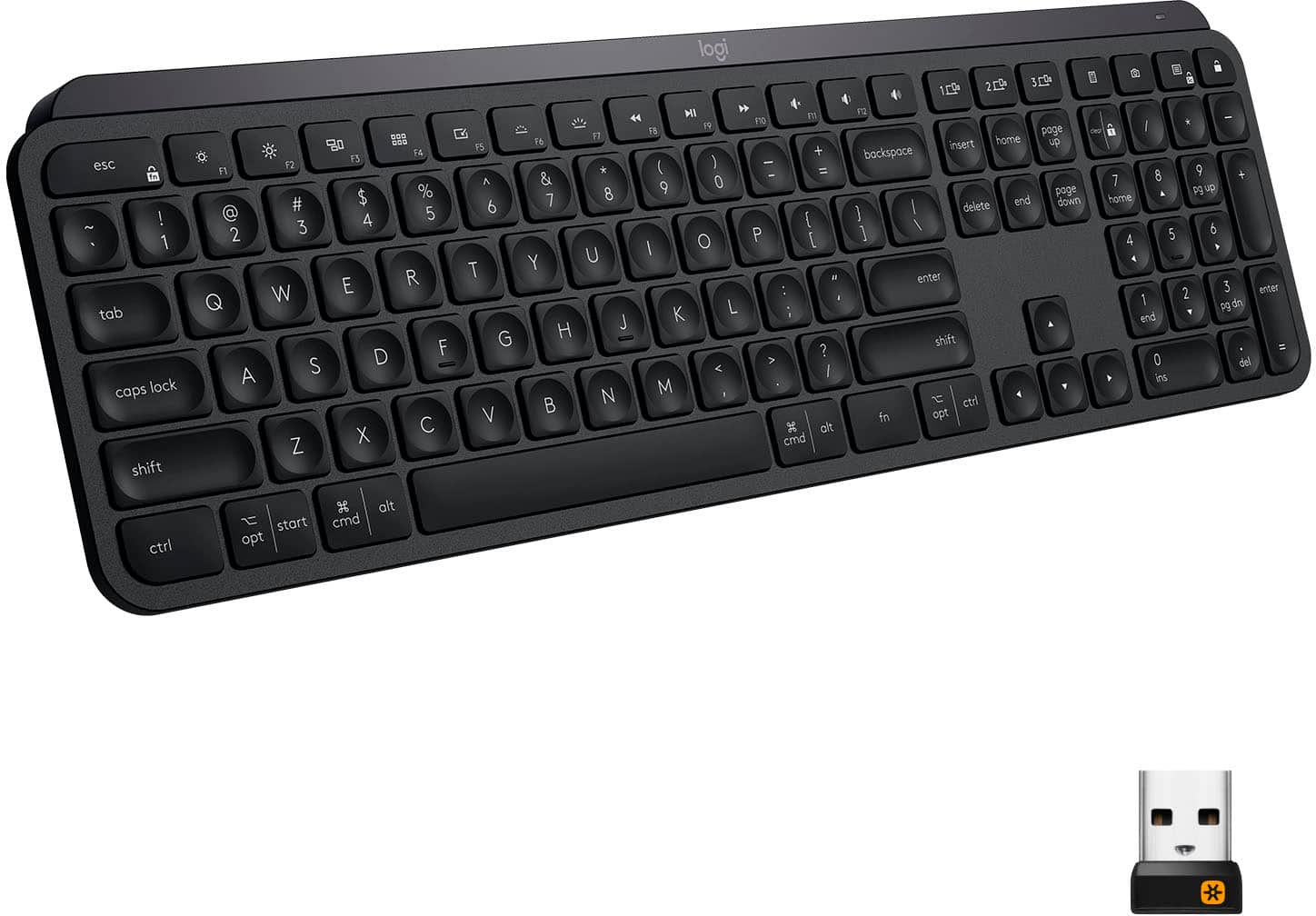

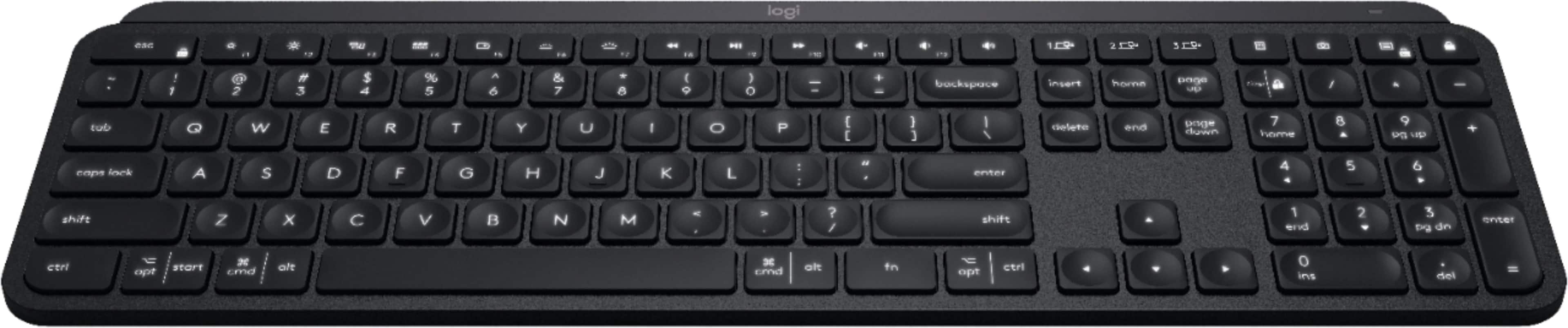
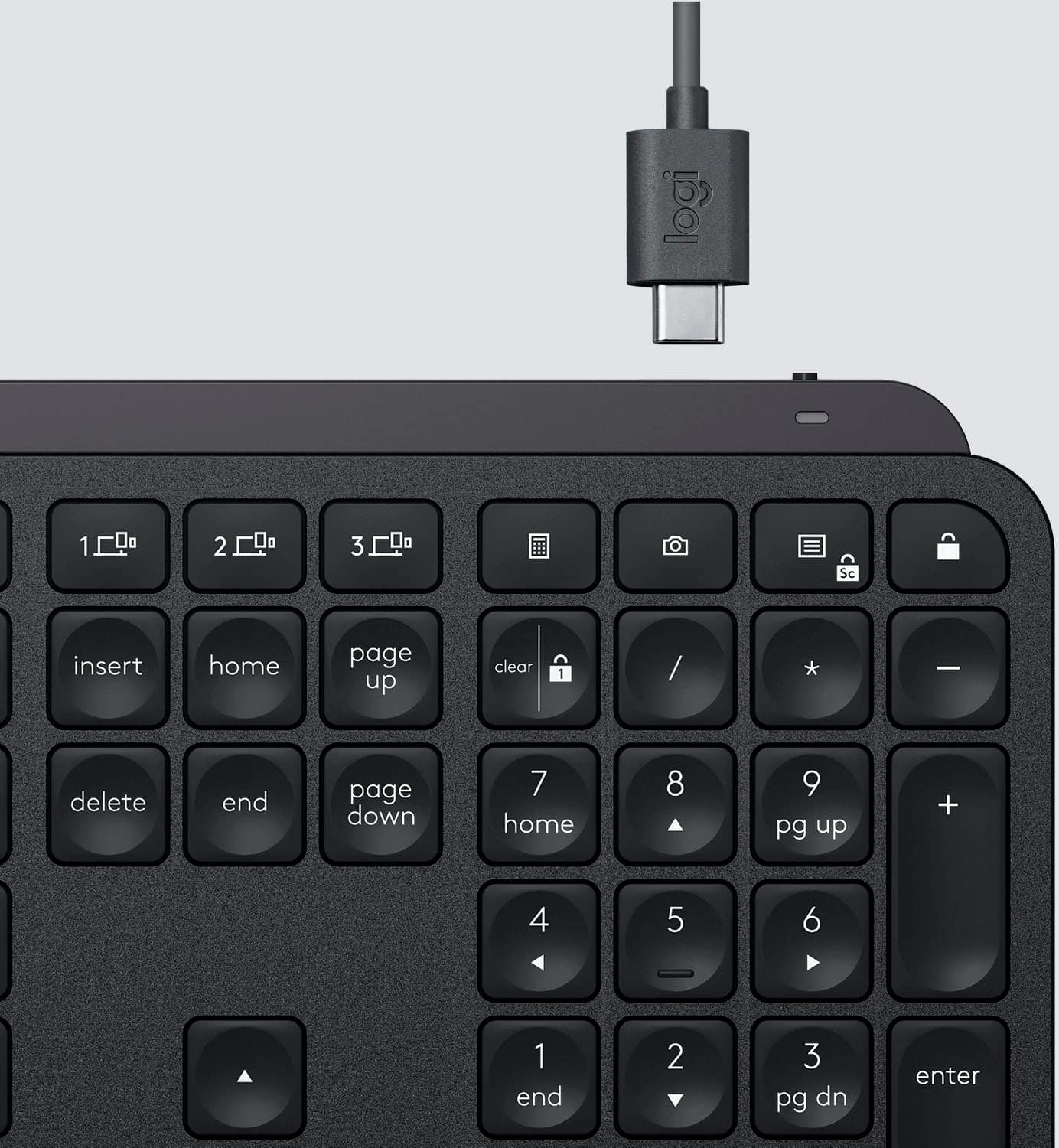
![The text on the image is grouped and corrected as follows:
1. F10, F11, F12: These keys are located in the top row of the keyboard, and they are used to access function keys.
2. 1, 2, 3: These are the number keys in the top row of the keyboard.
3. Sc - - + =: These are the arrow keys in the top row of the keyboard.
4. Backspace, Insert, Home, Page Up, Clear: These keys are located in the bottom row of the keyboard.
5. 1 / - P { [ } ] I / delete: These are the function keys that are used to navigate and modify text.
6. 7, 8, 9: These are the number keys in the bottom row of the keyboard.
7. Page Up, Page Down: These keys are located in the middle row of the keyboard and are used to navigate through documents.
8. Home, End, Page Up, Page Down: These keys are also located in the middle row of the keyboard and are used to navigate through documents.
9. Shift, Ctrl, Alt, Fn, Windows, Opt, Ctrl: These are the function keys that are used to access various system functions and shortcuts.
10. 0, Ins, Del: These are the number keys in the bottom row of the keyboard.
The image shows a close-up view of a black keyboard with the keys labeled, making it easier to identify and understand their functions.](https://pisces.bbystatic.com/image2/BestBuy_US/images/products/6366/6366560cv15d.jpg)

- Model:
- 920-009295
- |
- SKU:
- 6366560
Customer reviews
Rating 4.8 out of 5 stars with 3815 reviews
(3,815 customer reviews)Rating by feature
- Value4.5
Rating 4.5 out of 5 stars
- Quality4.9
Rating 4.9 out of 5 stars
- Ease of Use4.8
Rating 4.8 out of 5 stars
Customers are saying
Customers regard the MX Keys Advanced keyboard highly, praising its excellent build quality, satisfying key feel, and impressive battery life. The ease of use is also frequently cited as a significant positive. While some users find the keyboard expensive, connectivity issues are reported less frequently.
This summary was generated by AI based on customer reviews.
- Pros mentioned:Keyboard quality
Rated 4 out of 5 stars
Excellent keyboard
||Posted . Owned for less than 1 week when reviewed.This reviewer received promo considerations or sweepstakes entry for writing a review.Really excellent keyboard with a high quality feel hitting the keys. Works great with Master MX Mouse
I would recommend this to a friend - Pros mentioned:Ease of use
Rated 4 out of 5 stars
Easy and Smooth to use
||Posted . Owned for 3 weeks when reviewed.This reviewer received promo considerations or sweepstakes entry for writing a review.A+ product that was easy to setup and use. Excellent product!
I would recommend this to a friend Rated 2 out of 5 stars
Horrible button layout, designed for macs not PCs
||Posted . Owned for 2 months when reviewed.This reviewer received promo considerations or sweepstakes entry for writing a review.Lot's of things to like about this keyboard, unfortunately there are also lot of things to hate about this. Whoever decided the F2 button should be above the 3 button (and so on) should be fired. The layout also mimics that of a mac keyboard for some reason, despite the fact that there is a specific model for macs.
No, I would not recommend this to a friendRated 5 out of 5 stars
Too many computers
||Posted . Owned for 3 weeks when reviewed.This reviewer received promo considerations or sweepstakes entry for writing a review.The Logitech MX is a fantastic keyboard. It's a solid construction and the keys are a joy to use. I switch between two Macbooks and a Surface Book with ease. I highly recommend this keyboard over the standard mac keyboard. -Very happy with this purchase!
I would recommend this to a friendRated 5 out of 5 stars
Perfect keyboard for working at home
||Posted . Owned for 3 weeks when reviewed.This reviewer received promo considerations or sweepstakes entry for writing a review.Awesome keyboard! I use this all day while working from home and it's great. Compact so it doesn't take up too much space and super quiet so that it doesn't make noise since my office is next to a bedroom.
I would recommend this to a friendRated 5 out of 5 stars
Wish I had 2 of them
||Posted .This reviewer received promo considerations or sweepstakes entry for writing a review.It's a top-notch keyboard like the reviews have said. I needed a new keyboard to replace one that was 4 years old and beginning to show its age. This was open box but it's as good as a new one. I'd get another the same way
I would recommend this to a friend- Pros mentioned:Keyboard quality
Rated 4 out of 5 stars
Best business keyboard
||Posted . Owned for 6 months when reviewed.This reviewer received promo considerations or sweepstakes entry for writing a review.Great build quality and I love that it can be paired with 3 different PCs
I would recommend this to a friend Rated 5 out of 5 stars
Awesome Keyboard
||Posted . Owned for 3 weeks when reviewed.This reviewer received promo considerations or sweepstakes entry for writing a review.I bought this to go between my personal computer and my work computer set up. This frees up my work computer to act as a monitor to pair with my 27” inch second monitor for work. Works effortlessly and flawlessly. Heavy sturdy construction - solidly made.
I would recommend this to a friendRated 3 out of 5 stars
Too low profile for my typing style
||Posted . Owned for 1 week when reviewed.This reviewer received promo considerations or sweepstakes entry for writing a review.This keyboard is likely okay for some, but it's a bit too low profile for my tastes. I use the edges of keys to line up my fingers without looking down, and this keyboard having such flat keys gives me too little feedback. I have to look down all the time to right my finger position. The backlight is also spotty. Sometimes it won't come on at all from my hands being near and I have to flail them a bit to wake it up. And when it does, it stays on quite briefly if I don't get to typing quickly. Would have been nice to make the timeout to go off customizable. Full disclosure, the circumstances of the purchase soured me on this a bit before I even used it. I ordered an "Open box - excellent" item, but what I got was missing the charging cable and had two of the rubber feet ripped off the bottom of the keyboard. It also had the remnants of an "Open box - satisfactory" sticker left on it. So having gotten a negligible discount for a supposedly "excellent" item I was disappointed before I ever turned the keyboard on.
No, I would not recommend this to a friend- Pros mentioned:Keyboard quality
Rated 4 out of 5 stars
Good keyboard
||Posted .This reviewer received promo considerations or sweepstakes entry for writing a review.Good keyboard, quality feeling. It has a good weight to it and sound
I would recommend this to a friend Rated 5 out of 5 stars
Full sized keyboard with all the bells and …
||Posted . Owned for 3 weeks when reviewed.This reviewer received promo considerations or sweepstakes entry for writing a review.It’s been quite a few years since I’ve used a full sized keyboard. This keyboard is something I should have had years ago. Yes, it’s great, now I’m going to teach myself touch typing.
I would recommend this to a friendRated 5 out of 5 stars
so far so good.
||Posted . Owned for 1 month when reviewed.This reviewer received promo considerations or sweepstakes entry for writing a review.so far so good. The reason I bought this one instead of apple magic keyboard is because 1. cheaper; 2. my mbp does not have m1 chip which supports the touch button.
I would recommend this to a friendRated 5 out of 5 stars
Love this keyboard
||Posted . Owned for 9 months when reviewed.This reviewer received promo considerations or sweepstakes entry for writing a review.This keybord is so cool. The settings can be adjusted so it makes it very nice to gaming. Very accurate and fast. Would buy this again when I need another one!! Thanks Logitech for making kick butt products!! A++++
I would recommend this to a friendRated 5 out of 5 stars
Great Wireless Keyboad!
||Posted . Owned for 1 month when reviewed.This reviewer received promo considerations or sweepstakes entry for writing a review.ONE keyboard for multiple devices, why haven't they thought of this sooner? I'm just glad it exists. It is easy now going from one laptop to another without having to physically discount from one and connect to another. I recommend this product.
I would recommend this to a friendRated 5 out of 5 stars
Great keyboard
||Posted . Owned for 2 months when reviewed.This reviewer received promo considerations or sweepstakes entry for writing a review.I lover this keyboard. It has everything I wanted except a fingerprint reader - but I can live without that. I actually returned this one and bought the same one in grey instead of black as that matched my other devices better.
I would recommend this to a friendRated 5 out of 5 stars
Well made and thoughtfully designed.
||Posted . Owned for 3 weeks when reviewed.This reviewer received promo considerations or sweepstakes entry for writing a review.Excellent keyboard. I love that it can be paired with 3 different devices. I have it paired to my desktop, laptop, and tablet. I just wish the rechargeable batteries were replaceable. I don't like planned obsolescence items.
I would recommend this to a friendRated 5 out of 5 stars
Logitech
||Posted . Owned for 1 month when reviewed.This reviewer received promo considerations or sweepstakes entry for writing a review.When you are in front of three screens all day nothing is as important as a nice smooth seamless working mouse in your hand. I've depended on Logitech for both keyboards and several mice through the years and all have been fantastic.
I would recommend this to a friendRated 5 out of 5 stars
Finally!!!
||Posted . Owned for less than 1 week when reviewed.This reviewer received promo considerations or sweepstakes entry for writing a review.This keyboard is awesome!! I was hesitant at first but after one day of use it’s worth every penny. The fact that I can connect to other PCs makes it even better! Great job Logitech on the design and engineering on this keyboard. Love it!!!
I would recommend this to a friendRated 5 out of 5 stars
Easy to use and appealing design!
||Posted .This reviewer received promo considerations or sweepstakes entry for writing a review.I love the style of this keyboard, combined with the concave keys for better accuracy. The software is also extremely useful as you can customize many buttons to open certain applications or adjust settings such as backlighting or volume.
I would recommend this to a friendRated 5 out of 5 stars
Great keyboard
||Posted . Owned for 1 month when reviewed.This reviewer received promo considerations or sweepstakes entry for writing a review.Love this keyboard! The low profile makes typing easy, great keystroke feel, and love the multiple computer pairing feature. Highly recommend this and the MX Anywhere 3 mouse.
I would recommend this to a friend