Customer Ratings & Reviews
![logi keyboard:
1. F1
2. F2
3. F3
4. F4
5. F5
6. F6
7. F7
8. F8
9. F9
10. F10
11. F11
12. F12
13. !
14. @
15. #
16. $
17. %
18. ^
19. &
20. *
21. (
22. )
23. -
24. =
25. delete
26. tab
27. Q
28. W
29. E
30. R
31. T
32. Y
33. U
34. I
35. O
36. P
37. {
38. [
39. ]
40. caps lock
41. A
42. S
43. D
44. F
45. G
46. H
47. J
48. K
49. L
50. ;
51. "
52. J
53. return
54. shift
55. Z
56. X
57. C
58. V
59. B
60. N
61. M
62. <
63. >
64. ?
65. /
66. shift fn
67. control
68. option
69. H
70. cmd
71. L
72. option](https://pisces.bbystatic.com/image2/BestBuy_US/images/products/6478/6478158_sd.jpg)



- Model:
- 920-010389
- SKU:
- 10872297
Rating by feature
- Value
Rating 4.5 out of 5 stars
- Quality
Rating 4.8 out of 5 stars
- Ease of Use
Rating 4.7 out of 5 stars
- Pros mentioned:Battery lifeCons mentioned:Price
Game changer for me. Worth every penny.
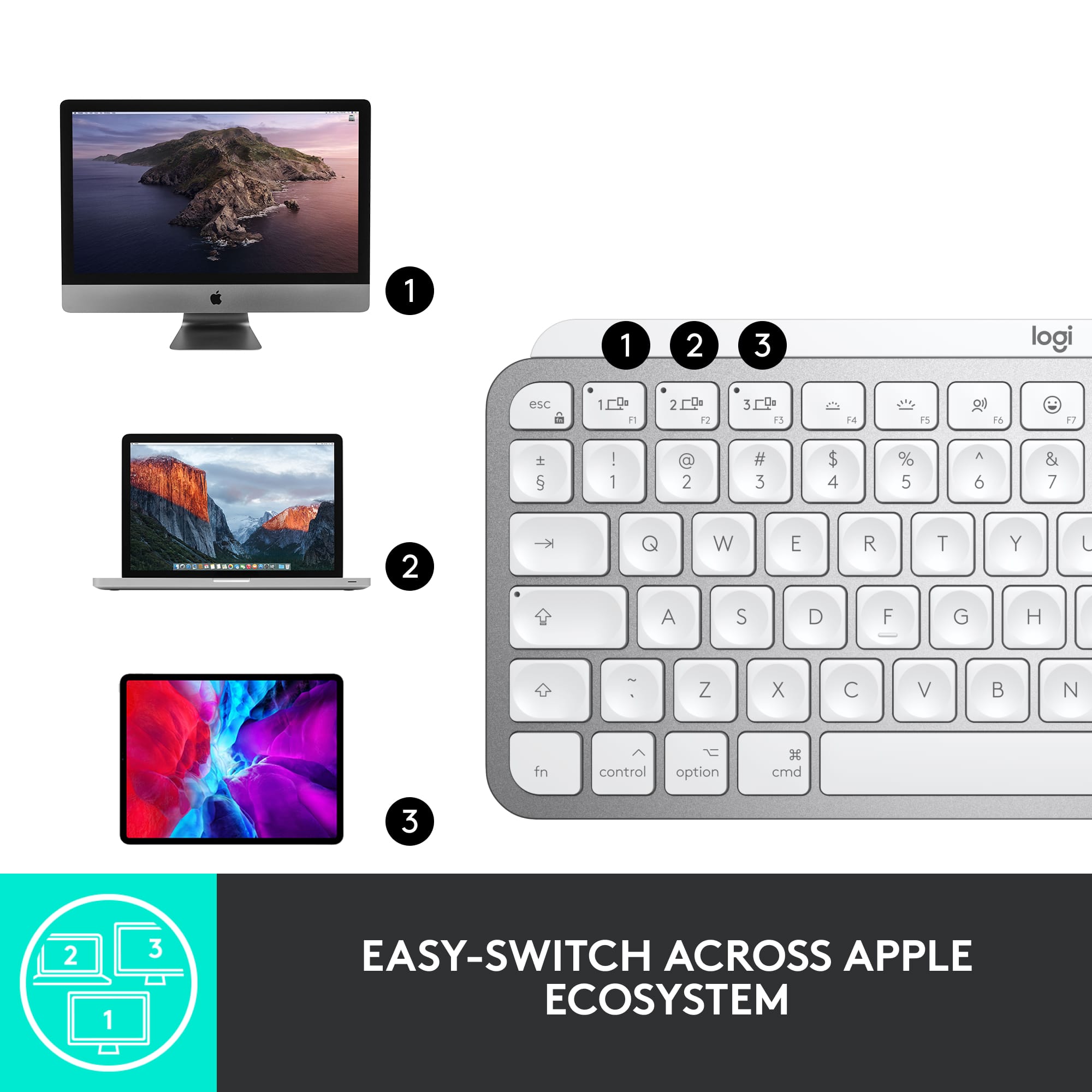
||Posted . Owned for less than 1 week when reviewed.This reviewer received promo considerations or sweepstakes entry for writing a review.Very solid keyboard. I consider this quite the upgrade from the magic keyboard. It might take some getting used to with the higher profile and key indentions - but after one day of use I became a fan. The keyboard also feels solid and has some decent weight to it. This could be a good or bad thing if you like to travel with the keyboard - but this one remains firmly planted on the desk for me. The technology works flawlessly with my 2020 and 2021 MBPs. I have not experienced any bluetooth/pairing issues. The Flow tech works very well - much better than I would expect, but not 100% perfect. I give it a 9/10. If you work with 2 or 3 devices then you will appreciate the fact that when the mouse flows over - the keyboard does as well. Very seamless experience. You can also manually switch with the F1-F3 keys if you like. The battery life is very good so far. The adaptive backlight is a nice addition - though I turned it off to maximize battery since I never type at night. As for as the for Mac features - I appreciate the USB - C connectivity. Negatives Could have done without the emoji and dictation keys. I find it interesting that the mini version of the keyboard is priced the same as the full sized key w/ number pad. I would have expected to see apples pricing strategy of making the full sized keyboard more expensive - but not the case here. Only one color option for Mac keyboard Overall I highly recommend.
I would recommend this to a friend - Pros mentioned:Battery life, Key feel
The best of the best!
||Posted .This reviewer received promo considerations or sweepstakes entry for writing a review.Love my MX Keys that I use for my laptops, so had to also get this mini one for my iPad mini. This keyboard has three new buttons. One in particular that I enjoy is a button for emojis. Works perfectly with Mac OS/iPad OS. The keys are tactile. The backlight helps when working in darker conditions. Each charge lasts a long time, especially if you don’t turn the backlight on all the time. These MX Keys keyboards are the best keyboards I’ve used and I can’t use any other ones anymore after trying these out. They’re on the higher end of the price tag, but totally worth the money. Paired this with the Magic Mouse and my iPad is totally on a different level of productivity. Go get yourself one. Won’t regret it! The color is also classy, which is always a plus :)
I would recommend this to a friend - Pros mentioned:Key feel, Keyboard quality
Better than Apple’s Magic Keyboard
||Posted . Owned for 2 weeks when reviewed.This reviewer received promo considerations or sweepstakes entry for writing a review.Replaced my original Apple Magic Keyboard with the MX Keys mini and like it much better than Apple’s. Keys feel better and I use the emojis and screen shot function keys more than I thought I would. I also like that I can connect three devices with it and appreciate the backlight keys. Finally, it works with Bluetooth so needs no dongle. The feel of the key is what sold me though. They are more curved so hug your fingers and are perfectly spaced apart.
I would recommend this to a friendBrand response from Logitech
Posted .We’re really grateful and appreciate you taking the time to share your feedback with us. Also, we're very glad to hear you love the product as much as we do. Thank you and have an amazing day! 😀
- Pros mentioned:Battery life, Keyboard quality
Syncs quickly, great product!
||Posted . Owned for 2 months when reviewed.This reviewer received promo considerations or sweepstakes entry for writing a review.This keyboard works very well with my laptop for work. Even though I turn it off after work is over, I’m still using it for a total of 32 hours a week and the battery is still going with just one charge! Typing on it feels super nice as well. After having it for about 5-6 months, I would definitely recommend the product.
I would recommend this to a friendBrand response from Logitech
Posted .Thank you for your positive review of the Logitech MX Keys Mini TKL! We're glad to hear about its impressive battery life, quick sync, and comfortable typing experience. It's great to know it's been a reliable addition to your workspace.
- Pros mentioned:Battery life, Ease of use
Awesome Keyboard
||Posted . Owned for 3 weeks when reviewed.This reviewer received promo considerations or sweepstakes entry for writing a review.Its easy to use. Sleek and less weight. Able to connect multiple devices and switch connections between devices seamlessly. Back light is very useful. Holding the charge good enough. Best travel keyboard ever.
I would recommend this to a friend - Pros mentioned:Ease of use, Keyboard quality
Sync to 3 devices!
||Posted . Owned for 1 week when reviewed.This reviewer received promo considerations or sweepstakes entry for writing a review.What I wanted! Very comfortable to use. I can sync it to (3) different devices such as my Macbook, phone and TV. The connection between the devices smooth. I like that you can control the brightness on the keys. Only issue; at times when I type it stops responding. I have to wait before it resumes. Not sure if it is something I am doing, still looking into that.
I would recommend this to a friend - Pros mentioned:Battery life, Keyboard quality
The Silver Scroll
||Posted . Owned for 3 weeks when reviewed.This reviewer received promo considerations or sweepstakes entry for writing a review.Works as expected, I like the weight, and response of the keys. Using it right now! Battery Life is Great, Backlighting is A ok for me, Multiple Device Memory, All in All very Happy!
I would recommend this to a friend - Pros mentioned:Size
Comfortable and convenient
||Posted . Owned for 4 months when reviewed.This reviewer received promo considerations or sweepstakes entry for writing a review.I love this keyboard so much. I use it for multiple devices and can easily carry it from room to room and take up very little space. I had the full size but I was feeling strain with long periods of time having my arm angled to the right. Now my ergonomics is much more centered and comfortable for longer sessions.
I would recommend this to a friend - Pros mentioned:Battery life, Key feel, Keyboard quality

Excellent Replacement for the Mini Mac Keyboard!
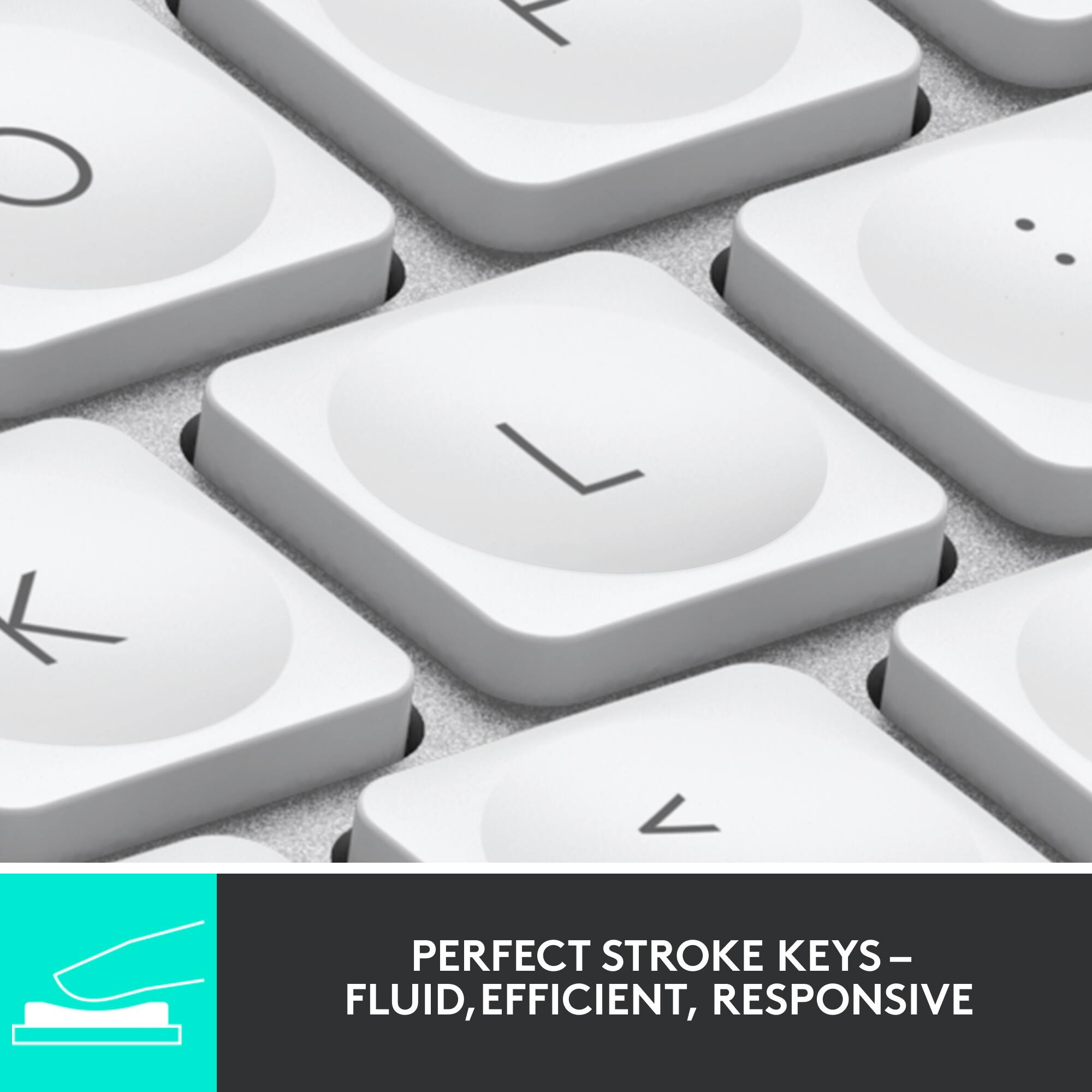
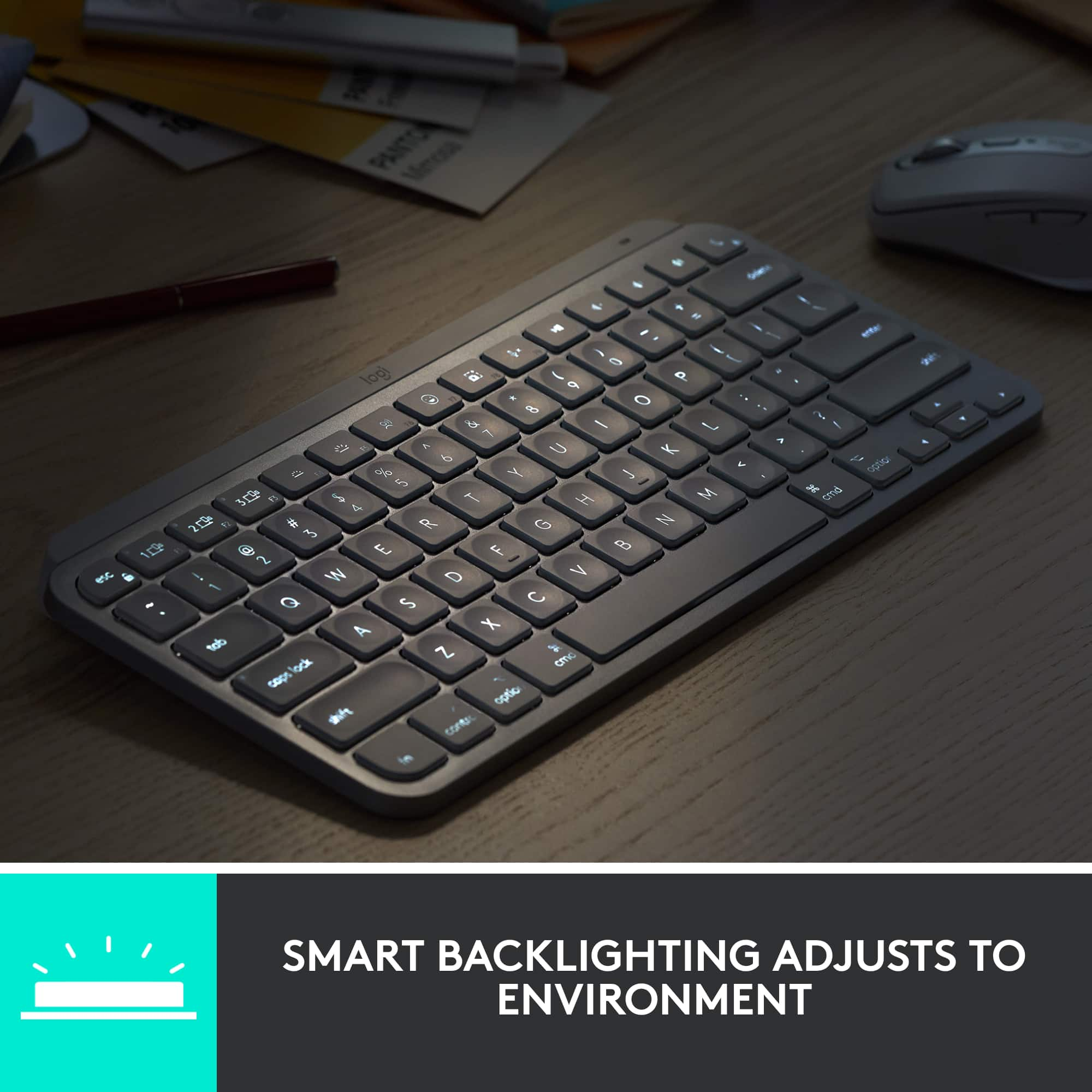
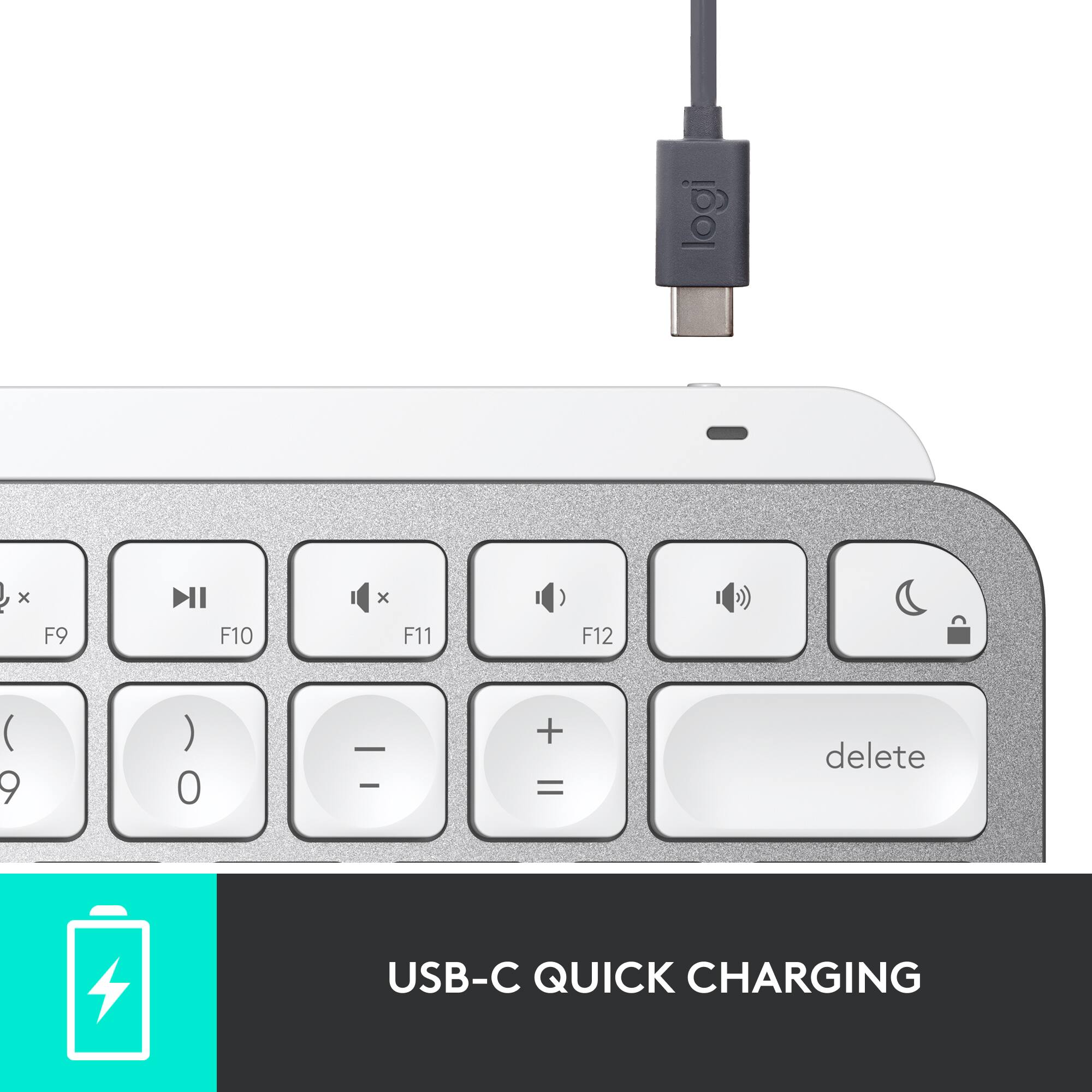
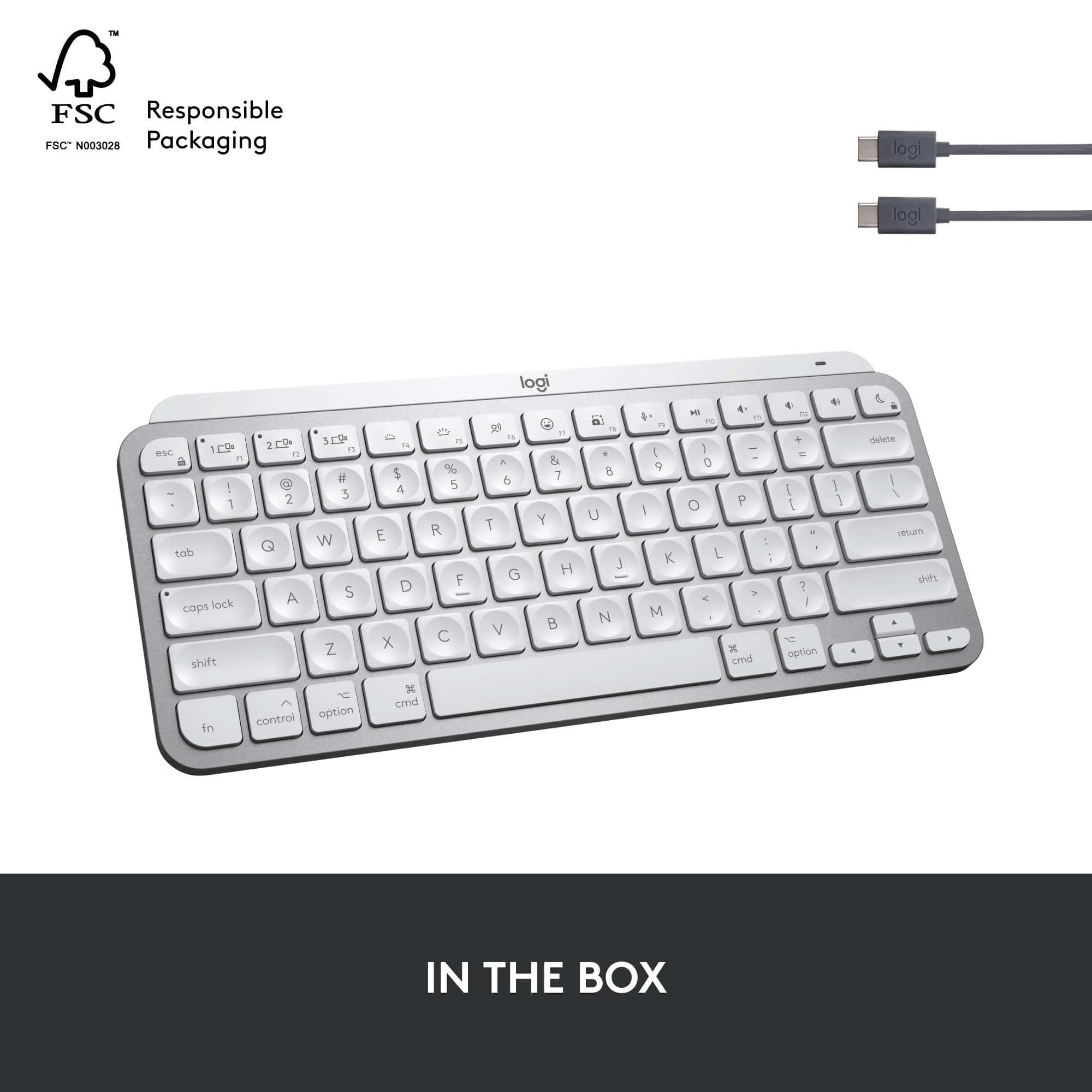
|Posted .This reviewer received promo considerations or sweepstakes entry for writing a review.My initial impression of this keyboard was not favorable. I didn't like how the indentions in the keys felt when I first started typing. I'm also always skeptical of using non Apple branded products with Apple devices. Well, one day later, I was thoroughly impressed with this keyboard! And here's why: After connecting the keyboard via Bluetooth Low Energy Wireless, the indentions in the keyboard keys actually became a lot more intuitive with time, it just took some getting used to from my usual Mac keyboard, which is incredibly low profile and flat. Another thing that hampered me to start with was adjusting my wrist just slightly to the higher elevation. Sounds odd, but when you have been used to typing on a low profile keyboard for 10+ years, that difference IS noticeable. I, however soon got used to that new wrist position. Now, having this keyboard with its backlighting and ambient light sensor, it is fantastic at night. The keys are bright and well defined, you can clearly see all the markings on the keys, and talking of markings, this keyboard is specifically laid out for Mac users. So you have your Apple/Command key, Option key and Control keys all in the right place. The volume/media buttons all work great, and once you download the accompanying Logi Options App, you can customize it to your liking - including setting up the F keys and enabling voice-to-text dictation. The lighting on the keyboard automatically adjusts to the ambient lighting in your room, and automatically dims when the keys have not been touched for a while. They typically go dark after about 5 seconds of inactivity. The integrated internal battery is charged with a double ended USB-C charging cord which is included with the keyboard. A full charge lasts 10 days with the illumination on, and 5 months without the backlighting turned on. You can also adjust the lighting on the fly with the F4 and F5 buttons. The 'Perfect Stroke Keys' have a scissor mechanism in them for even pressure over the whole key, resulting in smooth typing with no missed characters or fingers slipping off the keys. This keyboard also has the ability to connect to 3 different devices and switch between them using 3 dedicated smart keys on the top of the device. Nice if you want to switch between a desktop/laptop/iPad on the go. Something novel to feature on this keyboard is the 'emoji' button which pops up a menu with a vast array of Apple emojis. Don't know how often I'll remember that functionality is there, but a nice little option none the less. Overall, I went from 'skeptic' to 'lover' of this keyboard, and have really enjoyed using it since I switched over and adjusted to it. In my photos, I've given a comparison of my (admittedly 'grubby') Apple keyboard, and the new Logitech MX Keys Mini. In those photos I've tried to capture the key layout, the height difference and overall look of the keyboard, compared to a regular aluminum keyboard. This keyboard is not made out of aluminum, and is not adjustable, but it does feel substantial in your hand. I have no hesitation in recommending this keyboard!
I would recommend this to a friendBrand response from Logitech
Posted .Hi Cupra, we're glad to see you're loving the premium productivity features of your ultra portable MX Keys Mini Bluetooth Keyboard! This is one keyboard that can do a lot in a small form factor. Continue to enjoy and thank you for your feedback! -N from Logitech
I recently bought iphone but they’re great
||Posted . Owned for 2 weeks when reviewed.This reviewer received promo considerations or sweepstakes entry for writing a review.I love my mac Apple keyboard mouse charger and the Airpod max
I would recommend this to a frienddoes what i need i to do
||Posted . Owned for 3 weeks when reviewed.This reviewer received promo considerations or sweepstakes entry for writing a review.great product. connects to 3 devices at once. I fits my needs
I would recommend this to a friendBrand response from Logitech
Posted .We're glad the MX Keys Mini's multi-device connectivity (up to 3 devices) is exactly what you were looking for. It sounds like a versatile and convenient keyboard for your workflow.
- Pros mentioned:Battery life, Ease of use, Keyboard quality
A worthy alternative to the Apple keyboard
|Posted .This reviewer received promo considerations or sweepstakes entry for writing a review.I have an Apple Bluetooth keyboard for my MacBook but it has always felt slightly inferior to my Windows keyboards. I tried using a Windows keyboard but missed having the dedicated Apple keys. When I saw this logi MX Keys mini, I was hopeful it could satisfy the shortcomings of the Apple keyboard while retaining the feel that I like about my Windows keyboards. To cut to the chase, yes it does. The two keyboards are close in size but the Apple’s form factor is slightly smaller, thinner and lighter. The size differences are minor and only noticeable with the keyboards side by side. The key assignments are practicality identical with the exception of the top row which is slightly different on the logi The logi top row has several useful shortcut keys, including screen capture and emoji keys to help make workflow more efficient. Neither requires additional software. The MX Keys chassis is crafted of plastic and aluminum. The surface around the keys is aluminum and similar in appearance to MacBook chassis. The sides, bottom and battery base are plastic but have a high quality feel and appearance. The logi has a backlit keyboard, which is a significant advantage over Apple’s non-illuminated wireless keyboard for Macs. Oddly, Apple’s keyboard also has backlight brightness keys despite the fact it isn’t backlit. The logi keys illuminate automatically when my hands hover over the keyboard. It’s a seemingly minor feature but it is quite useful. I usually have to type a random key on other keyboards to activate keyboard backlighting when in a dimly lit environment. Then I have to remember to erase the unwanted character. No such issues with the MX. Typing feels mostly similar but I prefer the feel of the logi keys over the Apple keyboard. The spherical domed keys contour and cradle to the fingertips and feel more natural than the flat keys of the Apple keyboard. They are also more distinguishable when typing quickly and more comfortable when typing for long stretches. There is also a slight but distinguishable difference in actuation pressure and travel distance on the logi. I like the feel of the bottom out which feels more sharp and less mushy than the Apple keys. Battery life seems good so far. I’ve used the keyboard with backlighting enabled all day for several days now and have not had to recharge yet. One advantage of the Apple keyboard is that MacOS automatically displays remaining battery capacity for the keyboard on-screen. The Logitech Options app is required to view on-screen battery life for the MX. The Logitech Options app also has a few other useful utilities and monitoring features but I’m not a fan of extra apps constantly running in the background, especially for such basic features. Also, if the MX keyboard battery drains, the keyboard can still be used while charging. The battery is also user-removable for disposal per the included user pamphlet. I haven’t been able to find any official documentation on whether it is user-replaceable but found several third-party batteries for sale. Seems a little too grey area for me, so I likely wouldn’t risk it. A USB-C cable is included for charging. Since this version of the MX Mini is targeted for MacBooks, it is a full USB-C rather than USB-C to USB-A. Older Macs and MacBooks will either need a cheap USB C to A converter or a USB-C/USB-A cable. The MX Keys is also user-friendly. It enters Bluetooth pairing mode automatically right out of the box and paired effortlessly with my Mac. Power switch and charging port are logically placed in unobtrusive locations. And typing itself feels more natural than typical Mac keyboards. Definitely a better option for me and my new favorite Mac keyboard. It may even be my favorite overall. I’m strongly considering getting one for my Windows PC as well.
I would recommend this to a friend - Pros mentioned:Battery life, Keyboard quality
EXCELLENT Logitech wireless KB for Macs
|Posted .This reviewer received promo considerations or sweepstakes entry for writing a review.As a Mac-preferred computer user, I am accustomed to Apple laptop keyboards and Mac-centric third party keyboards. I also have retained the full-size wired Mac keyboard that came with my old 2008 Mac Pro. It never quits and never needs recharging. The pitch and feel of Apple OEM keyboards is distinct. Many third party keyboards for Macs don’t cut it with me. Logitech has a long history of providing Mac keyboards of excellent quality. This Logitech MX Mini for Mac Minimalist Wireless Illuminated Keyboard, $100, is compact, about the same real estate as an Apple OEM external keyboard but with more efficient space utilization and a better feel. The keyboard has a better progressive tilt and each key has a large central well that makes using it a better, more positive experience than with others I have tried. More about the test later. Here are more sizzle items from the manufacturer: The keyboard is optimized for and may be used with MacOS, iPadOS, and iOS. Highlights include: • Perfect Stroke Typing with Smart Keys: Type on keys shaped for your fingertips, with voice-to-text Dictation, Mic Mute/Unmute, and Emoji keys. • Mini Size, Mighty Powerful: Designed for effortless precision, with a minimalist form and ergonomic design that’s portable and can travel wherever you get work done. • Smart Illumination: Backlit keys light up the moment your hands approach the keyboard and automatically adjust brightness to suit changing lighting conditions. • Multi Mac Connectivity: Seamlessly switch between multiple Mac computers and iPads via Bluetooth® Low Energy. Or type across multiple computers or laptops in one fluid workflow when you team the slim keyboard with a MX Master 3 for Mac or MX Anywhere 3 mouse for Mac. • USB-C Rechargeable: Type up to 10 days on a full charge. Or get up to five months of power by turning off the backlighting. As accustomed as I am to my big wired keyboard’s layout and feel, let’s see what’s special about this new Logitech MX Keys Mini for Mac. **WHAT’S IN THE BOX** • Logitech MX Keys Mini for Mac • Charging cord • Documentation **THE SETUP** Check for state of charge, download and install the free Logi Options app for Mac. Follow the prompts to install and set up the new keyboard. Enjoy. Now it is time to . . . **PUT IT TO THE TEST** Using it with a MacBook Air M1 feels so natural. From the time I bought and started using the new MacBook Air M1 almost one year ago, whenever using it while sitting at my desk I have used an external keyboard and Apple Magic Trackpad, which is my preference, and may not be yours. I find this to be best and most comfortable for me. This way I can use an external 4K monitor as well as a host of other peripherals with a Thunderbolt Dock, just as if I had a desktop Mac. That the new MacBook Air M1 is more powerful than many desktop computers is a plus. I switched out the full-size wired Apple keyboard for this new Logitech MX Keys Mini and have not looked back. It has been so easy to transition to it. Truth be told, it is MORE comfortable than my Apple OEM wired keyboard! Did I really say that?? YES, it’s true. It is also more comfortable than the almost lookalike Apple Magic Keyboard. To save battery life, I have switched off the keyboard backlighting as it is not needed for my use. That way, I might get up to the possible five months of use before charging is required. I will most definitely recharge it at least monthly, and why not? I am enjoying using the specialized keys for voice-to-text dictation, to mute and unmute the mic in Zoom meetings, to go right to the Emojis page and so on. This keyboard feels solid, substantial and well made. I would have expected nothing less from Logitech! This feels completely natural. It’s small enough to be portable should I wish to take it along with my laptop, or to press it into service with an iPad or even to use it with my iPhone. All three can be paired with the three keys for this purpose. I just paired with my iPhone, for example, which disconnected it with the MacBook Air M1. Using it with iPhone, I can type to my heart’s content so much more easily than using the virtual keyboard on the screen, and there are a special set of keystrokes for keyboard navigation on iOS. I can select which device it will be active with at any time. What is missing? It does not have TouchID as on the MacBook Air M1 and the other M1 Mac models. That would take an investment of $149! Perhaps Logitech will offer one someday. In any case, I am content to reach up to the TouchID key on the MacBook Air M1. This is only an issue for those with Apple’s TouchID-equipped Macs. With this out of the way, my final assessment . . . This is a winner! No question about it. **CONCLUSION** Logitech MX Mini for Mac Minimalist Wireless Illuminated Keyboard is an unqualified success and certified MUST HAVE for Apple users as a primary external keyboard – UNLESS the user wants a full-size external Mac keyboard or one with built-in TouchID, both at added cost. It feels better than the Apple version of this keyboard at the same cost. **WARRANTY** 1-Year Limited Hardware Warranty
I would recommend this to a friendBrand response from Logitech
Posted .Hi MrGadget, we're glad to see you're loving the premium productivity features of your ultra portable MX Keys Mini Bluetooth Keyboard for Mac! Continue to enjoy and thank your for your feedback! -N from Logitech
- Pros mentioned:Battery life, Key feel
Comfortable, Compact and Fully Featured
|Posted .This reviewer received promo considerations or sweepstakes entry for writing a review.TLDR: (that’s Too Long, Didn’t Read) A compact and comfortable keyboard with tons of useful features. It can pair to and instantly switch to up to 3 devices which is surprisingly useful. Pros: * Nicely sculpted keys with a great key feel. * Great battery life with the backlight off, ok with it on. * Helpful one-touch keys for Mac-centric functions. * Can easily customize what most of the special one-touch keys do. * Ability to pair to and connect to up to 3 different devices such as an iPhone, iPad and Mac. * Quick charging via USB-C. Cons: * Key backlighting drastically reduces battery life. * Does not proactively warn of low battery on the Mac’s display. Summary: There are many options for keyboards for your Mac, but this one has some really compelling features and doesn’t take up a ton of space on your desk. First and foremost, it’s a great keyboard to type on; the keys are nicely sculpted, have good spacing, nice travel, and are comfortable to type on. Those are the basics required for a good keyboard. But this one is specially designed for the Mac and has many useful one-touch function keys designed just for the Mac. It also has a great feature whereby you can pair it with up to 3 different devices, and easily switch between them. For example, at my desk I have an iPad, iPhone and my Mac. This one keyboard is paired to all 3 and I can choose which one it is connected to at any time with a single button press. The keys are nicely backlit and there is an ambient light sensor to determine when the lighting is needed. This keyboard charges over USB-C and has great battery life; provided the key backlights are off. When the key backlighting is enabled, the battery life drops from 5 months to just 10 days. Pairing to my Mac, iPhone and iPad was super easy and switching between them while typing is just a tap of one of the 3 buttons at the top-left of the keyboard. The entire top row are Smart Keys that do special Mac-centric functions such as muting the microphone or putting your device in Do Not Disturb. Eleven (11) of these keys can even but fully customized to do what you want instead of their pre-determined function. I use a third-party screenshot program for my job, so I changed the “print screen” type button to invoke that program instead. I also have a Logitech Ergo Trackball mouse, and the same Logi Options app is used to customize both. There are tons of options not just for redefining some of the Smart Keys, but also other aspects of the keyboard and checking the battery life of the keyboard. One thing that is missing, though, is that when the battery is low, the LED on the keyboard lets you know, but there is no notification on the Mac’s screen. Same goes for my Logi mouse. That’s one thing that the Apple products do better, but that’s a small complaint for an otherwise excellent product. Overall, this is a really great keyboard with a ton of functionality and customization that doesn’t take up a lot of space on your desk. If you don’t need the numeric keypad, this keyboard will support your typing needs quite well and offers a lot of great conveniences.
I would recommend this to a friend - Pros mentioned:Ease of use, Keyboard quality
Almost perfect... my unpopular opinion
|Posted .This reviewer received promo considerations or sweepstakes entry for writing a review.Honestly... I have some mixed feelings about the new mini version and let me tell you why. Just a little background, prior to this pickup, I've been using the full-size MX keys for over a year now, and I loved it. It was my to-go keyboard for a while, super smooth and easy to type on, and the auto backlight never disappoints. Unfortunately, it developed some backlighting issues (a story for another day). So when the mini version came out, despite the MX keys light issues, I wanted to give this one a try and bring it with me on my travels or when I go to the office. ---------------------------------------------------------------------------- Similarities with MX Keys Full-Size aka Big Sis: ---------------------------------------------------------------------------- Look/feel are the same minus the key number bad. So it was super easy for me to adjust, 0% learning curve despite the shifting of certain keys to fit the frame. Although since I've been so used to the full-size keyboard I often find myself trying to type in numbers or reaching out for the bigger arrow buttons. Curved keycaps that feel natural to the fingertips Bluetooth connection pairing was easy. Switching between multiple devices was seamless. Smart illumination backlit keys (although I hope that this doesn't develop similar issues as its big sister) Solid premium build. USB-C Charging No way to adjust the height of the keyboard ---------------------------------------------------------------------------- Improvements/new additions from big sis: ---------------------------------------------------------------------------- A bit more tactile - not sure if it's because it's brand new out of the box but there is a bit more of a tactile sensation(?) compared to big sis. Which I honestly love - and one thing I really hated with the standard Magic keyboard for the Mac (it didn't feel like you were typing). With the mini, I feel like I'm typing, and rarely do I even have to stare the keyboard to find letters. Special keys for quick assess to emojis, voice type/dictation, screenshot, and mic mute/unmute. Much more portable because of its size but still having a lot of juice. ---------------------------------------------------------------------------- Probably unpopular opinion: ---------------------------------------------------------------------------- Despite the updated function keys that seem pretty cool, I found myself a bit upset that I no longer have my forward and back buttons which I use quite often. Yes, there is a way for me to change the functions of the other keys, but yeah... that bugged me more than I thought. If I could change the function key features, I'd bring back the forward and back button, get rid of the voice type/dictation and emoji icon. ---------------------------------------------------------------------------- Other things I'd change: ---------------------------------------------------------------------------- I wish that the Mac version of the mini wasn't this pale gray color. Although nice, I would've loved to have the space gray version but I'm guessing this color choice was thanks to the updated iMacs with the white bezels. Which is a missed opportunity. At night with no light source then having the backlight is amazing, however, if you're using it during the day or have any type of light, the backlight makes it difficult to see the keys, at that point, I just turn it off. Another gripe I have between the two keys: no way to elevate the keyboard. Granted - still SOOO much better than the Magic keyboard. ---------------------------------------------------------------------------- Even still... I'd recommend this ---------------------------------------------------------------------------- Overall despite a few things that I disliked, I'm excited to use MX mini for my travels whenever I need to be away from home for work.
I would recommend this to a friendBrand response from Logitech
Posted .Hi lkgai, we're so glad to see you're loving the new and ultra portable MX Keys Mini Keyboard! Despite there only being one official Mac version, the Windows editions come in Black and Pink. Those are also compatible with Mac! Other than that, please continue to enjoy and happy typing! -N from Logitech
- Pros mentioned:Battery life, Keyboard quality
Execellent MX keyboard only smaller
|Posted .This reviewer received promo considerations or sweepstakes entry for writing a review.This is my second MX Keys keyboard for Mac, the first being the full-size MX Keys for Mac and I loved that one. If you were a fan of the original Apple wireless/Magic keyboards you are going to love the MX Keys Mini for Mac! The Mx Mini looks, works and feels exactly like it's larger sibling, just without the 10-key number pad. It comes sustainably boxed and wrapped in tissue paper like a fine instrument or china. The minimalist design looks great on any desk or work station. Setting it up via Bluetooth was no different than any other keyboard, activate the pairing mode by long pressing one of the three selection keys, let the Mac find it, type in the passcode and it was connected. Like most Logitech Bluetooth keyboards, the MX Keys Mini for Mac can connect to three separate machines or devices, switching between them by pressing the corresponding selection button. Installing Logitech’s Logi Options program allows you to change the options on the keyboard like specialty key assignments and back lighting. While this keyboard is designed for Apple devices with the command and option buttons, it will also pair with a Windows PC, which I did with no trouble at all. Typing on the MX Keys Mini for Mac has a very similar feel to the wireless Apple keyboard with short key throws and the same satisfying tap you get with the short throw keys. The satiny feel of the perfect stroke keys along with the curved indent make it a joy to type on. My favorite feature on this keyboard is the Smart Illumination backlit keys. When it senses your hands it automatically lights the keyboard up. There are six brightness levels and off. My one issue with the backlighting on this keyboard is with white/light keys that have black/dark print, if your work area is not completely dark the lighting has a tendency to wash out the printing on the keys making them difficult to see. This is the same on my laptop that has white keys as well. It's not an issue on black keys with white print. Another cool feature are the specialty keys for emojis, voice type and mic mute. You can also change what these keys do using the app if you’re not one to use those specific features. Logitech says a charge on the MX Keys will last approximately 10 days using the backlight or up to 5 months with the backlight off. My experience with my previous MX Keyboard was generally more than 10 days between charges but this will depend on your usage. I highly recommend the MX Keys for Mac to anyone looking for an excellent minimalist keyboard.
I would recommend this to a friend - Pros mentioned:Keyboard quality, Size
Best compact keyboard
||Posted . Owned for 1.5 years when reviewed.This reviewer received promo considerations or sweepstakes entry for writing a review.The Logitech MX Keys Mini is an excellent compact keyboard with a solid, comfortable typing experience. The keys have great travel and tactile feedback while staying quiet, making it ideal for long work sessions. Smart backlighting adjusts perfectly to lighting conditions, and switching between multiple devices is seamless. The build quality feels premium and it pairs effortlessly with laptops and tablets.
I would recommend this to a friend - Pros mentioned:Battery life, Keyboard quality
Excellent alternative of keyboard for Mac
|Posted .This reviewer received promo considerations or sweepstakes entry for writing a review.Review of MX Keys Mini for Mac. The mini version of MX Keyboard specific for Mac is alternative to Apple’s Magic Keyboard, Key attribute of the keyboard: 1. Battery: last 10 days on full charge / 5 months with backlit turned off. 2. Charging Method :USB C to USB C 3. Type of Connection: bluetooth low energy wireless 4. Backlit: smart illumination. Automatically adjust under lighting conditions and hand detection. 5. Dedicated key: 1) Dictation Key 2) Emoji Key 3) Mic Mute/Unmute 6. Fluid functionality to transfer files between devices and move from one device to second device (compatiibility dependency) Based on large document writing, Using it is comfortable on the typing experience as fingertips feels well suited in each keystroke. It is soft and still accurate as type. Doesn’t have that hitting hard response upon typing but still responsive. Innline with minimalist design looks simple and light to on the desk and move it around, and looks nicely with MacBooks setting. There isn’t much of negative with the new keyboard, although would be nice to have the TouchId for login process. Apart of that wishful option, MX Keys Mini for Mac does what Logi always has designed for productive typing experience.
I would recommend this to a friend - Pros mentioned:Keyboard quality
My PERFECT Mac Keyboard Has Arrived!
|Posted .This reviewer received promo considerations or sweepstakes entry for writing a review.I'm going to preface this review with an admission that I'm a Logitech fanboy. They have been on a roll for years with outstanding accessories for just about every platform out there. I had the Craft keyboard on my work PC, my wife uses the full size MX Keys for her office, I used the awesome Presenter remote when I was still teaching, and all of our mice are Logitech in some form or another. The one thing I needed, a MX Keys keyboard for my Mac at home, has just arrived and it is all that I hoped it would be (with one slight exception). I actually don't hate the Magic keyboard the Apple packs in with their Macs, but it certainly isn't my favorite. I absolutely HATE the Magic Mouse and so that was replaced with the MX Anywhere 3 for Mac immediately. Now I have the set and my fingers couldn't be happier. Now I get a nice, solid keyboard, with just the right amount of travel for the keys, a backlight (if I want it), and some nice feature keys. The main selling point for me is that it makes typing on my Mac (which I do A LOT of), much more comfortable and precise. Really, what more could you ask for in a keyboard? I don't want, nor need the numeric keypad (I had the Mac keyboard without the numpad as well). This thing tucks neatly under my Mac when not in use and doesn't take up a ton of desk space when it is in use. My only quibble with my Logitech ensemble for Mac is that Apple seems to want to make it as difficult as possible to use anything other than the Magic accessories. Huh! Apple make things difficult for 3rd party developers, you don't say! They have done something that makes the Logitech Options software a bit wonky. Something that doesn't happen on Windows PCs. Because of this, if you have Options installed, you may get some features blocked my MacOS. I have had better luck just pairing the both the MX Keys Mini and MX Anywhere mouse directly and not using the Options software. As much as I would like to use it, Apple puts up too many roadblocks. That being said, I have all the functions I need and want from my Logitech devices so it hasn't really been an issue. If you have a Mac, do yourself and your hands a favor and pick up the Logitech Keys Mini for Mac. You won't be disappointed.
I would recommend this to a friendBrand response from Logitech
Posted .Hi Wraith, we're glad to see you're loving the premium productivity features of your ultra portable MX Keys Mini Bluetooth Keyboard for Mac! Continue to enjoy and thank your for your feedback! -N from Logitech
- Pros mentioned:Battery lifeCons mentioned:Weight
Mini wireless keyboard with big features
|Posted .This reviewer received promo considerations or sweepstakes entry for writing a review.The Logitech MX Keys Mini Keyboard for Mac is a solid, full-featured keyboard that connects wirelessly to Mac devices. It is slightly wider than my Apple Bluetooth keyboard and sits at the same comfortable typing angle. the keys are a bit larger and offer common Apple keys such as Cmd, Control, Option, plus an Apple emoji key among the 12 function keys in the top row. It has a built-in, rechargeable battery that you charge using the supplied USB-C cable. The on-off switch lets you turn off the keyboard when not in use. You can pair the keyboard with multiple devices; there are three quick keys on the top row for different devices. I paired the keyboard via Bluetooth with an iPad Air, and then with a MacBook Pro. You can turn off the keyboard's backlight or change its brightness using the function keys. The emoji key opens the alternate character keyboard so you can type Command, Option, other symbols, and emojis. Pros: backlit, full-sized keys, nice feel, extras on the Function keys. Rechargeable battery. Small enough to stow in a backpack or briefcase. Cons: a bit heavier than the Apple wireless mini keyboard. Charging cable has USB-C connections only, so you will need an adapter to charge the keyboard with older Mac computers.
I would recommend this to a friend