Customer Ratings & Reviews
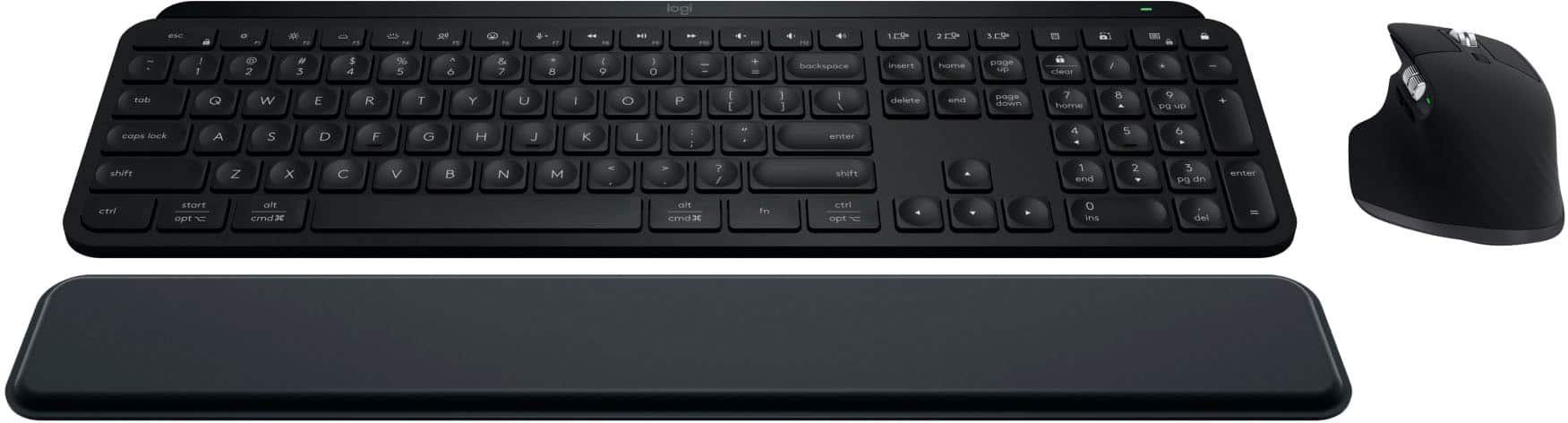







- Model:
- 920-012274
- SKU:
- 6539504
Rating by feature
- Value
Rating 4.5 out of 5 stars
- Quality
Rating 4.9 out of 5 stars
- Ease of Use
Rating 4.8 out of 5 stars
Customers are saying
Customers admire the MX Keys S Combo for its exceptional keyboard quality and impressive battery life. The product is also praised for its ease of use, smooth device connectivity, and the amazing electromagnetic scroll wheel. Some customers feel the palm rest could be wider and that the price is a bit high. Overall, the positive aspects of the keyboard and mouse bundle seem to outweigh the concerns.
This summary was generated by AI based on customer reviews.
- Pros mentioned:Battery life, Keyboard quality
Best keyboard and mouse in the game
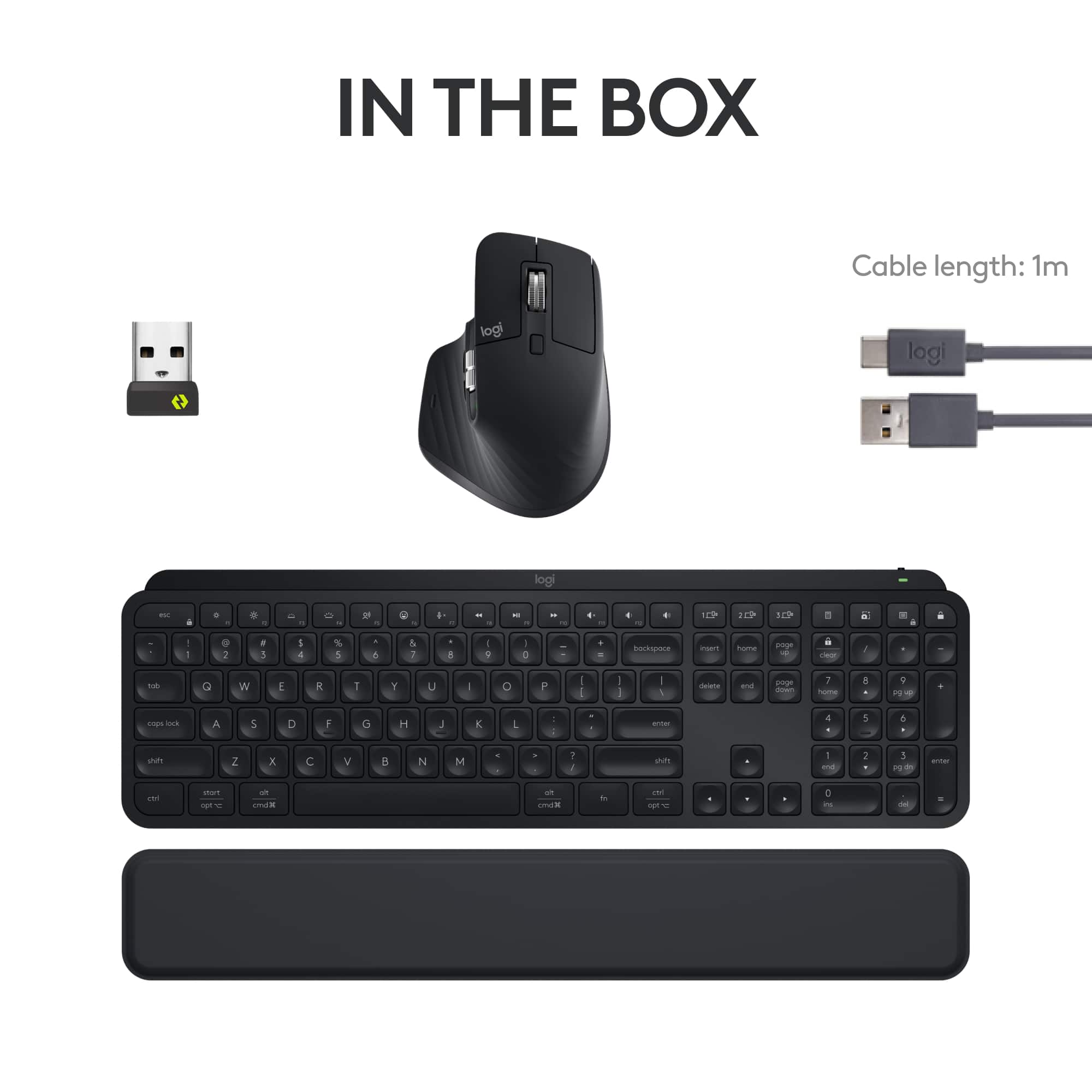
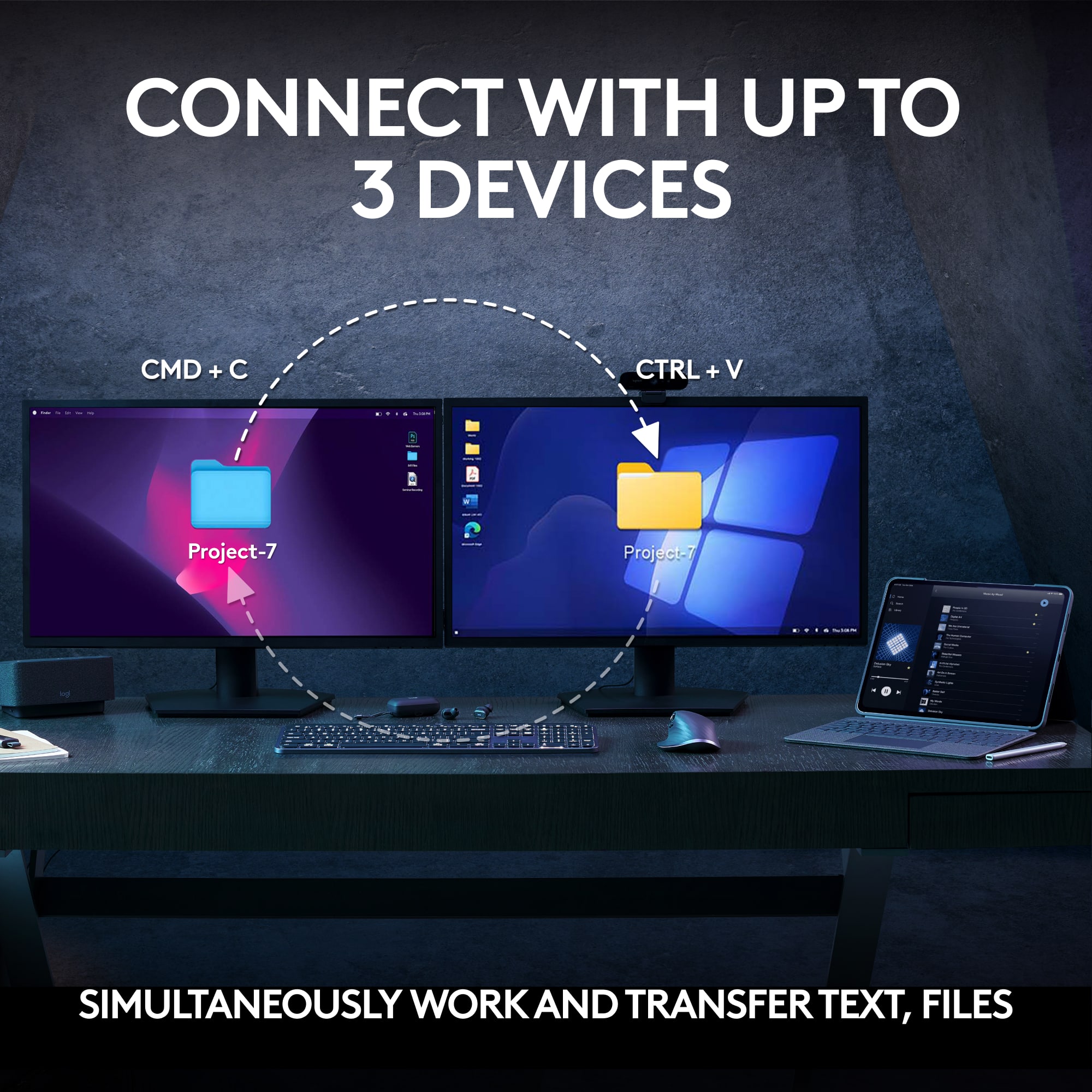
||Posted . Owned for less than 1 week when reviewed.This reviewer received promo considerations or sweepstakes entry for writing a review.I recently started a fully remote job and decided to use my setup stipend for a wireless keyboard and mouse. After comparing several Logitech options during their Earth Day promotion, I went with the MX Keys S combo; and I’m glad I did! Buying them as a set saved a bit of money, plus it comes with a wrist gel pad. This might just be the best keyboard and mouse combo out there, especially if you’re on the computer all day. The customizability, ability to pair with up to three devices, smooth feel of the scissor keys, impressive battery life, and ergonomic design make it an easy choice. If you need both a keyboard and mouse, I highly recommend this set!
I would recommend this to a friendBrand response from Logitech
Posted .We're thrilled to hear that the MX Keys S Combo has significantly improved your remote work experience. Thank you for your detailed review and for choosing Logitech!
- Pros mentioned:Battery life, Keyboard quality
This is a great combo
||Posted . Owned for 1 week when reviewed.This reviewer received promo considerations or sweepstakes entry for writing a review.Battery life is amazing! Perfect alternative for those not wanting a Magic Keyboard. The mouse fits so well in my hand and the ergonomics don’t give me hand fatigue.
I would recommend this to a friendBrand response from Logitech
Posted .Thanks for the thoughtful review! It’s great to hear the MX Keys S Combo is delivering long battery life and ergonomic comfort—especially as a solid alternative to the Magic Keyboard. Sounds like a setup that’s built for both productivity and ease.

Both devices are flat-out excellent
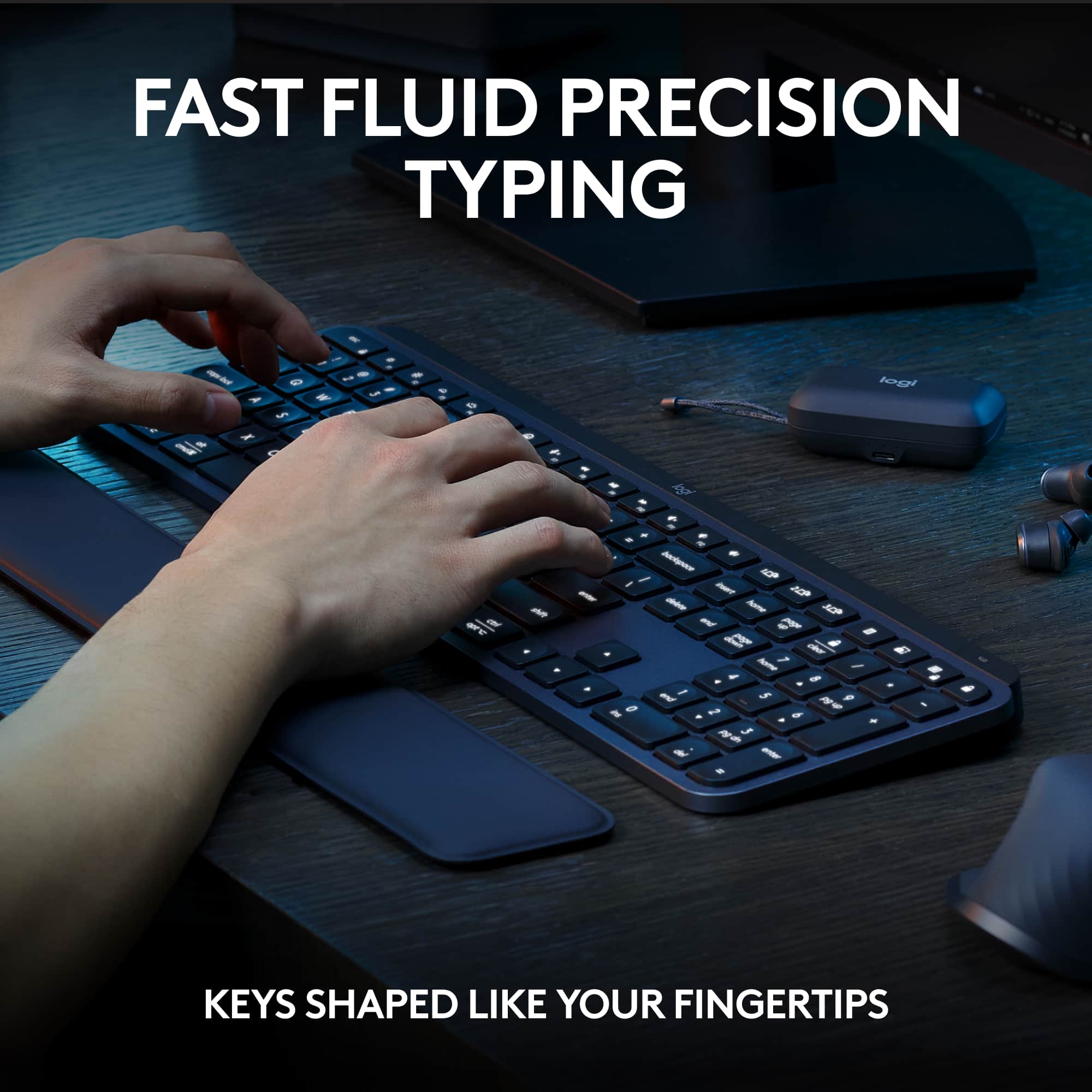
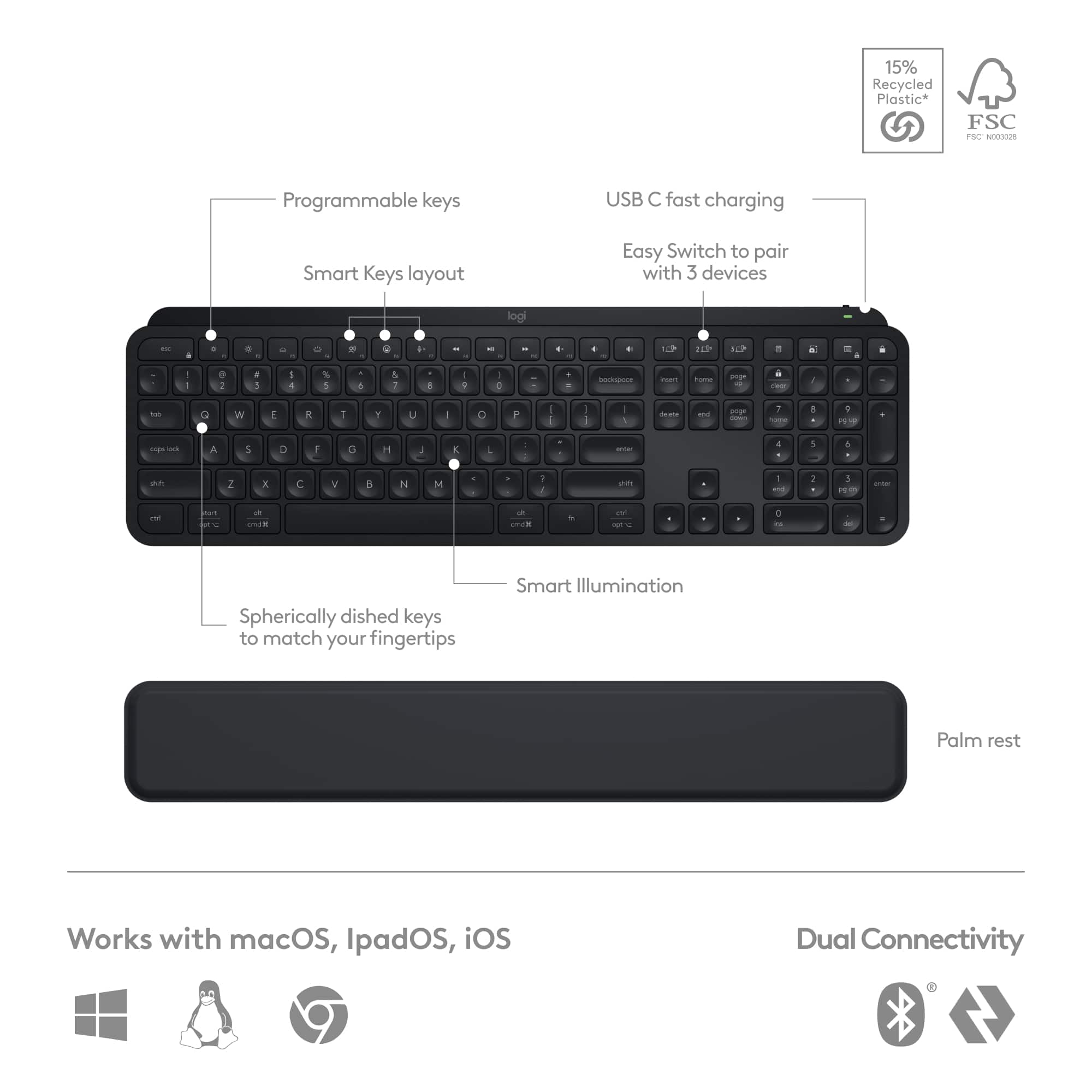
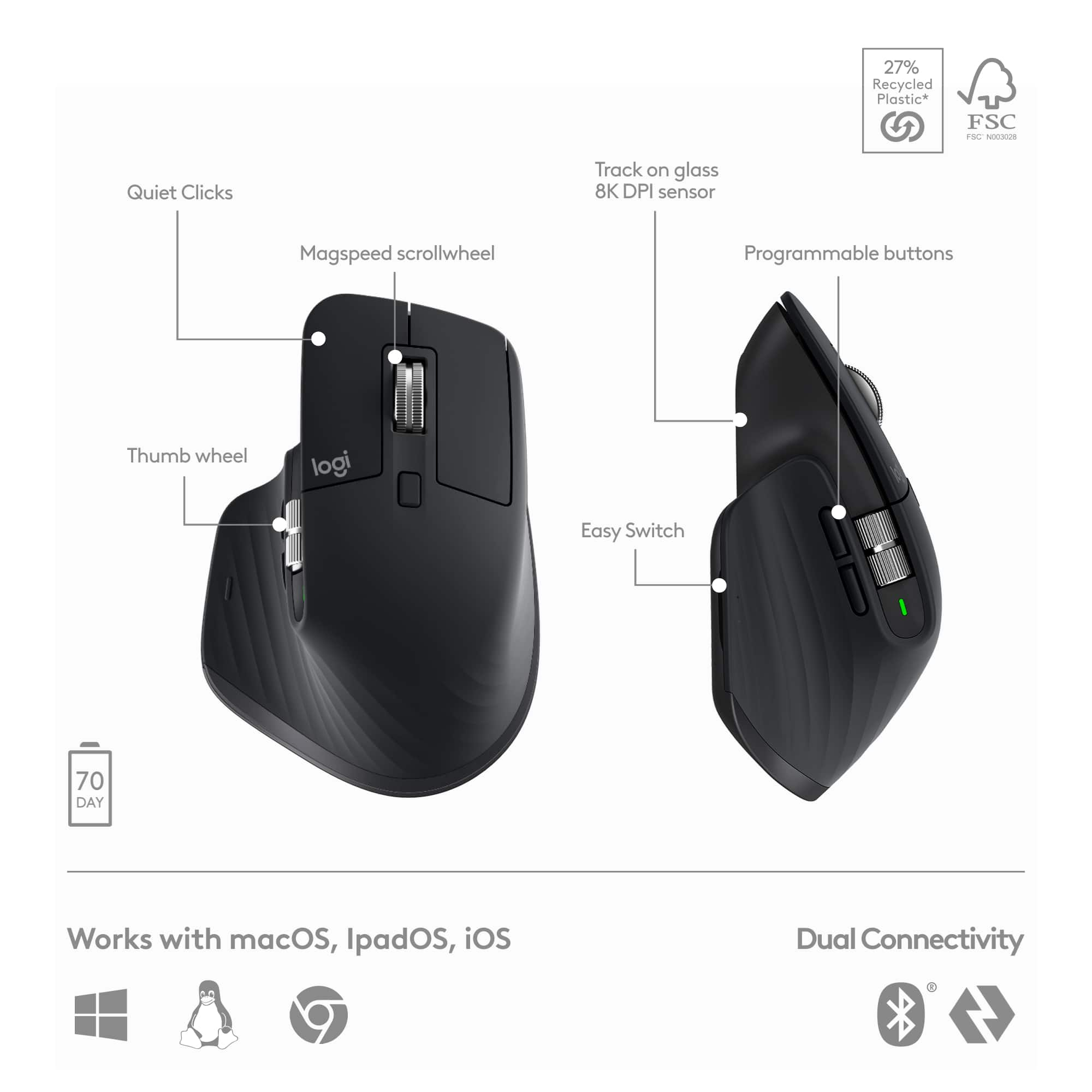
||Posted . Owned for 3 weeks when reviewed.This reviewer received promo considerations or sweepstakes entry for writing a review.I'm so impressed with this combo! I recently took the plunge and decided to go back to college. But wow, have things changed! School these days isn't all about going to lecture and taking notes...oh no, it's a huge part online. I needed something better to type on that my tiny laptop keyboard could provide. I found the size of the MX Keys S keyboard to be about perfect. The key stroke (button press) is also perfect for me, since I'm used to the shallow keys on a laptop. I'm not saying these keys are shallow, but they aren't super deep or thick keys that require a firm push either. For me, that's great! I also greatly appreciate the shape of the keys, with the rounded and indented center. Perfectly finger friendly. When not in absolutely perfect lighting, the keys can be difficult to see and differentiate. The smart key lighting fixes this issue. It turns on automatically when it feels your hand touch or move the keyboard, making the keys perfectly visible. If I had one complaint it would be that I wish the wrist pad was attached to the keyboard rather than a separate piece. This hasn't been a huge deal, but mostly a nit pick. The mouse is the biggest reason I bought the combo. Most combo mice are pretty lame--like a cheap laptop mouse included with a decent a keyboard. Well, after a while, my hand gets tired from grasping a tiny mouse. I wanted something larger and more full featured. This is it! It's go two scroll wheels for up/down and left/right, front/back buttons, and a customizable bottom button for your thumb. Actually, all the buttons and wheels are customizable, not just for Windows but also on a per-app basis. For example, your up/down scroll wheel for your internet browser might be used for zooming in your picture editing app. The Logitech app allows for tons of control. Overall, I'm very, very happy with both the products in this combo, and I'd have no issue recommending the set to a friend or family member.
I would recommend this to a friendBrand response from Logitech
Posted .Hey! Your experience helps us shape future improvements. We’re glad our product is delivering value. Thank you for being part of the Logitech community.
- Pros mentioned:Battery life
Solid Keyboard Must buy
||Posted . Owned for 1.5 years when reviewed.This reviewer received promo considerations or sweepstakes entry for writing a review.This is one of the best keyboard I ever had. The build quality is amazing. The battery life for the keyboard is long lasting but after two years of owning it, the battery died a few times. The mouse if too big in my opinion. I will recommend this to anyone. Logitech made a solid product
I would recommend this to a friendBrand response from Logitech
Posted .We’re grateful for your feedback and happy to hear the product is worked smoothly. Your experience helps us build better tools for everyone.
- Pros mentioned:Battery life, Keyboard quality, Scroll wheel
Awesome!
||Posted . Owned for 3 months when reviewed.This reviewer received promo considerations or sweepstakes entry for writing a review.Love this combo! I seldom find the need to recharge either. The keyboard is very smooth and has a nice tactile click. I have a mechanical keyboard as well and find myself using the Logitech most of the time. The mouse is perfect for my hand and the scrolling is top notch.
I would recommend this to a friend - Pros mentioned:Keyboard quality
Squeaky Backspace Key Already, Not my Fit
||Posted . Owned for less than 1 week when reviewed.This reviewer received promo considerations or sweepstakes entry for writing a review.I like the way the keys feel, both in texture and keystroke. But it does feel a bit like I'm taping on hard surfaces rather than clouds. I switched from an MK710 combo, MK705 prior to that, about 10 years on that line, both still work great but figured I deserve a refresh and that I try something new... Higher end? But that line, I love the ...Jelly, Cushy keys, but quiet, the MX is a bit noisy but not like the loud and obnoxious type writer types that drove me to never want to work in the office again. One thing I just cannot get on board with is having the F/Fn keys immediately above the number row, no gap in between... Like a laptop keyboard in the shape of a full sized keyboard. While I am a home row typer I can get wild handed, or single handed, having that space there for... Decades now is what I'm accustomed to. But, that may not be a problem for you. It still feels well made, heavy. But the Backspace key is already squeaking, which does give it an off putting feeling for being 1 month old. I do like the easy output device selection... Usb receiver on one machine, Bluetooth connection to another and then Bluetooth connection to my phone... That was pretty fun. The wrist pad... Meh, I the integrated wrist pad on the Mk705/mk710 just feels more natural. Unless I am being a dufus, there's no angle adjustment or feet on this... I found that to be silly to not have included. The Mouse. I actually have grown to really like it, although it takes some getting used to in order to get a good purchase on it. The scroll wheel, Vertical feels like a fidget spinner, that was nice. The horizontal scroll wheel though, that's a game changer. If you do spreadsheets or any thing that encompasses alot of horizontal scrolling... Oh my god, why didn't that become a thing 20 years ago. The mouse is the only reason I'll leave a 4 star. I may check variants or buy that separately if I can't find a combo that is more my style. Overall, for $200, I expected a bit more than this. Meh.
No, I would not recommend this to a friendBrand response from Logitech
Posted .It's valuable to hear about your experience transitioning from a long-loved series. The feedback on the key feel, layout, and the squeaking backspace is noted. We appreciate you highlighting the multi-device connectivity and the mouse's horizontal scroll wheel.
- Pros mentioned:Battery life, Keyboard quality
Perfect Office Keyboard to satisfy my boss
||Posted . Owned for 3 weeks when reviewed.This reviewer received promo considerations or sweepstakes entry for writing a review.This Combo has met my expectations. Main reason for the purchase - my boss and his squeeze, who is office manager ganged up on me that my mechanical keyboard and regular wired mouse are too loud. I am a bookkeeper in a small office. There are 4 people siting within 6 feet of each other. $200 charge on business credit card later and nobody complains any more. Keyboard and mouse are very quite and responsive. I don't use backlight as i work during the day. Charge lasts me about 3-4 days. Best Buy near me had in stock so i did not have to wait. I would definitely recommend this combo to anyone who is looking for an upgrade. Price point might turn some people off though.
I would recommend this to a friendBrand response from Logitech
Posted .Hi there, Thanks for the detailed review of the MX Keys S Combo! We appreciate you sharing your experience, especially how the quiet keyboard and mouse helped create a more peaceful working environment for your office. We understand the price point might be a consideration for some, but we're glad you find the combo a valuable upgrade.
- Pros mentioned:Battery life, Keyboard quality
A great keyboard & mouse
||Posted . Owned for less than 1 week when reviewed.This reviewer received promo considerations or sweepstakes entry for writing a review.This has become my favorite keyboard and mouse. Very ergonomic and practical, while still well built. It’s very handy to connect to additional computers in case you have space for only one set. The software you download also keeps everything updated, and allows you to “flow” from one computer to another, and even easily copy files between them. A charge keeps both devices operating for a long time, and they warn you when the battery is low onscreen.
I would recommend this to a friendBrand response from Logitech
Posted .Thank you for your positive review of the Logitech MX Keys S Combo. We're delighted to hear that it has become your favorite keyboard and mouse setup. Your feedback is valuable as we continue to develop and improve our products.
- Pros mentioned:Keyboard quality
Great keyboard/mouse combo
||Posted . Owned for 1 month when reviewed.This reviewer received promo considerations or sweepstakes entry for writing a review.From the moment you start typing, the Logitech MX Keys S makes an impression. The keyboard’s tactile response is exceptionally smooth, thanks to its well-engineered key switches. Each keystroke feels satisfying, with a balanced actuation that’s perfect for both typing and gaming. The backlighting is a standout feature—illuminating the keys with a soft, adjustable glow that ensures visibility even in low-light environments. One of the best aspects of this keyboard is its multi-device connectivity. You can easily switch between three different devices via Bluetooth, making it a fantastic choice for users who juggle multiple gadgets. Whether you're moving from a laptop to a tablet or desktop, the seamless transition is a game-changer for productivity. Mouse: Complementing the keyboard, the Logitech MX Mouse is equally impressive. Its ergonomic design feels natural in hand, reducing strain during extended use. The precision tracking ensures accurate movements, whether you’re navigating through complex spreadsheets or precise photo editing. Overall: The Logitech MX Keys S Keyboard and Mouse combo is a superb choice for anyone seeking a top-notch typing experience and versatile connectivity. The keyboard’s smooth keys, excellent backlighting, and ability to connect to multiple devices make it a standout in its category. Paired with the comfortable and precise mouse, it’s a complete set that enhances productivity and comfort. Highly recommended for professionals and enthusiasts alike!
I would recommend this to a friendBrand response from Logitech
Posted .Thank you for your detailed review of the Logitech MX Keys S and MX Mouse combo! Your positive feedback on the keyboard's tactile response, backlighting, and multi-device connectivity, along with the mouse's ergonomic design and precision tracking, is greatly appreciated. We're glad to hear that these products have enhanced your productivity and comfort.
- Pros mentioned:Ease of use, Keyboard quality
Worth the price
||Posted . Owned for 2 months when reviewed.This reviewer received promo considerations or sweepstakes entry for writing a review.I am not crazy about hearing the tap tap of keys when I am typing I feel like I pound keys when I do. I was shocked when I saw the price of this combo, but I have to say soooo worth the price. I love the way this keyboard and mouse feel so comfortable when I am using it, super quiet, and the mouse is amazing to use especially when you can scroll side to side with it. I love it, I am spoiled.
I would recommend this to a friendBrand response from Logitech
Posted .We're thrilled to hear that you're so happy with the Logitech MX Keys S Combo! Its quiet, comfortable keys, and precise mouse make it a fantastic choice for productivity. Thank you for your positive feedback and kind words!
- Pros mentioned:Battery life, Keyboard quality
Very satisfied with this Logitech Combo
||Posted . Owned for 1 month when reviewed.This reviewer received promo considerations or sweepstakes entry for writing a review.This keyboard and mouse are the quietest I have ever owned. The mouse shape is easy to grip and the shortcuts on both the mouse and keyboard are an absolute lifesaver on the job. Battery life is fantastic. About once a week over the weekend I plug them in to charge up and I have not had to worry about either dying before the end of the week. I do turn them off when not in use and I also have the backlit keyboard set to a low backlight that goes to sleep when there is no activity. I use these heavily for work purposes and I am on the phone all day - I have listened to a recording and between the quiet features of this set and my gaming headset's noise cancelation, I cannot hear any keyboard activity or mouse clicks.
I would recommend this to a friend - Pros mentioned:Battery life, Keyboard quality
Overall it good!
||Posted . Owned for 2 weeks when reviewed.This reviewer received promo considerations or sweepstakes entry for writing a review.The Logitech 3s Keyboard is a versatile and user-friendly input device that excels in productivity and comfort. The keys offer a satisfying tactile response and are well-spaced, reducing typing fatigue during long sessions. Its wireless connectivity ensures clutter-free desktops, and the battery life is impressively long-lasting, meaning fewer interruptions for recharging. The keyboard’s slim and sleek design adds a touch of elegance to your workspace. Whether you’re typing documents, coding, or engaging in casual gaming, the Logitech 3s Keyboard is a reliable and enjoyable tool for everyday use.
I would recommend this to a friend Goodbye Wires, Hello Freedom
||Posted .This reviewer received promo considerations or sweepstakes entry for writing a review.I recently switched from a fully wired setup to this Bluetooth keyboard and mouse combo. Both devices paired quickly and work flawlessly across Windows and Linux, making it easy to move between systems without any hassle. Battery life has been impressive so far, and switching between multiple devices is almost instant, something I didn’t realize I’d appreciate this much. While not the cheapest option, the convenience, performance, and overall experience make it feel like money well spent.
I would recommend this to a friendBrand response from Logitech
Posted .We truly appreciate you sharing your thoughts. It’s fantastic to hear the product is delivering as expected. Your feedback helps us grow and refine what we do. Thanks for choosing Logitech!
- Pros mentioned:Battery life, Keyboard qualityCons mentioned:Palm rest
Solid 4.5 combo
||Posted . Owned for 1 month when reviewed.This reviewer received promo considerations or sweepstakes entry for writing a review.Keyboard was top notch. Very thin and sleek, color backlights are on point. The padding on the comfort bar is also very thin and left me wanting more. Mouse feels a bit light and I can't seem to find a setting that isn’t too fast or slow for precision gaming. Quick charge and nice battery life.
I would recommend this to a friend - Pros mentioned:Battery life, Ease of use

Love this product
|Posted . Owned for 2 weeks when reviewed.This reviewer received promo considerations or sweepstakes entry for writing a review.Ive bought this setup for both my mothers multiple computer set up and now my wife as well and both times theyve been super easy to install on multiple computers never run out of battery and are the gold standard for office use. The keyboards form factor is great for pc and mac could not be more happy with the product as a whole 5/5 will alwausbreccomend when shopping for multi computer setups
I would recommend this to a friendBrand response from Logitech
Posted .That's a fantastic review of the Logitech MX Keys S! It's great to hear that you and your family have had such positive experiences with it.
Great kit, USB placement on mouse is not ideal.
||Posted .This reviewer received promo considerations or sweepstakes entry for writing a review.Picked this up to switch easier between multiple devices for my profession. Without a doubt a great investment. The connection process on both Windows and MacOS is easy, switching between devices is not cumbersome, and most importantly it allows for a seamless experience despite different eco systems (Apple vs Microsoft). My only complaint, and it's minor, is that the USB port on the mouse is located on the bottom versus the front. This prevents use of the mouse while charging it. It took a bit for me to get used to timing (off hours or weekends), but once I did I haven't had any issues with the battery being low or running out during work hours but definitely something to note.
I would recommend this to a friendBrand response from Logitech
Posted .Thank you for sharing your feedback, we appreciate you highlighting the USB port placement on the mouse.
- Pros mentioned:Keyboard quality
worth the hard earned money you shell out
||Posted .This reviewer received promo considerations or sweepstakes entry for writing a review.I work between 12-14 hours typing and moving the mice , i can tell you one thing this makes life lot easy and eases the pressure on your hands , i don't feel the pain from from mices on my wrist - total worth it , I had borrowed the mice from my nephew then invested on buying on for myself its worth every penny
I would recommend this to a friendBrand response from Logitech
Posted .Hey! Absolutely! The MX Keys S Combo is super comfy, reduces wrist strain, and handles long hours like a champ. Totally worth it.
- Pros mentioned:Battery life, Keyboard quality
Amazing MNK
||Posted . Owned for less than 1 week when reviewed.This reviewer received promo considerations or sweepstakes entry for writing a review.I am very skeptical about wireless electronics because charging can be a pain and I do not want my equipment to die while I am still using it. But this is very impressive for many reasons. The silence means I can work on my computer without making so much noise that my girlfriend hurls a shoe at me cooking 90mph. The feel of it is very entrancing and the charging could not be easier as it flows perfectly with my set up and I forget I even have to charge at times due to the long battery life.
I would recommend this to a friend - Pros mentioned:Keyboard quality
Great Combo
||Posted .This reviewer received promo considerations or sweepstakes entry for writing a review.Great combo for working, keyboard is easy to press and relatively quiet. Mouse takes some time to adjust to but works out great
I would recommend this to a friendBrand response from Logitech
Posted .Hey! We appreciate your review and the time you took to share it. It’s great to know our product is working well for you. Thanks for your support.
- Pros mentioned:Keyboard quality
Great Combo w/ Small, but Rare, Issues
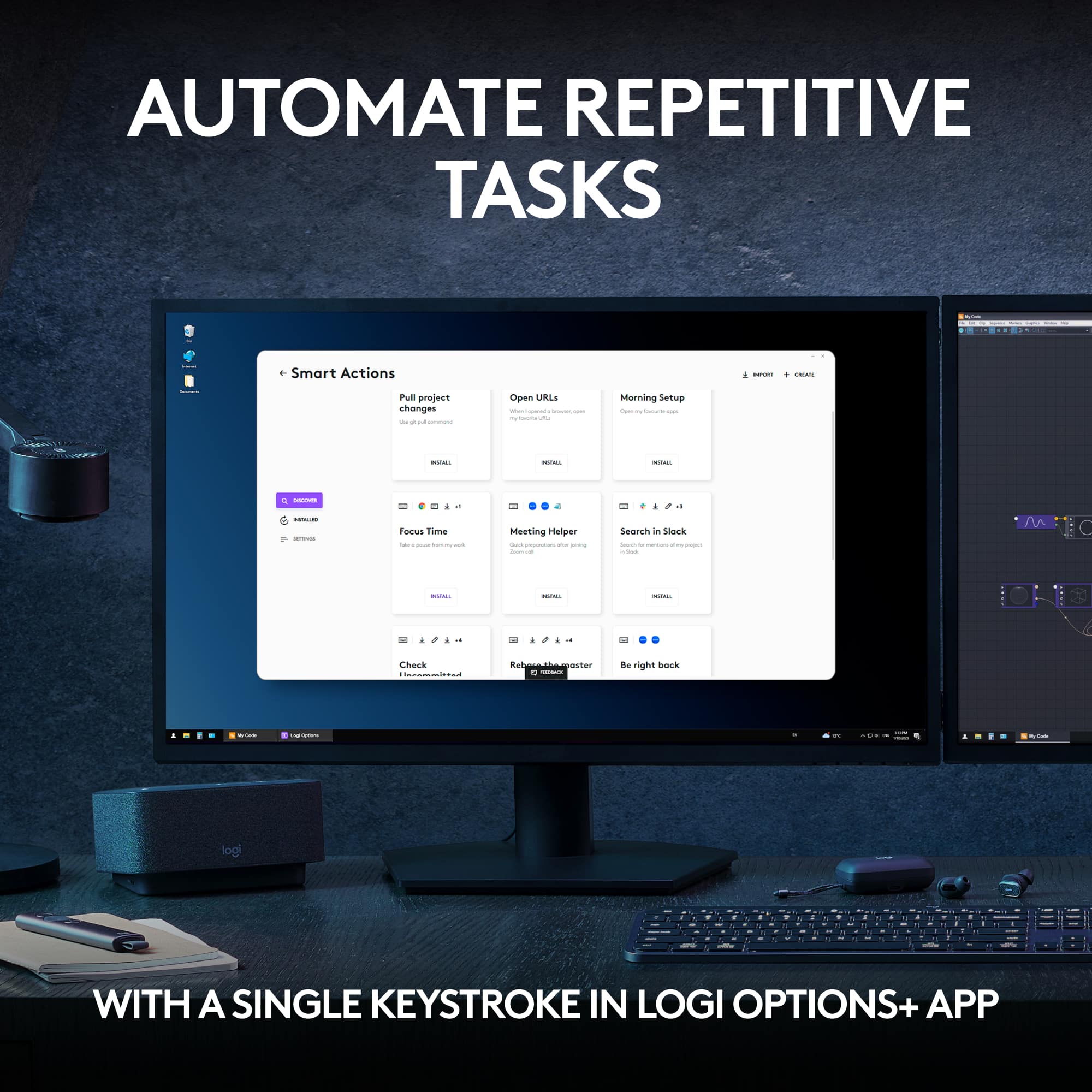
||Posted . Owned for 1 month when reviewed.This reviewer received promo considerations or sweepstakes entry for writing a review.Each piece in this combo is good quality and feels just right in your hands. The keyboard feels extremely natural and very smooth. The divots in the keys make it comfortable on your fingers. The build is solid and seems well-made. My only gripe about the keyboard is sometimes the connection is a bit finnicky; every now and then it'll miss a key if it's idle for a few minutes or it just wont connect until i restart my pc. The mouse feels very nice and comfortable. The mouse clicks are quiet, the mouse wheel solid and the grip fits well in your hand (my hand is bigger than average, so I had to get used to having part of my palm not touching the mouse, just a warning to those with very large hands/long fingers). The mouse itself is responsive and quick. One thing is the thumb button press for "gestures"; it can be hard to press/a bit awkward. The wrist rest is decent. Does it's job, but it could be slightly higher (like barely). The software is pretty cool. Being able to customize buttons on both your keyboard and mouse helps me be as productive as possible. The UI of the software is sleek and easy to understand. At first I had problems with the software not loading and locking my keyboard from working, but they patched that problem. The smart actions are extremely helpful and should be used if you make the time to configure them. Very nice! Overall... Pros: - Great build quality - Great feel - Comfortable - Software UI/features are nice Cons: - Keyboard sometimes has connection issues and doesn't register a keypress or two when awaking from sleep (rarely) - Mouse takes a second to wake up when awaking from sleep, your custom settings, like cursor speed, won't change for a second or two. - Wrist pad seems like it could be better, but does the job.
I would recommend this to a friend