Customer Ratings & Reviews








- Model:
- 920-012274
- SKU:
- 10982503
Rating by feature
- Value
Rating 4.5 out of 5 stars
- Quality
Rating 4.9 out of 5 stars
- Ease of Use
Rating 4.8 out of 5 stars
to a friend
Dual OS
||Posted . Owned for 1 week when reviewed.This reviewer received promo considerations or sweepstakes entry for writing a review.Works really well for my dual OS system. 10 out of 10
I would recommend this to a friendLight up keyboard
||Posted . Owned for 1 week when reviewed.This reviewer received promo considerations or sweepstakes entry for writing a review.It is perfect for working on the computer in the dark.
I would recommend this to a friendMX Keys rock
||Posted . Owned for 1 month when reviewed.This reviewer received promo considerations or sweepstakes entry for writing a review.Simply the best keyboard and mouse you can buy. Get it.
I would recommend this to a friendSmooth
||Posted . Owned for 1 week when reviewed.This reviewer received promo considerations or sweepstakes entry for writing a review.Very smooth mouse. Using it for autocad daily for work.
I would recommend this to a friendGreat product
||Posted . Owned for less than 1 week when reviewed.This reviewer received promo considerations or sweepstakes entry for writing a review.Great tryping experience. Best for home office setup.
I would recommend this to a friendGreat keyboard and mouse combo.
||Posted . Owned for 1 week when reviewed.This reviewer received promo considerations or sweepstakes entry for writing a review.Great keyboard and mouse combo for my home office.
I would recommend this to a friendGood but wish one part was different
||Posted . Owned for 3 weeks when reviewed.This reviewer received promo considerations or sweepstakes entry for writing a review.Really solid my one complaint is they don’t work with the unifying receivers you have to use the bolt receiver
I would recommend this to a friendPurchase Elsewhere
||Posted . Owned for 9 months when reviewed.This reviewer received promo considerations or sweepstakes entry for writing a review.Great product. Horrible store. If you buy this do not under any circumstances purchase a protection plan because they will not honor it. Buy your electronics from Amazon like everyone else and save yourselves the trouble of dealing with Worst Buy.
No, I would not recommend this to a friendBrand response from Logitech
Posted .We appreciate your positive feedback on the MX Keys S Combo itself. We're sorry to hear you had a negative experience with the store's protection plan. We understand your concern and value your feedback.

Mouse is too awkward to use
||Posted . Owned for 3 weeks when reviewed.This reviewer received promo considerations or sweepstakes entry for writing a review.Loved the keyboard but the mouse was too big for me to use comfortably. I also didn't like having to lift the mouse to switch between systems. I returned this combo and purchased the keyboard separately. I then purchased an M720 mouse which allows me to switch between systems with my thumb.
No, I would not recommend this to a friendLogitech Max keys
||Posted . Owned for 2 weeks when reviewed.This reviewer received promo considerations or sweepstakes entry for writing a review.Good keyboard and mouse, although the mouse freezes sometimes
I would recommend this to a friendDefective Mouse After 65 Days
||Posted .This reviewer received promo considerations or sweepstakes entry for writing a review.Really disappointed in the quality here I bought this to be my forever keyboard/mouse. But the mouse has started blinking red and failing to connect after just 65 days. That's completely unacceptable for a device of this cost. I will not be buying Logitech products in the future.
No, I would not recommend this to a friendBrand response from Logitech
Posted .We apologize for your frustrating experience with the MX Keys S Combo. A blinking red light typically indicates a low battery, but a device failure after only 65 days is unacceptable for a product of this quality. To address this issue, we recommend reaching out to our social care team via email at socialcare@logitech.com with your
- Name:
- Email Address:
- Country:
- Product Name:
- Brief description of issue:
Issue with mouse's left-click button
||Posted . Owned for 1.5 years when reviewed.This reviewer received promo considerations or sweepstakes entry for writing a review.The mouse's (MX Master 3S) left-click will randomly not work after one year of use. Apparently this is a known issue with the MX Master 3S. So beware.
No, I would not recommend this to a friendBrand response from Logitech
Posted .Thanks for sharing your experience with the Logitech MX Keys S Combo. We'll share this with our product team. Please email us at socialcare@logitech.com with your details so we can investigate further.

Very nice keyboard/mouse combo!
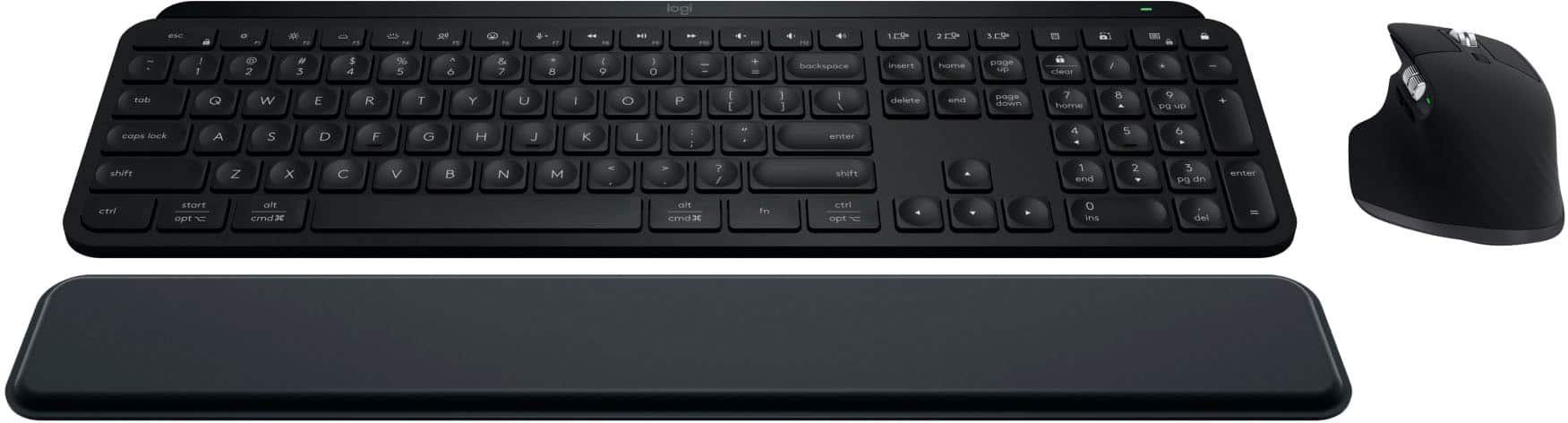
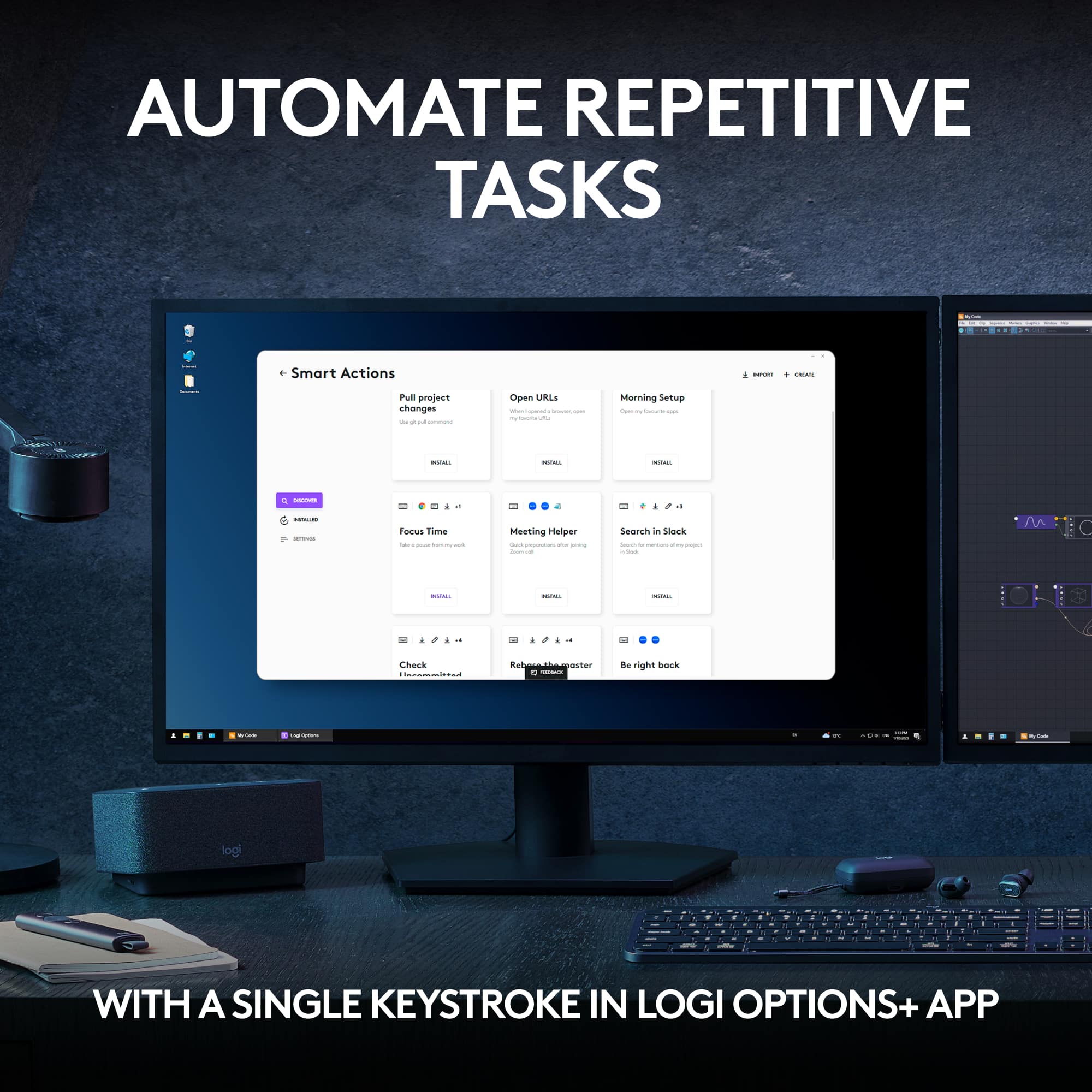
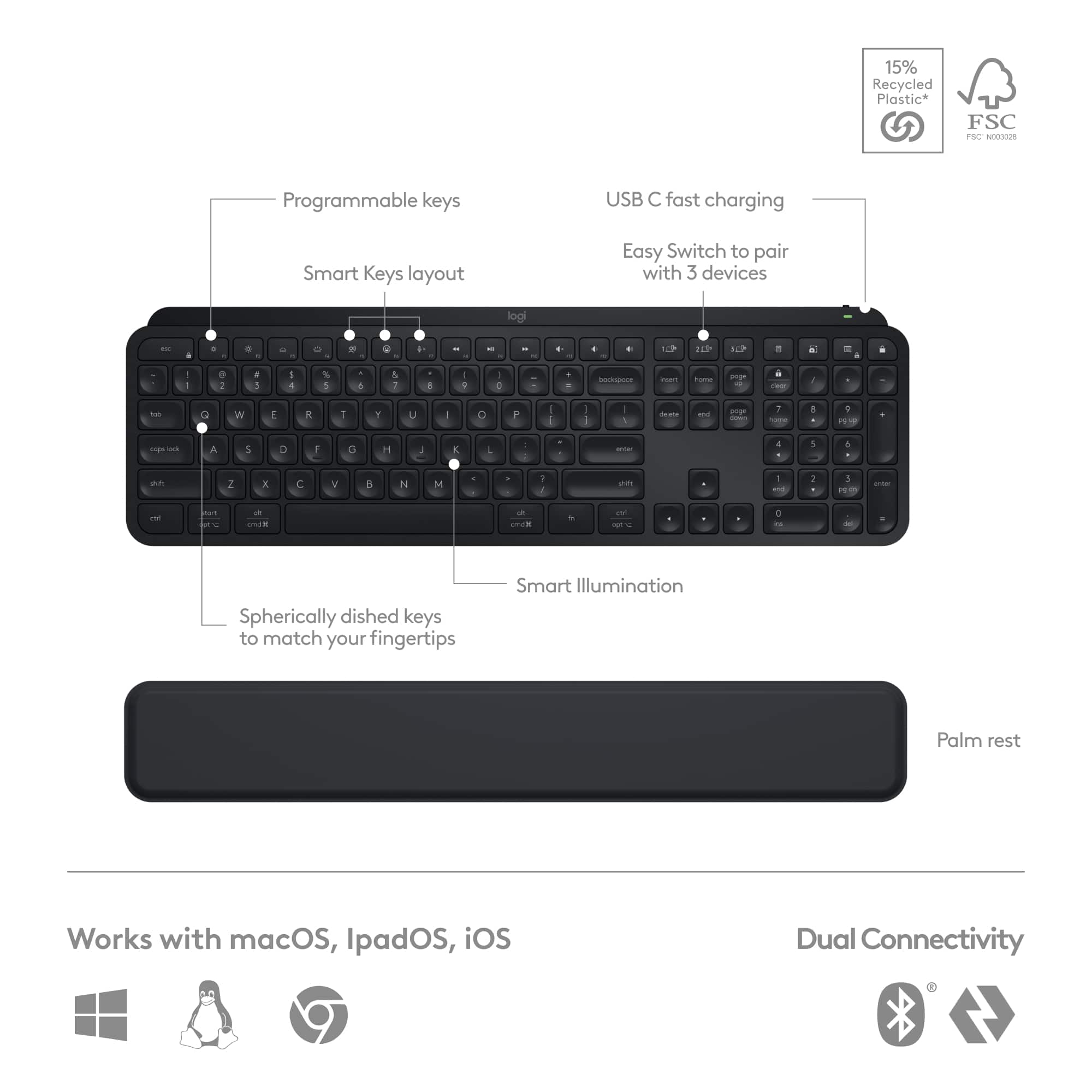
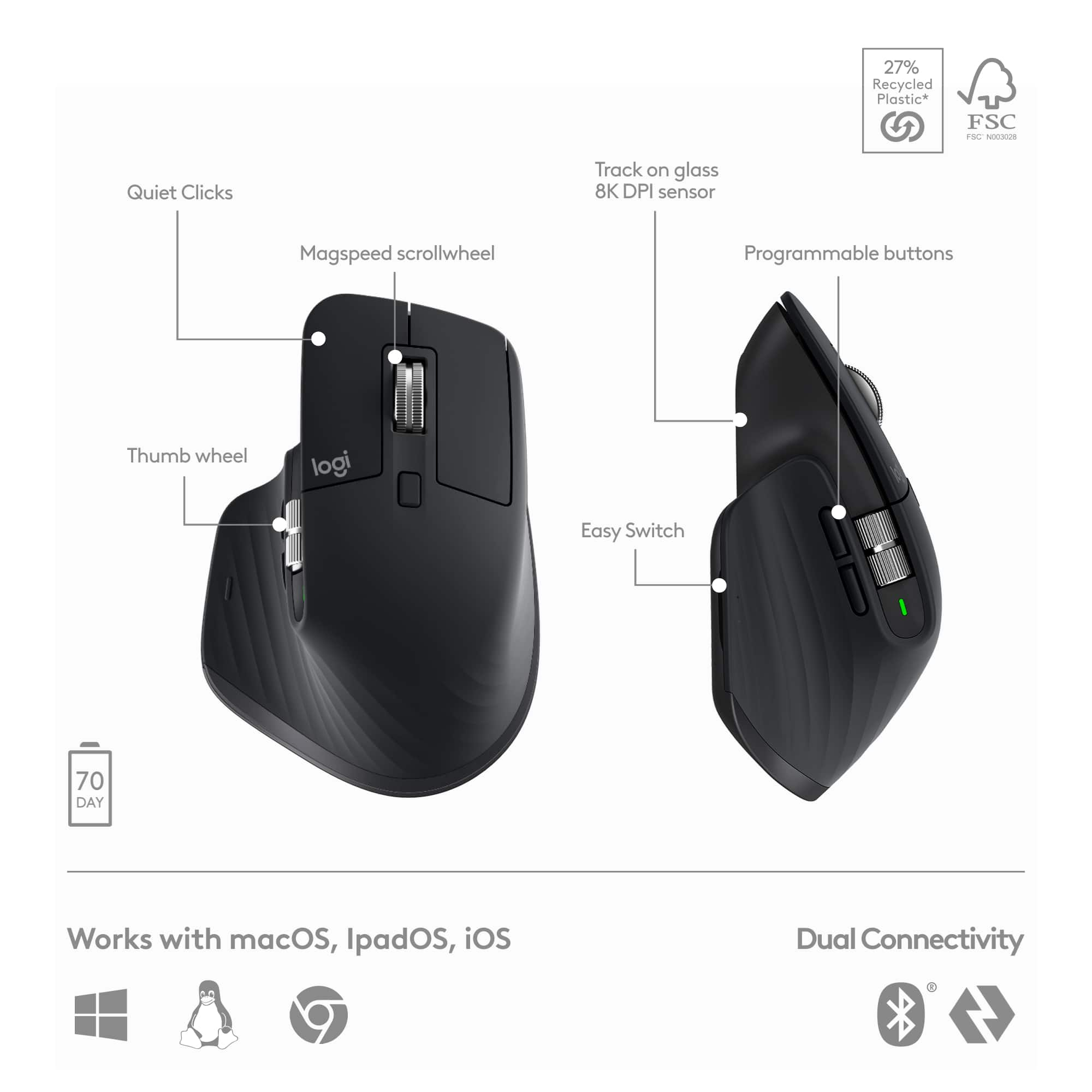
|Posted .This reviewer received promo considerations or sweepstakes entry for writing a review.The MX Keys S (keyboard) and MX Master 3S (mouse) both use the newer Logi Bolt Receiver, which uses a different protocol than the older Unifying Receiver, so they’re not compatible with any older Unifying Receivers you may have lying around. In that same respect, any older Logitech devices you may have that used the Unifying Receiver, will not work with the new Logi Bolt Receiver. That being said, I also tried connecting both via Bluetooth, and didn’t have any trouble, however I did notice that there’s a slight delay when switching to a device that’s connected via bluetooth. The biggest thing to note about the connectivity is that a bluetooth connection won’t work if you need to do anything in BIOS, whereas a Bolt connection will. I could immediately tell that this keyboard is a huge improvement over the Logitech K375 that it’s replacing. Probably not a fair comparison, given the price difference, but if you spend a significant amount of time behind the keyboard, spend the extra $$. It has a nice, solid feel to it. It also has a nice weight, and isn’t going to be sliding all over your desk when you don’t want it to. The keys have a good, crisp feel to them with just enough noise that you know you’re doing something, but not so much that everyone in the house/office can almost follow along. Keyboard features include dedicated keys to switch between up to three devices. One of which I used to pair my keyboard and mouse to my Samsung tablet. The F1-F12 keys can be locked to the old school functions, or be used for pre-programmed functions that control brightness, keyboard backlighting, mic mute, media controls, and a quick emoji selector. Using Logitech Options+, you can also change these keys to do many other things if you so desire. It also has keys dedicated to a calculator, screen snip, <something>, and Windows lock. Very convenient! The mouse has a nice feel to it, but I’ve been a trackball user for several years, so I’m still adjusting. The electro-magnetic scroll wheel is amazing though! I have a few spreadsheets that have several thousand rows (a couple with over 500k), and the weighted scroll wheel makes scrolling through those SO much easier! It also has a horizontal scroll, which is great in spreadsheets as well. My biggest complaint about the mouse is that the Easy Switch button, to switch your mouse between different devices, is located on the bottom of the mouse. If you switch back and forth several times throughout the day, it is much more convenient (like with their MX Ergo trackball) if the button was on top. I can only hope that Logitech will see fit to let you remap one of the more accessible buttons (or even a gesture) to the EasySwitch function, but as of now, this is not possible. Battery life has been decent so far; better than expected for the keyboard. I was able to get about two week’s worth of typical business use, with the keyboard backlight at default (auto brightness; 30 second timeout) settings, out of a full charge. The mouse is still at 80%. Overall a great combo. 5 stars if you could remap the EasySwitch function to another button.
I would recommend this to a friendDon’t buy the keyboard
||Posted . Owned for 3 weeks when reviewed.This reviewer received promo considerations or sweepstakes entry for writing a review.One of the keys broke off after a few weeks of use. There doesn’t seem to be any way to fix it since the plastic on the scissor switch broke. I’m gentle with my electronics so it was disappointing to say the least. The mouse is great and I bought one for several family members.
No, I would not recommend this to a friendBrand response from Logitech
Posted .We're truly sorry for the disappointing experience. Your feedback has not gone unnoticed, we will forward it along to the right team. Thanks so much!
Usability is limited due to key combo conflicts
||Posted . Owned for 1 week when reviewed.This reviewer received promo considerations or sweepstakes entry for writing a review.Key combo conflicts are very annoying. Maybe the 6KRO is limited to a-z.
No, I would not recommend this to a friendBrand response from Logitech
Posted .We truly apologize for any inconvenience you may have encountered and hold your feedback in the highest regard. To effectively resolve the issue at hand, we kindly urge you to contact our dedicated Logi Support team, who will assist you with the utmost dedication and care.
Great addition to my logitech office ecosystem!
|Posted .This reviewer received promo considerations or sweepstakes entry for writing a review.Logitech doesn't need any introduction and I have been an avid user of Logitech computer accessories for as long as I can remember. I had been drooling over the MX Keys since a long time. I've seen so many of my friends and cousins using it and was very much impressed with it. So when I saw this combo kit, I decided to grab it. These two accessories (mouse and keyboard) are the prime examples of brilliant minds that work at Logitech. The design, the style, the working: everything is on par. Let's first start with the mouse, MX Master 3S. I have been working as a Mechanical Design Engineer for more than 10 years now and Logitech is the only brand that I use for my mouse. I spend 90% of my time at job using mouse to 3D design stuff on software such as Creo, NX and SolidWorks. I cannot even imagine using any other brand mouse. I started with G602 that had 9 programmable buttons and anyone with even a little design experience can understand how much of a life saver that mouse is. Unfortunately, that started giving some issues after more than 5 years of service and I replaced it with MX Master 2S and OMG, that was a game a changer too. I agree, it didn't have as much programmable buttons but I still was able to make full use of few that are provided. The MX Master 2S was a fantastic mouse, but I had two complaints about it: 1) It used Micro USB instead of Type C and 2) the thumb wheel and navigation buttons were hard to use. The MX Master 3S fixes both those problems. The thumb wheel now has a very high quality feel to it and is very easy to spin around, and they've moved the navigation buttons lower down to make them easier to press with your thumb. The main scroll wheel has also been made quieter, and somehow even more fun to use. As before, this mouse works on pretty much all surfaces, can connect to 3 devices, and can connect by either bluetooth or a USB dongle. I've had no issues using it on both a Mac and PC. Logitech claims a battery life of 70 days, and while I obviously haven't been able to test that out yet, if the MX Master 2S is anything to go by, you can expect great battery life on this mouse too. The 3S has significantly better placement for my average sized hands. On the 2S, it required pulling my thumb so far back, that it initially felt like my thumb was going to dislocate. On the 3S that isn’t a problem. The vertical scroll wheel is great. Feels much better than the scroll wheel on the 2S, but it may take some fiddling with the Logitech Options program to get it to automatically switch to free scrolling based on your desired speed. The default setting switches it too easily, and the jump from ratcheted scrolling to free scrolling speed is significant. You might find yourself wanting to just scroll a few lines faster, and then suddenly you’re all the way at the bottom of a webpage. It's a big upgrade from Master 2S. However, if you own a Master 3, getting a 3S would not be much of an upgrade for you. The only difference between the two are that 3S has a 8000 DPI sensor where as 3 has 4000 DPI sensor. The other difference is that Logitech claims that 3S has 90% quieter clicking than 3. There is no question the placement of the back and forward buttons has been improved as well as the horizontal scrolling wheel as compared to 2S. The tracking also seems more precise. The gesture button is also vastly improved and now has an actual physical button. This mouse unequivocally earns a high five stars rating from me, along with my honest and very hearty recommendation. You will never see a mouse more ergonomic and comfortable to use than this one! Now the keyboard, MX Keys S. This is an excellent keyboard. Better than any Apple keyboard with more functionality at cheaper the cost!!! This is the keyboard that Apple should have brought out for their Macs. It has many nice features. The one that I find really nice is the key back lighting. It's quite handy under lower light conditions. My previous Logitech products have lasted many years, which makes this keyboard purchase a worthy investment considering the quality and features. Right out of the box I was amazed at the solid workmanship. This thing feels sturdy and heavy. It has a classy dark metal gray finish. Its curved edges and slight tilt, along with the silent keys make it a pleasure to use. The lights go out if your hands are away from the keyboard for long, but respond immediately to your fingers touching the keys with lighting up. The construction seems very good, and the keys with their sculptured tops are nice to type on. The programable key functions are also handy for adding some user defined command to certain keys. Overall and nice keyboard I've been using this keyboard for a couple days now and I love it. It has a nice heavy/solid feel, so it doesn't slip around on my desk and the keys have a nice tactile "break" at the end of the keystroke. Very easy to use for hours at a time. It has a rechargeable battery that charges up via the included USB-C to USB-A cable; you'll need a USB-A type power adapter which is not included. I only had to charge it once and plugged it into my laptop. Logitech claims a battery life of up to 10 days on a full charge or up to 5 months with the backlighting turned off, which is way less than my MX Master 3S mouse but that is understandable as the keyboard draws more power than the mouse. This Logitech keyboard is just much much better than all of the keyboards I've used so far. Some of it is the small form factor that leaves more space on my desk. Some of it is the super sleek look that makes my desk look like I'm an elite designer. But more than anything, it's how smoothly the keys actuate, how they travel just enough (not too little, not too far), and how the concave circle shape on each key is built to welcome your fingers. This keyboard is not without faults, but these faults pale in comparison with how good the keys are.
I would recommend this to a friendSo so
||Posted . Owned for 1 month when reviewed.This reviewer received promo considerations or sweepstakes entry for writing a review.Keyboard is very narrow. But otherwise good. Mouse cursor stalls at times.
No, I would not recommend this to a friendBrand response from Logitech
Posted .Thanks for the review. The MX Keys S might be a bit slimmer than expected. We apologize about the cursor stalls - we would love to help you further, please provide your information to our support team by emailing socialcare@logitech.com. Name – Email address – Country – Product name – Brief description of the issue –
Great combo! You Get A Lot Out of It!
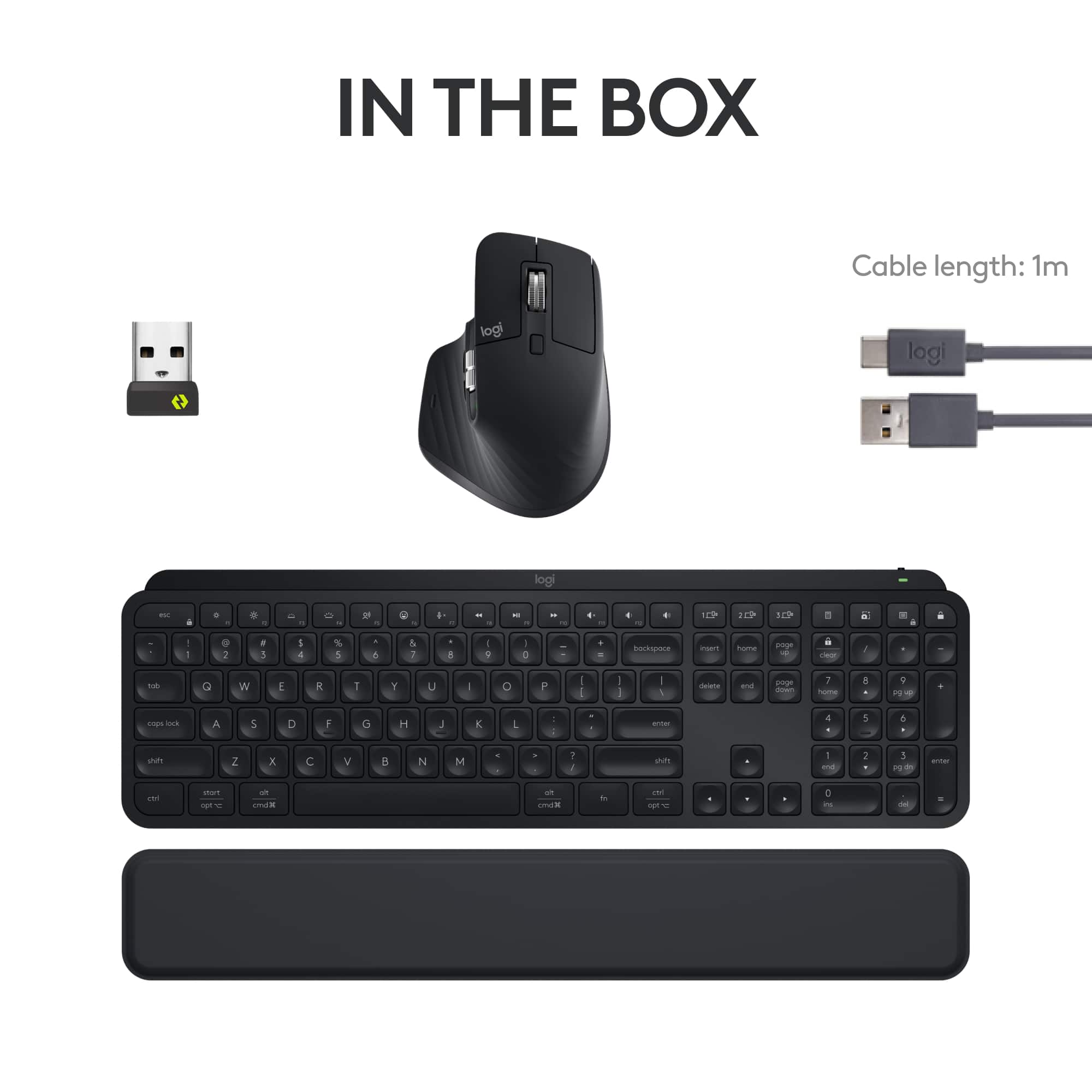
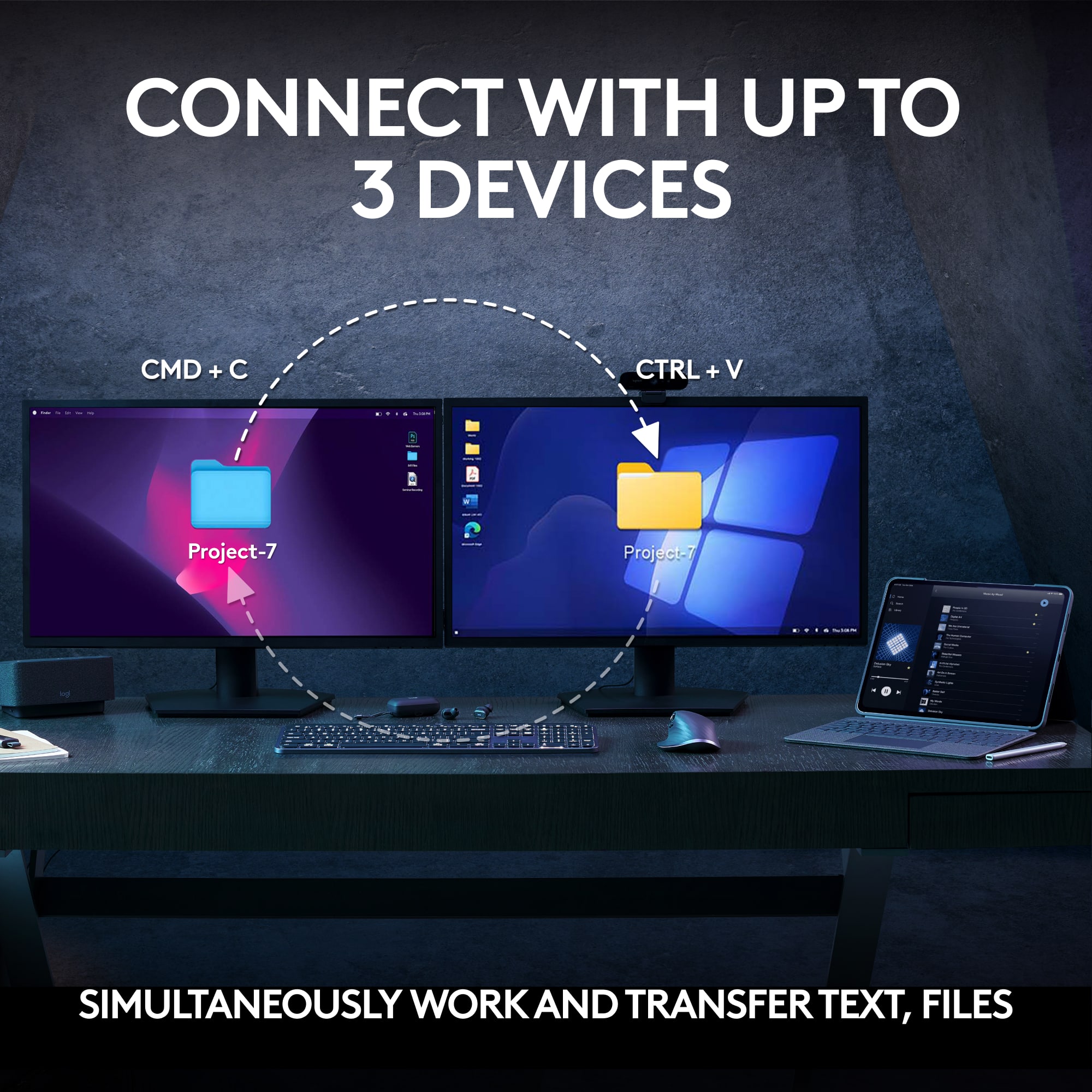
|Posted .This reviewer received promo considerations or sweepstakes entry for writing a review.This is not just a tippity tap keyboard and a roll and scroll mouse. There is a lot here and so much to do with it, whether for productivity or for fun or both. The keyboard is not large but still has everything and keys in normal places and such; and includes a number pad. The keyboard allows you the option to connect via Bluetooth or USB dongle. There is also a cable, USB-C, for charging. There are no batteries for you to change. You just charge it up when you need to. On the top right of the keyboard, there is a slow flashing red illuminating light to let you know it needs a charge. When charging is complete, it's green. When you unplug, there is nothing (no illumination). The keyboard feels lowkey, in a great way. The keys are soft to the touch, probably because of the rounded indentation (concave) on each key, so the keypresses feel calm. The keys depress easily and quietly. The keyboard itself also illuminates (within the keys, of course) when you depress any key. It has all functions of a keyboard. The keyboard, on the top edge, also has an on off switch and the USB-C port. Now, of course you can move this keyboard from device to device, and use Bluetooth to connect every time or move the dongle with you every time. BUT, you can actually program to connect the keyboard to three different devices and all you need to do is push the key for 1, 2 or 3 (not on the number keypad, but just to the left of the number keypad, you will find the three keys for device 1, 2, or 3. That's it. Hit the key and it automatically goes to that other device. Sweet. There is also a wrist pad that comes with it for the keyboard. It is the full length of the keyboard and it is very thin. But there IS a cushion in there. And it works for me. The only thing is it slightly moves after sometime. I work at a desk all day so when it starts moving even slightly, I just bring it back. It doesn't bother me, but just so you know. The mouse is fancy. It is large so your whole palm can grasp it, with the whole palm laying on it. It has the typical things on the top -- left click, right click -- and a big ol' wheel for scrolling. Now, you can scroll slow and regular (which is fine) by going one click at a time. Or you can spin that thing like the price is right and that thing will fly (that's how I like it). For work, I regular scroll up and down lists (such as in excel, databases, etc). You can control the scroll though... it just depends on how hard your finger rolls it. There is also horizontal scroll (to the left), which is another great thing. The mouse is very responsive. I'll admit, sometimes my hand gets tired of being on it, but I still love it. I should also mention that because the mouse is large, I am constantly bumping it into the keyboard or other things close to it while I am using it. But that's a me-problem. Just like the keyboard, the mouse allows you the option to connect via Bluetooth or the same USB dongle. There is the same cable, USB-C, for charging. There are no batteries for you to change. You just charge it up when you need to (just like the keyboard. The USB-C port is also on the top edge of the mouse. On the bottom of the mouse, there is no place to store the dongle so don't lose it. There is an on/off switch. And there is also a button just under a 1, 2, 3 so that you can program it to three devices, just like the keyboard (they just use different means of one-ing, two-ing and three-ing. Still great. Lastly, Logi Options +. Install it on your device and then go play with it or be serious with it. But you can do a lot. You've got "Options." You can customize your keyboard and mouse. Your mouse has the ability to work with gestures. Well, you can program that. Your mouse and your keyboard have buttons/keys that will allow you to turn them into shortcuts. You can program that. You can even program shortcuts per application. Yup. Go do it. Good for productivity. And also good for fun. This combo is pretty amazing and to be honest, I would only suggest it if you plan on using it for many of things mentioned above, because the price tag is what it is. The price tag fits what you are getting. So again, if you simply want to tippity tap, roll and scroll, then this is not the move. But you want to move into being able to utilize and do more, make this move. It's a good product and I recommend it. Peace.
I would recommend this to a friendThis has a design flaw!
||Posted . Owned for 3 months when reviewed.This reviewer received promo considerations or sweepstakes entry for writing a review.This is the 3rd keyboard of this model I have purchased and all 3 have had the same design flaw.... It works fine for about 30 minutes, then starts typing a number of letters or it just won't type the letters at all and after 10 seconds it just types a bunch of letters again. So disappointed. And I can return it because the cutoff time has come and gone. And logitech isn't doing anything about sending a fix for this problem.
No, I would not recommend this to a friendBrand response from Logitech
Posted .Apologize about the experience and it's surely not what we expect to deliver. We understand your displeasure and we will forward it along to the right team so they can look into it. Thanks for bringing this to our attention.
Keys failing after 10 months. Bloated software.
||Posted . Owned for 9 months when reviewed.This reviewer received promo considerations or sweepstakes entry for writing a review.After less than a year, the keys are getting stuck. I have a non "S" model on another computer that is about 4 years old and still working fine. Software is bloated and has issues. Why can't the keyboard button to switch devices bring the mouse along? Nooo, you have to press the keyboard button, the pickup the mouse flip it over and press that button. Been a huge fan of Logitech for years. Rethinking that.
No, I would not recommend this to a friendBrand response from Logitech
Posted .We apologize for the issues you're experiencing with the MX Keys S Combo. It's disappointing to hear about the key sticking and software problems, especially given your previous positive experiences with Logitech products. In order to help you effectively, please provide your information to our support team via email at socialcare@logitech.com with your
- Name:
- Email Address:
- Country:
- Product Name:
- Brief description of issue: