Customer Ratings & Reviews







- Model:
- 920-012274
- SKU:
- 6539504
Rating by feature
- Value
Rating 4.5 out of 5 stars
- Quality
Rating 4.8 out of 5 stars
- Ease of Use
Rating 4.8 out of 5 stars
Customers are saying
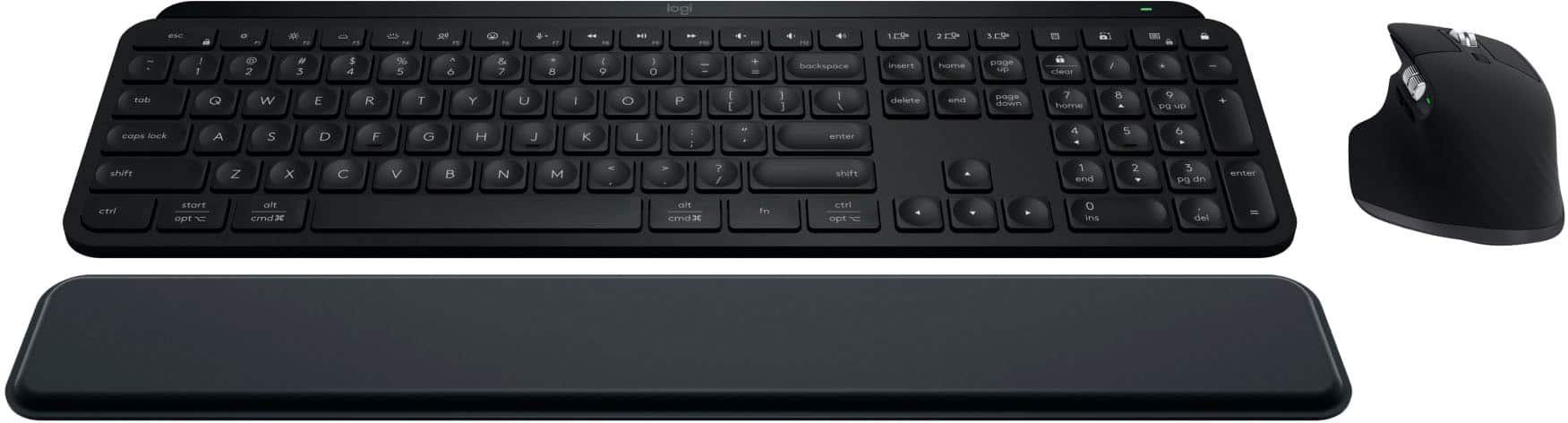
Customers enjoy the product's excellent keyboard quality, long battery life, and smooth connectivity across devices. They also appreciate its ease of use, fantastic scroll wheel, quiet operation, and sleek, comfortable design. However, some customers found the palm rest padding to be thin and the overall price to be too high.
This summary was generated by AI based on customer reviews.
- Pros mentioned:Battery life, Keyboard quality
Overall it good!
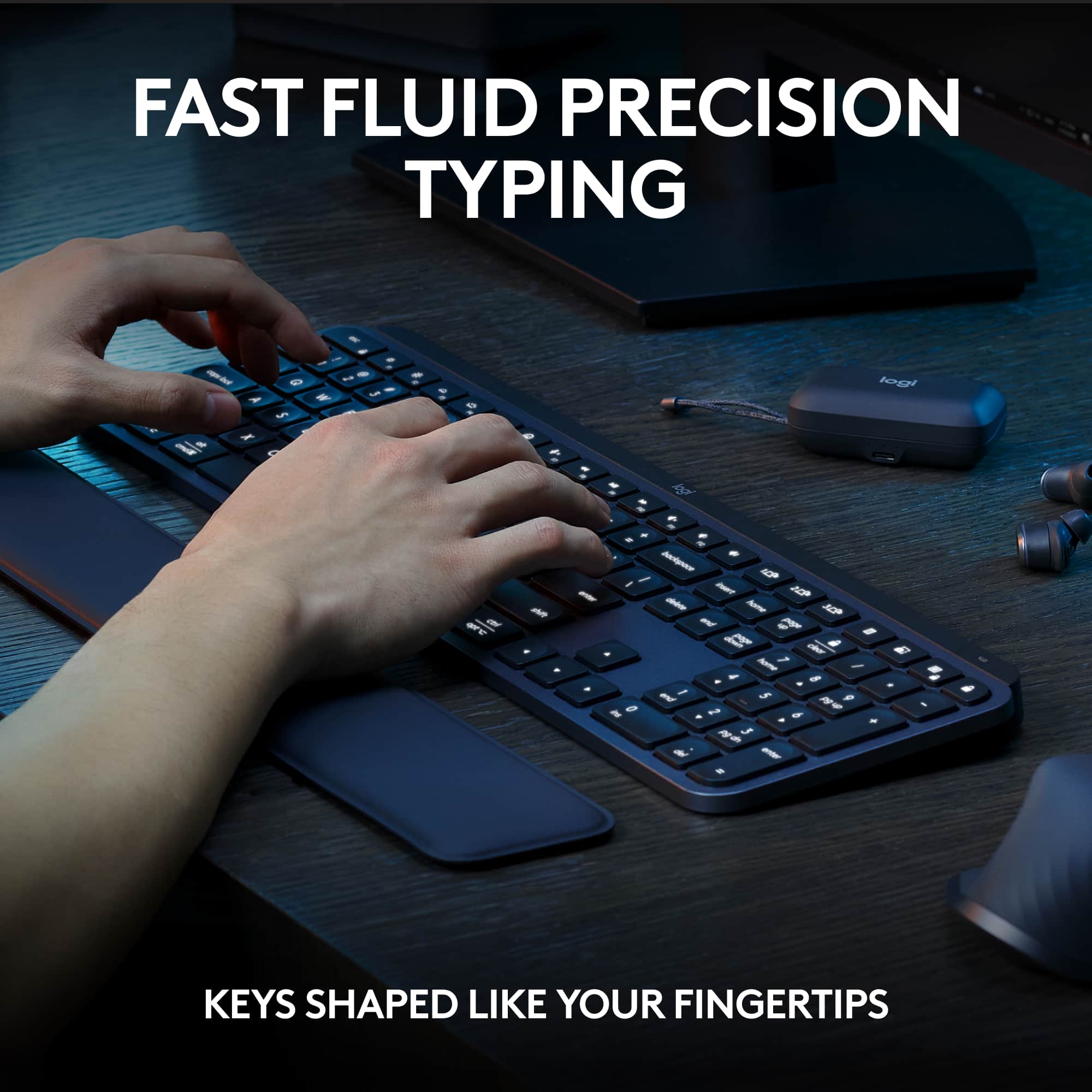
||Posted . Owned for 2 weeks when reviewed.This reviewer received promo considerations or sweepstakes entry for writing a review.The Logitech 3s Keyboard is a versatile and user-friendly input device that excels in productivity and comfort. The keys offer a satisfying tactile response and are well-spaced, reducing typing fatigue during long sessions. Its wireless connectivity ensures clutter-free desktops, and the battery life is impressively long-lasting, meaning fewer interruptions for recharging. The keyboard’s slim and sleek design adds a touch of elegance to your workspace. Whether you’re typing documents, coding, or engaging in casual gaming, the Logitech 3s Keyboard is a reliable and enjoyable tool for everyday use.
I would recommend this to a friend - Pros mentioned:Battery life, Connectivity
Good quality and ergonomic
||Posted . Owned for less than 1 week when reviewed.This reviewer received promo considerations or sweepstakes entry for writing a review.Battery life is good I never charge since I bought the item. and it is erginomics and I can switch up to three item by just clicking the button
I would recommend this to a friendBrand response from Logitech
Posted .Thank you for sharing your wonderful feedback! We’re delighted to hear that the MX Keys S Combo impressed you with its ergonomic design, seamless multi-device switching, and outstanding battery life that hardly needs charging. Your appreciation truly motivates us.

- Pros mentioned:Keyboard quality, Scroll wheel
High Quality Keyboard & Mouse Combo
||Posted . Owned for 1 year when reviewed.This reviewer received promo considerations or sweepstakes entry for writing a review.I've owned a few Logitech combos in the past and this one is by far my favorite. The padded wrist pad is a nice addition and the mouse is so comfortable in the hand. I love the scroll wheel with how quickly it can go up and down a long webpage. The keyboard has a good weight and the keys don't make that loud clicky noise you get from cheaper keyboards. The keyboard is backlit, and it turns on when your fingers get close to the keys. I love this feature, especially in a dark or dimly lit room. The charge is adequate and needs to be plugged in every couple of months to get a full charge and that is my one and only gripe with the combo. I really wish it had wireless charging so I could charge it using a wireless charging mouse pad, but otherwise it's an excellent product. I recommended this combo to my sister and she recently picked it up and is also very happy with the purchase. It is a little on the expensive side, but sometimes you get what you pay for and this combo didn't disappoint.
I would recommend this to a friendBrand response from Logitech
Posted .That's absolutely fantastic to hear! We're thrilled that the Logitech MX Keys S Combo is your favorite among the Logitech combos you've owned, and that you're enjoying its comfortable design, excellent scroll wheel, quiet keys, and particularly the smart backlighting feature. We appreciate your honest feedback regarding wireless charging, and it's wonderful to know you've recommended it to your sister who is also happy with her purchase!
- Pros mentioned:Battery life, Connectivity
Goodbye Wires, Hello Freedom
||Posted .This reviewer received promo considerations or sweepstakes entry for writing a review.I recently switched from a fully wired setup to this Bluetooth keyboard and mouse combo. Both devices paired quickly and work flawlessly across Windows and Linux, making it easy to move between systems without any hassle. Battery life has been impressive so far, and switching between multiple devices is almost instant, something I didn’t realize I’d appreciate this much. While not the cheapest option, the convenience, performance, and overall experience make it feel like money well spent.
I would recommend this to a friendBrand response from Logitech
Posted .We truly appreciate you sharing your thoughts. It’s fantastic to hear the product is delivering as expected. Your feedback helps us grow and refine what we do. Thanks for choosing Logitech!
- Pros mentioned:Battery life, Keyboard quality
Great Mouse & Keyboard Pairing
||Posted . Owned for 2 weeks when reviewed.This reviewer received promo considerations or sweepstakes entry for writing a review.Great mouse and keyboard set. I used this pair at work and had to get a set for at home as well. Mouse and keyboard are both ergonomic and just feel good to use. Good, rechargable battery lives on both mouse and keyboard. Highly recommend.
I would recommend this to a friendBrand response from Logitech
Posted .We’re so pleased to hear that you’re enjoying your Logitech device. Your feedback is a big part of what helps us grow and continue to serve our users better. Thank you for choosing Logitech and for being part of our journey.
- Pros mentioned:Connectivity
Perfect combo for multiple devices
||Posted . Owned for 2 weeks when reviewed.This reviewer received promo considerations or sweepstakes entry for writing a review.Long time fan of Logi products, as someone that’s forced to use windows the dongle is nice to have, plus being able to have 3 devices connected and easily switching from the work laptop back to my person Mac is a massive selling point. The heavy customizable options on the mouse and keyboard is a win too. Keyboard types and feels great, backlit is also nice for low light working. The mouse feels good, the wheel could be better but overall still a 9/10 mouse.
I would recommend this to a friendBrand response from Logitech
Posted .Your feedback means a lot to us. We’re glad the product is serving you well and helping you get things done. Thanks for choosing Logitech!
- Pros mentioned:Connectivity, Keyboard quality
The Perfect Keyboard & Mouse Combo for Professiona
||Posted . Owned for 1 month when reviewed.This reviewer received promo considerations or sweepstakes entry for writing a review.This combo set is worth every penny. The MX Keys S keyboard feels premium, with keys that are quiet but responsive—typing is smooth and effortless. The backlighting is smart and only activates when my hands are near, which saves battery. Paired with the included wireless mouse, it’s the ultimate setup for productivity. I love that I can connect to multiple devices and switch between them with just a button press. The build quality is solid, and the keyboard’s low profile makes it comfortable for long typing sessions. If you’re looking for a high-quality combo for both home and office, this one delivers. It’s sleek, reliable, and makes working feel easier.
I would recommend this to a friendBrand response from Logitech
Posted .Thanks for the fantastic review. We're thrilled to hear the MX Keys S Combo is delivering the premium feel, smart features, and seamless multi-device connectivity you were looking for. It's designed to elevate productivity and comfort—glad it's making a difference in your workflow.
- Pros mentioned:Battery life

Logitech MX Keys S & MX Master 3
|Posted . Owned for 9 months when reviewed.This reviewer received promo considerations or sweepstakes entry for writing a review.Pros: Very quiet key and mouse button clicks. Long battery life and rechargeable via USB-C. Ability to swap between 3 devices. Cons: Occasional input lag when typing or clicking rapidly. This is only noticeable when battery starts to get low or when playing games.
I would recommend this to a friendBrand response from Logitech
Posted .Thank you for your detailed review. We're glad you're enjoying the quiet typing experience, long battery life, and multi-device functionality. We appreciate your feedback regarding occasional input lag and will share it with our product team for future improvements.
- Pros mentioned:Battery life, Keyboard quality
Exactly what I was looking for
||Posted . Owned for 8 months when reviewed.This reviewer received promo considerations or sweepstakes entry for writing a review.This combo is fantastic! My work bought this exact combo for me at my request, and I forgot it one day at the office when I was planning on working from home, and upon realizing my mistake in the morning, I immediately went out and bought this combo so I could permanently have it at home. The mouse and keyboard are better than my old corsair k95 platnum keyboard and logitech 604 lightspeed. Everything from the battery life to the latency on these products is amazing. The keyboard is 'ok' for gaming, my hands miss the wasd keys once in a while since I'm used to having the slight indentations of the corsair keyboard, and the mouse is primarily designed for productivity work, so plan on getting a different mouse for gaming. It's also awesome that I can wirelessly and quickly switch between my personal m1 macbook pro, my work m3 macbook pro, and my desktop gaming pc with both my keyboard and mouse. My only minor complaint about the mouse is that the button to switch computers is on the bottom. The complaint pales in comparison to the massive success that this mouse and keyboard combo has been for me. In short, this is an awesome combo, and if you're lucky enough to find it on sale, you should absolutely get one if you think it'll work for you. As for the palm rest, it doesn't necessarily work for me, but it's nice that it's included.
I would recommend this to a friendBrand response from Logitech
Posted .We're thrilled to hear that you're so impressed with the Logitech MX Keys S Combo! Your positive feedback about its performance, versatility, and ease of use is truly appreciated. We're glad it's enhancing your productivity and overall computing experience. Thank you for choosing Logitech!
- Pros mentioned:Keyboard quality
Just do it. You won't regret it.
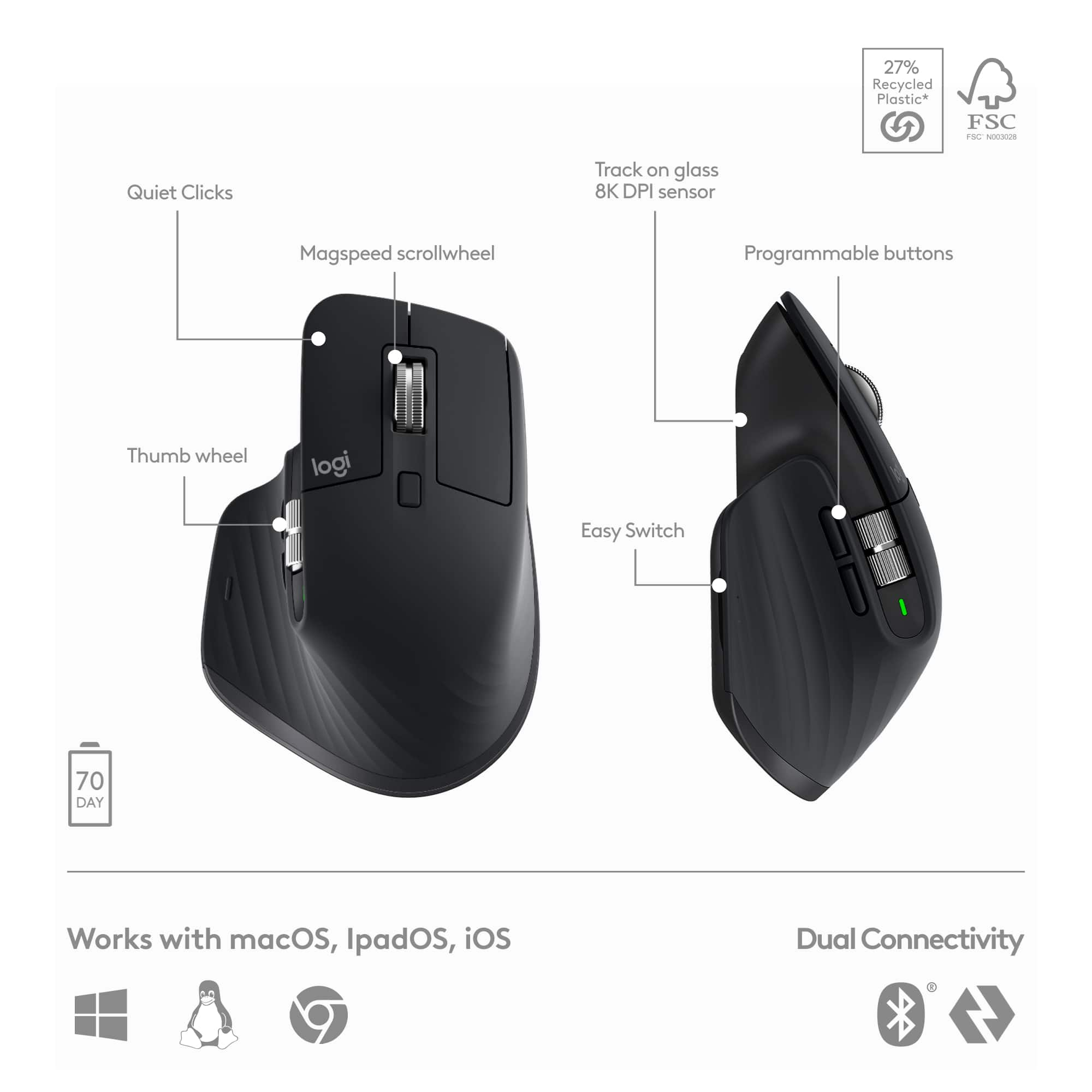
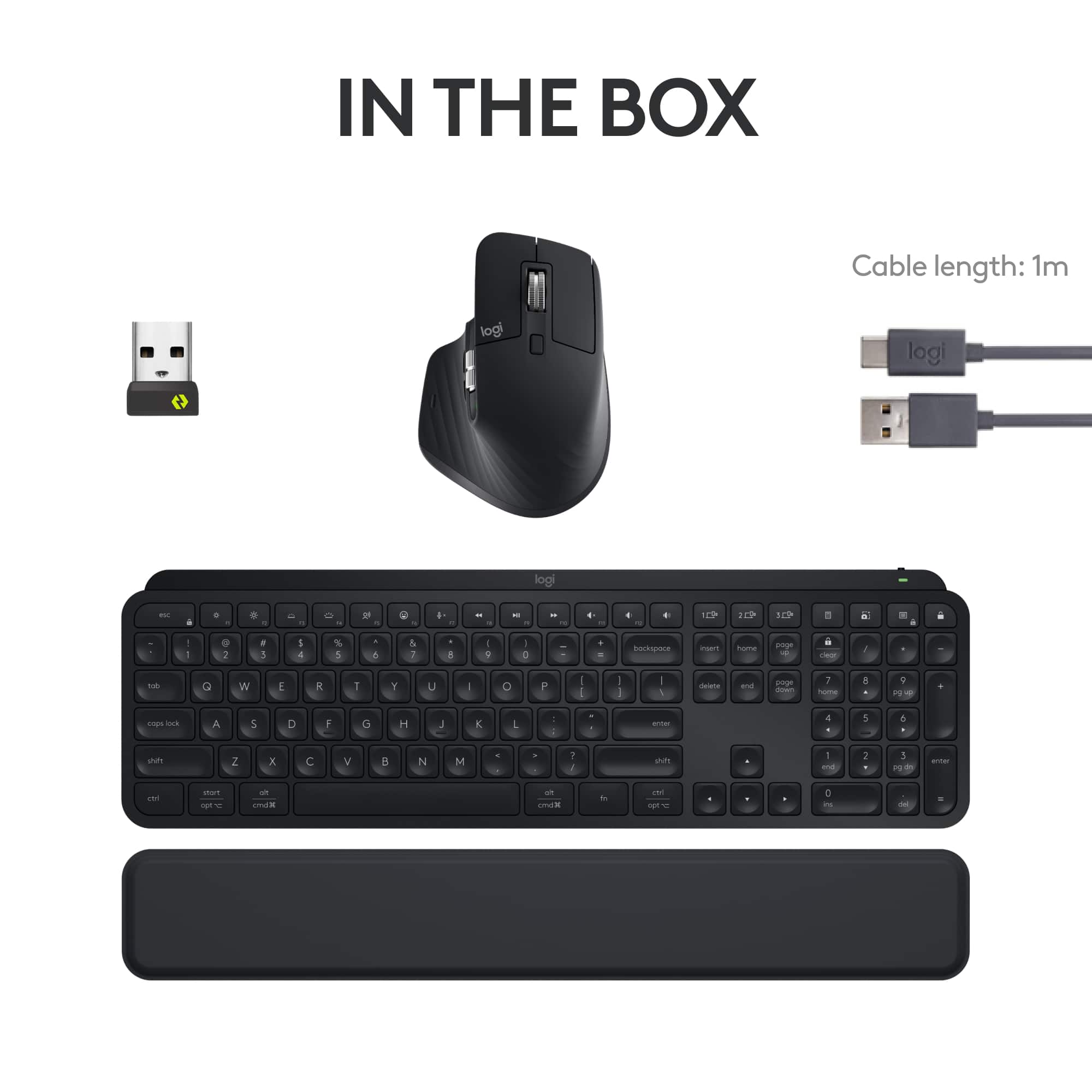
||Posted .This reviewer received promo considerations or sweepstakes entry for writing a review.I just bought the new Logitech MX Master 3S combo pack with keyboard and mouse, and I am so satisfied with my purchase. It feels outstanding to type on this new keyboard and feels so smooth to navigate on this new mouse. It is amazing to viscerally feel this new system complement my workflow. Wow! It’s like the keyboard and mouse are extensions of my body. What an awesome system! I can already tell that this is going to make my work so much more fun. I can perceive the usefulness out of this combo package and it’s easy to distinguish the ergonomics created in this design. Some other reviews say that it’s too expensive, however, in my opinion, it’s well worth the price for the quality and precision. If a tool helps make my workflow faster, easier, and enjoyable, it’s a valuable investment that will return many folds and pay for itself in the long term with the work it allows me to accomplish. Let me dive into the keyboard. The keyboard feels solid—heavy enough to stay planted on my desk, yet light enough to feel sophisticated and modern. The thin profile of the keyboard makes it fun and easy to use. The small indentions on each key allow me to feel what I’m typing and make less mistakes when I type quickly. Best of all, the keyboard is backlit! I love that I can see the keys in low-light or in complete darkness. I like dimming the lights when I’m working to give my office a more relaxed atmosphere. I love that the keys are not loud when I type. I can use this around others and not be a distraction during meetings, or when I’m just on my game, concentrating, focused on the task at hand. This keyboard really makes work more fun and enjoyable. Let me talk about the mouse. The mouse is just as amazing. It’s ergonomic design really helps my hand and wrist while I’m on the computer for hours at a time. The size is perfect for my hand. What I most love are the dual scrolling wheels on the mouse. The top scrolling wheel allows me to switch between two modes—one normal mode when I can scroll down a page at a slow to regular speed, and a fast mode where I can quickly scroll to the bottom of a spreadsheet or webpage. The side scrolling wheel is a game-changer. I love that I can now use the mouse to scroll horizontally. I used to hold down the ALT button to scroll horizontally when I was using spreadsheets or designing in Photoshop or InDesign. Now, I can quickly and easily scroll up and down or left to right all from my mouse. Lastly, the silent click feature is exactly what I needed. Just like the silence of the keyboard, it doesn’t cause any loud distracting noises. I work very quickly, and I love that I can facilitate my workflow with the contemporary features. Now regarding the palm rest, it is a lot thinner than I imagined; however, contrary to a lot of the reviews, I really like it a lot and believe it’s another design that was created with intention focused on the user. Most palm rests are so thick that they don’t work well when typing on a scissor keyboard. Thicker palm rests work well when typing on a keyboard that has bigger keys and a steeper angle—keyboards with a larger footprint. But this Logitech palm rest matches the size of this scissor keyboard extremely well. They were made for each other. Could it have a little more cushion? Possibly, but it would undoubtedly compromise the ergonomic match to the size and angle of this keyboard. It’s a great combo. I give this purchase a 5/5 because it’s amazing. I researched keyboards for about 3 weeks before making this purchase. The price is much more expensive than other keyboard and mouse combos, but it is undeniably worth the money. As they say, you get what you pay for—and the quality of these devices warrants the price without question. It will be difficult to ever buy another keyboard or mouse combo again after using the Logitech MX Master 3S combo pack. If you’re on the fence about this purchase, just do it. You won’t regret it.
I would recommend this to a friendBrand response from Logitech
Posted .Wow—thank you for such a thoughtful and passionate review of the Logitech MX Keys S Combo! We’re absolutely thrilled to know it’s enhancing your workflow and bringing joy to your daily routine. Your detailed insights and enthusiasm truly mean the world to us.
- Pros mentioned:Battery life, Connectivity
Smooth and Quiet
||Posted . Owned for 1 month when reviewed.This reviewer received promo considerations or sweepstakes entry for writing a review.High quality, reliable, good battery life, connectivity is very easy.
I would recommend this to a friendBrand response from Logitech
Posted .Thanks for sharing your experience! We’re thrilled the product is working as intended. Your feedback helps us grow.
- Pros mentioned:Keyboard quality
Both devices are flat-out excellent
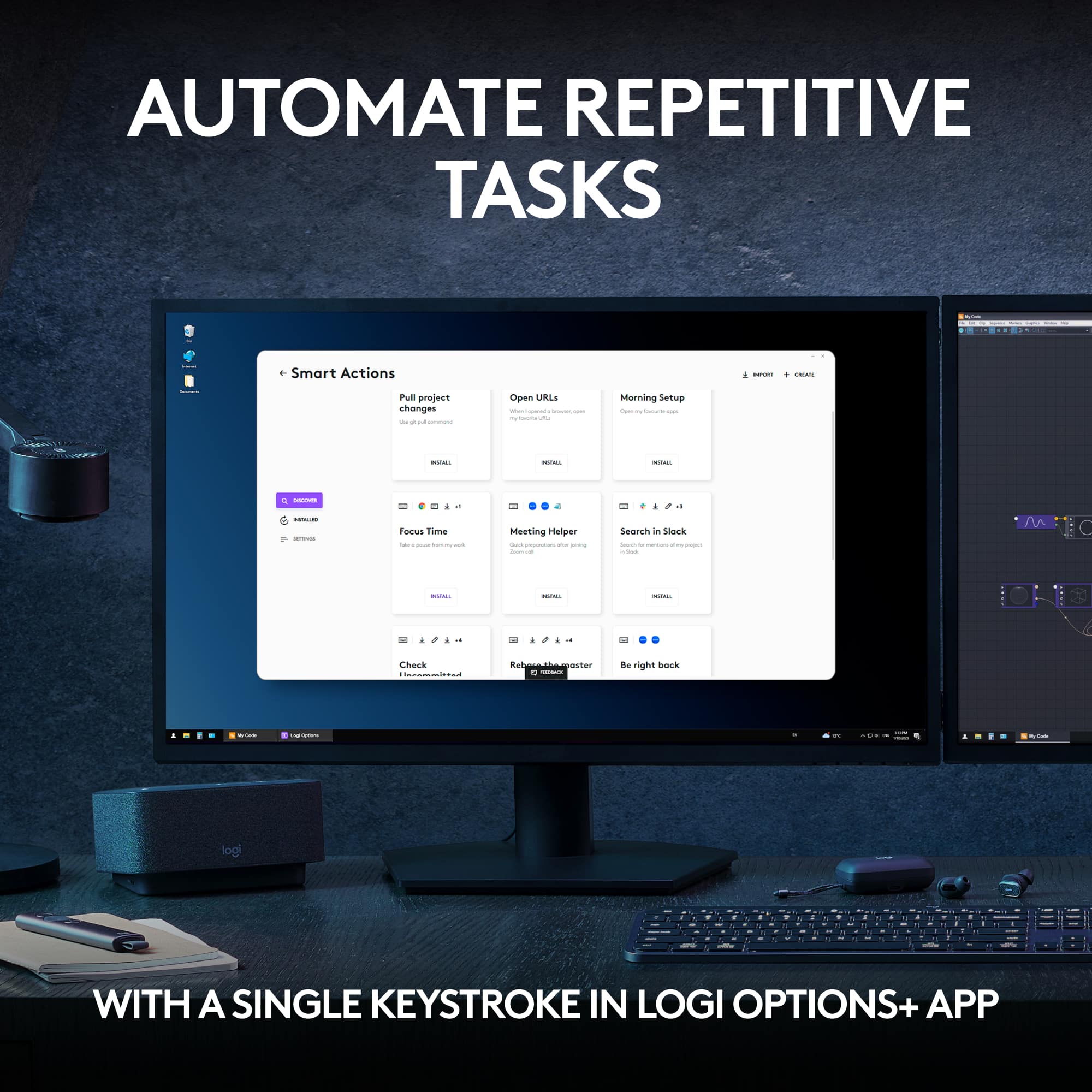
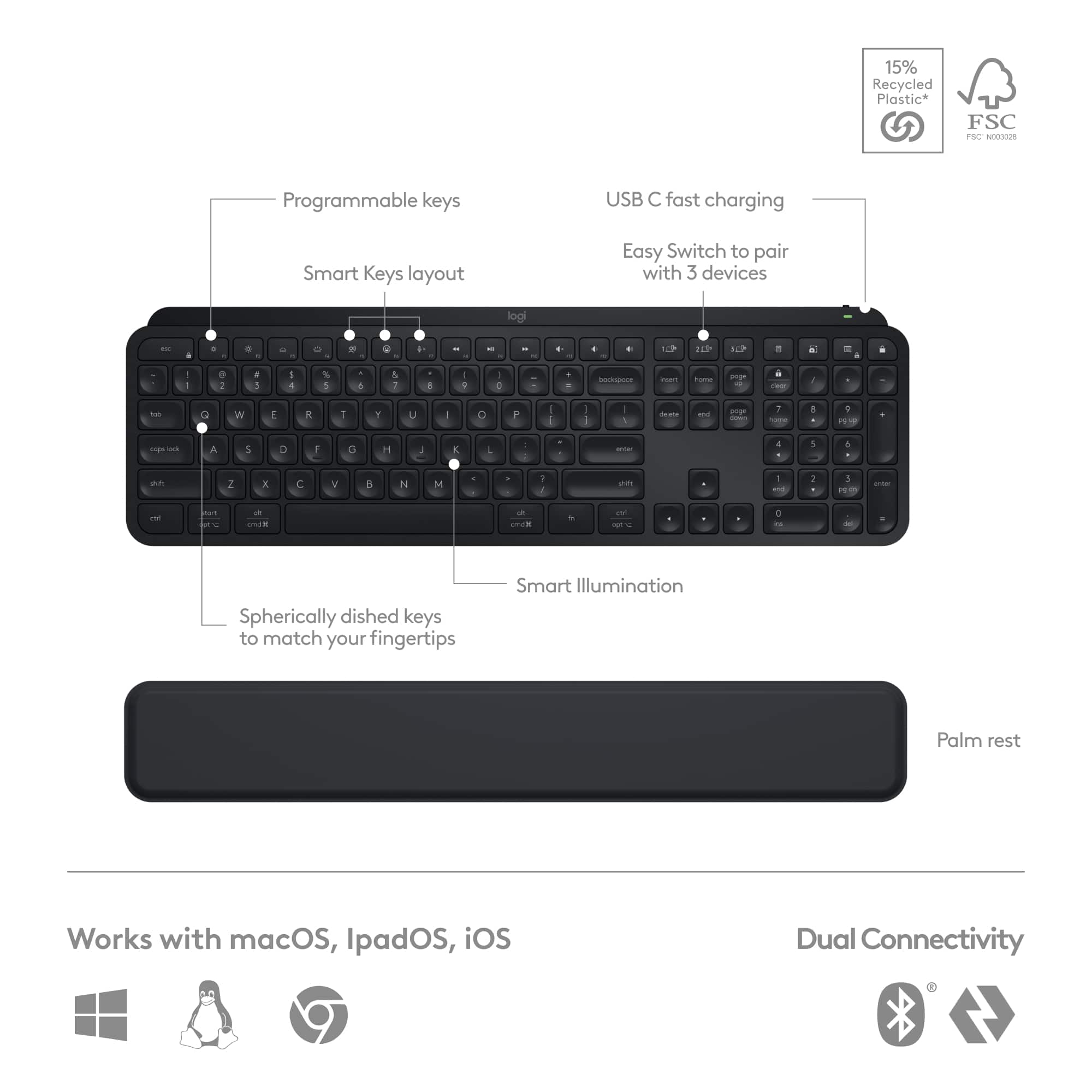
||Posted . Owned for 3 weeks when reviewed.This reviewer received promo considerations or sweepstakes entry for writing a review.I'm so impressed with this combo! I recently took the plunge and decided to go back to college. But wow, have things changed! School these days isn't all about going to lecture and taking notes...oh no, it's a huge part online. I needed something better to type on that my tiny laptop keyboard could provide. I found the size of the MX Keys S keyboard to be about perfect. The key stroke (button press) is also perfect for me, since I'm used to the shallow keys on a laptop. I'm not saying these keys are shallow, but they aren't super deep or thick keys that require a firm push either. For me, that's great! I also greatly appreciate the shape of the keys, with the rounded and indented center. Perfectly finger friendly. When not in absolutely perfect lighting, the keys can be difficult to see and differentiate. The smart key lighting fixes this issue. It turns on automatically when it feels your hand touch or move the keyboard, making the keys perfectly visible. If I had one complaint it would be that I wish the wrist pad was attached to the keyboard rather than a separate piece. This hasn't been a huge deal, but mostly a nit pick. The mouse is the biggest reason I bought the combo. Most combo mice are pretty lame--like a cheap laptop mouse included with a decent a keyboard. Well, after a while, my hand gets tired from grasping a tiny mouse. I wanted something larger and more full featured. This is it! It's go two scroll wheels for up/down and left/right, front/back buttons, and a customizable bottom button for your thumb. Actually, all the buttons and wheels are customizable, not just for Windows but also on a per-app basis. For example, your up/down scroll wheel for your internet browser might be used for zooming in your picture editing app. The Logitech app allows for tons of control. Overall, I'm very, very happy with both the products in this combo, and I'd have no issue recommending the set to a friend or family member.
I would recommend this to a friendBrand response from Logitech
Posted .Hey! Your experience helps us shape future improvements. We’re glad our product is delivering value. Thank you for being part of the Logitech community.

Amazing New Keyboard And Mouse
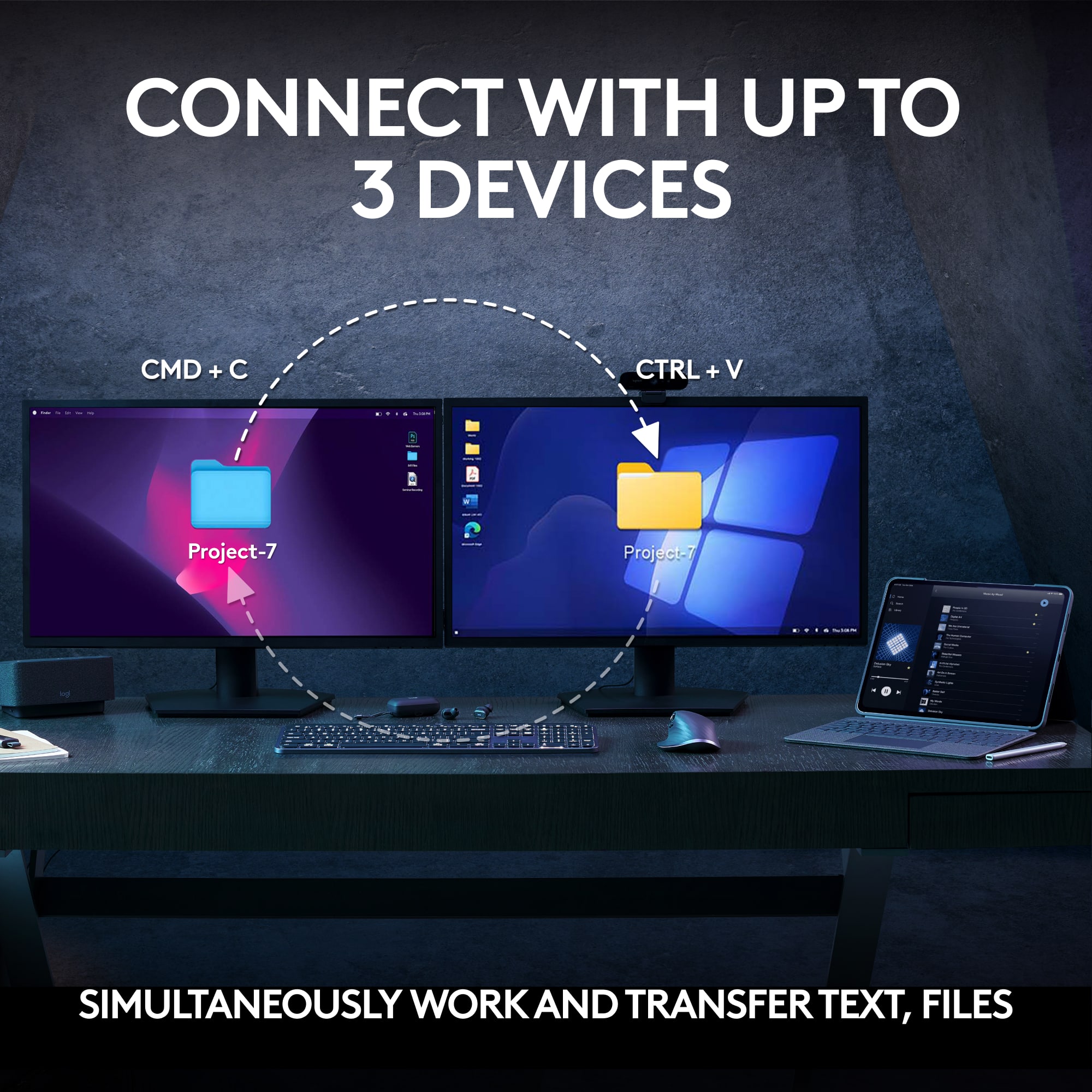
|Posted .This reviewer received promo considerations or sweepstakes entry for writing a review.Logitech has been making wireless devices for a long time and the basic functionality of a keyboard and mouse is guaranteed. And while I was skeptical about them releasing a new (and pricey) combo targeted to business consumers, I think their attention to details here makes this a desirable purchase. The keyboard and mouse are both rechargeable - that's the new normal. Their specs indicate that both should last for "months" on a full charge - even lasting a couple months would be great but there is always the risk of downtime if one of the devices is at the end of a charge. For my current working setup, there would be downtime if I suddenly needed AA batteries and had none in the house. So...not a fault, but a caveat. The keyboard is solid and heavy. The keystrokes feel more like laptop keystrokes than what I consider to be standard keyboard keystrokes. But on this keyboard, the keystrokes are extremely fluid and noticeably more quiet than any keyboard I have ever used. So this keyboard is immediately comfortable to use and the noise reduction would be welcome to nearby coworkers (I am VERY heavy-handed). These can be connected to devices by Bluetooth or by the included "logi bolt" (dongle receiver). You can switch between three devices simply after some initial intuitive setup. It is interesting that Logitech is emphasizing these as input devices for phones (I am not phone-centered for any long form input but I understand how these could be very useful for people who live and die by their phone). But it's this new mouse that makes this combo an incredible business investment. I have been using Logitech's M720 Triathlon for a long time now and have loved it. The new Logitech MX Master 3S here makes my beloved older mouse seem almost quaint. The left and right mouse buttons are ultra-quiet here and the scroll wheel transitions beautifully between very tactile single line movement and lightening-fast scrolling with a spin (Logitech claims you can scroll 1000 lines per second - I can't verify that figure but the scrolling is absurdly fast). But there are two additional features of this mouse that make it business savvy. The MX Master 3S has a (programmable) thumb wheel whose default programming is for horizontal scrolling - anyone who has ever navigated a mammoth spreadsheet should immediately understand the utility of this feature. And the thumb "rest" is also a button that you can press to bring up all of your open applications (very smart). Logitech has chosen excellent defaults for the buttons which can be changed within specific applications using their software - astounding! As advertised, the mouse is extremely responsive on all surfaces, even slick or shiny surfaces. I have only two odd gripes with this system. There is a wrist rest included with the combo that I would normally welcome, but this one is thin to the point of being worthless. And the tiny USB "logi bolt" receiver can't be stored in either the keyboard or mouse when not in use (in recent Logitech battery operated mice, you could store your little USB receiver inside the mouse next to the battery). This is pricey but beautiful and useful - an excellent business investment.
I would recommend this to a friendSmooth and quiet
||Posted . Owned for 10 months when reviewed.This reviewer received promo considerations or sweepstakes entry for writing a review.This is absolutely the smoothest, quietest, and most responsive keyboard and mouse combo I have ever used outside of my gaming accessories. The keyboard has a premium feel with comfortable, low-profile keys, and the mouse is smooth, precise, and easy to use for long periods of time. It is perfect for both personal and business use. Everything feels comfortable and well designed, whether I am working, browsing, or handling everyday tasks. The battery life has also been excellent, which makes the whole setup feel even more convenient and reliable. Overall, this is a fantastic keyboard and mouse combo. It feels high quality, performs beautifully, and is easily one of the best productivity setups I have used.
I would recommend this to a friendBrand response from Logitech
Posted .Thank you so much for your wonderful feedback! We're thrilled to hear that you're enjoying the keyboard and mouse combo and that it's meeting your needs for both personal and business use. It means a lot to us to know that you find the setup comfortable, reliable, and high quality. Your experience truly helps us continue to improve and create better products for everyone.
- Pros mentioned:Connectivity, Keyboard quality
Best wireless keyboard & mouse combo
||Posted . Owned for 3 months when reviewed.This reviewer received promo considerations or sweepstakes entry for writing a review.A little expensive for what it is but clearly a step up from lower models in the Logitech lineup. I like the shallow keys which are quiet and light up in the dark. Makes working early in the morning/late nights a little more bearable. Mouse is solid as well, and has the perfect size in my opinion. Ability to connect multiple devices is also a nice touch as I have both my work laptop and personal PC and this eliminates clutter on my desk.
I would recommend this to a friendBrand response from Logitech
Posted .Thank you for your feedback! We're glad to hear that you appreciate the quiet, illuminated keys and the convenience of connecting multiple devices. Your satisfaction is important to us, and we hope the MX Keys S Combo continues to enhance your work experience!
- Pros mentioned:Connectivity
Best Keyboard Mouse combo!
||Posted . Owned for 1 month when reviewed.This reviewer received promo considerations or sweepstakes entry for writing a review.This is my far the best keyboard and mouse combo I've ever had. Can connect 3 devices and switch to them seemlessly. This keyboard is also backlit and is quiet.
I would recommend this to a friendBrand response from Logitech
Posted .Thanks for your thoughtful review. It’s great to know our product is living up to your expectations. Your support helps us keep delivering quality.
- Pros mentioned:Battery life, Keyboard quality
Solid Keyboard Must buy
||Posted . Owned for 1.5 years when reviewed.This reviewer received promo considerations or sweepstakes entry for writing a review.This is one of the best keyboard I ever had. The build quality is amazing. The battery life for the keyboard is long lasting but after two years of owning it, the battery died a few times. The mouse if too big in my opinion. I will recommend this to anyone. Logitech made a solid product
I would recommend this to a friendBrand response from Logitech
Posted .We’re grateful for your feedback and happy to hear the product is worked smoothly. Your experience helps us build better tools for everyone.
- Pros mentioned:Connectivity, Keyboard quality
New Keyboard
||Posted . Owned for 2 weeks when reviewed.This reviewer received promo considerations or sweepstakes entry for writing a review.I bought the new keyboard mainly because it is lighted as opposed to the old one, unlighted. It also seems more comfortable typing. And it is wireless.
I would recommend this to a friendBrand response from Logitech
Posted .Thank you for sharing your positive feedback on the Logitech - MX Keys S Combo Advanced Full-size Wireless Scissor Keyboard and Mouse Bundle We're delighted to hear it meets your needs and truly appreciate your continued support.
- Pros mentioned:Battery life, Keyboard quality
Best keyboard and mouse in the game
||Posted . Owned for less than 1 week when reviewed.This reviewer received promo considerations or sweepstakes entry for writing a review.I recently started a fully remote job and decided to use my setup stipend for a wireless keyboard and mouse. After comparing several Logitech options during their Earth Day promotion, I went with the MX Keys S combo; and I’m glad I did! Buying them as a set saved a bit of money, plus it comes with a wrist gel pad. This might just be the best keyboard and mouse combo out there, especially if you’re on the computer all day. The customizability, ability to pair with up to three devices, smooth feel of the scissor keys, impressive battery life, and ergonomic design make it an easy choice. If you need both a keyboard and mouse, I highly recommend this set!
I would recommend this to a friendBrand response from Logitech
Posted .We're thrilled to hear that the MX Keys S Combo has significantly improved your remote work experience. Thank you for your detailed review and for choosing Logitech!
- Pros mentioned:Battery life, Keyboard quality, Scroll wheel
Awesome!
||Posted . Owned for 3 months when reviewed.This reviewer received promo considerations or sweepstakes entry for writing a review.Love this combo! I seldom find the need to recharge either. The keyboard is very smooth and has a nice tactile click. I have a mechanical keyboard as well and find myself using the Logitech most of the time. The mouse is perfect for my hand and the scrolling is top notch.
I would recommend this to a friend