Customer Ratings & Reviews




- Model:
- 910-007561
- SKU:
- 6640829
Rating by feature
- Value
Rating 4.5 out of 5 stars
- Quality
Rating 4.9 out of 5 stars
- Ease of Use
Rating 4.7 out of 5 stars
Customers are saying
Customers often highlight the MX Master 4's exceptional button functionality, ergonomics, and haptic feedback. The mouse is also praised for its impressive battery life, build quality, and seamless connectivity. However, some users find the size and weight to be a drawback.
This summary was generated by AI based on customer reviews.
- Pros mentioned:Battery life, Button functionality, Ergonomics

The ‘Default’ Work Mouse
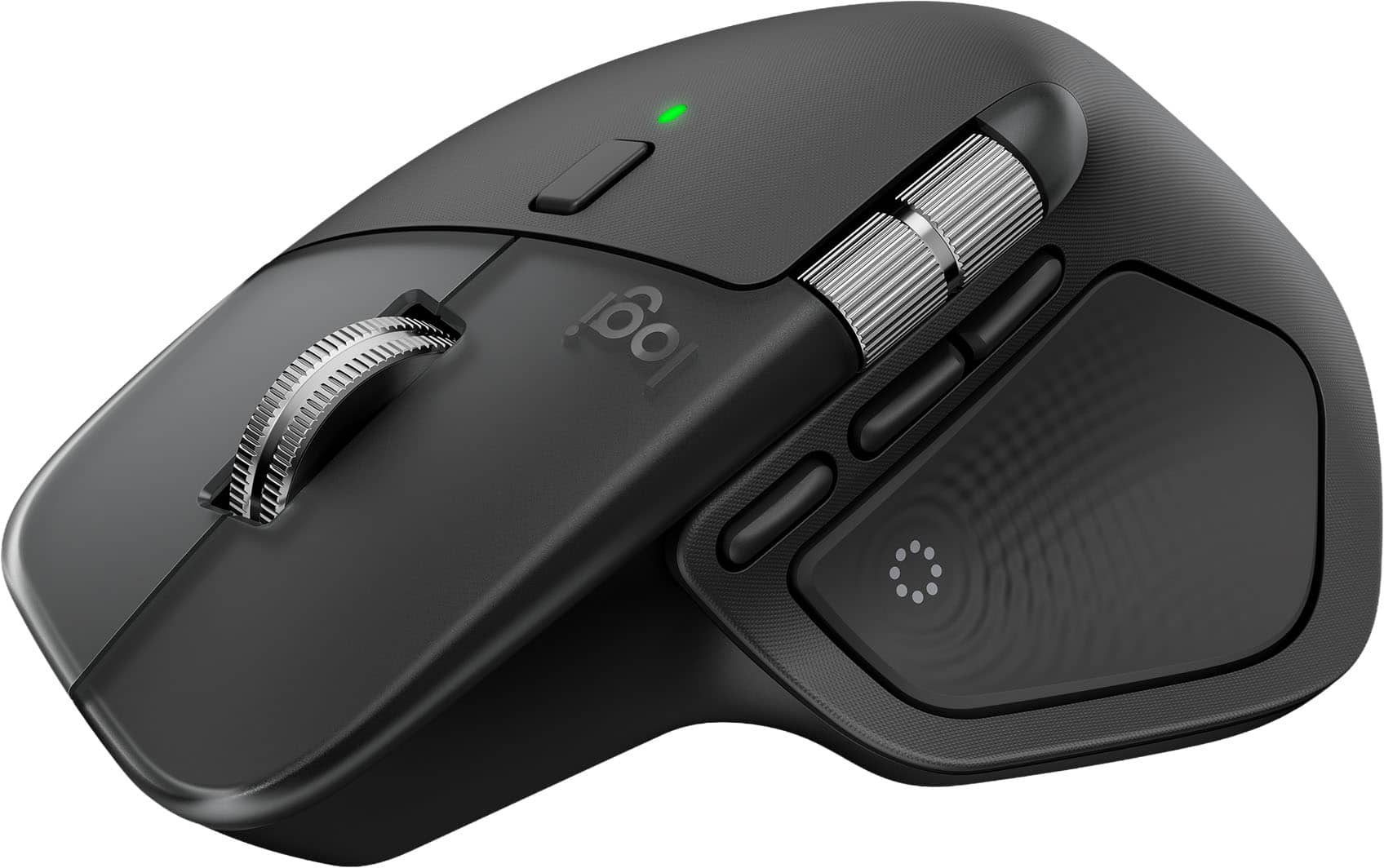
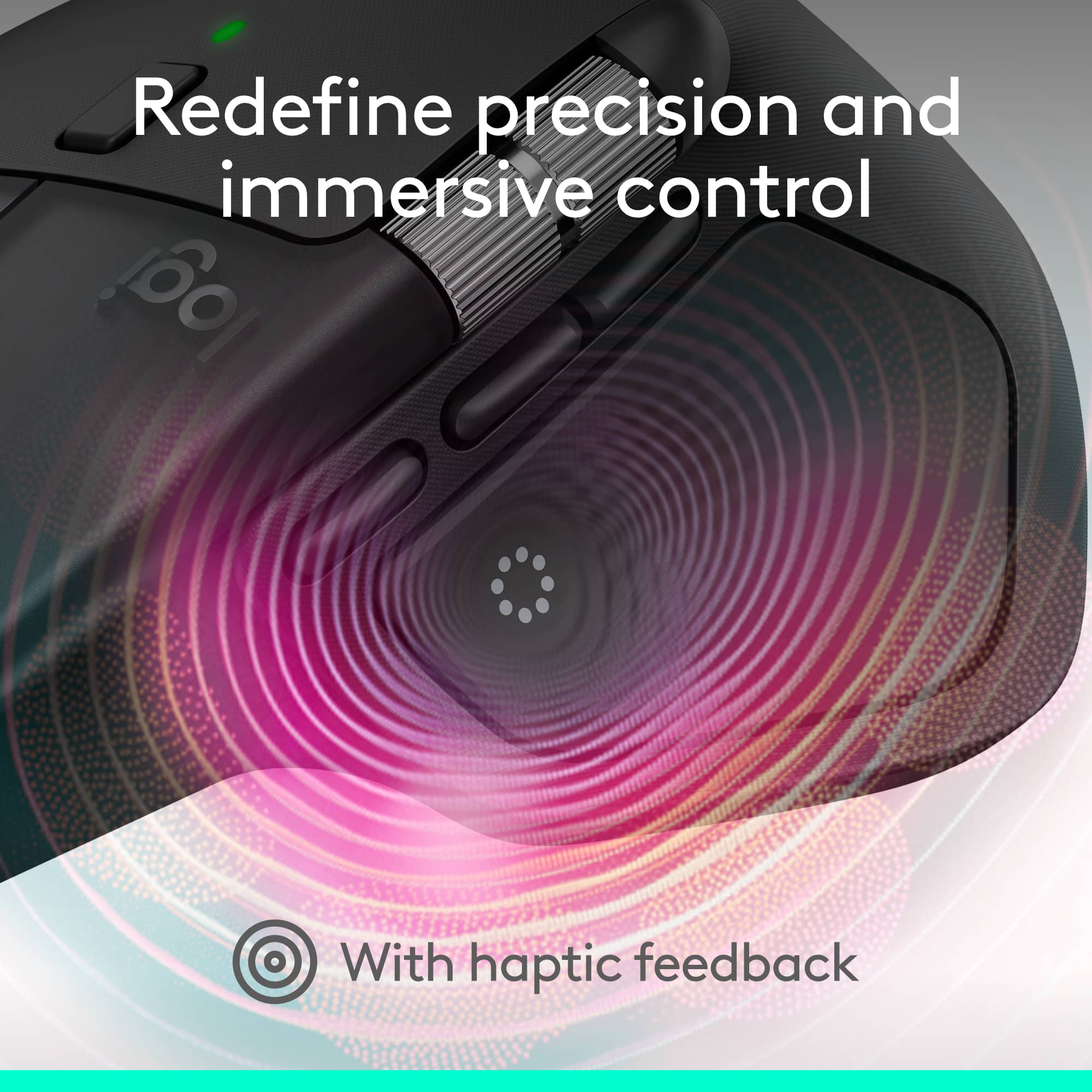
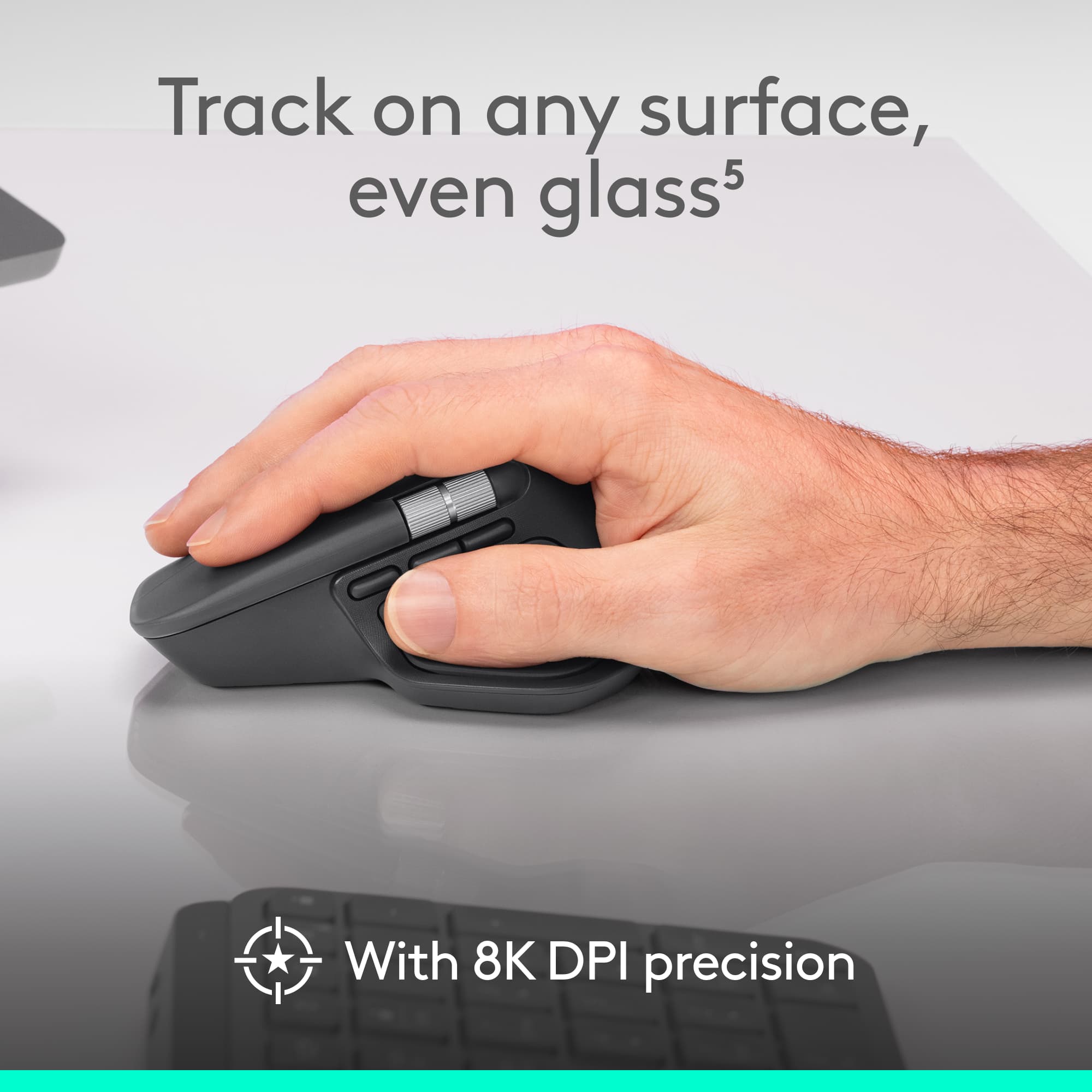
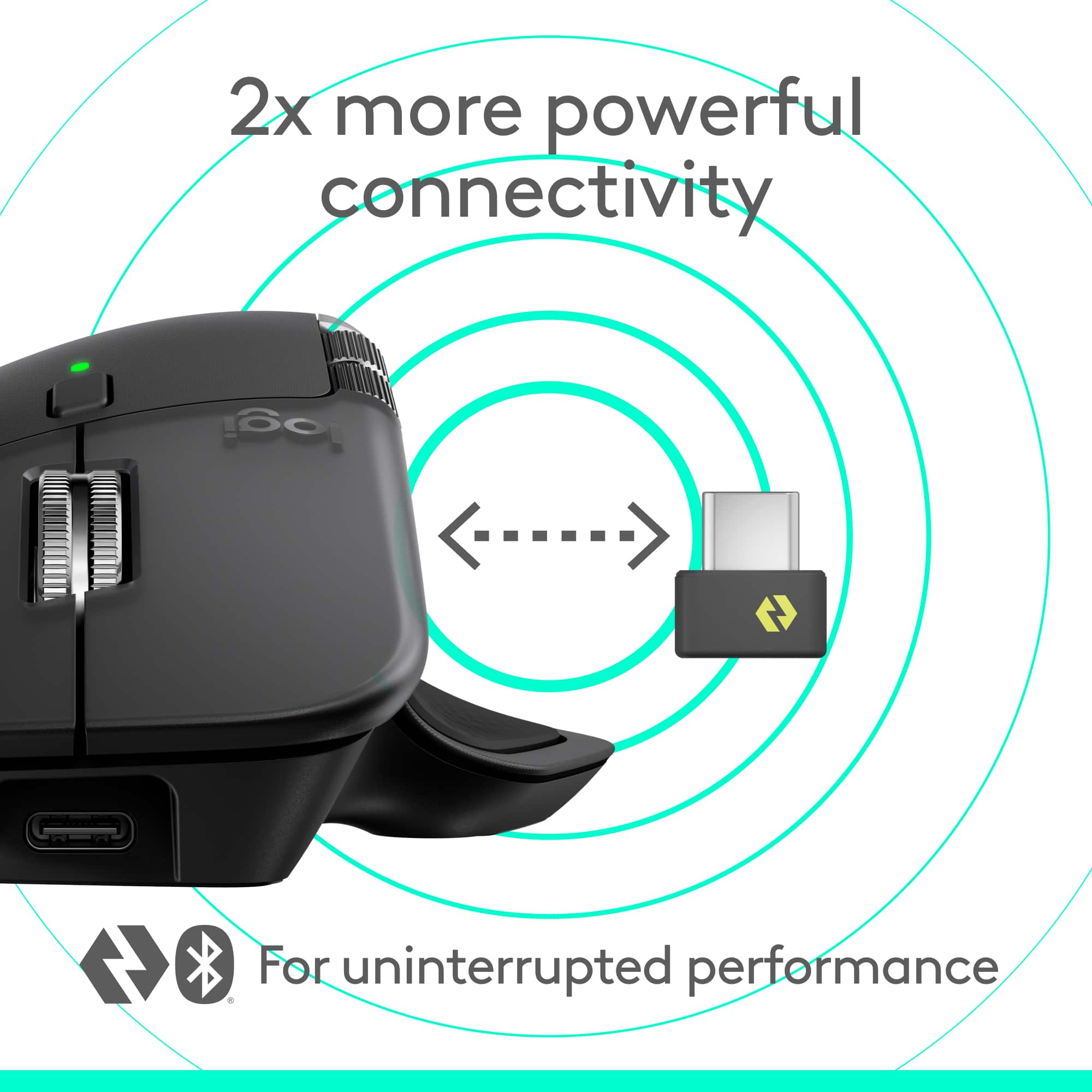
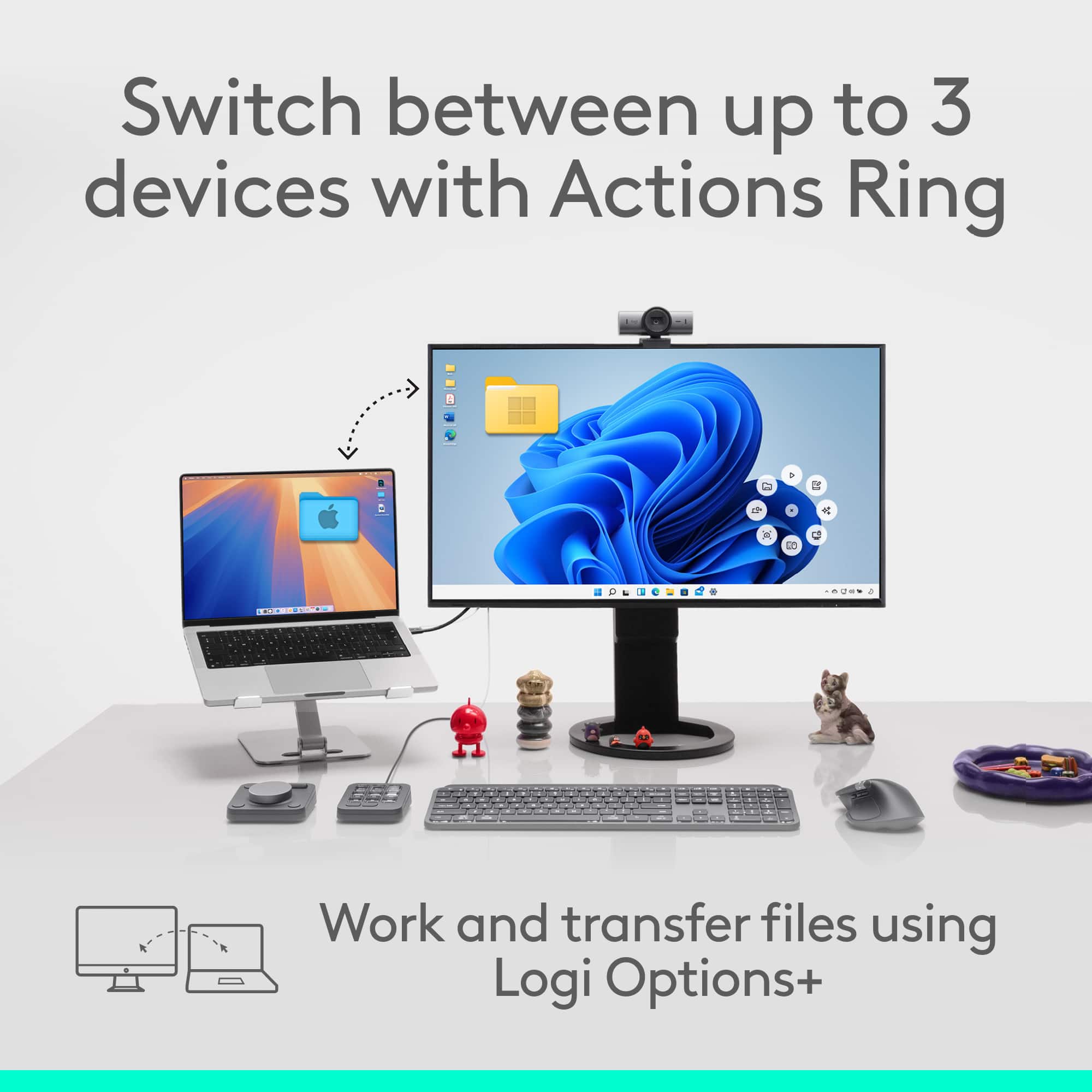
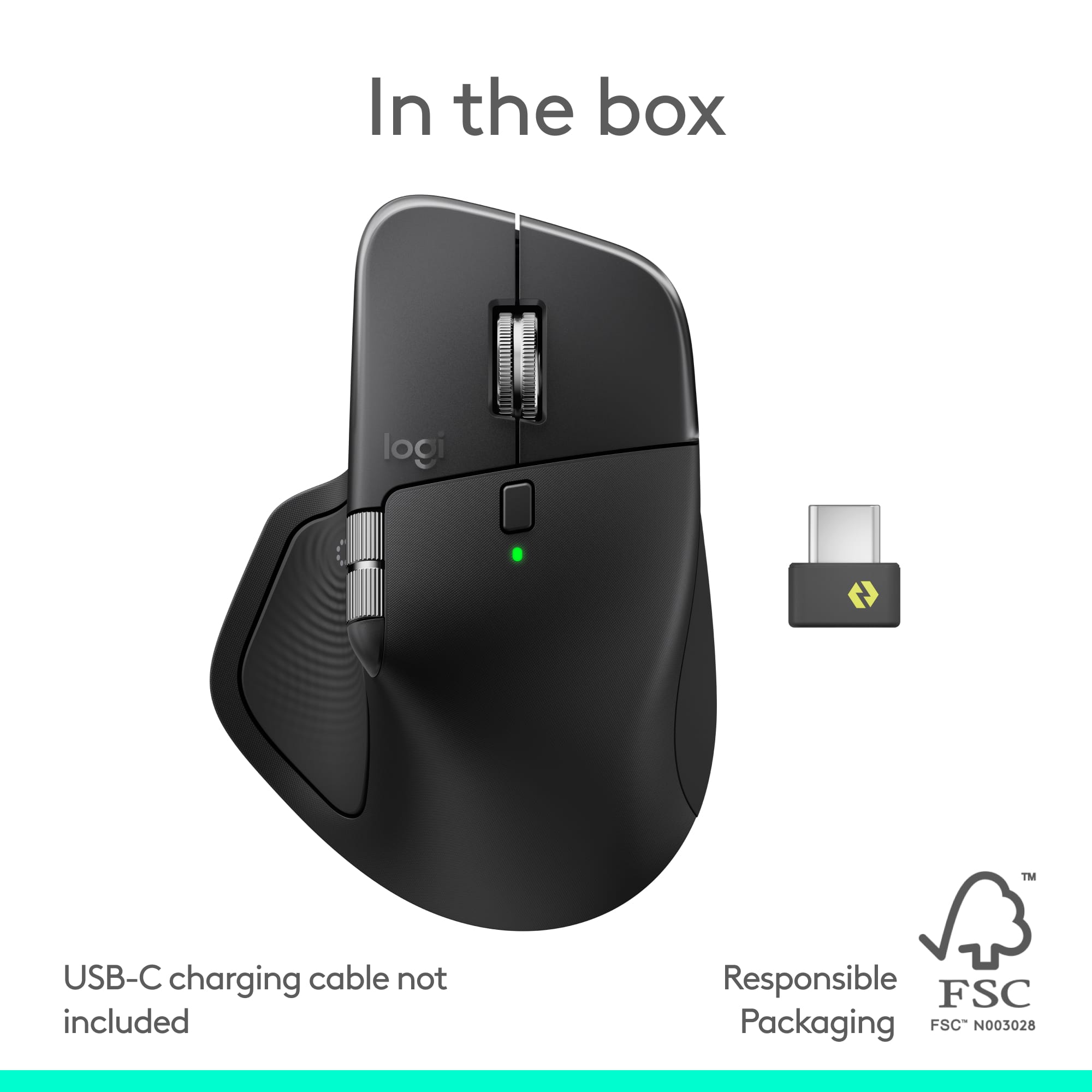
|Posted .This reviewer received promo considerations or sweepstakes entry for writing a review.I’ve always tended to think of the MX Master mice as the de facto choice for ‘best’ mouse when it comes to productivity and creative work and the MX Master 4 doesn’t do anything to change my opinion about that. The ergonomics are still my favorite out of all the mice I’ve used, the materials are better, and the performance is great. The new haptic button is a nice addition, but its utility so far for me is limited. It’s definitely an iterative upgrade over the previous MX Master 3 and 3S, but the changes that are there are welcome. In the box you get the mouse, a USB-C Logi Bolt dongle, some documentation, and that’s it. I was surprised to see that a charging cord was not included. It’s not the biggest deal as the mouse charges over USB-C and I’ve got tons of those cables, but it really feels like something so basic should have been included for a high-end product like this. The mouse carries over the same shape as the MX Master 3 and it fits my larger hand great. It still has the same aluminum scroll wheels. The finish on the MX Master 4 did get a change and it’s supposed to be more resistant to wear - it’s hard to really say how much of an effect this will have after less than a week, but I haven’t seen any signs of wearing or felt the need to clean it. My 3S has developed some faint marks where my fingers rest on it, so I’m hoping MX Master 4 doesn’t suffer the same fate. The MX Master 4 can connect either via Bluetooth or the Logi Bolt dongle and you can pair and switch it between 3 different devices. The USB-C Logi Bolt dongle is new for the MX Master 4 and it’s very compact - on a laptop it hardly sticks out at all. In terms of performance the Logi Bolt is supposed to be able to minimize interference and latency in environments where there are lots of different devices compared to a standard Bluetooth connection. Once connected to my Windows PC, I setup and configured it through the the Logi Options+ application. Logi Options+ enables things like the Action Ring and offers a decent amount of configuration for the Master 4. The sensor on the MX Master 4 defaults at 1000 DPI, but can be pushed all the way to 8000 DPI. A gaming mouse the MX Master 4 is not and the 125 Hz polling rate does not impress in that regard. I’ve been through just about a full work week using the MX Master 4 and it feels pretty much like using the 3S before. The connection via Logi Bolt is solid and I’ve seen no drops on the connection. The left and right click buttons carry over the Quiet Clicks that were introduced in the MX Master 3S as the name suggests they are very quiet. The haptic button occupies the entire thumb rest - I’ve seen some people online complain of accidentally triggering it, but it hasn’t been an issue for me. It is easy to press, but does require some intention. Pressing it by default brings up the Action Ring, which is a set of customizable commands. Mousing over the different actions elicits a haptic response, which feels pretty good, though that haptic response in my experience is only limited to certain Logitech-specific commands like using the Gesture control to swap desktops. Even with that, there’s feedback on the other gestures like minimizing all windows or pulling up the start menu. The haptic intensity is set at medium by default, but it can be adjusted one level higher or 2 levels lower. I like the idea of the haptic button, but it feels a bit incomplete right now. Maybe as time goes on there will be more support for it. The scroll wheel remains a highlight on the new MX Master 4 and it effortlessly switches between the incremental clicks to the free-spinning long lists and back again. I wish Logitech would bring that scroll wheel to the MX Vertical too. Logitech advertises up to 70 days of battery life for the MX Master 4, which is similar to what the 3S was rated at. I never really tracked it and I haven’t had the MX Master 4 long enough to say, but in the time I’ve used the charge level has not visibly dropped. If it’s the kind of thing I have to charge every month and a half or so, that's good enough for me. Overall, I’m as happy with MX Master 4 as I was with the 3S. It makes some sensible improvements and while I’m still not fully convinced of the haptic feedback, I’d be just as happy if it wasn’t there. $120 is definitely not nothing for a mouse and it’s $20 more than the 3S was when it came out, but if you’re using a mouse 8+ hours a day like I think this is one is worth considering.
I would recommend this to a friendBrand response from Logitech
Posted .Hey! Your satisfaction inspires us to keep innovating. We’re glad our product is meeting your needs. Thanks for being part of the Logitech experience.

- Pros mentioned:Button functionality
Can't stand it.
||Posted . Owned for less than 1 week when reviewed.This reviewer received promo considerations or sweepstakes entry for writing a review.I should have waited now that I see others are posting similar thoughts. I've had every one of these mx devices, always look forward to better precision and features. But this one is tough to feel good about. Imagine someone walks into your office for an interview, presents a hand and it just seems to disintegrate when you go to shake it. That's this mouse. I'll point out like others how slippery it is, but it's worse than that. I dare say it just feels gross, like slime compared to the 3. Worse yet is that there is LESS friction with the pad or whatever you use it on. This is better for glass / marble etc (the 3 felt like a puck on ice), but if you use a pad of any kind it's a little tougher to move the mouse around. This only compounds the slippery mouse problem. I've given it 5 days and tried small rubber grip dots on it to match inflection points in my palm. I still can't stand using it. The only reason I gave two stars is because it's nice to have a few more programmable buttons.
No, I would not recommend this to a friendBrand response from Logitech
Posted .We are very sorry to hear about your negative experience with the MX Master 4. We understand your disappointment and appreciate you sharing your feedback. To help resolve this, please contact our social care team at socialcare@logitech.com. They will be happy to assist you. Please include the following information in your email:
- Name:
- Email Address:
- Country:
- Product Name:
- Brief description of issue:
Nice Mouse, Treat yourself!
||Posted . Owned for 2 weeks when reviewed.This reviewer received promo considerations or sweepstakes entry for writing a review.Very nice ergonomically, feels premium in the hand. The engineering is nice
I would recommend this to a friendBrand response from Logitech
Posted .Hey! We appreciate your thoughtful feedback. It’s great to know our product is meeting your needs. Thanks for being part of the Logitech community.
Quite the improvement
||Posted . Owned for 3 weeks when reviewed.This reviewer received promo considerations or sweepstakes entry for writing a review.Smooth scroll wheel, great ergonomics, excellent Logitech software customization, reliable wireless, pricey but premium feel. Great for productivity.
I would recommend this to a friendBrand response from Logitech
Posted .We’re grateful you took the time to share your thoughts. It’s wonderful to know our product is meeting your expectations.
Best mouse best buy sales
||Posted . Owned for less than 1 week when reviewed.This reviewer received promo considerations or sweepstakes entry for writing a review.I love this mouse. I have two for myself and have bought 2 as gifts.
I would recommend this to a friendBrand response from Logitech
Posted .Thank you so much for your wonderful feedback on the Logitech - MX Master 4! We’re thrilled to know it’s meeting your expectations. Your support means a lot to us.
- Pros mentioned:Button functionality, Haptic feedback, Overall performance
Master of Customization
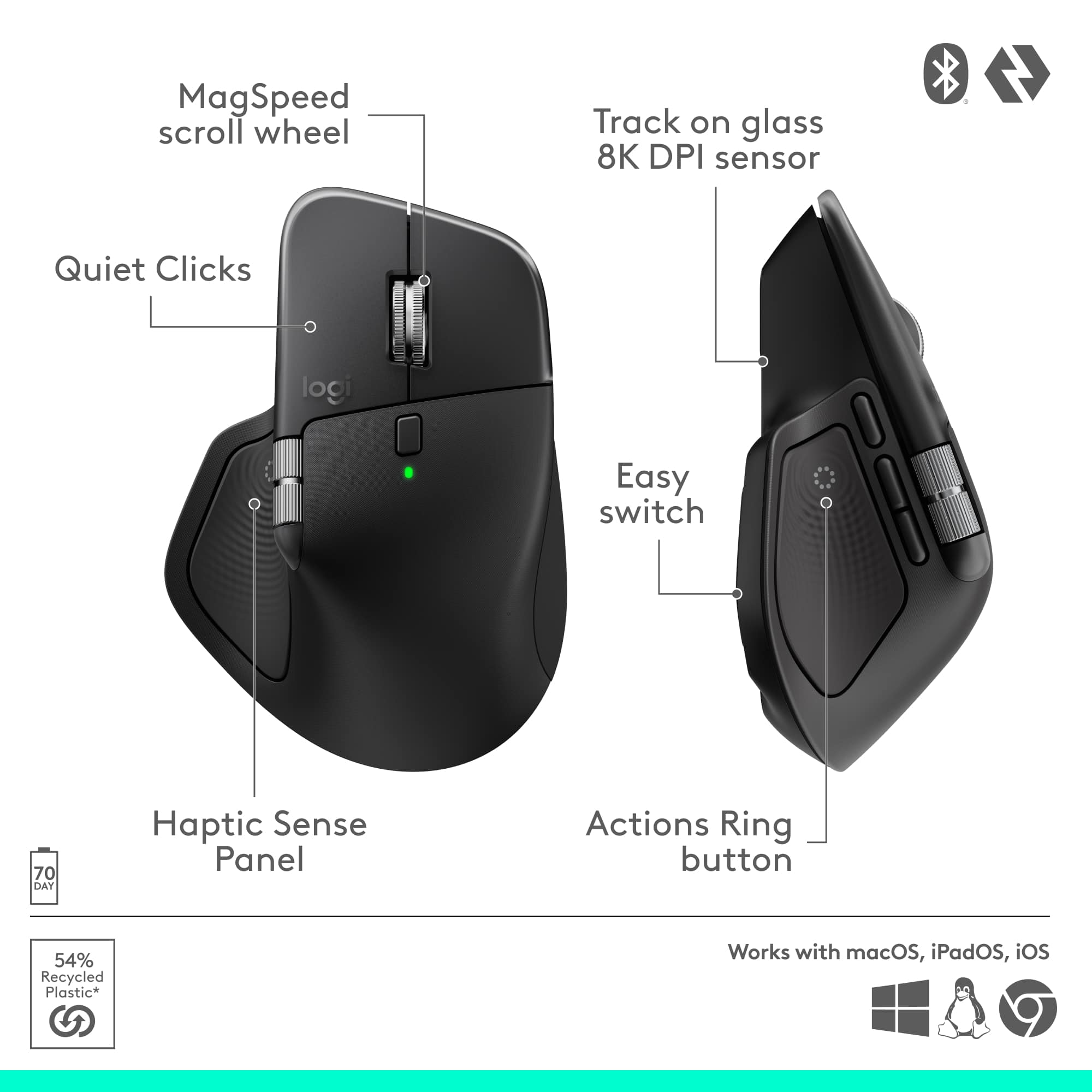
|Posted .This reviewer received promo considerations or sweepstakes entry for writing a review.This is the third generation of Logitech MX Master mouse that I have owned, and seeing how they have evolved has been interesting, as admittedly it's hard to understand how much better the mouse design can get, after decades spent perfecting it. Where Logitech has taken the MX Master 4 has largely been in how it integrates software with the hardware, and while not always revolutionary, it continues to show there is still evolution left in these products. The outside design itself hasn’t changed much over the last few generations, prioritizing incremental iterations and design tweaks vs outright changes. It's still a larger mouse, but for my hands (which are admittedly larger), it feels perfect. You get a metal scroll wheel which has two modes, a standard friction mode which is better for small step scrolling and a frictionless mode which, with a click of a button on top, lets the wheel spin freely for ultra fast scrolling with almost no friction. You have a scroll wheel on the side for horizontal scrolling, the three buttons on the side for forward/backward and a macro, a middle click with the upper scroll wheel, and a dedicated button on the thumb for the Actions Ring. The mouse itself is made of a textured black plaster that looks and feels great (although I prefer the older textures of previous MX versions, more on that below), with semi-transparent click buttons. The thumb rest and right side of the mouse has a textured black rubber that I like a lot. You get a wireless USB-C (no more USB-A) receiver in the box as well which works amazingly with the mouse and sits very flat to the USB port. Where logitech has put more of the improvements this year is in how it integrated the mouse with the Logi Options+ software. When using the software, you can remap all buttons on the mouse to different functions, assign profiles for multiple devices, set-up macros, and re-map the ever present Actions Ring. The Actions Ring can be easily accessed using the dedicated button on the thumb, and this is also where the much advertised haptic feedback comes from. For the haptic feedback, it's fine, but I don’t think it is a mouse selling feature. You get nice haptic vibrations when scrolling the Actions Ring, which adds some nice feedback, but I wish I could map haptics to more actions, or that they could be mapped to more places than the thumb area of the mouse. You can adjust the strength of the haptics, but on the whole, it's a pretty subtle feature that I imagine will get expanded on in future mouse generations, as long as it is battery life friendly. The Actions Ring on the other hand is really nice to have a shortcut for, and you can configure it to do pretty much anything you could possibly want, from shortcuts to media control, to macros, executing programs, and much more. This is where the mouse really comes into its own, when you spend the time to tinker and customize all the functions to have everything you need one to two clicks away from wherever you are. Couple all of this with best in class scrolling & ergonomics, and you get a jack of all trades mouse. The downside to this of course, is the Logi Options+ software is pretty much mandatory to make the most of the mouse. Without it you don’t get the Actions Ring (and by extension most haptic features), you can’t remap any buttons, and so the mouse really just becomes a well built mouse with nice design and build. That itself is not bad, but it is limiting at this price bracket if, for example, you can’t install the Logi Options+ (say your enterprise system doesn’t let you). It wasn’t an issue for me, but is something you should consider before you invest yourself. So, where does the MX Master 4 falter? Admittedly not many places. There are three areas where I think it can improve for sure. The first is price. At full price, this is very expensive for a mouse when there are so many options. I do really believe for productivity, this is the best mouse I have ever seen and tried, so you do get the best for your buck, but on the whole, if you don’t use a lot of these features (say the Logi Options+ software), then you really don’t need this “luxury” of a mouse. The second area, which is a bit of a regression in my view from past generations, is the plastic texture on top of the mouse. It looks really nice, and keeps the mouse easier to clean, but it definitely feels more slippery to hold in the hand. For gaming, this might be a bigger issue if you are using the mouse with any force, but I never ran into an issue. That being said, previous generations had a more rubber like texture (kind of like what is on the sides and thumb of this mouse), which I actually preferred on the whole in both palm feel and usability. That being said. For me, it's a minor gripe as I am used to plastic mice textured mice, but coming from older generations of the logitech master series, I preferred the older textures. This being said, it is made of more recyclable materials now they say, so I will take that if that is the primary reason. Finally, it feels like a big miss to not have a place to store the included usb-c wireless transmitter in the mouse itself if you are transporting the mouse. It needs to be transported separately, which feels like a pretty glaring omission at this price bracket. Also, this is a right-handed only mouse, so no modularity to switch it to be left handed for left handed folks. It makes sense given the electronics in the thumb area, but worth noting for those who use mice left handed. So, while not perfect, I am honestly having a very hard time saying anything too bad about the MX Master 4. It's very comfortable to use, has every feature I could want on an all-day productivity mouse, amazing battery life, good build quality, very good software to pair it with, and just does it all so well. Even with its faults, it is still the best mouse I have ever used for productivity, and earns its master reputation. If you want the best, it offers it, just be prepared to spend time tinkering with it to make it the best it can be for you.
I would recommend this to a friendBrand response from Logitech
Posted .Hey! Your feedback is a valuable part of our development process. We’re glad our product is meeting your expectations. Thanks for being part of our journey.
- Pros mentioned:Battery life, Ergonomics, Haptic feedback
Lives Up to Its Long-Standing Reputation
|Posted .This reviewer received promo considerations or sweepstakes entry for writing a review.I have been a long-time user of Logitech MX Master V2 and V3 for years, and I have always been happy with it. I primarily use this mouse for my professional workstation, and I just purchased my second MX V3 recently for my office setup. The mouse itself is different from my gaming rig, and everything about it is good in terms of comfort, DPI, configuration, and battery life. I am honestly excited about the new updates/features that Logitech added to the V4. Same smooth experience from Logitech, the mouse is super responsive and works flawlessly on both surfaces with the mouse pad and without. The refined design provides a more ergonomic feel, and the thumb rest is more comfortable than the previous version. Relatedly, it has more weight to it, which makes it feel smoother and more stable. Using V3, sometimes my hand quickly moves the mouse, and I accidentally click on things that I did not mean to, but this V4 has addressed it at least in my case, which is something I appreciate. Switching to a USB-C port for charging, as well as the wireless transmitter, is great to keep up with today's uniform technology relying on USB-C. This charging/connectivity update provides more compatibility with the new devices. For battery life, I do not pay attention to it because I'm confident it's also great as its predecessor; however, I have been using it for several days and still have 90% charge. Function buttons and wheels are also refined, and they feel more comfortable and quieter, and almost noiseless; they can be configured through Logi software. What sets this MX Master V4 apart from its predecessors is the new haptic feedback that provides a subtle vibration upon clicking, which is awesome. And the new introduction of the Action Ring shortcuts button. The Actions Ring is like nothing else. It is basically, when clicked, it displays a circular menu around the cursor that offers a set of intuitive features based on the application or software currently in use. Those ring shortcut features are still in the early stages, and not all the apps support them yet. But there are a handful of early-adopted apps that are already available that make the overall experience highly efficient. I enabled the supported available apps from the Logi software, and I found them very helpful and easy to use. It took me a day to get used to it, but now I'm more accustomed to using it. Logi offers a wide range of third-party apps that support the Actions Ring, and many of them are the most used ones, such as Office Suite, Adobe Photoshop, Zoom, Teams, and web browsers etc. Final words, this refined MX V4 is a solid incremental upgrade that’s worth getting. It has more potential that will be unpacked as Logitech continues to expand Actions Ring functionality and add more third-party apps through its future updates. In addition to its enhanced ergonomics. 2 small things that I wish this mouse would come with. First, an onboard compartment to store the USB-C receiver, taking into consideration it’s now smaller than the previous USB-A version. Second, the absence of an included OEM charging cable. While these two things are not dealbreakers, it would be great if Logitech added them. Overall, it’s a solid mouse that lives up to the long and well-reputed history of the Master series.
I would recommend this to a friendBrand response from Logitech
Posted .Thank you for sharing your detailed and positive feedback about the Logitech MX Master 4! We appreciate you taking the time to highlight your experience and insights.
- Pros mentioned:Ergonomics
Far-And-Away, Best Productivity Mouse You Can Buy
|Posted .This reviewer received promo considerations or sweepstakes entry for writing a review.So here's the deal... Being a part of the Best Buy Tech Insider Network for the last several years, I have been fortunate enough to have tested and used many mice, both for productivity, general use, and high-end gaming. This Logitech MX Master 4, is by far and away the best productivity mouse I have ever used. Prior to that, the Logitech MX Master 3 was the best. And while the MX Master 3 is still a heavyweight contender, this MX Master 4 is a heavyweight contender, with a super lightweight's agility, and a super heavyweight's knock-out potential. That said, it does have one glaring fault, but that should be overcome in the near future with firmware updates. More on that later. The mouse itself has seven unique programmable buttons. It also has two separate scroll wheels (horizontal and vertical), with the vertical offering yet another push button. The build quality is top-notch. And the customization (using the Logi Options+ app) is beyond reproach. Connectivity is both via Bluetooth, with up to 3 devices. You can toggle each device using a simple press of a button on the bottom of the mouse. You can also use the included USB-C dongle, but there is a minor problem with that option. More to come on that later. Ergonomically, this is far and away the most comfortable mouse I have ever used, yet it is still substantial, and somehow lightweight at the same time. Brilliant. Another great inclusion is the "Actions Ring" option. A simple single click with your right thumb bring up the HIGHLY customizable "Actions Ring". I won't go into it here (because it would take far too long), but suffice it to say, you can program this to do most anything you want. I took 2 simple clicks to send my buddy a snarky GIF in a text that otherwise would have taken multiple clicks using any other mouse... Awesome feature-set! OK, so what makes this from being just "awesome", to not being "perfection"? Three things, in order of importance: 1) There is no built-in storage for the USB dongle. Frustrating, but not a deal breaker considering Bluetooth. 2) The "Action Ring" has occasionally stopped functioning. This has happened to me a couple of times, and a buddy of mine has also experienced it on a few occasions. The good news, it should be able to be permanently fixed in future firmware updates, and it has a simple fix. Just go into "Logi Options+", and choose the "Restart Logi Plug-in Service", and you are good to go. 3) There is no left-hand version. Beyond that, this is an excellent productivity mouse. You can't go wrong. Highly recommended by this user.
I would recommend this to a friendBrand response from Logitech
Posted .Thank you for sharing your detailed feedback on the Logitech MX Master 4! We appreciate you taking the time to provide such insightful comments.
- Pros mentioned:Button functionality, Ergonomics, Haptic feedback
Best Mouse for Creatives. Period.
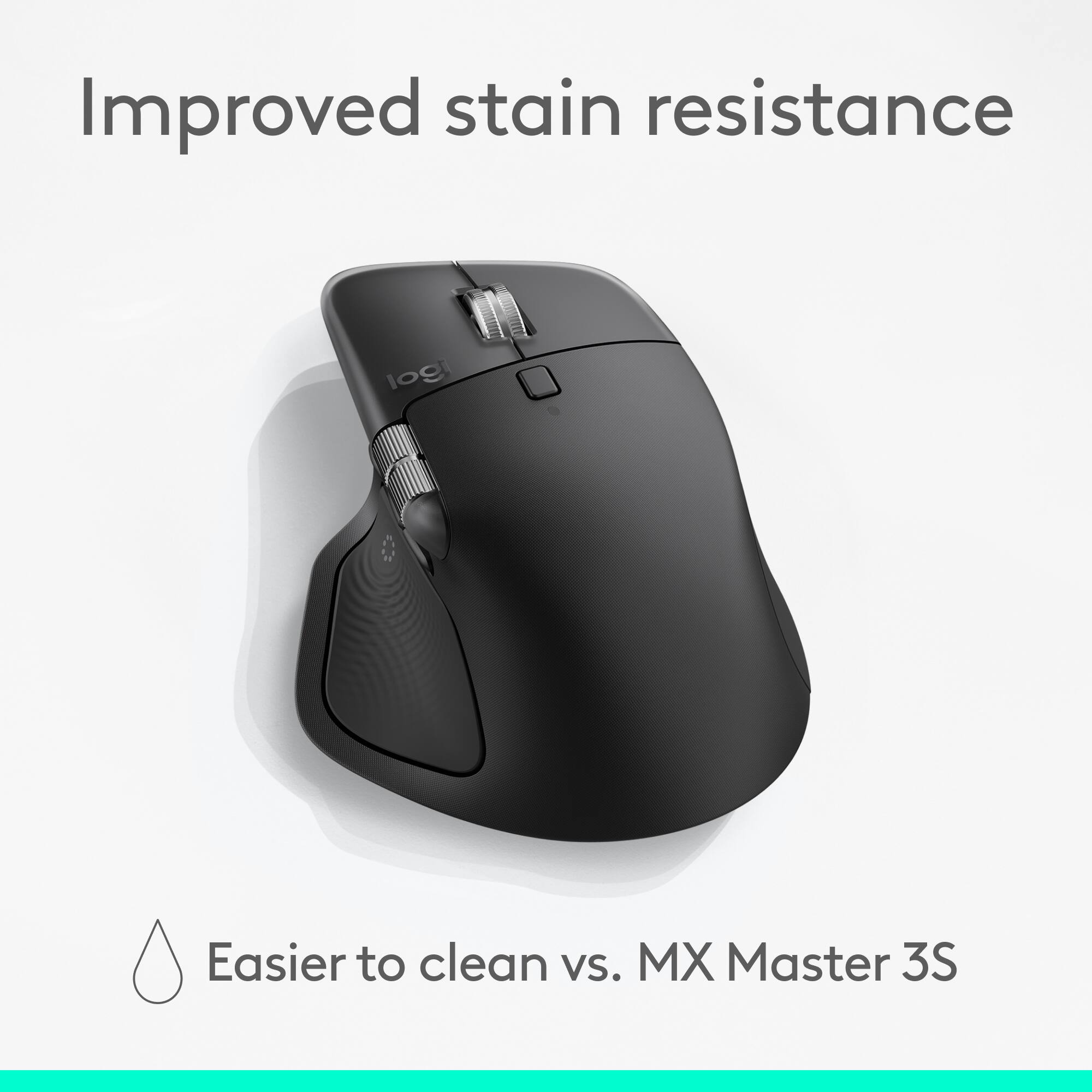
|Posted .This reviewer received promo considerations or sweepstakes entry for writing a review.If you are someone who sits in front of a computer for most of the day - this mouse is for you. I bought my first MX Master mouse when Logitech released it over 10 years ago and I never looked back. I have been a designer for almost 12 years now and in the early days, I struggled to find an ergonomic mouse that provided all day comfort. I have not used any other mouse since. I have owned the MX Master, MX 2S, MX 3, MX 3S and now the MX Master 4. One of the reasons I love the MX lineup is because Logitech has improved on each generation instead of taking wild turns along the way. The MX Master 4 is yet another generational leap that has made the perfect mouse even better. The ergonomics are flawless. The ergonomics of the MX 4 are fantastic and are very similar to previous models. The mouse feels like a natural extension of my computer and I can work 8 hours straight without noticing it's even there. I compared the MX 4 with my MX 3 side by side and noticed almost no change in form. The MX 3S does feel more "locked-in", but the change is so subtle that I wouldn't have noticed unless I was going back and forth. After using the MX 4 for a few days, I can confirm that my brain and hand have no idea the swap was made. You might be asking, "If you don't notice a difference, why would you get a new mouse?" - which is a great question. On all the previous versions, the button where you thumb lives was always useless to me. The button on previous versions felt unnatural to click and simply didn't make sense. The Haptic Sense Panel and Actions Ring button are actually usable on the MX 4! The position and size of the scroll wheel also saw a massive improvement with its larger size and higher position - you're able to make larger strokes which translates to faster lateral navigation. The material choices on the MX Master 4 have received mixed reviews from the community but I am definitely in favor. Previous versions had rubber wrapping around the palm rest but the paddles were historically made from a plastic that would get smooth and glossy over time. This might not seem like a big deal but after a year of constant use, the left and right paddles would look like they had permanent grease stains - like you just ate a bag of Cheetos and didn't wash your hands. This ultimately changed the feel for those touch points and made it embarrassing if someone else wanted to use it. I can already tell that the plastic they used for the MX Master 4 will be easier to clean and hold up much better. The software for the Logitech MX Master 4 is more robust than other mice and the ability to personalize for your use case continues with this generation. If you've had MX Master mice in the past, the app will feel natural. The haptic feedback is a nice touch because the Actions Ring button can be mushy and the additional feedback reassures confidence in each click. I think people tend to undervalue a quality mouse. The fact is there are only a handful of products in your life that you use more than 6 hours a day and a computer mouse is one of them. Getting the right mouse is an investment and I can tell you it pays off with the MX Master. I've been a massive fan of the MX Master lineup for the last decade and I'm looking forward to using the MX 4 over the next several years.
I would recommend this to a friendBrand response from Logitech
Posted .Thank you for sharing your detailed and insightful feedback! We appreciate you taking the time to provide such a thorough review.
- Pros mentioned:Battery life, Ergonomics
Productivity Perfected
|Posted .This reviewer received promo considerations or sweepstakes entry for writing a review.I've been a huge fan of Logitech's MX Master mice for years. I spend most of my workdays in front of two monitors and two computers using Photoshop and scrolling through long reports. The MX Master 3S I've been using for a few years is nearly perfect and is by far the most comfortable and functional mouse I've ever used. But the new MX Master 4 makes things even more perfect with some slight design tweaks and even more functionality. === PROS === - Easy setup. The mouse connected to both of my Windows computers (one desktop and one laptop) via Bluetooth. The real power of this mouse is in the Logitech Options+ program (free download on Logitech's website), which allows you customize the buttons, pointer speed, scrolling direction, and more. You can use the Options+ app to customize the new Action Ring button to open frequently-used tools in programs like Photoshop and Illustrator. - The Flow feature enabled through the Options+ app is one of my favorite aspects of the MX Master mice. After installing the Options program on both computers and ensuring that both are on the same network, this mouse essentially combines both computers into one dual-monitor setup. Just like if you had two displays side-by-side, if you move the cursor through the right side of one screen to the other, the cursor passes over to the other computer on the opposite side. You can even copy text and files on one machine, move the cursor over to the other machine, and paste them. - The MX Master 4 keeps the same incredible and comfortable form factor of the previous generations. The ergonomic shape and thumb rest make this mouse easy to use for hours on end. Even better, there is less rubber on the MX Master 4 compared to previous models. The rubber on the old models would usually start to wear out and become sticky/tack after a couple of years. The MX Master 4 uses smoother plastic surfaces that Logitech claims will better resist stains and stickiness. - The MX Master 4 includes new haptic feedback functionality which can be customized through the Options+ app. I'm still learning how to best utilize this feature, but I think it has a ton of potential. For instance, you can customize the mouse so that it vibrates when someone raises their hand during a Zoom meeting. In Photoshop, the mouse can be set to pulse when an object snaps into place with the smart gridlines. I'm sure more possibilities will open up over time. - Unlike the first iterations of previous MX Master models, the MX Master 4 include soft-click buttons from the get-go. Logitech says the buttons have "90% less click noise" than the MX Master 3 (non-S model). - There are two different scrolling modes for the center scroll wheel. You can choose from either ratchet (a slight "click" feedback while scrolling) or freespin, which allows you to spin the wheel as fast as you want, and it will keep scrolling until you stop it. Freespin is perfect for when you need to scroll through large documents or web pages. - The mouse seems to work on practically any surface. I've tried a wooden desk and even a clear glass desk - both worked flawlessly. - Long battery life. Logitech claims 70 days on a full charge. A "quick charge" of just 1 minute will supposedly get you up to 3 hours of battery life. === CONS === - The included USB receiver/dongle is now USB-C rather than USB-A. This is probably fine for most people, but I wish Logitech had at least included a USB-C to USB-A adapter in the box. I mainly use the mouse with a desktop PC that has a limited amount of USB-C ports but a ton of open USB-A ports. - If you intend to travel with this mouse, note that there is no place or slot in the mouse itself to hold the USB dongle. So you'll need to take extra care not to lose it. === OVERALL === Logitech keeps finding ways to improve upon the MX Master line. The new MX Master 4 is about as perfect of a computer mouse as I could possibly ask for. If you prioritize comfort and functionality, your search for a computer mouse should end here.
I would recommend this to a friendBrand response from Logitech
Posted .Hey! We’re grateful for your thoughtful feedback. It’s encouraging to know our product is meeting your expectations. Thanks for being part of our community.
- Pros mentioned:Battery lifeCons mentioned:Size
Hefty. Solid. Minimal Haptic Support.
|Posted .This reviewer received promo considerations or sweepstakes entry for writing a review.TLDR: A well-built mouse that is smooth as glass. Sparse haptics support limits overall appeal. PROS Outstanding battery life Switches are smoothest in the business Haptic feedback panel is a unique novelty Fully Customizable CONS Large size makes natural button reaches hard Haptic feedback is more of a novelty than necessity CONFIGURATION & SOFTWARE 5/5 Logitech's Logi Options + software is a marvel of simplicity and execution. I've sampled gaming and productivity-oriented mice from nearly every manufacturer and the Logi Options + may very well be the new standard I measure all others' offerings by. Logitech's software is the easiest I've used to date. It is simple to learn and intuitive to configure the mouse. I've always liked Logitech's G Hub software, but the Options + software is even better and easier to use. Excellent work Logitech. I wish all manufacturers' software was this easy to understand. The MX Master 4 is one of the first products I've received in a long time that didn't need a firmware update immediately after connecting. Not only has it not prompted me for a firmware update, its firmware and software has worked flawlessly since installation. Kudos to Logitech for releasing a product that is so well sorted right out of the box. BUILD QUALITY 5/5 Like I stated earlier, after testing close to a dozen different mice from nearly every manufacturer, the MX 4 stands out among the competition. While I get peoples' desire for a light mouse, especially for gaming, I like a mouse that has some meat on its bones. The MX 4 is not a lightweight and that is a complement. Its heft gives it a nice, substantial feel. While gaming mice strive to shave every gram off them, the MX 4 is the exact opposite. The MX 4's switch gear and scroll wheels are also some of the best I've used to date. Every part has a quality feel in its operation. No cheap, clicky sounds. Just smooth, silky operation. The scroll wheels in particular are some of the best I've ever used. Even better than my old MX 2. HAPTICS 3/5 This is the one area that the MX 4 leaves me disappointed. I was hoping when I selected the MX 4 for review that the haptics panel would have a broader integration than it does. I was anticipating that the haptics panel would have integrations like gaming peripherals do. Honestly, the haptics panel has an extremely narrow and limited app support. Haptics are mostly limited to Adobe products (hence the reason this is the Adobe addition) and Zoom. Its Zoom integration is pretty slick. The haptics vibrate when someone raises their hand in a meeting. It's very slick and is great at getting your attention to something that often goes missed during meetings. Haptics do show up on the quick action buttons, but don't expect gaming integrations. I was. One area that the haptics panel really shines is its quick launch feature. Pressing in the haptics panel launches a quick access ring that surrounds your mouse's pointer on screen. These quick actions options are fully customizable by the user, or can be changed via downloading a pre-defined set of commands from the Logitech website via the Options + software. There are many already curated actions pre-made. Productivity, social media, Google, Office, downtime, Logitech has made many pre-defined downloads easily and readily available. Once you try the quick action command and get it configured, you will wonder why no one has ever thought of this before. I've found it particularly useful in Office applications like Excel. ERGONOMICS 4/5 The only real complaint I have with ergonomics is the shear size of the mouse. I love the heft and quality feel, but I find the haptics pad and quick action button hard to reach. I find myself having to reposition my hand each time I want to press one of the side action buttons as they always seem to fall slightly out of reach for me. Granted I've been using the mouse exclusively for several days now & it is becoming less awkward, but it is still an issue. BATTERY LIFE & CONNECTIVITY 5/5 I've been using the MX 4 exclusively for days now, mostly via Bluetooth, and battery life still shows at 100%. While this doesn't have the 2000Hz or greater polling rate that most gaming mice have, it doesn't need it. I've used the MX 4 for gaming. I find it works just fine with the included 2.4GHz dongle even with its slower polling rate. While I love playing video games, I am in no way a professional. I've chased the lightest mice for gaming. The MX 4 is opening my eyes in that maybe there is such a thing as too light of a mouse. Who would have thought. CONCLUSION 4.5/5 Even with the issues I noted, they have done nothing to diminish my overall attitude towards the MX 4. The MX 4 is one of the best mice I have used to date. The mouse has a top-notch, premium feel and Logitech's software is simple and intuitive. If you need a mouse for work or creativity, you would be hard pressed to find a better offering on the market. Well done, Logitech. HIGHLY RECOMMENDED
I would recommend this to a friendBrand response from Logitech
Posted .Hey! It’s rewarding to hear that our product is working well for you. Your review helps us grow and improve. Thank you for sharing your experience.
- Pros mentioned:Button functionality, Haptic feedback
Perfect Upgrade to the amazing MX Master 3
|Posted .This reviewer received promo considerations or sweepstakes entry for writing a review.Iterating already great products must be difficult, as would be the case for Logitech improving upon their insanely great MX Master 3 and iterative Master 3S mice. I’ve used the Master 3 for nearly the last 5 years and has been the most comfortable and smooth mouse I’ve ever used in that time. Needless to say, I wasn’t sure what Logitech could do to make the experience even better. Luckily, they didn’t fix what wasn’t broken, rather, they’ve created a new intuitive way to interact with your computer with new haptic feedback. First off, in terms of design, the Master 4 isn’t a drastic departure from the design of its predecessor. The updated design features more curves around the part of the mouse you’ll cup your hand around. There’s also a nice clean transparent bezel around the front of the mouse. And gone is the rubberized texture of the Master 3 that made cleaning the mouse difficult. The left and right buttons are larger on the new mouse compared to the Master 3, as is the horizontal scroll wheel on the side of the mouse giving your thumb more real estate to work with. And in case you’re wondering, the toggle-able fast scroll wheel remains speedy as ever. As for battery life, that remains unchanged at up to 70 days of battery life before needing to be recharged. I’m guessing that hasn’t gone up due in part to the new haptic motor in the mouse. The new haptic motor in this mouse gives you new ways to interact with your mouse and computer. When you turn on the mouse, the subtle vibration patterns will let you know whether it’s searching for your computer and when it’s connected. After installing Logitech’s software, you can find a bunch of downloadable haptic feedback extensions that give you things like precision feedback in photo editing apps, feedback for drag and drop in video editing and photo editing apps, and a ton of others you’d never even thought about before. But the new experience makes it seem like all computer mice should have had this for years. Anyway, this is a great update to a legendary mouse in the MX Master 3. The MX Master 4 is a worthy and modern successor that, in my opinion, is the new king computer mice.
I would recommend this to a friendBrand response from Logitech
Posted .Thank you so much for this in-depth and incredibly detailed review of the MX Master 4! We are thrilled you see it as a worthy successor and "new king" in the line. Your appreciation for the design updates and the new haptic feedback experience is fantastic to hear.
- Pros mentioned:Button functionality, Haptic feedback
I didn't know I needed this until I tried it!
|Posted .This reviewer received promo considerations or sweepstakes entry for writing a review.This is my first MX series mouse and I had no expectations, its another mouse right? Out the box it felt hefty and good, I have been a Logi user for decades and this is by far the best one yet. I replaced a mouse from a Logi mouse and keyboard combo and the mouse automatically connected before turning the other one off. the difference in tracking and scrolling is amazing. the action button with the customizable shortcuts is great, easy to use and really saves time. the scroll wheel is great and can switch scrolling speed and feel based on my finger movement. the pointer speed is adjustable and the thumb wheel is very comfortable. Haptic feedback feels really good and is also adjustable. the feature that blew me away is the Easy switch between devices. I alternate between 2 laptops connected to the same screens at home and it was seamless, I also decided to take it and make it my daily work mouse between the offices I work at and it is so easy to just start my laptop and the mouse just works. it works on wood, glass, matt, marble... you name it. this is the best mouse I owned so far and regarding durability, time will tell but Logi have a good reputation when it comes to that. so my mind is at ease.
I would recommend this to a friendBrand response from Logitech
Posted .Wow, we love hearing that the MX Master 4 exceeded your expectations! It's fantastic to know the Easy-Switch feature is making your work life seamless across multiple devices and surfaces. Thank you for making us your new "best mouse" yet!
- Pros mentioned:Battery life, Haptic feedback
Simply the Best
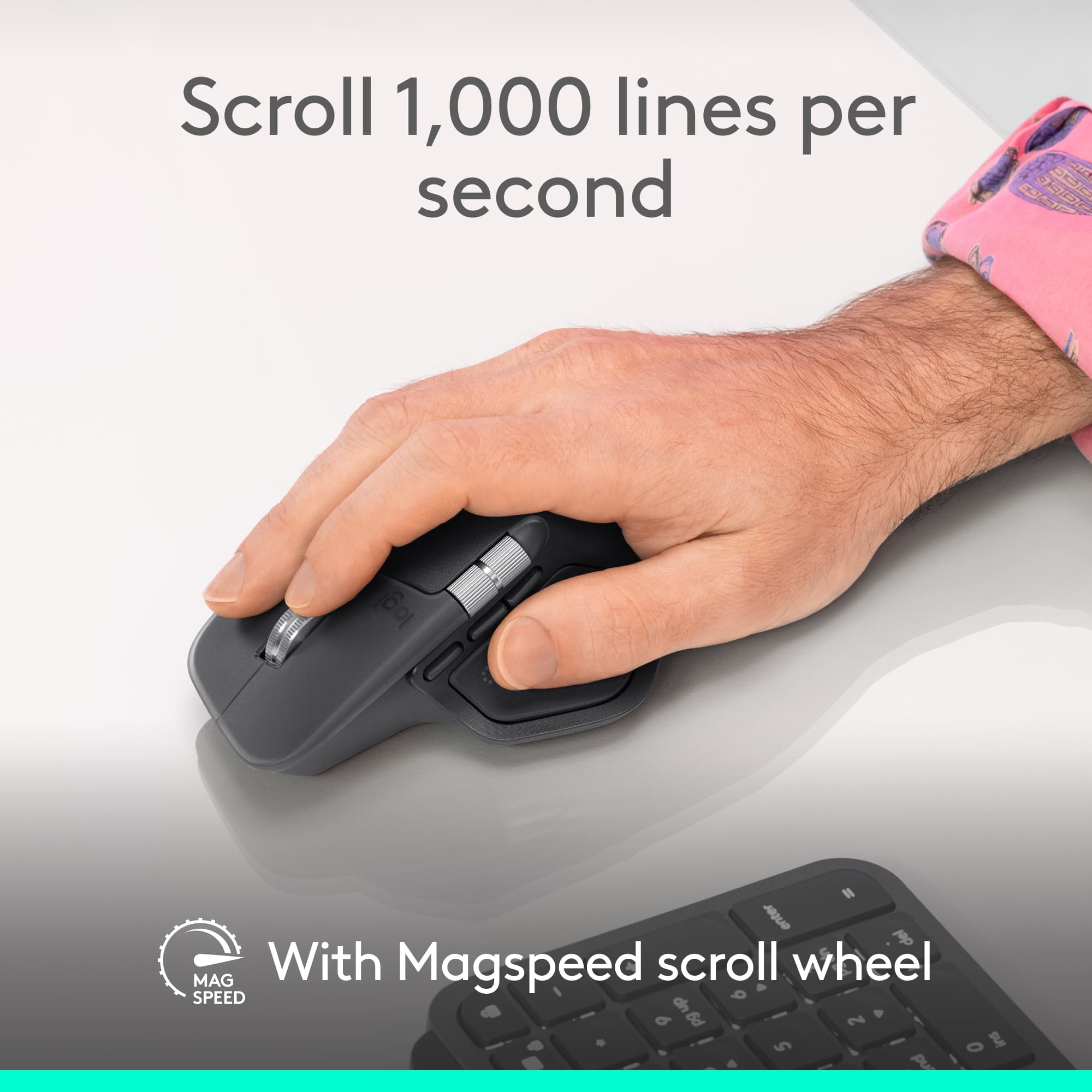
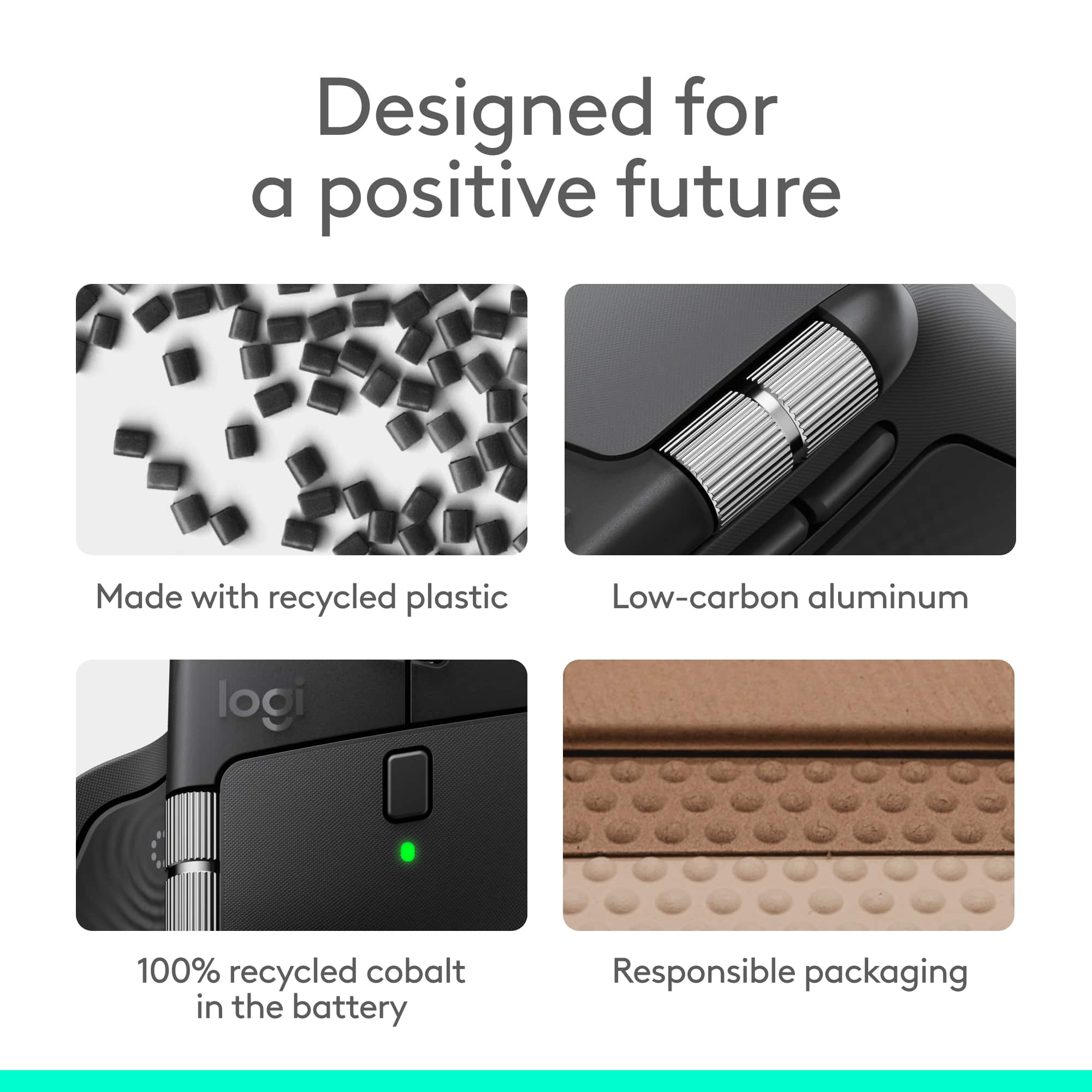
||Posted .This reviewer received promo considerations or sweepstakes entry for writing a review.Initial Inquiry & Decision: I needed a wireless mouse with superb comfort for long sessions and advanced features for work and creativity. The MX Master 4 drew my interest with its haptic feedback, customizable controls, and premium build, promising a blend of precision and workflow efficiency. Unboxing, Build Quality, & Testing: The MX Master 4 fits naturally in the hand, with an ergonomic contour, wide thumb rest, and thoughtfully placed buttons making it easy to navigate for hours. The centerpiece is the new Haptic Sense Panel—a thumb rest area that provides tactile feedback and opens the dynamic Action Ring overlay. This overlay adapts to each app, putting commonly used actions and shortcuts right at the cursor, and the vibrations can be customized through the Logi Options+ software for a more personalized experience. The dual scroll wheels shine: the MagSpeed wheel is silent, fast, and lets you scroll 1,000 lines per second or pixel-step for detail work, while the thumb wheel provides intuitive horizontal navigation. Quiet Clicks reduce distractions, delivering a soft, satisfying press—ideal for office or late-night use. Connectivity is excellent, with an upgraded USB-C dongle, advanced RF chip, and optimized antenna for robust, lag-free performance, plus seamless Bluetooth switching between multiple devices. The MX Master 4’s battery delivers up to 70+ days on a charge depending on settings—fast charging nets hours of use in just a few minutes. The mouse is built to last, with dense plastics, metal, and a battery that uses 100% recycled cobalt. Owners even get two months of Adobe Creative Cloud free with certain editions, enhancing its value for creatives. Some features, like haptic functions and gesture controls, require the Logi Options+ app—so installation is a must for full customization. Overall Impressions and Recommendation: The MX Master 4 is an outstanding productivity mouse—responsive, comfortable, and full of customizable features like haptics and the Action Ring. Its build quality, advanced scrolling, and quiet operation set a new standard for daily work and creative projects, easily justifying its place on any serious desk.
I would recommend this to a friendBrand response from Logitech
Posted .Hey! Your feedback made our day! It’s always rewarding to hear that a customer is satisfied with the effort we put into design and quality. Thank you for being part of the Logitech family and for reminding us why we’re passionate about delivering the best possible products.
- Pros mentioned:Haptic feedback
Comfortable and Feature Rich
|Posted .This reviewer received promo considerations or sweepstakes entry for writing a review.The MX Master mouse has been my go-to for many years now. The MX Master 4 has continued this trend easily too. The comfort and features introduced are still unmatched. Every click feels good, and it isn't loud or obnoxious when using it. The introduction of haptics is a cool addition as well. Even if it still may be a bit early, I can already see it being useful. - Setup Setup, like with most Logitech products is pretty straightforward and easy. Out of the box, the mouse is ready to pair with your computer. And I didn't have any trouble whatsoever. And while you don't necessarily have to use the Logitech software, it's the best way to truly unlock the full potential of the mouse. - Software Speaking of the software. It is where the mouse truly starts to shine. Setting profiles for different software is very useful. Especially if you work in a creative environment. Editing videos in Premiere pro, for instance. Some may prefer to scrub side to side when using the side wheel. Other may prefer to zoom in or out of their timeline with this wheel. The software makes setting and saving a profile per app very easy. It also introduces the haptics and letting you configure their intensity and when they're used (if the app supports them). The action ring is a useful addition to your workflow, if you're unfamiliar as well. You can click the button with your thumb, pulling up a ring of customizable shortcuts. This can be very useful, and are a great introduction to the haptics as well, since the mouse will vibrate when you move over them. - Hardware The layout of the mouse itself hasn't changed too much from previous versions, if you have used one before. However, the new version's introduction of haptics is a great inclusion. I did find that the actions ring button (on the side of the mouse, where your thumb rests) is a bit more abrasive of a texture this time. It's not uncomfortable by any means, but it is a bit more tactile and grippy. The scroll wheels feel great, and the buttons are as good as ever. The mouse is very comfortable to use for extended periods of time as well. Pros: Very comfortable, easy setup, great features, haptics are an innovative new feature, great software Cons: Thumb/Action Ring button may be a bit too rough or abrasive for some.
I would recommend this to a friendBrand response from Logitech
Posted .Hey! We’re thankful for your review and the trust you’ve placed in us. It’s rewarding to know our product is working well for you.
- Pros mentioned:Haptic feedback
GREAT MOUSE, VERY VERSATILE
|Posted .This reviewer received promo considerations or sweepstakes entry for writing a review.Amazing mouse, I have had the opportunity to use various mice from different makers- gaming, office, creator centered devices and this is by far has the best response and feel. INSTALLATION The initial installation was slightly difficult due to the logi software being outdated, it would not let me update and install. I had to remove the software and install the updated software from scratch to be able to customize the buttons and use all the available features. Once this was done the rest was easy. ERGONOMIC FEEL The build and feel is very comfortable in your hand and the new haptic feedback has a new and unique feel. The vibration does somehow register with my brain faster when receiving alerts or making changes. The matte nonslip feel should be standard on all devices. BUTTONS The button customization still seems pretty standard across the board with their line of MX devices. There are a few new buttons that can be customized specifically foy personal taste depending on the software being used. The scrolling wheel is still by far the smoothest feature, spins effortlessly and somehow slows down smoothly as it loses momentum. The file transfer is something i use sparingly with the mouse as the transfer times are still a bit slow for me, I usually download on a usb and just transfer it over. The feature that has been useful for me is the action ring, it displays a quick access ring with shortcuts for useful apps. It does take some getting used to but once you get the hang of it, its pretty cool feature. The ACTION shortcuts are nice as well, but more involved in creating. You can create a multifunction shortcut that will run various commands/actions in order to start an activity. I have used it a few times but I still need to tweak my settings to get it to work perfectly but I can see a lot of promise.
I would recommend this to a friendBrand response from Logitech
Posted .Thank you for sharing your detailed feedback on the MX Master 4! We appreciate you taking the time to share your thoughts on the installation process, ergonomic feel, buttons, and file transfer, including both the positive aspects and areas for improvement.
A perfect mouse. Haptic Feedback is next level!
|Posted .This reviewer received promo considerations or sweepstakes entry for writing a review.I’ve been a fan of Logitech’s MX Master series since the second generation. I’ve used the MX Master 3 for a few years now, and it’s been my go-to mouse for just about everything, editing photos and videos, working in Adobe apps, browsing the web, and even a little gaming. When the MX Master 4 came out, I knew it was a good time to treat myself to an upgrade! I was excited to see what Logitech could possibly improve on something that was already near perfect for me, although there are always improvements to be made. And after using it, I can confidently say that the MX Master 4 is everything I hoped it would be and more. The Logitech MX Master 4 Adobe Edition arrived in a box that protects it perfectly. The packaging is cardboard and I think it’s completely recyclable, which I appreciate. It’s very minimal, just the mouse, the Logi Bolt dongle, and a few papers. Inside you’ll find a small card that doesn’t really tell you much, plus the usual safety, compliance, and warranty information. There’s no quick-start guide or setup booklet, but honestly, it doesn’t need one because on the underside of the mouse is a simple sticker showing three steps with two ways to connect, either through Bluetooth or the included Logi Bolt adapter. I connected mine through Bluetooth right away and it was super easy. Just hold the pairing button, open your computer’s Bluetooth menu, and select the mouse. It connected instantly and registering it with Logitech was just as easy, which I always like to do with my new tech. One thing I noticed right away, there’s no onboard storage for the dongle. For a premium mouse like this, that feels like something Logitech should have included. I use Bluetooth 99% of the time, so I’d still like a place to tuck the dongle away instead of keeping it in the box or plugged into a port just so I don’t lose it or have to keep yet another box. Once the mouse was connected, within moments of using it, I immediately loved how it felt. It glides effortlessly and is incredibly smooth and precise. The haptic feedback adds a unique feel that actually helps you stay connected to what you’re doing. You get subtle vibrations when you use certain shortcuts or switch through the Action Ring, it’s not gimmicky at all, it’s satisfying. Another layer to the engagement of your content, a way to make it more immersive as you create.. I love it. The scroll wheel is also amazing. You can flick it to free spin through long documents, or use the tactile mode for fine control. The thumb wheel on the side makes horizontal scrolling and timeline scrubbing in Adobe apps feel natural and fast. The overall design and ergonomics are just perfect for me. I have larger hands, and this mouse fits like it was molded for them. It’s one of those mice that feels so natural you don’t even want to set it down. I lift my hand from the desk and I want to carry the mouse with me. LOL It becomes part of your hand, comfortable, balanced, and smooth. The materials feel high quality too. The switch from soft-touch rubber to textured plastic makes it easier to keep clean and less likely to get that sticky buildup the older models sometimes had. Performance-wise, it’s flawless. I’ve used it for creative work in Adobe, some light online gaming, and everyday productivity, and it performs beautifully across all of it. The battery life is superb, and the quick-charge feature is a nice touch.. and works really well. The haptic panel feels subtle but adds a level of tactile precision that’s hard to describe until you experience it, and I really think you’ll be happy you did. It gives little confirmations that make navigating between windows, editing, or designing just feel better. The best I can compare it to is gaming controllers before haptic feedback, and then after. Once you go haptic, you won’t go back. Overall, I think this is one of the nicest mice I’ve ever used. Logitech keeps improving on something that already seemed perfect to me, it almost feels like a palm rest, rather than a tool.. But that’s exactly what it is and I’ll keep buying this line, the MX Master 5, 6, 7, 8, whatever comes next, because this series continues to be one of the best tools ever designed.
I would recommend this to a friendBrand response from Logitech
Posted .We truly appreciate you sharing your detailed experience with the MX Master 4! Your feedback, especially regarding the ease of setup and your enthusiasm for the improvements, is incredibly valuable to us as we continue to refine our products. Thank you for being a loyal Logitech customer.
- Pros mentioned:Button functionality, Haptic feedback
Good But Grip Was Too Slippery For Me
||Posted .This reviewer received promo considerations or sweepstakes entry for writing a review.I used the mouse for about a week and ended up returning it as the mouse texture was too slippery (ironic I know given the complaints of the 3/3S) and the moving resistance was noticeably higher versus my MX 3 and MX 3S (which I purchased to replace the 4). The features of the mouse are great; haptic feedback was interesting and the additional buttons were very useful. Again, the main issue for me was the mouse texture was too slippery and caused me to constantly have to re-grip it and this coupled with the higher moving resistance caused me wrist discomfort after a day of using which never happened with my MX 3 or 3S.
No, I would not recommend this to a friendBrand response from Logitech
Posted .Thank you for sharing your detailed feedback, especially highlighting the grip texture and moving resistance issues with the MX Master 4. Your insights are valuable as we work to improve our products.
- Pros mentioned:Battery life, Button functionality
A really good mess overall for everyday use
||Posted . Owned for 3 weeks when reviewed.This reviewer received promo considerations or sweepstakes entry for writing a review.This mouse is really good but it does have some bugs to work out. For gaming. It's not my first choice, but if you know how to change some of the settings, you can quickly make it. The mouse that you always wanted. The side scroll is really nice and the buttons are conveniently placed. If you just need a good mouse for the office, the battery life is exceptional and the silent clicking is something you'll realize that you always wanted but didn't realize it until you have it.
I would recommend this to a friendBrand response from Logitech
Posted .We truly appreciate you sharing your thoughts. It’s fantastic to hear the product is delivering as expected. Your feedback helps us grow and refine what we do. Thanks for choosing Logitech!
- Pros mentioned:Button functionality, Ergonomics, Haptic feedback
Best office mouse!
||Posted . Owned for 1 month when reviewed.This reviewer received promo considerations or sweepstakes entry for writing a review.Love this mouse. This is an upgrade from my previous MX Master 3. Same ergonomics and feel as previous versions. but with some nice added functions. Vibration feedback! programable buttons for different functions. AI integrations!
I would recommend this to a friendBrand response from Logitech
Posted .Thank you for your kind words and for letting us know how our product is working for you. We’re thrilled that it’s meeting your needs and making a positive impact. Your feedback is incredibly valuable to us, and we’re grateful you chose Logitech.