Customer Ratings & Reviews


- Model:
- 910-007575
- SKU:
- 12219225
Rating by feature
- Value
Rating 4.6 out of 5 stars
- Quality
Rating 4.9 out of 5 stars
- Ease of Use
Rating 4.9 out of 5 stars
to a friend
★★★★★ Logitech MX Master 4 for Mac — A Perfect Upg
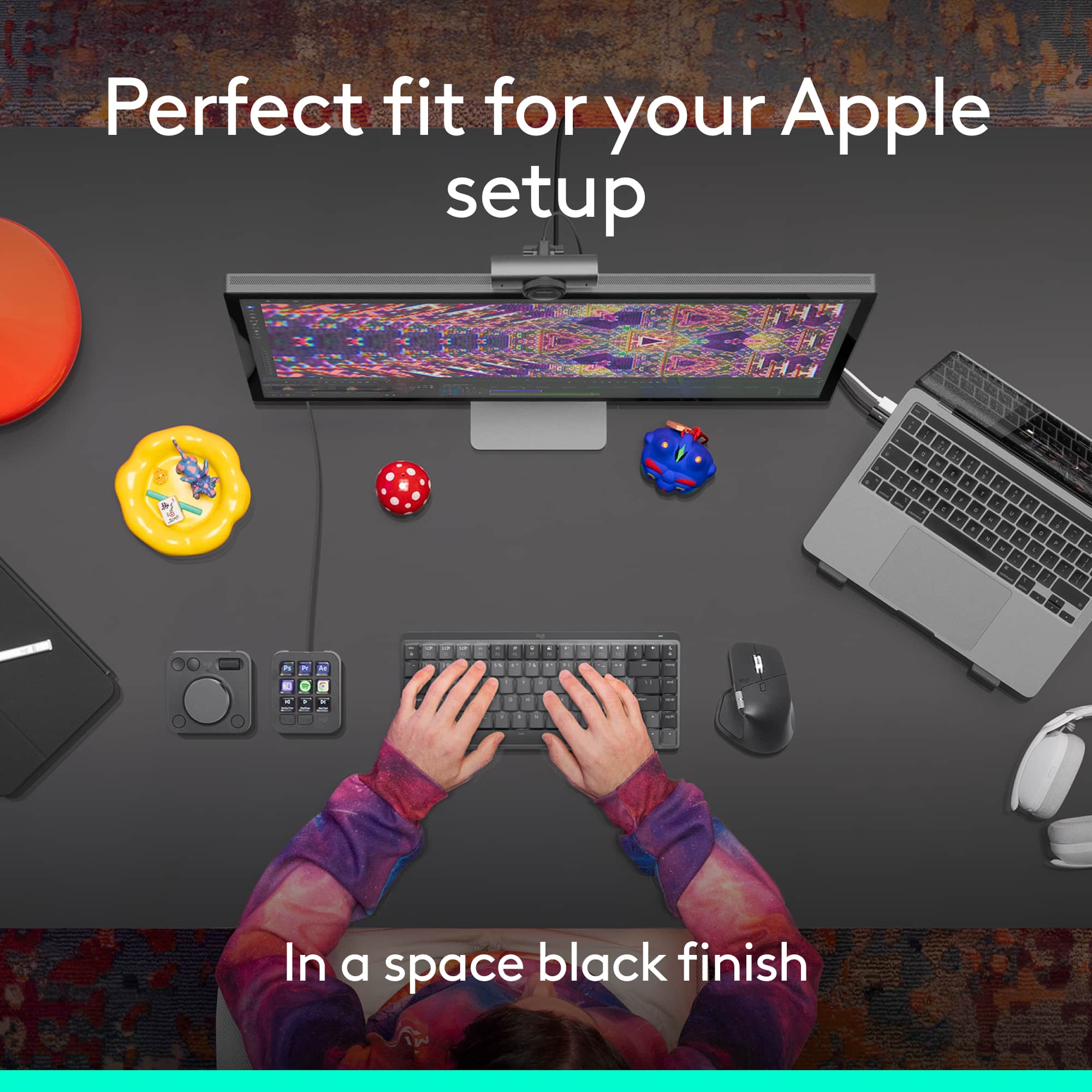
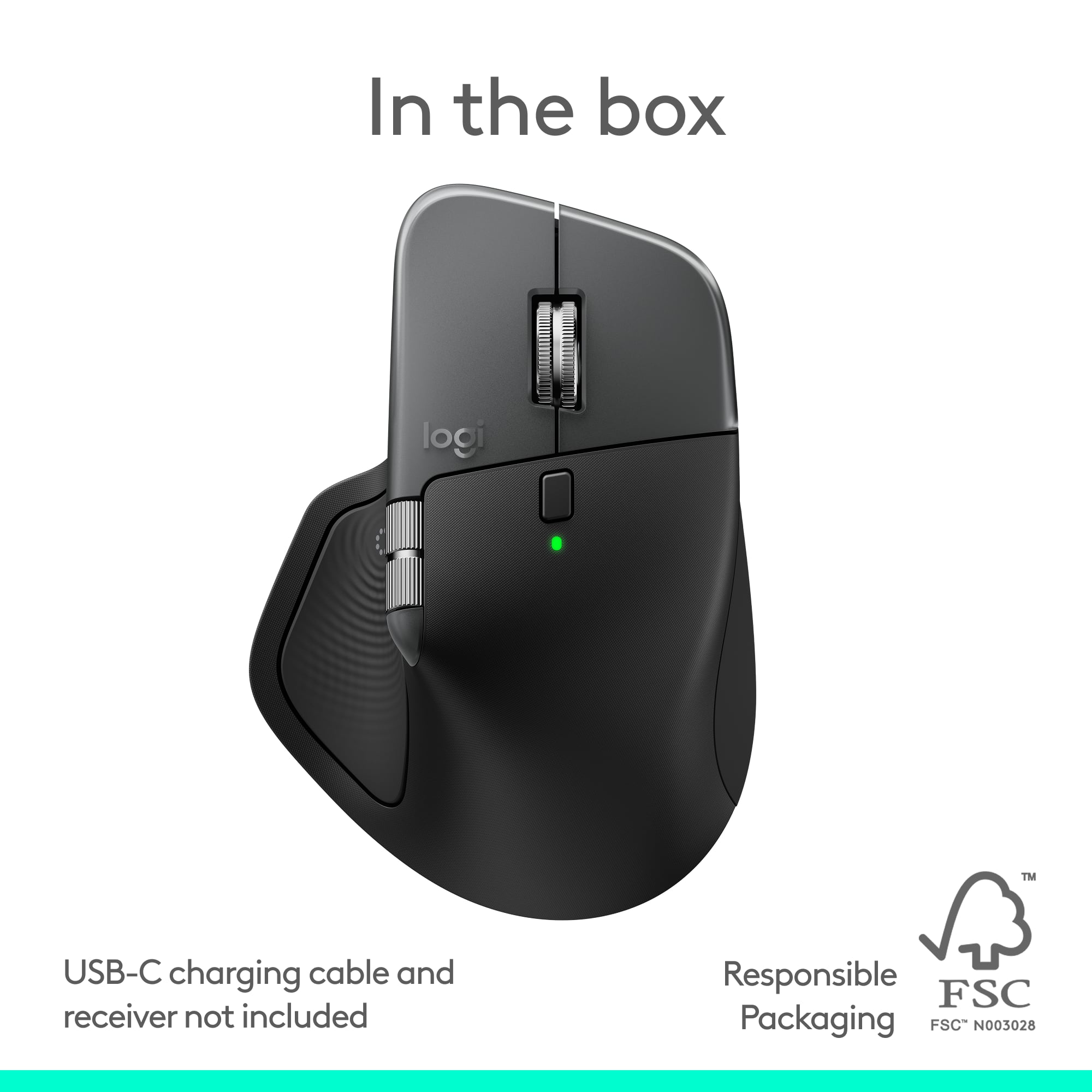
||Posted . Owned for 2 weeks when reviewed.This reviewer received promo considerations or sweepstakes entry for writing a review.I am an Apple user (MacBook Pro, iPad Pro, etc.) I upgraded from the MX Master 3. The new MX Master 4 for Mac feels like a thoughtful evolution rather than a complete redesign — and that’s a good thing. Design & Feel: The MX Master 4 matches my MacBook Pro and Logitech MX Keys for Mac beautifully. The “Space” color blends seamlessly into my Apple setup. The build quality and ergonomics remain top-tier — comfortable for all-day use with a satisfying premium feel. Performance & Features: One of my favorite tweaks is the extra side button. I reconfigured it from the default gesture button to activate the Show Actions Ring, and it feels more natural here. While this feature isn’t new, its placement and responsiveness make it far more enjoyable to use compared to my MX Master 3. Quiet & Smooth: The left and right clicks are noticeably quieter — a subtle but welcome change that makes a difference in a quiet workspace. Multi-Device Use: I love being able to pair it with multiple devices, like my MacBook Pro and iPad, via Bluetooth. Switching between devices is seamless and fast. Minor Drawback: There’s no USB-C charging cable included in the box, which is disappointing for a premium device — but I already had one, so it wasn’t a big issue. Final Thoughts: The MX Master 4 feels refined, responsive, and perfectly tuned for the Mac ecosystem. My old MX Master 3 is now my travel mouse — the 4 has earned a permanent spot on my desk.
I would recommend this to a friendBrand response from Logitech
Posted .Hey! We appreciate your thoughtful feedback. It’s great to hear our product is meeting your expectations. Thanks for being a valued user.


Lots of bigs hits and a few misses.
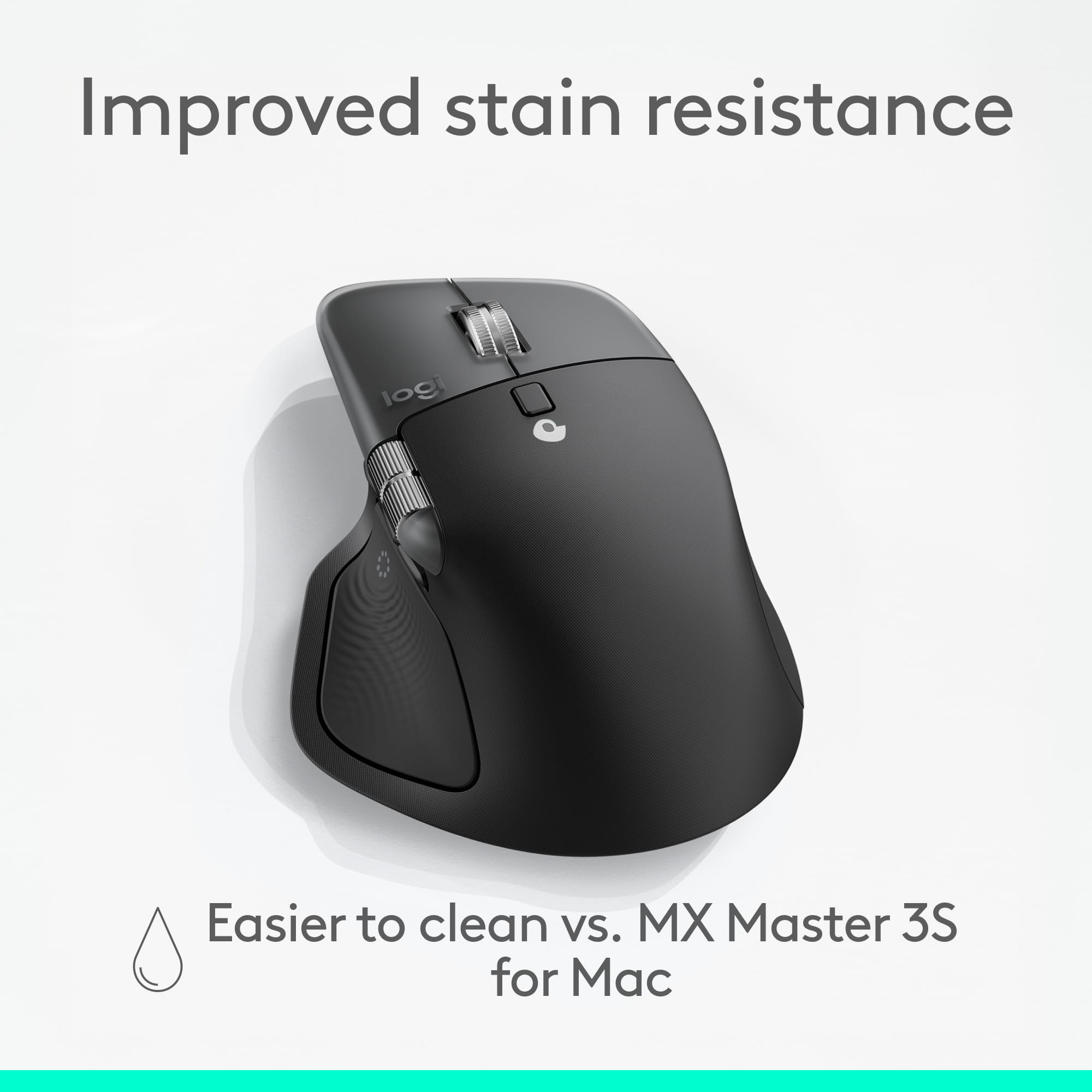
|Posted .This reviewer received promo considerations or sweepstakes entry for writing a review.Being no stranger to the Logitech MX mouse collection, and having worn out my previous MX’s, when the MX 4 was released, I needed to get my hands on it. Logitech had never let me down with the upgrades before, so I had very high expectations going in. Maybe a bit too high. Here are some things that I found were a fantastic upgrade to the 3 and 3s (yes, I have both, seems like it’s fitting I upgrade every 3 years): * Superrrr quiet clicking. Nothing was worse than the loud clicking in the office, especially as a designer going through different designs and workflows. I was always hyper-aware when I had rage-clicked for certain tasks. * The material upgrade is a chef’s kiss. The soft-touch rubber from previous editions became quite sticky over time, so much so that after being well-loved, I needed to add some gripe tape over it. Though some may see the plastic as a downgrade, I saw this as a big welcome! Much easier to clean and more comfortable. * Ergonomics. At first, it was a bit difficult to get used to almost 6 years of using the MX3 and MX3S, but after a few hours, it was pretty simple. The horizontal wheel (I can’t live without it!), is larger and positioned higher, which felt more natural to use. * Easy connection. Can’t get any easier. Bluetooth connection as easy as 1,2,3. Optimize features by downloading the Logi Options app. * Action ring button switched. One thing I hardly used on the previous versions was the tab/menu switching button from the thumb because it was difficult to press. But the upgrade made it much simpler and easier to press. Plus the hepatics was a nice addition for those seeking some feedback. Things that were a miss for me: * As much I loved the plastic body upgrade...the right side (pinky side) silicone material was a miss for me. In the previous editions, I was able to rest my pinky and ring finger with a good grip or on the plastic edge. Because of the material, I found my pinky and ring finger slipping more often than I liked. For that I'm knocking down 1 star. * The higher body of the upgrade changed the resting comfort for my hand, which is small to medium in size. The previous version's lower body allowed a more natural resting position, while the upgrade’s higher body required a greater hand tilt for comfort. * No USB-C dongle for the Mac version. Not surprised as it the previous one didn’t have it either, but it would’ve been nice to have just in case Bluetooth didn’t work. * Polling rate. For the price point and upgrades, I was expecting higher poll rates. * Haptic feedback is not enabled out-of-the-box. Although the Logi Option software is free to download, it is an additional required step. Final thoughts: There are some major updates from the previous version that made this a game-changer, but there are also updates that I was less impressed with. I will be keeping the 4 at home and the 3s/3 for traveling/work.
I would recommend this to a friendBrand response from Logitech
Posted .Thank you so much for your detailed feedback on Logitech - MX Master 4 for Mac! We’re thrilled to know it’s meeting your expectations. We truly appreciate you taking the time to share your experience! Your support means a lot to us.
Perfect Mouse for Productivity and Comfort
||Posted .This reviewer received promo considerations or sweepstakes entry for writing a review.I’ve been using this mouse for a few weeks, and it’s easily one of the best I’ve ever owned. The ergonomic design fits perfectly in the hand, and the build quality feels premium. The scroll wheel is super smooth and automatically switches between ratchet and free-spin modes — great for long documents or spreadsheets. Battery life is outstanding; I’ve charged it once and it’s still going strong. Bluetooth pairing was quick, and the ability to switch between multiple devices with one click is a huge plus for my setup. Highly recommend it for anyone who works long hours on a computer or values precision and comfort.
I would recommend this to a friendBrand response from Logitech
Posted .Thank you for sharing your positive experience with the Logitech MX Master 4! We're delighted to hear it's improved your productivity and comfort.
Excellent Mac Mouse
||Posted . Owned for 2 weeks when reviewed.This reviewer received promo considerations or sweepstakes entry for writing a review.The Logitech MX Master 4 for Mac is incredibly smooth and precise — perfect for creative work and everyday use. The ergonomic design feels great all day, and the customizable buttons and gestures boost productivity. Battery life is impressive, and it pairs seamlessly with Mac devices. A top-tier mouse worth every penny.
I would recommend this to a friendBrand response from Logitech
Posted .Thank you so much for sharing your wonderful feedback! We’re thrilled to hear the MX Master 4 for Mac is enhancing your creativity and productivity, and we truly appreciate your support.
Amazing premium mouse
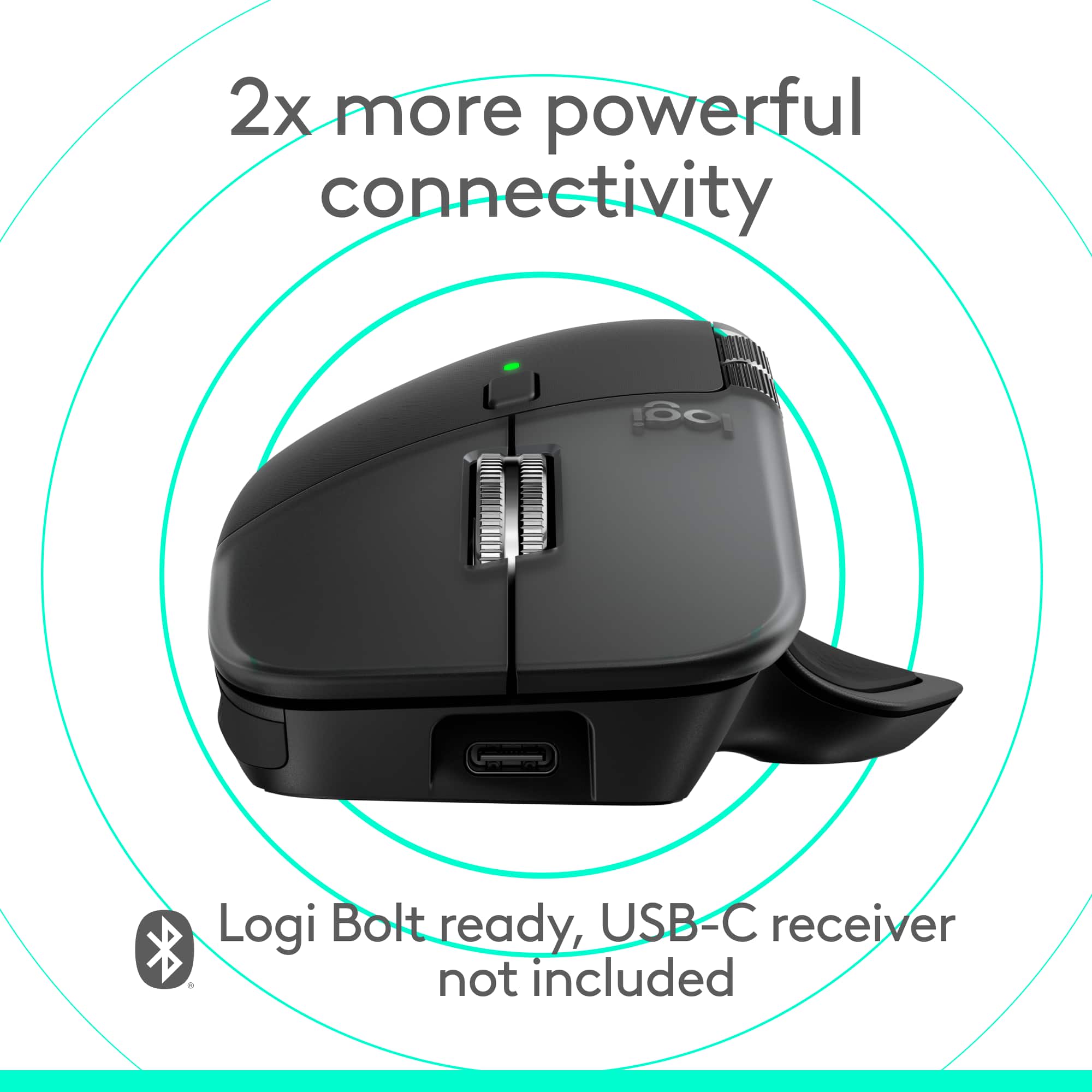
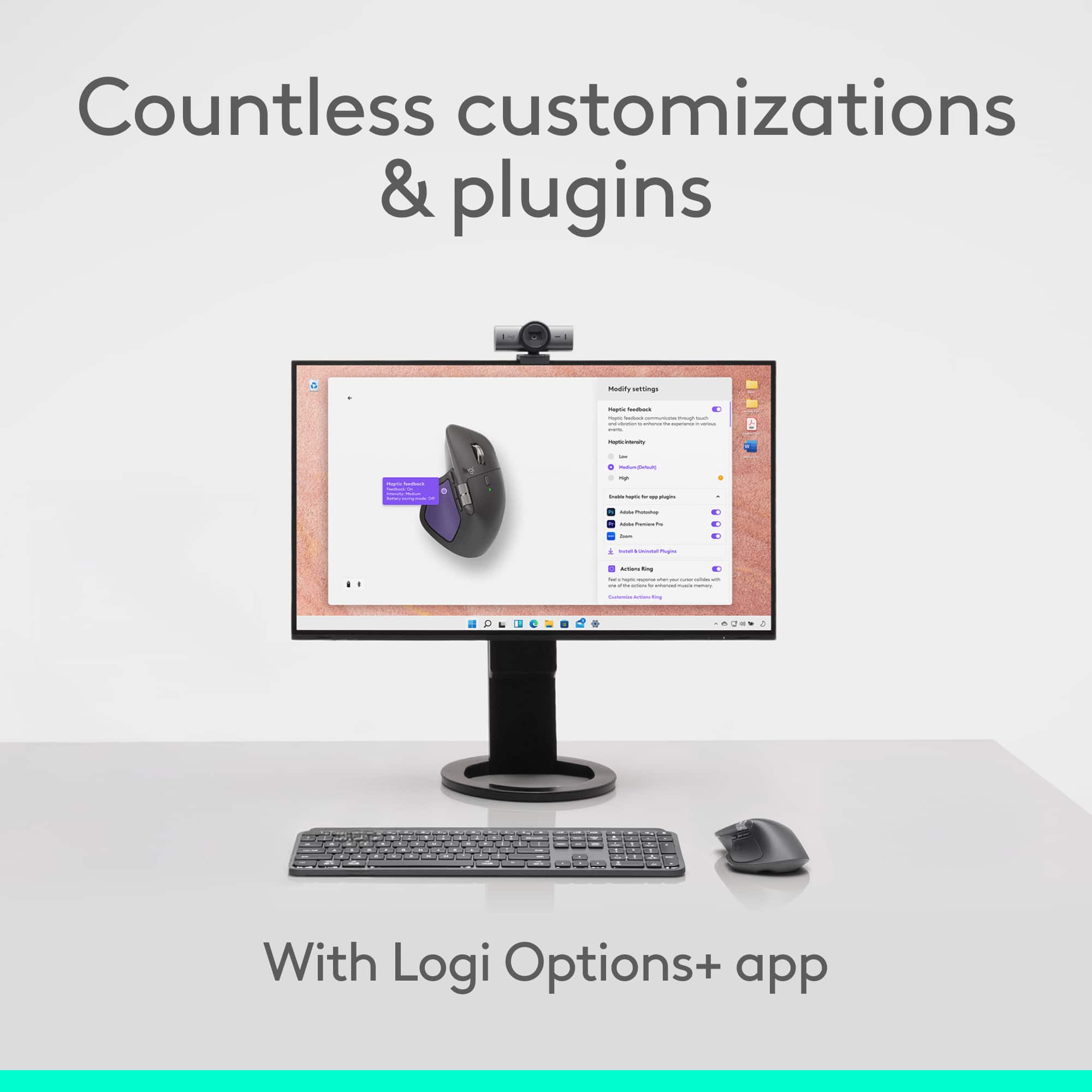
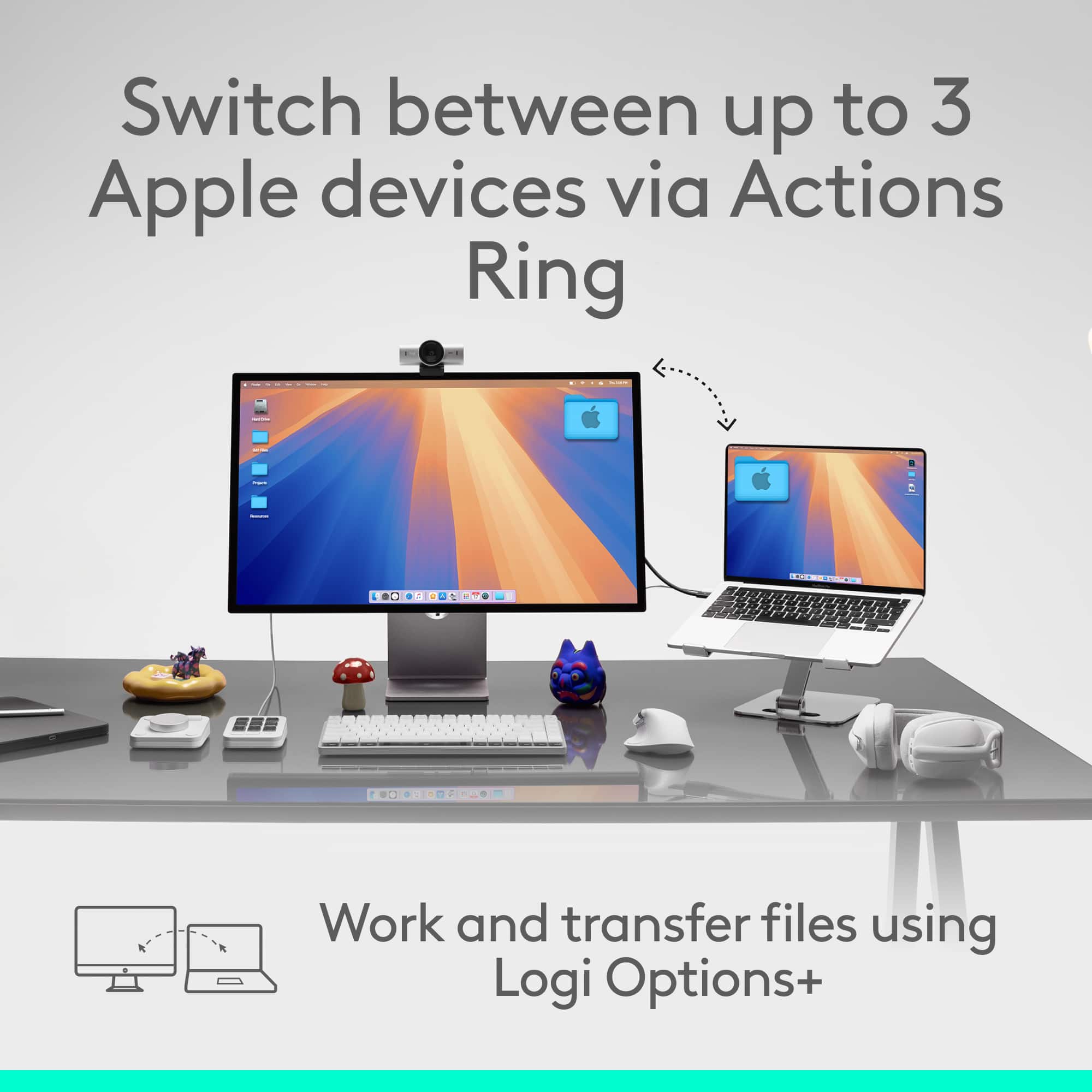
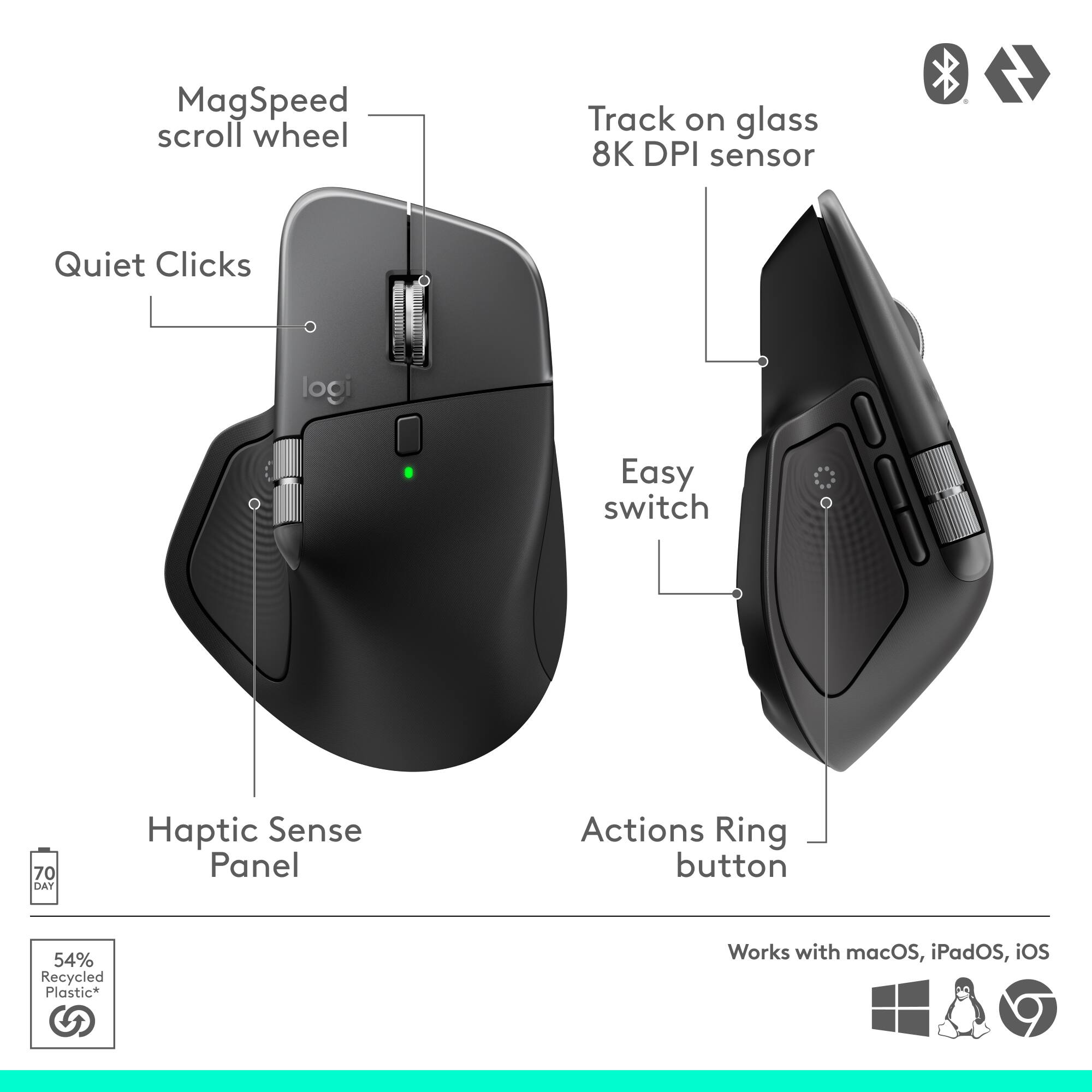
|Posted .This reviewer received promo considerations or sweepstakes entry for writing a review.This is a pretty amazing mouse. It likely has some features that most people will never need but add some wow factor (haptics). If you can train yourself to use all the features, this can be one great mouse for power users. Pros: - Ergonomics - Style - Haptics - Button options - Customizability Cons: - Almost too many features! - No Unifying receiver included Setup: As this mouse does not come with a unifying receiver, which I found weird for it being their flagship mouse, you will need to set it up via bluetooth unless you have a unifying receiver already. This is not hard at all, just pick your device assignment on the bottom of the mouse (1, 2, or 3) and use the bluetooth pairing on your Mac or PC (it will work fine with both even though it is the “For Mac” version). You are not required to download any software but I do recommend you download the Logi Options+ software if you want full customizability, firmware updates and more. Usage: I tested this mouse out with my Mac Mini M1. It worked great with no issues. I had my options set up to default settings most of the review period. I have a 49” Ultrawide Monitor but I found 1200 DPI to be the best for getting around this large monitor without being too fast or slow. It can go up to 8000 DPI if you wish though. I loved the high quality movement and feel of all the buttons and the horizontal/vertical scroll wheels. You can switch the vertical wheel to smooth or a more intermittent scrolling feel. The horizontal wheel is perfect for books, websites and magazines and is a good replacement for touch scrolling on a trackpad. The buttons all operate quietly and have a great feel. The coolest features are also the ones you might need to find a use case for which is haptics and the Haptic Sense Panel button. When you press it, it will show a ring of options depending on the program you are running and how you customized it. Some options might include screenshots, finder, AI rephrase, notes, play/pause, emojis. In zoom it can include shortcuts such as video on/off, mic on/off, raise hand and so on. You can customize these in the Logi Options+ software. The shortcuts work very well but take a lot of getting used to since I am used to just doing it the way I know how already and had to retrain my brain to use the shortcuts. It can be quicker if you know what is on the menu. The haptics are amazing and feel as good as what you might find in an iPhone or a Google Pixel. They only work in the shortcuts menus as far as I can tell and haven’t found any other use for it yet but it has potential. Supposedly it should be able to be used with feedback on scrolling, snapping onto grids, switching desktops and so on but I have not noticed it anywhere outside of built-in Logitech menu items as I assume it needs to be integrated via APIs into other software by 3rd parties. I can see a lot of use for this for creatives with the menu and haptics in editing software. Build quality: Premium… that is the best way to describe this mouse. Every item on here is high quality rubber, metal or plastic. It has a heavy weight which helps with the ergonomics and movement while still gliding easily. Battery: I received mine with a 50% charge. I have yet to charge it and have used it for 3-4 days so far and it still shows at 50%. I assume it will last a very good while with its included 650 mAh battery, but Logitech quotes it at 70 days of use on their website. Charging is via USB-C.
I would recommend this to a friendBrand response from Logitech
Posted .Hey! Thank you for your review. It’s great to know our product is serving you effectively. We appreciate your insight and support.
I can’t wait to get my hands on this
||Posted . Owned for 3 weeks when reviewed.This reviewer received promo considerations or sweepstakes entry for writing a review.Every day I go to work and pull this mouse out of my bag and think, “oh yeah…” Strange reaction. I get it. Until you’ve held a form fitting mouse with the RIGHT ergonomic feel, the RIGHT weight and movement, the RIGHT haptic response, and the life-changing buttons that are intuitive and not oddly placed (for office not gaming), you might not get it. If you do - you’ll never be the same. For me, it’s like the Birkenstocks of an office mouse.
I would recommend this to a friendBrand response from Logitech
Posted .Thank you for sharing such a thoughtful review! We’re thrilled the Logitech MX Master 4 delivers the perfect ergonomic feel and functionality you were looking for. Your feedback truly means a lot!
Great mouse many features
||Posted . Owned for 1 month when reviewed.This reviewer received promo considerations or sweepstakes entry for writing a review.This mouse is flawless. Pairs easy and almost instantly as soon as you turn it on. I use this on a Mac, iPad, and windows laptop. Theres a toggle button on the botton that has three device options and its very easy to use. I use this mouse for 3D design and the buttons are customizable. Makes for quick edits and fast renders. There is no dongle with this mouse. Works via bluetooth. Excellent choice for multi tasking and multi system use.
I would recommend this to a friendBrand response from Logitech
Posted .Thank you for your feedback! We’re thrilled the Logitech MX Master 4 has been flawless for multitasking, easy pairing, and customizable performance across devices.
Best mouse in the market.
||Posted . Owned for 4 months when reviewed.This reviewer received promo considerations or sweepstakes entry for writing a review.It's the best mouse in the market. Period. And now, with the silent buttons is the cherry on the top. Precise, fast and accurate.
I would recommend this to a friendBrand response from Logitech
Posted .Thanks for taking a moment to share your experience. We’re so glad the product is working well for you. Your support means a lot and helps us keep improving.
Game Changer for Me!!!
||Posted .This reviewer received promo considerations or sweepstakes entry for writing a review.So I bought an MX 3s and thought, well…, I liked that one so I’ll try this one, the MX 4. I did not realize what I had bought till after the fact, and once you download the software from Logitech, this little guy opens up so much more than you would have ever realized. This is such a powerful little tool that literally fits in the palm of your hands, and although it takes a bit of setup (which I thought was fun because I’m a bit of a nerd for stuff like this) this has helped me streamline what I do for my job. This mouse has become a problem solving tool for me and has been one of my favorite pieces of tech I have probably ever purchased.
I would recommend this to a friendBrand response from Logitech
Posted .It’s wonderful to hear that our product is meeting your needs. Your feedback is incredibly valuable and helps us continue to innovate. Thanks for being part of the Logitech community.

Love this mouse!!
|Posted .This reviewer received promo considerations or sweepstakes entry for writing a review.Here’s your 250-character review: The Logitech MX Master 4 sits beautifully in your palm with sculpted comfort, gliding smoothly through edits. Effortless to use, with intuitive controls and satisfying haptic feedback that gives subtle tactile cues—ideal for long photo-editing sessions.
I would recommend this to a friendBrand response from Logitech
Posted .We are so pleased to hear that you love your Logitech MX Master 4! It’s fantastic that the sculpted comfort and smooth gliding make your photo-editing sessions effortless. Thank you for the wonderful review highlighting the intuitive controls and satisfying haptic feedback!
First accessory Mouse and Would buy again.
||Posted .This reviewer received promo considerations or sweepstakes entry for writing a review.Instant connectivity and personalization options. Great ergonomics and functions well. Only thing that could be better would be if the thumb wheel mimicked the the three-finger swipe between screen function better.
I would recommend this to a friendBrand response from Logitech
Posted .Thanks for your feedback! We’re glad you like the Logitech - MX Master 4 for Mac and we appreciate your input to help us get even better.
Amazing For Multitasking’s
|Posted .This reviewer received promo considerations or sweepstakes entry for writing a review.Great mouse very use full while multi tasking. I used it primarily while doing solid works and while using it I found I cut down on a lot of tasks by programming the buttons to stuff like copy and paste. The new haptic button has given me a lot more multitasking capabilities without having to go between commands and my mouse.
I would recommend this to a friendBrand response from Logitech
Posted .Thank you for sharing your experience with the MX Master 4 for Mac! We’re delighted to hear how its programmable buttons and haptic features have enhanced your multitasking and streamlined your workflow in SolidWorks. Your feedback truly highlights the value of its design.
Best mouse ever!
||Posted . Owned for 2 weeks when reviewed.This reviewer received promo considerations or sweepstakes entry for writing a review.Great mouse very responsive and feels good in my hand. No fatigue after usingbit for a few hours. Ant the haptuc feedback is amazing.
I would recommend this to a friendBrand response from Logitech
Posted .We’re so happy to hear that our product is working well for you. Your review helps us understand what we’re doing right and where we can grow. Thank you for being part of the Logitech community and for taking the time to share your thoughts.
Nice upgrade over the series 3. Great mouse
||Posted .This reviewer received promo considerations or sweepstakes entry for writing a review.I have been using the MX Master series for a few years both at home and work. USB C charging is great. The battery lasts. The upgraded action button and ring are a welcome change.
I would recommend this to a friendBrand response from Logitech
Posted .Thank you for your kind words! We’re delighted the product is performing well for you. Your feedback inspires us to keep pushing forward.
Seamless Multi-Device Mouse
||Posted . Owned for 2 weeks when reviewed.This reviewer received promo considerations or sweepstakes entry for writing a review.This mouse is seamless and very easy to install. The setup was quick, and connecting it to 3 different devices was smooth with no issues. Switching between devices works perfectly, and the performance is reliable. Overall, a great mouse for everyday use and multitasking.
I would recommend this to a friendBrand response from Logitech
Posted .Thanks for the positive feedback! We’re happy to hear the product is performing well. Your support helps us keep improving.
Mouse happy
||Posted .This reviewer received promo considerations or sweepstakes entry for writing a review.Purchased for my son for Xmas for work. He absolutely loves it and says his job is less painful literally. Being 6'6 comes with bigger hands and a regular mouse wasn't cutting it. Making life easier one click at a time☺️
I would recommend this to a friendBrand response from Logitech
Posted .Thank you for your thoughtful feedback on the Logitech MX Master 4 for Mac! We’re delighted to hear it’s bringing comfort and ease to your son’s work, making every click more enjoyable.
Better shape than MX3
||Posted . Owned for 1 month when reviewed.This reviewer received promo considerations or sweepstakes entry for writing a review.Plus an extra button! I like the haptic feedback as well.
I would recommend this to a friendBrand response from Logitech
Posted .That's fantastic feedback! We're glad to hear you're enjoying the improved shape compared to the MX3, the extra button, and especially the satisfying haptic feedback of the MX Master 4 for Mac. Your appreciation helps us refine our designs.
Not a huge leap, but better than the 3
||Posted .This reviewer received promo considerations or sweepstakes entry for writing a review.While not a HUGE departure from the MX Master 3, it does resolve some of the gripes I had with the previous version. Specifically - the materials aren't going to be prone to get "sticky" over time, and the hump on the 3 would dig in the the meaty part of my hand between the thumb and first finger. This one has a far less pronounced hemp, and works better for me, ergonomically.
I would recommend this to a friendBrand response from Logitech
Posted .It’s fantastic to hear that you’re satisfied with your Logitech product. We strive to deliver quality and reliability, and your feedback reassures us that we’re on the right path. Thanks for your continued support—we’re lucky to have you with us.
Best Mouse for Mac
||Posted .This reviewer received promo considerations or sweepstakes entry for writing a review.Best mouse for Mac. Connects flawlessly. Logitech continues to make incremental refinements to the MX Master series.
I would recommend this to a friendBrand response from Logitech
Posted .Thank you for your kind words! We’re delighted the product is performing well for you. Your feedback inspires us to keep pushing forward.
Good quality, easy to switch between devices
||Posted .This reviewer received promo considerations or sweepstakes entry for writing a review.Great mouse, has multiple bluetooth profiles and seamless connection between devices. People mention it has a low polling rate but I don't even notice it for work. This is a great mouse and very good quality.
I would recommend this to a friendBrand response from Logitech
Posted .We’re so glad you’re enjoying your Logitech product. Your feedback helps us stay on track and continue delivering great experiences.