Customer Ratings & Reviews
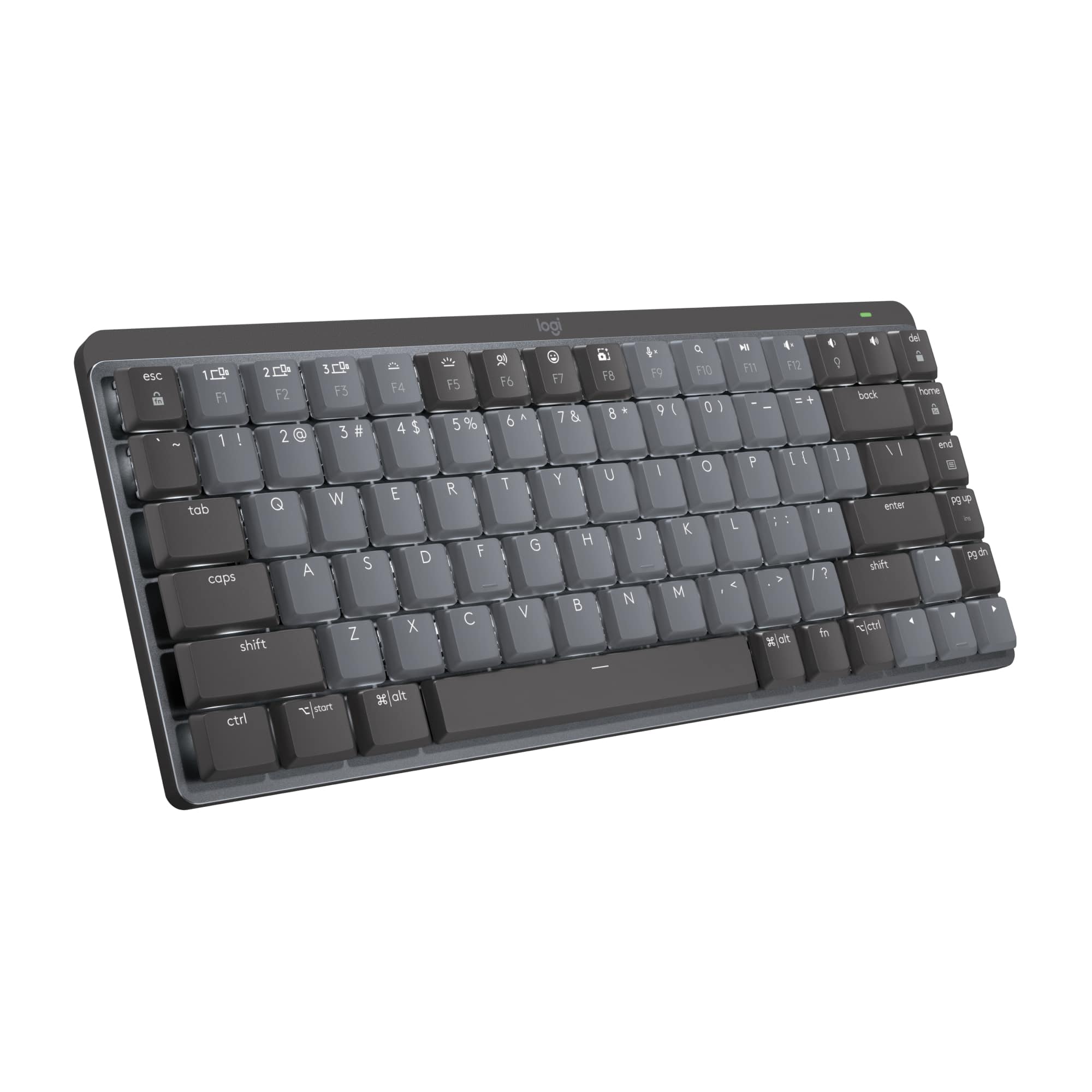


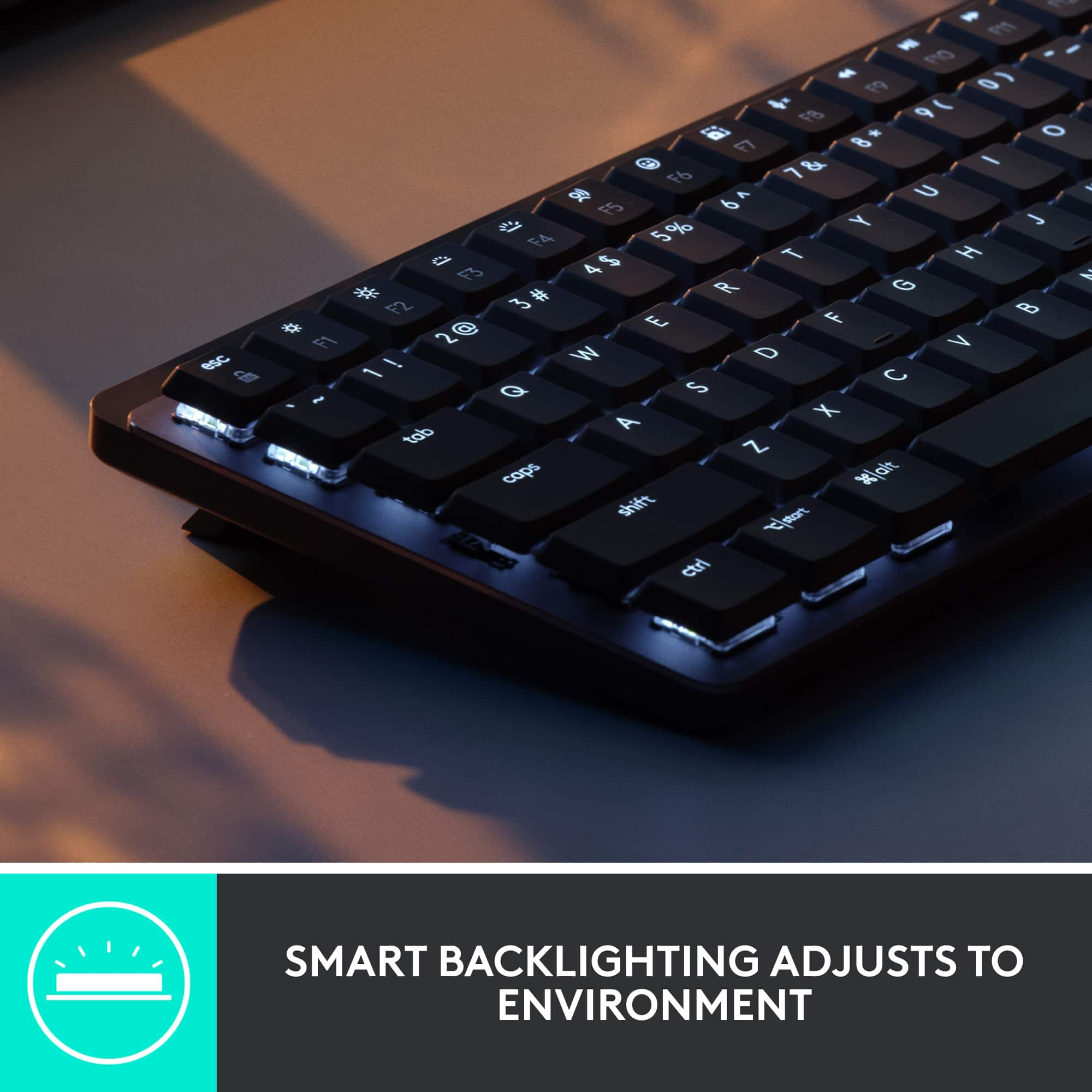
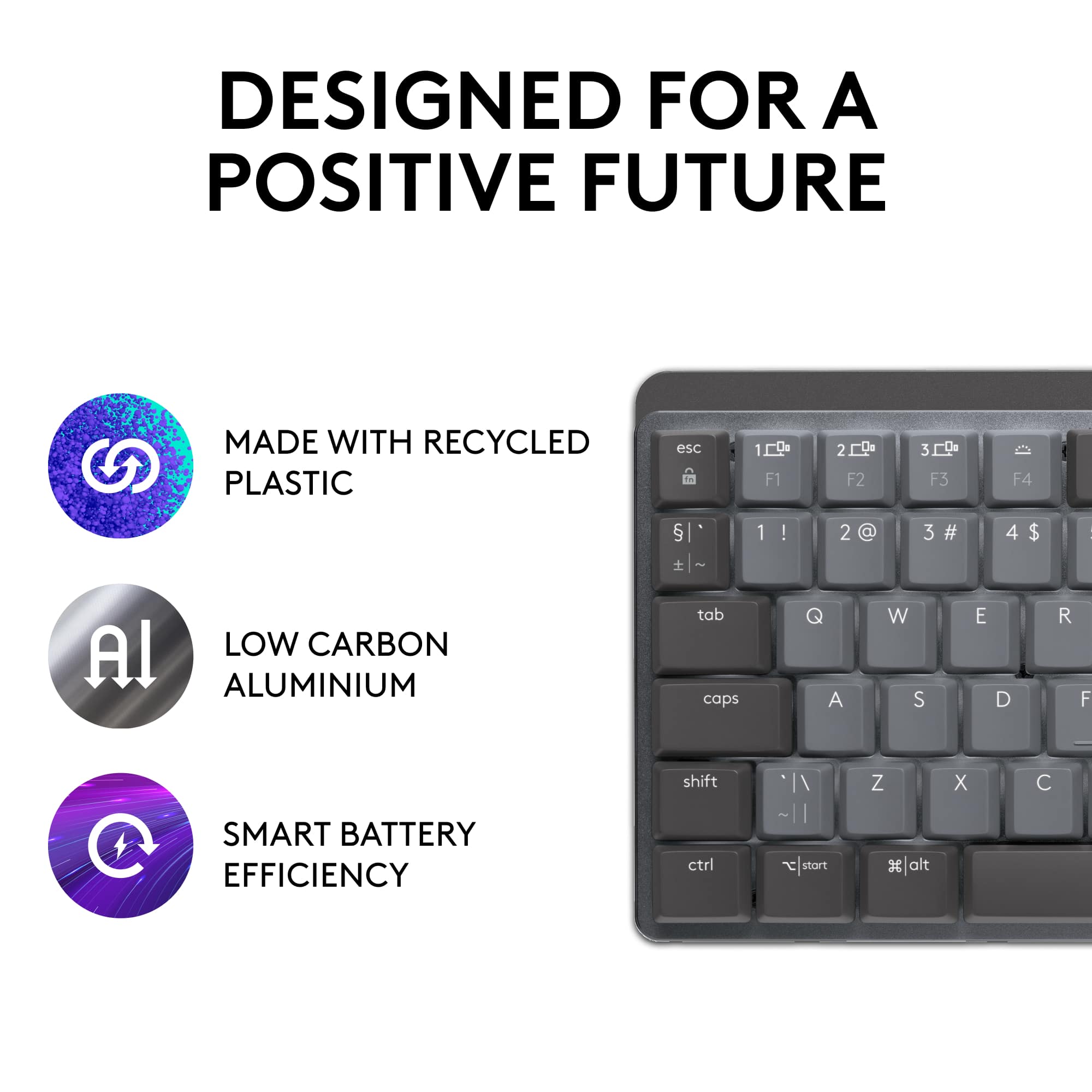
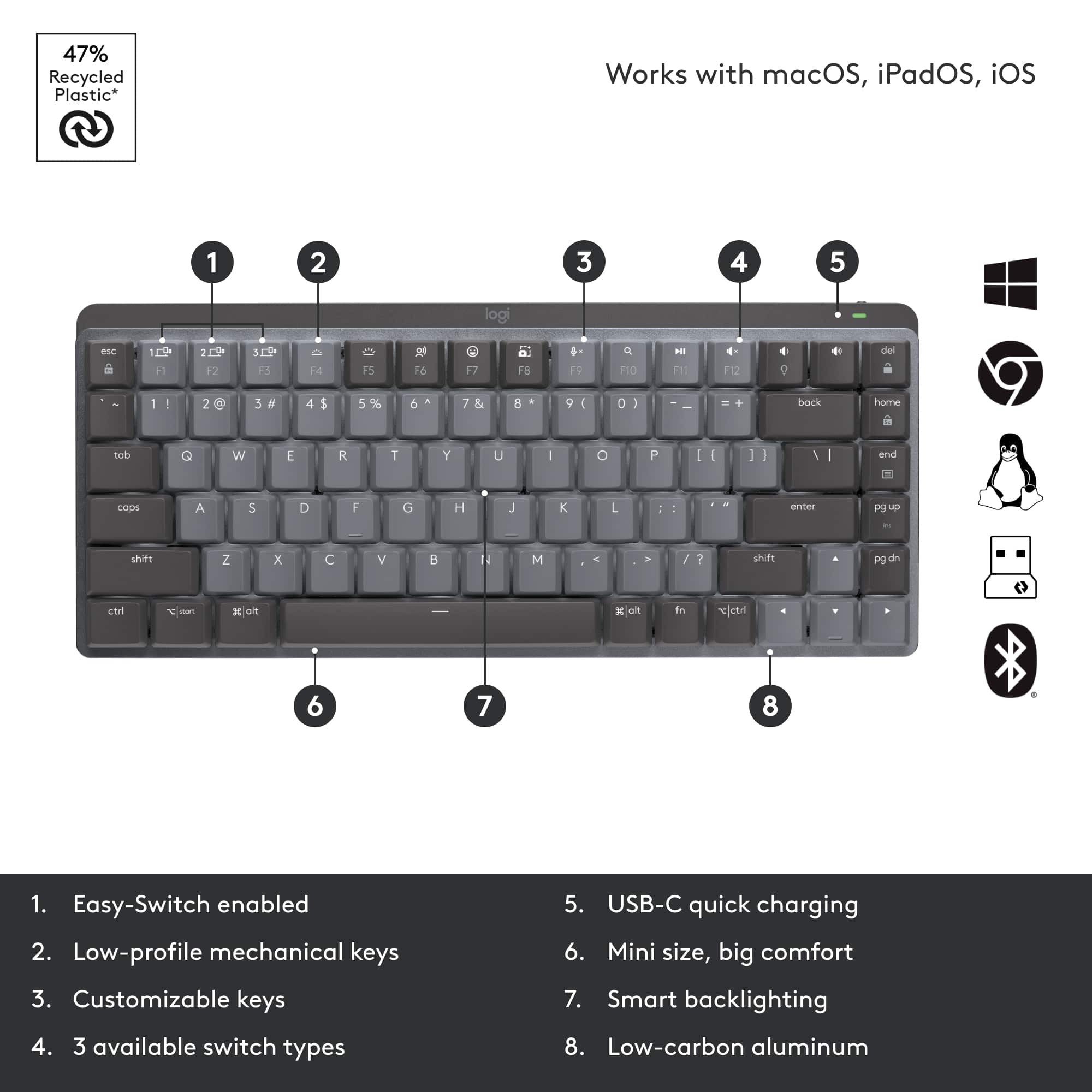



- Model:
- 920-010550
- SKU:
- 10939255
Rating by feature
- Value
Rating 4.3 out of 5 stars
- Quality
Rating 4.7 out of 5 stars
- Ease of Use
Rating 4.7 out of 5 stars
to a friend
High price for low design quality.
||Posted . Owned for 10 months when reviewed.This reviewer received promo considerations or sweepstakes entry for writing a review.The backlight dims after some time. Makes it frustrating finding the keyboard after it dims in the dark. The design was not well tested if you ask me.
No, I would not recommend this to a friendBrand response from Logitech
Posted .We apologize for the inconvenience caused by the dimming backlight issue on the Logitech MX Mechanical Mini. We understand how frustrating this can be, especially in darker environments. Your feedback is valuable as we strive to improve our products.
Not the best
||Posted . Owned for 3 weeks when reviewed.This reviewer received promo considerations or sweepstakes entry for writing a review.This keyboard is not great if you have ever had a brown switches or anything of that type. The switches feel extremely mushy and not premium whatsover. For productivity, stick with the apple keyboard or something of the sort. The other switches feel very cheap as well.
No, I would not recommend this to a friendBrand response from Logitech
Posted .Hello edocomarzo,
I am sorry that you are not fully satisfied with the MX Mechanical Mini. If you like the feel of the Apple keyboard, you should stick to the membrane keyboards and avoid mechanical keyboards. I suggest you try the MX Keys Mini with a membrane like the Apple keyboard. Logitech appreciates your product review. - Leo from Logitech

Compact and perfect
|Posted .This reviewer received promo considerations or sweepstakes entry for writing a review.I love this mini compact wireless keyboard. It fits perfectly on my desk that already has too much stuff. My favorite thing about this keyboard is the way the keys are. Most keyboards have a flat feel to it, but this keyboard does not. It reminds me of the old school keyboards and gives me typewriter vibes, which I like and prefer. Sometimes I type so fast on the flatter keyboards that it almost feels like I'm not pressing on anything. It sounds weird, but I prefer the raised keys. Maybe it is because that is how I learned how to type, was on a typewriter so that feels comfortable. Anyways, it is very easy to connect and set-up. You connect the small usb to the back, power on the keyboard and voila, it works. I also love that there is a backlight on the keyboard. I wish all keyboards were like that because some of us do our work at night and with a backlight I do not have to turn my light on when I need to look at the keys even though most of us have the keyboard memorized. I also really like that you can power on the keyboard and power it off. For someone who has small kids, that comes in handy so my little one can't go in my room and start typing stuff on my computer. There really is not anything to not like about this keyboard. It works great, it powers on easily with no trouble and it is small and compact so you don't need a lot of space for it. I would totally recommend it.
I would recommend this to a friendBest
||Posted . Owned for 3 weeks when reviewed.This reviewer received promo considerations or sweepstakes entry for writing a review.I got for my son birthday he love it ,he be using it
I would recommend this to a friendSolid keyboard, good mechanical sound
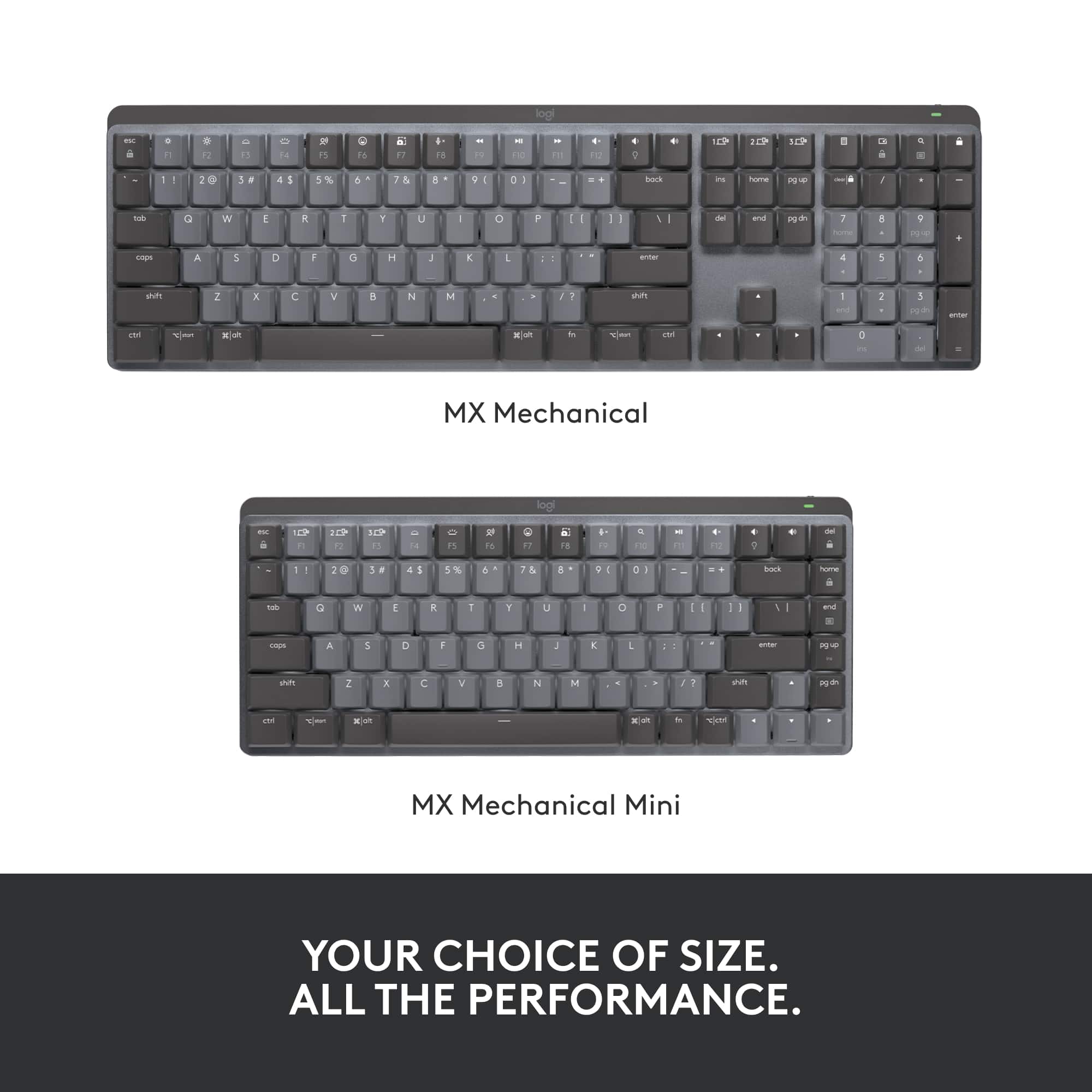
|Posted .This reviewer received promo considerations or sweepstakes entry for writing a review.The Logitech MX Mini Mechanical lives up to the Logitech name. The keyboard is compact and easy to set up. I linked it to my laptop that is on Windows 10. Once you turn the keyboard on, the icon automatically pops up on the laptop screen and within 1 minute it is ready to use. You can also use the USB dongle if you don’t want to use Bluetooth. Now, to the use of the keyboard. The keyboard has a little weight to it and feels solid in your hands without being too heavy. It is a good size to sit on a laptop desk or in your lap. It has 2 “feet” that you can open to put the keyboard at an angle that can be more comfortable. For the keys, it is supposed to have a mechanical keyboard feel and it does to a point. You can hear the click sound when hitting the keys. Since it is a mini, it doesn’t have a separate number pad, which I kind of miss. If you do a lot of number entry you might want to consider the full size version. Overall, it is a good keyboard for portability or for use at a small desk or for when want to use a computer while sitting in your easy chair. I would recommend it for this type of use.
I would recommend this to a friendTerrific Wireless Mechanical Keyboard!
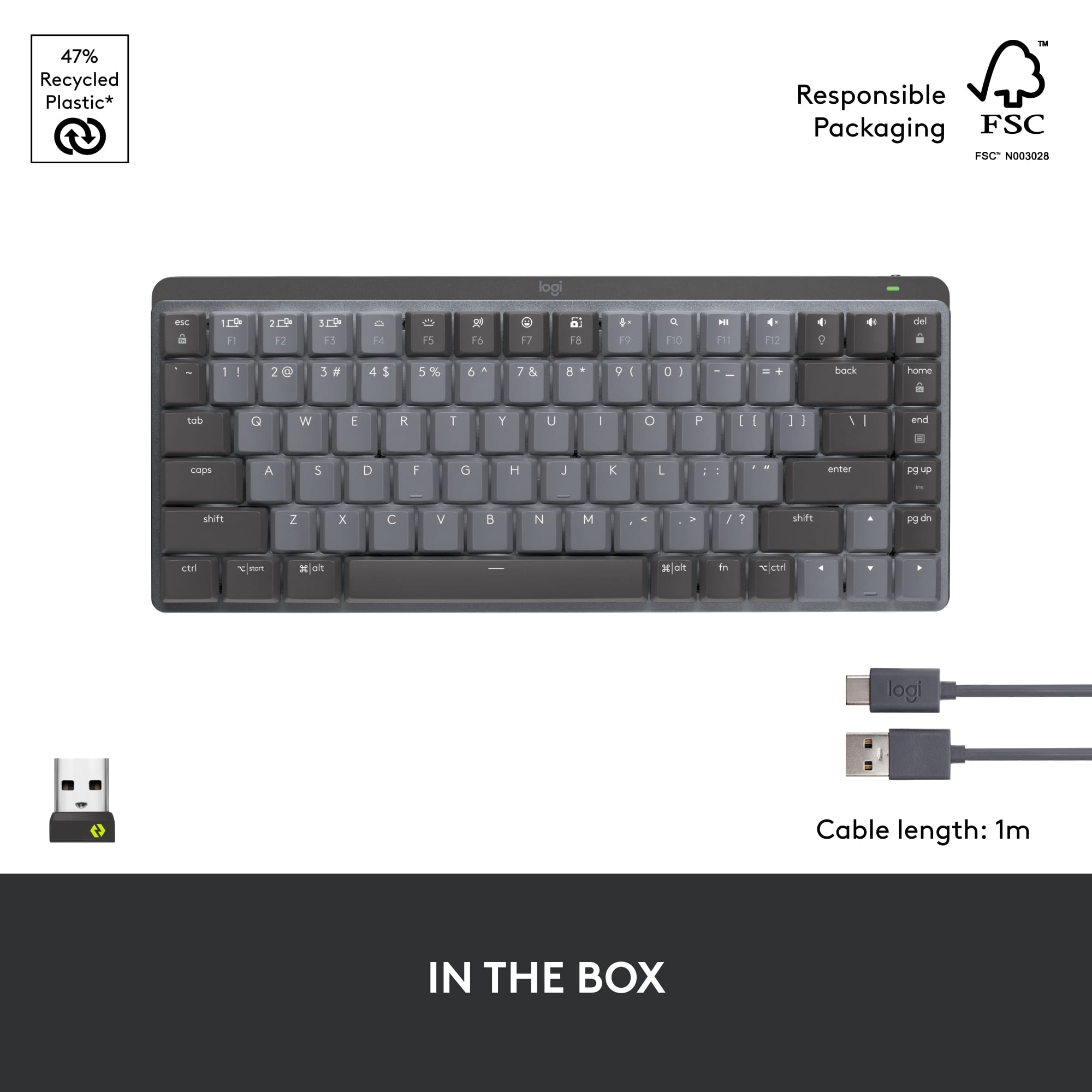
|Posted .This reviewer received promo considerations or sweepstakes entry for writing a review.Logitech - MX Mechanical Mini Compact Wireless Mechanical Tactile Switch Keyboard for Windows/macOS with Backlit Keys - Graphite This compact keyboard is a delight to use. It fits the space I have on a slide-out tray under my desk's top very well. Like most, it offers front "legs" to lift the upper edge higher than the lower edge of the keyboard to help with typing, or the legs fold flat so the upper edge of the keyboard has less height but is still a little higher than the lower edge. I find I like the legs extended, which makes my typing experience easier. There is good key travel with the mechanical keys and no excessive noise - you can hear the clicks, but it isn't annoying or too loud, just right to let you know you're fingers are making a connection when you're not looking directly at what you are typing. Of course, you can get the Mini with Clicky and Linear switches as well. The keys are backlit, staying on while you're typing, but going off when not. When they're off, and you move your hands/fingers over the keyboard, the back-lighting comes back on very quickly. The software you download for the keyboard allows various customizations to the back-lighting as well. You can also dim or brighten the backlighting directly from the F-keys on the keyboard as well as turn on the mic so you can dictate, mute the mic, bring up emojis to use in your document, take screenshots, open the search window, video/audio controls, adjust sound, and various other things that can be done directly from the keyboard. Of course, you may customize the Fn keys for any shorcuts you use regularly. You can set the Fn keys to require holding the Function key while you click on any of the Fn keys to work, or you can set it to not require holding the Function key at all while clicking any of the Fn keys. The Mini will allow you to pair your keyboard with up to three (3) separate devices. You can easily switch between devices while using the Mini by hitting the F1, F2 or F3 key depending upon which device you've designated for each device. The Mini allows connection to your device(s) through BT or WiFi (the WiFi receiver is provided that you simply plug into a USB connection on or connected to your device). As is the case with BT in many situations, you may run into BT interference that causes erratic behavior with your keyboard, if connected by BT. In everything I've checked out, any performance problems seem to be as a result of the BT signal being corrupted by other BT signals or even WiFi signals (too many, in other words). If you set it up with BT and have any but the best performance, my suggestion is to connect through WiFi. That's what I had to do but the performance using the tiny WiFi receiver (called Logi Bolt) is faultless! The Mini has a built-in rechargeable battery. Plug in the USB cable provided to charge it. The documentation available says a charge will last about 15 days with back-lighting on or about 10 months with back-lighting turned off. All I can say is that the keyboard, with back-lighting on, only sipped juice from the battery slowly during my use. Obviously, the battery performance depends on variables such as how much steady use it gets each day. Suffice to say, the Mini will notify you when the battery gets low, or you can check it yourself through the Logi Bolt software that brings up a window showing that you are connected and the battery percentage left. If you happen to ignore the battery charge level, and it gets low, you can plug it in using the USB cable provided so it will slowly charge while you use the Mini. Or, you can plug it in at the end of your use time, and it will be fully charged the next morning. The Mini has an off/on switch if you're the type that wants to shut it down when you shut down your computer. Or, you can leave it in the On position so that when you shut your device off, it will enter a deep sleep mode on its own barely using any charge at all. The Logitech MX Mini is solidly constructed with some heft to it so that it stays where you place it without any sliding around. It's built to last! I'm glad I have the Mini. It's a joy to use in every way.
I would recommend this to a friendOne Sweet Keyboard
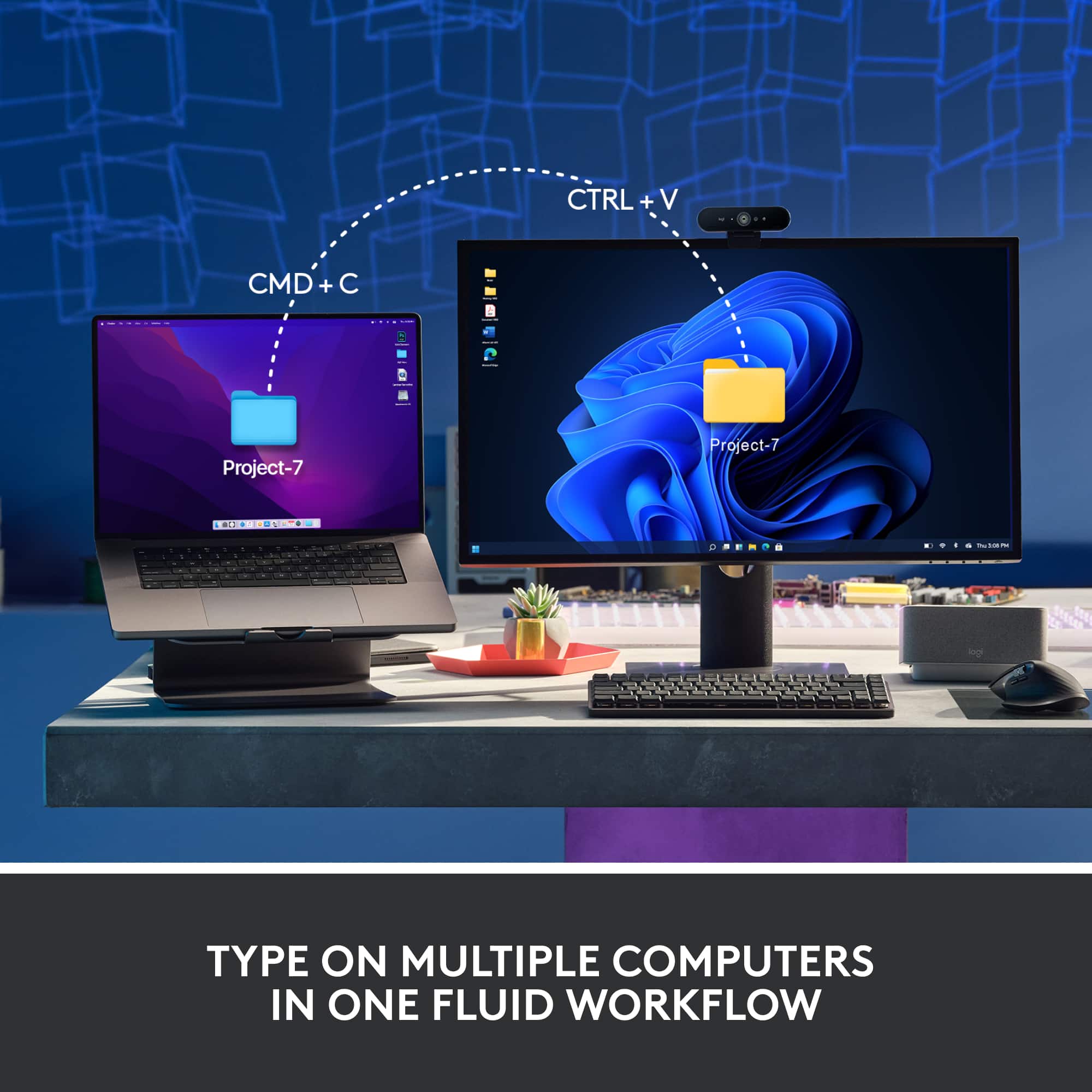
|Posted .This reviewer received promo considerations or sweepstakes entry for writing a review.Logitech MX Mechanical Mini The Logi MX comes packed nicely in minimal packaging that is easy to unpack with all recyclable materials. Instructions are provided on the inside top flap for connecting using the included USB dongle (logi bolt) or via Bluetooth. I connected via Bluetooth to my HP Laptop with no issues. As soon as you power on the keyboard using the slide switch on the back edge, the keyboard goes into pairing mode. Enter some numerical characters that showed on my Windows screen and the keyboard was connected. I am also using a Logitech Bluetooth mouse (M 650) and both devices connected via Bluetooth with no issues. I might add that the keyboard has the ability to save up to 3 computer connections and you can switch between those connections (Easy-Switch) using one of 3 keys on the keyboard that save those settings. A really nice feature if you plan on using the keyboard on other computers. I really like the “feel” of the keys. They are relatively quiet, but have a great firm feel for good tactile feedback. My keyboard is the “Tactile Quiet” version. However both “Clicky” & “Linear” versions are available. I especially like the backlighting for the keys. The amount of light is variable from off to really bright. Using the software available for download allows unique lightning patterns to be utilized. I have been using the “static” or default lighting. The keyboard lighting automatically shuts off if you move your hands away and turns back on as you move your hands back to the keyboard. It saves battery power and works quite well. If you really want long battery life (like 10months) shut the keyboard lighting totally off. With the lighting on, I like that the Caps Lock button turns off when it’s active so you can tell at a glance if it’s on or off. Since my keyboard is the Mini, it does not have the dedicated numerical keys like a calculator. But it does have a row of dedicated number keys just below the function keys that works very well for my needs. I really like this keyboard. I like the compact size, yet large key feeling in a small space. I love the feeling of the keys and especially like the great backlighting feature. The keyboard has a very solid feeling and is heavy enough it does not move around my desk as I type. It connects easily via Bluetooth and works well with my Bluetooth Logi mouse. The rechargeable internal battery is easily recharged using a provided USB-C cable which is included. Yes! I would absolutely recommend this product to all my friends.
I would recommend this to a friendAnother Logi Hit
|Posted .This reviewer received promo considerations or sweepstakes entry for writing a review.I needed a bluetooth keyboard for my 2012 Macbook Pro 13 that I have set up on a vertical stand that has the lid closed; I have hooked up the computer to a 27 inch monitor so it is as good as an iMac at considerably less invested. I have been a Logi(tech) user for decades and find them to be highly reliable keyboards. It was with this back story that I acquired this keyboard. I was really interested in seeing if such a modern keyboard could be used with a decade old (and highly upgraded) laptop running Monterey. Like magic, the computer recognized the keyboard. I hit the first of three keys that can be used to select devices (1-3) and saw the keyboard pop up on the bluetooth screen on the Mac. As this keyboard works with both Windows and Macs, this was a wise choice should I decide to move this keyboard to another Windows computer at a later date. The installation instructions are on the cover of the box on the inside, btw. After installation, I went to the website and installed the software as instructed and granted the needed permissions. Installation was about five minutes worth of effort though it took me about 15 just to make sure I was doing this correctly. I'm a Windows person who has a Mac for occasional use so this is not an intuitive install, but nonetheless I did it. The keyboard is back lit and I like that I can tap on the keyboard to wake up the monitor and to get to the lock screen on the Mac. Overall this is an amazing feeling keyboard on which to type. It is a smaller footprint so it makes a wonderful keyboard to move around as needed. It is substantial and has a good weight to it and does not appear to flex when using. I highly recommend this. The price is higher than other bluetooth keyboards but the quality of Logi products will mean it will also outlast them. You'll save money over the long haul for a better product with this unit.
I would recommend this to a friendA expensive keyboard with too many draw backs.
||Posted . Owned for 2 weeks when reviewed.This reviewer received promo considerations or sweepstakes entry for writing a review.would NOT recommend it because when I got home although they have adjustments I felt the highest adjustment was too low to type.
No, I would not recommend this to a friendBrand response from Logitech
Posted .Hello Will,
I am sorry that MX Keys Mechanical Mini did not meet your expectations. Logitech understands that everyone has different needs, which is why they offer various products. Feel free to try the other keyboards that Logitech offers to find the one that best suits your needs. Logitech appreciates your product review. - Leo from Logitech
Overpriced, poor quality
||Posted . Owned for 2 months when reviewed.This reviewer received promo considerations or sweepstakes entry for writing a review.In 2023 you can do much better than Logitech for this kind of keyboard.
No, I would not recommend this to a friendHandy Travel Keeb
|Posted .This reviewer received promo considerations or sweepstakes entry for writing a review.Great travel keyboard or multiple Laptop Keyboard. I happen to have a number of laptops at home that I use during my work day for various things and having this keyboard that can switch between them seamlessly is handy. Also being BT it makes a great keyboard I find for an media PC and device. It also has a nice and great feel if you like a brown switch. Its nice for a compact keyboard to have a good set of mechanical keys. The only downside for the switches they don't use the default Cherry MX stems, so that means custom key caps will be a more limited in changing the look of the keyboard. That is a bit of a shame, but for someone wants a good keyboard to add to their laptop jump bag then this will do the job. Seems to have a good battery I haven't had to charge it yet and I've been daily driving. It does charge via USB C so that is handy. I do wish though you could use the keyboard wired when the battery dies as I can forget to charge these devices over time. The dongle for non-bluetooth devices works great, but I wish the keyboard had a slot to store it when not in use. Those are minor complaints. Overall this is a great keyboard to use.
I would recommend this to a friendQuiet, portable and sturdy - nice keyboard!
|Posted .This reviewer received promo considerations or sweepstakes entry for writing a review.Compact and quiet - exactly what I was looking for! This review is for the "Tactile" keys model Feels like a hybrid between a laptop keyboard and a mechanical, if that makes sense? I can type at full speed without disturbing anyone near me and without keeping my wife awake if she fell asleep in the same room. Battery life has been great, but then I haven't been using the backlight. Backlight , as advertised, should knock the life down quite a bit. USB-C charging is awesome since everything is migrating that way (and already should be that way IMHO). It's construction is extremely solid without being too heavy to put in my laptop bag to take it along with me. Would also make for a great keyboard for a media-center PC since it's compact, portable and has a long battery life. Not sure how it would be in a gaming environment since it's wireless and I haven't tried but I'm betting since it's not a super-clicky keyboard that it would work very well, but battery life would be severely reduced with keeping keys pressed (WASD). Great keyboard though! Another fantastic Logitech product!
I would recommend this to a friendWireless keyboard, Bluetooth and USB connections
|Posted .This reviewer received promo considerations or sweepstakes entry for writing a review.The Logitech MX Mechanical Mini Compact Wireless Mechanical Keyboard offers full-sized keys, two typing angles, and a backlit keyboard. It has a rechargeable battery and comes with a USB 2.0/3.0 to USB C charging cord. This keyboard offers true wireless connections via Bluetooth or the Logitech Bolt USB connector; just plug the connector into your computer. You can type on the keyboard flat, or use the two fold-out legs for a more comfortable typing angle. You can use the Bluetooth connection for a tablet that lacks a USB 2/3 port. The keyboard is small and light enough to pop into a backpack and take on the road. The keyboard was easy to set up. If needed, you can download a Logitech app from your app store. This is especially helpful if you have multiple Logitech peripherals like keyboard and mouse. I would like to see a place to store the Logitech Bolt USB connector in the keyboard when not in use; Logitech provides such storage space in its wireless mice. I connected the MX Mechanical Mini to my MacBook Pro. I used it for my daily workflows--email, Adobe Creative Cloud graphic design software, calendar, messaging and more. The keyboard is marked for both Windows PCs and Macs. Since the Mac keys are in different locations than PC keys, the keyboard has dual markings, may be confusing or inconvenient. It is a bit, well, mechanical and retro in feel. I am used to wireless keyboards with shorter key travel, that don't click like a mechanical keyboard. But this Logitech keyboard connects seamlessly and performs well!
I would recommend this to a friendNice Keyboard
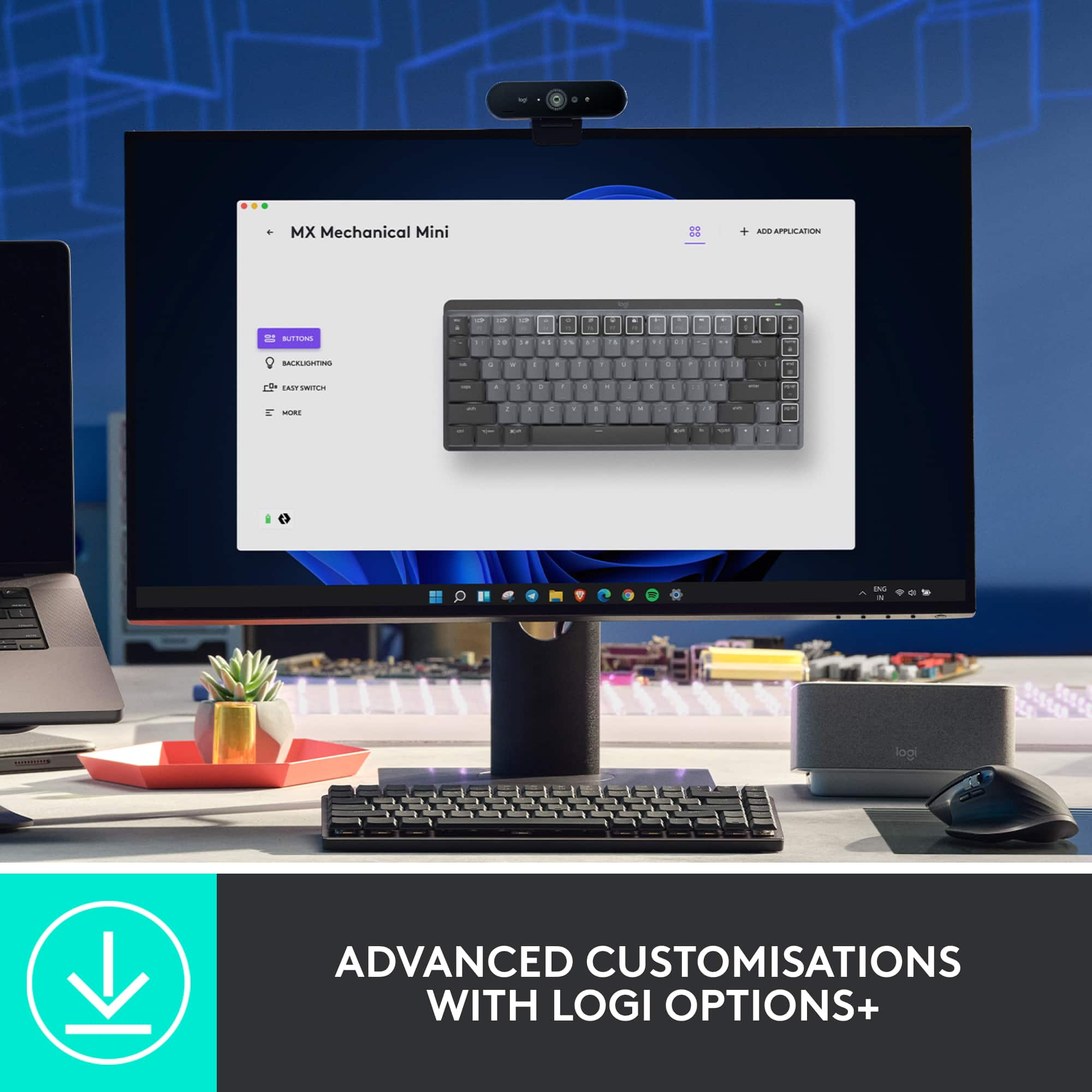
|Posted .This reviewer received promo considerations or sweepstakes entry for writing a review.How fun! That is what I first thought when I unboxed the Logitech. Clickety-clickety-clack. I felt nostalgic banging on the keys. Took me back to the 90s when I used to wish keyboards weren’t so noisy (LOL). The unit comes with a dongle to hook it up to your computer. You can also use the Bluetooth function to hook up to your computer, as well as to your phone or tablet. I have a desktop sitting on a small desk that barely fits my keyboard with all of the other equipment on it. The smaller size of this keyboard is much better for the space. I do make a lot more typos while using it, though, because I’m used to a full-size keyboard with a 10-key pad. I tried to connect with BT but my computer wasn’t finding the unit. I plugged in the dongle. This is a newer dongle for Logitech – the Logi Bolt USB Receiver. I am used to the Unifying receiver, which you can use if you have one. It comes with a charging cable and the dongle. There’s an on/off switch so can save battery or to travel with. It seems to hold a charge for quite a while. I downloaded the suggested Logitech Options software, which I had to do first, and then download the Options+ software. The software allows you to change the backlighting (more fun!), among other custom settings. You can connect the keyboard up to three devices. There are dedicated keys to use to easily switch back and forth. This is a really nice keyboard.
I would recommend this to a friendInterferes with Airpods, software driver buggy
||Posted . Owned for 5 months when reviewed.This reviewer received promo considerations or sweepstakes entry for writing a review.The actual keyboard is great and I want to love it, but it just simply doesn't play well in the Mac ecosystem and Logitech refuses to address it. First it causes interference with Airpods if both are on bluetooth (the primary method of connecting them), meaning I can't use the Airpods mic during meetings. Second the Logi Options+ software is buggy on mac and causes high CPU usage, must be regularly killed. No solution from Logitech other than to try reinstalling the same version. Infuriating how Logitech just doesn't seem to care about fixing issues with their products.
No, I would not recommend this to a friendJust what I needed for my Pie
|Posted .This reviewer received promo considerations or sweepstakes entry for writing a review.At any given time I have between 4-7 computers sitting on my desks in the my office. I find KVM solutions cumbersome and exhausting and prefer each computing device to have its own keyboard and mouse. Compact and Tiny keyboards make this feasible and I always appreciate a good solid compact keyboard when the use case is mostly Ctrl-Alt-Delete and then typing in a username and password. I connect these keyboards to Raspberry Pie’s and home security monitoring stations so the need for heavy typing workloads is non existent. As someone blessed with large thick fingers, this Logitech fits the gap between “so tiny that every key press equates to 3 button presses” and “so big I ran out of room on the desk” which is exactly the type of experience I’m after. This keyboard has enough bounce on the keys that it does feel solid to type on making for a comfortable typing experience while the grey and black color scheme help me at a glance figure out which of the multiple keyboards I need to grab to complete my task. I enjoy that this is small enough to be tucked under the monitor stand when it’s not in use. For heavy duty typing or hard-core gaming, this keyboard isn’t going to cut it but for most other use cases it works great.
I would recommend this to a friendIt’s a Logitech keyboard
|Posted .This reviewer received promo considerations or sweepstakes entry for writing a review.I’ve been interested in mechanical keyboards for awhile, but only from a distance. I’m not in need of another expensive hobby and although I do a lot of typing with my work I’ve never been too terribly picky about the keyboard. If it works when I press a key then I can forgive a lot of other things about a keyboard. Well, sure enough the X key on my trusty old wired iMac keyboard died recently. And so I had my excuse to try something new right around the time Logitech came out with this new line of mechanical keyboards. Fate? Coincidence? I don’t really care. I’m just happy. : ) I’ve had other non-mechanical keyboards from Logitech and always liked them. For me, they make things that look nice, function well, and the batteries can go forever without a charge. I genuinely don’t remember the last time I charged my Logi MX series mouse and I use it almost every day. I expect to have a similar experience with this keyboard, which thankfully charges via USB-C. It’s a wireless keyboard that can pair with your devices via Bluetooth or the included USB-A receiver. It’s all easy and seamless. You can stay paired with three separate devices and switching between them is as simple as hitting one of three function keys. It has a dual layout for either Mac or PC. I’m using it between a MacBook Air and an iPad Pro and have had zero connection issues switching back and forth. How does it type? Well, I like it. I don’t know a ton about switches and the like, but mine has the quiet+tactile option and I’m happy with both the sound and feel. It’s noisier than my laptop’s built-in keyboard, but not so obnoxious that using the MX Mini while watching TV (like I’m doing now) isn’t driving my wife crazy or distracting from the show. The key travel distance is excellent and if you grew up in the earlier years of computers it will make you wonder why keyboards ever got thinner in the first place. I haven’t done a speed test, but it sure feels like I’m able to type faster on this keyboard than others. It’s just satisfying to type on, period. I really like the layout - it’s slimmer than a big full-size with a number pad, but not cramped. Overall, the keyboard has a nice weight to it that feels substantial without being heavy. There are two feet on the back than can be popped out to provide a raised angle if you like to type that way. I know you can get crazy color keys and combos and all that with other mechanical keyboards, but again - that’s not a rabbit hole I really want to go down. This little guy looks modern and ready for work. It’ll be fine at home or in your office. People probably won’t stop and ask where you got your keyboard from. I’m okay with that. What else? There’s backlighting with a couple different modes that change which keys are lit up and things like the speed at which they light up, but know that there is no RGB here. Just white light. Using the Logi Options+ software you can customize a lot of the individual keys to do different things. For example, the F8 key can be used to trigger a screen shot. I rarely do that, so I changed it to open Mission Control on my Mac. Great to have that option. One thing I can’t figure out is if I can do that for iPad specific tasks. I don’t think so, as there’s no Logi Options+ app in the App Store and you can only use the MacOS app if the keyboard is actively paired to the Mac. Fortunately, there are quite a few keyboard shortcuts built into iPadOS, so it hasn’t been too big an issue. I would love to map the “home” key to return the iPad to the Home Screen, but that doesn’t seem possible right now unless I’m missing something. Anything I would change? I wish the key caps were somewhat grippier, or less slick. I wouldn’t mind if the backlighting got even a little brighter. If Logi wants to release a few different color options down the line, I wouldn’t complain. It’s clear they’re positioning this for people who want a keyboard that simply types really well and aren’t in need of something to be a gaming monster. I think they’ve succeeded at that, easily. So it’ll be fun to see where else they might go with this line of keyboards in the future. Really happy overall.
I would recommend this to a friendGood wireless keyboard
|Posted .This reviewer received promo considerations or sweepstakes entry for writing a review.Nice compact keyboard. Wireless with usb charging, cable included for charging only, it charges from my computer's usb port but ac adapter not included. Good looks and perfect size for me. No numeric keypad but they also sell a full size version if you want a numeric keypad. They also have three styles of keys available: clicky, linear, and quiet tactile. I have the quiet tactile which I prefer which has a slight bit of feedback without the noise of the clicky keys. It's a nice looking keyboard with two colors of keytops. Feels sturdy and comfortable to type on. Low profile, the keys have less travel than standard keyboards yet more than a laptop. They still have enough travel for me and feel just right. The layout is great too imo with full size arrow keys that require a smaller right shift key. I prefer the full size arrow keys and haven't had a problem with the smaller shift key but some may have to adjust their typing a bit to get used to it. I really like the compact size of it. I also have a 60% keyboard which is smaller but 60% keyboards don't have the function keys which I sometimes miss. This one isn't much bigger and has the f-keys which default to special functions such as volume, backlight brightness, play/pause, etc. You can toggle them with f lock back to regular f-keys if you want. Also has page up/down, home and end keys on the right side. Software download of options + and bolt available. Options + not required but gives you the option of reassigning the function of some keys as well as onscreen notifications for some functions. Bolt software not needed for bluetooth connection but may be needed for the bolt receiver. Nice backlighting when it's on. Unfortunately it doesn't stay on for long and there's currently no way to adjust how long it stays on. It's supposed to sense when your hands are near it and turn it back on but this often doesn't work so I have to hit a key to get it to turn on. I did find that on mine when it's charging (you can still use it while it's charging) the backlight stays on but that kind of defeats the purpose of a wireless keyboard. Also no current support for macros which seems like a no brainer for such a nice (pricey) keyboard as this. If logitech would allow you to keep the backlight on I would give it five stars. Not really sold as a gaming keyboard I haven't noticed any lag with the bolt receiver or bluetooth connections even when gaming. I'm a gamer and usually use some kind of game controller which makes the keyboard kind of secondary anyway. The fact that it's wireless makes it easier to move it out of the way to make room for my steering wheel for my racing games or my h.o.t.a.s stick and throttle for flying games so this makes it better in those cases. I also have an xbox style controller for other games. Overall a nice keyboard which most will likely enjoy using. If backlighting is important you may want something else. It's probably the best wireless keyboard I've used yet.
I would recommend this to a friendReally nice keyboard for my TV
|Posted .This reviewer received promo considerations or sweepstakes entry for writing a review.I had a very specific purpose for this keyboard and I'm so happy that I think it worked out. I'm typing this review from this keyboard right now. It definitely feels different from my main gaming computer's mechanical keyboard (Corsair's Silver "Speed" keys) but I'm really happy that it still FEELS like a mechanical keyboard in such a small package. Setup is easy no matter how you're connecting the keyboard. You have a Bluetooth option which also allows you to connect and easily switch between 3 different devices. Just hold the F1-F3 keys to switch to the different devices. Really is that simple. It also comes with a dongle if your computer doesn't have Bluetooth or you'd rather not use it. Everything setup-wise is simple enough to fit on the inside of the box's cover. Just hold a key combination and you'll connect to the dongle instead. I was looking for a small keyboard that I could connect to my TV so I can stream games from my PC to my TV when I feel like hanging out on the couch with the family and playing some games instead of sitting at my PC all the time. I ran into plenty of issues finding a device that would let me accomplish my goals but this keyboard connected to all of the devices without an issue. Either with Bluetooth or the dongle. The best thing about this keyboard is how much better if feels compared to other small and low profile keyboards. Since I spend a good amount of time with my mechanical keyboard on my gaming PC, the other membraine style keyboards I've tried just don't feel very nice anymore. My fingers end up hurting fairly quickly when I type on my older 2016 MacBook Pro while I used to use that kind of keyboard fairly exclusively before I got the mechanical keyboard I use all the time now. These keys feel different for sure. They're different for sure. These keys are described as "tactile quiet" keys. The switches are brown but I'm not sure if they're actually considered equivilent to Cherry MX Brown or not. There is a clear tactile bump and there's not a ton of travel time in the switch. This is obvious because of how slim and small this keyboard is. Being used to my current "Silver Speed" switches isn't a ton different. There's no tactile bump in my main keyboard but the activation point is REALLY short so it doesn't feel a ton different. The best part is that the keyboard is still full sized. They did a good job of condensing a full sized keyboard (minus the keypad of course) into such a small frame. This keyboard is very convenient to be able to take anywhere in my house and use comfortably. It works well enough at the TV that I might start using it with my MacBook Pro and whatever other portable things (iPad?) I can think of. If you're looking for a nice mechanical feel in a small package that you can take with you and move between multiple devices, this might be the one for you.
I would recommend this to a friendExcellent mini mechanical keyboard
|Posted .This reviewer received promo considerations or sweepstakes entry for writing a review.I was looking for a bluetooth, wireless MECHANICAL keyboard and was delighted with this one from Logitech. What's really neat about this one is that it is rechargeable and keeps a charge for a very long time. I am often out of the office, either at a conference or in the field, so I am always looking for the perfect keyboard. This one is about 12 x 5 inches, has feet to change the slant/angle of the keyboard and best of all-- mechanical keys! if you type fast and type a lot, the mechanical keys will take a beating and keep on working. I have 'typed out' several membrane keyboards and when one key stops working properly, the keyboard is useless. Mechanical keys are superior for durability, plus have a little 'click' sound. I find that I type more accurately with this keyboard, particularly in my lap or in an out of office situation. I like having the feel of the spring pushing back on my fingers when I type, so this is great. It is not totally silent but it's not as loud and old fashioned mechanicals. The bluetooth connection is effortless and you can assign the keyboard to three different platforms, so it's easy to switch from your desktop to a laptop to your phone. It charges through USB-C cable and I have not run out of juice yet! specs say it will last two weeks with the keyboard lighting on, or super long without the lighting (months). comes with a logi Bolt receiver if you don't want bluetooth connectivity. (There is no 'storage' slot on the keyboard for the Bolt receiver). Overall, I will enjoy using this keyboard in the field or on the couch. May pick up the one with extended keypad for office use, making it simple to switch between desktop and laptop and do accounting work.
I would recommend this to a friend