Customer Ratings & Reviews
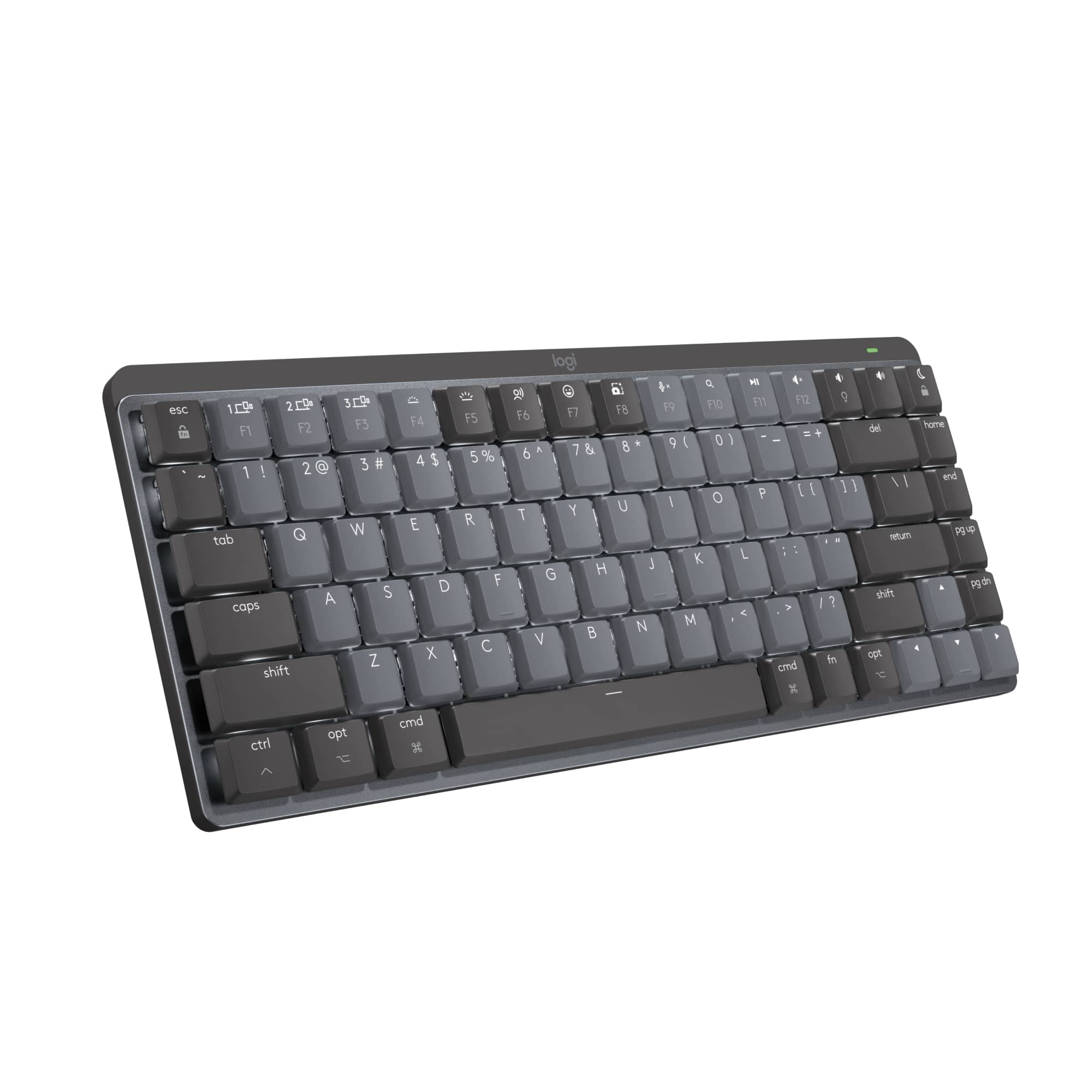
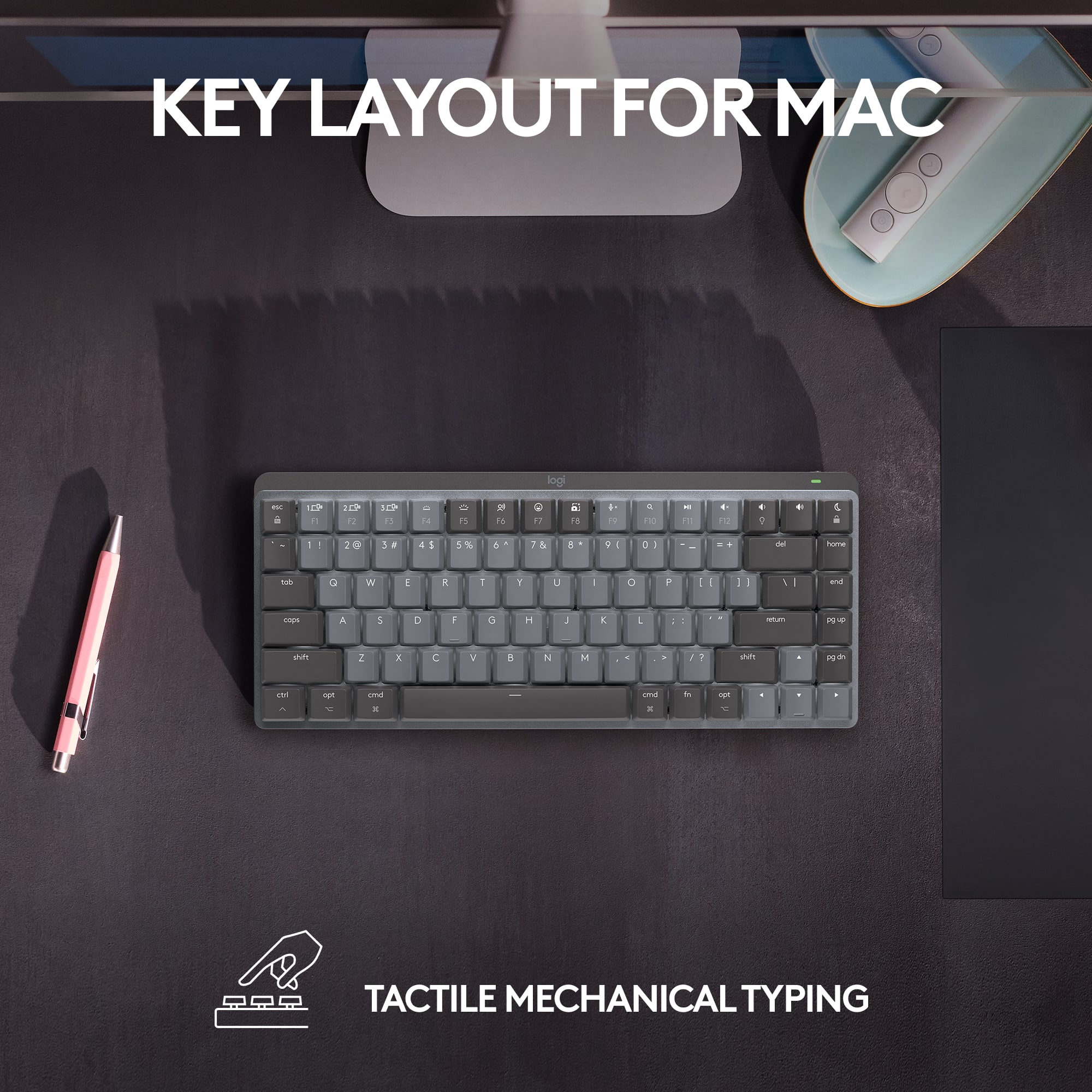

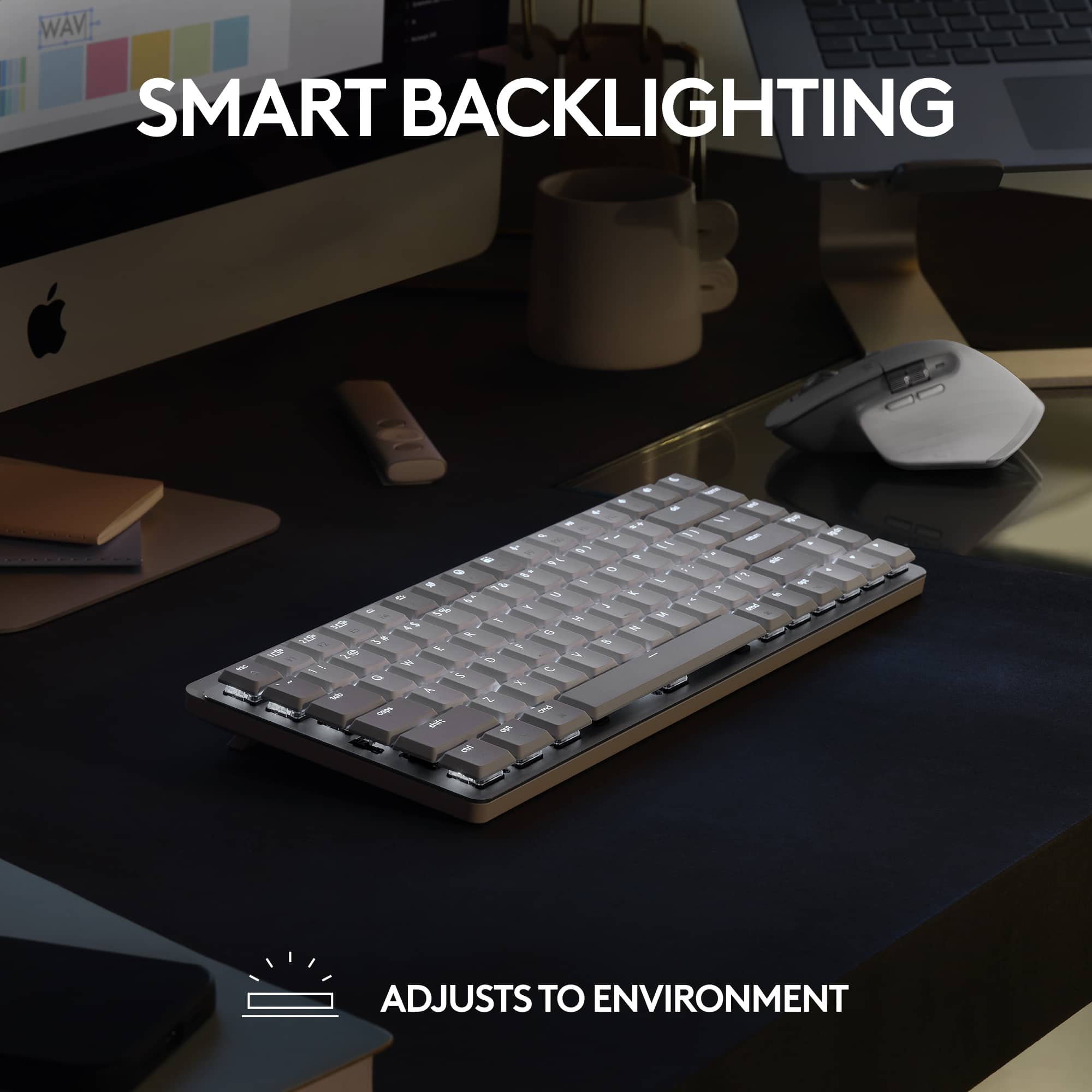


- Model:
- 920-010831
- SKU:
- 6516290
Rating by feature
- Value
Rating 4.5 out of 5 stars
- Quality
Rating 4.8 out of 5 stars
- Ease of Use
Rating 4.8 out of 5 stars
Customers are saying
Customers value the high-quality feel and responsive keys of the MX Mechanical Mini keyboard, praising its excellent battery life and compact size ideal for various setups. Many appreciate the ease of use and satisfying clicky keystrokes. The only significant drawback mentioned was the absence of a number pad.
This summary was generated by AI based on customer reviews.
- Pros mentioned:Battery life
Logitech MX vs. Keychron K3 and Apple Magic Keyboa
||Posted . Owned for less than 1 week when reviewed.This reviewer received promo considerations or sweepstakes entry for writing a review.It's been 4 days and I'm enjoying this keyboard more and more every time I use it. My previous keyboards were a Keychron K3 and an Apple Magic Keyboard. What most people don't talk about with any of these keyboards is keyboard angle. This keyboard seems to feel better than my Keychron K3 or the Apple Magic Keyboard. Let me describe more of what I'm talking about. Check out my photos. On the far right is an Apple Magic Keyboard. It's almost completely flat on a desk. The Keychron in the middle is angled and the Logitech MX is on the far left. The Logitech's angle is perfect. It feels comfortable when I type, basically allowing me to rest my palms on the desk as I type. I would've preferred more curved keys, but I'll get used to it. The Keychron has the more curved keys I like, but it's not angled quite the same way as the Logitech MX. Kudos to Keychron for provided two angles you can choose from, but both angles miss the mark. I had to curl my fingers more to type on the Keychron. Now the Apple Magic Keyboard. There is nothing magical about this. It has no ability to adjust its angle. What idiot designed this? Nobody wants to type for extended periods of time on a keyboard that is basically flat on the desk. You have to curl your fingers most of all to type on this one. Now let's speak about typing quality. The Logitech has a soft click, almost gummy feel when you press the keys. It's gummy in a good way. I hear a little squeak every 5th keypress or so which is a little annoying, but I will chalk this up to the keyboard being brand new and I have to just keep using it to get the squeaks out. The Keychron has a satisfying click sound. I got the red key version so it doesn't clack like its blue counterpart. I would say the Keychron edges the Logitech out in this category, but I've used the Keychron for almost a year so this is not the fairest comparison. The Apple Magic Keyboard has a click sound with each keypress, but the key travel (how far you push down) is extremely limited making it feel more like expensive calculator keys rather than a high end keyboard. Long-term typing yields different heights on each key. You can visibly see which keys you've pressed more often than others after many months of use. Not what I'd expect from a premium keyboard. Still, I would say that the typing quality is very satisfying because of the click, I wish there was more travel, but the angle of the keyboard on my desk just detracts from a good typing experience. Let's talk about battery life. Realistically, I do not want to have to perioidcally recharge my accessories. Battery drain is excellent on the MX. Based on its drain so far, I might not have to recharge for two months. My Magic Keyboard was not quite two months. The K3... silly thing had to be recharged every 7-10 days. A neat feature of non-Apple keyboards is the backlight feature. This is really useful in low-light situations. I poked fun of it at first, but then found it seriously useful when I was DJing in dim lighting. The Apple Magic keyboard does not have any backlighting. Overall, I would say the Logitech MX is the best of all three. Here's the thing... I don't even like Logitech. I've hated many of their keyboards and mice over the years, but this one feels solid. Big thumbs up. It's a little pricey but a much better value than the Apple Magic Keyboard. The Keychron is going to have its fans, but mine died within a year. Logitech stuff lasts. I've had old Logitech products from >10 years ago that still work fine.
I would recommend this to a friendBrand response from Logitech
Posted .Thank you for your detailed review of the MX Mechanical Mini for Mac Compact Wireless Mechanical Tactile Switch Keyboard. Your comparison with the Keychron K3 and Apple Magic Keyboard provides valuable insights for potential buyers. We're glad to hear that you've found the MX Mechanical Mini to be comfortable, reliable, and long-lasting. Your feedback on the keyboard's angle, typing quality, battery life, and features is appreciated.
- Pros mentioned:Battery life
Absolutely Beautiful
||Posted . Owned for less than 1 week when reviewed.This reviewer received promo considerations or sweepstakes entry for writing a review.It's a very sleek design. Connected great to my Mac and absolutely no lag. Charging qas also pretty fast and after whole day of work it just down 10 points of charging. One thing i liked was secured Bluetooth connection. Not a big feature but loved that they thought of it. It was greatly packed with bubble wrap and multiple boxes to prevent any shipping damage.
I would recommend this to a friendBrand response from Logitech
Posted .Hi there! We're glad to hear you're enjoying the sleek design, secure Bluetooth connection, and long battery life of your MX Mechanical Mini. It's the perfect combination for a productive and clutter-free workspace on your Mac. Thanks for sharing your experience!
- Pros mentioned:Key feel
It's a mechanical keyboard for the mac
||Posted . Owned for 1 month when reviewed.This reviewer received promo considerations or sweepstakes entry for writing a review.It says the switches are clicky, but mine are brown tactile. It's what it was described on the box. Imo, they're more quieter compared to red or blue switches. Honestly, the only reason you'd buy this was because you needed a mechanical keyboard for the Mac in particular. Can't be disappointed here
I would recommend this to a friendBrand response from Logitech
Posted .Thanks for reaching out! We apologize for the inconsistency between the product description and the actual switches on your MX Mechanical Mini. We understand this can be frustrating.
Our team is happy to help you clarify the switch type or explore possible solutions. Please contact our support for further assistance.
- Pros mentioned:Keyboard quality
Excellent Comfortable Quick Typing Keyboard
||Posted . Owned for 10 months when reviewed.This reviewer received promo considerations or sweepstakes entry for writing a review.This is an excellent keyboard for long quick typing. A little bit pricy, so try to get some offers. In have found them sometimes better at BestBuy than Amazon. Watch for offers. I just wish I have gotten the S Mdel (Quiet version) instead of this clicky version, but there is people that likes hearing the clicking noise, I prefer quiet so I guess I will get the quite S Model sometime soon.
I would recommend this to a friendBrand response from Logitech
Posted .We're glad to hear that you're enjoying the compact size and tactile switch experience for long typing sessions. Thank you for your feedback on the MX Mechanical Mini for Mac.
THIS IS NOT A CLICKY SWITCH KEYBOARD
||Posted . Owned for 1 week when reviewed.This reviewer received promo considerations or sweepstakes entry for writing a review.I enjoy the keyboard, however I was disappointed by the misrepresentation/mislabeling. This product is listed as "...Wireless Mechanical Clicky Switch..." I'm not a big tech person so I just bought based off the title and because I liked how the keyboard sounded in the store. I didn't think to read the specifications. When I received the product, it was a "tactile" switch. After a few customer service interactions and outside research, I learned that Logitech does not make a "clicky" switch for the "MX Mechanical Mini for Mac". They only make the "clicky" switch for the regular "MX Mechanical Mini". I also found that although the title on BestBuy's website says "clicky switch", the specifications say tactile. I decided to keep the keyboard because I like it even though it's not what I was expecting. Even so, this was a lesson learned for me to always read the specifications for a product I'm buying. Picture just shows how it's currently labeled in case it's changed later.
I would recommend this to a friend- Pros mentioned:Keyboard quality
Best keyboard for Mac.
||Posted . Owned for 1 month when reviewed.This reviewer received promo considerations or sweepstakes entry for writing a review.Best apple keyboard on the market so far. I love how the lights light up when it senses your hand over the keyboard. Also, with the Logitech eco system, moving the mouse over from a windows monitor to your MAC monitor is a breeze.
I would recommend this to a friend - Pros mentioned:Size

Small
|Posted .This reviewer received promo considerations or sweepstakes entry for writing a review.[Employee of bestbuy] It’s a good compact keyboard, like their longer one better
I would recommend this to a friend - Pros mentioned:Ease of use
Key board
||Posted . Owned for 3 weeks when reviewed.This reviewer received promo considerations or sweepstakes entry for writing a review.Great piece have a second one work great.easy set up and quick.
I would recommend this to a friend Perfect Logitech Mac Keyboard
||Posted . Owned for 2 weeks when reviewed.This reviewer received promo considerations or sweepstakes entry for writing a review.Best TKL all in one box keyboard Has a decency amount of weight doesn’t slide in desk and feels good to type on Alittle over priced should be sold at 100-129 max It does randomly disconnect from my Mac Studio has happened once a month roughly
I would recommend this to a friendCool keyboard
||Posted . Owned for 10 months when reviewed.This reviewer received promo considerations or sweepstakes entry for writing a review.Very great design and integration with Mac. The different available profiles allow for a seamless swap between your devices. However it gets kind of glitchy when you use a key that is not activated. Overall great product.
I would recommend this to a friendBrand response from Logitech
Posted .Thank you for your positive feedback! We're glad you're enjoying the Logitech MX Mechanical Mini for Mac.
Best keyboard for Mac
||Posted . Owned for 3 weeks when reviewed.This reviewer received promo considerations or sweepstakes entry for writing a review.Best keyboard for Mac. Use it for my work from home setup, makes very enjoyable to type and I like that I can easily switch from my work laptop to my regular laptop
I would recommend this to a friendLogitec refuses to fix backlight issues
||Posted . Owned for 2 weeks when reviewed.This reviewer received promo considerations or sweepstakes entry for writing a review.Backlight tines out after 5 seconds unless its on charge. Logitec is aware and refuses to fix the issue. Great keyboard but the faulty backlight makes it not worth the purchase.
No, I would not recommend this to a friend- Pros mentioned:Battery life, Key feel, Keyboard quality

Awesome small footprint wireless Mac keyboard
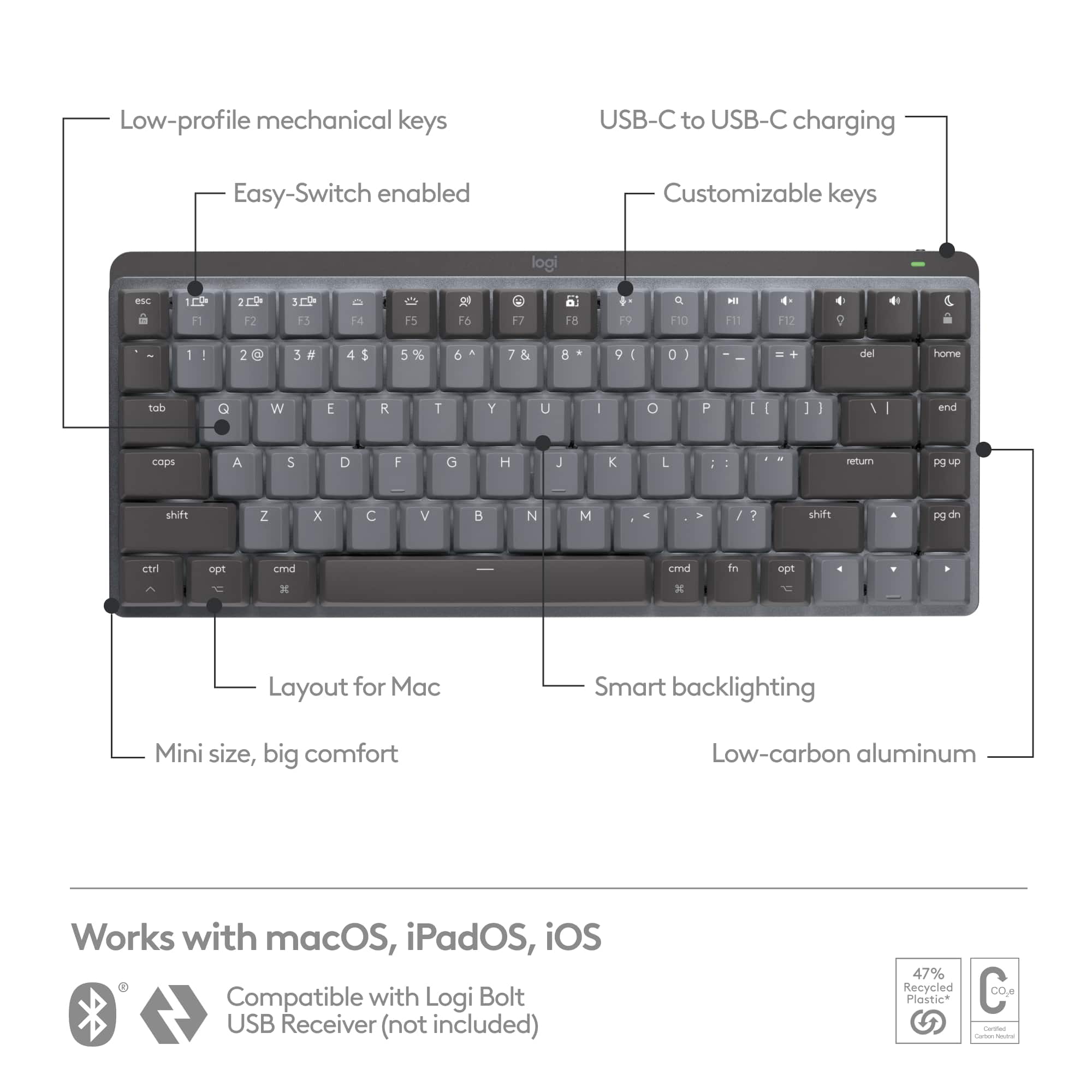
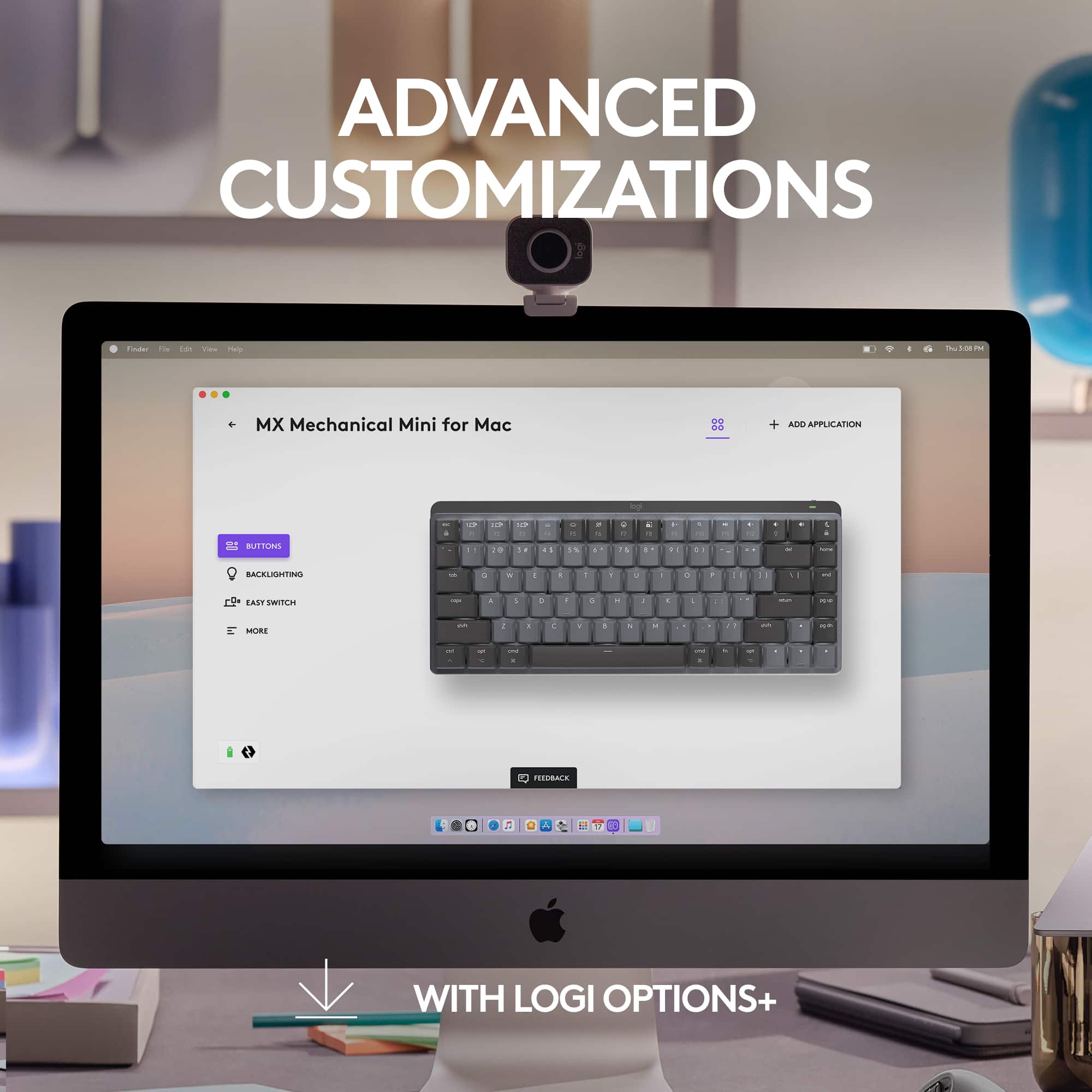
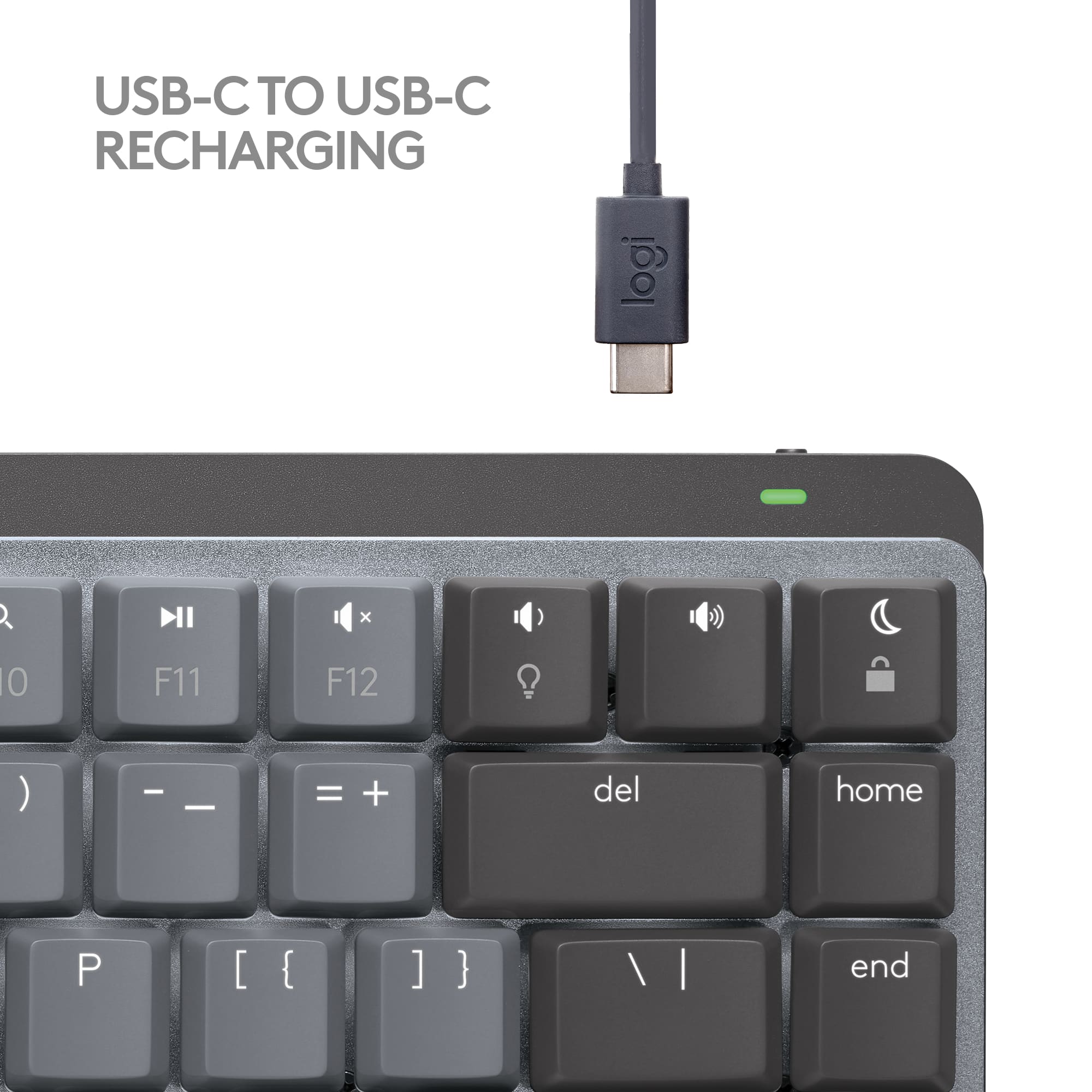
|Posted .This reviewer received promo considerations or sweepstakes entry for writing a review.The Logitech MX Mechanical Mini for Mac keyboard is an excellent solution for freeing up desk space. Unboxing and Setup The MX Mini comes in a sleek-looking black box with illustrated instructions inside the top cover. A QR code leads to the website for clear steps and downloading the Logi Options+ app. I connected the keyboard via Bluetooth and installed the Options+ app. The Keyboard This compact keyboard is very solid. The combination of weight, a rubber bottom front bar, and rubber rear lift feet will prevent movement while typing. A brushed aluminum plate sits below the keys. A power switch and USB-C recharging port are on the right back. While the keys are tightly spaced, they are large enough for my touch typing without accidentally hitting other keys. The stroke distance and pressure are comfortable on the smooth texture tops. I appreciate how quiet the keystrokes are. The white backlighting is under and through the keys. Logi Options+ App While the special function keys provide much control over the backlighting, Bluetooth connections, and media control, the Options+ app offers another layer of keyboard customization. Function keys can be assigned to other actions, and keyboard shortcuts can be created. The backlighting effects can be selected, Bluetooth connections can be chosen, and the Settings page provides support links, firmware updating, overall keyboard settings, and the ability to back up the device settings to the cloud for use on another computer. Summary I'm pretty happy with the MX Mechanical Mini. I ran into a few issues with the Bluetooth configuration on my Mac. Still, the clear FAQ instructions on the support site were beneficial and cleared up my problems. The keyboard is perfect for meeting my typing needs with three computers and an iPad on my desk. Features • Dictation key for talk-to-text. • Emoji key • Do not disturb key • Ambient light sensor adapts the backlighting levels • Backlighting up/down keys • Backlighting effects ○ Static, Contrast, Breathing, Waves, Reaction, Random • Toggle between media and function keys with Fn+Esc • Can pair and switch between 3 devices • Battery charge time empty to full is 4 hours • Battery life of 15 days with backlighting, 10 months without • Actuation distance: 1.3mm • Actuation force: 55g/ounce
I would recommend this to a friend - Pros mentioned:Battery life, Keyboard quality, Size
Finally! A backlit mechanical keyboard for Mac!
|Posted .This reviewer received promo considerations or sweepstakes entry for writing a review.The title of my review almost says it all, finally us macOS users can a backlit wireless mechanical keyboard without having to re-map a Windows keyboard. The Logitech MX Mechanical I have and use is the mini-version and it's a joy to type on. I'm not sure what the switches are, but they're quiet, so you can feel at peace using this in an office or sneaking in an email during a Zoom call without anyone knowing. The backlit on the keyboard is great (see photo) and they keys themselves are full size, so easier to type on the Logitech's other macOS keyboard (see photo for side by side example). Setup was easy, the MX Mechnical Mini paired directly to my Mac. Oddly, Logitech has the least descriptive name, it shows up as the "MX MCHNCL M" because apparently Logitech didn't want to use vowels (haha) but jokes aside it setup in an instant no software or drivers needed. The only real watchout with the keyboard is Logitech has mapped the function keys to different settings than standard macOS. For example, F10 on a macOS keyboard is mute, while on the Mechnical Mini it's search, F7 instead of skip backwards is emoji... just something to keep in mind. The Mechnical Mini can pair with up to 3 apple devices (Mac, iOS, iPadOS) and not being full size, it's small enough to throw in a bag but it does have a bit more weight than Logitech's K380 and is a bit bigger too (see photo). I own both and I prefer the Mechanical Mini for typing by a long shot. And that's the thing, the MX Mechanical Mini is so nice to type on and feels so premium, it's what Apple would make if they made a proper mechanical keyboard. Definitely recommended and you won't be disappointed. PS. The keyboard charges via USB C to C cable (included) and the internal rechargeable is rated 10 days. FYI, there's no fingerprint reader or TouchID equivalent, but that's an Apple decision and not Logitech's fault.
I would recommend this to a friend - Pros mentioned:Battery life, Key feel, Keyboard quality
Must have keyboard for on the go
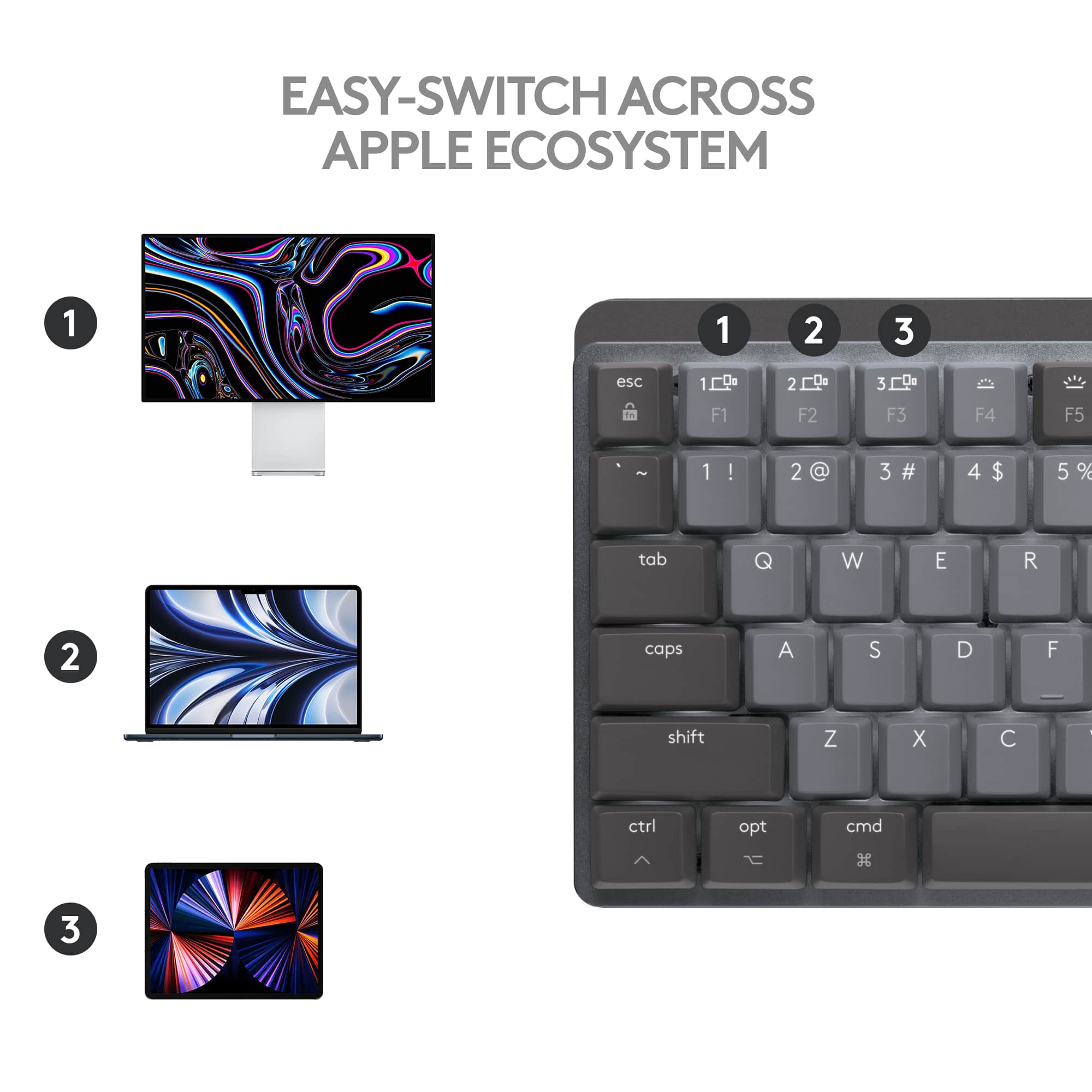
|Posted .This reviewer received promo considerations or sweepstakes entry for writing a review.Out of all the keyboards that I have ever used I have always like the Logitech ones the best. I have been in search of a good keyboard for on the go. The MX mini is a great full size, compact, mechanical keyboard. This keyboard is made from high-quality plastics and metals. They keys are close together, but this helps to keep the size small and overall, it is more comfortable to type on than either a laptop or on-screen iPad keyboard. The mechanical keys have a nice travel and tactile feel to them which I prefer. It is backlit and the brightness is adjustable. One of the coolest features in my opinion is that the backlight will turn off but when your hands get within proximity the lights come back on without even touching it. It does not have a USB dongle so it will only connect via Bluetooth or the USB-c wire. The battery is built in and is expected to last for plenty of time. It can connect with 3 devices at a time and switch between them easily with the click of a button. This is a feature that Logitech includes in many of their mouses and other peripherals. It makes it easy if you have for example an iPad and Mac that you plan to use it with. Although it says this product is for MAC, it will work with windows devices as well. However, the keys and shortcuts are all set up for MAC. If you like to type on a full-size mechanical keyboard but want the versatility to be able to take it on the go, this is the keyboard for you. I have been using it on my iPad pro and it is the perfect companion. I love how small it is and it is easy to put inside a bag or backpack. I will not longer be without a real keyboard when I am on the go. If you are someone who is limited on space on your desk this is also another great use for it.
I would recommend this to a friend - Pros mentioned:Battery life, Keyboard quality
Perfect Mac keyboard
|Posted .This reviewer received promo considerations or sweepstakes entry for writing a review.I do like mechanical gaming keyboards and the responsiveness and feel that they have. Logitech making a Mac-specific mechanical “mini” keyboard sounded awesome, so I jumped on it. TL;DR for my frequent readers and details below. Good: Quiet Soft feel / sound Prominent F/J bars to easily center yourself Backlight / customization Options+ software Responsiveness Meh: Single height adjustment feet Column of buttons to the far right Bad: Nothing Unboxing this keyboard gave me a white/gray keyboard with a very soft feel to the keys. I noticed right away that the height adjustment is a single adjustment where I’ve been seeing keyboards (gaming sure, but also mechanical) have two step height adjustments. A not-quite 60% keyboard has a column of keys after the Return/Enter key with buttons such as Home/End Page Up/Down and the right arrow. If you think you’re just gonna feel for the furthest right button off the home row to give you a new line, you’re wrong; the button you will be pressing is Page Up and that has really messed with some of my typing. Being a long-time Logitech user, I had the Options software installed for my MX Anywhere 3 mouse & MX Keys keyboard. I was presuming that after pairing the keyboard via Bluetooth would have brought up the new keyboard and allow me to pop right into customization but that wasn’t the case. A quick Google search showed me that Options+ was needed and an easy removal of Options & install of Options+ gave me all of my devices AND the new MX Mechanical Mini keyboard to start to play around with. Having a few backlight lighting patterns to select is a nice touch (see pic), but I stick with constant as I want to look down & see all of the keys illuminated. Like most wireless keyboards these days, this does also support 3 paired devices and that’s great for switching between devices on the fly. As this is a Mac-centric keyboard, it has all of the goodies that you’d expect; quick access to screenshot, keyboard backlighting, volume controls and spotlight search to name a few. I was messing around and accidentally put the Mac into “Focus Mode” by hitting the moon & was wondering why I wasn’t getting my Slack notifications. With the prominent bumps on the F & J keys, it helps me center myself if I need to type numbers because I’m a terrible number typer. This keyboard is also super responsive and I haven’t witnessed any typing lag; I type it, it shows up just as fast. My normal charging routine is - use the mouse and keyboard all week and charge it Sunday night to get me through the next week. After a week of pretty constant use, the battery was only at 95% (see pic) and that’s crazy. My MX Keys would be around 80% for the week and that has been the case for most of its life. Can you hear me typing with this? Sure. Does it echo a bit throughout my office? Sure, a bit depending on how hard I’m typing. Is it a comfortable keyboard to use all day and pretty stable (doesn’t slide around)? Absolutely. Not too sure how much more I can talk about this as I hit on the major things that I look for in a keyboard. Recommended!
I would recommend this to a friend - Pros mentioned:Battery life, Keyboard quality
Logitech MX Mini for Mac. Great Little Keyboard!
|Posted .This reviewer received promo considerations or sweepstakes entry for writing a review.The Logitech MX Mechanical Mini for Mac is a nice 60% keyboard similar to the MX Master keyboard for Windows but redone with Mac command and function keys. It is a nice cream white plastic shell with a silver aluminum overlay. The main function keys are a slightly darker shade of white/Grey to stand out. This helps it blend well with Apples colors. There is little to no flex in the keyboard and it's just heavy enough to stay in place without feeling like a brick. It has feet on the bottom to adjust the angle and bot rubber on the feet and on the front bottom edge of the keyboard to keep it from sliding. This keyboard is 10 key-less and is similar in size to iPad Pro’s so it will fit in nicely. The keyboard is wireless with Bluetooth LE (low energy) and charged via an included USB-C cable. The cable is about 3 feet long and is made of a high-quality pliable rubber that is similar to but not quite as flexible as Apples own cables. It is about 3 feet long, which is perfect for most desks. As this is a wireless only keyboard the cable in only needed to charge. Logitech claims the battery last up to 15 days with back lighting enabled and 10 MONTHS with it off. I have not had an opportunity to test the 10 months claim, however I found I got about 12 days heavy usage out of my MX Mini between charges while using the back lights which is quite nice. The keyboard charges in only a couple hours and has a physical power switch so you don’t have to worry about it running down in standby. The back light is motion activated which is another nice feature to save battery. It is on while you're using it and you can determine the brightness. However, when you move away after a few seconds it will turn the back light off to save energy and when you come back it turns back on. Two things to note, first you can't set the keys to stay on all the time. Second, you cannot change the color. They are a permanent cool white. So, if you were hoping to create a certain ambiance look elsewhere. The keyboard easily pairs with multiple devices at once by just switching it on and searching for it with your devices Bluetooth menu. It can pair with 3 devices at once and can easily swap between them on the fly. You can also connect Windows PC’s if you need to but as this keyboard is designed for Mac, all Windows commands are missing. They keys on mine are a tactile switch, which is one that allows you to feel a prominent bump as you actuate the key and type on screen. They are an MX Brown style key and have replaceable low profile key caps, which would allow you to replace any damage keys or buy a custom set of keys if you wish. These keys are similar to the ones on my Logitech G512 gaming keyboard with MX Brown switches. However, they are less “gamery” and have a soft actuation and are much quieter. While you can still hear the keyboard, you won't disturb your coworkers or family members. The Command key can be held to bring up a menu of all the functions you can do while typing. The legends are engraved and protected with a coating to make the look new longer. Something to note is the key caps are white ABS plastic so they will show more oil, dirt, etc. and will need to be wiped down more often than PBT caps. The Options + software is needed for use on anything other than iPad and iPhone. It includes and battery monitor and limited customization. You can reprogram the F keys, Emoji key, Home, End, Page up and Page down. Overall, I like using this keyboard with whatever I put it on. It is comfortable to use and lasted quite a while. I use it on the couch, my desk, kitchen, and even my bed. It really helps turn your iPad into a Mac when you need to and can easily move out of the way when not in use. I don't see the limited customization, ABS keycaps, and the inability of being able to leave the back light on as problems for the majority of buyers. So, if none of that means anything to you and you need a Mac keyboard, check this one out!
I would recommend this to a friend - Pros mentioned:Battery life, Keyboard quality
Precise Quiet Mechanical Mini MX Max Keyboard
|Posted .This reviewer received promo considerations or sweepstakes entry for writing a review.Logi MX Mechanical keys Mini for Mac is minimalist 70% form factor wireless illuminated keyboard intended for travel or minimizing desk space and is targeted for everyday productivity. It takes less space on your desk and looks impressive when paired with MX master3 and MX speakers. It provides next level touch and control with mechanical tactile typing for mac users. Unboxing and What’s included: In the box, MX Mini mechanical keyboard (white color), USB C to C cable for charging in box with safety, compliance, and warranty info papers. Keyboard’s minimalistic design is excellent with better ergonomic form factor and mastered for mac with the key layout designed to work on any mac or iPad devices. Mechanical tactile quiet switches are very satisfying to type compared to the regular mx keyboard with barely click noise and fluid typing experience Setup is simple. Connection via Bluetooth is simple and uses Bluetooth low energy and is compatible with Mac or iOS or iPad OS. It does work with windows and android devices using Bluetooth setup. Just go the settings and search for available nearby devices after turning the switch on and select the MX mechanical keys mini to connect and pair with the code displayed on the screen. You can connect max of 3 devices and switch between them with the tap of the easy switch keys located on the top row. Very seamless and fluid switching between devices once configured and connected. To connect different devices after connecting one device, press and hold the number 2 with computer logo button on top for few seconds until it blinks to repeat the setup process. Once configured, just with the tap of the easy switch keys you can navigate to different devices. For my setup, I have my MacBook pro and iPad Pro connected to the Samsung 49-inch G9 monitor on a sit stand desk and this new mini mechanical keyboard paired with MX Master 3 works great for productivity. White color looks great compared to the two-tone graphite windows version of mini mechanical keyboard for my white setup. Keystroke is tactile quiet and has a satisfying tactile bump and barely hear the mechanical keys feedback with the keys shaped for fingertips and is extremely comfortable ergonomically. Batteries will last up to 15 days on a full charge or up to 10 months with backlighting turned off, and it again depends on the usage and the backlight brightness. If you need more than few months of battery life, suggest turning off the backlighting in the logi options software or reduce the brightness to save battery. Faster workflow and more customizations are possible for custom features in Logi Options+ software. You can customize the Fn keys, assign the backlighting effects and enable Flow cross-computer controls. This mini-MX mechanical keys will save desk space and when paired with MX Master 3 and can switch and operate multiple computers on the same network seamless using the logi software. Overall, if you are looking for a productive, compact (space saving), performance, comfortable, portable (easy to take anywhere you go), wireless, multi device connection mechanical mini keyboard without losing the full keyboard functions and have no need for dedicated number pad for mac and ipad devices then this is the keyboard for you and won’t regret the purchase.
I would recommend this to a friend - Pros mentioned:Key feel, Keyboard quality
So close to perfect
|Posted .This reviewer received promo considerations or sweepstakes entry for writing a review.TLDR: Almost perfect product at a premium price. If you can live without the numpad and don't have kids around who will break it (or coworkers who will swipe it), this is a good investment. Initial impressions: High build quality except for the bottom. Should be thicker plastic to complete the solid feel found on the rest of the device. The keys sit atop a matte-textured aluminum plate. The keys and base plastic feel solid durable. This looks far more premium and deserving of the high price tag than the black and grey standard MX Mechanical Mini. Pairing: Easy. Turn the keyboard on with the slider (top right), go to Bluetooth on whatever device you're using, find something with "MX MCHMCL" as the name, click to pair it, type in the code on screen and press return. If you typed correctly, you're set! This will This is the same in iOS - or even on Android - or Windows. To keep your first device paired, hold F2 (for device 2 until it blinks rapidly. This means it's ready to pair. Do it again for device 3 using F3. Switching between paired devices simply requires a tap of the appropriate F key. Key feel: Keys feel exceptional. They all contour to your fingers and have a slightly grippy texture to them. Pressing down, you feel an initial resistance, the key registers a press (not at the bottom of travel, though, so if you're a light typer, you may miss some, as it isn't easy to predict where it will register - note that I have the "Tactile" model), then springs back up. Key spacing is a bit wide vs what I'm used to. My primary keyboard has been a K800 for years, so it would take me a while to get used to it. This may not be the case for you. If you're used to a larger mechanical keyboard, I suspect this will be perfect. The same will apply if you're used to typing on your Macbook. Key layout: This will also take some time to acclimate to. The right shift key is pushed in. The home, end, pg up, pg down keys are all in a straight vertical row to save space. If you use these regularly, you may get frustrated. I do. It should be obvious, but if you intend to use this cross-platform, the key corresponding to "start" is also non-standard. Comfort: It has feet on the back to adjust key angle. They're very sturdy and have a satisfying click - whether popping up or hiding away in the keyboard body. Sound: Noticeable, though not clicky on the "Tactile" model I have. About twice as loud as a Macbook keyboard. Travel: Key travel is between standard desktop and shallow desktop. Far more than you find on a Macbook (or any other laptop keyboard). If you want to type with more travel, this is for you. Backlight: Keys light up when your hand comes close to the keyboard. An exceptional 7 different levels can be selected with F4 or F5. Key text that shines through is clear. Aluminum top plate does reflect key light and glow behind the keys, though. This is a negative for me. Customizing: To customize, "Logi Options+" software must be downloaded. There's a link on the little included box thst holds the USB C cable. *BE SURE TO FOLLOW THE LINK - DO NOT INSTALL THE REGULAR "Logi Options" - IT WON'T WORK Once installed, a nice set of "onboarding" slides will greet you to explain the functions of your keyboard. Standout Features: Key lighting behavior can be changed in Logi Options+ to suit your preference, including making edge keys brighter than letter keys, a wave effect, a random effect and more. Function keys can be locked to standard or unlocked to the default (backlight, volume, search, screenshot, sleep, etc.) You can also customize the top row starting at F4 for whatever shortcut you like. There is a microphone mute button on the top row. Also a do not disturb. EMOJI BUTTON You can push an emoji button and have your emojis pop up to select. Beautiful. Cloud syncing can be done if you get a free Logitech account - this allows for settings backup. Otherwise, I don't know why you would want it. You can skip signing in. Final thoughts: If Logitech would thicken the back plastic to complete the "premium" feel, I think this keyboard would be justified in demanding a premium price. As is, I say it's too expensive to get 5 stars.
I would recommend this to a friend - Pros mentioned:Battery life, Keyboard quality
Most versatile Mac/iOS mechanical keyboard!
|Posted .This reviewer received promo considerations or sweepstakes entry for writing a review.The Logitech MX Mechanical Mini Wireless Keyboard… for Mac/iOS devices!!! TLDR: Though there are only a handful of mechanical keyboards out there for Mac/iOS devices, this one does not disappoint and would easily be top 3 in that exclusive list. The keyboard itself comes with brown switches which provides tactile feedback when typing. I myself prefer brown switches, so i was not disappointed at all with the ones that come with the Logitech MX Mini here. The typing experience was quite good, and all the keys were pretty uniform in their feedback and actuation between keystrokes. The only thing about the keyboard that i did not really like was that the layout did not follow the same layout of the Macbook Pro’s or my Apple Magic Keyboard. Due to this, i had to retrain my muscle memory to adjust accordingly to the Windows-esque layout (e.g., TKL 75% keyboards). Since i am a software engineer that works primarily on Mac machines, i make use of keyboard shortcuts quite a bit when coding, so this particular layout caused me some issues at first because my fingers would think i was on a Windows machine (and i would activate the wrong keyboard shortcuts OR no shortcuts at all because of this). Your experience with the layout may fare better, depending on your personal preference/ability to adjust. Outside of the typing experience, this keyboard has quite a nifty feature where you can pair up to 3 separate devices and switch between them seamlessly. This is quite useful as i can pair my MacBook Pro (when it’s docked), iPhone, and iPad Pro. At the press of one button, i’m able to go from typing on one device to the others and makes for a must-have peripheral for minimalists. I’ve seen this feature float around other Logitech non-mechanical keyboards and have always wanted a mechanical keyboard with it! Very much appreciate Logitech making it happen with this MX Mini. Overall, i would highly recommend this keyboard for anyone that wants a great typing experience across multiple devices.
I would recommend this to a friend