Everything for Back to School — and then someShop now

Skip to contentGo to Product Search
Main Content

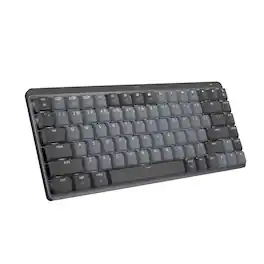
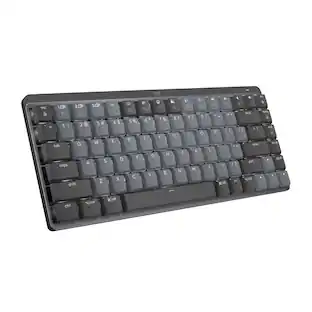
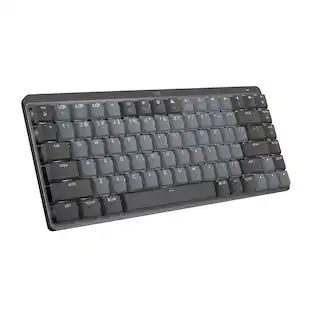
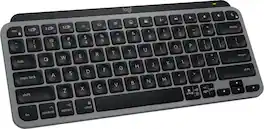
Logitech - MX Mechanical Mini for Mac Compact Wireless Mechanical Tactile Switch Keyboard for macOS/iPadOS/iOS with Backlit Keys - Space Gray

Model: 920-010831
SKU: 11067341
Sold & shipped by

About this product

A minimalist keyboard mastered for Mac with extraordinary feel, precision, and performance. Low-profile mechanical switches deliver a satisfying and quiet typing experience. Dual colored keycaps with a key layout for Mac computers help improve precision through your peripheral vision. Plus, get a complimentary 1-month Creative Cloud subscription with your purchase of MX Mechanical Mini For Mac and create, make, and do like never before.

Features
  • Mastered for Mac

    MX Mechanical Mini for Mac Bluetooth keyboard features a key layout for Mac designed for feel and productivity, optimized for macOS and compatible with iPadOS and iOS.¹

  • Precise and quiet typing

    Mechanical Tactile Quiet switches have a satisfying tactile bump you feel but barely hear, for precise feedback, reactive key reset, and a fluid typing experience.

  • Mini size with low-profile keys and ergonomic comfort

    Experience more comfort with the minimalist, compact form factor featuring low-profile mechanical keys, for effortless precision and better ergonomics.

  • Smart illumination

    Backlit keys light up the moment your hands approach the cordless keyboard and automatically adjust to suit changing lighting conditions.

  • Multi-device connectivity, optimised for iMac, MacBook and iPad

    Pair MX Mechanical Mini for Mac multi-device keyboard via Bluetooth Low Energy with up to 3 Mac computers or iPads and switch between them seamlessly.

  • Faster workflow, more customization

    Customize Fn keys, assign backlighting effects, enable Flow cross-computer control with MX Master 3S for Mac, and more in the improved Logi Options+.²

  • USB-C to USB-C rechargeable

    MX Mechanical Mini for Mac stays powered up to 15 days on a full charge or up to 10 months with the backlighting turned off.³

  • Sustainable design

    Plastic parts in MX Mechanical Mini for Mac include certified post-consumer recycled plastic - Pale Gray: 36% and Space Gray: 47% (excludes plastic in printed wiring assembly (PWA), cables, and packaging.). Certified carbon neutral.

  • ¹ Device basic functions will be supported without software for operating systems other than Windows and macOS.

  • ² Requires Logi Options+ software, available for Windows and macOS.

  • ³ Battery life may vary based on user and computing conditions.

See all features
Specifications
  • Lighting Type
    Single color
    Form Factor
    Compact (60%)
    Keyboard Technology
    Mechanical
    Key Switch Behavior
    Tactile
    Connection Type
    Wireless
Sponsored

Reviews

Customer Images

The vast majority of our reviews come from verified purchases. Reviews from customers may include My Best Buy members, employees, and Tech Insider Network members (as tagged). Select reviewers may receive discounted products, promotional considerations or entries into drawings for honest, helpful reviews.

  • Rated 5 out of 5 stars

    Logitech MX vs. Keychron K3 and Apple Magic Keyboa

    It's been 4 days and I'm enjoying this keyboard more and more every time I use it. My previous keyboards were a Keychron K3 and an Apple Magic Keyboard. What most people don't talk about with any of these keyboards is keyboard angle. This keyboard seems to feel better than my Keychron K3 or the Apple Magic Keyboard. Let me describe more of what I'm talking about. Check out my photos. On the far right is an Apple Magic Keyboard. It's almost completely flat on a desk. The Keychron in the middle is angled and the Logitech MX is on the far left. The Logitech's angle is perfect. It feels comfortable when I type, basically allowing me to rest my palms on the desk as I type. I would've preferred more curved keys, but I'll get used to it. The Keychron has the more curved keys I like, but it's not angled quite the same way as the Logitech MX. Kudos to Keychron for provided two angles you can choose from, but both angles miss the mark. I had to curl my fingers more to type on the Keychron. Now the Apple Magic Keyboard. There is nothing magical about this. It has no ability to adjust its angle. What idiot designed this? Nobody wants to type for extended periods of time on a keyboard that is basically flat on the desk. You have to curl your fingers most of all to type on this one. Now let's speak about typing quality. The Logitech has a soft click, almost gummy feel when you press the keys. It's gummy in a good way. I hear a little squeak every 5th keypress or so which is a little annoying, but I will chalk this up to the keyboard being brand new and I have to just keep using it to get the squeaks out. The Keychron has a satisfying click sound. I got the red key version so it doesn't clack like its blue counterpart. I would say the Keychron edges the Logitech out in this category, but I've used the Keychron for almost a year so this is not the fairest comparison. The Apple Magic Keyboard has a click sound with each keypress, but the key travel (how far you push down) is extremely limited making it feel more like expensive calculator keys rather than a high end keyboard. Long-term typing yields different heights on each key. You can visibly see which keys you've pressed more often than others after many months of use. Not what I'd expect from a premium keyboard. Still, I would say that the typing quality is very satisfying because of the click, I wish there was more travel, but the angle of the keyboard on my desk just detracts from a good typing experience. Let's talk about battery life. Realistically, I do not want to have to perioidcally recharge my accessories. Battery drain is excellent on the MX. Based on its drain so far, I might not have to recharge for two months. My Magic Keyboard was not quite two months. The K3... silly thing had to be recharged every 7-10 days. A neat feature of non-Apple keyboards is the backlight feature. This is really useful in low-light situations. I poked fun of it at first, but then found it seriously useful when I was DJing in dim lighting. The Apple Magic keyboard does not have any backlighting. Overall, I would say the Logitech MX is the best of all three. Here's the thing... I don't even like Logitech. I've hated many of their keyboards and mice over the years, but this one feels solid. Big thumbs up. It's a little pricey but a much better value than the Apple Magic Keyboard. The Keychron is going to have its fans, but mine died within a year. Logitech stuff lasts. I've had old Logitech products from >10 years ago that still work fine.

    This review is from Logitech - MX Mechanical Mini for Mac Compact Wireless Mechanical Tactile Switch Keyboard for macOS/iPadOS/iOS with Backlit Keys - Space Gray

    Posted by Clare

  • Rated 5 out of 5 stars

    Absolutely Beautiful

    It's a very sleek design. Connected great to my Mac and absolutely no lag. Charging qas also pretty fast and after whole day of work it just down 10 points of charging. One thing i liked was secured Bluetooth connection. Not a big feature but loved that they thought of it. It was greatly packed with bubble wrap and multiple boxes to prevent any shipping damage.

    This review is from Logitech - MX Mechanical Mini for Mac Compact Wireless Mechanical Tactile Switch Keyboard for macOS/iPadOS/iOS with Backlit Keys - Space Gray

    Posted by IndraniE

  • Rated 5 out of 5 stars

    It's a mechanical keyboard for the mac

    It says the switches are clicky, but mine are brown tactile. It's what it was described on the box. Imo, they're more quieter compared to red or blue switches. Honestly, the only reason you'd buy this was because you needed a mechanical keyboard for the Mac in particular. Can't be disappointed here

    This review is from Logitech - MX Mechanical Mini for Mac Compact Wireless Mechanical Tactile Switch Keyboard for macOS/iPadOS/iOS with Backlit Keys - Space Gray

    Posted by Hyden

  • Rated 4 out of 5 stars

    THIS IS NOT A CLICKY SWITCH KEYBOARD

    I enjoy the keyboard, however I was disappointed by the misrepresentation/mislabeling. This product is listed as "...Wireless Mechanical Clicky Switch..." I'm not a big tech person so I just bought based off the title and because I liked how the keyboard sounded in the store. I didn't think to read the specifications. When I received the product, it was a "tactile" switch. After a few customer service interactions and outside research, I learned that Logitech does not make a "clicky" switch for the "MX Mechanical Mini for Mac". They only make the "clicky" switch for the regular "MX Mechanical Mini". I also found that although the title on BestBuy's website says "clicky switch", the specifications say tactile. I decided to keep the keyboard because I like it even though it's not what I was expecting. Even so, this was a lesson learned for me to always read the specifications for a product I'm buying. Picture just shows how it's currently labeled in case it's changed later.

    This review is from Logitech - MX Mechanical Mini for Mac Compact Wireless Mechanical Tactile Switch Keyboard for macOS/iPadOS/iOS with Backlit Keys - Space Gray

    Posted by Jaya

  • Rated 4 out of 5 stars

    Excellent Comfortable Quick Typing Keyboard

    This is an excellent keyboard for long quick typing. A little bit pricy, so try to get some offers. In have found them sometimes better at BestBuy than Amazon. Watch for offers. I just wish I have gotten the S Mdel (Quiet version) instead of this clicky version, but there is people that likes hearing the clicking noise, I prefer quiet so I guess I will get the quite S Model sometime soon.

    This review is from Logitech - MX Mechanical Mini for Mac Compact Wireless Mechanical Tactile Switch Keyboard for macOS/iPadOS/iOS with Backlit Keys - Space Gray

    Posted by MAGC

Compare similar products

Logitech - MX Mechanical Mini for Mac Compact Wireless Mechanical Tactile Switch Keyboard for macOS/iPadOS/iOS with Backlit Keys - Space Gray

A minimalist keyboard mastered for Mac with extraordinary feel, precision, and performance. Low-profile mechanical switches deliver a satisfying and quiet typing experience. Dual colored keycaps with a key layout for Mac computers help improve precision through your peripheral vision. Plus, get a complimentary 1-month Creative Cloud subscription with your purchase of MX Mechanical Mini For Mac and create, make, and do like never before.

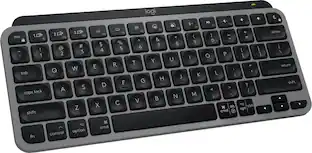
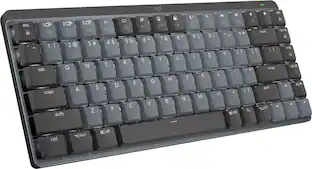
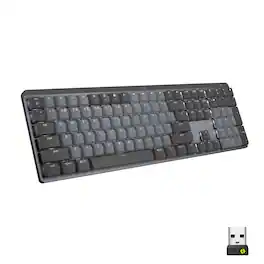
Logitech - MX Mechanical Mini Compact Wireless Mechanical Tactile Switch Keyboard for Windows/macOS with Backlit Keys - Graphite

Introducing MX Mechanical Mini- a minimalist keyboard with extraordinary feel, precision, and performance. Low-profile mechanical typing delivers satisfying feedback in your choice of key switches – Tactile Quiet, Clicky, or Linear. MX Mechanical Mini is crafted for ergonomic comfort, with smart illumination and Easy-Switch – allowing you to connect up to 3 devices and stay in your flow for hours.
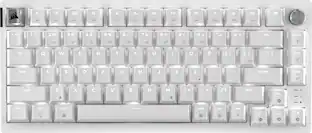
Apple - Magic Keyboard (USB-C) - White

Magic Keyboard delivers a remarkably comfortable and precise typing experience for Mac and Apple Vision Pro. It’s also wireless and rechargeable, with an incredibly long-lasting internal battery that will power your keyboard for about a month or more between charges. It pairs automatically with your Mac, so you can get to work right away. It features a USB-C port and includes a woven USB-C Charge Cable that lets you pair and charge by connecting to a USB-C port on your Mac. If you would like to pair Magic Keyboard with your Apple Vision Pro, click to see supported languages.

Logitech - MX Mechanical Full size Wireless Mechanical Tactile Switch Keyboard for Windows/macOS with Backlit Keys - Graphite

Introducing MX Mechanical - a full-size keyboard with extraordinary feel, precision, and performance. Low-profile mechanical typing delivers satisfying feedback in your choice of key switches – Tactile Quiet, Clicky, or Linear. MX Mechanical is crafted for ergonomic comfort, with smart illumination and easy-switch – allowing you to connect up to 3 devices and stay in your flow for hours.
Pros for Logitech - MX Mechanical Mini for Mac Compact Wireless Mechanical Tactile Switch Keyboard for macOS/iPadOS/iOS with Backlit Keys - Space Gray
There were no pros for this productKeyboard Quality, Battery Life, Key Feel, Connectivity, SizeConnectivity, Battery Life, Overall Performance, Ease of Use, DesignKeyboard Quality, Battery Life, Key Feel, Connectivity, Ease of use
Cons for Logitech - MX Mechanical Mini for Mac Compact Wireless Mechanical Tactile Switch Keyboard for macOS/iPadOS/iOS with Backlit Keys - Space Gray
There were no cons for this productPrice, Number Pad, WeightThere were no cons for this productPrice, Noise Level, Software

Specs

Questions & Answers
  • HOW DOES THE KEYBOARD LIGHT UP?

    Great

    Answered by JasonN
  • Does this have two usb c slots on the side? There is an image that shows it does but there is no mention of it in the description.

    My Logitech MX Mech Mini has only 1 USB C and that is used for charging. There is an on and off switch also and no other connections or switches.

    Answered by DavidS
  • Logitech says that they do not make the MX Mechanical for Mac in clicky switches with white color, only linear switches. Is Best Buy sure of this description ?

    Unfortunately you’re right - Best Buy’s description is inaccurate. The Mac edition is only linear keystrokes.

    Answered by Omar
  • Would this work with the 2022 ipad 10th gen?

    Yes it would

    Answered by JosiahG
  • Does this keyboard work for PC/windows?

    Funny enough, yes it does. Do note that obviously you will have different effect with alt, cntrl and windows keys as that isnt present here. Also that this uses usb-c to usb-c. And finally there is of course windows or multi versions of this that are not mac specific so to speak for sale, just not currently in white colorway.

    Answered by manny
Ask a question
No content

Customers often buy these together
Sponsored

Finance Options

My Best Buy® Credit Card
Choose a benefit:Or
Buy Now, Pay Later

Finance Options

My Best Buy® Credit Card
Choose a benefit:Or
Buy Now, Pay Later