Customer Ratings & Reviews



- Model:
- 910-005447
- SKU:
- 11070633
Rating by feature
- Value
Rating 4.3 out of 5 stars
- Quality
Rating 4.7 out of 5 stars
- Ease of Use
Rating 4.6 out of 5 stars
Customers are saying
Customers admire the product's excellent ergonomics, which many find alleviate wrist pain, alongside its ease of use, legendary battery life, and reliable overall performance. Its lightweight design and Bluetooth connectivity are also frequently praised. However, some users note that its size might be too large for those with medium hands, and there are concerns about the scroll wheel's durability and the product's high price.
This summary was generated by AI based on customer reviews.
- Pros mentioned:Ease of use, Ergonomics, Overall performanceCons mentioned:Price
Great quality, pricey for what it is.
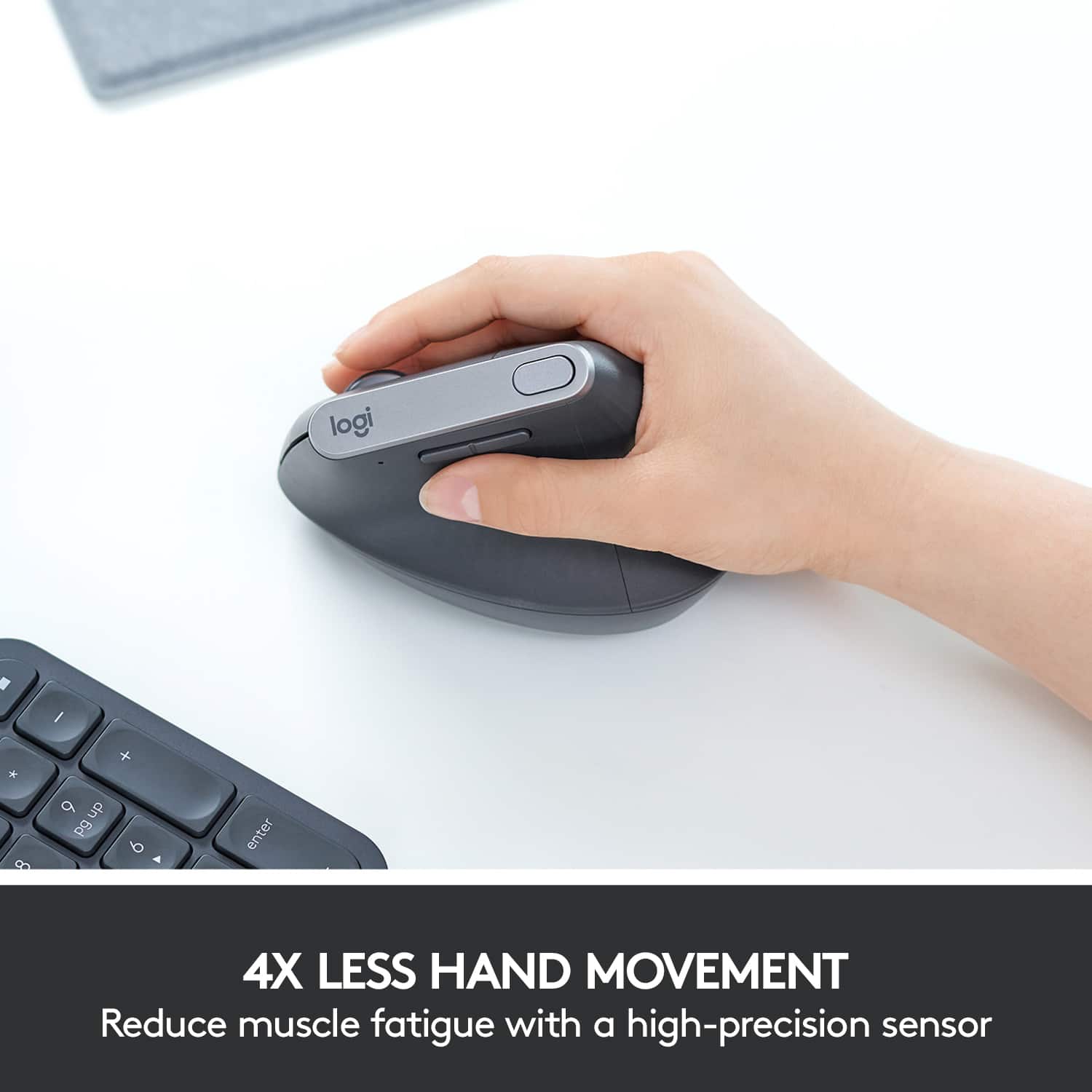
||Posted . Owned for 1 month when reviewed.This reviewer received promo considerations or sweepstakes entry for writing a review.I bought this mouse to help out with some bad wrist pain I was having from excessive mouse usage. This has definitely helped in that regard. The mouse is high quality and pleasant to use. I found the learning curve transitioning from a traditional mouse to be really quick. I do think it's priced at more than what it's worth (blame Logitech, not Best Buy) but you can't put a price on your health. As any look at ergonomic keyboards/mice will tell you, the manufacturers know this, agree with that philosophy, and price their products accordingly. Side note, it also works almost flawlessly in Linux, but if you want to re-program the buttons there you'll need to use a program like xbindkeys, etc. The mouse doesn't have on-board memory so any changes you make to the button bindings won't persist if you move it to a new computer. The only button I wasn't able to program on Linux was the DPI button, although that can be configured with Logitech's software on Windows.
I would recommend this to a friend - Pros mentioned:Battery life, Ergonomics
The gold standard for productivity—worth every pen
||Posted . Owned for 1 year when reviewed.This reviewer received promo considerations or sweepstakes entry for writing a review.After breaking my last mouse, I knew exactly what I needed to replace it with. If you spend a significant amount of time in Excel or Google Sheets, the MX Master 3S is a must-have. The horizontal thumb wheel makes navigating massive spreadsheets effortless, and the MagSpeed magnetic scrolling is incredibly satisfying and precise. The "Quiet Click" buttons are a nice touch, especially for a focused workspace. It’s ergonomic, the battery life is legendary, and the tracking works on basically any surface. I’ve tried cheaper alternatives, but they just don't hold up or offer the same productivity features. I’m glad to have one back on my desk!
I would recommend this to a friendBrand response from Logitech
Posted .Thanks for your review! It’s great to know our product is living up to your expectations. Your support helps us stay focused.

- Pros mentioned:Ergonomics

Another Logitech Homerun!
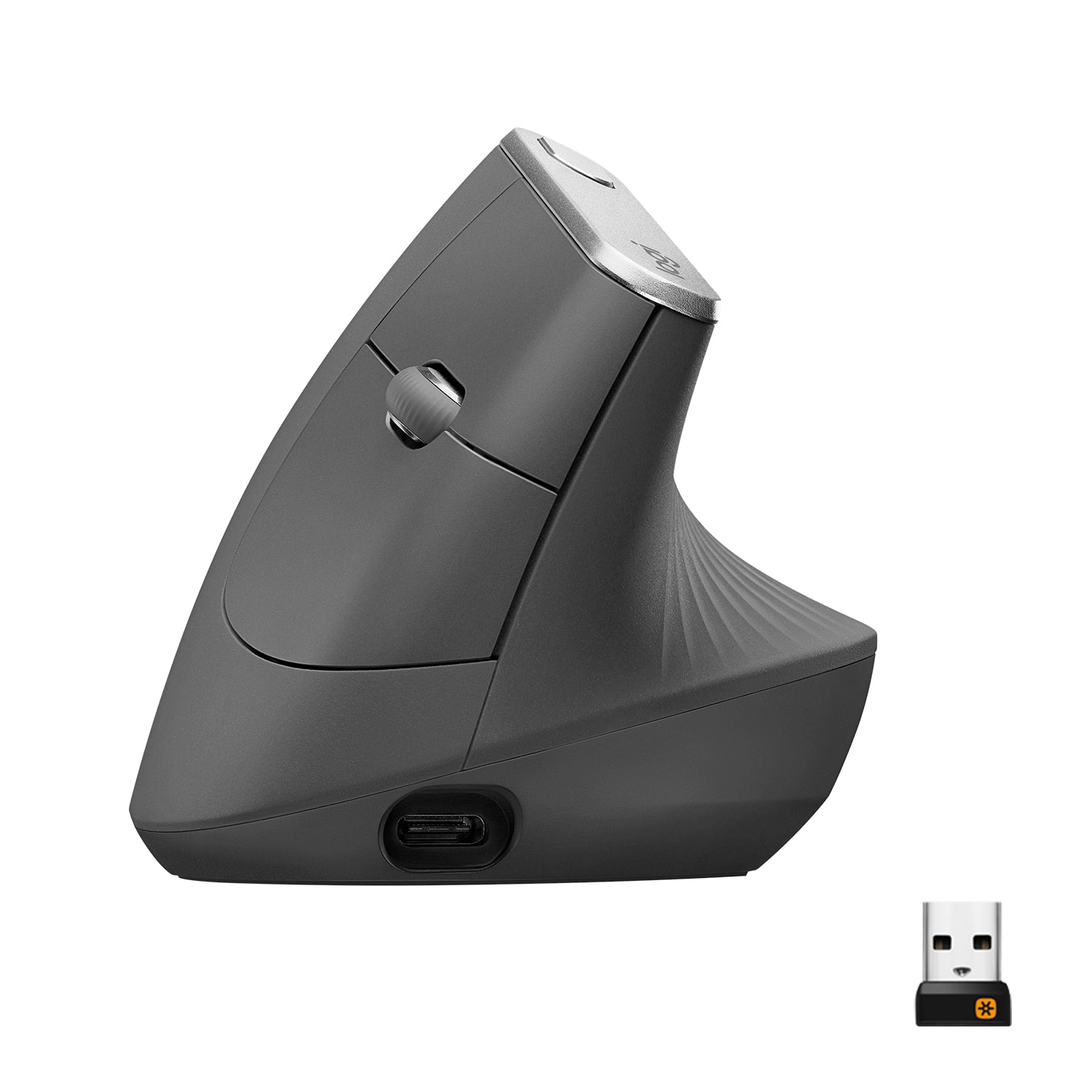
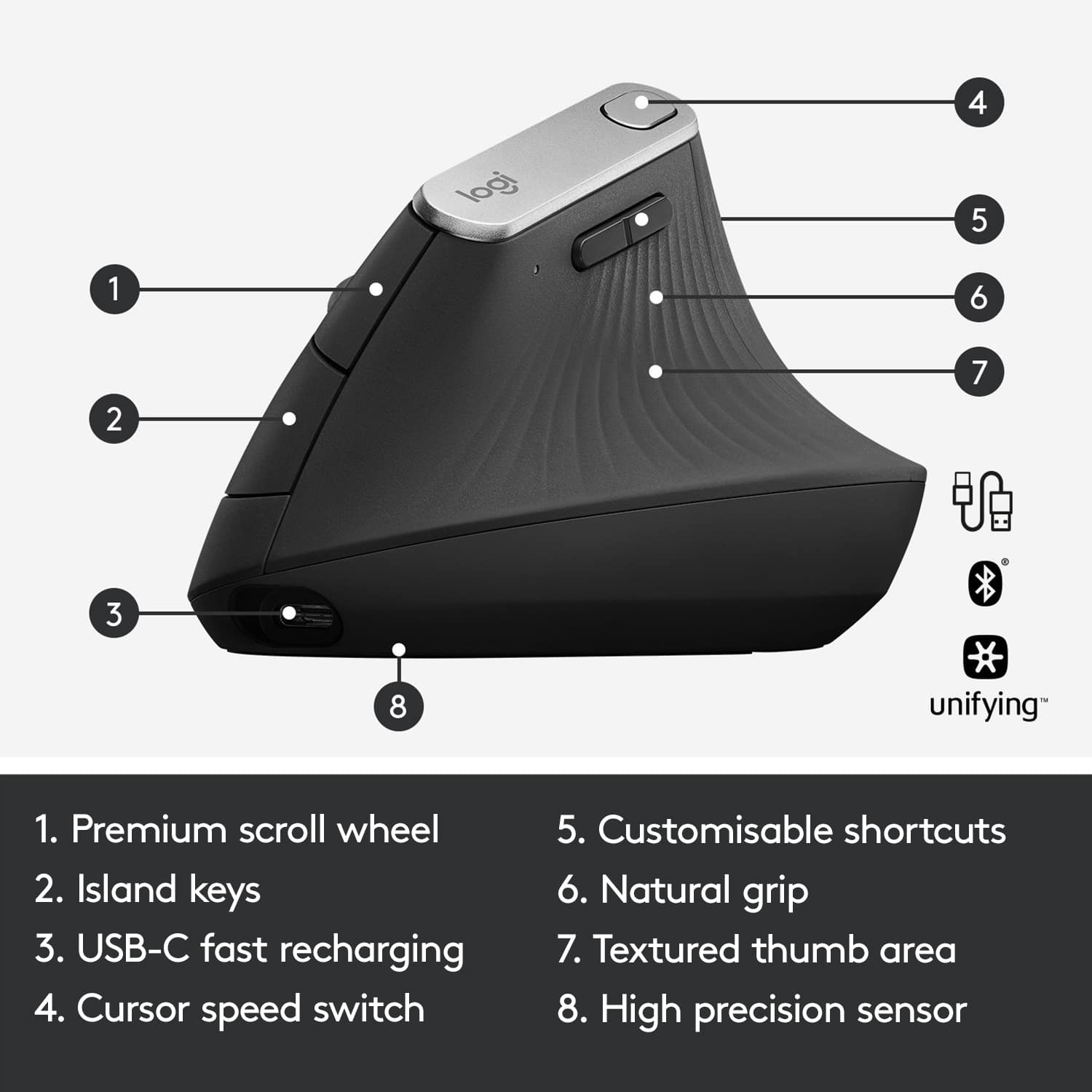
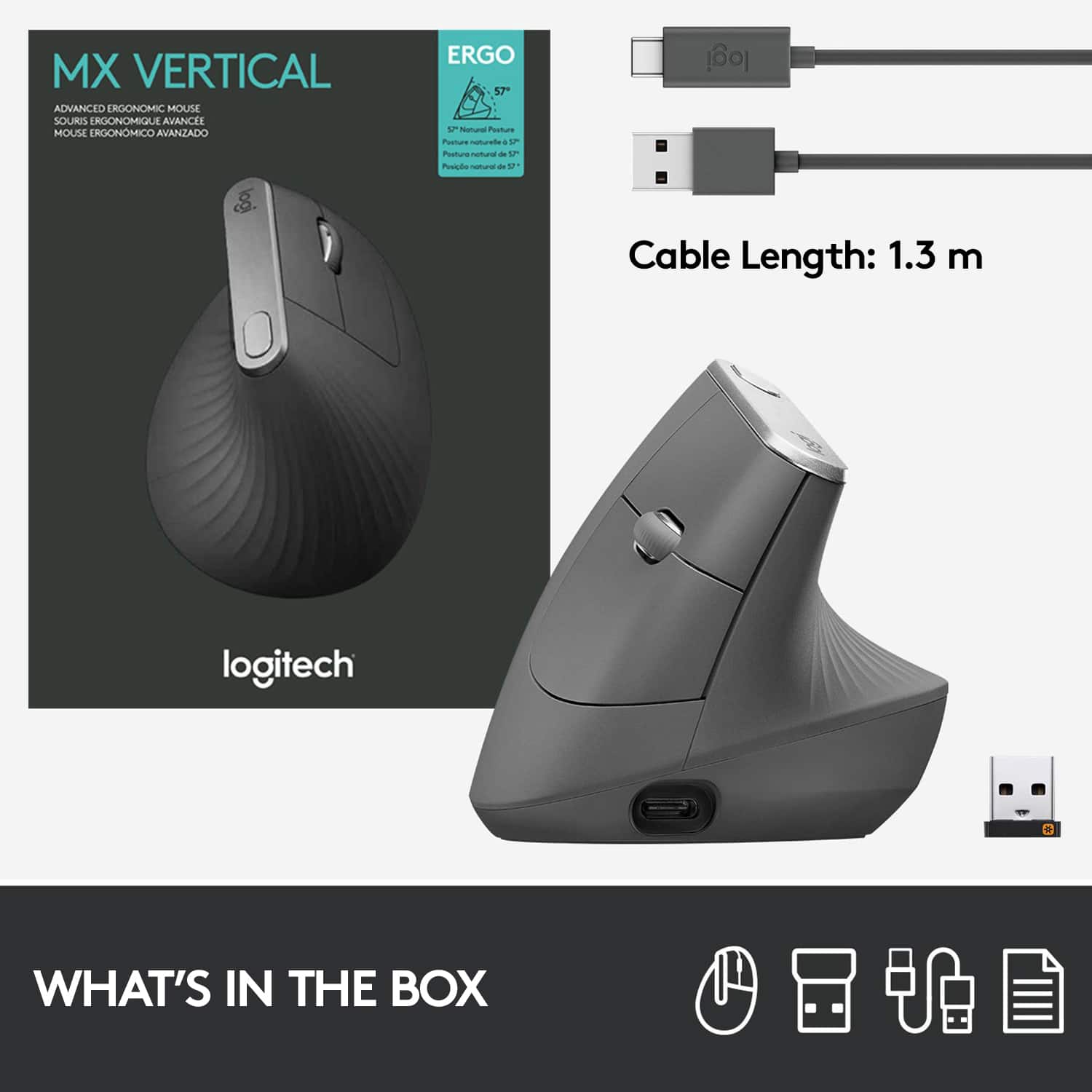
|Posted .This reviewer received promo considerations or sweepstakes entry for writing a review.I have come to expect a very high level from Logitech. From my Craft Keyboard, Harmony devices, Presenter remotes - Logitech has developed a reputation for quality in my mind. When I heard they were bringing a vertical, wireless mouse to the market, I knew I'd have to get one and try it out. Over the years, I've come to love vertical mice - there was a bit of a learning curve at the beginning, but now I can't ever see myself going back to a standard mouse. The first thing I noticed was the overall look and feel. This thing is beautifully designed and it also appears to compliment the design aesthetic of the Craft keyboard perfectly! The mouse itself has a total of 5 buttons and a click wheel: - Standard left / right buttons - Back / forward navigation buttons by your thumb - A tracking speed setting button on the top Admittedly, the back / forward navigation buttons were a bit wonky and took me some time getting used to - sometimes I still find myself using the browser buttons instead. The tracking speed setting is nice, so you can easily change it without having to dig into your computer's settings. I found the click wheel and other buttons to be response and enjoyable. It also comes with a Logitech universal receiver if your computer doesn't support Bluetooth connectivity - I've been using it with my Mac mini via Bluetooth and it's been rock solid dependable. It also uses Logitech's Options software so you can customize an even deeper layer of settings if desired - one cool feature that I've not had the chance to play around with is the ability to move from one PC to another simply by dragging the mouse off screen. It also comes with a standard USB-A to USB-C charging cable, but if you have the Craft keyboard, you should know that the plug is too big to fit, so if you want to share the same cord to charge both devices, you'll probably want to use the one that comes with the mouse. If you're a fan of Logitech hardware and are in the market for a vertical mouse, you should really consider this one. With it's premium price point, I will tell you that you get what you pay for. Considering that Apple and other companies have rechargeable mice that have similar features at similar price points, it's definitely in the upper end of accessory hardware.
I would recommend this to a friend - Pros mentioned:ErgonomicsCons mentioned:Price, Scroll wheel
Feels good, but pricey
||Posted . Owned for 1 month when reviewed.This reviewer received promo considerations or sweepstakes entry for writing a review.For me Logitech makes the best computer mice. This one is no exception. It is heavy in a solid, good way. The tilt takes some getting used to but is very comfortable. It charges via USB-C which II prefer much over Mini/Micro USB. I only have 2 problems with this mouse: first it doesn't really have too many features, in particular I miss the features on the scroll wheel like the MX mouse has (tilt left and right for scrolling sideways, and the free spinning for the wheel), and second it is quite pricey.
I would recommend this to a friend - Pros mentioned:Battery life, Ergonomics
Daily driver for over a year — still my favorite m
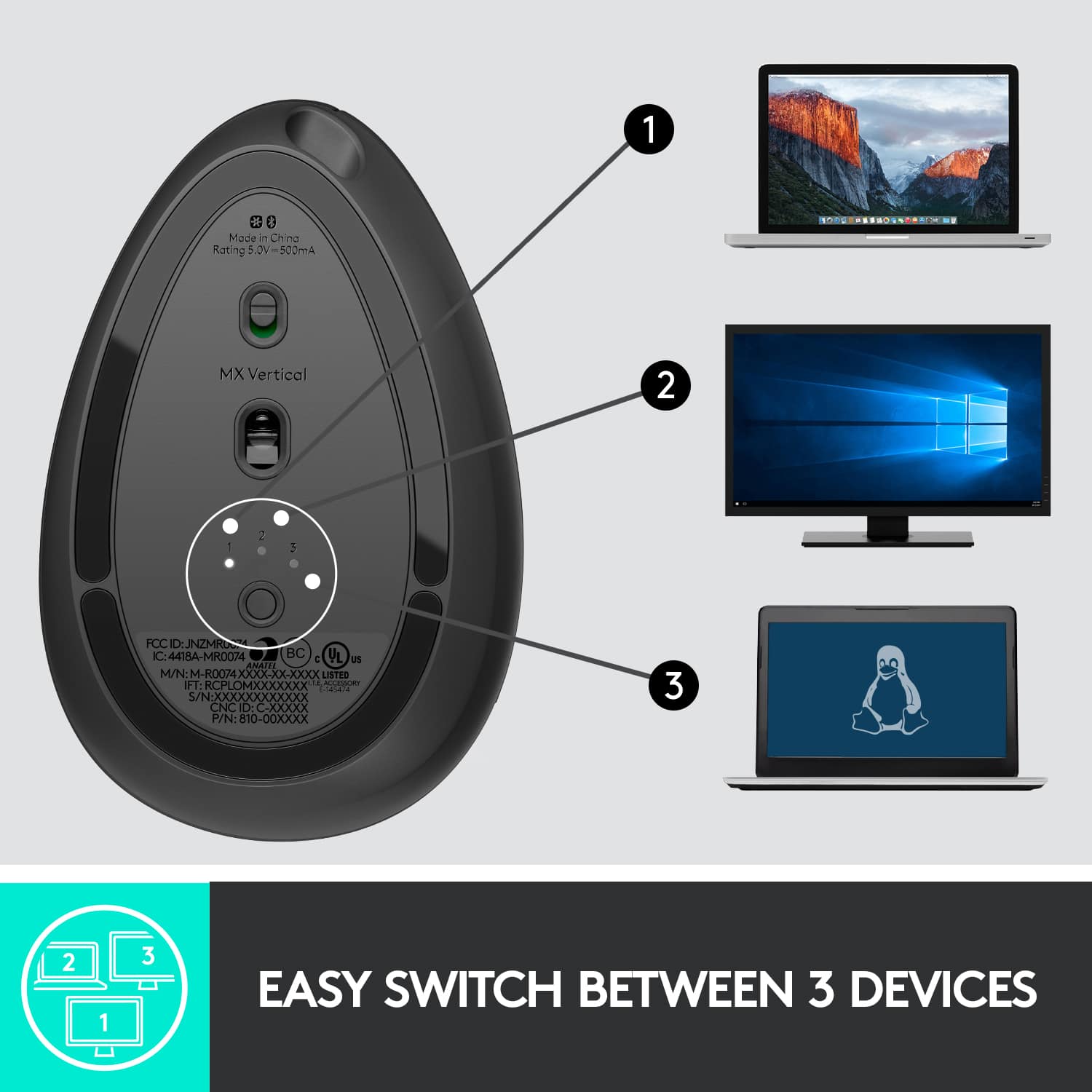
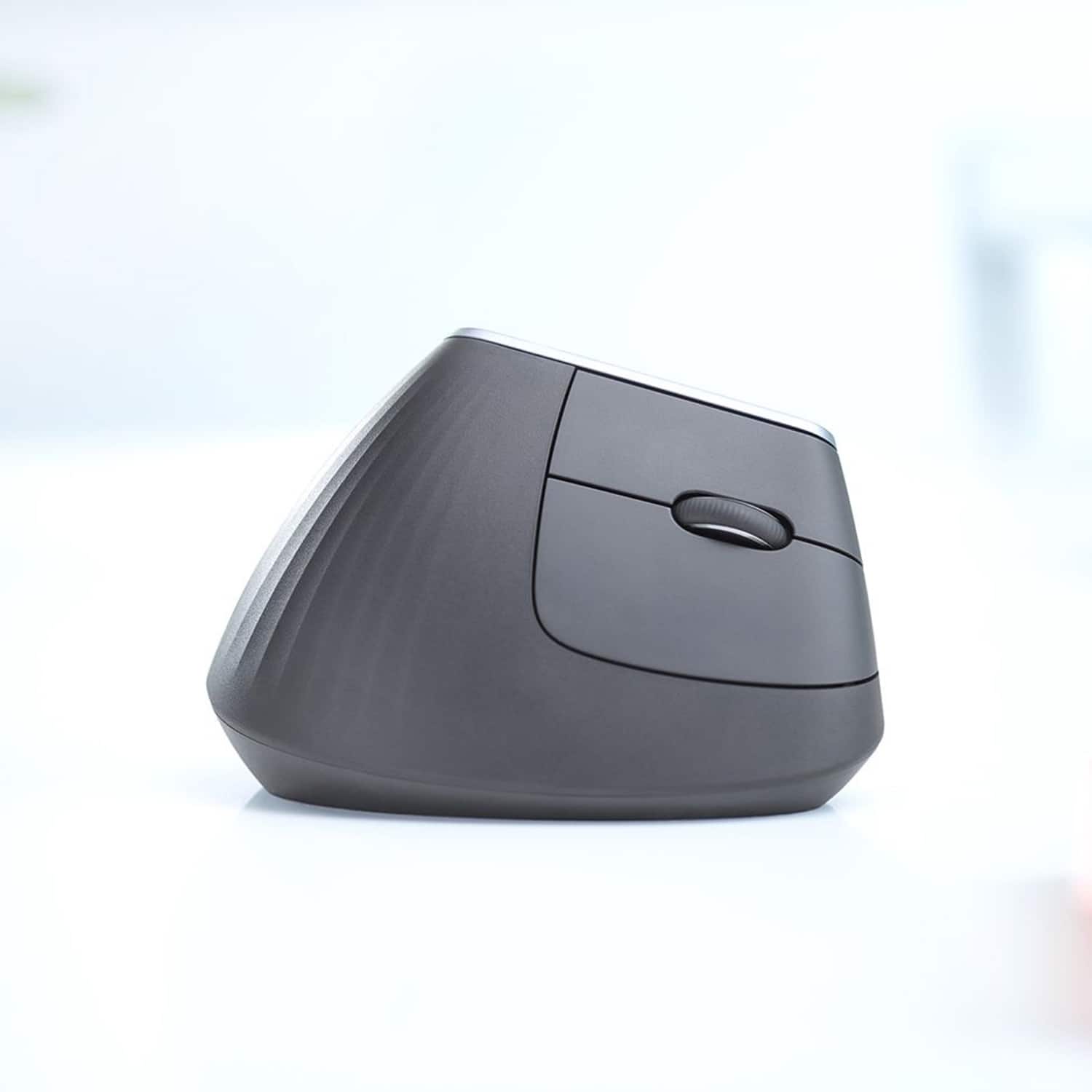
||Posted . Owned for 1 year when reviewed.This reviewer received promo considerations or sweepstakes entry for writing a review.I’ve used the MX Vertical every single day for over a year, and I still absolutely love it. It’s hands-down the most comfortable mouse I’ve ever owned. The vertical grip took a day or two to get used to, but after that, it became second nature — way easier on the wrist and forearm than a traditional mouse. The ergonomics are fantastic. I used to have minor wrist pain from long hours at the computer, but switching to this mouse helped noticeably. The materials feel premium, the texture gives a nice grip, and it glides smoothly on my desk or mousepad. That said, I do wish it had a couple more programmable buttons — especially for productivity or design work. Also, the button to switch between devices (which I actually use often) is on the bottom, which isn’t the most convenient spot. But despite those small gripes, this is still my go-to mouse. Battery life is excellent (I only charge it once every few weeks), and I love having both Bluetooth and USB receiver options. The customizable DPI and smooth scrolling make it great for everything from spreadsheets to photo editing. If you're looking for a comfortable, reliable mouse that’s easy on your wrist and built to last, this is it. Total game-changer for long workdays. 5 stars. Highly recommended.
I would recommend this to a friendBrand response from Logitech
Posted .It’s fantastic to hear how well this mouse has served you day in and day out — especially that it’s helped reduce wrist strain and held up so well over time. Really appreciate your thoughtful insights on its design and functionality. Wishing you continued comfort and productivity with your setup!
- Pros mentioned:Battery life, Ergonomics
Best ergonomic mouse, and easy connect
||Posted . Owned for 3 weeks when reviewed.This reviewer received promo considerations or sweepstakes entry for writing a review.Porches this mouse for my wife with carpal tunnel and since the start of use the pain has reduce by 90 % she loves the product. Rechargeable last about 30 day in one charge and it is constantly being used love it. Recommended for people with wrist problems
I would recommend this to a friendBrand response from Logitech
Posted .Thanks for taking a moment to share your experience. We’re so glad the product is working well for you. Your support means a lot and helps us keep improving.
- Pros mentioned:Ergonomics
Why No Left And Right Tilting Scroll Wheel?
||Posted . Owned for 1 month when reviewed.This reviewer received promo considerations or sweepstakes entry for writing a review.This mouse is responsive, and the customization feature has been useful. Connecting via Bluetooth was straightforward. The thing that I miss is left/right scrolling with the mouse wheel. I don't know why this product doesn't have that. As for the ergonomics, I'm having less shoulder pain (surprisingly), but the side of my hand resting on the desk got sore at first. That pain has subsided with use.
I would recommend this to a friendBrand response from Logitech
Posted .Thank you for your valuable feedback on the Logitech MX Vertical Advanced Wireless Optical Ergonomic Mouse. We're glad to hear you appreciate its responsiveness, customization, and easy Bluetooth connectivity, along with the unexpected benefit for your shoulder pain. We also note your desire for left/right scroll wheel tilting and your initial experience with hand soreness, and we appreciate you sharing these insights.
- Pros mentioned:Ergonomics
Great mouse - makes my hand feel better
||Posted . Owned for 2 months when reviewed.This reviewer received promo considerations or sweepstakes entry for writing a review.I bought this because I was having some hand pain from using my other mouse. Things got better when I used this one. It's surprisingly lightweight and I like the pointer accuracy. Would recommend!
I would recommend this to a friendBrand response from Logitech
Posted .Thank you for your kind words! We’re delighted the product is performing well for you. Your feedback inspires us to keep pushing forward.
- Pros mentioned:Battery life, Bluetooth, ErgonomicsCons mentioned:Wrist pain
Comfortable Ergonomic Mouse
||Posted .This reviewer received promo considerations or sweepstakes entry for writing a review.This mouse is awesome. I work with computers all day long and having proper ergonomics is a must. This mouse has helped aleviate most of my wrist pain. I also love the fact that it charges using USB type C. The battery lasts for a very very long time. I also like the fact that it connects with up to 3 separate systems over either the Unifying receiver or Bluetooth.
I would recommend this to a friend - Pros mentioned:Battery life, ErgonomicsCons mentioned:Wrist pain
Best vertical mouse
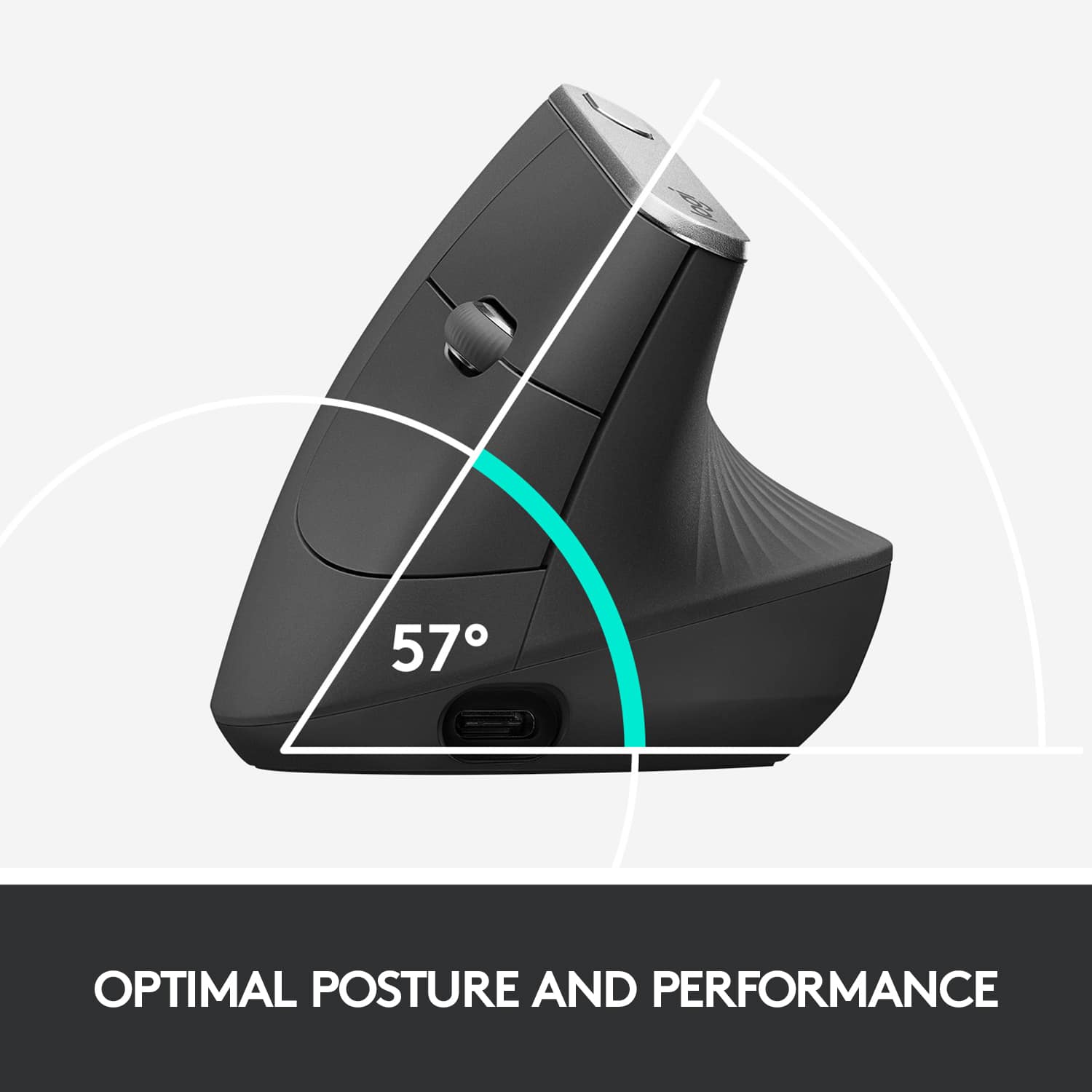
||Posted . Owned for more than 2 years when reviewed.This reviewer received promo considerations or sweepstakes entry for writing a review.I purchased this mouse after extensive research on why I was experiencing pain on the bottom of my wrist when using a traditional mouse. After needing a day or two to get used to the 90 degree vertical design, the pain in my wrist went away even after using the mouse for hours. This mouse has a great design with impressive battery life and customizable buttons. I highly recommend it if you need to alleviate wrist pain after hours of using a traditional mouse.
I would recommend this to a friendBrand response from Logitech
Posted .Thank you for the fantastic review of the Logitech MX Vertical Advanced! We're thrilled to hear that the ergonomic design helped alleviate your wrist pain. It's always rewarding to know our products can make a positive impact on users' comfort and well-being. We appreciate you recommending the MX Vertical Advanced to others experiencing similar wrist pain.
- Pros mentioned:Battery life, Ergonomics
Worth the cost
||Posted . Owned for 1 year when reviewed.This reviewer received promo considerations or sweepstakes entry for writing a review.I've had this mouse for two years now and I can't rave about it enough. Really truly helped with my wrist pain at work. The charge lasts ages and is a common USB type c charger. Highly recommend. I have a cheapy knock off for my home computer and it drives me nuts. Just spend the money on the nice product and enjoy it.
I would recommend this to a friendBrand response from Logitech
Posted .Thanks for the feedback on the Logitech - MX Vertical Advanced Wireless Optical Ergonomic Mouse! We're happy to hear it's working great for you. Your input is really appreciated!
- Pros mentioned:Battery life
The grip position different ways of holding it
||Posted . Owned for 1 year when reviewed.This reviewer received promo considerations or sweepstakes entry for writing a review.This product is very ease to use battery life is good light wait easy to pack
I would recommend this to a friendBrand response from Logitech
Posted .Thank you for your feedback on the Logitech MX Vertical Advanced Wireless Optical Ergonomic Mouse. We’re glad to hear you find it easy to use, lightweight, with great battery life and versatile grip positions; making it convenient to pack and reliable for everyday use.
- Pros mentioned:Ease of useCons mentioned:Size
Every mouse should be designed like this!
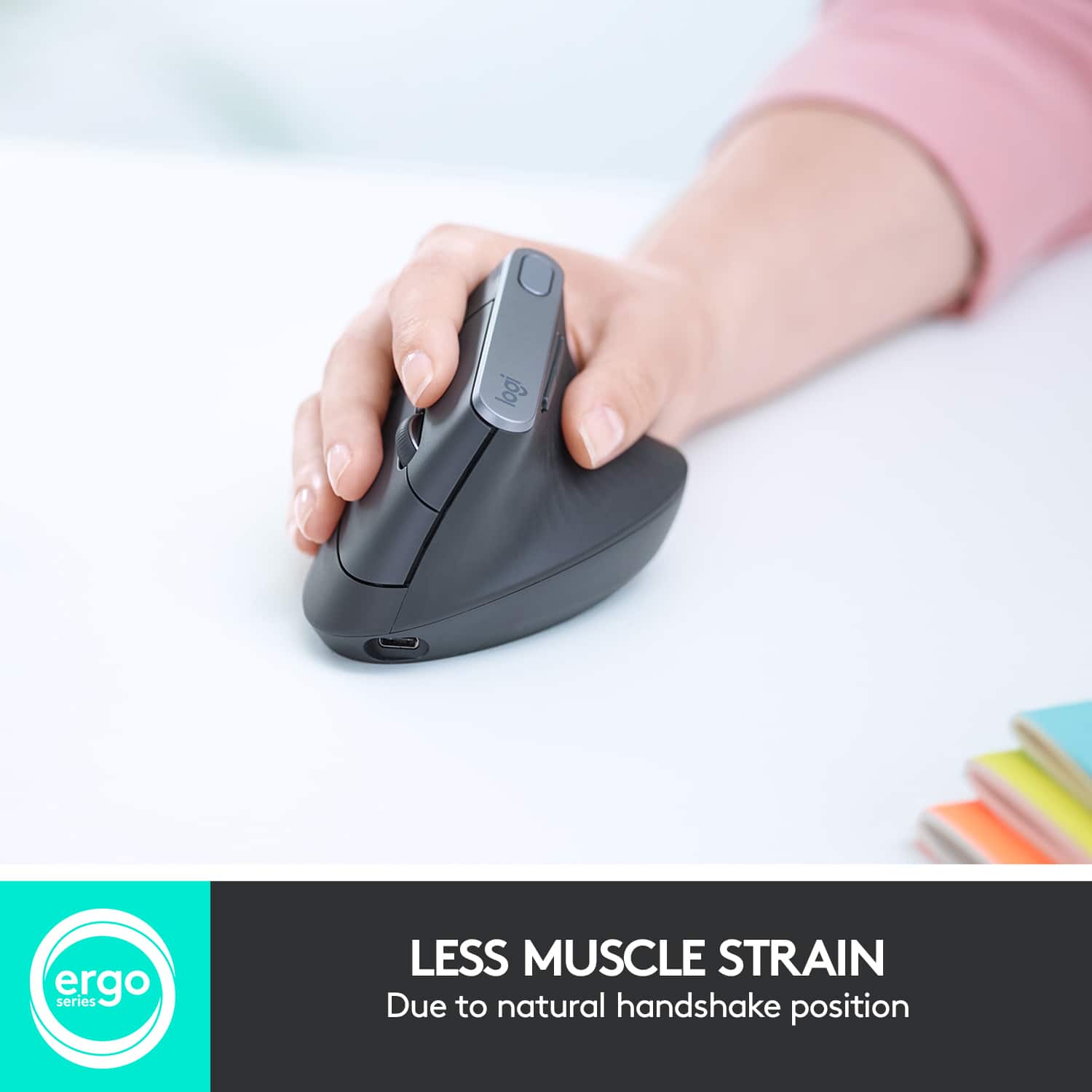
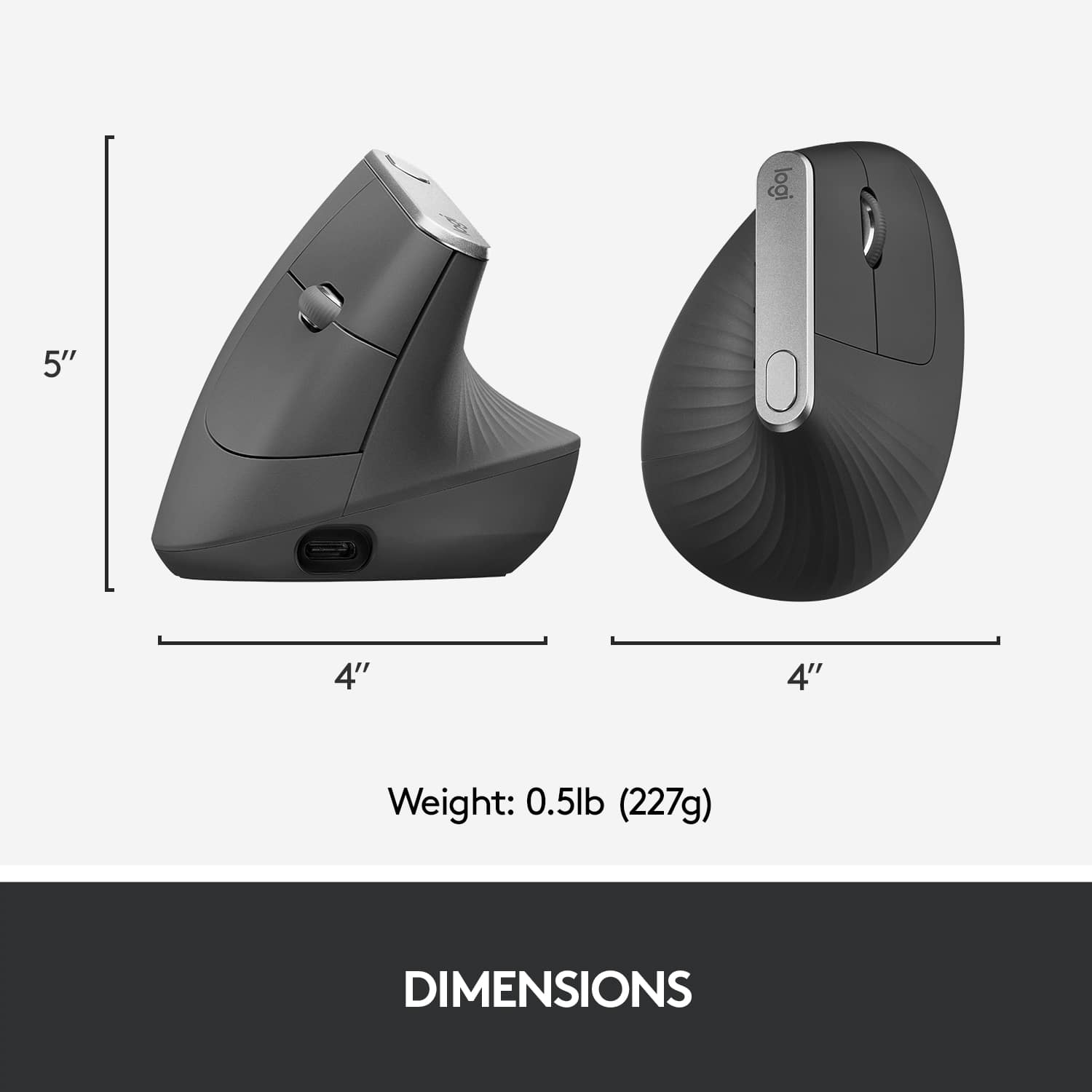
||Posted . Owned for 1 week when reviewed.This reviewer received promo considerations or sweepstakes entry for writing a review.Stop what you're doing and reach your hand out, like you're going to shake someone's hand. Now turn your hand palm down, as though you're going to hold a normal mouse. Notice how that's harder? Crazy right?! How did I never notice this before! I wish I had purchased this mouse a long time ago! It looks weird, like it would be awkward to use, but it has completely solved my hand and wrist pain that I was experiencing with other mice (mouses?). I would like to address a few things: - I'm going to be controversial and say I think this mouse is actually OK for small hands. I'm a woman with average size hands, and the first few days I used the mouse, I felt the mouse was too big. Then I actually discovered you can reach all the keys by just adjusting your grip to be higher on the mouse, where it is narrower, and rotating it to the left. I think your grip adjustment is something that happens intuitively over time - but you have to get over the "it's too big" feeling. Chances are, if it feels big you may be resting your hand on it incorrectly. (My 11 year old with tiny hands seems to have no problem with it once I showed her how to adjust her grip). - I love that you can adjust the sensitivity, and that it takes just small movements to make large movements across the screen. I use 2 computer monitors, and it takes just a tiny wrist movement to move the cursor from one screen to another. This makes me so happy. - I have no issues with the scroll button, but I did adjust it to the fastest scroll ability possible. - the ONLY thing I do not like about this mouse is that I lost the ability to scroll left to right in excel, but I just customized the thumb buttons for that (I wish they were bigger). - I have thwacked the mouse off my desk a few times because I forget it's so tall. In summary, for me, the benefits of using this mouse FAR outweigh the negatives. Most of the negatives have been a matter of just getting used to something different in the beginning. It's just second nature now.
I would recommend this to a friendBrand response from Logitech
Posted .Hello, LXW378! I'm happy to hear that you're enjoying your MX Vertical! Feel free to reach out to our support team here https://support.logi.com/hc/en-us/requests/new?ticket_form_id=360000621393 if you ever need any assistance or if something happens in the 1-year limited hardware warranty. Thank you so much for the review and for shopping Logitech! - Maggie from Logitech
- Cons mentioned:Price, Scroll wheel
Situationally very useful
||Posted . Owned for 1 month when reviewed.This reviewer received promo considerations or sweepstakes entry for writing a review.The mouse is very lightweight and has a faint matte texture. Buttons feel fine, but be aware that the scroll wheel does not have a 'fast scrolling' feature like some cheaper Logitech options. USB charging is very convenient, and personally I like how it looks. I have carpal tunnel and this mouse prevents my time on the computer from aggravating my wrist. Very good, but very expensive mouse--I would only get it if you have wrist problems.
I would recommend this to a friendBrand response from Logitech
Posted .Great news for your wrists! This reviewer loves the Logitech MX Vertical's comfort and how it helps with carpal tunnel.
- Pros mentioned:Battery life, Ergonomics
Elevate Your Workflow with the Logitech MX Vertica
||Posted . Owned for 1 year when reviewed.This reviewer received promo considerations or sweepstakes entry for writing a review.As someone who spends hours working on a computer every day, investing in the Logitech MX Vertical Advanced Wireless Ergonomic Mouse has been a game-changer for both my productivity and comfort. The first thing that caught my eye was the sleek Graphite color and the unique vertical design. The MX Vertical isn't just a mouse; it's a statement piece on my desk. The ergonomic design is a breath of fresh air compared to traditional mice, promoting a more natural handshake position that significantly reduces wrist strain. Setting up the mouse is a breeze, with both USB and Bluetooth connectivity options. I love the flexibility it offers, allowing me to switch between devices seamlessly. The precision tracking is spot-on, thanks to the high-resolution sensor, making every movement smooth and accurate. One of the standout features is the customizable buttons. The placement of the buttons on the side is intuitive and easily accessible, and I've personalized them to streamline my workflow. The scroll wheel is responsive, and the option to switch between ratchet and free-spinning modes adds another layer of convenience. The battery life is impressive. A single charge lasts for an extended period, and the quick-recharge capability ensures that I'm never without my mouse for too long. The battery indicator on the device is a thoughtful touch, keeping me informed about the remaining charge. Using the Logitech Options software, I fine-tuned the mouse settings to my preferences, from cursor speed to button functions. The software also allows for firmware updates, ensuring the mouse stays up-to-date with the latest improvements. While the Logitech MX Vertical comes at a higher price point, the ergonomic benefits and enhanced productivity it brings make it worth every penny. If you're looking for a mouse that goes beyond the conventional, prioritizing both comfort and performance, the Logitech MX Vertical is an excellent choice. It has become an indispensable tool in my daily work routine, and I wholeheartedly recommend it to anyone seeking a top-notch ergonomic mouse.
I would recommend this to a friend - Pros mentioned:Battery life, Ergonomics
Good with a mouse pad...
Posted .This reviewer received promo considerations or sweepstakes entry for writing a review.Nice on my bad wrists, but it does cause my wrist to hit the table and I get a small red sore. If you have a mouse pad with a wrist cushion, you'll be good. Before I had this one I would sometime use my left hand but with this one, it's impossible to use my left hand. It took me about 2 days to get used to it but now I like it. Love how I can just recharge it by plugging in my android's USB-C cord every 2-3 weeks versus replacing the battery.
I would recommend this to a friend - Pros mentioned:Battery life, Ergonomics
Comfortable and ergonomic
||Posted . Owned for 2 months when reviewed.This reviewer received promo considerations or sweepstakes entry for writing a review.Very comfortable and well-designed ergonomic mouse. The vertical shape noticeably reduces wrist strain, and it’s easy to adjust to. Smooth tracking, solid build quality, and great battery life. Highly recommend for long workdays.
I would recommend this to a friendBrand response from Logitech
Posted .We appreciate you taking a moment to share your experience. It’s great to know that our product is living up to your expectations and making your tasks easier. Your support means the world to us—thanks for being a Logitech customer.
- Pros mentioned:Battery life, Ease of use
Nice product for work
||Posted . Owned for 1 year when reviewed.This reviewer received promo considerations or sweepstakes entry for writing a review.Nice vertical mouse to have. Logitech has been a reliable brand for me. Had MX3 before this. I use this mouse mainly for work and do not have any complaints yet. The battery is amazing even after using it for 6-8 hours every day. Pros: - Easy to use - Long-lasting battery - USB-C port for charging which makes it easy to use with other chargers. - Very lightweight. Cons - Bluetooth connection can be unreliable sometimes. - Price (compared to other vertical mouse on the market).
I would recommend this to a friendBrand response from Logitech
Posted .It's great to hear that you're finding the Logitech MX Vertical to be a comfortable and reliable choice!
- Pros mentioned:Battery life, Overall performance
Comfortable and Reliable Mouse for Everyday Use
||Posted . Owned for 2 months when reviewed.This reviewer received promo considerations or sweepstakes entry for writing a review.I’ve been using this ergonomic mouse for school and general daily work, and it’s been a great experience. It’s very comfortable to use for long hours and helps reduce wrist strain compared to a regular mouse. The setup was super easy, and the tracking is smooth and precise. Battery life is solid, and the overall performance feels reliable and consistent all-around choice for students or anyone who spends a lot of time on their computer.
I would recommend this to a friendBrand response from Logitech
Posted .We’re so glad to hear you’re enjoying your Logitech experience. Your input helps us continue to deliver quality and reliability.
- Pros mentioned:Battery life, ErgonomicsCons mentioned:Size
Great mouse...a little big for small hands
||Posted . Owned for 1 month when reviewed.This reviewer received promo considerations or sweepstakes entry for writing a review.I was experiencing severe wrist pain due to my carpal tunnel and I decided to invest in an ergonomic keyboard and mouse. I was very skeptical to try a vertical mouse. It took me a little while to get used to it and now I love it, my pain has decreased and there are days in a row I have no pain! The only reason for not giving it a 5 star is that I am a petite woman with smaller hands and the mouse is on the larger side and was uncomfortable to grasp. However I followed the suggestion of another reviewer and I purchased a mouse pad with a wrist support cushion and it that did the trick! The cushion part lifts your wrist up and helps me grasp the mouse much better. I am seriously considering purchasing a second one as I work at home on my days off from the the office and sometimes forget to drop it on my bag. I highly recommend this mouse!
I would recommend this to a friend