Customer Ratings & Reviews




- Model:
- 910-005447
- SKU:
- 11070633
Rating by feature
- Value
Rating 4.3 out of 5 stars
- Quality
Rating 4.7 out of 5 stars
- Ease of Use
Rating 4.6 out of 5 stars
Customers are saying
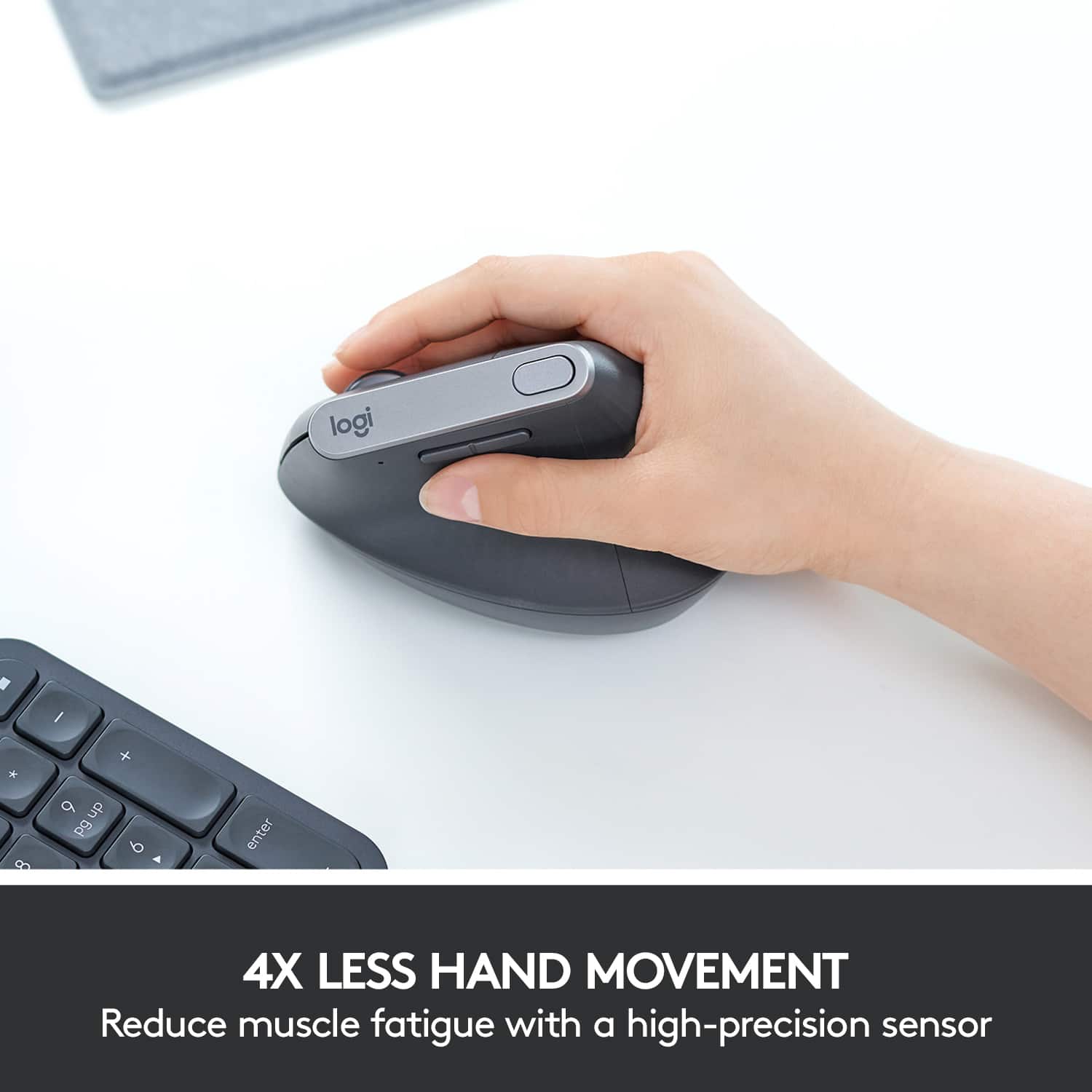
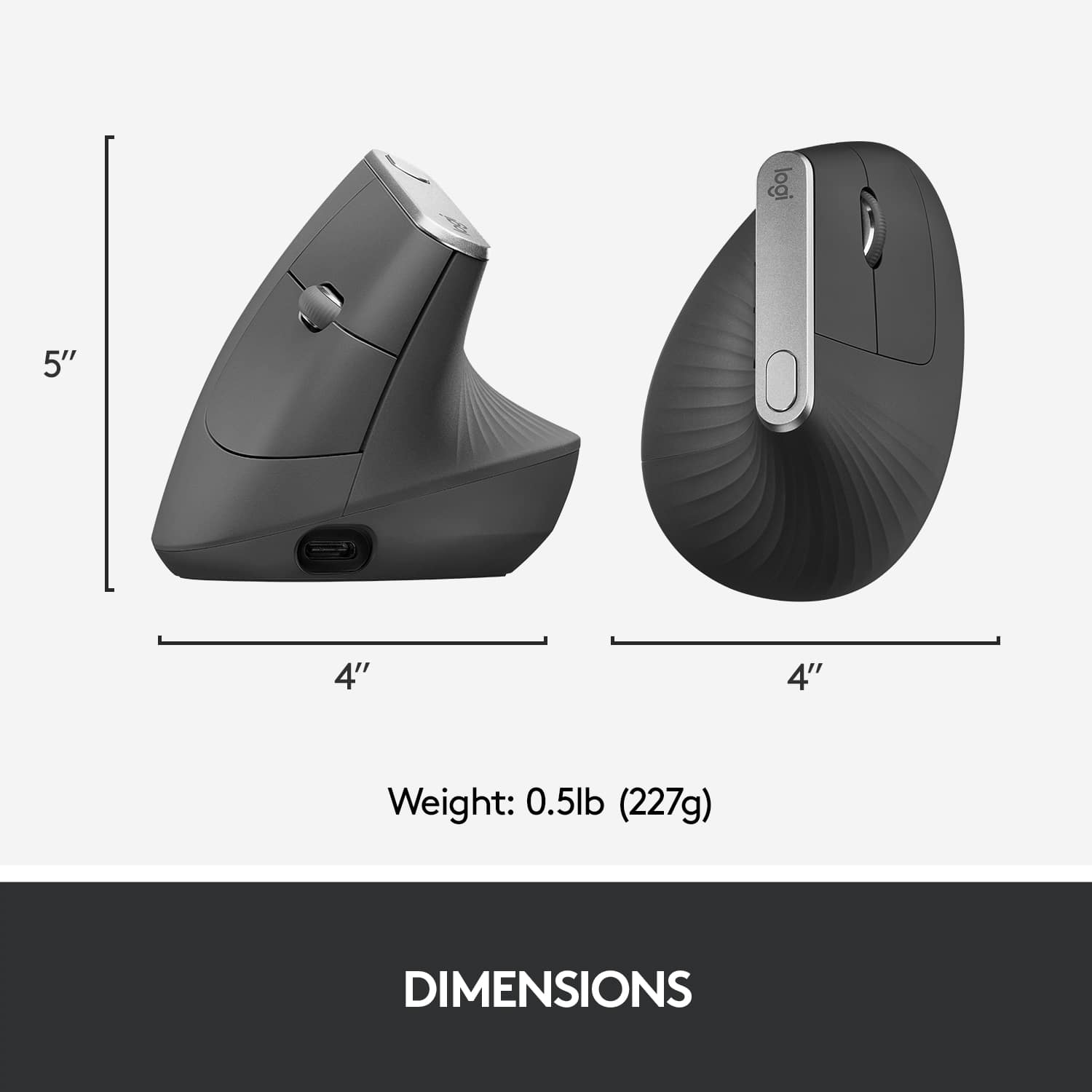
Customers admire the product's excellent ergonomics, which many find alleviate wrist pain, alongside its ease of use, legendary battery life, and reliable overall performance. Its lightweight design and Bluetooth connectivity are also frequently praised. However, some users note that its size might be too large for those with medium hands, and there are concerns about the scroll wheel's durability and the product's high price.
This summary was generated by AI based on customer reviews.
- Pros mentioned:Ergonomics
Logitech to the rescue
||Posted .This reviewer received promo considerations or sweepstakes entry for writing a review.For my desktop I used the MX Master 3 for three years (also awesome) and made the change to the MX Vertical. Pros: Assuming you have large hands the MX Vertical is a relaxing fit and quite light in weight. If you want you barely have to open your hand to operate, because of the slim profile on top. It made a noticeable difference on my muscles within the first couple hours of use. It's just that great I swapped it for my laptop mouse too (Microsoft Arc). Most certainly not for travel, but it really makes my computer time more enjoyable. Cons: It is quite expensive (ergo lyf) and the quality doesn't seem to match. Perhaps its the lack of features I'm used to having with the MX Master 3? If only the MX Vertical had "MagSpeed" scrolling!
I would recommend this to a friendBrand response from Logitech
Posted .Thank you so much for taking the time to share your detailed feedback on the Logitech MX Vertical Advanced Wireless Optical Ergonomic Mouse! We're thrilled to hear that, as a seasoned MX Master 3 user, you've found the MX Vertical to be such a positive and impactful addition to your desktop setup, and even your laptop use.

- Pros mentioned:Ergonomics
Great product!
||Posted . Owned for 3 weeks when reviewed.This reviewer received promo considerations or sweepstakes entry for writing a review.Loving it so far! I would recommend using this with a mouse pad, preferably a mouse pad with a squishy cushion for your wrist! With that said, I am already noticing less discomfort in my wrist since I have switched to the ergonomic mouse! The only thing, is I do wish the build quality was bit better! It’s very plastic forward, so I just wish it was a bit heavier, but with that said I work an office job and sit at the computer all day, so that might just be me being picky!
I would recommend this to a friendBrand response from Logitech
Posted .We truly appreciate you sharing your thoughts. It’s fantastic to hear the product is delivering as expected. Your feedback helps us grow and refine what we do. Thanks for choosing Logitech!
Easy Glide and Easy to Use
||Posted . Owned for 1 month when reviewed.This reviewer received promo considerations or sweepstakes entry for writing a review.Best mouse I’ve ever owned. Comfortable on my hand and glides across my pad. I enjoy using it every day. You won’t be disappointed.
I would recommend this to a friendBrand response from Logitech
Posted .Thank you so much for your wonderful review! We're thrilled to know that our Logitech - MX Vertical Advanced Wireless Optical Ergonomic Mouse are providing the quality and convenience you wanted. Your feedback truly inspires us to keep getting better, and we appreciate your trust in Logitech!
- Pros mentioned:Battery life, ErgonomicsCons mentioned:Scroll wheel
Comfortable long term use mouse for the office
||Posted . Owned for 10 months when reviewed.This reviewer received promo considerations or sweepstakes entry for writing a review.Picked this mouse up for the office with the intent it would help to reduce strain from long hours of work and was not disappointed. It was odd getting used to the mouse, whenever you click it sort of pushes the mouse a little but you begin to compensate for it in how hard you press and the position of your fingers overtime. The battery on it is fantastic, have had weeks where I don't even need to charge it. The feel is also very nice, soft rubber texture doesn't mean the mouse slides around, and it cleans up very nicely with a wet wipe to clean up any oils that build up on it. I only wish the scroll wheel was the infinite scroll that Logitech mice are known for, would have been fantastic for scrolling through code!
I would recommend this to a friend - Pros mentioned:Ergonomics
No carpal tunnel - Works 100%
||Posted . Owned for 3 weeks when reviewed.This reviewer received promo considerations or sweepstakes entry for writing a review.This mouse is arguably more important than my ergonomic keyboard for preventing carpal tunnel. It ensures that the bones in my wrist are properly aligned while in use. Absolutely zero pain that I've migrated to a vertical mouse, and this one fits the bill. I use it both at home and at work.
I would recommend this to a friendBrand response from Logitech
Posted .We’re thrilled to hear you’re satisfied with your Logitech product. Your feedback helps us continue to deliver great experiences.
- Pros mentioned:Battery life, Ergonomics
So many people hate this but I love it!
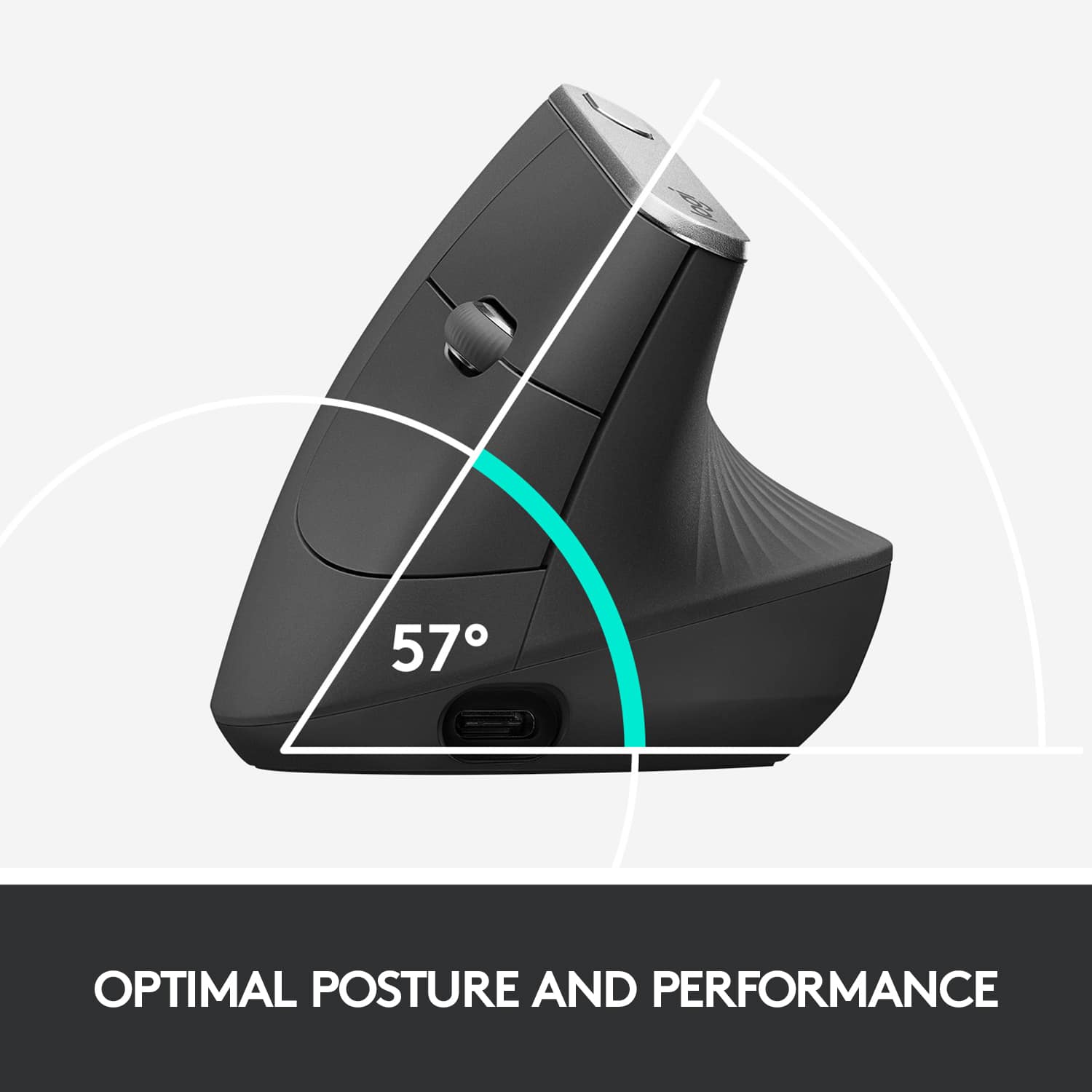
||Posted . Owned for 1 year when reviewed.This reviewer received promo considerations or sweepstakes entry for writing a review.I actually dont really understand why so many people hated this. Were they not expecting a titled mouse? Were they a hardcore gamer looking for zero latency ultra precise movement???? No idea. My job is almost entirely at my desk on a computer with a lot of clicking and mouse movement. Using a normal mouse, my wrist was literally killing me at the end of the day. Literally ever since I bought this thing, I never have that wrist pain. This mouse took all of 10-15 minutes of getting used to, and it works brilliantly. I dont notice any lag, I can charge it with a USB-C cable, and my wrist sits comfortably at a nice angle. In fact, Id even wish for a second version of this to be at an even steeper angle for better wrist comfort but I digress. Logitech is a trusted and reliable brand and their software works well. I like that I get a notification of low battery life on my computer and that the mouse doesnt just randomly die out on me. If youre getting this just for desk WORK as a job or as a student and youre not trying to game or anything, trust me. This WILL save your wrist that pain. This is my favorite mouse and I bought one for work and one for home because of it. If either break at some point, I most likely will get it again. ONE THING TO NOTE: One thing I only recently noticed is that if you plug a USB storage device into a USB port directly adjacent to the USB port where the dongle of this mouse is plugged into, you may see SIGNIFICANT lag until you unplug that storage USB. Its actually really strange. I dont blame the product itself cuz that might actually be a computer issue itself, but I have noticed that will happen. Once you unplug the USB storage device, it goes back to working 100% flawlessly. Or if you plug it somewhere else in a another port further away. Maybe its just my computer? And its only SOME usb storage devices not all. USB charging or other dongles dont have that effect. Anyway that was worth noting. Outside of that weird quirk, still 100% recommend because this saved me so much pain.
I would recommend this to a friend Easy to use and set up!
||Posted . Owned for 3 weeks when reviewed.This reviewer received promo considerations or sweepstakes entry for writing a review.Really solid mouse- bigger which is nice and comfortable. I would get this over the smaller one
I would recommend this to a friendBrand response from Logitech
Posted .We’re thrilled to know you’re satisfied with your Logitech product. Your input helps us shape better experiences for everyone. Thanks for your continued support!
- Pros mentioned:Ergonomics
Fairly ergonomic, but too light weight.
||Posted . Owned for 1 month when reviewed.This reviewer received promo considerations or sweepstakes entry for writing a review.Generally on the fence with this mouse. The angle is pretty natural and the shape is comfortable. I miss some of the features on other MX mice, like the thumb button and side scrolling on the scroll wheel. The other one negative is that it is light weight, maybe this is intentional to require less effort to move it, but the result is that the mouse naturally pushes away from your palm as you use it, resulting in the unfortunate claw posture an ergonomic mouse is supposed to solve.
No, I would not recommend this to a friendBrand response from Logitech
Posted .We appreciate your detailed feedback on ergonomics and weight. We’re glad you find the angle and shape comfortable, but we’ll take your comments on missing features and posture concerns into account for future refinements.
- Pros mentioned:Ergonomics, Overall performance
Great mouse for work and office
||Posted . Owned for 1 year when reviewed.This reviewer received promo considerations or sweepstakes entry for writing a review.This is my daily driver at work, replacing a very generic standard mouse that was too small for my hand. It fits right, works flawlessly, and took surprisingly little time to get adjusted to using. I've paired it with a laptop and desktop and switch between the two frequently.
I would recommend this to a friendBrand response from Logitech
Posted .We appreciate you taking the time to share your experience. Knowing our Logitech MX Vertical Wireless Ergonomic Mouse is working well for you makes all the difference. Thanks for being with Logitech.
- Pros mentioned:Battery life, Ergonomics
Great ergonomic mouse for HEAVY mouse use
||Posted . Owned for 3 weeks when reviewed.This reviewer received promo considerations or sweepstakes entry for writing a review.I've been using this mouse for... almost ten years I think? I work at a computer for a living. I use the mouse primarily. I've managed to avoid CT syndrome with good ergonomics, and this is part of my setup. This will be my third time buying this mouse. PROs: Really does prevent wrist and hand issues Feels good in your hand Matte finish is nice Charge lasts forever CONs: -Matte finish eventually wears off -It's not a "buy it for life" product. They eventually stop working or the buttons break. -Needs third party software to map the extra buttons, -not a fan of Logitechs software (bloated and probably spies on you), I tend to prefer an open source option -Not the most precise mouse NOTES: Not suitable for gaming This might not work for people with small hands, logitech has another option for that
I would recommend this to a friendBrand response from Logitech
Posted .Thank you for your long-term feedback on the MX Vertical. We appreciate you highlighting its ergonomic benefits and the comfort it provides. We understand your concerns about the durability and software preferences. We're always working on improving our products and appreciate the input.
- Pros mentioned:Battery life, Bluetooth, Ergonomics
Great mouse + pain relief after 1 month of use!
||Posted . Owned for 1 month when reviewed.This reviewer received promo considerations or sweepstakes entry for writing a review.Bought this mouse for my wife who was experiencing wrist pain using a trackpad and conventional wireless mouse. 1 month in, we haven't had to recharge it yet, so the first charge of the battery is holding strong, and she uses her computer a LOT. The wrist pain has been significantly relieved through using this mouse as well, so she is healing up. I am so thankful that ergonomic devices like this exist, plus the ability to program the bluetooth connection to more than one computer has been super useful for her too as she has been working off of two different laptops.
I would recommend this to a friend - Pros mentioned:Ergonomics
Looks and Feels Great
Posted .This reviewer received promo considerations or sweepstakes entry for writing a review.I should have got this a long time ago. Feels great and looks intelligently designed as well (e.g. smooth and clean appearance). My wrist is in pain from playing games, working at a desk, and playing the piano, so I’m using my wrists a lot. This mouse takes some getting used to but is worth it for people looking to ease up some of that pressure on the hand/wrist/arm etc. Has a usb wireless connection as well as a wire or even Bluetooth for multiple options. It is high quality materials and the clickers and scroll wheel feel satisfying . Definitely designed for bigger hands so keep that in mind.
I would recommend this to a friendBrand response from Logitech
Posted .Hello, ProfPlumb! I'm happy to hear that you're enjoying your MX Vertical mouse! Feel free to reach out to our support team here https://support.logi.com/hc/en-us/requests/new?ticket_form_id=360000621393 if you ever need any assistance or if something happens in the 1-year limited hardware warranty. Thank you for the review and for shopping Logitech! - Maggie from Logitech
- Pros mentioned:Ergonomics
Another quality addition to my Logitech collection
||Posted . Owned for 1 month when reviewed.This reviewer received promo considerations or sweepstakes entry for writing a review.I recently got this mouse to replace my MX Master 3S as my home setup mouse. I didn’t want to switch, but the MX Vertical does a great job of offering most of the same mods and adjustments as the MX Master, and it’s super comfortable to use for long periods. I like the new hand position because it’s so comfortable, but it does take a bit of getting used to so you don’t feel like it’s going to slip out of your hand. The build quality is really good, but it’s light and it shows that it’s made of plastic. I think this mouse is perfect for anyone with hand or wrist problems because of an injury or ailment. It’s a great choice that’s a consistent price for Logitech peripherals. I would definitely recommend it and buy it again for myself.
I would recommend this to a friendBrand response from Logitech
Posted .We're thrilled to hear that you're loving the MX Vertical Advanced! It's fantastic that it's helping alleviate any discomfort and providing a comfortable typing experience. Thank you for choosing Logitech!
- Pros mentioned:Battery life, Bluetooth, Ergonomics
GREAT MOUSE FOR ARTHRITIS SUFFERER
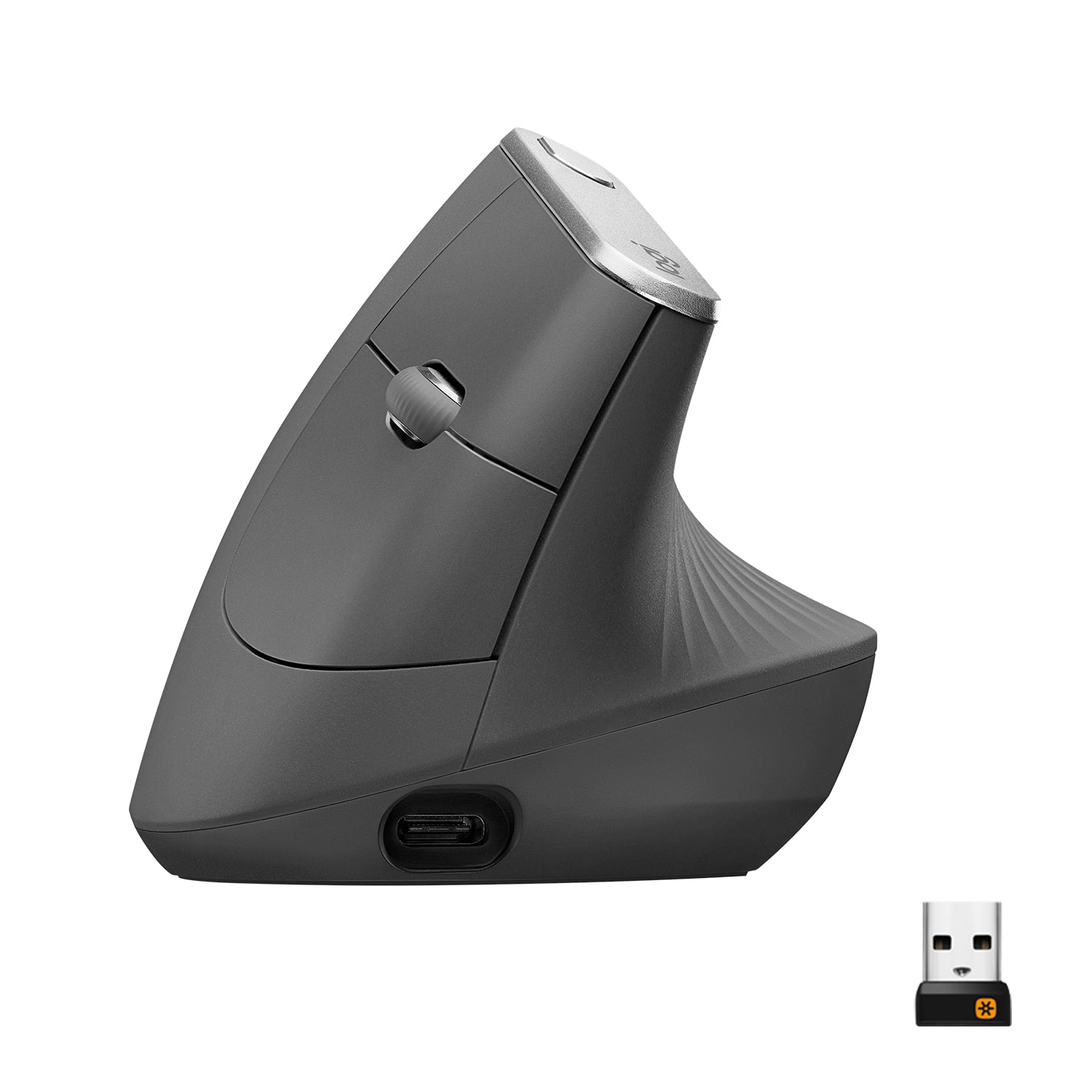
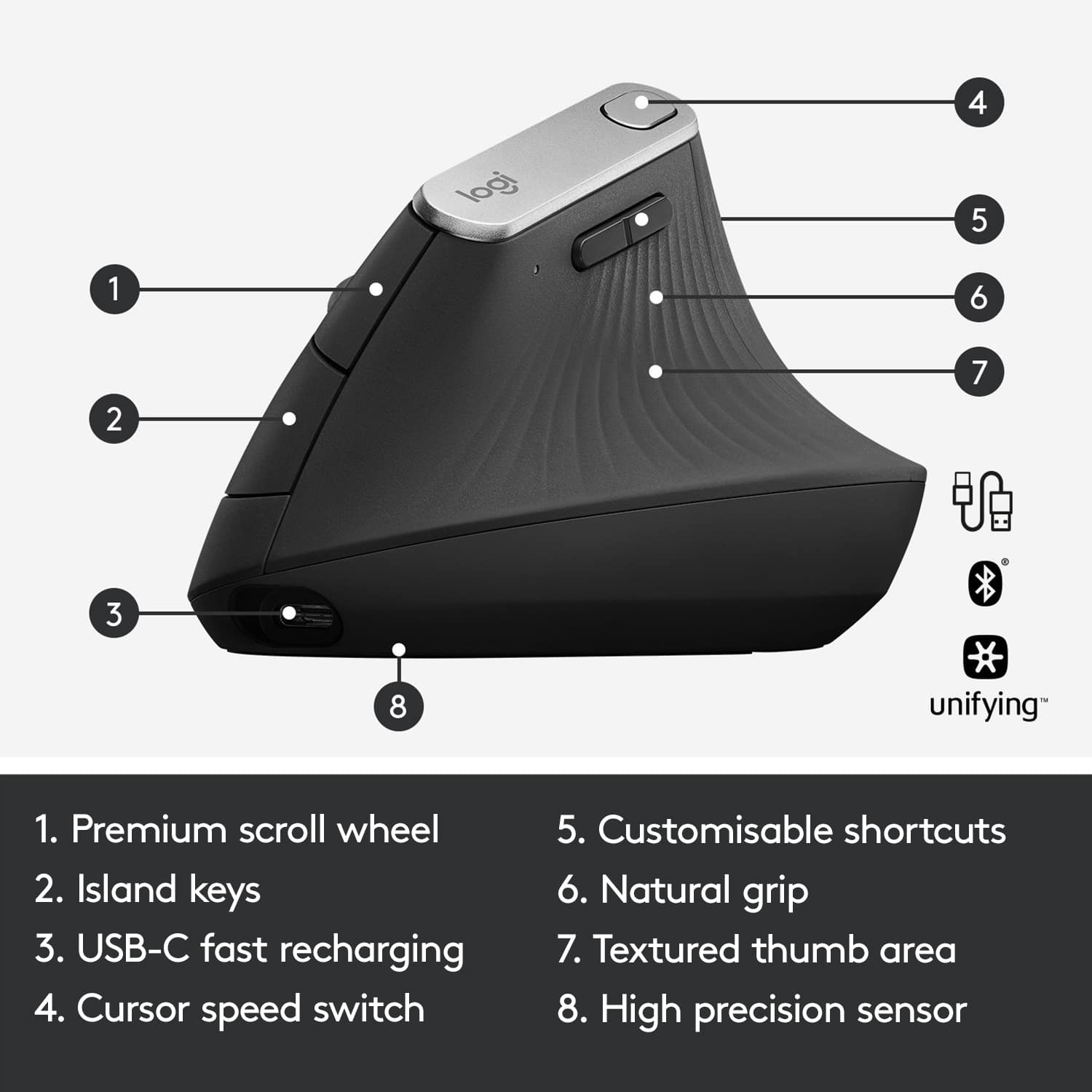
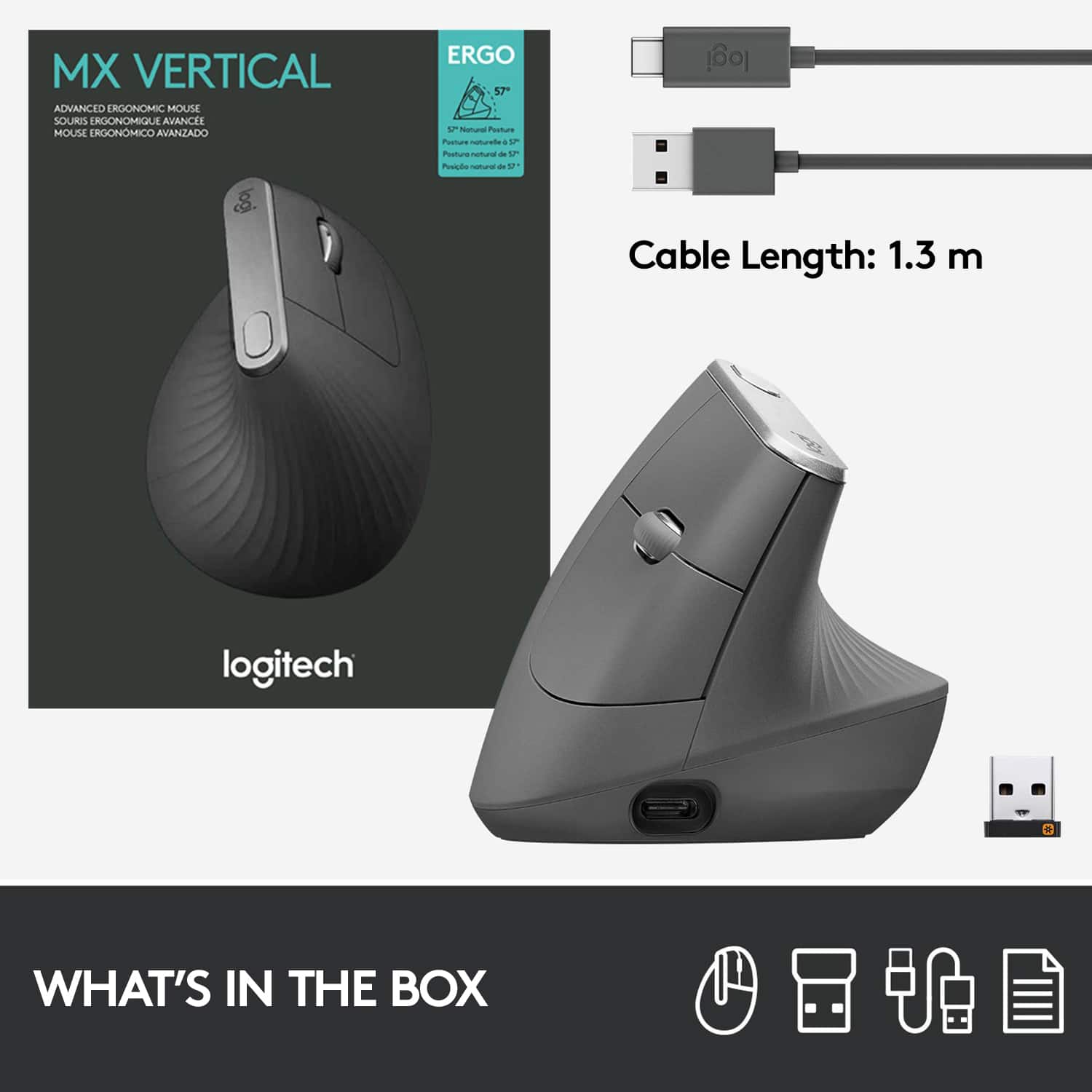
||Posted .This reviewer received promo considerations or sweepstakes entry for writing a review.Perfect mouse. All the controls in the right places; no batteries to replace. Comes with USB-C cord for charging the mouse. The only mouse I can use due to severe case of chondrocalcinosis with right wrist osteoarthritis. Can be connected via bluetooth, via USB-C, or USB-A wireless receiver/transmitter
I would recommend this to a friendBrand response from Logitech
Posted .Hello, FilMann! I'm happy to hear you're enjoying your MX Vertical! Feel free to reach out to our support team here https://support.logi.com/hc/en-us/requests/new?ticket_form_id=360000621393 if you ever need any assistance or if something happens in the 1-year limited hardware warranty. Thank you for the review and for shopping Logitech! - Maggie from Logitech
- Pros mentioned:ErgonomicsCons mentioned:Price
Good Ergo Mouse, but Pricey and Tips Over
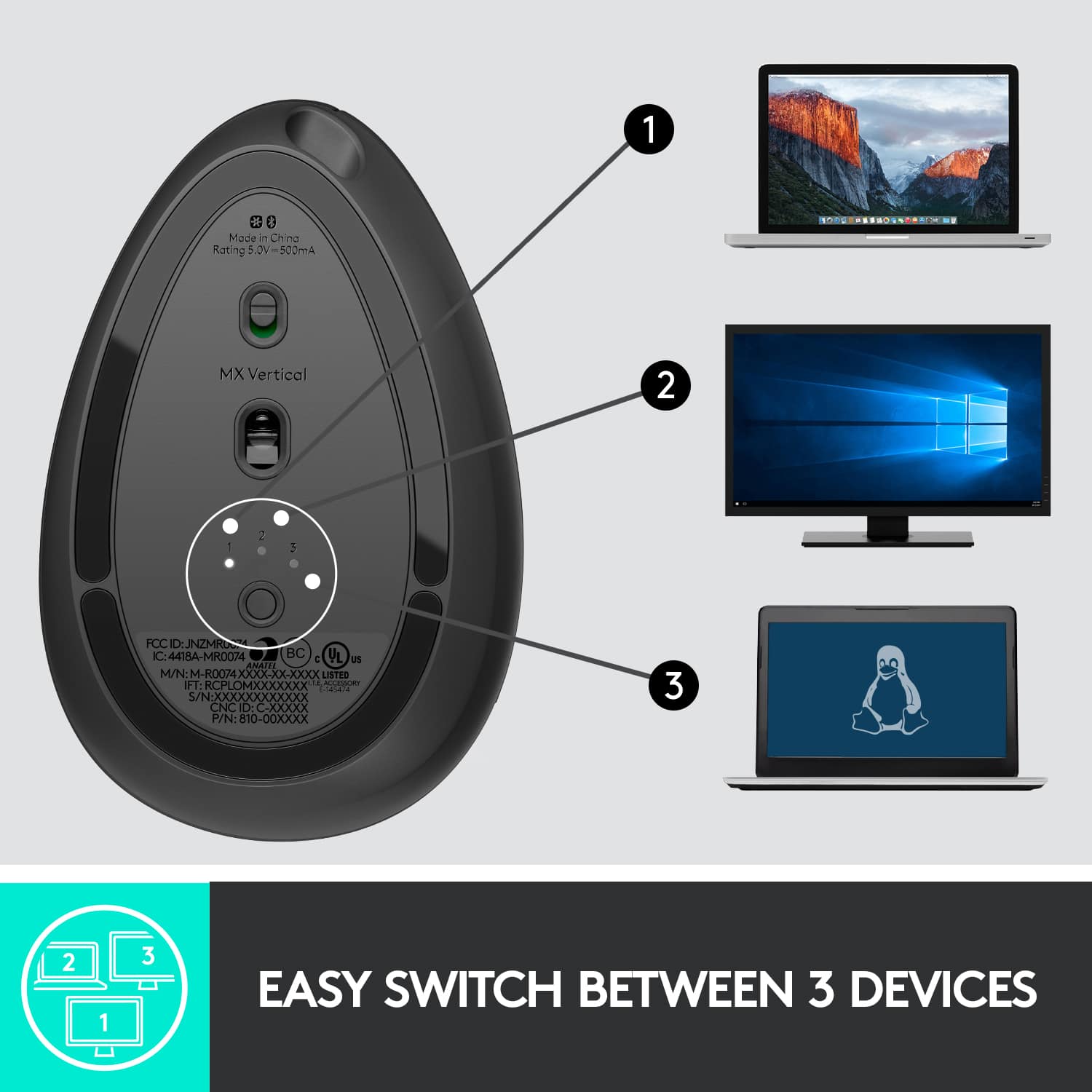
||Posted . Owned for 1 month when reviewed.This reviewer received promo considerations or sweepstakes entry for writing a review.I've been using this mouse as a primary mouse and it's very comfortable. The mouse looks nice, has good software support and features, but is pricey. Compatibility: It works well on both PC and Mac. I was using Logitech gaming mouse previously and those don't have drivers available on Mac OS 11 (Big Sur), so you didn't have the ability to customize the mouse, adjust the cursor speed, etc. Ergonomics: I got this because I have a sit and stand desk and when I'm standing, a regular mouse was a bit uncomfortable to have your hand move around flat after a while, but I found with the MX vertical, it's much more comfortable. Features: The backwards and forward buttons work well and I found the button on top used for controlling the 2 settings for mouse movement comes in handy. I found that sometimes slower mouse tracking speed is useful for tasks where you need more accuracy and having a button to slow down the cursor helps. The fact that the mouse is rechargeable using a USB-C interface is nice, but for $100, I probably would've expected a dock for that price. On and off switch is good for when you're not using it to save battery. Multi device support is nice to have, but the switch is at the bottom; would've been nice to have this at the top, especially if you use the mouse on multiple devices. What can be improved: $100 for a mouse is pricey. There are other ergo wireless mice out there for much cheaper, but they don't have the software support and elegant design that Logi has. The bottom can be weighted better. I tend to tip over the mouse when I'm reaching for things, then it hits buttons on my keyboard. If they added a little more weight to the base, I think that would prevent that from happening. Since it's light weight plastic, it doesn't make it feel like a $100 product. Not sure if a heavier mouse would impact the glide.
I would recommend this to a friend - Pros mentioned:Battery life, Ease of use, Ergonomics
Overall an excellent mouse but expensive
||Posted .This reviewer received promo considerations or sweepstakes entry for writing a review.Fits well in my hand, pairs nicely with my laptop and desktop via dongle (I've been a user of Logitch wireless mice and keyboards for many years and am used to their dongle and software). Have not had a need to re-charge battery since initial charge but it has only been 1 month. Switching from one pc to another is a simple pressing of a button on bottom of mouse. Mouse moves easily and I find that my hand motion is less than with conventional mouse. Pointer speed (default rate) works for me but can be easily changed with press of a button on the top of the mouse. Overall an excellent mouse, just a bit too expensive.
I would recommend this to a friend - Pros mentioned:Battery life, ErgonomicsCons mentioned:Price
Great mouse but a bit over priced.
||Posted . Owned for 1 month when reviewed.This reviewer received promo considerations or sweepstakes entry for writing a review.Great comfortable mouse. Completely customizable and easy to use between 3 seperate sources. I use it seamlessly between my office and personal laptop. You can easily change the pointer speed as well to allow you to do detailed oriented work when needed. Also having a rechargeable battery using a usb c cord is great, no more wasted batteries. Premium product but it does cost a premium as well. Taking one star off as there are other vertical mice out there with similar qualities for a fraction of the price.
I would recommend this to a friend - Pros mentioned:Ease of use

another great Logitech device
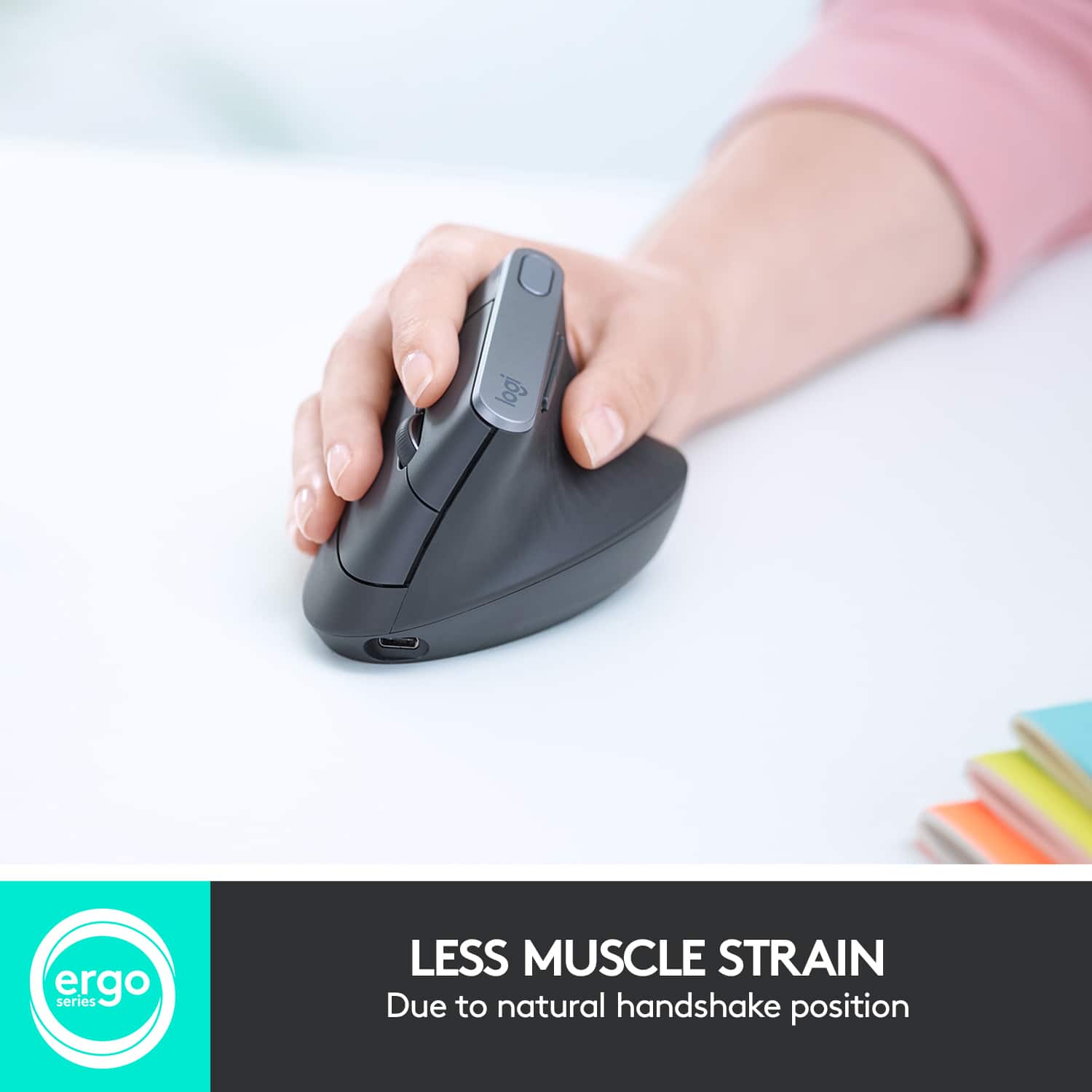
|Posted .This reviewer received promo considerations or sweepstakes entry for writing a review.I haven't really had a bad experience with Logitech devices, and this was no exception. I was excited to try it, because I use computers a lot, and this claims to reduce strain on the hand, providing greater comfort over time, while not slowing you down. This does what it's advertised to do without question. It is an adjustment to use to at that angle, what they refer to on the package as the 'natural handshake position', but then it quickly becomes more comfortable to maneuver from that position. It can be used with the usual nano USB receiver or with a USB cable (both are included), but also can connect via bluetooth for any computer capable of that option. I haven't used it for long, but I can already feel the difference in my hand and wrist just in the time I have been using it.
I would recommend this to a friend - Pros mentioned:Battery life, Bluetooth, Ergonomics
Great form factor
||Posted . Owned for 10 months when reviewed.This reviewer received promo considerations or sweepstakes entry for writing a review.Nice ergonomic shape with the ability to use with Bluetooth or a wireless USB dongle. The mouse charges via USB C and lasts quite a while on a single charge. You can use Logitech's app to customize certain aspects of the mouse's functionality but it works fine out of the box. I purchased this for my mom who's arthritic and she likes it.
I would recommend this to a friend - Pros mentioned:Battery life, Ergonomics, Overall performance
Buy it. Worth the extra cost over some other mice.
||Posted .This reviewer received promo considerations or sweepstakes entry for writing a review.Overall I like everything about this product. There is a noticable reduction in strain in my wrist and shoulder using this over a traditional flat mouse. Responsiveness is great. Battery lasts a very long time, plus it's rechargeable. Feel and quality, plus everything else is great. I actually have no complaints! With Logitechs software it's also simple to setup too of you need to combine it with another receiver.
I would recommend this to a friend