Customer Ratings & Reviews



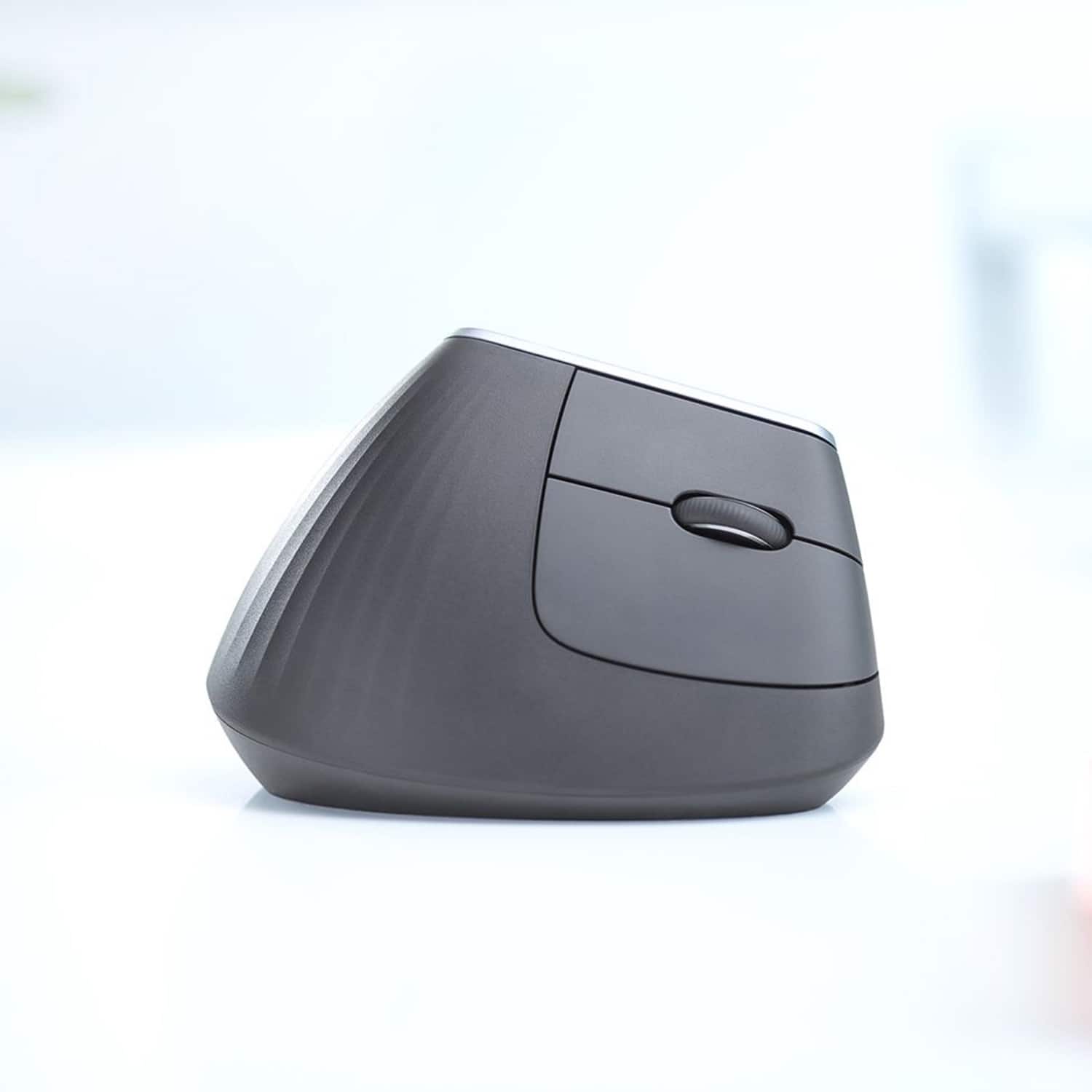


- Model:
- 910-005447
- SKU:
- 6282602
Rating by feature
- Value
Rating 4.3 out of 5 stars
- Quality
Rating 4.7 out of 5 stars
- Ease of Use
Rating 4.6 out of 5 stars
Customers are saying
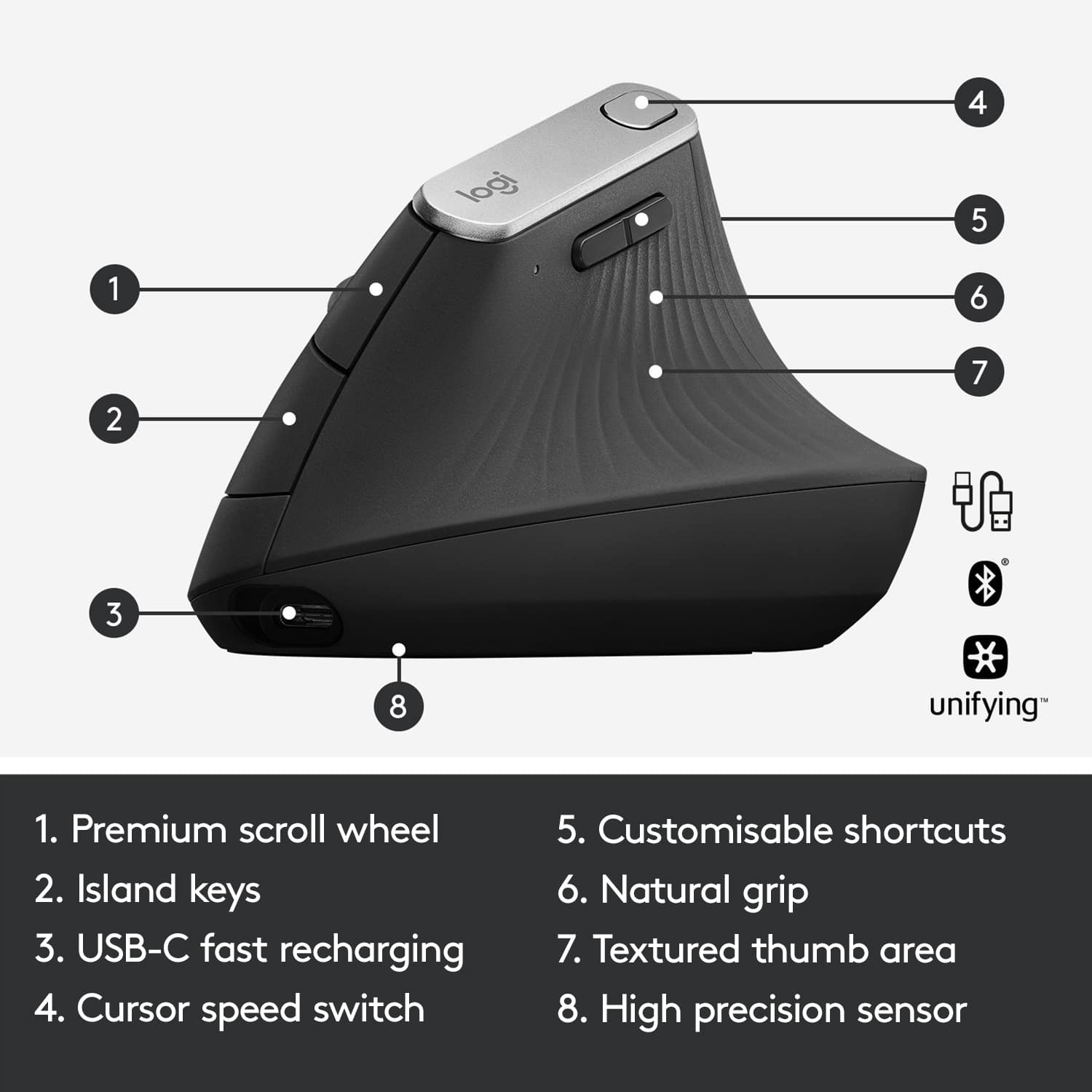
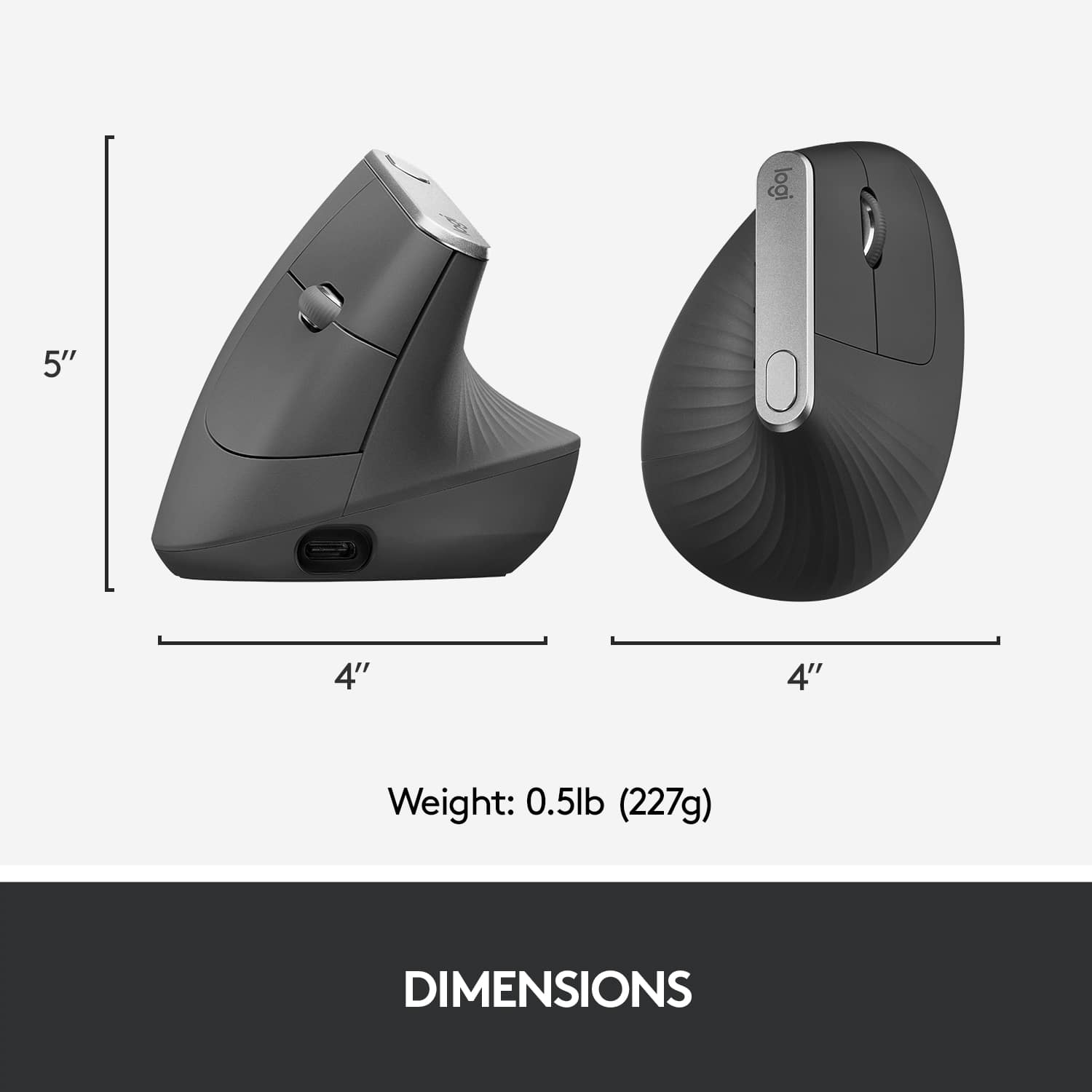
Customers are impressed with the MX Vertical Advanced Wireless Optical Ergonomic Mouse, especially its ergonomics, ease of use, and long battery life. Many appreciate its reliable performance and Bluetooth connectivity. However, some users have reported wrist pain, while others find the size unsuitable for medium-sized hands. There have also been complaints about the scroll wheel's durability and the high price.
This summary was generated by AI based on customer reviews.
Seems to be flawed when used with a Mac.
||Posted . Owned for 1 month when reviewed.This reviewer received promo considerations or sweepstakes entry for writing a review.My wife has this "mouse" and I found it pleasant to use. However, when using my mouse, the cursor will randomly jump to the upper left of the monitor and then begin moving from there. I find that, after looking online, that this is a known problem that is without a solution.
No, I would not recommend this to a friendBrand response from Logitech
Posted .That's unfortunate! In order to help you effectively, please provide your information to our support team by emailing socialcare@logitech.com. Name – Email address – Country – Product name – Brief description of the issue –
- Pros mentioned:Battery life, BluetoothCons mentioned:Wrist pain

Ergonomic Perfection
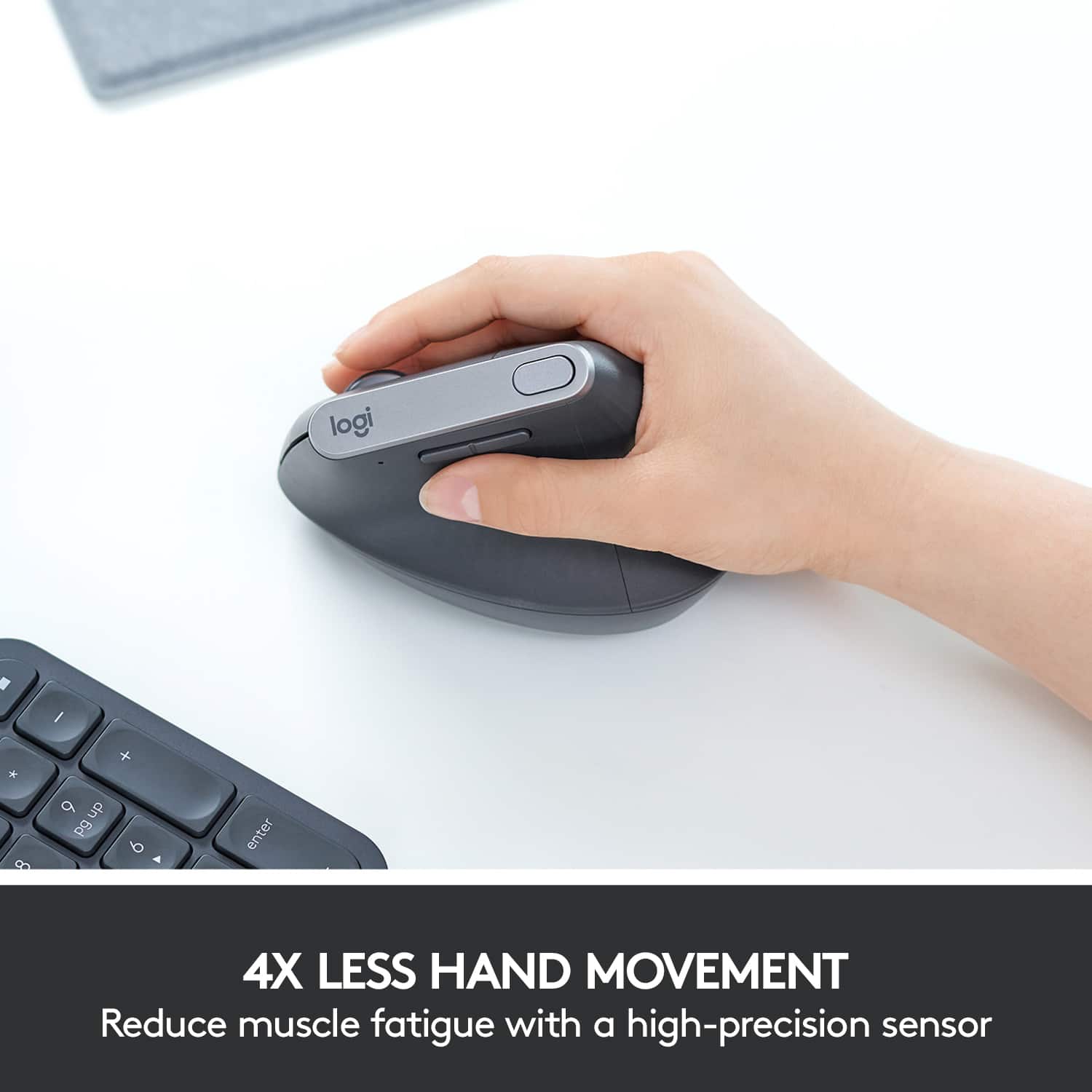
|Posted .This reviewer received promo considerations or sweepstakes entry for writing a review.First and foremost, if you are experiencing (or have experienced) kinks in your wrist, strain, or fatigue due to heavy use of a traditional mouse in your office environment, I would highly advise that you try vertical mice. I firmly believe that making the switch early on when I noticed slight kinks in my wrist due to repetitive back and forth wrist swipes when using a traditional mouse in my fast paced tech support position prevented what would have likely been a development of arthritis. Initially switching to a trackball mouse was the best thing I did (I didn't know vertical mice existed back then). It was later that I discovered that vertical mice were just as effective in reducing wrist strain, but also felt more "natural" or "traditional". I've been using this Logitech MX vertical mouse every day at work (8 hour shifts) for well over a week now. As someone that came from the ever so popular Anker vertical mouse, I have some pretty decent experience using these type of mice. I initially made the switch from a trackball mouse to the Anker veritical mouse about 2 years ago after my co-worker let me try his. I loved the improved accuracy, speed, and precision offered by vertical mice over their trackball counterparts all while still maintaining the ergonomic benefits. I'm happy to report that this Logitech vertical mouse is superior to the Anker in every way. It's incredibly comfortable to hold, it's design provides great support for my palm, it's optical sensor is far superior, and so is the build quality. I also love that this mouse can be charged via a detachable USB type C cable and can also be paired to three devices at the same time. The mouse is also said to last close to 4 months of everyday use without needing a charge. So far I've gone on almost two weeks and no signs of a charge needed yet. For reference, I have medium to large size hands and the fit is perfect. My right hand from middle finger to the bottom of my palm is 7 1/4" inches and the width of my palm is just shy of 3 1/2 inches" and it is PERFECTION. My hand rests naturally on the mouse and it just fits like a glove.I honestly have nothing negative to say about this mouse. Setup was incredibly easy. Plug and Play. Simply connect the included dongle to an available USB port and you're done. I also enjoyed the included macro button that allows you to scroll between different sensitivity levels. In my opinion it's well worth the price, especially considering that it could potentially eliminate hefty medical bills down the road; this especially holds true if you work in a fast paced office environment with a multi-monitor setup that requires you to constantly move applications and windows from one monitor to the other causing a lot of wrist movements. If this sounds like you, please do your wrist a medical favor and make the switch.
I would recommend this to a friend Hurts my wrist!
||Posted . Owned for 3 months when reviewed.This reviewer received promo considerations or sweepstakes entry for writing a review.I love the smart features but I never had wrist problems with regular mouses and after using this one, my wrist hurts! I bought this as an investment since I work all day on the computer and didn’t want to develop wrist problems, but it seems this caused them for me.
No, I would not recommend this to a friendBrand response from Logitech
Posted .Sorry about the experience. In order to help you effectively, please provide your information to our support team by emailing socialcare@logitech.com. Name – Email address – Country – Product name – Brief description of the issue –
Never again
||Posted . Owned for 1 week when reviewed.This reviewer received promo considerations or sweepstakes entry for writing a review.Not happy with this at all, I could not keep the cursor under control. Moves to fast, and it was weird to work with
No, I would not recommend this to a friendBrand response from Logitech
Posted .Hello Joshua,
I am sorry that the MX Vertical is not meeting your expectations. You need to download the Logitec Options + app to adjust the mouse resolution (DPI) and make it move slower in relation to your hand movement. I hope that you find this information useful. Logitech appreciates your product review. - Leo from Logitech
Battery won't recharge.
||Posted . Owned for 2 months when reviewed.This reviewer received promo considerations or sweepstakes entry for writing a review.I loved this mouse, then it stopped charging and now I have to keep it wired to get it to work. I picked it up June 3and it lasted 9 weeks before having this problem.
No, I would not recommend this to a friendBrand response from Logitech
Posted .Hello, I am so sorry to hear the mouse will not keep a charge. That is definitely not normal! Fortunately this mouse has a 1 year warranty through Logitech. Just visit the support page for this item on Logitech.com and you can start the claim process for a new one there. I hope this helps! Thank you for taking the time to write this review, we appreciate the feedback.
- Pros mentioned:Battery life, Ease of use, Ergonomics
Comfortable for All Day Use
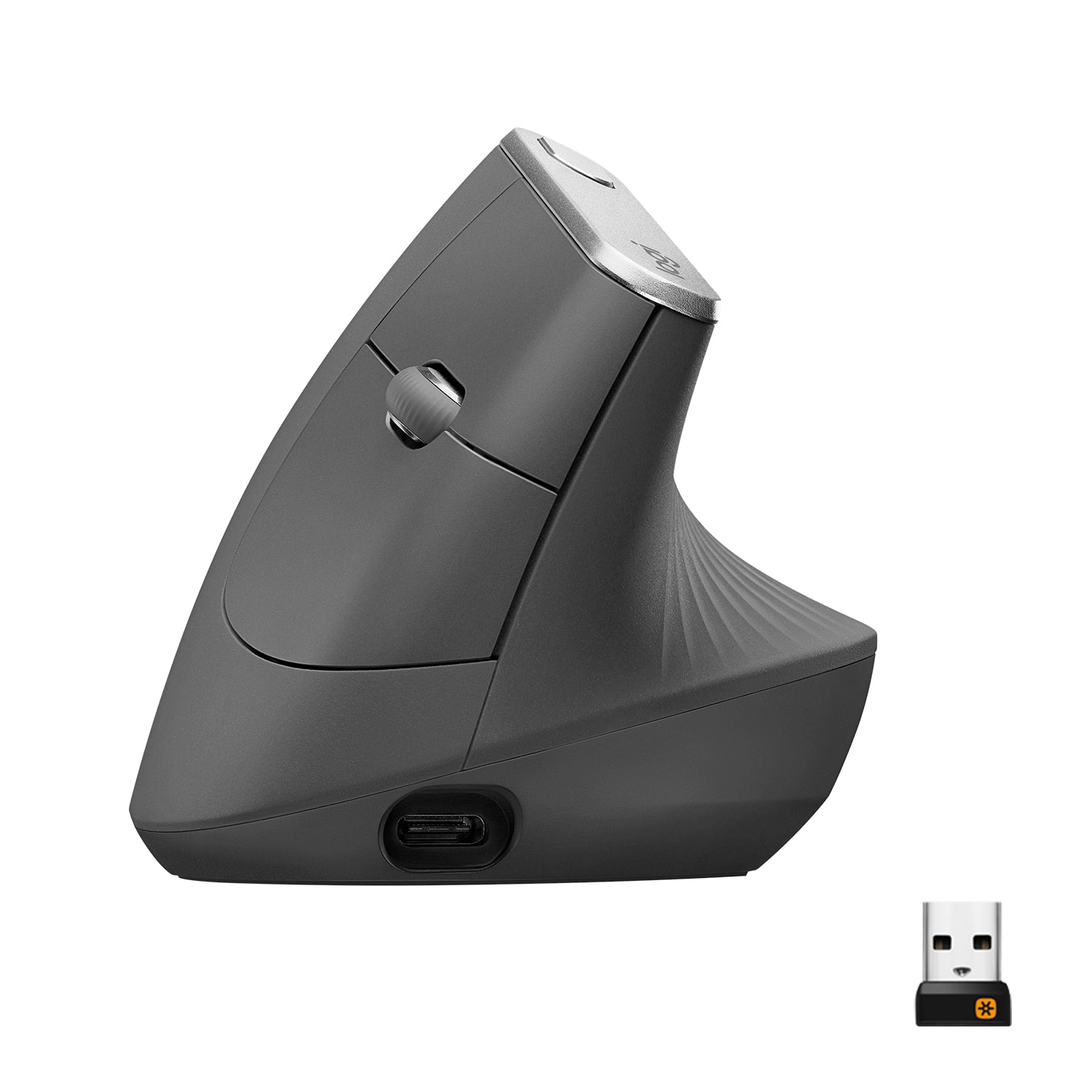
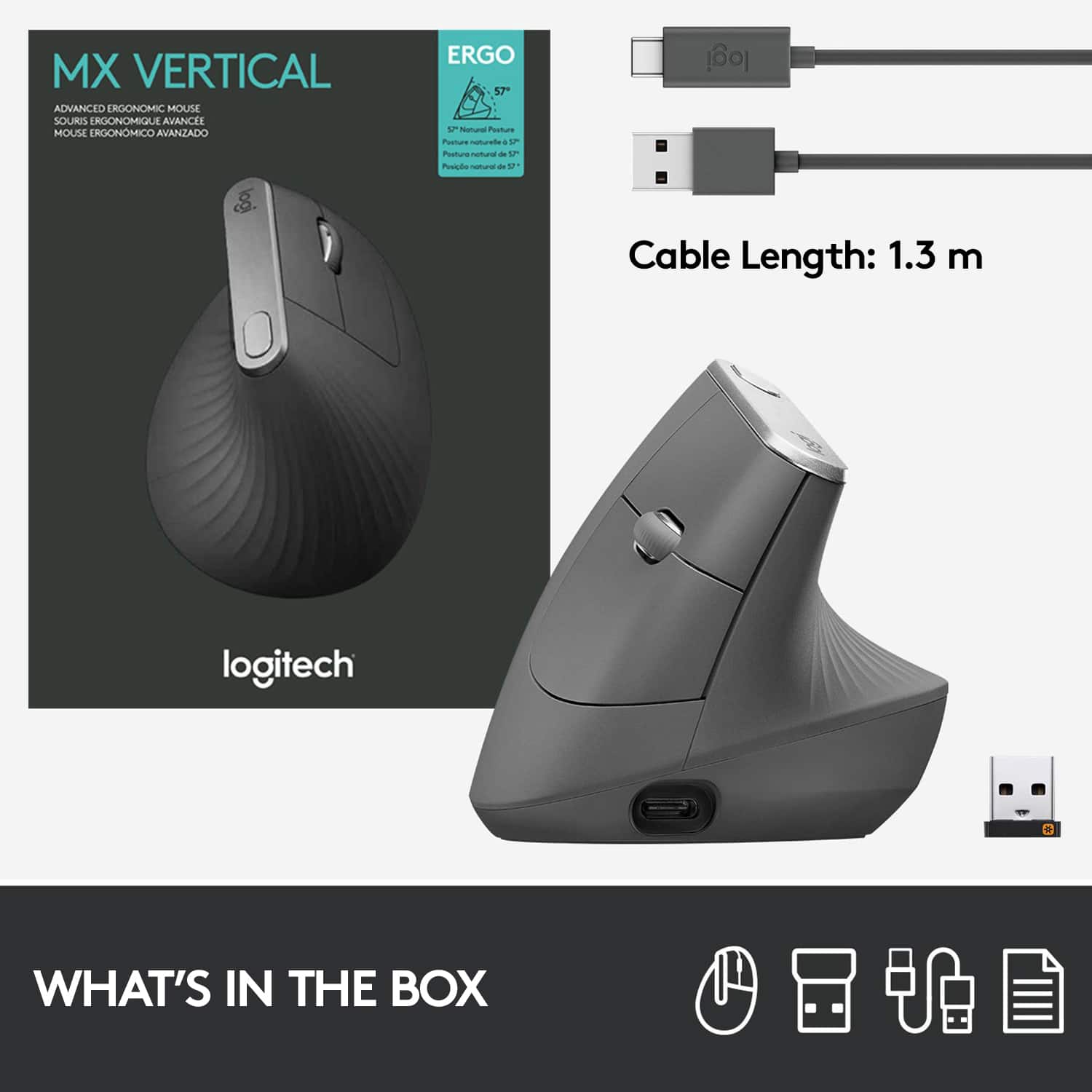
|Posted .This reviewer received promo considerations or sweepstakes entry for writing a review.TLDR - This is easy to use and very comfortable, even if it looks weird. Using this mouse all day long is simply a joy. If your right handed don't hesitate if you need a mouse, this is it. Logitech has made another great mouse in my opinion. For my hands its easy to grip and even though the form factor is completely different from any mouse, the way it rests in your hand and position of the buttons is natural and didn't take any learning from me. Setting up the mouse for use is easy too. You have three ways to connect, with the Logitech Unify connector (handy since you can program different devices) bluetooth and cabled. I like the ability to have it cabled in case the rechargable battery, which can be removed by the user, runs out, or I don't have bluetooth or the dongle handy. The mouse itself is soldly built and I like the meshish pattern giving it a modern looks. It feels solid and isn't too heavy or light. Glides across the desk with ease and I've been very happy using it these last few days. The only complaint I have (and its minor) there is no storage bay in the mouse for the USB Dongle for connection. That means if you need to switch between computers it will have to be carried loose, which is not ideal. Beyond that I haven't had an issue with the mouse. They have software to program the buttons, but for me out of the box it worked the way I needed so I didn't need to create fancy programs, but it is there for the more advanced mouse users. What I like is using it all day my hand doesn't feel like I've been using a mouse all day, I will say though if you are left handed, the version I got will not work for you, it is definitely molded to your right hand. I can't recommend this mouse enough though because of the comfort, I'm very happy to use this as my daily driver in the office and I'm sure you will be happy too with it.
I would recommend this to a friend Not for me
||Posted . Owned for 1 month when reviewed.This reviewer received promo considerations or sweepstakes entry for writing a review.It did not work for me. It didn’t feel comfortable and I returned it.
No, I would not recommend this to a friendBrand response from Logitech
Posted .Thank you for taking the time to share your product experience with us, even if it was less than ideal. Your feedback is vital, and we'll pass it on to the relevant team.
Broke after 2 weeks- known issue
||Posted . Owned for 2 weeks when reviewed.This reviewer received promo considerations or sweepstakes entry for writing a review.The scroll broke after 2 weeks. It is apparently a known issue. I'm going to return the mouse because even though Logitech has a few tips to get it working again, I don't want to keep dealing with this. It's a $100 mouse. It was also a major pain to install on two machines.
No, I would not recommend this to a friendBrand response from Logitech
Posted .Hello Mark, Very sorry to hear about the scroll wheel breaking after just 2 weeks of use. At Logitech, it is our goal to ensure you are completely satisfied with your Logitech purchase. We take pride in the products and services we offer, and want our customers to enjoy them just as much as we do. To that end, there is a 1 year limited hardware warranty that comes with the MX Vertical. Here's a link to File A Claim: https://support.logi.com/hc/en-us/articles/360024921874-Warranty-MX-Vertical. Hope that you find this helpful and that all is going better. Thank you for choosing Logitech. - Richard from Logitech
- Cons mentioned:Size
Too heavy and bulky,
||Posted .This reviewer received promo considerations or sweepstakes entry for writing a review.Too heavy and bulky, angle is odd and so made hand hurt worse. Not buy this.
No, I would not recommend this to a friend - Cons mentioned:Size
Didn’t really like
||Posted . Owned for 7 months when reviewed.This reviewer received promo considerations or sweepstakes entry for writing a review.Didn’t like the shape .. it was uncomfortable didn't like !
No, I would not recommend this to a friendBrand response from Logitech
Posted .Hello des1226,
I am sorry that the MX Vertical mouse was not what you expected. The MX Vertical has a unique design that is highly beneficial for your hand posture, but it takes patience to adjust to the unique shape. Thanks for trying the MX Vertical. Logitech appreciates your product review. - Leo from Logitech
- Pros mentioned:Bluetooth, ErgonomicsCons mentioned:Size
Dream almost comes true
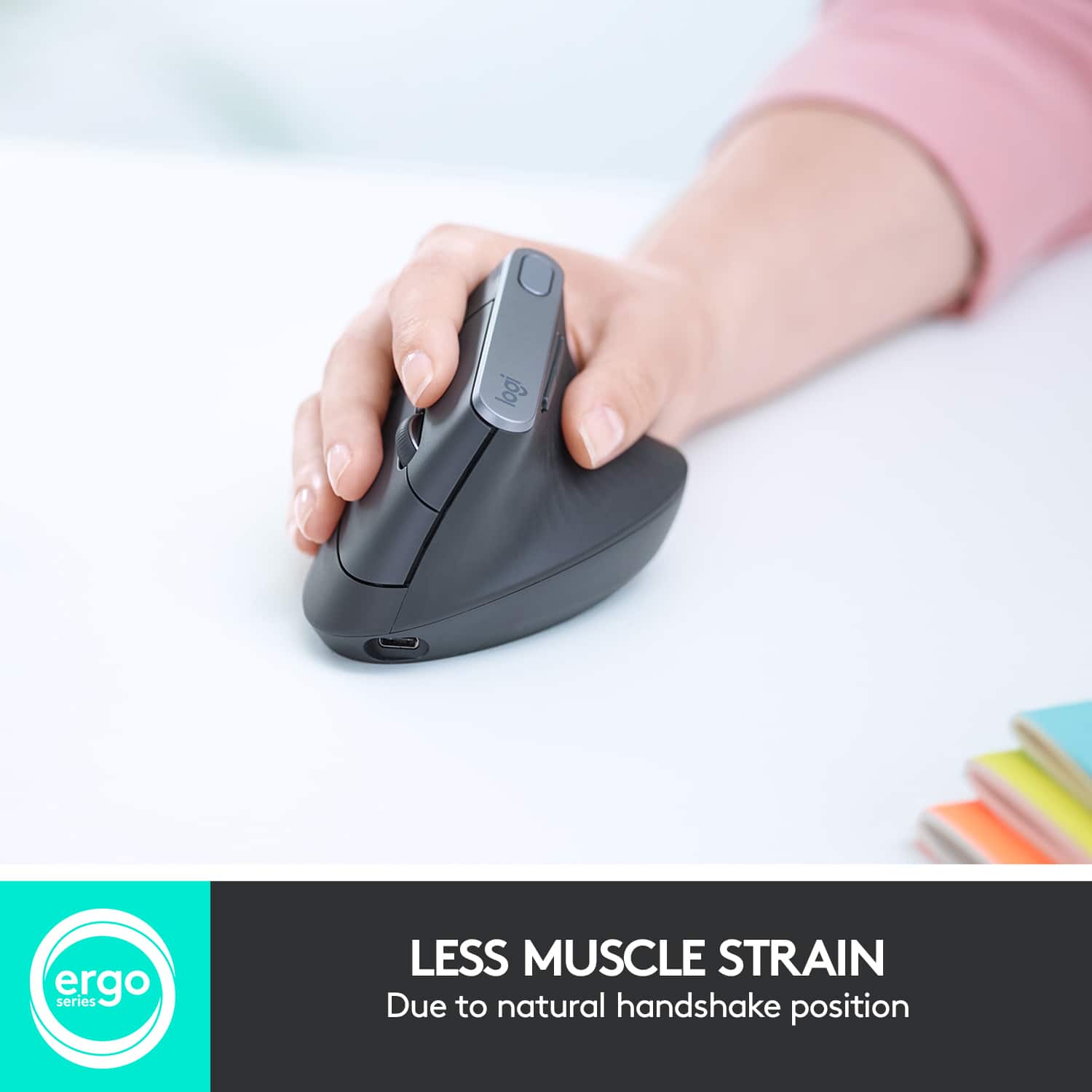
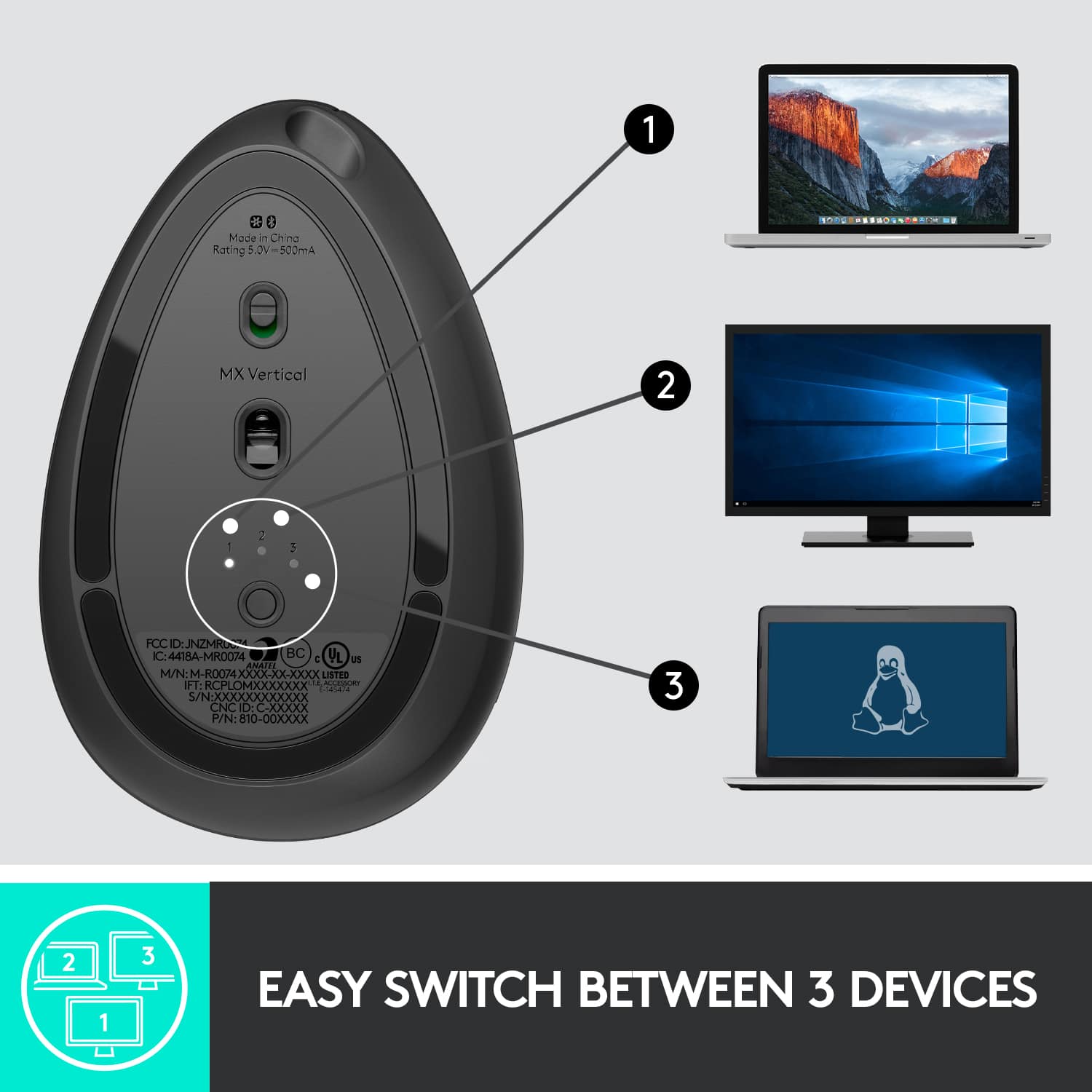
|Posted .This reviewer received promo considerations or sweepstakes entry for writing a review.The Logitech MX Vertical mouse is something I have dreamed of for YEARS! I always thought this was the perfect design for good ergonomics - a mouse that is formed so that your hand is held as a handshake, as this is a natural position for the hand/wrist. As a person with carpal tunnel issues, this is an almost perfect mouse. The only problem I have is that I have small hands and this is a little too big... I can reach most of the buttons quite comfortably, however, I have to stretch my pointer finger to reach the scroll button. This motion puts a strain on my hand/wrist. That is a frequently used button for me and that stretching is very uncomfortable. I wish there was a smaller version of this mouse. For work, I will continue to use the roller bar mouse that work has supplied to me, because with that there is no reaching, no stretching - just comfort. As for the mouse itself, it is Logitech, so I would think it will work for years to come. It can be plugged into your USB drive to use/charge with the supplied cable, you can use the unifying receiver or go Bluetooth. It came charged out of the box and I am using the unifying receiver since I already have one in use. My PC came up with a little message box telling me I didn't need to plug in the new receiver since I already had one in use and asked if I would like to use one or both. I opted for one and as instructed, I removed the newly added receiver and it removed the MX Vertical. It then re-paired it with the other receiver and I was good to go with all devices working great. I would very highly recommend this mouse - for those with hand/wrist issues and those who frequently use their keyboard to possibly avoid future hand/wrist issues. Finally, someone has put some ergonomic thought into a mouse design - BRAVO LOGITECH!
I would recommend this to a friend - Pros mentioned:Battery life, ErgonomicsCons mentioned:Size
room for improvement
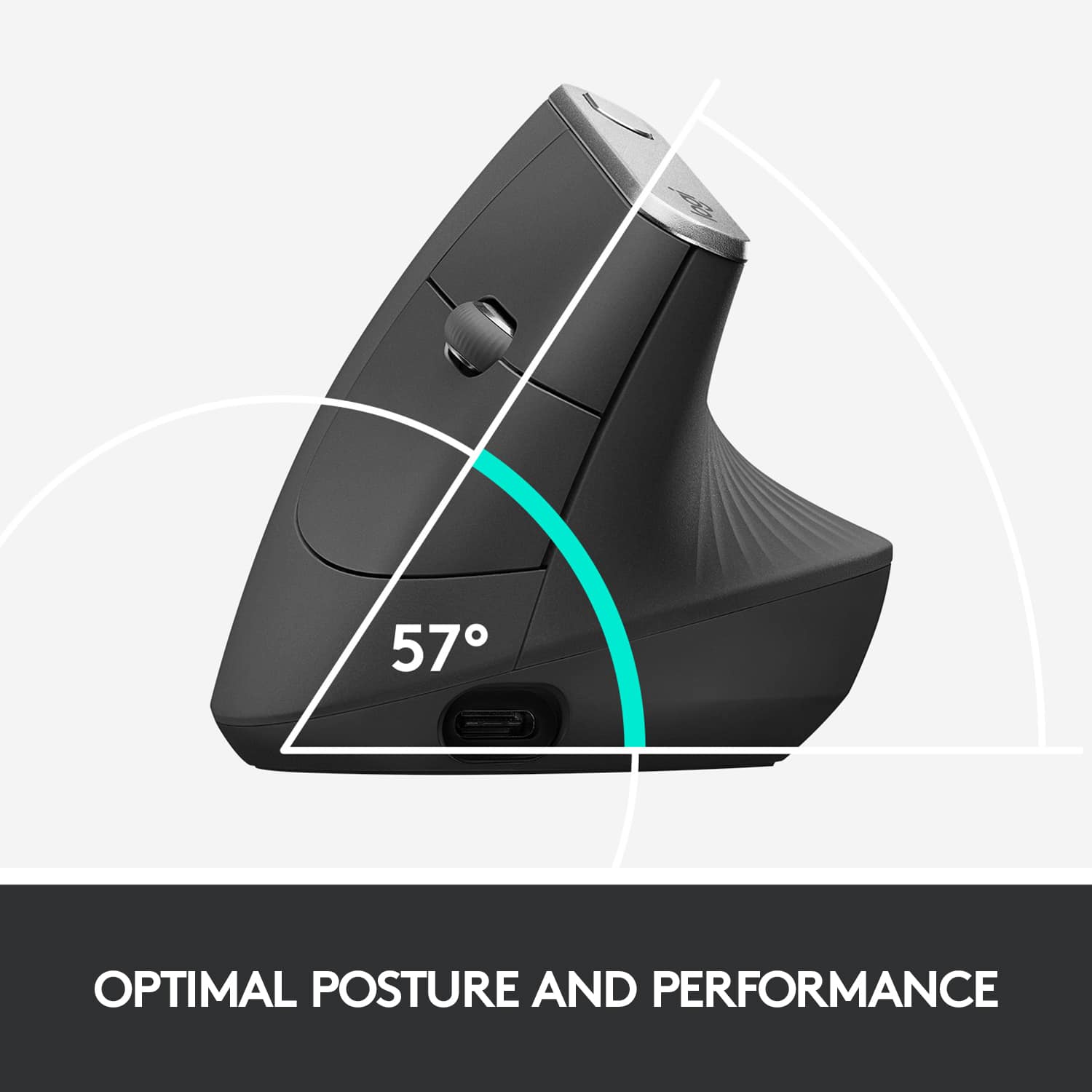
|Posted .This reviewer received promo considerations or sweepstakes entry for writing a review.This mouse and its design is a great idea, but there is definitely room for improvements. First of all, the angle of its design and hand position is great. By far way more comfortable to hold my hand at this angle rather than laying my hand flat on a mouse, as someone who spends several hours a day on a computer, whether that is for editing photos and videos, or just general computer work, I have my hand on a mouse for about 8-10 hours a day. Working at this new angle is definitely refreshing and the relief on the muscles around my wrist is very noticeable. I never realized how uncomfortable a traditional mouse was until I tried something different. But, this mouse in particular is very large. My hands are small but chunky. My palms are usually smaller when I compare my hands to friends of mine, and my fingers are definitely shorter. This mouse would be great for men and some woman, but for me it just feels too big. I often find myself readjusting my hand to feel more comfortable or to be able to reach the buttons better. The area of the mouse that touches the palm of your hand between your thumb and index finger is especially big and bulky, and in my opinion, bulges way too far out. I would really like to see logitech make this same mouse, but on a smaller scale and it would be perfect. I also think the base of this mouse is a little too tall, it is more than a half inch tall from the mouse pad to the area your hand sits on, meaning you have to still put your wrist at a slightly weird angle. If you could leave you hand more flush to the mouse pad it would definitely be more comfortable. On a very positive note though, this mouse works great with the logitech options app and there is quite a bit of customization that can be done. Another massive plus to this mouse is the battery life and how quickly it can charge, I do not think I have any other devices that have anywhere near the impressive battery life that my logitech devices have. They really are on another level. Overall, this mouse has a lot going for it, its ergonomic design is by far an improvement from a traditional mouse, but this particular model really does have room for improving. And as I said it would be awesome to see logitech refine the design on this one and maybe even make an identical one but on a smaller scale. If they did that, absolutely no one would have trouble using this device.
I would recommend this to a friend Product was used
||Posted .This reviewer received promo considerations or sweepstakes entry for writing a review.The bottom of the brand new mouse was scuffed up from prior usage. The clerk was snotty About me returning it. Also the serial number on the bottom of the mouse did not match the serial number on the box that it came in unbelievable to me that Best Buy was so snotty to me about returning it as though it wasn’t their problem and it was my problem. I’m not sure how I feel right now about my treatment this evening when I returned it
No, I would not recommend this to a friendBattery as bad as Best Buy return policy!
||Posted . Owned for 1 month when reviewed.This reviewer received promo considerations or sweepstakes entry for writing a review.Very comfortable after an initial adjustment period. Had it for just over a month and seem to be having a charging issue. The battery is not replaceable and now I see Best Buy has a return policy of 15 days according to the receipt but only 10 days according to the app?! That is ridiculous and will motivate me to find a new electronics supplier.
No, I would not recommend this to a friendBrand response from Logitech
Posted .Hello, we are sorry to hear that the MX Vertical is not working properly for you. At Logitech, it is our goal to ensure you are completely satisfied with your Logitech purchase. We take pride in the products and services we offer, and want our customers to enjoy them just as much as we do. The MX Vertical comes with a 1 year limited hardware warranty. You can submit a warranty ticket with us if the store won't acknowledge your return. We apologize for any inconvenience. Thanks for the honest review, have a great day. -Ricky | Logitech. https://support.logi.com/hc/en-us/articles/360024921874-Warranty-MX-Vertical
Not Good as a Mouse That Needs to "Move"
||Posted . Owned for 10 months when reviewed.This reviewer received promo considerations or sweepstakes entry for writing a review.While this "may" provide ergonomic benefits if you just left your hand resting on it, I found any benefit was lost as soon as you needed to use it as a mouse. The position of your hand as you needed to move the cursor around a screen was awkward and seemed more inclined to pull you out of that ergonomic position.
No, I would not recommend this to a friendBrand response from Logitech
Posted .Hello, John! I'm sorry to hear about your experience with the MX Vertical mouse. Thank you so much for the feedback on the comfort of the mouse! I will be passing this along. - Maggie from Logitech
Interesting Idea, just doesn't deliver.
||Posted . Owned for 1.5 years when reviewed.This reviewer received promo considerations or sweepstakes entry for writing a review.Felt interesting in store, but at home didn't line up with my hand, my fingers didn't come up to top button and i have large hands.
No, I would not recommend this to a friendBrand response from Logitech
Posted .Hey! We appreciate your feedback on the Logitech MX Vertical. We understand that the in-store experience can sometimes differ from at-home use. We apologize that the button layout wasn't ideal for your hand size, especially with large hands. Your feedback is valuable as we strive design ergonomic mice for a variety of hand size and grips. We'll share this with the product development team for future considerations.
- Pros mentioned:Battery life, Bluetooth, Ergonomics
Awesome ergonomic mouse
|Posted .This reviewer received promo considerations or sweepstakes entry for writing a review.The MX Vertical is certainly an interesting concept. Packaging was not a problem, the device comes with a charge cable (USB-C), receiver (if needed) and instructions, the design is rather intriguing as well, sort of a snail shell look to it. Charging the mouse only took about an hour and will last a good few weeks, depending on usage. I use mine at the office, since I do a lot of computer work. At first, holding onto the mouse was a bit awkward, but after using it for about three weeks, I can say that it feels a lot better on my wrist than using my old MX mouse. Set up is super easy, it’s basically plug and play, and if you want to use additional features, you just need to install the MX software. However, my job will not allow me to download it onto a work computer, so I wasn’t able to test the button on top which is usually a user-specified button (I usually program it to toggle between applications) Another awesome thing about this mouse is that you don’t HAVE to use the receiver. It’s Bluetooth compatible and you can program up to 3 devices (I have my work laptop on 1, used with the receiver). I always have been fond of Logitech products and none of them have let me down. So, if you need an ergonomic mouse, and don’t mind a bit of awkwardness at first: This mouse is certainly for you.
I would recommend this to a friend Not really ergonomic
||Posted . Owned for 8 months when reviewed.This reviewer received promo considerations or sweepstakes entry for writing a review.I rarely give 1 star reviews but this one while I like the look, it is not as ergonomic as advertised. The mouse it a little raised (not leveled with the surface) so when you're holding it after awhile you're wrist and elbow will start to hurt.
No, I would not recommend this to a friendBrand response from Logitech
Posted .Hello, I am sorry to hear you are not satisfied with the product. Thank you for taking the time to write this review, we appreciate the feedback.
Is there a way to fix it?
||Posted . Owned for 1 month when reviewed.This reviewer received promo considerations or sweepstakes entry for writing a review.The curser jumps all over the place. I've tried three different mouse pads, and it still doesn't work properly. I even tried a blue one. Any ideas how to fix it?
No, I would not recommend this to a friend- Pros mentioned:Ease of use, Ergonomics
So Worth the Money...
|Posted .This reviewer received promo considerations or sweepstakes entry for writing a review.Having never used an ergonomic mouse before, this takes a little getting used to. When I first tried it, it felt very awkward. Within 10 minutes I had it mastered. I have only used it for two days and believe that the design is going to help fight against carpal tunnel. I also believe that because of the way I have to hold it, it seems that it is helping my posture. Setup was very simple. I charged the mouse first to be sure it had a full charge. I downloaded the suggested app and followed directions for adjusting the mouse, such as scrolling, speed, etc. I plugged the dongle into a USB port, turned on the mouse and it instantly worked. You can also Bluetooth the mouse if you so desire or keep it plugged into the USB cord that comes with it. It is lightweight, very comfortable (but as mentioned awkward at first). I highly recommend this particular mouse to save yourself from getting carpal tunnel or other wrist problems. For myself, I really believe that it corrects my posture because of the ergonomic design.
I would recommend this to a friend