Customer Ratings & Reviews




- Model:
- 910-005447
- SKU:
- 6282602
Rating by feature
- Value
Rating 4.3 out of 5 stars
- Quality
Rating 4.7 out of 5 stars
- Ease of Use
Rating 4.6 out of 5 stars
Customers are saying
Customers are impressed with the MX Vertical Advanced Wireless Optical Ergonomic Mouse, especially its ergonomics, ease of use, and long battery life. Many appreciate its reliable performance and Bluetooth connectivity. However, some users have reported wrist pain, while others find the size unsuitable for medium-sized hands. There have also been complaints about the scroll wheel's durability and the high price.
This summary was generated by AI based on customer reviews.
- Pros mentioned:Battery life

Logitech quality and features in a new form
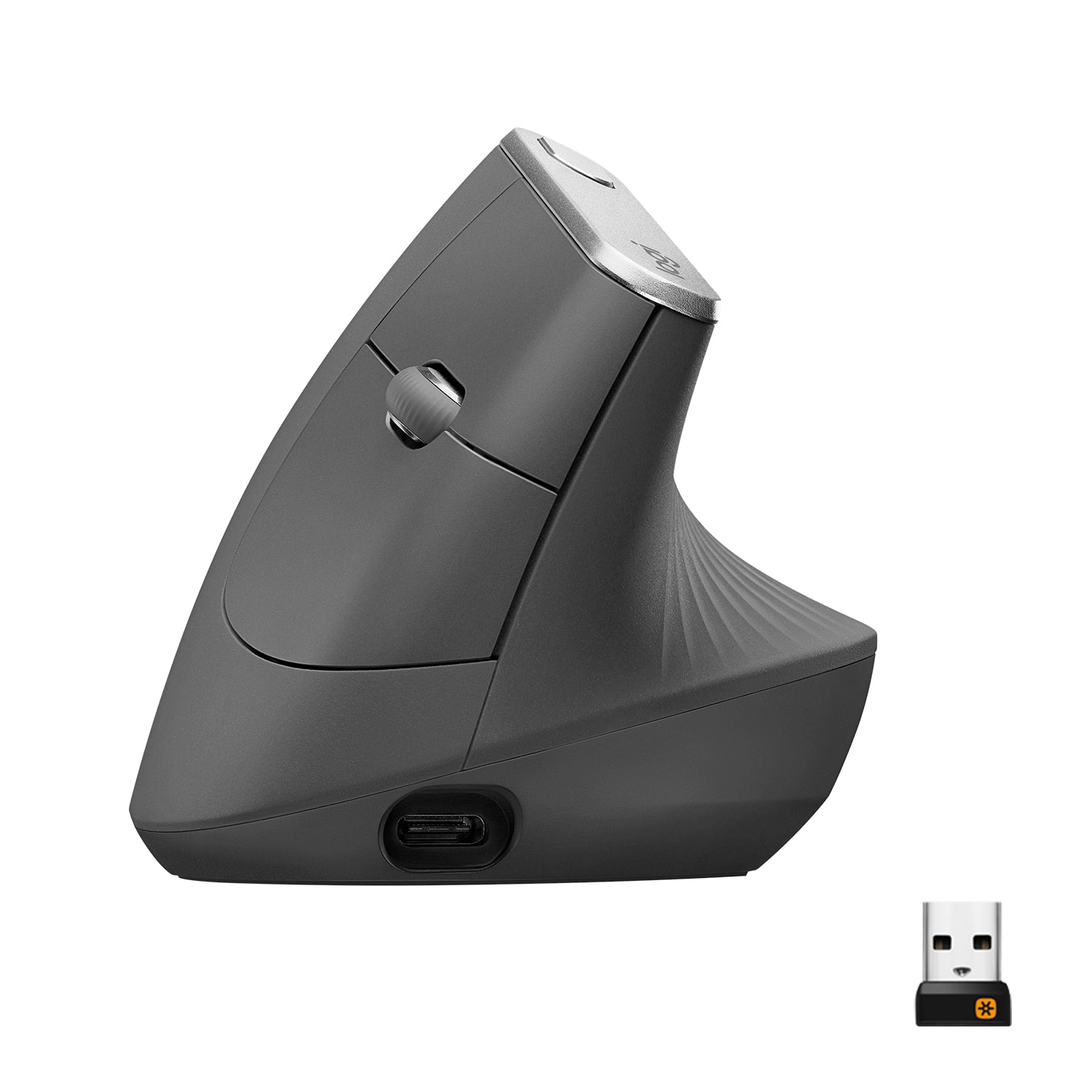
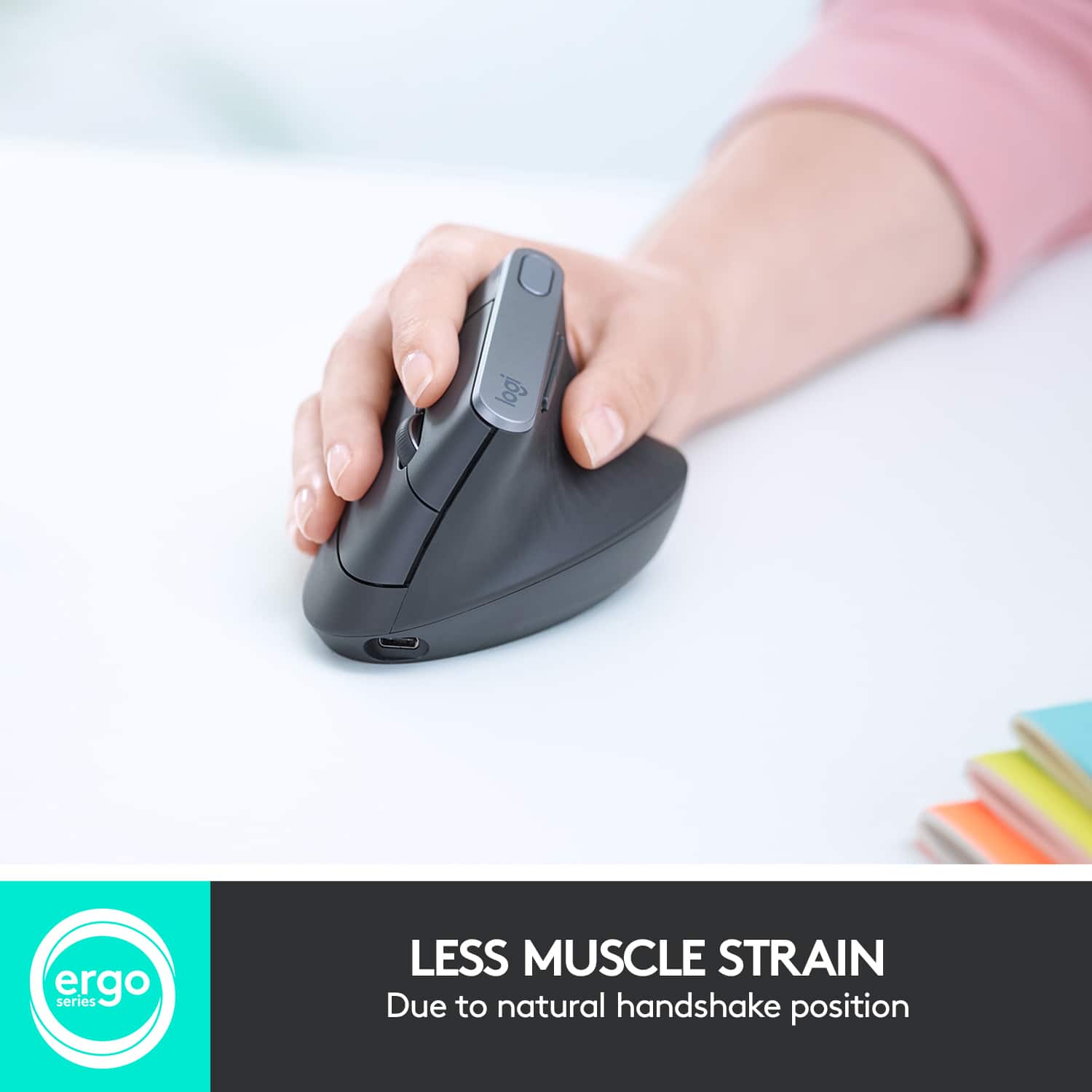
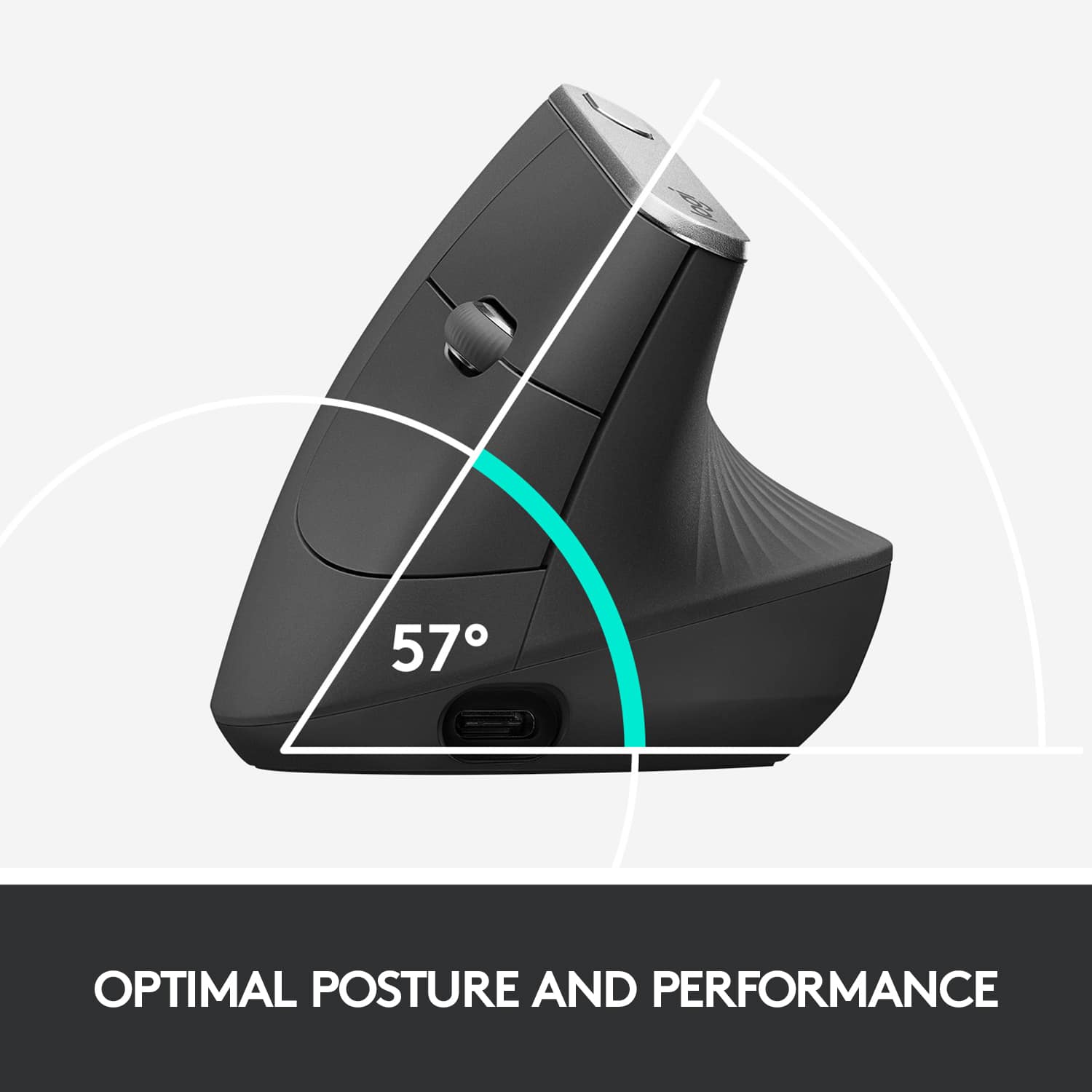
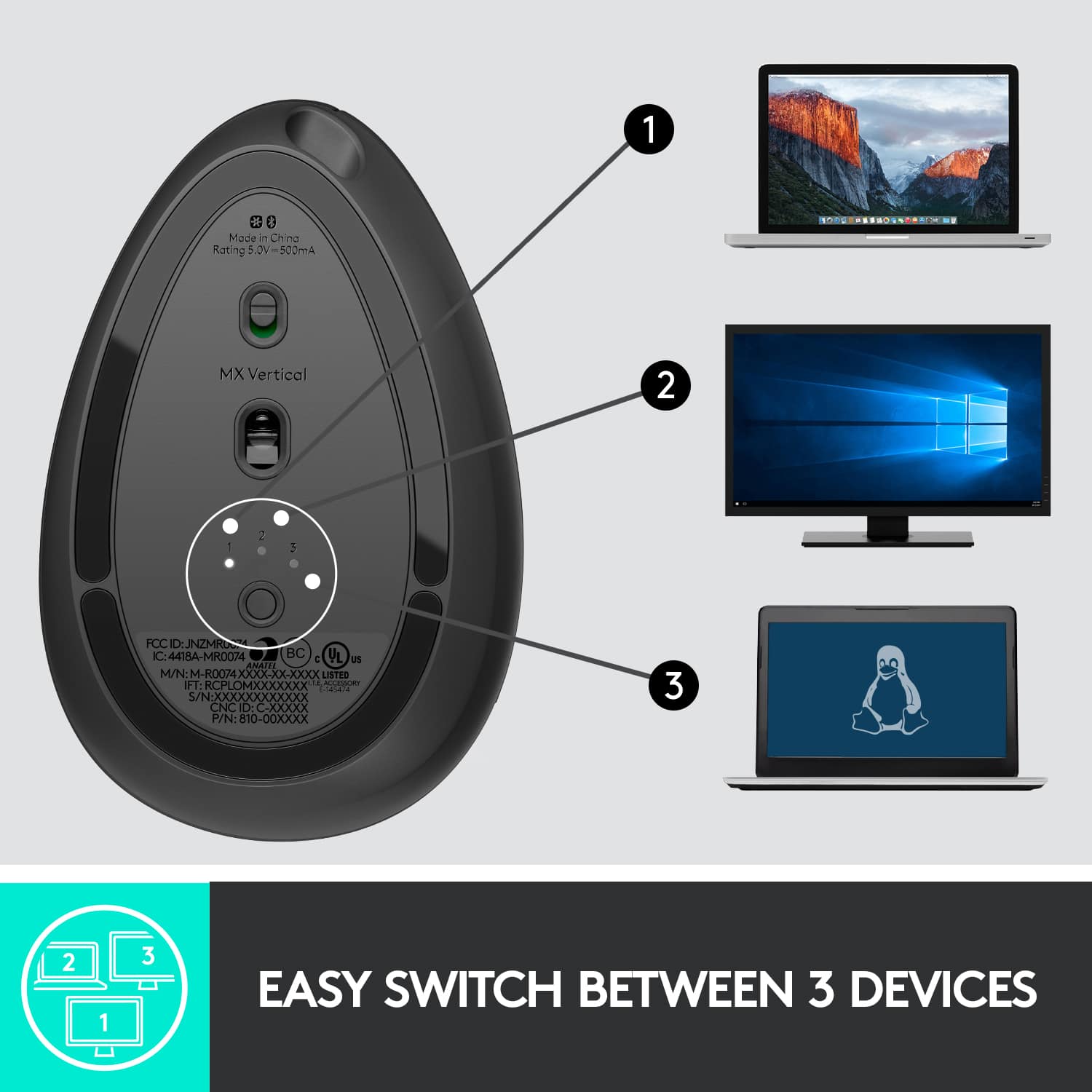
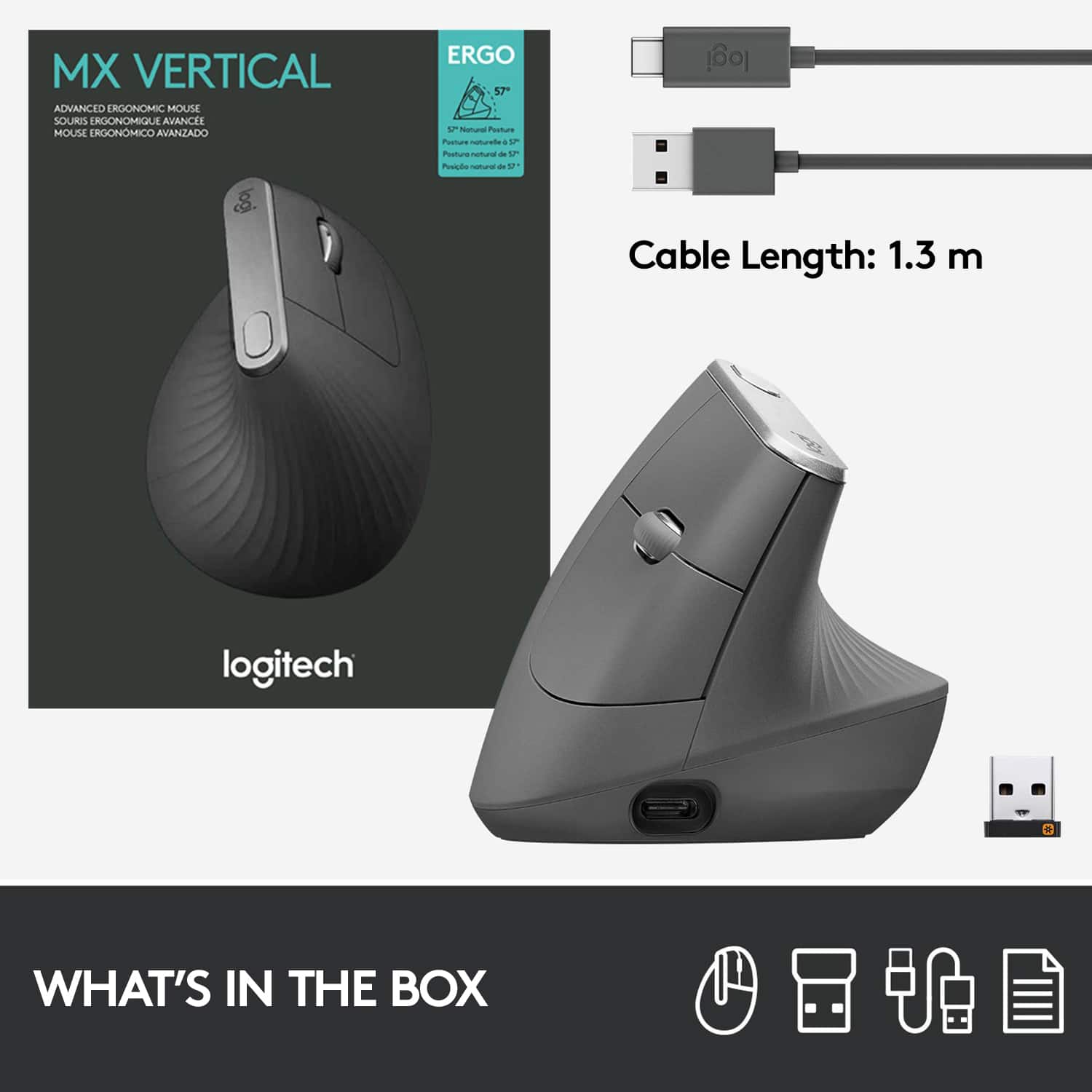
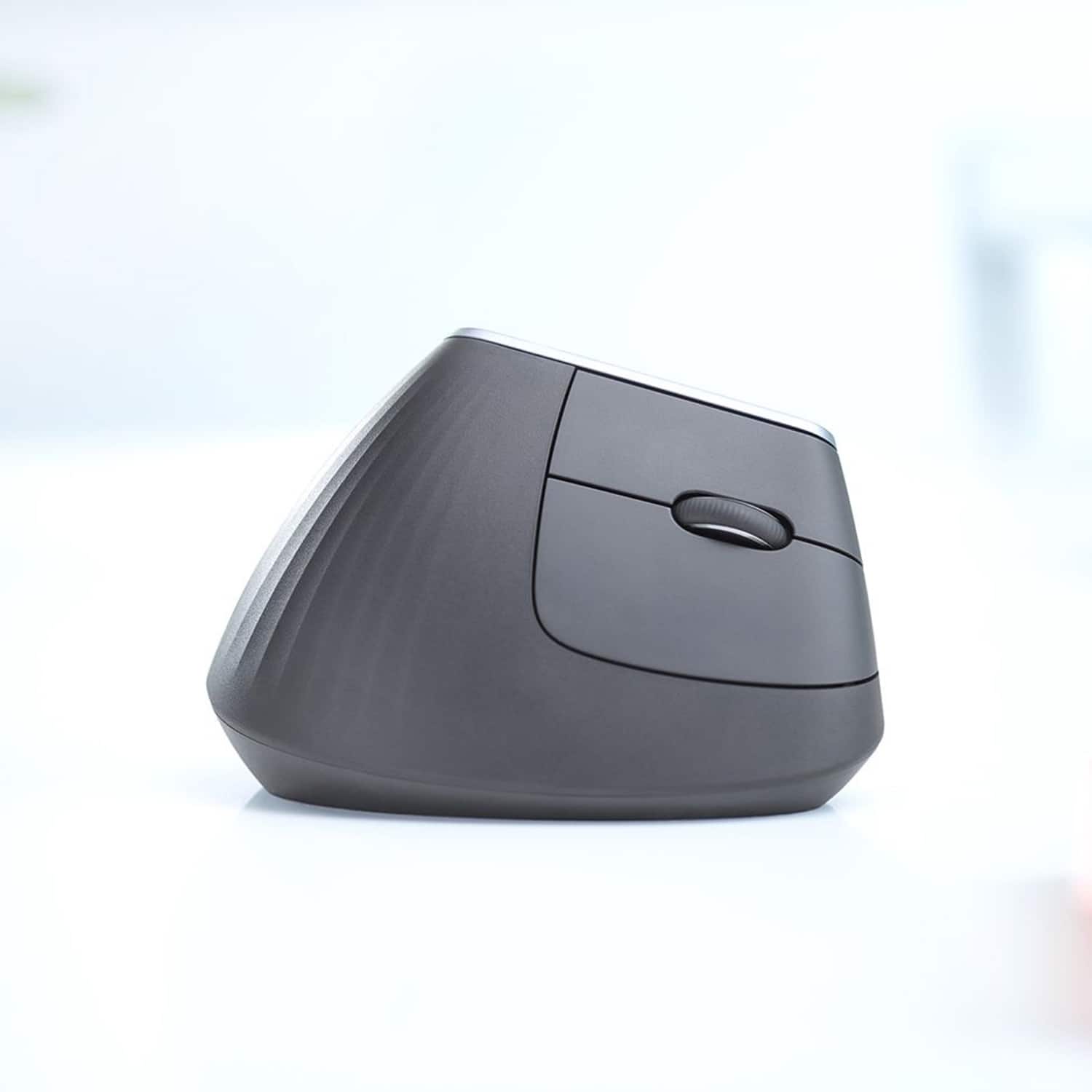
|Posted .This reviewer received promo considerations or sweepstakes entry for writing a review.Logitech was gracious enough to provide one of their new MX Vertical mice for me to review. I've spent over a week using it as my daily mouse, and I consider it to be another solid mouse from Logitech. Ultimately, I think the new (for Logitech) form factor is its greatest strength and weakness. Clearly, the form factor of this mouse is its selling point amongst Logitech's fleet of input devices. It takes the guts of their high quality MX Master and puts it into a vertically-oriented mouse body - yes, the buttons are now on the right side. In turn, this leaves your hand in a more natural, handshake-like position while using the MX Vertical. The shape feels a bit reminiscent to me of some of Logitech's older trackball designs, and like trackballs, the ergonomic argument for using the MX Vertical is strong. I found it much easier to adapt to a slightly different mouse grip, however, than I ever found it to use a desktop trackball. I think many people are going to find this form to be a nice middle ground. All of the nice features of the MX line are here. It can pair with up to 3 computers, and Logitech's software even allows you to switch your active Logitech input devices between multiple computers that you may have side-by-side on your desktop. This isn't something I've utilized yet, but it is an interesting feature to have. I have used the multi-computer pairing, though, and it works perfectly for me. On top of that, the device has a high quality finish, and the mechanical aspects (buttons and scroll wheel) feel very nice. In the last year, I did have a Logitech mouse's scroll wheel begin to behave erratically. That mouse was not in the MX series, so I'm cautiously optimistic the hardware is a step up on this mouse, but I'll be keeping an eye on it. The battery life is perfectly fine. I only charged it once since opening it (didn't even full-charge it out of the box and got several days usage from it). The mouse actually has a USB-C port on it rather than the USB micro-B port Logitech has generally used until now. It comes with a USB A-to-C cable for charging (and to use the mouse while charging). This won't help anyone who only has USB-C ports, though that's fairly rare to see yet. I do commend Logitech on future-proofing the connector choice. While I overall am pleased with the form factor, I did observe a few downsides - none of which are serious, or to which I'm not adapting. First, it makes the mouse considerable taller than a standard one. One of my desks has a sliding keyboard tray, and this mouse was too big to fit on top of the tray when pushed into the desk. The mouse surface area also feels somewhat bigger than a traditional one, perhaps just due to the alignment and not having as much of a flat surface to rest my hand on. Last, and probably the most significantly for me, is that pressing on the side of the mouse to click (rather than the top) produces a lateral force that often shifts the pointer every so slightly. This sometimes causes the computer operating system to interpret a double click as two separate clicks with a small amount of movement in between. I've gotten better at avoiding this, but it still happens for me. A traditional top-button mouse produces downward force that if anything helps pin the mouse in place. I might be able to adjust the mouse sensitivity for this, but it would be nice feature if the Logitech software could help specifically dampen sensitivity to these slight movements. Overall, I'm calling this mouse very good. I think the form factor may not be everyone's preference; if you already experience discomfort or fatigue from mouse use, though, I think it's definitely worth trying the form of this mouse in a store. If it's more comfortable for you, it is probably easily worth the missing star to be a 5/5. For everyone else, it's a fine mouse with only minor quirks due to the form factor. I'd recommend anyone curious about it try it in person before committing to a fairly hefty purchase, but it is worth a look for anyone dissatisfied with traditional mouse shapes.
I would recommend this to a friend - Pros mentioned:Ease of useCons mentioned:Size
Great mouse!!
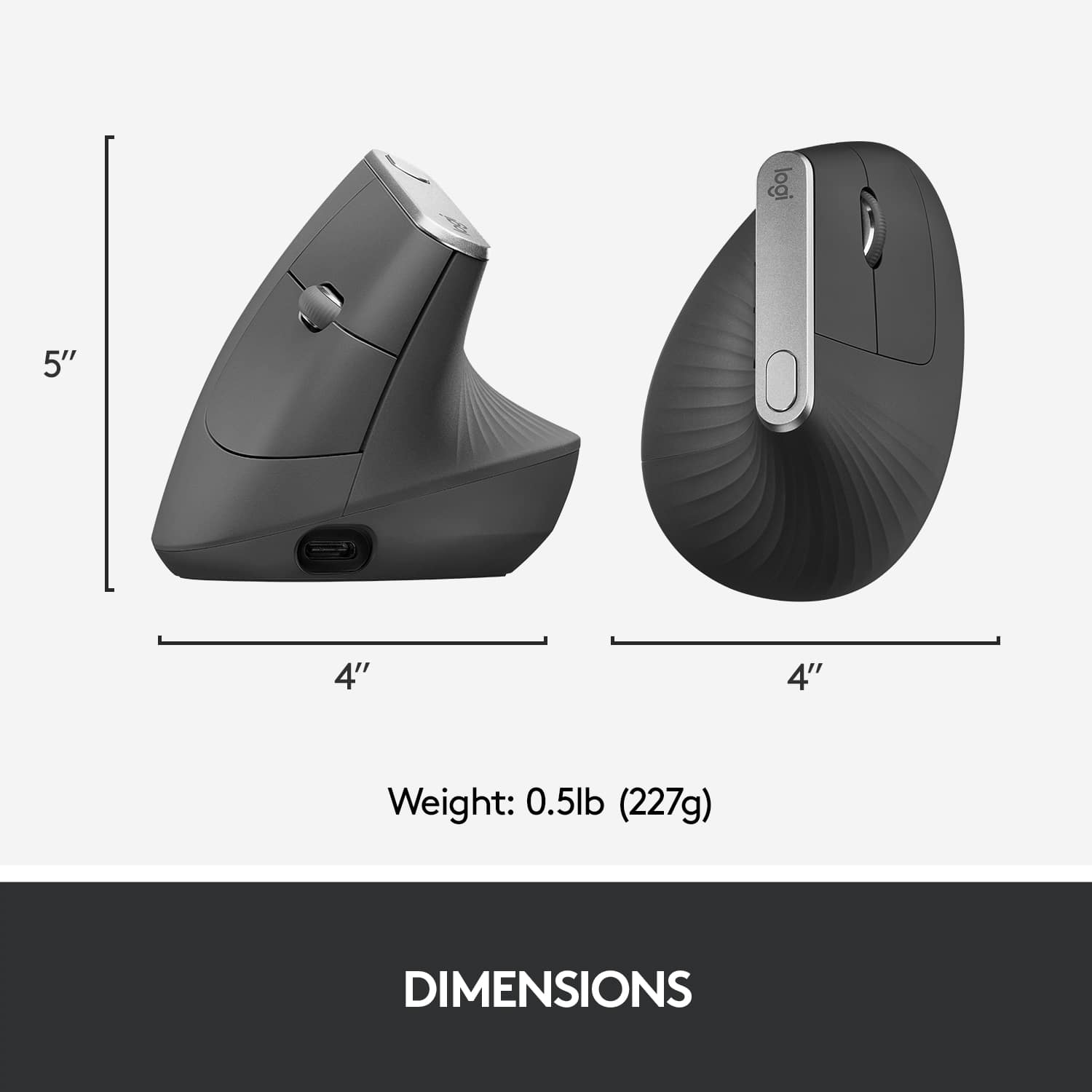
|Posted .This reviewer received promo considerations or sweepstakes entry for writing a review.The Logitech - MX Vertical Wireless Optical Mouse is great! I've suffered carpal tunnel for some time now. Right before receiving this, I was using my computer with a regular mouse and my wrist started to hurt. Once I received it, I immediately installed it and noticed right away that the pain started to go away. The natural handshake grip is so much better than the traditional mouse grip. As fir the setup, it is as easy as installing the usb drive, turn the mouse on, and you are ready to go. The only downside I experienced with the Logitech - MX Vertical Wireless Optical Mouse is that it's tall and will bump on my desks metal railing in my sliding key board, but I highly recommend the Logitech - MX Vertical Wireless Optical Mouse.
I would recommend this to a friend - Pros mentioned:Ergonomics
Great for avoiding carpel tunnel problems
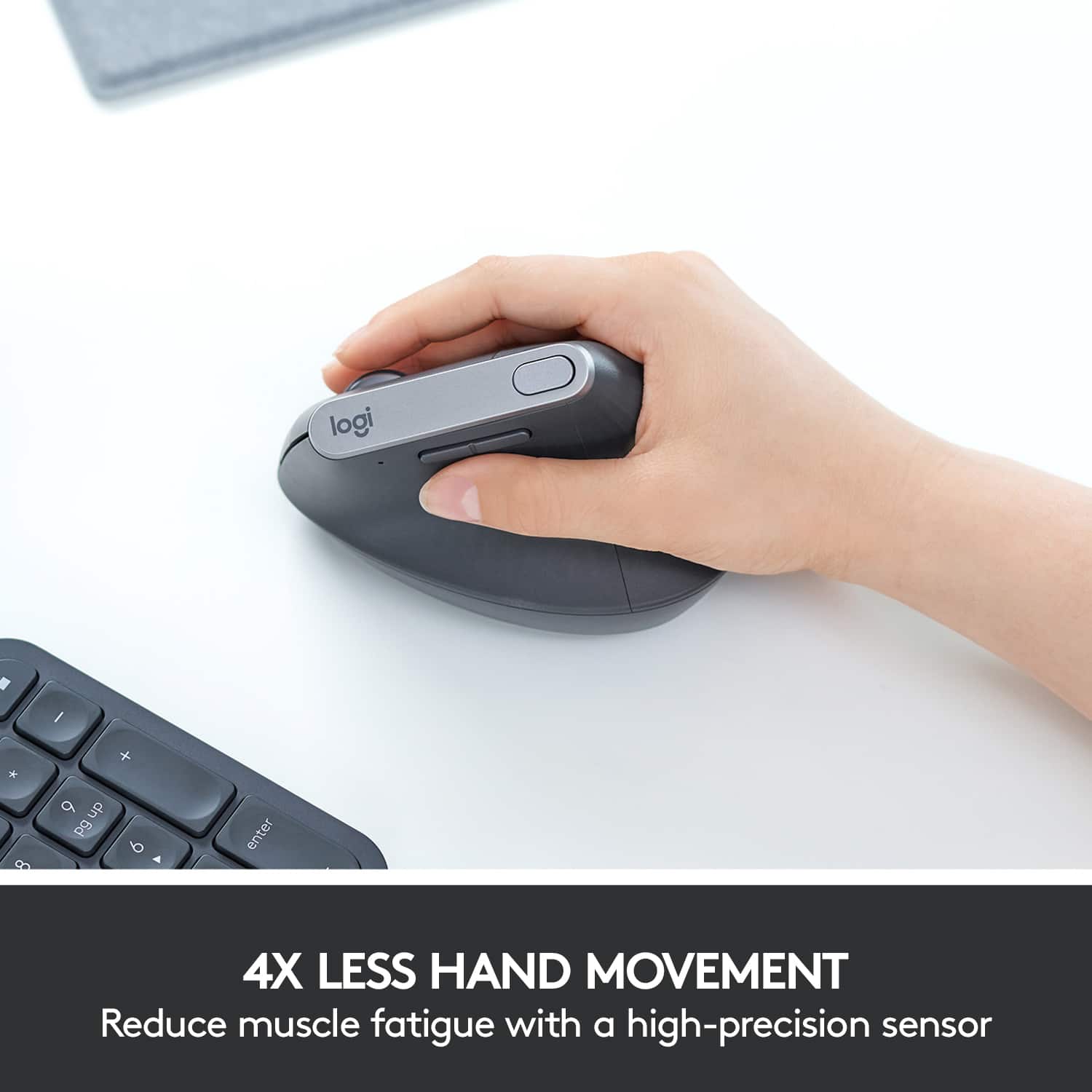
|Posted .This reviewer received promo considerations or sweepstakes entry for writing a review.The Logitech MX Vertical Wireless Optical Mouse puts your hand in a more normal position, eliminating a lot of the strain associated with repeated mouse movements. I found that to be true for the most part. The mouse, like all Logitech mice, is smooth, with programmable buttons to quickly get to the things you do the most. I did, however, notice more strain on my elbow when I first started to use it. Over time I learned how to hold the mouse and the strain went away. There is a tendency to want to squeeze when pressing buttons. I found that was not necessary as the weight of your hand on the mouse keeps the mouse from moving. If you've have had carpel tunnel issues in the past, or if you use your computer for hours every day, the Logitech MX Vertical Wireless Optical Mouse could save you a lot of pain.
I would recommend this to a friend - Pros mentioned:Battery life
Unique Mouse, works well
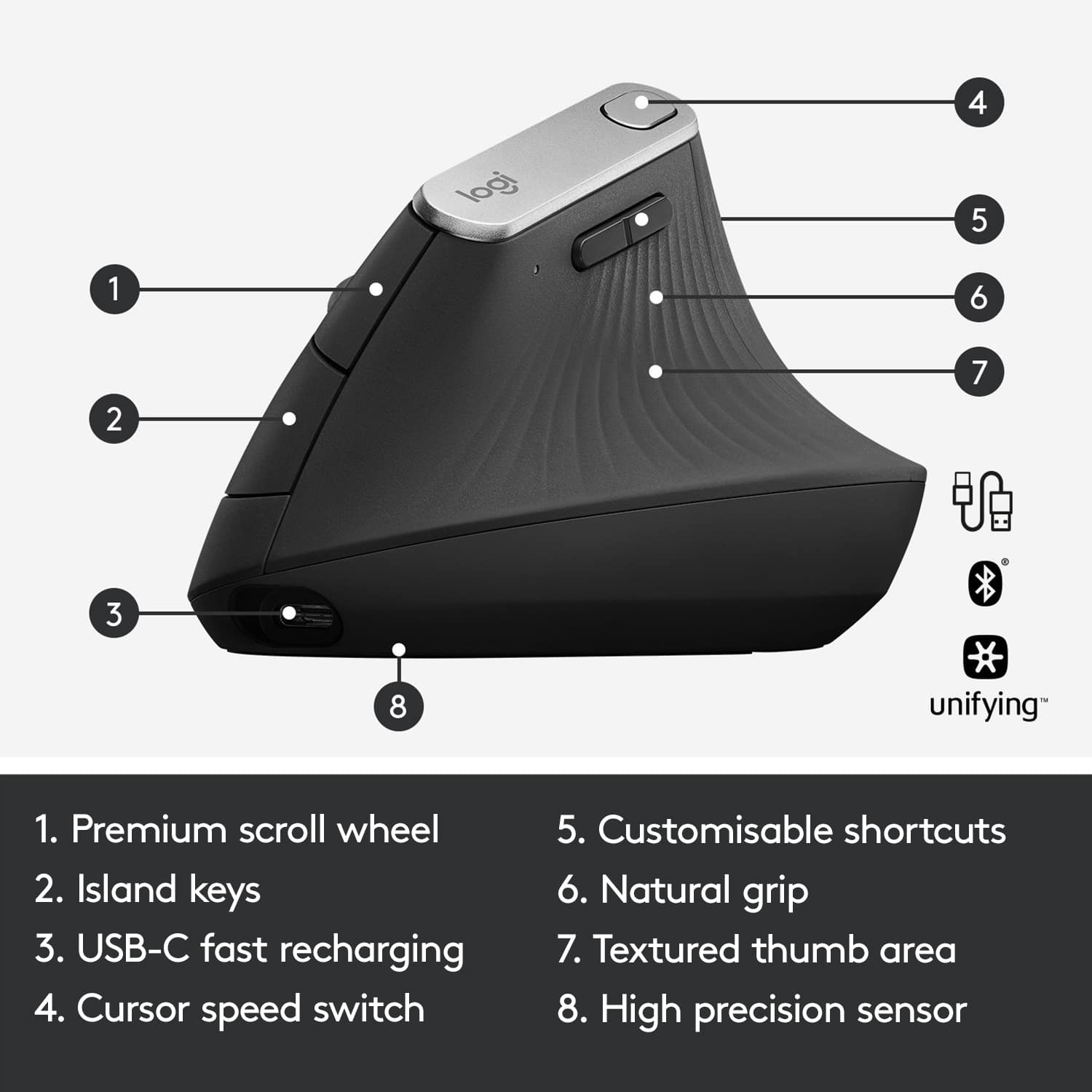
|Posted .This reviewer received promo considerations or sweepstakes entry for writing a review.First thing's first, The MX Vertical is a great mouse, as far as the core functions of what a mouse should do. This is a top of the line logitech mouse and I'm not sure there are better (non-gaming) mouses than the MX line. They work very well. The MX Vertical has 5 buttons, a right and left click and 3 additional buttons. There are two buttons on the side, your standard back and forward buttons that can also be remapped to any keyboard combination you want as well as a whole host of preset options within logitech's software. The lat button is on top of the mouse and by default it will adjust the cursor speed on the computer but, it can also be remapped like the other two buttons. There is also a scroll wheel that works great, suppper smooth. The mouse is extremely smooth to use on a table. It has a really high dpi that makes it really accurate. Battery life is supposed to be a few months. I've had it a few weeks so, I can't really say much about it, other than it hasn't died. I do like that it uses a rechargeable battery and comes with it's own usb c charging cable that will allow you to use the mouse as a wire mouse when the battery is dead. The Shape. This is the real reason you're looking at this mouse. Logitech touts it as a more ergonomic mouse. I'm not sure that my hand is anymore comfortable than using a standard ergonomic (non-vertical) mouse but, my hand doesn't hurt so I can't say it isn't working. It is definitely a unique feel which I think could be pretty polarizing. My biggest problem with this shape is how big it makes the mouse, it's huge. I keep all my computer accessories in my laptop bag and this thing takes up some space. Connectivity. This mouse has 3 methods of connectivity. There is a removable wire if you need to use it in wired mode when the battery is dead. There is a usb receiver that works like any other wireless mouse. Although I don't like that this mouse doesn't have a place to store the receiver like some mouses do. The receiver is small and could be very easy to lose. This is the connection method I use and haven't had any problems with connection. The mouse also features bluetooth connectivity which I could not get to work consistently. I'm not sure if it had something to do with my laptop, windows 10, or the mouse but, every time I would lock the computer the mouse would disconnect and most of the time wouldn't reconnect unless I unpaired the mouse from the computer. I found this really frustrating and it makes the last feature of this mouse really useless. On the bottom of the mouse there is a button to switch between 3 preset devices, so you can have this mouse connected to 3 different computers and switch between them. If you're using the usb receiver, that counts as one of the presets. Since the bluetooth method would not work for me I found no use in this feature but, in theory it could provide some great functionality. This mouse also comes with Logitech flow which allows you to transfer files from one computer to the other just by dragging the file of screen and onto the other computer. It really is some black magic type computer stuff. If you can get the multi connections to work.
I would recommend this to a friend - Pros mentioned:ErgonomicsCons mentioned:Price
Good For Some, Not For Me
|Posted .This reviewer received promo considerations or sweepstakes entry for writing a review.I thought that this mouse was going to be one of those items that total changed the way I thought about mice. Unfortunately, it missed the mark for me. First, let me say that the build quality of the mouse is very nice. It has a nice quality texture to the surface, buttons feel solid (but responsive), and the scroll wheel felt nice. So for quality Logitech gets high marks. Setup was also quite easy either via the included USB C cable, bluetooth, or the included unifying receiver. Plug and play. The buttons/features can be customized via an app to suit your needs and desires. Unfortunately, using the mouse just didn't feel natural to me. Logitech may be right that the vertical handshake position is the more natural resting position for a wrist, but I found it odd to use. I'm sure I'll get use to it as time goes by. Still, the way my desk is setup, I found myself having to provide more support or hold my arm in a more awkward position so that my hand rested properly on the mouse. Again, maybe this is something that I'll get used to and train myself into doing more naturally. In conclusion, I think this is one of those products that may be life changing for those with wrist issues due to using a mouse. People will just need to try it and decide if they like it or not. The people at Logitech were smart and actually designed the packaging so that you can put your hand around it as if you were using it without having to take it out. My advice, give it a try. You may love it. It wasn't for me. Pros: *Build quality *Feel of the soft plastic, buttons, and scroll wheels *Innovative design Cons: *For a mouse, it isn't cheap *It just didn't feel natural for me, but that may improve with time. I suspect this is a highly personal preference so it will be different for each person.
I would recommend this to a friend - Pros mentioned:ErgonomicsCons mentioned:Wrist pain
Ergonomic and comfortable!
Posted .This reviewer received promo considerations or sweepstakes entry for writing a review.I was starting to get pain on the bottom of my wrist with a traditional mouse. I Wanted something more vertical, but nothing on the market that I tried really did the trick. I just bought this and so far, I have no pain in my wrist while using it. Hopefully I can circumvent carpal tunnel. Get this! Bought mine for $99 new.
I would recommend this to a friend - Pros mentioned:Bluetooth
Wonderful for Less Strain
|Posted .This reviewer received promo considerations or sweepstakes entry for writing a review.The purpose of a vertical mouse ultimately is comfort. It is not a gaming mouse so it should be understood up front that the precision of this mouse while it scans the surface beneath will yield a fair amount of accuracy, suitable for everyday computing and browsing as I experienced. The key is the handshake position of your hand, that I did feel resulted in less fatigue and felt very comfortable right away. What I did find however is that during the first several hours of usage, it did seem that the mouse moved less smoothly over the surface. I believe this was only due to me getting used to the arm and hand movements being different from using a normal mouse. Don’t judge the mouse too soon, because you will find that your hand, wrist and arm will sort of subconsciously adjust for the different feel and you will be fine. It has a nice textured surface which feels solid and fits your hand really well. It is for right hand only. You do have features that allow you to easily change the speeds and also to use this mouse smoothly with multiple displays. I’d advise you to download the Logitech Options app and this will enhance your ability to modify the mouse functions. It does come with a USB C charging cable and that is a nice step up. Another feedback item is that I used the mouse with the charging cable attached and when I removed the cable and used it as a wireless mouse, it seemed it moved more smoothly over my mousepad (which was just a piece of carpet). You may experience this also. I would suggest that a regulation-mousepad with a smoother surface will be better for you with this mouse. It is designed as a wireless mouse and you can use a dongle or connect via Bluetooth to free up a USB port. This mouse is expensive but if you suffer with fatigue or aches when using a conventional mouse, I certainly would highly recommend it; it really does feel natural.
I would recommend this to a friend Worst mouse ever
||Posted . Owned for 10 months when reviewed.This reviewer received promo considerations or sweepstakes entry for writing a review.Worste mouse ever. Dont buy this is the second one i bought in 13 month's. I dont get it it just dies easily dor no reason . No way to repair it . Never buying again
No, I would not recommend this to a friend- Pros mentioned:Ergonomics
I wasn't ready for how awesome this thing is!
|Posted .This reviewer received promo considerations or sweepstakes entry for writing a review.Let me start with this. This mouse was totally unexpected. In no way did I think going "vertical" would change my comfort and productivity this much. I was already a steady, daily, all-day user of Logitech's MX series mice on all of my devices, but now the MX Vertical pairs to them all and is my "one stop shop" for pointing devices on the desk. This mouse has excellent resolution for graphics work, the level of control you get with the vertical orientation is AMAZING and the button/wheel layout is perfect. It will honestly take you all of 5 minutes to get used to it. You'll just never want to go back to anything else. I was pleasantly surprised to see Logi opt for USB-Type-C charging for this one... Really modernizes the thing and eliminates my last USB-Micro B connection needed! Thanks for jumping to 2018 with that one! The construction of this mouse is top-notch. Excellent, modern, attractive industrial design that only looks a "little weird"... But once you use it the looks won't matter. It actually looks great on my desk AND changes everything. Most special orientation devices are gaudy and awkward looking. This just looks like a mouse and fits right in with my MacBook Pro or My ThinkPad. The only real complaint is that no side/horizontal scroll functionality is available out-of-the-box. I'm sure this can be customized in the Logi Options software, but from the start, none of the buttons nor the wheel support scroll orientation changing or tilt functionality - In Graphic arts and Spreadsheet jockeying, you'll need it. Bad. I'm already telling everyone to get one of these. Best improvement in mouse dynamics in YEARS!
I would recommend this to a friend - Cons mentioned:Size
Comfortable mouse. Takes some time getting used to
|Posted .This reviewer received promo considerations or sweepstakes entry for writing a review.Like most people, I'm using "standard" sized mouse. I currently have a Logitech MX2 which has a slimmer profile compared to other normal sized mouse. I enjoy it in that it's small and travels easily with my work laptop. However, for my home setup, I kind of like a more comfortable mouse. I've seen vertical mice before however they looked weird and figured there's no way I can use one comfortably. After about 30 minutes or so with this mouse, I can say it's quite easy to use however you'll need a bit of time to get used to it. For normal usage I think this mouse is fine however, if you do any sort of graphics or anything that requires pinpoint accuracy, this might not be for you. There is a setting button right on top of the mouse which you can adjust the mouse speed on the fly. Very handy but still haven't found the right speed setting for me yet. All the buttons are the same but the Back/Forward buttons on the thumb take a little while getting used to. Almost seems that my thumb is too short to use them easily. But as far as comfort, this mouse feels great. Your hand is in a neutral position, almost in a handshake position, so there's isn't any cramping after prolonged usage. Once you get the speed and different form factor addressed, this is a really nice mouse to use. Due to size, it's really not a travelling mouse so more for your home/office. Overall, great mouse and very comfortable.
I would recommend this to a friend - Pros mentioned:Ergonomics
A different but comfortable feel good mouse
|Posted .This reviewer received promo considerations or sweepstakes entry for writing a review.I had never tried a “vertical mouse” before, I didn’t know what that even meant. But after using this new MX vertical mouse, I have a new appreciation for the ergonomics behind its design. I never thought about the fact that when you use a regular mouse, you need to twist your hand from it’s normal resting position. With this vertical mouse, your hand remains in the ‘thumbs up’ position which would be less stressful to your nerves. For anyone with carpal tunnel syndrome using a computer, this would be a godsend. It takes a few minutes to get used to to the button placement, but it’s all about the comfort. The rubbery grip fits your hand perfectly. It installs just like any other Logitech mouse. I used a Bluetooth wireless connection, the mouse was recognized instantly and connected to my computer. You can also connect it with the included USB cable if you like. I already had the Logitech Options software on my machine from my older mouse. When I opened it, it asked whether I wanted to install another device, and immediately found the vertical mouse. It told me all my options with this mouse, what each button could be made to do. I was pretty happy with the default settings, so I left it alone. The software can also be used to change the ‘speed’ of the mouse for each of two users. Each one can select the speed he or she prefers, and the mouse remembers each one with a press of the button. Even though I don’t have any “maladies” right now I like using this mouse. It’s comfortable and maybe it will help keep me from getting one.
I would recommend this to a friend - Pros mentioned:Ease of use, Ergonomics
Excellent product.
Posted .This reviewer received promo considerations or sweepstakes entry for writing a review.Awesome! This is a perfect ergonomic mouse for me. It is very comfortable and operates very smoothly. I highly recommend this product.
I would recommend this to a friendBrand response from Logitech
Posted .The Logitech MX Vertical is a highly recommended ergonomic mouse. It provides exceptional comfort and functionality.
- Pros mentioned:Ergonomics
A 1000% Recommended Computer Mouse
Posted .This reviewer received promo considerations or sweepstakes entry for writing a review.I can confidently say that purchasing this computer mouse has been the best decision of my life. I was once suffering from severe carpal tunnel syndrome and De Quervain's tenosynovitis, both of which caused excruciating pain and discomfort. Everyday tasks like typing and using a computer mouse became unbearable, making me desperate for a solution. That's when I discovered this incredible mouse. From the moment I started using it, I was amazed by the immediate relief it provided. The ergonomic design is nothing short of genius, fitting perfectly in my hand and allowing for hours of pain-free use.
I would recommend this to a friend - Pros mentioned:Battery life, Ergonomics
Excellent design and usability
Posted .This reviewer received promo considerations or sweepstakes entry for writing a review.Excellent design and usability experience. My wrist is grateful! One bonus is to recharge the mouse conveniently without worrying about spare batteries.
I would recommend this to a friend - Pros mentioned:Ergonomics
Excellent Ergo Mouse
Posted .This reviewer received promo considerations or sweepstakes entry for writing a review.Had the Logitech trackball mouse before this and really liked it. The left mouse button eventually broke down so I was looking for an alternative ergo and this one popped up in a lot of lists. The rumors are true, it’s a really great mouse. Excellent precision and feel. The textured rest for the thumb and palm feels great as well. Like many have said, it takes some getting used to since the button alignment is almost totally vertical, but once you do it is an amazingly comfortable mouse to use. The ability to dynamically set the sensitivity on the fly and assingn two sensitivity settings on the fly with a single button is a brilliant design feature and really useful. Strongly recommended if you’re looking for a great ergo mouse.
I would recommend this to a friend - Pros mentioned:Ergonomics
A new level of comfort from a mouse.
|Posted .This reviewer received promo considerations or sweepstakes entry for writing a review.The Logitech - MX Vertical Wireless Optical Mouse - Graphite brings a new dynamic to the structure and performance of the computer mouse. The device works by plug and play. I plugged in the Logitech Unifying USB receiver and installation of driver software began. The wireless connection was immediate and my computer’s cursor was under control of the Logitech - MX Vertical Wireless Optical Mouse - Graphite. The conventional mouse requires me to twist my forearms in an abnormal and uncomfortable position that may cause medical problems such as carpal tunnel syndrome. The Logitech - MX Vertical Wireless Optical Mouse - Graphite fits my hand just as a glove does. My wrist or forearm does not need to rest in a position of discomfort. The Logitech - MX Vertical Wireless Optical Mouse - Graphite is a new concept that will increase the performance and comfort of sitting on the computer for a long period of time using the mouse. The angle of the mouse creates a smoother process of clicking right or left and scrolling through pages.
I would recommend this to a friend - Pros mentioned:Ergonomics
Pretty good for long term wrist health
Posted .This reviewer received promo considerations or sweepstakes entry for writing a review.I got this mouse after a colleague recommended them to me. It does take a little bit of time to get used to, but otherwise it does help a lot with wrist strain and the connectivity is good like other Logitech products I've used in the past. It is a little bit pricey and you could swing for a MX Master at this price, but I have little use for horizontal scroll so it was not a deal breaker.
I would recommend this to a friendBrand response from Logitech
Posted .Logitech appreciates your feedback on the MX Vertical! Glad your colleague recommended it for wrist comfort - it takes some getting used to, but many users find relief. Strong connectivity is a hallmark of our products, and we understand the MX Master might be a better fit for horizontal scroll needs. Happy clicking
- Pros mentioned:Bluetooth, Ease of use
Great option to help a sore wrist and hand
Posted .This reviewer received promo considerations or sweepstakes entry for writing a review.Very comfortable and easy to use. Pairs instantly with the dongle on 1 PC then use Bluetooth to connect to another PC or device.
I would recommend this to a friend Clicks wore out after 1.5 years
Posted .This reviewer received promo considerations or sweepstakes entry for writing a review.Today marks exactly 2 years since buying one of these. It took some getting used to at first, but now I can't imagine using a flat mouse. BUT, a few months ago the left click started failing, causing accidental drops while dragging files, and causing double clicks when I only did single. As soon as I bought a replacement, it straightened up. But today it started doing it again, The internet says Logitech is notorious for this, due to low-cost parts under the clickers. Obviously I like it enough I bought a backup, but it'd be nice if they could price it below 100.
I would recommend this to a friend- Pros mentioned:Ergonomics
Comfort first
|Posted .This reviewer received promo considerations or sweepstakes entry for writing a review.Digging this mouse so far. The angle has taken no time at all to get used to and I really like the button placement. I haven't felt the need to reprogram every button, but the defaults have worked well for me. Right out of the box the cursor speed was too high for my liking, but that's a very easy tweak in the settings. I'm not a game, but I do some audio editing that requires a good amount of precise placement of the cursor and I've had no difficulty on that front - though that is one area that takes some getting used to coming from a more traditionally shaped mouse. Pairing is very simple using the USB dongle and it's nice to know that Bluetooth is an option as well. Is the price fair? Not too sure. I think it's in line with the rest of the market, but my general feeling is that $100 is still a lot to spend on an accessory like this. Would like to see that come down and expect it will via sale or over time. That said - I don't think you'll regret this purchase. It does what it's supposed to do and does it well.
I would recommend this to a friend