Customer Ratings & Reviews
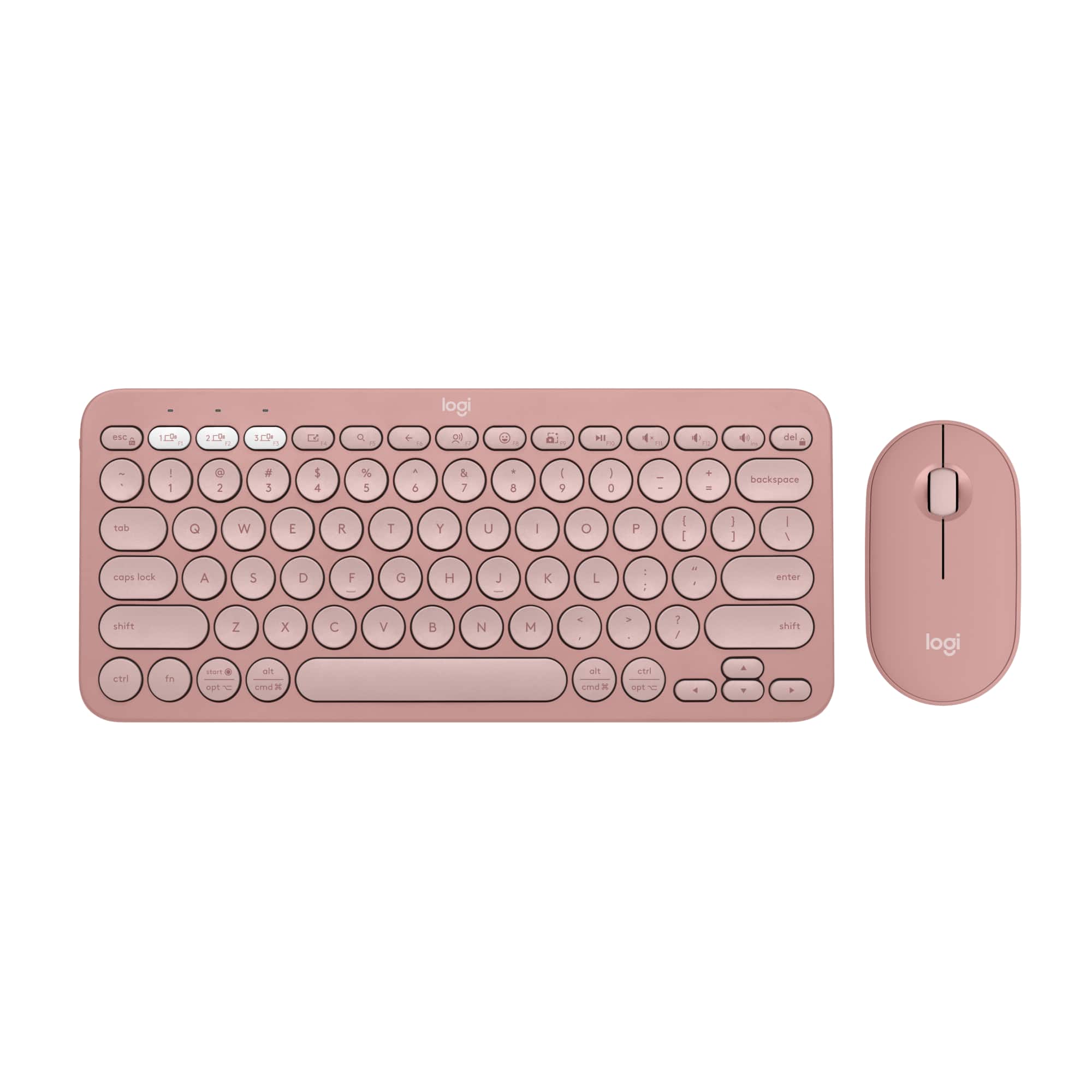


![A customizable pair with customizable keys & button with Logi options+ app [2].](https://pisces.bbystatic.com/image2/BestBuy_US/images/products/6f3b629c-ab31-4d08-9b94-191ff77139bb.png)
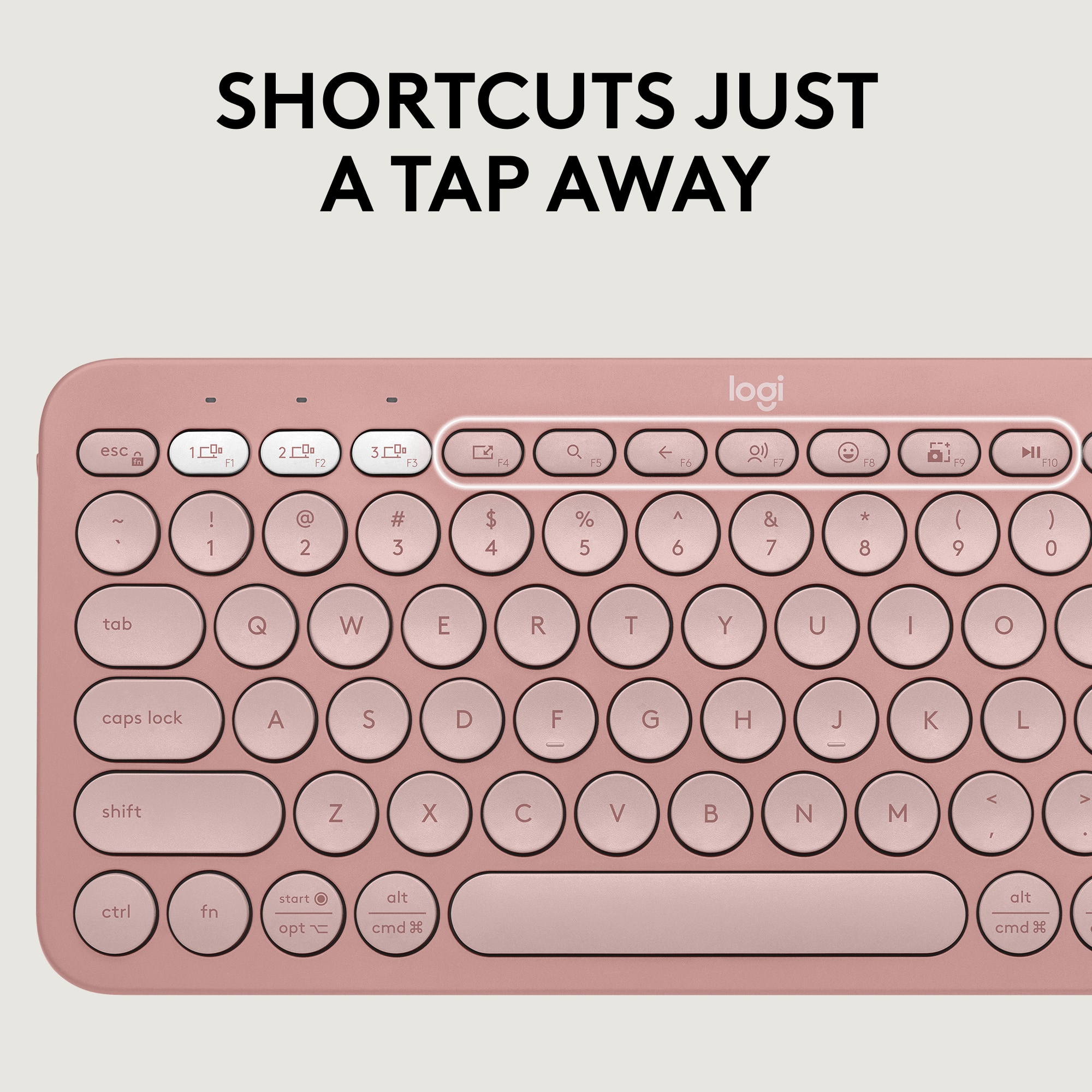
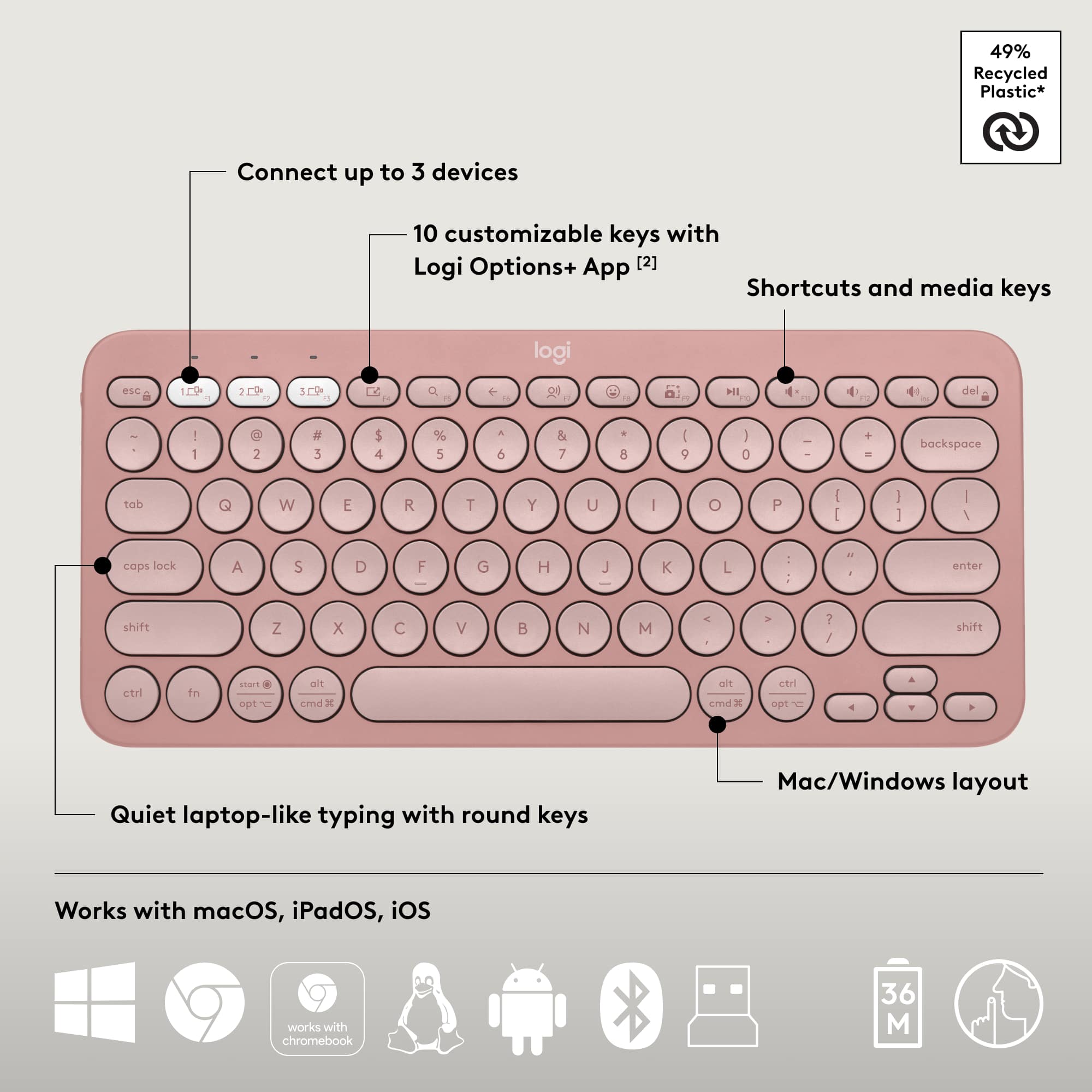
![Silent clicks [3] and quiet scrolling [58% Recycled Plastic] Customizable middle button with Logi Options+ App [2] Connect up to 3 devices Pebble Mouse 2 M350s logi Slim, ambidextrous design Works with macOS, iPadOS and Chromebook [24]](https://pisces.bbystatic.com/image2/BestBuy_US/images/products/a15bf8ad-3f0d-429e-a639-aba31ea52af1.jpg)



- Model:
- 920-012199
- SKU:
- 6571657
Rating by feature
- Value
Rating 4.6 out of 5 stars
- Quality
Rating 4.7 out of 5 stars
- Ease of Use
Rating 4.7 out of 5 stars
Customers are saying
Customers enjoy the product's excellent portability and convenient size, which contribute to its great overall performance. They also appreciate its strong and reliable connectivity, along with its impressive battery life. Furthermore, users find it comfortable to use, noting the satisfying haptic feedback, useful button functionality, and quiet operation.
This summary was generated by AI based on customer reviews.
- Pros mentioned:Connectivity
Worth Every Penny
||Posted . Owned for 3 weeks when reviewed.This reviewer received promo considerations or sweepstakes entry for writing a review.The Logitech MX Master 4 delivers a noticeable jump in precision and comfort, especially with its new haptic feedback system that makes every action feel more controlled and intentional. The Actions Ring is a standout addition—it puts your most-used tools right under your thumb, which genuinely speeds up creative and productivity workflows. The MagSpeed scroll wheel remains one of the smoothest and most accurate available, and the ergonomic shape makes long work sessions much easier on the hand. Connectivity is strong and reliable, and the quieter clicks help keep your workspace calm without losing tactile feel. Build quality is solid, and the customization options in Logi Options+ make it easy to tailor the mouse to your exact workflow. Overall, it’s a premium mouse that justifies its price with performance, comfort, and smart features that make everyday tasks faster and more enjoyable.
I would recommend this to a friendBrand response from Logitech
Posted .Thank you for such a detailed and thoughtful review! We’re thrilled to hear that the Logitech MX Master 4 has elevated your workflow with its precision, comfort, and smart features. Your feedback truly highlights the value of this premium mouse.

Well worth the money
||Posted . Owned for 2 weeks when reviewed.This reviewer received promo considerations or sweepstakes entry for writing a review.I was a little skeptical about investing in this mouse, but all my friends highly recommended the previous models. I primarily used the Magic Mouse before this but I was finding some tasks more difficult without a scroll wheel. So I decided to jump in and I'm glad I did. It is larger than any mouse I've used in the past but it feels really nice and solid. I love how the buttons feel smooth and firm and less clicky than my 'gaming' mice do. I haven't taken full advantage of the haptic functions yet, but there are a lot of programs I use that have integrations for it. And bonus, the charging cable plugs in and it can still be used while charging!
I would recommend this to a friendBrand response from Logitech
Posted .Thanks for sharing your experience—it’s always a pleasure to hear from happy customers. We’re delighted that our product is serving you well and making a difference in your day-to-day routine. We appreciate your trust in Logitech.
Logitech MX Master 4 for Mac
||Posted .This reviewer received promo considerations or sweepstakes entry for writing a review.Really good mouse with amazing productivity features. Grip is ergonomic and feels premium in hand. Buttons are super silent and infinite scroll is a bliss!!!
I would recommend this to a friendBrand response from Logitech
Posted .We’re thrilled to know you’re satisfied with your Logitech Logitech MX Master 4 for Mac. Your input helps us shape better experiences for everyone. Thanks for your continued support!
Great for general use
||Posted . Owned for 1.5 years when reviewed.This reviewer received promo considerations or sweepstakes entry for writing a review.This is great for general use with one device. The keyboard supports 3 channel device switching,but it is not the most reliable. The keys are round so it gives the retro type writer feel.
I would recommend this to a friendBrand response from Logitech
Posted .Thank you for sharing your experience! We’re delighted to hear you enjoyed the retro typewriter feel and found the Pebble 2 Combo useful for general use. Your feedback on device switching reliability is very helpful for us.
- Pros mentioned:Battery life
I like it
||Posted .This reviewer received promo considerations or sweepstakes entry for writing a review.This mouse is great, its like the mx master 3s except It has better materials, has the haptic feedback thumb control (which is useful If you use AI alot and want a quick shortcut to it) it looks really good and the battery life is great
I would recommend this to a friendBrand response from Logitech
Posted .We’re really grateful for your thoughtful review. It’s wonderful to know that our product is delivering the performance and ease of use you were hoping for. Hearing from satisfied users like you keeps us motivated. Thanks for choosing Logitech!
- Pros mentioned:Battery life, Connectivity
Logitech Wireless Keyboard and Mouse Combo: The Be
||Posted . Owned for 2 months when reviewed.This reviewer received promo considerations or sweepstakes entry for writing a review.The Logitech wireless keyboard and mouse combo is simply the best I've used. The keyboard offers a comfortable, responsive typing experience, and the keys are well-spaced and quiet, making it ideal for both work and casual use. The mouse is equally impressive, with smooth tracking and ergonomic design that fits perfectly in hand. Connectivity is flawless, with a strong wireless connection that never lags or drops. The battery life is outstanding, requiring minimal recharging. This combo has enhanced my productivity and provides a clutter-free, efficient workspace. Highly recommended for anyone seeking the best in wireless peripherals.
I would recommend this to a friendBrand response from Logitech
Posted .We're thrilled to hear such an enthusiastic review of the Logitech Pebble 2 Combo! Your praise for its comfort, performance, and overall efficiency is fantastic. It's clear you've found the perfect wireless keyboard and mouse setup. Thank you for sharing your positive experience!
- Pros mentioned:Overall performance
Great Mouse
||Posted . Owned for 9 months when reviewed.This reviewer received promo considerations or sweepstakes entry for writing a review.I have 3 of them and this is the best one LT has put out by far!! Love the Ring features they work great and speed of simple tasks!!
I would recommend this to a friendBrand response from Logitech
Posted .Thank you for your enthusiastic feedback on the Logitech MX Master 4 for Mac! We’re thrilled to hear it’s your favorite in the series and that the Ring features and speed enhancements are making everyday tasks smoother. Your support inspires us to keep innovating!
Clear upgrade over the 3S
||Posted . Owned for 2 weeks when reviewed.This reviewer received promo considerations or sweepstakes entry for writing a review.The new MX Master 4 is grippier and the haptics make clicks and gestures feel more secure, precise, and satisfying than on the 3S.
I would recommend this to a friendBrand response from Logitech
Posted .Thank you for your feedback! We’re thrilled the Logitech MX Master 4 for Mac feels like a clear upgrade, with its grippier design and satisfying haptics making clicks and gestures more secure and precise—your appreciation highlights its enhanced performance.
- Pros mentioned:Connectivity, Portability
Compact Logi Keyboard mouse combo
||Posted .This reviewer received promo considerations or sweepstakes entry for writing a review.This is great for traveling or areas where you don’t have a lot of space. It fits in my backpack along with other items I need to carry for work or school. Love Bluetooth feature for connectivity WITH the ability to connect multiple devices. I had to get use to typing on a smaller keyboard but wasn’t a dealbreaker. I recommend.
I would recommend this to a friendBrand response from Logitech
Posted .Hey! Thanks for the encouraging feedback! We’re glad the product is working well for you. Your support helps us keep innovating.
- Pros mentioned:Connectivity
Space saver, clicky enough
||Posted .This reviewer received promo considerations or sweepstakes entry for writing a review.Does everything it needs to do. Very easy to connect , love not needing a USB transmitter due to the way I have my laptop setup. If you do extensive typing and are used to a full sized keyboard this is way too small. but really good for casual use and being minimal. Also the keyboard doesn’t feel too shallow. Something I hate about minimal keyboard sometimes they feel too flat like the MacBook Pro keyboards
I would recommend this to a friendBrand response from Logitech
Posted .Hey there! Thanks so much for taking the time to share your thoughts on the Pebble 2 Combo. We're thrilled to hear that it's hitting the mark for your needs, especially with the easy Bluetooth connectivity – it's definitely a game-changer for a clean setup!
Great mouse for Mac
||Posted . Owned for 3 months when reviewed.This reviewer received promo considerations or sweepstakes entry for writing a review.Great mouse for Mac. It glides very easily. You can assign buttons to different functions or apps. It integrates with AI services well with one click.
I would recommend this to a friendBrand response from Logitech
Posted .Thanks for the thoughtful review! We’re glad to hear our product is delivering the quality and convenience you were looking for. Your feedback helps us keep improving, and we’re grateful for your trust in Logitech.
I bought this for video editing and it delivers!
||Posted . Owned for 1 month when reviewed.This reviewer received promo considerations or sweepstakes entry for writing a review.Bought this for my macbook pro so i could make better meme content and this mouse does more than you would expect from a logitech product. With precision edits you need a mouse that can deliver spot on and this one does it! Highly recommend if you do social media! This one was hasn’t let me down!
I would recommend this to a friendBrand response from Logitech
Posted .We’re so glad to hear you’re enjoying your Logitech experience. Your input helps us continue to deliver quality and reliability.
- Pros mentioned:Overall performance
The Best!
||Posted . Owned for 2 weeks when reviewed.This reviewer received promo considerations or sweepstakes entry for writing a review.The MX Master 4 runs so smooth and it works perfectly with my MacBook air.
I would recommend this to a friendBrand response from Logitech
Posted .Thanks for sharing your experience! We’re thrilled the product is working as intended. Your feedback helps us grow.
Nice keyboard and mouse set
||Posted . Owned for 1 month when reviewed.This reviewer received promo considerations or sweepstakes entry for writing a review.Set up was fast and easy. Using for two devices can switch back and forth. Nice design
I would recommend this to a friendBrand response from Logitech
Posted .We’re so happy to hear your experience has been positive. Your feedback helps us stay focused on what matters most—our users. Thanks for supporting Logitech!
A great keyboard+mouse combo!
||Posted . Owned for 3 months when reviewed.This reviewer received promo considerations or sweepstakes entry for writing a review.Both the mouse and keyboard are perfect for my tablet and steamdeck for any sort of work (except gaming on the mouse of course). The typing feels great on the keyboard and its form is sturdy enough to not bend while typing on my lap so i can keep the tablet far away. The mouse is small for my hand, but it doesnt feel uncomfortable. Its clicks are relatively quiet which is a very good thing!
I would recommend this to a friendBrand response from Logitech
Posted .Hey! It sounds like you're really happy with the Logitech Pebble 2 Combo for use with your tablet and Steam Deck! Thank you for the review.
- Pros mentioned:Portability
Great keyboard/mouse but a little small
||Posted . Owned for 3 weeks when reviewed.This reviewer received promo considerations or sweepstakes entry for writing a review.Connection was almost instant and easy. I like keyboards with bigger keys but I will be keeping this one as it works so well. The mouse also works perfectly for me. The smaller size does make it portable and connection allows it to work with tablets as well. I don’t think it would be good for someone with bigger hands.
I would recommend this to a friendBrand response from Logitech
Posted .Thank you for your positive review of the Logitech Pebble 2 Combo! We're glad to hear that you appreciate the easy setup and connectivity, even though the keys might be smaller than you prefer. We appreciate you taking the time to share your experience.
Great mouse!
||Posted .This reviewer received promo considerations or sweepstakes entry for writing a review.I have these since the original one! Have always enjoyed these for either my pc or Mac!! The new haptic feature on this one is fire I’m digging it!
I would recommend this to a friendBrand response from Logitech
Posted .Thanks for your kind words! We’re proud to know our Logitech MX Master 4 for Mac and all the MX series are meeting your needs. Your support keeps us motivated.
Love this combo.
||Posted .This reviewer received promo considerations or sweepstakes entry for writing a review.I recently picked up the Logitech Pebble 2 Combo, and I couldn’t be happier. The keyboard has a nice, quiet typing feel—perfect for late-night work sessions. The mouse is slim and comfortable, and I love that I can switch between three devices with just a button press. It’s been a game-changer for my multitasking setup. The minimalist design looks great on my desk, and it’s super portable, which is awesome for working from different spots. Overall, it’s a solid combo that makes my workflow smoother and more enjoyable.
I would recommend this to a friendBrand response from Logitech
Posted .That’s a glowing review—and totally deserved! The Logitech Pebble 2 Combo really hits the sweet spot for modern multitaskers. Between the whisper-quiet scissor keys and the ultra-slim mouse with Easy-Switch functionality, it’s like having a productivity toolkit that moves with you. The minimalist aesthetic doesn’t just look good—it feels good, especially knowing it’s made with recycled materials and designed for portability.
- Pros mentioned:Portability
Great key board
||Posted . Owned for 3 weeks when reviewed.This reviewer received promo considerations or sweepstakes entry for writing a review.I love this keyboard I use it for work and it’s been great so far doesn’t pick up space and it’s extremely portable I take with me some times to use with my legion go
I would recommend this to a friendBrand response from Logitech
Posted .That's fantastic to hear! We're thrilled your Logitech Pebble 2 Combo keyboard is working great for your work and that you appreciate its compact, portable design—perfect for use with your Legion Go. Thanks for the wonderful feedback!
it’s alright
||Posted . Owned for 3 weeks when reviewed.This reviewer received promo considerations or sweepstakes entry for writing a review.the haptic button gets pressed accidentally, and the cursor feels kind of sluggish on my computers compared to my other mice. I don’t like that i need to install another app, and it kind of struggled to connect. other than that it’s alright
I would recommend this to a friendBrand response from Logitech
Posted .Thank you for your honest feedback regarding the MX Master 4 for Mac. We are sorry to hear about the connectivity struggles, the haptic button placement, and the sluggish cursor experience. We will share your input with our engineering and design teams for future iterations. If you need assistance troubleshooting the connectivity or adjusting the cursor and haptic settings, please contact us at socialcare@logitech.com. When you write to us please include the following:
- Name:
- Email address:
- Country:
- Product name:
- Brief description of the issue: