Logitech - Pebble 2 Combo Compact Wireless Scissor Keyboard and Mouse Bundle for Windows, macOS, iPadOS, Chrome - Rose
Customers are saying
Customers highly value the exceptional portability and ideal size of this device, which users find perfectly suited for their laptops. Many appreciate the high build quality and the versatile connectivity options that allow for seamless integration with various systems. Additionally, users frequently praise the outstanding battery life and the quiet, comfortable typing experience provided by the keyboard.
Color
RoseFeatures
Defy boring
With a slim design, multiple colors and smarter tech, this keyboard and mouse from the Pebble 2 Collection lets you express your vibe and make your statement.
Why not have both?
This ultra-slim and portable mouse and keyboard combo – made with recycled plastic – is lightweight and compact to be ready to move when you are.¹
Easily hop across 3 devices
Use Bluetooth to connect up to 3 wireless devices across OSs and switch between them with one click of the Easy-Switch button; Logi Bolt USB receiver included.
Save time & customize your way
Instantly access search, screen capture, and more with Fn keys; personalize the 10 Fn keys and the mouse’s middle button with Logi Options+ App.²
Make a big impression on the quiet
Let your work speak louder than your typing and clicking with the keyboard's quiet, laptop-like typing and the mouse's Silent Touch Technology.³
Go for longer
Get hours of use with the Bluetooth keyboard coming with a 3-year battery and the mouse with a 2-year battery, for worry-free usage; batteries included.⁴
A design choice to feel good about
Plastic parts include certified post-consumer recycled plastic: Pebble Keys 2 K380s minimum 49% and Pebble Mouse 2 M350s minimum 58%.¹
Compatible with MacBook Neo laptops
Instant Bluetooth connection, seamless & color-matched
Specifications
- Lighting TypeNoneForm FactorCompact (60%)Keyboard TechnologyScissor, ScissorConnection TypeWireless
Reviews
Rating 4.6 out of 5 stars with 377 reviews
- Portability (110)
- Size (78)
- Connectivity (44)
- Keyboard Quality (38)
- Battery Life (31)
Customer Images
The vast majority of our reviews come from verified purchases. Reviews from customers may include My Best Buy members, employees, and Tech Insider Network members (as tagged). Select reviewers may receive discounted products, promotional considerations or entries into drawings for honest, helpful reviews.





Compare similar products

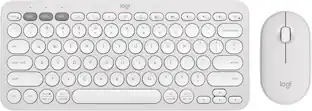
Defy Boring with the Pebble 2 Combo made with recycled plastic. Its minimalist, slim design makes it as iconic as you and super portable. Pair up to 3 wireless devices across OS and switch between devices with a press of a button (Logi Bolt receiver also included). With Logi Options+ app, you can customize your Pebble Mouse 2 M350s’ middle button with shortcuts that shuffle your Spotify playlist, send emojis on WhatsApp, and more. Personalize the 10 keyboard Fn shortcut keys to work how you want and save time.

Defy Boring with the Pebble 2 Combo made with recycled plastic. Its minimalist, slim design makes it as iconic as you and super portable. Pair up to 3 wireless devices across OS and switch between devices with a press of a button (Logi Bolt receiver also included). With Logi Options+ app, you can customize your Pebble Mouse 2 M350s’ middle button with shortcuts that shuffle your Spotify playlist, send emojis on WhatsApp, and more. Personalize the 10 keyboard Fn shortcut keys to work how you want and save time.
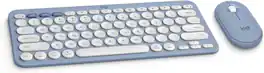
Defy Boring with the Pebble 2 Combo for Mac made with recycled plastic. Its minimalist, slim design makes it as iconic as you and super portable. Pair up to 3 wireless devices across OS and switch between devices with a press of a button. (Logi Bolt receiver also included). With Logi Options+ app, you can customize your Pebble Mouse 2 M350s' middle button with shortcuts that shuffle your Spotify playlist, send emojis on WhatsApp, and more. Personalize the 10 keyboard Fn shortcut keys to work how you want and save time. Work, browse, and chat with quiet clicks and typing, and go for longer with the durable battery.

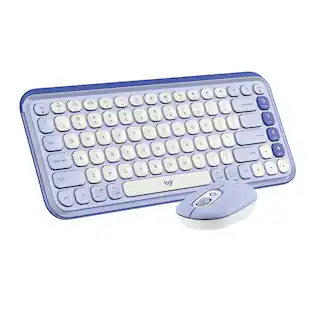
Add an extra pop to your desk with the POP Icon Combo, a contoured design with customizable Action Keys and Buttons. The low-profile keys give you a comfy typing experience. POP Mouse boosts productivity by 30%, compared to a trackpad. The Smartwheel speed scroll takes you where you need to go, fast.
| Pros for Logitech - Pebble 2 Combo Compact Wireless Scissor Keyboard and Mouse Bundle for Windows, macOS, iPadOS, Chrome - Rose | |||
|---|---|---|---|
| Portability, Size, Connectivity, Keyboard Quality, Battery Life | Portability, Size, Connectivity, Keyboard Quality, Battery Life | There were no pros for this product— | Connectivity, Portability, Size, Overall Performance, Noise Level |
| Cons for Logitech - Pebble 2 Combo Compact Wireless Scissor Keyboard and Mouse Bundle for Windows, macOS, iPadOS, Chrome - Rose | |||
| There were no cons for this product— | There were no cons for this product— | There were no cons for this product— | Mouse Performance, Key Sound |
Specs
Customers often buy these together
Mice
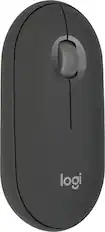
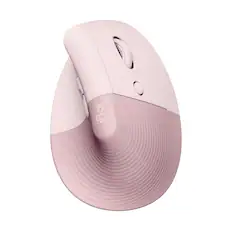
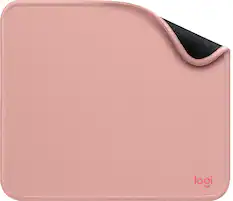
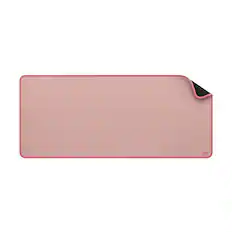


Customers ultimately bought
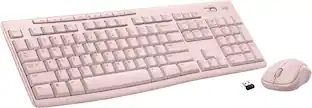 Top Deal$19.99The price was $29.99
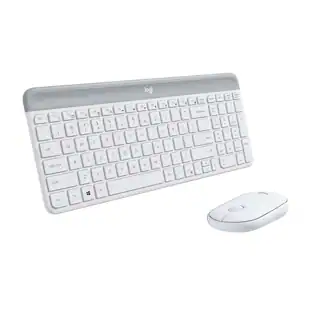 Top Deal$35.99The price was $49.99
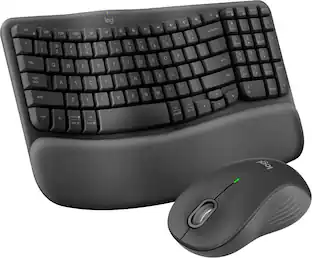 Top Deal$79.99The price was $89.99
 $90.36The price was $119.99
Explore tech essentials Sponsored
 Top Deal$129.99The price was $159.99
 Top Deal$139.99The price was $179.99

Discover related products
 $12.99The price was $13.99
 $149.99The price was $169.99











Keep exploring
 $199.95The price was $259.95
 $23.99The price was $25.99
 $129.95The price was $159.95
 $199.95The price was $209.95