Customer Ratings & Reviews




- Model:
- 910-006593
- SKU:
- 12872030
Rating by feature
- Value
Rating 4.8 out of 5 stars
- Quality
Rating 4.8 out of 5 stars
- Ease of Use
Rating 4.8 out of 5 stars
Customers are saying
Customers are positive about the overall performance, ease of setup, and ergonomic design of this mouse, which many users find perfectly sized for their hands. They also appreciate the reliable connectivity, long battery life, and the quiet nature of the primary clicks. While most feedback is favorable, some users expressed minor concerns regarding the noise level of the scroll wheel and side buttons, as well as the lightweight feel and price point of the device.
This summary was generated by AI based on customer reviews.
nice a big O_O
||Posted . Owned for 1 week when reviewed.This reviewer received promo considerations or sweepstakes entry for writing a review.I had trouble getting the unifying receiver to work but all I had to do was download Logitech options+
I would recommend this to a friendIt's good for normal work
||Posted . Owned for 1 month when reviewed.This reviewer received promo considerations or sweepstakes entry for writing a review.It is a little hard to move on the bottom and move it around, especially if you're trying to game really fast it can be annoying. But it clicks nice and is silent so I can work at night, and it feels nice under my hand and has custom controls. I do not regret my purchase.
I would recommend this to a friend- Pros mentioned:Overall performance
Mouse
||Posted . Owned for 3 months when reviewed.This reviewer received promo considerations or sweepstakes entry for writing a review.Needed a mouse for my laptop as keyboard hard for me to use
I would recommend this to a friend - Pros mentioned:Ease of use, Size

Logitech Signature M650 L, the right mouse
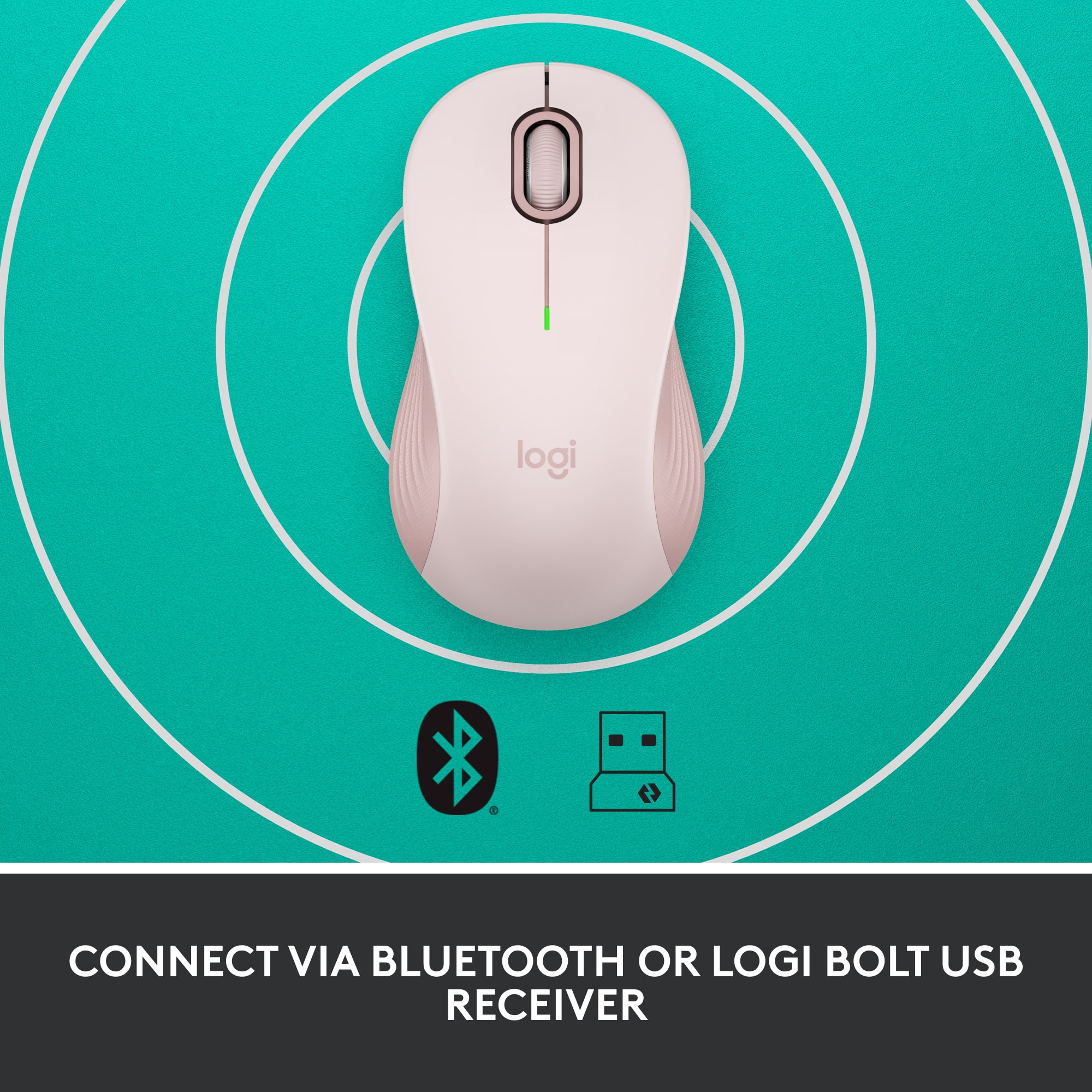
|Posted .This reviewer received promo considerations or sweepstakes entry for writing a review.No messing, er, mousing around, the Logitech M650 L is the right fit for everyday use for most hands. Why do I mention its size? Logitech pitches this model, the “L” is for Large, for large hands, but I must respectfully disagree. My hands are not gargantuan. In the hands of two male friends and two female friends, none commented that this mouse is too large. On the contrary, everyone commented on its just-right size. Compared with others in my Logitech mouse collection, some are tagged as portable, in that they are smaller and said to be ideal for travel. Travel mice lack some of the features and technology of larger mice in addition to the size differential associated with their lower cost. This M650 L features typical Logitech all-day comfort with its contoured shape and soft area where the thumb rests on the left side along with rubber side grips on the opposite side. As ports are at a premium on many newer PCs and laptops, it features dual connectivity options via Bluetooth Low Energy wireless technology as well as conventional plug-in dongle. In fact, the supplied Logi Bolt USB dongle is Logitech’s unified one so it can serve a dual role with both this mouse and a compatible Logitech keyboard. In other words, there would be no need for two dongles if the user has such a compatible keyboard. Another word about the “L” for large. Logitech offers this wireless mouse for righties as well as southpaws AND a smaller model for more dainty sized hands. With one for just about every user, Logitech has another winner. The side buttons are customizable for a variety of the user’s favorite shortcuts, including Copy/Paste and app launch, all through downloadable Windows and Mac software called Logitech Options Plus. Device basic functions are supported without software on Chrome OS and most popular Lunux distros. The Logitech SmartWheel scroll wheel is also newly designed. Unlike other models that feature a click to release the line-by-line motion in favor of freewheeling spin, the M650 works as follows. Scroll slowly, silently, line-by-line or flick to spin for super-fast scrolling up or down. With up to two years use on one AA alkaline battery (supplied) it is easy to see how well Logitech engineers designed this mouse to squeeze every ounce of performance out of the least amount of energy. **WHAT’S IN THE BOX** • M650 L, with included battery and USB dongle • Documentation **THE SETUP** Open the blister pack along perforated lines and remove the cardboard backing and the mouse. Remove the paper tab from the battery well. Read the simplified instructions, directing the user to remove the battery cover. Here, users have the choice to remove the dongle and insert it into a USB-A spot on the desktop or laptop, Windows, Mac or Linux computer OR connect using low-voltage Bluetooth. Using Bluetooth, this mouse is also compatible with iPad OS 13.4 and later and Android 5.0 and later. Download the and install Logitech Options Plus software using the provided link. Connect the mouse. Customize the buttons, if interested. Start mousing. Now, it’s time to . . . **PUT IT TO THE TEST** The Logitech M650 L is, at once, as easy to use as any other mouse, even easier, and can be customized with side button special features. Operation is as smooth and quiet as promised. It fits quite comfortably in the hand with no sign of fatigue the entire first day of use. On subsequent days the M650 L has been just as comfortable. The buttons are pre-programmed to jump forward and back in a browser. No modifiers were employed. The scroll wheel’s operation and the R and L clicker are virtually silent. Though the mouse is largely plastic, there is no feeling that this mouse is cheaply made. **CONCLUSION** Using the Logitech M650 L has been without any finding of, “I wish . . .” Logitech has delivered as expected, a modestly priced, full featured and high quality new mouse that is sure to please users for many years. Logitech’s excellent reputation in this category is well deserved. Highly recommended! **WARRANTY** One year manufacturer’s warranty.
I would recommend this to a friend - Pros mentioned:Connectivity, Ergonomics
SOLID
||Posted . Owned for 11 months when reviewed.This reviewer received promo considerations or sweepstakes entry for writing a review.super responsive, feels great on the hand and SILENT. I use it in public and in class as i dont like using laptop pads. It makes me feel like a ninja due to the silence. battery life is super good but if you're going to carry it around make sure to turn it off everytime you place it in your bag. it also never disconnects from your device.
I would recommend this to a friendBrand response from Logitech
Posted .Thank you for your feedback on the Signature M650 L. We’re glad to hear you enjoy its silent responsiveness, strong battery life, and reliable connection, making it a perfect fit for your daily use. Your support is truly appreciated.

- Pros mentioned:Connectivity, Overall performance, Size
Great Mouse
||Posted .This reviewer received promo considerations or sweepstakes entry for writing a review.Exactly what I was looking for in a new mouse. While I appreciated my previous Logitech mouse, I never really used the side and extra scroll wheel features, so left right, scroll suits me perfectly. I also like the usb or bluetooth functionality. Either way works very well. The usb dongle is also stubby, so it doesn't really interfere with your desktop area, when mousing. Very smooth, quiet. action, and a smell footprint. Combined with an excellent price - a fantastic choice
I would recommend this to a friendBrand response from Logitech
Posted .Thank you for your thoughtful feedback! We’re glad the Logitech Signature M550 fits your needs perfectly, offering smooth performance, versatile connectivity, and great value.
- Pros mentioned:Size
Quiet and comfortable
|Posted .This reviewer received promo considerations or sweepstakes entry for writing a review.## Design Although this particular mouse is labeled as “Large - for large-sized hands”, it seems like a “regular” sized mouse to me. Many wireless mice are too compact and uncomfortable for me to use as a permanent fixture on my desk. Therefore, I was happy to find that this supposedly “large” mouse is the same size as the Logitech M190 (which does not have a “large” designation). Please refer to the picture attached to this review for a size comparison of the m650 and m190. ## Performance This mouse is very quiet! Clicking any of the buttons on the mouse makes almost no sound. The scroll wheel is also fairly quiet and smooth to use. You can download software to customize the side buttons, but I found that the basic functions of the mouse work without the software, and, by default, the side buttons work as forward and back buttons while browsing through web pages. Since I’m fine with this functionality, I didn’t load the software. The wireless signal works fine and I've had no issues with skipping or lag when it is plugged in directly to my laptop, but depending on your computer, you may find that your WiFi or Bluetooth chipset is too close to the USB port. In that case, I've found that using a USB 2.0 extension cord solves any issues caused by interference from internal wireless chips and USB 3.0 ports. So if you run into trouble with the mouse pointer jumping across the screen or hesitating, try using a USB 2.0 (note the “2”) extension cord with the nano receiver. You can find them fairly cheap online. The mouse can also connect via Bluetooth if your laptop has Bluetooth built-in and you don’t want to lose a USB port to the nano receiver. Also worth noting that the included nano receiver is USB-A. If your laptop only has USB-C ports, you’ll either need to use Bluetooth or a USB-C to USB-A adapter. ## Battery Life Logitech claims that this mouse can last up to 2 years on a single AA battery, which is included! I have yet to use the mouse that long, but I like the fact that it only requires one AA battery as this keeps the mouse lightweight and it glides easily across my desktop. Logitech notes that Bluetooth somewhat shortens battery life from 24 months down to 20. ## Summary Overall, the M650 L (for “Large”, not to be confused with the left-hand version) is full-sized and comfortable to use as your everyday mouse. The mouse buttons are very quiet and would be ideal for late-night clicking.
I would recommend this to a friendBrand response from Logitech
Posted .Hello, TechnicallyWell! I'm happy to hear that you're enjoying the M650 L mouse! Feel free to reach out to our support team here https://support.logi.com/hc/en-us/requests/new?ticket_form_id=360000621393 if you ever need any assistance or if something happens in the 1-year limited hardware warranty. Thank you for the in-depth review and for shopping Logitech! - Maggie from Logitech
You Won’t Hear a Squeak from this Mouse
|Posted .This reviewer received promo considerations or sweepstakes entry for writing a review.The Logitech Signature M650 L wireless mouse is marketed as a mouse for larger hands, but honestly it is so well contoured and curved that folks with smaller hands would equally benefit from using it. In fact, even my eight year old daughter, who by no means has large hands, easily cupped her hand around it and had no issue clicking the side buttons and using the scroll wheel. I think Logitech should simply just categorize these mice as regular sized mice, and everything else as their compact line up. The M650 L wireless mouse is comfortable to hold. The top curve of the mouse gently cradles the palm of my hand while the sides have a tactile, soft rubbery grip for the thumb and fingers. No problem here with using it hours on end during a long haul work day. But what drew me to the M650 L is that it is a near silent mouse. Logitech’s SlentTouch technology is at work here. The clicks are dampened to be nearly inaudible to anyone more than a foot or two away. Unless you are in a super quiet environment, nobody will hear you using the mouse. Even the scroll wheel is silent. This is great for times when you don’t want to disturb others. Let’s talk about the scroll wheel. Logitech calls it a SmartWheel. It features precise line-by-line scrolling that automatically switches to super fast scrolling by flicking your finger to quickly spin the wheel. This will allow you to scroll down long web pages or scroll quickly through pages of a long document. Once you flick the scroll wheel with your finger, the wheel spins quickly, but is also just as quick to slow down and stop. The spinning wheel activates the super fast scrolling, and the scrolling stops when the wheel stops spinning or when the end of the webpage or document is reached. The faster you flick, imparting greater angular acceleration to the wheel, the longer and farther it will scroll. The super fast scrolling works for both scrolling down a page or scrolling up. You may be wondering about that other way of scrolling quickly through long web pages or documents where you click down on the center scroll wheel and a little directional cursor appears on the screen to allow you to move the mouse up or down in the direction of movement for hyper-scrolling. That feature is still available on this mouse if that is what you prefer to use for hyper-scrolling. Logitech is moving in new directions with the introduction of the new line up of mice. For one thing, the usb-a receiver is now called the Logi Bolt Usb receiver. It’s more than a simple change in the naming of the receiver. There is a whole new enterprise wireless secure encryption level protocol built into the mouse and receiver to allow better, more secure, and faster communication between the wireless mice/keyboards and the receivers. I don’t understand much of this technology and it probably takes an advanced degree to fully grasp the beauty of it, but you’ll need to be aware of what this means in practice if you have a bunch of existing Logitech wireless mice and keyboards lying around your house or business like I do. I would make a guess that for the majority of folks, you still have Logitech’s wireless products that use the Unifying receiver. Before you make the leap to upgrade to Logitech’s new products utilizing the Logi Bolt Usb receiver, you need to be aware that the new Logitech products that use the Bolt receiver are not compatible with Logitech’s products that use the Unifying receiver, and vice versa. It’s an entirely new ecosystem! For instance, you won’t be able to connect the new M650 L mouse to the unifying receiver that you are using for your Logitech wireless keyboard. The M650 L will have to be paired with new and upcoming Logitech wireless keyboards that use the Bolt receivers. Let me be clear. This is not to say that the new M650L will not work simultaneously while you are using the wireless keyboard on the computer with a unifying receiver. It’s just that you cannot connect it to the incompatible unifying receiver. You actually do not need to use the Bolt receiver if you don’t want to. The M650L can also be connected by bluetooth, so this will eliminate the need to use two wireless dongles (one Bolt, one Unifying) if you are planning to also use a Logitech wireless keyboard with a unifying receiver. With the new Bolt receiver, comes a new software platform as well. The familiar Logitech Options software is being replaced with the new Logitech Options Plus software for the products that are using the Bolt receiver. Just like the previous software, the Options Plus software allows customizations to the M650L mouse. You can customize the two side buttons and the middle button using the software. One new feature of the software is that now it enables app specific button customizations. This means that you can set the buttons to perform specific actions while in the Chrome browser (example forward or backward to a webpage), but have entirely different functions while working on your Microsoft Word document (example cut and paste). That is a cool feature. Here’s some other things to note about the M650 L in case you’re wondering. It uses a single AA battery and has a slot in the battery to store the Bolt receiver. Logitech claims the battery will last up to two years, but I always take these figures with a grain of salt since it will depend entirely on how much you use it. Finally, for those of you who already own Logitech’s M510 wireless mouse, you will feel right at home with the new M650 L. It has an uncanny resemblance, nearly down to the physical dimensions, contours, and curves as the M510. It appears that the Logitech engineers used the M510 as their basis for design. Do I recommend the M650 L? Yes, of course. Logitech crafted a mouse that will have a comfortable feel for the vast majority of users with the added bonus of having silent clicking and scrolling. On top of that, the SmartWheel scrolling works well and provides great control while scrolling through long documents and webpages. And if you’re not ready to give up your unifying receiver in favor of the new Bolt receiver, Logitech says that’s perfectly fine, too. You can still use the new M650 L with your good ole’ favorite Logitech unifying wireless keyboard, since you have the option to connect the M650 L to your computer using bluetooth. As Logitech introduces new products that use the Bolt receiver, we’ll probably start embracing the Bolt receiver. Until then, I’ll be placing my Bolt receiver where it belongs - tucked away in the battery compartment.
I would recommend this to a friendBrand response from Logitech
Posted .Hey lambda100, thanks for this great review! If you have any issues in the future, please feel free to visit our support site for troubleshooting tips and tricks as well as warranty information. Thank you for choosing Logitech! -Weston from Logitech.
- Pros mentioned:Connectivity, Overall performance
Mouse wireless
||Posted . Owned for more than 2 years when reviewed.This reviewer received promo considerations or sweepstakes entry for writing a review.This is a great mouse, it's recharchable, and it lasts a long time in between charges, it eorks great and charging is bery fast, also you can still use it while it charges. It also has the capability to switch between 3 computers.
I would recommend this to a friendBrand response from Logitech
Posted .Thank you so much for sharing your experience! We're thrilled to hear that you’re enjoying your Logitech - Signature M650 L Full-size Wireless Optical Scroll Mouse, especially its long battery life, fast charging, and the ability to switch between three computers. Your feedback means a lot to us and helps us continue to deliver quality and reliability.
- Pros mentioned:Overall performance
High Quality Mouse
||Posted . Owned for 3 weeks when reviewed.This reviewer received promo considerations or sweepstakes entry for writing a review.This mouse is larger than most these days, but I wish Logitech made one even bigger for someone with hands my size. That being said, this mouse works great. Has USB and Bluetooth connectivity. It did take a while for me to figure out that you have to hit the button on the bottom to switch between Bluetooth and USB and vice versa. So, no matter which way you are connected, you have to hit that button on the bottom of the mouse for 3 seconds to switch to the other connection type. Very quiet, as well. Not only do you not hear clicks, it's hard to feel them as well. I do a lot of clicking the wheel and not feeling/hearing that click took some getting used to. The buttons feel fine, but are also really quiet. To me, it is worth the price.
I would recommend this to a friendBrand response from Logitech
Posted .Sounds like the Signature M650 L is doing a solid job for you. Roomy design, dual connectivity, and whisper‑quiet clicks make it a dependable choice. That bottom switch can take a moment to figure out, but once you’ve got the hang of it, swapping between Bluetooth and USB is smooth. Glad to hear the quiet feel and overall performance make it worth the price in your book.
- Pros mentioned:Ergonomics, Overall performance
Love my new mouse!
||Posted . Owned for 3 weeks when reviewed.This reviewer received promo considerations or sweepstakes entry for writing a review.Although my "vintage" mouse worked fine, I'm looking forward to the improved battery life with this new mouse. It's comfortable, works as expected, and is a great shade of blue.
I would recommend this to a friendBrand response from Logitech
Posted .We’re grateful for your kind words and thoughtful review. It’s encouraging to know our product is serving you well. Thanks for being part of our community.
- Pros mentioned:Ergonomics, Size
Most comfortable mouse I've used
|Posted .This reviewer received promo considerations or sweepstakes entry for writing a review.This was a pleasure right from the start. The M650L comes in the traditional clamshell package, with a big difference. There are two finger openings at the rear with perforations that allow it to be opened without the need for a knife or razor blade - thank you Logitech! This was advertised to me as a left hand mouse; however, there's no text on the front or back of the packaging alluding to this. The "L" addendum on the model # refers to "large" for large hands. And that it is. The overall length of this is somewhat longer than the average mouse, but to me, the important thing is the height. It just immediately felt "right" to me. Everyone is different, but this honestly felt like it was custom molded for me. It's basically symmetrical; with additional configurable buttons on the left side. I am left handed; as such I'm long accustomed to using pointing devices with my right hand. I'm currently using it with my right hand, and it's picture perfect, so I would recommend this to anyone - that is, if you want a mouse better adapted to a larger hand. In either case, the buttons are configurable with the Logitech Options software to suit your preferences. The M650 also features silent soft click technology which works as advertised. Between that and the comfortable hand fit, I can already see the stress level on my hand/fingers reduced considerably. I've got this on bluetooth, which installed immediately; however there is also an included Bolt usb receiver if that is your preference. I've long been a user of Logitech products; the M650L is one more product I can positively recommend (that is, if you don't have a petite hand!)
I would recommend this to a friend - Pros mentioned:Connectivity, Ergonomics, Overall performance
Great Find
||Posted . Owned for 3 weeks when reviewed.This reviewer received promo considerations or sweepstakes entry for writing a review.The Logitech M650 L full-size mouse in graphite delivers solid performance and excellent ergonomics. Bluetooth pairing was fast and seamless, with an immediate and stable connection. Cursor tracking is smooth and accurate, and the scroll wheel provides consistent, fluid movement that works well for both productivity and general use. The larger form factor offers comfortable support for extended sessions, and overall responsiveness feels precise and reliable. A well-designed mouse that performs exactly as expected for everyday computing.
I would recommend this to a friendBrand response from Logitech
Posted .We appreciate your feedback and are glad to hear the product is working smoothly. Thanks for being part of the Logitech family.
Comfortable, Silent, Modestly Priced Mouse
|Posted .This reviewer received promo considerations or sweepstakes entry for writing a review.The Logitech - Signature M650 L Full-size Wireless Scroll Mouse with Silent Clicks exceeds expectations based upon it's moderate pricing & generous offerings. PRO'S: 1- Right Hand & Left Hand Options 2- Red, White, Blue & Graphite Color Choices allow you to personalize your desktop look 3- Small, Medium & Large Hand Options for the ideal fit 4- Rubberized Coating feels comfortable to the hand 5- Silent Clicks - The quietest of any mouse I have tested 6- Ultra long life (2 Years) using economical AA battery! 7- State-of-the-Art Bluetooth Low Energy 8- USB or Bluetooth Low Energy Connectivity 9- Scroll Options: Individual line scrolling or very fast scrolling by a quick flip of the "SmartWheel" scroll wheel 10- Configurable side buttons using the free app: Logitech Options Plus CONS: 1- The M650L quoted 400-4000 DPI provides accurate cursor positioning for most users. However, moving the mouse very quickly after the mouse sits at rest results in a noticeable lag in the cursor response as it attempts to catch up with the quick hand movement. This will not represent an issue with most users, however. This mouse is not designed for gaming use, where 0 lag is required. My test computer is a Mac Pro with internal Broadcom Bluetooth Receiver with Low Energy Supported & 2.7 GHz 12-Core Intel Xeon E5 with 64 GB 1866 MHz DDR3 memory located 30" away from the M650L mouse. Your cursor response may differ, depending upon your specific Bluetooth receiver & it's proximity to the mouse. SUMMARY: The M650 L is an ideal mouse for most users. Recommended.
I would recommend this to a friendBrand response from Logitech
Posted .Hello, gadgetguy11! I'm happy to hear that you're enjoying the M650 L mouse! Feel free to reach out to our support team here https://support.logi.com/hc/en-us/requests/new?ticket_form_id=360000621393 if you ever need any assistance or if something happens in the 1-year limited hardware warranty. Thank you for the in-depth review and for shopping Logitech! - Maggie from Logitech
- Pros mentioned:Connectivity, Ergonomics
Wireless Mouse Review
||Posted . Owned for 1 week when reviewed.This reviewer received promo considerations or sweepstakes entry for writing a review.First Impressions: I was immediately impressed with this wireless mouse right out of the box. It looked sleek and well-designed, making a strong first impression. Design and Build Quality: The mouse has an excellent design and build quality. It feels great in hand, with a comfortable and ergonomic shape that makes it easy to use for extended periods. The materials used are of high quality, giving it a sturdy and durable feel. Performance: In terms of performance, the mouse is outstanding. It's incredibly responsive and accurate, with smooth tracking on various surfaces. It handles well during both casual use and more intensive tasks. Battery Life: The battery life has been awesome so far. It lasts a long time between charges, which is a significant convenience. I can rely on it to keep working without constantly worrying about recharging. Connectivity: Connecting the mouse to my device was straightforward and hassle-free. It has good connectivity with a reliable range, ensuring that it stays connected without any issues. Additional Features: The mouse comes with several additional features, such as programmable buttons and customizable settings. While I haven't made extensive use of these features, they add to the versatility and functionality of the mouse. Overall Satisfaction: Overall, I'm very satisfied with this wireless mouse. It combines great design, excellent performance, and reliable battery life, making it a fantastic choice. I highly recommend it to anyone looking for a high-quality wireless mouse.
I would recommend this to a friendBrand response from Logitech
Posted .We're thrilled to hear that you're loving the Logitech Signature M650 L! Your positive feedback about its design, performance, battery life, and overall user experience is fantastic. We're committed to providing innovative and comfortable input devices, and your satisfaction is our top priority. Thank you for choosing Logitech!
- Pros mentioned:Size
Comfy mouse for larger hands
|Posted .This reviewer received promo considerations or sweepstakes entry for writing a review.I had a older M310 mouse that was showing its age. I have sorta larger hands so this large mouse seemed like a good choice. I've used numerous Logitech mice so they're great quality. This mouse is large in that it's about 1CM longer than your "normal" mouse. I wear L size glove usually so this mouse feels really good in the hand. The sides of the mouse are grippy and not smooth like most other mice. Again, feels real good in the hand. One thing I particularly like about this mouse is the ability to store the USB dongle inside the mouse. Not sure why this isn't standard for all mice but its just really nice you can do this and not have to worry about losing the dongle. I use this mouse in my work laptop primarily so I won't be moving this mouse from computer to computer. The buttons on this mouse are silent. Not a huge thing for some people but it's really nice not having to hear the click of the buttons when you're using the mouse. The side buttons are smooth and silent as well. Mouse is plug and play so no need download any software or anything however I believe there is the normal Logitech software you can download. Overall, the small size difference in this mouse really makes a nice difference. The mouse just feels better and the silent buttons on this make using this mouse easier.
I would recommend this to a friend - Pros mentioned:Connectivity, Overall performance
Red Mouse
||Posted . Owned for 2 weeks when reviewed.This reviewer received promo considerations or sweepstakes entry for writing a review.I love the color of this mouse, but it is also very functional. It took a little time to get used to the silent clicks and scrolling. Also love the Blue Tooth connectivity.
I would recommend this to a friendBrand response from Logitech
Posted .It’s great to hear that you’re enjoying both the look and functionality of the mouse! The silent clicks and smooth scrolling can take a bit of adjustment, but they make for a quieter, more comfortable experience. The Bluetooth connectivity is definitely a convenient bonus.
- Pros mentioned:Connectivity, Ergonomics
Quiet, comfortable, and reliable wireless mouse
||Posted . Owned for 5 months when reviewed.This reviewer received promo considerations or sweepstakes entry for writing a review.The Logitech Signature M650 L is a fantastic wireless mouse that’s both comfortable and quiet. The silent clicks are a game-changer in shared workspaces or quiet environments, letting me work without disturbing others. The full-size design fits my hand perfectly, and the scroll wheel is smooth and responsive. Setup was quick, and the wireless connection is stable with minimal lag. Battery life is impressive too — it lasts for weeks on a single AA battery. The sleek graphite color looks great on my desk and complements my setup. Overall, a reliable and stylish mouse that gets the job done with zero distractions.
I would recommend this to a friendBrand response from Logitech
Posted .Thank you for sharing your positive feedback about the Logitech Signature M650 L! We appreciate you taking the time to highlight its comfort, quiet operation, and reliability.
- Pros mentioned:Ergonomics, Overall performance
Comfortable and quiet wireless mouse.
||Posted . Owned for 2 weeks when reviewed.This reviewer received promo considerations or sweepstakes entry for writing a review.Great mouse for everyday use. Comfortable shape, quiet clicks, long battery life, and reliable wireless connection. Works perfectly for both work and casual use. Highly recommended.
I would recommend this to a friendBrand response from Logitech
Posted .Thanks for the encouraging feedback! We’re glad the product is working well for you. Your support helps us keep innovating.
- Pros mentioned:Ergonomics, Overall performance
comfortable and quiet mouse
||Posted . Owned for 3 weeks when reviewed.This reviewer received promo considerations or sweepstakes entry for writing a review.The mouse fits my larger hand very nicely and is very sensitive. The silent clicks are great and works well on desktop surface. Works great with Windows 11.
I would recommend this to a friendBrand response from Logitech
Posted .Your feedback means a lot to us, and we’re so glad to hear you’re enjoying your Logitech device. We work hard to create products that make life easier and more enjoyable, and it’s great to know we hit the mark. Thanks again for your support!