Customer Ratings & Reviews



- Model:
- 910-006250
- SKU:
- 11065145
Rating by feature
- Value
Rating 4.7 out of 5 stars
- Quality
Rating 4.8 out of 5 stars
- Ease of Use
Rating 4.8 out of 5 stars
Mouse
||Posted . Owned for 1 month when reviewed.This reviewer received promo considerations or sweepstakes entry for writing a review.Works very slow. I did mit like this mouse. I recommend a better quality mouse.
No, I would not recommend this to a friendBrand response from Logitech
Posted .We're sorry to hear that you found the mouse to work very slowly and that it didn't meet your expectations. To address this issue, we recommend reaching out to our social care team via email at socialcare@logitech.com with your
- Name:
- Email Address:
- Country:
- Product Name:
- Brief description of issue:
Mouse
||Posted . Owned for 1 month when reviewed.This reviewer received promo considerations or sweepstakes entry for writing a review.Was told it would work with an Apple Computer and it does not always work
No, I would not recommend this to a friendBrand response from Logitech
Posted .Hey there, I'm sorry to hear that your mouse isn't working. The M650 is compatible with mac os 10.10 or later, so if you're still having issues I would recommend contacting us via our support site for additional assistance. -Weston from Logitech
Works great.
||Posted . Owned for 3 weeks when reviewed.This reviewer received promo considerations or sweepstakes entry for writing a review.Mouse worked great, just too small for my hand. I wound up buying the larger model.
I would recommend this to a friend- Pros mentioned:Ease of use, Size

A Very Nice Wireless Mouse
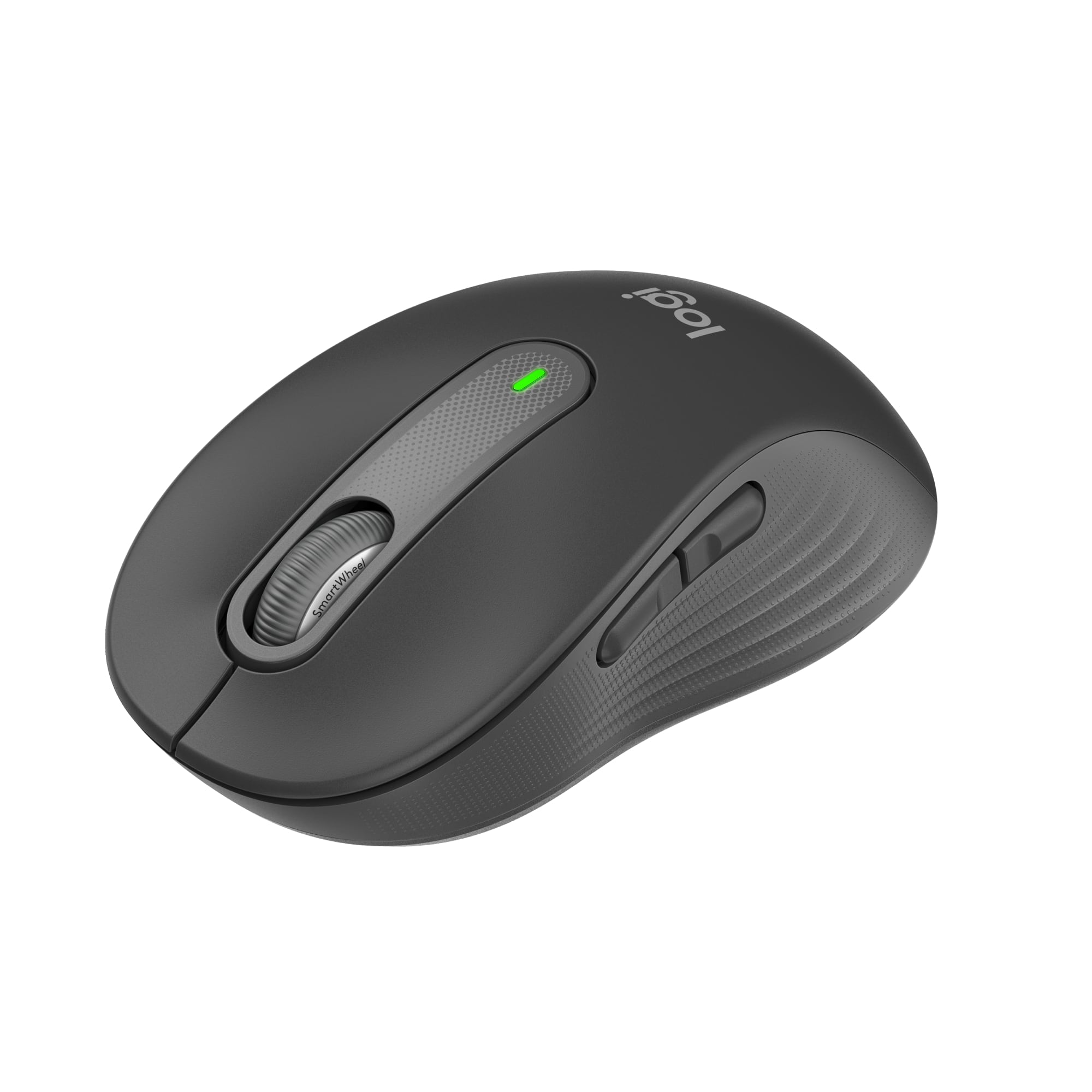
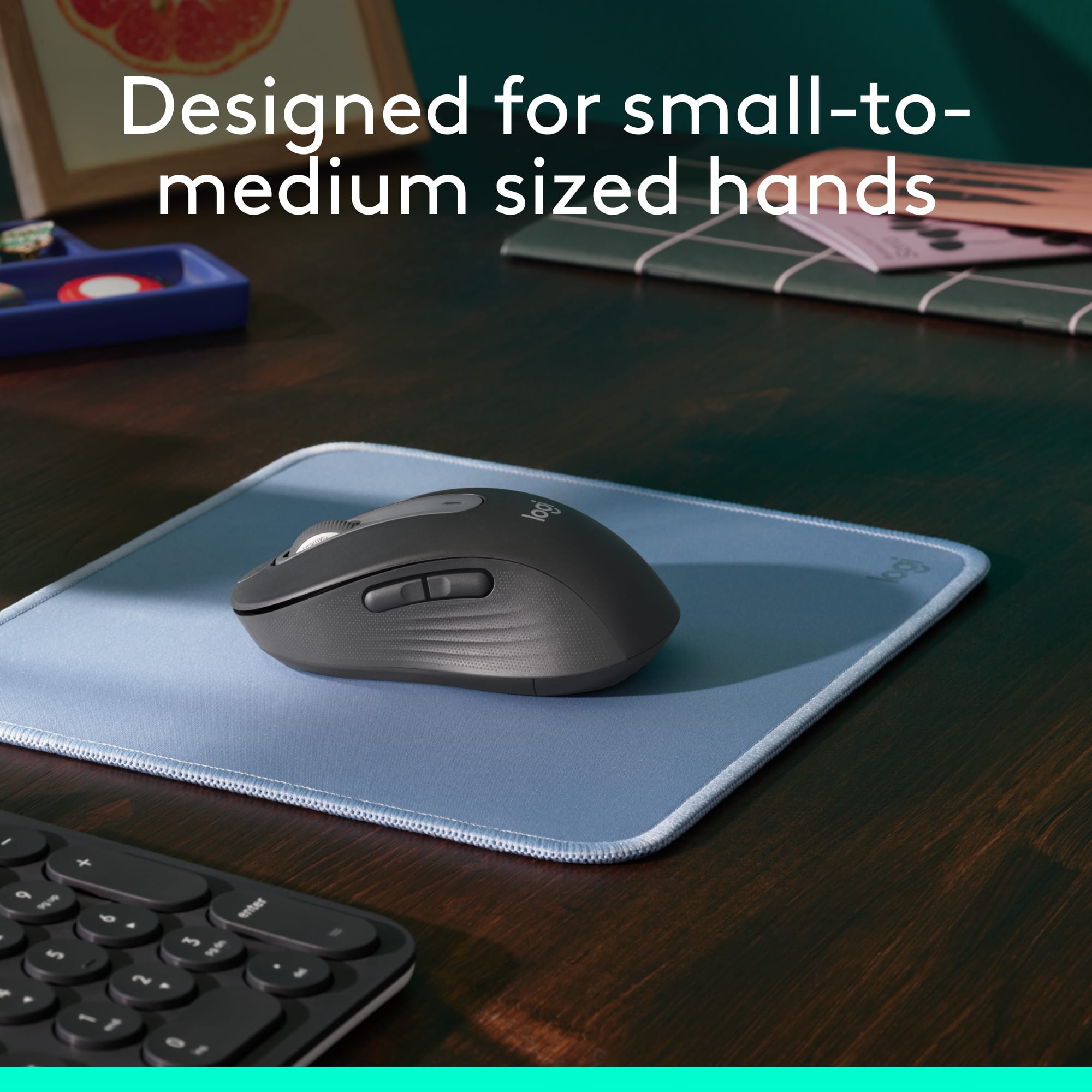
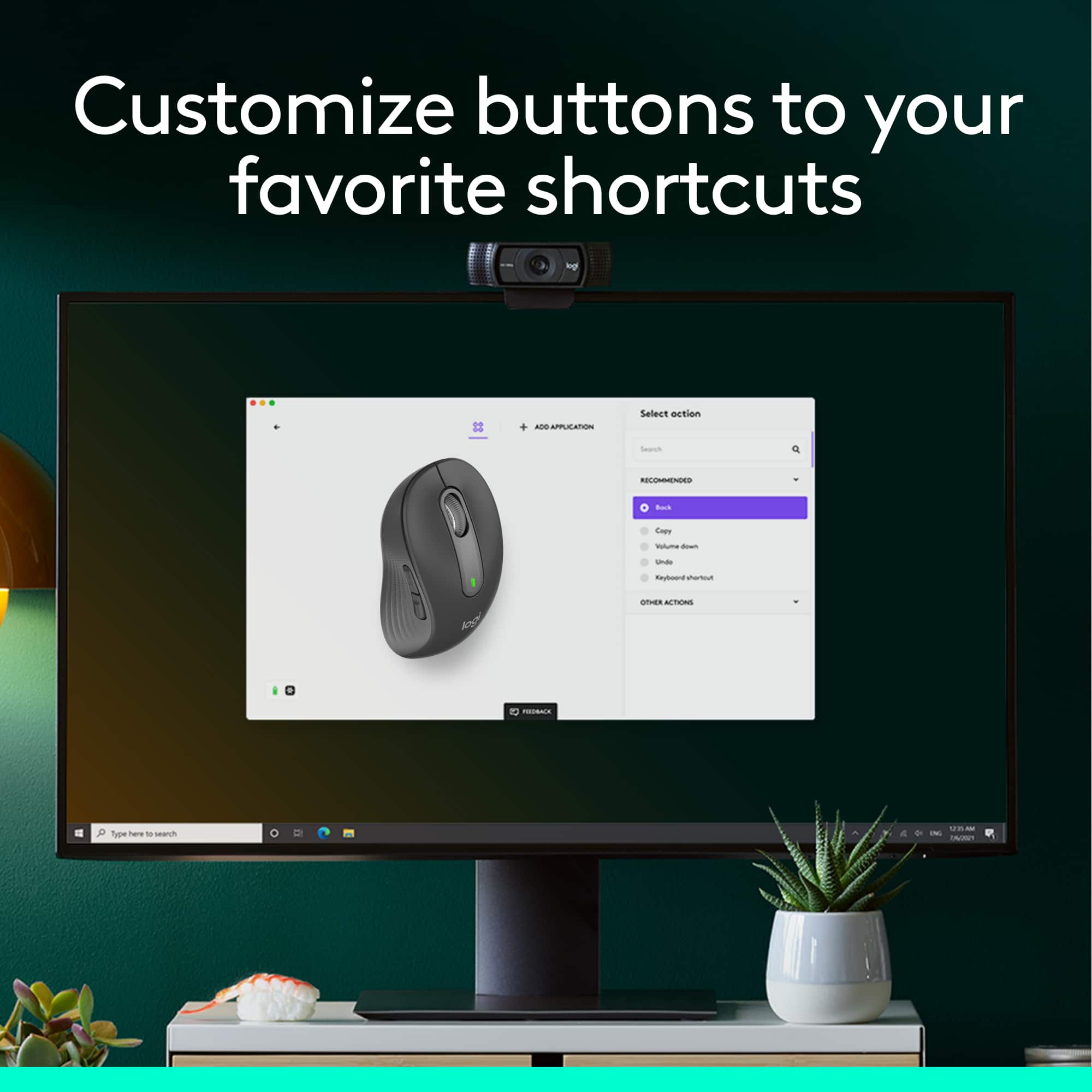
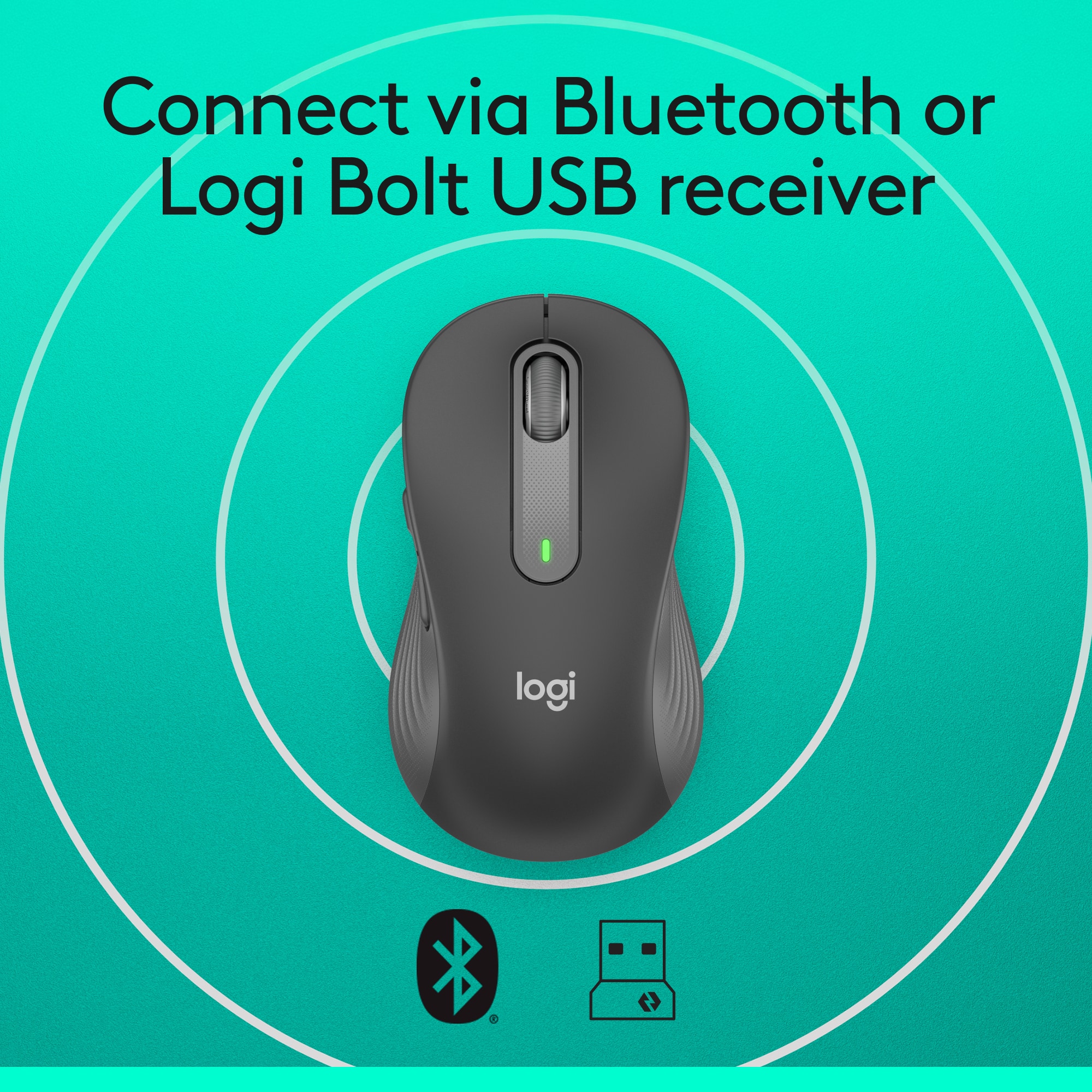
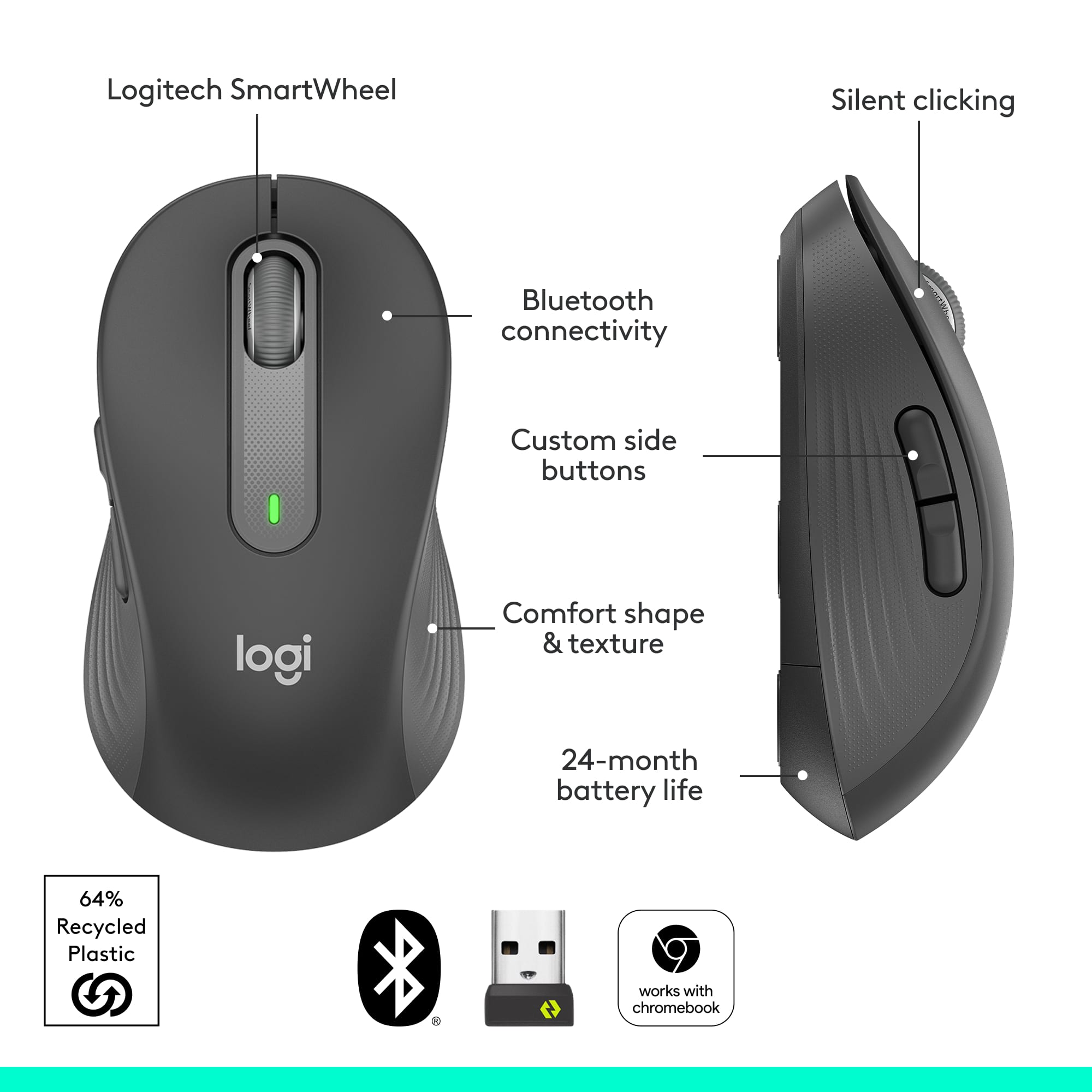
|Posted .This reviewer received promo considerations or sweepstakes entry for writing a review.The Logitech Signature M650 Wireless Mouse is an excellent device to use with your computer. While I have large hands, I found the mouse to be very comfortable to use. With its quiet clicks, a smartwheel that allows you to scroll line-by-line or with a flick of the finger go to very fast scrolling, and 24 month battery life, this mouse is a beauty. It connects to your computer via Bluetooth Low Energy wireless or its included Logi Bolt USB receiver and is very easy to connect and configure. The Logitech M650 comes in sizes for small to medium hands as wll as large and left hand models so everyone can find their perfect fit. The buttons on the Logi mouse can be customized using Logitech Options Plus software downloaded for free from Logitech.com/OptionsPlus and using a single AA battery you should get around 24 months use before needing to replace the battery!
I would recommend this to a friend not good
||Posted . Owned for 4 months when reviewed.This reviewer received promo considerations or sweepstakes entry for writing a review.The right click thing is way too sensitive, just your finger resting on it engages it--very annoying. Also, doesn't always work immediately when you want to select something. One good thing--scrolling is fast and convenient.
No, I would not recommend this to a friendBrand response from Logitech
Posted .We sincerely regret if our product provided you with a inferior experience. We understand your displeasure and apologize for any issues that arise. We value your input, therefore we will forward it along to the appropriate team so they can look into it.
Try a different mouse
||Posted . Owned for 7 months when reviewed.This reviewer received promo considerations or sweepstakes entry for writing a review.The only good thing about this mouse is that since it connects with Bluetooth it doesn't take up a USB port on computer. I've had it six months and had to uninstall and reinstall numerous times.
No, I would not recommend this to a friendBrand response from Logitech
Posted .Sorry about that! Incase the issue is persistent, we'd recommend you to get in touch with the Logi Support Team in this case and the team will definitely walk you through all the available options, next steps, and best possible solution.
Not Impressed
||Posted . Owned for 1 month when reviewed.This reviewer received promo considerations or sweepstakes entry for writing a review.Did not have all the pieces - was missing the most important piece of all - the computer chip that runs the whole thing!!
No, I would not recommend this to a friendBrand response from Logitech
Posted .Hello! We are sorry to hear that your Logitech Signature M650 mouse was missing critical components and inoperable. We understand your frustration and apologize for the inconvenience this caused you. To find it, check the battery compartment & box edges. If not there, contact the retailer for a replacement.
- Pros mentioned:Ease of use, Silent clicks, Size
Super silent clicking
|Posted .This reviewer received promo considerations or sweepstakes entry for writing a review.I work from home and typically work from my laptop and have an external monitor as well. When working long hours, it gets annoying to use the track pad on my laptop all day, so I love having a mouse for easier use. This mouse is standard sized and includes the battery with it. There is a compartment on the bottom that stores the USB extension so you can easily travel with it on the go. This mouse is also super quiet and makes virtually no sound when clicking. It moves around seamlessly and makes working convenient.
I would recommend this to a friend Ms.
||Posted . Owned for 3 weeks when reviewed.This reviewer received promo considerations or sweepstakes entry for writing a review.This item was broken. It did not work. Was unable to get it to connect with my Dell Computer.
No, I would not recommend this to a friendBrand response from Logitech
Posted .That sounds like an issue. In order to assist you effectively, please provide your information to our support team by emailing socialcare@logitech.com. Name – Email address – Country – Product name – Brief description of the issue –
- Pros mentioned:Silent clicks, Size
Fantastic bluetooth mouse!
Posted .This reviewer received promo considerations or sweepstakes entry for writing a review.This mouse is fantastic! It feels as smooth as butter and is very comfortable in the hand. I am a lady with medium sized hands and found this to be just the right size. It is super easy to connect, the wheel feels great, and it is so customizable! I love the buttons you can program. Also, it is absolutely silent, which was what I was looking for. This is well worth the cost!
I would recommend this to a friend - Pros mentioned:Size
It really is whisper quiet
|Posted .This reviewer received promo considerations or sweepstakes entry for writing a review.Logitech makes a name for itself with high quality, dependable peripherals, and I am a big fan of what they produce. This mouse is no exception. Don’t let the low-price fool you, it is impressively built and works better than I anticipated with already high expectations given my experience with the brand. It is advertised as having quiet clicks, and that is something I did not anticipate would make any difference to me, but it really does. There is almost no noise whatsoever from this mouse. I doubted it would be as silent as it is, and I am very impressed. The buttons all work perfectly with just the right amount of tactile feedback, and the scroll wheel has a nifty auto shift feature that helps it go from slow to quick scrolling depending on how much force you put into it. I have large hands and was worried this small mouse that I wanted to use on the go with my laptop would be too small making it uncomfortable, and thankfully it has just the right shape to make it comfortable for me. It also works shockingly well tracking on many different surfaces, such as my smooth desktop and leatherette covering, countertop, kitchen table, and more. I am using it with Bluetooth and have not ever noticed any lag or disconnects, and it includes Logitech’s unifying USB receiver so you can use it with that on a computer with no Bluetooth or simply if you want to avoid Bluetooth. It is advertised as having significant battery life from the single included AA, but there is no way at this point for me to know if that claim will be accurate. It does have an off switch on the bottom which is perfect for putting it in a laptop bag and keeping it from taking inputs. If you want a small, inexpensive, portable mouse that will work with just about any computer, have ultra-long battery life, and be extremely quiet and comfortable to use, this is the one. I highly recommend it.
I would recommend this to a friend - Pros mentioned:Size
Great daily use mouse
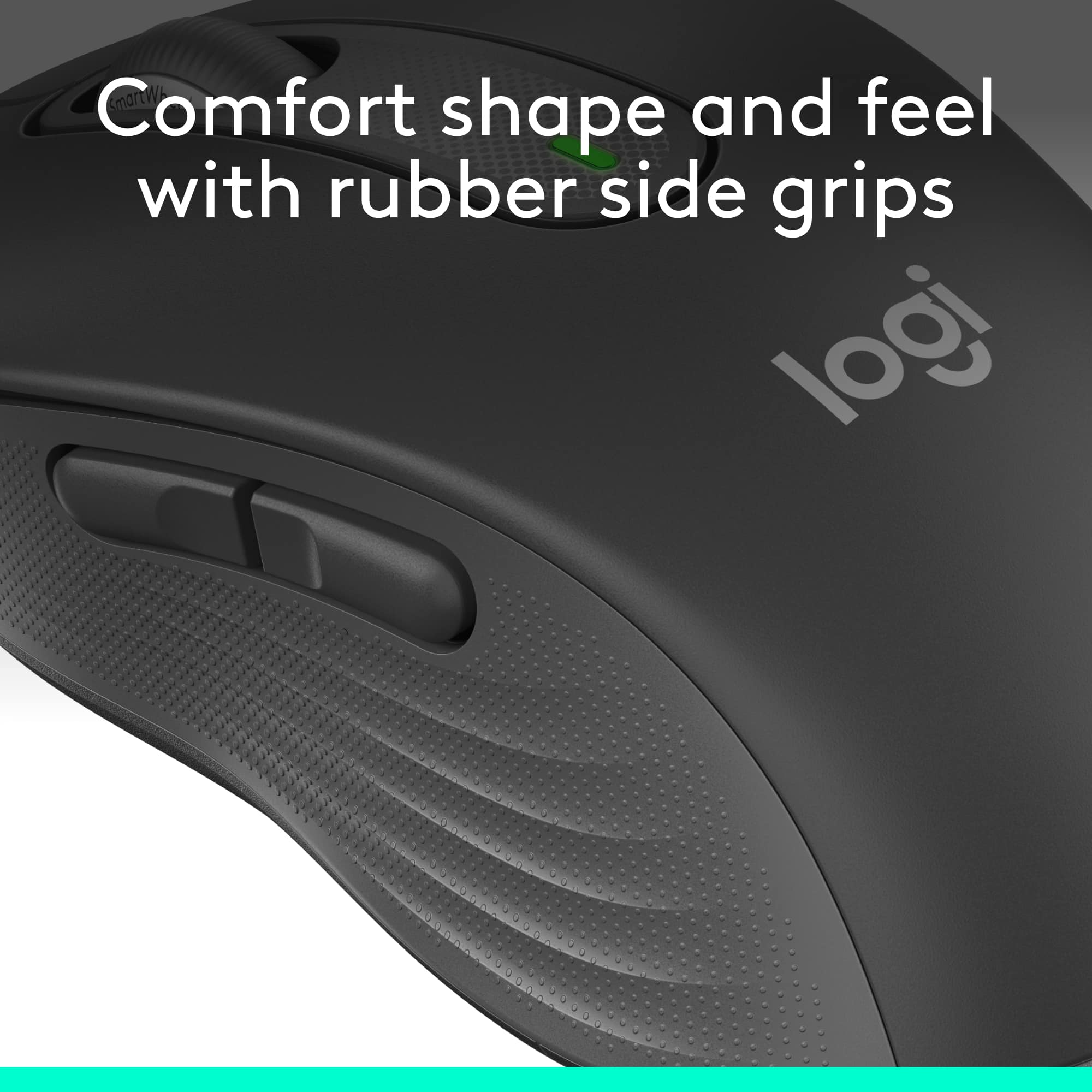
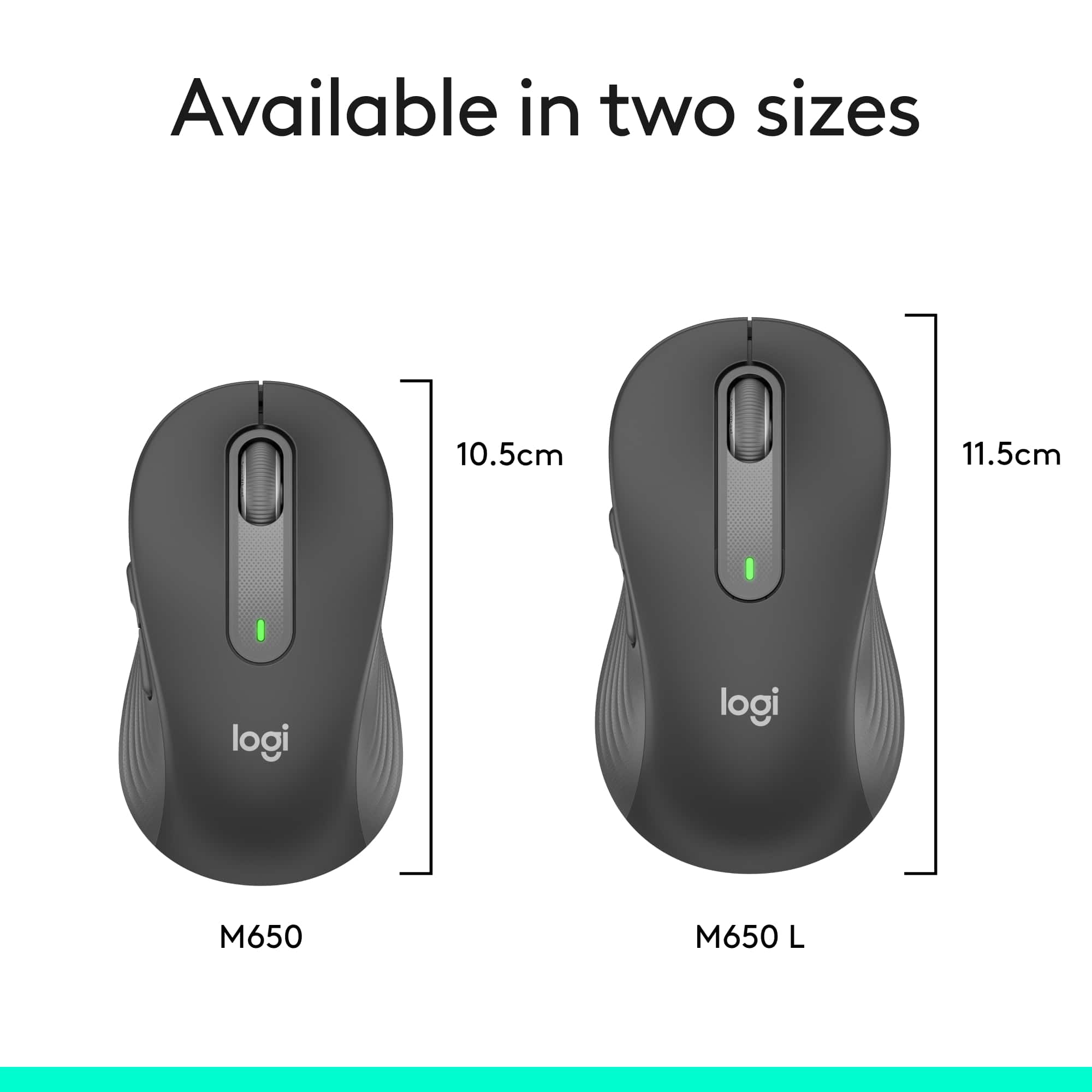
|Posted .This reviewer received promo considerations or sweepstakes entry for writing a review.This is a super sweet mouse! It’s the smaller version which is great to pack for your laptop but still is easily used by someone with larger hands. Logitech also offers the larger version of this as the M650L which is about a half inch longer for people with larger hands. I absolutely love the scroll wheel in the way it easily rolls so smoothly and quietly, yet offering fast scroll speeds when you move the wheel quicker. It truly is quiet! The buttons work smooth and quiet, yet offer great tactile feel as well. The 2 side buttons can also be programmed to your taste using the Logitech Options Plus on the web for free. The rubber cushioning is just right to make if feel very nice in your hand. I have used the mouse with the included USB receiver and via Bluetooth if your computer supports that. On my laptop I use Bluetooth and then I don’t need the little USB receiver hanging out the side and occupying a USB port. Logitech says I can get up to 2 years (using Bluetooth Low Energy) on one AA battery which is included. Even a year I’d be happy so let’s see if they are right. By the way, the little USB receiver stores neatly inside the mouse so it won’t get lost and it’s there if you ever need it. Conclusion: A great comfortable mouse with premium features. It has the ability to use a USB receiver (inc) or Bluetooth connections. Customizable side buttons. And it can be purchased in a larger size as the M650L. I would definitely recommend this little gem.
I would recommend this to a friend - Cons mentioned:Scroll wheel
Excellent Mouse- responsive`
|Posted .This reviewer received promo considerations or sweepstakes entry for writing a review.Like everything I've ever had from Logitech, the M650 mouse is excellent in every way. Comes in a bubble package without any frills, what you see is what you get. The mouse is complete with a battery, so it is ready to use right out of the package. Connect via Logi Bolt USB (included) or via Bluetooth. I'm still on Windows 10 and it was connected as fast as I could tap and touch! Speaking of tapping and touching, this mouse is very quiet! I cannot hear the clicks or the scrolling but I can feel both of those things. Excellent! The wheel can go from "line at a time" to warp speed, based on how quickly you spin the wheel. This is really nice on a long pdf! I got to the bottom of a ten page pdf in three whirls of the wheel. Now, as to fit. I have the medium size mouse and my hands are on the large size for a woman. I had been using a really small mouse, but within ten minutes of use, thiis Logi mouse fits my hand perfectly. The sides where your thumb and 3rd and 4th fingers grip has a rubbery textture that holds your fingers. The top two buttons are very smooth plastic with a very slight dip, so that your 1st and 2nd fingers naturally hold it in the right spot. This is a really good product at a good price point. I expect to get years of use from it. In fact, Logitech says the one battery will last for two years! Again, outstanding use of energy!
I would recommend this to a friend - Pros mentioned:Overall performance
Perfect little Mouse
Posted .This reviewer received promo considerations or sweepstakes entry for writing a review.Fast and connects to Bluetooth easy. Very functional
I would recommend this to a friendBrand response from Logitech
Posted .We’re so happy to hear that our product is working well for you. Your review helps us understand what we’re doing right and where we can grow. Thank you for being part of the Logitech community and for taking the time to share your thoughts.
- Pros mentioned:Size
Great Mouse on Logi Bolt platform
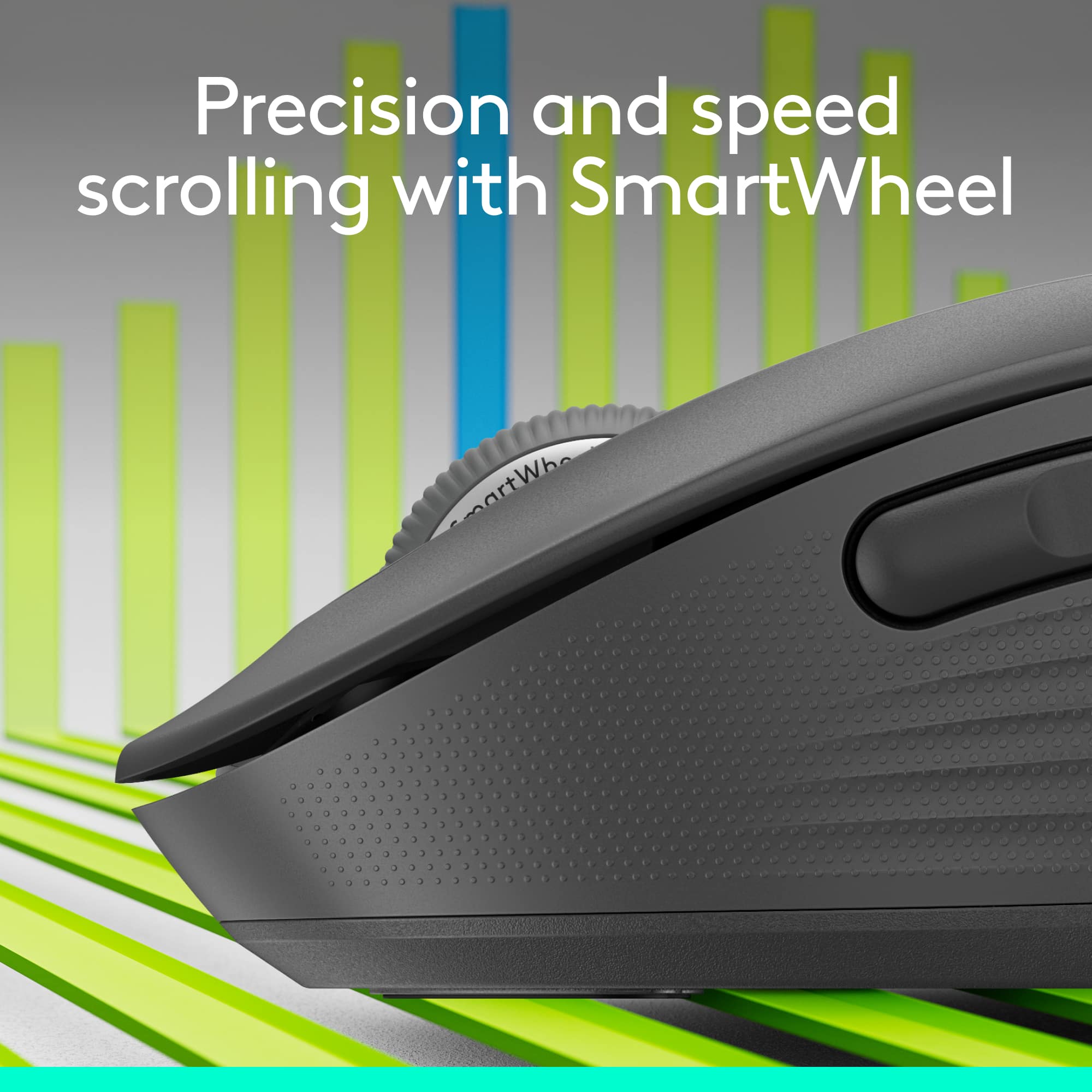
|Posted .This reviewer received promo considerations or sweepstakes entry for writing a review.Before getting this mouse, please make sure to get a good understanding of its different models. There are 3 of them. The M650 is the smallest of them. It's larger than travel sized, but it isn't full sized. There is the M650 L which is the full sized mouse. Lastly there is the M650 L Left, which is the full sized mouse designed for left handed people. I'm left handed, but I've never had a problem having the mouse on the right hand side. So I was avoiding the M650 L Left, but I got confused by the model names. So I ended up getting the M650 (small). While looking at the specifications, the difference between the M650 and M650 L are as follows: M650 • Height: 4.22 in (107.19 mm) • Width: 2.43 in (61.80 mm) • Depth: 1.49 in (37.8 mm) • Weight: 3.57 oz (101.2 g) M650 L • Height: 4.65 in (118.19 mm) • Width: 2.58 in (65.63 mm) • Depth: 1.64 in (41.52 mm) • Weight: 3.93 oz (111.2 g) So while the M650 has a nice feel to my hand, I prefer the full size like the M650 L and my main mouse is the Logitech M510. The M650 has nice construction and I don't feel like the clicks echo through the mouse like on the Pebble M350. The last few mice I've tried from Logitech follow the trend of silencing the mouse clicks. I don't mind the clicks from my M510, so the silenced M650's clicks took a little bit of getting used to. The M650 uses 1 AA battery which is included. It also has a Nano-USB receiver, but it's now the Logi Bolt USB receiver instead of the Logitech Unifying Receiver. I liked the old Unifying Receiver, it allowed me to use 1 receiver plugged into my work laptop and I could leave a mouse at work and a mouse at home and it worked flawlessly once everything was paired. I expect the same of the Logi Bolt Receiver. Logitech had to discontinue the Unifying Receiver due to security concerns and it may have taken them a couple years, but I'm glad they brought back the functionality via the Bolt receivers. While basic mouse functionality is achieved out of the box, to get the most out of the M650's features, you'll need to download and install Logitech Options+. At the time of this review, the M650 requires Logitech Options+ Beta version. Within the Logitech Options+ program you can fine tune the pointer speed, set the button functions. To pair additional Bolt devices, there is a button to add devices, but it requires a separate Bolt program to handle the pairing. The M650 also uses the SmartWheel. Normal scrolling works as you might expect, single notch scrolling gives you line-by-line control. But if you need to quickly advance through a page, you can scroll quickly by flicking the scroll wheel with your finger. The scroll wheel doesn't freely spin. It will catch on one of the notches and if you watch it closely, it will vibrate between notches for a moment. But the sensor is detecting the quick movement and interprets by advancing the page quickly. The M650 also gives you the flexibility to connect via Bluetooth, but I find Bluetooth less reliable than the Bolt receiver, so I stick with that. The only thing I kinda wish the M650 would include is the tilt wheel function. It made scrolling horizontally across large spreadsheets very easy. But it's not a deal breaker since I work across several virtual machines and the drivers to support the tilt wheel function aren't always installed in each virtual machine. Overall, I like the M650. I would prefer the M650 L, but that's my own preference. If I had to jump on the Logi Bolt receiver bandwagon, I would replace my M510 mice with the M650 L.
I would recommend this to a friend Logitech customizes their mouse selection
|Posted .This reviewer received promo considerations or sweepstakes entry for writing a review.Logitech - Signature M650 Wireless Scroll Mouse with Silent Clicks – Graphite Logitech obviously understands that not everyone’s hands are the same size and that all users are not right-handed, which means that a single choice isn’t ideal for everyone. As a result, they’re offering a mouse for small-to-medium hands (the M650), another version for larger right-handed users (the M650L), and still another version for left-handed folks (the M650L Left). They also seem to understand that there are more colors in the rainbow than black, so they also offer a number of color options. That means you can choose the fit and color that works best for you. Logitech also offers two connection options. 1. You can use the supplied Logi Bolt USB Receiver by plugging it into a USB port. 2. You can connect using a Bluetooth connection (the one I chose to use). Connecting via Bluetooth is a snap. Simply remove the paper that’s keeping the supplied battery from connecting and the mouse comes alive and automatically goes into Bluetooth pairing mode. Just select it on your computer and you’re in business. I get frustrated at times when I want precision from my mouse when scrolling but don’t get it. This mouse provides the desired precision that I appreciate. It’s rock solid when you scroll one line at a time. And, if you want to cover more ground, you simply roll the scroll wheel quickly and it moves along nicely. I didn’t experience any backsliding or slight reversing of the scrolled area with this device, which I have experienced with some other brands. You can customize the two buttons on the side of the mouse to perform functions that you do frequently. The free software to program these buttons is available at Logitech.com/OptionsPlus. Logitech claims that you can get up to 2 years on the single AA battery that comes with the mouse. The unit works with Windows, macOS, Linux, Chrome OS, ipadOS, and Android. While it may be hard for some users to get excited about something like a mouse that we often take for granted, it’s nice when you’re able to feel the subtle differences in this Logitech mouse. Give it a try. I think you’ll like it as much as I do.
I would recommend this to a friend- Pros mentioned:Size
Great features and the perfect size
|Posted .This reviewer received promo considerations or sweepstakes entry for writing a review.This M650 mouse is a nice model that is perfectly sized for small to medium hands to use at home or as a portable option. It’s great that one can get connected via Bluetooth wireless or the USB receiver. One AA battery will keep the mouse going for two years. The mouse operates very smoothly with silent clicks. The scroll wheel has a very nice feel to it and functions very smoothly as well line by line or super-fast scrolling. One can use Option Plus to customize both side buttons to user preferred shortcuts. I liked the shape and size of the mouse, but I would have preferred less texture on the mouse sides. The mouse material and texture functions perfectly fine, but felt less soft to me than my previous mouse. I’d still recommend this mouse as this may be more of a personal preference and it has all the functional features one needs along with expected Logitech quality.
I would recommend this to a friend - Pros mentioned:Ergonomics
Easy Use
Posted .This reviewer received promo considerations or sweepstakes entry for writing a review.This mouse is easy to use and just the rught suze fir my hand.
I would recommend this to a friendBrand response from Logitech
Posted .Your kind words mean the world to us. We’re happy you’re satisfied and grateful for your support of Logitech.
Everything Mouse
|Posted .This reviewer received promo considerations or sweepstakes entry for writing a review.If you are looking for innovation, look no further. This is Great! First thing I noticed is how responsive and accurate it is. It works good with bluetooth, but, I have always preferred using the usb receiver. I do not feel bluetooth has been fully perfected in a PC yet. Part of the Silent button touch technology also feels very fluid and smooth for a effortless feel of operation. The mouse also has nice textured sides that helps keep your fingers in place. Functionality: You can purchase the M650L larger mouse with left or right buttons. The buttons are fully customizable with several uses such as Back, Forward, Copy, Paste and more using the options software. You can have the customs programmed to automatically Remember different Functions for different programs such as word, Internet and more. You can combine function uses using the scroll wheel with the buttons simultaneously. This has definitely become my Go To mouse and I have used a lot of different mice over the past several years. You will not be disappointed. To Recap: Accurate and fast operation Feels good in hand for long use Super quite operation and feels effortless Customizable Buttons that are flexible with various programs Dual connectivity Super long battery life for up to 2 years I'm a fan of this Logitech mouse
I would recommend this to a friend- Pros mentioned:Silent clicks
Great All Purpose Mouse
|Posted .This reviewer received promo considerations or sweepstakes entry for writing a review.This mouse is great, easy to setup and use. I setup using bluetooth which was very quick. The smartwheel is great. I also like the two side buttons, I primarily use them for navigating web pages which is helpful. What stood out to me the most about this mouse is the silent clicks. At first it was a little weird, but now I'm used to it and I like it. The only reason I didn't give this 5 stars is that at times the mouse freezes up for a couple seconds. Sometimes it happens a couple times in a day and other times it doesn't happen at all. My guess is it might be bluetooth.
I would recommend this to a friend