Customer Ratings & Reviews
![COMPATIBILITY [TWITCH, YOUTUBE GAMING, DISCORD, STREAMLABS OBS]](https://pisces.bbystatic.com/image2/BestBuy_US/images/products/ee9315b5-1599-482f-ae74-63216a2773d3.jpg)
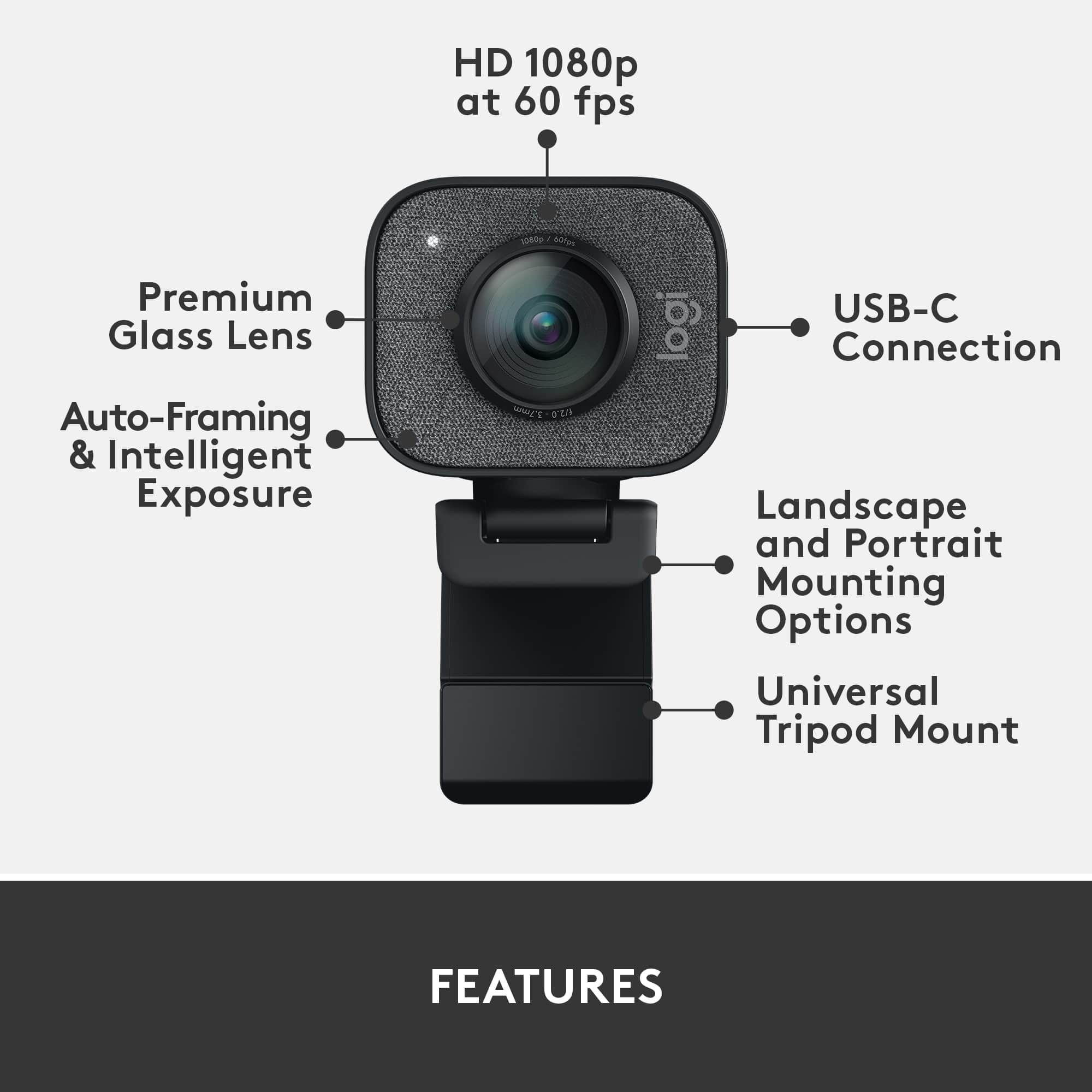
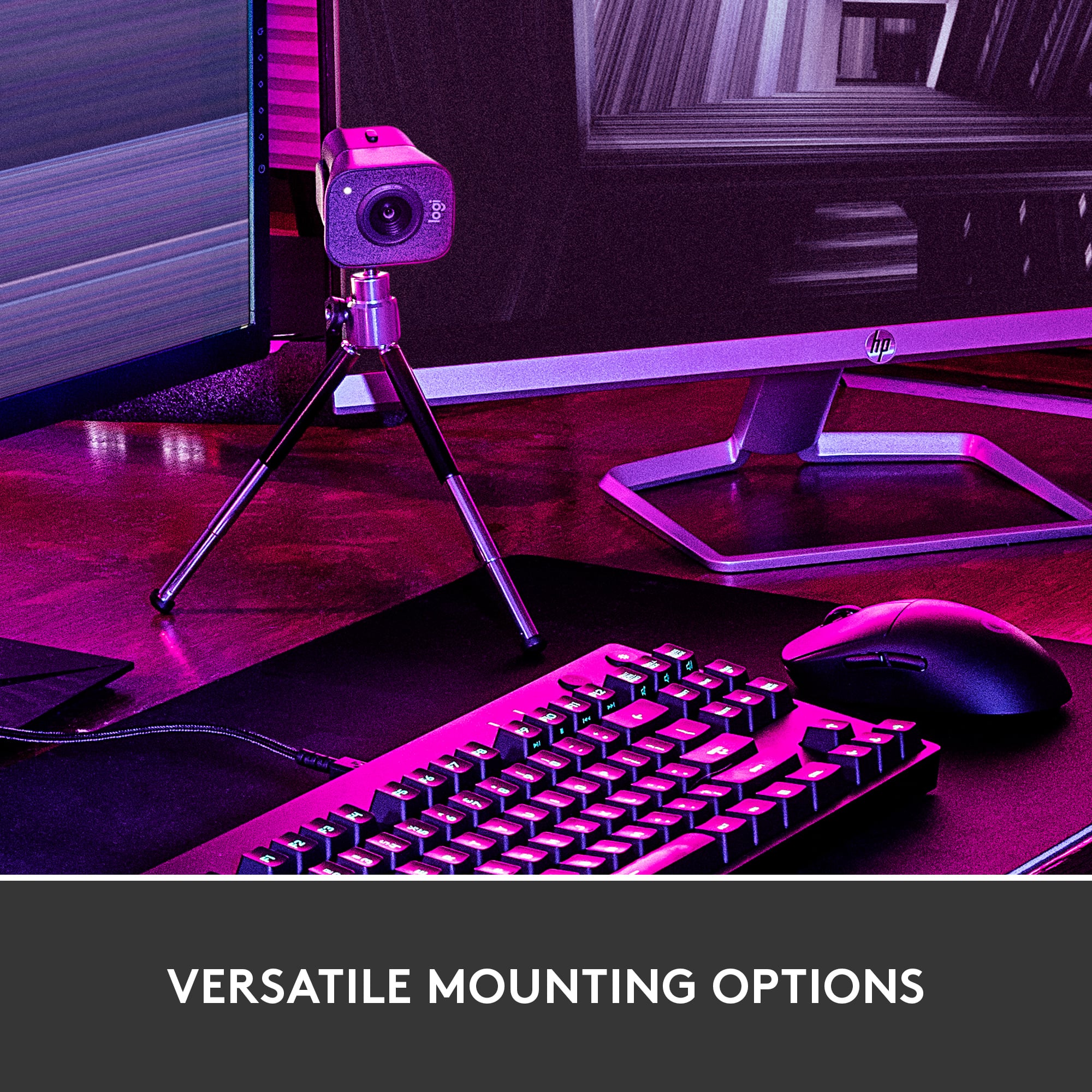
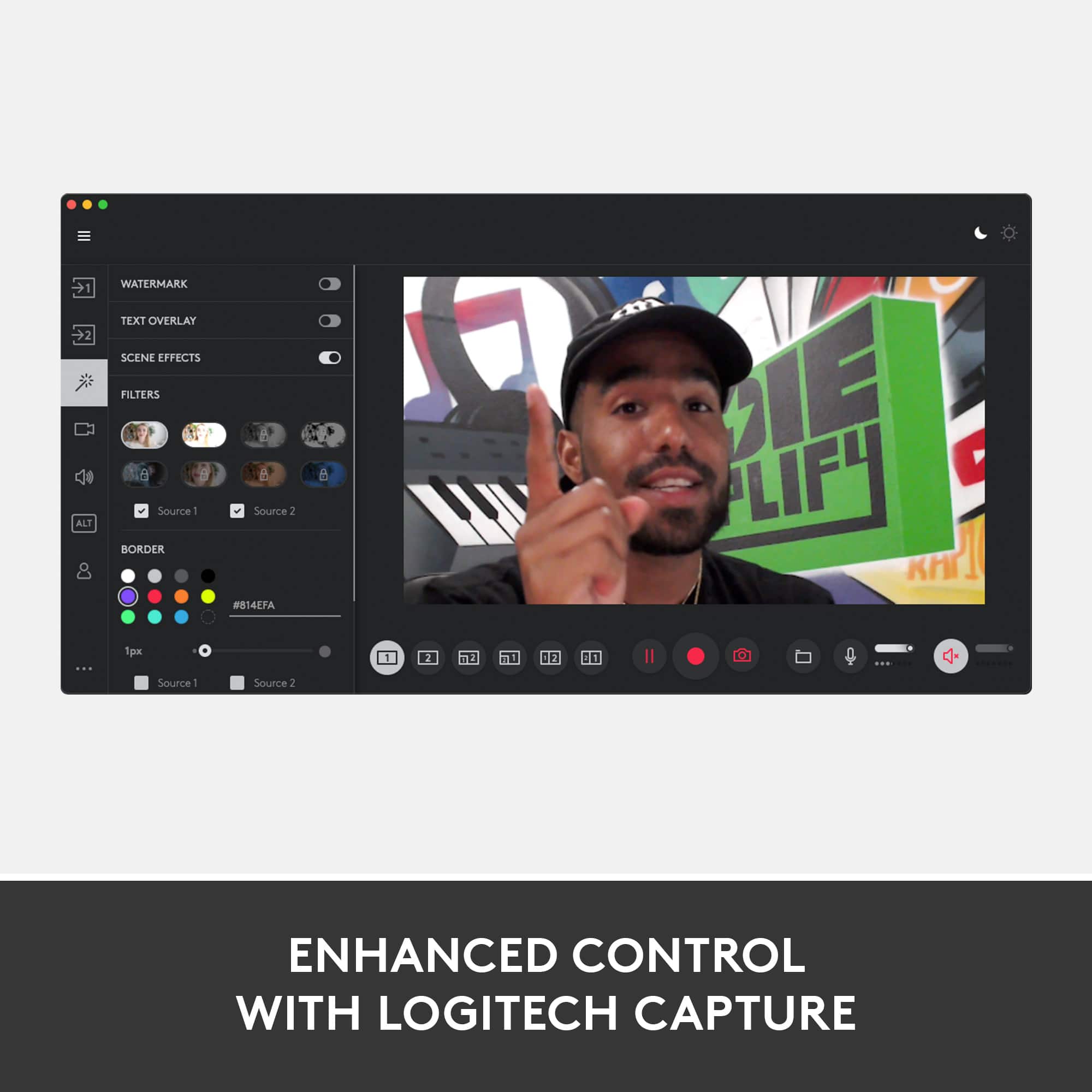
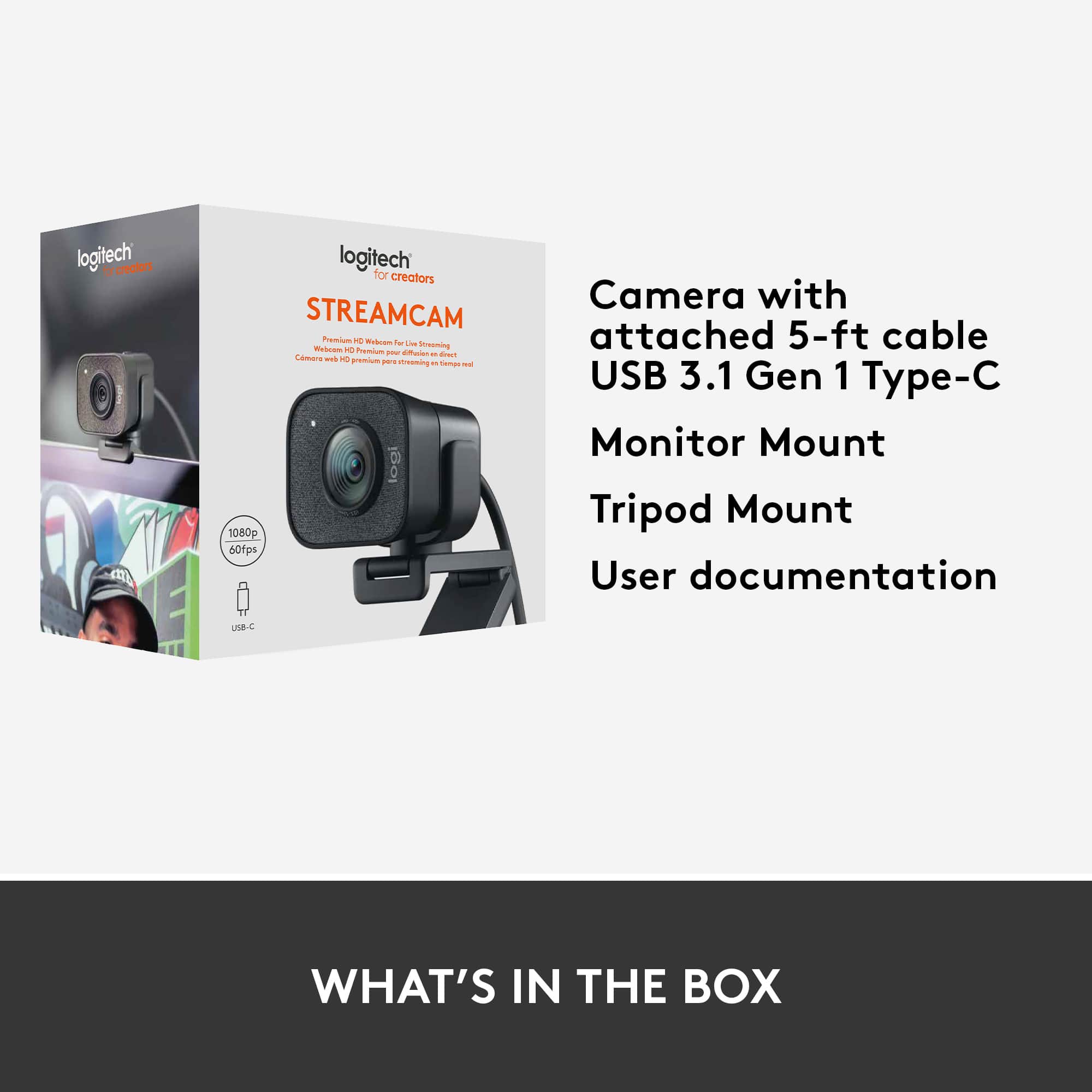
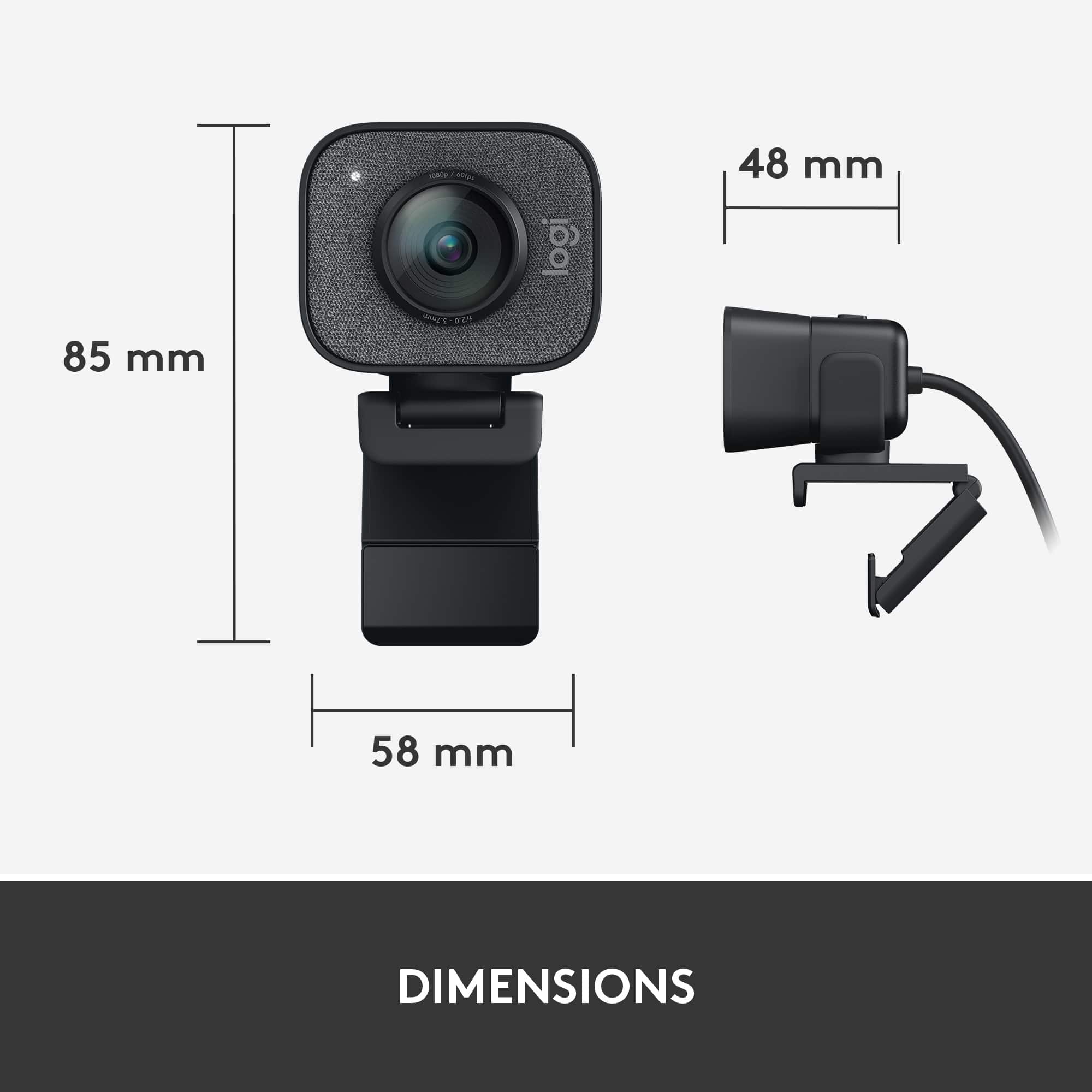
- Model:
- 960-001280
- |
- SKU:
- 10939254
Customer reviews
Rating 4.5 out of 5 stars with 903 reviews
(903 customer reviews)Rating by feature
- Value4.2
Rating 4.2 out of 5 stars
- Quality4.6
Rating 4.6 out of 5 stars
- Ease of Use4.5
Rating 4.5 out of 5 stars
to a friend
Rated 2 out of 5 stars
Nice Camera - until an update.
||Posted . Owned for 11 months when reviewed.This reviewer received promo considerations or sweepstakes entry for writing a review.It was a very nice camera until it received an update. The camera will now no longer record. It only makes a repetitive staticky sound. Up until the update it was a nice camera. I am working with Logitech for hopefully a warranty replacement.
This review is from Logitech - StreamCam Plus 1080 Webcam for Live Streaming and Content Creation - Graphite
No, I would not recommend this to a friendBrand response from Logitech
Posted .Hi Voodoo901, thank you for your feedback! For support, please refer to: https://support.logi.com/hc/en-us/articles/360043221373 - Will, Logitech.
Rated 5 out of 5 stars
Very nice, nicer than nice a bit more than nice or
||Posted . Owned for 1.5 years when reviewed.This reviewer received promo considerations or sweepstakes entry for writing a review.Very nice, nicer than nice a bit more than nice or nicer
This review is from Logitech - StreamCam Plus 1080 Webcam for Live Streaming and Content Creation - Graphite
I would recommend this to a friendRated 3 out of 5 stars
Average Camera
||Posted .This reviewer received promo considerations or sweepstakes entry for writing a review.Was disappointed with the camera and could've been better in low light. Quality of the video is not as good as advertised. Frame rate of 60 is good and love the feature that it follows your face when you move around. Price would be great at $130~$150. Simple installation and works out the box after installing software.
This review is from Logitech - StreamCam Plus 1080 Webcam for Live Streaming and Content Creation - Graphite
No, I would not recommend this to a friendRated 5 out of 5 stars
Used Daily
||Posted . Owned for 5 months when reviewed.This reviewer received promo considerations or sweepstakes entry for writing a review.great cam, I use this daily with Teams and other video conferencing software. Would buy again.
This review is from Logitech - StreamCam Plus 1080 Webcam for Live Streaming and Content Creation - Graphite
I would recommend this to a friendRated 5 out of 5 stars
Stream away!
||Posted . Owned for 1 month when reviewed.This reviewer received promo considerations or sweepstakes entry for writing a review.Perfect for streaming! Love the usbc plug! Just download the app and your good to go!
This review is from Logitech - StreamCam Plus 1080 Webcam for Live Streaming and Content Creation - Graphite
I would recommend this to a friendRated 5 out of 5 stars
Great webcam!
||Posted .This reviewer received promo considerations or sweepstakes entry for writing a review.Surprised at how good this webcam is. Works well in low light and the tripod support is a nice touch.
This review is from Logitech - StreamCam Plus 1080 Webcam for Live Streaming and Content Creation - Graphite
I would recommend this to a friendRated 5 out of 5 stars
Great webcam
||Posted .This reviewer received promo considerations or sweepstakes entry for writing a review.Works exactly like it should. Built a new PC and this running great.
This review is from Logitech - StreamCam Plus 1080 Webcam for Live Streaming and Content Creation - Graphite
I would recommend this to a friendRated 5 out of 5 stars
Great cam
||Posted . Owned for 2 weeks when reviewed.This reviewer received promo considerations or sweepstakes entry for writing a review.This webcam has worked extremely well on all my work calls.
This review is from Logitech - StreamCam Plus 1080 Webcam for Live Streaming and Content Creation - Off-White
I would recommend this to a friendRated 3 out of 5 stars
NOT A GOOD BUY FOR ME
||Posted . Owned for 5 months when reviewed.This reviewer received promo considerations or sweepstakes entry for writing a review.I returned this camera back to the store for a much better one. This camera didn't work for me so I couldn't recommend it. there is way better webcams please just do your research.
This review is from Logitech - StreamCam Plus 1080 Webcam for Live Streaming and Content Creation - Graphite
No, I would not recommend this to a friendRated 5 out of 5 stars
Streamcam
||Posted . Owned for 3 weeks when reviewed.This reviewer received promo considerations or sweepstakes entry for writing a review.Perfect for 1080p 60fps streaming on Windows 10. I don't know if it works on Mac or not.
This review is from Logitech - StreamCam Plus 1080 Webcam for Live Streaming and Content Creation - Graphite
I would recommend this to a friendRated 5 out of 5 stars
Love it
||Posted . Owned for 1 month when reviewed.This reviewer received promo considerations or sweepstakes entry for writing a review.Love this item this is a must buy, highly recommended
This review is from Logitech - StreamCam Plus 1080 Webcam for Live Streaming and Content Creation - Off-White
I would recommend this to a friendRated 5 out of 5 stars
Love it
||Posted . Owned for 1 month when reviewed.This reviewer received promo considerations or sweepstakes entry for writing a review.Love this item this is a must buy, highly recommended
This review is from Logitech - StreamCam Plus 1080 Webcam for Live Streaming and Content Creation - Off-White
I would recommend this to a friendRated 5 out of 5 stars
Great camera for streaming
||Posted . Owned for 1 month when reviewed.This reviewer received promo considerations or sweepstakes entry for writing a review.Great camera. A little pricey, but exceeds my expectations for what I’m using it for.
This review is from Logitech - StreamCam Plus 1080 Webcam for Live Streaming and Content Creation - Graphite
I would recommend this to a friendRated 5 out of 5 stars
3 minutes running on Macbook Pro
||Posted .This reviewer received promo considerations or sweepstakes entry for writing a review.Macbook Pro plug and play. Great sound and great image, two mounting options and love the free desk tripod that comes with it. Great for IT proctored exams, the reason for the purchase.
This review is from Logitech - StreamCam Plus 1080 Webcam for Live Streaming and Content Creation - Graphite
I would recommend this to a friendRated 5 out of 5 stars
Awesome hd camera!
||Posted . Owned for 1 month when reviewed.This reviewer received promo considerations or sweepstakes entry for writing a review.I use this camera to stream me playing cod and other games and it works very well for that!
This review is from Logitech - StreamCam Plus 1080 Webcam for Live Streaming and Content Creation - Graphite
I would recommend this to a friendRated 5 out of 5 stars
Recommended
||Posted . Owned for 9 months when reviewed.This reviewer received promo considerations or sweepstakes entry for writing a review.Excellent Webcam for Mac; easy to install and great resolution
This review is from Logitech - StreamCam Plus 1080 Webcam for Live Streaming and Content Creation - Graphite
I would recommend this to a friendRated 5 out of 5 stars
Great Web Cam
||Posted . Owned for 1 week when reviewed.This reviewer received promo considerations or sweepstakes entry for writing a review.I had to buy this at the last minute to do an online interview. Easy to set up worked great.
This review is from Logitech - StreamCam Plus 1080 Webcam for Live Streaming and Content Creation - Graphite
I would recommend this to a friendRated 5 out of 5 stars
Amazing for Zoom
||Posted . Owned for 1 month when reviewed.This reviewer received promo considerations or sweepstakes entry for writing a review.Amazing. I use it for my Zoom meetings for Work worth it.
This review is from Logitech - StreamCam Plus 1080 Webcam for Live Streaming and Content Creation - Graphite
I would recommend this to a friendRated 5 out of 5 stars
Beautiful
||Posted . Owned for less than 1 week when reviewed.This reviewer received promo considerations or sweepstakes entry for writing a review.Awesome camera. Easy to set up and great design. Comes with tripod. Wish I bought two now.
This review is from Logitech - StreamCam Plus 1080 Webcam for Live Streaming and Content Creation - Graphite
I would recommend this to a friendRated 5 out of 5 stars
Love it!
||Posted .This reviewer received promo considerations or sweepstakes entry for writing a review.Great product. I use it for my zoom calls and the color is great !
This review is from Logitech - StreamCam Plus 1080 Webcam for Live Streaming and Content Creation - Graphite
I would recommend this to a friend