Skip to contentGo to Product SearchGo to Footer
Main Content

Customer Ratings & Reviews
Your price for this item is $169.99

Customer reviews

Rating 4.5 out of 5 stars with 823 reviews

Rating Filter

Rating by feature

  • Value

    Rating 4.2 out of 5 stars

  • Quality

    Rating 4.6 out of 5 stars

  • Ease of Use

    Rating 4.5 out of 5 stars

90%
would recommend
to a friend
The vast majority of our reviews come from verified purchases. Reviews from customers may include My Best Buy members, employees, and Tech Insider Network members (as tagged). Select reviewers may receive discounted products, promotional considerations or entries into drawings for honest, helpful reviews.
Page 40 Showing 781-800 of 823 reviews
  • Rated 1 out of 5 stars

    Not Worth $169

    |
    |
    Posted . Owned for 2 weeks when reviewed.
    This reviewer received promo considerations or sweepstakes entry for writing a review.

    Absolutely not worth the price tag. I see very little noticeable difference between this camera's image quality and one half the price.

    No, I would not recommend this to a friend
    • Brand response from Logitech
      Posted .

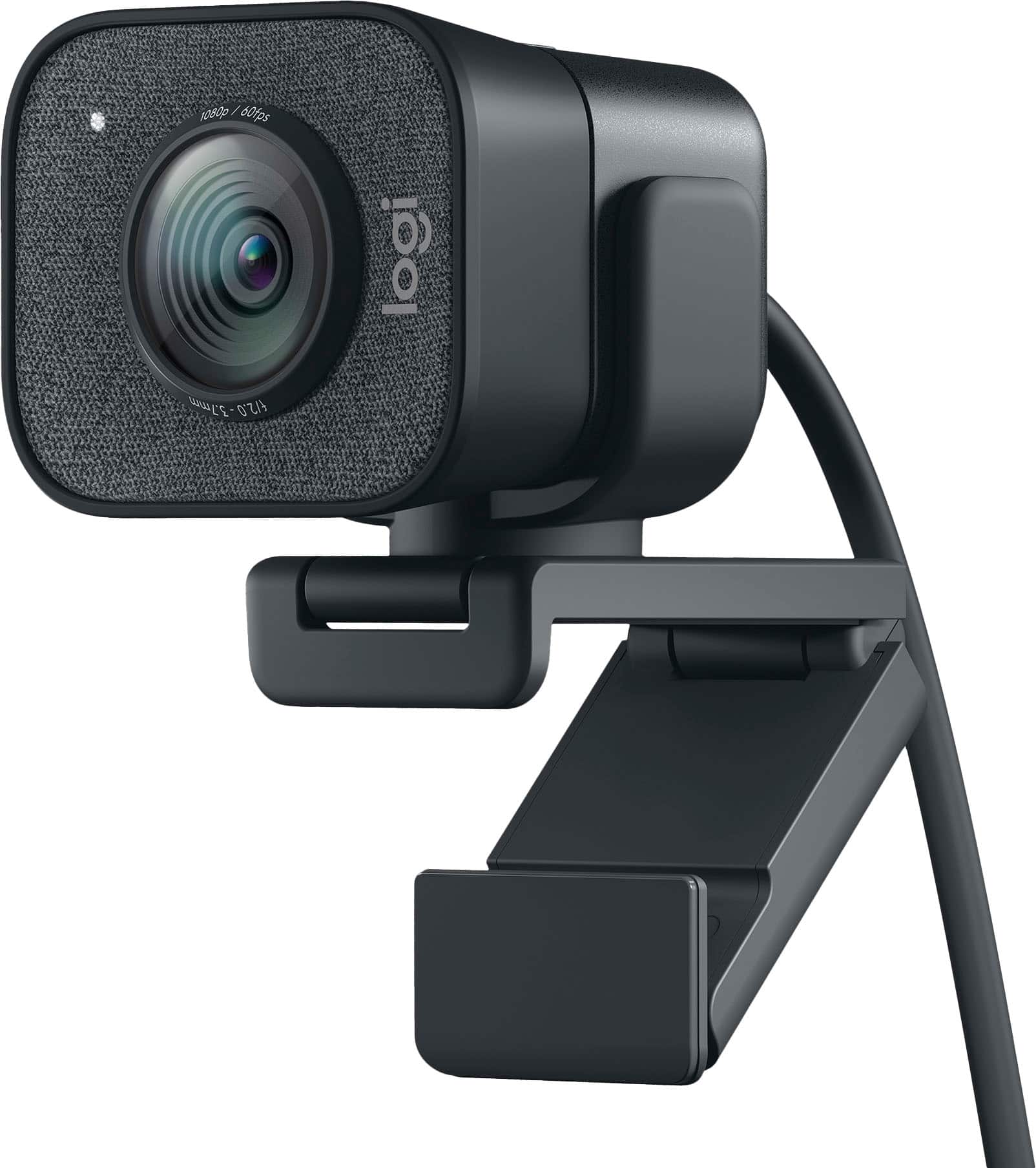
      Hi Nick, So sorry to hear about your disappointment with Logitech's StreamCam. With StreamCam, you can stream and record videos for YouTube, Twitch and more in full HD 1080p resolution at 60 frames per second. No matter what type of content you create, StreamCam produces sharp content with smooth motion that looks natural on screen. You can make adjustments and customize settings using Logitech's Capture or G HUB softwares---a difference that webcams at half the price don't feature. Here's a link to the downloads:  https://support.logi.com/hc/en-us/articles/360042746714-Download-Stub-Logitech-StreamCam. Hope that you found this useful and that all is going well. Thank you for choosing Logitech. - Richard from Logitech

  • Rated 1 out of 5 stars

    Don’t buy

    |
    |
    Posted . Owned for 3 months when reviewed.
    This reviewer received promo considerations or sweepstakes entry for writing a review.

    Do not recommend. It would be better to go out and buy a cheap camcorder and use as a webcam. Disappointed. Returned.

    No, I would not recommend this to a friend
    • Brand response from Logitech
      Posted .

      Hello, we are sorry to hear that the StreamCam Plus did not work properly for you. At Logitech, it is our goal to ensure you are completely satisfied with your Logitech purchase. We take pride in the products and services we offer, and want our customers to enjoy them just as much as we do. To get the most out of the StreamCam, we recommend using our free Logitech Capture software or an OBS software of your choice. There, you'll be able to maximize the resolution and FPS of the webcam. We apologize for any confusion we may have caused. Thanks for being part of the Logitech family, have a great day. -Ricky | Logitech

  • Rated 1 out of 5 stars

    Not happy with this product.

    |
    |
    Posted . Owned for 1 year when reviewed.
    This reviewer received promo considerations or sweepstakes entry for writing a review.

    I cannot get it to work well with my desk top computer. I gave up and disconnected it.

    No, I would not recommend this to a friend
    • Brand response from Logitech
      Posted .

      That sounds troublesome! Try a different USB port on your computer and make sure the camera isn't connected to a USB hub or docking station. Also, try rebooting your computer and connect the camera to a different computer to see if it works.

  • Rated 1 out of 5 stars

    Great camera. Dreadful service getting it.

    |
    |
    Posted . Owned for 3 weeks when reviewed.
    This reviewer received promo considerations or sweepstakes entry for writing a review.

    Had to ask at least six people to just buy the freaking thing. Will order online next time

    I would recommend this to a friend
    • Brand response from Logitech
      Posted .

      That's unfortunate and we apologize for the inconvenience. You can definitely order the webcam online on our official Logitech website.

  • Rated 1 out of 5 stars

    Overexposed

    |
    |
    Posted . Owned for 1 week when reviewed.
    This reviewer received promo considerations or sweepstakes entry for writing a review.

    Much poorer picture quality than the camera in my Surface Book 2. Way overexposed. No amount of adjustment using the Logitech software has helped

    No, I would not recommend this to a friend
    • Brand response from Logitech
      Posted .

      Hello, I am so sorry to hear about the lighting issue you are experiencing. If the Capture software is not helping to adjust the lighting, you may have received a defective unit. Luckily, it does come with a 1 year warranty, so we can get that replaced for you! Here is the link in order to file a claim: https://support.logi.com/hc/en-us/articles/360043221253-Warranty-Logitech-StreamCam. I hope this helps! Thank you for taking the time to write this review, we appreciate the feedback.

  • Rated 1 out of 5 stars

    Microphone failed right after warranty. Avoid!

    |
    |
    Posted . Owned for 1 year when reviewed.
    This reviewer received promo considerations or sweepstakes entry for writing a review.

    Microphone is now intermittent less than 3 months after warranty expired.

    No, I would not recommend this to a friend
    • Brand response from Logitech
      Posted .

      Hello lmsjsfnm,
      I am sorry you are having issues using StreamCam. Try downloading Logitech Capture to update your device's firmware. Also, set the Streamcam as the audio input in the application that you are using. Logitech appreciates your product review. - Leo from Logitech

  • Rated 1 out of 5 stars

    Frustrated with the faulty camera

    |
    |
    Posted .
    This reviewer received promo considerations or sweepstakes entry for writing a review.

    Camera was shaking and there were flashes. They told me it was probably faulty wiring.

    No, I would not recommend this to a friend
    • Brand response from Logitech
      Posted .

      Hi Cameras, Thank you for your feedback. Sorry for any inconvenience. Be sure to download the software for your device and Logitech Options Software to access all the features for your device. If you ever need assistance, please contact Logitech Support on the website. LaShonda from Logitech

  • Tech Insider Network Member

    Rated 5 out of 5 stars

    Stolen for Son's Usage

    |
    Tech Insider Network Member
    Posted .
    This reviewer received promo considerations or sweepstakes entry for writing a review.

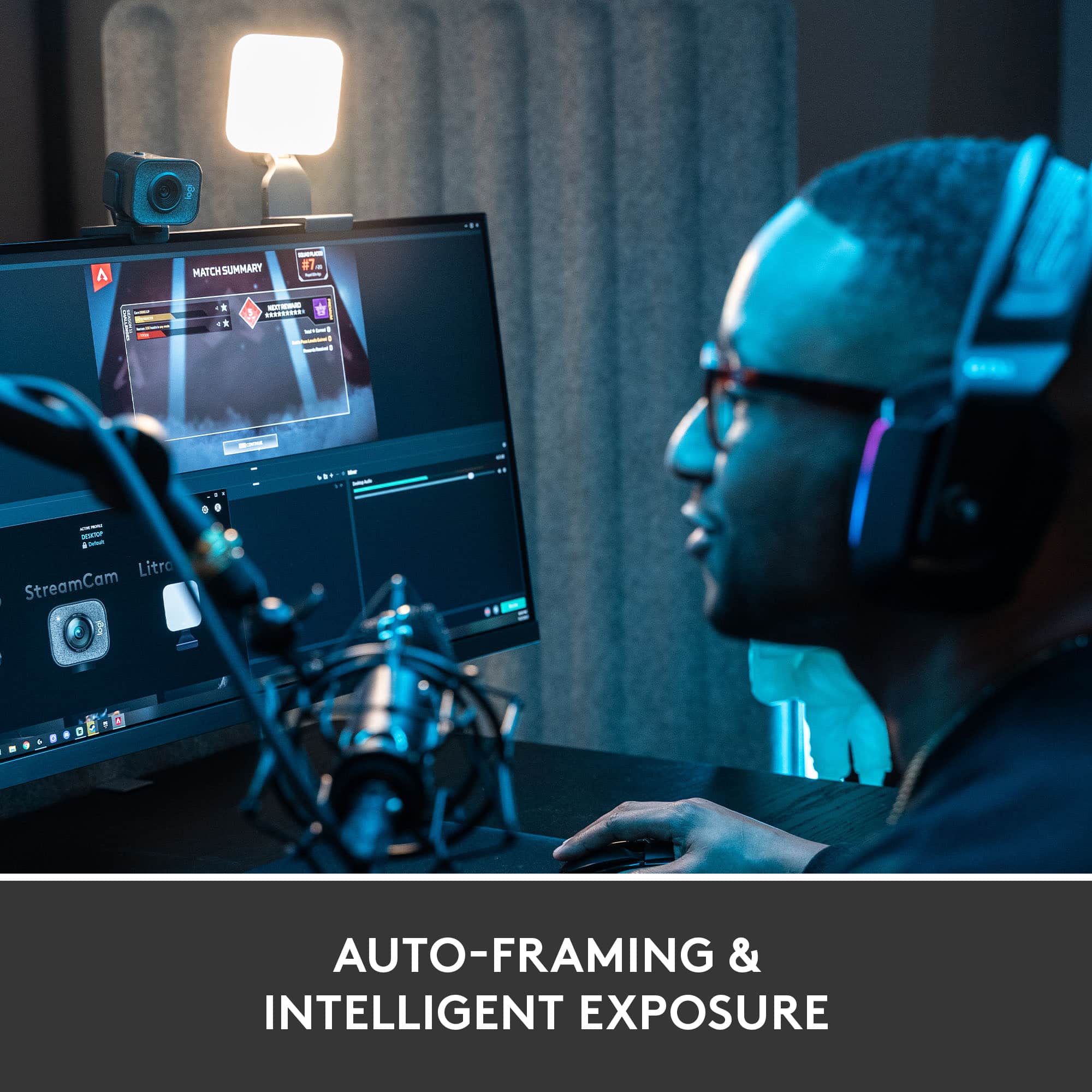
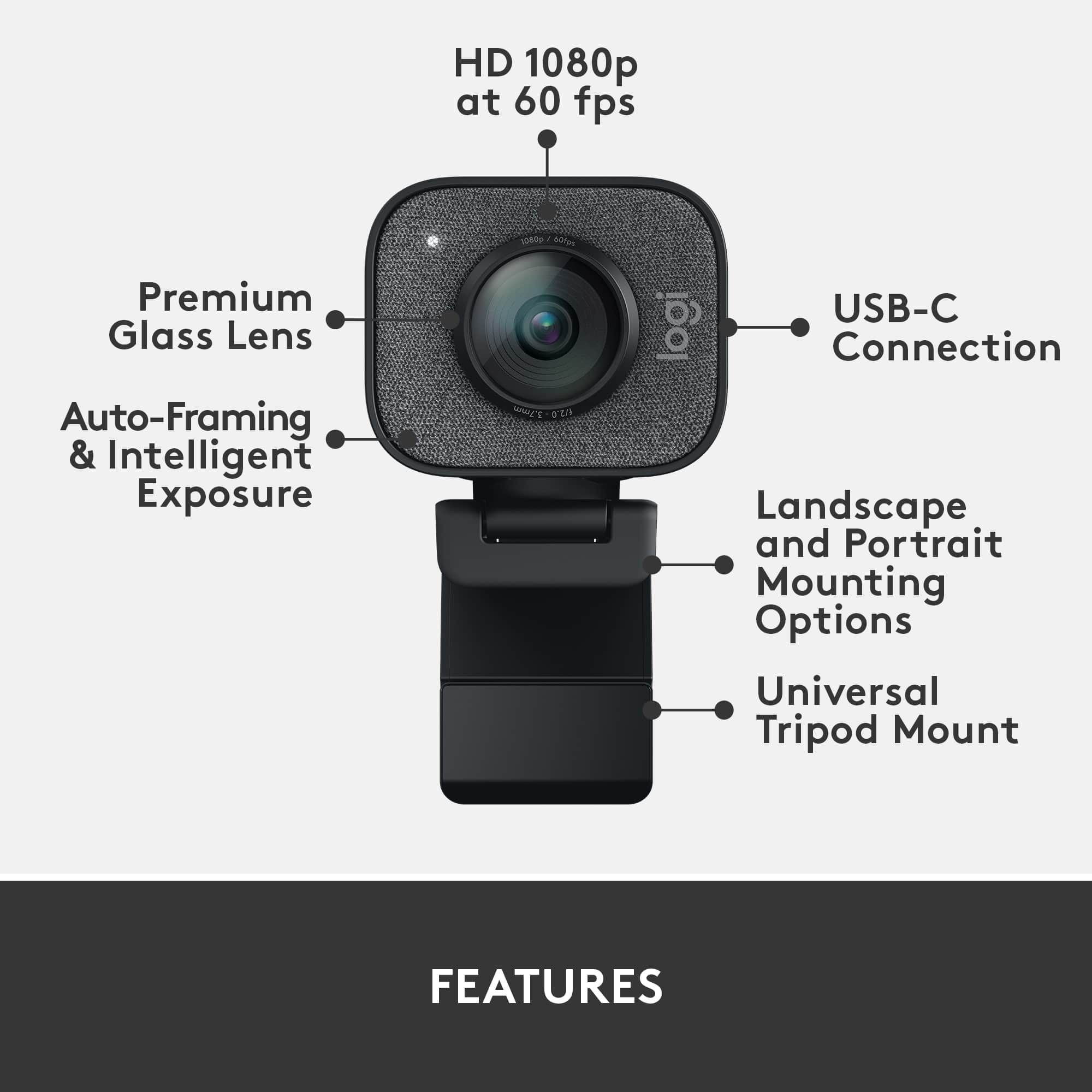
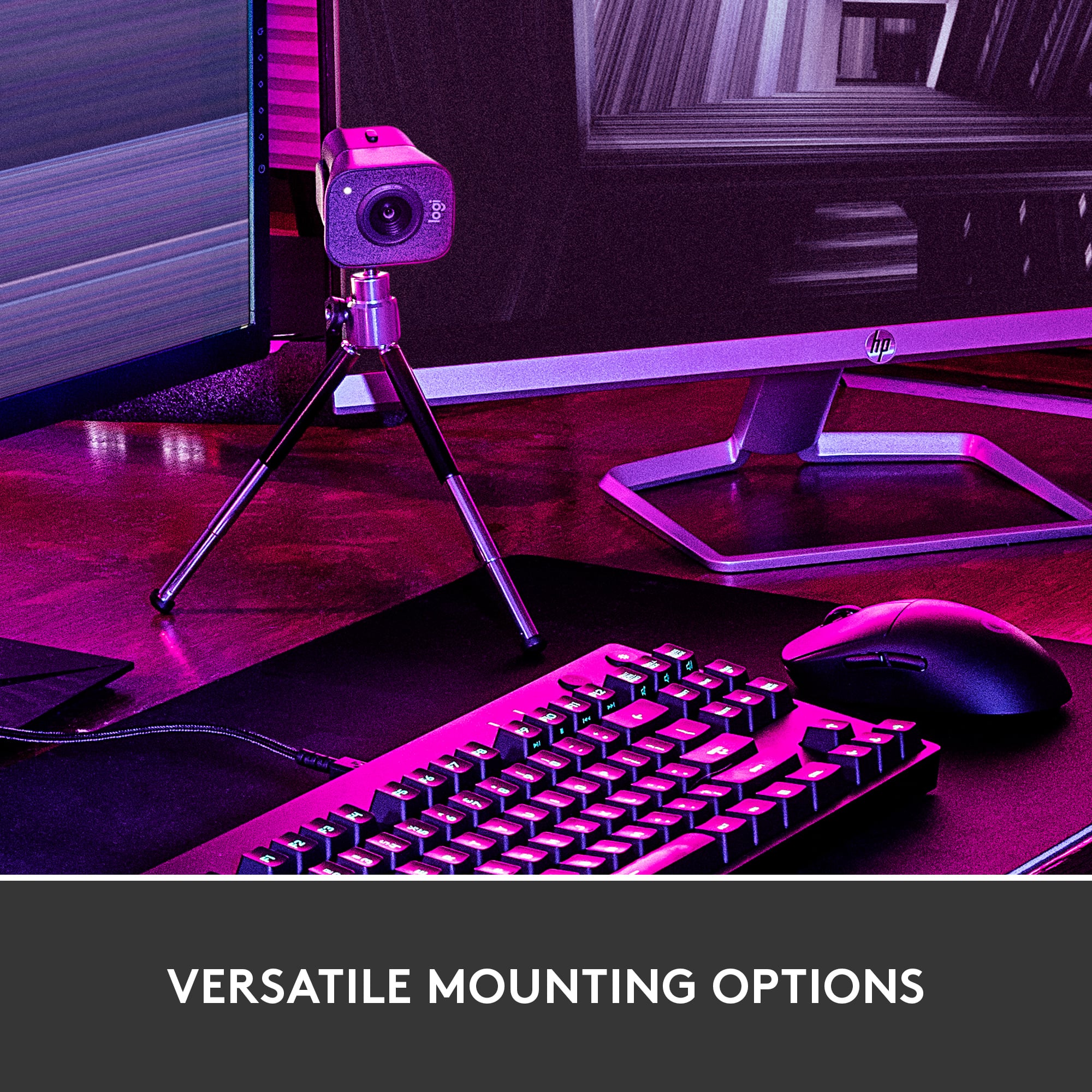
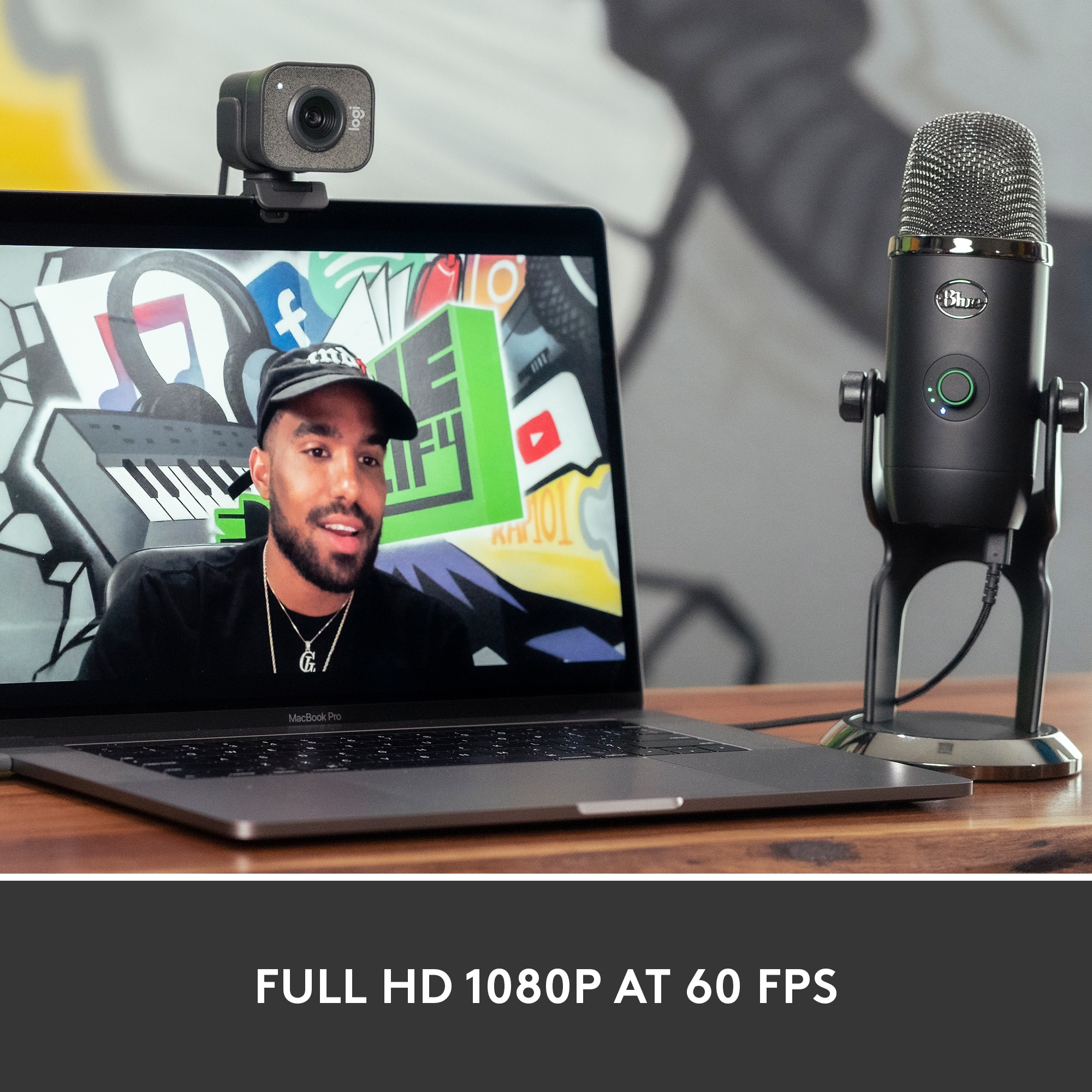
    I used the USB-C port for the first time in my laptop tonight. I didn't even know I had one. I'm so used to just using the more typical USB-A one. In case you don't have a USB-C port on your machine, you'll need to get a converter cable for no more than $10. Once connected, the rest of the setup is a breeze. The camera itself sat on top of the external monitor just fine. You can also place on the side of the monitor quite easily. Or, you can use the included tripod. You don't have to change a configuration setting if you rotate the camera from horizontal to vertical placement. Once connected, my son saw thq quality of the image and stole it from me, or at least borrowed it until something better came along. I guess he streams more, so probably a better place to try out anyways. Broadcasting comes next. You get a nice sharp image with great video quality. It is Full HD 1080p at 60 fps video, so I wouldn't expect anything else. While it has a built-in microphone, our external/USB Blue Yeti microphone provided far superior sound. Using an external microphone also allows you to pass the microphone around so the speaker doesn't need to ennunciate directly towards the StreamCam. And, if you don't have an external mike, just use the one built into your headphones. Of course, you get the camera for streaming anyways. Here Twitch was the testing platform. The favorite features while streaming... auto focus and factial tracking. Good things to have when you can get very vocal while playing and need to move around a bit. One disappointment with the web cam was the quality of the still pictures the web cam could take. With most phones doing over 10 megapixels, the just over megapixels seems on the low side. In the end, my son is becoming more adept at borrowing thing. Hopefully, this isn't a trend that he should be developing. And, of course, the video quality is hard to match for the web cam.

    I would recommend this to a friend
  • Tech Insider Network Member

    Rated 4 out of 5 stars

    Solid camera, mediocre audio, good mounts

    |
    Tech Insider Network Member
    Posted .
    This reviewer received promo considerations or sweepstakes entry for writing a review.

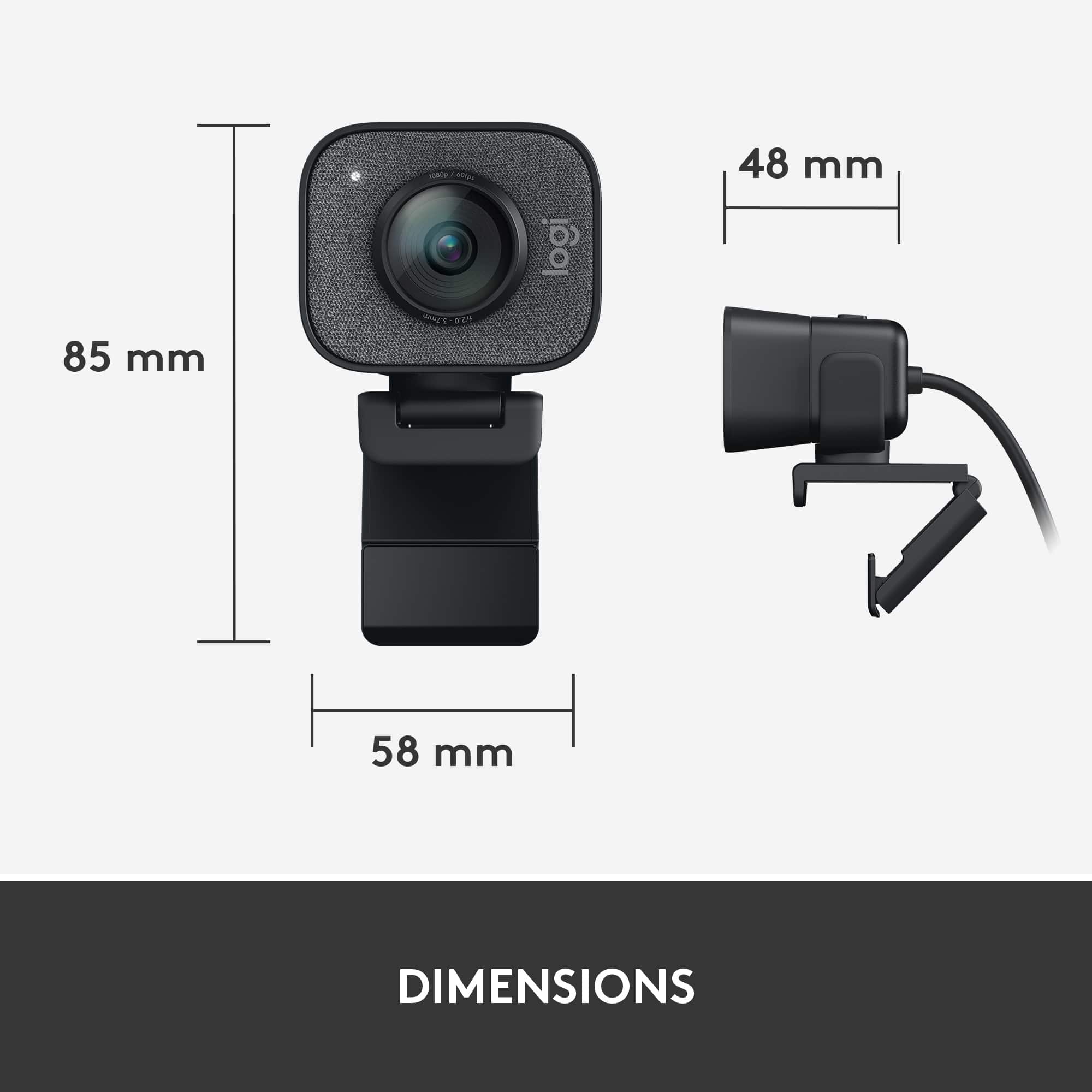
    Logitech has been making webcams since it’s 1998 acquisition of Connectix. Many of these cameras defined an age, and some of them were forgettable. That begs the question in the age of user generated content, where does the StreamCam sit? Is it a venerable C920 replacement? Hopefully I can lend some perspective. First of all, the product itself is very different from its forbearers. The C920, C922, Brio, all are a bit wider, and much less ‘deep’. The StreamCam is significantly deeper, at nearly 2” deep and wide. Logitech has excellent mounts included, which simply clip onto the camera. There is a traditional monitor mount, which has significant flexibility in both angle and tilt. There is also an included tripod which has tiny 3” legs. It uses tension mounting that feels quite inexact, and is a bit of an afterthought and cheap feeling. While I won’t complain about additional mounting options there is limited benefit from this tripod. However the included mounting bracket that connects to the tripod uses a standard camera screw mount, so you can use any tripod you want with this camera, which is actually a nice addition. Connectivity wise, the StreamCam has USB-C 3.1 Gen 1, which is both good and bad. Any MacBook Pro owner will be relieved that they can use their Type-C ports. Laptop owners of fairly recent vintage machines may be good, but many desktop users will be trying to figure out what to do. The good news is you can find Type-C to USB-A adapters online that convert with no bandwidth loss. This is important, because USB 3 bandwidth is required for the 1080p60 top resolution. I’m always happy to see USB-C adoption, but this is one device that a cheap adapter in the box would alleviate some issues. The cable is about 6 ft, so if you have a desktop with a USB-C on the rear you may be fine, but if you’re like me and have about 10 ft from your rig to your monitor (which is unusual) you may decide to use a type-A adapter. I’m a long time C920 user. I do fairly small projects, with some simple how-to videos for my profession and gaming SC2 at a pretty low level. The C920 meets most of my needs, but it is a bit long in the tooth. The big promise of the StreamCam is not only a higher framerate, but also better picture quality, auto framing, and image stabilization. The framerate improvement is tangible for sure, as is the picture quality. Specifically the quality is quite a bit uplift from the C920 in well lit scenarios. In lower-light scenarios, I found the StreamCam struggle just as much as the older C920, but as soon as you add a decent amount of light I can start counting eyelashes. I can’t read the titles of books 10ft behind me, but it's much crisper than the C920 its replacing. Auto framing promises to allow you to move about inside the field of view and maintain a focus on your face, cropping the frame around you. This is a cool feature, but I had some trouble with it. First of all, the Logitech Capture software needs to be open to use this. Secondly the feature seems a bit buggy yet, as it would just quit working. You can manually frame and cut, but auto framing is a bit of a selling feature for me. Image stabilization feels worthless to me, with desk vibration still quite visible. I’m not certain I noticed a difference when moving the camera about, but most streamers won’t be doing that anyway. When using the feature of the camera, the Logitech Capture software is the primary interface for tweaking the camera's exposure, resolution, features, white balance, etc. Besides settings, the software offers a full featured screen and audio capture. Overall the software is excellent for free. I found myself using it instead of xsplit or OBS when producing my how-to videos for its simplicity. I did find the software a bit buggy when other audio sources were playing, sometimes ignoring my microphone, and not having any audio, and sometimes successfully blending the game audio and my microphone. I never nailed it down, but it worked in simple cases, but I wouldn’t bet my channel on it. This is where OBS, or Xsplit (which to be fair the camera comes with a 3 month premium license for XSplit) are a big improvement. Overall though, the Logitech Capture software is still evolving and good for some simple utilitarian uses cases on my work laptop. When framing shots, I found the flexibility of the monitor mount to be a great addition. This is a nice feature for those who want to keep the camera out of the way and offer a less traditional ‘webcam’ angle. One feature I wasn’t quite keen on was the rotation capability. You can rotate this camera to support instagram and facebook stories, neither of which really interest me personally. The camera knows when you rotate it in portrait mode. Again, I feel like this use case targets traditional smartphone content creators - with more of a photo perspective. Most of these users are using their smartphones, and I’d say many high end smartphone front facing cameras would rival the StreamCam in these use cases. I was definitely disappointed by the sound. This is one place where the StreamCam’s dual microphone array seemed to underperform compared to the C920’s mics. The sound was crisp, but tinny. There was no bass presence. When comparing the C920, StreamCam, and a Yeti mic, the Yeti of course won, but the C920 felt more like the Yeti in tonal balance. You might say that the target audience will be investing in a microphone, but honestly at $170 there is a bit of an expectation that if it does audio it won’t be worse than the $80 old model. Overall, the StreamCam is an improvement over the C920, but it sits in a weird space for me. If you’re a content creator that needs the best full frame shot for reviews or whatever, you’ll want something a bit higher end, with perhaps a real lens. If you’re a game streamer and just want a talking head in the bottom right corner, then the C920 may be more than sufficient. The audio quality won’t stand on its own, but the image quality is definitely better. The software, while passible, did require me to restart the entire computer to get things like auto framing working again. The general bugginess of the software was concerning, even if it felt polished overall. The problem I keep coming back to is comparing it to Logitech’s already existing products and price points. I’m not certain the features of the StreamCam Plus are strong enough of a draw away from products like the Brio or the budget conscious performance of the C922. At a lower price point, closer to the C922 then it would make a lot more sense. Either way, it's still another excellent logitech product, but for a target audience that may or may not exist.

    I would recommend this to a friend
  • Tech Insider Network Member

    Rated 5 out of 5 stars

    I would give it 6 stars if I could.

    |
    Tech Insider Network Member
    Posted .
    This reviewer received promo considerations or sweepstakes entry for writing a review.

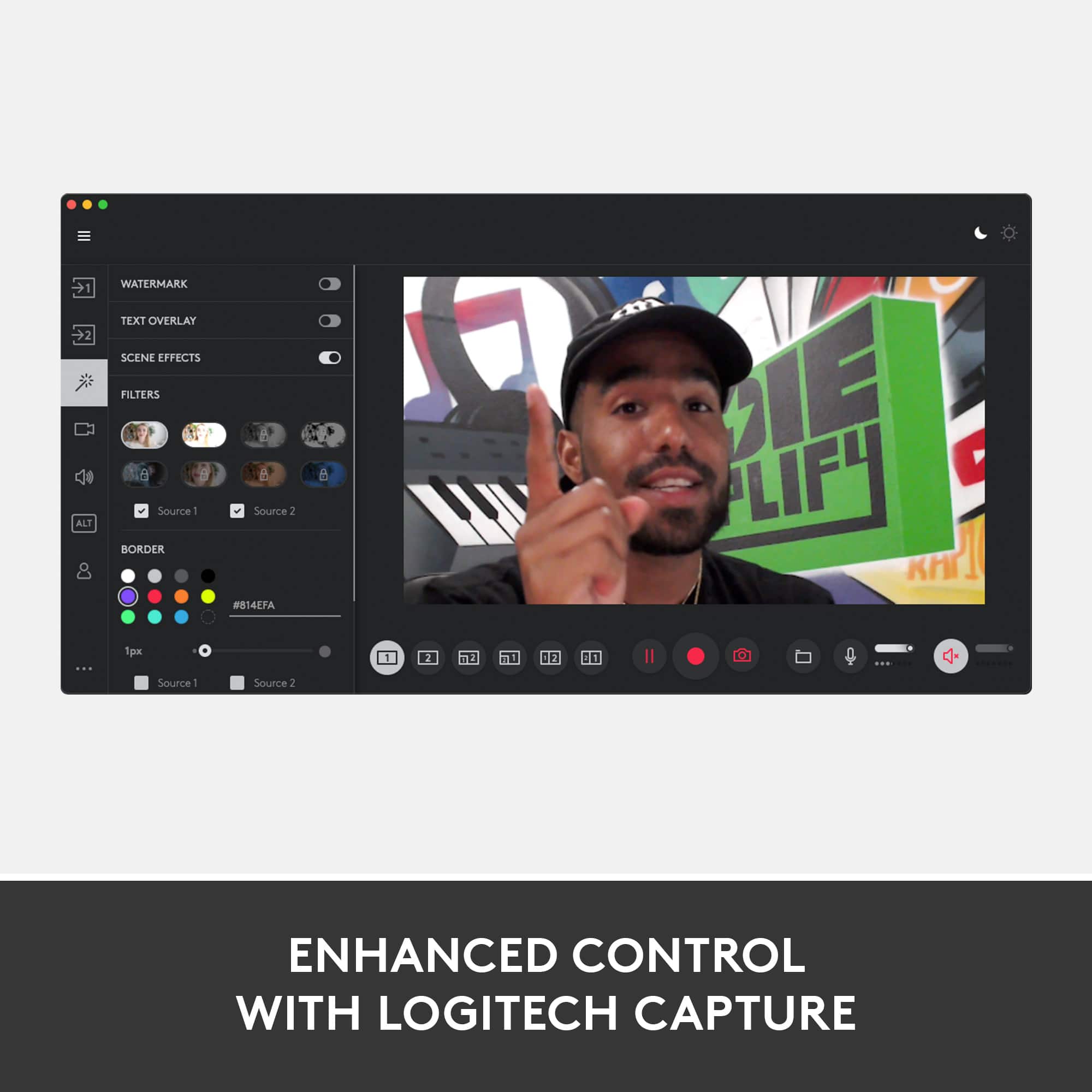
    I've been testing the Logitech Streamcam Pro for the last few days and I have to say Once again Logitech doesn't disappoint.  This is so much more than a webcam. You can use it to stream, Skype, Facebook chat and create some awesome looking HD content.   Setup was a breeze. Once the camera is plugged in it immediately begins working and prompts you to download the Logitech Capture software. Which really makes this camera stand out. After the Logitech Capture software installs you are able to adjust settings like resolution, frame rate, automatic image stabilization, auto framing and much more. You are also able to record two sources at the same time. For example if you want to use two cameras or camera and monitor, or even two monitors. I can think of so many awesome things I can use this camera for. The video capture quality of this camera is top notch. Its almost too good because I could see every blemish in my face and the dog hair in my sweater in crystal clear HD. So whether you are recording makeup tutorials or showing the importance of a lint brush this is the camera to use.I highly recommend it to anyone.

    I would recommend this to a friend
  • Tech Insider Network Member

    Rated 4 out of 5 stars

    Broadcast/Record your Presentations Professionally

    |
    Tech Insider Network Member
    Posted .
    This reviewer received promo considerations or sweepstakes entry for writing a review.

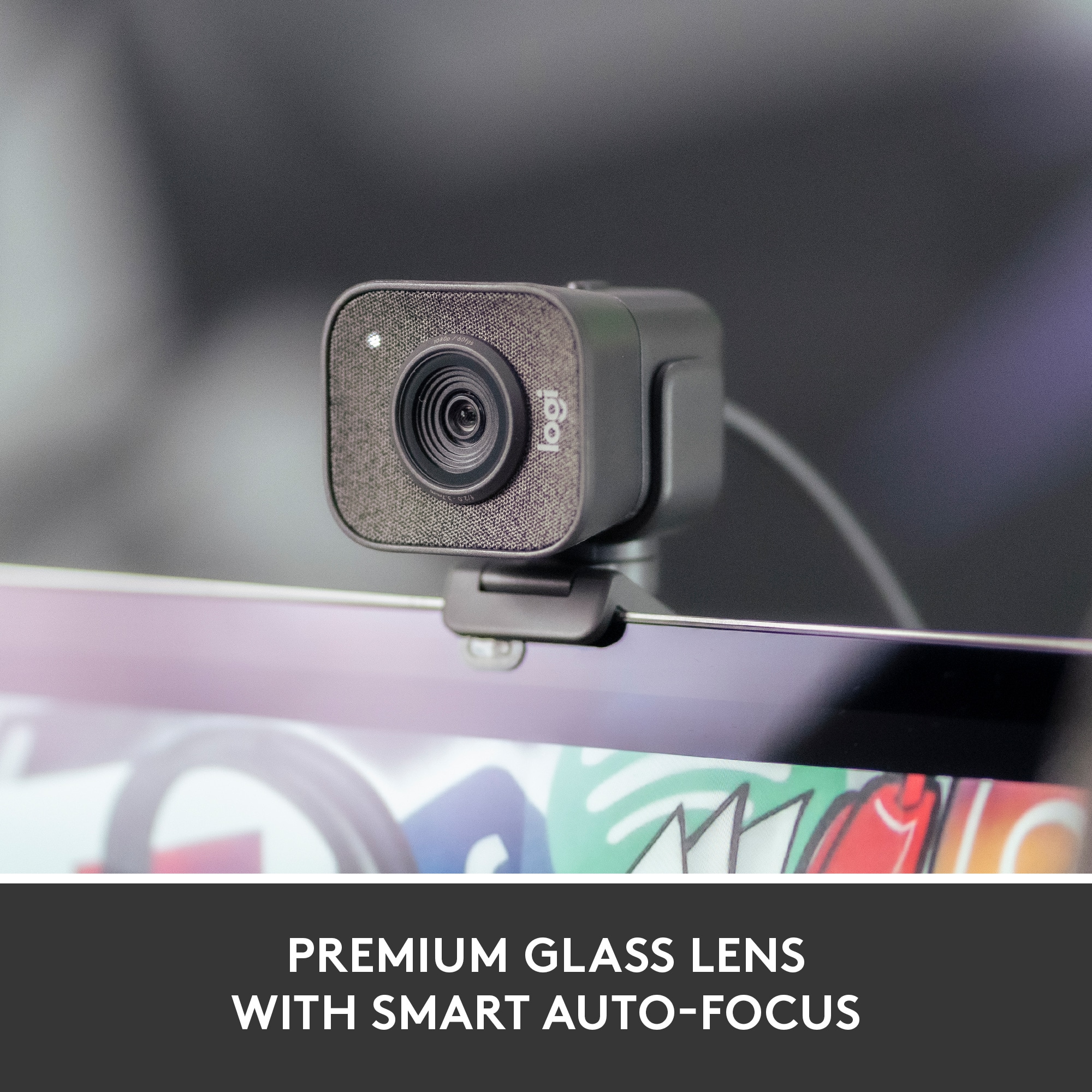
    I have a very good webcam in the Logitech HD Pro C920, but I’ve been researching and searching for the total professional setup to begin teaching online courses. When the Logitech Streamcam Plus came on the market, I thought it might work seamlessly and in tandem with the C920 -- and it does. The single C920 webcam is adequate and does record and stream a good photo and sound, but there is so much more that can be added to the recording or production by also using the Logitech Streamcam Plus. If your presentation is good to start with, then one can go from a sound/picture delivery to a full production by adding the Streamcam Plus and by using the Logitech Capture software which enables split screens, borders, etc. all of which have the potential, if used properly, to enhance the live-streamed presentation or recording. The Logitech Streamcam Plus delivers a full HD 1080p at 60fps, but its abilities do not end with just the upgraded picture technology. In addition, the Logitech Streamcam Plus is equipped with several features that can be set to auto or manually adjust in order to keep the subject in the very best light. The Smart Auto-Focus, Exposure, and Framing makes sure all the picture being viewed is razor sharp and by using facial tracking, the Streamcam Plus also makes sure that the picture view is in the frame. Together these adjustments give the recordings or live broadcast streamings the professional touch that they otherwise miss out on with a single cam and microphone. The dual microphones on the Logitech Streamcam Plus can be used in either stereo or dual mono mode, and when compared with a single microphone on a single camera, deliver an exceptionally clear voice pickup and playback should you be trying to record your session without a professional microphone. Although not as dynamic as a stand-alone microphone, the Streamcam Plus still manages to deliver a rich, clear, sound; one as if the voice producing the sound is in the room with the viewer. Other features of the product which help to contribute to its ability to broadcast in such a professional manner, is the addition of a USB 3.1 Gen 1 Type-C connection which provides superior data transfers and power. This connect helps give consistency and stability to the broadcast by delivering long, strong and uninterrupted programming. The webcam also comes with a couple of mounting options. One option is the tabletop tripod which not only contributes to the delivery of a steady picture/sound recording and/or live program, but gives the presenter the ability to locate the camera to provide the best setting of the presentation’s subject or subjects and to position it at whichever angle is most appropriate. The camera also comes with a second mounting option, a monitor mount attachment. To record or stream the presentation in a portrait picture mode so that it can be easily viewed on smartphones, all one must do is to turn the camera 90 degrees. With this turn, the picture will reverse from a vertical to a portrait video. I do wish this camera had a lens cover, but besides that it is a very strong webcam with a lot of potential. If you are considering a new webcam for recording presentations or live broadcast streaming, do yourself a favor and try the Logitech Streamcam Plus. I do recommend it and will be using it as the primary camera in my online teaching position.

    I would recommend this to a friend
  • Tech Insider Network Member

    Rated 5 out of 5 stars

    The best you streaming cam you can get.

    |
    Tech Insider Network Member
    Posted .
    This reviewer received promo considerations or sweepstakes entry for writing a review.

    I’ve owned a lot of webcams over the years, mostly Logitech with an older C9xx series being my last. I can honestly say the Logitech - StreamCam Plus Webcam is the best webcam I have ever used. It hits every mark for webcam. This is not marketed as a webcam and it is not intended to be used as a generic webcam, this is designed for streamers and gamers. So let’s look at the features , pros and cons. Pros and features: Picture quality - just fantastic. It is rated at 1080p/ but it looks nearly 4K. The sharpness and colors are some of the best I have seen on a web cam. Even in low light, the picture is top notch. Autofocus – the cam always remains in focus. Even when I tried to force something out of focus, it came never faltered. Face tracking – the cam will automatically follow a face and keep it center in the screen. This is the exact feature on the Facebook Portal. Now it does not have the same field of vision as the Portal but it does an excellent job overall. In the software, it is called Auto Framing. It is not default so you have to turn it on in the software. Software – I really liked the software. It really is necessary to use the software to take advantage of all the features of the webcam. For example, you can stream a game you are playing but also have a window with the cam input. You can add all types of filters(you will have to create a Logitech account,) backlight correction, change audio and a lot more. Latency – There is none. Webcams of the past had latency between when you move and the image recorded. I know it has been a few years since that was an issue with all webcams but the USB C connection seems to have eliminated this. Installation – the webcam comes with a mount that you can put on top of a screen or flat on a surface. Additionally, Logitech included a tripod to mount with a provided clip. The tripod is relatively small so there is limited applications but it does the job in right situation. Initial set up is just a matter of plugging and it sets up automatically. After web cam installs, your computer prompts you to download the software. Very nice. Audio - For a webcam, I found the audio to be pretty good. Not as good as if you use a dedicated microphone like the excellent Logitech Blue Yeti but still performs relatively well. You can choose either mono or stereo in the audio settings. For some reason, the mono sounded slightly better to me but that might be a matter of preference. If you are streamer, chances are you are going to use a dedicated microphone so the built-in audio will not be on the top of your list of features. If you notice, I did not list any cons. I really cannot find any. It’s built well, it performs well, it is feature rich and the software is top notch. A few reviewers listed the price of $170 as a con. I’m not sure what users are expecting to pay for such a high-quality cam. I think it is priced right for all you get. I’m not one to usually review something with no cons nor give 5 stars, but this webcam is just great . I completely recommend it for all streamers.

    I would recommend this to a friend
  • Tech Insider Network Member

    Rated 5 out of 5 stars

    Excellent quality

    |
    Tech Insider Network Member
    Posted .
    This reviewer received promo considerations or sweepstakes entry for writing a review.

    I found this streaming camera to be a great device. It comes with two different set up options. One is a clip that attaches to a monitor, although I could not get it to hook onto my flatscreen monitor. It also comes with a small tripod with telescoping leg which is the option that I ended up going with. After getting it set up I plugged it in and the computer instantly recognized it and it was ready to use. It will prompt you to download some logitech software which will make the camera more user friendly and I would recommend using it. The recording picture and audio are adjustable up to full HD which is very cool. Overall this camera is great and set up was super easy.

    I would recommend this to a friend
  • Tech Insider Network Member

    Rated 5 out of 5 stars

    The streaming cam to include in your home studio

    |
    Tech Insider Network Member
    Posted .
    This reviewer received promo considerations or sweepstakes entry for writing a review.

    In my experience over the years Logitec has been the brand associated to quality of peripherals and a very reasonable price. Looking into my “old technology box” I can still identify old logitec models from past times: mouse, keyboard and couple of old cameras (it was upon a time with laptops not including those devices…). The Logitec StreamCam is a good example of this brand to serve a sector where the competitors offer good devices but a bigger price tag. Thanks to this camera, the streamers and online broadcasters we can access to a 1080p camera that can cover our two more basic needs: autofocus and motion management (60fps) with a reasonable entry cost. What I liked: .- Autofocus works great. While you move in your streaming the camera is always following your face in a smooth transition way. .- The camera connects to the laptop with a simple USB-C port. The Setup starts immediately after plugging-in. It will serve Windows 10 to recognize the device and download the drivers. As part of the download, logitec includes a streaming software that could serve as basic tool for your streaming: combining entry sources, sounds, visual or sounds effects… .- The camera includes in the box two potential mounts: the traditional monitor attachment and a tripod mount (that includes the tripod!). This is a big plus for me, assuming that your always want a stream from the top of your laptop is a too big assumption, other video perspectives are also suitable sometimes. What I disliked: .- I couldn’t find any single negative concern to the product. What keeps me neutral: .- The camera includes dual microphones and the mixing software allows basic selection of mono-stereo. I used this feature very little; I prefer to use a more professional mic for my streaming process (a Yeti mic) that combine perfect with the camera. .- The streaming is 1080p 60fps. I think that other cameras in the market are in the 4K area, however those are probably serving stable videoconferencing and not for the streaming needs. Without hesitation, this is a great camera for the intent described above that can help to build your home studio with quality while keeping your budget.

    I would recommend this to a friend
  • Tech Insider Network Member

    Rated 4 out of 5 stars

    Stream Me

    |
    Tech Insider Network Member
    Posted .
    This reviewer received promo considerations or sweepstakes entry for writing a review.

    Logitech is one of my “go-to” brands when it comes to computer tech, including peripheral accessories. And although my laptop has its own webcam, I really wanted to give this StreamCam Plus, a try. The features and versatility of what this webcam has to offer, will definitely fill the needs of anyone needing an ‘entry level’ audio/video streaming device. I was seeking a better way to stream my social media “live” broadcasts with good quality video and sound. And the HD video resolution of this StreamCam Plus really does make all the difference. Being able to change the webcam’s position from ‘landscape’ to use in ‘portrait mode’ videos (for optimal viewing on smartphones), earns it even more points in the versatility department. Installing the Logitech Capture software is a must! With it, you are able to enhance your video content, using a wide variety of “professional” tools. The interface is easy to navigate, although taking the time to familiarize yourself with the software is always a good idea, as is, doing a bit of ‘trial and error’ for your live streaming, and content creation. Notable features: Special scene effects and visual filters Backlight correction, auto framing, and auto focus Display subject in corner, as a ‘picture-in-picture’, or side by side Custom text ‘overlay’ - with size, color, and font choices Set image resolution, FPS rate, and a ‘3-2-1’ countdown The “AI” facial-tracking really does work! I was amazed how smooth and precise the motion of the camera was, keeping me ‘in the frame.’ As for the webcam’s audio performance, the dual microphones were adequate, with my voice coming through clear and clean; though I prefer using an external mic for recordings. The included miniature tripod was a big ‘selling point’ to me, as I want the option to place the webcam wherever I need it, depending on the type of streaming I’m doing. There is, of course, the option to mount the webcam on a monitor, or traditional tripod, as well. However, a major issue for me, is the lack of alternate connectors or adapters. My newer laptop has a USB-C power plug-in port, and literally one other USB-C port which I have a multi-USB adapter plugged into for my wireless mouse, etc. So, as things are now, I have to not use that accessory and therefore not have use of my peripheral mouse, in order to be able to plug in this webcam. This is proving to be a problem. I’m going to end up purchasing an additional peripheral adapter accessory so as to be able to use all the devices I want/need to. Bottom line: This Logitech StreamCam Plus IS a good, versatile webcam, and when paired with the Logitech Capture software, has a variety of fun and useful features. Both for the serious streamer, and those just starting out.

    I would recommend this to a friend
  • Tech Insider Network Member

    Rated 5 out of 5 stars

    Great Camera, makes me want to create videos

    |
    Tech Insider Network Member
    Posted .
    This reviewer received promo considerations or sweepstakes entry for writing a review.

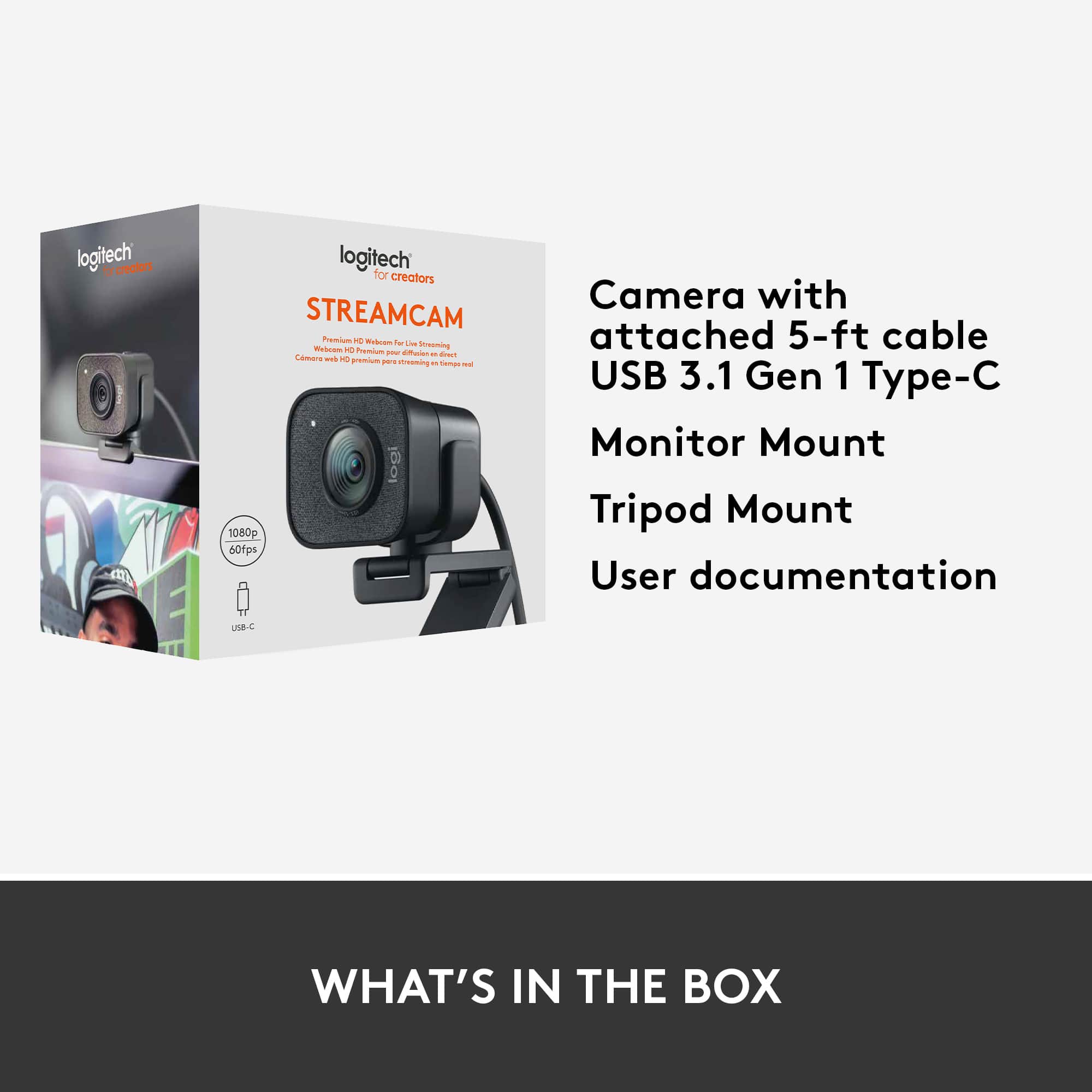
    Included in the box is the camera...of course, a monitor mount, and a tripod mount. The camera can be mounted in portrait or landscape mode with just a quick pull. There are grooves on the sides of the camera and nubs on the mounts. It just pops into place. The camera uses USB-c 3.1 so make sure you have a port available. I have Logitech's Capture software already installed on my Ryzen 7 desktop as I have a couple of other Logitech cams. The software saw the camera with no issues, and it was up and running. Logitech also included a 3-month premium license for XSplit software. It too was easy to download, install and get the camera up and running. The camera is 1080p full HD and with the software can run 24, 25, 30, 50, 60 fps. The Capture software allows the camera to use image stabilization, backlight correction, autofocus and auto white balance. It has dual mics for stereo or dual-mono recording. I read that it offers facial-tracking and I think that works with the auto framing option. It was limited on side to side movement, but it works very quickly as I move around in my office chair. With the limit, it tends to chop my face off rather quickly, but for recording it would probably be okay as one doesn't move that much. The quick motion is very fluid and not like other cameras I've used. There really isn't much lag. Somewhere it said the the minimum spec was an I5 processor, but I also tried it out on a Lenovo I3 entry level desktop and it ran without issue. I'm sure it will lag with heavy use, but it did very well for the minutes I was testing it out.

    I would recommend this to a friend
  • Tech Insider Network Member

    Rated 5 out of 5 stars

    Amazing webcam worth every penny.

    |
    Tech Insider Network Member
    Posted .
    This reviewer received promo considerations or sweepstakes entry for writing a review.

    I've owned plenty of Logitech webcams over the past 10+ years. This is truly the best one I have ever owned. The quality is superb and set up is easy. It also looks very simple and clean. I've been streaming Super Smash Bros Ultimate with my Elgato HD60 S and this webcam was the missing piece in my streaming set up. Highly recommended!

    I would recommend this to a friend
  • Tech Insider Network Member

    Rated 5 out of 5 stars

    Spectacular Streaming Webcam

    |
    Tech Insider Network Member
    Posted .
    This reviewer received promo considerations or sweepstakes entry for writing a review.

    The Logitech - StreamCam Plus Webcam is an outstanding and versatile camera. It comes with everything you need to optimize your streaming production. You can easily place the camera on your monitor/TV using the supplied mount. Or, you can use the provided tripod. Both work well and give you a variety of placement options when creating your content. The camera is designed to work with game streaming services (like Twitch) and works exceptionally well at doing so. You will create crisp and vivid content that can be captured in 60fps/50fps/24fps at 1080p. One of the most amazing features of this stream cam is the dual microphone. The audio of your streams will blow you away. The game audio is clear, but you can also hear your vocals clearly as well. It's simply amazing. You don't have to use it for game streaming though. I use it as a web cam for video conferences or to live stream to other platforms like Youtube. It's really a versatile device and does a lot of things well. The software for the camera is fairly limited in terms of features, but gets the job done. You can make simple customizations within the software suite, but nothing complex. However, that's really not a detriment for this camera because it works so well with the factory settings. It handles low light conditions pretty well. The camera works with both Windows 10 and Mac OS. If you have an older USB port, you will need an adaptor for this camera since it only supports USB-C connections. It's really a plug-n-play device. Nothing to do once you connect it, just let the drivers/software install and you're good to go. I highly recommend this webcam if you are looking for a great camera that can make streaming your gaming content simple and fun.

    I would recommend this to a friend
  • Tech Insider Network Member

    Rated 4 out of 5 stars

    First Vertical Video Capable Webcam

    |
    Tech Insider Network Member
    Posted .
    This reviewer received promo considerations or sweepstakes entry for writing a review.

    First. This is the first time I have owned a Logitech webcam that connects via USB C. This is great for me as I move to more USB C cabling. But make sure you have a spare USB C port. It's great to see manufacturers moving to USB C connectivity. Design wise, the StreamCam Plus is a little bigger than other Logitech cameras. It also doesn't come with a privacy shield/cover. Not a deal breaker, but important for you to know. Recording is done using the Logitech Capture Software (free download). The software is sophisticated and lets you tweak a lot of the settings (light, filter, etc). I particularly like the auto-framing, which means it gets you in the center of the shot. One of the BIG benefits of the StreamCam Plus is that it can shoot vertical video. This is the first webcam I know that is designed for and capable of this. This is important if you're recording video to use on Snapchat, TikTok, or Instagram. The camera can also shoot standard horizontal video just in case you are wondering. The StreamCam Plus can be mounted on your monitor or a tripod (there's a basic tripod included). In my tests, I had no problems recording at 1080p 60fps in HD. Audio quality is very good, the camera has dual mics. Although personally, I prefer using an external microphone. FYI. The included tripod is about 6" high when fully extended. You can attach the Streamcam Plus to a taller tripod. There is a U-shaped clamp that will fit on any standard tripod.

    I would recommend this to a friend
  • Tech Insider Network Member

    Rated 4 out of 5 stars

    Decent Streaming Cam

    |
    Tech Insider Network Member
    Posted .
    This reviewer received promo considerations or sweepstakes entry for writing a review.

    The Logitech StreamCam Plus is a fairly decent streaming webcam if you're looking to live stream during game play or if you're looking to do some basic vlogging or podcasting from your desk. The picture quality, both still and video, is way better than what I get with my Macbook Pro's built in web cam. When paired with the excellent Blue microphone it really fits the bill as far as what I wanted a better cam on my computer for. Setup is fairly straight forward. Download the required software from Logitech and connect the camera via USB-C and you're off and running. Logitech thoughtfully included a mini tripod if you don't want it hanging off your screen and the cable is long enough to give you options for placement. The capture software is simple enough and doesn't appear to hogging too many system resources. For the Mac the software is listed as being a beta, but as I already mentioned, it works well enough. Overall I'm rather happy with this webcam.

    I would recommend this to a friend