Customer Ratings & Reviews
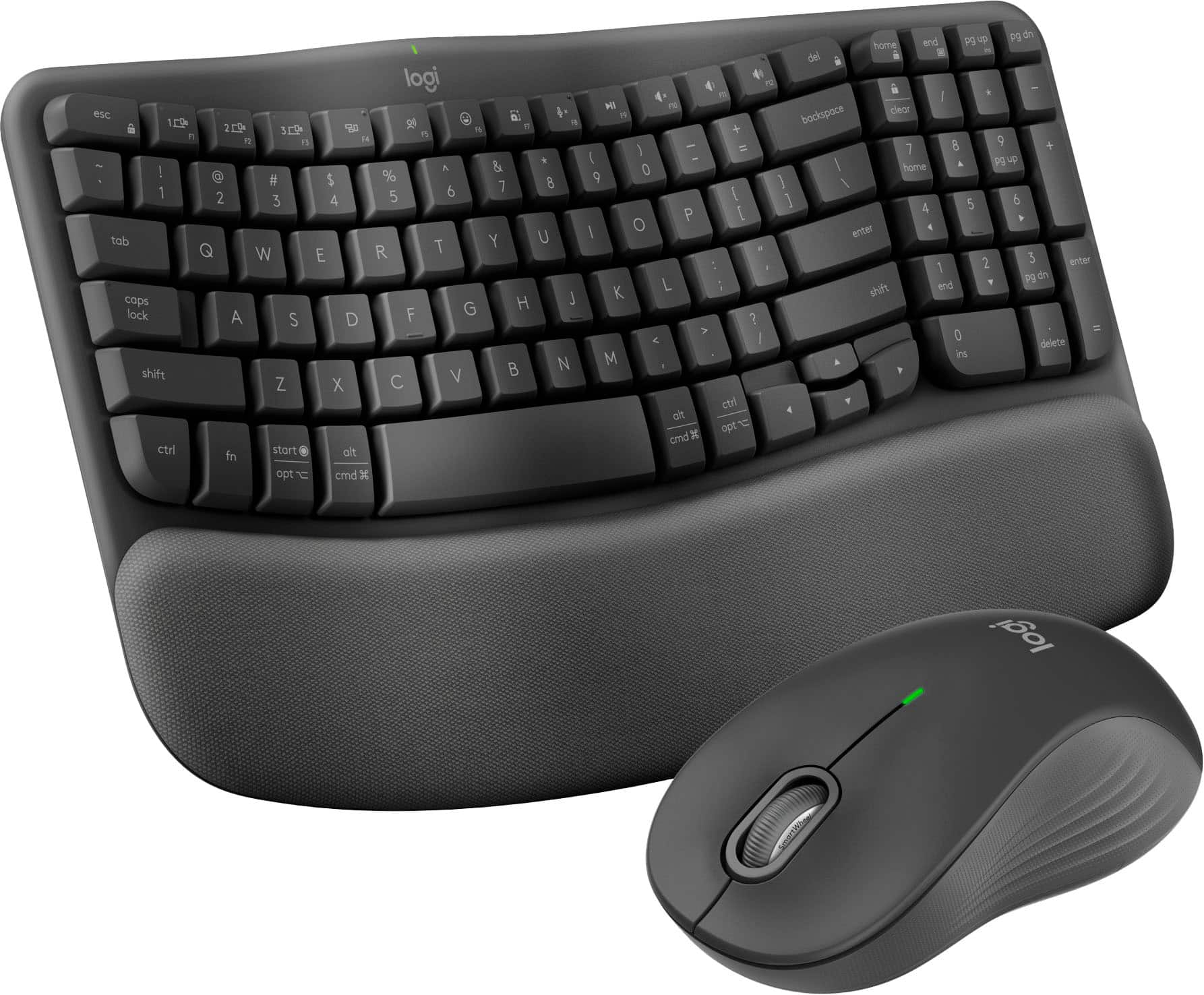
- Model:
- 920-012059
- |
- SKU:
- 6554353
Customer reviews
Rating 4.6 out of 5 stars with 415 reviews
(415 customer reviews)Rating by feature
- Value4.6
Rating 4.6 out of 5 stars
- Quality4.7
Rating 4.7 out of 5 stars
- Ease of Use4.6
Rating 4.6 out of 5 stars
Customers are saying
Customers express satisfaction with the Wave Keys MK670 keyboard and mouse combo's helpful ergonomics, ease of use, and comfortable palm rest. The overall performance and flawless wireless connectivity also contribute to a positive user experience. However, some customers find the keyboard size smaller than expected, and a few have concerns about key spacing and the lack of backlighting.
This summary was generated by AI based on customer reviews.
- Pros mentioned:Ergonomics, Palm rest
Rated 5 out of 5 stars
Comfortable, quiet with powerful software
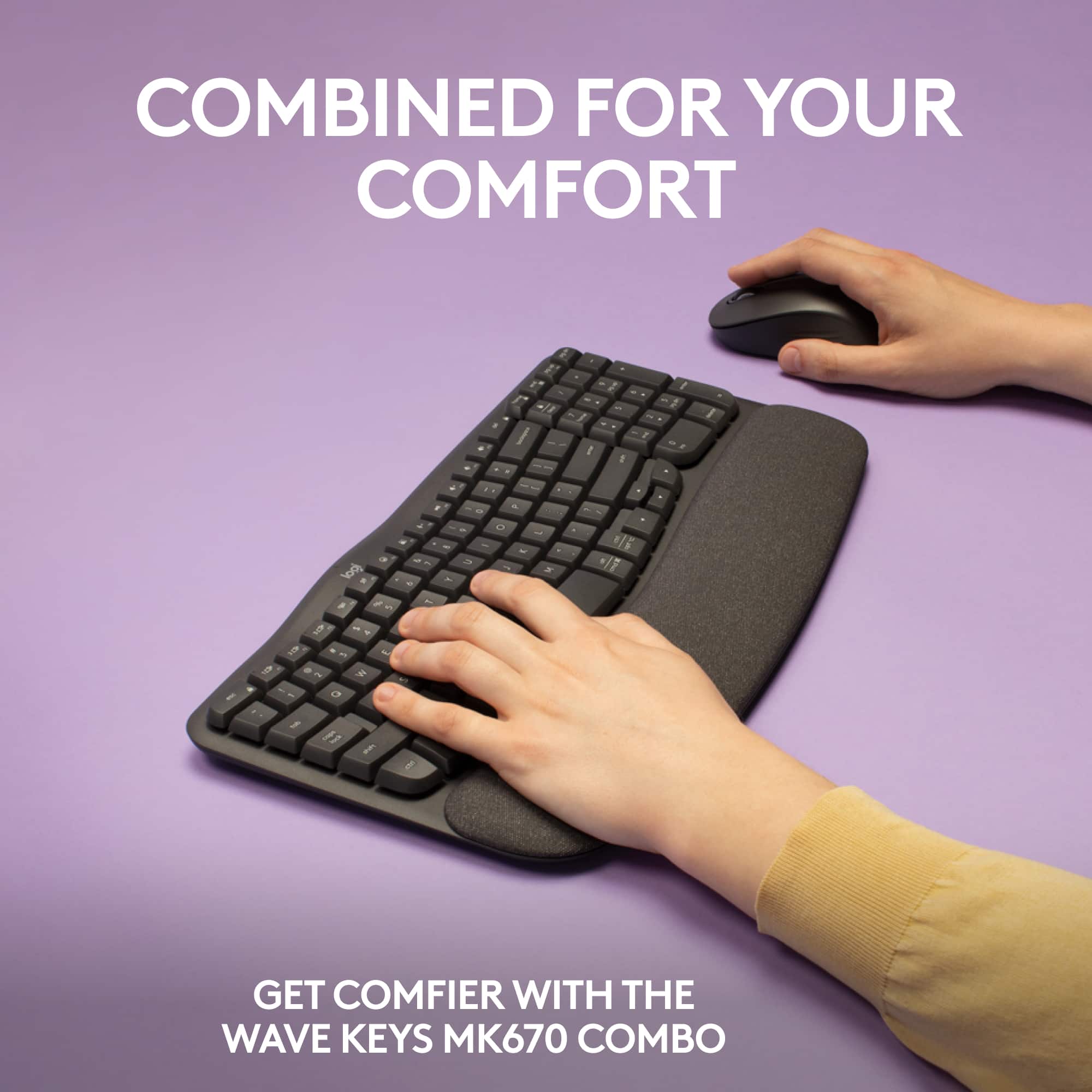
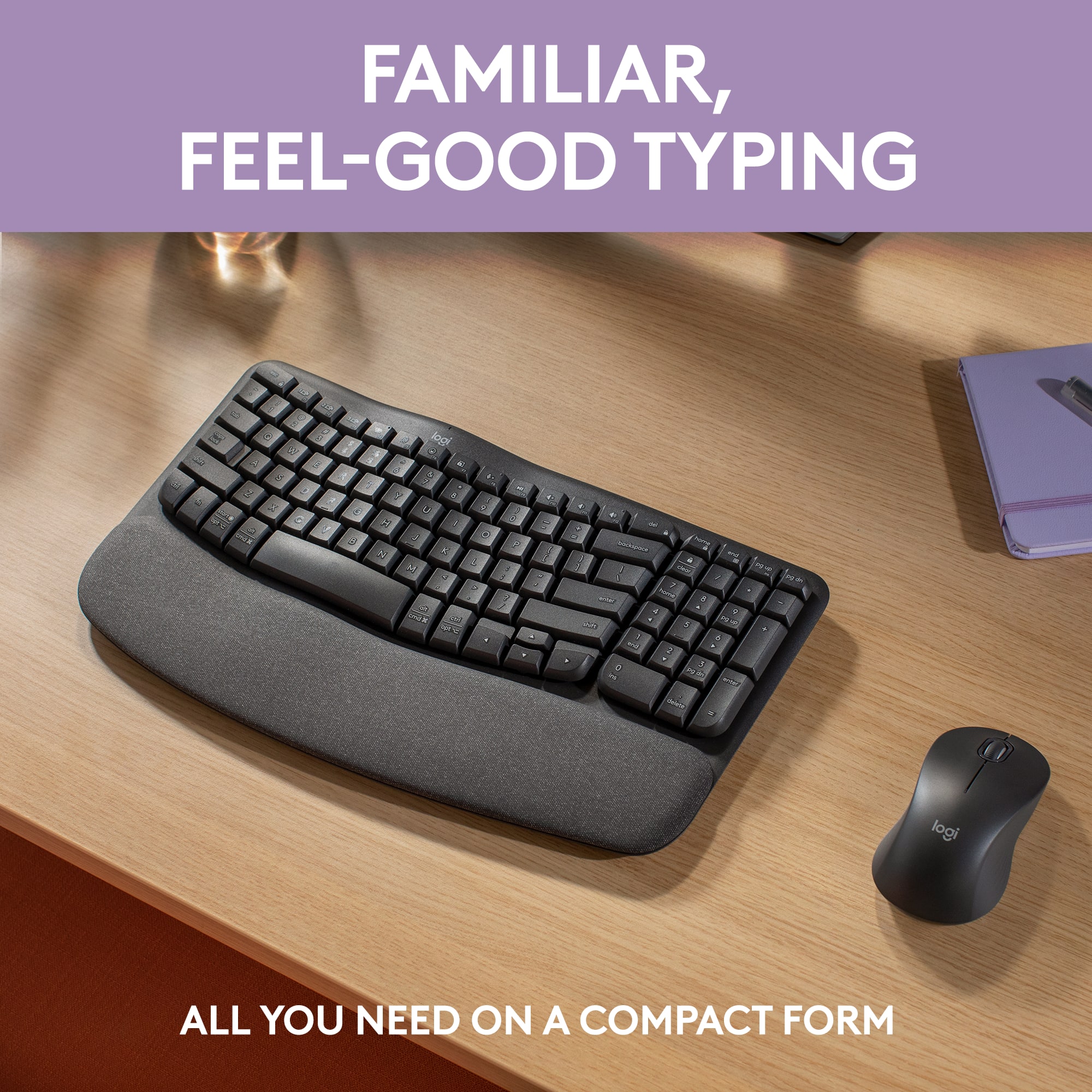
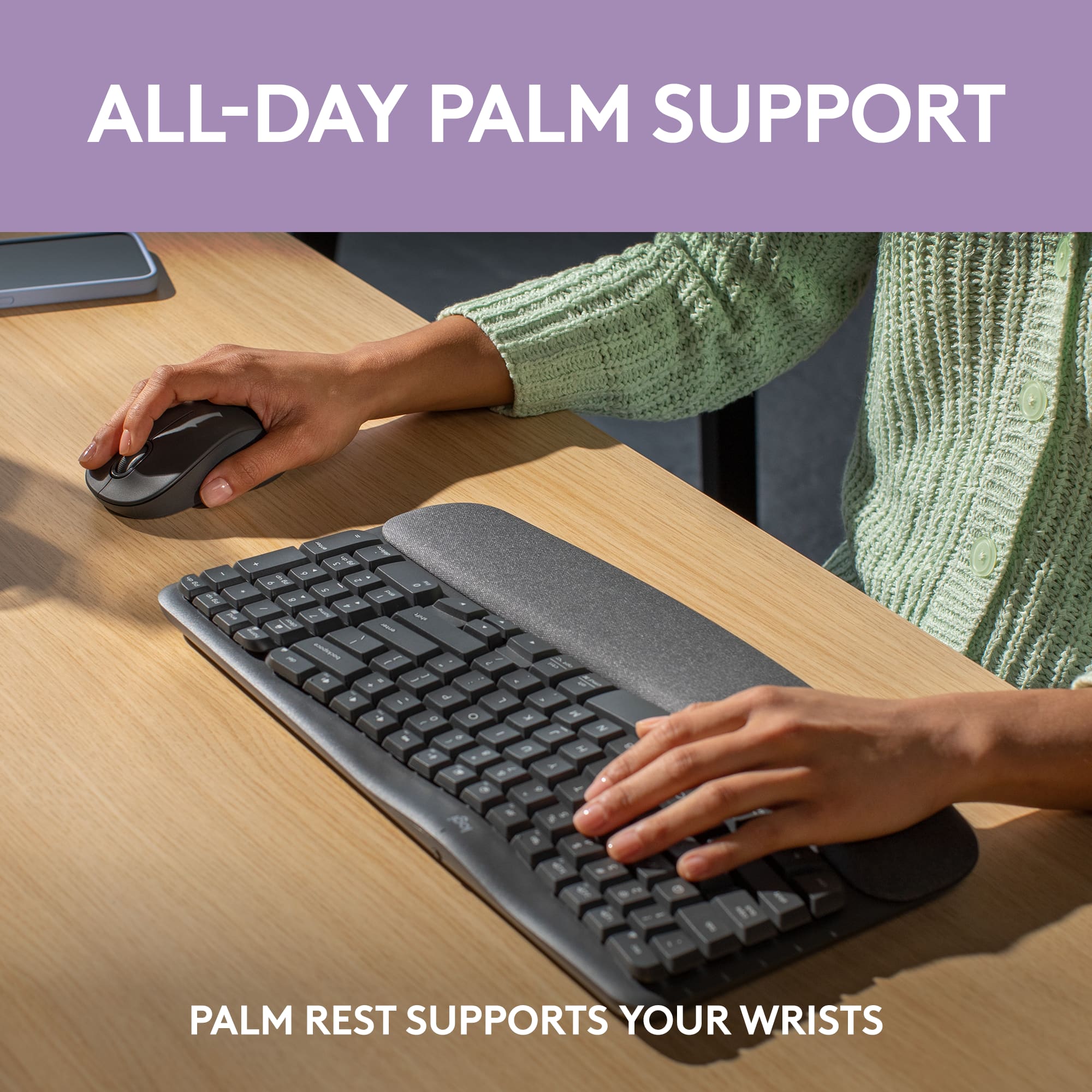
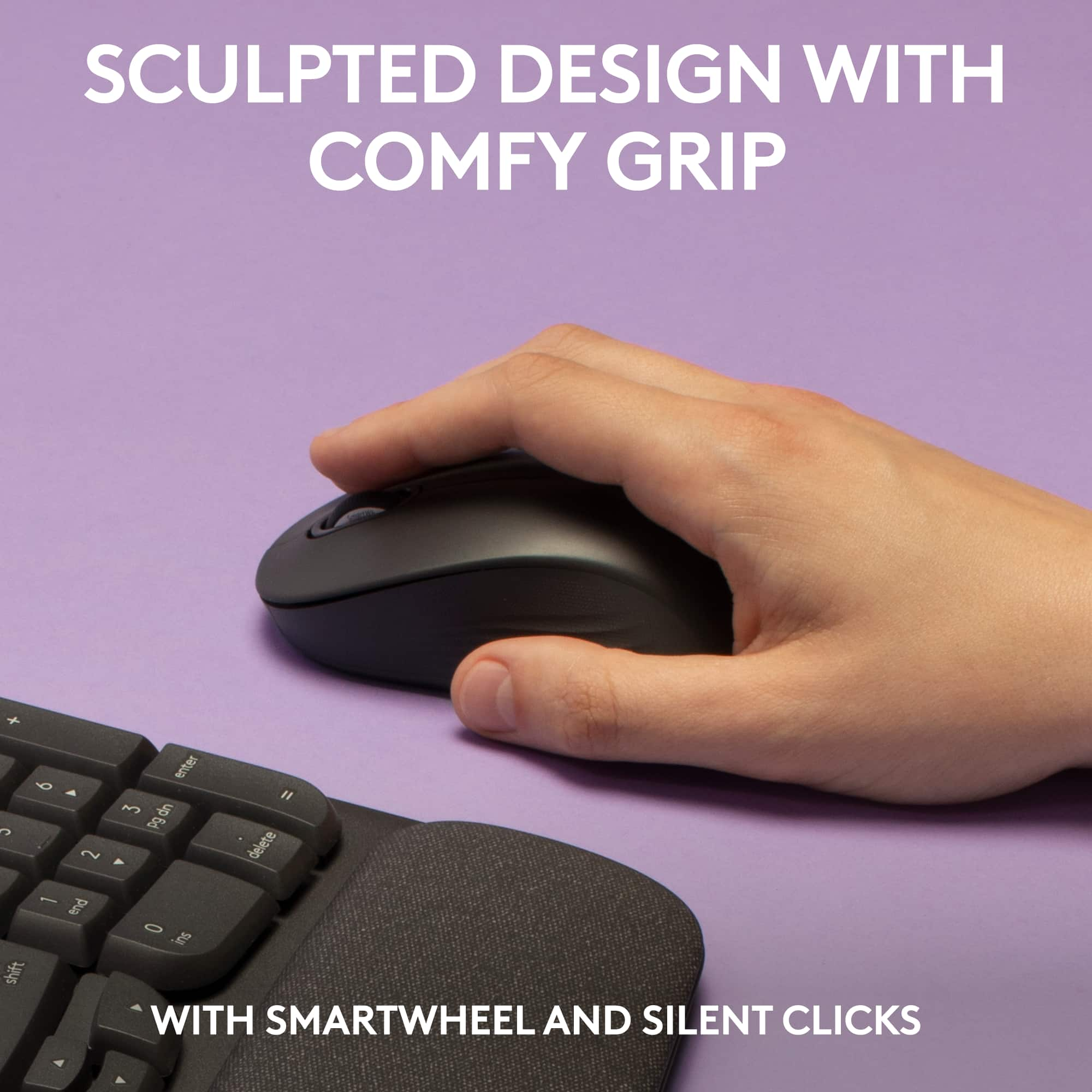
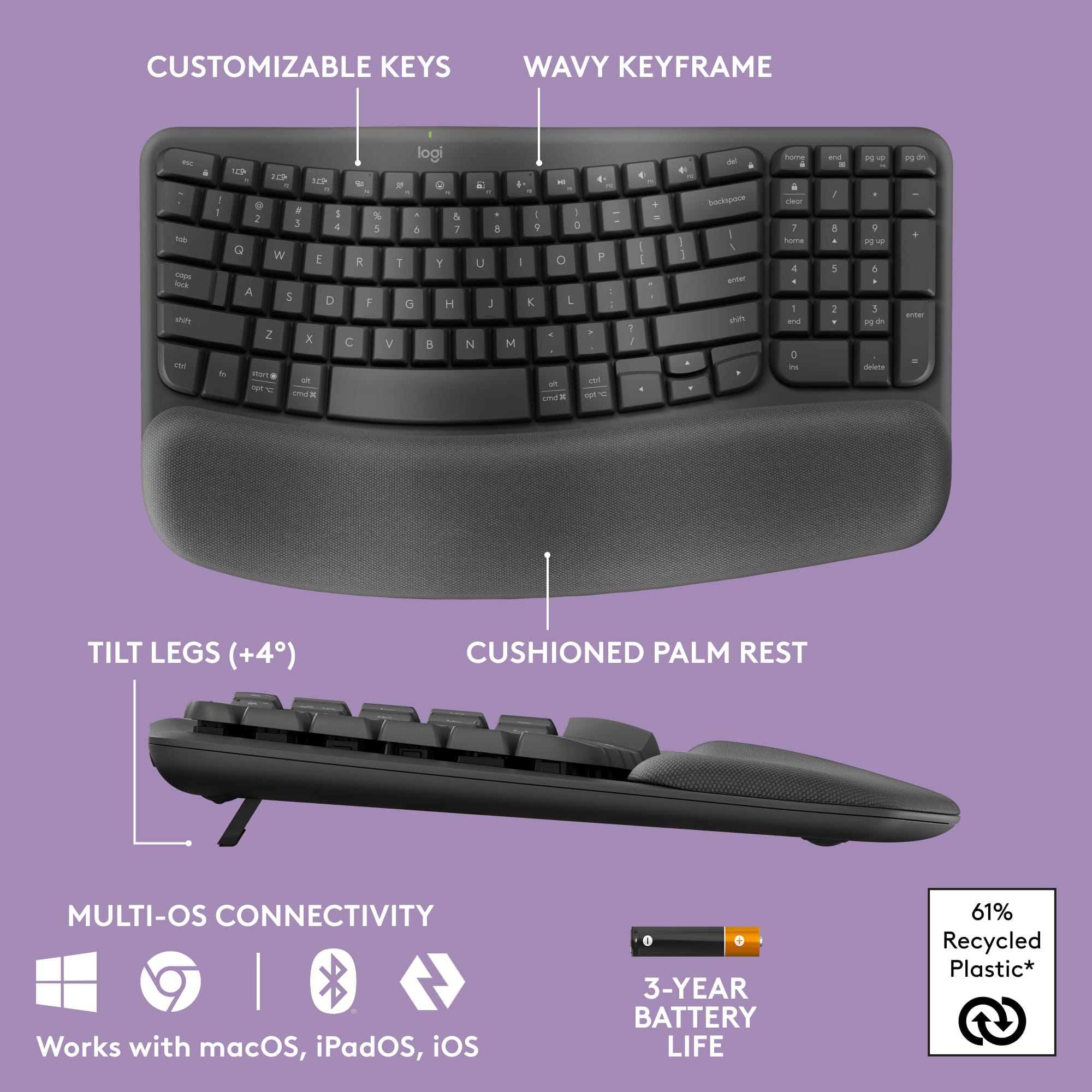
|Posted .This reviewer received promo considerations or sweepstakes entry for writing a review.Keyboard: The Logitech Wave keyboard is very comfortable and a pleasure to type on. Take the time to learn/adapt to key locations, and this is a keyboard I am happy to use for hours at a time. It is also the quietest keyboard that I have used in years. Keyboard First impressions: Right out of the box, I was struck by how compact the keyboard is. It has a traditional 10-key pad on the right side, but I immediately noticed the absence of that little island composed of the arrow keys, Pg Up, Pg Dn, Del, End, etc. between the letter keys and the number pad. The arrow keys are now located below the right Shift key – much like a notebook computer keyboard – which results in smaller Alt and Ctrl keys. The Pg Up/Dn, Home, End are found above the 10-key. The trade-off: a smaller keyboard footprint resulting in more space. I now have room for the mouse and pad on my keyboard tray! I am accustomed to Function keys having alternate uses, but I think my favorite is the F7 alternate. It opens the Windows Snipping Tool. I don’t use it very often, but it’s very handy when I need it. No more awkward keyboard shortcuts or hunting the start menu. The integrated palm rest provides a gentle memory foam cushion that is very comfortable. I like the fabric-look pattern that is printed on it. Inevitably with past keyboards, my wrist rest ends up with glossy spots worn into it. I am hopeful that the pattern appearance will better mask wear patterns. One of the coolest features of the Logitech Wave Keys MK670 Combo is the option to connect using either the included USB dongle or Bluetooth. When I powered on the mouse and keyboard, the Bluetooth radio on my notebook recognized the new devices, and I was given the option to connect. The software was installed with just a couple of clicks to confirm. No USB dongle needed! Functionality is flawless and doesn’t interfere with the various Bluetooth headsets I use. The keyboard has hotkeys to switch between three connected devices. I even connected it to my Android phone and, after some experimentation, am able to control functions and compose emails/texts. Coming from more than two decades on various competitor “Natural” keyboard products, which are no longer sold, the Logitech Wave Keys is a welcome, comfortable replacement. The “wave” keyboard shape is a nice compromise between traditional flat keyboards and the split/rotated ergonomic keyboards I’ve tried over the years. I expected adapting to new key locations to be cumbersome. I was wrong. In the short time I’ve used it, it already feels quite intuitive. For what it’s worth, my wife has used traditional-form factor Logitech keyboards for years and is reluctant to embrace change. However, she took to this Logitech Wave keyboard like a duck to water. She loves it. The mouse half of the Logitech Wave Keys MK670 Combo is also excellent. Comfortable, with the familiar 3-button arrangement and standard button functions. The scroll wheel is a marvel that responds to how quickly it is scrolled. Slowly, a line at a time through a document? No problem. Want to jump to the top or bottom of a long web page? A quick scroll up or down and you’re there. No problem. The mouse functions well on a variety of surfaces. The Logitech Options+ software allows customization of the mouse and keyboard in ways I have never considered. I expected macros, but this goes way, way beyond anything as mundane as a macro. It allows customization of nearly every aspect of keyboard and mouse interaction. It is, frankly, too much to get into in a product review. Install the software, explore its capabilities, and let your imagination run wild. It’s very impressive and I am still tinkering with ways to improve my workflow. Overall, I am very impressed with the Logitech Wave Keys MK670 Combo and enthusiastically recommend it.
I would recommend this to a friend - Pros mentioned:Connectivity, Palm rest
Rated 5 out of 5 stars
Compact and Comfy!
|Posted .This reviewer received promo considerations or sweepstakes entry for writing a review.Since the early days when there was only one ergonomic option for keyboards I have always been on the lookout for a compact version - the wait is over. This is a compact but full featured device that makes typing a dream. Out of the box it was easy to pair to my computer using Bluetooth. The accompanying mouse is comfortable in the hand and offers very precise tracking. Both easily fit on my smallish (26" wide) keyboard tray with ease. The mouse is also low profile (under 2" tall) fits nicely when the tray is pushed completely in. The integrated palm rest is a nice touch and is very comfortable. Although this is very compact, it feels to me full sized and my fingers naturally fall into place. The wave design allows me to type for long periods without fatigue and just as the mouse is very responsive the keyboard is too making any task easy and comfortable. Another great feature is the ability to pair to up to 3 different devices for fast change over. All of this tempts me to actually travel with this when I am on the road! Both the keyboard and mouse are nearly silent when in use. Though the action of the keyboard is not "mushy" like some other soft touch devices I have used. The typing experience is quite nice even though I am a little partial to a positive "click" this is changing my mind about that. All in all this is a high quality device that is made of recycled plastic so on top of all the great features it is good for the environment too!
I would recommend this to a friendBrand response from Logitech
Posted .Thanks for the feedback. We are grateful that you took the time out to leave us a review. Have a great day! 😉
- Pros mentioned:Ergonomics, Palm rest
Rated 5 out of 5 stars
Excellent compact ergo desk set!!
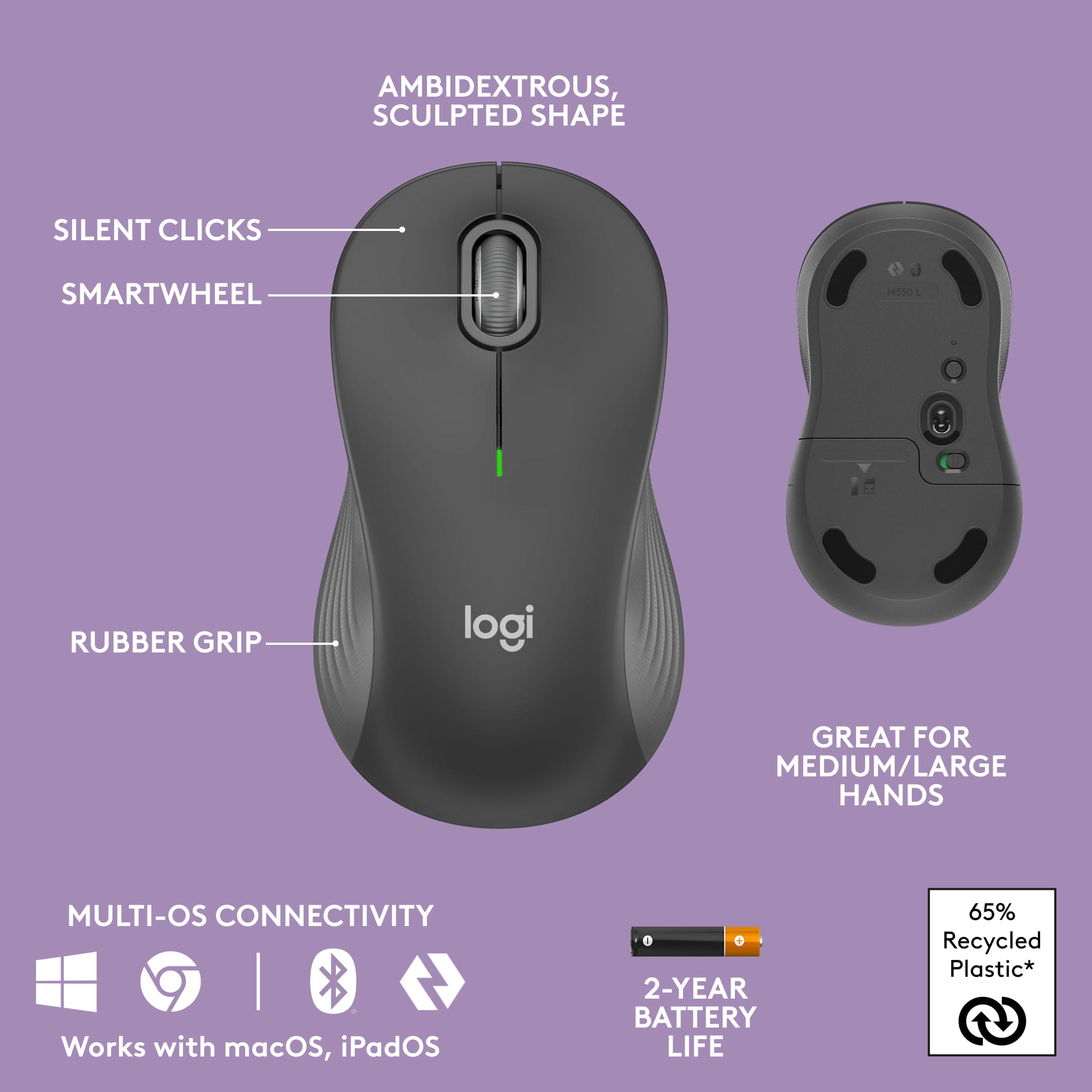
|Posted .This reviewer received promo considerations or sweepstakes entry for writing a review.I've always enjoyed Logitech's keyboards and mice - They have continued their reputation for high quality, durable and stylish peripherals. This new ergonomic desktop set is no exception. I really like this set's new, more compact approach to the full desktop set, while keeping features like an integrated wrist rest, as well as incorporating newer technologies, such as the BOLT universal receiver (Logi's updated, improved version of the former "Unifying" receiver). In use, I was concerned that the new squarish compact form factor (which Logitech achieved by eliminating the arrow key and INS/DEL/HOME/END advanced function keys, but preserving the numeric keypad) would make it hard to touch type, but the spacing between keys and the key cap size itself is pretty standard. These are also almost a mechanical keyboard-lebel of key travel and format, so fans of more traditional desktop keyboards (rather than the ever popular "chiclet" keys becoming so common) will appreciate the tactile response of these real keys, but they are NOT removable like "real" mechanical keyboards. Another interesting thing of note is the palm rest. In previous iterations this was fabric or some kind of neoprene material - On this new version it's more of a mesh-like material that seems easier to keep clean and feels great. This seems like a minor thing but makes a MAJOR comfort improvement. I also really liked the more subtle ergo curve of the keyboard, where others had commented that the old one was TOO pronounced and this one seems to more subtle keep the wrists in the right posture without making the keyboard too thick or strange to type on. The mouse is a typical M series mouse, but upgraded to share the BOLT receiver. The one I used in this bundle is for larger hands, which I appreciate, and offers a good rubbery-grip exterior, just the right amount of heft, and good tactile feedback for button clicks and wheel scrolling. I'm a big fan of these semi-basic mice for most user use cases, and love the symmetrical shape allowing for those who prefer a left-handed mousing experience to have all of the features, unlike some of Logi's more expensive MX peripherals which are shaped for the right-handed only. This is a great premium set that would be EPIC if they made an MX version with backlit keys and full mechanical functionality and pairing with an MX mouse. For the price range, this is the mainstream desktop set to get!!
I would recommend this to a friend Rated 1 out of 5 stars
Lousy customer service by Bestbuy manager
||Posted . Owned for 1 month when reviewed.This reviewer received promo considerations or sweepstakes entry for writing a review.This is not about the product but about the LACK of customer service at the Bestbuy in Brockton.
No, I would not recommend this to a friendBrand response from Logitech
Posted .That sounds like an issue. In order to assist you effectively, please provide your information to our support team by emailing socialcare@logitech.com. Name – Email address – Country – Product name – Brief description of the issue –
- Pros mentioned:Palm restCons mentioned:Keyboard size
Rated 5 out of 5 stars
The best Logitech combo I have ever had
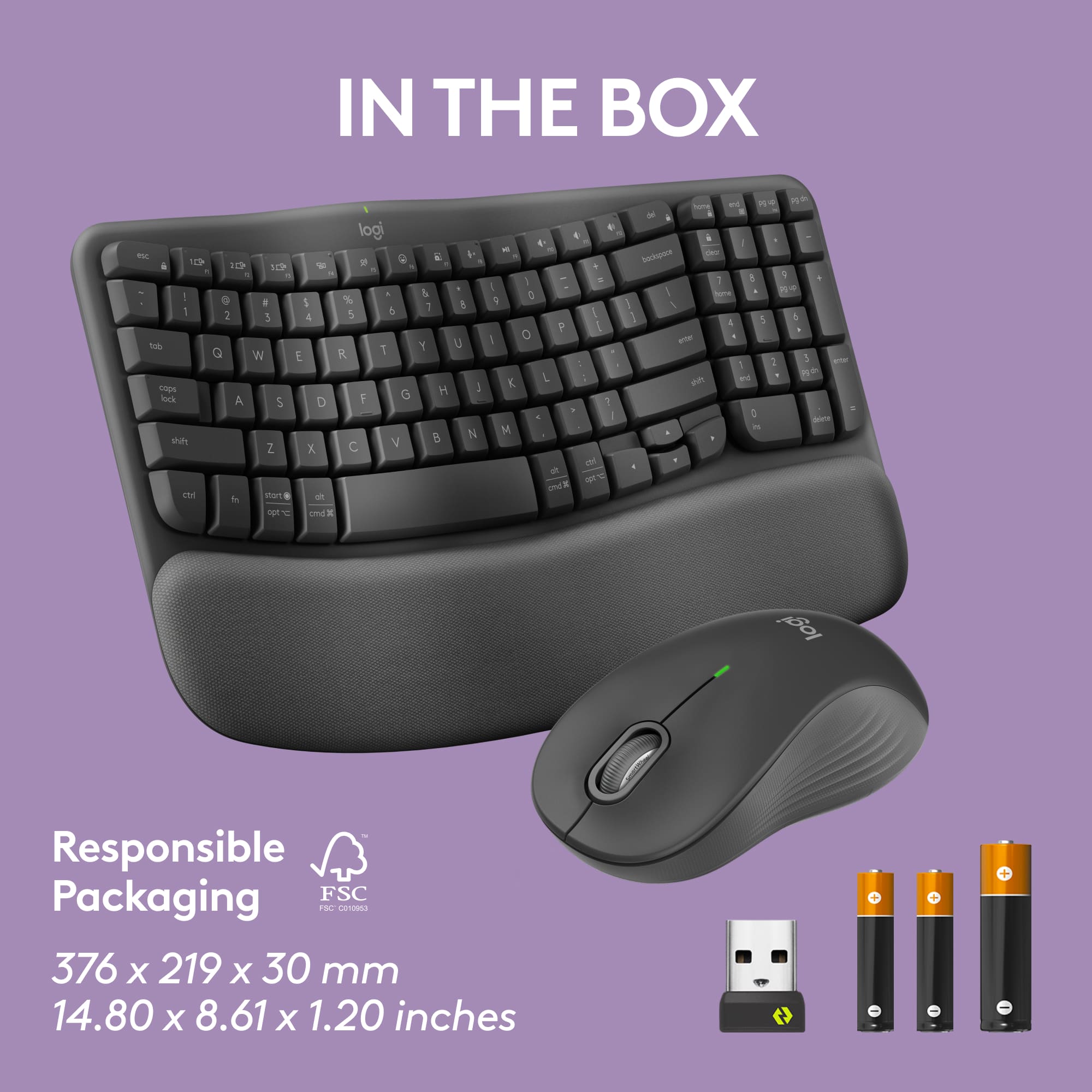
|Posted .This reviewer received promo considerations or sweepstakes entry for writing a review.I have been using Logitech keyboard and mouse combos for over 20 years and they have always provided great quality and long-life performance. This new combo can be connected via Bluetooth or the included USB receiver. I am using the USB for my desktop but can use Bluetooth with my tablet. Both the keyboard and mouse come with pre-installed batteries and synced with the receiver immediately. The keyboard is narrower than my other Logitech keyboards and it took a little getting used to as the keys are closer together but after a few days I got comfortable with it and it feels more natural now. The key lay out is also different than the wider keyboards so that took a little getting used to as well. There is a very well-padded palm rest on the keyboard that is very comfortable. I will say this is the quietest keyboard and mouse that I have ever had. The keys have a very nice feel and long throw and the mouse has a rubberized material on the sides of the mouse that give it great grip that makes it very comfortable. Both the keyboard and mouse are very responsive and smooth. There is a Logitech App that can be downloaded in order to customize both the keyboard and mouse and I found built in functions of the keys that I was not previously aware of for doing things like activating full screen for videos and being able to initiate forward and reverse of videos. I am still learning some of the features this combo offers but so far this is by far the best Logitech combo I have ever had. It’s smooth and comfortable and offers a lot of flexibility and customization. If this combo last as long as the other ones I have this will be a real winner. The Logitech combo I just replaced with this new one is over 10 years old and is still working perfect. I would highly recommend this new Logitech combo.
I would recommend this to a friend - Pros mentioned:ErgonomicsCons mentioned:Keyboard size
Rated 4 out of 5 stars
Very easy to use wireless keyboard and mouse combo
|Posted .This reviewer received promo considerations or sweepstakes entry for writing a review.I am a computer nerd, I have more computers and laptops than anyone should really ever have. But, when I use laptops, I personally dislike the keyboard and touchpads on almost all of them. So finding a great wireless keyboard mouse duo is imperative in my day to day life. Enter the Logitech MK670 Wave Keys Combo w/ ergonomic keyboard that is affordable, well built, and is very very bluetooth friendly. (* does come with its own connection dongle if you do not have bluetooth) Pros: Connectivity, turn it on and almost immediatly all of my laptops popped up wanting to connect via bluetooth. ReConnectivity, on both keyboard/mouse (hold one button down til it blinks, done for both) super fast and easy to switch connected devices. The mouse has an ambidextrous design, which makes it great to use with either hand The keyboard has a unique ergonomical design which may help your hands, as well as a rest pad for your wrists which is nice The keyboard and mouse feel well built and should last some time Cons: Slightly different ergonomic layout of the keyboard than I am used to, the keyboard is a full keyboard that is condensed (crunched together) which at first can be a little confusing putting your fingers on the right keys while you memory map out where certain buttons are, However, once you do get it memorized like any device, it becomes less and less difficult to land the right key presses. Overall not a bad combo, I really enjoyed how easy it was for me to connect to one laptop to the next, which made multi-tasking for me so much better. I would recommend this for anyone looking for an affordable easy to use Logitech entry level wireless keyboard and mouse.
I would recommend this to a friend - Pros mentioned:Palm restCons mentioned:Keyboard size
Rated 5 out of 5 stars
Nice smaller keyboard
|Posted .This reviewer received promo considerations or sweepstakes entry for writing a review.Finally got rid of the old wired mouse and keyboard! I use a standing desk and the keyboard tray is not that big! My old keyboard was huge allowing barely enough room to use my mouse and paper. Now I can use keyboard, mouse with pad, pen, and notepad. And a snack when needed. The wrist rest is super nice and in the perfect spot if you use it. While I was planning on using it, I realized I can’t with the way I use my keyboard. This is also a very quiet keyboard. The click click click drive me nuts and everyone knew when I was typing but not anymore! Because this keyboard is smaller, there is a learning process because each keyboard seems to be different. I took a star off because the keyboard has no back lights and you can’t tell if the Num Lock is on or off. I do recommend this set. It’s small footprint and quietness are priceless especially in and open office or a home. And there is only one dongle for keyboard and mouse! Another excellent point to this set!!!!!!!
I would recommend this to a friend - Pros mentioned:Ease of use, Ergonomics
Rated 4 out of 5 stars
Nice set for daily use
|Posted .This reviewer received promo considerations or sweepstakes entry for writing a review.I love the keyboard but the mouse is just OK. I prefer the ergnomonic shaped keyboards as I type 8+ hours a day. I do notice a difference in the way my hands and arms feel at the end of the day when I use an ergonomic keyboard versus a standard keyboard or the laptop keyboard. It was super easy to connect both thanks to the included dongle. I haven't had any issues with battery or the keyboard or mouse disconnecting. I had a different brand previously and after time noticed I would have to reconnect it once in awhile as it would lose connection at random. The mouse works well but I don't personally find it to be super comfortable compared to other ergonomic mice I've used in the past. I think mice can be really hit or miss depending on hand size and I personally have issues with hyper mobility and prefer a different style. We have now hooked this mouse up to the family computer and my spouse and child have no issue with using it. I like the sleek look of this set and think most people will find this comfortable and useful.
I would recommend this to a friend - Cons mentioned:Key spacing
Rated 4 out of 5 stars
Shhhhh! I’m typing here!
|Posted .This reviewer received promo considerations or sweepstakes entry for writing a review.What a delightful keyboard. What a strange mouse. The keyboard has good key action, keys have a similar feel and longer travel than the Mac keyboards. The Wave layout is subtle and has increased my typing speed after a few days of exclusive use. The mouse is – a mouse. It is unique in the amazingly quiet “click” buttons it has. The problem I have with the mouse (it might just be me) is that the buttons are too soft. I use a G502 everyday and it has a rest for your middle finger on the side of the right click. The M550L mouse does not have any sides on the buttons and the action is so light I find myself right clicking all the time just from the habit of resting my middle finger on the right click button’s far side. Even better, there is no audible feedback to indicate I just clicked something. I think the compromise is too far on the quiet side and not enough on the firmness side. Something about this set encourages a soft touch, perhaps that’s why I’m able to type so fast on this board. The special function keys on the F row are thoughtful and useful for the most part. There is an emoji key that will bring up an emoji menu right where you’re typing, that’s pretty fun. The mic mute is a great key to have available across apps. Gaming on this board is a bit unsatisfying. I don’t think there is enough feedback to the keys and separation between the keys for bigger hands. The mouse has built in acceleration and does not have any onboard dpi buttons. This is an everyday keyboard set for office and social work. I don’t think gamers will be very satisfied with the key action or the tight spacing on the board. The mouse is far to sensitive for intense gaming. This is an excellent productivity keyboard with a mediocre mouse. I think the compromises made for quiet operation have made this a keyboard for smaller hands and a lighter touch than I am used to. As far as productivity and everyday use (browsing, social media), this keyboard is good. The mouse is frustrating to use for someone like me with heavy hands and fingers used to using gaming grade hardware. I think this is a good set for productivity work and casual use, but this is not a gaming set by any stretch. Overall, recommended for productivity work and casual use.
I would recommend this to a friendBrand response from Logitech
Posted .We’re really grateful and appreciate you taking the time to share your feedback with us. Also, we're very glad to hear you love the product as much as we do. We'll make sure to share your insights about the products to our team for them to check it out as we continue to improve our products as well as enhance the user experience. Thank you so much!
- Pros mentioned:Ergonomics
Rated 5 out of 5 stars
Logitech-Wave Keys MK670 Combo Ergonomic Wireless
Posted .This reviewer received promo considerations or sweepstakes entry for writing a review.I bought this to use with my new laptop and I absolutely love it. I have been looking for a smaller ergonomic keyboard that included the 10 key for a longtime and I finally found it! It's so nice because it will fit in my computer bag along with everything else.
I would recommend this to a friendBrand response from Logitech
Posted .We’re so pleased to hear that you’re enjoying your Logitech device. Your feedback is a big part of what helps us grow and continue to serve our users better. Thank you for choosing Logitech and for being part of our journey.
Rated 5 out of 5 stars
Another Winner From Logitech
|Posted .This reviewer received promo considerations or sweepstakes entry for writing a review.I have used Logitech keyboards and mice for years. Currently, I have the K860, a large version of the wave keyboard, and the ergonomics of it and the accompanying mouse have been very friendly to my hands. I have arthritis and a bit carpal tunnel in my right hand, so ergonomics is very important to me. With that in mind, what does the new MK670 bring to the table? It has all the comfort in a much smaller keyboard footprint in length and width. Using a small keyboard after using a large one for so long definitely takes some adjustment. For the most part, acclimating to it has not been a problem. Some function keys are in different locations than the larger one, so there’s a small learning curve. If you have never tried a wave keyboard, they are so much better than the standard flat ones. This is especially true if you have hand issues. The more I use this model, the more I like it. In fact, it pairs ergonomic functionality with a small footprint for a winning combination. The keyboard’s accompanying mouse is also excellent. It’s light in weight and oh so comfortable for the hand. The “SmartWheel” scroll button is effortless in function. In fact, the mouse is so easy to maneuver that it seems to be riding on a cushion of air. Plus, it truly is as quiet as a mouse (pun intended). Connecting the keyboard and mouse to a computer can be done in one of two ways: Bluetooth or the included plug-in receiver. Either method provides wireless connectivity and a reasonable range of mobility. This outstanding combo works with Windows, ChromeOS, macOS, and iPadOS, so no OS excuse for not using the very hand-friendly Logitech MK670 Combo. Yes, I do highly recommend it!
I would recommend this to a friend- Pros mentioned:Ease of use
Rated 5 out of 5 stars
Keyboard Nirvana! Just needs a Learning "Curve"
|Posted .This reviewer received promo considerations or sweepstakes entry for writing a review.I am not going to go into all of the ins and outs of this keyboard. Rather, I'm just going to tell you that through the years I have had numerous Logitech devices and have never had a bad experience. More so I started using Logitech Wave Keyboards well over four years ago. If it feels weird at first, just give it time. The comfort and ease that this keyboard allows its user is unsurpassable. The one thing that my older keyboards did not allow was for multiple devices to be used with the same keyboard. Logitech made up for that in this keyboard (and others in their series) by allowing for Logitech Bolt (dongle) and bluetooth connections. With this you can switch between devices with relative ease. Again, with this keyboard, comfort is key. And it comes in spades, reducing fatigue and allowing for more efficient work. However, the mouse that comes with it is just ok. I would rather have just the keyboard to purchase and allow me to bundle with a higher end mouse, like Logitech's G604, which is very ergonomic and customizable. But at this price point, I would save the mouse as a backup and go get the G604 to accompany my Wave Keyboard. The only negative to this device is the lack on one feature. I wish it had a backlit keyboard. I assume that the target demographics may not want that feature, but I can't believe I'm the only one that would like to see the Wave style keyboard backlit. Again, I can't say enough about this keyboard. If you're on the fence, get it ! Once you get it, if it feels awkward, give it time! You will never go back!
I would recommend this to a friend - Cons mentioned:Keyboard size
Rated 4 out of 5 stars
Well made with innovative features, but smallish
|Posted .This reviewer received promo considerations or sweepstakes entry for writing a review.Pulling the MK670 out of the box, the first thing you’re likely to notice is the solid build. As you would expect from a Logitech product, the build quality of the MK670 combination is excellent. High quality materials and a solid feel are hallmarks of this combo set. The set allows you to pair using either a dongle or directly with your devices’ Bluetooth. When not in use, the dongle fits in a molded compartment underneath the keyboard. This is a great design feature – how much time have you spent looking for a missing device dongle? If you’re like me, way too much. The keyboard is an ergonomic style, with a comfortable rise and curve that makes it easy to type. The keys are solid and extremely quiet, with good travel and feel to them. The mouse is a similar ergonomic design, larger than a standard mouse, but smaller than some ergo designs. Perhaps the most unique feature of the Logitech keyboards and mice is that they allow you to pair up to three devices and switch between them. While the keyboard has numbered selection keys to switch devices, the simplest way to move between them is with the mouse. Simply move the mouse to the device you want to control, and that’s the one you’re now using. I use this for a work computer, personal computer, and iPad (yes, you can use this with your tablet or phone!) and simply glide between devices. It takes a bit of getting used to in order to get good at this, particularly if you use multiple screens for any device. With practice, though, you’ll find it saves time and hassle, as well as freeing up valuable desk space. The MK670 works with the Logi Options+ app. I’ve been using this app with other Logitech keyboards for a couple of years, and it has improved greatly in that time. The app allows you to adjust settings, including scroll speed and direction, something I find extremely useful. My only complaint about this set is the size. While Logitech markets it for those with medium to large hands, I find both the keyboard and mouse of this particular set to be too small for my large hands. I’ll be going back to my larger keyboard and mouse, but I would suggest you try it in person and see if it fits your hands. I suspect that for most people, the size will not be an issue. Overall, a well-made ergonomic set with some useful and unique features, it’s just too small for me.
I would recommend this to a friend - Pros mentioned:Connectivity
Rated 5 out of 5 stars
Ergonomic and satisfying
|Posted .This reviewer received promo considerations or sweepstakes entry for writing a review.I had the opportunity to get my hands on the currently unreleased Wave Keys MK670 wireless ergonomic keyboard and mouse combo, and it is a real find of a setup. The design and ergonomic keyboard feel of the keyboard and mouse are quite pleasing. I have only ever played around with an ergonomically designed keyboard, but I have not really ever put one to use. I am getting older and have over the past three years started weight training again to combat aging, stress, and weight gain. I have found that the new stresses that I rigorously inflict on my joints become very noticeable when I do any repetitive task, such as typing. I am an adult student who works full time as a manager and attends an online university full time. Needless to say, I am always typing and constantly rubbing my wrist and fingers. So far while using the ergonomic MK670 keyboard, my aches and pains in my hands have been lessened. I am not implying that it cured me, it did not. For me, there is just a noticeable difference between the strains of a traditional keyboard and that of the Wave Keys. The mouse is an M550, which is also ergonomic and helps to reduce wrist strain all while being super responsive. The connectivity and compatibility features cater to whatever your connection preferences are. I personally liked the Wi-Fi and never had an issue with connection unless someone reset the router or something external. Long story short, this is a wonderful setup for anyone looking to help reduce strain at an excellent price point.
I would recommend this to a friend - Pros mentioned:Ergonomics
Rated 5 out of 5 stars
Great Combo
|Posted .This reviewer received promo considerations or sweepstakes entry for writing a review.The Wave Keys MK670 Combo, which includes the MK670 wireless mechanical keyboard and the accompanying wireless mouse, has significantly elevated my computing experience. Bluetooth 5.0 connectivity is seamless. I can easily connect it to multiple devices and switch between them without any hiccups. The wireless range is impressive, allowing me to work comfortably from a distance. The accompanying wireless mouse has a comfortable ergonomic design. It fits my hand well and allows for extended usage without discomfort. The build quality is good, although it could feel slightly more premium. As a combo, the MK670 provides exceptional value. It's a well-rounded package that covers both typing and pointing device needs. While the price is not the lowest, the quality and features make it a worthwhile investment. In conclusion, the Wave Keys MK670 Combo is a compelling choice for users seeking a high-quality wireless keyboard and mouse solution. The keyboard impresses with its build quality, wireless performance, and customization options. The mouse, while functional and comfortable, could benefit from enhanced customization features. Nevertheless, as a combo, it offers excellent value and has significantly improved my overall computing experience, making it a worthy addition to any workspace.
I would recommend this to a friend - Pros mentioned:Palm rest
Rated 5 out of 5 stars
Quality Keyboard
|Posted .This reviewer received promo considerations or sweepstakes entry for writing a review.The Wave Keys MK670 Combo Keyboard is lightweight and provides wrist comfort and includes Blutooth Technology. There is a doggle/receiver that allows connection from the mouse to the keyboard utilitzing blutooth technology. The keyboard is comfortable and compatible with the following systems of windows, macOS, IPad)S, Android, ChromeOS, and Linux. The support that the keyboard provides is great. I tend to do a lot of typing throughout the day with reports and spreadsheets. For myself it is important so that my hands have the opportunity to not get as tired as fast. I like that there is cushioned palm rest with memory foam support. As I have gotten older, this is really important to me. I am a fast typer and I noticed that when typing there is less noise with silent clicks. That is great. For myself I am considered to have medium to large hands and this has not been an issue. I also like the smart whell that helps to scroll line by line on pages with the smart wheel. It is even convient because you can also fly thorugh pages with the Smart Wheel. I enjoy using Logi Tech products. Pros: Can rest the wrist while typing. Comfort of the foam board. The Smart Wheel of the Mouse. Flexibility of the wave keys curving along with my hands. Cons: None at the moment.
I would recommend this to a friend Rated 5 out of 5 stars
needed it and bought it
Posted .This reviewer received promo considerations or sweepstakes entry for writing a review.I needed a new keyboard and this worked well. the curve adds comfortability to the typing process. A bit expensive but it the garbage to cost ratio made it the only real choice.
I would recommend this to a friend- Pros mentioned:Ergonomics
Rated 4 out of 5 stars
Very comfortable and reduces typing fatigue.
|Posted .This reviewer received promo considerations or sweepstakes entry for writing a review.I found that the Logitech - Wave Keys MK670 Combo Ergonomic Wireless Keyboard and Mouse Combo were great. The ergonomic keyboard made typing very natural and comfortable. Has someone who is at the computer most all day every day for work I needed something that would help make it more comfortable. I used the devices with a 2020 MacBook Pro and found that set up was very easy. Though the dongle requires a standard USB which most new computers do not have so you will need an adapter to use these devices. I found that very inconvenient. However, this is really the only negative to this device. There are some keyboards and mouses out there are fully Bluetooth. The combo comes with an application that you can download, though I had trouble finding it as it was not available on the App Store, but had to be directly downloaded from the manufacturer's website. The app allows some customability of the functions of the mouse and hotkeys on the keyboard. I did not find it all that helpful and deleted it after a few days. The combo works fine without the software. They would have received 5 stars had they not needed the dongle.
I would recommend this to a friend - Pros mentioned:ErgonomicsCons mentioned:Keyboard size
Rated 2 out of 5 stars
Superb mouse, speedy keys, awful keyboard layout
Posted .This reviewer received promo considerations or sweepstakes entry for writing a review.A good keyboard ruined by few missing millimeters of spacing, and a fun mouse. Coming from the old Logitech ergo keyboard, the keys on this keyboard are divine: they are effortless to type on and I achieve better accuracy. The mouse has fun in its action, too. It’s surprisingly fun to click - highly tactile in a surprising way. However, there’s no easy way to say this: this keyboard is almost impossible to fully use without looking at it. There is no spacing between the function key row and the main keys, and it barely has enough spacing between the keypad from the main keys. It is far too easy to press the wrong key when trying to use Backspace key. Worse, the Delete key is right above the Backspace key and they made it almost as wide, so they’re very easy to confuse for one another. This spacing is critical for any degree of accurate, rapid typing - I usually only need to look at the keyboard if I’m figuring out which numbed key has the odd symbol I never use but need to today. I am growing slightly more confident on it the more I use it, and I realize that most keyboards are veering towards these terrible layouts with adjoined function rows that serve a dual purpose, but the original keyboard’s layout was much more conducive to typing by feel and overall productivity. Overall, this product is fit for a world so eager to settle for mediocrity.
No, I would not recommend this to a friendBrand response from Logitech
Posted .We apologize for the inconvenience caused by the keyboard layout of the Logitech Wave Keys MK670 Combo. To address this issue, we recommend reaching out to our social care team via email at socialcare@logitech.com with your
- Name:
- Email Address:
- Country:
- Product Name:
- Brief description of issue:
- Cons mentioned:Keyboard size
Rated 5 out of 5 stars
A much better wave keyboard
Posted .This reviewer received promo considerations or sweepstakes entry for writing a review.This is a much-improved version of the wave keyboard compared to my seven-year-old Logi wave keyboard. It has a very light and shallow keystroke feel and is four inches narrower than the prior version. My main gripe with the old one was that you had to deeply depress the keys to activate them; that has been solved with this version. The more narrow layout also means less finger spread is needed (but that may not be a good thing for someone with very large hands).
I would recommend this to a friendBrand response from Logitech
Posted .Hi there! Thanks for the detailed feedback on the Logitech Wave Keys MK670 Combo! We appreciate you comparing it to the previous version and highlighting the improvements in keystroke feel and size. Your feedback about the narrower layout being potentially less ideal for users with large hands is valuable for our design team to consider in future iterations.