Customer Ratings & Reviews

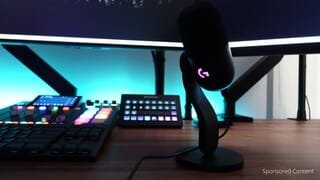

- Model:
- 988-000567
- SKU:
- 10765420
Rating by feature
- Value
Rating 4.7 out of 5 stars
- Quality
Rating 4.8 out of 5 stars
- Ease of Use
Rating 4.8 out of 5 stars
Customers are saying
Customers frequently mention the product's amazing sound quality and its ease of use, with many appreciating the simple setup process. The subtle and well-implemented RGB lighting, along with extensive customization options, are also highlighted as positives. Conversely, a few customers express concerns about the product's price and the lack of an audio playback headphone jack.
This summary was generated by AI based on customer reviews.
- Pros mentioned:Rgb lighting, Sound quality

All-around Fantastic
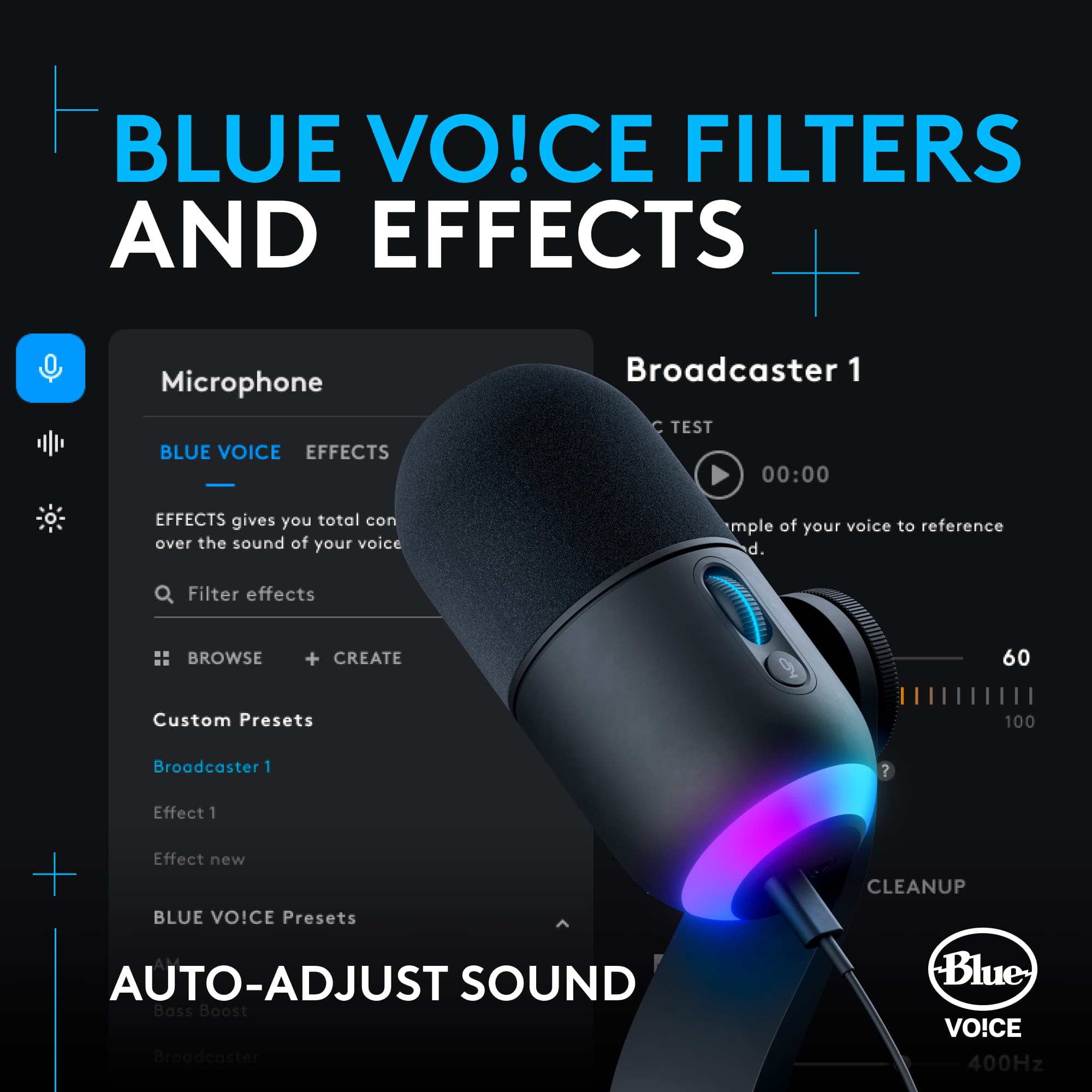
|Posted .This reviewer received promo considerations or sweepstakes entry for writing a review.The Logitech - Yeti GX is a masterful product. The "Blue" bones are apparent. Being a headset user for oh-so-long, I wasn't prepared for the vaulting in performance I was primed to experience. Setting up the Logitech - Yeti GX was pretty simple in Windows 11 - like any audio mic or headset. Logi took a little time to add the GX to the G-Hub software but once it arrived, a firmware update was waiting along with all the functionality one would expect from any, equally impressive Blue Yeti product. I did get a day or so of use prior to the GX coming fully online within the software and the feedback I received from friends on Discord and Skype was a bit unexpected. Everyone without exception raved about the voice quality they were hearing from me. Discord does have some adjustment settings but I did little messing with any of that to start. Far too often, echo and thinness are a thing with a wide range of headsets - no matter if they are wired or wireless. Frustrating realities to be completely honest. But as soon as I configured my PC to use the Logitech - Yeti GX as the input device and yanked the mic stick from my headset - everything changed for the better. I've heard a few recordings of group voice conferences I was a part of in Discord and I was pleasantly surprised how full & balanced my voice sounded. I have the GX positioned on my desktop approx. 12 to 14 inches away from my face. My PC is an air-cooled beast, about 28 inches off to the side at the same level of my desk surface and none of the fan noise pouring out from it is getting picked-up by the microphone! In addition to the standard "voice" usage, I also did some demo's of music playing on an audio system across from me in the same room. I still left the Yeti GX in the same desktop position and proceeded to crank up the tunes to a moderately loud level, as I stood up and move to the side. My pal said the sound quality was amazingly good - so the guts of this GX isn't some meager assembly of low-cost parts. The Logitech - Yeti GX is solidly constructed with just the right amount of RGB bits to it. And you entirely shut off all that bling if you want. The desk stand is stout and provides a smooth articulation of the main mic body to the preferred position. The dial and mute switch are in the perfect location IMHO. Jumping into the G-Hud software, everything & more is available. I won't go through an extensive setting-by-setting detailing but the attached photos should give any prospective buyer a really good overview of how well Logitech presents the GX controls. Broadcast/tone shaping is deep, with plenty of clean-up & tone controls. Blue Vo!ce is comprehensive and does true magic. There's also a Sampler section which is a nice bonus for those interested in adding a touch of flare to their deal. And of course, there is a RGB lighting control page. All-in-all, I see the layout of these controls as some of Logitech's best software work - Ever! The Logitech - Yeti GX completely changed my mind about stand-along microphones. It's utterly transformational to be completely honest. I'll only go back to using a headset when it's absolutely necessary and convenient. So, give it try: Use your favorite headphones without the protruding mic stick and pair those cans with this fantastic desktop mic. It screams Logi G via it's look but it's Blue Yeti, through & through! It's all in the performance level. Highly, and I mean - Highly! recommended
I would recommend this to a friend - Pros mentioned:Mute button, Sound quality
Nice Microphone with some caveats
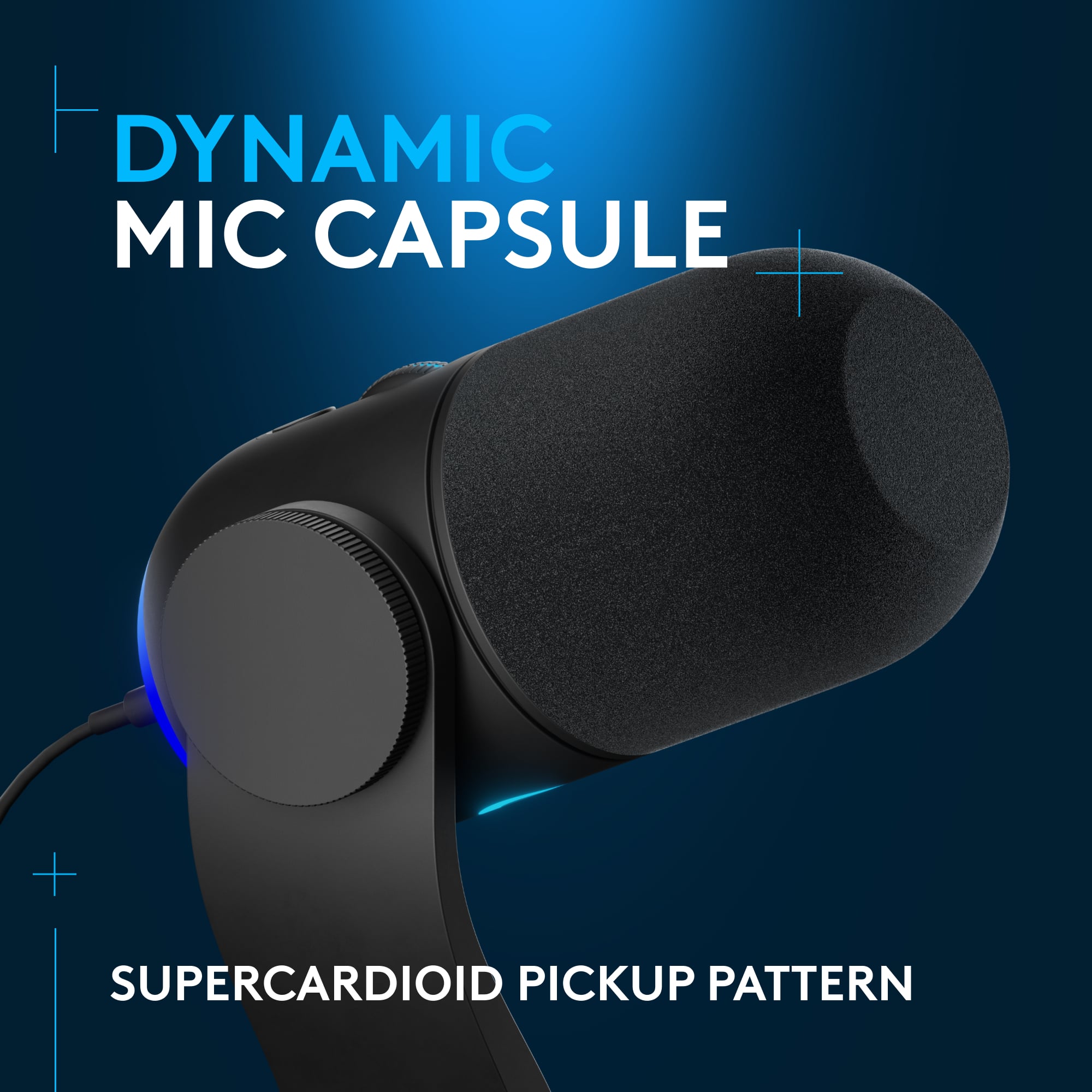
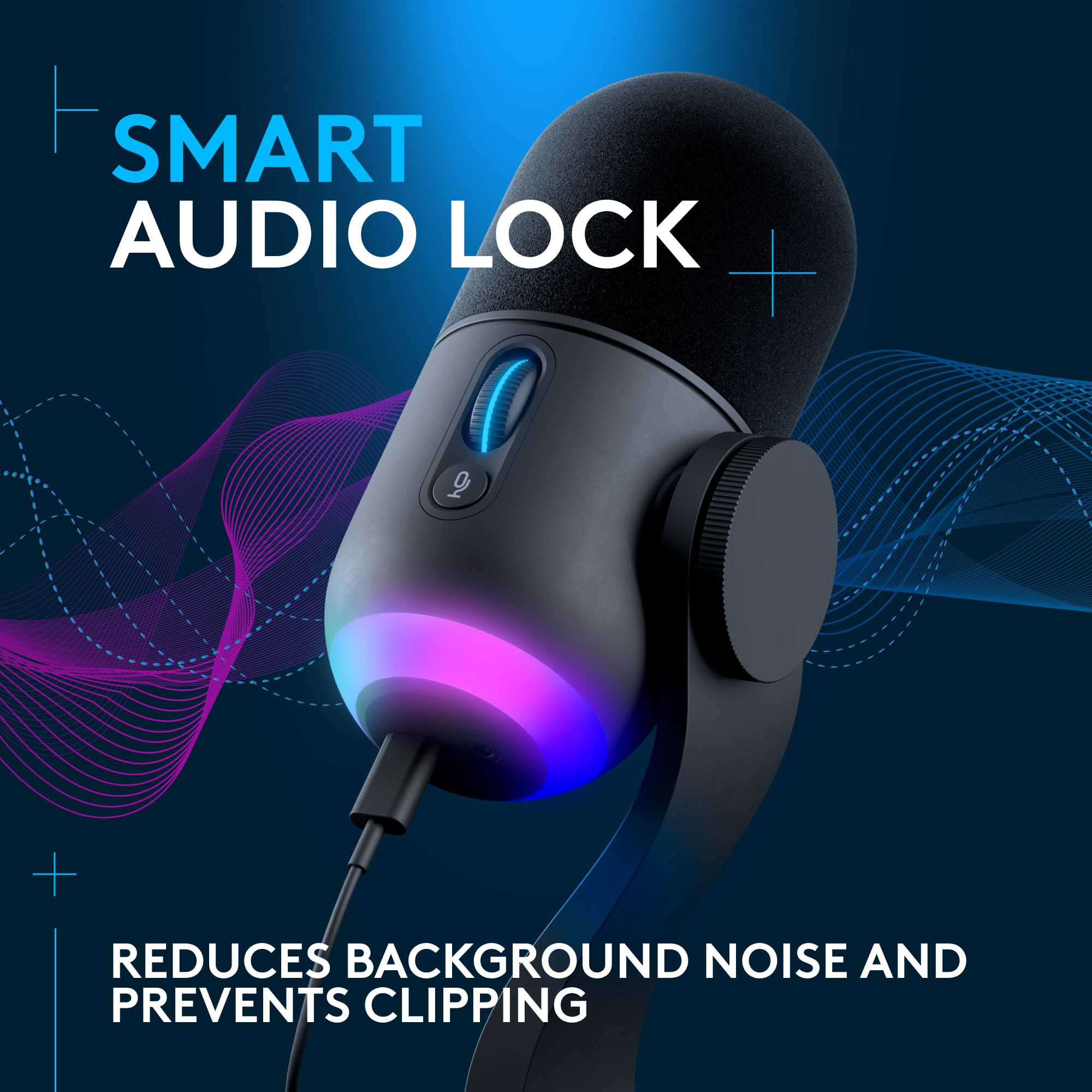
|Posted .This reviewer received promo considerations or sweepstakes entry for writing a review.I've had this mic for almost a week now and would like to share my thoughts. To start off.. I'm a "old school" PC gamer and I've used many mics and headsets over the years. While most headsets offer the bare minimum, this is more or less a step over the standard headset boom and desktop condenser mic setup most people are used to. You see.. This mic isn't the run of the mill condenser design but a Dynamic Supercardioid mic with a built in USB hardware. While Most Dynamic mics are connected via XLR, this is a newer and solid foray into the limited market of USB Dynamic mics, which have been gaining popularity over the last 2 years. The benefits of a Dynamic USB mic? -You do not need a XLR cable or mixer. -Everything is handled through the internal ADC/USB connection straight to your PC. -Gives you that "Broadcaster type sound" which Dynamic mics are known for, especially with added additional Software which is available since The 9/20 update for Logitech GHUB software. The internal ADC is capable of 24/48 and 24/96 settings via windows. Both have been tested and work extremely well for me. GENERAL OPINIONS: As I mentioned, I've had countless headsets and mics as well as competitor options.. I would rate this as solid among its competition. It doesn't exactly stand out for me, but it's certainly not terrible either. A major Pro? It has a mute button. Cons for this? It's audible when clicked, but not as bad as others which can be annoying to friends or people you meet online via competitive games. The Gain control? Not really a fan of the physical "mouse wheel" straight off a G403, but the software tells you the EXACT value which I highly value for consistency of knowing what "works". You can also click the wheel in and it locks out the setting from being touched. They call it "Smart Audio Lock" When used on Discord and other apps, The "auto gain" the program has generally dials in well for this specific hardware. Key strokes are audible but only for the first few strokes. I don't know what kind of magic Logitech/BLUE implemented but it does better than your average condenser mic design which more or less captures everything. Yes it's dynamic and yes you can hear key strokes (on desk mount) if you're just testing this with windows software, but its not as bad as your average condenser mic with voice programs for example. Regular monitoring from Windows? Sort of picks up everything.. hard to explain. SOFTWARE: The software is straight forward and has a number of presets which I will link with this review. I did run into a weird glitch where the game "League of Legends" turns off the LEDs when alt tabbing. I'm not exactly sure what's going on here, but its a very odd occurrence and I cant exactly figure it out. Default LED color is Logitech CYAN BLUE unless you start messing with the software to change. LED'S are subtle if you like that kind of thing or Sync with other Logi products. There is also another glitch where changing any default preset will add another identical preset with your desired gain changes. Seems to be no way to delete this. Software also offers a voice changer and sound board effects which can be bound to your keyboard. I do not use these so I cannot comment how well they work. CONS: There is no dedicated monitoring on the mic itself and it seems this feature was removed last minute. How do I know? There's photos on Logitech's website which shows the 3.5mm jack next to the USB-C connection. You can also feel around on the physical product itself and there seems to be a "hole" or 3.5mm jack under the Logitech product sticker. I must say.. I'm not happy this got removed as it seems they wanted to cut corners on internal hardware. The pop filter can also get dirty easily with dust and other particles. SUBJECTIVE/OBJECTIVE: The included desk mount "MAY" be prone to vibrations and or key strokes with higher gain needed to capture voice if you're taller. This is with mic head pointed straight at me from top side.. I would highly recommend purchasing a "boom arm" if you want optimal performance out of this microphone. The desk mount can suffice, but windows monitoring will literally pick up every thing you do, even vibrations from your room fan.. It's weird because voice programs like discord can mask it.. and perform well. Lifting the product off the desk and positioning it closer to the face sounds much better and avoids many issues. Gain will have to be lowered but this can be done via software or dial itself. CONCLUSION: Overall I think the YETI GX is a solid product. I wouldn't call it a game changer, but its certainly good enough to offer gamers and content creators 95% professional sound. I wouldn't be surprised if the capsule is taken from the slightly older XLR BLUE SONA and repurposed with lower specifications for alternative use with this YETI GX MIC. I don't know, it's just a guess as the specs are kind of close.. Lower/Alternative binning? *Software/GHUB Is buggy via 9/20 release. Highly recommend boom arm* 4/5 stars for mic itself.
I would recommend this to a friend - Pros mentioned:Rgb lighting, Sound quality
A new look for the Blue brand!
|Posted .This reviewer received promo considerations or sweepstakes entry for writing a review.I have used a Blue Snowball microphone for a while now on my desk, so upgrading to the new Yeti GX microphone has been a treat! The quality associated with the Blue brand definitely lives on in its new Logitech form, and the Yeti GX is a sleek, stylish RGB-capable microphone that would look fantastic on any desk. I love the color it brings to my desk, its high quality sleek build and stand, and that it doesn’t take up too much space (it can also be attached to a boom mount, and an adapter for mounts is included in the box)! This truly is a high quality microphone and sounds fantastic in any scenario, from gaming to business video calls (you’ll likely get some compliments on your sound quality from time to time using this!). The sound is crisp, clear, and highly configurable in terms of volume and sound profile, both via the hardware and the Logitech G Hub companion software. You can use the input volume wheel on the side for quick volume changes (it would be nice if there was some physical indication as to what the selected gain level is, but the wheel is clickable to lock in your sound level to combat this), as well as the on-board mute button for quick hardware muting. The Logitech G Hub software can also control all of these hardware features, as well as provides a wide array of sound controls branded as “Blue Voice” to refine exactly how your microphone sounds at a rather granular level, adjust noise cancellation levels, adjust the highs and lows in your voice via EQ, and even provide effects and simulate fun different voices like an alien or robot! There is also a mini in-app marketplace where you can share and download others’ effects to use, and you can use the software to control the lighting scheme of the microphone and customize it to your liking too! The only issue I’ve had with this microphone so far is that when connected to my Mac (work computer), the microphone occasionally randomly stops accepting input with no definitive reason present (with the mic still appearing in my audio preferences list). I’m sure this is just a minor bug that can be fixed simply with either a firmware update or by reinstalling the microphone drivers/Logitech G Hub app, as my laptop had a bit of a rough time onboarding the microphone due to some security policies and permissions issues. This issue does not negatively impact my thoughts on or experience with this microphone though and I would still highly recommend it to all!
I would recommend this to a friend - Pros mentioned:Rgb lighting, Sound quality
Great USB Mic!
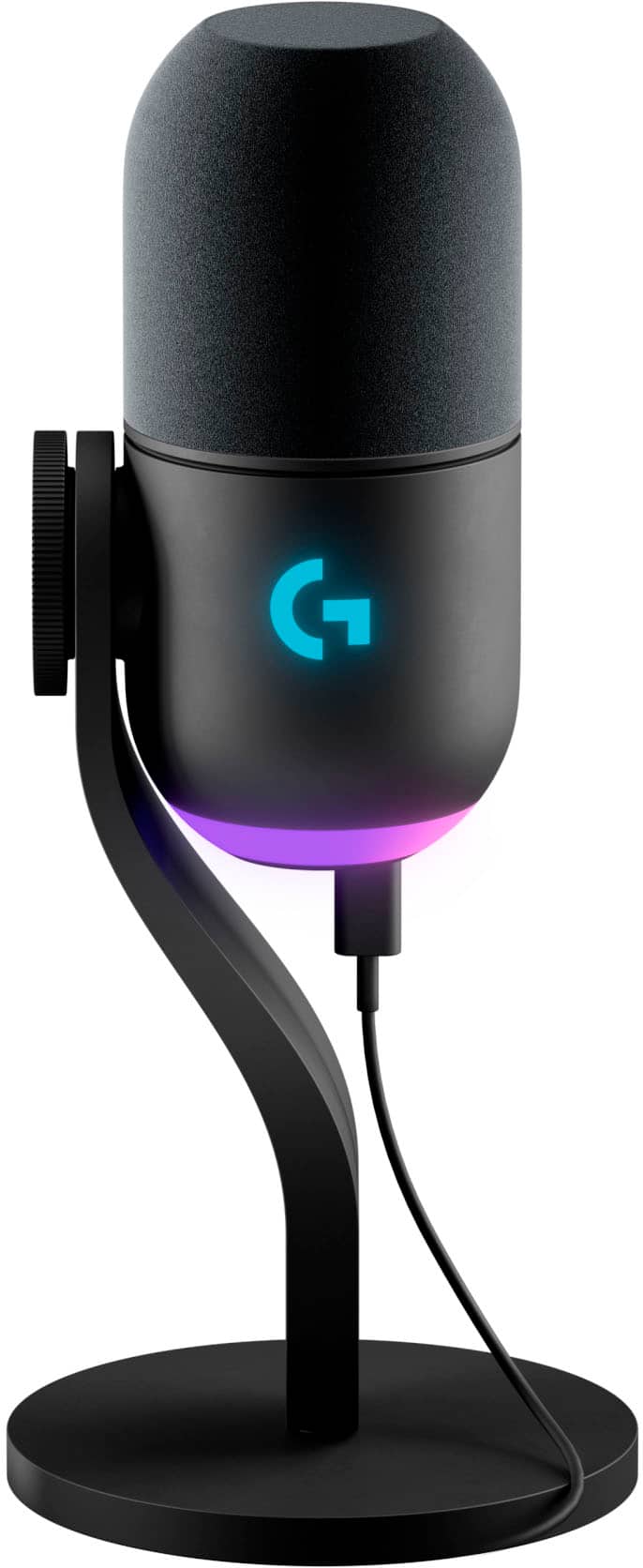
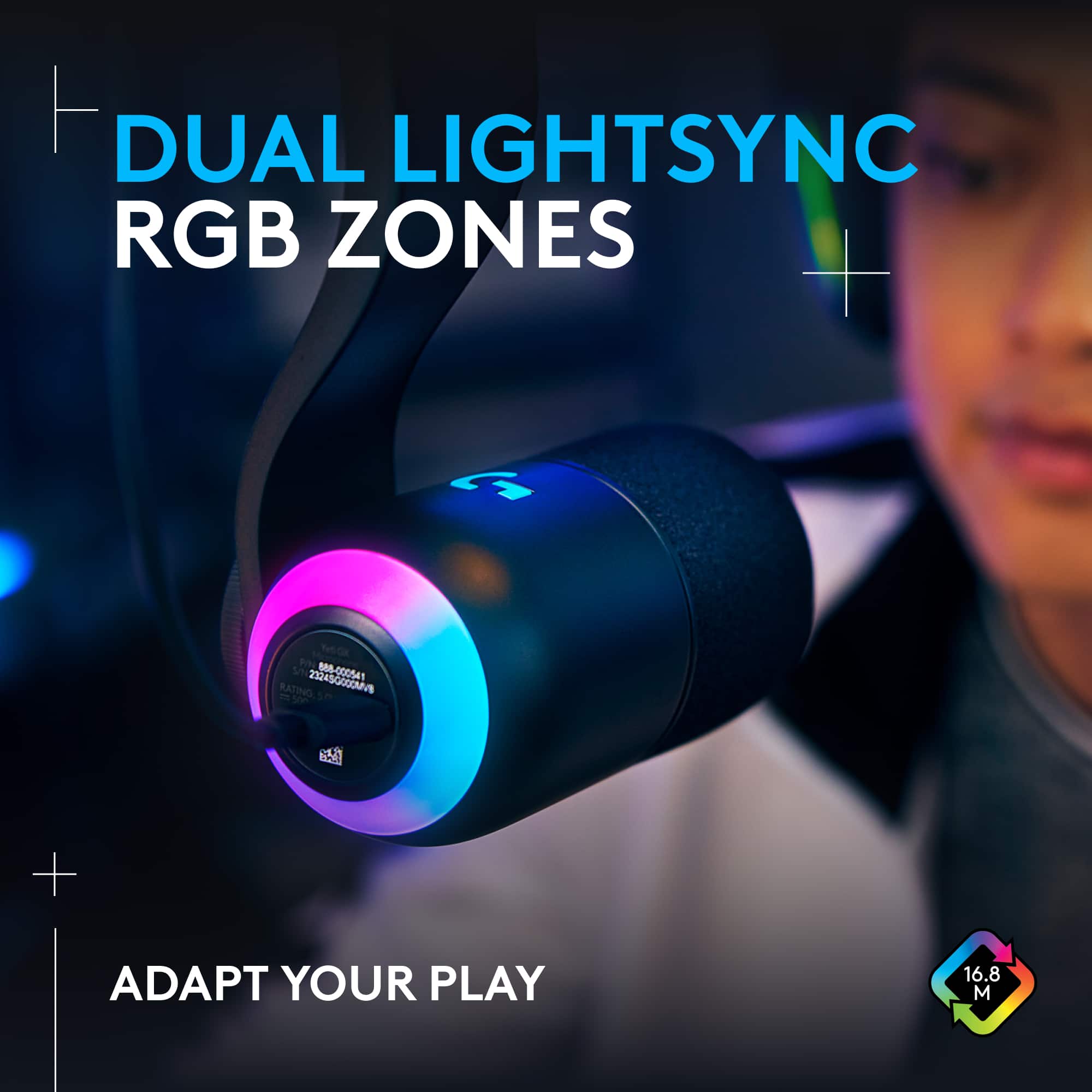
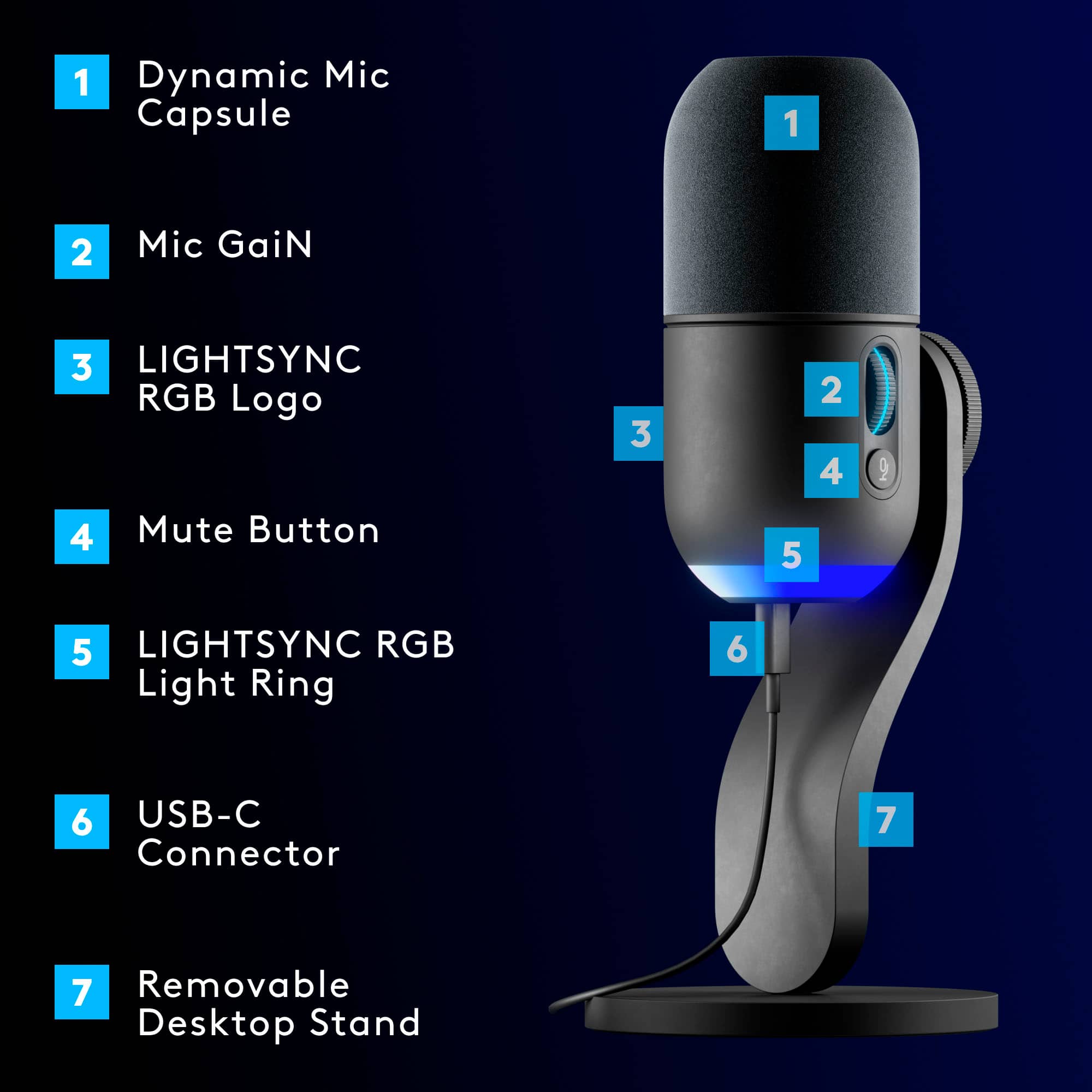
|Posted .This reviewer received promo considerations or sweepstakes entry for writing a review.The Logitech G Yeti GX is an awesome microphone that produces quality audio and features customizable RGB lighting. It has a dynamic capsule that rejects background noise and key clicks. It easily handled my mechanical keyboard and loud case fans while still producing a solid tone for streaming and recording. The unit also has a super cardioid pickup pattern that ensures your voice is clear and crisp without any unwanted interference. With regard to design, one of the more attractive features of the Yeti GX is the RGB lighting. You can customize the color and brightness of two separate zones on the microphone - the logo and the ring around the scroll wheel. You can choose from a standard color selector and sync them with other Logitech G devices, such as mice and keyboards, for a fully immersive gaming experience. You can also create your own lighting effects or use presets that react to your game or music. Don't forget to update your firmware via the G Hub software too! The Yeti GX is easy to set up and use and connects via USB-C and works with most popular streaming software, like OBS and Discord. The microphone has a sturdy metal stand that can be adjusted to different angles, or removed if you want to mount it on a boom arm or other type of stand. The microphone also has a 3.5mm headphone jack for monitoring if that’s a thing you need. Overall, I think the Logitech G Yeti GX is an awesome USB microphone that delivers superb sound quality and features customizable RGB. It is well-designed, durable, and versatile, and the G Hub software enhances your voice and overall gaming experience.
I would recommend this to a friend - Pros mentioned:Rgb lighting, Sound quality
Great sound, plug and play
|Posted .This reviewer received promo considerations or sweepstakes entry for writing a review.The Logitech Yeti GX is a sharp looking and high performance microphone. There are cheaper options out there, and if you already own a Blue Yeti microphone, there's little reason to upgrade unless you just have the RGB lighting. It's a much smaller than most USB microphones I've used and takes up little space on your desk due to it's small footprint. It's small enough so that when you're streaming or otherwise on a video call it won't be seen, but given it's lighting, you might want to prop it up to show it off. There's USB-C port on the bottom, RGB light ring on the bottom. On the back, the only buttons you get are a mic gain and a mute button. Honestly, it's really the lighting that sets this microphone apart from an otherwise plain black microphone. I like that a red light comes on when you're muted, which is nice, although the light and gain dial are on the back. The lights on the gain dial will go red if it's too high and you have the option to push the dial in to hold the gain at a specific level (light goes blue) to prevent accidental changes. It's purely plug and play. Plugging it in is really all you do to get up and going. You'll get great, balanced sound without doing a thing, although there are plenty of software options on Logitech G Hub to tweak the sound to your liking. G Hub is also where you'll go to change the RGB light ring at the bottom. It's a supercardiod microphone so it picks up the best sound when speaking to it through the top, and rejecting sounds from the sides. It picks up everything from whispers to harsh singing without being too close. It does a great job of not picking up extraneous sounds like game sounds and a clicky keyboard. One minor hiccup was that I had a hard time getting Logitech G Hub to recognize it on my work laptop. It worked great on my laptop, just by plugging it in, but I wasn't able to to adjust the lights. It was however instantly recognized on my ASUS gaming laptop. It's a small sample size, and I wouldn't necessarily expect you to have the same issues, it was worth noting. In sum, this is a nice sounding microphone with a small footprint that's dead simple to use (meaning you don't need to make any sound adjustments to get great sound IMO). Although I like it a lot, primarily because it matches the aesthetic of my Logitech gaming keyboard and mouse, other than the RGB lighting it does little to separate itself from the crowd. But it's competitively priced and has the sound you give to expect from Blue Yeti.
I would recommend this to a friend - Pros mentioned:Ease of use, Sound quality
A Great Streaming & Podcast Mic
|Posted .This reviewer received promo considerations or sweepstakes entry for writing a review.My family has been quickly impressed with the Yeti GX Gaming Microphone. Not only is it easy to use, but it has several features to help ensure that audio sounds great with no need for lengthy touch-up editing. My son has shown interest in streaming and recording podcasts and we wanted a mic that would be simple for him to use (as he is still very young). He also requested a Mic with lights that would look cool if we ever decide to allow him to add video to his streaming content. ...Thankfully the mic was able to be used right out of the box. Even before I could get him to slow down and take the time to set up mic within the Logitech Gsync App, he was able to record a podcast and upload it to Spotify. I immediately noticed that the foam microphone cover was able to all but eliminate the pops and clicks of hard the hitting T and P sounds. Once we set up the Microphone within the Gsync App - audio quality was taken to the next level. The software enhanced the audio quality and volume while eliminating the clicks of his mechanical keyboard and mouse. The scroll wheel acts as a manual gain control and easily adjusts the volume of the recording - which is helpful so that you don't have to place the mic right up against your mouth. With a simple click of the wheel, it locks the settings. I also appreciate that the scroll wheel features a light that communicates the following: White Light: Mic is powered on Solid Green Light: The Mic is actively delivering audio Flashing Red Light: Gain level is too high and is causing audio distortion Blue/Cyan Light: Smart Audio Lock is initiated The Yeti GX is a killer option for beginners or experts as it captures incredible sounding audio. My only complaint is that customization within the app can be confusing. It is easy to download audio profiles created by other users in various categories such as gaming, or podcasting - but it is not clear what each of the profiles actually impacts. There also appears to be sound effects built into the app, but it is not clear how to actually use them in any meaningful way - such as assigning them as macros. But for simple, quality recording, the Yeti GX is excellent.
I would recommend this to a friend - Pros mentioned:Ease of use, Sound quality
Good Beginner Mic, Great For Gaming
|Posted .This reviewer received promo considerations or sweepstakes entry for writing a review.Another decently good Yeti mic…for beginners! It’s great for beginners with little experience with professional mics and great for young gamers alike. It has the cool factor with the led lights glowing around the mic and matching the rest of the space with lighting layouts. It’s build with good quality plastic, so it doesn’t feel flimsy or inferior to other mics in this class. The mic is simple yet refined. It looks great no matter where you put it, but can also attach to a boom arm, or other stands, especially with its included stand adapter. It’s easy to operate, kind of like a plug and play and it uses a usb-c to usb cord. There aren’t tons of dials to configure and play around with on the mic itself. There’s an easy to reach mute button on the back side which is a plus. You can also quickly adjust and set gains with the dial above the mute button. The sound quality is pretty good. It sounds good in several environments. But I feel like the mic has to be fairly close and directly in front of your mouth to have better quality audio right out of the box. The distortions can be really bad if you don’t change or adjust your gains. You can make adjustments on the Logitech GHub for more optimization, personalized settings and effects. If using it on desktop it will pick up keyboard sounds or bumps on the table but it does fairly well trying to block it out. I would say it’s great for individual setups. It’s not great for podcasts, interview style setups, multi person setups. The mic is unidirectional so it’s best straight in front of the main person. One of the things I wish were different is where the usbc cord is located. It would’ve been more streamlined if the cord was placed elsewhere. On its current stand its visible from any angle as it plugs directly under the mic but it isn’t a big issue and seeing that the mic can be removed from its desktop stand and placed onto different stand setups like boom arms, the cord then seems to be out of the way and less noticeable.
I would recommend this to a friend - Pros mentioned:Sound quality
A great microphone option for prosumers.
|Posted .This reviewer received promo considerations or sweepstakes entry for writing a review.Logitech's Yeti GX is a classy looking device, with just a bit of RGB and a handsome satin finish. The build quality is solid and feels premium, with a stand just heavy enough to do the job. I do think the arm could stand to be a couple of inches longer as it doesn't quite reach optimal position for my face. An adapter is included to attach it to any standard boom. The primary draw for me was the presence of a dynamic microphone capsule instead of a standard condenser, which does a fantastic job of reducing or eliminating background noise while targeting what's right in front of it. If you're recording or streaming in something other than complete silence, it's just great. This does mean that you need to be speaking into the microphone directly. The foam windscreen is reasonably thick and does it's job well. It's clearly marketed to gamers/streamers, but the audio quality (24bit/96KHz sampling rate) is solid enough for most general studio work as well. I did some acoustic guitar recording with it and it honestly rivals some better studio mics on the market. It features a lighted gain dial with a mute button that sits below, and comes with both a stand and an arm adapter. There's a little bit of a noise when you press the mute button before the mic is silenced, so if you do a lot of that with your recordings, you're going to have to get a little heavy with the editing. The gain dial will present itself with different colors depending on the status, letting you know when it's recording and if it's detecting distortion. It has the ability to lock in settings once you've got them tuned just right. It connects via USB-C and includes a USB-A to USB-C cable. Smart Audio is almost as great in practice as it is in theory. It adds some additional processing to your recording and adjusts itself on the fly to keep things balanced and level, in a way I've never experienced before. You can get surprisingly granular with the G-Hub app, which has plenty of options, including gain adjustment and master output, as well as high-pass and EQ settings. There's also a bunch of signal cleanup options for things like noise reduction, gating and compression. You can create custom presents for easy switching between projects. There's also around 20 voice effect presets, which you can also customize to your liking with pitch and ambiance settings. Logitech did an impressive job with their app. If you're a studio pro, this probably isn't a mic for you, but for anyone dabbling in streaming, content creation, or home studio recording, this is great option to consider. I definitely recommend it.
I would recommend this to a friend - Pros mentioned:Rgb lighting
Logitech G Yeti GX – Great main stream microphone
|Posted .This reviewer received promo considerations or sweepstakes entry for writing a review.The Logitech G Yeti GX makes for a great gaming or mainstream microphone especially if you’re in the Logitech ecosystem. The microphone comes well packaged in a slim box with an included stand and boom arm mounting adapter. The stand does not offer any sort of shock absorbing features so if that is a requirement look into getting a boom arm with a shock absorber. The Yeti GX connects via USB-C from the bottom of the microphone to USB-A on the other end of the cable. There are a plethora of audio settings to fine tube the microphone as well as adding voice effects to your audio in the Logitech G HUB software. There is a scrolling gain wheel as well as a mute button on the side, the scroll wheel does light up red when muted but the main RGB light on the bottom does not follow suit. The Yeti GX has great noise suppression features that make it so that you don’t really hear loud gaming keyboards when using the microphone as well as other background noises. The Smart Audio Lock is a great feature in the software that prevents the microphone from clipping and distorting when there are sudden shifts in the input volume. Using the Logitech G HUB software you’re able to sync the Yeti GX to your mouse, keyboard, headphones and other peripherals so they are in sync color wise. Overall I am satisfied with the Logitech G Yeti GX as it makes for a great mainstream microphone as well as one for gaming.
I would recommend this to a friend - Pros mentioned:Sound quality
Nice microphone, but lights didn't work for me
|Posted .This reviewer received promo considerations or sweepstakes entry for writing a review.The Logitech G Yeti GX Dynamic Microphone with LIGHTSYNC is a Plug and Play USB mic. The mic can be used with either a boom arm or with the included desktop stand. What’s in the Box: • USB Mic • Desktop Stand • Boom Arm adapter • USB A to USB C cable The Specs: • supercardioid polar pattern • 24 bit / 96 KHz • 50 Hz – 18 KHz frequency response • 95 dB dynamic range • 78 dB signal to noise ratio The mic is Plug and Play and was recognized by my Windows 11 laptop as soon as I plugged in the cable. The sound quality was good. I tested with an online game, and I was understood, and the mic produced clear audio. I also tested by recording my acoustic guitar. It worked well, but the mic does pick up a small amount of background noise. Logitech G Hub (download on the Logitech web site) lets you customize the Lightsync lights, but I never could get the software to work correctly. On my two Windows 11 systems the Logitech G Hub software installed but would not recognize the microphone. Yes, on both systems, even though I was able to use the microphone on both computers. The software installation just failed altogether on my Windows 10 system. So, the cool Lightsync part simply didn’t work for me. In summary, the microphone works just fine. However, the software used to customize it and take advantage of the cool light show did not. So, if you need a good USB gaming mic and you don’t really care if the lights work or not, this one may be for you.
I would recommend this to a friend - Pros mentioned:Mute button, Sound quality
Great mic
||Posted . Owned for 3 weeks when reviewed.This reviewer received promo considerations or sweepstakes entry for writing a review.The Logitech Blue Microphone is a stellar choice for anyone in need of professional-quality audio at an accessible price point. Whether you’re a content creator, podcaster, gamer, or musician, this mic delivers exceptional sound clarity and richness, rivaling much higher-end equipment. Its plug-and-play setup makes it user-friendly, even for beginners, while the versatile pickup patterns (cardioid, omnidirectional, bidirectional, and stereo) make it adaptable to any recording scenario. Whether you’re recording vocals, instruments, or group interviews, this mic excels in capturing every detail. The build quality is impressive, with a sleek, durable design that looks great on any desk or recording setup. The built-in gain control, mute button, and headphone monitoring offer excellent convenience and control during sessions. Overall, the Logitech Blue Mic is a top-tier choice that balances performance, affordability, and ease of use. It’s a fantastic investment for anyone looking to elevate their audio quality.
I would recommend this to a friendBrand response from Logitech
Posted .We're thrilled you're so impressed with the Logitech Blue Yeti GX! We appreciate your detailed feedback highlighting its professional-quality audio, accessible price point, plug-and-play setup, versatile pickup patterns, impressive build quality, and convenient controls. We're glad it's meeting your needs for content creation, podcasting, gaming, or music.

- Pros mentioned:Setup, Sound quality
tbest
||Posted . Owned for 9 months when reviewed.This reviewer received promo considerations or sweepstakes entry for writing a review.Clear and crisp voice quality Easy USB setup Good background noise rejection Customizable RGB lighting
I would recommend this to a friendBrand response from Logitech
Posted .Thank you for your great feedback! We’re so pleased the Logitech Yeti GX Gaming Microphone delivers the clear voice quality, easy setup, and customizable features you value. Your appreciation means a lot to us!
- Pros mentioned:Rgb lighting, Sound quality
Well-Built, Sounds Good, Not Retro!
||Posted . Owned for 3 weeks when reviewed.This reviewer received promo considerations or sweepstakes entry for writing a review.Although some have bemoaned the purchase of Yeti by Logitech, and the direction they are taking with the lineup, I think if you fairly evaluate this mic on its own merit you will find it to be a very nice choice in its price range. It is well-built, as all logitech products are. Solid metal where it needs to be, and high-quality plastic where it doesn't. It looks sleek and modern; certainly a big change from the retro-looking Blue line, but it's pleasing on its own and fits in well on a business-focused desk. Software is top notch, IMO, and as a bonus if you use other logitech products, very well-integrates multiple products together. There are a lot of configuration options to modify the sound profile, and they work very well with extremely low latency. The RGB lighting is subtle, and implemented well--I do wish you could see it, though, while you are using the mic--because the capsule is a supercardioid oriented as if to look straight out of the top of the mic, you point this mic directly at you and not speak into the side as with a side-facing Blue cardioid capsule. The end result is you can't see the RGB at all. I suppose if you're a livestreamer, you audience may enjoy it, but I'm using it in Teams meetings and I'd kinda like to see that little pop of color myself. Note the "supercardoid" isn't severely so--you will still pickup keyboard noise if you use a mechanical keyboard, so you will need to use the well-implemented noise-cancelling or noise cancelling in your capture/meeting software so as not to annoy others. Otherwise, there's little to fault here: it is a massive improvement over any built in laptop or webcam mic, as you'd expect from a quality full sized external mic. I received many compliments on sound quality in business meetings using just the included desktop stand. A boom will improve the sound, but at what cost to your desk setup, visually? If you want ultimate sound quality, definitely go with a boom. If you can have the desktop stand near your keyboard while on meetings, it'll still sound great. There's lots of adjustability in the software to tune the sound profiles, and although maybe not quite as crisp as the old Blue lineup, it's plenty good enough unless mic sound profiles really geek you out, and chasing the absolute best sound quality is a hobby. In which case, you're not looking in this price bracket, anyway, IMO. I'd recommend it to anyone who doesn't currently use an external mic and feels it matches their style better than a retro Blue, wants a well-built and highly configurable mic for gaming/streaming, wants a mic that works "just fine" on a desktop stand vs. needing a boom, or wants a mic that (with RGB off) doesn't draw any attention in a business meeting. You'll get the upgrade you're looking for.
I would recommend this to a friendBrand response from Logitech
Posted .The Logitech Yeti GX offers impressive sound quality, a solid build, and customizable features. Its modern design and versatile configuration options make it a great choice for both business and personal use. While it may not be the absolute best microphone on the market, it provides excellent value for its price.
- Pros mentioned:Sound qualityCons mentioned:Headphone jack, Price

Decent microphone
|Posted . Owned for 3 weeks when reviewed.This reviewer received promo considerations or sweepstakes entry for writing a review.[Employee of bestbuy] Overall a pretty good microphone. Sound quality is excellent, gain control is easy to use. But for its price, its outperformed by various other microphones. And the lack of a headphone monitoring jack at this price is not good. I ended up choosing the Elgato Wave 3, because at the same price, it has various features the yeti doesnt.
No, I would not recommend this to a friendBrand response from Logitech
Posted .Thank you for your feedback on the Yeti GX. We appreciate your honest assessment and will consider your suggestions for future product development. We're always striving to improve our products to meet the evolving needs of our customers.
- Pros mentioned:Ease of use, Sound quality
Great mic
||Posted . Owned for 1 month when reviewed.This reviewer received promo considerations or sweepstakes entry for writing a review.Works great! Small compact and easy to use. Has a number of options in the Logitech software to help get the perfect sound you want to create. Great for gaming or streaming. Definitely worth the price!
I would recommend this to a friendBrand response from Logitech
Posted .We're thrilled to hear such positive feedback about the Logitech G Yeti GX! Your ability to fine-tune your audio with the software is a huge plus. Thank you for sharing your great experience!
- Pros mentioned:Ease of use, Sound quality
Logitech Yeti GX Wired Dynamic Microphone
||Posted . Owned for 3 weeks when reviewed.This reviewer received promo considerations or sweepstakes entry for writing a review.Really solid dynamic mic for streaming and gaming. Picks up voice clearly while reducing background noise. Looks great on the desk and easy to use.
I would recommend this to a friendBrand response from Logitech
Posted .We appreciate you taking the time to share your experience. Knowing our product is working well for you makes all the difference. Thanks for being with Logitech.
- Pros mentioned:Sound quality
Solid budget choice
||Posted . Owned for 2 weeks when reviewed.This reviewer received promo considerations or sweepstakes entry for writing a review.Pros 1. Decent price 2. Good quality 3. Great software program that is easy to use Cons 1. You NEED a boom for it otherwise it will pick up the smallest vibrations on your desk (I.E. keyboard, mouse, tapping, etc.) louder than your own voice
I would recommend this to a friendBrand response from Logitech
Posted .Thank you for your thoughtful feedback on the Logitech Yeti GX. We appreciate your recognition of its value, quality, and easy-to-use software, as well as your constructive note about desk vibrations, which helps us improve further.
- Pros mentioned:Ease of use, Sound quality
Great, but a bit pricey
||Posted . Owned for 3 weeks when reviewed.This reviewer received promo considerations or sweepstakes entry for writing a review.I’ll get straight to the point. The mic itself is obviously expensive, but it has great quality and it feels super premium. However it is a bit short, so I’d recommend a microphone stand or something to hold it up close to your mouth or else you’re gonna end up having to hold it up with one hand or lean in to speak which isn’t very comfortable. With that being said everything else about this is great. Had no problem setting it up or any issues with the way it sounds on the other end. I’d say if you have the money for it and you get a microphone stand, get it.
I would recommend this to a friend - Pros mentioned:Ease of use, Sound quality
Great Mic easy to use
||Posted .This reviewer received promo considerations or sweepstakes entry for writing a review.Great Mic! I wish it had the aux plug-in on the device, very straightforward use out of the box. Make sure you put on the blue mode in the software. I use it with my iPad and Mac. Easy to travel with, great for any set-up.
I would recommend this to a friendBrand response from Logitech
Posted .Thank you for your detailed review. We’re delighted the microphone offers ease of use, portability, and versatility across your devices. Your feedback regarding the aux plug-in is appreciated and will help guide future improvements.
- Pros mentioned:Sound quality
This is an awesome microphone!!!!
||Posted . Owned for 3 weeks when reviewed.This reviewer received promo considerations or sweepstakes entry for writing a review.I have had microphones before with gaming headsets, the I got a Hyperx quadcast microphone which was ok, but peopl would say it was hard to hear me sometimes . This Yeti GX by Logitech has been so much better even without the Ghub software has been a game changer for sure. So glad I got this when I did .
I would recommend this to a friendBrand response from Logitech
Posted .It’s fantastic to hear that you’re satisfied with your Logitech product. We strive to deliver quality and reliability, and your feedback reassures us that we’re on the right path. Thanks for your continued support—we’re lucky to have you with us.