Deals Worth GiftingShop now

Skip to content
Gift Ideas
Main Content

Customer Ratings & Reviews
Your price for this item is $149.99
The comparable value price is $169.99

Customer reviews

Rating 4.7 out of 5 stars with 216 reviews

Rating Filter

Rating by feature

  • Value

    Rating 4.6 out of 5 stars

  • Quality

    Rating 4.8 out of 5 stars

  • Ease of Use

    Rating 4.8 out of 5 stars

Pros mentioned filter

Cons mentioned filter

96%would recommend to a friend

Customers are saying

Customers are impressed with the Yeti GX microphone's sound quality and ease of use. Many appreciate the subtle and well-implemented RGB lighting. The microphone's size, mute button, and software are also well-received, with some finding the price point appealing.

This summary was generated by AI based on customer reviews.

The vast majority of our reviews come from verified purchases. Reviews from customers may include My Best Buy members, employees, and Tech Insider Network members (as tagged). Select reviewers may receive discounted products, promotional considerations or entries into drawings for honest, helpful reviews.
Page 11 Showing 201-216 of 216 reviews
  • Pros mentioned:
    Rgb lighting, Sound quality
    Cons mentioned:
    Headphone jack
    Tech Insider Network Member

    Rated 5 out of 5 stars

    Logitech's Best Mic

    |
    Tech Insider Network Member
    Posted .
    This reviewer received promo considerations or sweepstakes entry for writing a review.

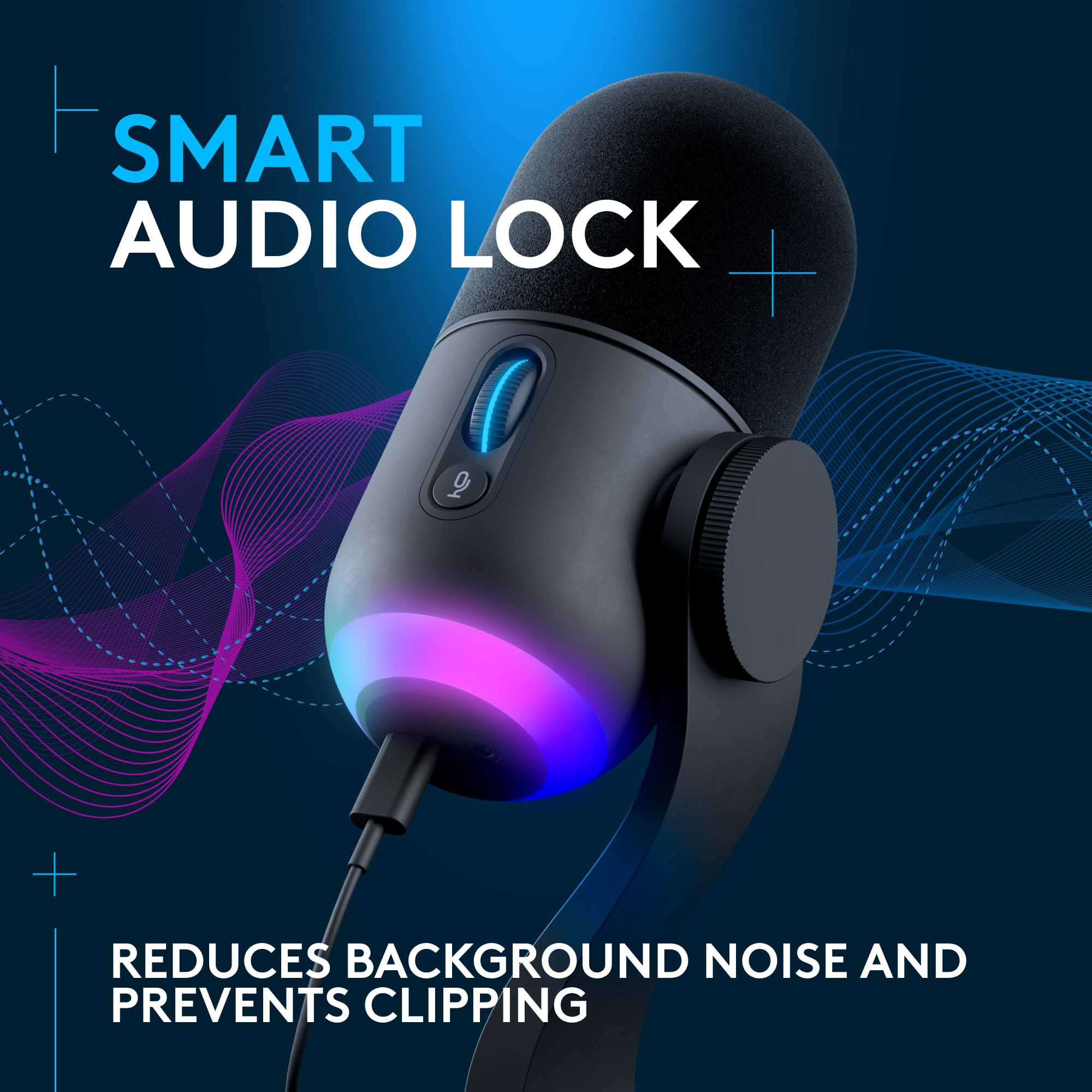
    My first impression with this mic is that it is light and small. I own a Yeti and for comparison sake, this feels 1/4 the weight and 1/2 the size. I am able to put this mic in front of me and wasn't able to with my old mic. The other mic was too large and annoyingly heavy to move. If you decide to put this on a cheap mic stand, you would not need to worry since it is so lightweight. The other thing I noticed is that the USB C cable is shorter compared to my other mic's cable. Seems like 10 feet compared to 6 feet. Please include a longer cable Logitech! For people who use a mic arm it is simply not long enough. I had a 10 foot USB cable hanging around luckily. The software annoyed me when I got this setup. For my Yeti, I had to modify a Window's settings for it show up in the G Hub software. When I first plugged it in the GX nothing appeared. I thought this was the same case. I ultimately decided that perhaps the software is not up to date. Usually the software will automatically update but not this time. After updating it, I noticed it said it now supports the GX. Then it appeared. I copied the same sound settings as my Yeti. Set up the same RGB color as my Logitech mouse. So in terms of the new stuff, at least compared to my old mic, the RGB is a nice addition and I like the scroll wheel light notifications. Not necessarily a fan of adjusting the microphone gain using the scroll wheel. My previous yeti it was a dial, so you can tell if it was 70% turned or 50% or whatever. Also, the wheel is pretty sensitive. If you mute yourself you might find yourself slipping your finger on the scroll wheel. Then you try to scroll back. However, you have no idea what the old setting was. It is not notchy, it is more like a smooth scroll. I'm entirely relying on the software I use, to tell what my gain is. It is neat that the wheel turns red whenever I get too loud and I am clipping. I am thinking I might need a pop filter because the p sound sometimes does clip. I have the smart audio lock on. I feel like the smart audio lock is doing a decent job, however I need to do more testing. I am disappointed that the headphone jack is gone. I just started using it on my old yeti a couple months ago. In terms of sound I'm not an audiophile. I do stream games on YouTube. Everyone has said the mic is much better compared to my old one. I sound more clear. So cheers Logitech, a couple things to consider, however I still think this is your best mic yet!

    I would recommend this to a friend
  • Pros mentioned:
    Ease of use, Rgb lighting, Sound quality
    Tech Insider Network Member

    Rated 5 out of 5 stars

    Pretty good hardware, can use without software

    |
    Tech Insider Network Member
    Posted .
    This reviewer received promo considerations or sweepstakes entry for writing a review.

    This is definitely a pretty good microphone. After numerous gaming and D&D sessions, I've never once had any complaints from anyone I'm on a call without about my audio quality. The directionality isn't perfect, but it's pretty good at not picking up things off to the side as long as the thing off to the side isn't a person talking. I do like how simple the controls are, with the gain adjustment knob that clicks to change the mode and the mute button being the only buttons on the microphone itself. (You can change the rest of it in settings, such as the RGB.) One thing that I do really like about this microphone is that the scroll wheel lights up and gives feedback - it doesn't just change colors depending on the mode, but will flash red if the noise levels are too high to let you know to turn down the gain. What I'm less thrilled about is that the mute button (for me at least) doesn't seem to hook into the OS - if I hit the Mic Off button on my keyboard that normally disables all the microphones on my system, this one just kind of seems to ignore that until I hit the mute button on the microphone itself. I might have screwed up a configuration to get that result, but it was an annoyance I came across. The software, GHub, is alright. The RGB control feels simple enough, but for some reason I was unable to sign into GHub. It just ignored my login. I'm not sure what, if any, functionality I missed out on because of this. Overall, I think it's a pretty good mic. It's got the hardware in the kit to just set it on your desk or screw it to a stand, which is nice - I like the versatility. It's easy to set up and pretty intuitive to use, and the sound quality and noise cancelation are pretty great. The people on my calls never heard any of the obnoxious background noises going on, and I never had any issues where I couldn't figure out how to use the microphone. Overall I'd say it's a pretty great buy, and the only flaws I experienced could easily be explained away by user error and a bad internet connection. If you're doing something where you need a dedicated microphone, this isn't a bad pick. I'd definitely recommend it.

    I would recommend this to a friend
  • Pros mentioned:
    Ease of use, Rgb lighting, Sound quality
    Tech Insider Network Member

    Rated 5 out of 5 stars

    Versatile and attractive microphone

    |
    Tech Insider Network Member
    Posted .
    This reviewer received promo considerations or sweepstakes entry for writing a review.

    I have been using the microphone from my webcam for all of my computer audio. While it suffices, this microphone adds such a visual element of class as well as delivering superb sound. While the microphone is designed for gaming, it functions extremely well for work and social applications. The click muting capability drowns out external noises from your keyboard and even filters out chewing noises very well. It is easy to control with a mute button built into the microphone along with a volume control for making quick adjustments. The visual effects are very pleasant with the red light clearing indicating when the device is in mute mode. I have tested the microphone with both Microsoft Teams and Zoom and both applications recognize it with no additional configurations. It sounds great with both business applications and I have been told that the sound is excellent when I speak. Finally, the looks are just simply fun. The colors truly add some elegance to my desktop and I enjoy the soft light emitted by the microphone. This is a great addition to my computer setup and I like everything about it. It makes me feel like a blogger when I use it.

    I would recommend this to a friend
  • Rated 1 out of 5 stars

    Yeti

    |
    |
    Posted . Owned for 5 months when reviewed.
    This reviewer received promo considerations or sweepstakes entry for writing a review.

    Bad quality mic has issues only had for a year and it is never moved.

    No, I would not recommend this to a friend
    • Brand response from Logitech
      Posted .

      Hey! We're sorry to hear about the microphone issues with your Logitech Yeti GX Wired, especially since you've only had it for a year and it hasn't been moved. In order to help you effectively, please provide your information to our support team via email at socialcare@logitech.com with your
      - Name:
      - Email Address:
      - Country:
      - Product Name:
      - Brief description of issue:

  • Pros mentioned:
    Rgb lighting, Sound quality
    Tech Insider Network Member

    Rated 4 out of 5 stars

    Colorful RGB Yeti mic

    |
    Tech Insider Network Member
    Posted .
    This reviewer received promo considerations or sweepstakes entry for writing a review.

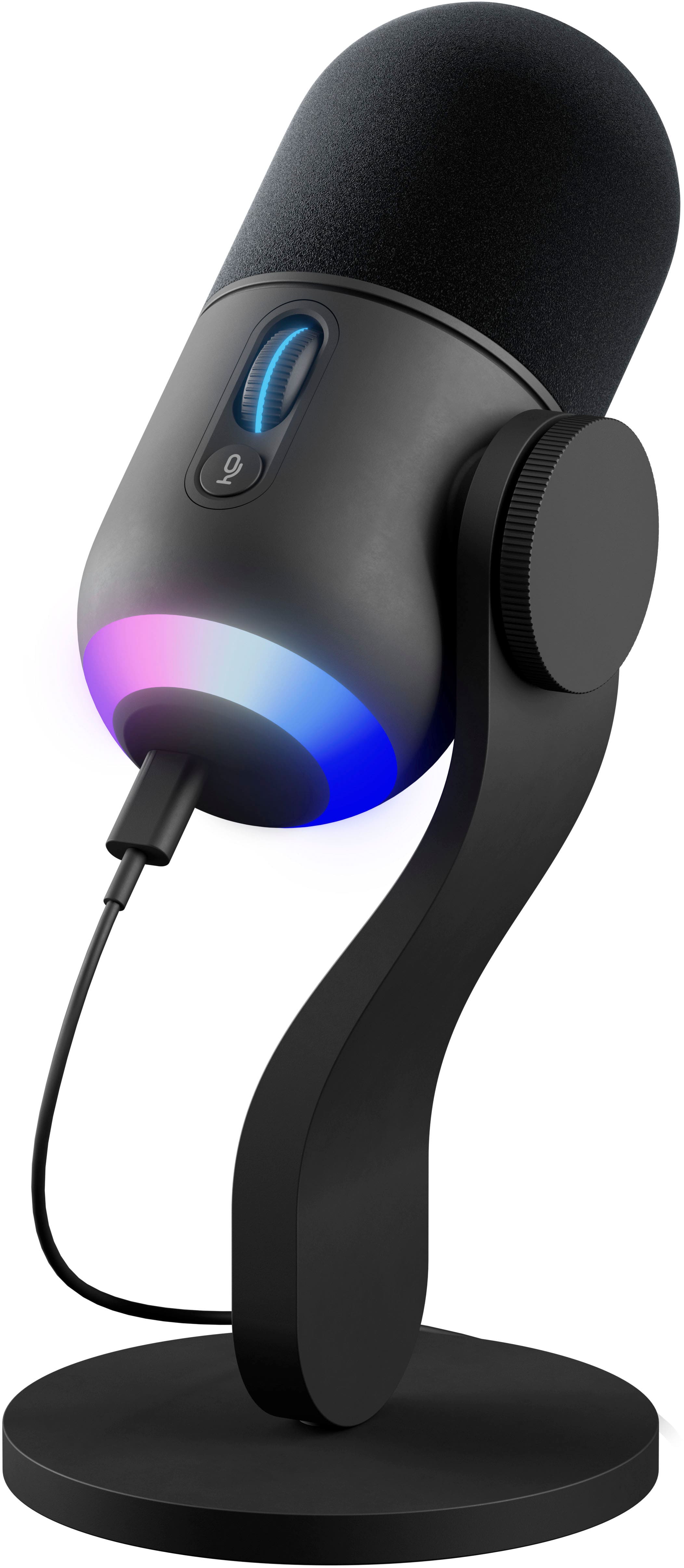
    The mic itself feels decently built, it states it is made from recycled products, but the microphone itself feels good and appears nicely constructed even though it's mostly plastic. The grill of the mic however, is metal and is pretty strong so you shouldn't worry you will damage the actual mic itself. There is a plastic wheel mouse type of button on the side that allows you to adjust your gain on the fly and press and lock your gain in place, so you don't accidentally change that setting when moving the mic around, as well as a quick mute button below this one. The microphone comes with a usb C to A cable, and an stand, as well as an adapter that allows you put the mic on your boom if you have one already, which worked nicely for my setup to use the Yeti. This mic also features RGB which is controlled by the Logitech G Hub software, which allows you to setup all kinds of different lighting effects, as well as design your own custom settings. The sound/recording of this device is ok. I must say like alot of microphones it sounds better the closer you are, but particularly with this mic, the closer the better. The mic must also be facing you in a particular way (pointing at you) for the best quality (in my opinion). The Logitech G Hub software also allows you to fine tune the microphone, and or add sound effects and also control an EQ, which is nice and reminds me of my yamaha audio mixer that I have on my XLR mic. pros: Sturdy mic with decent recording features Nice RGB lighting not too bright not too dark Software allows you to customize audio to your heart is content -featuring Preset audio setups, Effects (alien, demon, low pitch, chipmunk etc), EQ -smart audio lock, to prevent distortion from talking too loudly etc -highly customizable RGB settings within the software -contents (usb c cable, boom adapter, stand) cons: For me personally I felt like this mic straight out of the box sounded, well... generic. I figured I could just hook it up and it would sound amazing, like a different model of Yeti that we have at work, but it really just didn't "wow" me at all in that sense.... In defense of this product however, after a few hours of getting used to the software, and fine tuning everything that I could, I feel I finally got to the point where it did sound better to me. Overall, if you are just getting into streaming, or just looking for a better microphone for gaming on your pc to get rid of your headset mic, this might just be your go to. Especially if your setup includes alot of RGB already, or alot of logitech devices currently as well, this will make a good addition to your ecosystem. I'm pretty happy with this mic after tweaking/tuning everything in the software, and I also really enjoy the rgb look of it as a whole. Are there better mics out there for this price range, I'm afraid there are, even other Yeti's in the same price range sound better out of the box. But for the features this mic offers, you end up w/ a good entry level mic with alot of customizable features, for that I give it a 4/5 and would recommend checking it out.

    I would recommend this to a friend
  • Pros mentioned:
    Ease of use, Sound quality
    Tech Insider Network Member

    Rated 5 out of 5 stars

    Great for gaming

    |
    Tech Insider Network Member
    Posted .
    This reviewer received promo considerations or sweepstakes entry for writing a review.

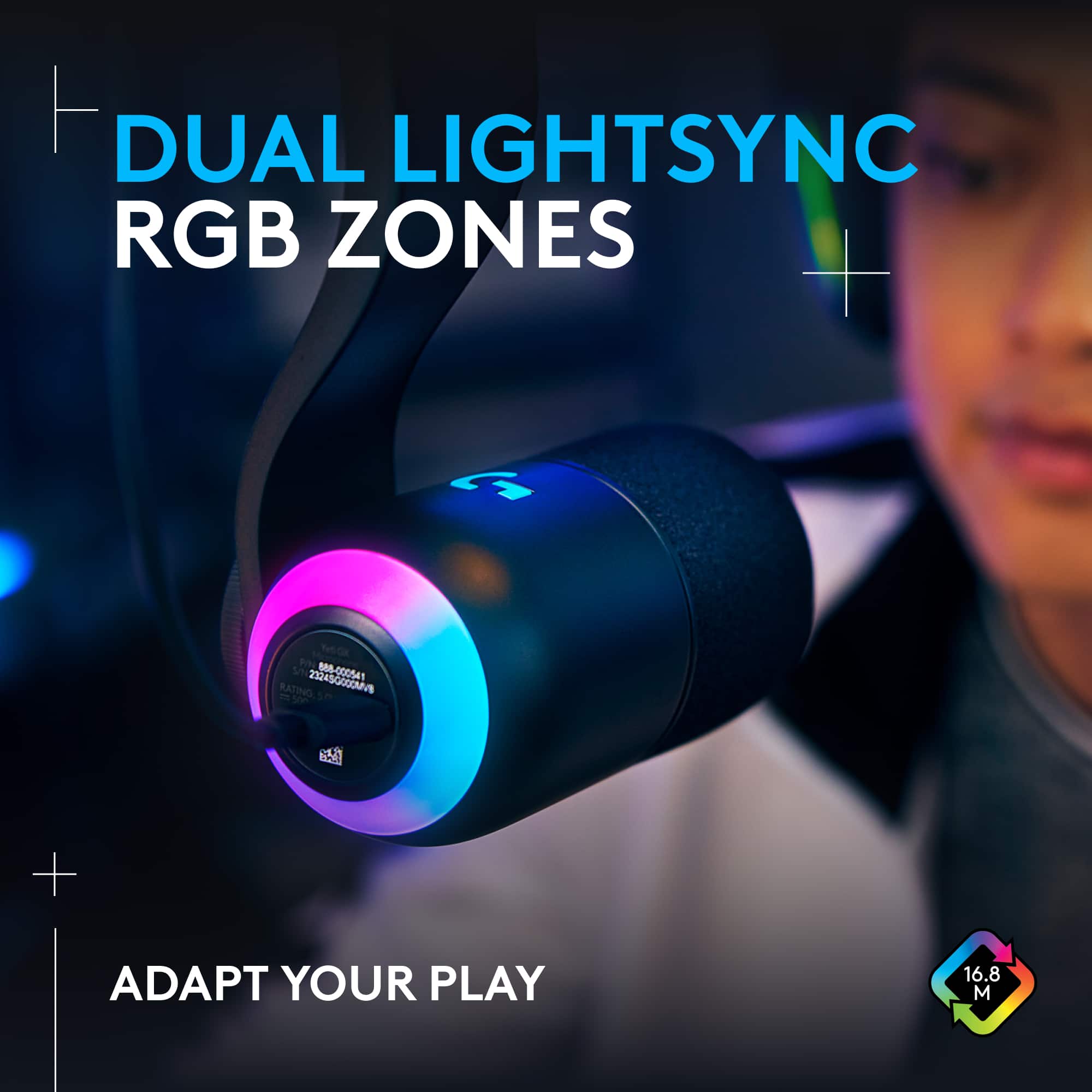
    After receiving and testing the Logitech G Yeti Gx I have nothing but positive things to say. The microphone that I had before was nothing spectacular and I decided to upgrade. It is a very easy setup and the look is very appealing. The microphone itself focuses just on your voice and avoids key clicking and background noise. I used the microphone in discord with a couple of my friends to test the mic out and the sound quality was great. It comes with an adapter to attach to a microphone arm if you have one. You can change the gain either using Logitechs software or you can do it with the dial on the mic to your liking. I suggest keeping it close to 50% and if you start to peak on the microphone the dial will turn red. The RGB capabilities make it so you can design the microphone how you want. Using the lightsync feature is very cool. You can control 2 seperatr RGB zones and sync them with another mouse and keyboard. This is a perfect microphone for any gamers or streamers who want to take their setup to the next level without spending absurd amounts of money.

    I would recommend this to a friend
  • Pros mentioned:
    Ease of use, Mute button
    Tech Insider Network Member

    Rated 5 out of 5 stars

    Mixture of Affordability and Quality

    |
    Tech Insider Network Member
    Posted .
    This reviewer received promo considerations or sweepstakes entry for writing a review.

    The Yeti GX performs very well. It provides clear and crisp audio recordings with minimal background noise. The dynamic microphone capsule is also very resistant to clipping and distortion, even when you speak loudly.The Yeti GX is very easy to use. Simply plug it into your computer using the included USB cable and start recording. You can use the gain control knob to adjust the volume of your microphone, and you can use the mute button to quickly mute the microphone when needed. The Yeti GX also comes with the Logitech G HUB software, which allows you to customize the microphone's settings. You can use the software to adjust the gain, set a noise gate, and apply EQ effects to your voice. The Logitech Yeti GX is a great choice for gamers and streamers who are looking for an affordable, well-built, and easy-to-use microphone. It provides excellent audio quality and has a number of features that make it ideal for gaming and streaming. Overall, I am very happy with this Microphone and I am willing to give it a recommendation!

    I would recommend this to a friend
  • Pros mentioned:
    Rgb lighting
    Tech Insider Network Member

    Rated 5 out of 5 stars

    A capable & sleek USB microphone

    |
    Tech Insider Network Member
    Posted .
    This reviewer received promo considerations or sweepstakes entry for writing a review.

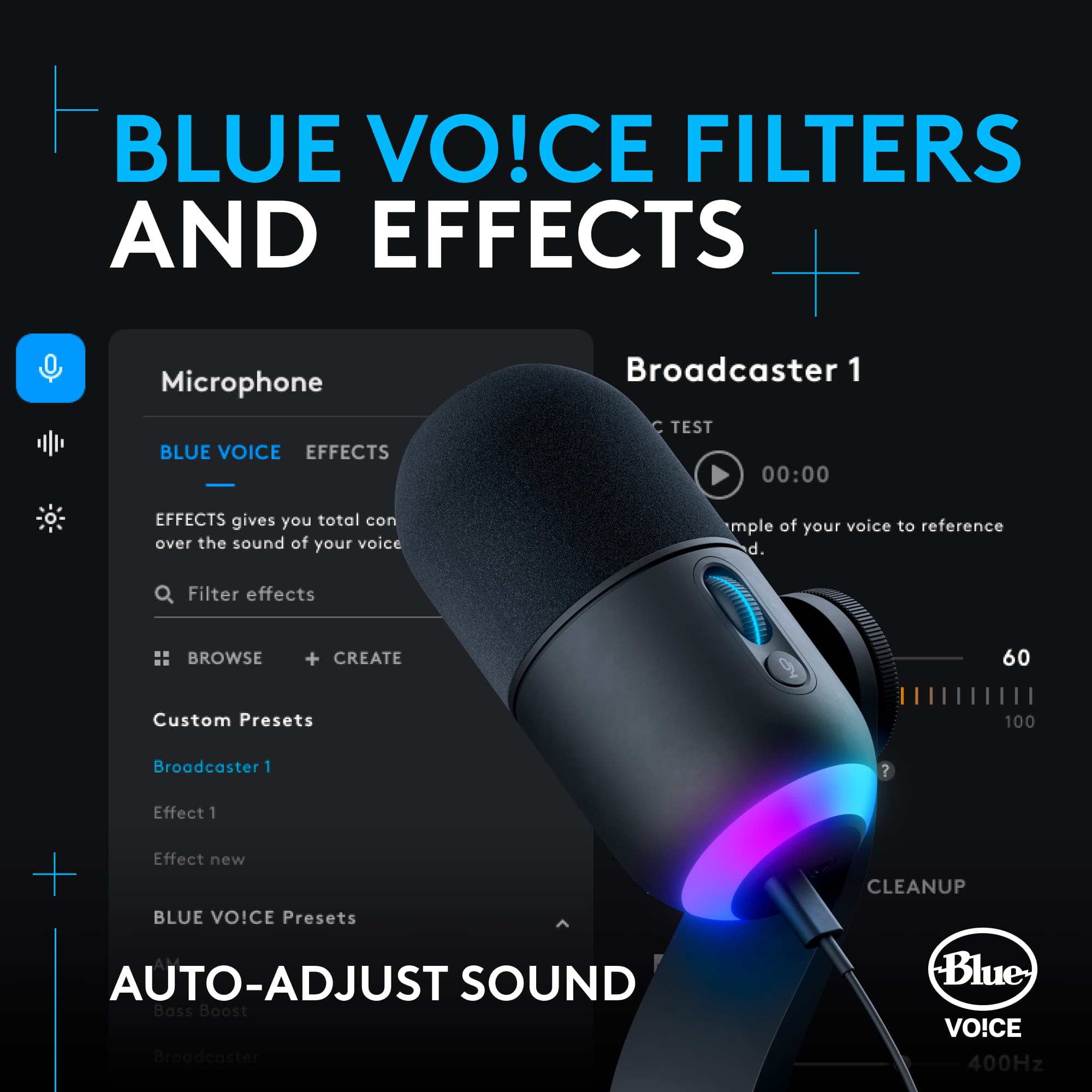
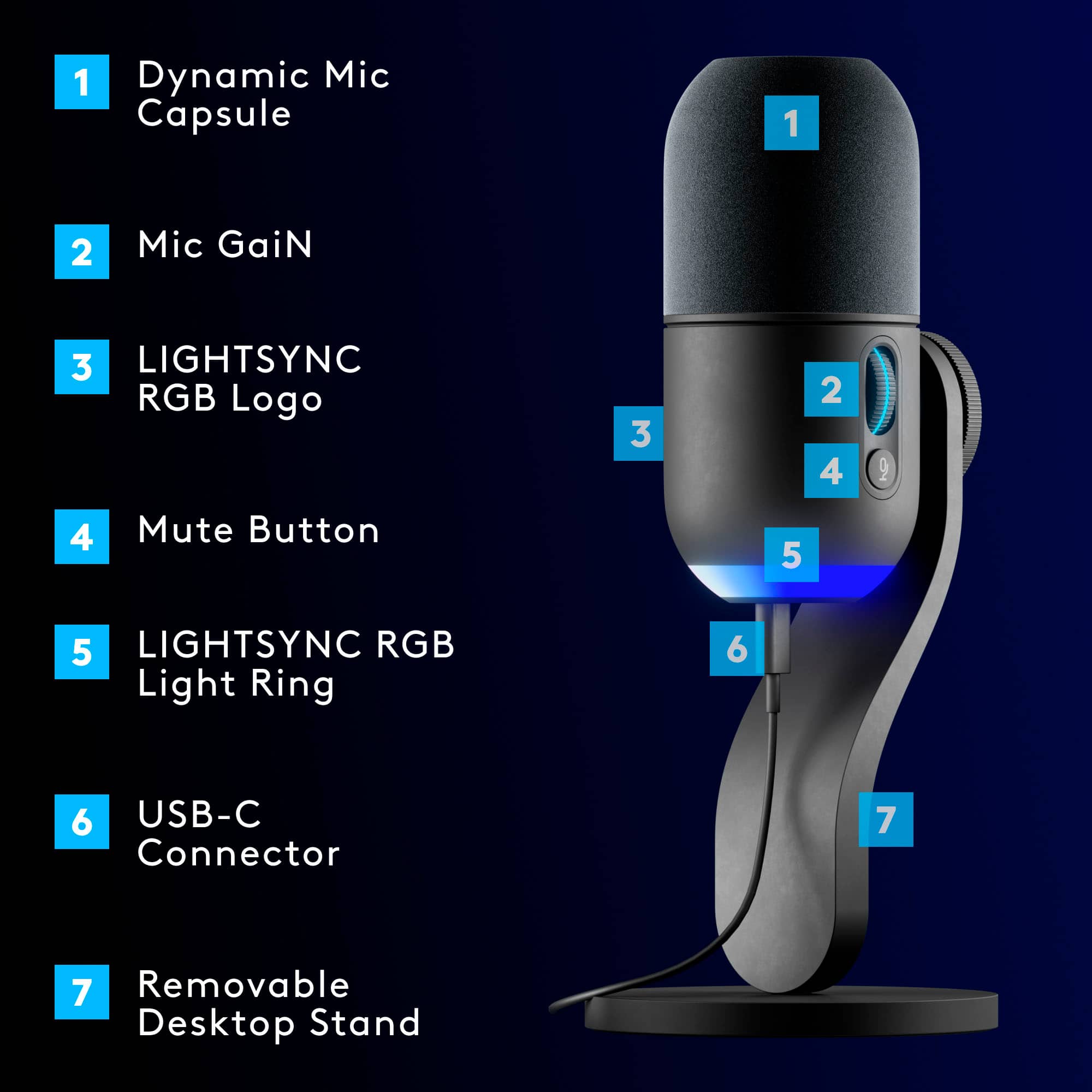
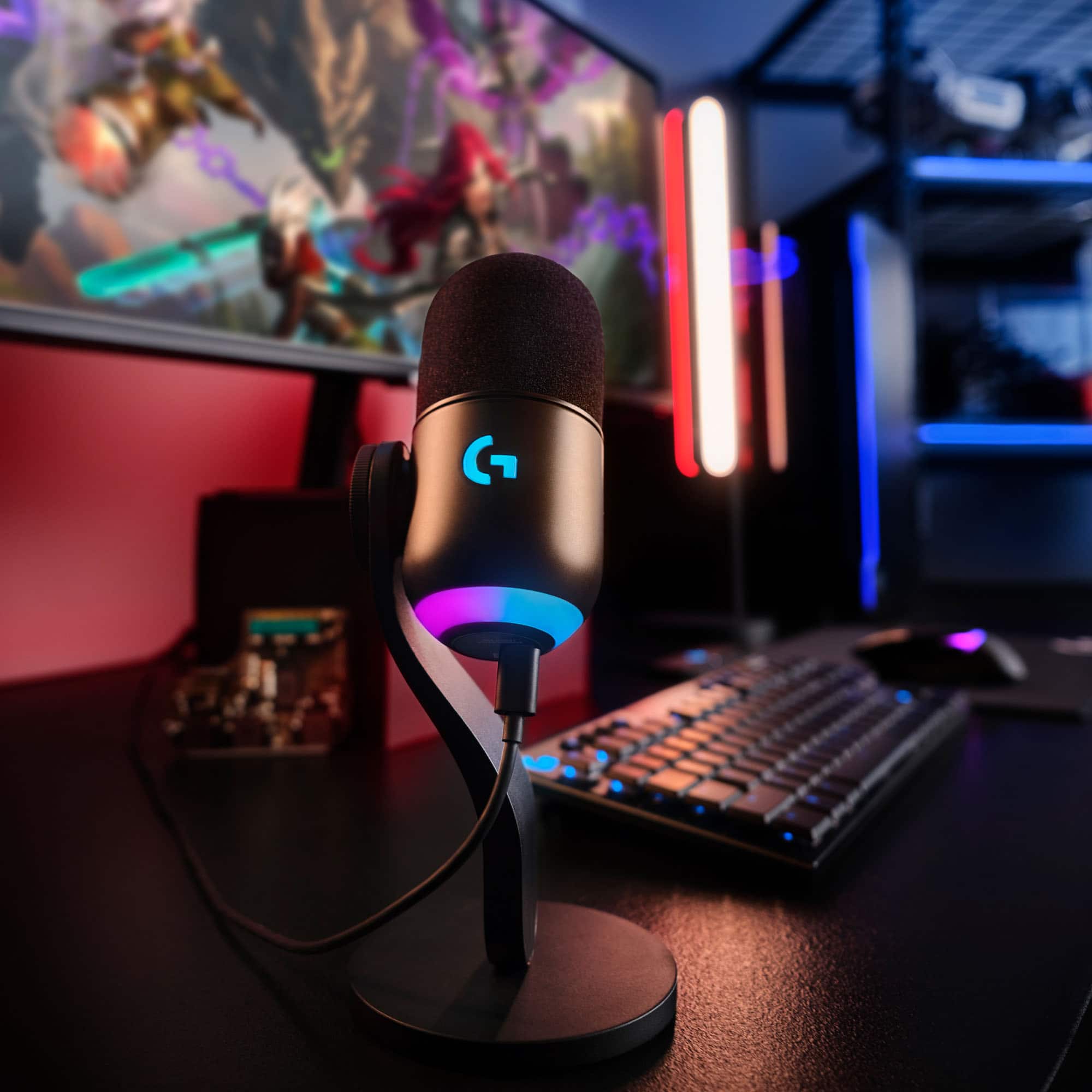
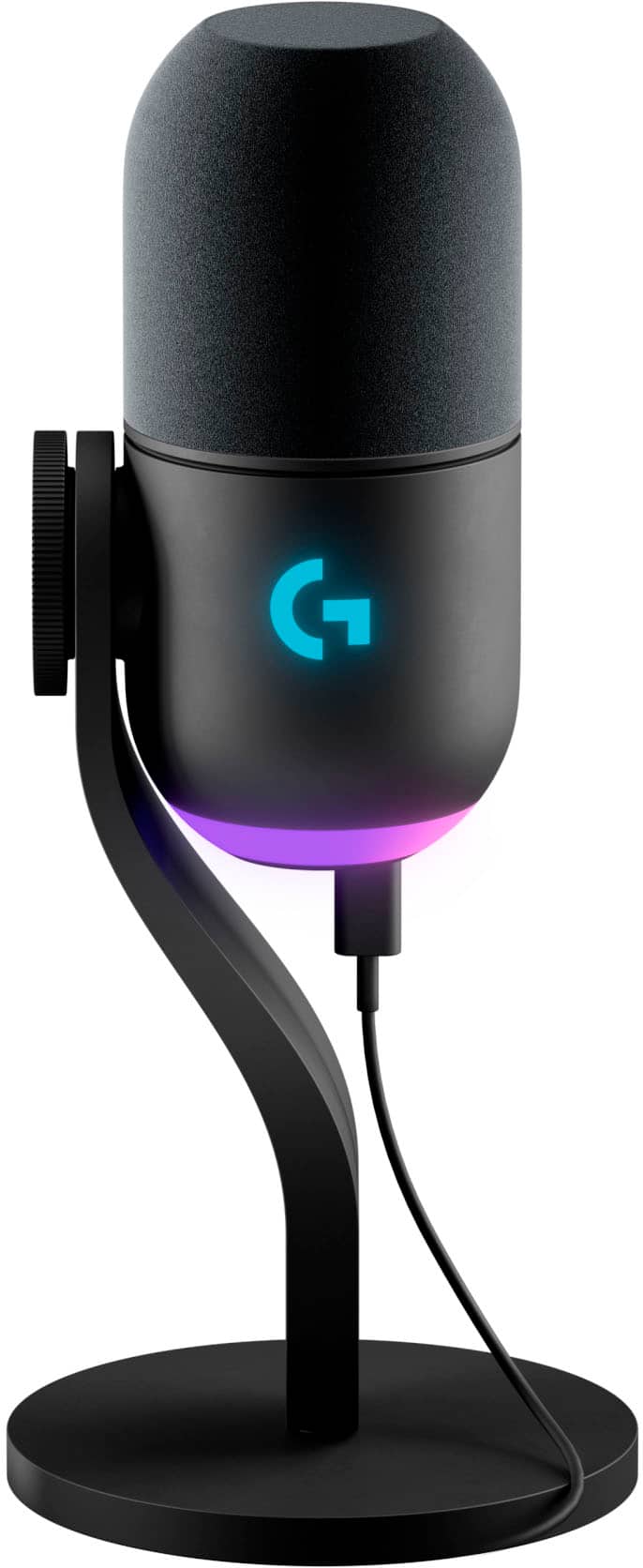
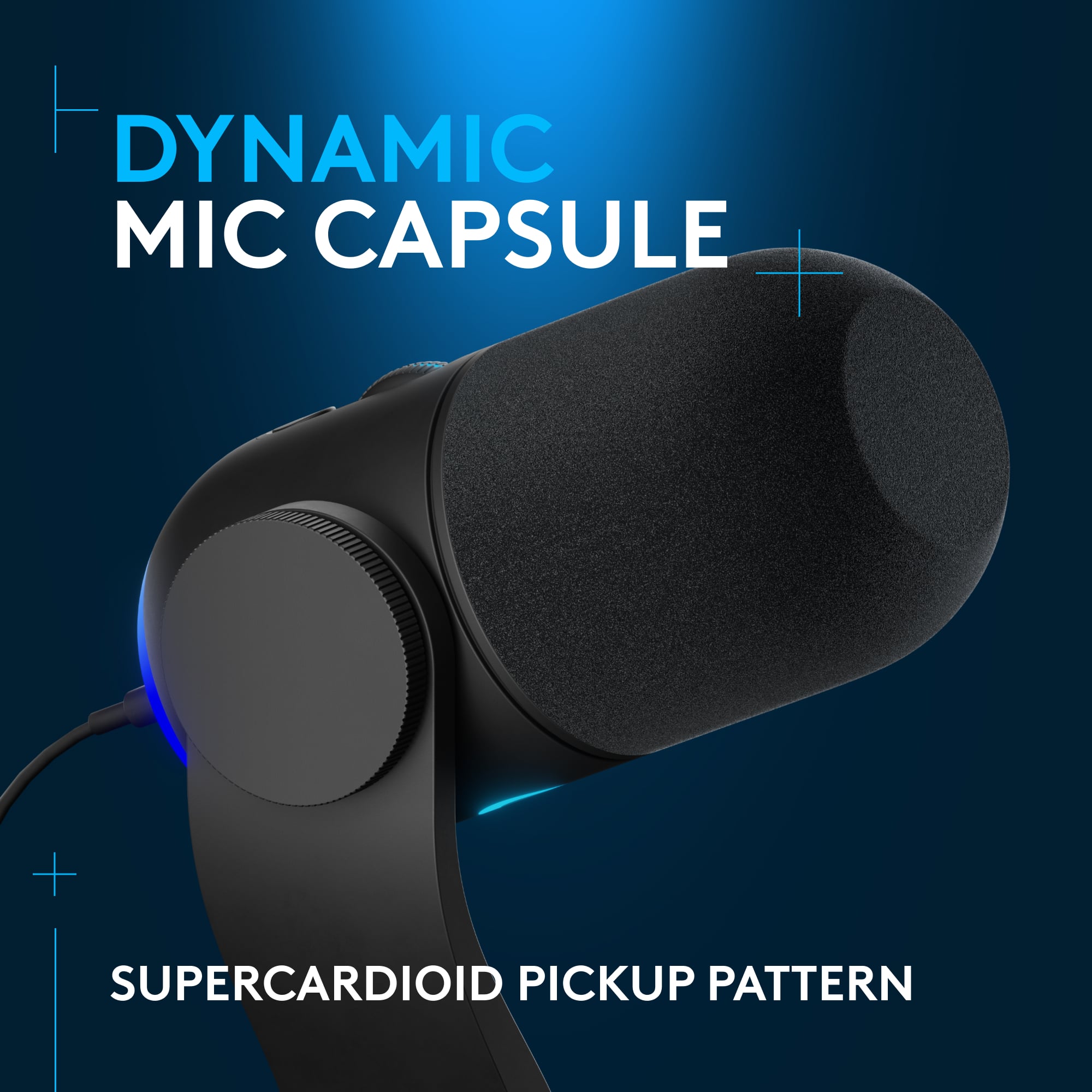
    PROS - Great directional performance and true to life capture - Sleek design with tasteful RGB - Plug and play with very little effort CONS - No good way to monitor (play your voice in your headphones as you talk) - No XLR means it’s not great if you want to use a mixer Physically, the Logitech Yeti GX is a sleek design that I rather like. It's minimal, yet practical with a tasteful amount of RGB LED's. The base is metal with a non-slip pad and has a nice weight to it so that you can ensure that the microphone doesn't topple over. While the stand is nice they do include an adapter in the box if you want to use a boom which is a thoughtful inclusion. There's a circular knob left of the mic with grooves cut into it that allows you to easily loose and tighten the joint to adjust the angle of the microphone. The microphone itself is also made of metal and has a scroll wheel for adjusting the gain and a single button used for toggling mute. The scroll wheel itself is also a button which allows you to lock the gain, which is handy to make sure you don't accidently change it when you're moving the microphone. There is a single USB C port on the bottom of the microphone for connectivity to your PC. Unfortunately there is no microphone jack for monitoring which can be problematic if you wear headphones and still want to be able to hear yourself talk. While the LED lighting is cool to begin with, it does have some capability up its sleeve. For example, the light on the scroll wheel shows you when the gain is too high by turning red so that you know to adjust it down. The light on the scroll wheel will also turn red when the microphone is muted. The G on the front of the microphone as well as the ring on the bottom is controlled through the Logitech G software. I rather liked the color wave preset animation, but there are a host of dynamic options as well as reactive options that sample your screen or music. The Logitech G Hub is going to be your portal to updating the microphone firmware as well as the LED customizations I mentioned above and finally the microphone audio settings themselves. Overall there a lot of flexibility within the application and I thought it was super cool that you could download presets that other people have made. This makes this microphone super approachable for people who are trying to get into streaming, but maybe aren’t super familiar with all the settings you can tweak when it comes to recording audio. I found the “Desk – Natural” to be my favorite Blue VO!CE preset out of the box, but it really depends on the user. There are other effects like “alien” and “witness protection” which some people may found handy, but other may never want to use. The microphone itself has what is known as a supercardioid pattern. This particular pattern is very directional and commonly used in shotgun microphones and on movie sets making it perfect for something like streaming where you will be sitting in front of or near the microphone. That does also mean that for the best performance you should adjust the microphone the best that you can so that it is facing you. That being said this is not a microphone meant to capture audio within a room and will perform best in single subject recording scenarios. Overall, I found the performance to be great overall and paired with the settings with the G Hub app I was able to filter out some background noises like my air purifier for a very clean recording. I would recommend this piece of kit to the casual or moderate gamers looking to upgrade their microphone from their built-in or cheaper headset microphone. Folks invested in other Logitech G accessories will appreciate being able to use the same application for all of their RGB control and other peripheral specific settings.

    I would recommend this to a friend
  • Tech Insider Network Member

    Rated 5 out of 5 stars

    Discover the Yeti difference!

    |
    Tech Insider Network Member
    Posted .
    This reviewer received promo considerations or sweepstakes entry for writing a review.

    I've been streaming for about a year and using a rather generic microphone that I bought with a boom stand for $35 for my foster child who used to desire to stream. Needless to say I have always wanted a Yeti mic since I got into streaming and so when I saw a chance to get one of these I jumped at it. It was sort of confusing since it states Logitech on it, is it Yeti or Logitech?? Well after a little bit of Googling it turns out Logitech, one of my favorite companies by the way, has bought Yeti. So for those of you who may fear Logitech changed Yeti, or their microphones and how they work, fear not as there is very little imprint of Logitech on this, other than the app that you download to get it going. Connecting this up and getting it to work in Windows was literally plug and play, no issues whatsoever. One quick visit to settings to alter the input for recording and we were ready to go. First though I went into the app and used the Yeti voice app to make my voice sound worlds better. And as a nod to convenience you can record and listen to your voice, as to be expected, but Yeti did one better here by only requiring that you record your voice one time, then you can make all sorts of alterations and hear the same recording but put through your new changes of settings, this is a fantastic feature that cannot be stated enough! Once I got online, in my stream, the audience did note that my voice sounded very clear and much better than through my cheap microphone that I had been using since the start of 2023. This was the payoff that I was looking for and I'm very, very happy with my first Yeti. No wonder they have such a great reputation. I should also note that this comes with a voice changer and all sorts of free sound effects which are really cool, and I'm sure have already annoyed some of my streaming listeners, lol. This one is a clear winner and backed by Logitech support and apps, makes it all the better. Kudo to the Yeti GX, my new favorite stream toy!

    I would recommend this to a friend
  • Pros mentioned:
    Sound quality

    Rated 5 out of 5 stars

    Best microphone

    Posted .
    This reviewer received promo considerations or sweepstakes entry for writing a review.

    I love this microphone. It is quite expesnuve but it is definitely worth the price. I had been checking reviews for microphones and this one got some great reviews and after having it I 100 percent agree. The quality is fantastic and the blue voices are pretty fun to play around with.

    I would recommend this to a friend
    • Brand response from Logitech
      Posted .

      We love that you love your Yeti GX, even considering the price. Doing your research and finding positive reviews confirmed that it's a worthwhile investment.

  • Tech Insider Network Member

    Rated 5 out of 5 stars

    Still Yeti

    |
    Tech Insider Network Member
    Posted .
    This reviewer received promo considerations or sweepstakes entry for writing a review.

    This Yeti is a beast. Sorry had to do it. :D If you have used Logitech gear before, this gives you the now normal lighting of a device that comes from Logitech. it no longer looks like a mic but more a voice receiving sculpture. They took away the normal Yeti base design that really spoke out to anyone who ever worked in a small radio station. hey replaced it with a wave design that just looks pleasing. But when it comes to a mic, who cares about looks as long as it doesn't look like a weird bowling ball on a tripod. It comes with a very nice foam windscreen already over the mic head. A long USB to USB type C cable and a mounting adapter if you decide to use a boom arm. Also included is the previous mention base that is quite deceptively heavy. The sound reproduction is top notch. My voice and other who I used as test dummies all sound exact to real life sound when played back. The audio range is quite impressive, I have used a few mics that did not pick up higher pitches quite as accurate as they do a lower voice such as mine. The pickup range is pretty wide, I don't need to be on top of the mic to be clear and the drop off as you move slightly away or pickup as you move slightly closer. Easily a great addition to your streaming needs or if you just want something to use for conference calls.

    I would recommend this to a friend
  • Pros mentioned:
    Sound quality
    Tech Insider Network Member

    Rated 4 out of 5 stars

    A strong 3.5 (rounding up to 4)

    |
    Tech Insider Network Member
    Posted .
    This reviewer received promo considerations or sweepstakes entry for writing a review.

    Pros: - Easy setup and premium build quality. Like the Litra Beam, this is made with aluminum and assembly is as easy as screwing the microphone onto the base. This also means the mic has a weight to it, which should keep it from toppling over if you were to bump your desk from it being top-heavy (if it were made more cheaply). - Logitech does a great job of explaining what a lot of the audio settings mean for someone, like myself, who may be new to mics (like what is a de-esser?) - For the presets, there is a simple broadcaster and natural for arm and desk setups. - There’s built-in sound samplers for podcasting. - Lightsync can make the mic visually come to life with pulsing, color cycling or screen sampling (to match mic colors with what’s on your screen). Cons: - USB-A to USB-C cable. WHY Logitech? Why? The world is moving onto USB-C and yet they insist on shipping things with the outgoing USB-A still. - Wish the gain was more dynamic (show a range versus just when it’s too much). - It seems like in some ways this is a step back from the design and vocal quality that Yeti/Blue mics is known for; however, for just talking, this may not be as prevalent. Worth Noting: - This type of microphone picks up mostly from the top (not so much from the sides). That being said, you want to tilt the top of the microphone towards you. - Ideally you’d want to position the mic with the “G” facing inward because it makes the volume wheel and mute buttons easier to access. Also, the color indicators for power, audio detection and too much audio gain will be easier to identify. - There are a TON of settings: voice effects, EQ (low, mid and high frequencies), noise reduction, de-esser, de-popper, gate, compressor, limiter OH MY! You could literally spend easily 30 minutes just playing around in the settings thru the app on your computer. - This model is compatible with the Blue Compass arm (sold separately) but DOES come with the adapter at no additional cost.

    I would recommend this to a friend
  • Pros mentioned:
    Sound quality
    Tech Insider Network Member

    Rated 4 out of 5 stars

    Really a solid device

    |
    Tech Insider Network Member
    Posted .
    This reviewer received promo considerations or sweepstakes entry for writing a review.

    Gotcha. Let's tone it down while keeping that professional millennial vibe: --- Alright, so here's the scoop on the Logitech Yeti GX: it genuinely nails it in the looks department. The LED feature is subtly sophisticated and elevates my entire setup – an aesthetic win in my book. Sound quality? It's comfortably warm. Think of your favorite vintage record, but in a modern package. I've been using it for Discord sessions, and it's been a game-changer. And while I haven't branched out into YouTube territory just yet, I’m confident this mic has the chops for it. Now, a slight heads-up: the setup wasn't as intuitive as I'd hoped. It took a tad more work than your typical plug-and-play affair. However, with a bit of patience, it all came together. Although I'm not necessarily a tech expert, it took me a minute before it became manageable. In conclusion, the Yeti GX blends form and function seamlessly. If you're in the market for a dependable, stylish microphone, this should be on your radar. It strikes the right balance for the discerning, modern user.

    I would recommend this to a friend
  • Pros mentioned:
    Rgb lighting, Sound quality

    Rated 5 out of 5 stars

    Mic

    Posted .
    This reviewer received promo considerations or sweepstakes entry for writing a review.

    Super nice quality sound and LOVE THE LIGHTS ouu and it was a easy set up

    I would recommend this to a friend
    • Brand response from Logitech
      Posted .

      That’s fantastic to hear! We’re thrilled you’re enjoying the Yeti GX’s audio quality and LIGHTSYNC features. Easy setup is always a plus. Thanks for the kind words!

  • Pros mentioned:
    Sound quality

    Rated 5 out of 5 stars

    Great Quality

    Posted .
    This reviewer received promo considerations or sweepstakes entry for writing a review.

    Great quality, definitely professional grade. The Price tag is the most fair of all the ones I tried.

    I would recommend this to a friend
    • Brand response from Logitech
      Posted .

      Hey there! We appreciate you choosing the Yeti GX and noticing the top-notch quality! It's designed to deliver professional-grade audio, so we're glad you're impressed.

  • Rated 1 out of 5 stars

    Just don't even buy it

    Posted .
    This reviewer received promo considerations or sweepstakes entry for writing a review.

    Trash mic, it fell once on my desk the RGB light does not work well anymore and when i run sound test its only picking up at max if I'm lucky 20% of my voice trash mic don't get it please, as a stream and a gamer i am sad this even has the Yeti name even on it.

    No, I would not recommend this to a friend
    • Brand response from Logitech
      Posted .

      It's unfortunate to hear about your negative experience with the Logitech Yeti GX Wired Supercardioid Dynamic Gaming Microphone. While many users have found it to be a high-quality microphone, it seems you've encountered some specific issues.