Customer Ratings & Reviews
- Model:
- 980-001347
- SKU:
- 12129165
Rating by feature
- Value
Rating 4.5 out of 5 stars
- Quality
Rating 4.5 out of 5 stars
- Ease of Use
Rating 4.5 out of 5 stars
Don’t recommend
||Posted . Owned for 1 month when reviewed.This reviewer received promo considerations or sweepstakes entry for writing a review.Sound cuts out and there is a buzzing or his sound. Waited too long to return them and now I’m stuck with them.
No, I would not recommend this to a friendBrand response from Logitech
Posted .We apologize for the audio issues you've encountered with the Logitech Z407 speaker system. To address this issue, we recommend reaching out to our social care team via email at socialcare@logitech.com with your
- Name:
- Email Address:
- Country:
- Product Name:
- Brief description of issue:
Unable to use. Logitech Tech Support says return.
||Posted .This reviewer received promo considerations or sweepstakes entry for writing a review.I am totally unable to open the battery door for the controller. Called Logitech Tech Support and the only assistance they were able to offer me was to tell me to return these to Best Buy. Will do so tomorrow and this is the last Logitech product i will purchase.
No, I would not recommend this to a friendBrand response from Logitech
Posted .Hello JimmyMac,
I am sorry that you had problems with the Z407 speaker set. This speaker set is a great device, and I hope you change your mind about Logitech after you use it and keep purchasing its amazing products. Logitech appreciates your product review. - Leo from Logitech
Popping Noise
||Posted . Owned for 3 months when reviewed.This reviewer received promo considerations or sweepstakes entry for writing a review.Frequent popping noise from sub. Clearly a common problem that Logitech should’ve addressed ahead of time. What a hassle.
No, I would not recommend this to a friendBrand response from Logitech
Posted .Hi Daddynasty,
Thank you for your feedback. Sorry for the inconvenience. If you ever need assistance, please contact Logitech Support on the website. LaShonda from Logitech
- Pros mentioned:Bass, Bluetooth, Sound quality

Great Sound Tempered by a Frustrating Remote
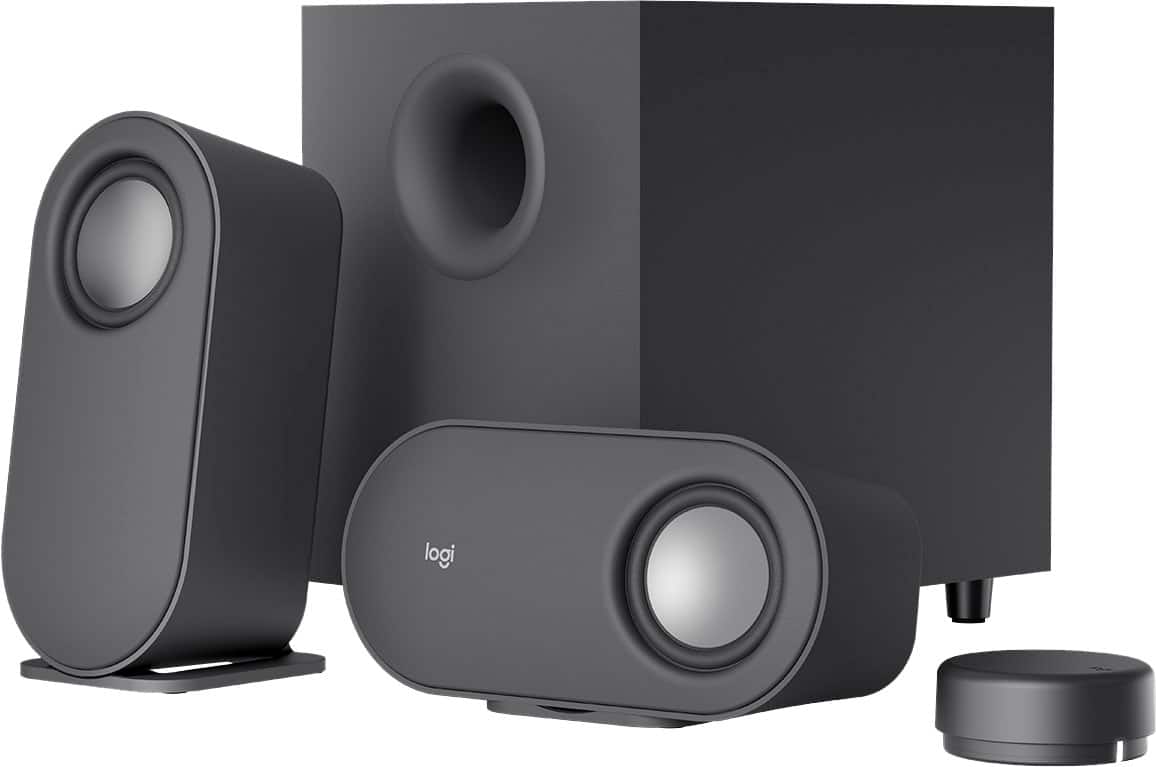
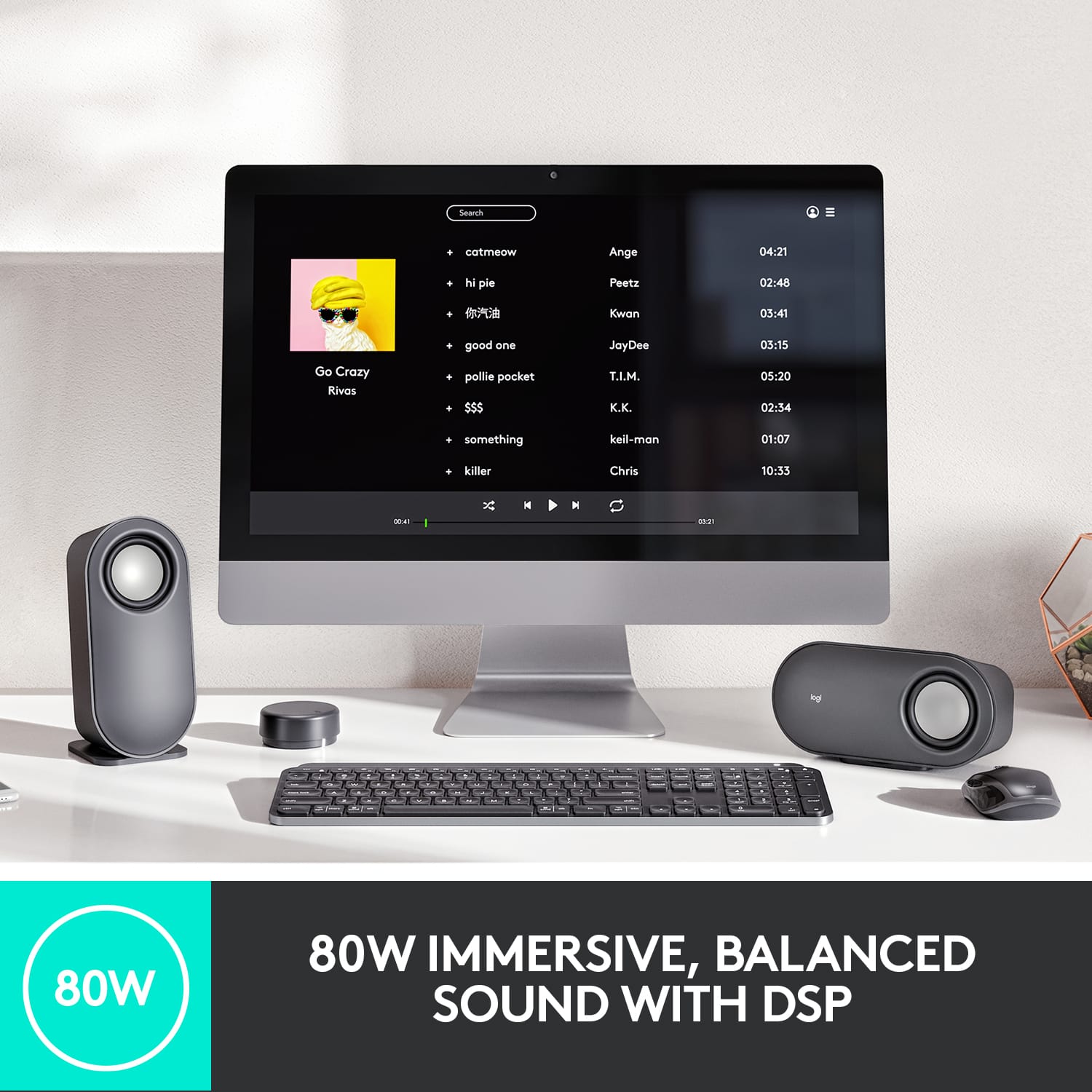
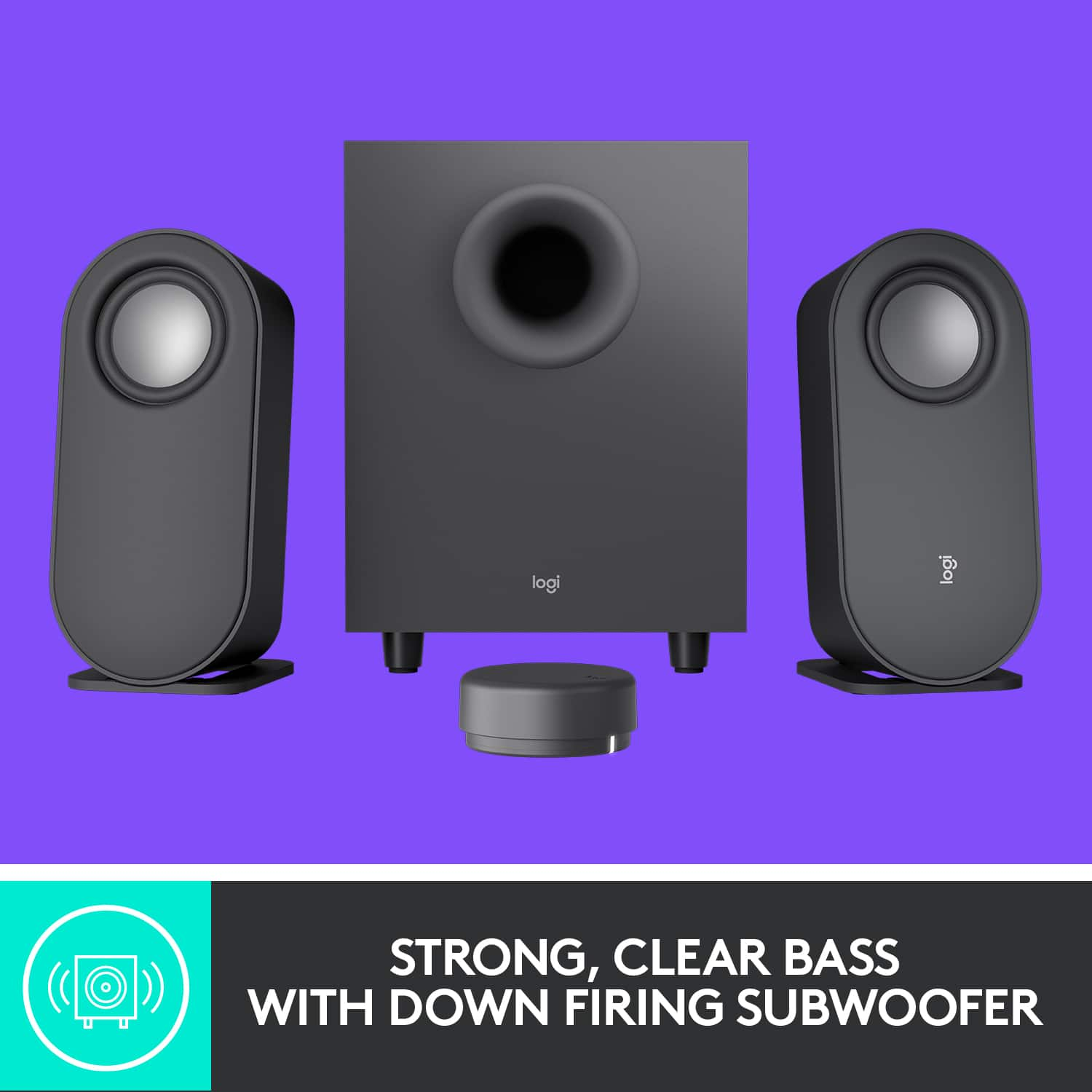
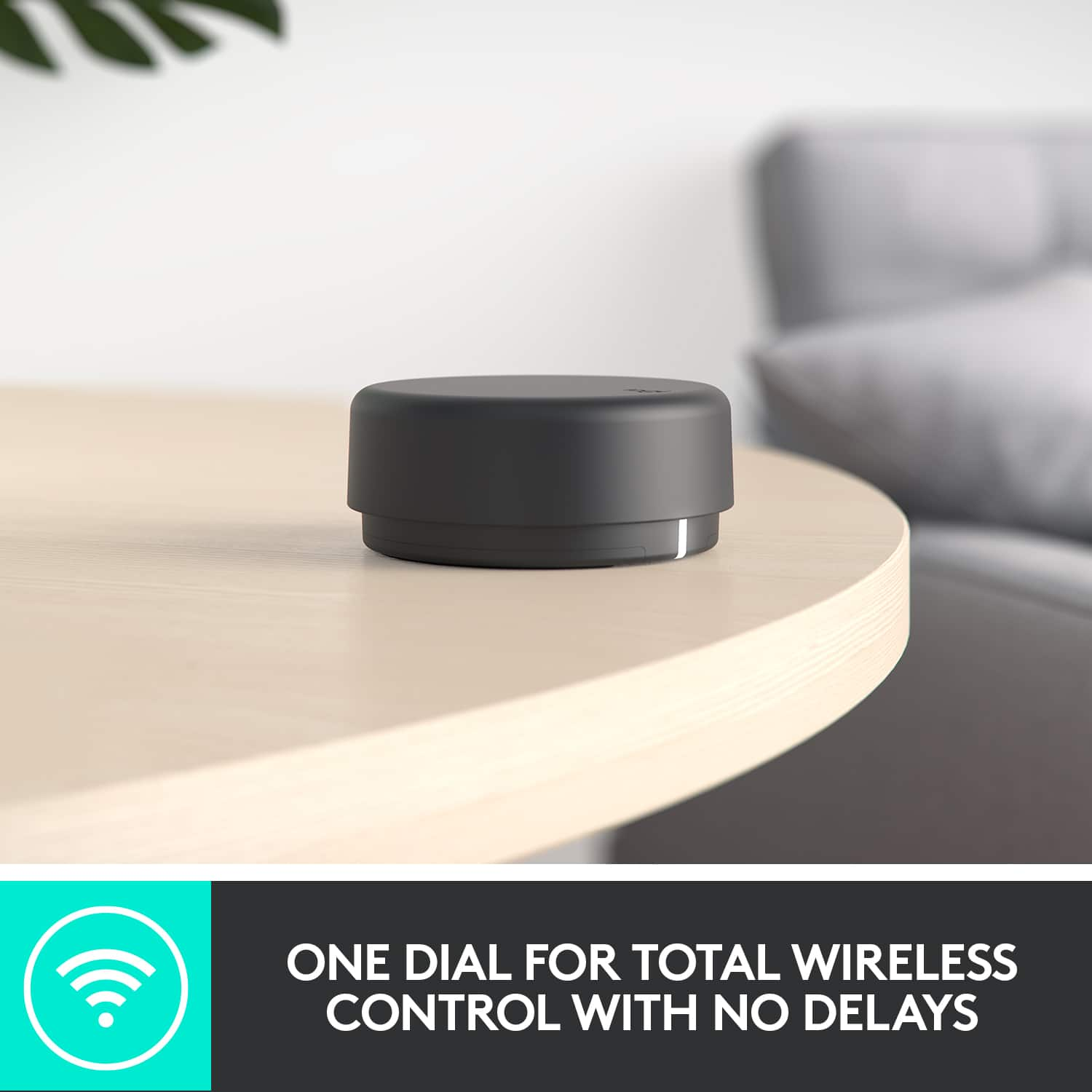
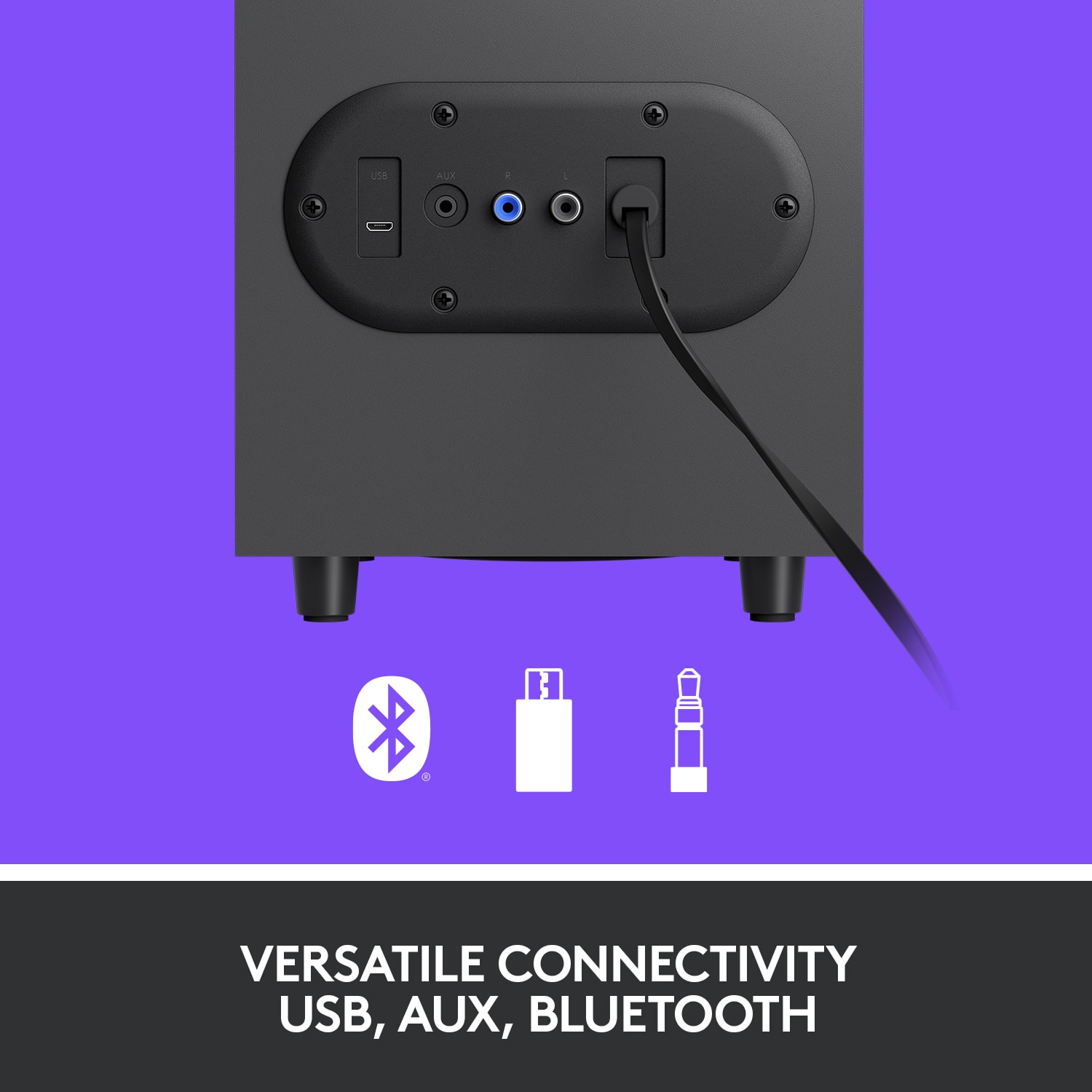
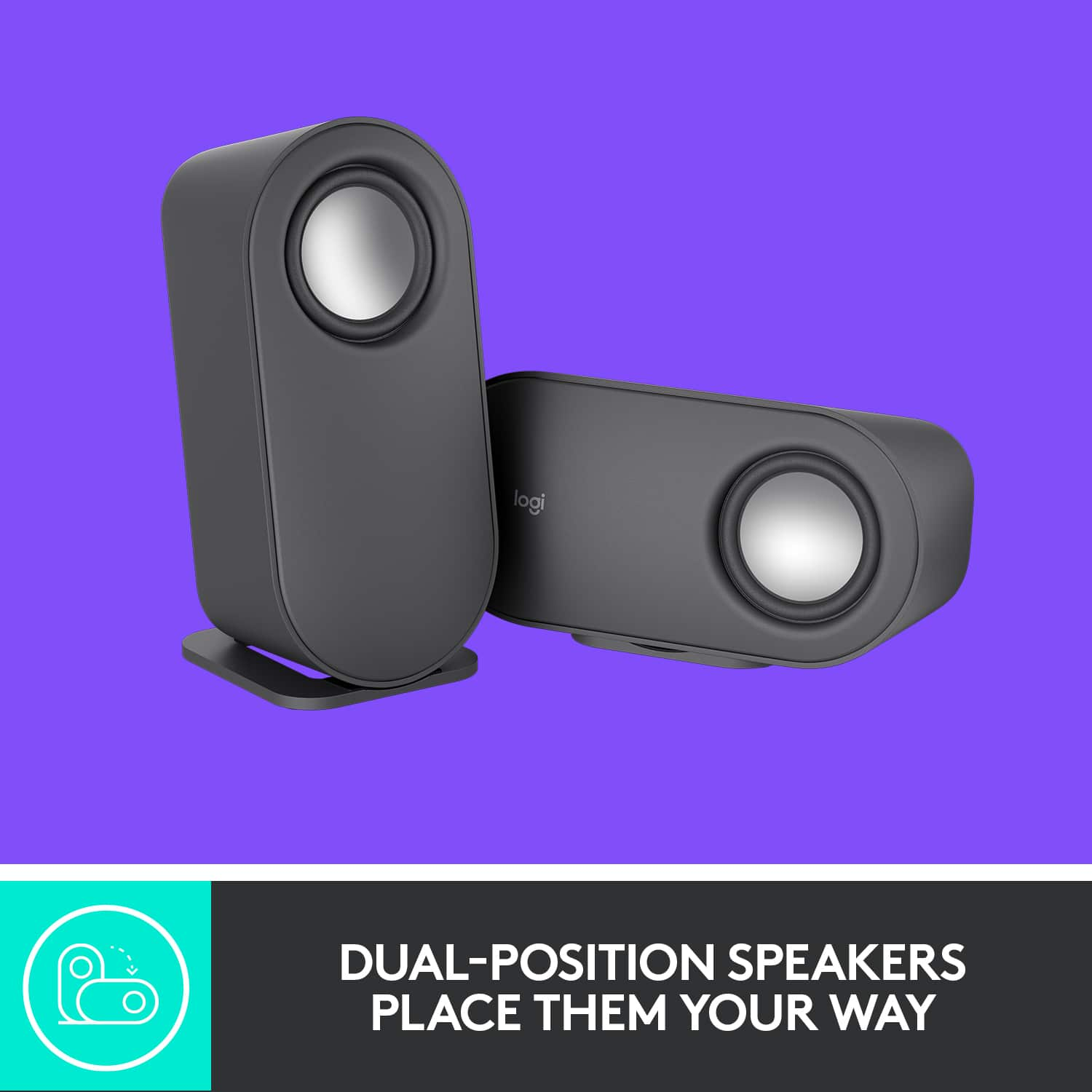
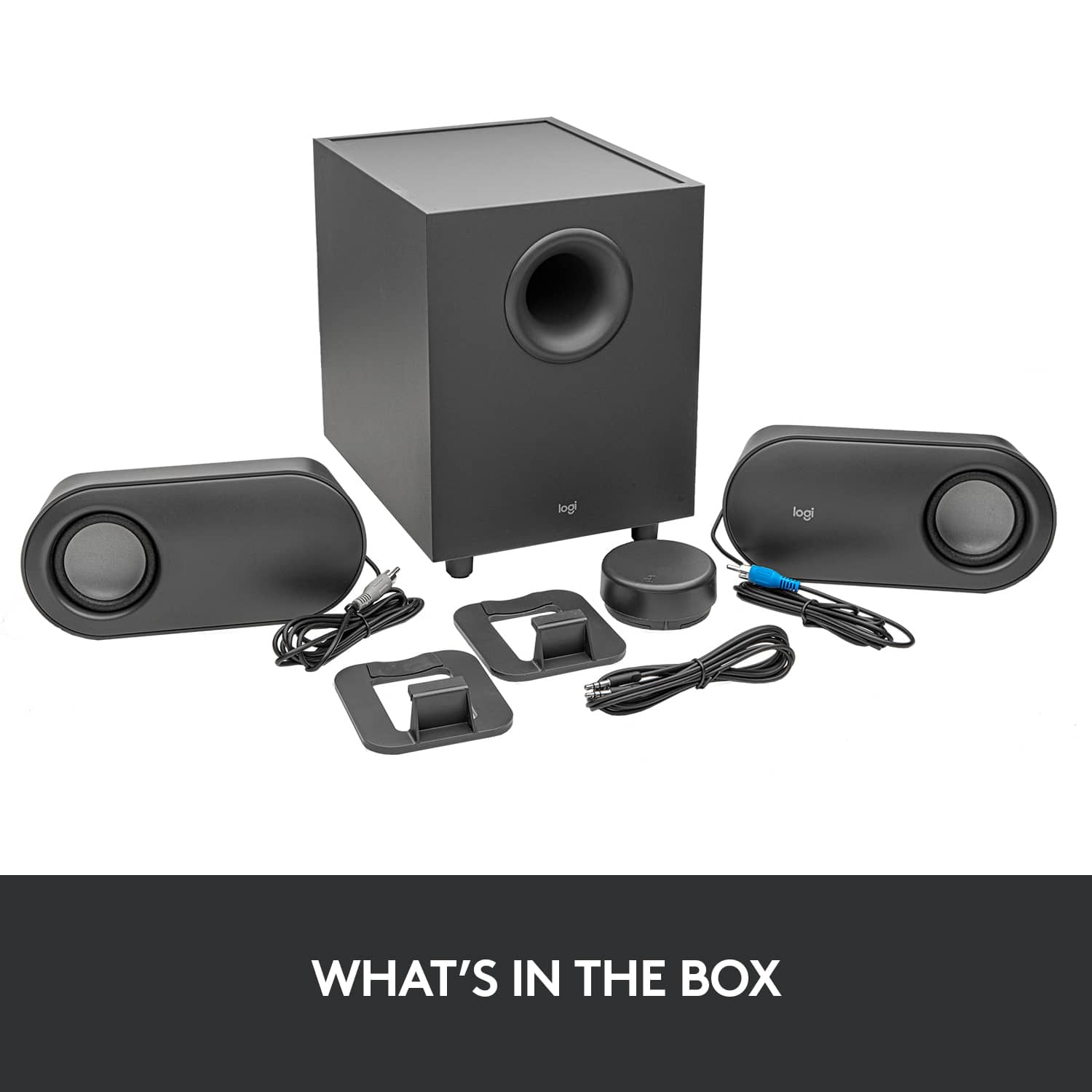
|Posted .This reviewer received promo considerations or sweepstakes entry for writing a review.I really like the styling of these desktop speakers with a cool contemporary look. The graphite grey color has a matte finish which reflects no glare and shows no fingerprints/dust. The speakers each have a stand that can be placed so they sit vertically or horizontally. I have mine set horizontally to make use of the dead space under my monitor. And they sound good, an important attribute for speakers. The speaker drivers are exposed, there is no grill. They look cool and you can see them work when the music is thumping. However the exposed drivers are a finger magnet for kids and even some adults who should all know better! A coarse mesh grill to show the drivers, yet enough grill to stop fingers would be useful. Or something to give an electric shock like those dog collars might work. The standard 3.5mm input can connect to any device that uses the small headphone style jack. A 6’ DIN cable is included in the box. Bluetooth works with many PC’s and mobile devices. The third connection is a micro USB connection. These three connections should let you connect virtually any PC, phone, tablet, TV, game system, or other electronic device that can use one of these three inputs. Not simultaneously of course, you need to switch between them using the round puck remote. The USB connection is better than DIN in that it’s a digital signal and the cable will not pick up hum like the 3.5 mm DIN can. The digital to analogue conversion takes place in the speaker cabinet rather than the sound card/chip in the PC. There is no USB cable included in the box, but they are readily available in near any length you might need. • With a Bluetooth connection, all controls worked on my iPhone, no app is needed. • The MicroUSB connection functions similarly to Bluetooth in that the remote is fully functional. I tested this using an HP Chrome Book. • With a 3.5 mm connection, there is no direct control of the volume on your PC or other device. The puck controls the speaker volume, but only up to the volume set on your device. For example, if your PC volume is set to 50%, the puck can lower the volume, but only raise it to play as loud as the 50% set on the PC. The Bass level can also be changed since that is in the speaker unit itself. Pause and track skip/back have no control over any software on your PC or device through a 3.5 mm connection, which is expected. The hockey puck wireless remote is 2.75” round and less than 2 ounces. Two ‘AAA’ batteries come with the system and like most any stereo or TV remote, the batteries should last a full year per the specifications. Whatever connection you use, the puck remote controls which of the three audio inputs to use, the bass level, and to varying extents the volume. How and if the other functions work depend on the connection you use. In general, I found the remote annoying and a pain to use. If you don’t get the number of clicks input in just the right amount of time, your remote is doing something other than you intended. Click a bit off center and not all pushes will register as intended. Hold the button down for 2 seconds till you get aloud tone interrupting your music and you can adjust the bass. Want to change the volume? Hold the button down till that loud tone interrupts your music again and then you can adjust the volume. Some functions you have to press the button 1, 2 or 3 times, while others require a longer press of 2 seconds and then a dial rotation (adjust bass). When your settings get all out whack, you can reset them with an 8 second press of the remote. And it really need to be on a table to work well. Doing one handed while moving was not a consideration. The remote functions are for the most part non-intuitive. Not at all what I expected from Logitech which usually has the human/machine interface dialed in so very well. Worst part is they seem to know it. As soon as you open the box, there is a large tab with directions on using the remote. Also, there is a ‘cheat sheet’ decal on the remote with the shortcuts. That will wear off someday. Without a doubt, I would not give this to my parents or any child or senior citizen I did not wish to annoy and/or hear from constantly for help. They WILL call you repeatedly when they can’t get the volume adjusted or otherwise get into trouble trying to use this puck remote. Manufacturers seem to hate dedicated buttons these days. More buttons add a bit of cost. I bought a universal TV remote last week with 50+ buttons and batteries for just under $6, normal price. The cost per unit to make our experience with your product better is not that great. Seriously, spend an extra buck or two to keep us coming back for the next purchase and we’ll all come out ahead. The description states “immersive sound, deep bass and clarity” and “room-filling audio”, lofty claims indeed. Well… keep in mind it’s a 40 watts RMS, 80 watts peak 2.1 system (2 small satellite speakers and 1 sub-woofer) that costs under $80 when reading that to keep expectations in perspective. It does sound really, really good for a computer speaker system at this price. The sound we can get from small speakers these days compared to 20-40 years ago is incredible. For a 2.1 speaker at under $80, this is a really good sounding choice for a computer sound system, a TV, streaming off a phone, Echo Dot, or similar. But it will not replace anyone’s dedicated home stereo, surround sound system, or fill a large room with immersive sound in a meaningful way. No $80 system will do that. If you want really “immersive sound, deep bass and clarity” at this price level, Logitech makes some killer gaming headsets that will fill that need better. Choose these speakers and you get the quality Logitech is known for with a warranty from a reputable company who will be around to support you in the future in real time. The quality and sound will not likely disappoint you. However if you will use the remote much, the human interface to using and controlling this sound system, it may just leave you frustrated and annoyed. I wanted something I could use with multiple inputs to reduce clutter in my office. That’s a key feature and the control for it is seriously lacking and annoying. If this had a better remote, I would be really happy with it and could highly recommend it as it does sound really good. Unfortunately I’m keeping my eyes open for another option with a better remote.
No, I would not recommend this to a friend Junk. Don't waste your $$$
||Posted . Owned for 1 year when reviewed.This reviewer received promo considerations or sweepstakes entry for writing a review.Junk. Don't waste your $$$, these worked great for about 5 months, then the right speaker went out, then the subwoofer quit, now none of it works. Absolute trash and no support.
No, I would not recommend this to a friendBrand response from Logitech
Posted .Hello, groovytunes! I'm sorry to hear about your experience with the Z407 PC speakers. If you haven't already, I would recommend reaching out to our support team here https://support.logi.com/hc/en-us/requests/new?ticket_form_id=360000621393 to file a warranty claim or talk with our support team via phone or chat. The Z407 has a 1-year limited hardware warranty. Thank you for the feedback! - Maggie from Logitech
Do Not Buy
||Posted . Owned for 1 month when reviewed.This reviewer received promo considerations or sweepstakes entry for writing a review.The very bad for listening to music and some videos. It has very popping sound when ever the notes hit a high note. Sometimes one of the speakers just stops working in random times of the day. I have checked that to make sure it was not my connections and it was not.
No, I would not recommend this to a friendBrand response from Logitech
Posted .Hi Jovanny, thank you for your feedback! For support, please refer to: https://support.logi.com/hc/en-us/articles/360057803613 - Will, Logitech.
Not my steeze
||Posted . Owned for less than 1 week when reviewed.This reviewer received promo considerations or sweepstakes entry for writing a review.Just didn't end up what i was looking for after all.
No, I would not recommend this to a friendBrand response from Logitech
Posted .Hi DKC83, Thank you for your feedback. Sorry for any inconvenience. If you ever need assistance, please contact Logitech Support on the website. LaShonda from Logitech
They sound like they’re blown
||Posted . Owned for less than 1 week when reviewed.This reviewer received promo considerations or sweepstakes entry for writing a review.I bought these to pair with my 4k samsung monitor since it doesnt have speakers. I was very disappointed, personally i feel like the speakers sound terrible, too much bass and the speakers sound like they are blown
No, I would not recommend this to a friendBrand response from Logitech
Posted .Hello Tking1407, Very sorry to hear about the audio issues you're having with the Z407 that you bought to pair with your 4K Samsung monitor. You mentioned that the speakers sound blown. One thing that you can check, is to adjust the volume on both the audio source and your speakers. If you've connected your speakers using the 3.5mm Auxiliary, adjust the volume to mid-level (50%) on the audio source. Also try a different 3.5mm or USB cable. Make sure that you are using a 3-pole male to male 3.5mm AUX cable. The same goes if you're using USB---use another USB cable or different port. If this doesn't solve the issue, fortunately the Z407 has a 1 year limited hardware warranty. Here's a link to File A Claim: https://support.logi.com/hc/en-us/articles/360055951254-Warranty-Z407-Bluetooth-Computer-Speakers-with-Subwoofer-and-Wireless-control. Hope that you found this helpful and that all is going well. Thank you for being a Logitech customer. - Richard from Logitech
- Pros mentioned:Bass, Ease of use, Sound quality
Great dynamic range for a simple speaker set-up
|Posted .This reviewer received promo considerations or sweepstakes entry for writing a review.The sound from these speakers is great. I’ve had set-ups where the subwoofer cuts out below a particular volume, but that isn’t the case here. I can hear/feel the sub firing all the way down to just being one notch above muted volume when connected to my phone over Bluetooth. The set-up on these speakers could not be easier. The desk-top speakers can be positioned vertically or horizontally, and switching is very easy. The stand just presses into a slot on the back of the speaker in either orientation, and you can easily pull it apart and reconnect if you’re changing your set-up. Each speaker connects to the sub with a single wire, and the volume/control knob is the only part that requires any batteries (2x AAA, included). I can say that desk-speakers have come a long way. I remember buying similarly priced speakers that didn’t have a subwoofer, only had wired connections, and not nearly the dynamic range of these. Excellent relatively inexpensive speakers for a gamer or anyone who might watch movies on their computer. If you have a good way to set these up with your TV (I do not, as my TV is mounted on the wall), you’ll probably have excellent sound quality there as well.
I would recommend this to a friend - Pros mentioned:Bluetooth, Sound quality, Volume
Cute and Stylish Computer Speakers
|Posted .This reviewer received promo considerations or sweepstakes entry for writing a review.I like the look of this Speaker set, the little stand can be positioned vertically or horizontally on the left/right speakers. The remote control (the only way to control the speakers output, so don't lose it!) is a pretty cool little device. Allowing you to control volume, bass level, control play/pause/etc on some inputs, and select which input your are going to listen to. The inputs are 3.5mm stereo input, bluetooth, and usb. I hooked this up all three ways to a computer and it sounded great each way. It is plenty loud for a computer setup, only getting a little distorted at the high end. I like that it has the option for usb corded connection to a computer, not use to that on these type of setups, but a welcome option for quick connection without getting behind the desktop, especially if it doesn't have bluetooth. I would recommend this for a computer setup, also being easy to connect to it from your phone or tablet quickly via the three available connections that are easy to switch from the remote control.
I would recommend this to a friend Don’t recommend
||Posted . Owned for 2 months when reviewed.This reviewer received promo considerations or sweepstakes entry for writing a review.The speaker didn’t work at all, I took it back to Best Buy and they started telling me that I switched them out for another
No, I would not recommend this to a friend- Pros mentioned:Sound quality
really good desktop speakers
|Posted .This reviewer received promo considerations or sweepstakes entry for writing a review.These are my second Logitech desktop speakers I've used. I chose these because of the versativity and space saving it has. I've used a couple Bose speakers previously, however they lacked BT which is now the standard connection method. The bass is nice and easy to set up with a small wireless dongle that uses 2 AAA included batteries. A really nice feature in my opinion, that the LED light on the dongle turns off after 2 seconds. One less light to worry about. Nice. The speakers can be set up in either horizantal or vertical position with the included stand for each speaker. The stands are very easy to take out with the rubber nubs. The only wires to speak I use are to the wall outlet and to each speaker and the audio cable to my monitor. There is also a usb connection included in the back of the bass but I am not using it currently. The speakers really do bring big sound in a small body. I'm really digging them. I can easily see using these for the foreseeable future. A great deal for the price and sound.
I would recommend this to a friend Not what you would suppose.
||Posted . Owned for 1 week when reviewed.This reviewer received promo considerations or sweepstakes entry for writing a review.Installing this bluetooth speaker system on my computer caused the loss of volume control and volume to the headset. Don't buy. I'm looking for another better product.
No, I would not recommend this to a friendBrand response from Logitech
Posted .Hello, I am so sorry to hear the issues you are experiencing. If you have multiple audio devices plugged into your computer at one time, you will have to choose which audio input/output you want it to use. You will not be able to use the headset and the speakers at the same time. I hope this clears things up! Thank you for taking the time to write this review, we appreciate the feedback.
-Danielle from Logitech
- Pros mentioned:Bass, Sound quality
A budget-friendly and robust speaker system
|Posted .This reviewer received promo considerations or sweepstakes entry for writing a review.Bottom Line: The Logitech Z407 computer speakers impress both in terms of sound quality and functionality especially at its price point. Pros: Multiple connectivity options, good sound quality, wireless dial is fun to use, price Cons: design, possible interference issues Review: Out of the box, the speakers were easy to set up. The wireless control knob is automatically paired with the system, and connecting my computer via Bluetooth was simple and straightforward (the connection is stable, so you don’t have to worry about having to reconnect all of the time). You can also connect two other devices using the micro-USB and 3.5mm aux ports. Buttons on the bottom of the control knob allow you to switch between inputs, and the active input is indicated by a colored LED on the knob. The system delivers good sound quality, with strengths in the lower end of the audio spectrum giving music a warm and full sound. Bass performance is very good, and I only noticed distortion turning the bass boost to max. Audiophiles will notice some compromises in the midrange and higher frequencies, but, once again, the speakers perform well at the price point, and I think most users will be satisfied with the sound quality of the system. One of the standout features is the wireless control knob which really increases the versatility of this system. Although marketed primarily as a computer speaker system, the additional inputs would also allow it to be used a a mini-home theatre system and controlled from the couch. The controller works well, with satisfying tactile feedback for adjusting the volume and useful click gestures for controlling audio. Sound performance was well-balanced for movies, with clear dialogue amid sound effects, with the latter often coming off as overwhelming in action films. Although this comes down to personal taste, there’s nothing particularly noteworthy about the design of speakers. They are rounded, but they still look and feel big and boxy to me and clash with the modern aesthetic of my thin bordered monitor. Additionally, the down firing subwoofer is exposed and close to the bottom of the box (not a problem once it’s in position), but I did accidentally put my fingers on the cone when I went to move it. The only minor issue I encountered was when I plugged the system into my power strip (along with my monitor, computer, and USB hub), the subwoofer kept cracking/popping during audio playback. A Google search led me to believe this was some kind of electrical interference. I then switch the subwoofer plug to an outlet by itself, and it resolved the problem.
I would recommend this to a friendBrand response from Logitech
Posted .Hello customer, thank you so much for this great, and extremely detailed, review of the Z407 Bluetooth speaker system! You are correct, the interference you heard is most likely due to electrical interference between the speaker and the power strip. If you ever have any issues with the speakers in the future, please feel free to visit our support site where you can find troubleshooting tips and tricks, direct assistance with your issue, as well as warranty information. Thank you for being a Logitech customer!
Bluetooth stopped working after 18 months
||Posted . Owned for 1 year when reviewed.This reviewer received promo considerations or sweepstakes entry for writing a review.Bluetooth stopped working after 18 months leaving me without any volume control.
No, I would not recommend this to a friendBrand response from Logitech
Posted .That's unfortunate and we apologize for the inconvenience. We'd recommend to get in touch with the Logi Support Team in this case and the team will definitely walk you through all the available options, next steps, and best possible solution.
DON'T BUY THIS!!!
||Posted . Owned for 7 months when reviewed.This reviewer received promo considerations or sweepstakes entry for writing a review.Horrible --- the bluetooth connection is incredibly poor. Doesn't work with wired connection. Complete waste of money
No, I would not recommend this to a friendSub popping.
||Posted . Owned for less than 1 week when reviewed.This reviewer received promo considerations or sweepstakes entry for writing a review.Same issue many others are having,popping noise in subwoofer,returning.
No, I would not recommend this to a friendBrand response from Logitech
Posted .Hello Ghonk. Thank you for taking the time to write your review of the Z407 speakers. I'm sorry to hear that you're experiencing popping from your subwoofer. If you still have the speakers, and they're plugged into a power strip, can you try plugging them into the wall directly and see if that fixes the popping?
-Charlton at Logitech
- Pros mentioned:Bass, Bluetooth, Sound quality
good asf
Posted .This reviewer received promo considerations or sweepstakes entry for writing a review.great sound, good base, really loud, good for gaming, cables tend to get messy but just buy a cable organizer, also it has Bluetooth so that's a plus!
I would recommend this to a friend Frequent popping noise from the subwoofer
||Posted . Owned for 10 months when reviewed.This reviewer received promo considerations or sweepstakes entry for writing a review.Frequent popping noise from the subwoofer. Clearly this is a common issue.
No, I would not recommend this to a friendBrand response from Logitech
Posted .Hi Bobc, we're sorry to see you're having some performance related issues with your Z407 Speaker System. You do have a 1 year limited warranty that can be used to have a replacement sent out to you. You can do that here: https://support.logi.com/hc/en-us/articles/360055951254-Warranty-Z407-Bluetooth-Computer-Speakers-with-Subwoofer-and-Wireless-control. Hope that helps. -N from Logitech
Bad bad
||Posted . Owned for less than 1 week when reviewed.This reviewer received promo considerations or sweepstakes entry for writing a review.Bluetooth disconects a lot, i had to return this item and stick with my old audio sistem
No, I would not recommend this to a friendBrand response from Logitech
Posted .Hi Monitor, Thank you for your feedback. Sorry for any inconvenience. If you ever need assistance, please contact Logitech Support on the website. LaShonda from Logitech