Customer Ratings & Reviews




- Model:
- D841A82-8DA8-E
- SKU:
- 6331638
Rating by feature
- Value
Rating 4.2 out of 5 stars
- Quality
Rating 4.2 out of 5 stars
- Ease of Use
Rating 4.1 out of 5 stars
Customers are saying
Customers praise the 16-Channel, 10-Camera Indoor/Outdoor Wired 4K UHD 2TB DVR Surveillance System's high-quality cameras and clear picture, as well as its user-friendly interface and ease of installation. The system's effective night vision capabilities also receive positive feedback. However, some users have reported issues with the hard drive's reliability.
This summary was generated by AI based on customer reviews.
- Pros mentioned:Picture qualityCons mentioned:Cable length
Great camera for basic home use
||Posted .This reviewer received promo considerations or sweepstakes entry for writing a review.This was my first purchase for a home security camera and I am not disappointed at all. It was a great vale for the price. Great quality image and easy to install. My only complaint was that they should provide longer cables for installation.
I would recommend this to a friend - Pros mentioned:Night vision, Picture qualityCons mentioned:Cable length

Terrific Cameras, Secure 4k Recording, Dated UI
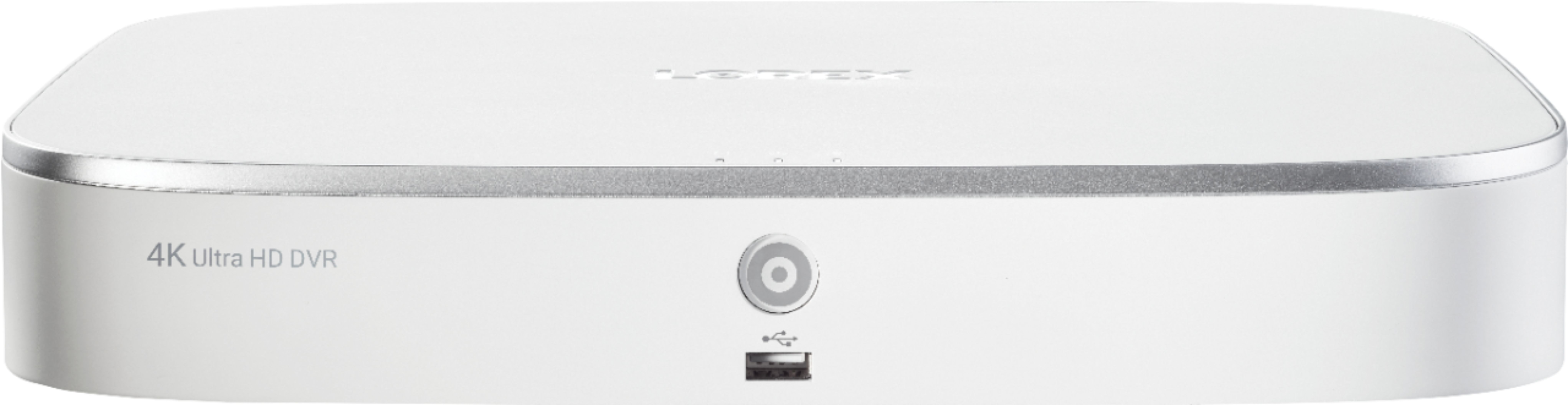
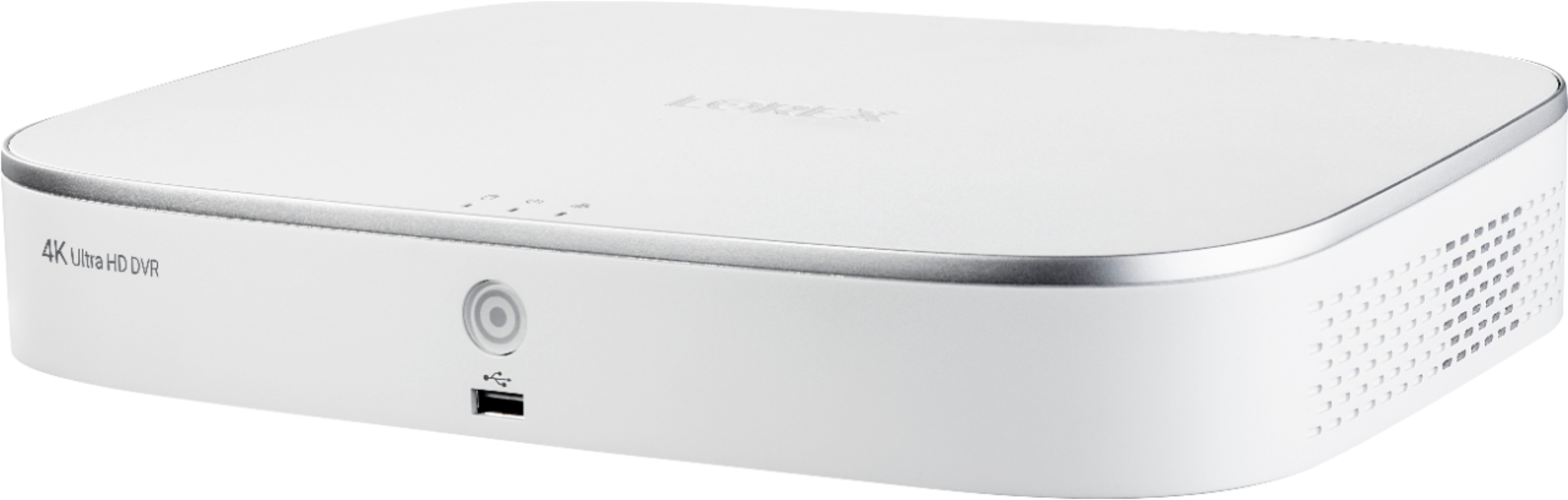
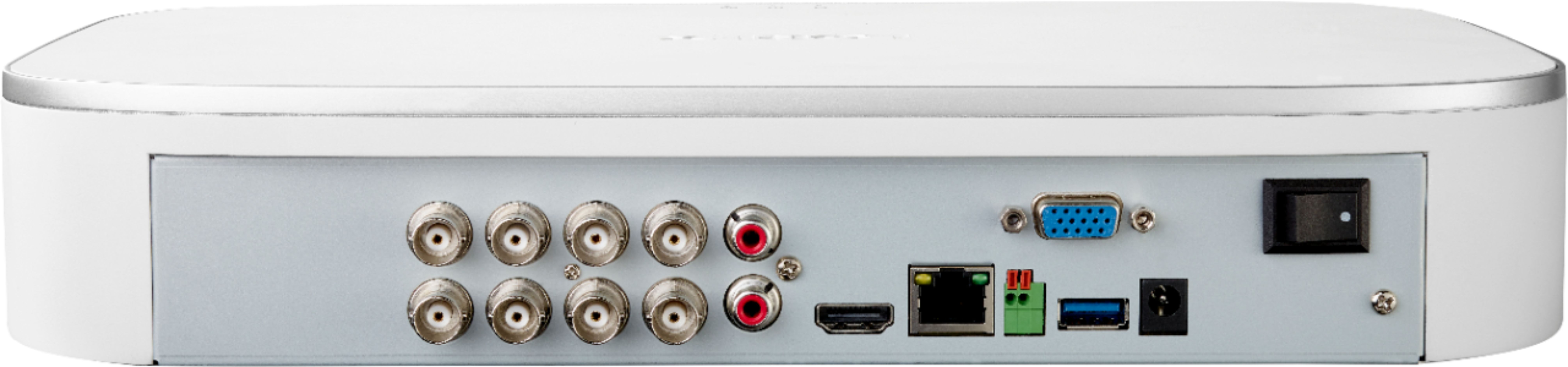
|Posted .This reviewer received promo considerations or sweepstakes entry for writing a review.The Lorex wired 4k surveillance system is very good overall. In the box, you have a very large base with a plethora of connections for cameras, HDMI out, a USB port, and a few other ports. I would have thought the base could be a lot smaller than it is and a lot more quiet. It tends to run a bit hot, which may at least partly explain the size (better ventilation). It's about the size of a 13" laptop, if the laptop were close to 2 inches thick. The base has to connect directly to your router or modem. It also needs a monitor connection for setup. the contains a 2 TB HD, so you have plenty of room to record video. There are different camera configurations. In this particularly set, there are four 4k cameras. The cameras are excellent. Images are clear. Mounting is straightforward. Basically, you plug them in, and they work like a charm. Resolution is strong. Clarity is excellent. Field of vision is a little more restrictive than I'd prefer (about a 90-degree range), but I would guess that's part of the trade-off of having 4k. The cameras allow for digital zoom. They also have pretty good night vision. The cameras include a power cord that all four cameras connect to. This is a little bit limiting, but manageable. There are four cables to run from the base to the cameras. Each cable is about 65 feet long. This could can be a problem for installation. For instance, due to the need to be connected to the router and monitor, I had to set my base unit up in my office, which is on the front corner of my house. The home is reasonably sized, and the included cables are too short to reach to the opposite corner of the house outside. But as long as you are careful, the cables do buy you a decent range for placement options. Just remember you have to account for vertical distances as well. There are longer cables available for purchase separately. I wanted to use the system a little while before posting a review. That's in part because the initial setup was a bit disappointing. Included with the system is a pretty cheap wired mouse. When you start the install, it looks like you're installing something for Windows 95, or maybe even DOS. You cannot connect a keyboard to the system, but you have to enter a password. You do this by clicking on the virtual keyboard beside the password box. I swear it took me more than five minutes to figure that out. I kept trying to change the user name instead, but it wouldn't let me enter that field. Regardless, once the setup is complete, you have a set of screens that are not super intuitive unless you designed it. You can toggle between viewing the cameras and getting to other settings. You have to poke around with it a bit because the instructions are not particularly helpful. I know that sounds fairly negative. And it was not a pleasant experience. But once you get it up and running and get a little more used to it, it works fine. I do wish the UI were a lot more modern, but it is functional. Meanwhile, you do have access and a significant level of control via the app, which thankfully is much more modern than the UI for the base. Just make sure you download the correct Lorex App. For the camera system, you want Lorex Home, not Lorex Secuity. Once the system is up and running and you get comfortable with the UI, it's pretty awesome. It comes across much more like a "professional" security system than a DIY. Overall, I'm very pleased. It excels at the basic things I wanted it to do. I hope they find a way to improve setup and the UI. My suggestion would be to include BT and let your phone be the interface for setup. My rating for this is really 4.25 stars, but the system doesn't work in fractions. If the field of view were a bit wider (say 120 degrees) and the UI and setup were improved, this would be a clear 5-star product. Even with the few flaws, it is an excellent security camera system that I am confident recommending.
I would recommend this to a friend - Pros mentioned:Ease of use, Picture qualityCons mentioned:Cable length, Connectivity
Should work for most
|Posted .This reviewer received promo considerations or sweepstakes entry for writing a review.The thought of having 4K cameras with a beefy storage unit sounds amazing. That is if it works for your situation. First off lets start with the setup. Connecting the storage unit is quite easy. HDMI connection an Ethernet connection and the power. There it 2TB of storage so you could record non-stop on all the cameras for about a month and a half without reaching the units limit! Once you get into the software there are a LOT of options and many are not intuitive. There is a mobile app but it is pretty much limited to viewing the cameras remotely. It is easy to configure the app. All you have to do is scan the code on the side of the main unit. On to the install. I had very specific locations for the cameras to be mounted. This is where the problems arose. Two of the locations were about 110 and 120 feet away from the unit. The included cables are 60 feet so I had two options, buy an additional cable to connect to the included ones or buy a single cable that would run the entire distance. I decided that I would add on to the existing cable. Fast forward, all the cables are in place and ready to go. So I connect the cable to the head unit and then proceed to the first camera. I keep my phone with me to pull up the app to see how things look. Plug in the first camera and no picture! I hear the camera "clicking" but noting appears. Maybe a bad camera? Tried a different camera with the same result. Maybe there was something wrong with the cabling? Tried a different location with the same result. The first two I started with were the most distant from the head unit. Tried one that was with about 40 feet and it came on with a picture! Tried the other close location and it worked too. Went to the Lorex website and opened a ticket. I have to say they are extremely responsive!! Not only did I receive an email, I also received a phone call. First recommendation was to drop the resolution from 4k to 2k :(. Tried that and still nothing. It was determined that over 100' it may not work! So if you can install with the included cables and not need an extension you'll probably be fine. I have to say that the picture quality of the cameras that are connected are excellent! I have not been able to activate the lights that are on the cameras even though that is supposed to be a supported feature. Something else to be aware of. There is no desktop application for the system. If you want to view your cameras on your desktop/laptop computer you will need to get the IP address from the dashboard and type that into your web browser. This will only work when you are on your network. This will not work when you're away from your location. When you're away you are limited to your mobile device. Here's an even bigger problem for most, the head unit only supports Internet Explorer!! If you use Chrome, Opera, Fire Fox or even Edge you're out of luck. The only browser plugin available is for IE. Really Lorex? This system almost seems like it wasn't ready for prime-time, but if you can get past a few qwerks, it might get the job done. I would only recommend this system to someone who is somewhat tech savvy and who's setup would not exceed the limits of the system.
No, I would not recommend this to a friend - Pros mentioned:Picture qualityCons mentioned:Cable length
Defective. Do not buy this.
||Posted . Owned for less than 1 week when reviewed.This reviewer received promo considerations or sweepstakes entry for writing a review.The cable is BNC, not good for outside. I had to buy PVC conduits to protect the cable which is an extra expenses. All cables are 60 feet x8, not enough length and I had to buy extra BNC cables. And then after all the work installing and set up the cables around the house, at the end Picture Quality at Day Time is Good and Lousy at Nighttime, I keep Getting Alert Notifications When no Person is Around, I Spent Countless Hours with Tech Support and Problem is Not Solved. Two cameras flickering after a week and from there on, I have enough. I'm returning the system.
No, I would not recommend this to a friend - Cons mentioned:Cable length
Horrible Cameras and Lorex Support is Useless
||Posted . Owned for 1 month when reviewed.This reviewer received promo considerations or sweepstakes entry for writing a review.I recently purchased these cameras about 1-2 months ago and ever since they were set up they always had problems. Firstly, the app always has problems with my cameras not giving me the ability to put on the speaker or light on my cameras when I need to. Also, the app takes quite a bit of time to load up with all cameras. Secondly, my cameras always turn off and on randomly because the adapter the box came with: this means if there is a time which I need to review footage of a certain area of my house with the camera I won’t be able to! Moreover, sometimes all the cameras come offline, in fact, as we speak all my Lorex Cameras just went offline. This is very bad and unprofessional, as I was planning on traveling and won’t have the mind of ease that my Lorex Cameras (Not even 2 months old) won’t work AS THEY ARE SUPPOSED TO. Thirdly, the cabling and wiring is quite short for the adapters and especially the HDMI. Lastly, the support I received from Lorex for my adapters not working correctly was useless. I was on the call for more than 2 hours and received the same faulty adapter a week later!!! I was told the new adapter would work perfectly fine, but when I looked on the Lorex page I see they do not support with high power 4k cameras that I have. The lady on the support was calm and nice; nonetheless, she told me she would send me an adapter that would support all 4 of my Lorex 4k Cameras, but she still sent the same that I received with the system! I’m still suffering from the horrible Lorex Camera System and I hope you make the right choice not to purchase these cameras, as I did. I will be calling Lorex Support today (AGAIN!) and I will update this review if it is in any means helpful and if Lorex resolves this issue with me.
No, I would not recommend this to a friend - Pros mentioned:Picture qualityCons mentioned:Cable length
Good security camera system made better & smarter
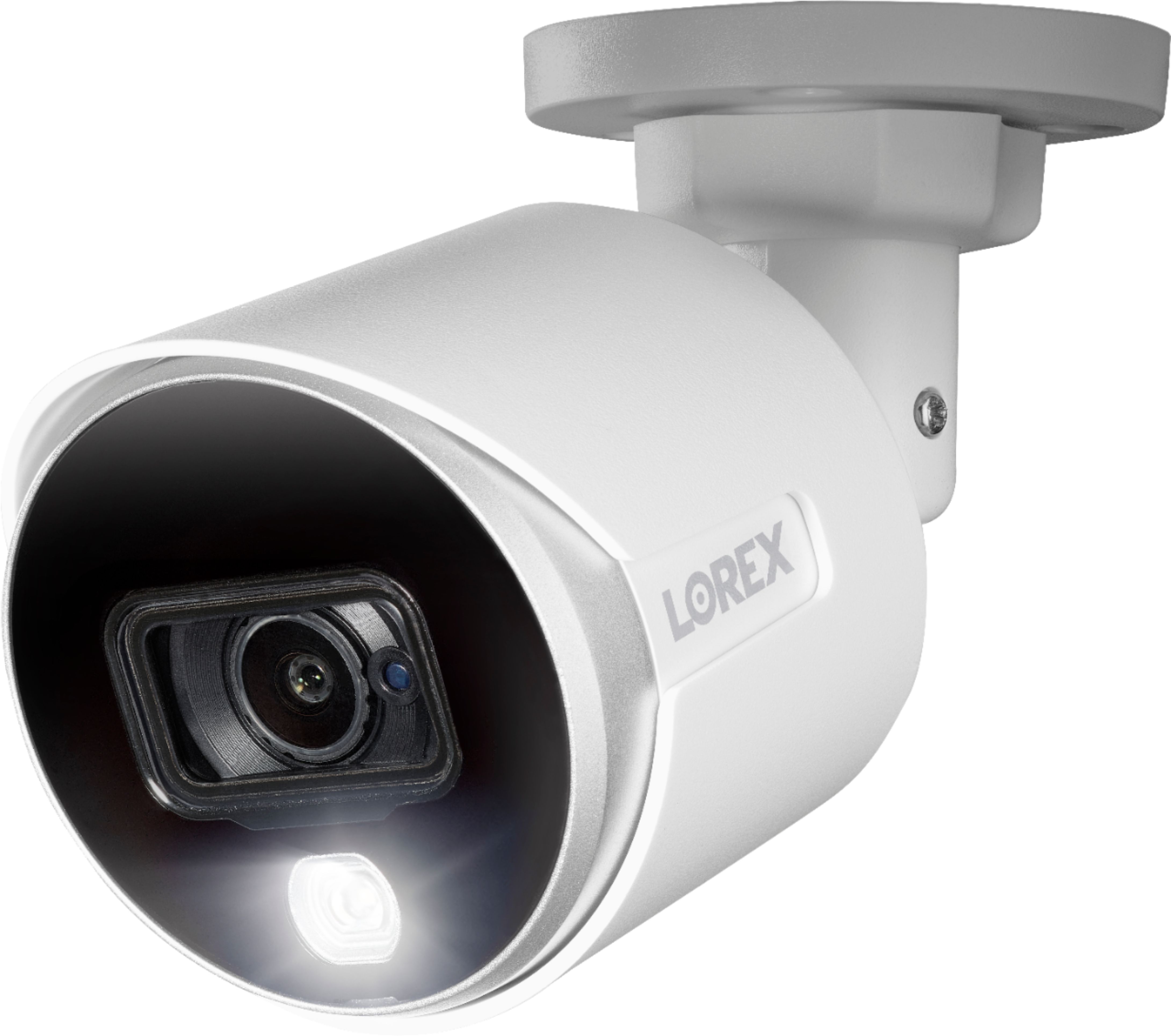
|Posted .This reviewer received promo considerations or sweepstakes entry for writing a review.INITIAL IMPRESSIONS: To start, there are several similarities between Lorex’s new D841A82-8DA4-E, & their “old” LHV51082T4KXW. Both are 8-channel security camera systems, contain a 2TB drive, use almost identical cameras, have “active deterrence” (ie. each camera has its own built-in siren & LED light), the same 150ft of color night vision, come with the same 60ft UL CM rated in-wall BNC/DC cables, & have the same IP67 rating for waterproofness. Also, both NVR boxes (ie. the “brain”) have the exact same connections, in almost the exact same locations. So…what’s different? Stay tuned………. I’m still ‘disappointed’ that Lorex continues to place the NVR components inside a case, as opposed to a black case, as it still looks “out of place” when compared to other electronics components it will be in close proximity to. As the NVR connects to a video-projection source via an HDMI cable, the majority of people will probably connect it to their TV, thus the NVR will probably be placed inside your AV cabinet. As all other AV components (unless you have one of the “limited edition” PS4s or Xboxes) will be black, the camera system’s NVR will stand out…and will probably guarantee that it WILL be one of the items someone robbing you will steal. As I’ve said before, thieves won’t care about not getting the cameras – they’ll steal the NVR base, the only thing containing the identifying proof. Now, if the NVR case was black, it would blend in more easily with other AV components. However, in comparison to the NVR that came with the older LHV51082T4KXW, they did make a huge improvement – while the front panel of the old NVR screamed “security camera system main unit”, the new case looks more like your typical cable TV box…so, a huge “thank you” to Lorex for listening to this previous “bad” point. VIDEO QUALITY, RECORDING LENGTH: Again, there’s the, “What’s different” question…and, here’s the answer. In short, there’s really not much difference. Once again, the “old” LBV8543XB cameras, and the “new” C882DA cameras, are incredibly similar. As far as I’m able to tell, they use the same sensor. The new cameras are slightly shorter (by 0.3”), and slightly larger in diameter (by 0.4”)…although they do use the same 2.8” mounting base. The field-of-view has been greatly improved, from 87 degrees, to 111 degrees, through the use of different lenses. Whereas the “old” cameras use a 3.6mm lens, the “new” cameras use a 2.8mm lens, thus creating the greater field of view. Also, the internal electronics must be slightly different, as the “new” cameras draw slightly more power (430mA vs 415mA, 5.2W vs 5.0W). Beyond these two differences, the cameras remain the same. Daytime video quality is excellent, and the night vision is outstanding (again, comparing against my old Night Owl system, while my Night Owl cameras had a paltry 25ft of B&W, these Lorex cameras provide up to 150ft…in color). Once again, the built-in 2TB drive provides more recording capability that you will probably need – up to 45 days of 24/7 recording, and up to 10 months of “motion-based” recording. SOUND: Previously, I “downgraded” BNC-based security camera systems, as they lack the per-channel audio ability of PoE-based security camera systems. With PoE, each camera transmits power, video, AND audio over a single Ethernet cable. BNC, on the other hand, can ONLY transmit video (even the power is supplied by a separate cable), while audio is limited by the number of audio inputs on the NVR unit. As such, you’re forced into selecting ONLY a single video source to have audio, plus you have to install a mic in a location of your choosing. However, with the advent of other security camera solutions from other companies, I am no longer “downgrading” BNC-based security camera systems…and, I’ll explain why. There’s a fairly-high probability that anyone purchasing a BNC-based camera system is going to install those cameras on the exterior of the house, where, in most cases, audio might not be needed. If any of the BNC cameras are installed inside, you can set that one video source to have audio for the NVR. This would be because, in addition to using a BNC-based camera system, more & more people are adding wireless IP cameras (such as those made by Arlo, Nest, Logitech, etc) inside their houses, each of which has a built-in mic. When using a combination of BNC & IP camera systems, you end up getting audio for all the channels you need audio, and no audio for the channels you don’t…it’s as simple as that. I almost left one thing out – the “panic button”. The front of the NVR, just above the USB port, has a “panic button”, which, when pressed, instantly activates the sirens on all cameras. My neighbors probably weren’t too happy when I tested it…but, at least I can confirm that it works. THE “GAME CHANGER”: There are two – the app, and the “assistant”. Starting with the app, the D841 NVR has the ability to be controlled through Lorex’s ‘Lorex Home’ app, available for Android & iOS. I won’t go into details, as there’s way too much. Suffice it to say that the app is much improved over previous “home security access” apps. Thanks to the camera’s wider field-of-view, the PTZ function is much more useful. Creating ‘smart grids’ is easier than ever, as is downloading video files, setting notifications, and changing device settings. Best of all…here comes the REAL ‘game changer”…the D841 NVR has built-in digital assistance capability. Yes, you read correctly. Lorex has incorporated Amazon Alexa (for people who like “that” company…I DON’T), and Google Assistant. After linking your Lorex account with Google Assistant, or Alexa, you can view live/recorded video with verbal commands. If you have an Apple TYV, you can install the app, and control through that device. And, even if you don’t have/use Google Assistant, Alexa, or an Apple TV, Lorex will soon release a firmware update that allows IFTTT integration. FINAL VERDICT: While the “old” (technically, still new, as it was only released 8-9 months ago) system was very good, Lorex has come up with something even better. I dislike that they still only include 60ft cables, as that might force some people into spending additional money on the longer 100ft cables (at $50/cable), but all the other improvements make it worth it. The truth is, even if you need to get 1-2 of the 100ft cables, the price difference in systems (the ‘new” is $150 cheaper than the “old”) is enough that you’ll still save $50-100..and end up with a better, smarter, easier-to-use system. If I had to list any “complaints”, it would be that Lorex is still using BNC-based cameras, as opposed to PoE cameras. This is not because of the lack of audio (although, having audio on each channel IS still better), but because of the ‘complexity’ – with BNC, each camera has two connections (BNC for video, plus a power cable) at each end, which not only doubles the number of connections, but also the number of possible connection problems; with PoE, power, video, and (yes) audio are ALL transmitted through a single cable. Even if the cameras aren’t transmitting audio, PoE is still a better solution. While I did ‘quibble’ on the color of the NVR, the fact that it now has only a single button, and resembles a cable TV box, I’ll give a ‘plus’ to Lorex for that change. Before I close, I’ll explain my 4-star rating. With the “old” system, I gave it a 3-star rating, as I saw enough “problems” that it didn’t deserve the 4-star rating it might have otherwise given it. Likewise, the “new” system is held back by (mostly) the same ‘problems’ – BNC instead of PoE, an app that still has minor problems (although, it has improved considerably from where it was 9 months ago), and the white NVR case. At the same time, there have been enough improvements (wider angle-of-view, the inclusion of digital assistant control, better/smarter NVR case design) to warrant an increase in the overall rating. Had it not been for the few “problems”, I might have given it a 5-star rating. Finally, while I could not recommend the “old” system, I will recommend the “new”. As a last-second “add-on”, for those who seriously dislike the white case, if your are careful, you could remove the case cover, change the color (there are different methods of doing this, some better than others…but I won’t go into that here), and reinstall the cover. Disclaimer: This product was provided free, or at reduced cost, for the purpose of reviewing the product. Nevertheless, the above review, be it positive, negative, or anywhere in-between, is a 100% honest review, and the price paid played absolutely no part in my review.
I would recommend this to a friend - Pros mentioned:Picture qualityCons mentioned:Cable length, Connectivity
Not The Worst, Not The Best
|Posted .This reviewer received promo considerations or sweepstakes entry for writing a review.The Lorex - 8-Channel, 4-Camera Indoor/Outdoor Wired 4K UHD 2TB DVR Surveillance System - White is a great camera system but with older technology. This system is an ok system for this price point, adding a 2TB DVR, remote access, four 4K cameras in one package. Documentation is very thorough and easy to read and follow. The 2TB DVR goes through a self setup of the operating system upon power up for the 1st time. There are some basic questions as setup goes. The UI is fairly easy to use with a lot of options as far as recording, viewable cameras and position. It runs quietly as well. At 1st glance the DVR software may seem a bit confusing, especially if you haven’t used a security system. Documentation is detailed and will explain it well. Cameras are of very good build quality, solid and sturdy. Easy to mount and can be done with little effort and with one person. They are also weatherproof. Cameras can be mounted on either ceiling or wall. Image quality is also very good, as it does capture 4K video. Once all the cameras are connected to the DVR, they take a few seconds to initialize and show up on the screen. Quality on screen is great as well. Connecting the camera(s) to the DVR use old BNC technology. This tech doesn’t transfer audio, it only transfers video. Not having an audio option to record outside interactions, or general surveillance is always needed but compared to other systems out on the market, they have the ability. The cabling system can be a bit confusing and the need to run power to each camera through this cable is a bit daunting. Using an Ethernet cable to connect each camera using POE would be ideal, not a BNC connector. The cable lengths are also very short, 60ft. For a 3000ft home, this would require purchasing longer cables, with some forward thought to DVR positioning in the home. Purchasing additional cables for this system could put it out of the price range of other systems that have adequate cable lengths or that use Ethernet or a wireless connection. This system could be ideal for a small/medium home or office setting, either inside or out. The main thing holding this system back is the cable length and BNC connection type. If the cameras were Ethernet based and cable lengths included were longer, this system would have a higher rating.
No, I would not recommend this to a friend - Pros mentioned:Picture qualityCons mentioned:Cable length
Good System - Could Use Longer Cables
|Posted .This reviewer received promo considerations or sweepstakes entry for writing a review.I upgraded to this system from an ARLO system. I wanted better video recording options. This definitely has the ARLO beat for video recording and clarity of picture. I like that is is wired. although that also brings me to why I only gave 4 stars. The system comes with cables only 60ft in length. I am trying to run these to the outside of my house and I have to get the cables back to the middle of our home where the living area is. I needed longer cables to get to the outside corners of my home. I like the app that you can download to your Android or iOS device. I like being able to check on the home while away. The picture quality is great. I do wish these were PoE cameras where audio and video were passed through one cable. But so far I am happy with the system.
I would recommend this to a friend - Cons mentioned:Cable length
Impressed with 4k, needs some tweaks
|Posted .This reviewer received promo considerations or sweepstakes entry for writing a review.This system is impressive, I finally have it setup and running the way I want it to run and I really like this system. Resolution is great! I compared this to a 1080p security camera i have at my home and this is substantially better. Setup was smooth, but I really wish the cables were longer, especially considering this is a wired system, and the cables are literally your lifeline! I think they should come with 100 ft cables off the bat, instead I'm faced with the option of buying longer cables... not thrilled about that. Software was simple to navigate and setup. Cameras were installed pretty seamlessly with mounting hardware and had no other issues (except the cord length). Only other improvement was getting the resolution right, after setup, the picture wasn't as clear as I expected it to be, it was defaulted to record in 1080p, but once I switched it over to 4k, the picture became much more clear.
I would recommend this to a friend