Customer Ratings & Reviews







- Model:
- 899-00080-02
- SKU:
- 6373512
Rating by feature
- Value
Rating 4.5 out of 5 stars
- Quality
Rating 4.7 out of 5 stars
- Ease of Use
Rating 4.6 out of 5 stars
Customers are saying
Customers admire the Portal's ease of use, excellent camera quality, and intuitive touch screen. Many appreciate the device's straightforward setup and the inclusion of Alexa functionality. However, some users wish for a longer battery life and a wider selection of apps. A few also noted that the device's design and the need to remain plugged in are limitations.
This summary was generated by AI based on customer reviews.
returned un opened
||Posted .This reviewer received promo considerations or sweepstakes entry for writing a review.i bought it as a gift. i ended up returning it....
No, I would not recommend this to a friendPortal
||Posted .This reviewer received promo considerations or sweepstakes entry for writing a review.Enjoying the portal. Purchased mainly for Zoom meetings.
I would recommend this to a friend- Pros mentioned:Camera quality, Touch screen

Smart Video Chatting with Home Control
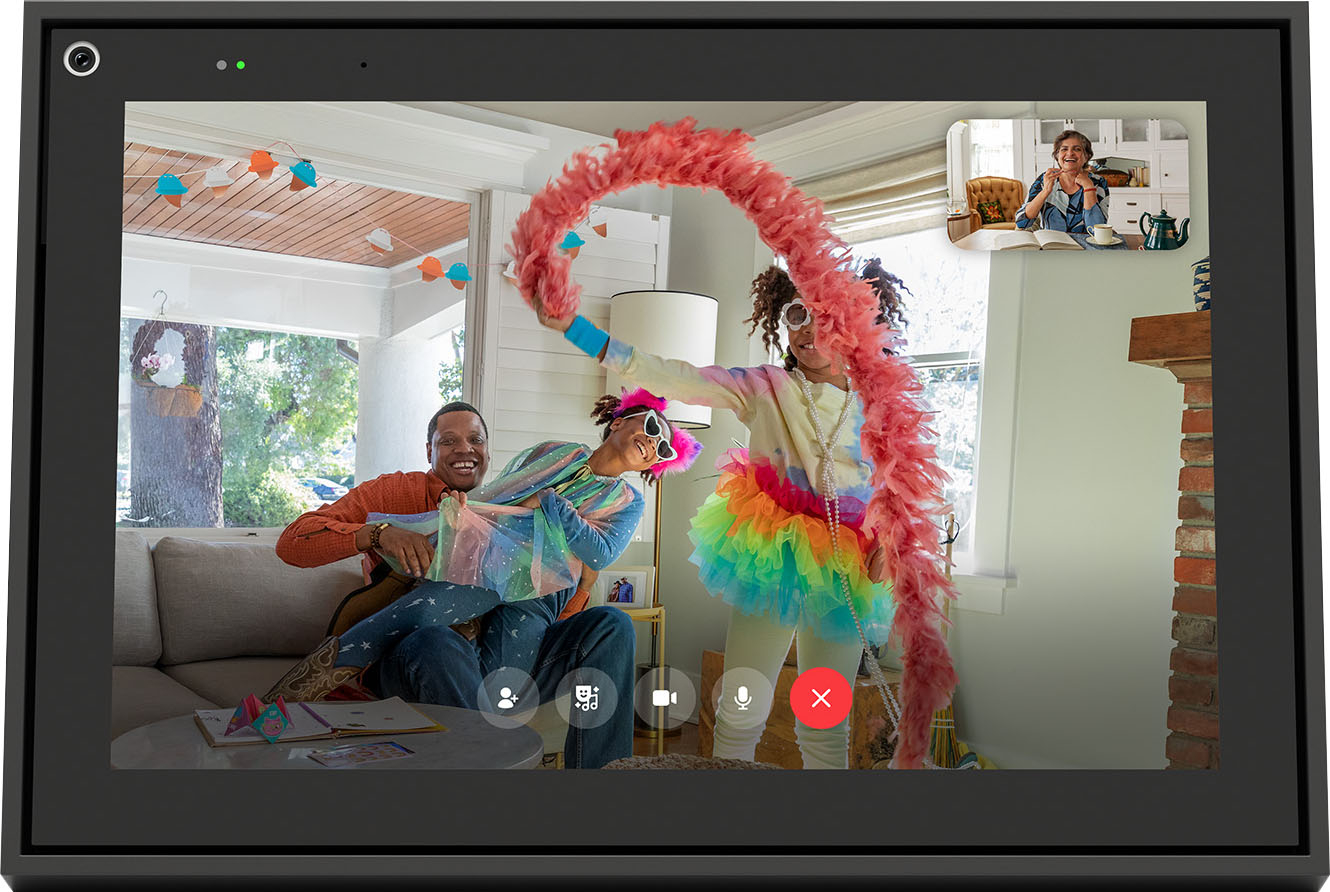
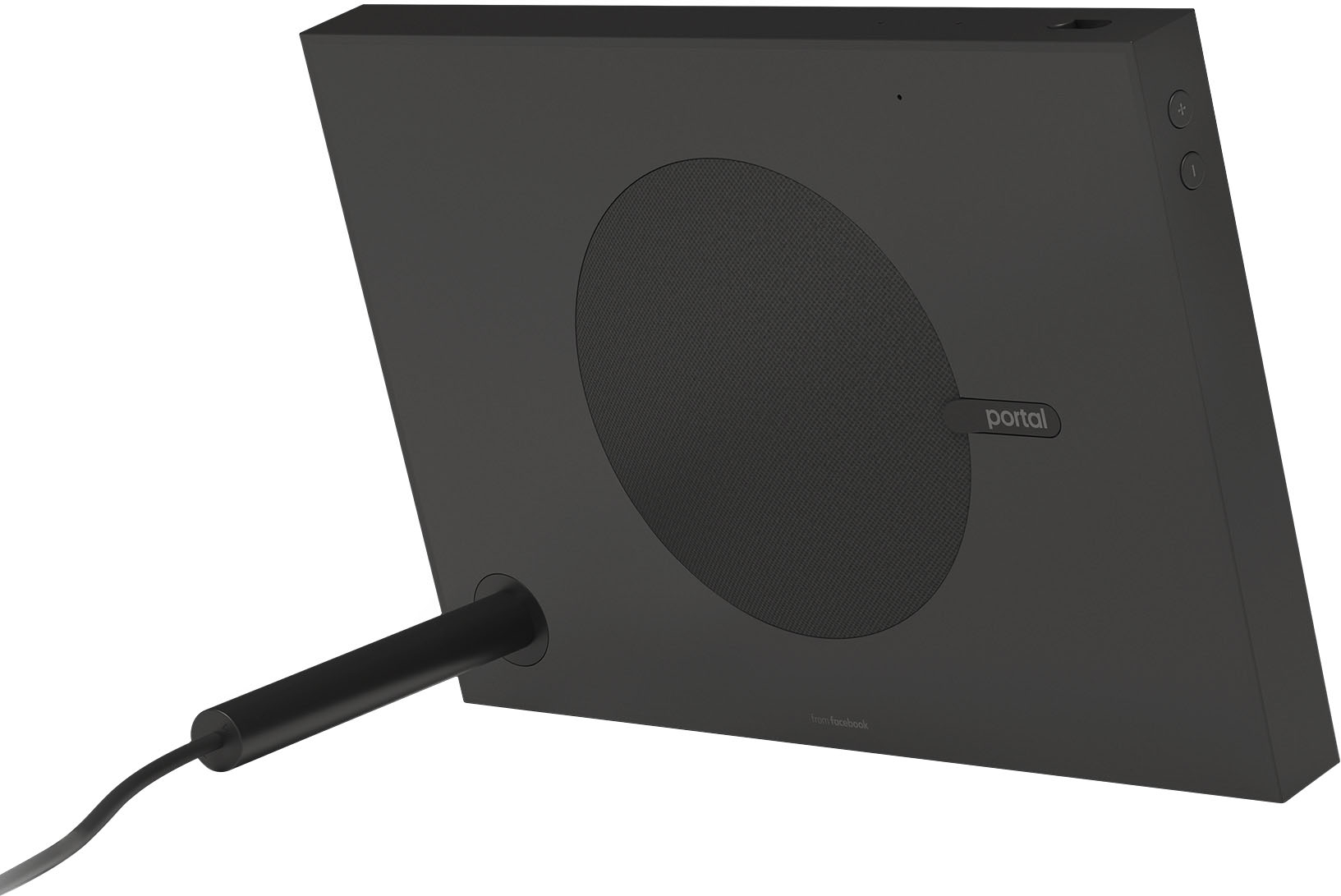
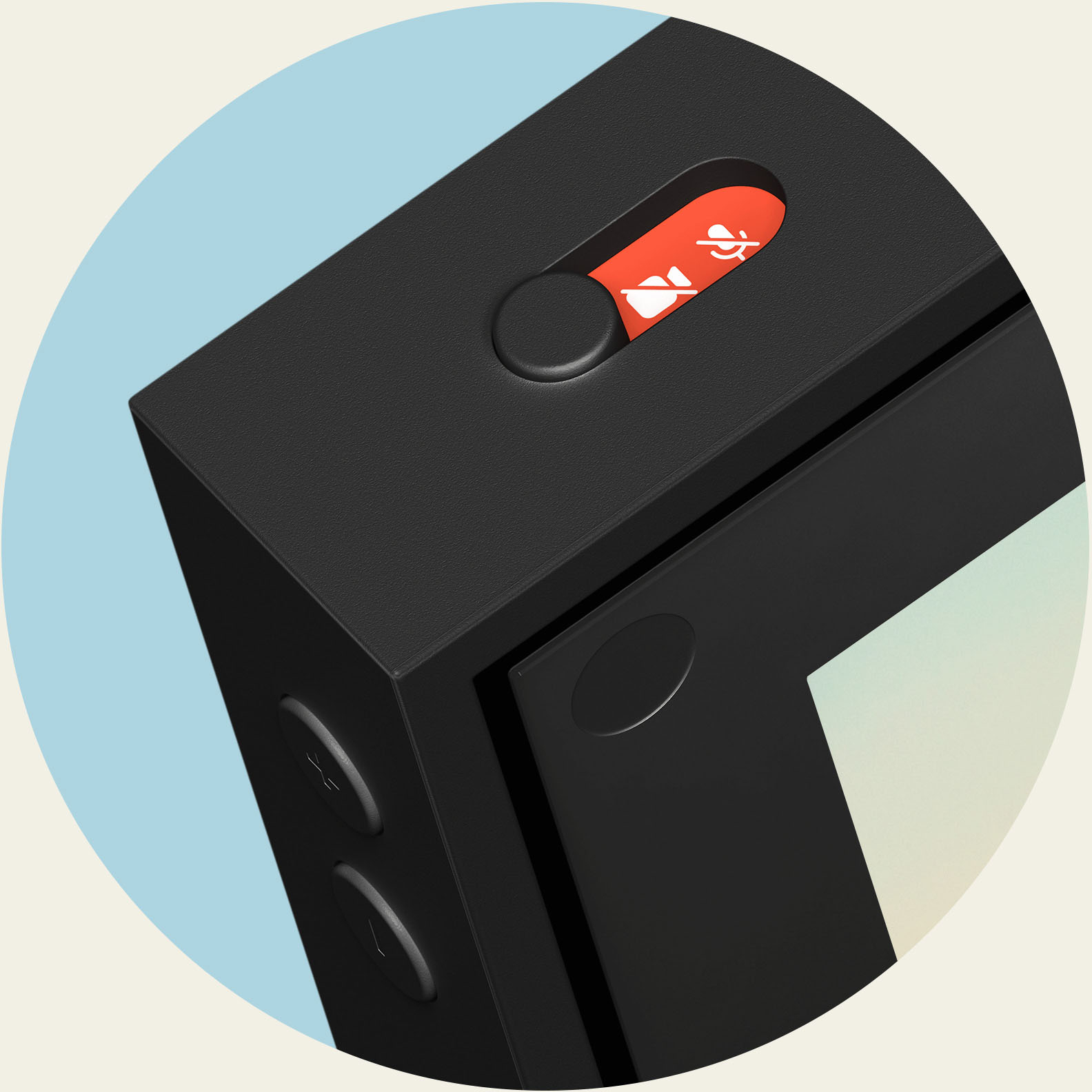
|Posted .This reviewer received promo considerations or sweepstakes entry for writing a review.Facebook’s Portal is one of the latest smart home devices that not only allow you access to Amazons Alexa but also video chat with friends and family via Messenger or Whatsapp even if they don’t own a Portal. Being the first device with Alexa I have owned and also the first video chat device I was interested to try it out. In The Box: Portal comes with the “Picture frame” like device, the power supply which is also a kick stand, and the manuals. The materials are very nice on the Portal with the unit taking the shape more like a picture frame than a tablet that one might assume. This makes sense since most people would be more inclinded to leave it sit out the less it looks like an extra device around the house. The built in kick stand is nice and it functions for both horizontal and vertical positioning. Setup: They only power source is via wall plug as there is no batter in this device. Once plugged in the device turns on and prompts for the Facebook login information. Next you are asked for your WiFi information and its connected to your router. I had some issues with this that did not make sense. It would not take my password for either 2.4ghz or 5ghz but eventually it went after 15+ attempts. Not sure what the deal was with this but I was a bit concerned about that. After it connected it ran an update which took a few minutes. After the update the device prompts you to set up additional features like Alexa (Amazon account) and Whatsapp. Usage: The 10” screen is really pleasant as its bright and has a more matte finish which I love. When in picture mode it looks fake at time because it has basically no reflection. On the back of the Portal the subwoofer/speaker does protrude a small amount but much less than the stand. The speaker sounds good with any volume under 75% or so. After this is does start to distort but unless you want to blast much (Which this is made to do) then its plenty loud to be within the same room. The lyrics that pop up with Amazon music is really cool. Pandora and IHeartRadio are also available for use. Now when it comes to video calling its very simple to do. Simply ask Portal to call whomever you want and it connects. The camera quality was really good and the tracking functionality worked pretty well. You can call either another Portal device or even use the Portal to call anyone with a messenger or WhatsApp account. I was happy with the video call quality with both methods but it also depends on the other ends connection too. When it comes to Alexa well she isn’t very smart or doesn’t work well for certain tasks. Some of this is due to Alexa not knowing what to do with the question or task but others is likely due to a combination of things. When it comes to basic questions I found Google Home does a better job at answering them correctly or closer to what I expected. When it comes to Alexas “Skills” you can setup within the Alexa app this is where things can fall apart. For example, we have an Arlo security camera system and wanted to view the cameras from Portal. Long story short the systems do not work well together. There is a latency issue with the Arlo system when you want a live view from the Portal that the times out before the system can connect. If you ask Alexa to view one camera twice in a row it will work but that takes about 30 seconds to do and at that point it’s easier to have look at your phone or not at all. This doesn’t seem to be limited to this device though as I have looked online. Alexa can control a home thermostat or start cars if you have compatible devices and at least the thermostat does work much better than the camera system. We will be trying to start our Hyundai’s soon too but haven’t gotten around to setting it up yet. Privacy: When it comes to privacy everyone is concerned about it these days. Portal has sufficient security to comfort most people. It includes a physical toggle that can turn off just the camera or the camera and the mic at the same time. The cover is physical and inside the lens so you can see it go over the camera lens when you flip the toggle. Facebook has also provided tools for people to access, review, and delete all voice interactions with the device. Apps: Currently, there are 14 apps for the Portal however there is no native Facebook app. You can tell it to view pictures from your Facebook and Instagram profiles along with some recent photos of your Facebook favorites but that’s about all. Its nice if you want to set up a folder to shuffle when in idle mode but otherwise not too many useful functions unless you want to listen to music or hear the news. Overall: I have really enjoyed Portal and its intended functionality. I believe Facebook could push updates to the device that might make it even more useful in terms of app integration and features. Some people might see the lack of a battery as a downside but the device isn’t meant to be a true tablet. I would like to see Alexa refined more and the latency issue between this device and my Arlo system fixed so I can take advantage of this functionality like advertised. Other than a couple small issues I came across I believe Portal does a great job as its intended video calling function and I would recommend it to anyone looking for a smart home device with good video calling capability.
I would recommend this to a friend Decent deal
||Posted .This reviewer received promo considerations or sweepstakes entry for writing a review.It is a good product. The picture is a little small
I would recommend this to a friendGood
||Posted . Owned for 1 month when reviewed.This reviewer received promo considerations or sweepstakes entry for writing a review.Great display, fun to use with family and friends,
I would recommend this to a friendDifficult touch screen
||Posted . Owned for 3 weeks when reviewed.This reviewer received promo considerations or sweepstakes entry for writing a review.Touch screen difficult for my 86 year old parents to operate
I would recommend this to a friendGood for keeping in touch
||Posted . Owned for 1 month when reviewed.This reviewer received promo considerations or sweepstakes entry for writing a review.This was a good buy and will definitely help in keeping in touch with those people we don't get to see often. Unfortunately, the screen is fuzzy and freezes quite a bit when we try to talk to certain people. Not sure if it's a connection issue with Portal or if it's an internet issue.
I would recommend this to a friendEasy to use
||Posted . Owned for 1 month when reviewed.This reviewer received promo considerations or sweepstakes entry for writing a review.It’s great and easy to use for my 80 year old mother .
I would recommend this to a friendgreat for communication
||Posted . Owned for 3 weeks when reviewed.This reviewer received promo considerations or sweepstakes entry for writing a review.was a gift....given to our kids who are in Florida
I would recommend this to a friendIt’s ok
||Posted . Owned for 4 months when reviewed.This reviewer received promo considerations or sweepstakes entry for writing a review.These are ok. Not the greatest. A laptop would prolly be as good and the Facebook functioning is a bit of a hindrance and contacts who don’t use Facebook can’t be reached.
No, I would not recommend this to a friendAnother frame
||Posted . Owned for 1 month when reviewed.This reviewer received promo considerations or sweepstakes entry for writing a review.Not a very useful product, I brought it for my mom and there aren’t a whole lot of features you can use unless you use messenger. Wish it could be compatible with apple FaceTime.
No, I would not recommend this to a friendGood but Slow
||Posted . Owned for 1 week when reviewed.This reviewer received promo considerations or sweepstakes entry for writing a review.It is a good looking display. However, it is little laggy. Even though it has a browser, you won’t be able to use it properly to watch videos on YouTube etc.
I would recommend this to a friend- Pros mentioned:Setup, Touch screen
Skype meets Snapchat
|Posted .This reviewer received promo considerations or sweepstakes entry for writing a review.The Facebook 10" Portal may be a newer entry to the smart home lineup, but it has an old familiar feel that seems to take a lot of features from known programs (Skype, Snapchat, Alexa, even Xbox One Kinect) and combine them into a package that looks like a sophisticated photo frame. This combination will leave users feeling comfortable with how the Portal works, yet needing to learn some new commands that may deviate from your other smart devices. But ultimately, it will leave you feeling connected with your family and friends. Setup of the Facebook Portal is very simple and the wizard walks you through everything. You are required to have a Facebook account to use this device, however it seems that people not on Facebook are few and far between. Once up and running, your contacts will be displayed, with favorites shown first. Calling them is simple with either the touch of a button or an Alexa Voice Command. Once in a call, the Portal takes care of everything, including following you around the room so that you can multitask while catching up with your family and friends. For Xbox users, this will feel extremely familiar if you have ever used your Kinect with Skype. There is a fun twist, though. On the screen, you will have options for tons of filters, a la SnapChat. The Halloween filters were especially fun. Although it is beneficial to be speaking with another Facebook Portal user with this device, it is not necessary. Anyone that has the Facebook Messenger App installed on their phone or tablet can participate in these video calls. And perhaps my favorite feature of all is that you are not limited to a 2 person conversation. At one point, I had 4 people in a conversation using Facebook Messenger Video and it was amazing! Since all of my siblings have grown and moved to different towns, this Portal and multiple calls at once seemed especially beneficial. During the call, my siblings and I did out best impression of the Brady Bunch while video chatting with each other. This device also gives you the ability to watch movies with someone as if you were both right there watching it together! The only issues that I have noticed with Portal are 1) Even though Amazon Alexa is built in to this device, it appears that you do not get all of the Alexa functionality that you get from a typical Alexa specific device. I found myself unable to use commands that work with my Alexa Show. 2) If you have multiple people in frame of the Portal, it has difficulty tracking movement. Most of the time it seems to track the closest person, but at times it has appeared confused when multiple people are within view of the camera. This isnt a huge deal as it still appeared to do well, but just be aware that you may have some difficulty if you place this Portal in a high traffic area of your home. Overall, this is an affordable and handy product that will keep you closer to your family and friends, no matter where they live. People will find themselves again enjoying calls over texts and the variety of interactions possible will keep calls fresh. I think that this product would be a great addition to any home, especially during the upcoming holiday season.
I would recommend this to a friend - Pros mentioned:Camera quality, Touch screen
Video calling is Fun! :)
|Posted .This reviewer received promo considerations or sweepstakes entry for writing a review.The 10” Facebook Portal has been a great addition to my home and will help me to stay connected to family and friends both far away and those who live nearby but I still may not see that often. I see it is a video phone in a frame with lots of extra features. The Portal came securely packaged and setup was a breeze. No technical knowledge needed beyond being able to sign in to a wifi network, Facebook and other user accounts. Setting up the Portal took approximately 20 minutes. You have to wait a couple of minutes for the Portal to boot up when you first plug it in but then you can get started by selecting your language and signing on to your wifi network. The Portal then searches for updates and offers a short tour while you wait. The update took about 10 minutes for me, after which the device restarts and takes a couple more minutes to boot up. After agreeing to the terms and naming your Portal device you are prompted to login to your Facebook account. The portal gives you an 8 character code to enter on Facebook.com from another device that you are signed into. Once you are connected to Facebook you can select your favorite contacts from your Facebook friend list. After setting up Facebook the portal gives you the option to add WhatsApp, has you test the camera for positioning of the frame and gives you the option to connect to Pandora and Spotify. You can then choose to set up which photos are displayed when the device is not in use, selecting from your Facebook photos and/or Instagram account and/or connecting to the photos on your phone by installing the Portal app on your phone. After all of that it’s time to connect to Amazon which is done with another code that you enter using another device. Once your connected to all of your accounts your ready to explore the home menu and start calling your friends! I have my Portal parked on the kitchen bar on a Lazy Susan so that I can use it from the kitchen while cooking or from the dining room while sitting at the table or bar. I love being able to call people, hands free, while cooking and see them while you are chatting. It’s a really great experience and I’ve been able to connect with a few people so far. We have family members who also have a Portal and connecting with them is even better. When multiple people with Portals connect it almost feels like you are in the same room together, you can watch movies, play games, read stories and more! The Portal really is more than a Facebook connected video phone and digital photo frame. Being able to stream music, play games and download third party apps takes this to the next level. The sound and video quality are great and while there aren’t a whole lot of apps to download at the moment, what they do have available is good enough for me. Having the Portal in my kitchen allows me to ask Alexa about the weather for the day and stream the morning news, helping me to get ready for my day. The smart camera is impressive but can have trouble keeping up with multiple people moving around a large space. I’ve found that it will focus on whomever is in the foreground, unless everyone is close to equal distance away, then it captures the group. Walking around and chatting by yourself is great and the camera keeps up well. If your like me and have a bar or knee wall separating rooms, placing this on a Lazy Susan allows you to gently rotate the Portal if you change rooms. Maybe a future release can feature a 360 degree rotating dock controllable by the app or voice, ;) I’m a huge fan of the built in privacy control features. Being able to disable to camera and microphone with an easy to use sliding switch is a relief. I hate having cameras looking into my house when I’m not using them. With the Portal I just keep the shutter closed and no worries! Overall I’m very happy with the Portal and will be recommending that all my friends, who have Facebook accounts, get one. This is a great device for anyone who wants a better way to stay connected to their family and friends.
I would recommend this to a friend great idea that doesnt work that well
||Posted .This reviewer received promo considerations or sweepstakes entry for writing a review.doesnt regurally connect to preloaded apps extremely limited voice commands outside of answering calls need to make a return but you guys dont acknowledge my order
I would recommend this to a friend- Pros mentioned:Camera quality, Touch screen
Great option
|Posted .This reviewer received promo considerations or sweepstakes entry for writing a review.I have spent all of this week testing out this unit with a friend. Setup was pretty simple although it takes a little longer if you sign in to all of the services available. To experience the full scope off the features on both ends the person you are chatting with has to have a Portal, but the main part...the video chat capability only requires a device with Facebook Messenger or WhatsApp (mobile phone, tablet, laptop). The freedom to move around without holding your device in your hand is great but we noticed that camera movement is limited when the portal is in landscape. There are a ton of Snapchat like filters, some AR “games” or activities that you and your chat partner can do together....and a ver interesting story option that lets you read an interactive bedtime story to your child. I see this as being perfect for couples or family members separated by distance. When not in use you can have it act as a smart picture frame displaying pictures from your Facebook account or pictures you add to the portal. It doesn’t take up a lot of space so you can easily incorporate it in your living space. I also like that you can turn off the camera and microphone as well as use the built in lens cover to ensure no accidental gotcha moments. You can also control if voice recordings are sent for anonymous review (quality control) or not...and can delete any recordings if you are concerned about privacy. Overall I can definitely see a market where this can be very beneficial beyond the gimmicks. The added perks including decent sound from the woofer on the back as well as the ability to stream music from a few different services are also nice. I have not tried using any features with my Amazon Prime account with it yet but should be able to with ease if you log into your account at setup.
I would recommend this to a friend Preferred the Google Nest Home Max
||Posted . Owned for 3 weeks when reviewed.This reviewer received promo considerations or sweepstakes entry for writing a review.I preferred the Google Nest Home Max because it was more convenient and easy to use then having all my Facebook friends displaying as contacts.
No, I would not recommend this to a friendIt’s ok
||Posted . Owned for 10 months when reviewed.This reviewer received promo considerations or sweepstakes entry for writing a review.I mean it’s an ok gift but I would not recommend. You really can’t do much. I would buy the Amazon smart displays over this.
No, I would not recommend this to a friendMeta Portal
||Posted . Owned for 1 year when reviewed.This reviewer received promo considerations or sweepstakes entry for writing a review.I liked the portal but it was a bit difficult for my parents to use.
I would recommend this to a friend- Pros mentioned:Camera quality, Ease of use
Could Portal Change Everything?
|Posted .This reviewer received promo considerations or sweepstakes entry for writing a review.So I have spent a few days with the Portal 10'' and here are my thoughts! First - O think the Build quality is very nice. The Frame is a nice rubberized texture with a nice piece of what feels like glass on the front. There is also a nice size speaker on the back of the unit that sounds pretty good ( well get to that soon ) Next thing I want to say is the menu systems are easy to navigate and understand as is the settings menu within. I had no problem setting it up and also customizing after that. As for Music quality when using the supplied app of your choice ( Pandora, Spotify or iHeartRadio ) I would say this will definitely be a great music speaker for any medium to small sized room. There is nice highs and decent amount of bass and overall I actually think that using the portal as a streaming music device is my 2nd favorite thing to use it for besides of course the Video Calling Feature. Speaking of the Video Calling Feature, It works well and I am amazed at the way the Portal can stay locked on you as you move around and it also pans and zooms as people join in the frame or as you move closer or father away from it. Its a very nice way to be able to vide chat with people. With not having to hold a phone or tablet, I do believe that the future will require a device for us to use to video chat that can handle all of these things Hands Free. And Hands free so far I believe is where it is at and I think Facebook did a great job with this device. There are other features like story time which will put you into the story like when reading to a child from far away! Alexa Built in also which you can use to control your smart home. If I had to say a negative, I would say its the price. I think everyone wouldn't mind owning these but it will be hard for most people to just spring that kind of cash when its something their phone can do already. I will have a review up soon on my Youtube Page : Aluzion TV Overall I say if you have the money and want to give it a try, it is a well built, well rounded device and you just might fall in love with it..
I would recommend this to a friend