Customer Ratings & Reviews







- Model:
- 899-00080-02
- SKU:
- 6373512
Rating by feature
- Value
Rating 4.5 out of 5 stars
- Quality
Rating 4.7 out of 5 stars
- Ease of Use
Rating 4.6 out of 5 stars
Customers are saying
Customers admire the Portal's ease of use, excellent camera quality, and intuitive touch screen. Many appreciate the device's straightforward setup and the inclusion of Alexa functionality. However, some users wish for a longer battery life and a wider selection of apps. A few also noted that the device's design and the need to remain plugged in are limitations.
This summary was generated by AI based on customer reviews.
Not user friendly
||Posted .This reviewer received promo considerations or sweepstakes entry for writing a review.I purchased this for mom so that we could send pictures to her. I didn't research this product enough. I wanted to be able to send pictures to my mom from any device. With this portal you have to set up Facebook account and in order to have pictures displayed it must be uploaded to portal app which has to be signed in through her Facebook. Not user friendly at all. I love the size of the display. Bestbuy has 14 day return policy so I was unable to return once I set it up because it was just past the 14 days. I wouldn't recommend it for someone like my mom who isn't tech savy.
No, I would not recommend this to a friendI returned, unopened or tried.
||Posted . Owned for 1 month when reviewed.This reviewer received promo considerations or sweepstakes entry for writing a review.Wanted the Amazon Show, bought the Portal when Show was not available. Really wanted the Show, to integrate with other Amazon/Ring devices. Not real interested in video calling, which the Show will do as well.
No, I would not recommend this to a friend- Pros mentioned:Camera qualityCons mentioned:App selection

A new product? Or a fancy calling photo frame?
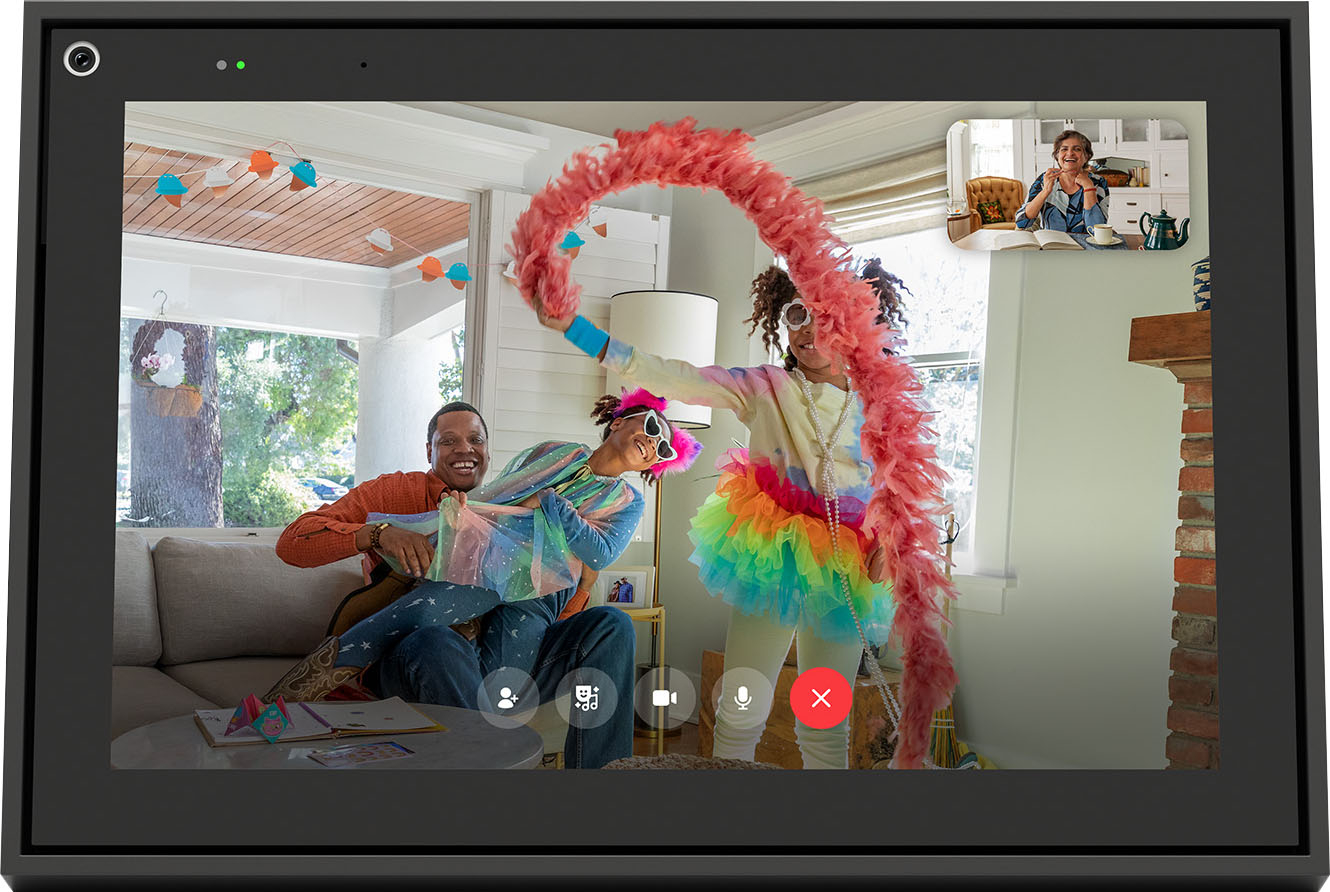
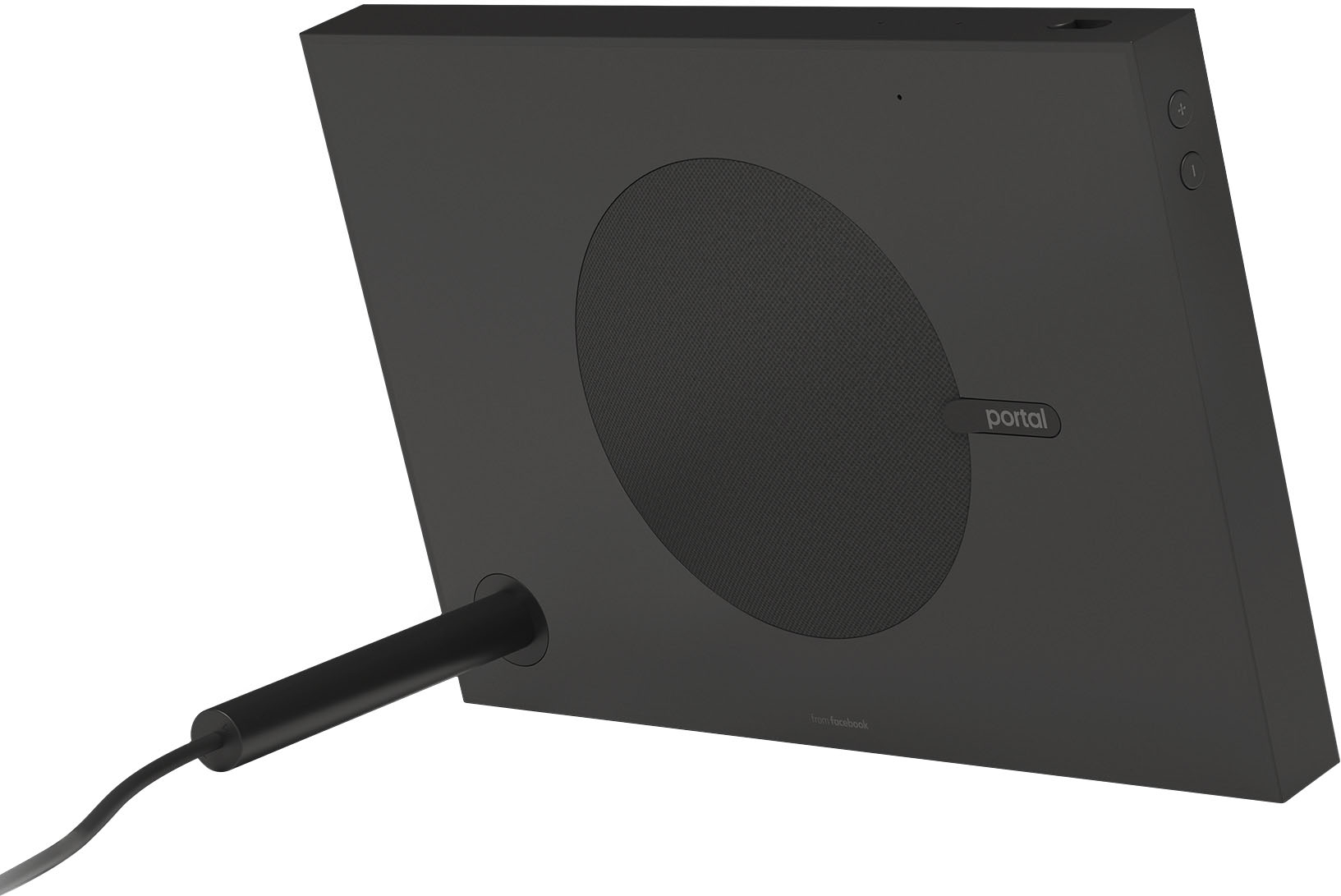
|Posted .This reviewer received promo considerations or sweepstakes entry for writing a review.Was I trying to be catchy with the review title? Not really. It all boils down to expectations. What do you expect from a smart frame-like device that will be mainly sitting still in a location of your choosing? I wanted to cut it some slack given that it’s a new product, but with the current market competition, I can’t get myself to do that. I expected smart voice controls, gestures, touch-free video controls, and a wide app selection, so might I say, I was a bit disappointed. The good features: The FB Portal has its own voice service at the command of “Hey Portal.” When you command it to do something, your words show up on the screen. It is probably one of the best word recognitions I’ve seen, and it proved very accurate in most of my commands. You can call other FB users and do video chats with only voice commands, this is a plus. If you want to get fancier and do masks or filters, you’ll have to use your touch to make your selection. As a WhatsApp user, I was pleased with the inclusion of video calling on WhatsApp as well, though for this one you have to use touch to call. With some of the apps, videos load quickly, such as some news apps I downloaded. You can also view the news using your voice. You can select from either FOX , CNN, Newsy, or ABC News. If you want one such as NPR, you can only add the website for it, but it won’t play videos automatically for you. You can select the photos on display from your FB images, or your FB favorites. There is also a photo booth app which you can take photos and videos with. So far I don’t see an option to slideshow videos unless you manually select the FB watch app, and select videos that you’ve uploaded or are tagged in. There are only 14 apps available. The apps are the ones that let you maximize the Portal’s features. Here is the list of apps: Story Time, CNN, FB Watch, FOX News, Photo Booth, Food Network, Newsy, FB Gaming, Great Big Story, Pandora, ABC News Live, Spotify, iHeartRadio, and Browser. For other popular websites, FB gives you the ability to shortcut them and use your voice to open them, but once open, the portal is basically just an oversized tablet. Websites: Imgur.com, Wikipedia.org, Facebook.com, Yelp.com, ESPN.com, Amazon.com, CNBC.com, Twitch.tv, AllRecipes.com, People.com, Google.com, Bloomberg.com, Instagram.com, YouTube.com, Vimeo.com, TIME.com, NPR.org, Reddit.com, and Cozi.com The portal shines in its ability to “track” you as you’re moving about in a room. The camera doesn’t physically move, it’s just a wide-angle camera that can zoom in on you and it looks like it’s following you. It is very convenient though when you’re doing video calling. The story time is neat if you have family members who want to read a story to kids, though the number of stories is currently limited, and I hope they expand it. Alexa. THANK YOU, FACEBOOK, for installing Alexa on here. It is your saving grace. The speaker on the back of this model is good. This gives you one more option for music (through Amazon) but your command would have to be through Alexa and not the “Hey Portal” voice command. What I did NOT like: The lack of a YouTube app (you can still access the website manually). Let’s face it, unless you have no cell phone and no tablet, the desire to go to the YouTube website and type in what you’re searching for is probably not something you will do. Say your Portal is in your kitchen and you’re cooking, you won’t want to touch it to get it all greasy. Say your portal is in your living room, you’re lounging in your couch and won’t want to get up just to touch it to do something you can just do on your phone. Get where I’m going with this? It’s inconvenient with YouTube, and all the other “website” apps I listed above. The camera on the portal is NOT good with overhead lighting. I placed mine in a common setting—my living room. The Portal picks up my ceiling fan light and it gets REALLY dark when I was video calling. I understand the effects of lights on a camera, but the Portal’s camera really needs to improve this feature. What it did was darken my video so my family with the other portal saw a dark image of me. It did not happen all the time, and it won’t happen if you’re in a well-lit room, but it’ll definitely affect where you place it. Facebook Games app. The chord that plugs into the portal is essentially the stand that holds the Portal up. It serves to hold it up in landscape or portrait mode. I have mine set in landscape mode but if you want to play the FB Games app, you will have to put it in portrait mode every time. Again, inconvenient to play this way, but I don’t see myself playing in an oversized tablet. You cannot cast from your device to it, at least not that I know of. This would be a GREAT feature but alas, not in this one. There are no gestures. I wish you could just use your hands to control some of its features, but it’s only voice and touch. Overall, I like the Facebook Portal, but I don’t love it. If you just want something to video call, and hear news, with a nice slideshow of your FB photos and a quick news brief and weather, this is for you. If you want full interactivity with a wide variety of apps, you might be disappointed. Will I use it? Absolutely, and I do think the longer I own it, the more frequent I take advantage of its features, but at least half of its current apps seem a bit useless to me at the moment. I do hope FB keeps building on it, otherwise in the future I might be looking at it as an oversized tablet/picture frame. Would I recommend it? Yes, but probably for the right price.
I would recommend this to a friend - Pros mentioned:Touch screen
Staying Connected has never been more fun!!!
|Posted .This reviewer received promo considerations or sweepstakes entry for writing a review.The Facebook portal is simply an amazing device, that does so much! We got this for the story time feature. Our daughters auntie can read her stories anytime she wants, even when she cannot make it over to do it in person! The stories are interactive and so much fun, and there are tons of them to choose from! We also have a lot of fun with the photo booth, making funny faces! In addition this also serves as our Living Room Alexa device, we stream music and get weather info among other things. One thing I really like is the Alexa timers. When I throw something in the oven I can just tell Alexa to set a timer and then I can keep doing other things without having to mess with setting one manually. This device is really awesome, if you are on the fence just get one you will love it!!!
I would recommend this to a friend - Cons mentioned:Power
1:10
||Posted .This reviewer received promo considerations or sweepstakes entry for writing a review.1st one came defective and wouldnt even power on, second one came cracked, 3 times a charm
No, I would not recommend this to a friend - Cons mentioned:Battery life
Not worth it
||Posted . Owned for 3 weeks when reviewed.This reviewer received promo considerations or sweepstakes entry for writing a review.Loses the purpose as you need to keep connected to the charged
No, I would not recommend this to a friend Not worth of it
||Posted . Owned for 3 weeks when reviewed.This reviewer received promo considerations or sweepstakes entry for writing a review.Ambient mode is not working properly and all photos are not displayed from Mobile Portal app
No, I would not recommend this to a friendreturned it due to a problem with the unit.
||Posted . Owned for 1 week when reviewed.This reviewer received promo considerations or sweepstakes entry for writing a review.there was a problem with the unit when you connected it and turned it on. The store said they have had this problem before.
No, I would not recommend this to a friendPoor quality
||Posted . Owned for 3 months when reviewed.This reviewer received promo considerations or sweepstakes entry for writing a review.It disconnect internet every 2-3 days and have to connect it again.
No, I would not recommend this to a friendOnly select apps
||Posted . Owned for 1 month when reviewed.This reviewer received promo considerations or sweepstakes entry for writing a review.Not very simple to connect, I wanted to be able to install my own apps
No, I would not recommend this to a friendYou Pay For It and Facebook owns it
||Posted .This reviewer received promo considerations or sweepstakes entry for writing a review.Horrible. I purchased this for my mother as a Mother’s Day gift. It work for two days before Mother’s Day. Then Facebook said her birthday is incorrect. I sent a copy of her driver’s license, and a bank statement and it is almost 30 days later and way after Mother’s Day and she cannot use it!! I paid for this and Facebook owners this system and they control it. Can’t get money back.
No, I would not recommend this to a friendWorked for a little while
||Posted . Owned for 8 months when reviewed.This reviewer received promo considerations or sweepstakes entry for writing a review.worked for about 3 months then it would not turn back on. Had good audio and worked well while it lasted.
No, I would not recommend this to a friend- Cons mentioned:Design
flawed
||Posted . Owned for 3 weeks when reviewed.This reviewer received promo considerations or sweepstakes entry for writing a review.Poorly designed unit no worth buying don't waste your money
No, I would not recommend this to a friend Friend
||Posted .This reviewer received promo considerations or sweepstakes entry for writing a review.It’s ok I wish it was wireless…………………….,,,,,nice to play
No, I would not recommend this to a friendGarbage
||Posted . Owned for 1 week when reviewed.This reviewer received promo considerations or sweepstakes entry for writing a review.If you like to yell to get tour device to work than this device is for you, had set an alarm on it and it didnt even go off making me late. Its basically O really expensive photo frame/ facebook video chat l. You cant even bring up your ring product or any security cameras, just like I said a really expensive photo frame that's all.
No, I would not recommend this to a friendGreat idea but returned it
||Posted .This reviewer received promo considerations or sweepstakes entry for writing a review.This was bought with the intent of talking to grand kids. Since the kids are 3,4,and 8 they have kid accounts and this does not work with kids accounts making it absolutely worthless to us. We returned it
No, I would not recommend this to a friend- Pros mentioned:Camera quality
Keeps Families a little Closer
|Posted .This reviewer received promo considerations or sweepstakes entry for writing a review.I never thought that I’d be one to participate in video calls until recently. I now find myself away from family months at a time. So I needed a better way to see my wife and kids without having hold my smart phone at the perfect angle so that I could be in frame as we chat. In my quest to find a suitable solution, I came across the Facebook 10” Portal with Alexa. I have to say so far, I’m quite impressed. The set up of the device is straight forward and very simple to do. I have one that I take on the road with me and my family has one that stays with them at home. The Portal is extremely versatile. I can use it as a picture frame that has the ability to randomly display pictures of my loved ones or one specific picture. I can also use it to watch Facebook videos to pass the time or even play music, but like I said my main reason for this device was to stay in contact with my family. The Facebook Portal is perfect for video calls. This thing easily picks up voices and the picture clarity is great. I like how it somehow seems to always have the person in view no matter how busy they are. It pans in and out and keeps the party in frame. My wife enjoys being able to do things around the house freely while chatting and I’m enjoying the freedom as well. I have come to really like this device and it brings home a little closer when on the road. I totally recommend the Facebook Portal to anyone trying to stay in contact with family and friends.
I would recommend this to a friend - Pros mentioned:Camera quality
Very nice device for bringing families together
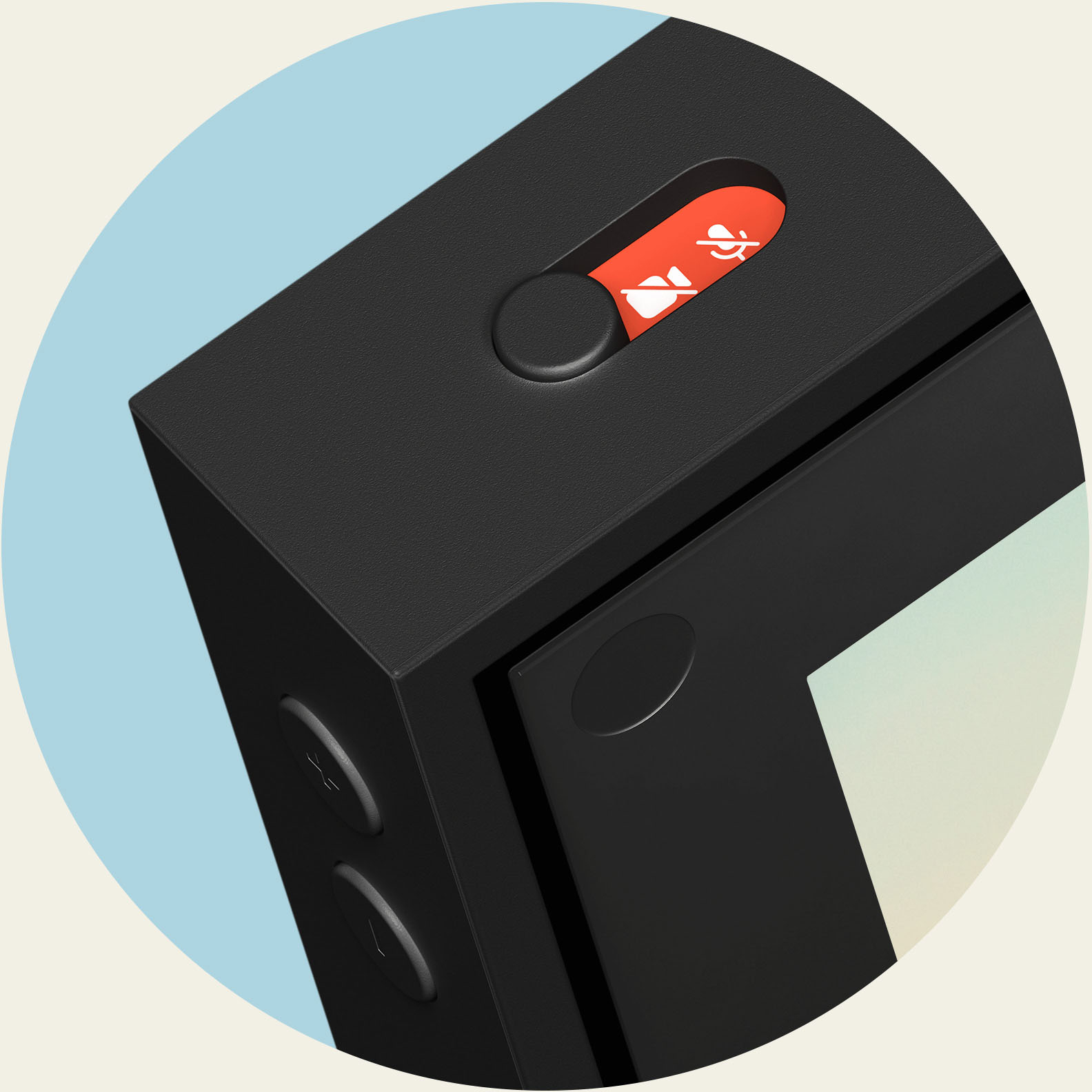
|Posted .This reviewer received promo considerations or sweepstakes entry for writing a review.Both my son and I have the larger portals and we have tested it very thoroughly. The video and sound quality are top of the line. We have both used other video devices, but this clearly the best. The video and sound are only the beginning. Having four children spread out throughout the country makes it difficult to bring us all together. This changes things. Although only two of us have Portal devices, everyone has a cell phone with Facebook Messenger. We were all able to talk and see one another, which was the first time we have been able to accomplish this. The latency was minimal and we enjoyed this a lot. This will make being apart on the holidays a little more fun. The smart video camera is really good. Somehow, it follows me around as I move around. I can walk around the room without ever coming out of the video frame. It also captures images from across the room. The microphone is powerful enough to catch audio across the room as well. The quality is outstanding. To add to the "wow" factor, this also displays pictures like a digital picture frame when not being used to communicate. It also has other applications to display the news, weather, Food Network and many others. I can also play music through the device with my Spotify account. The device also offers some nice privacy options by providing a switch to turn off the camera and microphone. The features were well thought out.
I would recommend this to a friend - Pros mentioned:Camera quality
Feels like you are in the same room!
|Posted .This reviewer received promo considerations or sweepstakes entry for writing a review.I love being able to video chat with my daughter on it. She also has one and loves it. I like being able to have both hands free and move around while we talk. If we are showing each other how to do things this is very useful. It feels more like being together than on the small screen of a cellphone! This is her first time living away from home and it makes me feel so much more connected. The camera moves to follow you around the room and zooms in and out as needed. The speaker on the unit is surprisingly good. We have been asked if we had an external speaker hooked up due to the volume and clarity. I enjoy being able to listen to music, videochat and utilize other apps. Come holiday season as I do all my baking the timer will be very helpful as I always have multiples going! I like the fact that you can choose to turn off the microphone and the camera as I feel like I have more privacy that way. The only real issue I had was the instructions were pretty limited but it is still pretty easy to setup and use. Just takes a few minutes to navigate through to find the other features and you can download more. Also you are able to choose which pictures the unit displays which is nice.
I would recommend this to a friend - Pros mentioned:Camera quality
Good device but needs some refinements
|Posted .This reviewer received promo considerations or sweepstakes entry for writing a review.Got this and set it up, Setup was very simple and the device guides you through the setup. Integration with Facebook is straight forward and I love the picture slide show - you can configure what's available to be displayed. Facebook messenger facetime is great - it works really well and the camera tracking is exceptional. I do sometimes wish it were a little faster to track with the zoom feature. But it works really well overall. Messenger works with both Portal-Portal and to those users on cell phones. The quality was good on both. Build quality is nice, but I don't like that the kickstand is also the power cord. I get it from a simplistic perspective but if that little plastic breaks I have to buy an expensive power cord replacement. The kickstand does allow both portrait and landscape orientations. Picture quality is good and crisp, would like it to be a touch brighter. Sound quality is good, although it does seem to be EQ'd for voice. We use Spotify a lot with Alexa. Maybe my expectations were higher because of the built in subwoofer on the rear of the device. LOL While Alexa is available, there are some limitations. And I found myself confused with "Hey Portal" or "Hey Alexa" depending on the function I wanted to use. When playing music, the mics are overwhelmed and I found myself yelling over the music to control. I will recommend this product, based on the primary function Facebook VIDEO messenger product and Photo display.
I would recommend this to a friend