Customer Ratings & Reviews
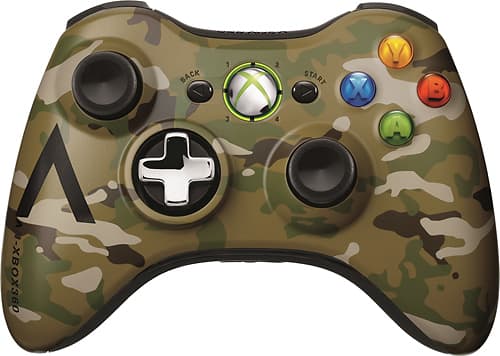
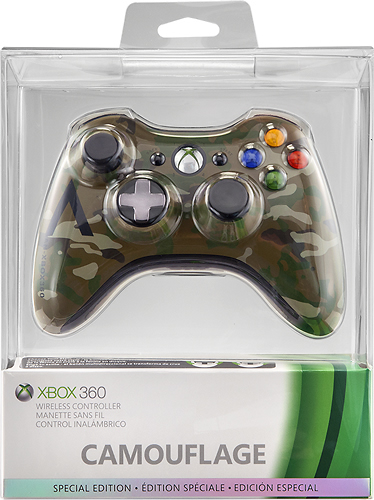
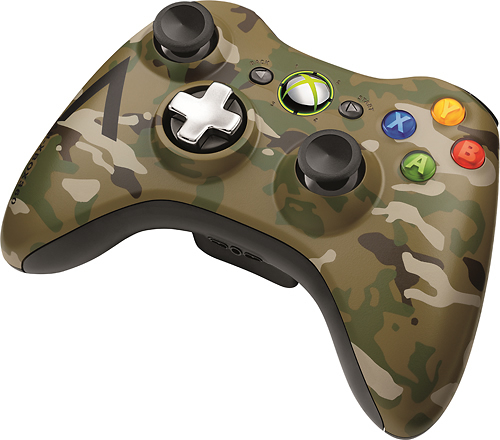
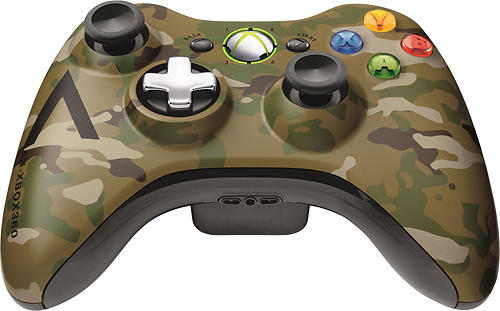
- Model:
- 43G-00049
- SKU:
- 1935591
Rating by feature
- Value
Rating 4.7 out of 5 stars
- Quality
Rating 4.5 out of 5 stars
- Ease of Use
Rating 4.7 out of 5 stars
Customers are saying
Customers are positive about the Xbox 360 Wireless Controller's ease of use, wireless functionality, and its overall design and feel. Many appreciate the controller's compatibility with various devices and the price point. While some mention the controller's size as a potential drawback, overwhelmingly positive feedback highlights its performance and features.
This summary was generated by AI based on customer reviews.
Dysfunctional remote
||Posted .This reviewer received promo considerations or sweepstakes entry for writing a review.This remote has to constantly be re-synched to use. We have tried all the trouble-shooting tips and replaced the batteries TWICE! I don't have the box to return it so we are basically stuck with a piece of trash that limits my sons' ability to play.
No, I would not recommend this to a friend- Pros mentioned:Compatibility, Ease of use
As Good As It Gets
Posted .This reviewer received promo considerations or sweepstakes entry for writing a review.If one needs a USB gamepad to play their games on Steam or Uplay or what have you, this is the gamepad they want. Most games these days are optimized to use the 360 gamepad, so it just works better than the others on most modern games. The other great thing about the gamepad is since it's a Microsoft product, one doesn't need to install any 3rd party software, Windows 7 and Windows 8 will just automatically install the necessary driver for the gamepad, and its good to go. One thing to keep in mind, on older games like San Andreas, the second stick isn't enabled. There are 3rd party programs out there that will enable the stick but the programs sometimes will cause those older games to crash. But I doubt very many are still playing games as old as San Andreas.
I would recommend this to a friend - Pros mentioned:Controller, Ease of use
Best PC gamepad on market
Posted .This reviewer received promo considerations or sweepstakes entry for writing a review.I've been on the market for a PC gamepad for a while now and have had a generally terrible experience. Most gamepads out there for the PC are, quite frankly, terrible. Typically, they're flimsy, offer no control or customization in buttons, don't support joystick movement, and aren't supported by a lot of games. After a lot of research, I found this controller. Set up: For Windows 7, this is literally a plug and play. It's beyond easy to hook this up and start using it right away. However, I had some issues getting this controller to sync with the receiver on my main gaming rig. Everything installed without a problem and the wireless receiver was recognized, but the controller itself was not recognized. I followed troubleshooting guides and searched online through forums and could not find the answer I needed. I called Microsoft support and waited in queue for about an hour only to get transferred to Games for Windows Live to then get transferred to another tech support line of Microsoft Xbox Live. I spent a good 3 hours on the phone with only about 15 minutes of that talking to a live person and endured about 3 or 4 transfers. After all of that, I just hung up and didn't want to wait anymore. I tried everything. Uninstalling, reinstalling, manual setup through device manager, etc. Out of disgust from calling Microsoft, I was about ready to take it back when I thought I'd try plugging it into my work laptop. Everything installed and synced just fine. Hm.... strange. At that point, I decided to do some serious brain storming and remembered that I used to use the PS3 motioninjoy driver a while back. The Xbox360 wireless controller for windows also uses motioninjoy drivers. I uninstalled my PS3 motioninjoy drivers a while back so I figured that it had been removed from my computer. It turns out I was wrong. I decided to take a look through my drivers directory (...windows/system32/drivers) and was surprised to come across my old motioninjoy file "mijxfilt.sys." I deleted that file, removed the drivers for the Xbox360 wireless controller for windows, unplugged the wireless receiver, and restarted my computer. After I booted to desktop, I plugged the receiver in and literally in < 10 seconds, Windows installed the driver automatically and synced the controller just fine. That's what's "not so great" about this controller. Microsoft support blows. Nobody really knew where to send me and by the time I was speaking with an "expert" (as they like to say when they transfer you), there apparently was another expert that was more expert with the issues I was having. For a PC beginner, this might seem like a huge challenge if they have problems and they may end up feeling like I was after calling support. Controller use: Wow - this is an amazing controller all around. I purchase a lot of games through steam sales; a good bit of those games are console ports like Darksiders and I've been wanting to play with a good gamepad that feels exactly how it would on console. I was very impressed with the full support this controller provides. Despite the difficulties in my set up, I'm very happy that I kept this controller. If you're looking for the perfect PC gamepad and want the console feel, I highly recommend this one. You will NOT be disappointed.
I would recommend this to a friend Broken
||Posted .This reviewer received promo considerations or sweepstakes entry for writing a review.The D-pad doesn't work, it was like that right out of the box. I don't use it that much so that's why I'm just dealing with it.
I would recommend this to a friendGood but flimsy Get a warranty
||Posted .This reviewer received promo considerations or sweepstakes entry for writing a review.The cable for the wireless reciever stopped working. These things never seem to last, I actually have three controllers all for the cords.
No, I would not recommend this to a friendreturned controler twice
||Posted .This reviewer received promo considerations or sweepstakes entry for writing a review.not a happy customer because christmas morning both my boys wanted to play their xbox together and could not because the controller would not sync to the xbox and when returned to best busy the second controller would not sync either so we had to go back to best buy again wait forever and pay more to get another controller because it would not sync....i would not recommend this controller to anyone!
No, I would not recommend this to a friendDoesn't work
||Posted .This reviewer received promo considerations or sweepstakes entry for writing a review.We bought this for my son for gaming and it hasn't worked. Now I don't know that much about gaming or computers, so I went back to the store to see if there was anything special that I needed to do and was advise to just plug it in. It still doesn't work. Changed the batteries and it still doesn't work. So we bought the Logitech wired controller and it works great.
No, I would not recommend this to a friendCool
||Posted .This reviewer received promo considerations or sweepstakes entry for writing a review.Cool on all levels and this about 50 words so yeah its all good
I would recommend this to a friendIt's ok
||Posted .This reviewer received promo considerations or sweepstakes entry for writing a review.The PlayStation controller has always been silkier tho
No, I would not recommend this to a friendDisappointed that it damaged my XBox360
||Posted .This reviewer received promo considerations or sweepstakes entry for writing a review.I connected this to my Xbox360 & it stopped workin
No, I would not recommend this to a friendBrand response from MicrosoftOutreachTeam
Posted .Hello OldSkoolMets. Microsoft warrants the Xbox 360 or Accessories will not malfunction under Normal Use Conditions for 1 year from the date you purchased it; and for Accessories, means 90 days from the date you purchased it. Please contact us directly so we can assist you with a possible replacement at: http://support.xbox.com/en-US/browse/xbox-360 . We apologize for any frustration this has caused and hope this was helpful to you.

- Pros mentioned:Ease of use, Wireless
Great compliment to a Great system
Posted .This reviewer received promo considerations or sweepstakes entry for writing a review.this is a great controller that really compliments a great system. Wireless is the way to go these days, and this is a very easy to use controller that takes full advantage of wireless technology. No more wires to trip over or get tangled. And you can use it to power on and off your console from across the room. I would recommend buying the rechargeable battery pack though, you can then plug into the system while playing and it will charge your controller or just decide to leave it plugged into the console and it will charge. Another great product.
I would recommend this to a friend No
||Posted .This reviewer received promo considerations or sweepstakes entry for writing a review.I never purchased this item please cancel card. This is the second time this has hsppened. Please cancel card
No, I would not recommend this to a friendBroke
||Posted .This reviewer received promo considerations or sweepstakes entry for writing a review.I couldnt believe this controler was not working in one week after I bought it. Make sure you buy the warenty.
No, I would not recommend this to a friend- Pros mentioned:Price
Original and colorful
Posted .This reviewer received promo considerations or sweepstakes entry for writing a review.My kids love this controllers and more because they are colorful, very nice controllers, original and price is fair
I would recommend this to a friend - Pros mentioned:Compatibility
Almost PERFECT...
Posted .This reviewer received promo considerations or sweepstakes entry for writing a review.This item is, of course, useful if you want to play with an Xbox 360 console. However, I use it to play games on my PC. It's compatible with most games and worked instantly with Windows 7 as soon as i connected it. Only thing is that you will need an adaptor if you want to connect it to the PC. If you buy this control with the intention of using it on a PC, you need to buy that adaptor. As for the "no off button" issue, it is not a huge deal. although slightly inconvenient, all you have to do is press the release button for the battery, slightly pull it out, and then push it back in. An off button would be nice, but doing that is nothing major. It is a great product. I am not exaggerating in the stats I entered. Great price, design is great if you are used to the xbox button layout, it feels strong and durable (microsoft used good materials to make these, you can feel it), and it fits my hand comfortably. Buy it! It's worth it.
I would recommend this to a friend - Pros mentioned:Compatibility
The only way to game wirelessly
Posted .This reviewer received promo considerations or sweepstakes entry for writing a review.The biggest plus of this product is that any xbox360 controller will work with the reciever, you don't need to use the one in the box! However, the one in the box is unnecessary if you already have an adequate number of controllers. I now have one too many. My PC is a layer one issue waiting to happen, wires everywhere, wired headphone,6 different USB ports in use at all times with an additional two that I sometimes use for something else... it's a mess, the last thing I need is another long wire snaking about producing emi (potentially) and generally impeding gameplay by tugging at the gamepad I am using. I have a 360 and I was looking online for a reciever that would let me use my existing wireless controllers with my PC. I have battery packs for the existing ones and get much longer endurance since I added them. So I looked online and basically found the same product <supposedly> without a controller I looked through best buy and found the above product, it came with a controller, it was only 10$ extra to get it relative to the online product which may or may not have a controller (controllers cost 50$ otherwise) and with RZ points it pays to get it. That said, the extra controller is only marginally useful to me. Now I know having a spare controller sounds like a good thing, and it is, unless you already have two. 360 controllers are nothing like N64 controllers, they are very very durable and will put up with years of abuse (the N64 controller lasted through about 3 months of perfect dark before the joystick went bad, the pelican ones were marginally better, but only marginally.... btw, perfect dark is available for download on xbox live marketplace fyi) so basically unless you have only one controller you just bought an excess controller that you may not need in this generation of consoles unless you go in for marathon halo games on your 360 and even then it isn't too much trouble to make one of the 2 controllers do double duty as both PC and XBOX Incedentally these controllers have a fairly long reach wirelessly, so using one that is former Xbox with a PC that is a room away from your XBOX will turn on the XBOX too unless you dissassociate it with the XBOX first . (Remove battery pack I think) Setup requires a driver cd, I am unable to figure out how to "normally" shut off the controller as the 360 menu method is unavailable, however if left unused for about 5-15 min it shuts off on it's own (they all do) I am unsure of the full versatility of the controller I have gotten it to work with borderlands and Skyrim, however there are games that it is not explicity supposed to work with, but not supposed to NOT work with. eHow has some workaround (use bing to find it) that supposedly just involves mapping functions like any other gamepad. This is probably the best result. <<< Supposedly there is some user-developed software out there that will allow it to do this globally, but I do NOT reccommend this, downloading random drivers and software from non-official sites is a great way to get viruses, bots, etc you name it, and this software is user-developed which either makes it Angelic or the Son of Set, and you may not even know until you lose performance, or personal information. Even if the software is solid, the site you get it from may not be... in addition it is very possibly illegal to jailbreak these things>>> I only make the above warning because if you are assymetric thinking enough to think of getting this you are possibly in the "early adopter/modder" mindset and you may have already considered installing a community made driver, however this is a small enough market that it may not police itself properly and thus the drivers may not always be what they seem i.e. let the modder beware All told, and all complaints aside, it is very responsive and you can stick the reciever behind the keyboard, out of sight, the reciever cord is short enough that it doesn't add to the tangle. The below reccommended product is a good alternative to standard batteries, and, if you now find yourself with two or more Controllers, not a bad addition, I got it quite a while before this.
I would recommend this to a friend Bummed
||Posted .This reviewer received promo considerations or sweepstakes entry for writing a review.Bought this didn't notice it was a wired remote had to return for a wireless
No, I would not recommend this to a friendGreat for X-BOX
||Posted .This reviewer received promo considerations or sweepstakes entry for writing a review.Do not purchase for P.C. They (Microsoft) will not help for problems !
No, I would not recommend this to a friend- Pros mentioned:Ease of use
wireless at its best
Posted .This reviewer received promo considerations or sweepstakes entry for writing a review.Very easy to set up, great range and battery life. My son constantly uses the remote and its only been charged once, since he got it
I would recommend this to a friend - Pros mentioned:Compatibility
Great Comfort from a Controller
Posted .This reviewer received promo considerations or sweepstakes entry for writing a review.Microsoft designed an ergonomic controller for optimum comfort and aesthetics. The controller syncs seamlessly to your 360 and you can power the console on and off with the controller as well. I definitely recommend the Play & Charge kit so you don’t have to use disposable batteries and waste your money on them. I still don’t understand why Sony keeps the same awkward and aging controller with their PS3. Overall this is the best controller available for any gaming console.
I would recommend this to a friend