Customer Ratings & Reviews
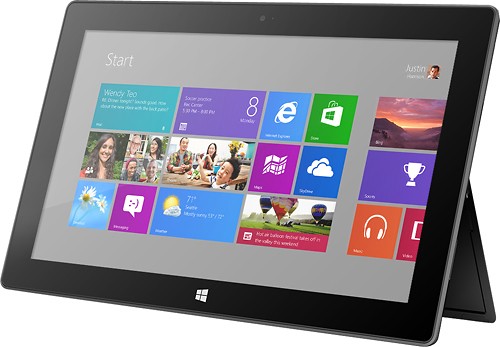



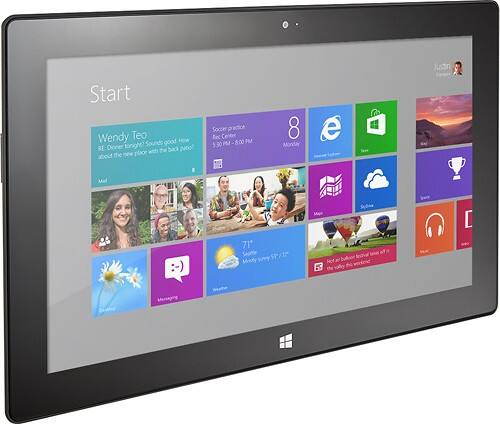




- Model:
- 7XR-00001
- |
- SKU:
- 7411049
Customer reviews
Rating 4.3 out of 5 stars with 2178 reviews
(2,178 customer reviews)Rating by feature
- Ease of Use4.3
Rating 4.3 out of 5 stars
Customers are saying
Customers have good things to say about the ease of use, keyboard, size, USB port, battery life, weight, inclusion of Microsoft Office, and price. Many appreciate the device's portability and screen quality. However, some customers express dissatisfaction with the app selection and operating system, while others mention occasional performance issues. The overall feedback suggests a generally positive experience, but with room for improvement in certain areas.
This summary was generated by AI based on customer reviews.
Rated 1 out of 5 stars
Not user friendly
||Posted .This reviewer received promo considerations or sweepstakes entry for writing a review.Not user friendly Not very nice at all. Don't get much apps can't use it.
No, I would not recommend this to a friendRated 1 out of 5 stars
Not easy to use
||Posted .This reviewer received promo considerations or sweepstakes entry for writing a review.I returned this product after 36 hours...not user friendly at all.
No, I would not recommend this to a friendRated 1 out of 5 stars
Terrible apps. Returned for a refund
||Posted .This reviewer received promo considerations or sweepstakes entry for writing a review.Don't buy it. There are too many bugs they still have to work out.
No, I would not recommend this to a friend- Pros mentioned:Keyboard
Rated 5 out of 5 stars
Great device overall!!!
Posted .This reviewer received promo considerations or sweepstakes entry for writing a review.I have had my surface for about 2 weeks now and I love it. If you want more of a tablet than a portable computer, the RT is the device for you. The pre-installed programs take up about half of the device space. 32GB you will have about 15GB available. (you can buy an SD card to increase the storage space, but only for music, pictures…not for apps. Pros. Personalize. Lovely feature, can create start screen in the layout & colors you want. Microsoft Office is preinstalled, you do not have to worry about buying it. A keyboard is suggested. Type cover vs Touch Cover. Tried the touch cover, did not like it. Type cover is way better!! I switched to type cover, better ease & flow of typing. Extra purchases: A case cover for protection of device. & screen protector With an RT device you cannot install outside or 3rd party apps & programs onto the device. You are limited to the apps in the marketplace. Overall, I love my device. This is just what I needed!! Very happy with this purchase!!!! Microsoft Office was the main thing I wanted!!! Hope this helps!!!
I would recommend this to a friend - Pros mentioned:Keyboard, Usb port
Rated 5 out of 5 stars
Great tablet
Posted .This reviewer received promo considerations or sweepstakes entry for writing a review.Wife and I own - ipad air, ipad 2, and a Samsung Note 8. The Surface RT is the best of the 4 for surfing the web and watching videos. The only thing the others do better is apps and screen resolution but I knew that when I bought it and it was half the price ($199). The kick stand + compact keyboard/mouse is very similar to using a desktop. Office 13 on a tablet is very nice. MicroSD and usb gives tons of possibilities and endless storage without pay the crazy stupid memory prices Apple charges.
I would recommend this to a friend Rated 1 out of 5 stars
Not user friendly. Returned for iPad
||Posted .This reviewer received promo considerations or sweepstakes entry for writing a review.Hated this and exchanged for mini iPad that I love!
No, I would not recommend this to a friend- Pros mentioned:Battery life
Rated 5 out of 5 stars
Best tablet on the market - period.
Posted .This reviewer received promo considerations or sweepstakes entry for writing a review.The Surface RT is a great tablet! I purchased mine back in August. My previous tablets were a BlackBerry PlayBook, iPad Mini, and a Dell XPS 10. The PlayBook got outdated after two years, the iPad mini was fine until a crack randomly appeared across the screen (never dropped or pressure put on the screen, almost always in a case), and the Dell XPS 10 was slow. When I got my RT, I was blown away by how smoothly everything worked (this is coming from a Mac user). Using Word or OneNote to take notes during class is a huge plus. Battery life is fantastic. I purchased a white touch cover to go with mine, which looks absolutely beautiful! You might be wondering if the touch cover is something you can get used to - absolutely! I purchased a Type Cover 2 a few weeks ago and found that it was on par with my touch cover (with the exception of the backlit keys - that is the only lacking feature). Also, seeing as I've had this tablet for ~3 months, I'd like to note the number of scratches on the back - NONE! I have slid this thing across tables and there are no scratches whatever. The magnesium alloy (I think that's the material) used for the build of this tablet is absolutely fantastic - both in feel and durability. All in all, a fantastic tablet at a great price! Get one, you won't be disappointed.
I would recommend this to a friend - Pros mentioned:Keyboard, Usb port
Rated 4 out of 5 stars
Innovative design elements
Posted .This reviewer received promo considerations or sweepstakes entry for writing a review.The optional keyboard attaches to the tablet using a very strong magnet (attaches like magic). The hinge is part of the keyboard so if it ever fails, you can just replace the keyboard (I have had hinges fail on my other laptops many times). Because this tablet has a USB port, you can use a wireless mouse (unlike the iPad). I also like the fact that the power cord attaches to the tablet using a magnet since laptops with plug connectors often break or wear out leading to costly repairs. The camera is not as good as the iPad. The Surface Pro that will be out soon will be more powerful but also more expensive. I tried to hook up an external dvd drive to the USB port but it did not play. Perhaps the Surface Pro will have this capability.
I would recommend this to a friend - Pros mentioned:Ease of useCons mentioned:App selection
Rated 4 out of 5 stars
I love my tablet
Posted .This reviewer received promo considerations or sweepstakes entry for writing a review.I like how this tablet for the most part is easy to use the only problem I had was getting it set up and dealing with the passwords. For the most part it works quite well it gives you your sport, news, email, games and I love the fact it comes with Microsoft Office. The cons are it tends to lag when it downloads, there are not many apps for games, and the keyboard does not always respond when I go to type. I have to lift the tablet from the keyboard to get it to type. I read in a review that the glass for the screen was gorilla glass but that is not true I accidently dropped it and on the corner where it landed there is a crack. For the most part it works well and I enjoy using it very much.
I would recommend this to a friend Rated 5 out of 5 stars
The Best Tablet I've Ever Owned
Posted .This reviewer received promo considerations or sweepstakes entry for writing a review.As a college professor, I rely heavily on programs like Word, Excel, and PowerPoint. I also have to juggle multiple email addresses--one for colleagues, one for students and, when time allows, a personal account. Because I often like to use coffee shops as my office, I've owned numerous portable PCs over the years--from laptops to netbooks and, most recently, tablets. In fact, I'm embarrassed to confess that I've owned almost every type of tablet computer that has hit the market--the iPad 2, the Asus Transformer, the Kindle Fire and now the Surface. Before the Surface, I was able to complete some work on tablets, but anyone who owns an iPad or Android tablet (and who is also honest) has to admit that, while they are super in some respects, these tablets offer very little assistance to a person who is hoping to create and edit word processing, spreadsheet and presentation program files. The reason is because these devices lock users into office apps that only allow 10% of the functionality of the full versions of the leading office programs (e.g. MS Office, LibreOffice). This, however, is not the case with the Surface. It comes with a full office suite, and I have been absolutely amazed at what I can do on this tablet. For example, just a few days ago I was able to insert comments into the margins of a student's paper. While this isn't shocking on a desktop, it's unheard of on a tablet. Then, the share button in the charms menu allowed me to easily send the file back to my student. This day of work alone made me fall in love with MS's delightful new Windows 8 operating system. I know. I've read all the reviewers who poo-poo Windows 8, and they're certainly entitled to their opinions. Many of these reviews, though, seem to be products of fan-boy hero worship, which tell readers less about Surface and Windows 8 than they do show how dogmatically people defend their purchases and favorite companies. As a former computer technician, though, I've never been a fan of any company, device, operating system or software that didn't serve my needs, and I've used many over the years. However, Windows 8--both the full version and the RT version--is the most exciting and useful operating system I've seen in years. It enables easy multitasking and an easy to navigate experience. And the real kicker is that the gestures needed to navigate make so much sense, that I constantly find myself trying to use them on my Android and iPad devices. While the value of an operating might be subjective, the fact that work like word processing, spreadsheets, and presentations is easier on the Surface is not subjective, and anyone who has used Android and I-Pad products for work and has also used the Surface can easily attest to this. It is true that there are limited apps at the time, but those of us who were first on-board with Apple or Android tablets easily remember a similar situation when they debuted. Still, to be honest, I'm not a gamer, and for my purposes, I have all the apps I need currently on the Surface. In addition to the quality of the operating system, the build quality is outstanding. This has been noted in almost every review, but it's impossible to really describe how fantastic and solid this tablet is. Truth be told, I entered the Windows 8 RT world with the Asus Vivo RT but returned it because the bezel didn't line up with the rear casing, and this made it feel a little less than comfortable and trustworthy. There are no such flaws with the Surface. In fact, I'm more impressed with the build quality of this product than any other tablet I've owned--including (and I hesitate to mention this because of the hate responses I'm sure it'll garner) the iPad. The one downside to this machine that somewhat amazes me is the screen resolution. It's not bad, but it's not stellar either. I just cannot imagine why MS didn't simply knock the ball out of the park with a higher res screen. This isn't a deal breaker, but it is puzzling. All in all, I am very happy with this product. Though I've intentionally ignored MS for over 10 years (using Linux and Libre Office at home instead), they've made me a convert--for my home and, especially, my tablet needs. Here are a few final thoughts that might be of use to those of you shopping for this tablet. 1) If you have multiple email accounts, then the included email app will allow you to add all your accounts to that one app and then simply click from one account to the next when you see a new message has arrived. This works for all email accounts-even MS Exchange. 2) The calendar app nicely integrates all your calendars (e.g. Google, MS Outlook) into one calendar and color codes the different sources so you can easily differentiate your work from personal appointments. (REALLY NICE!) 3) The "charms" bar is also nice because you can share the on-screen information/document easily. Adding it to your online content or simply mailing it off to an email address is only one click away. 4) Obviously, having full versions of Word, Excel, PowerPoint and Internet Explorer has many benefits, and the 2013 version of Office is a wonderful upgrade from the previous version. If you want to try it out, MS is letting people download a full trial version of Office 2013 via their site. It's worth a look. 5) The new SkyDrive (MS's cloud storage) nicely integrates with all programs. 6) The type cover is AWESOME!!!! It's extremely thin, and still types like a full sized keyboard. A few downsides 1) If you use Dropbox.com, then currently, there is no app for Dropbox. You can use other apps that will allow you to access those files, but they don't allow the easy edit and save that a true Dropbox program does. 2) The webcam is acceptable and works well for chatting or creating online lectures or vlogs, but if you intend to record high quality videos, then the rear camera leaves a lot to be desired. It's not horrific, but it's certainly not as good as the other tablets I've used. Something to think about: the upcoming version of Surface (non-RT) will not only run a full version of Windows 8, but it will also have a digitizer-which means you'll be able to write with a stylus on the screen. If you prefer handwriting comments, then this might be worth waiting for. You can use a capacitive stylus with the current Surface, but it doesn't offer the exactness of a true digitizer stylus.
I would recommend this to a friendRated 4 out of 5 stars
Blending pc experience with tablet functinality
Posted .This reviewer received promo considerations or sweepstakes entry for writing a review.in my quest to eliminate my laptop I have purchased quite a few devices, I have them all, an Ipad 2,Ipad 4,Galaxy Tab Note,Galaxy tab 2,Asus Transformer pad, and now the Surface RT which blends a topical version of Windows 8 ,Windows RT.While you cannot do everything with this tablet version of Windows,you can accomplish a lot,with tablet versions of powerpoint and excel I have successfully banished toting my laptop and replaced it with my Surface RT (at least 90% of the time anyways)my only gripe is the screen rez, at this pricepoint MS should of shipped the tab with a screen capable of matching Apples,dont get me wrong its pretty just not nearly as pretty as Apples.I know a lot of people complain about the lack of Apps available,I mean how many apps do you actually need? there is plenty of the important stuff with more being added daily.Another highlight is the music/video store which eclipses iTunes IMO,and if u have a new windows 8 phone,which I now do,the surface seamlessly syncs content back and forth without a hitch.One mandatory accessory would be the touch keyboard which magnetically attaches just like the ipads smart cover with a twist however,the keyboard is embedded into the cover answering all of your typing needs.All in all if your thinking of jumping the IOS ship the Surface without a doubt will do perfectly.
I would recommend this to a friend- Pros mentioned:Ease of use
Rated 5 out of 5 stars
What a pleasure to use!
Posted .This reviewer received promo considerations or sweepstakes entry for writing a review.I would recommend this device to any student. It does not run your old Windows applications, but neither does your iPad. What awesome is that it comes with MS Office and 5gig of free Skydrive cloud storage. Most users will not have a use case that the Surface can't address. If your one of the few wait for the Surface Pro coming out in January 2013. Every person I've run into that has asked about the device already has an iPad, of those that have jobs or are in school were off to the store to pick the Surface up. I sold my iPad and have never looked back. If your going to convert get your windows online account set up first (.hotmail.com; live.com; outlook.com, msn.com, ect). when you launch the surface with your online id, Surface comes alive with your Facebook, LinkedIn and cloud services already connected. This is the perfect complement to Windows 8 desktop or Windows Phone 8 device.
I would recommend this to a friend - Pros mentioned:Keyboard
Rated 5 out of 5 stars
Excellent for working with Office documents
Posted .This reviewer received promo considerations or sweepstakes entry for writing a review.I wanted something lighter and less cumbersome than a laptop for seriously editing Office documents (i.e., creating content, not just viewing) while mobile. Paired with the type cover, this is it. The type cover also doubles as a case. If guest WiFi is not available, using my phone as a hot spot handles connectivity when needed. The Windows store has the app.s I need for working though I do wish it had a Kindle reader.
I would recommend this to a friend - Pros mentioned:Ease of use
Rated 5 out of 5 stars
A great Windows RT tablet! Underrated
Posted .This reviewer received promo considerations or sweepstakes entry for writing a review.This tablet Windows RT is great for simple media consumption. I feel that this tablet is WELL underrated and I understand that most have a hard time going through the change but with Windows RT 8.1, Microsoft have definitely are trying to accommodate for those who are having a hard time on change and as a Project Manager, I understand that you can't make everyone happy. This tablet is a gift for someone who just consumes media, surfing the internet, facebook, shopping, etc. Picked this guy up for $199 during the black friday shopping and no regrets. The Microsoft Marketplace Store is just growing and growing faster within its first few years in terms of percentage than other app store. I think people just need to give this a chance and it'll definitely worth it. You have to use it to see its benefits rather than just reading "Tech Experts" who are actually just journalists or editors who doesn't use it longer than a week to give it a deserving review. I would recommend this for anyone who are just media consumers which is 90% of most of us are.
I would recommend this to a friend - Pros mentioned:Battery life
Rated 5 out of 5 stars
Best Tablet So Far
Posted .This reviewer received promo considerations or sweepstakes entry for writing a review.This is hands down the best tablet I have owned. I have had an Android tablet and an iPad and the Surface far exceeds the capabilities of both. Windows RT is perfect for mobile computing. It does what I need it to do on the go. For true computing and work applications, I have a laptop, or sometimes just use my Surface with Team Viewer and access my work PC from home. The Xbox Music Pass is a must have for folks that consume a lot of music (I use it daily). Most USB devices work with Surface. I bought a USB hub and connect a keyboard, mouse, and flash drive to it when using it at a desk. The magnesium alloy bezel and kickstand are outstanding. It's just an all around great product.
I would recommend this to a friend - Cons mentioned:Speed
Rated 4 out of 5 stars
overall great but a couple downfalls
Posted .This reviewer received promo considerations or sweepstakes entry for writing a review.This thing was overall a great buy on Black Friday for the $199 price tag. However I don't know that I would have paid the $349 which is the normal price. Everything you want from a tablet and you can link up to your Xbox with smartglass and even send and receive messages on Xbox live. Having Microsoft word, PP, excel and all preinstalled was a huge plus since I plan on using this device for my schoolwork. I didn't immediately buy the keyboard due to the price, but I'll get one eventually. The resolution on the screen is great, everything is crisp. Really easy to use operating system. A sense of familiarity to those who are used to older windows PCs. I like the live tiles that display info the second I log in. However, the microsoft store kind of sucks in comparison with the apple app store or android. The windows 8.1 store is not very user friendly. Not a lot of good free games. My girlfriend was upset because the pintrest app isn't free. Apps seem a little more expensive when you do decide to shell out the money to download one but I've not done a direct comparison. don't knock them until you try them though, some of them are great time wasters. Also the front and rear cameras are kind of a letdown. Not very good resolution and this nice screen that this device has does a good job of showing it. Lastly, its a little bit sluggish. Not horribly, but it is noticeable. If you're looking for something lightning fast, don't get this one, but if you don't mind waiting a couple seconds for an app or video to load, its all good. At the end of the day, this is a fun toy, as well as a practical alternative to a laptop, and despite its shortcomings, its pros outweigh the cons in my opinion and I'd rather have this thing over an iPad any day.
I would recommend this to a friend Rated 5 out of 5 stars
Great Tablet
Posted .This reviewer received promo considerations or sweepstakes entry for writing a review.I bought my 1st Ipad in July 2012 it was ok. I have several work documents in Word and Excel I tried several apps on the Ipad but could never find an app that would open my work documents in the right format. The apps would always mess the format up and make the forms unusable. So I received several Best Buy Gift Cards for Christmas and decided to use them to buy the Surface and WOW what a difference. The Surface came with Word and Excel and that was the first thing I tried was opening my work documents and the Surface does it without any problems. I have also connected a Bluetooth Keyboard and mouse to the Surface and that is what I am using to write this review. I really like the Surface so the Ipad will be for sale on Ebay soon.
I would recommend this to a friend- Pros mentioned:Battery life
Rated 5 out of 5 stars
This is a no-brainer
Posted .This reviewer received promo considerations or sweepstakes entry for writing a review.I originally went to Best Buy on Black Friday with the intent to buy a new Surface 2 or Surface 2 Pro. After learning that the ones I wanted were out of stock, I decided to take advantage of the $199 sale and splurge on a Type Cover 2. It was one of the best purchases I have ever made. The tablet is solid in every way, and has amazing battery life. It easily lasts all day. The fact that it includes Office 2013 RT, with Outlook, One Note, Word, Excel, and PowerPoint, make it an even greater value. Despite what the naysayers are posting, Windows RT is a solid OS, and even though there are not as many apps available compared with iOS or Android, this tablet is going to make me far more productive and is compatible with other Windows devices. It has only been a few days, and already I am taking my Surface with me everywhere. I have used iPads and Android tablets, but this is by far the best tablet I have used.
I would recommend this to a friend - Pros mentioned:Usb port
Rated 5 out of 5 stars
Great tablet plus device
Posted .This reviewer received promo considerations or sweepstakes entry for writing a review.This device was the perfect answer to my needs as a student. I got the keyboard cover along with the Surface and can take the tablet with me anywhere and work on a paper or check on my online classes. One of the greatest aspects of the Surface is that it comes with Microsoft Office 2013; buying this alone would cost about half the price of the device. I also love the side by side feature. I can work on a paper on one side of the screen and check my e-mail, Facebook, or read another document on the other half. I also love that I can download things to my Surface or save things from it with the Surface's USB port ( I can even charge my phone). The major complaint I have heard is the lack of apps for Microsoft. I do agree that there are far more and better apps in the Apple Store. However, apps were not one of the main reasons I bought this device. I will say though that I ended up being pleasantly surprised at the app selection they did have, all the apps that are the most important to me were there like Facebook, Kindle Books, I Heart Radio, YouTube, and Netflix.
I would recommend this to a friend - Pros mentioned:Usb port
Rated 5 out of 5 stars
The tablet I've been waiting for!
Posted .This reviewer received promo considerations or sweepstakes entry for writing a review.Bought my surface sans keyboard yesterday at Best Buy. Got it home and within 10 minutes confirmed why I bought it. I found an old usb keyboard laying around the house, popped open the kickstand and plugged it in, it was recognized right away and I was typing away. Can't say this about an android tablet or iPad. Another big plus for me, the browser, I browsed right to youtube.com and was not redirected to a mobile site like on android, even the nexus 10 re-directs! And the video played perfectly in 1080p. Once the app selection improves this will no doubt be the best tablet experience out there, and for now, browsing to websites (suprised google music sites works soo well) is good enough for me.
I would recommend this to a friend