Customer Ratings & Reviews
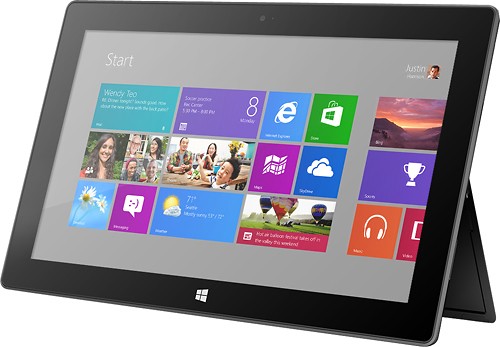



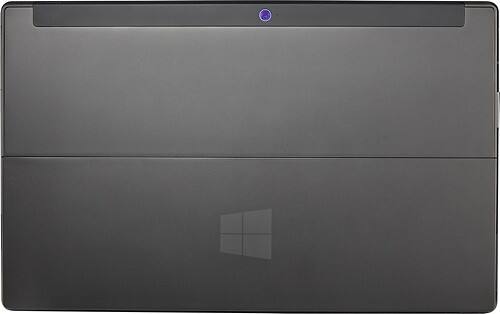
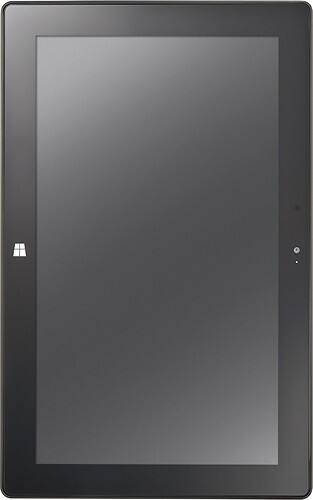
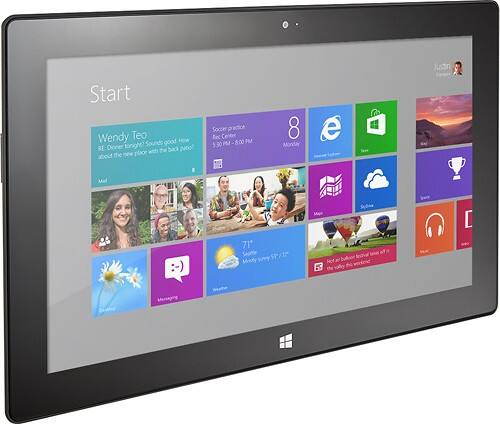




- Model:
- 7XR-00001
- |
- SKU:
- 7411049
Customer reviews
Rating 4.3 out of 5 stars with 2178 reviews
(2,178 customer reviews)Rating by feature
- Ease of Use4.3
Rating 4.3 out of 5 stars
Customers are saying
Customers have good things to say about the ease of use, keyboard, size, USB port, battery life, weight, inclusion of Microsoft Office, and price. Many appreciate the device's portability and screen quality. However, some customers express dissatisfaction with the app selection and operating system, while others mention occasional performance issues. The overall feedback suggests a generally positive experience, but with room for improvement in certain areas.
This summary was generated by AI based on customer reviews.
Rated 3 out of 5 stars
nice for a begginner
||Posted .This reviewer received promo considerations or sweepstakes entry for writing a review.It is a good producr for entry level users with limited ability.
I would recommend this to a friendRated 3 out of 5 stars
good
||Posted .This reviewer received promo considerations or sweepstakes entry for writing a review.Super sensitive screen, can't get good apps like my iPhone has
No, I would not recommend this to a friendRated 3 out of 5 stars
Its just ok should have bought a laptop
||Posted .This reviewer received promo considerations or sweepstakes entry for writing a review.Its ok I should have gotten a laptop for what I needed to do.
No, I would not recommend this to a friend- Pros mentioned:Battery life, Usb port
Rated 4 out of 5 stars
It's got it all. Almost.
Posted .This reviewer received promo considerations or sweepstakes entry for writing a review.The rundown: This thing is zippy thanks to 2GB of RAM, a solid-state hard drive, and a quad-core Tegra processor from NVIDIA, adaptable thanks to a single USB port and a MicroSD slot, maneuverable with the kickstand, usable away from a wall outlet thanks to generous battery life, and attractive with a gorgeous, rich display. I upgraded an old laptop to Windows 8 months before purchasing this tablet after researching the tablet market literally for years. Learning to use 8 without the benefit of a touchscreen was pretty aggravating. I figured out how to set up my tile screen, how to navigate File Explorer, and how to get to the features I use most as quickly as possible on a straight-up laptop first. In the end, it was the best possible prep course for owning this tablet. Frankly, people who are crying about Windows 8 are doing so because they are being forced into a mobile OS experience even if the device isn't "mobile". The tile screen can have the positive effect of making Windows far easier to use for low-tech-savvy users. You can't blame Microsoft for trying to create what people constantly say they want: A one-click experience. App highlights: Netflix, Kindle Reader, Evernote, Skype, and Weather. If you like webcomics as much as I do, you will love the display on a Surface. In a mobile device, I want the low cost of middling internal storage paired with the flexibility to double or triple the storage by adding a memory card. Microsoft knocked that one out of the park by including a USB port and a MicroSD slot. The Display Port is simple to use. I streamed hours and hours of the NCAA tournament through the Surface to my 47" LG HDTV in near-perfect picture quality. You can do the same with Netflix streaming, as well as your own video files stored on the hard drive. Plug the adapter in, combine it with an HDMI cable, and connect it to just about any high-def monitor or television. Desktop Mode allows you to work through the same Screen Resolution options you know from Win7. Here, the best part is that my Surface has saved the resolution settings from two different HDTVs in my house, and automatically loads them when I connect to either one. The Surface auto-switches back and forth nimbly when connected and/or disconnected from an external display. You can purchase a generic Micro-HDMI adapter or cable to avoid paying the exorbitant $50 for the Microsoft-brand adapter. Check to make sure it fits before you leave the store. The downsides I'm about to list are not really "Surface" problems as much as they are problems with the mobile Windows RT software loaded on the tablet. In the end, I think Microsoft is guilty of withholding the options I'm about to list for high-end business-class users who will pony up for the Surface Pro that purportedly runs full Windows 8 as opposed to Windows RT. The (ahem) Microsoft CRM my company uses thrives on the use of Silverlight to display info about a client. Silverlight has not been developed for Windows RT. If it did exist, I would be able to use my Surface interchangeably with my laptop (which would be my preference, of course). The Dropbox app simply got the shaft thus far on Windows 8 for the Surface. You can "sync" files, but you can't download them to disk. Google Drive may fare better. I'll try to post an update after testing. No Firefox for Windows RT either. This brought to light the fact that you simply can't run desktop software on Windows RT - only mobile apps. Considering you could "trick out" the Surface with just about any USB device, this falls short of its potential. Speaking of add-ons: Bluetooth compatibility will allow for all manner of keyboards and mice. All things considered, though, Microsoft's branded accessories are streamlined for use with Surface's ports, and you will pay a princely sum to add a Microsoft Surface keyboard ($80-$130 depending on options chosen). The magnetic power plug requires an unsatisfying amount of adjustment to securely make it meet. I can cope with that considering the VERY healthy battery length and the short amount of time to recharge. Of course, my device is still very new, so we'll see how quickly the battery degrades. The built-in camera shoots still photos that will make you cringe with their utterly disappointing, grainy appearance, while the video picture quality is surprisingly crisp for Skype chats and taking video. Overall, I absolutely love how the Microsoft Surface is a helpful tool for doing business and staying connected, but it's got plenty of fun options for kicking back as well.
I would recommend this to a friend Rated 3 out of 5 stars
Ok device
||Posted .This reviewer received promo considerations or sweepstakes entry for writing a review.Replaced my iPad , need more apps. app-sd card yes
I would recommend this to a friend- Pros mentioned:Battery life, Size
Rated 5 out of 5 stars
Built for Real Productivity
Posted .This reviewer received promo considerations or sweepstakes entry for writing a review.I know this is long but if you are a professional/business user you may want to skim through it. I’ve had an iPad since the very first generation came out and while it’s a remarkable device, it seems like a toy in comparison to the Microsoft Surface. I use the Surface for work and I don’t care how many apps the Apple App Store has … They don’t have real Microsoft Office … I live and breathe Office at work, so this was the major deciding factor for giving the Surface a try. My needs: • A companion to my work laptop that I can take with me to meetings to take notes (Evernote), respond to exchange email, and occasionally look things up online. • A tablet I can easily take home at night or to conferences/meetings outside of work to remain productive without lugging my work laptop, charger, etc with me. • Occasionally used for media consumption (Netflix, Amazon Prime, Hulu Plus, and built in Videos application) – especially at conferences or sometimes at night in bed. • Web browsing to fill in any free time – have to keep up on the news! The Office applications are uncompromised and meet all of my needs – I can review and edit complex documents with track-changes and comments, I can reformat Excel spreadsheets and add complex formulas and I can quickly flip through PowerPoint presentations on my way to meetings or even connect to a projector to give the presentation myself. I wouldn’t think twice about creating a new document from scratch on my Surface – something I would never, never say about the iPad. I use Outlook extensively on my desktop – the built in Mail and Calendar applications are richly featured and useful, and they will be releasing full Outlook RT in just a few months. The Surface has many other work-friendly features that continue to amaze me – I can scan and print documents on our network printers, I can VPN to the work servers and even map my network drives, I can log into my work computer (via RDP or via third-party applications like Splashtop) to email myself something I accidently left saved on my desktop, and it will connect to my office WiFi which uses archaic ‘wireless a’ standards and complicated authentication. I chose the Surface based on battery life – I need something that will last all day and I can easily get a full day of work done with battery to spare. I also chose it based on the size (it’s as slim as the newest iPads), weight and the looks (I don’t want to get pegged as a tech geek at work and it looks enough like apple/android tablets that it doesn’t turn too many heads – a good thing). I originally got the type keyboard and exchanged it for a touch keyboard – the opposite of what most people do. The type keyboard is brilliant and I could type perfectly, but it makes noise when you type (like all “real” keyboards). I returned it and got the touch keyboard because it’s completely 100% silent when you type so I can take notes and respond to emails at meetings without disturbing anyone else. I do realize I don’t type as well on it but it’s an easy trade off to stay productive without clickty-clacking away on a keyboard. It’s a brilliant innovation in my opinion. Also has a trackpad!! I have the Surface on my desk and use it like a second monitor when I’m not in meetings. I usually leave my email up so I can see things as they come in, but also pull up calendar or other items when I need to look back-and-forth between two programs. It has REAL internet explorer – no other tablet can compete on this. It just works beautifully on the REAL web – I’ve come to hate mobile websites… It uses real Windows so it’s familiar and easy to use. It’s amazingly fast and fluid – since you have Microsoft hardware and software, everything has been finely tuned to work together and it flies. The hardware is really impressive – it’s very polished, well thought out, professional looking and feeling and attractive. I originally thought I would need full Windows (X86 or X64) and so I had an Ativ 500t Smart PC. With the keyboard dock and larger screen, it looks like a cheap plastic netbook. The bottom line is that I couldn’t take it to meetings without people asking me about it and I didn’t want to deal with it or garner that type of attention. The surface looks slick and polished and does not grab attention (but look good if someone cares to gander at it). So I wanted to change out the Ativ for something more professional. I really looked at how it would be used (instead of how it could be used) and I realized that Office, email and Evernote would meet 99.9% of my work needs – so I decided to try Microsoft RT. I’ve yet to run into a work scenario where I needed to pull up a proprietary application. I think the Surface got a bad wrap early on but as a business user I now totally ‘get it’. It’s the perfect companion device and its killer apps are Microsoft Office coupled with the innovative touch cover to provide for rich and easy content CREATION – something no other tablet can do.
I would recommend this to a friend Rated 2 out of 5 stars
poor variety of apps available
||Posted .This reviewer received promo considerations or sweepstakes entry for writing a review.I firts bought it as a family intended tablet but the returned in for an ipad because of its lack of variety of apps and the dificult to use for a kid. I don t reccomend this version.
No, I would not recommend this to a friendRated 2 out of 5 stars
surface , buy a droid tablet instead
||Posted .This reviewer received promo considerations or sweepstakes entry for writing a review.I wanted a tablet that would serve as a "basic, lightweight" laptop but this is just a tablet. No more. I ended up buying a lightweight laptop and returned the Surface after about a week of use. Not horrible just didn't serve my purposes.
No, I would not recommend this to a friendRated 2 out of 5 stars
windows 8 was touch screen
||Posted .This reviewer received promo considerations or sweepstakes entry for writing a review.Got this product to go to college with me . Found it was larger then I thought and this made it harder to handle . Also I use Google Chrome to do my communication and this wouldn't let me use this site so I returned the item.
No, I would not recommend this to a friend- Pros mentioned:Usb port
Rated 1 out of 5 stars
piece of crab, can not do any thing
||Posted .This reviewer received promo considerations or sweepstakes entry for writing a review.Down load the software , but can not open up to use it. Because it requires several special files to use the one that you need. It could be a paper weight for my office.
No, I would not recommend this to a friend - Pros mentioned:Usb port
Rated 5 out of 5 stars
A Very Refreshing Tablet
Posted .This reviewer received promo considerations or sweepstakes entry for writing a review.The Surface with Windows RT is the best tablet I have ever used. Let me tell you why. 1) I owned an Android tablet for about 10 months and near the end it was becoming a nightmare. It wasn't a cheap, no-name tablet either. It was an ASUS Transformer Prime. Constant errors when browsing the internet (Like every 5 minutes). Multiple dead pixels. Bad WiFi reception. Apps crashing. I am very glad I got rid of it. 2) I have also used iPads and although it is very clean and works well, I am personally incredibly bored with iOS. It has looked virtually the exact same since the original iPhone came out. Not to mention I am getting bored with the look of the hardware as well. Now onto the Surface. It was like a breath of fresh air, hardware wise and software wise. Hardware: The materials the Surface is built with are top quality. The magnesium case feels great in the hands and is very sturdy. I have yet to scratch it and I have carried it around in my backpack and set it on desks. It does pick up fingers prints and smudges easily though. The glass is also very scratch resistant and cleans very easily. The kickstand is extremely convenient. I didn't think I would use it very much, but its so quick and simple I use it when Im at the dinner table, on the kitchen counter if Im cooking, on the couch, etc. The sound it makes when it closes sounds very nice too. The screen is beautiful. Although, the resolution is no where near as high as the iPad, it still looks amazing. Having the full size USB port is handy if you need to use a flashdrive or hook up a USB keyboard or mouse. The microSD card slot is also great and is cleverly hidden under the kickstand. The touch cover works really well and is more convenient for typing. It can also be used on you lap when sitting down and is not uncomfortable at all. Software: Windows RT has been very solid for the month I have been using it. I spend most of my time on the "Metro" or "Modern UI" side and it is great. The interface is clean, responsive and smooth. Apps load reasonably quickly, but that can be improved with updates. Internet Explorer 10 is fantastic. Its easy to use, fast and really smooth. The Office suite is also very well done. Each program in it works flawlessly. Overall, I am very very pleased with the Surface. It is like night and day from my old Android tablet and it is refreshing compared to the iPad. The quality of hardware and software are top of the line.
I would recommend this to a friend - Pros mentioned:Size, Usb port
Rated 4 out of 5 stars
An excellent tablet for people don't play games
Posted .This reviewer received promo considerations or sweepstakes entry for writing a review.I bought MS Surface when it launched I sold my xps 13 for this surface because the XPS 13 is a joke and useless for me. (Short battery life, horrible screen, etc) I'm a college student and Surface is primary for school use. It works much better than other tablets because it comes with MS office. But the most innovation design of surface is the kick-stand! You never know how it is useful till you get one. -Capture interview video. It's not the same way as IPAD, Because the rear camera is designed as 22 degree. The video is naturally parallel -To do homeworks easily without the extra case -You can use surface to practice presentation with group because of the kick stand and powerpoint (Well u can do it in ipad but.....) Beside the kick stand, the screen is very good. I personally don't care about the "retina screen". The screen is so beautiful, the 10.6 size is just perfect! It also comes with the USB port! It's such useful port for school use! However, it's not perfect. -Lag in some video scream site, like twitch.tv. Crash millions of times when it plays ads. (if you sub all streamers, you will be fine ) -Lack of games choices, I don't play tablet games, so it doesn't bother me -Short battery life compare to Ipad. -The back of surface is so easy to capture your finger print. -The build quality is kinda average, There are lots of gaps between each components. -So freaking expensive touch cover, but you have to buy it! Because it's what surface meant to be ! At the end, I recommend this tablet if you don't want to carry a heavy laptop or ultra book to school while you don't like to play tablets games.
I would recommend this to a friend - Cons mentioned:Operating system
Rated 1 out of 5 stars
It uses Windows 8 and TWindows 8 SUCKS
||Posted .This reviewer received promo considerations or sweepstakes entry for writing a review.It does noes not come with the keyboard and it uses Windows 8 which you need to take a college course and have an exceptional memory to operate. Don't bother
No, I would not recommend this to a friend Rated 2 out of 5 stars
Good screen quality not easy to use
||Posted .This reviewer received promo considerations or sweepstakes entry for writing a review.Some good feature but no access to Comcast emails plus lack of compatibility with too many application used for my business. Overall I would say that I am disappointed after I had such high expectation
No, I would not recommend this to a friendRated 2 out of 5 stars
Had a few problems.
||Posted .This reviewer received promo considerations or sweepstakes entry for writing a review.I had problems with my purchase and had to take it to a nearby town that has a Best Buy....45 miles away. There was no booklet of any kind in the package to help me with problems....I'm a beginner.
No, I would not recommend this to a friend- Pros mentioned:Battery lifeCons mentioned:App selection
Rated 5 out of 5 stars
Surface pwns n00bs...
Posted .This reviewer received promo considerations or sweepstakes entry for writing a review.I purchased my Surface over the Christmas break, and I absolutely love it. I am not new to tablets... I have a 2nd Gen iPad, and an ASUS Transformer at work. My experience places the Surface above the iPad and ASUS for the following reasons... - User Accounts -- the thing I hate about the iPad and Asus is that I see the apps that everyone in my house adds to the device. Sure you can create groups for each person to place their apps in, but I prefer the clean interface of the Surface where I only see what I want to see. - Family Safety -- this feature may not seem that significant to some, but to me the thing that was missing with the other tablet platforms was the ability to know what my kids were doing with the device. With Surface I get a simple weekly report that outlines how my kids are interacting with the product... what apps they are using, where they spend their time on the web, how long they are on the device, and it even allows me to set time limits for use. - MS Office -- this IS an awesome FEATURE. I use my surface to drive PowerPoint presentations, and although I could do the same thing from the other two devices, it was with mixed results. When I spend a week working on a presentation, I want it to come across in my presentation the way that I created it. With my iPad, I often times ran into scaling issues that would shift bars on graphs, or wrap headers when they weren't wrapped in the original. There is no substitution for the real deal, and having MS Office at my fingertips is worth the switch. - Battery Life -- The battery life is amazing! I can go all day at work, and kick back and play hours of Jetpack Joyride when I get home before I need to clip on the cool magnetic charger. In less than two hours the device is fully charged, and I am ready for another full days worth of use. This was not the case with either the iPad or the ASUS. You will be impressed. - Screen Resolution -- Who really needs a retina display? The screen on the Surface is beautiful, and although I haven't compared it next to a retina display I can honestly say I don't need it. - Remote Desktop -- If you still have a PC in your home, like I do... you may want to utilize some of the software you have installed on it. No problem with Surface. The remote desktop app is superior to any app on either the iPad or ASUS. It allows me to lounge in the living room, edit photos in Photoshop on my PC, while watching Big Bang Theory. With Remote Desktop, I have access to the power of my PC in a portable form factor. Love this! Note... you are going to want the attachable keyboard when interfacing to your PC. - XBOX Live Integration -- Nothing compares to XBOX Live when you want to show your friends how superior you are at gaming. The first thing I did when I got my surface was load all of the "free" XBOX Live titles from the store. Then I immediately began the process of pwning my n00b friends high scores in each of the games. This is fun, folks! Although, I found a number of games where I could play against friends on the other platforms, if you have an XBOX you will enjoy the Surface much more. On the downside, the App Store is behind the competition. For example, there are "Pintrest" apps in the store, but currently none from "Pintrest." This is the case for YouTube, Instagram, Facebook, and a handful of others. This is changing, and I have recently seen more "official" apps in the store show up. To bide the time, I have been hitting the websites directly through the excellent Explorer app, but if you are the type that "has to have" the official app now... you are likely not going to be happy. Additionally, the built in speakers at times feel weak in their production. I wish the sound were on par with my other devices, but this is NOT a game breaker... just being honest. Surface deserves serious consideration from all consumers. Apple's iPad has the edge for coolness... and I am not sure why. When I first picked up my Surface, I tended to reach for the iPad at the end of the day... as of late, I don't do that anymore. I now use my Surface for everything, and my iPad is collecting dust on top of my Transformer at the corner of my desk. Hope this was helpful... couth. <-gamertag :)
I would recommend this to a friend Rated 2 out of 5 stars
charging issues
||Posted .This reviewer received promo considerations or sweepstakes entry for writing a review.the charger is magnetic and doesn't sit very well on the unit sometimes it charges sometimes it doesn't also don't like that you have to give credit card info just to start up software
No, I would not recommend this to a friend- Pros mentioned:Ease of use, KeyboardCons mentioned:App selection
Rated 4 out of 5 stars
Great product for light weight computer.
Posted .This reviewer received promo considerations or sweepstakes entry for writing a review.This tablet pc is one solid product. It doesn't feel cheap like other pc's and this Windows RT tablet packs a quad core processor vs the other tablets running Windows RT. Most people worry not being able to put this tablet on your lap and type. Well I am doing so right now typing this review. People worry about the touch type cover. Well Believe it or not you don't have to bank on the keys to get them to type a letter. You just simply start typing away. This product only uses programs "apps" from Windows Store. Yes it doesn't have as much apps selection as Android or Apple but I never used all the apps the had anyways which to much for what Microsoft has now in the store they fit my needs. I can tell you the package will say only able to use accessories only for Windows RT ready for example "printer, portable hard drive, mouse, keyboard. I used my windows xp portable hard drive and it synced right to this baby and I was able to retrieve all my music and documents. Keyboard, Mouse, and Printer aren't windows rt ready from what the packages says which I bought in 2009 and they all sync with the rocking tablet. I plugged in the devices and the computer searches for the drivers automatically, make sure to be connected to the internet before plugging in older devices. As far as any complaints I have none what so ever. I am technology savvy and I feel that anyone can use this device if you take time to learn the product itself. Once you explore all the things this tablet can do you will be satisfied guaranteed. This runs Windows RT which basically means you can not run legacy applications. You can run what's in the Windows Store.
I would recommend this to a friend Rated 2 out of 5 stars
Disappointed
||Posted .This reviewer received promo considerations or sweepstakes entry for writing a review.Although it's good for the price paid, there are lots if limitations as to what you can do/download on this tablet.. Was looking forward to have it but ended up very disappointed
No, I would not recommend this to a friend- Pros mentioned:Battery life, Usb port
Rated 5 out of 5 stars
Goodbye iPad - Hello Surface
Posted .This reviewer received promo considerations or sweepstakes entry for writing a review.Hardware is fantastic. Well-built, beautiful design will definitely turn heads. As a competitor to the iPad and Android tablet, the Surface RT is a clear winner for me. There are some misunderstanding and limitations to be aware of, but personally, the good far outweighs the limitations. No, you cant install any windows program on the Surface RT. Wait for the Surface Pro if you must run certain legacy programs. (The Surface Pro will cost more and have significantly less battery life, however) Keep in mind, you also cant install legacy windows apps on an iPad, or Android tablets. The main weakness of the Surface at this time, is the available apps. The market is new. If the bulk of your tablet use is specific games or 3rd party apps, make sure those apps are available, otherwise Surface RT might not be for you, yet. Considering the same marketplace will be on every new Windows desktop, laptop and tablet, I fully expect that the apps will come eventually. Now for what makes the Surface shine. Battery life is comparable to my iPad2. The interface is snappy. Not perfect, but faster than performance I experienced on the iPad2. While setting up my Surface, I opened an explorer window to my shared folders on the network and copied my media files to my SD card - saving precious space on the 32GB internal storage (only 17GB or so is available for your files). You get a real office suite free. Office works well with touch, but you also have the option of using a keyboard and/or mouse via the touch cover or plugged into the USB port. At work and home, I can browse network shares and print to network printers. I wouldn't call Surface RT a full laptop replacement, but its highly portable tablet that also can do a lot of stuff that traditionally could only be done on a full laptop. For a first attempt at the new tablet market (not counting the TabletPCs), I think MS has a strong competitor. It does everything you expect a tablet to do out of the box, plus a lot more you would only expect to be able to do on a full laptop or desktop OS.
I would recommend this to a friend