Customer Ratings & Reviews


- Model:
- EP2-32831
- SKU:
- 6625053
Rating by feature
- Value
Rating 4.4 out of 5 stars
- Quality
Rating 4.7 out of 5 stars
- Ease of Use
Rating 4.6 out of 5 stars
Customers are saying
Customers consistently note the Surface Arc Bluetooth Mouse's portability and design as major selling points. Many appreciate its comfortable feel, convenient size, and long battery life. However, some customers have expressed concerns about the smoothness of scrolling, the price point, and difficulties with right-clicking functionality.
This summary was generated by AI based on customer reviews.
Love it
Posted .This reviewer received promo considerations or sweepstakes entry for writing a review.Love this product for my surface pro. Its something I like everyone should get if they have a surface pro.
I would recommend this to a friendSleek
Posted .This reviewer received promo considerations or sweepstakes entry for writing a review.Sleek design and great product. A little bit small for my husbands hands. Perfect for mine though.
I would recommend this to a friendEasy to use and takes up no space at all
Posted .This reviewer received promo considerations or sweepstakes entry for writing a review.I want sure about the curved design, but this missed is great! Bluetooth and easy to carry when I travel.
I would recommend this to a friendNo middle button, good overall mouse.
Posted .This reviewer received promo considerations or sweepstakes entry for writing a review.Very slim when folded and connects fast. However, there is not middle button.
I would recommend this to a friendDon't buy
Posted .This reviewer received promo considerations or sweepstakes entry for writing a review.Do not recommend. Right clicking is super annoying. You have to very purposefully click far on the right side. 75% of the time it registers as a left click. I would take it back since it was so expensive if I didn't throw the box away! Bought a cheap one that is the old design with 2 buttons and slider in the middle at a quarter of the price of this junk mouse.
No, I would not recommend this to a friendDo Not Buy!
Posted .This reviewer received promo considerations or sweepstakes entry for writing a review.I have had the mouse for a few months now and I love the design and feel of the mouse. it feels comfortable and the right and left click of the mouse is not an issue for me. I use the mouse for my everyday work 6-10 hours a day. I have owned many Logitech mouse and keyboard in the past so I thought I would try the arc mouse. While I love the piece it self I hate everyday having to trouble shoot it constantly. at the beginning I would just finish my days using my laptop pad because it would disconnect after 4-6 hours of use. I would do all the trouble shooting and it would not connect again for the day. Then finally after the 5th time of changing the power it worked for two days and back to the same issue. Now it is not connecting at all. I disconnected it and tried to connect it again and no luck. it has been 3days now and have not been able to connect it or the time to do more trouble shooting. This is the most expensive mouse I have ever purchased and by far is the worst in connecting and the use I can get from it. I am using my years old from Logitech now. I understand I can provably get it to work eventually but for this price I did not expect this much trouble with it. I am thinking it is also the fact that is Bluetooth that it has so many issue with connectivity. I do not have time to keep trouble shooting it and I don't even know if I can return it or exchange it. I'm going to look if it has warranty to exchange it. I had high hopes for this mouse but it was a BIG disappointment.
No, I would not recommend this to a friendBrand response from MicrosoftOutreachTeam
Posted .Hello,
We regret to hear that you have been having such difficulty with keeping your Surface Arc Mouse connected to your device. It sounds like you have done some previous troubleshooting, so we think it may be best to contact our support team for further assistance. Sometimes this can easily be solved by simply updating the firmware. Please don't hesitate to reach out here: https://support.microsoft.com/en-us/contactus/.
We are eager to hearing from you so we can assist you with getting your Surface Arc Mouse up and running!
Kind regards,
Jessica
Surface Customer Care
Arch
Posted .This reviewer received promo considerations or sweepstakes entry for writing a review.Over rated I like how it look but it hard to control
No, I would not recommend this to a friendCan't tell if I like because it does NOT work!!
Posted .This reviewer received promo considerations or sweepstakes entry for writing a review.Straight out of the box it does not work. . .. Can not pair it to my device, I'm assuming because (per instructions) when I depress the bluetooth button I do not get the blinking light after 3 seconds. Yes, I have it arced so it should be on, yes I put in fresh batteries in case that was an issue. So I guess its off to Best Buy to return it, only this was the last one the store had in stock. . . At this point could not recommend to a friend. I have held it and tried to understand the negative review comments about the "right click - left click" issues a lot of folks seem to be having. I don't think will be an issue for me, but hey. . . I can't even try it out!! BTW, this was NOT an opened box, the seal was tight and in place. No excuse for selling faulty products, this wasn't a "Dollar Store" purchase or price.
No, I would not recommend this to a friendBrand response from MicrosoftOutreachTeam
Posted .Hello,
We're so sorry to hear that you are experiencing some unusual difficulties with the Surface Arc Mouse. Please know that this is a highly unusual issue, and we are sending your feedback up to our team. We care about delivering top-notch products, and quality service to our customers, and we apologize that your experience has not been up to the standards we hold ourselves to. Many of our customers who have gotten a chance to experience the Surface Arc Mouse, love the sleek design, and portability, and have remarked that it is easy to use.
If you are planning on exchanging the Surface Arc Mouse, we think that you will have a much better experience. If you should ever encounter any difficulties in the future with any Surface products, please don't hesitate to reach out to our support team here: https://support.microsoft.com/en-us/contactus/.
We apologize for any inconvenience, and we hope we can show you the level of excellence we strive for every day.
Kindly,
Jessica
Surface Customer Care
Stopped Working After A Year
Posted .This reviewer received promo considerations or sweepstakes entry for writing a review.Loved it while it worked but Bluetooth stopped connecting after a year.
No, I would not recommend this to a friendeh, not as good as the first gen model.
Posted .This reviewer received promo considerations or sweepstakes entry for writing a review.I like the look and it feels better in my hand than I expected but I miss the physical buttons and the scroll wheel does NOT have the same functionality as the original Arch; That annoys me because I can't set my mouse to auto-scroll a page that I'm reading. Also, too frequently, the page I am viewing will scroll slightly up or down arbitrarily on its own as if I touched the mouse even when I haven't. I only bought this one because my old one stopped working one afternoon and it's either impossible to find one for sale or it's listed at an outrageous price. I'm not really satisfied with this one but I am keeping it because it's similar and has the same small footprint as the original Arch.
No, I would not recommend this to a friendBrand response from MicrosoftOutreachTeam
Posted .Hi Alex,
We're truly sorry to hear you've been having some difficulties with your Surface Arc Mouse. Our support team would love to assist you further. At your earliest convenience, please feel free to reach out to our team here: https://aka.ms/AA4rbq6.
We hope to hear from you soon.
Kindly,
Heather
Surface Customer Care
Mouse
Posted .This reviewer received promo considerations or sweepstakes entry for writing a review.Great price, exactly what my grandson wanted you should not require a certain # of characters
I would recommend this to a friendSlim and Smooth
Posted .This reviewer received promo considerations or sweepstakes entry for writing a review.Wireless, Very comfortable and easy to use. Quiet click for pc.
I would recommend this to a friendA travel mouse that requires a USB-A dongle?
Posted .This reviewer received promo considerations or sweepstakes entry for writing a review.Don't buy this mouse. It's supposed to be for travel, but it requires you to use a USB-A dongle to connect. It won't pair over Bluetooth without the dongle. This is a fatal flaw. My modern laptop does not even have USB-A ports any more, and would I bring a dongle on a trip just to use my mouse? No way...
I would recommend this to a friendRight click EPIC FAIL
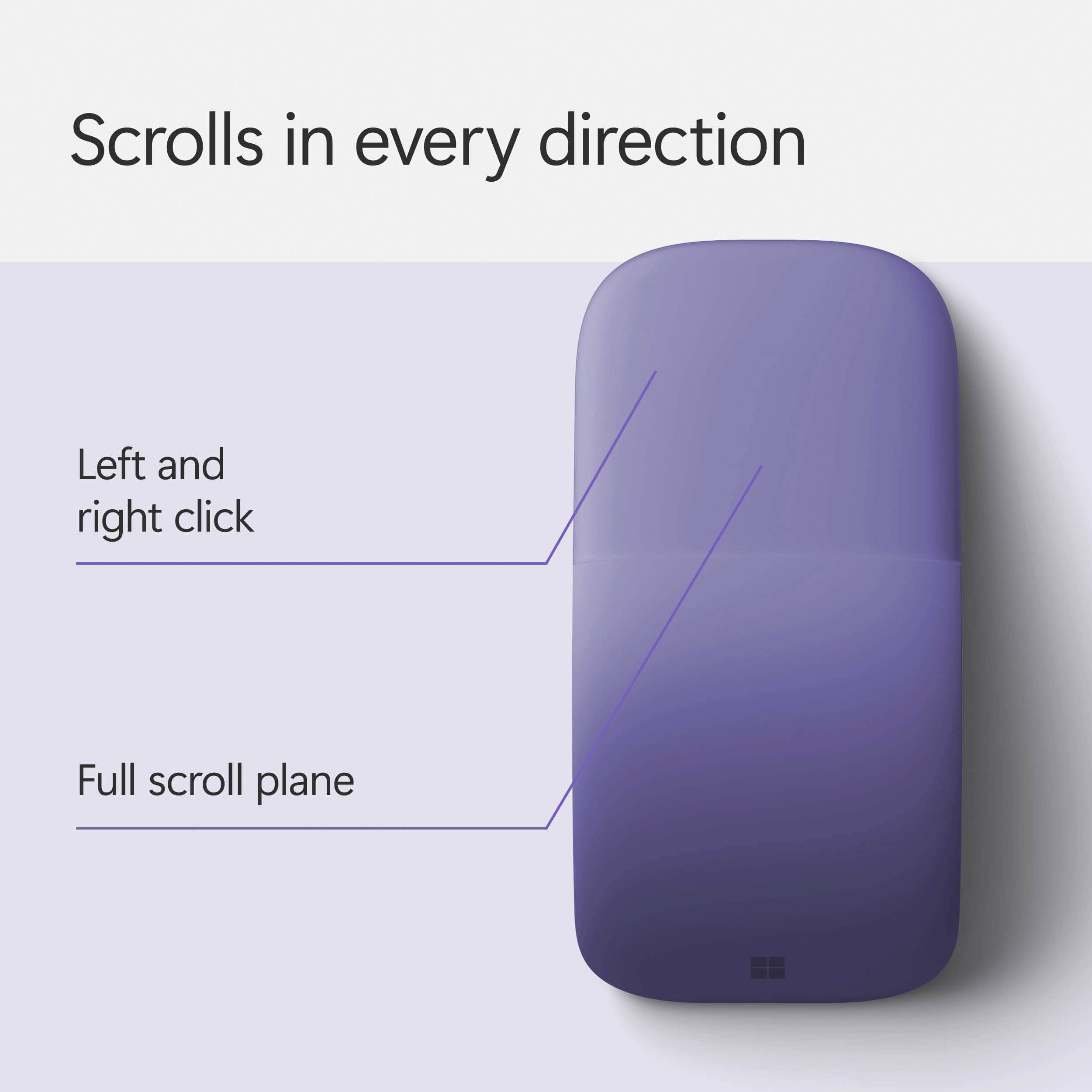
Posted .This reviewer received promo considerations or sweepstakes entry for writing a review.Terrible design. You cannot right click if the fore finger is resting on the left click button area. ( I am right handed ) If any another finger is touching the surface of the mouse, it treats even a right click as a left click . This is by design !! To get a successful right click, you need to take all other fingers off the top surface. Who does that !!! Ridiculous.
No, I would not recommend this to a friendScammer… don’t use online store
Posted .This reviewer received promo considerations or sweepstakes entry for writing a review.I didn’t take this item. Instead of this product you sent different one( Logitech) I went to explain this to your store your stuff said we don’t care
No, I would not recommend this to a friend