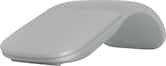
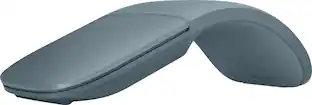
Microsoft - Surface Arc Bluetooth BlueTrack Ambidextrous Mouse for PC - Wireless - Violet
Color
Violet
Key Accessories:
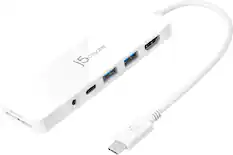
- j5create - USB-C Multi-Port Hub with Power Delivery for Mac, PC and More - White$39.99

More Buying Options from Best Buy and Marketplace sellers

Specifications
- Lighting TypeNoneMaximum Sensitivity1000 dots per inchNumber of Buttons (Total)2Connection TypeWireless
- Key Specs
- Lighting Type: None
- Maximum Sensitivity: 1000 dots per inch (Mouse sensitivity is measured in dots per inch (DPI). The higher the DPI, the more sensitive the mouse is and may be more useful for high-density pixel screens. Lower DPI typically means more precision and accuracy in mouse movement.)
- Number of Buttons (Total): 2
- Connection Type: Wireless
- General
- Brand: Microsoft
- Model Number: EP2-32831
- Product Name: Surface Arc Bluetooth BlueTrack Ambidextrous Mouse for PC
- Color: Violet
- System Requirements: Microsoft Windows 10/8.1, Bluetooth 4.0 or higher (The software that a product must have for it to be able to integrate with another product.)
- Features
- Mouse Type: Standard
- Lighting Type: None
- Maximum Number of Memory Profiles: 1
- Performance
- Mouse Operation: Button(s), Touch scroll
- Mouse Grip Style: Palm grip (In comparison to many palm and claw grips, ergonomic grip mice are designed for a specific handedness and put the hand and wrist in a position to promote comfort. Customizable grips feature buttons/keys that can be configured to perform specific actions and may also have customizable calibration and sensitivity settings.)
- Handedness: Ambidextrous
- Tracking Method: BlueTrack (There are several types of computer mice, optical and laser being among the most common. Optical mice detect less detail and provide more precise and accurate movement. Laser mice detect more detail and can be used on a wider variety of surfaces, but are more sensitive to small movements.)
- Maximum Sensitivity: 1000 dots per inch (Mouse sensitivity is measured in dots per inch (DPI). The higher the DPI, the more sensitive the mouse is and may be more useful for high-density pixel screens. Lower DPI typically means more precision and accuracy in mouse movement.)
- Minimum Sensitivity: 400 dots per inch (Mouse sensitivity is measured in dots per inch (DPI). The higher the DPI, the more sensitive the mouse is. Lower DPI typically means more precision and accuracy in mouse movement, but higher DPI may be useful for high-density pixel screens.)
- Number of Buttons (Total): 2
- Number of Thumb Buttons: 0
- Number of Programmable Buttons: 0
- Adjustable Weight: false
- Connectivity
- Connection Type: Wireless
- Wireless Connectivity: Bluetooth (The manner in which a device sends data to another device over a short distance without the use of wires or cables.)
- Maximum Wireless Range: 32.8 feet
- Operating System Compatibility: Windows
- Plug and Play Operation: true
- Number of Devices Connectable Simultaneously: 1
- Power
- Mouse Power Source: Battery-powered
- On/Off Switch: true
- Rechargeable Battery (Mouse): false
- Battery Size: AAA (The battery size required for operation.)
- Number of Batteries Required: 2
- Batteries Included: true (Indicates whether the product comes with the required batteries for its operation.)
- Included
- Mouse Pad Included: false
- Dimensions
- Product Height: 1.14 inches (The out of box height of the item. Height is measured as the vertical distance from the bottom of the item to the top as it would be primarily used or placed.)
- Product Length: 6.3 inches (The out of box length of the item. Length is measured as the longest dimension of the item.)
- Product Width: 4.13 inches (The out of box width of the item. Width is measured as the horizontal distance from one side of the item to the other as it would be primarily used or placed.)
- Product Weight: 154.22 grams (The out of box weight of the item.)
- Warranty
- Warranty - Parts: 1 year
- Warranty - Labor: 1 year
- Other
- UPC: 196388542949
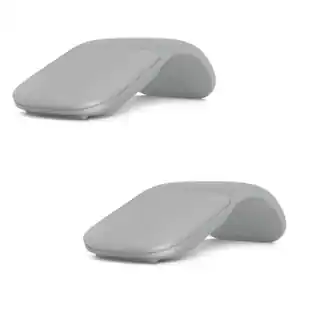
The perfect travel companion. Slim, light, and ready to travel, Surface Arc Mouse is designed to conform to your hand and snaps flat to fit easily in your bag. Connects via Bluetooth. Available in a choice of rich colors to complement your style [1]
- Surface Arc Mouse: Slim, light, and ready to travel, designed specifically for Surface devices
- Available in four rich colors [1]: Black, Platinum and new Violet and Ocean.
- Sleek, ultra-slim design: Slim, smooth and soft to the touch, Surface Arc Mouse fits discreetly within your workspace and is designed to sit comfortably in your hand. Connects wirelessly to your Surface device via Bluetooth.
- Snaps flat for travel: Surface Arc Mouse goes anywhere without the weight or bulk of traditional mice. What’s more, you can snap it flat and easily slip it into your pocket or bag for travel.
- Power up or down with a snap: Simply snap Surface Arc Mouse into its curved position to power up, and snap again to flatten and power down.
- Scrolls in every direction: Surface Arc Mouse allows for vertical and horizontal scrolling for easier, more intuitive navigation. Plus, enjoy precise tracking with optimized left and right click.
Whats Included
- Microsoft Surface Arc Mouse - Violet
- 2 AAA Batteries
Disclaimers
- [1] Available colors may vary by market.
Q: Is this mouse suitable for both hands?
A: Yes, this mouse is ambidextrous.
Q: Are batteries included with the purchase of this mouse?
A: Yes, batteries are included with the purchase of this mouse.
Q: How does this mouse connect to a device?
A: This mouse connects wirelessly to a device via Bluetooth.
Q: Does this mouse have an on or off switch?
A: Yes, this mouse has an on/off switch.
Q: What kind of batteries does the mouse require?
A: The mouse requires AAA batteries.
Q: How many buttons does this mouse have?
A: This mouse has two buttons in total.
Q: Does this mouse use Bluetooth for wireless connectivity?
A: Yes, this mouse connects wirelessly via Bluetooth.
Q: Does this mouse require any special mouse pad?
A: No, a mouse pad is not included with this product.
Compare similar products

The perfect travel companion. Slim, light, and ready to travel, Surface Arc Mouse is designed to conform to your hand and snaps flat to fit easily in your bag. Connects via Bluetooth. Available in a choice of rich colors to complement your style [1]
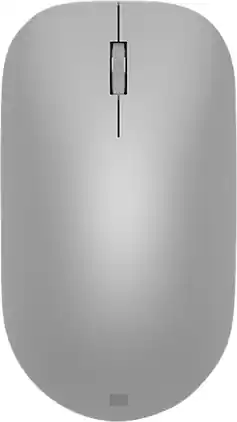
Maintain steady control over your internet browsing and other computing tasks with this Microsoft Surface mouse. It's ergonomically sculpted for comfort, and it has a metal scroll wheel for accurate navigation. This Microsoft Surface mouse is suitable for both left-handed and right-handed users, and Bluetooth connectivity lets you connect wirelessly to your computer.
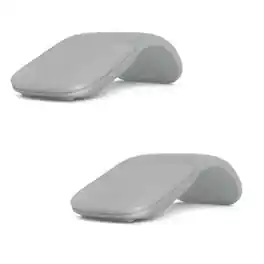
Microsoft Surface Arc Touch Mouse. Platinum. The travel companion for your Surface. Slim, light, and ready to travel, Surface Arc Mouse is designed to conform to your hand - and snaps flat to fit easily in your bag. The next generation of our best-selling Arc Touch Bluetooth Mouse, Surface Arc Mouse features numerous refinements, including the ability to scroll both vertically and horizontally. Connects via Bluetooth. Slim, light, and ready to travel. Ultra-slim and lightweight, Surface Arc Mouse goes anywhere without the weight or bulk of traditional mice. Just snap it flat and easily slip it in your pocket or bag. Manufacturer: Microsoft. Manufacturer Part Number: CZV-00001+CZV-00001. Product Line: Surface. Product Series: -. Product Model: CZV-00001. Product Name: Microsoft Surface Arc Touch Mouse Platinum + Surface Arc Touch Mouse Platinum.[Pointing Device] Pointing Device Wireless Operating Distance: 33 ft. Wireless Operating Frequency: 2.40 GHz. Movement Detection: BlueTrack. Scroller Type: Touch Scroll. Ergonomic Fit: Symmetrical.[Battery Information] Number of Batteries Supported: 2. Battery Chemistry: Alkaline. Maximum Battery Run Time: 9 Months. Battery Included: Yes.[Physical Characteristics] Height: .6". Weight (Approximate): 2.9 oz.[Miscellaneous] Package Contents: Platinum Surface Arc Mouse, 2 x AAA Alkaline Batteries+Platinum Surface Arc Mouse, 2 x AAA Alkaline Batteries.

The MX Ergo S Plus is Logitech’s most advanced ergonomic trackball mouse yet, with a 20-degree tilt angle and a 10-degree detachable wedge, and precise thumb control - user-tested and certified by United States Ergonomics. The MX Ergo S wireless ergonomic mouse is sculpted to fit the palm of your hand while keeping it relaxed, and it tilts 20 to 30 degrees for 27% less muscle activity in the forearm, providing elevated comfort throughout your day. Work faster with 6 customizable buttons and a DPI button to effortlessly switch between speed and high-precision tracking. Now with 80% quieter clicks. For even more control that's tailored to your needs, assign time-saving shortcuts and Smart Actions using the Logi Options+ App. Connect your wireless mouse to 2 devices via Bluetooth or the included Logi Bolt receiver and switch between devices with a click of the Easy-Switch button.
| Pros for Microsoft - Surface Arc Bluetooth BlueTrack Ambidextrous Mouse for PC - Wireless - Violet | |||
|---|---|---|---|
| Design, Portability, Comfort, Size, Overall Performance | Design, Ease of use, Bluetooth, Battery Life, Compatibility | There were no pros for this product— | There were no pros for this product— |
| Cons for Microsoft - Surface Arc Bluetooth BlueTrack Ambidextrous Mouse for PC - Wireless - Violet | |||
| Scrolling, Price, Right Click | Connection, Scroll Wheel | There were no cons for this product— | There were no cons for this product— |
Specs

- ASUS - ROG Pelta Wireless Gaming Headset for PC/Mac, PS5, PS4 and Switch - Black$119.99The price was $129.99
Reviews
Rating 4.6 out of 5 stars with 4505 reviews
- Portability (1632)
- Design (824)
- Comfort (381)
- Size (301)
- Overall Performance (276)
- Scrolling (93)
- Price (87)
- Right Click (24)
Customer Images
The vast majority of our reviews come from verified purchases. Reviews from customers may include My Best Buy members, employees, and Tech Insider Network members (as tagged). Select reviewers may receive discounted products, promotional considerations or entries into drawings for honest, helpful reviews.
Customers often buy these together
Computer Keyboards
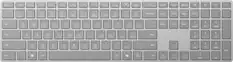
![logi esc 1 F1 2 F2 3 F3 F4 F5 F6 F7 F8 x F9 NI F10 x F11 F12 ins del ~ ! 1 2 # 3 $ 4 % 5 ^ 6 & 7 8 ( 9 ) 0 e - + = backspace tab Q W E R T Y U I O P { [ } ] I / caps lock A S D F G H J - K L : ; " enter shift Z X C V B N M < > ? / shift ctrl fn L start opt H alt cmd alt cmd ctrl opt](https://pisces.bbystatic.com/image2/BestBuy_US/images/products/6478/6478163_sd.jpg;maxHeight=232;maxWidth=233?format=webp)
Mouse Pads


Laptop Docking Stations

Microsoft - USB-C Travel Hub - Black
$104.99The price was $119.99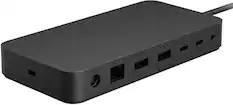
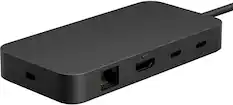
Microsoft - Surface Thunderbolt 4 Dock - Black
$235.99The price was $299.99
More to consider
 $17.99The price was $22.99
 $49.99The price was $59.99

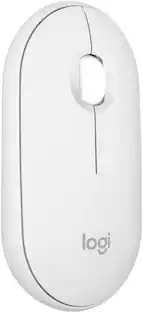

Explore tech essentials Sponsored
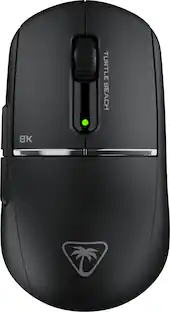
Turtle Beach - Burst II Pro High-Performance Ultra-Lightweight Wireless Optical Esports Gaming Mouse
$69.99The price was $139.99
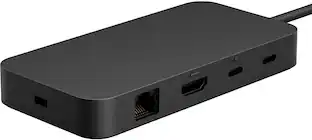
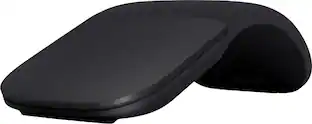
Discover related products
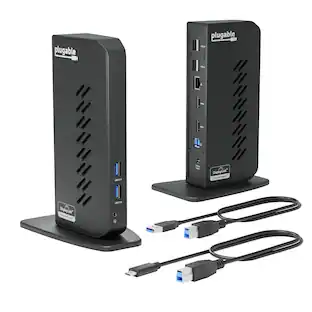
Plugable - USB 3.0 and USB-C Universal Laptop Docking Station for Windows, Mac, ChromeOS | Dual HDMI
$112.95The price was $135.35 $30.99The price was $32.99
 $319.99The price was $365.95







Keep exploring

Logitech - B100 Corded Mouse – Wired USB Mouse for Computers and laptops, for Right or Left Hand Use
$13.98The price was $15.35 $22.99The price was $23.99
 $206.99The price was $249.99
 $35.00The price was $36.99