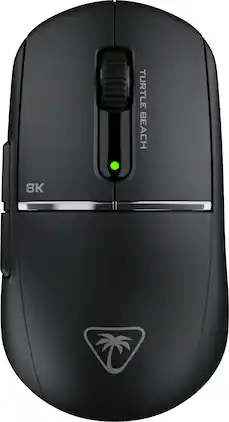
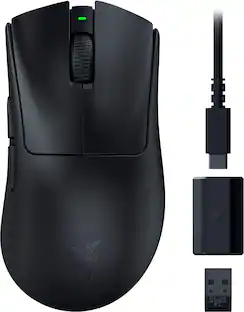
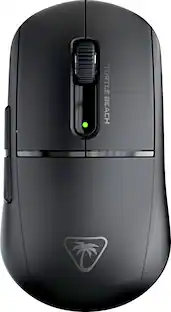
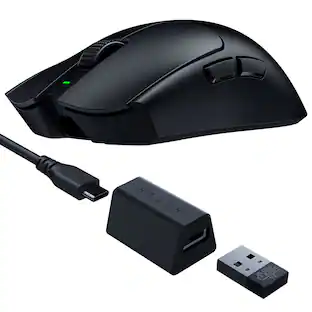
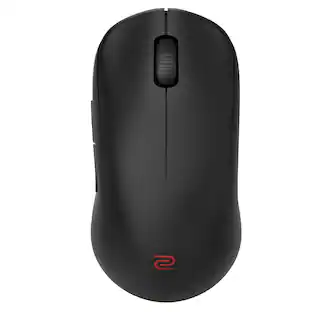
The Turtle Beach Burst II Pro delivers esports-level wireless performance with true 8K polling and ultra-low latency for the most competitive players. Designed with a performance-optimized symmetrical shape for medium hands and claw grip styles, the Burst II Pro features an upgraded Owl-Eye 30K DPI sensor with 750 IPS tracking and 70g acceleration optimized for 99.8% resolution accuracy on all surfaces including glass. True 8K wireless performance delivers 0.125ms latency—8x faster than standard gaming mice—for faster reaction time and precise aim. With a blazing-fast Titan Optical Switch rated for 100 million clicks and pre-tensioned main buttons, every press is crisp, tactile, and instant. Even at maximum performance, you’ll enjoy up to 40 hours of continuous play with 8 kHz polling—or up to 150 hours at standard 1 kHz. Weighing only 57g, this mouse combines a solid top shell, massive battery, and pro features in an ultra-lightweight design. Bundled with grip tape, three sets of skates including pure PTFE and ultra-high molecular PE skates for glass mouse pads, and a shielded PhantomFlex 8K USB-C charging cable that also attaches to the included USB adapter placing the wireless transmitter near your mouse for peak performance, the Burst II Pro offers maximum customization and true 8K support. A side-positioned DPI button gives you quick access to sensitivity changes among 8 programmable inputs, Swarm II desktop software offers mouse angle tuning and other tweaks while onboard memory stores up to 5 profiles for seamless switching. Upgrade to maximum performance with zero compromise.

The Turtle Beach Burst II Pro delivers esports-level wireless performance with true 8K polling and ultra-low latency for the most competitive players. Designed with a performance-optimized symmetrical shape for medium hands and claw grip styles, the Burst II Pro features an upgraded Owl-Eye 30K DPI sensor with 750 IPS tracking and 70g acceleration optimized for 99.8% resolution accuracy on all surfaces including glass. True 8K wireless performance delivers 0.125ms latency—8x faster than standard gaming mice—for faster reaction time and precise aim. With a blazing-fast Titan Optical Switch rated for 100 million clicks and pre-tensioned main buttons, every press is crisp, tactile, and instant. Even at maximum performance, you’ll enjoy up to 40 hours of continuous play with 8 kHz polling—or up to 150 hours at standard 1 kHz. Weighing only 57g, this mouse combines a solid top shell, massive battery, and pro features in an ultra-lightweight design. Bundled with grip tape, three sets of skates including pure PTFE and ultra-high molecular PE skates for glass mouse pads, and a shielded PhantomFlex 8K USB-C charging cable that also attaches to the included USB adapter placing the wireless transmitter near your mouse for peak performance, the Burst II Pro offers maximum customization and true 8K support. A side-positioned DPI button gives you quick access to sensitivity changes among 8 programmable inputs, Swarm II desktop software offers mouse angle tuning and other tweaks while onboard memory stores up to 5 profiles for seamless switching. Upgrade to maximum performance with zero compromise.

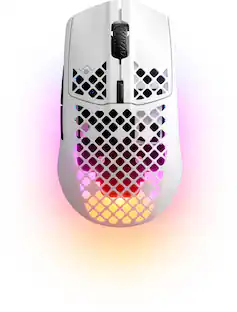
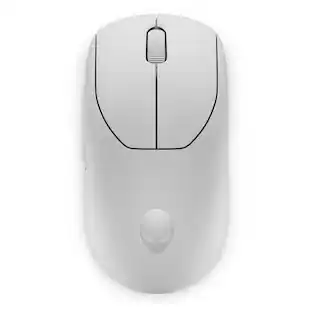
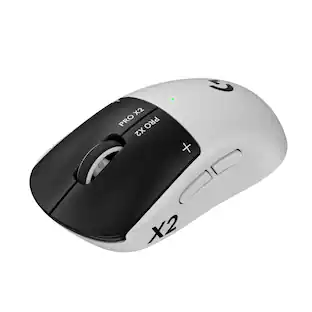
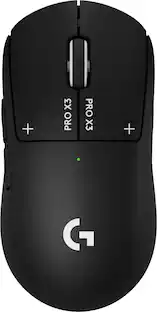
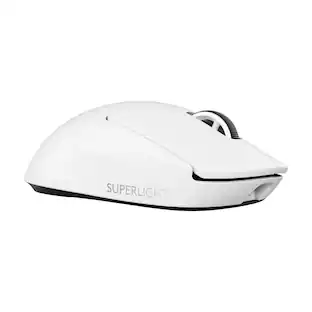
Introducing PRO X SUPERLIGHT—one of our lightest, fastest PRO mouse ever. Powered by LIGHTSPEED, it’s here to help you remove all obstacles, so you can focus on nothing but winning. Get insanely precise, fast, and consistent control with HERO Sensor. Take first faster with zero-additive PTFE feet that deliver a dramatically smoother glide. Developed in collaboration with a large group of the world’s best esports pros, PRO X SUPERLIGHT features hyper-minimal design, but is packed with our latest technologies and advancements. PRO X SUPERLIGHT is available in black and white.

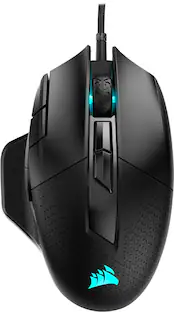
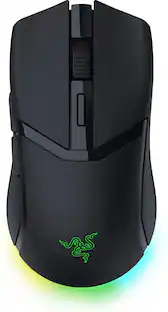
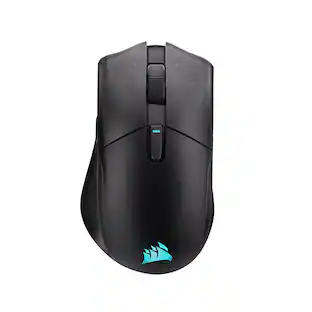
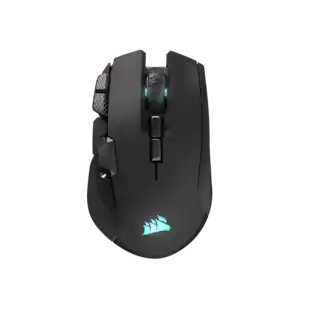
The CORSAIR Sabre v2 Pro Ultralight 36g Wireless Gaming Mouse was crafted for pro-level performance and precision. Unlock an agility advantage over heavier mice to dominate sniper duels, 1v1s, and firefights. Aim quicker and ensure you’re the first person shooting in FPS games. Maximize every millisecond with responsive 8kHz hyper-polling over 2.4GHz wireless and wired connections. Its 33K DPI sensor provides amazing accuracy and tracking on your flicks and head clicks. Enjoy custom-tuned mechanical switches rated for up to 100 million clicks of tactile feedback.

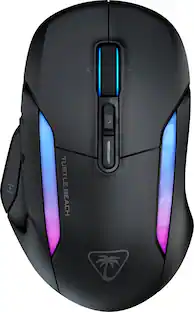
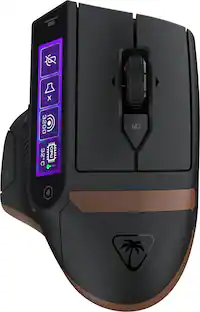
Experience unparalleled gaming freedom with the Turtle Beach Kone II Air wireless ergonomic gaming mouse. Its exceptional battery life lets you play for weeks uninterrupted, lasting up to 350 hours via low-latency Bluetooth or up to 130 hours using high-performance 2.4GHz wireless. Designed with ergonomic precision, it fits comfortably in medium to larger hands, accommodating various grip styles such as claw, palm, or fingertip plus additional grip tape is included for enhanced control. Take command of your gameplay with Easy-Shift [+] duplicator technology, expanding its 7 buttons and 4D scroll wheel into 21 customizable functions. Glide seamlessly through content with the multi-function 4D scroll wheel, offering both free-spinning and tactile scrolling options, along with fully customizable tilt controls. Engineered for speed and durability, its TITAN Optical Switches ensure precise and reliable clicks over a 100 million click life cycle. Equipped with the advanced Owl-Eye 26K optical sensor, enjoy superb tracking performance from 50 DPI up to 26K DPI with 650 IPS (16.5m/s), complemented by pure, heat-treated PTFE glides for smooth mouse movements. Customize your gaming experience with dual-zone RGB illumination and charge effortlessly with the ultra-flexible PhantomFlex charging cable and USB-C-to-A adapter. NVIDIA Reflex compatibility further enhances your gaming prowess, delivering sub-25ms response times for lightning-fast reactions and enhanced aim precision.
| Pros for Turtle Beach - Burst II Pro High-Performance Ultra-Lightweight Wireless Optical Esports Gaming Mouse - Wireless - Black | |||
|---|---|---|---|
| There were no pros for this product— | |||
| Cons for Turtle Beach - Burst II Pro High-Performance Ultra-Lightweight Wireless Optical Esports Gaming Mouse - Wireless - Black | |||
| There were no cons for this product— | There were no cons for this product— |
The vast majority of our reviews come from verified purchases. Reviews from customers may include My Best Buy members, employees, and Tech Insider Network members (as tagged). Select reviewers may receive discounted products, promotional considerations or entries into drawings for honest, helpful reviews.
The TB Burst II Pro is a surprisingly light but full-featured mouse that blends the new trend of ultra lightweight mice with the customization and features you would expect from a heavier mouse in this price range. Right away you'll notice that this is an Ultra Lightweight mouse that has become popular again with e-sports and competitive shooters. I wasn't always a fan of these mice because I felt they were a little too responsive and jittery, but this is less of an issue now with these higher-end sensors and some of the smoothing techniques on the sensors. The biggest difference with Ultra Lightweight nice is you immediately notice how much easier and less fatiguing it is to move the mouse around. It may not seem like a big deal, but after even 5 minutes much less 5 hours of gaming, you notice the difference. Here are some of the stand out features and observations after using this mouse for a few days. - The mouse is light at 37g, which isn't the lightest but still lets you sling it out around quickly while retaining a lot of high-end features you expect from your full featured mice. The body has a matte feel and tapping the body you can tell it is mostly hollow. Even the bottom has two large cutouts in the body, I thought that might be for weights like some older mice used to include but I didn't see anything about that with this mouse and no weights were included. - It comes with larger teflon feet along with just dots of teflon and some other slick material that you can replace standard teflon pads. It also comes with some side and button rubber textured decals if you don't like the standard matte finish. These do add a little weight so if you want the lightest mouse possible you may want to leave them off. - It still has Bluetooth connectivity, which is sacrificed in a lot of these ultra lights, and it also comes with a nice mounting adapter for the USB-A RF dongle with a braided USB-C cable that can then connect into the mounting adapter or into the mouse for charging. Bluetooth is great if you just want to swap between a desktop and laptop using BT. Battery life is solid as well with 40 hours in 8K polling mode and 150 hours in 1K polling mode. - The mouse still has a DPI switching button, a competitor mouse relies on a series of key presses which is just not going to work well if you try to make in-game adjustments. The DPI button is far enough forward that it isn't a great spot but you can still swap quickly. The LED on top corresponds to a different color that you can set and customize. This is the only LED on the entire mouse which keeps its weight down and battery life up. - Usually I don't bother with the software, but in order to really maximize the use of this mouse you need to use Swarm II, which I was pleasantly surprised with in how sleek it was and also how much customization it opened up on the Burst II Pro. I'm not going to go into all the details, but you will want to check out some of the following features to really make the most of this mouse like: debounce time, angle snapping, motion sync and angle tune. This really lets you customize your mouse click behavior, movement accuracy and even mouse movement behavior with Angle snap and tune. Angle tune is probably the most powerful feature, as it basically flattens out your horizontal mousing by how much you set the angle, so instead of mousing horizontally, your mouse registers a flat scroll, allowing you to stay more on-plane when gaming. As mentioned, you also need to use the software to calibrate features like polling rate, lift-off distance and DPI presets. I will say that the actual buttons of the mouse are not the best I've ever felt. They don't have as much travel and clicky response feeling as some other mice and feel a bit muted and hollow for my taste, but many may prefer this for fast key pressing. The flat uniform profile is also nice for claw grippers but also mouse flippers as the back rises up to your palm. The box says there's 8 buttons, but there's really only 6, they count the scroll up and down as 2 buttons which I think is kind of a joke. Still, this is a very full featured mouse with a ton of cool gaming features that I'm enjoying in BF6. I've applied the rubber decals which help keep the mouse dry and comfortable during long gaming sessions.
Posted by TechBuyer
I wanted a lightweight mouse for gaming on the go, I preferred something that would work without software on wireless or Bluetooth. That’s when I came across the Turtle Beach Burst II Pro High-Performance Ultra-Lightweight Wireless Optical Esports Gaming Mouse! I didn’t even know Turtle Beach made Mouses and Keyboards until now! Pros: - Ultra-Light Weight at just 57 grams. - High Sensitivity at a max of 30K DPI. - Swarm II is a major upgrade over prior Apps. Cons: - Plastic Material feels too smooth and cheap. - Default DPI settings are very slow. Out of the Box: On picking up the box, I had to wonder if there was anything even in the box because of how light it was. The Turtle Beach Burst II Pro is just that light, the mouse is only 57 grams, even with the included Grip Tape the mouse weights under 60 grams! This is by far one of the lightest mouses I’ve ever used. Included with the mouse is a wireless dongle, USB-C to USB-A adapter, braided USB-C to USB-A charging cable, Grip Tape, and additional PTFE skates for the bottom of the mouse. I was happy to see the Grip Tape included as the surface of the mouse is very smooth, to the point that my fingers had a hard time finding a good grip on the buttons. Software: I was happy to find that the Swarm II app had a much more modern and well thought out design compared to prior Turtle Beach apps, a huge improvement. Swarm II provides an easy way to update and adjust the settings of the Burst II Pro, that is easy to navigate. The DPI settings are right at the top of the mouse settings, which shows good understand of what most people will want to change first when coming into the mouse settings. You can set 5 pre-set DPI levels, that can be cycled through with the little button on the Left Front side of the mouse. You can easily adjust the colors of the different levels as well. Lower on the page there are options to adjust the Polling Rate from 1K, 2K, 4K, and 8K Hz which impacts how often the mouse communicates its motion to the PC. For less competitive or slower paced games games, the 1K setting is plenty as most mice sit around 500-800Hz. But the higher polling rates do make a big difference for anyone playing faster pace games. Additionally, there are Battery information and notification settings for power, Life-Off Distance settings, Angle Tune, Debounce Time, Angle Snapping, Motion Sync, and Standby Mode. Luckily, Turtle Beach included explanations for each setting in the app, which made deciding what to adjust and what to leave easy. Below all those settings is the Button Remapping and Alternative Function section, which Turtle Beach calls Easy Shift. Basically, this allows you to remap or even create an alternative function on each of the mouse buttons when an “Easy Shift” key is held down. Basically, it is a function key or Macro. Though this is probably one of the easiest Macro assignments features I’ve seen. Just click the button visually from the diagram of the mouse, then on the Right-Side Panel select the Function you’d like it to do. Some are simple remapping, while others trigger whole programs or even custom files. I’ve played around a bit with setting an easy shift button on the keyboard, so when pressed with combination of a click I can quick open specific applications. Build & Feel: The mouse is ultra-light weight, as the name implies but it takes picking up the mouse in hand to understand just how light weight. Weighting just 57 grams without the grip tap, the mouse is one of the lightest I’ve ever used. The grip is a claw grip, which is one of my preferred grip types as my hand naturally fits it. I found it to be very comfortable even after long periods of use. The material used for the mouse shell is a matte smooth plastic, with little to no texture on the mouse. Unfortunately, this does two things I don’t like about the mouse. First off, it makes the mouse feel very cheap, like a hallow plastic toy. I do not like that, as there is no weight behind the mouse. Second, the surface of the plastic is extremely smooth, to the point that I lose grip without the grip tape. The grip tape resolved the smoothness issue, but I would have loved to have some addable weights for the mouse to be able to adjust to the perfect weight. The mouse is very solid otherwise, there is no unintended flexing or give while using it. It’s just a bit off putting the weight with the texture without the grip tape. On the bottom of the mouse is multiple PTFE skates to help it glide across the surface. Additionally, included in the box are additional skates and dots, that can be added to give the perfect balance and contact points for smooth use. Performance: I’m very impressed by the performance of the Burst II Pro, I was able to use it on most surfaces without any issues and all features worked as expected. I had a great time with the mouse, both playing games and just general computing. The mouse also slides across most surfaces without any issue thanks to the skates. Even on default settings, I had no issues with the mouse. But I had to crank up the DPI settings as the default only goes up to 12K DPI, which on a 30K DPI maximum mouse I find an underwhelming choice for default settings. After adjusting the settings to fit my play style, this mouse ends up being one of my favorite ones to play games on. The Angle Snapping really made a difference when paired with Angle Tune to ensure smoother movements even when you physically cannot move the mouse is a perfectly straight line. Conclusion: If you want an ultra-lightweight mouse that has all the extra features, the Turtle Beach Burst II Pro is a solid consideration. The mouse weights in at 57 grams, 58 grams with the Grip Tape on, which you will want. The Swarm II app has everything you need front and center, making customizing your mouse as easy as clicking a slide bar or switch. I might just be replacing my old go to mouse on my desktop with this!
Posted by BradfordBT
I became an instant fan of the Turtle Beach Burst lineup when I picked up the original Burst Air II. That little mouse has been my go to travel companion for both gaming and productivity, thanks to its ultra-light build and reliable performance. So, when I got my hands on the Turtle Beach Burst II Pro, expectations were high, and honestly, it didn’t disappoint. Like its predecessor, the Pro keeps the lightweight DNA alive, coming in at just 57 grams compared to the Air II’s featherlight 47 grams. The slight increase in weight makes sense though since it’s packing extra sensors, refined internals, and a battery capable of up to 150 hours via Bluetooth, which is an impressive upgrade for anyone who hates constant recharging. Since I already loved my Burst Air II for travel, I knew right away the Burst II Pro was destined for a permanent home at my gaming desktop setup. The ergonomics are spot-on, offering a natural grip that fits perfectly in hand without fatigue. During long gaming sessions or extended editing and browsing, it remains incredibly comfortable and effortless to maneuver. The lightweight shell gives you the freedom to flick, aim, and scroll with precision and ease, perfect for FPS gaming or detailed editing. Turtle Beach also stayed true to their identity with the inclusion of customizable skates and grip tape. From my previous experience I immediately applied the grip tape, and it completely changed the feel. It’s subtle but adds a premium, textured comfort that enhances control. Out of the box, you get four corner skates already installed, but you can swap them for full skate pads or experiment with the included 8-dot PTFE or 8-dot UHMW-PE pads depending on your surface type. That kind of flexibility gives the Burst II Pro an edge for gamers who like to fine tune their setup. One design choice I really appreciate is the lack of RGB lighting. A lot of mice these days go overboard with light shows, but this one sticks to a clean, performance first look. The subtle chrome strip dividing the palm rest from the buttons gives it just enough flair to look high-end without feeling flashy. It’s sleek, minimal, and professional, a design that fits seamlessly into both a gaming or office environment. This mouse performs phenomenally in its tracking precision and responsiveness. With NVIDIA Reflex and the Swarm 2 software, you can fine tune performance and sensitivity down to the smallest detail. The Titan optical switches are crisp and tactile, giving you instant feedback with no mushiness. Turtle Beach claims 8K performance for ultra-low latency, and while I can’t personally feel every nanosecond of that speed, I can tell you the response is instantaneous. Whether I’m gaming in FPS or editing photos on my desktop, the Burst II Pro feels laser accurate and buttery smooth. One small note, the mouse is advertised as having 8 programmable buttons, but in reality, there are 6 physical buttons. I’m assuming the count includes the scroll wheel click and its programmable functions. It’s not misleading per se, but worth knowing if you were expecting a bunch of side buttons like some MMO mice. That said, every button is well placed and tactile, giving that satisfying click you want from a gaming grade switch without excessive resistance. All in all, the Turtle Beach Burst II Pro feels like a worthy evolution of an already stellar design. It’s lightweight yet solid, minimalist but packed with customization options, and powerful without being pretentious. The performance is top-tier, the comfort is excellent, and the attention to detail shows Turtle Beach’s commitment to refining what already worked so well. For me, this mouse hits the sweet spot. It’s everything I loved about the Burst Air II, just elevated in every way. It’s now one of my top-performing mice for both gaming and productivity, and I can easily recommend it to anyone looking for a high-performance, no-nonsense mouse that doesn’t compromise on comfort or precision.
Posted by Section8ght