Customer Ratings & Reviews



- Model:
- MHM-00001
- SKU:
- 6421588
Rating by feature
- Battery Life
Rating 4.3 out of 5 stars
- Durability
Rating 4.4 out of 5 stars
- Display
Rating 4.3 out of 5 stars
Customers are saying
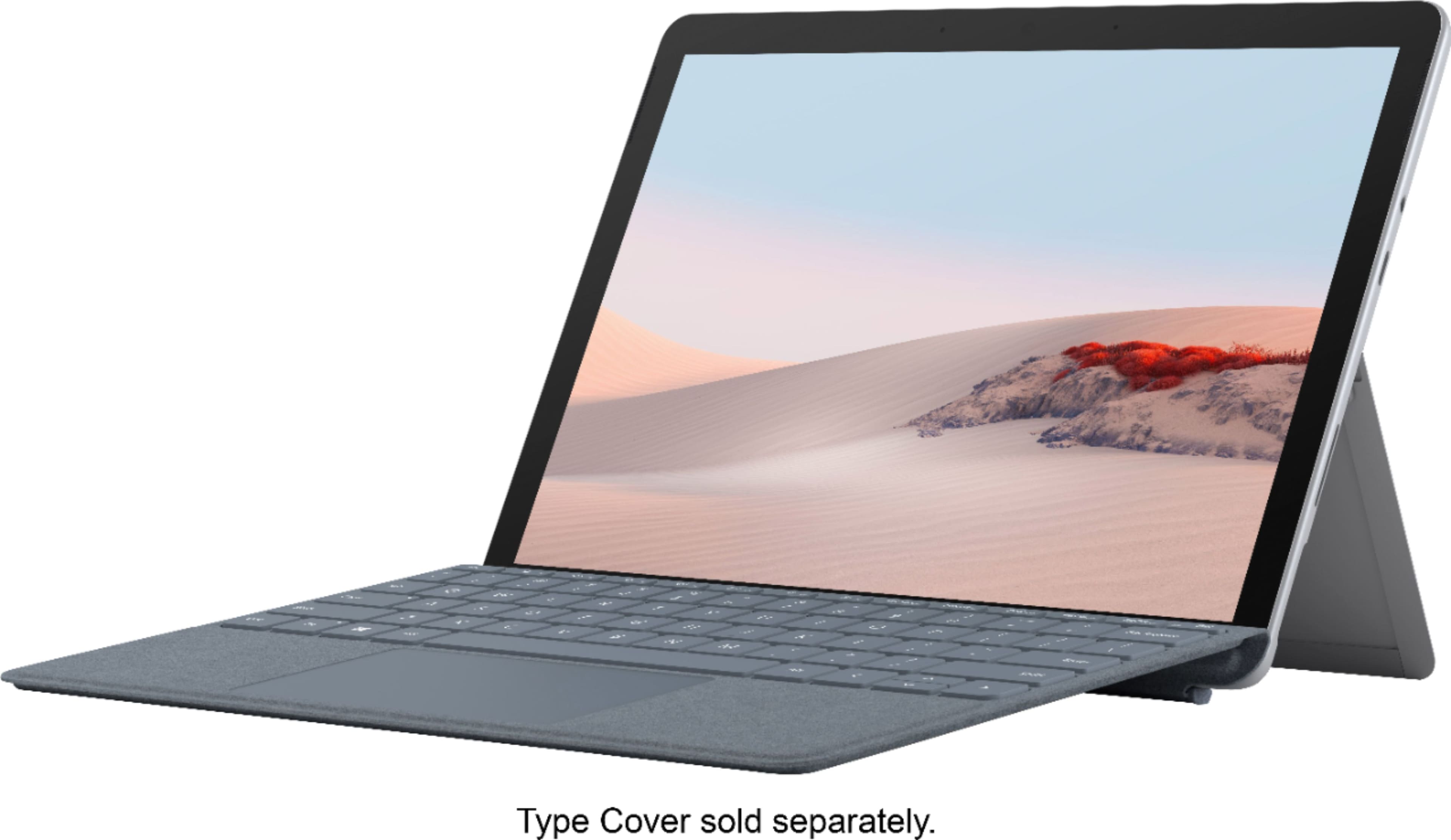
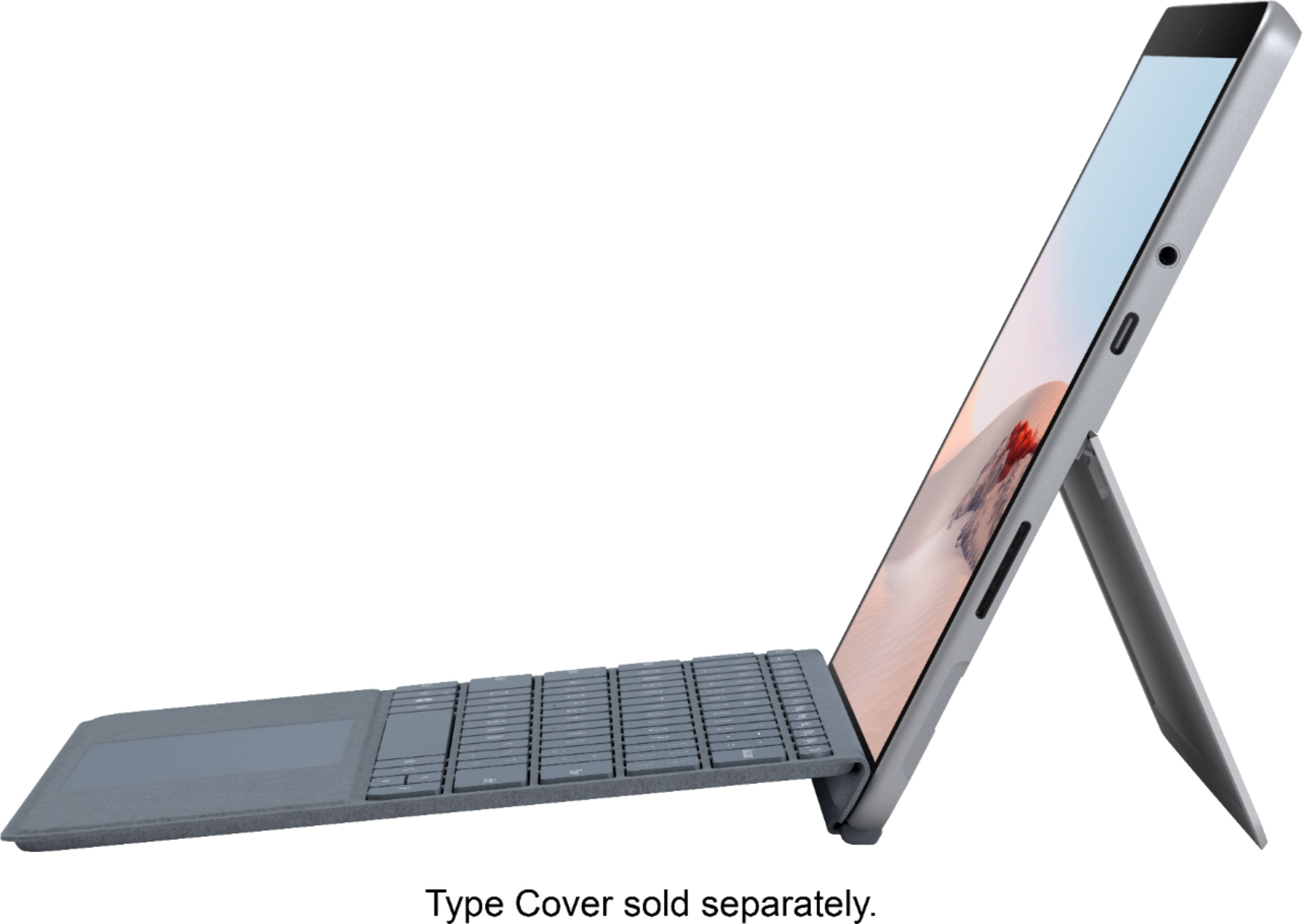
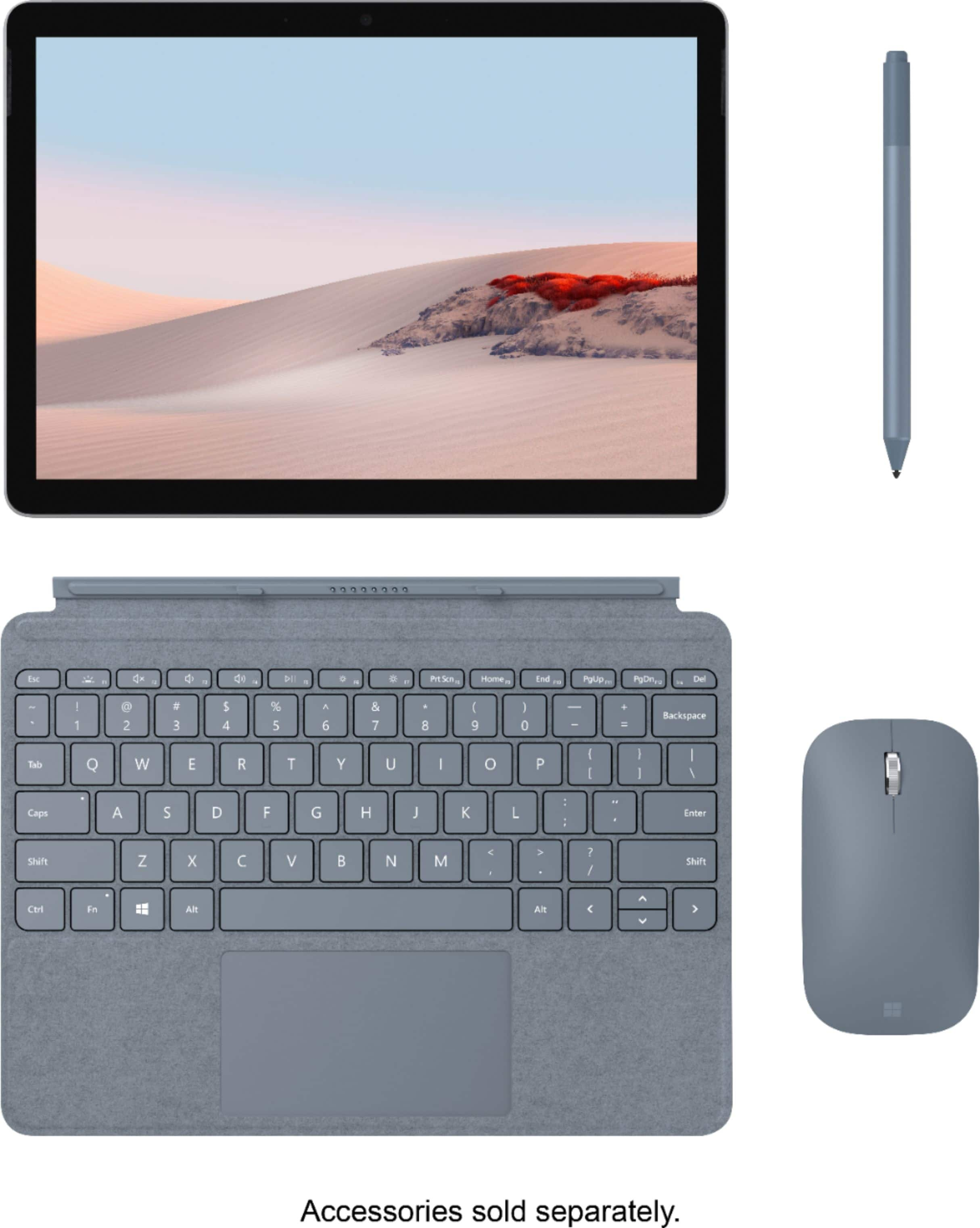
Customers appreciate the Surface Go 2's compact size and impressive portability, making it ideal for travel and on-the-go use. Many also praise its long battery life and lightweight design, while the vibrant display and solid build quality receive positive feedback. However, some find the keyboard cramped and the price point a bit high.
This summary was generated by AI based on customer reviews.
- Pros mentioned:Battery life, Portability, Processor speed
Excellent portable Windows PC
Posted .This reviewer received promo considerations or sweepstakes entry for writing a review.**to reviewer "AllAboutTech40": You cannot fault this little guy on a third party software outage that received Nationwide (perhaps Worldwide) media attention. The Surface Go 2 M3 deserves a fair and rational review based on hardware and built in software.** The screen on this device is excellent, the battery life is impressive and the fact that this fits in a really small backpack is the best Windows PC to be this portable. If you want adequate speed and performance the Intel M3 version is the one you want. You literally get the best bang for your buck. Can pretty much handle anything you throw at it or at least try if you are using software that won't be graphic or memory intensive. Microsoft really got things right on this sequel to the Surface Go. They added a better processor, better screen, thinned the side bezels so you get more screen. This is a huge performance boost than the original. It is so portable you will forget that it is in your bag! I am extremely satisfied with my Surface Go 2 Intel M3 that I gave it 5 stars.
I would recommend this to a friendBrand response from MicrosoftOutreachTeam
Posted .Hello Chris,
We're glad that Surface Go 2 has impressed with its power, performance, and portability. It's great hear that you're a fan of its lengthy battery life, too. Thank you for sharing your experience; we hope you continue to enjoy using it.
Cheers,
Chuck
Surface Customer Care
Unsure
||Posted . Owned for 4 months when reviewed.This reviewer received promo considerations or sweepstakes entry for writing a review.Seemed to be working great right after I bought it but it’s not even a year old and it won’t turn on.
No, I would not recommend this to a friend- Pros mentioned:Battery lifeCons mentioned:Keyboard
Great Portable Tablet-Computer
||Posted .This reviewer received promo considerations or sweepstakes entry for writing a review.The SG2 with the m3 process and 128-storage is the best tablet money can buy. The SG2 costs $630. Keyboard cost from $45 to $100. Pen cost from $55 to $100. And a 128 micoSD cost $30 to $40. Total cost ranges from $750 to $870. The 11-inch iPad Pro (256-storage) cost $900US (w/o pen, keyboard) and does not have expandable storage. iPad Pro keyboard cost from $250 to $350. Pencil cost from $80 and $130. Total cost is between $1,230 and $1,380. Samsung’s Galaxy Tab S7 (256-storage) cost $650US (w/o keyboard). Keyboard cost from $100 to $200. Total cost is between $750 and $850. Beyond cost, the SG2 can run all Windows-based program, as well as two external monitors. No iPad Pro or Samsung tablets is a full-fledge computer and as such can’t run iOS or Windows program. Moreover, Windows has 35 million apps/programs, Android has 2.8 million apps, and Apple has 1.9 millions. So when comparing cost and programs/apps, why would anyone purchase a traditional tablet over the SG2? Both the iPad and Samsung S Series tablets are not computers. Further, Windows has 35 million apps/programs, compared to Androids 2.8 million apps and Apple's 1.9 million apps. Below are additional PROs as well as CONS: PROS: Battery. Battery life is outstanding. I get over 10 hours of continuous YouTube viewing (50% brightness with Bluetooth, Wifi, and battery saver all on). The battery lasted about 5.5 when I participated in an all-day online training using Zoom. Processing Power. CPU is highly underrated. Geekbench 5 single-core score of 873 for the SG2 is on par with SP6 i5 (914), SP7 i3 (1014), and 2020 MBA i3 (983), and better than SPX SQ2 (799). In other words, this SG2 is just as powerful as the Microsoft’s low-end Surface Pro 7 and Apple’s low-end MBA, but in a smaller and more portable package. Lag. No lag when opening apps or app links. Additionally, I had no problem opening different web pages when 10 YouTube videos were all running simultaneously. Tablet mode. Apps open more smoothly in tablet mode than computer mode. Face recognition. Windows Hello is fast and works every time. Display. The screen is bright enough at over 400 nits. The screen’s major upside is that in a completely dark room you can lower screen brightness to zero (saving battery life) and still watch YouTube videos without any problem. Build quality. The device is well-built and incredibility light. Kickstand stand. Is sturdy, extremely flexible, and the rounded edges do not dig into your leg. Fan. No noise as the device is fanless. Ports: USB-C allows for the easy transferring of files to and from an external device and the connection to an external monitor. Surface connect. Magnet is very strong, but the charger detaches easily if pulled off. Note-taking. SG2 is the perfect size for note-taking and is optimized for OneNote. Overheating. The SG2 does not overheat. CONS: Accessories. Keyboard and pen are expensive at full retail price. Consider open-box purchases because they save you anywhere from 10% to 30%. Another option is to look for a $30-$40 Bluetooth or Wireless keyboard. Screen size. Screen size is too small if you want to use the SG2 as your primary laptop. Keyboard. Typing on the keyboard is an adjustment and do to its small size maybe too uncomfortable for some people. Bluetooth. The Surface pen does not remain connected once the device is turned off and has to be reconnected via Bluetooth every time I turn the device back on. Ports. Unlike the SP7, there is no USB-A port so I had to buy a dongle. Speakers. When it comes to listening to music, the treble is a bit too high and the bass is too weak. For non-music videos the speakers are fine.
I would recommend this to a friendBrand response from MicrosoftOutreachTeam
Posted .Hi – We appreciate you taking the time to tell us your thoughts. We're glad that you're a fan of its battery life, kickstand, and display. We hope you continue to enjoy using your new Surface Go 2! Cheers, Erica Surface Customer Care
- Pros mentioned:Portability, Processor speed
Capability and Portability
||Posted . Owned for less than 1 week when reviewed.This reviewer received promo considerations or sweepstakes entry for writing a review.Coming from the original Surface Go, the new Surface Go 2 is MUCH quicker. I dreaded Windows Updates on the original Go as they would take what seemed like forever to install. This Core M3 model is extremely capable and does not hesitate for the majority of tasks that we put it through. According to benchmark results this processor is nearly 3x as fast on single core and nearly 2x faster on multi-core than the original Surface Go. The screen has a high resolution which is bright and the color is beautiful. Off-Angle viewing is great as well. We purchased this with the UAG case for our daughter to use for virtual school and it is no slouch. Google classroom, Clever, Minecraft Windows Edition, etc all work without a hitch and the keyboard spacing is perfect for her smaller hands. I think this is the perfect balance of speed, portability, and price. We were able to use the pen and keyboard from the original Surface Go as they were a perfect fit. This has been a perfect fit for our virtual school needs.
I would recommend this to a friendBrand response from MicrosoftOutreachTeam
Posted .Hello,
We're delighted that you're a fan of the extra power and portability of your new Surface Go 2. It's great to hear that it's helping your daughter with her remote schoolwork, too. Thank you for sharing your experience; we hope your entire family continues to enjoy using it.
Cheers,
Chuck
Surface Customer Care
- Cons mentioned:Keyboard, Price
Get it on sale
||Posted . Owned for 3 weeks when reviewed.This reviewer received promo considerations or sweepstakes entry for writing a review.I had an old gen 1 surface book that finally have up the ghost. So I figured to replace it with two devices this time around. I got an Asus g14 for the worky gamey stuff and one of these here surface gos for the touchy, tablety stuff. I got this one for less than the entry level model because of a sale and some rewards dollars I had burning a whole in my pocket. For that $300 it's absolutely worth it, but I would NOT be okay paying full price for it. Unless you have money (or rewards dollars) to throw around dont do it. The normal retail price point puts it in 8gb ram surface pro territory. Believe me, I know surface pros and this is no surface pro. I have to keep reminding myself what this is good for. It's not a full speed laptop, it's a glorified netbook. That means I can't throw 20 tabs at it and expect it to chew em up like my Asus g14 will or even like my old surface book (rest it's sweet sweet soul) would have. As long as you use it within its functional sweet spot it does really well. It's also worth noting that the keyboard is a bit of a double edged sword for me. I have large hands (not Shaq sized, more like trump size) and it can be annoying for my knuckles to rub together trying to type on that thing. On the other hand it works better than using the screen. The good stuff: Nice screen Active screen digitizer Convenient kick stand Build quality Windows 11 updates The not good stuff: Battery life Cramped keyboard for the large handed The bad stuff: Retail price
No, I would not recommend this to a friend - Pros mentioned:Performance
Respectable performance, mediocre battery life
||Posted .This reviewer received promo considerations or sweepstakes entry for writing a review.It's a very nice machine. I was afraid it's heavily lacking in performance, but surprisingly it's not. Actually in the process of setting it up and appls installation it was pretty slow sometimes. I think it was because OS was doing a lot of stuff in the background like updating drivers and pre-installed applications. I even thought that it is as bad as the original Go. But after an hour or so, when its done with all updates it became very snappy. I don't really see any difference compared to my gaming laptop in normal use - browsing, watching videos, working with documents. Tried Affinity Designer, opens fast, all pens and brush tools work without any lag or freezing. Display is gorgeous. Bright and high pixel density. Surface Pen works ok for note taking and occasional doodling but it is much inferior compared to Apple Pencil. Significant "waving" when drawing straight line slowly. Definitely not for accurate drawing. In the beginning it was able to charge though USB-C port. I connected it to my USB-C LG monitor and it was able to use it as external display (4K 60Hz wo any issues) and charge at the same time. I was very glad for this functionality as I used to it with MacBooks. But after yesterday Windows update it stopped charging through USB-C port, saying that I need to use proper charging option. Now I have to connect its proprietary power supply as well. Not a big deal but it means I can't use any other powerbank to charge it through USB-C port and have to have its proprietary charger with me. And the reason why I need to have it with me all the time is the mediocre battery life. It gives me around 5 hours with moderate usage, which is not even close to what is declared. And it means it won't survive full working day, for sure. But probably it is because it needs to drive 4K external display. I'll test it wo it and see if I'll be able to get something closer to 8-9h. If not, I'll probably be returning it. Although it is not a traditional gaming device, I tried Google Stadia in Chrome and it works just fine. Played Grid for half an hour, seamless experience, just like you're playing on any other gaming PC. I have a relatively fast internet connection though. It is didn't give me 4K, but I doubt Stadia allows streaming in such a high resolution. All in all I'm sure I can use it as a regular gaming device with Stadia as it is or connected to external monitor. Stadia has quite a large selection of games now. And in the future when Microsoft launches xCloud for PC it will be possible to get access to even more games. All in all, it is a great portable yet powerful enough device that unfortunately lagging in the battery life department. I'll be monitoring if it improves for few more days
I would recommend this to a friendBrand response from MicrosoftOutreachTeam
Posted .Hello,
Thank you for sharing your thoughts and feedback on your new Surface Go 2. If battery life seems to be too short, Microsoft Support may be able to help. We recommend going here for tips on how to optimize and maximize the battery life in your Surface: https://support.microsoft.com/en-us/help/4483194/maximize-surface-battery-life
Hope that helps,
Chuck
Surface Customer Care
- Pros mentioned:Processor speed, Size
Love...
||Posted . Owned for 2 weeks when reviewed.This reviewer received promo considerations or sweepstakes entry for writing a review.Surface Go 2 is excellent for my needs! I feel in love with Surface when I got a Surface 3 more than 5 years ago (it's still working well), so happy to have upgraded to Surface Go 2. Its light weight, small size, and adequate speed (fast enough for stock trades) make this tablet perfect to carry around, I can do what I need to from anywhere. I have traveled all over the world with my old Surface 3, looking forward to taking my new Surface Go 2 on future journeys.
I would recommend this to a friend - Pros mentioned:Battery life, Size
Great Backup Option for Word Projects
||Posted . Owned for 3 weeks when reviewed.This reviewer received promo considerations or sweepstakes entry for writing a review.I love this machine! It's been a good transition for me from a desktop computer. A laptop is too large for my hands and is too large for my lap. The Surface Go 2 is smaller, and my hands fit very well on the screen--as well as the keyboard accessory. The mouse is perfect for my hand, as well. I love the color choices, makes it fun. Anyway, the best benefit is that this tablet is a great backup option for Word Projects if one device is not working (e.g., my Windows 10 desktop computer that uses Word for projects related to school or work). I can also take it to a mobile hotspot, in the event that WiFi is down or I just need to work away from home. It's great for streaming movies and has a decent camera for Zoom meetings, too. It's also easy to charge, just like a cell phone. A laptop can be awkward to handle. Anyway, it is just right for my situation.
I would recommend this to a friendBrand response from MicrosoftOutreachTeam
Posted .Hello Merry,
It's great to hear that you love your new Surface Go 2. We're glad that its compact design and versatility makes it a good fit for you. Thank you for sharing your experience with it; we hope you continue to enjoy using your new Surface.
Cheers,
Chuck
Surface Customer Care
- Pros mentioned:Processor speed
Perfect replacement for my Surface 3
||Posted . Owned for 3 weeks when reviewed.This reviewer received promo considerations or sweepstakes entry for writing a review.I dropped my Surface 3 so needed to replace it. I was old and slow anyway. The Surface Go has been a perfect and improved replacement. Faster, more memory, improved kickstand, and most importantly, a more secure charging connection. With just the USB-C port I had to buy an adapter for some of my accessories. So far - great replacement.
I would recommend this to a friendBrand response from MicrosoftOutreachTeam
Posted .Hello,
Thank you for sharing your experience with your new Surface Go 2! It’s great to hear that it’s working well for you. We hope you continue to enjoy using it.
Cheers,
Chuck
Surface Customer Care
- Pros mentioned:Battery life, Processor speed
Much better than you think, expect!!
||Posted . Owned for 3 weeks when reviewed.This reviewer received promo considerations or sweepstakes entry for writing a review.Slightly larger display, fast Core M3 processor. Experienced no noticeable speed loss going from Windows 10 S Mode to Windows 10 Home. Runs everything quite well with several windows open. Display is a huge surprise, especially someone that left an iPad Pro. Front facing camera is 1080p quality (better than your typical laptop). Battery is getting about 8 to 9 hrs depending on the application. Attaching external DVD will drain the battery. Best small laptop on the market in my opinion. Can actually serve as a primary laptop for 90% of my needs. I still have a Macbook Pro for high horsepower needs. Very, very pleased. Windows 10 is surprisingly versatile, non-aggrevating, flexible. Excellent!!
I would recommend this to a friend - Pros mentioned:Battery life, Size
Great firm factor and great battery life
||Posted . Owned for 3 weeks when reviewed.This reviewer received promo considerations or sweepstakes entry for writing a review.I've had a few Surface Pro devices but felt they're too big to relax with and use as a tablet. The Surface Go is just the right size and weight for one hand reading or web surfing. The Core M chip in this New Go 2 is just the right balance of power and battery usage!
I would recommend this to a friendBrand response from MicrosoftOutreachTeam
Posted .Hello John,
We're glad that you're enjoying the design and portability of your new Surface Go 2. It's great to hear that it fits your needs so well. Thank you for sharing your experience with it.
Cheers,
Chuck
Surface Customer Care
- Pros mentioned:Battery life, Performance
Surface Go 2 Experience
||Posted . Owned for 4 months when reviewed.This reviewer received promo considerations or sweepstakes entry for writing a review.Bought the Surface Go 2 primarily for light note-taking and work and so far this device has been of great utility. I am going to list the pros and cons of the device that I have felt over my period of usage: Pros: 1) Great performance. Handles multitasking quite easily. 2) Response with the surface pen is very satisfactory, especially while note-taking. However, cannot comment about drawing as I haven't used the device much for drawing. 3) Display and sound quality are also very good. 4) Descent battery life. Cons: 1) Form-factor seems a little outdated 2) A better location/slot for the pen might be helpful. 3) Screen area a little on the lower side for my liking I hope this helps you with making the decision for your future purchase.
I would recommend this to a friendBrand response from MicrosoftOutreachTeam
Posted .Hi – Thank you for sharing your experience with Surface Go 2. It’s great to hear that it’s working well for you. Best, Erica Surface Customer Care
- Pros mentioned:Performance, Size
Great tablet!
||Posted . Owned for 1 year when reviewed.This reviewer received promo considerations or sweepstakes entry for writing a review.Overall a very nice tablet! Nice display, small and compact, but holds just enough power to do all the things you need out of it! Would recommend if you’re looking for a smaller tablet
I would recommend this to a friend - Pros mentioned:Size
Great upgrade over traditional table
||Posted . Owned for 1 week when reviewed.This reviewer received promo considerations or sweepstakes entry for writing a review.I was looking for a replacement for an older Android tablet and preferred to have a small laptop. I love that the Surface is a Windows 10 device and that I can use the same programs on the Surface that I used on my full-size laptop. I purchased the keyboard and find that it is responsive and easy to use. I also purchased an adapter from USB C to HDMI/USB A/USB C. This adapter has well worked to allow me to connect a large monitor to the Surface as well as to use an existing wireless keyboard and mouse. Considering the process is only an Intel Core M, I have found it adequate for the work I am doing with this unit. The size makes it very easy to carry with me when I don't want to take along a full-size laptop. The only drawback that I see is the price. I purchased the unit when it was on sale however, it is still expensive. I wish Microsoft would increase the drive size to 256GB and keep the price the same. I considered the same unit with the LTE option however, I decided the additional cost wasn't worth it so I will just use my phone hotspot to go online.
I would recommend this to a friend - Pros mentioned:Battery life, Portability
Loving it
||Posted . Owned for 3 weeks when reviewed.This reviewer received promo considerations or sweepstakes entry for writing a review.I was hesitant to purchase this - I didn't know if it would be too small or if it would be powerful enough. I am happy to say that I love it. The portability and long battery life make it easy to keep with me as I go through my day. I use it to stream exercise workouts on zoom and then mirror them onto my tv, as well as for browsing the internet and working in microsoft office. I have updated it to the full version of windows 10 and am pleased with it overall. Looking forward to taking it on all my travels whenever they can begin again.
I would recommend this to a friend - Pros mentioned:Battery life, Size
Perfect if you have an idea of what.
||Posted . Owned for 3 weeks when reviewed.This reviewer received promo considerations or sweepstakes entry for writing a review.I spent months looking for a tablet to fill the need I had. I have a work laptop for running heavy programs. I needed something to be portable, have a decent battery life, and be useful for a drone ground control station. I had to buy a usb c port hub to be able to use it with other accessories, but I so far have been very happy. The size and power is exactly what I was looking for.
I would recommend this to a friendBrand response from MicrosoftOutreachTeam
Posted .Hello – Thank you for sharing your experience with Surface Go 2. We're delighted that you enjoy the battery life, portability and size. Best, Erica Surface Customer Care
- Cons mentioned:Price
Nice entry Microsoft Surface
||Posted .This reviewer received promo considerations or sweepstakes entry for writing a review.The Surface Go 2 is a less powerful version of the Surface Pro. It does not come with the keyboard and I needed to buy a USB-C to USB adapter to use my flash drives and keyboard. Great quality and build. Screen is nice and touch response is good. All the Surface laptops and parts are high priced, though the quality does reflect the price.
I would recommend this to a friend - Pros mentioned:Processor speed
Functional and lightweight!
||Posted . Owned for 1 month when reviewed.This reviewer received promo considerations or sweepstakes entry for writing a review.The Microsoft Surface Go 2 that I bought has exceeded my expectations- it is fast and the facial recognition is very accurate and quick also. Overall, this lightweight PC served it's intended purpose. The only drawback though is the lack of USB A port - you have to buy extra the adapter.
I would recommend this to a friend - Pros mentioned:Portability, Processor speed
Definitely upgrade from Surface Go 1
||Posted . Owned for less than 1 week when reviewed.This reviewer received promo considerations or sweepstakes entry for writing a review.I had the surface go 1 for a year when I upgraded to surface go 2. WOW, the surface go 2 is so much faster and better - definitely worth it. I absolutely recommend the upgrade from surface go 1. It is an excellent product as a secondary, mobile pc. My old pen and keyboard work with it too, so bonus there as well.
I would recommend this to a friendBrand response from MicrosoftOutreachTeam
Posted .Hello Oscar,
Thank you for sharing your experience with your new Surface Go 2! It’s great to hear that it’s working well for you. We hope you continue to enjoy using it.
Cheers,
Chuck
Surface Customer Care
Holding up pretty well!
||Posted . Owned for more than 2 years when reviewed.This reviewer received promo considerations or sweepstakes entry for writing a review.Wow, about 2 years old at this point, and it's still going strong! Beautiful display, light enough, and free upgrade to Windows 11. Definitely a decent tablet, and even pretty good computer! It can play basic steam games.
I would recommend this to a friend