Customer Ratings & Reviews




- Model:
- STQ-00001
- SKU:
- 6408475
Rating by feature
- Battery Life
Rating 4.4 out of 5 stars
- Durability
Rating 4.5 out of 5 stars
- Display
Rating 4.7 out of 5 stars
Customers are saying
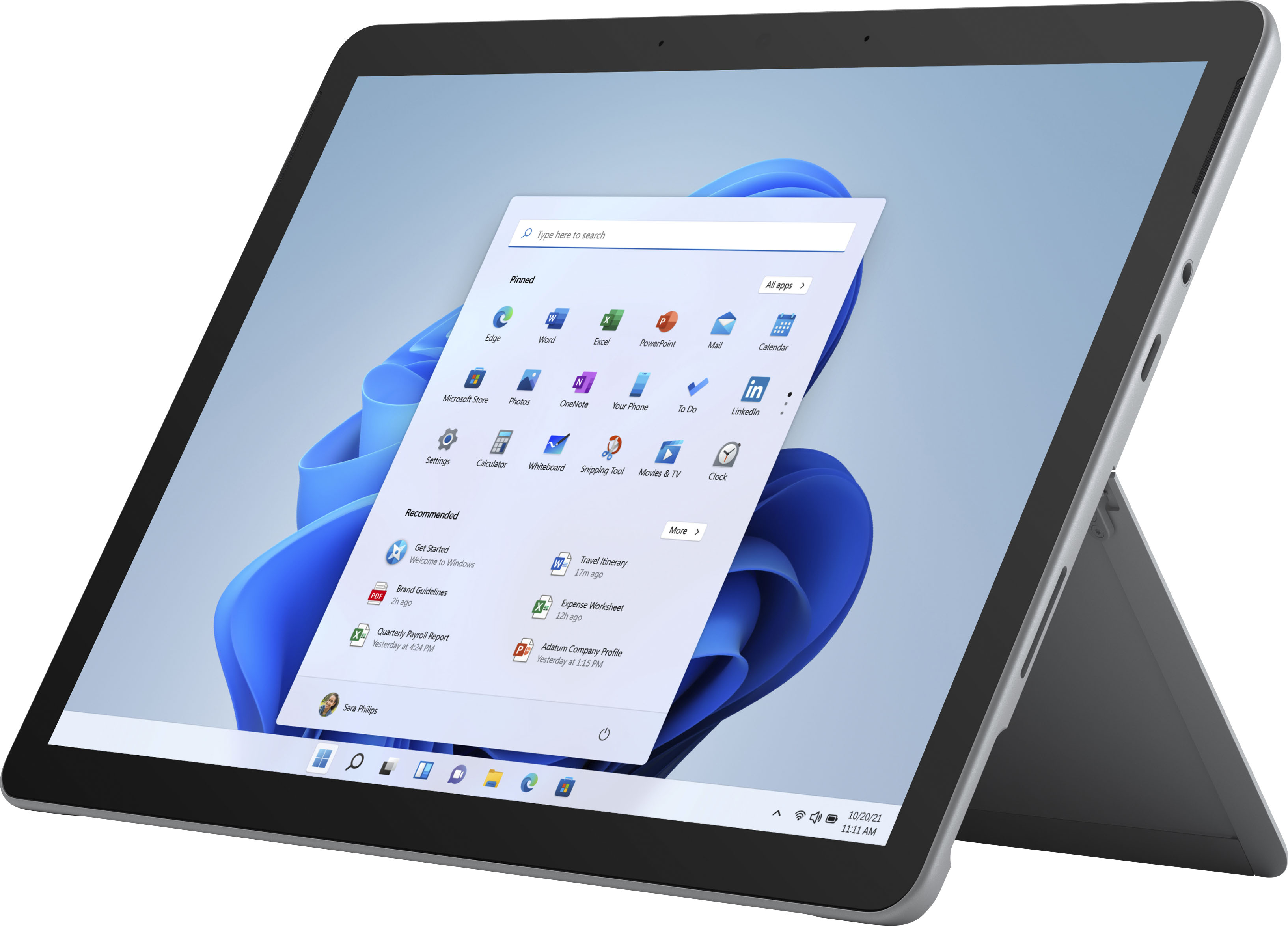
Customers praise the Surface Go 2's portability, size, and weight, making it ideal for travel. Many appreciate its performance improvements over the previous model and the responsive touchscreen. Positive feedback also highlights the battery life and the value for the price. However, some users express concerns about the operating system's limitations and the relatively small storage capacity.
This summary was generated by AI based on customer reviews.
Decent product for small tasks.
||Posted . Owned for 3 weeks when reviewed.This reviewer received promo considerations or sweepstakes entry for writing a review.A lot smaller than what I imagined it would be. However, the product does deliver. I mainly use it to monitor my finances and browse the internet. Processing speed is fairly quick for what I use it for so I'm happy with the purchase.
I would recommend this to a friendDecent laptop for what it is
||Posted . Owned for 1 month when reviewed.This reviewer received promo considerations or sweepstakes entry for writing a review.It's ok not what I expected but learning how it works
I would recommend this to a friendBrand response from MicrosoftOutreachTeam
Posted .Hi there,
Thanks for leaving a review. Getting to know a new device can sometimes be a daunting task, and to help we recommend downloading the Surface App, which you can do so here: https://www.microsoft.com/en-us/p/surface/9wzdncrfjb8p?rtc=1&activetab=pivot:overviewtab.
We hope that helps,
Heather
Surface Customer Care
Not Compatible with Android/Google
||Posted . Owned for 3 weeks when reviewed.This reviewer received promo considerations or sweepstakes entry for writing a review.This device will not work well with existing apps for Android and is not very compatible with ANY non-Windows based apps. We ended up returning and getting a Galaxy tablet so my wife could integrate with her phone and phone apps, which was the need to begin with. The Surface is fine for work and windows based activities but that is it. Trying to add say Chrome or any Google product resulted in ridiculous slow downs and impossible to use apps.
No, I would not recommend this to a friend- Cons mentioned:Operating system
So slow, very disappointing
||Posted . Owned for 1 month when reviewed.This reviewer received promo considerations or sweepstakes entry for writing a review.I only gave this item a 2 stars because it uses Windows. Other than that I would never recommend buying it. Its really slow I mean it.
No, I would not recommend this to a friend Disappointing.
||Posted . Owned for 1.5 years when reviewed.This reviewer received promo considerations or sweepstakes entry for writing a review.When I bought it it says clearly 8gb of ram it only had 4gb of ram.
No, I would not recommend this to a friend- Pros mentioned:Processor speed, Weight

Portability Master
|Posted .This reviewer received promo considerations or sweepstakes entry for writing a review.The Surface Go 2 comes in beautiful packaging. Unboxing it and setting it up took all of 15 minutes. It’s snappy and quick when doing everyday tasks for homework and bills. On the Go it’s lightweight and portable. I really enjoyed this product and see this as my new daily driver for productivity and writing! If you are looking for a gorgeous, lightweight fast dependable daily portable replacement, check out the Surface Go 2, it has enough ram and memory to do most daily tasks. “Reviewers in this invitation-only program are provided products for the purpose of writing honest, unbiased reviews.”
I would recommend this to a friend refurbished sucks
||Posted . Owned for 1 month when reviewed.This reviewer received promo considerations or sweepstakes entry for writing a review.Refurbished sucks. Not only is the computer a bit smaller than my previous one but it slows down a lot to load a page or buffers video
No, I would not recommend this to a friendSlow depending on use
||Posted .This reviewer received promo considerations or sweepstakes entry for writing a review.If you need a portable windows computer then this is a great solution (however at the price point + a keyboard, you may as well just buy a laptop). The m3 version also suffers from thermal issues which causes the cpu to underclock. If you are patient and do one task at a time then it will do the job. Just hope you won't have to update Windows because it will literally take an hour. Battery life isn't the best. A chromebook is a much better option for most people. Also don't understand the person commenting on all these Surface Go reviews not letting people share their opinions. This tablet is painfully slow
No, I would not recommend this to a friendslow
||Posted . Owned for 3 months when reviewed.This reviewer received promo considerations or sweepstakes entry for writing a review.Not worth the money. It isn’t as fast as I expected. I like my iPad much better. I returned it for refund during return period.
No, I would not recommend this to a friendGreat However it does not a GOOGLE platform
||Posted . Owned for 1 month when reviewed.This reviewer received promo considerations or sweepstakes entry for writing a review.All is well good case, pen sd card. I am hard to opperate the Microsoft Platform.
No, I would not recommend this to a friend- Pros mentioned:Processor speed
Set up just like a laptop
|Posted .This reviewer received promo considerations or sweepstakes entry for writing a review.I am a reviewer in the Best Buy invitation-only program and was provided this product for the purpose of writing an honest, unbiased review. With that being said, I want to say that I like the Microsoft Go 2. I really like how it feels like a tablet, but is set up like a laptop. Its compact and light so its easy to carry around. I love that the stand is a part of the device and not part of the keyboard so if you want to stand it up, you dont need the keyboard to do it. The set up is great because its just like my HP desktop. I dont have to figure anything new out, its exactly like my other computers but in a tablet form. The battery is long lasting so that's great. I really like the charger and am so glad it is not a usb wire. Its magnetic so it really attaches securely and you dont have to worry about bending it or messing up the flimsy usb cord that comes with some laptops. Laptop chargers can be so flimsy and I can never understand why. A laptop is meant to be portable and sometimes when it's sitting on your lap and the wall outlet is not near you, the plug can become bent over time. Some chargers are also pretty heavy so it adds weight to it and weighs down the plug while sitting on your lap and charging. I can see that I will not have that problem with this and that is pretty great. The set-up was really easy, but it did take a little longer than I expected to connect to the wifi, but once it did the set-up was easy after that. It runs smoothly and pretty quick. Unfortunately the Microsoft store did not have some apps, but luckily it was not an important app. Overall, I really like how easy it was to navigate and use. It's very lightweight and fast and the charging plug is one of thee best in my opinion.
I would recommend this to a friend OK
||Posted . Owned for 3 weeks when reviewed.This reviewer received promo considerations or sweepstakes entry for writing a review.it does what I need it too, the onenote app glitches alot and the palm rejection is not the best
No, I would not recommend this to a friendA not so fast processor
||Posted .This reviewer received promo considerations or sweepstakes entry for writing a review.At this price point I would have expected little higher speed processor
No, I would not recommend this to a friendOK Product
||Posted . Owned for 2 months when reviewed.This reviewer received promo considerations or sweepstakes entry for writing a review.First of all I was excited with my purchase. After having it for a while I quit using it due to the lack of response. It is very slow and not worth having. Windows is not very good just using as a tablet like I wanted. I will definitely go back to Apple. Windows needs to get there act together. Wish I never bought!
No, I would not recommend this to a friendGood product
||Posted . Owned for 1.5 years when reviewed.This reviewer received promo considerations or sweepstakes entry for writing a review.This was a good buy because I had to buy another one
I would recommend this to a friendSurface Go 2
||Posted .This reviewer received promo considerations or sweepstakes entry for writing a review.A little slow. Good screen, but would be nice if it was a bit brighter
I would recommend this to a friendHad to return 2 of these!
||Posted .This reviewer received promo considerations or sweepstakes entry for writing a review.Had two return two Surface Go 2’s. Whenever I connected the type cover the screen went black. As soon as the type cover was detached, the screen was fine. I worked with Microsoft and they had no idea how to fix it. Very disappointing, I was looking forward to this product.
No, I would not recommend this to a friendAVERAGE
||Posted . Owned for 1 month when reviewed.This reviewer received promo considerations or sweepstakes entry for writing a review.AVERAGE!!!!!!!! AT BEST WOULD NOT RECOMMEND THIS LAPTOP
No, I would not recommend this to a friend- Pros mentioned:Processor speed
Fine if it’s what you’re looking for...
|Posted .This reviewer received promo considerations or sweepstakes entry for writing a review.In 2013, the O.G. Surface Pro was released with a 10.6 inch 1920 x 1080 screen, a dual core 1.7GHz processor and 4GB of RAM running Windows 8. And, 6 years later, the Surface Go 2 follows in the long line of successors to that original Surface with a 10.5 inch 1920 x 1080 screen, a dual core 1.7GHz processor and 4GB of RAM running Windows 10 in S mode. The price difference? $600. There's so much more to this story than just a few misleading specs conveniently placed in the opening sentence. But, as a former user of that original Surface Pro and its successor the Surface Pro 2, and even later a refurbished (but still very acceptable) base model Surface Pro 3, I really wonder if Microsoft has learned much in 7 years. Sure, on one hand, it's awesome that we can get 2013 specs at 40% of the 2013 price, but it does beg the question – who is asking for these 2013 specs in 2019 or 2020? There are plenty of other things that differentiate the first Surface Pro from the Surface Go 2: the latter has a much nicer screen (albeit a tiny bit smaller), a better kickstand, better storage and memory options, better cameras and microphones...in fact, in every other area, the device is better than its older sibling of 6 years. But one thing that my original Surface Pro could do, that the Go 2 cannot, is get me through a day of work. Times are different now, and considering the core specs are virtually identical between the two devices, the development team at Microsoft seem to have forgotten that the demand of a 'normal' day of activities has changed so much since 2013. It should also go without saying that these two devices were targeted to two entirely different user bases...I get it, but it is really, really difficult to not see a connection between them. That said, given the specs (namely, a Pentium processor), I was absolutely blown away by what this device is ACTUALLY capable of. A lot of that comes by way of (none other than) hardware optimization through Windows 10 in S mode (which is not under scrutiny in this review) and a fanless (read: QUIET) design that does a remarkably good job at knowing what it's good at. A 'day at the office' is not something that you would think to throw at a device primarily marketed as a lightweight multitasker for homework, note taking, email and browsing—but that didn't stop me. Surprise number one was the USB-C port which supports the same level of performance as the Pro 7 and Book 3 – devices which are far more powerful. So, output to a large 4K monitor was buttery smooth and had no lag. In fact, without the second [much, much, much] larger monitor, this device is almost useless to anyone over the age of 40 trying to get any serious work done. The screen on the device, at 10.5" in size, is annoyingly small...and while I somehow found a way to get stuff done on that Surface Pro all those years ago, I'm not sure how; maybe I really am going to need those reading glasses soon. Also surprising was the performance overall, thanks to a very efficient (albeit, still Pentium) processor, the "S mode" part of "Windows 10 in S mode," and the latest version of Microsoft Edge, which seems to be a fantastic browser with not a ton of overhead (dare I say, I think it might be better than Chrome...). I've been able to put Google's most recent base model Pixelbook Go through my same 'day at the office' testing thanks to the heavy influx of web-based applications, especially progressive web apps, that just happen to be available in my particular line of work. As such, the Surface Go 2 was able to quickly load most of the windows I needed, while also running full, native versions of Microsoft Excel, OneNote and Word, all of which I use on a pretty regular basis. Where things started to go wrong, though, is when all of these great features started to be used simultaneously, which drew significantly on the processor first. Add to that a passively cooled architecture, throttling (or something that felt quite a bit like throttling) is inevitable. Thank goodness for its 8GB of RAM because without it, this product—which was provided to me as part of an invitation-only program in exchange for an honest, unbiased review—would probably not have made it to lunch. So, while it's not the 'bottom of the barrel' Surface Go 2, it's the basest model I could ever recommend that someone consider buying. Still, it did get through the day, and in fact through the rest of the week, only requiring me to go to my full laptop for one thing, related to sharing files from my company’s Sharepoint site which I would gather was a limitation of the Edge browser and nothing more. All of that said, and recognizing that people who seek these out aren't going to be throwing significant levels of multitasking at its specs, this is not as bad as you may think it is. Throughout a somewhat brief testing period when utilizing the device for more appropriate, reasonable tasks (the phrase "pick on someone your own size" comes to mind), it was actually quite a fun little device. 'Cute' may be an apt word. And speaking of cute, the signature cover with its overwhelmingly Alcantara body has a very nice tactile keyboard that doesn't flex too much when in use, and a fantastic trackpad whose only real shortcoming (besides, of course, its $129 price tag) is that it is a little smaller than I can comfortably use for more than a few minutes. The keys on the keyboard are very close together and a hair smaller than I'm used to, which isn't ideal, but are possible to adjust to by the time you reach your fourth or fifth paragraph. Still, I wouldn't wish this on anyone to be used as any sort of note taking device with keyboard as its primary input method. Add in a Surface Pen, however, and that changes the note-taking game entirely (provided you use OneNote or some other app available to S mode installations of Windows 10). Speaking of S mode—that is NOT a requirement for this device, and a quick search on your favorite search engine will show you just how easy it is to take the remove it. I didn't do that, though, because you will see significant performance impacts when you have the freedom to install whatever you want: S mode is Microsoft's the "Apple-ish" way of locking down their ecosystem in a way that helps maximize performance. And, it's nice that Microsoft actually gives you an easy way of opting out). Some things I'd like to see adjusted here and in the future would be at least one additional USB-C port, and the final retirement of the awful, awful proprietary charging cable (power delivery over USB-C works just fine on this, by the way). Oh, and let's stop putting dual-core Pentium processors in devices that are intended to be used as 'laptops' in any sense of the word. The price becomes the biggest deterrent for this product. If, however, the Pentium (**shudders**) model with 8GB of RAM was available at the base cost of $399, that would be a pretty compelling product. Moreover, if the $549 price tag of the Go 2 included the Surface Pen and a keyboard as well, it would be a much easier sell (consider that the actual cost of that bundle would be $780 before tax). I do believe this device serves an audience, but perhaps one that is too limited. Windows doesn't offer a really great tablet experience, so I don't see this as a competitor of the iPad—especially since the Microsoft Store (assuming you keep things in S mode) is still underwhelming at best. I'd put the Surface Go 2 in the category of a slightly overpriced Android tablet: it might be a fun toy to play with, and cute for sure, but I think it will always be that device that is lacking just enough in multiple areas to ultimately find its way to a box in your basement or handed down to your kids so you can upgrade to something for adults.
No, I would not recommend this to a friend Not a bad item but ...
||Posted . Owned for 1 month when reviewed.This reviewer received promo considerations or sweepstakes entry for writing a review.unit isn't bad but i liked the surface go 1st gen much better... feel like it was more stable.. one thing is I got an opened box unit and bestbuy never wiped the unit so...
I would recommend this to a friend