Customer Ratings & Reviews





- Model:
- XK1-00001
- SKU:
- 6554716
Rating by feature
- Battery Life
Rating 4.5 out of 5 stars
- Speed
Rating 4.7 out of 5 stars
- Display
Rating 4.7 out of 5 stars
Customers are saying
Customers regard the Surface Laptop Go 3 highly for its portability, overall performance, and compact size. Many appreciate its battery life, design, processor speed, and lightweight build. However, some customers have expressed concerns about the lack of keyboard illumination, heat dissipation, limited port selection, connectivity, and storage capacity.
This summary was generated by AI based on customer reviews.
- Pros mentioned:Overall performance
Works good even with updates
||Posted . Owned for 1 month when reviewed.This reviewer received promo considerations or sweepstakes entry for writing a review.Works great no issues when updated. Has now for 2 months.
I would recommend this to a friend - Pros mentioned:Overall performance
Perfect travel companion
||Posted . Owned for 1 week when reviewed.This reviewer received promo considerations or sweepstakes entry for writing a review.Great lil device. Perfect for any normal day work.
I would recommend this to a friend - Pros mentioned:Overall performance, PortabilityCons mentioned:Keyboard backlighting, Port selection

GOOD BLEND OF FUNCTIONALITY & PORTABILITY
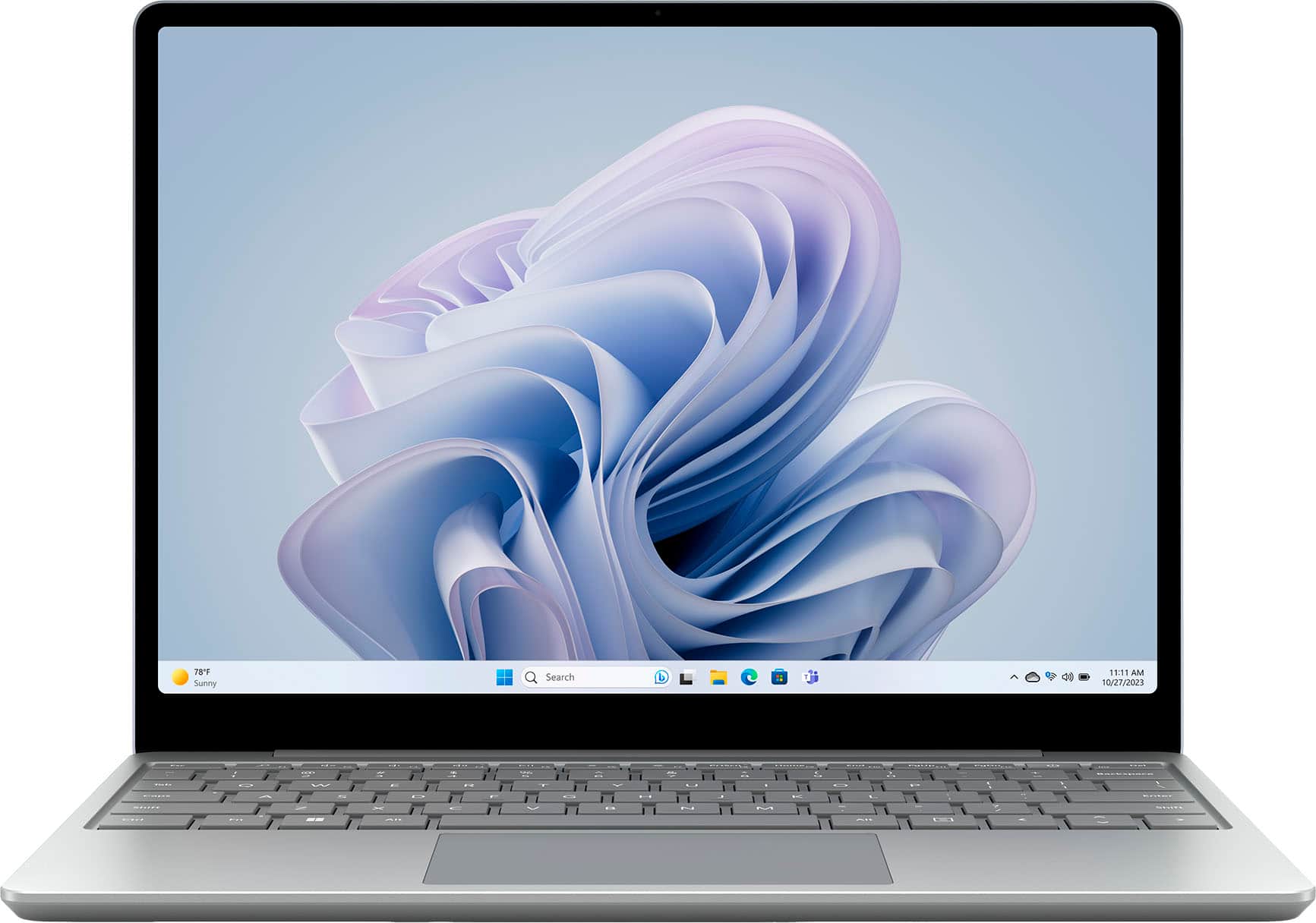
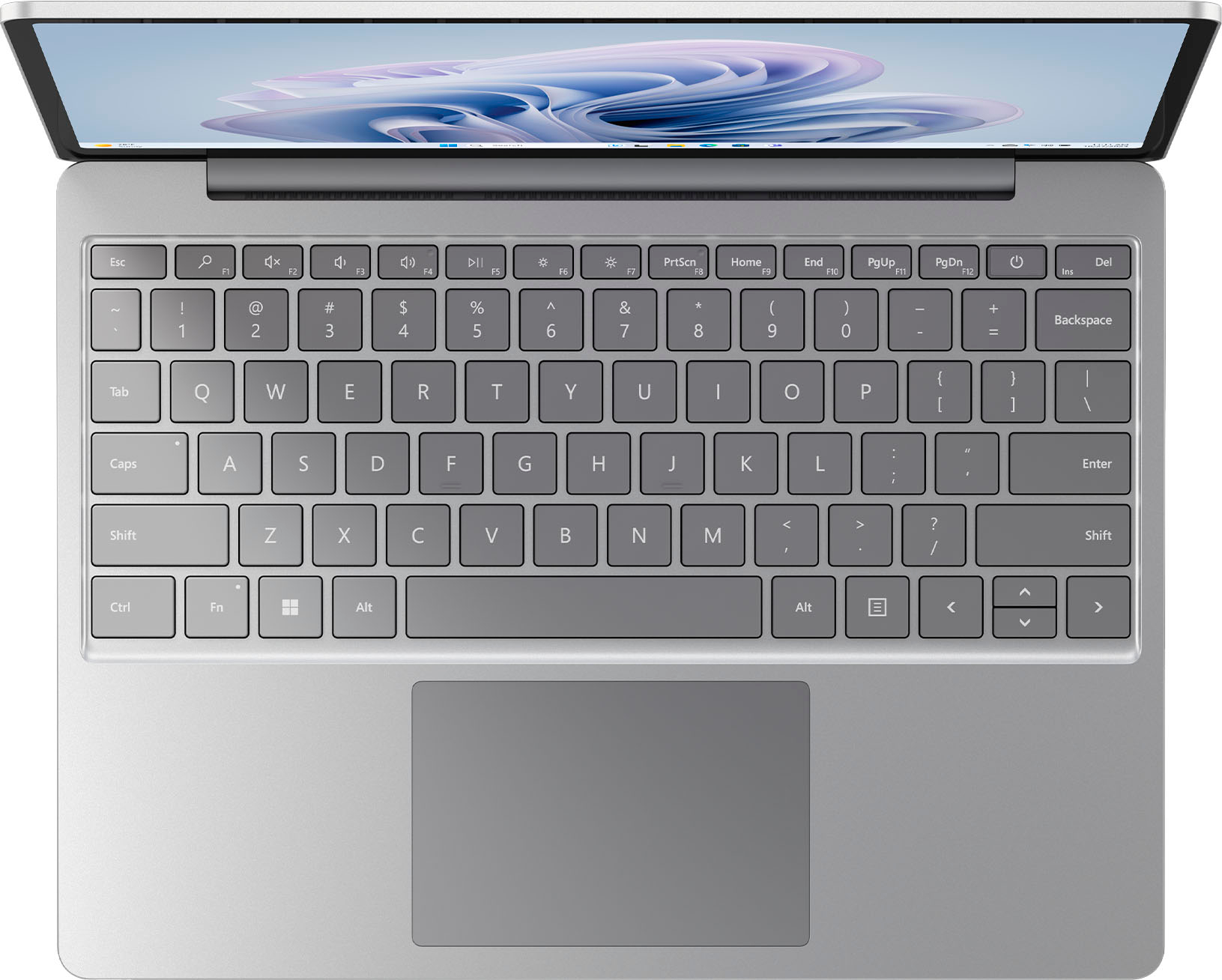
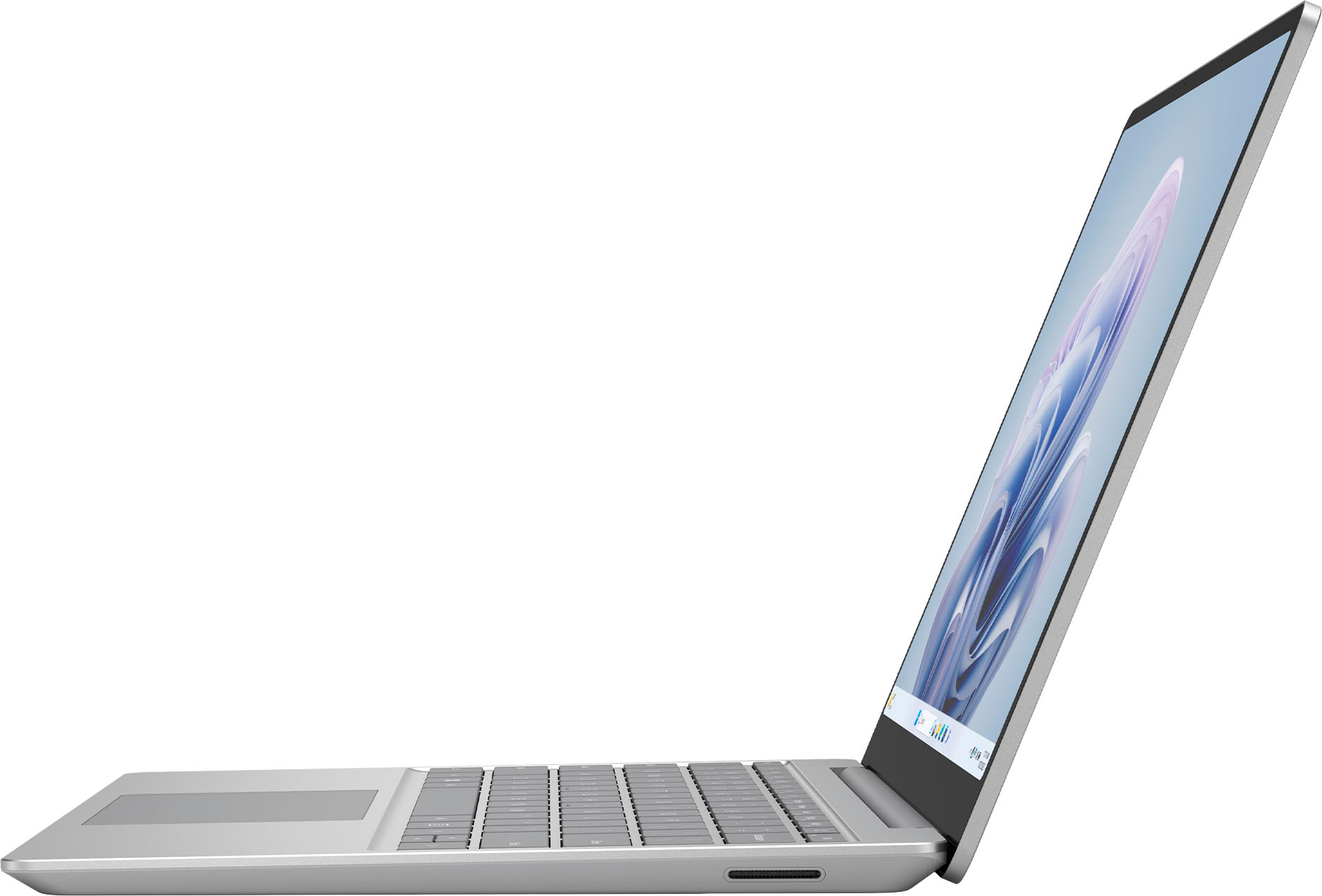
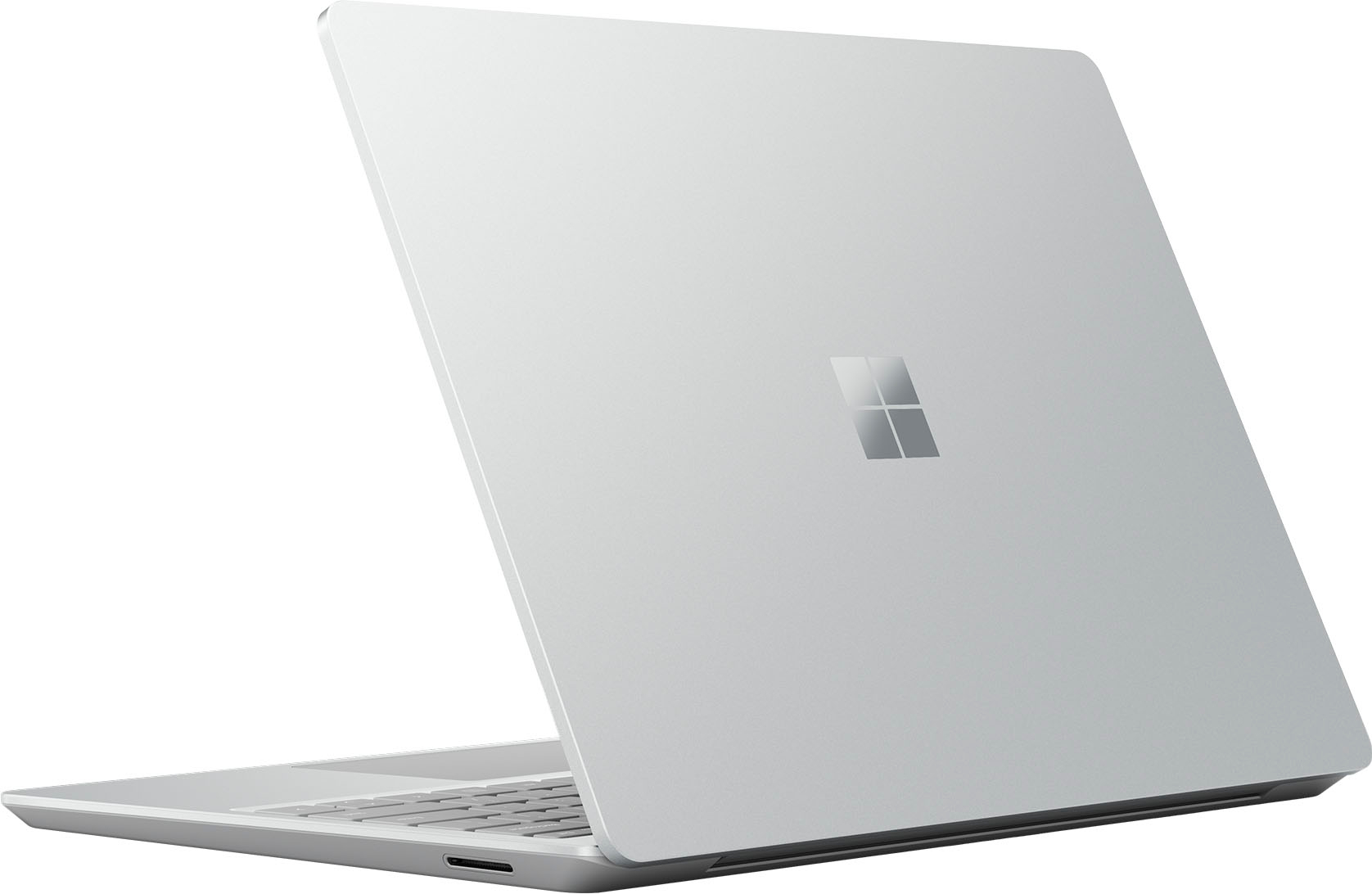
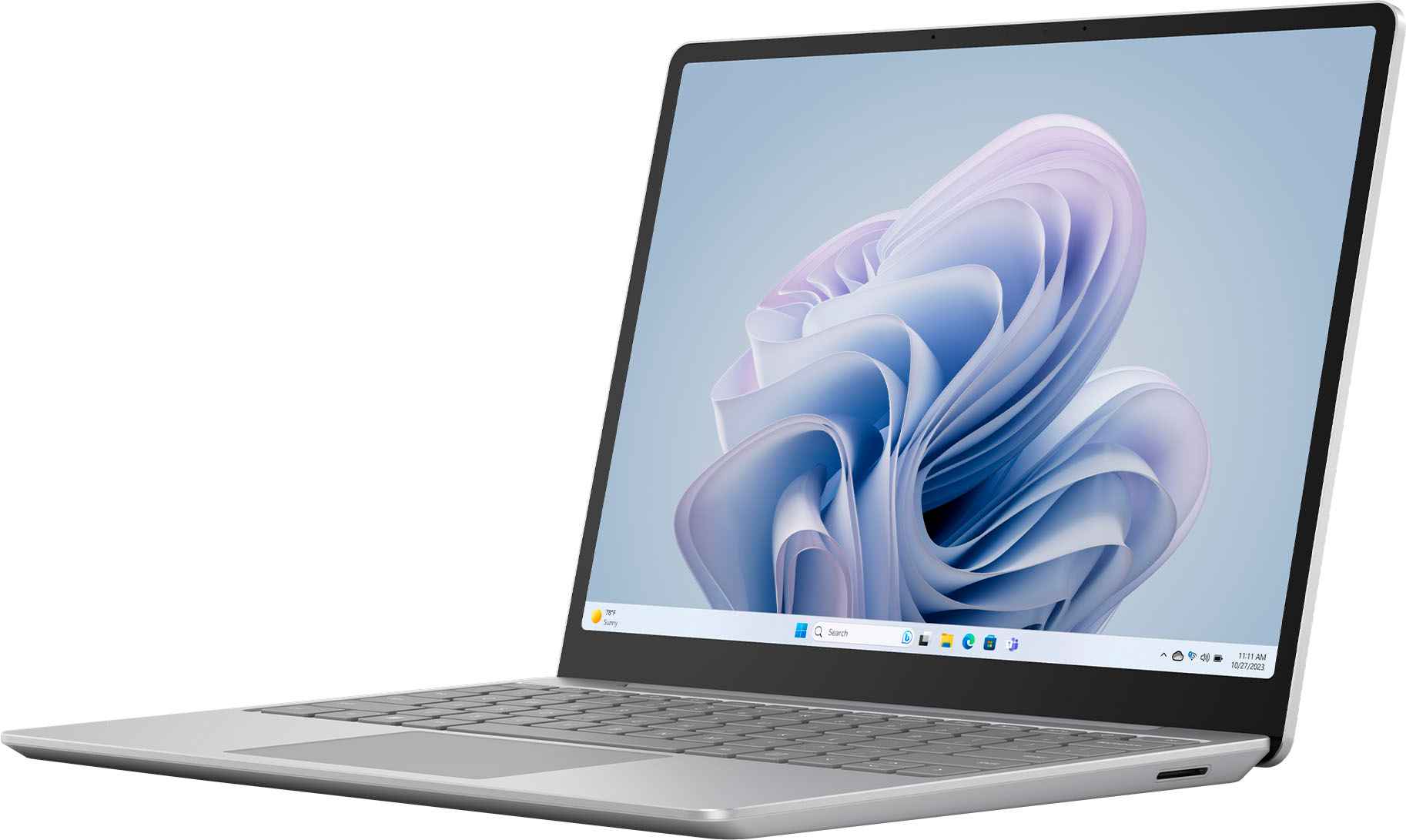
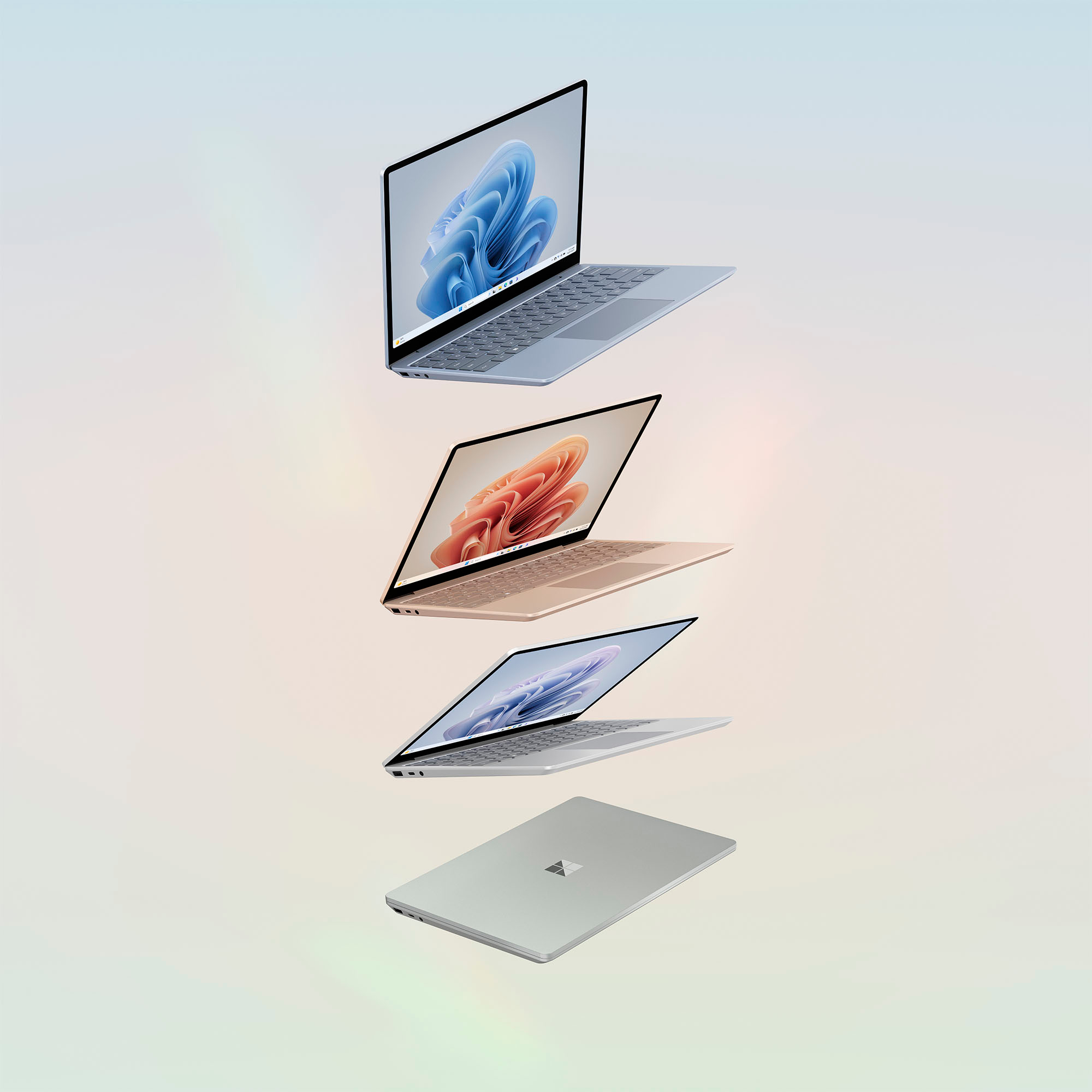
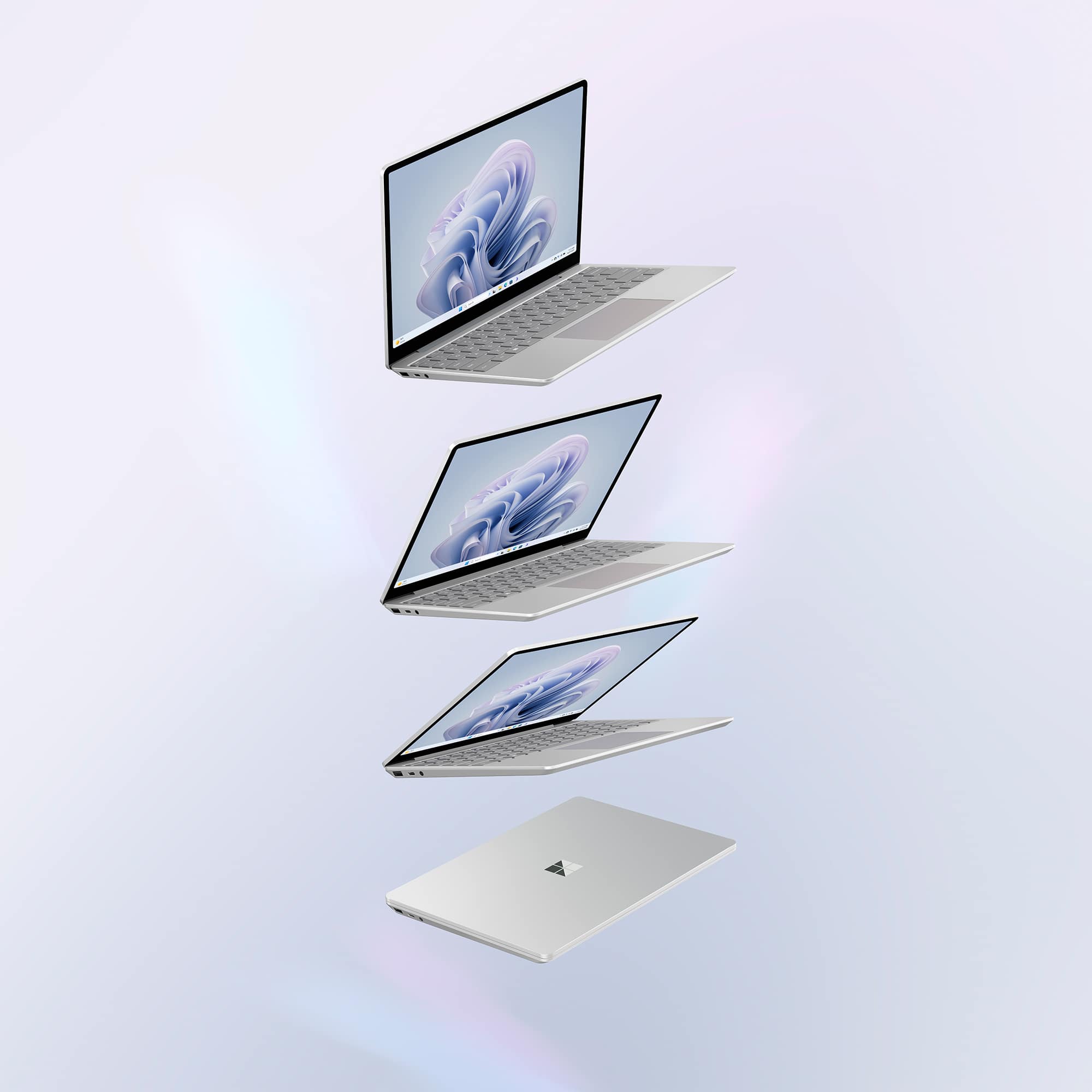
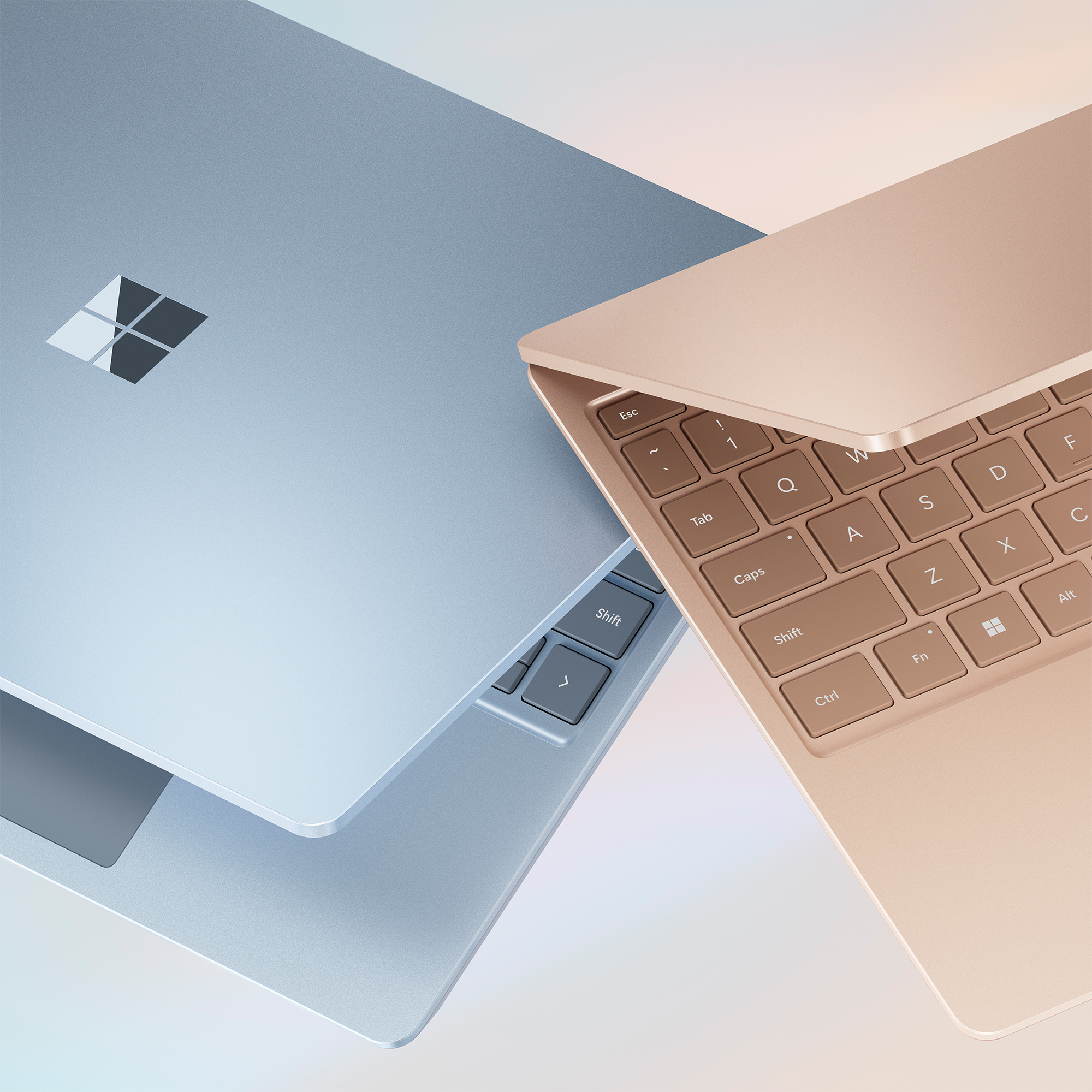
|Posted .This reviewer received promo considerations or sweepstakes entry for writing a review.The new Microsoft Surface Laptop Go 3 (Model XK1-00006) is an evolution of its predecessor representing a slightly improved and more capable ultraportable laptop. The change consists of Microsoft replacing the former models Tiger Lake CPU with a newer Alder Lake CPU. The Surface Laptop Go 3 clearly is not a mobile workstation class laptop, nor is it a gamer’s choice. It is, however, a well-built, lightweight and compact laptop with enough CPU and sufficient features to be an asset in many use cases. The Surface Laptop Go 3 is nicely constructed with an anodized aluminum top and aluminum (top half of shell), and polycarbonate plastic (bottom half of shell) lower case. It has very compact dimensions of less than 11” long x approximately 8-1/8” wide x slightly more than ½” tall. It weighs 2 lbs-7.2 oz (1111) grams. These small dimensions and extremely light weight are very attractive attributes and truly embody an ultraportable designation. This ultraportable capability is my primary basis for selecting the Surface Laptop Go 3. The 12.4” PixelSense Display is a 10-point touchscreen with multi-touch capability and excellent sensitivity, covered with Corning Gorilla Glass 3. The screen resolution of only 1536 x 1024 (148 PPI), with a 3:2 aspect ratio and contrast ratio of only 1000:1 and maximum brightness of only 320 nits is something of a disappointment and a compromise. In a world of 4K (3840 x 2160 pixels) display panels, anything less than Full-HD (1920 x 1080 pixels) is sub-optimal and disappointing. However, to its credit, the 12.4” PixelSense Display still looks good and displays vibrant, saturated and accurate colors. Productivity applications look fine and video quality is very good. With the small screen size and low resolution, some small text and graphics appear pixelated and jagged. The laptop cover has a full-width hinge which opens a maximum of 135°, so the laptop cannot be used as a tablet or in tent mode. The IPS panel is also surrounded by wide, 5/16” black bezels. The performance capabilities of the Surface Laptop Go 3 are virtuous. The CPU is a 12th Generation Intel Core i5 – 1235U, 10 core (2 performance cores with maximum turbo frequency of 4.40 GHz and 8 efficient cores with maximum turbo frequency of 3.30 GHz), and 12 MB Intel Smart Cache. The integrated Intel Iris Xe G7 Graphics renders very good performance, as well. This Sage Green encased laptop is equipped with only 8 GB of LPDDR5 RAM and does reach its limits when memory demands are extremely high. However, while the 12th Generation Intel Core i5 CPU is an improvement over the CPU in the prior model Surface Laptop, this CPU is almost two years old having been launched in the 1st Quarter of 2022. In fact, the newer 13th Generation i5 CPUs can be found in laptops of similar price and lower price. Nevertheless, I am finding the laptop performance to be very good even when multiple applications and many browser windows and tabs are simultaneously open. The Surface Laptop Go 3 is available in four colors. The Ice Blue, Sage Green, Sandstone and Platinum case versions are all offered with 8 GB of RAM. The Platinum and Sage Green models are also available with 16 GB of RAM. My 8 GB, Sage Green laptop is equipped with a Samsung MZ9L4256HCJQ-00BMV, 256 GB solid state drive (SSD), which Microsoft states is removable. However, Microsoft adds the qualification, “This device does not contain user serviceable parts. Hard drive is only removable by an authorized technician following Microsoft provided instructions”. RAM cannot be user expanded. In fact, there is no user access to the internals in the case which has no screws to facilitate user entry. The laptop is equipped with a front facing camera of only 720p (0.9 megapixel) resolution which is adequate for use with Microsoft Teams, Zoom and other video-conferencing purposes. There is no privacy shutter for the camera. The audio is described as “Omnisonic Speakers with Dolby Audio Premium”, however there is no further information regarding that in the system. I found that the audio sounds good, with the sound emitted from the hinge slot at the top of the keyboard. There are “Dual far-field Studio Mics with Voice Clarity” on either side of the camera. Voice Clarity is a Windows 11 feature which purports to provide high-bandwidth audio processing. I find the audio quality to be satisfactory when evaluating the Surface Laptop Go 3 microphones when conferencing with it from another laptop or producing an audio recording. The connectivity provisions are minimal and sparse. There is just one USB-C 3.2 port (data, display port or charging) but no USB 4.0 / Thunderbolt 4, which is extremely disappointing. There is also one USB-A 3.1 port but no USB 3.2 or 3.2 Gen 2. A 3.5 mm (mini) headphone / audio output jack fills out the left side of the laptop case, although given the popularity and proliferation of Bluetooth headsets, I wonder why there is a mini-jack, at all. The right side has the proprietary Surface Connect port, for powering / charging the laptop with the 39 watt power supply. I genuinely wish that the faster USB standards were supported, particularly for achieving the high-speed transfer rates that my external USB drives are capable of. Another notable absence is that of an SD or Micro SD card reader. The Surface Laptop Go 3 has a full-size keyboard, but as is typical of laptops, it does not have a numeric keypad. The keyboard feel is excellent. Key travel and rebound, as well as key spacing are all good. However, another very disappointing compromise is that the otherwise excellent keyboard is not backlit. I frequently use my laptops in low light and even darkened rooms. I find that the lack of keyboard backlighting is a significant deficiency, which although almost certainly is a production cost based decision, seems extremely inappropriate for a laptop in this price range. Much less expensive and lower capability laptops have backlit keyboards. I am finding the lack of an illuminated keyboard to be annoying and problematic. Students or business professionals who need to use the laptop in a dim or darkened room might find this deficiency to be unacceptable. The Power Key serves as a biometric fingerprint reader for Windows Hello security. Sometimes it works great, and other times it fails to accept any of the multiple fingerprints that I enrolled, and use of my PIN code is required. The Surface Laptop Go 3 does not support facial recognition and does not have an IR camera. The 2-5.8” x 3-7/8” touchpad, although not glass, functions smoothly and precisely. Wireless connectivity conforms to current standards. Wi-Fi 6 (802.11ax) is supported as is Bluetooth 5.1. The Intel AX201 Wi-Fi and Bluetooth have demonstrated themselves to be stable and reliable, with a single exception. This laptop will not connect to the Wi-Fi 6 channels on my mesh network (single SSID for 2.4 GHz, 5 GHz and 6 GHz networks). My Surface Laptop Go 3 (2021) tablet, which uses the same Intel AX201 will not connect to 6 GHz channels either. My Dell laptop with Intel AX210 is fine with 6 GHz. The Surface Laptop Go 3, based on Microsoft’s testing protocols, has a claimed battery life of up to 15 hours of mixed active use and modern standby from the 41 Wh Lithium-Polymer battery. I have been using my Surface Laptop Go 3 extensively in order to install application software, configure the system and applications to my preferences and make productive use of the laptop with a variety of application software, web browsing, occasional video streaming and other typical laptop utilization. Post-configuration I began using (and continue to use) the Surface Laptop Go 3 as I typically use my primary laptop. Thus far, I have been getting between 4.5 and 6 hours before the battery falls below 10% which then requires approximately 3 hours to recharge to 100%. The battery evidently fast-charges initially to recover about 50% charge in less than an hour, but fast-charging stresses the battery and shortens its lifespan. The Surface Laptop Go 3 with its Intel 12th Generation, 10 core, i5 CPU and Intel Iris XE graphics provides a good level of performance in a small package. I use several laptops of various sizes, configuration and capabilities. When selecting the Microsoft Surface Laptop Go 3, I was endeavoring to meet my need for an ultraportable, compact, lightweight laptop that was capable of providing adequate levels of performance. Overall, the Surface Laptop Go 3 generally meets those needs well, but with several compromises. I would certainly appreciate more and higher bandwidth USB ports including USB 3.2.2 and USB 4 / Thunderbolt 4. I also miss having an SD or Micro SD card slot. I greatly miss having a backlit keyboard as I frequently use laptops in darkened locations. The otherwise nice display panel being sub-1080/1280p is also a compromise. The Surface Laptop Go 3 has a nice, premium appearance and solid physical construction. The CPU and related hardware run productivity applications capably. Although selecting the Surface Laptop Go 3 involves several compromises, in balance, the Surface Laptop Go 3 is still a decent laptop overall. The Microsoft Surface Laptop Go 3 is a combination of good performance capabilities in an ultraportable package. I find it to be fast and stable. Like all current generation Intel based computers, it comes with Windows 11 (Home Edition) installed. I am enjoying my Surface Laptop Go 3 which is sufficiently powerful yet compact enough and lightweight enough to conveniently use anywhere. This is just the type of laptop which is well suited for use by college students for notetaking, and equally useful for business meetings. Yet, this small and lightweight machine has sufficient power for use as a primary laptop. I like the Microsoft Surface Laptop Go 3, and I enjoy using it, except when in dark rooms!
I would recommend this to a friend - Pros mentioned:Portability
On the go laptop
||Posted . Owned for 1 month when reviewed.This reviewer received promo considerations or sweepstakes entry for writing a review.Very light weight and great for on the good definitely recommend!!!
I would recommend this to a friend - Pros mentioned:Overall performance
the best of the best!
||Posted . Owned for 3 weeks when reviewed.This reviewer received promo considerations or sweepstakes entry for writing a review.the best comp for the price! I have 4 in different colors.
I would recommend this to a friend - Pros mentioned:Overall performance
PERFECTION
||Posted . Owned for 3 weeks when reviewed.This reviewer received promo considerations or sweepstakes entry for writing a review.Love it! Amazing laptop for a business student. In love.
I would recommend this to a friend Laptop Cons
||Posted . Owned for 1 month when reviewed.This reviewer received promo considerations or sweepstakes entry for writing a review.The laptop was vibrant but the fingerprint power button is occasionally malfunctioning. Fortunately all i have to do is restart my laptop whenever i run into this problem.
I would recommend this to a friendLaptop review
||Posted . Owned for 10 months when reviewed.This reviewer received promo considerations or sweepstakes entry for writing a review.The laptop has a smooth operating system which allows my child to perform tasks for school without any issues .
I would recommend this to a friendLaptop
||Posted . Owned for 1 week when reviewed.This reviewer received promo considerations or sweepstakes entry for writing a review.The laptop is really good but, the only thing is that the sound it makes it really loud.
I would recommend this to a friendCollege laptop
||Posted . Owned for 3 weeks when reviewed.This reviewer received promo considerations or sweepstakes entry for writing a review.can’t wait to use for college, pretty rose gold color & light up keyboard
I would recommend this to a friendNot for college!
||Posted . Owned for 1 month when reviewed.This reviewer received promo considerations or sweepstakes entry for writing a review.I’m on campus for 9 hours and this laptop died mid day. It’s also not that lightweight. I had to return it since it didn’t work for me.
No, I would not recommend this to a friendSurface laptop Go 3
||Posted . Owned for 1 month when reviewed.This reviewer received promo considerations or sweepstakes entry for writing a review.Came earlier than expected. I live the quality of this product.
I would recommend this to a friendSurface Go 3
||Posted . Owned for 1 month when reviewed.This reviewer received promo considerations or sweepstakes entry for writing a review.The battery is a little weak, otherwise very nice.
I would recommend this to a friendnot worth it if
||Posted . Owned for 8 months when reviewed.This reviewer received promo considerations or sweepstakes entry for writing a review.unfortunately i really did like this computer! but i only had it since Jan, and it is now April and my computer won’t charge! not even with new cords.
No, I would not recommend this to a friend- Pros mentioned:Battery life, PortabilityCons mentioned:Keyboard backlighting
Compact and Stylish
|Posted .This reviewer received promo considerations or sweepstakes entry for writing a review.This is a featherlight Windows ultraportable that is a snap to carry around, has very good battery life, and the gorgeous styling and build quality of a Surface product. The lid is metal, and the base is made of a composite material. This is the second sage green Surface product I have reviewed, and I am partial to the attention- grabbing body color. If you are a student or professional and need to travel light, you need to drop by BestBuy and look carefully at this model. The 12.4-inch screen is small when compared to larger laptops, but the device is designed not to take up much room in your bag or backpack, and it weighs only 2.4 pounds. I think the glossy screen looks marvelous. It’s not quite 1920 x 1080 resolution, so it can’t be called HD, but given the size of the screen, I am hard-pressed to find any fault with it in everyday use. Webpages and streamed content look fantastic to my eyes, and it’s only sipping battery power while in use. The 3:2 aspect ratio was perfect for office work. The sound is more than adequate from the built-in speakers, and a headphone jack is also included- a relative rarity these days. This is a Surface product, so it has a responsive touchscreen, and I found the keyboard delightful to use. The power key also serves as a fingerprint scanner for fast and secure login, but, alas, there is no facial recognition. My only disappointment with the keyboard is that it lacks backlighting. If that feature is must for your everyday uses, then you’ll probably rule this model out for consideration. This issue only came up for me when I was trying to type something in total darkness, which is a rare situation for me. Note that backlighting does reduce battery life, and the design intent with this model was to maximize battery life. I have gotten more than 8 hours on a single charge doing document work, email, and media consumption. More intensive tasks, of course, will shorten the available battery life. The screen is plenty bright indoors with almost 400 nit performance. I always lower the brightness to increase battery life. The supplied 39 watt charging brick quickly replenishes the battery through the Surface Connect port, or you can also use the USB-C port to charge with other adapters. There is a single legacy USB-A 3.1 port as well. You can also use the USB-C port to connect to a monitor that accepts that type connection, without the need for any hub or adapter. The webcam looks sharp at 720p, but you will need proper lighting for best performance with video conferencing. My wife intends to use this laptop for work and play and it will fit her needs perfectly. If you need a larger screen, there are plenty of models out there to satisfy your laptop needs, but if you need compact, the field is much more limited. This model features a Core i5 12th generation Intel processor and 8GB of RAM and a 256GB SSD which will more than handle her everyday productivity and entertainment tasks.
I would recommend this to a friend Microsoft laptop 5
||Posted . Owned for 1 month when reviewed.This reviewer received promo considerations or sweepstakes entry for writing a review.It's very handy and the features are best more than it's price.Keyboards are very easy as if one will not apply force to press each of the keys.tje OLED is really best for the eyes even night time of works, there is no glare for the monitor itself adjust automatically. I really love it... This far more better than the MacBook I've been an avid Mac book user since 2000.
I would recommend this to a friend- Pros mentioned:Battery life, Overall performance, Portability
A Perfect First Laptop for My son
||Posted . Owned for 2 months when reviewed.This reviewer received promo considerations or sweepstakes entry for writing a review.I recently purchased the Surface Go 3 for my son, and I couldn't be happier with it! He's been needing a device for schoolwork, light creative projects, and, let's be honest, a little bit of gaming. The Surface Go 3 has been an absolute game-changer. From the moment we unboxed it, I was impressed with the sleek design. It's so thin and light, perfect for him to carry around in his backpack without weighing him down. The size is ideal too – big enough for comfortable use, but small enough to be truly portable. The performance has been great for his needs. He's been using it for everything from writing essays and creating presentations to browsing the web and watching videos. The Core i3 processor handles everything he throws at it with ease. I was a little worried about it being underpowered, but it's been surprisingly capable. The touchscreen is fantastic, and he loves using the Surface Pen for taking notes and sketching. It feels really natural and responsive. The Type Cover is a must-have – it transforms the Go 3 into a proper little laptop, making typing a breeze. I was initially hesitant about the cost of the accessories, but they're definitely worth the investment. What I really appreciate is how versatile the Surface Go 3 is. It's a tablet when he wants it to be, and a laptop when he needs it to be. This flexibility is exactly what he needed for school and his hobbies. Battery life has also been impressive. He can use it for a good chunk of the day without needing to plug it in, which is a huge plus. Honestly, as a parent, I was looking for something that was durable, portable, and powerful enough for his needs, without breaking the bank. The Surface Go 3 ticks all the boxes. Seeing how much he enjoys using it and how much it's helped him with his schoolwork makes me so happy with this purchase. I highly recommend it for any parent looking for a great first laptop for their child.
I would recommend this to a friend - Pros mentioned:SizeCons mentioned:Keyboard backlighting
Made for on the go
|Posted .This reviewer received promo considerations or sweepstakes entry for writing a review.When I took the package from the delivery driver, I didn't expect that the lightweight item would have been this laptop. Upon opening the standard brown package to reveal this little guy, I was amazed at how Microsoft was able to make the laptop and charger weigh so little. Perfect size and weight for travel as well as a sturdy frame with an elegant color finish. I have experience using the Surface Pros which are a cross function of a tablet (very useful for graphic design) and laptop with a disconnect keyboard. This Surface Laptop Go 3 has the same feel of functionality except it definitely feels more sturdy to hold up against wear & tear and without a disconnecting keyboard. Keyboard is feels natural, not crammed, and keys are slightly tactile. Tack pad is responsive and feels good, though I prefer pairing this with a Surface Mouse (sold separately) which is very thin and perfect for travel. I would prefer to have backlit keys, but I can make do. Sound and camera are decent, not top of the line, but good for what the device was designed for. Touchscreen, which is a must now-a-days. Minimum ports for USB-C, AUX, and USB-A. Enough for on-the-go use and THANK YOU Microsoft for not doing away with USB-A like you did on the Surface Pros. USB-A port is a little stiff, but it should be fine after some use. Overall, this is a decent choice for travel and will hold up tossing this around in and out of your bag when you need it.
I would recommend this to a friend - Pros mentioned:Battery life, Overall performance, PortabilityCons mentioned:Keyboard backlighting, Port selection, Storage capacity
Small, light, quick laptop
||Posted . Owned for 3 weeks when reviewed.This reviewer received promo considerations or sweepstakes entry for writing a review.Love this little laptop. It's small and light and easy to carry around. Processing seems very fast. Wish it had additional storage on board, and additional built-in ports. It is not backlit. Battery life is good, but this is a new computer so I would expect that. This computer works well for day-to-day tasks.
I would recommend this to a friend - Cons mentioned:Port selection
Svelte and light yet power packed with value!
|Posted .This reviewer received promo considerations or sweepstakes entry for writing a review.Microsoft - Surface Laptop Go 3 12.4" Touch-Screen - Intel Core i5 with 8GB Memory - 256GB SSD (Latest Model) Sage Summary: Svelte and light yet power packed. Pros: * Lightweight! 2.5 lbs. That's it. This unit is remarkably light. * Build. Typical Microsoft Surface quality. This unit is built solid. The lid glides open and closed. It can be a bit jarring if you're used to worrying about the flex from lifting any laptop's monitor lid. * Svelte Sage. Also in typical Surface fashion, this unit is sexy. I opted for the Sage because I thought I'd change things up a bit. My heavy gaming laptops are black. My previous Surface models were all gray. The sage is subtle, but there and I'm happy with my choice. * Touchscreen. You might think that for the price point you wouldn't get a touch screen. Well, Surface has always been about the experience. If you like touchscreens, you'll be pleased to know that this unit's is responsive. * Biometric Power Button. This unit's Windows Hello is enabled by the super-fast biometric power button that reads your fingerprint(s) in an instant. Love it. * Camera. The camera works well and adjusts well to different lighting conditions. Perfect for when you're on the go and need to attend a video conference call or just want to check in on a loved one. * Microsoft. The Microsoft software (and hardware) ecosystem is rich. With cross platform portability, I can do all of my work on this unit when on the go. Office, Edge, even Remote Desktop. Passwords. Mail. It is all there wherever and whichever device you choose to use. The Surface is built to optimize those experiences. * Accessories. Speaking of hardware ecosystem. Pair this unit with a Surface Mouse and your experience will be golden. There are keyboards, docks, mice, speakers, headphones, pens, etc. that you can use with your unit to boost your productivity in whatever fashion you need. * Specifications. For the price point, I feel like the specifications are reasonable. Excluding OS consumption, 256 GB goes fast, but if you're using OneDrive - and I do extensively for personal and professional use - then it really isn't a concern. 8 GB of RAM I feel is fair, too. The unit has been remarkably performant and consistent. * Dolby Audio. The Dolby bit is a bit overrated because let's face it, laptop speakers are never going to compete with a nice pair of desktop speakers or headphones (such as the Bose Quiet Comfort or even the Meta Wayfarer glasses). They do perform well and while you can't host a party with the unit's audio, you can groove while working on the GO. The fun thing about this unit is that you can't see the speakers and that is because they are below the keyboard. If there is a feature I think Microsoft could iterate on, I suppose this would be to improve the sound (notably the bass). Given the universal challenge across the form factor, it's hardly a detractor or a con. Cons: * Ports. I wish Microsoft would retire the proprietary power port. With the prevalence of USB-C and higher wattage units, a second USB-C port would make more sense. Frankly, I am not sure what the proprietary port brings to the table anymore. Even Microsoft new "docks" or port replicators, are USB-C. The shipped power brick supplies 39 W max. I kept the power brick in the original box and just use my own 100W USB-C PD charger. It charges everything USB-C and powers/charges this unit just fine - one less thing to carry! * Lid. This is a minor suggestion. I feel the lid could have benefited from a small indention or something to allow easier opening of the lid. It isn't hard to open! But it being so light, I haven't figured out the best way to open the lid without lifting the entire unit to find the spot my fingers can grasp to open the lid. Teehee. To be fair, this is a recuring problem with laptops for me. I feel this is definitely deliberate as the design aesthetic could be impacted by this. I'm sure I'll get the hang of it, but that is really the worst thing I have to complain about. :D Use: I have a desktop computer with two displays which I use for every day WFH. I have a substantial gaming laptop that I use for... gaming. I also own an fruitPad which I use for mobile games and light browsing. I have owned various Surface tablets since the original release years ago (ARM) and I have loved them all. This Surface Laptop Go 3 is the first of Microsoft's laptops I've had the pleasure of working with (not including the brief time using my spouses Surface Book). I have to say that I am extremely pleased with this unit. I appreciated the flexibility of the 2-in-1 Surface tablets, but for working regularly, the Surface Laptop's really do make more sense for me. Now I keep this unit near me when I need to hop on quickly to knock out a bit of work (I am a DBA and working in SaaS operations). I can do all of my work and don't have to fumble around with detachable keyboards, or kickstand angles, or kickstand surfaces. I just open the laptop, and, in a few seconds, I am logged into work and getting work done. I also use this when I have my own personal computing to do but don't want to be in my office doing it or have a heavy gaming laptop on my lap. I love this thing! Note: If you're looking for a game capable unit, I would advise considering another model. The only model in the present Surface line up that have GPUs designed for gaming is the Surface Laptop Studio 2. If I already didn't have a gaming laptop AND also need super portability (think travel/airport), I would have seriously considered the SLS2, but I do and I don't and so the Surface Laptop Go 3 is a perfect fit for my needs. I didn't comment on battery life because my use is always on the "performance" end. That is, I don't like to operate on recommended or power-savings mode unless I'm desperate for battery conservation and don't have a charger with me. For testing I have used this unit to browse sites including those that render 3D objects, and edit documents, such as this review, for several hours. I even worked through IT Chapter 2 without a charger connected just fine and with plenty of juice left. While its power usage on "recommended" definitely looks like it could go beyond a few hours, I'm not sure it would reach the 15 hours listed unless it is in power-savings mode.
I would recommend this to a friend