Customer Ratings & Reviews
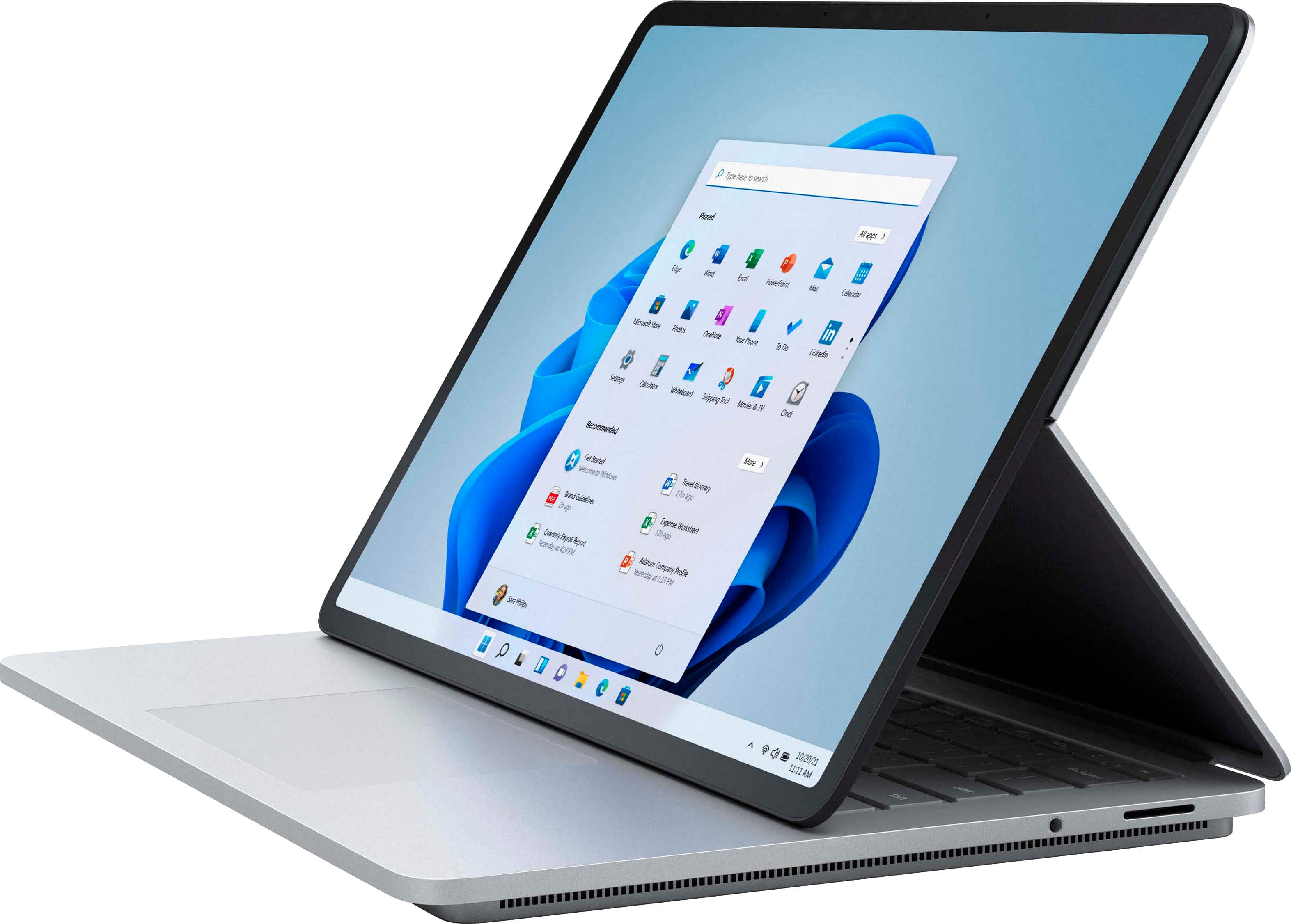
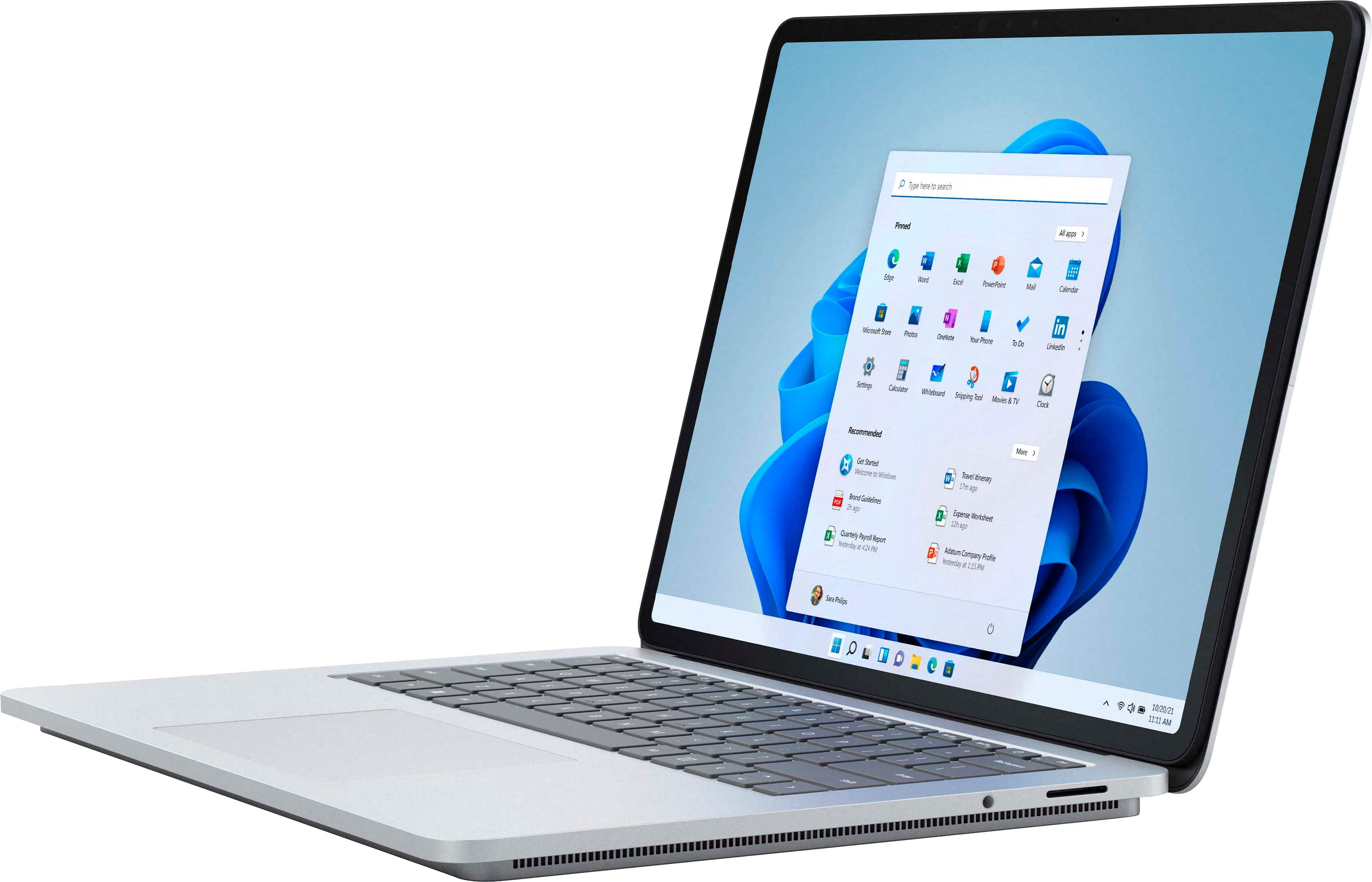


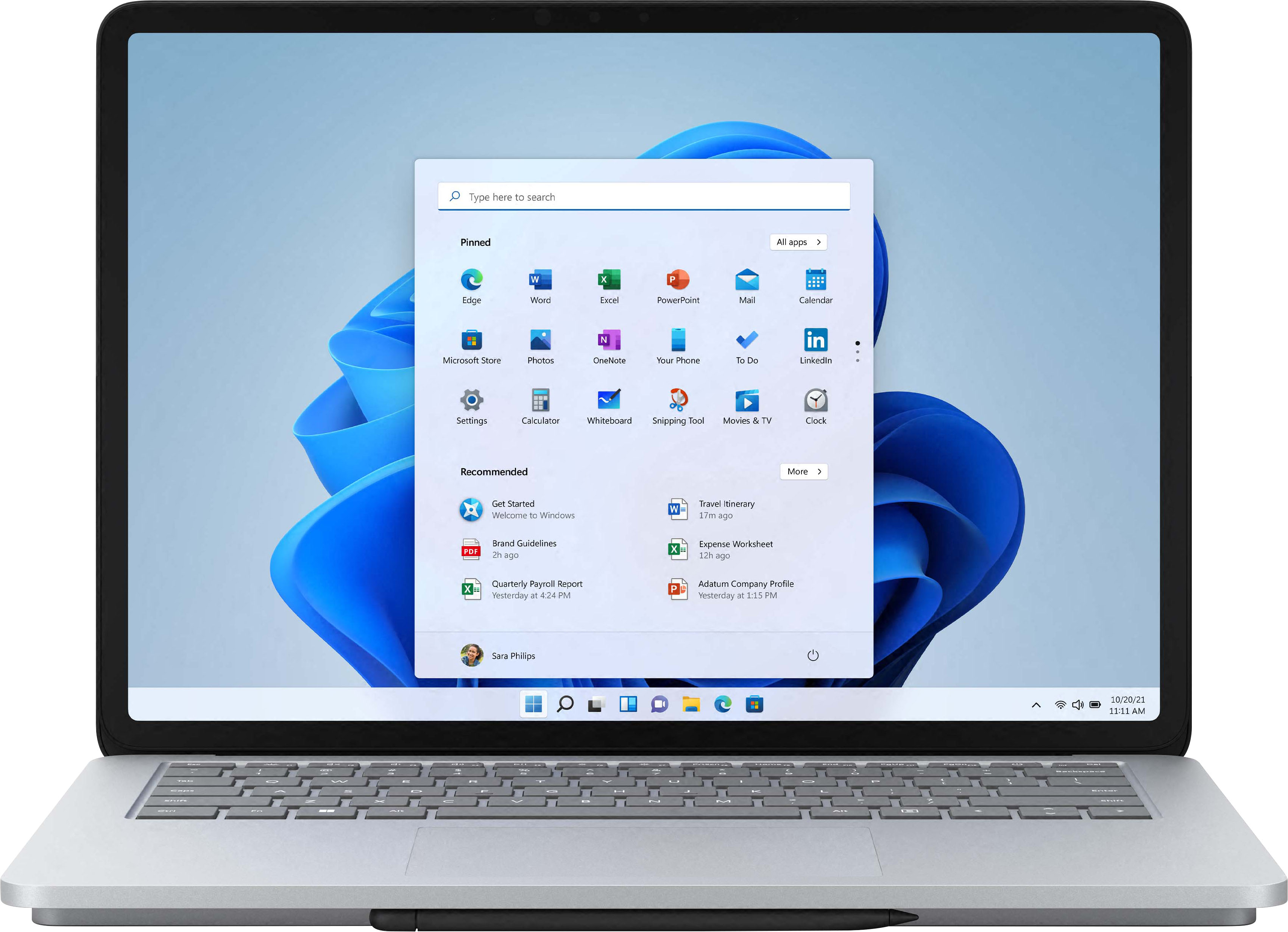
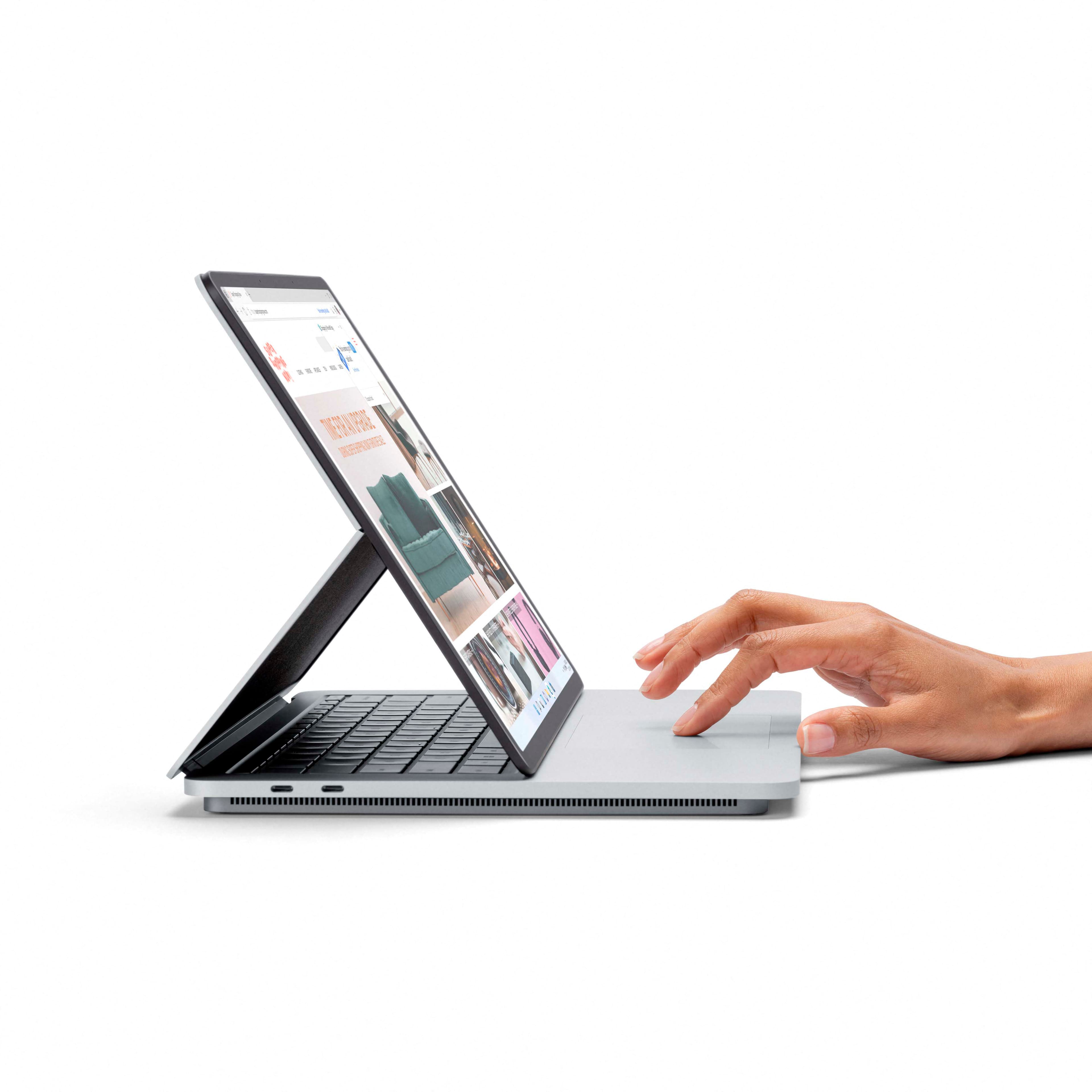








- Model:
- A1Y-00001
- SKU:
- 6478302
Rating by feature
- Battery Life
Rating 4.3 out of 5 stars
- Speed
Rating 4.7 out of 5 stars
- Display
Rating 4.8 out of 5 stars
Customers are saying
Customers regard the Surface Laptop Studio as a versatile device with a fantastic keyboard, fast performance, and a beautiful display. They appreciate its ability to function as both a laptop and a tablet, making it suitable for various tasks. However, some users have concerns about its battery life, weight, limited ports, and premium pricing.
This summary was generated by AI based on customer reviews.
- Pros mentioned:Keyboard quality, Pen, Processor speedCons mentioned:Battery life, Weight
Intel Core i7 -16GB Memory – NVIDIA GeForce RTX 30
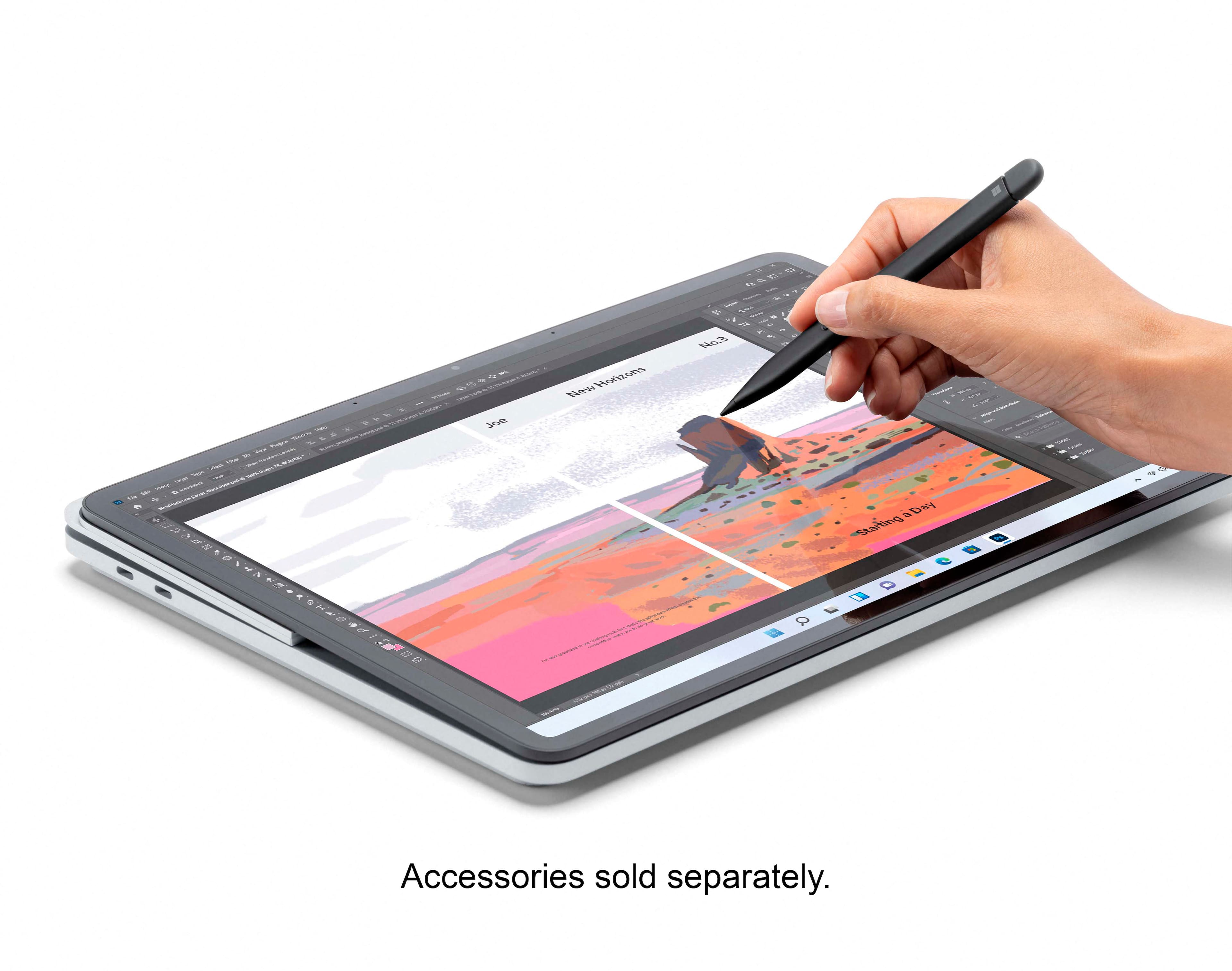
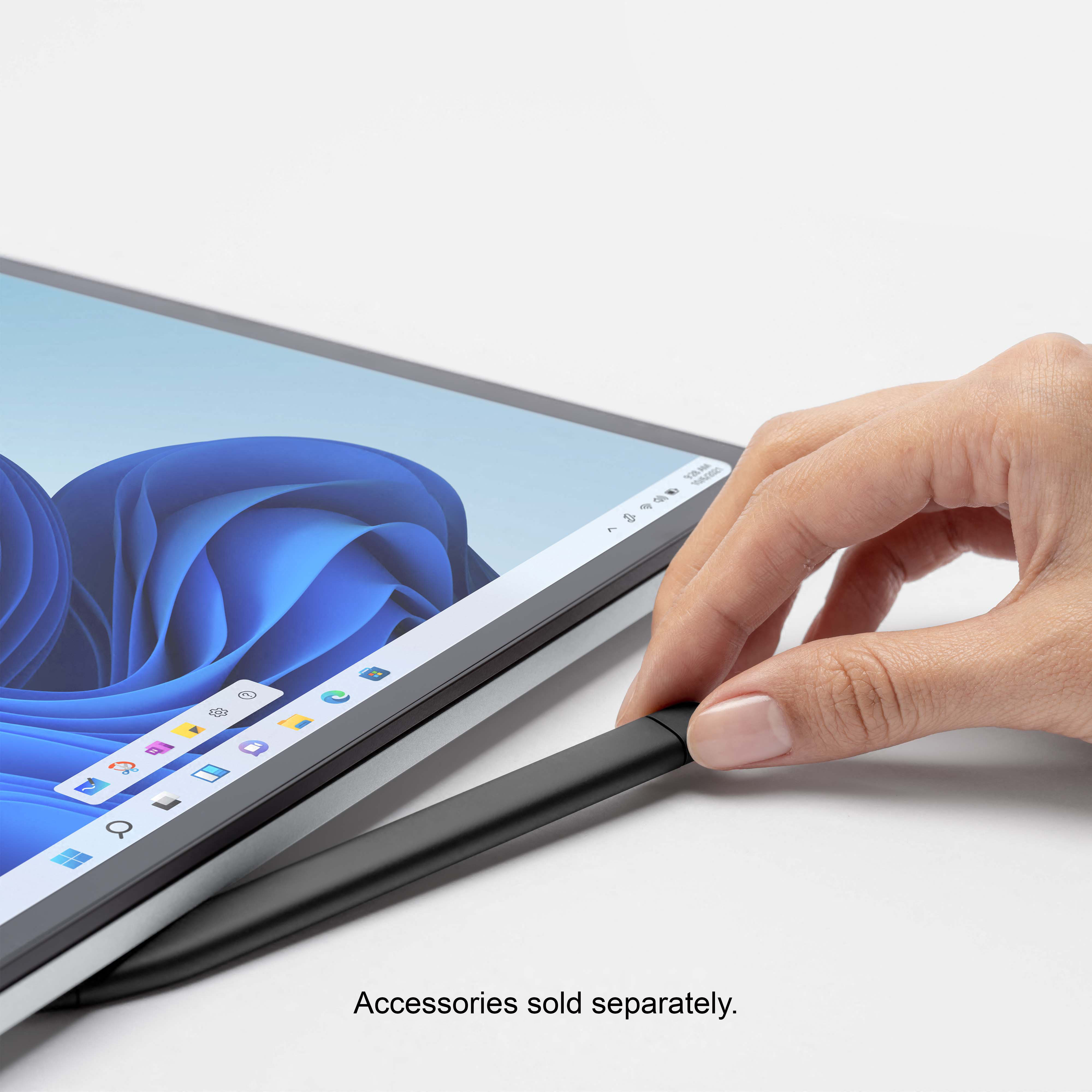
||Posted . Owned for 1 month when reviewed.This reviewer received promo considerations or sweepstakes entry for writing a review.I WAS IN BETWEEN THE MACBOOK PRO AND THIS. I LIKED THE THOUGHT OF THE M1 CHIP AND AIR DROP APPLE HAS, AS WELL AS THE GRAPHICS... BUT I ALSO LIKED THAT THE SURFACE STUDIO LAPTOP WAS TOUCH SCREEN AND COULD DO ALOT MORE IN COMPARISON. I AM SO HAPPY I ENDED UP GOING WITH THIS MACHINE. IT IS SO SMOOTH, FEELS SO QUALITY, AND THE VERSATILITY OF BEING ABLE TO USE THE TOUCH SCREEN, TABLET AND STAGE MODE AS WELL IS ICING ON THE CAKE WHEN COMPARING TO THE MACBOOK. NOW I WILL SAY, ANY COMPLAINTS PEOPLE HAD ABOUT THE SIDE AIR VENTS BLOWING OUT WARMER AIR, I PERSONALLY HAVEN'T DEALT WITH AS I TYPICALLY USE IT ON MY LAP AND WITHOUT A SEPERATE MOUSE SO NO ISSUES THERE. THE TRACKPAD IS OUTSTANDING WITH THE HAPTIC FEEDBACK AND THE KEYPAD IS SO CRISP WITH JUST THE RIGHT AMOUNT OF SPACING AND TRAVEL. YOU WILL RARELY EVER LOOK DOWN TO FIND A KEY OR WHATEVER.. IT'S JUST PURE CLASS WHILE TYPING. THE WEIGHT IS A LITTLE HEAVY DUE TO THE UNIQUE SHAPE AND DIMENSIONS BUT MAKES IT ALWAYS FEEL SECURE. THE PICTURE QUALITY/GRAPHICS ARE AMAZING! I OPTED IN FOR THE NVIDIA GEFORCE RTX30 I7 (WELL WORTH THE EXTRA MONEY). THE BATTERY LIFE IS A LITTLE BIT LESS THAN I WOULD PREFER BUT CAN HANDLE SEVERAL HOURS OF WORK ON A FULL CHARGE NO PROBLEM. THE SOUND IS SUPERIOR AND OUT-PERFORMS ANY MACBOOK IN THAT DEPARTMENT ON PAPER. THE SURFACE SLIM PEN 2 IS A MUST HAVE AND IT CHARGES ON THE UNDERSIDE FRONT LIP MAGNETICALY. IT ALSO HAS HAPTIC FEEDBACK TO MAKE IT FEEL REALISTIC (I WISH IT WAS INCLUDED). OVERALL THE SPEED OF THE COMPUTER HAS BEEN LIGHTNING FAST AND I LOVE USING IT TO CREATE AND EDIT VIDEOS, WRITE EMAILS, USE MICROSOFT 365, GAME FROM MY XBOX 360 AND WATCH MOVIES. ALL IN ALL, IF YOU'RE IN THE MARKET FOR A NEW LAPTOP AND LIKE ALL THE EXTRA FEATURES THE SURFACE STUDIO LAPTOP HAS TO OFFER, THAN DON'T HESITATE..LOOK NO FURTHER. YOU WILL THANK ME LATER!
I would recommend this to a friend - Pros mentioned:Keyboard quality, Processor speedCons mentioned:Weight
Best Laptop Ever Owned
||Posted . Owned for 11 months when reviewed.This reviewer received promo considerations or sweepstakes entry for writing a review.The surface studio I7 hands down is an awesome laptop. I have no complaints, does everything I need it to. Great graphics card for playing games. Its fast for browsing and downloading files. The weight is heavy but it stays in place and its solid. I carry it around in my backpack..Typing is comfortable and the touch pad is precise.
I would recommend this to a friend - Pros mentioned:Keyboard quality, Processor speed
Must-buy for a grad student!
||Posted . Owned for 2 weeks when reviewed.This reviewer received promo considerations or sweepstakes entry for writing a review.Pros: The machine is an enjoyable experience. Super fast, silent, doesn't get too hot (even while rendering in high resolution on Blender). Incredible display, touch screen works flawlessly, three screen positions are a boon and I find myself using them everyday Slot to store and charge pen is super handy for forgetful persons Keyboard is much better than I expected. Great sounding too! Cons: More expensive; considerably premium cost just because of the brand Only 2 USB C ports, but Macs aren't different. A dongle is required for most peripherals
I would recommend this to a friend - Pros mentioned:Processor speedCons mentioned:Weight
A Good Cross between computer and tablet
||Posted . Owned for 2 weeks when reviewed.This reviewer received promo considerations or sweepstakes entry for writing a review.This is a good option for anyone who wants both a tablet and still wants the convenience a pc can give. It is a bit heavier (5 lbs?) than many ultra thin laptops, and the charger is a brick and adds weight. However, I am really enjoying how easy it is and converts. As an older techie geek person (I taught computers at a 2 year college) I need the utilities a computer gives me, but also wanted the convenience of a laptop to to take places when needed. The keyboard is responsive and lights when the keys are pressed - good when working in front of the TV, in dim light. The connector for USB and 2nd monitor is well built and solid, but again adds weight. As I usually do not take this thing anywhere, except to the porch, weight is not an issue with me. It is incredibly fast, and the wifi is solid. I have a dead spot at my desk, but it never is slow. Good bluetooth for mouse and pen. Lots of space. If needed, it is easy to connect an external harddrive. Windows 11 is a bit different, but much is recognizable or able to be figured out with a bit of playing around. In all, I'd recommend this to any person, especially an older person wanting something a bit fun to use and especially if one doesn't need to drag it everywhere, everyday. If however, you do work on the go, I'd recommend something lighter.
I would recommend this to a friend - Pros mentioned:Processor speed
Best Surface To Date
||Posted . Owned for 2 weeks when reviewed.This reviewer received promo considerations or sweepstakes entry for writing a review.I’ve owned the original Surface as well as a Surface 4. This time I needed more power so I chose this guy and because of the laptop factor. I cant say enough about this machine. It is FAST, quiet and does everything I need to do. I’m a developer so I almost always have Visual Studio and SQL Serverr Mgmt Studio open on one virtual desktop. On another I almost always have Outlook open and sometimes other Office apps. And I trade some stocks so I have my broker’s website open plus I use a browser for general searching and research and some light shopping. Not once has the machine slowed down or given any hiccup like it was having problems keeping up. It really is a monster machine in a very manageable, non-bulky package that wont weigh you down. Note that I dont game on it. This machine though in tablet mode just cries out for a stylus. I do not understand why Microsoft won’t package this high-end version with the Surface Pen 2 at a discounted price. When I buy a high-end product such as this one, I just expect all the bells and whistles to be included and not to have to go back to the store to pick up a stylus later. It would’ve saved heartburn. But that doesnt change the fact that the Surface Laptop Studio with the 512 SSD, i7 processor and 16GB of RAM is quite possibly the best laptop available at this time, weighing only 4 pounds, with built-in magnetic storage for the Surface Pen 2. And it’s versatile! The screen doesn’t fold back around when you want a tablet like other convertibles. The bottom of the screen pushes inward (toward the front) and it lies flat onto the keys so now I don’t have a convertible that leaves my keyboard vulnerable to bumps and damage. Its a VERY nice physical design that makes me feel more secure about it when its in tablet mode. Lastly, when its in tablet mode, it offers one of the largest tablet screens you could ask for while still weighing just 4 pounds. Very easy to take to meetings or move around and still be on-the-go in tablet mode. Just superb design, functionality and performance. If you get one of these, dont settle for an i5. Just shell out a few bucks extra and get this model which will give you this level of performance and is designed to last over time.
I would recommend this to a friend - Pros mentioned:Processor speed
Happy camper
||Posted . Owned for 8 months when reviewed.This reviewer received promo considerations or sweepstakes entry for writing a review.Was looking for a laptop to start my new career in visual design. Love the way it fold down for my drawing. Easy to set up.speed was fast . excellent Battery life.
I would recommend this to a friend - Pros mentioned:Processor speed
Super Good Laptop
||Posted . Owned for 1 week when reviewed.This reviewer received promo considerations or sweepstakes entry for writing a review.good laptop for everything including drawing for my interior design class (schoolwork) , watching movies, program apps do photoshop and playing games on it too even though this is not a gaming laptop the specs are there and i am able to run apex legends and call of duty warzone with no problem oh yes and plus the xbox app with cloud gaming the nivida 3050ti with 120 hz is very very good
I would recommend this to a friendBrand response from MicrosoftOutreachTeam
Posted .Hi – We appreciate you taking the time to tell us your thoughts. We're happy to hear that Surface Laptop Studio is a good fit for your needs. We hope you continue to enjoy using it. Erica, Microsoft Outreach Team

- Pros mentioned:Design, Keyboard quality, Processor speedCons mentioned:Weight

Spectacular, but not perfect
|Posted .This reviewer received promo considerations or sweepstakes entry for writing a review.Ok, my wife or I have had Surface Pro Tablets/laptops since 2012 (first release). We've seen the concept improve over the years. I had the first Surface Pro laptop, I can't say I enjoyed the problems I had with it. But since that experience we've had 4 additional models. I've tried all of Microsoft's Surface Pro keyboards - none I've used for long. But I have to say it seems like Microsoft has been listening. Almost all of the Laptop problem's of the past are addressed in this new Surface Laptop Studio (SLS). Their displays have always been one of the best you could find, but the SLS is a step better with 120hz display, with by far the best touchscreen you can buy. I have 4 other 'current' notebooks (all 15", Intel 10 or 11 Gen or Ryzen 5), none have a clearer display than this SLS. And then new gen 2 pencil is a nice improvement, it's shorter, and not round, more of a flattened oval that magnetically attaches and recharges from the front edge of the studio, hidden, but well connected to the notebook. And it's pressure sensitivity is far more acurate (I didn't think it would be a worthy upgrade, I was wrong, if you are accustomed to using a stylus, get this pencil). I annotate a lot of drawings, I love this new pencil. This notebook is a new design for MS, it's thinner that their previous laptops (but about the same 4lbs weight), but it has 3 display modes: Laptop, Tablet and Stage mode. Another company recently had a high end product called a Folio, with a similar screen mechanism (I have one); in fact this type of mechanism has been tried by others for many years, but none have been as thin or as sturdy as this MS implementation. That being said a 4lbs tablet is a bit on the heavy side for me, sure I'll probably use it on a couch as a tablet occasionally, but I have other tablets that weight closer to on pound, which for me is more comfortable as a tablet over time. But having the flexibility to keep working on the SLS in multiple modes is very convenient. In addition the SLS has an excellent trackpad, it's 5.5" diagonally with a minimal edge (which is better than a completely smooth hand rest area). It also vibrates slightly when you "click" on it, so instead of 2 buttons, the whole trackpad is the left mouse button. Like I said I have other highend laptops, The SLS has the fastest graphics processor out of all of them. Period. It beat all others by 10-20%, so for light gaming/graphics work it's a star. But I also do software development on my laptops (which is why I have several). In testing Visual Studio loading and light DB work, the SLS was the slowest. At first I was tempted to blame windows 11, so I disabled some of the new security features, and my times changed by less than 1-2% (faster). [Also good to know Windows 11 new security features don't cause huge performance issues on a new machine] So I ran Crystal Disk Mark (against my 512 Gb SSD - And I found the cause of the slowness). All of my other notebooks have at least 1Tb nvme gen 3 drives. The SLS has a gen 3 nvme drive, but its as 2242 form factor, my others are all 2280's, all performing reads at about 3000MB/s. So the SLS with stock 512GB drive, is on the slow slow side. Here's the good news/bad news, the SSD is a replaceable device, but MS only recommends it be done professionally. I've upgraded several of my recent notebooks (both memory and SSD (the SLS cannot have it's memory upgraded)). I wish MS would make it easier for end users to upgrade/repair their devices. I've learned what it takes, it can be done, but it (currently) voids the warranty. The other good news is the SLS also supports Thunderbolt 3/4 connectivity, which will allow you use a Thunderbolt connected g3 nvme drive at full speed, faster than the provided 512GB internal SSD drive. In fact the two Thundebolt4/USB4 ports also support power delivery and can be used to drive 2 additional USB Monitors from the USB ports both at 4K 60Hz. I tested with a 2K and 4K display and encountered no problems, both were recognised and configured automatically. I'm certainly happy MS finally offers a high end notebook with Thunderbolt connectivity, this was my biggest disappointment with their previous laptops. I also wish that there was a SD or micro SDcard reader (there is not). This is the best Notebook Microsoft has produced. I don't understand why they skimped on a slower SSD, maybe the larger drive performs better (I don't know). I wish the SSD were more easily replaceable. But I love the keyboard, trackpad, display combination. I've adjusted to Windows 11 differences, no big deal as far as I'm concerned. MS has enhanced several of their apps to take greater advantage of inking support (using the stylus to write lines/text), more should be made of the enormous improvements in Notes etc. MS claims that you could can get 19 hrs on the battery, well I used it for a full day doing what I normally do, and got a 10% battery warning after 12 hrs. No gaming, but screen was 80% bright and used non-stop. Probably the best battery life I've gotten from a standard notebook (no extended battery). For just browsing the internet and light office work this 'puter is fast, the Wi-Fi 6 support works very well. The build quality is exceptional, and given its size, the sound quality is exceptional, it seems to come from multiple directions (yea). And Windows Hello (Facial Recognition use for auto logon) works exceptionally well, I've used it before and never have I had it works as well as this SLS even in very low light. In the end I decided I had to deduct a star as it should have a top notch SSD drive as it affects my primary job as a software developer (but it can be 'fixed').
I would recommend this to a friend - Pros mentioned:Keyboard quality, Pen, Processor speedCons mentioned:Battery life
Surface Laptop Channels Powerful Creativity
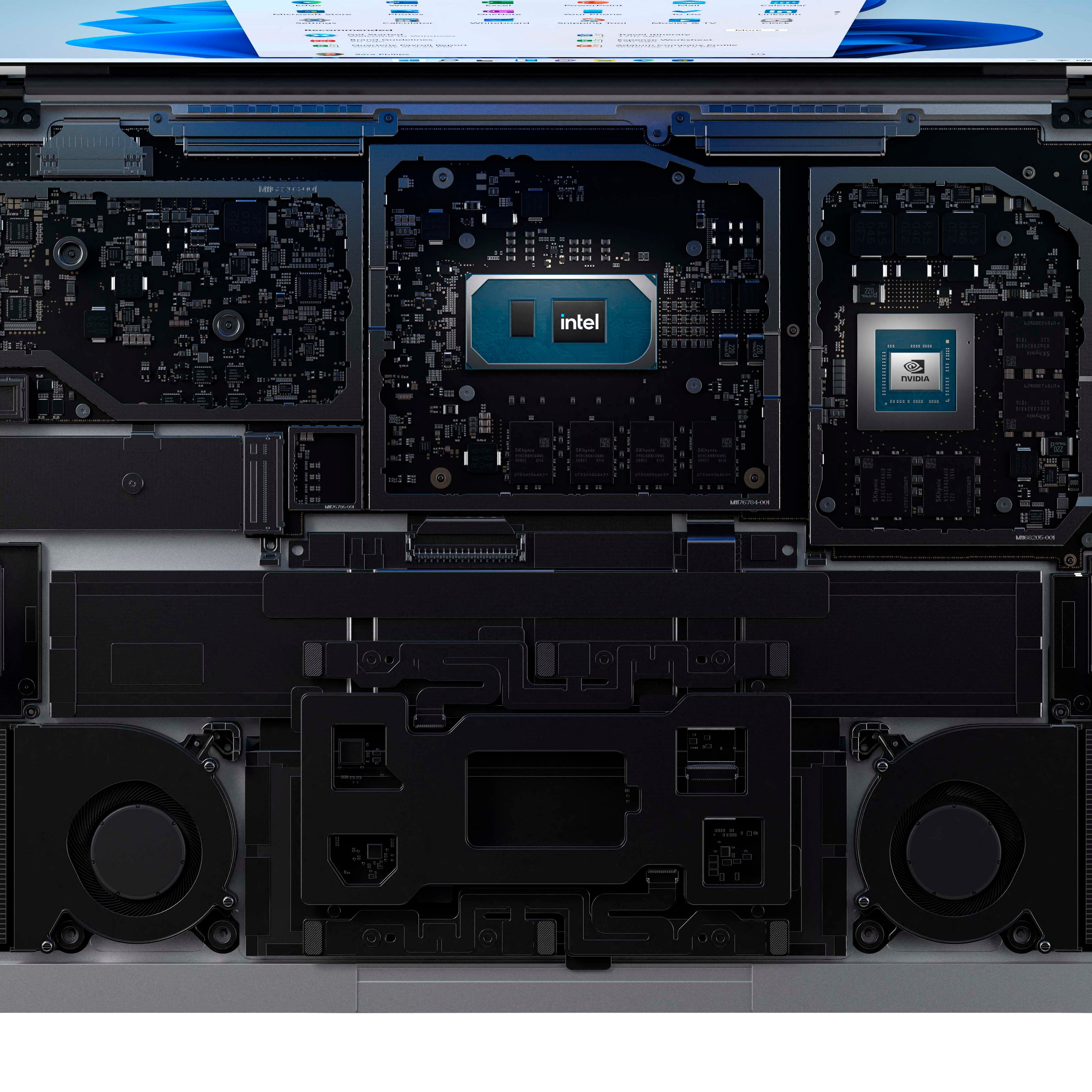
|Posted .This reviewer received promo considerations or sweepstakes entry for writing a review.The Microsoft Surface Laptop Studio is a great blend of computing power and the latest technologies. The 14.4 inch, 3-way movement touch screen, the 11th Generation Intel Core i7 processor with the 16 GB of memory and the 512 GB of space on the hard drive will help you to achieve creative your goals. • I found Windows 11 to be an easy transition from Windows 10. It was much more seamless than previous Windows system changes I have experienced. Importing website tabs from another computer or even moving folders and information around the Surface Laptop was prompt, quick and easy. A cool new feature is facial recognition using the camera facing you. That is a great way to log in to the Surface Laptop. The light up keyboard is a great touch that I really enjoyed as well. I moved 3 GB of music, using a Type C flash drive, from another laptop to the Surface Laptop with the Thunderbolt port. It blazed a new path of how fast you can move songs only taking a few seconds to transfer! I also found this to be true with moving pictures over or even documents using the Thunderbolt 4 port. The only negative I think is the fact that there are only two Thunderbolt 4 ports. That is simply not enough in my opinion. I would like to plug in a mouse dongle, Xbox controller and flash drive, but that is 3 items and the Surface Laptop provides only two connections. I used an extra Type C hub to overcome that deficiency. There is absolutely nothing wrong with the touch pad and its enhanced feeling vibrations for a better experience but I sometimes prefer a wireless mouse so the hub helped me to add that feature. It is a preference for me, but not everyone has to do it. • The Intel Core i7 (11th Gen) with 16 GB memory and 512 SSD Platinum came well packaged and protected. Made of magnesium and aluminum the Surface Laptop has great solid feel. The sides vent the heat out of the Surface Laptop when needed. I really never even noticed that the heat was spread out there. Surface Laptop did a nice and discrete job on this feature. • The 14.4 Touchscreen has resolution of 2400x1600 pixels in a 3:2 ratio with a 120hz refresh rate. What does that mean? It has a beautifully made Touchscreen with detailed pixels providing the best picture, while the refresh rate allows the screen to keep up with your movies, gaming or music. There are three dynamic positions for the Surface Laptop: There is a regular Laptop setup, an angled Stage setup and a Studio setup. To accomplish this feat, a special “Dynamic Woven Hinge” was made to help move the Touchscreen. The images produced by the Touchscreen are vibrant, sharp and lively looking at any angle or display option you choose. I prefer the stage setup because the screen is tilted toward my eyes, making it easier to look at. It is also efficient for drawing or writing on it as well. The best option for drawing or writing is probably the Studio setup which the screen lays almost completely flat on the keyboard. I think this is pretty innovative and useful. • I play guitar and used the “PreSonus Studio One” software on the Surface Laptop. It is setup through “PreSonus Audiobox USB 96 interface” with two monitor speakers. The software allows you to record songs, edit and playback. I had no issues with lag-time, skipping or missing a beat at all. I enjoyed the “Stage” mode when recording music. If I wanted to name a song, or track or just a riff, all I had to do is just had tap on the specific field and an onscreen keyboard pops up that is plenty big and easy to use. But if you prefer a traditional Laptop feel for your music playing, the “Classic” mode and regular keyboard will work just as well. • You can multi-task easily with the Surface Laptop. You can open and keep a ton of tabs without losing speed; play complex games with intense graphics; listen to your favorite music stream or stream your favorite movie. I have used the Surface Laptop as my engine for guitar recording and software. The battery does drain pretty quickly when you play heavy loaded intense games. Of course, if you have the Surface Laptop plugged in, this “limitation” goes away. For example, Tekken 7 in HD is an intense video game with its crazy fighting styles, scenic backgrounds and unbelievable moves. During this game, battery life went down quickly when I had the Surface Laptop unplugged. But this is easily fixed by plugging the Surface Laptop into a surge protector or outlet. In contrast, the battery life pretty much lasted all day when I moved information (folder to folder or files to a Flash Drive, Thunderbolt 4 port), searched the web with open tabs, listened to a lot of music or streamed movies. I do want to add that the part of the plug that goes into the actual laptop is unconventional in a good way. It is a little larger than your average size and it is magnetic! That means you don’t have to accidentally worry about knocking the power supply out! • The Surface Slim Pen 2 is magnetic and has a button on top and a side button as well. I synced it to the Surface Laptop with Bluetooth. The Slim Pen 2 attaches and charges just underneath the front of the keyboard magnetically. It snaps securely in place and it doesn’t come off until you remove it! I used this Surface Slim Pen 2 when moving around the touchscreen instead of using my fingers. The Pen works much better and leaves no fingerprints! Tap the top of the Pen to bring up whiteboard that is available for anything from drawing to bringing pictures in to modify. • Movies that have support Dolby Vision, Dolby Atmos special sound will play on the Surface Laptop. The sound of the laptop for music and/or movies is outstanding. Four speakers on the sides of the Surface Laptop put out detailed sounds. There are also 2 woofers under the keyboard that compliment the other 4 speakers, for a well rounded sound. Of course you can always hookup the Surface Laptop Bluetooth (5.1 version) and a Bluetooth capable speaker. I tried out both the speakers in the Laptop and a Bluetooth Ralis speaker. Of course the Ralis speaker sounded amazing but the speaker system inside the Laptop was top notch. I actively listened to movies I streamed from Disney+, like these Marvel movies: Antman, Avengers: Age of Ultron, and Infinity War. • Music is easy to transfer with the Thunderbolt ports (size similar to a Type C but faster). There is plenty of music space when you decide how you want to setup the Surface Laptop. I put music from different genres and in mp3 and FLAC. FLAC files have the quality sound over MP3s, but the FLAC files are a lot larger in size. I chose the MP3s over FLAC files, essentially because of HD space (512GB). The sound was still outstanding and is the best I have heard from a laptop computer! • Games are stunning up to 2400x1600 pixels (if the game allows) with the NVIDIA GeoForce RTX 3050 Ti GPU! Battlefield 4 has exceptional realism and Tekken 7 complex on screen moves were no match for this Surface Laptop! The sound was also enveloping for a great experience, putting you closer to the action. The only drawback to these games is that they take up a lot of space on the HD. If you intend on using the Surface Laptop for just gaming only, the 512GB HD isn’t quite big enough for loads of high speed, intense games. There are other options of this Surface Laptop with larger HDs, you could get if you wanted. But for casual gaming, streaming, pictures, music, or guitar recording, the Surface Laptop performs exceptionally well. This Laptop is a great conduit to help you achieve your goals, whatever they may be. The Microsoft Surface Laptop Studio gets the hard work done and gets the play fun done as well. Advanced features and technologies really make this Surface Laptop, one you will want to take a look at.
I would recommend this to a friendBrand response from MicrosoftOutreachTeam
Posted .Hi – Thanks for sharing your experience! We’re thrilled to hear that Surface Laptop Studio is a perfect fit for your needs. We hope it continues to serve you well. Erica, Microsoft Outreach Team
- Pros mentioned:Keyboard quality, Processor speed
Sleek 2 in 1 Laptop that does it all!
|Posted .This reviewer received promo considerations or sweepstakes entry for writing a review.The Surface Laptop Studio is admittingly my 1st ever from Microsoft and I am completely blown away by what it can do vs my XPS and Omen. MS not only ticks off just about every box on a PC's list but excels at a lot of them as well. From gaming to work productivity to even editing some videos, I had a blast doing it from the Surface. Specs -------------------- 11th Gen i7 Quad Core - 3.3ghz that Turbos to 4.8 16 GB DDR4 RAM - Non-upgradable 512 SSD - Again non-upgradable RTX 3050 Ti 14.4 Inch screen - 2400 x 1600 @ 120hz ~4 lbs weight 2x Thunderbolt 4 3.5mm Headphone Jack 1080 Webcam Windows 11 Whether you are using the Studio for work, productivity, designing or gaming, it will easily handle what you throw at it. Has a backlit keyboard and a nice large trackpad. The all platinum aluminum body looks nice and sleek. Super high quality build and construction. Has a unique "tiered" looking design, but I think that is by design as the pen is held underneath the front bottom. Has some weight to it @ 4 lbs but I do not consider it heavy nor a problem carrying it around. Also to save me a headache, I purchased a small USB C docking port that allows for another display and to connect my USB-A devices (my gaming mouse). First time booting it up after charging, you are greeted with Windows 11 walkthrough to set up the Studio to your preferences. Took me about 20 minutes after connecting to wifi and applying all the updates. As this is my 1st time using Windows 11, it reminds me of a hybrid Win10 x Apple crossover thing going on. Though with a little bit of searching I moved my Start Menu back to the left to make it feel more recognizable to me. 2x Thunderbolt 4 ports can let you expand the Studio to give it multiple options, whether it be external storages, extra displays, or use external peripherals like mice and printers via docking stations. Gaming is great for this mobile beast. 3050Ti is more than enough to handle my whole Steam and Epic libraries on high settings. Some AAA titles did have me turn down the settings to Mid but that did not put a hamper on my experience at all. 120 refresh rate @ 2400 x 1600 made gaming look nice and smooth. I love how the Studio can go from Laptop to a tablet /w stand with ease! Even all the way to flat. Using the Pen made drawing and editing fun. Even better than using my Tablets that I usually daily drive for it. Touch screen with it's refresh rate is a perfect pair. Sound quality to me is where the Studio shines! OMG it is beyond GREAT. I have compared it to my Omen with Bang and Olufsen and even the king XPS and the Studio imho blew them both out of the water. It is LOUD, Crisp, Clear and even packs the oomph and deep basses. Work, School or personal entertainment. The Surface Laptop Studio does it all and with ease. If you need a mobile laptop that would suit your preferences, than look no further. I HIGHLY recommend it!
I would recommend this to a friendBrand response from MicrosoftOutreachTeam
Posted .Hi – Thanks for giving Surface a try, welcome to the family! It's great to hear that Surface Laptop Studio is a good fit for your needs. We hope you continue to enjoy using it. Erica, Microsoft Outreach Team
- Pros mentioned:Processor speedCons mentioned:Battery life, Charging
Overall good purchase, with a few caveats.
||Posted . Owned for 7 months when reviewed.This reviewer received promo considerations or sweepstakes entry for writing a review.Overall a very nice purchase. It's been fairly quick & responsive during my use of it, although not quite as snappy as I had hoped. The only real issue I've had with it, besides the lack of snappiness, is recently my charging cord has been malfunctioning. It only charges about half the time, which is really frustrating. I have to mess with it for several minutes in order for it to actually start charging. Battery life as a whole hasn't been as ideal as I would have hoped either. I have to charge it halfway through my workday, and I'm not pushing it too much typically.
I would recommend this to a friend - Pros mentioned:Keyboard quality, Processor speedCons mentioned:Ports
Best Laptop I've ever had.
||Posted . Owned for 3 months when reviewed.This reviewer received promo considerations or sweepstakes entry for writing a review.I've owned dozens of computers (including two Surface Books) and worked on a hundred others as an IT consultant. This is hands down the best computer I've every used. It simply works like you want it to. Nice battery life, beautiful screen, fast processor, comfortable form factor, good management of heat, very quiet fan, fast video processor, and the sound is respectable for such a small device. It pairs easily via Bluetooth with Air-pods or other wireless headphones for even better sound. One of the features other reviewers seem to miss is how good the keyboard and touchpad are. A keyboard can make or break a laptop and this one is excellent for touch typing. The touchpad is slightly larger than the Surface Book 3, and works intuitively, including multi-touch gestures for scrolling and windows management. You don't really need a mouse with this machine. I've not used a pen with this device, but if you purchase the Surface Pen 2 it will charge the pen while it stored under the touch pad, held in place by magnets. It works very well for everyday use - word processing, spreadsheets, web browsing. But it has also worked well for video editing. The only criticism perhaps, is it might have been nice to include a USB A port for backward compatibility. But it's not hard to find a C to A cord. I use a Dock 2 with this machine and so ports are not really a problem. The laptop has two C ports and in a pinch you can charge the laptop through them, as well as run video through them. It has a standard surface connector for charging and connecting external devices (external monitors etc.)through the Surface Dock II (also recommended). I highly recommended this machine.
I would recommend this to a friend - Pros mentioned:Keyboard quality, Processor speedCons mentioned:Battery life
Beautiful screen
||Posted . Owned for 1 week when reviewed.This reviewer received promo considerations or sweepstakes entry for writing a review.Beautiful screen and quick processing time. Battery life leaves something to be desired. Definitely recommended.
I would recommend this to a friend - Pros mentioned:Processor speed
Super versatile, great buy
||Posted . Owned for 1.5 years when reviewed.This reviewer received promo considerations or sweepstakes entry for writing a review.I purchased this computer for college. It was my second semester of my Junior year and I honestly wish I had something like it sooner. I studied mathematics and often found myself in a weird "between-space" of wanting to take handwritten notes in class and being able to quickly switch to a program that I could code in. Definitely best of both worlds. I will say though, after having it for 2 years, I found that it can be a bit prone to overheating and I think that was the direct cause of the non-slip grips on the bottom cracking and breaking off. Cheap and quick fix, but something to keep in mind that you can't run anything too rigorous.
I would recommend this to a friend - Pros mentioned:Keyboard quality, Processor speedCons mentioned:Weight
Excellant Laptop, Bulky and Heavy for Tablet
||Posted . Owned for 1 month when reviewed.This reviewer received promo considerations or sweepstakes entry for writing a review.I purchased this when my Surface Pro 6 developed a problem with overheating and I had to send it in for a warranty repair. I liked that the Surface Laptop Studio keyboard was not detachable, but that it still could be converted to tablet mode. In practice, the Studio is quite a bit bulkier and heavier than the Pro, due I'm sure in large part to the increased horsepower and naturally the larger screen. I'm not sure I'll use it much in anything other than laptop mode, though the conversion between modes is extremely easy. So much so that sometimes when opening the laptop, I have to put it back into laptop mode. As a laptop, it's very good. The advanced video and processing options make it a feasible gaming machine (for the limited amount of gaming I do), and it's been able to handle everything I've thrown at it so far.
I would recommend this to a friend - Pros mentioned:Processor speedCons mentioned:Battery life, Price
Exactly what I wanted!
||Posted . Owned for 3 weeks when reviewed.This reviewer received promo considerations or sweepstakes entry for writing a review.I loved my surface, but wanted something bigger and more powerful. However, I didn't want to give up the tablet style computer or the windows integration. I will say this is a little pricey, but it is so worth it. I purchased the middle of the line i7 with the 3050ti gpu. I now have all the power I needed with a larger screen real estate. The best part is that I can still flip the screen down and it has the same great quality feel of the surface tablets. The new slim pen is a must have upgrade. If you have a surface and love it but just want a little more, this is for you. I hands down do no regret this purchase. To be fair I will list my cons: Real world battery life is decent but no where near what they claim; it is pricier than others in this area but you do also get better quality and performance; and lastly, I love the usb C thunderbolt 4, but I do wish there was at least one usb A. There are too many things that still use usb A to not have one.
I would recommend this to a friend - Pros mentioned:Ease of use, Processor speed
First purchase
||Posted . Owned for 3 months when reviewed.This reviewer received promo considerations or sweepstakes entry for writing a review.I really needed a laptop for college and this one exceeded my expectations! I am in love with this laptop it’s super fast and easy to manage
I would recommend this to a friend - Pros mentioned:Ease of use, Processor speed
Amazing speed and colors
||Posted . Owned for 1 month when reviewed.This reviewer received promo considerations or sweepstakes entry for writing a review.Love our new computer at home. It's really fast and very easy to navigate.
I would recommend this to a friend - Pros mentioned:Processor speed
All the bells and whistles- minus USB ports
||Posted . Owned for 2 months when reviewed.This reviewer received promo considerations or sweepstakes entry for writing a review.My only quarrel is that it doesnt havs USB ports. It has C ports, so I can at least charge my phone, but all of my USB drives and gadgets are useless now. Otherwise it has great speed, transitions nicely, and I love the taller screen. Its a lot easier to read a full document now.
I would recommend this to a friend - Pros mentioned:Keyboard quality, Processor speed
An excellent laptop by Microsoft
||Posted . Owned for 1 month when reviewed.This reviewer received promo considerations or sweepstakes entry for writing a review.I absolutely love the versatility of this laptop, it's probably the best experience that I've ever had with new tech. I'm enjoying the ease of Windows 11 and everything that this laptop could do seamlessly. Microsoft creates top notch laptops and they cut no corners on the build quality of this one. The speed, sound and using the keyboard is a pleasure. Using the touch screen for drawing and design is perfect every time despite its size and portability. The price is high, but worth every penny for what you are getting in this machine. I love the outer finish, no fingerprints! So far light gaming has been incredible and watching movies looks great, the screen is very crisp. I am looking forward to playing android games when they are available in Windows 11. I suggest buying the second gen Surface pen to take full advantage of the touch screen. The battery life is good, a charge lasts all day, depending on your activity. This laptop is very powerful and runs cool. I would definitely recommend this laptop to all who want a laptop that could do it all!
I would recommend this to a friend