Customer Ratings & Reviews











- Model:
- A1Y-00001
- SKU:
- 6478302
Rating by feature
- Battery Life
Rating 4.3 out of 5 stars
- Speed
Rating 4.7 out of 5 stars
- Display
Rating 4.8 out of 5 stars
Customers are saying
Customers regard the Surface Laptop Studio as a versatile device with a fantastic keyboard, fast performance, and a beautiful display. They appreciate its ability to function as both a laptop and a tablet, making it suitable for various tasks. However, some users have concerns about its battery life, weight, limited ports, and premium pricing.
This summary was generated by AI based on customer reviews.
Good ish
||Posted . Owned for 11 months when reviewed.This reviewer received promo considerations or sweepstakes entry for writing a review.Kinda disappointed with the machine and performance coming from a mac book. Feels like a computer i got stuck with rather than a premium machine i was expecting. Screen also wont flip all the way round and stay after a few months.
No, I would not recommend this to a friend- Cons mentioned:Weight
Too little a bang for the bucks $$$
||Posted . Owned for 1 month when reviewed.This reviewer received promo considerations or sweepstakes entry for writing a review.Very nice concept but that's about as good as it got. I returned it for several reasons. First off, it's too heavy to handle as a tablet in studio mode. The track pad would become what I would describe as somewhat detached and even the slightest touch would trigger a click. I just cod not get past the fact that the pedestal stile design of the underside is just so weird, especially in tablet/studio mode. The gasket between the tiny crack of the pivot section of the screen, was loose at the edge and stuck out just enough to look annoying, little details that are very hard to overlook for a device in they price range. I returned it and bought a Surface Book 3 instead.
No, I would not recommend this to a friend interesting device !!
||Posted . Owned for less than 1 week when reviewed.This reviewer received promo considerations or sweepstakes entry for writing a review.Have been SP & SB2/3 user On/Off for about 3+ yrs. Those were very hit or miss. Some just worked well out of the box, others didn't even after 3-4 replacements. Microsoft's history is not the best in terms of QC and QA. So far my unit seems fine (fingers crossed). Haven't put it to aces yet (and am scared to as it might not make it..duh). Hardware is good, concept not so much. Carrying and using a tablet and/or laptop separetely is easier and lighter than carrying and using one hefty/weird shaped device that is Not as powerful as either of them. I believe SP8 or X might be ideal for such needs. This is different and a difficult undertaking with a huge risk. SB's initially had a 'wow" factor but this not so much. Mostly people are calling this device 'interesting"..( in a good or bad way). We just have to watch and see. And..not to mention the price..(lol)
I would recommend this to a friend- Pros mentioned:Keyboard quality
Surface studio laptop with Stylus
||Posted . Owned for 1 month when reviewed.This reviewer received promo considerations or sweepstakes entry for writing a review.The screen hinge is a little clunky, sometimes when opening it the magnets don't hold very strongly so it tilts like its going into tablet mode. Touchscreen is very responsive refresh rate is nice.
I would recommend this to a friend - Cons mentioned:Battery life
Avoid this item
||Posted . Owned for 2 weeks when reviewed.This reviewer received promo considerations or sweepstakes entry for writing a review.its an ok device but returned it bc its slow and way over priced. has some cool ideas built in but I would not buy this. MacBook Pro blows this away and for the money other windows lap tops are more powerful and have way better battery
No, I would not recommend this to a friend - Pros mentioned:Design, PenCons mentioned:Ports

One of the Best Premium Laptops Available
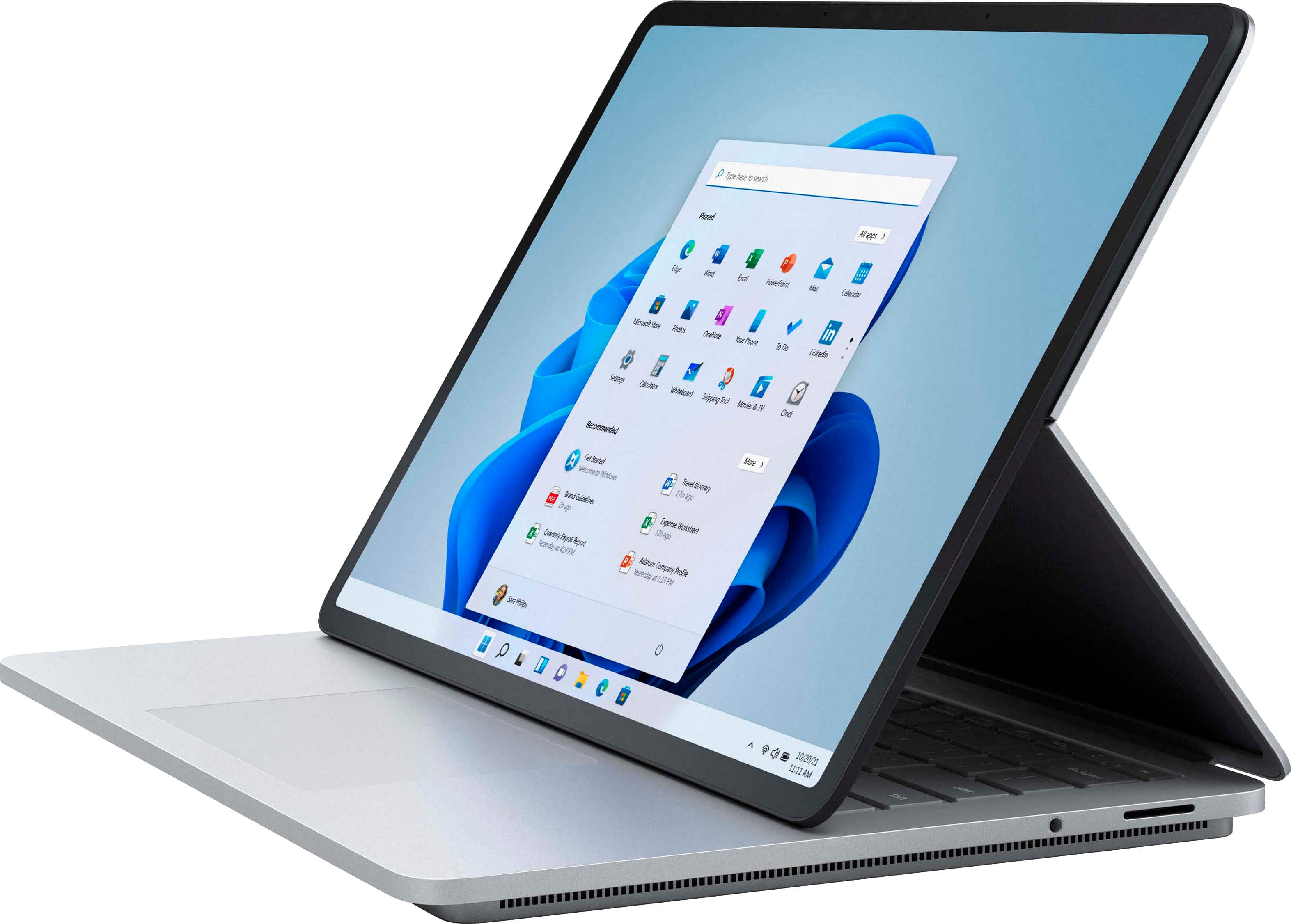
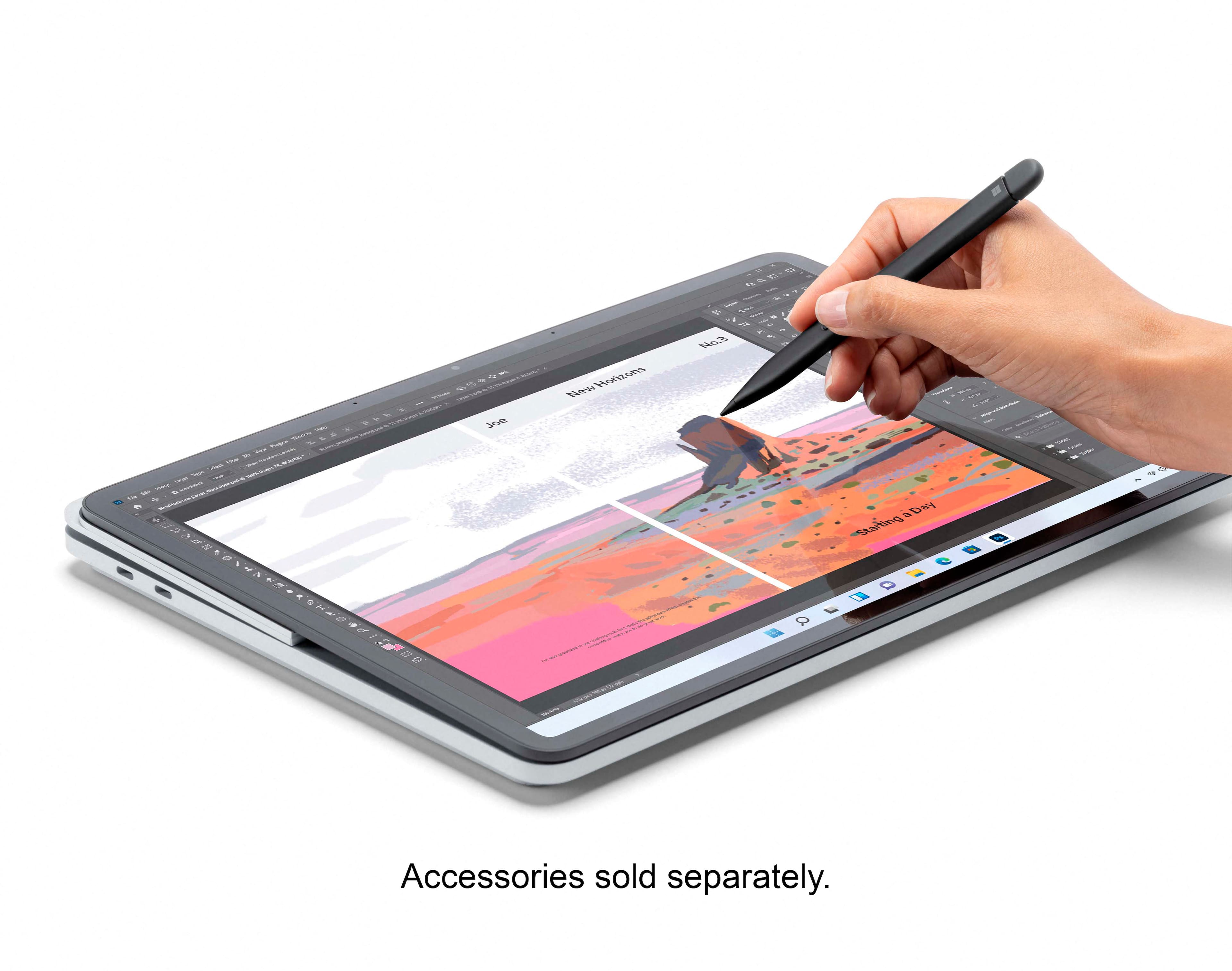
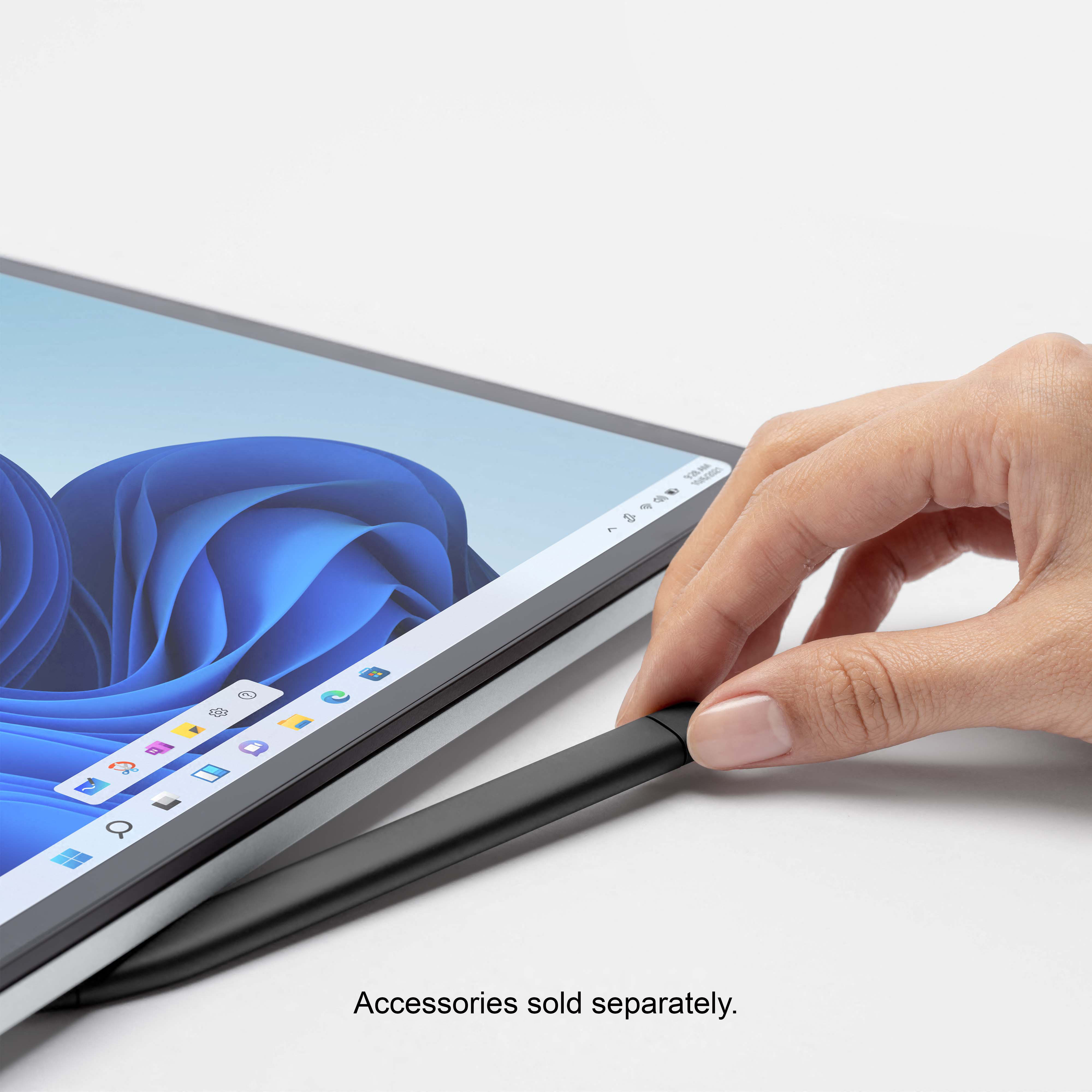
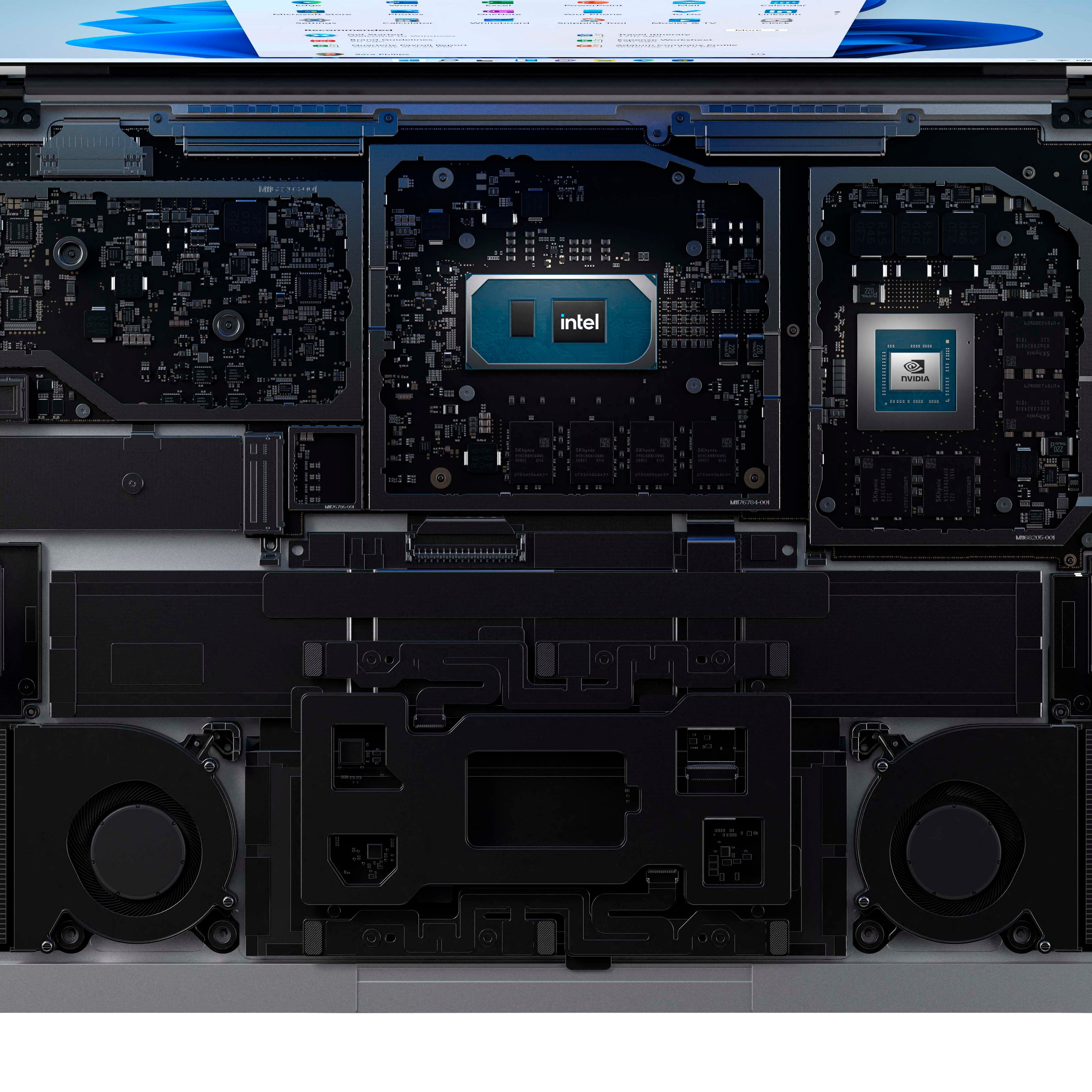
|Posted .This reviewer received promo considerations or sweepstakes entry for writing a review.When I saw the Laptop Studio announced, I knew I had to have it. It had the styling of a professional laptop branded with a fruit combined the functionality of something that natively runs Windows. My Studio arrived with 16 GB of memory, an Intel i7 processor clocked at 3.3 GHz, Windows 11 Home, and a Surface Slim Pen 2. Visually, the laptop looks stunning and solidly built. Clocking in at just over four pounds with (what I am guessing is) a magnesium alloy case, there is no flex in the case and it feels solid, as it should at this price point. The bottom of the case is a bit weird; it reminds me of a lunch tray in design – there’s a jut out that hangs indented from the top of the case with fan grilles on both sides of the laptop to provide for tons of ventilation. I don’t see a single screw hole across the device which some might like, but I’m concerned how much might need to be torn apart to clean out the dust it will inevitably acquire. For ports, you get two USB C ports, a 3.5mm headphone jack and the charging port that has been a hallmark of the Surface lineup for years. Many wish Microsoft dropped it in favor of more USB C ports and a matching charger, but this port has something that USB C does not – it’s magnetic. As someone with a dog who has tripped over my other barrel jack-ed laptops, I’m going to value this magnetic “can’t break from dog trips” charging port far more. Speaking of which, battery life seems solid – in the five days since acquiring it, I’ve only had to charge it one and a half times from my normal usage. The keyboard is backlit with four different levels and sits nicely above what feels like a glass touchpad with haptic feedback. Typing on the keyboard is about as you’d expect. It doesn’t flex with hard keypresses and it seems to have a nice enough travel for a laptop keyboard. To my untrained eye, the screen is vivid and bright with a large range for backlighting (from “I can barely see it” to “blinded by the light”). It has a variable refresh rate along with both an NVIDIA 3050 TI and integrated Intel Iris graphics which Windows will automatically pick between to help drive better battery life. This is not sold as a gaming machine, but I’ve been more than impressed with every game that I’ve played on my Surface. I’m looking forward to growing my library again now that I have a ‘modern’ graphics card. The laptop switches between passive and active cooling as performance requires. The fans are more than capable for the job and do get loud when they ramp to 100%. Even the fans sound premium; many business-grade laptops have diminutive fans that almost literally scream when they’re going anything above half-speed. This fan makes for some excellent white noise comparatively speaking. All the above makes for a higher-grade laptop that should have very good to excellent statistics for most benchmarks and daily usage. But you’re not reading this review for those readily apparent values. You’re reading this review to figure out if the trick features of the Studio are worth it. Starting with the screen (again) – there are three positions. What I’ll call ‘laptop’, ‘easel’, and ‘tablet’ mode. Opening the lid from closed yields the laptop mode, the opening feels solid and there’s no flex in the back of the screen where the hinge lies. To open the easel mode, press with your thumbs on the top side edges of the screen back towards the table. The second you overcome the magnetic force at the bottom of the screen, the OS falls into touch mode, ready to go. You then move the display to the edge of the keyboard where some magnets hold it nicely in place. When in easel made, you can write or draw as you see fit. In practice, I didn’t find this mode to be terribly comfortable in any regard. The way the display is oriented leaves you constantly trying to find a place to hold your wrist or moving the laptop around to find a comfortable position. Trying to place your wrist on the edge of the laptop base doesn’t really work as the only rounded edge on the laptop are those that round off the display and every other edge on the laptop is basically a 90-degree cutoff. Following up with the full tablet mode, I found this to be a welcome set-up. The Studio has a gyroscope in it to automatically rotate the screen as you rotate the device. This is just as responsive as modern consumers expect. It is a bit heavy to hold in a hand, but I could see it fitting very nicely for taking notes in a class. The display does have a bit of a flex as you write towards the middle of it, but in my testing, I never saw any stress marks forming on the screen as a result of this flex. It does have a similar issue as the easel mode though – there are no smooth edges to rest your wrists on and this makes doing things like handwriting recognition difficult. I would probably only use this orientation to take truly handwritten notes in a pen application like OneNote. Moving on to the pen, Microsoft has iterated again on the classic stylus design. The slim pen feels much like a clay stylus with its flat edges. It is very comfortable to hold and write with. The back of the pen acts as an eraser for your writing, allowing for a quick flip when you make a mistake. There is also a right click button right when your thumb would normally rest. In practice, I found it to work well for drawn things, be it hand-written notes or drawings. Microsoft has also ditched the AAAA battery of previous generations in favor of a rechargeable battery that can get its charge from hiding under the middle front of the laptop. It’s magnetized like much of this laptop and the magnet is strong enough that I would expect it to hang on while in a backpack. The pen falls short for handwriting recognition in Windows; this seems to be more a shortcoming of the OS (and always has been to my knowledge) versus issues with the pen. Most of the paragraphs above about the pen were written using written recognition, and it was possibly the most infuriating part of the review. Where other interfaces let you write wherever, Windows restricts you to a limited one-line screen that it processes sequentially with inconsistent rules as to how to edit recognized text. Sometimes a line through a word will eliminate it and other times it will insert a dash. One thing about the pen that I don’t care for – despite its $100+ price tag, it feels cheap. Shaking/tapping the pen while you’re thinking or dropping it an inch to your work surface causes it to rattle like a cheap Bic pen. This appears to be part of the design; the stylus tip is a tad bit loose to allow for (what I’d guess is) pressure sensitivity. Apple offers their Pencil 2 product with similar pressure sensitivity, but that pen doesn’t rattle, nor does it have the floating tip. It also doesn’t allow the back to be used like an eraser and the Surface Slim Pen 2 does, so I’m torn on which is better. You may have noticed that the first paragraph said the laptop comes with Windows 11 Home. For the most part, it feels much like Windows 10 with quite a few much-needed quality-of-life enhancements. Windows 10 saw a migration from the Control Panel to the Settings app. Windows 11 makes the Settings app _feel_ like a unified place to manage the operating system. Other notable changes include a centered taskbar and a redesigned Start menu. The taskbar can be moved to the left for those of you who prefer the way it has always been. As a positive change from Windows 10, it doesn’t come with a ton of pre-installed applications; just a few image editing applications that you can remove with a simple right click. For those power users, Microsoft has included Windows Terminal out of the box which is fantastic. I’ve not had a problem with any application I’ve thrown at it yet. I am somewhat disappointed that their premium device didn’t come with Windows 11 Professional. For most home users and even many professional users, you won’t notice the difference. One of the things that the professional edition provides that the home edition does not is access to Hyper-V virtualization manager. Alternatives exist for sure, and you can upgrade to Pro edition using the Microsoft store for an additional $100, but for the price tag that this laptop commands, the last thing I want to do is spend more getting all the features. I found the Laptop Studio to be great in more ways than one, but there were some things that I thought were missing in this package. For one thing, it would have been nice to see a fingerprint reader somewhere on the computer. Windows Hello works great with it, and it makes getting into applications a breeze. Windows 11 is also fresh out of the gate and not everything works perfectly. For instance, while I was writing the paragraph about the pen, I had the pen dialog crash out on me three times. I also lament the loss of ports in favor of a dongle culture. You need special adapters for almost everything - things like USB A, external monitor support, memory card readers, even Ethernet. To my knowledge, the Surface has never had some of these in the series entire lifecycle but having to get an adapter to plug in my old USB devices is upsetting. Overall, I think Microsoft listened to a lot of what their consumers wanted in a laptop and attempted their best to deliver it. To that end, I’d say they succeeded.
I would recommend this to a friendBrand response from MicrosoftOutreachTeam
Posted .Hi Shawn – We appreciate you taking the time to tell us your thoughts. We’re delighted you love the boundary-pushing design and hope it continues to serve you well. Erica, Microsoft Outreach Team

Very good Laptop
||Posted . Owned for 3 weeks when reviewed.This reviewer received promo considerations or sweepstakes entry for writing a review.This is a very good Laptop, it is a good option to upgrade from the regular Surface to this one. I love the multiple position that you can do with the screen.
I would recommend this to a friendVery nice machine
||Posted . Owned for 2 months when reviewed.This reviewer received promo considerations or sweepstakes entry for writing a review.Very nice machine. A little heave for my needs. I needed something a little more portable so I went with the Surface Pro 8 but I regret not keeping the Surface Laptop Studio.
I would recommend this to a friendGood experience so far
||Posted . Owned for 1 week when reviewed.This reviewer received promo considerations or sweepstakes entry for writing a review.So far so good. Very quiet, however, I haven't really run intensive software yet. The screen is not super slick and does offer some resistance when using the stylus. Extra added bonus of magnetized locations near keyboard to hold stylus.
I would recommend this to a friend- Cons mentioned:Battery life
Worst battery life of the surface line up.
||Posted . Owned for 3 weeks when reviewed.This reviewer received promo considerations or sweepstakes entry for writing a review.This device was awful and I returned it after 10 days. With minimal use, and I mean minimal such as browsing the internet, the battery would die after less than 4 hours. Battery life is horrendous. The laptop/tablet also got really REALLY really HOT. I could not put it on my lap hot. Strongly advise against this purchase.
No, I would not recommend this to a friend The surface image is here
||Posted . Owned for 3 weeks when reviewed.This reviewer received promo considerations or sweepstakes entry for writing a review.This laptop exemplified what surface is about, standing out for the most part and creating devices that are premium, this is probably a better option than a surface book for someone who only occasionally plans to be writing on it as a tablet
I would recommend this to a friendBrand response from MicrosoftOutreachTeam
Posted .Hi – Thanks for sharing; we hope you continue to enjoy using your new Surface Laptop Studio. Erica, Microsoft Outreach Team
- Pros mentioned:Keyboard quality, PenCons mentioned:Weight
Not your typical laptop
|Posted .This reviewer received promo considerations or sweepstakes entry for writing a review.I had been using Surface Pro devices for years starting with the 3, but moved on after the 7 when I wanted more of a traditional laptop. I always loved their build quality and the fact that it was made by the same company that developed the operating system. This Surface Studio Pro follows along that heritage with a really solid build quality and fantastic components. Upon arrival, i plugged it in via the port exclusive to the Surface Products. I would prefer that Microsoft moves on from that port and just add an extra USB-C port that can be used for various things. Aside from that, this is a beautiful laptop. Perfectly designed with a wonderful keyboard and a trackpad that reminds me of my MacBook Pro, nothing like any Windows laptop I had used before. It has a great typing experience. The screen is beautiful and I love the innovation of the swiveling screen. You don't need to move the laptop at all to go from laptop mode, to studio mode, to tablet mode. This is really well built and that screen swivel is a really cool feature. I look forward to traveling with this, studio mode is the perfect way to watch a movie on the plane. The sound is better than any laptop I have heard before, it feels like it is all around me. The shame is that when closed and hooked up to my dock, the sound quality goes down considerably, as does the bluetooth signal. I was told this could be fixed with a Windows 11 update, I hope it does as I keep the laptop closed often when I'm not working, The i7 processor is fantastic and I love having 16gb of ram and a large SSD drive. This machine should last a long time with specs like this. Windows 11 is fantastic by the way. I finally enjoy using Windows and my MacBook hasn't been used in days. Microsoft really did a great job with this operating system. The new pen is amazing as well, unlike the old Surface pens, this one is charged by magnetically attaching to the underside of the laptop, much like the Apple Pen, but this one is better. The writing experience is improved and the pen is slimmer. Weighing in at 4 pounds it's about double the weight of the Surface Pro and nearly a pound and a half heavier than my XPS laptop. That's a huge difference when carrying it in a backpack or to different places around the house. I really feel the weight when I'm using in in tablet mode to take write notes and when using on the couch. Just something for me to get used and the weight might be an issue for some. For me, this is much of a leave it on the desk all the time type of machine.
I would recommend this to a friendBrand response from MicrosoftOutreachTeam
Posted .Hi Josh – We appreciate you taking the time to tell us your thoughts. It’s great to hear that your brand-new Surface Laptop Studio is working well for you. We hope you continue to enjoy using it. Erica, Microsoft Outreach Team
Great new machine
||Posted . Owned for 2 weeks when reviewed.This reviewer received promo considerations or sweepstakes entry for writing a review.Had a Surface Book 3 that died and had to get a new machine. Decided to stay with the Surface but went with the newer model. So far so good. Great little machine, but powerful for my needs.
I would recommend this to a friendSlick all-in-one computer.
||Posted . Owned for 2 weeks when reviewed.This reviewer received promo considerations or sweepstakes entry for writing a review.Very slick all-in-one device. Tablet mode has the screen covering the touchpad and the keyboard so you don't accidentally hit the power button or some special key combinations.
I would recommend this to a friendBEST EVERY
||Posted . Owned for 1 month when reviewed.This reviewer received promo considerations or sweepstakes entry for writing a review.Love love love this laptop. Bought it when it first dropped last October as my persoanl computer and just bought another one as my new work computer. Highly recommend.
I would recommend this to a friend- Pros mentioned:Keyboard qualityCons mentioned:Battery life
Good 2 in 1, a little pricey.
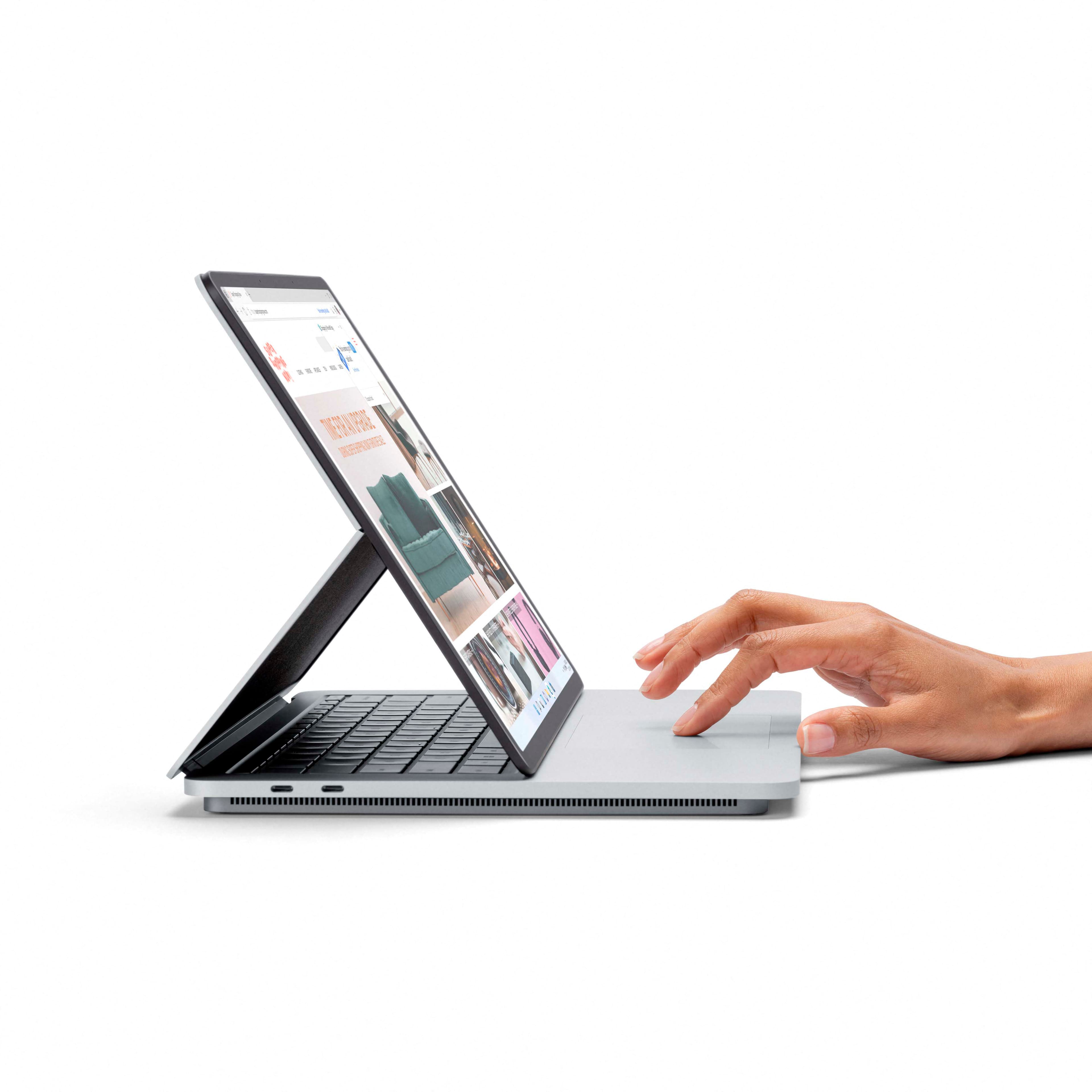
|Posted .This reviewer received promo considerations or sweepstakes entry for writing a review.Microsoft - Surface Laptop Studio – 14.4” Touch Screen – Intel Core i7 -16GB Memory – 512GB SSD - Platinum This review will be in 2 smaller parts. The first past is about the hardware. The second will be about Windows 11. I am going to keep this simple and straight forward. The hardware. The Surface Laptop Studio is a solid 2 in 1 laptop/tablet with the addition of the pen it is very useful as a design tool (it will be better in the future, see Windows 11). It stands well as a laptop with zero vents on the bottom. This means you could use it on a soft surface without sacrificing device cooling. The screen stays upright like any good laptop should. The screen can flip out and set at a good viewing angle while covering the keyboard but still giving access to the touch pad. The screen can flip again and fold flat on the top of the base making it into a “Tablet”? (See Windows 11). At all times the touch screen works as it should, with your fingers or the pen. The unit has only 2 usable USB-C ports and one charging port as well as a headset jack. The USB-C ports also double a Thunderbolt ports. The screen contains a web cam and microphone, and the base has a decent set of speakers for their size. The camera is Windows Hello compatible, but you would expect that from a Microsoft device. The SSD is upgradable, but you are warned to have it done by a technician and with support from Microsoft. This is because Microsoft has made a heat spreader that’s special for this unit. The Ram, CPU, GPU, are not upgradable so make sure you buy the one that suits your requirements. It uses the built in Intel video for most tasks and has an Nvidia RTX 3050Ti for heaver tasks. I have noticed that the Nvidia GPU does not get up to full speed unless the unit is plugged into the power supply. The screen hinge makes me a little uncomfortable because it seems to be made of some type of cloth with the wiring embedded. I’m just a little shy of what will happen over a few years’ worth of use. There appears to be 2 hinges also embedded into this cloth, not totally sure about that. For the cost, you might want to consider looking into other options. The same specs, or very close to them can be found for a few hundred less in other manufactures. I’m not saying do not buy this, I own 4 other Microsoft Surface devices, I just like the way they look and feel. Can you hear the “Mac fanboy” in that statement? I have slowly replaced most of my Surface devices with other brands, only because of battery life. The battery life on this unit seems to be holding it own at 4 hours of use, doing standard web and word tasks, it’s still at 83%. I miss the HDD, Power, lights offered on other devices, although the HDD light is a thing of the past. I would also like some kind of notification letting me know when the charge is complete. They have a light on the charge connector, but they fail to make good use of it. Windows 11. Take Windows 10, round off all the edges, remove a few useful tools/features, and color some of the folders different (different from each other), and you have Windows 11. All the hype about really needed things being missing, I found by just typing in the search bar. Sure, you have to click on it to get the search bar but how hard is that? And let’s be honest, you’re going to be putting shortcuts on the desktop for the most used items. At first, I hated the colored folder icons, but within just a few minutes I realized just how much sense this makes. I learned quickly what color I wanted and it’s right there. I’m now thinking I need to make colored folder icons for my main Windows 10 machine. One thing I noticed is Nvidia GeForce Experience is not installed. I did every update and it’s just not there. Nvidia setting are there, but not the driver update tools. I went to Nvidia’s web site and Windows 11 is not fully compatible yet. This will change in the next few weeks I’m sure. Needless to say, I did not install the Windows 10 version yet. While installing a few programs, even brand-new ones, it reports as Windows 10 64bit. So even though Windows 11 has been fully released, it is not yet fully supported. The same thing was true for Windows 10 when it was new. As for the missing customization tools, they will most likely start showing up as more and more people scream about them being missing. I personally, didn’t notice them missing or even care that they were missing. The biggest thing I did miss was Tablet mode. When in a tablet setup the icons and text are still the same. This makes it harder to use with your fingers. Sure the pen is useful, but tablet mode will be missed. With tablet mode being removed from Windows 11 a lot of people will be moving away from Microsoft and to the other guy. Just saying, if you buy a Windows tablet that can not display a tablet/finger friendly screen then why have a tablet at all? Microsoft really dropped the ball on that. Not surprising though, just about any time they get something right, they stop making it. Ok, so this could turn into a huge rant about all the times I’ve backed a Microsoft product, only to have the rug pulled out from under me. My bottom line. For the price, shop around first. For the look and feel, not much else competes right now. Once Windows 11 matures and becomes something to really get behind I would say think before you leap. I’m going to mark this as I would suggest to a friend, but I want to say, this friend better be ready to deal with the Windows 11 growing pains.
I would recommend this to a friend Best Laptop I've Bought in Years!
||Posted . Owned for 3 weeks when reviewed.This reviewer received promo considerations or sweepstakes entry for writing a review.This is the first laptop I have purchased in about 5 years and I am very pleased. Everything works great and I love being able to switch between a laptop and tablet.
I would recommend this to a friendBest of both worlds
||Posted . Owned for 2 weeks when reviewed.This reviewer received promo considerations or sweepstakes entry for writing a review.Studio is the best of both worlds-fantastic laptop that converts to tablet mode in a second. Set Screen at any angle for best performance while sitting on couch! Incredible sharp images.
I would recommend this to a friendGrea!
||Posted . Owned for 3 weeks when reviewed.This reviewer received promo considerations or sweepstakes entry for writing a review.I saw this last year and waited for it to come out. I'm glad I did. So far, it has everything I needed. I'm glad I waited.
I would recommend this to a friendVery reliable laptop!
||Posted .This reviewer received promo considerations or sweepstakes entry for writing a review.Really reliable. Good graphics. Only downside is that it only has 2 USB-C, the windows charger port, and an AUX port, so be prepared to buy a USB-C dock.
I would recommend this to a friend