Customer Ratings & Reviews
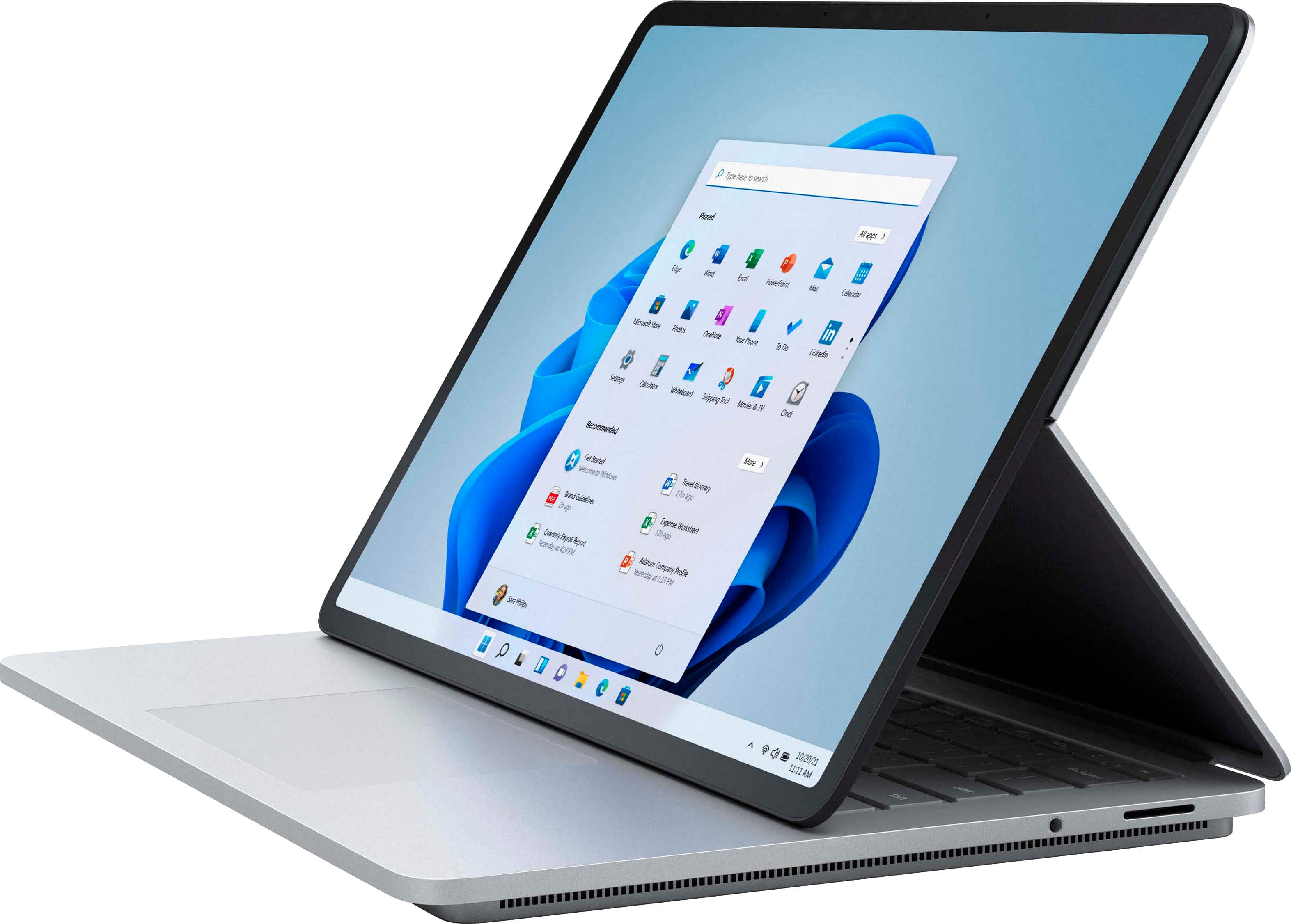
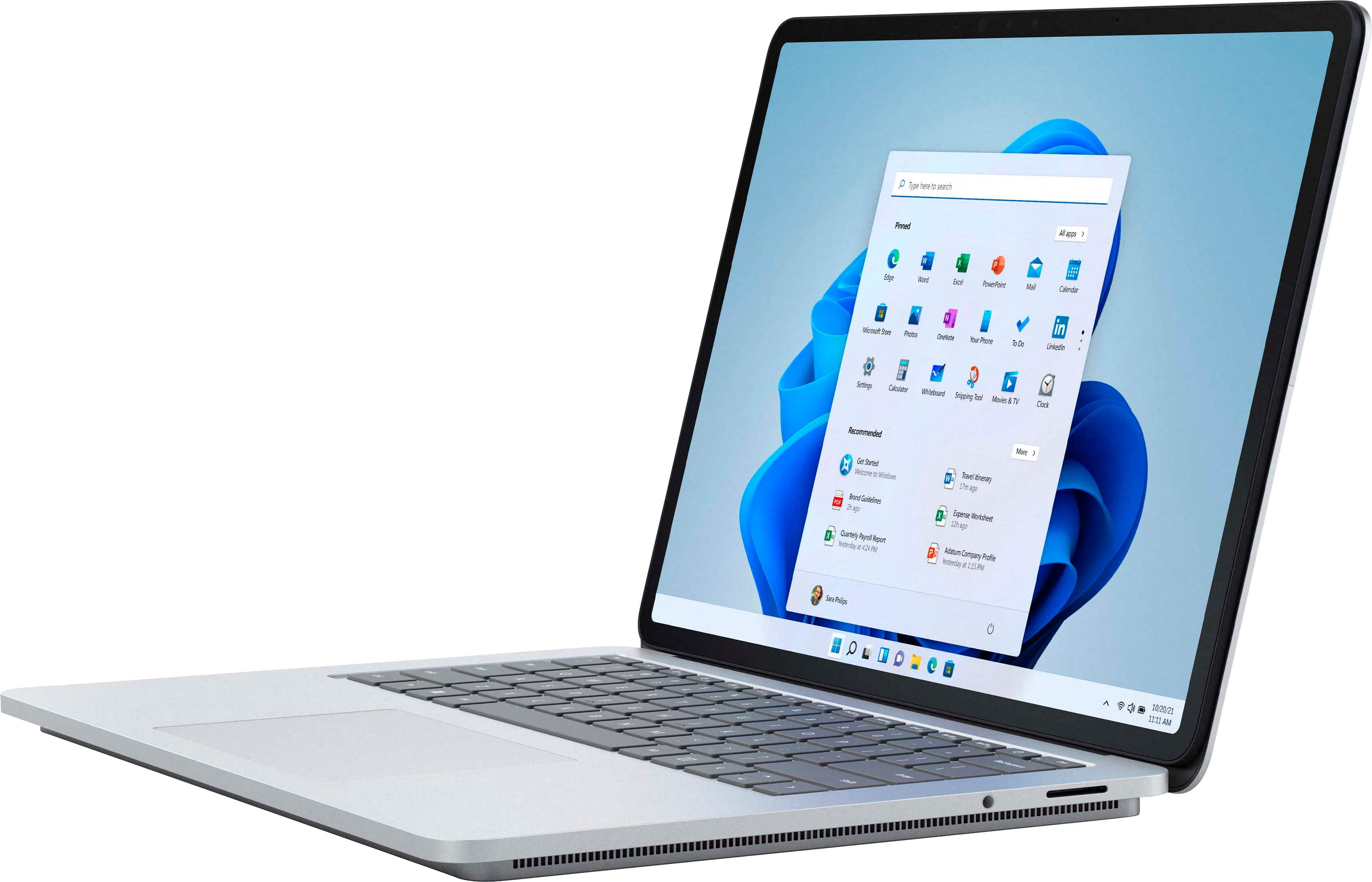


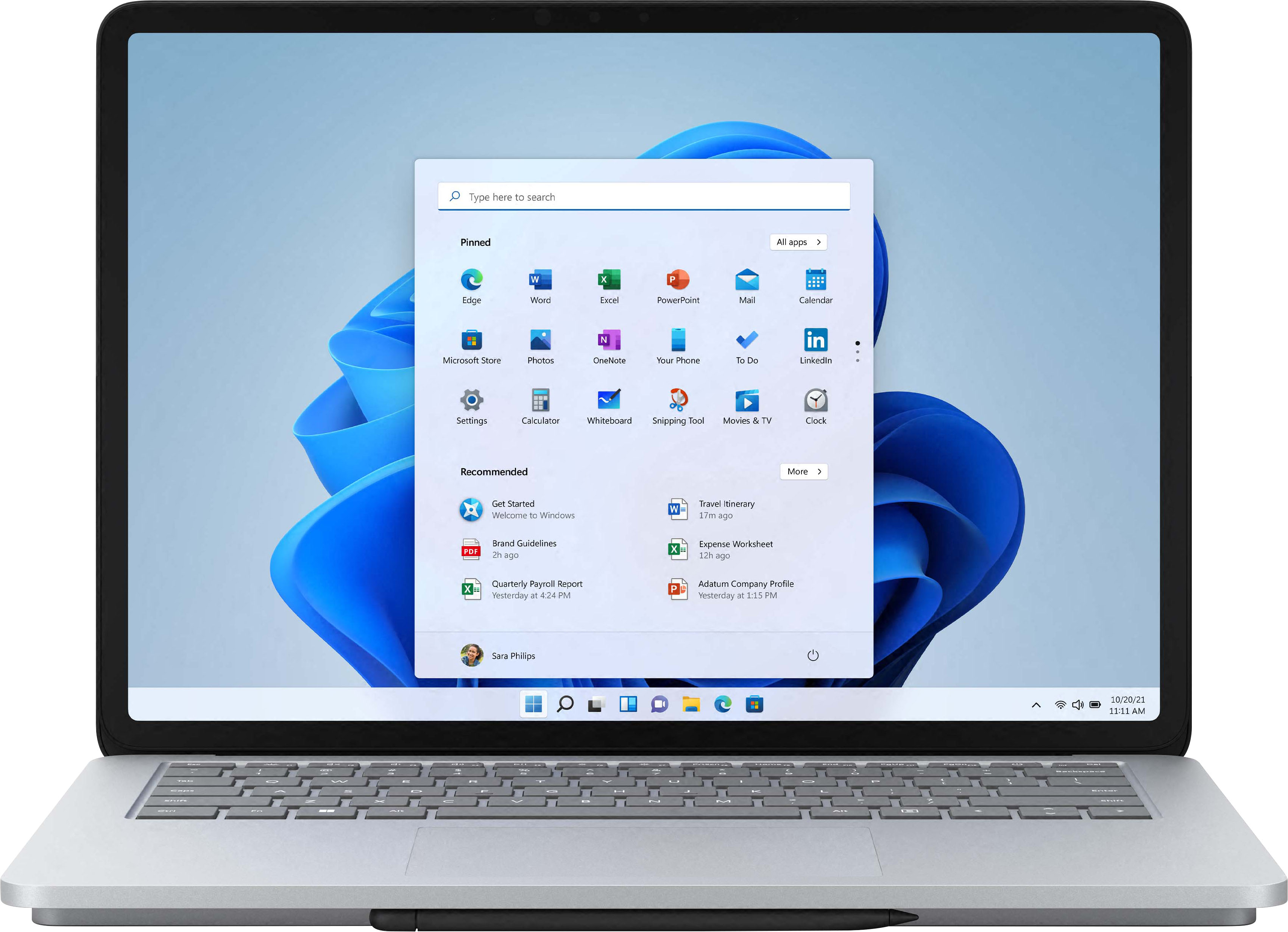
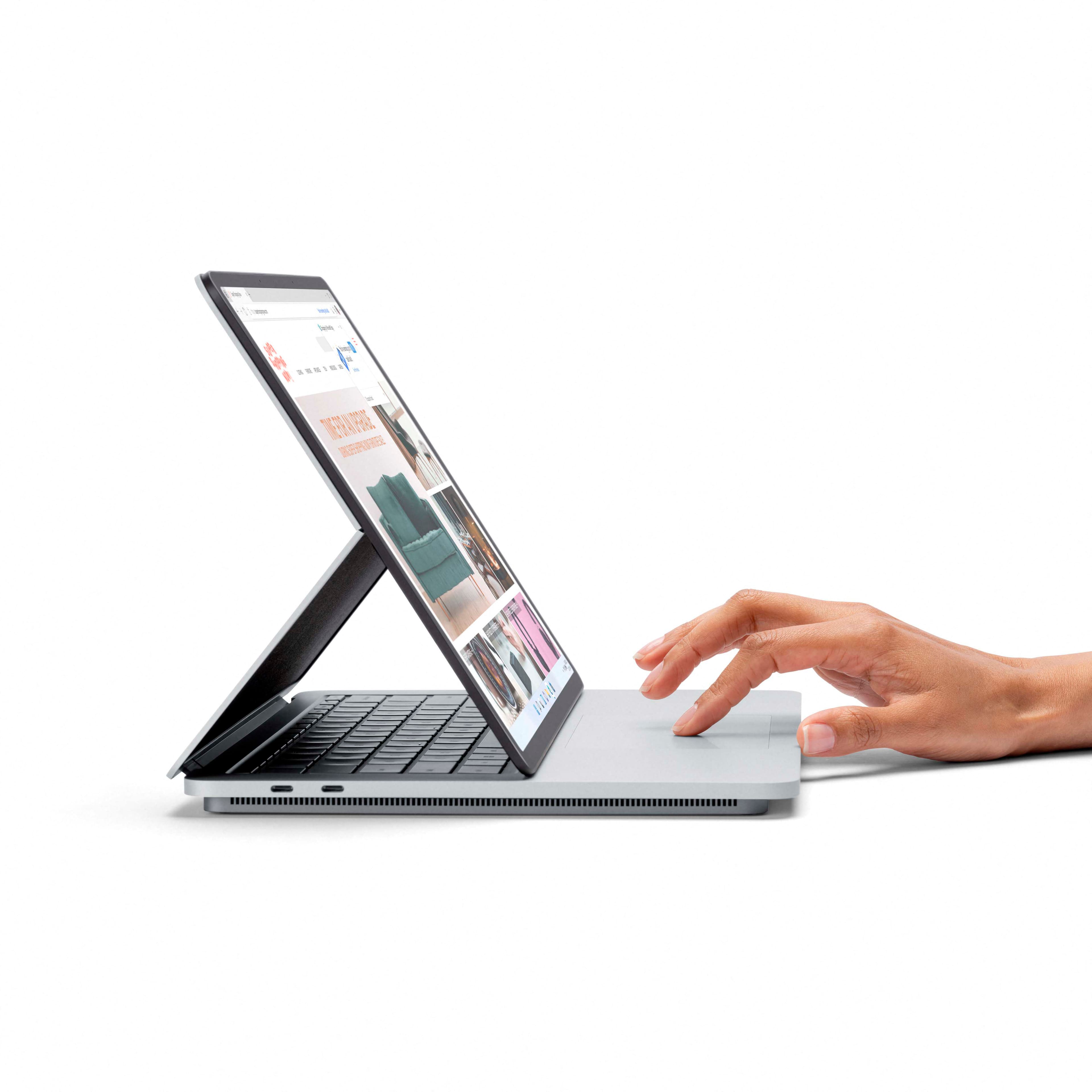








- Model:
- A1Y-00001
- SKU:
- 6478302
Rating by feature
- Battery Life
Rating 4.3 out of 5 stars
- Speed
Rating 4.7 out of 5 stars
- Display
Rating 4.8 out of 5 stars
Customers are saying
Customers regard the Surface Laptop Studio as a versatile device with a fantastic keyboard, fast performance, and a beautiful display. They appreciate its ability to function as both a laptop and a tablet, making it suitable for various tasks. However, some users have concerns about its battery life, weight, limited ports, and premium pricing.
This summary was generated by AI based on customer reviews.
- Pros mentioned:Keyboard qualityCons mentioned:Battery life

Beautiful, Fast, and Useful
|Posted .This reviewer received promo considerations or sweepstakes entry for writing a review.The Surface Laptop Studio is an achievement in design and quality. The combination of features with the capability unlocked by the convertible screen and in particular if you add the slim pen 2 make for a compelling product that is a standout among the newest additions to the surface lineup. As I have been using this computer, I have been continually impressed by what it offers, and it keeps surprising me on a daily basis. I was concerned at first that it would be too large and heavy for my preferences based on the specs I saw. Thankfully, I feel it is just right. It is a bit heavy to be sure but that is only due to the quality of its construction with all the machined aluminum and the size of the screen. Speaking of the screen, it is gorgeous, 120hz PixelSense with HDR. Everything looks crisp and colors are vibrant and accurate. The refresh rate makes a big difference with how smooth everything looks on screen from animations to video playback and even gaming. Gaming is made possible by the Nvidia GeForce RTX 3050 Ti, which is a good match for this screen and will run many games at high settings. I for example ran Forza Horizon 4 on high settings with full resolution and was seeing 50-60fps while running on battery and saw a little under 2 hours of life playing that way. For a laptop that isn’t designated as a gaming rig I feel that is very respectable and makes it even more of an all-in-one device. I have not attempted to see if my framerate changes at all while plugged in, but I would not be surprised if it improved. Regular use with videos, browsing, document creation etc. is where the battery life really shines, I have seen over 8 full hours of life out of it without the need to plug in. Charging is done via the included special magnetic charger which has a USB-A port for charging an additional device. It is quick and easy to use. Charging is also thankfully possible using the thunderbolt ports as well, which I am very grateful for. I have a monitor that has USB type C input for video, and reverse charging for the connected device which I really love using, and this laptop works flawlessly with that monitor and takes a charge from it via that USB-C connection. The keyboard and touchpad are also excellent. For a laptop keyboard it has good key travel and does not require excessive force to type on which I appreciate. It is backlit and looks great. The touchpad is another standout feature with haptic feedback and gesture controls that all work wonderfully and add more depth to the overall experience. The Surface Laptop Studio is a phenomenal device, it is fast, smooth, quiet and a creator’s dream. Windows 11 is the perfect new companion to this laptop with gesture controls built in, designed for touch and stylus controls, and snappy interactivity. I have nothing but praise for Microsoft on the quality and function this computer offers, with power to spare for demanding apps and games, all in a compelling, beautiful package. I look forward to using it for many years and highly recommend it.
I would recommend this to a friendBrand response from MicrosoftOutreachTeam
Posted .Hi Josh – Thanks for sharing your experience. It's wonderful to hear that its graphics, and versatility make it a good fit for your needs. We hope it continues to serve you well. Erica, Microsoft Outreach Team

Not worth the price tag
||Posted . Owned for 3 weeks when reviewed.This reviewer received promo considerations or sweepstakes entry for writing a review.Had it exchanged few times and same issues of screen being blurred out randomly and delay waking up from sleep. Same old surface problems.
No, I would not recommend this to a friendStopped working
||Posted . Owned for 2 months when reviewed.This reviewer received promo considerations or sweepstakes entry for writing a review.3 months after purchase stopped turning on. Completely useless.
No, I would not recommend this to a friendGood laptop
||Posted . Owned for 2 months when reviewed.This reviewer received promo considerations or sweepstakes entry for writing a review.This is good. Just a little limited on specs you can get with it.
I would recommend this to a friend- Pros mentioned:Keyboard quality
Probably one of the Coolest/Versatile Laptops
|Posted .This reviewer received promo considerations or sweepstakes entry for writing a review.Was super excited to receive this Surface Laptop Studio via the BestBuy Tech Insider Network. From look, I immediately was blown away by it's build quality and overall look. Actually using it, it's what you'd expect from a device with these specs. Capable, quick and trouble free. Would have loved to AMD CPU and GPU or at least the option, but you'd lose thunderbolt support, which is very useful for an external GPU and the sort. Obviously the Surface Studio transforms into the "Studio" mode which I like when watching movies, TVs and gaming as it brings the display closer. Then the flat tablet mode helps when getting creative. Did some gaming with the 3050Ti and it is capable just don't expect to be blown away. Overall, this is an amazing device, expensive but amazing and backs up it's looks and functions with it's performance!
I would recommend this to a friend - Pros mentioned:Keyboard quality
Microsoft steps up their game once more
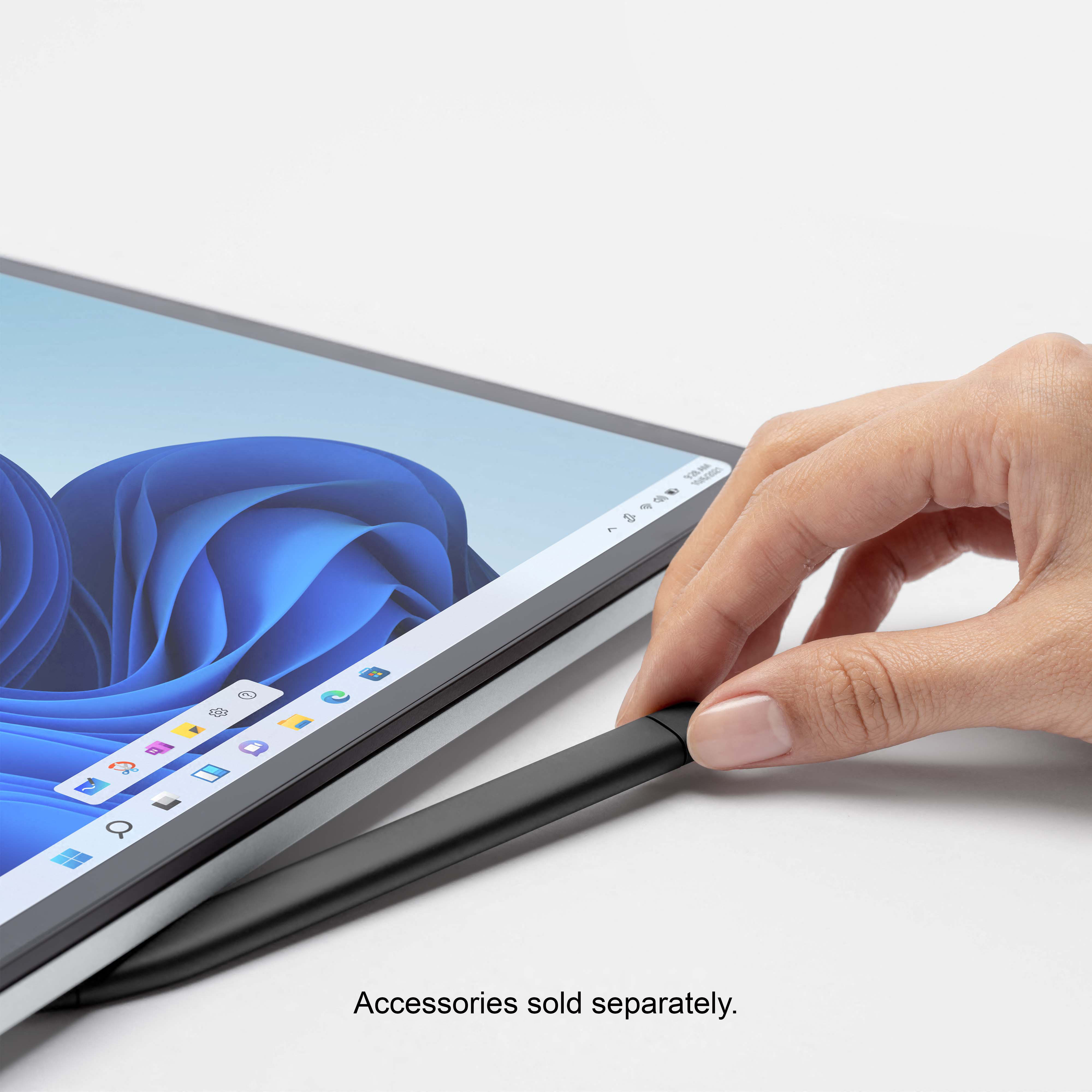
|Posted .This reviewer received promo considerations or sweepstakes entry for writing a review.I’ve been loving the Surface Pro’s since version 2 and 4, having skipped the rest simply because the detachable keyboards aren’t great to write on for long periods of time, and eventually they get iffy and require a replacement after taking it off and on depending on the situation. No need to worry about that now – since it’s permanently attached. It’s quite a step up from all the 2 and 4 that I have – you still have the kick stand ability for angled viewing/typing(touchscreen) and the ability to fold it down into tablet mode, without having to take off the keyboard. I’m saying this twice because that is a big deal and the Surface Laptop Studio does it well. Obviously it’s a bit heavier than any of the previous Surface Pros, but no heavier than a regular laptop – it feels deceptively heavier though – at least with my hands – because the bottom of the laptop has a lip around all corners. Having the bottom not flush makes it awkward to lift it up with *my* hands. I had a friend pick it up to see if he would notice, and he did not, and I realized it’s going to depend on the hands. The lip in the front is extremely useful though, as it is magnetized and both a holder and charger from the Slim Pen 2. Speaking of the Slim Pen 2, I would recommend getting it (and really, if you’re getting this why wouldn’t you). The accuracy of the SP2 is very good within apps, but I did notice in the windows prompts, it did not recognize my writing. Go into any app though (I tried in Edge, Whiteboard, Word) – my same writing is recognized correctly. Not sure why it wouldn’t be recognized everywhere you can write, but technically you don’t need to use it as you can just use the touchscreen to open the app you want anyways. The Laptop Studio comes with Windows 11, which is visually different than Windows 10, an annoying first thing is there isn’t a way to log into the computer without creating a Microsoft account. I’m a big fan of local accounts, which in Windows 10 you could click “I do not have Internet” to get around the Microsoft account creation. Visually, the start button is now centered in the taskbar, along with any applications open. So far Windows 11 has accepted the programs I have so far installed – but it did not like Mozilla’s Firefox – it threw out an error which a quick Duckduckgo search reveals it is a common problem and how to fix it. I expect random things like this to occur with a new OS. The front facing built in 1080p camera is fine, but my biggest problem with it is the lack of a built in privacy cover. Come on, it’s not expensive to add one – HP has a lot of their laptop models with it, and all laptops (and phones) should come with a way to cover the lens (though better to disable). A stick-on webcam cover works wonders though – I bought quite a few as I stick them on any devices that do not have one. I’m sure keeping it open allows people to use unlock Windows with their faces, but having a slider on doesn’t prevent it from working and most consumers would be smart enough to know if it doesn’t work or it’s black – to slide it open. It’s a little insulting to just assume having one will cause more issues with people not understanding that the webcam is in a blocked mode. Another annoying problem is the power button – it is dangerously located right next to the Del/Ins button on the upper right. This creates two problems – the first being that you can easily press the key trying to just press delete! The bigger one is it require the laptop to be in laptop mode with access to the keyboard to press it. In other words, you cannot turn on the computer when it’s in tablet mode, as the screen covers the button. Besides the power button being poorly located on the keyboard, the keyboard is fantastic – as is the touchpad. Keyboards are very important – the better the feel and spacing, the longer you’re able to use it without accidentally mistyping or moving the mouse around because your wrist brushed the touchpad. My previous laptop had a great keyboard, but the touchpad was too close causing my cursor to randomly jump. The speakers are surprisingly and delightfully loud! I immediately always raise the volume as most laptops max loudness is not very loud at all, and when I played a youtube video – it was so loud I had to immediate lower it. Finally, not that this is directly competing with an Ipad, but it *is* competing for me and almost an ipad killer. Since I can put it in tablet mode, I don’t need to use the ipad as this is a much larger screen anyways. The majority of my “texts” aren’t actually texts but conversations on private discord servers my friends have setup – I only need the ipad when I want to text/message someone who isn’t on discord, which are few people now. If I could get text/imessage on this, I wouldn’t need the ipad anymore. As I was writing this, my screen got jittery/blurry for a couple of minutes before clearing itself after opening display properties. This was a bit of a problem on previous surface pros, and I’m really hoping this isn’t going to be an ongoing problem on the Laptop Studio. *2 week update - the screen jittering has not come back Pros: 3 screen modes without having to remove the base Slim Pen 2 is excellent for drawing/typing Magnetic spot for Slim Pen 2 Excellent feeling keyboard Touchpad has customizable 3 finger and 4 finger gestures Loud speaker system Can play touch screen compatible games Cons: Windows 11 forces Microsoft account Lack of numeric keypad Power button on keyboard next to DEL button Cannot turn on if in tablet mode No camera privacy slider Lips on the sides make it awkward to carry 1 occurrence of jittery screen within a few days of owning it (!!) Only 2 USB-C ports Would I recommend it? Yes, very much so – it’s got the power of a regular laptop in tablet form, so you can perform work and then convert it so you can relax and watch a movie – loudly. It’s not a pure work device, you can be entertained and creative on this all in one device. It’s not cheap, and I really hope this screen jitter is a one-time fluke, but if you can afford it – you can get a lot of work/play use out of it.
I would recommend this to a friendBrand response from MicrosoftOutreachTeam
Posted .Hi – Thank you for recommending Surface Laptop Studio to others. It's wonderful to hear that it’s a good fit for your needs. We hope you continue to enjoy its versatile design. Erica, Microsoft Outreach Team
- Pros mentioned:Keyboard quality
An amazing latop with room for improvement
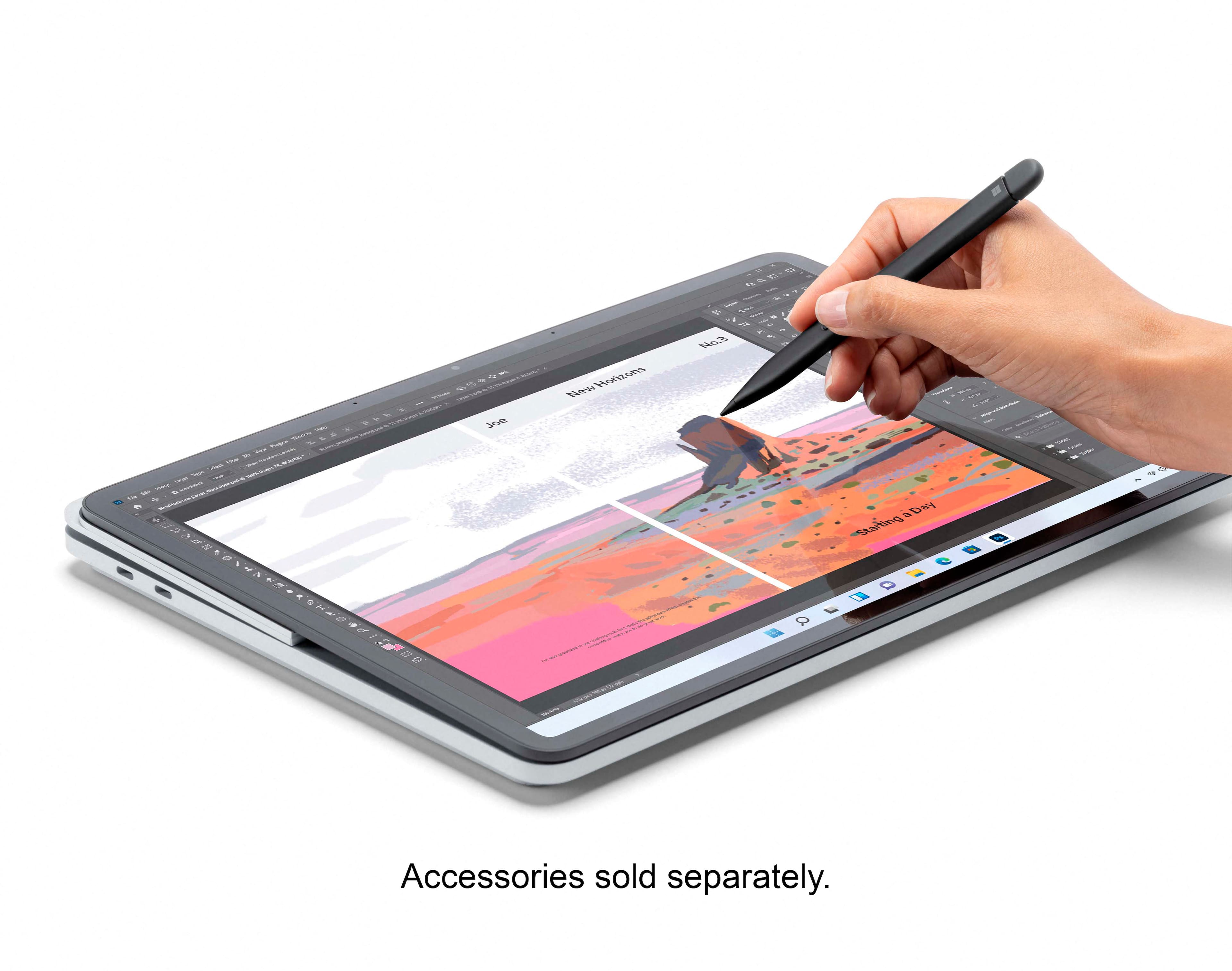
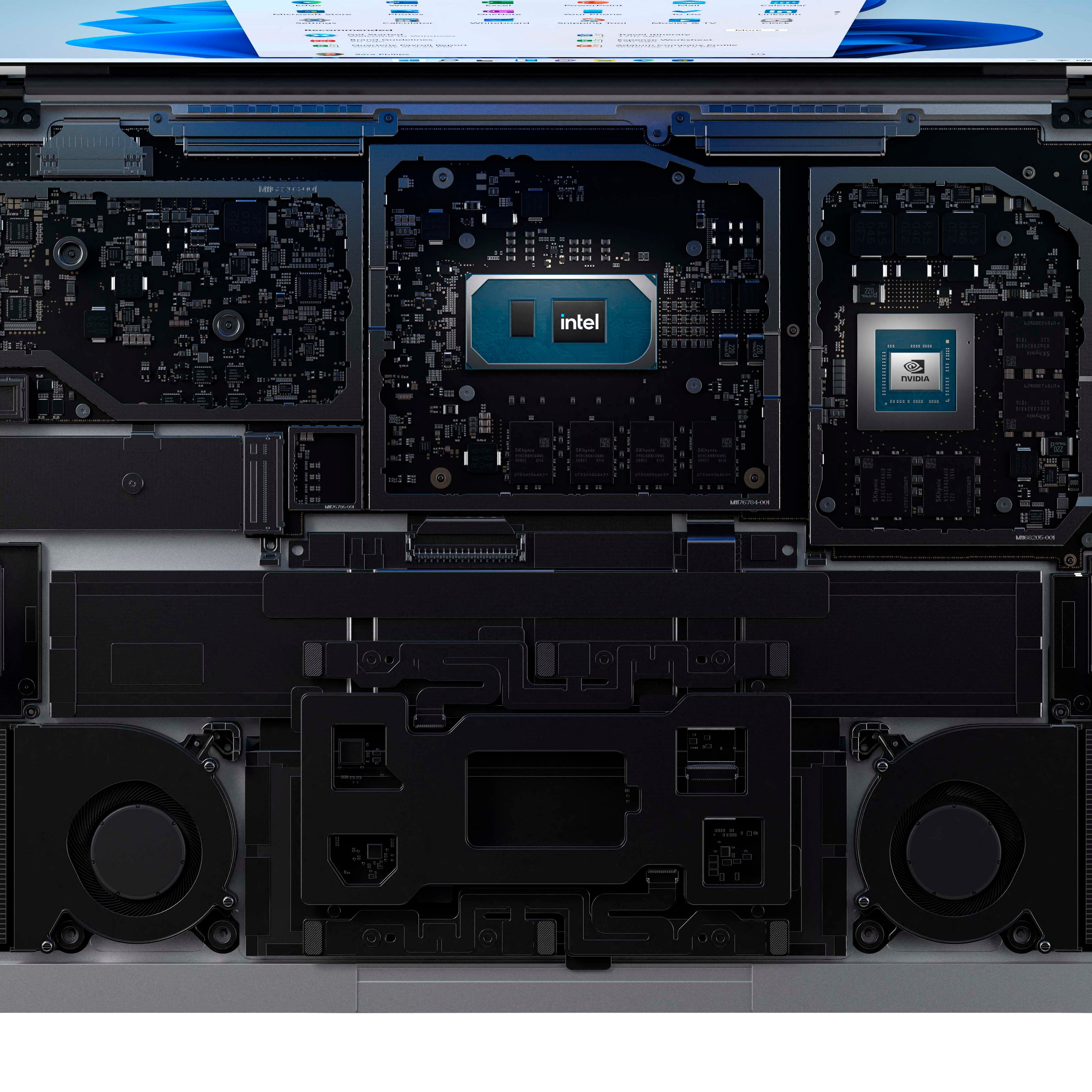
|Posted .This reviewer received promo considerations or sweepstakes entry for writing a review.Let’s start with the overall design. Unlike the Lenovo Yoga-flip-style where the screen folds behind the back of the laptop, the Surface Laptop Studio doesn’t flip over. Instead, it uses strong magnets to position the screen in one of three places. There’s standard laptop mode, of course. By gently grasping the top corners of the screen and twisting, the magnets release, the case behind the screen folds, and you can move the screen to the easel mode, where more magnets take over. In easel mode, the keyboard is hidden, but the trackpad remains visible. This is a great configuration for watching movies or for using the touchscreen for web browsing, but it may still feel a bit wobbly for drawing. Lifting the screen again allows you to lay it flat over the bottom case, against the third set of magnets. This is the most stable mode for drawing, which I’ll get to in a bit. The case feels solidly built, and the aluminum has an excellent, high quality matte finish. But, it’s thick and weighs a full four pounds, making it difficult to hold as a tablet and a bit cumbersome for travel. The touchscreen is appropriately sensitive and easy to use. My touchscreen did stop responding once, but it was impossible to tell if this was a hardware issue or a Windows 11 glitch. A reboot fixed the problem. Available in multiple configurations, my unit is equipped with a 512GB SSD, 16GB of RAM, a 3.3 GHz quad-core Intel I7 processor, and an NVIDIA GeForce RTX 3050 graphics card. It’s important to spec this out as you think you’ll want it in the future, as there is no way for the consumer to replace parts. As you might expect, this configuration allows for great multi-tasking, seamless video, and, although I’m not a gamer, appears to be able to keep up with most gaming applications. While it doesn’t run hot, it does get warm enough to keep your legs and fingers toasty. It is also surprisingly quiet, almost completely silent. The Surface Studio comes with a 102W power supply that attaches magnetically to the charging port. This provides fast charging and safety – if someone should trip over the power cord, it simply comes out without taking your $2,000 laptop crashing down with it. The charger has a USB-A charging connector on it, which is handy but would be more useful on the laptop itself so that a peripheral could be attached. Two Thunderbolt 4 USB-C connections and an audio connector round out the available ports. The Thunderbolt ports can be used to charge the laptop (more slowly than the mag charger), so you don’t have to travel with the extra power brick if you don’t want to. While a USB-A port would be nice, a micro-SD slot would be even better. Battery life is great for a machine this powerful and with this large a screen. I easily get 10 hours of battery life. The Surface Studio has a great keyboard and trackpad. Tactile feel on the keys is just right, with enough travel and resistance to feel like a real keyboard. The glass trackpad is the best trackpad I’ve ever used, responsive with a smooth glide. The 14.4” screen is simply amazing. Rich colors, deep blacks, and the 120Hz refresh rate renders the fastest motion without any stuttering. There is one odd design choice on the screen – the corners are rounded instead of square, and you can move your cursor into these recesses and see that they’re used, just not shown. While it gives it a bit softer, less industrial appearance, it might drive you nuts when you realize you’re missing a few pixels of the image in each corner. With four speakers under the unit, the sound is remarkable. Clear, crisp, and with excellent separation, it’s a lot of sound from a small box. There’s no deep bass, nor could there be in such a small form factor, but otherwise it is way beyond other laptops I’ve tried. Microsoft does boast Dolby ATMOS support, although, as with other ATMOS systems where all the speakers are in front of me, I cannot hear the effect; some sounds seem farther away than others, but they always stay in front of me. Tucked into the upper bezel, the HD camera is outstanding for a laptop camera. In a well-lit setting you could use it for video calls without worrying about clarity or color. The microphone produces clear sound. The Slim Pen 2 is a great addition to the Surface Studio. It attaches underneath the keyboard using a strong magnet, and charges while in this position. While not perfect, when the Studio is in tablet mode, the feel of the Pen on screen is closer to pen on paper than my iPad or previous laptops I’ve owned. Tactile feedback is great. I use a larger barreled pen when I write on paper, and I do wish the pen were a bit thicker. Versatile, fast, and possessing excellent daily use ergonomics, this is an amazing laptop for anyone who needs a powerful workstation to go. If Microsoft were to add an SD slot and remove some weight, it would be perfect.
I would recommend this to a friend - Pros mentioned:Keyboard quality, Processor speed
Fancy, slick machine
|Posted .This reviewer received promo considerations or sweepstakes entry for writing a review.Wow - this laptop is FANCY! I'm still learning all that it offers as I use it. I love that it came with Windows 11 preloaded! The 11th gen intel processor is super fast. It has 2 USB ports that support Thunderbolt 4-nice to have as more tech products use it. The 14.4 inch touchscreen is slick and crisp. It's great for movie watching with it's Dolby Atmos sound system-4 built in speakers! The haptic touchpad is large and make the machine easy to use. Microsoft offers free assistance either online or by phone with this surface studio which is such a plus! For now, I love what I've experienced with this laptop and excited to continue to access all of the features it offers!
I would recommend this to a friend Buyers beware
||Posted . Owned for 10 months when reviewed.This reviewer received promo considerations or sweepstakes entry for writing a review.Came in broken 8 months later thing freezes constantly. I love it when it works but buyers beware
No, I would not recommend this to a friendSad Review
||Posted . Owned for less than 1 week when reviewed.This reviewer received promo considerations or sweepstakes entry for writing a review.I recently purchased the laptop on 11/04/2021. The laptop is beautiful and very pleasing, but unfortunately the 2 units I had did not work very well. After installing the updates and also installing programs the computer would not come out of the boot screen with the black screen and 4 white squares. Went to geek squad and they advised the OS on the devices are faulty and they see them come in often.
No, I would not recommend this to a friendOpen Box Fail
||Posted . Owned for 1 month when reviewed.This reviewer received promo considerations or sweepstakes entry for writing a review.Open-box purchase that had to be returned. The charging port was faulty. I really wanted this instead of the Surface Pro because the GPU was way better. Alas, budget-wise the only way I could justify the purchase was at open-box pricing.
No, I would not recommend this to a friendPoor service
||Posted .This reviewer received promo considerations or sweepstakes entry for writing a review.Poor service and staff specially management. I have no idea why they even there they don’t do any work and they have no knowledge of products.
No, I would not recommend this to a friend- Pros mentioned:Keyboard qualityCons mentioned:Battery life
Ultimate Windows Laptop Hyrbrid
Posted .This reviewer received promo considerations or sweepstakes entry for writing a review.I love this computer more than I thought I would. I love the trackpad, keyboard, screen and the ability to use this as a consumption device with the screen moved forward. I also use this to take handwritten notes for meetings and planning. It all just works. The sound is also excellent and the battery life is really good. While this is not a gaming laptop per se it plays games quite well at medium or better settings and older games at high. It definitely should be plugged in if you want more than a couple hours of time. I also got the new surface pen and it is the best so far with this laptop and adheres to the front bottom lip magnetically and will not move unless you make it move. I highly recommend this device. The only real con for me is the glossy display can be hard to see with lots of light sources at home, but is fine in office.
I would recommend this to a friendBrand response from MicrosoftOutreachTeam
Posted .Hi – Thank you for sharing your thoughts and feedback on your new Surface Laptop Studio. We're glad that you're a fan of its versatile design and hope it continues to serve you well. Erica, Microsoft Outreach Team
Premium laptop even better
|Posted .This reviewer received promo considerations or sweepstakes entry for writing a review.I have always admired Surface products in the past. My first time using a surface product was the Surface Pro 4. I was interested in using a Surface book and while the surface studio looks amazing it just wasn’t worth it to me for the price since I wouldn’t take advantage of it. Anyways I have gotten the opportunity to test this out and based on the specs and what you receive it shouldn’t disappoint. Inside the box you get a 107 watt power adapter with Microsoft’s proprietary surface connection to charge the device , standards paperwork and the device itself. The device itself includes 2 Thunderport 4 ports and the charging port and a headphone jack. This model is the Intel i7 11th Gen and 16GB of RAM and 512GB of RAM. I would also make sure this is the model you want because you basically can’t upgrade it and even then only maybe the SSD if you can manage to open it. Anyways this also includes a Nividia RTX 3050 TI (50 watts). The laptop can be used in a few different ways like a conventional laptop , what they call stage mode which brings the screen to the touch pad and then studio mode which basically leaves it flat like a tablet. Each mode has its own perks. The regular mode is great if you need to browse the web or write documents with the 3:2 aspect ratio screen which also has a 120hz panel. The stage mode is great for viewing content. The studio mode is great for drawing and creating things.
I would recommend this to a friend- Pros mentioned:Ease of use
Microsoft laptop
Posted .This reviewer received promo considerations or sweepstakes entry for writing a review.Easy to navigate. Bought this for my daughter for her for college. Her major is architecture and design. It is quick to connect to WIFI. No complaints. Recently the power station lost power and classes went online. No problems with access.
I would recommend this to a friend - Pros mentioned:Pen, Processor speed
Great laptop - tablet from Microsoft.. finally..
Posted .This reviewer received promo considerations or sweepstakes entry for writing a review.Love the Surface Studio Laptop..Its performance as a laptop is superb, speed is great, the pen works great, the applications work seamlessly, the display is superb and the keyboard is good. The haptic mouse touch is superb. Microsoft finally got this right..
I would recommend this to a friendBrand response from MicrosoftOutreachTeam
Posted .Hi George – We're delighted that you love the speed, display, and functionality of your new Surface Laptop Studio. We hope you continue to enjoy using it. Erica, Microsoft Outreach Team
Stylish, Flexible, Perfect
|Posted .This reviewer received promo considerations or sweepstakes entry for writing a review.I love this new laptop, tablet combo. The flexibility it offers is amazing. It works very fast as well. Easy to move screen as it fits style better. Microsoft really did a great job with this. And love that the slim pen 2, fits in its own special place in front/underneath the laptop. What a great idea, this way it is always nearby when needed and stored safely when not using. Depending on how you choose to use the screen, there is an on screen keyboard to use. Everything moves pretty quickly, the apps, softwares. I also love the size is perfect for all my needs. Even though it's 14.4, it isn't heavier to move as it's still sleek. So far, it's working great for everything we've used it for, games, drawings, work, watching movies, and school. The camera works great too as well as microphone and speakers. And it also has Bluetooth capabilities for convenience. The plug is a little different than I've seen. This was also very easy to set up and get it working. The only thing I don't love, which isn't a big deal to most, is the plug is on the right side of laptop. I would much rather it be on left. But still worth it.
I would recommend this to a friendBrand response from MicrosoftOutreachTeam
Posted .Hi Maddie - We're thrilled that you love the versatile design of your new Surface Laptop Studio. We hope it continues to serve you well. Erica, Microsoft Outreach Team
Awesome Computer
|Posted .This reviewer received promo considerations or sweepstakes entry for writing a review.I use a surface for work and thought I would try this one for home. I like the screen is a bit bigger than a 13" model but yet no too bog like a 16" screen. Windows hello works well so you don’t have to enter your password to log in each time. Boots up quick. Runs windows 11 which is really nice. The screen does not detach like other surface models but swings around and allows you to adjust if you are using it to watch videos. It will adjust flat like a tablet but it is a bit bulky. Love using the pen too and it stores magnetically in a place where you don’t have to worry about losing it. This is a great lap top!
I would recommend this to a friend- Pros mentioned:Keyboard quality, PenCons mentioned:Weight
copy and paste from the Microsoft Studio2
Posted .This reviewer received promo considerations or sweepstakes entry for writing a review.Overall this product is decent. I understand Microsoft is going for a 2-1 Windows device how ever this product is not it. Honestly the product has a better performance and great visibility with its. (Battery life) good Surprisingly, the smaller battery on the Studio delivers somewhat longer battery life than the 15" Book. This might be coming from: lower screen resolution, Windows 11 optimization, more efficient components due to the non-detachable design. The (keyboard ) con The keyboard looks better on the Book for its uniform color with the base, and the Book's keyboard is one of the few that doesn't sink into a well due to the unique hinge design. The key travel is also slightly longer on the Book and the keys are a bit softer and less tactile. The keyboard on Laptop Studio on the other hand, looks like a MacBook copy. But as every Surface Book user would know, the backlit would make the Book's keyboard unreadable in lit environment, and this is a non-issue on the Studio. Also the keys are more tactile on the Studio, which I personally prefer. (Pen) con Another clear win for the Studio. The lines are noticeably smoother thanks to the higher refresh rate and updated digitizer hardware. The pen storage location is also better on the Studio so that you never need to worry about the pen accidentally detaching from the laptop. The only minor drawback is that you now have to lift the front of the laptop to retrieve the pen. Personally I like the Microsoft Surface Book where the pain is attached on the side by magnets instead of underneath the device. The practicality of the Microsoft Surface studio is that it's unrealistic. For example with my Microsoft Surface Book 2 I can detach and carry around with me while looking at the Attached screen. However, for the Microsoft Surface Studio it is extremely heavy. To me it feels like Microsoft has just basically copied the Microsoft Studio 2 desktop computer and just converted it to a laptop. The only benefit or only person I would recommend this is if there were a 3D artist or an architect. I don't understand the chief engineer of Microsoft Amitabh Mathrawala was thinking just copy and pasting One Design to a laptop I personally enjoyed the Microsoft Surface Book 1,2,3 because it gives me the option of a laptop and a tablet. However I wish at the Microsoft would have continued making a Surface Book 4 just with a powerful quad core processor and Nvidia GPU with a longer lasting battery
No, I would not recommend this to a friend - Pros mentioned:Keyboard quality
Perhaps the best laptop on earth
Posted .This reviewer received promo considerations or sweepstakes entry for writing a review.Rarely can I pick up a laptop and think, "It's a work of art!" This Surface Studio qualifies in every aspect of fit and finish. Just touching it, using the keyboard, has a great feel to it and the performance is uncompromising. Fast and efficient come to mind instantly. But it also offers actual value as something to have fun with. I can't imagine not taking it everywhere.
I would recommend this to a friend