Customer Ratings & Reviews
- Model:
- 9UR-00001
- |
- SKU:
- 7952262
Customer reviews
Rating 4.5 out of 5 stars with 1360 reviews
(1,360 customer reviews)Rating by feature
- Ease of Use4.5
Rating 4.5 out of 5 stars
Customers are saying
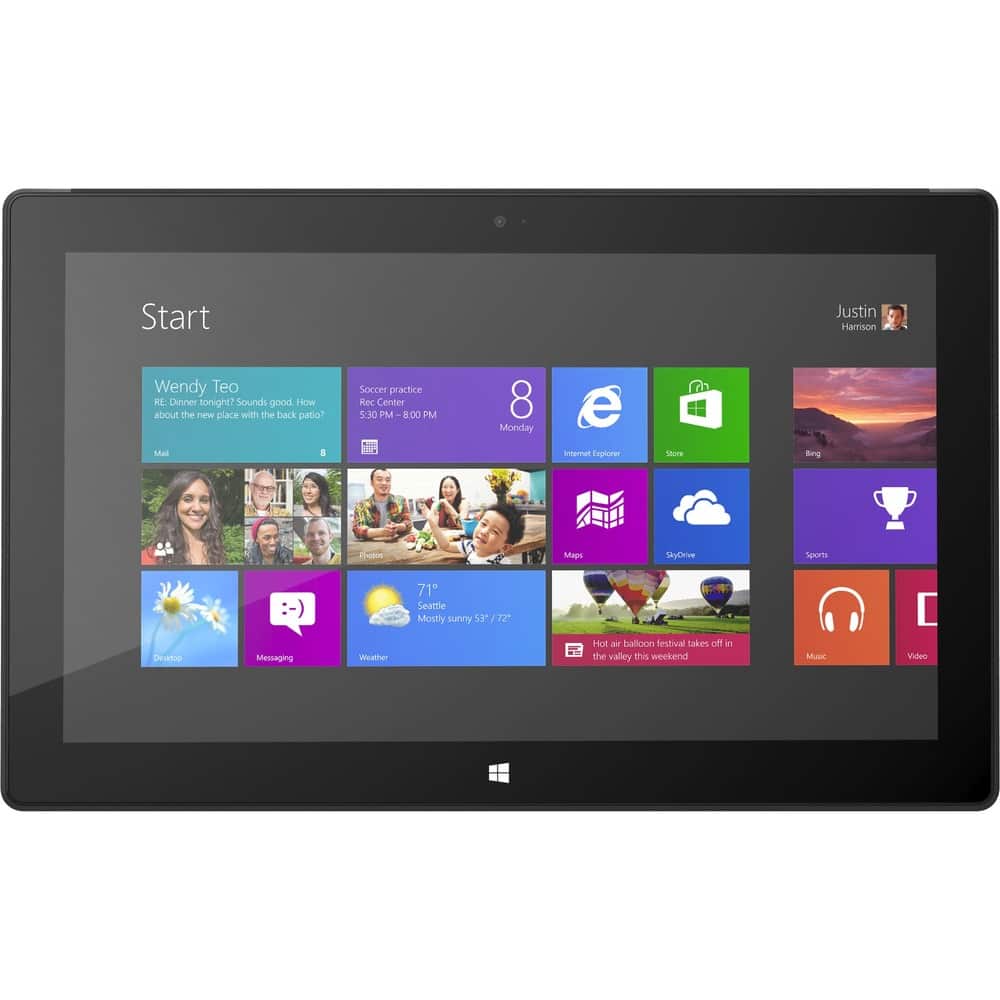
Customers regard the Surface Pro 10.6" favorably for its portability, screen quality, and USB port, with many praising its size and the included stylus. However, significant concerns exist regarding battery life and the device's weight. Some users also mentioned issues with heat generation and the initial price point. The operating system also received mixed reviews.
This summary was generated by AI based on customer reviews.
Rated 3 out of 5 stars
has potential
||Posted .This reviewer received promo considerations or sweepstakes entry for writing a review.i feel that this product couold have been superb. but its not stable and crashes.
I would recommend this to a friendRated 2 out of 5 stars
Not compatable with google devices
||Posted .This reviewer received promo considerations or sweepstakes entry for writing a review.Would work great for people who use only window's products, but for people looking for something compatable with anything else, or for a good app store selection, this is not for you. I had this for about 25 minutes before bringing it right back to the store, and purchasing a samsung galaxy note 10.1
No, I would not recommend this to a friend- Cons mentioned:Battery life, Weight
Rated 5 out of 5 stars
Could not ask for a better "tablet"
Posted .This reviewer received promo considerations or sweepstakes entry for writing a review.The Surface Pro is slick. It literally takes 5 seconds to boot after a shutdown. Yes it is heavier than the RT but by half a pound. If this is the reason why you may be uninterested to purchase, I have hard time to believe this was something you were interested to buy in the first place. That being said, another difference from the RT is the pen. At first I didn't think this would be something I would use often. It is great if writing short sentences like l am doing for this review now. There are 2 drawbacks so far. First, it is not as precise as it should be when pointing at times. Second, it doesn't really replace your finger. For instance it highlights web pages as opposed to scroll up or down the page. In order to scroll with the pen you'll still need to use the scroll bar. One other mention that may not be important to some: seems like Microsoft forgot to design this properly as the place to insert the pen when not in use is the same port for the power cable. Therefore either you have the pen there or you have the power cable there. Regarding the space in the Surface Pro, below are the apps that seem to be taking most of the space. They are actual apps, not categories. Most are things that you can feel free to delete. As an alternative, I purchased a 64 GB micro SDXC Card from Kingston. 1) Travel (195 MB) 2) Finance (95.6MB) 3) Mail, Calendar, People and Messaging (82MB) 4) Games (78.4 MB) 5) Sports (75.4MB) 6) Music (74.8MB) 7) Videos (62.3 MB) 8) News (59.6 MB) 9) Weather (55.3MB) 10) Skype (26.6MB) 11) Photos (22.5 MB) 12) Maps (19.3MB) 13) Reader (16.2MB) 14) Skydrive (16MB) 15) Bing (9.81MB) 16) Camera (416KB) YouTube sometimes doesn’t play properly. I am not sure if it’s when I downloaded Flash. However it also causes errors at times when flipping the Surface Pro from horizontal to vertical and vice versa. The battery does indeed last 4 hrs approximately. This is unfortunate but I recommend reducing the brightness when on battery. This can of course be automatic from your power settings. The camera is 0.9MP (1280 X720) (16:9) and the video records in 720p. If you’re looking for a tablet that can do everything, the Surface Pro may be for you. If you’re looking for just browsing the Internet, I would recommend the RT or another tablet. Surface is wifi only. Do not expect to play all your games for free either Android users. Although there are free apps and games, not all are free like Android. But this more for a Windows 8 review.
I would recommend this to a friend - Pros mentioned:Portability, Processor speedCons mentioned:Battery life
Rated 4 out of 5 stars
Blurs the lines between laptop and Tablets
Posted .This reviewer received promo considerations or sweepstakes entry for writing a review.I was very excited to get my hands on one of these new Tablets. So far my experience has been good but there is definitely room for improvement moving forward. The good - The Surface Pro looks great on paper and in person. It has very impressive specs such as a 128 SSD drive, a 3rd gen Intel i5 processor, 4 GB DDR Ram, a 10 inch touchscreen and a full version of Windows 8. Most of these things are rare for traditional tablets, as a matter of fact they look more like Ultrabook specs than tablet specs. It starts up fast thanks to the SSD drive and because it has a full version of Windows 8 you can load all the productivity software that you are most comfortable with. To be honest I use it more like a laptop than a personal entertainment device. The Bad - For the $1000 (+$200 if you add the keyboard and a 64mb micro SD card) price I could actually buy a very nice Ultrabook that would probably be more functional for me, give me better battery life, and can actually be used comfortably while it rests in my lap. The surface pro suffers from poor hard drive space utilization which only adds insult to injury when the maximum size that you can order it in is 128GB. The device itself is hobbled right out the box because it does not come with a physical keyboard (you have to purchase the Surface Pro touch or type attachment as an add on accessory for $120 or $130 respectively).I Using the on screen keyboard for a couple of days while I was waiting for the Surface keyboard that I ordered left me very frustrated with Windows 8. To me this product is almost unusable without one of the keyboard attachments. Summary - Ultimately I would characterize the Surface Pro as a laptop replacement device. It only weighs about 2 lbs. but it can do anything a notebook with an i5 processor except sit in my lap.
I would recommend this to a friend Rated 3 out of 5 stars
would not pay full price but half is worth it
||Posted .This reviewer received promo considerations or sweepstakes entry for writing a review.It's ok but will never be a primary computing power house
I would recommend this to a friend- Cons mentioned:Battery life, Heat, Weight
Rated 3 out of 5 stars
Is it a portable desktop?
Posted .This reviewer received promo considerations or sweepstakes entry for writing a review.Please let me tell you I do not like mac, I want Microsoft to succeed!!! I am not bias!!! This is my sincere feedback! I found really weird why there are so many GOOD / 5 stars reviews... maybe I am asking for to much... maybe I am use to my desktop... Is it a small All-in-one? Is it a portable desktop? It is suppose to be an ultrabook/tablet ... First impression: Surface pro looks pretty and it doesn't look cheap. As I took it out the box I though "This is heavy", compared to my ipad (in an otter box case), the Surface pro feels pretty heavy, which made me feel worry and later on I confirmed it, I found the length of the tablet too long, although the length make sense with windows 8 IU, when you hold it feels uncomfortable and heavy, I have big hands, and still I need to hold it from the lower edge, resting it on my palm, instead of from the side, in order to be comfortable enough to hold it with out fear of dropping it, and comfortable enough to be able to use my other hand to interact with the screen instead of using it to hold it too. Maybe I am bias, since I have more than one year using an Ipad. The other problem I noticed when I turned it on, the battery was at 50% saying I only have one hour and 10 minutes of battery life remaining... So I started installing all the necessary software for my daily work, while doing that I charged it, I felt it charges quickly, after an hour of installing everything, battery was at ~65%. I laid down on my couch and I started doing my usual work on it, with basically consists on readying pdfs, copying, pasting, cropping pictures, I am heavy duty ONEnote user and It actually felt comfortable for some of the tasks but not for everything, needing a keyboard, I felt uncomfortable using the screen keyboard, since the length of the device is too long, but maybe I just need some time to get use to it. So I attached the type cover, which is very nice, feels good to type on it, I did not have any learning curve, like other users had reported, but yes, this was the TYPE cover not the TOUCH cover. So in this mode you need to sit down on a table, it is worthless to try to use it with the touch cover on your lap. So while I was working sitting, I instantly realized : "the screen is to small!!!I need a bigger monitor!!!" So I plugged to my monitor, and realized "ok this is a portable desktop!" I guess it can be use as a desktop at home, and can be carry around your home, use it while you go to work and then at work, instead of having two desktops(one at office one at home) and a tablet, but then more issues start popping out in my head? Such as the hard drive, which I guess if you use the microsd on the go, and a big external storage hard drive then it is not a problem. Regarding performance, it is very responsive to multitask on, web browsing, video playing is good, sound quality is good, I felt its performance equals the performance of a windows8 ultrabook. The only game I tried was Guildwars 2, at high settings is unplayable ., I think for casual playing is ok, but for best performance you should play on a real desktop. Other big issue, it is noise and it gets pretty warm to hot… You can still hold it without burning your hands… but kind a feels uncomfortable.. Final thoughts: Surface pro, is a laptop that can not be placed on your lap, it can be use on the go as a tablet, but not for a long period of time, for two reasons, battery life and the bulky/heavy design which for a long period of time will make you feel uncomfortable, if you use it as a desktop, quickly your are going to be missing a big screen plus the stronger capabilities that a desktop provides you with bigger storage and horse power for games and video processing. For 1300$(Surface pro + touch cover + microsd + video adapator + taxes) I think it is not worth it, I really want microsoft to succeed, I do not like apple at all, but this is my sincere feedback to Microsoft. For 1300$ I prefer a nice ultrabook with touch, maybe one of the options with dedicated graphic cards...
No, I would not recommend this to a friend - Pros mentioned:Processor speedCons mentioned:Battery life
Rated 5 out of 5 stars
The first usable convertable
Posted .This reviewer received promo considerations or sweepstakes entry for writing a review.Its hard to classify this device as it is in a different category. Its as fast, thinner, has comparable battery life, and lighter than a MacBook Air while priced within $20 including cover. If compared to an iPad 4, it's heavier and has worse battery life but immensely faster and more versatile. If you want to use it as a tablet, change the power settings to Power Saver and you might get 7 hours like me. If you need absolute speed, switch it to Balanced but expect about 4 hours of battery life. Most of the Time, Power Saver works fine but its great to have options. It has its comprises but I love it for the ultimate in power and flexibility. This thing is faster than any other computer I own and feels really solid and well built. Better yet, I didn't have to go out and buy a new printer or special card adapter to get it to work. I can plug in a keyboard and mouse to this with a usb hub and I have a desktop. Hook it up to monitor or tv and I really have a desktop computer. The downside is whatever the reason, supplies are currently limited but I expect that to change. As long as you have reasonable expectations, this is a great way to reduce the amount of gadgets you carry around while still holding onto most of the power, size, and flexibility you want. There is so much more I could say about this both good and some not as good but I will just leave it at very happy with my choice. As for the storage space concerns, there is a great article on the internet about that comparing it to a MacBook Air and it came out favorably when you compared apples to apples using proper math.
I would recommend this to a friend Rated 1 out of 5 stars
I cannot navigate in Windows 8
||Posted .This reviewer received promo considerations or sweepstakes entry for writing a review.My laptop had gotten a nasty virus so I took it to the geek squad. They said it would take a week to fix (another review another time). I needed a computer to log in remotely to my work. I wanted to make the move to a tablet and saw the surface. I had to buy the expensive one in order to have remote access. Windows 8 is the most confusing operating system I have ever encountered. Thank goodness I was able to navigate to a Windows 7-like screen and I can remote from there. But I have had little use for it. I have since gotten my Windows 7 laptop back so now the surface is sitting gathering dust.
No, I would not recommend this to a friend- Pros mentioned:Processor speedCons mentioned:Battery life
Rated 5 out of 5 stars
Great laptop (and kind of desktop) replacement
Posted .This reviewer received promo considerations or sweepstakes entry for writing a review.This is the best device I have owned in a while, and even compared to my desktop this thing is not bad. The dual-core (hyper-threaded for 4 logical cores) i5 processor absolutely zooms, and the Intel HD 4000 graphics card in the processor is actually a lot better than I expected. I installed the following steam games on the device: Mabinogi - 38-67 FPS (avg 42) Left 4 Dead - 29-125 FPS (avg 40) Garry's Mod - 30-300 FPS (avg 61# Left 4 Dead 2 - 24-79 FPS #avg 33# Honestly, I did not expect a tablet to do well at all with desktop games but man, this little thing delivers. The price should be ~$100 cheaper, but this device is still work $999 in my opinion. THE BATTERY LIFE ISN'T REALLY THAT BAD. I made a custom power-saving plan #processor limit set to 50% [which by the way, doesn't make a difference unless gaming, really]#, and I can get 6-7 hours of battery while browsing the web and programming. If I am playing desktop video games and put the power settings back to Balanced I get ~2 and a half hours. Oh and the touch keyboard is easy to adopt and get used to. I typed this entire thing on my surface, using the touch keyboard. I PERSONALLY LIKE WINDOWS 8 and have had it on my desktop since it came out. I don't see why everyone hates on it; windows 8 is fine, and MUCH better for touch than windows 7. It does still have a couple of bugs in terms of the surface #games tend not to like the 150% text size setting#--- but these things may be fixed with an update. Oh, it also works perfectly with my 1080p TV through the miniDisplayPort #I can play steam games on my TV with this thing- cool). Overall, an amazing device
I would recommend this to a friend - Pros mentioned:Processor speedCons mentioned:Weight
Rated 4 out of 5 stars
Laptop/Tablet?
Posted .This reviewer received promo considerations or sweepstakes entry for writing a review.I bought the Microsoft Surface Pro for school and have been using it everyday for the past 3 months. Windows 8 is very good. I wouldn't go as far to say fantastic! But I also wouldn't say the same thing about OSX. They both have their flaws. The Surface is a laptop, not a tablet sort of. It is a hybrid: a laptop in the form factor of a tablet. It is super fast since it runs on Intel's Core I5, Ivy Bridge, chip. It will run any app that you need. Even though the Surface Pro is a laptop, it isn't exactly usable in your lap due to the integrated kickstand. But on a desk it is great! Now for the tablet part. The tablet is a little heavy to be a tablet, but you have to consider this is a laptop. The Windows 8 ecosystem has not become the great tablet operating system it needs to be...yet. It will get there as more people upgrade their systems seeing that Windows 8 is built for touch. If you want that perfect machine of laptop/tablet hybrid, its not out there yet, but this is as close as you'll get. I would suggest something like a Samsung or HP laptop and the Nexus 7. they are both so light and are cheaper combined. This is still a fantastic product and I would still recommend this to my friends, actually I have.
I would recommend this to a friend - Cons mentioned:Battery life, Weight
Rated 5 out of 5 stars
Microsoft has delivered a high quality tablet.
Posted .This reviewer received promo considerations or sweepstakes entry for writing a review.Microsoft has delivered a truly great device. The user interface and included news, sports, social etc... apps in Windows 8 really shine on the Surface Pro. Artists: This is a dream tablet. Get a copy of Sketchbook Pro or Fresh Paint and go to town. It's fantastic! Even Gabe (of Penny Arcade fame) loved the device. I find it funny that a Microsoft product could well become the creative tablet of choice. Note: Photoshop and Painter DO NOT have pressure sensitivity... YET. Microsoft and Wacom are reportedly working on it. Gamers: The graphics card on the surface pro is NOT going to compete with what you might have in your desktop. However, with a few in game graphics tweaks and lower resolution settings I was able to run Bioshock via Steam and World of Warcraft really well. Those are the only two PC games I tested but it played them great. Professionals: The weight (when trying to use it as a tablet) and the battery life of the Surface Pro might be a small hindrance. The Surface Pro DOES NOT come with Microsoft Office. However, if you have a copy of office you can install or are subscribed to Office 365 it's really great. The ability to annotate documents and take hand written notes is one of the greatest features of the device. I have even made Word templates using the company letterhead to take client notes during meetings. Once the meeting is over I export them to pdf and mail them to the entire development team. Awesome! Cost: If you compare the $999 Surface Pro to the $799 iPad 128, I truly believe that the Surface Pro wins hands down. It is far more powerful and versatile than any of the current iOS devices for an extra $200. Problems: The biggest issues the Surface Pro has are the weight, battery life, absence of Office and no keyboard cover is included. When it comes to battery life, I typically get 4 or so hours per charge. I bought an extra power cord so that I can plug it in on my desk and that seems to have solved that issue. Just make sure to have it charged up before going into an extended meeting. As I mentioned before, the Surface Pro weighs more than an iPad. At times my arm has gotten tired while using the device to read or browse the internet etc... Microsoft should have included Office and the basic Touch Cover with the device. Having to pay for Office as well as $120 to $130 for a keyboard cover starts to put you into the $1200 range. That is expensive. Even though it's pricey, I REALLY recommend that professional user pick up Office and a Type Cover for the device. They are both superb on the Surface Pro!
I would recommend this to a friend - Pros mentioned:Processor speedCons mentioned:Weight
Rated 5 out of 5 stars
The First True All-Inclusive Device
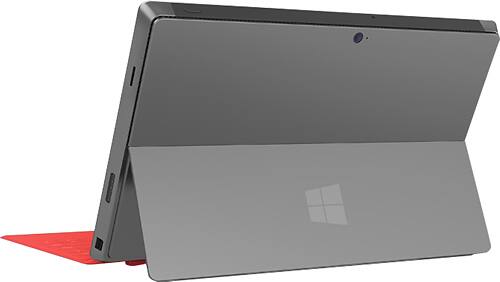
Posted .This reviewer received promo considerations or sweepstakes entry for writing a review.The Surface Pro is the first device to truly span all areas of technology, and productivity in general. I had been following the Surface Pro for months before release, but was even more impressed with the final result than I had expected. I purchased a 128GB Surface Pro, Touch Cover, XBox-to-USB controller, HDMI adapter and cable, and a 64gb SD chip, because I have to say, this product's strongest point is its unlimited versatility. With the Touch Cover folded back, it has replaced all of my notebooks. Now I just use a OneNote notebook file. I have separate tabs for each of my classes, and within each class tab a list of tabs for each separate day of lecture notes, syllabi, and assignments. Porting the PDFs directly into my OneNote notebook, writing my notes all over them, and having the file save automatically has been insurmountably helpful. My grades have actually increased dramatically as a result due to the increased organization and ease of studying and note taking through the tablet. Snap the pen back onto the side and the SP is a functional tablet. Yes, it's a tad heavier than an iPad, and I'm looking forward to having more MS apps, but this is a trade that I will make for the power and functionality of a laptop within my tablet any day. You can even download BlueStacks and import Android apps to your heart's desire if apps are a big deal. Kick out the stand, plug in the XBox controller, and I've got an XBox on the go! I've spent hours playing Super Meat Boy, Skyrim, Civ V, and an assortment of other games on my SP. Between the third-gen i5 processor and SSD, this little guy can run some pretty powerful programs when it's working full-tilt. Bring out the keyboard and I've got a sleek and snappy laptop. The Surface Pro is a wonderfully fast system to work with, I've never felt like I needed to slow down or close a few windows because I'm being too demanding on the little guy. Also, the ability to run literally any program that I used to on my laptop, from CAD software, to games, to Photoshop, is simply incredible on a two pound system. Plug in the HDMI cable and the SP will be your new desktop. A wireless or usb mouse+keyboard combo and you're good to go. I've hooked my SP up to computer screens and TV's alike for this set-up and it's a seamless and effective solution every time. Critics have definitely been overly negative when reviewing this amazing system. Battery life has yet to fail me. I average 4-5 hours running time regularly and can get 6-7 no problem via battery saver. Battery has always lasted until I can reach an outlet, and is actually substantially better than that on my 3-year old Vaio. Windows 8 is a great OS for the Surface, the touch-optimized interface is very fluid and there are a few other perks (such as an improved Task Manager) that I have really come to love. It's definitely an OS designed for hybridized systems such as this one, and I'm not sure if putting it on desktops and non-touch laptops was a good idea, but it's beautiful on the Surface. I would recommend this system to anyone that can make use of all the different functionalities. It won't replace your gaming PC, but anything short of that it will blow out of the water. If you just want a laptop, get a cheap $450 i5 with a HDD. If you want a system that replaces everything from your laptop to your tablet to even your notebooks, pens, and pencils, the Surface Pro is a perfect solution.
I would recommend this to a friend - Cons mentioned:Windows 8
Rated 1 out of 5 stars
Windows 8 needs more work. I returned it.
||Posted .This reviewer received promo considerations or sweepstakes entry for writing a review.I guess I expected too much. I expected it to actually be useful. Windows 8 needs a lot more work before it will be of any value.
No, I would not recommend this to a friend - Pros mentioned:Screen qualityCons mentioned:Weight
Rated 3 out of 5 stars
Could be better
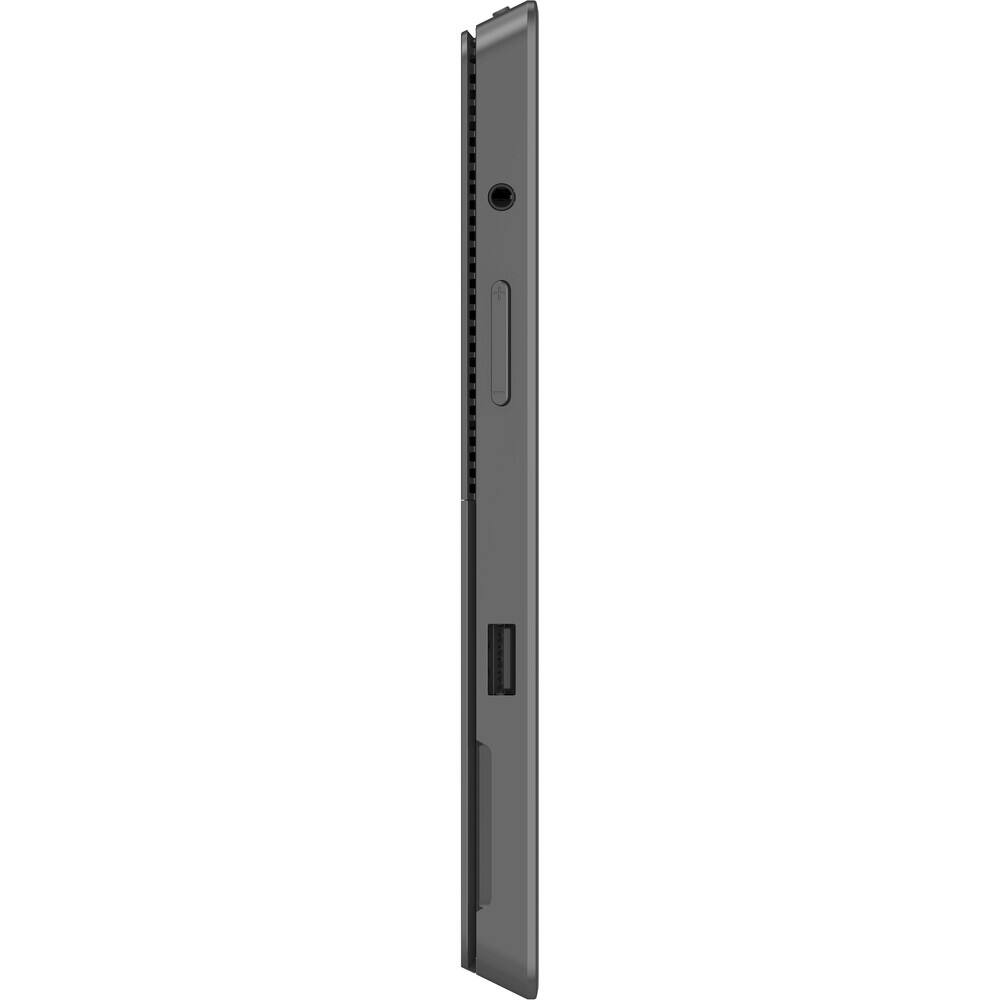
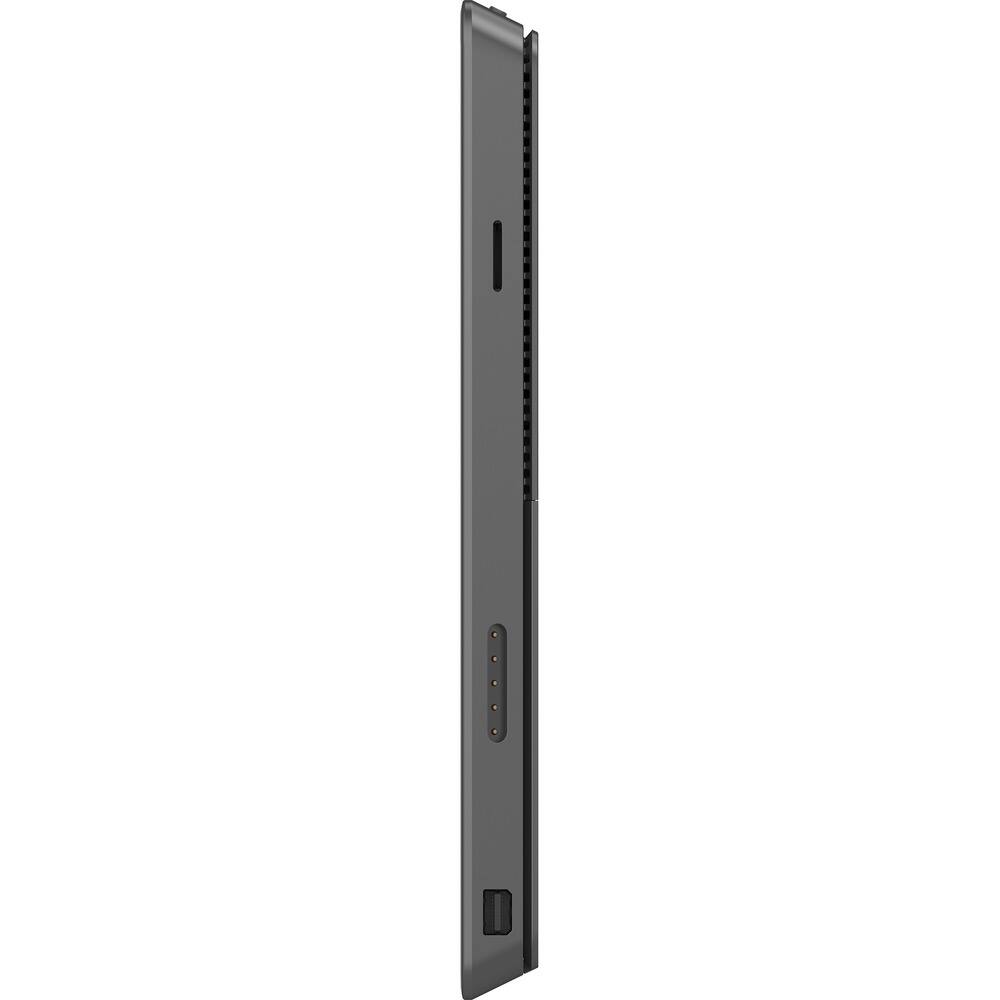
Posted .This reviewer received promo considerations or sweepstakes entry for writing a review.I bought the Surface Pro so I could develop and test Windows Store apps in Visual Studio. I was concerned that, at 4 GB of RAM, it would underperform when debugging, but it performs as well as my desktop development environment. The screen is just-big-enough and graphics are very sharp. Except for smaller icons, the touchscreen is responsive and accurate. I opted for the "real" (tactile) keyboard and am happy with the choice, except for the overly sensitive TouchPad, which I am probably going to disable via a third party app. It's frustrating, but common, to be editing a document and have the cursor jump elsewhere because I got my thumbs too near the TouchPad. Because of the TouchPad problems I opted for a wireless mouse, and this makes the glaring omission of extra USB ports really obvious. The receiver for the mouse occupies the lone USB port, making it necessary to buy a hub if additional devices (like a full keyboard for home use) are desired. Also missing is an Ethernet port, so you're stuck with wireless networking only. If you're planning on using the Surface at home and want the speed and reliability of a wired Ethernet connection, you're out of luck. Why might this be an issue? Well, there's no CD/DVD drive on the Surface. In order to install all of the Microsoft software I already own (Visual Studio, Office, etc.) I had to put the installation DVDs in a desktop computer and share that computer's drive on my home network, then access the drive via the wireless connection. S L O W... Compared to iPad and Android tablets I've owned, the Surface is a bit heavier, and the beveled design makes it a little more uncomfortable to hold for long periods of time. Still, it's not bad enough to be a deal breaker. This is a nice first attempt by Microsoft. The quality and ease of use of an iPad or Android tablet isn't quite there yet, but the ability to run all the Windows apps I already own on a mobile platform makes up for the problems.
I would recommend this to a friend - Pros mentioned:Processor speedCons mentioned:Weight
Rated 5 out of 5 stars
Outstanding first effort
Posted .This reviewer received promo considerations or sweepstakes entry for writing a review.I've carried a couple of different slate PCs since mid-2011. Surface Pro is easily the best I've used. The first thing you notice when you take it out of the box is how fast it is. It takes only 10 seconds to cold boot! The kickstand and optional covers are a major value add and reduce the number of things you need to lug in your bag every day. While some complain about the weight, you have to think about it in terms of what the machine does. This is no tablet, it's a PC shaped like a tablet. I don't carry a laptop, tablet, or paper notebook anymore - only the one PC that does it all. It's not limited to just the workforce though. The i5 processor and 4GB RAM is enough to replace a laptop for casual users and even handle some gaming. It's no high-powered rig that's going tear through the latest games on ultra-high settings, but, it's no slouch either. I attached a video of mine running Counter-Strike: Global Offensive. The price, while somewhat high, is reasonable. When you consider the cost of other devices with Wacom digitizers built it, it's actually a value in some ways. Once people wrap their heads around what this system really is, they understand that it's not in the same category of those other devices people tend to compare it against because of its shape. Look around for videos of things Surface Pro can run, like Visual Studio, there's a reason it's call Pro!
I would recommend this to a friend - Cons mentioned:Weight
Rated 1 out of 5 stars
Too fragile
||Posted .This reviewer received promo considerations or sweepstakes entry for writing a review.The advertisement of the product made it seem durable and lightweight and easy to use. I found NONE of that to be true.
No, I would not recommend this to a friend - Pros mentioned:Portability
Rated 4 out of 5 stars
The best of both worlds...without the Borg
Posted .This reviewer received promo considerations or sweepstakes entry for writing a review.This is the 5th computer I've bought in 2 months and it's finally the product I've been looking for. As a student, I wanted something portable and small that I can bring to class and throw in Jack Wolfskin satchel, but I'm also a gamer and wanted to play StarCraft 2 and Diablo 3. Netbooks weren't powerful enough, a full blown 15" laptop was too big, and as soon as I encountered Windows 8, I knew that I needed something with touch. For the first time in a very long time, Windows has pulled off something incredible. I can game #albeit with the settings on low#, I can use Microsoft Office with ease, and I can bring it with me to church as a tablet to access my scriptures. The kickstand is such a blessing- you can set it up on the kitchen counter when you're cooking, on a table top when you are giving a presentation in class, etc. The stylus that comes with it is super helpful for taking notes in class that the professor draws on the board that are hard to type. Built in camera and microphone are great. All the modern aspects of Windows 8 are fun, easy and useful #Metro, swiping gestures, etc.# but everything that remains of Windows 7 and the classic operating system is a pain to use without a mouse. Even though you get the best of both worlds #Tablet, and Laptop#, it can also feel like the Surface is trapped in two worlds #Windows 8 and the classic desktop# and the device is confused about what it is. I hope they phase out the old desktop, while letting you still use desktop applications and make the file explorer part of the modern system, instead of the old. There are some weird moments where the onscreen keyboard won't come up when I need to use it to type stuff in. The mouse will randomly disappear and won't come back unless I detach and reattach the type cover . I made the mistake of putting my Surface in my bag for 1 day without a sleeve and the back of it is pretty much messed up for life #scratched#. There is a very thin layer of charcoal paint over the metal casing which easily wears off if you don't have protection. Don't bother with the touch keyboard, go for the type. I wish the type cover had an option to skip forward or go back with any media instead of the relatively useless "share" and "devices" buttons. Magnetic power cord always awkward to plug in. I'm hoping for a more expansive option of modern apps.
I would recommend this to a friend - Pros mentioned:Processor speedCons mentioned:Battery life
Rated 5 out of 5 stars
Better than a tablet or laptop, better than RT
Posted .This reviewer received promo considerations or sweepstakes entry for writing a review.So far it rocks. Much better experience than the RT. The pen rocks, but sometimes is a little sketchy (when clicking/tapping screen) it seems to be off by a couple milimeters here and there if you're not very straight perpendicular to the screen..I'm sure drivers will fix this eventually. As a note on battery life, if you turn a new unit on, it will last 3.5-4 hours. If you change the Performance Options/Visual Effects to 'Adjust for best performance' and then tweak the power options (change cpu max to 10% which is still faster than all ARM chips) you can get 6.5-7 hours. As I tried this I noticed that it keeps the cpu at a lower speed, but I think it's bugged right now as it won't go below .78Ghz. Even at this speed, I didn't notice any slowdowns browsing the net/playing videos/general use. Though it does slow my XP mode vm within a 7 VM (virtualbox).... But very tolerable even then.. It's very nice to be able to use all my IT tools finally on a tablet. I didn't get a keyboard because the handwriting recognition is great, and I also plan to use the voice recognition.. As some say the battery doesn't last, well, that's mostly correct, but if you're looking to replace your desktop, this won't play all your favorite games, but if you mostly do web browsing and entertainment, this will handle that and I would consider it overkill... Never seen this kind of performance from a tablet though. I'll definitely be supporting the Surface efforts by Microshaft as they revise them. Very happy this is finally here as I'm a developer/IT guy. Oh, and the speakers are much better than the joke speakers in the RT
I would recommend this to a friend - Pros mentioned:Processor speed, Screen quality
Rated 5 out of 5 stars
incredible tablet/laptop hybrid
Posted .This reviewer received promo considerations or sweepstakes entry for writing a review.I'll start by saying that the Surface Pro cannot really be compared with anything out there on the market. Yes, it is a tablet, but it's also a full-fledged Windows laptop. To compare it to an iPad or Android tablet would be completely wrong. That said, the best thing about the Surface Pro is that it tries very hard to be the best of everything - both as a tablet and as a laptop. On most levels it succeeds. As a laptop, I can do anything on this device as I can on any other Windows-based PC, with the added benefit of touch and pen. It is powerful enough to work on large Excel files, PowerPoint presentations, even photo editing. Video works great. I have used it as my travel laptop for several weeks and never missed out on anything. The Surface Pro is a good quality, solid piece of hardware, something you would not expect out of Microsoft - who really surprised me with this computer. As a tablet, it works terrific in the Metro interface. Frankly I detested Windows 8 at first, but after attending a free workshop at a Microsoft retail store I was surprised at how easy it is to get around. If you miss the old Start button, there are plenty of free third party tools that will return the button. Tablet apps from the Windows store are fast and many are very good - however my biggest gripe is there are very few decent apps out there. Many of the apps are lousy and some laughable. But I think that will change over time. Apple need not worry about competition from MS or Google in this regard, but as a tablet, the Surface Pro works quite well. As far as the complaints about battery life, I get nearly 5 hours out of a charge. That's about what I would expect from an i5-based laptop. So I don't see that as a show-stopper. Other than that, screen quality is great, sound is decent, and it's quite fast. No problems with storage (I bought a 64GB microSD card and have hardly used it) so I still have plenty of room on the 128GB SSD. Don't let the critics and the naysayers sway you. Take it from a power user - the Surface Pro is a winner.
I would recommend this to a friend Rated 1 out of 5 stars
Microsoft Surface PRO
||Posted .This reviewer received promo considerations or sweepstakes entry for writing a review.I returned it after three days. The only reason the Surface PRO is considered a "tablet" is because of its size. It cannot get onto the Google Play Store, or the Apple Store for Apps. You have to use the Microsoft Store which had just about nothing that I use. You cannot use a phone plan to get on the internet with it (every other "tablet" can do this). It is heavier than a tablet. To me, it was an over-priced laptop with half the memory.
No, I would not recommend this to a friend