Customer Ratings & Reviews
- Model:
- 9UR-00001
- |
- SKU:
- 7952262
Customer reviews
Rating 4.5 out of 5 stars with 1360 reviews
(1,360 customer reviews)Rating by feature
- Ease of Use4.5
Rating 4.5 out of 5 stars
Customers are saying
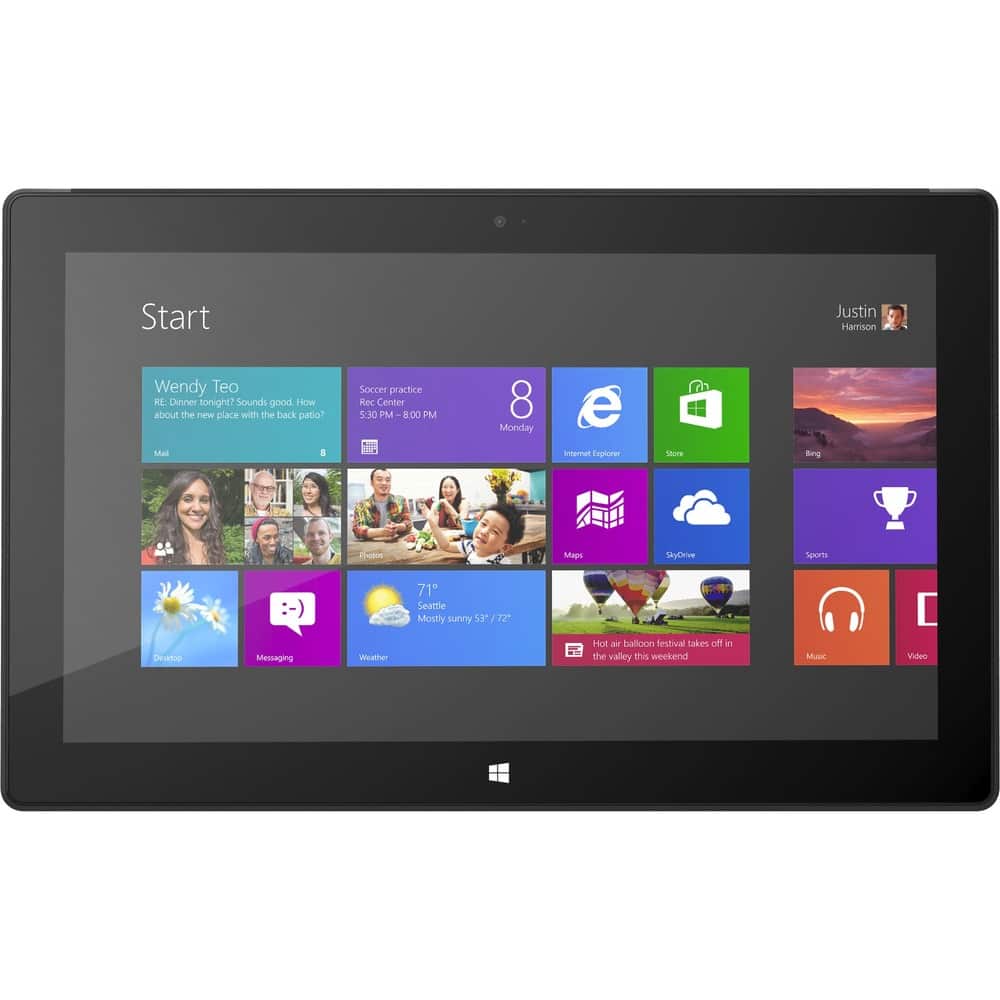
Customers regard the Surface Pro 10.6" favorably for its portability, screen quality, and USB port, with many praising its size and the included stylus. However, significant concerns exist regarding battery life and the device's weight. Some users also mentioned issues with heat generation and the initial price point. The operating system also received mixed reviews.
This summary was generated by AI based on customer reviews.
- Cons mentioned:Battery life, Weight
Rated 5 out of 5 stars
Great for work laptop and tablet.
Posted .This reviewer received promo considerations or sweepstakes entry for writing a review.I have a Surface RT which I use for Email, social networking, web browsing, and watching videos, but it can't run Windows 7 and earlier applications, but this Surface Pro can, which is why I bought it to replace both a home desktop computer and my work laptop. It is well known that the Surface Pro doesn't have as much battery life as Surface RT and it is about a half a pound heavier, but the fact that it runs Windows 7 and earlier apps, such as Quicken, full versions of Office products, and it's able to join a domain, etc.
I would recommend this to a friend - Pros mentioned:Portability
Rated 5 out of 5 stars
All Pros...No Cons
Posted .This reviewer received promo considerations or sweepstakes entry for writing a review.This is actually my second windows slate computer. I previously owned an Asus EP121. I chose to upgrade to this computer because of the penabled screen and 128gb hard drive. It is awesome. I use it with the TypeCover to protect the screen and improve the functionality. Windows 8 is very easy to learn and if anything, I find myself more productive because the touch gestures on the screen are very fluid. There is nothing you cannot do in Windows 8 that you could do in Windows 7. The only difference is now instead of a start button you have a start screen. Compared with my old computer, the monitor is higher resolution but smaller. I would like it to be bigger, but then it wouldn't be quite as mobile. Also, the charging area is used to charge and hold the pen, so there isn't a place to store the pen while it is charging. Regarding apps, the Windows Store may be missing a few, but there is generally a better webpage available to run the app anyway or a desktop program available that does a better job. For example I use SoundForge for audio editing or Photoshop for photo editing which are both much more powerful than an "app."
I would recommend this to a friend - Pros mentioned:Processor speed
Rated 5 out of 5 stars
great product at a great price
Posted .This reviewer received promo considerations or sweepstakes entry for writing a review.I love how much you can do with this. It has the full Windows operating system so I can use all the programs I am used to and need. But it also is a compact tablet. I had been looking at other options that had lesser processors and so forth and was about to buy one of them when the price on this one dropped and I jumped on it. I do not regret it one bit. I have even been able to allow my daughter t have her own account on here also, since it has the capability to use microsd and usb and she can put all her information on those instead of using the hard drive. And with Sky/drive integrated the way it is, the 128gb is more than enough. I waited until I had it for a month to write the review, to see if there were any hiccups with it or anything, but as I said before, I do not regret my decision at all. It is exactly what I was looking for. Some people have initially said I spent too much and say I should have bought something that cost less, but when I point out all I can do with it, they understand my reasoning. It has all the apps I need (and more are being added daily), is fast, looks great . . . It is exactly what I need.
I would recommend this to a friend Rated 5 out of 5 stars
Excelent for students and professionals
Posted .This reviewer received promo considerations or sweepstakes entry for writing a review.I love this surface pro. I use this for everything. I installed visual studios and now can program from this tablet. I no longer use my laptop. I always take notes with the pen directly onto power point slides or OneNote, all while recording audio of lectures. Apps are no longer an issue since you can download blue stacks which will give you access to all the apps on google play. The app store has quality apps that feel good on tablet. NoteEverything is a free app which is Awesome for note taking on PDF's or in general. OneNote is awesome for note taking with pen or keyboard. The pen is extremely accurate and palm recognition makes taking notes real easy. The only problem is that it tends to get warm then the fan kicks in which sometimes can be annoying. Battery life is similar to a laptop, about 5 hours. I don't mind because you get so much power and speed that it's easy to overlook the cons. Funny how everyone checks out my surface pro. It's just a beautiful machine. Camera isn't as good as my Asus transformer, but the video is decent. The pros outweigh the cons to where you learn to live with cons. Windows 8 is easy to figure out. When I use my android Nexus 4 phone I often try to swipe as if it were windows 8. So you get used to it and even start to prefer it's swipe gestures. #Salesman said they were going to release an update that will increase the battery life and decrease the graphics power. If true, I'm all for that. If you are a gammer, then play xbox360 or PS3 on a big screen tv. Why do you want to play call of duty on a small tablet? #Spend the extra $100 to get the 128 gb. I think windows 8 takes up 20 gb of storage by itself so if you get a 64 gb your going to have to budget your memory consumption. #Buy the type cover. The buttons feel just like a laptop and it serves as protection for your $1000 investment.
I would recommend this to a friend- Pros mentioned:Screen qualityCons mentioned:Battery life
Rated 5 out of 5 stars
Just What I Was Looking For
Posted .This reviewer received promo considerations or sweepstakes entry for writing a review.This is a full blown computer in tablet form. I was looking to replace a 10 year old desktop with the newest technology. This has it all. Very portable. Great screen images. Wonderful keyboard. Excellent WIFI performance. Prints wirelessly. Best Buy staff have been most helpful. Battery life is relatively short but this is a full powered computer; it is reasonable for it to use a lot of juice. Previously I had bought the R/T version of the Surface and it was not up to what I wanted to do with it.
I would recommend this to a friend - Pros mentioned:Processor speedCons mentioned:Weight
Rated 5 out of 5 stars
Excellent Purchase
Posted .This reviewer received promo considerations or sweepstakes entry for writing a review.I use the Surface Pro for work. I work from home, and I travel twice the month. It is a great tablet laptop. I had an IPAD and frankly it was not up to par with my demands. I rely heavily on word, excel and other Office features. The Surface Pro is simply a compacted computer that runs as fast or faster than most laptops. I bought the cover keyboard, and added a full screen to it. Windows 8 is great (I cannot believe the amount of complaints out there). It takes just a couple of hours to get used to it. Setting it up was a breeze. Apps are light as of now, but I do not rely that much on aps. I am having a bit of an issue with the sound for it is not coming out in stereo. Also, SP is a bit heavier than the IPAD, but way lighter and smaller than laptops which it is what the SP is. Incidentally, Microsoft support has been very good. I strongly recommend purchasing the Surface Pro 128....
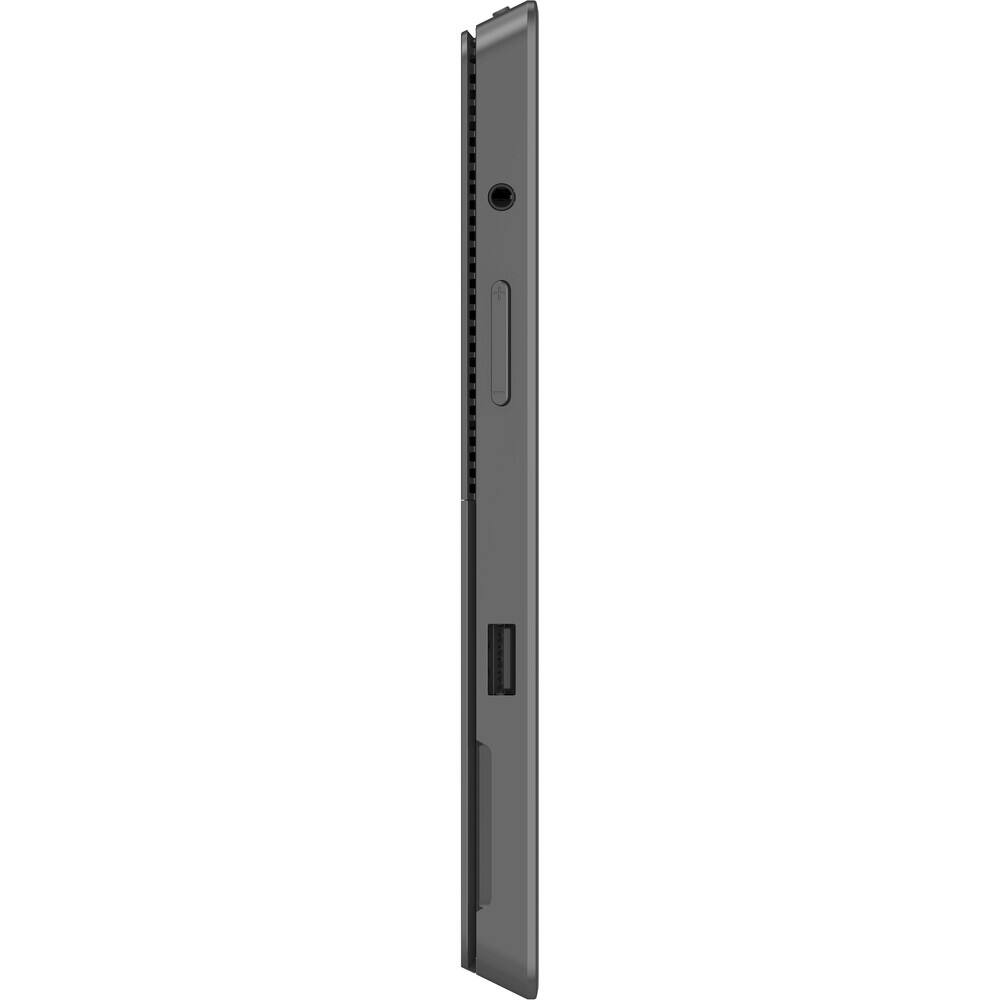
I would recommend this to a friend - Pros mentioned:Usb port
Rated 5 out of 5 stars
Best of its Class
Posted .This reviewer received promo considerations or sweepstakes entry for writing a review.If anyone is on the fence about purchasing a Surface Pro, let me put your mind at ease by affirming that the system is fantastic! As an iPhone user and Apple fan, this statement should carry some weight. Here's my initial impressions of the product: Windows 8 was built with this device in mind and the touchscreen is fluid, natural, and intuitive. Everything is classy, simple, and innovative - including the magnetically connected keyboard, charger, and even the simple, but effective packaging. Gone are the humongous manuals and in their place are simple inserts explaining gestures and common questions. Windows 8 operates seemlessly and I was easily able to download iTunes onto my tablet and use it as my main synching computer for my iPhone. Since the iPad doesn't have a USB port or the ability to download software (besides Apps), this simple task would be impossible to accomplish on an iPad. In conclusion, Microsoft has created the perfect hybrid combination of tablet and laptop with the Surface Pro. Apple's geniuses had better take note, because Microsoft is stepping up their game!
I would recommend this to a friend Rated 1 out of 5 stars
terrible did not work
||Posted .This reviewer received promo considerations or sweepstakes entry for writing a review.terrible product did not work returned it never buy this
No, I would not recommend this to a friend- Pros mentioned:Usb port
Rated 5 out of 5 stars
Love the thing to death!
Posted .This reviewer received promo considerations or sweepstakes entry for writing a review.I had my doubts when it was first launched. Usual microsoft "FLash" was what come to mind, boy was l wrong. This has consigned my Laptop to a glorified games machine. With windows Pro 8, all updates, Office Home & Business 2013 I still l have 85GB of HD left. I then added a 64GB microSD card for non-cloud based storage. Combine the fact that it also has a full 3.0 USB Port & storage should never worry you. As for using it in the office, you can connect a 3.0 hub, add external storage, ethernet, full keyboard & mouse. You can over connect to a monitor using the micro HDMl. Okay, enough prevarication, go buy one. Road Warriors won't be disappointed!
I would recommend this to a friend Rated 5 out of 5 stars
What an amazing machine!
Posted .This reviewer received promo considerations or sweepstakes entry for writing a review.After checking Best Buy's online inventory for a store near me to finally have a 128 gig version in stock, that day finally came yesterday. As with all my reviews I like to talk about what I find to be the good, the bad, and the ugly - however with this device I'm hard pressed to find anything bad to say. I've given the Surface Pro a good 24 hours’ worth of use and have installed a ton of software to test it out. I was actually very surprised. Let’s get the bad out of the way: * I'm going to need a keyboard and mouse for sure. Of course the Surface keyboard I want is out of stock so I'm going to wait, but there are too many apps and programs out there that won't let you get to the on screen keyboard or need a mouse to select. This is especially true with games. This really isn't a bad, but do yourself a favor and pick up a mouse and keyboard when you pick up your surface. * You will probably need a USB hub. Again, this isn't a shortfall of the device, but most people will have more than one USB type device needing to be connected. This was my case as I don't have the Surface keyboard yet and needed both mouse and keyboard connected. Now let me get into some of what I really like!! The screen is so vibrant and clear that I am amazed this is not a retina type display. I compared the same picture, high definition, on my iPad 3 with the Surface and simply could not tell any difference. Love it. Personally I love Windows 8. I think most people who don't like it don't like it because there is a small learning curve to be able to do what they were doing with Windows 7. Windows 8 works so well on the Surface. Okay, so all of this stuff is good, but how does it run GAMES!?! I'll only talk about games, because if it can run a decent game it will run business and photo programs easily. I tried four games so far to see what kind of quality I could get while keeping it at a frame rate that allowed me to play. All games I tried I made sure were running in 1920x1080 resolution. The first game I tried was: World of Warcraft - runs absolutely flawlessly and at top settings. Even in areas where people like to hang out I noticed no slowdowns. Was actually kind of exciting to think about taking my next family road trip, making my iPhone 5 a hot spot, and playing some WoW as we go down I-4 (wife driving of course lol) Diablo 3 - I was just so surprised it ran so smoothly. It looked and played amazing! Even the touch screen worked! I did tweak the settings a little, but I set everything UP and not down. You won't hit max ultra-settings, but I got pretty darned close and could tell zero difference over my Alienware computer. Guild Wars 2 - Again a flawless experience. Ran smooth and without a hitch. Setting level was custom, but I'd rate it at about medium high settings. On all the games tweaking shadows seemed to make the best differences, but again on all the game they still looked beautiful! Skyrim - I almost didn't include this game in this review because normally I run this on a screaming Alienware computer and as such I have loaded it up with all the add-ons I could that increase visual quality so my version of Skyrim is like a super version BUT OMG it ran and ran well on custom setting just a little better than low settings and it still looked AMAZING! Was not super smooth frames 100% of the time, but playable. I think I'll disable all the add-ons (about 80 of them) I use and try it again. My wife and I are both big Apple fans and want to take nothing away from Apple, but Microsoft just upped the bar. Some people list the price as a con, but I can't see it that way - it is a computer. I have a 2011 Mac Mini with an Intel i7 and Radeon graphics and these games don't run as well and I paid more for it. The device does get hot, but after testing some games on the iPad and my Wife's traditional laptop it is nothing out of the ordinary as they all got pretty warm. Overall this is simply an amazing device. If you are in the market for a tablet this is the one to get. If you need a laptop this is the one to get. Hope this helped! Feel free to ask questions in the comments if you have something specific you want tested or want to know.
I would recommend this to a friend- Cons mentioned:Battery life
Rated 5 out of 5 stars
Best money I have ever spent!
Posted .This reviewer received promo considerations or sweepstakes entry for writing a review.I teetered between purchasing the Surface Pro or the MacBook Air for about a month. A co-worker of mine had just purchased the MacBook Air, so I was leaning towards getting that, however as an engineer I work with a lot of windows only software. I accepted my fate, and bought the Surface. Upon unboxing the Surface I was skeptical. I instantly compared it to the MacBook Air, so I noticed all of the Surface's flaws. The stylus kept falling off, the track pad was tiny, it had some resolution quirks, the battery life was terrible, it didn't sit on my lap well, and there was no way to neatly wrap the power cables. Over time, however, surface grew on me! I took a trip out of the country, and put it to the test. I was amazed at what I was able to do with the Surface. While out of the office I readily kept up with my e-mail, put together CAD drawings, ran some energy simulations, built a website and even created some artwork for it using Adobe CS6. In meetings I found myself using notebooks less, and less and Microsoft One Note more and more! Do not be fooled. The Surface is not just a tablet; it is so much more. It's great for content creation as well as consumption. You basically get an ultrabook, wacom, and a tablet all crammed into a tablet form factor! Now my co-worker tells me he wishes he had gone with the Surface instead of the MacBook Air!
I would recommend this to a friend - Cons mentioned:Battery life
Rated 5 out of 5 stars
Exactly the hybrid I was looking for!
Posted .This reviewer received promo considerations or sweepstakes entry for writing a review.I have completely replaced both my Laptop and my iPad with the Surface Pro 128 and am now able to do what I needed both for on one device! As the only "Tablet" on the market that can run every Windows program you want/need, nothing else can even compare. As a "Laptop", being able to detach your keyboard and go ultra mobile is extremely liberating. I've seen complaints about battery life but, honestly, after having an iPhone I've learned to carry charging cables with me everywhere. I simply have extra chargers (One for my Office Desk, one for my backpack when I'm commuting or working at client sites). I've found that 4-5 hours of work time is more than enough time to do anything you need away from a charger so this isn't even an issue for me. If you're on the fence, this is a home run!
I would recommend this to a friend - Pros mentioned:PortabilityCons mentioned:Heat
Rated 5 out of 5 stars
One of the best tablets out their.
Posted .This reviewer received promo considerations or sweepstakes entry for writing a review.This is a great tablet. Because of the solid state hard drive it boots up within seconds. Fairly easy to figure out. Now I love windows 8.1 on the surface but I can see how people hated it. This is an OS that was made for the touch screen. Now my only problems are that it runs really warm. Also the stylus for writing text does not do very well. It still needs some work. I could not get it to recognize B, C, and I. It kept putting random letters in. Beyond that this is the best tablet out there for the money. If you are looking for a hybrid tablet laptop this is the machine for you.
I would recommend this to a friend - Pros mentioned:Screen quality
Rated 5 out of 5 stars
this has my Ipad friends regretting thier purchase
Posted .This reviewer received promo considerations or sweepstakes entry for writing a review.so far there is little bad about it. this is a top of the line laptop, and the fastest tablet on the market. the half a pound that its heavier then other 10" tablets is offset by the wide screen design. Windows could use more apps, but with all its programs it does more then anything out there. If you haven't used windows 8 yet you are missing out. Also with this being an actual computer it goes to the real internet not all those mobile cites that are missing tons of info. and yes it goes to the real page faster then the pads go to the mobile cite. people say it should have mobile service, but its cheaper to wifi your phone and just as fast, plus that keeps it from being obsolete when mobile gets better like all the 3g ipads out there All and all I will be buying another for my nephew for college!!ITS AWESOME
I would recommend this to a friend - Pros mentioned:Processor speed, Screen quality
Rated 5 out of 5 stars
Slick tablet I am impressed....
Posted .This reviewer received promo considerations or sweepstakes entry for writing a review.Long time iPad user. That being said I did try the RT took it back decided I need full windows compatibility. So far I am impressed with the Pro snappy performance runs Solidworks like a champ. Love the Type keyboard allot great feel.
I would recommend this to a friend - Pros mentioned:Screen quality
Rated 5 out of 5 stars
One of the Best Tablets available
Posted .This reviewer received promo considerations or sweepstakes entry for writing a review.This is a fantastic tablet. I was waiting to buy a REAL tablet which would allow me to do more than surf the internet, play games and listen to music. It is very powerful and quite capable of running the applications which I need. I am running Adobe Photoshop, Adobe Illustrator and will be installing an older version of Office. It runs these applications with no problems at all. The minor applications of course run with ease. I am running Nikon Camera Control Pro 2 and able to tether my Nikon camera and take pictures so this really provides the functionality I was looking for in a portable COMPUTER which I can easily take with me on camera shoots and connect my camera to. I am easily able to Remote Desktop into other computers and work on them if required. It is taking a while to get used to the touch screen and using the stylus. I wish it came with a pressure sensitive stylus. I wish the type cover was less expensive, but it acts as both a keyboard/mouse as well as cover so I guess I should not complain. I wish the memory was user upgradeable. The iPad is a toy with minimal real life usage for me. The Android tablets are a little better but Android drives me nuts with the upgrades and lack of backward compatibility. This tablet has a powerful processor and is a major step to the future of what we will all be running. I will be using this for many years to come and feel that the build quality will give me a very long lifespan. I really like the screen resolution. It provides an excellent screen resolution and the screen quality makes it easy to see and read everything on the screen. Of course there is the zoom capabilities if I need to zoom in on anything. The recent discounted price is what moved me to buy this tablet and I am very happy with the purchase. The newer Surface Pro 2 is a very nice tablet as well but I am just cheap.
I would recommend this to a friend - Pros mentioned:Portability, Screen quality
Rated 5 out of 5 stars
Just great. Just really really really great.
Posted .This reviewer received promo considerations or sweepstakes entry for writing a review.I just bought my Surface Pro not too long ago, and it has far exceeded my expectations already! I'm a college student currently, and it has been perfect so far. It's extremely portable, but is the whole package! It's great for typing up assignment, reading e-books, managing tasks and projects, and just everything you would expect from a tablet/ultrabook and laptop put together. I can also play LoL on my Surface Pro with no problems. So it's a keeper.
I would recommend this to a friend Rated 5 out of 5 stars
So far very good, speed, functionality
Posted .This reviewer received promo considerations or sweepstakes entry for writing a review.I didn't really want to spend this much on a tablet, but I didn't want to keep upgrading to get the speed and storage size of the next generation. The Surface tablet is awesome for speed, and CPU power in a tablet, handles regular applications better then my current laptop. With the Classic Shell installed on Windows 8 it becomes very usable for both tablet apps and desktop functionality. Now I have a tablet that will let me install all the applications I am used to using, and I can install all of the normal widget type apps that other tablets use. Netflix, SlingBox, everything plays without stutter. Intensive web pages like NFL.com load and are silky smooth, the display is small but very sharp and good color. I am just waiting now to try some more robust applications like Adobe apps, for web work and photo editing, and Video Studio Pro X4. The Type Cover works well. I don't like that the kickstand only goes to one angle, and the mail program in Windows 8 sucks. Outlook Express was so much easier then the junk they include now. One USB port is a pain when you try to do any normal desktop work on the go. All in all though there is nothing that can't be worked around, because you have all the options of a full PC. Very impressed with the power of this tablet and I am sure I will get alot of use out of it.
I would recommend this to a friend- Pros mentioned:PortabilityCons mentioned:Battery life
Rated 4 out of 5 stars
No reason to buy any other tablet or microcomputer
Posted .This reviewer received promo considerations or sweepstakes entry for writing a review.My wife and I purchased the surface to take on a trip overseas. Neither of us had wanted a tablet since they're nothing more than novelties that run apps. The surface was the right choice for us because it married the portability of a tablet with the power of a full computer. We found it's usability and portability to be great for traveling. We really enjoy using it around the house and taking it to work as well. The only complaints are the limited battery life and functionality of windows 8 itself. It would have also been nice if they included either the type cover or touch cover with the product itself.
I would recommend this to a friend - Pros mentioned:Processor speed
Rated 5 out of 5 stars
Great Product, MS Nailed It!
Posted .This reviewer received promo considerations or sweepstakes entry for writing a review.I purchased my surface the day it came out and wanted to spend some time with it before I posted a review. I can safely say that it did not fall short in any category, in fact it greatly exceeded my expectations. The new OS is extremely ergonomic, beautiful and easy to navigate with an easy learning curve. The hardware and physical construction is solid and stylish. It is thicker and heavier then most tables on the market but one has to realize this is not a table...it is designed to be a table-ultraboook hybrid, and MS did a great job finding the perfect middle ground. This is what people regret to realize in most of the negative reviews I have read. It has the classic windows desktop so I can get all my work done with the ability to install real programs in addition to the apps in the app store which is quickly growing. Much more powerful than a typical tablet, but much more compact and fun then a laptop. The i5 processor allows you to navigate through windows 8 using the ultra responsive touch screen or awesome Touch Type at blazing speeds. The pen input works great also. I popped a 64 GB micro SD card in there so now I have plenty of storage for all my media. This has quickly become my new tablet and replaced my previous touch screen laptop. I tether to my cell for mobile internet since there is no mobile data package yet which works fine. I highly recommend it!
I would recommend this to a friend