Customer Ratings & Reviews
- Model:
- ZIA-00001
- |
- SKU:
- 6582836
Customer reviews
Rating 4.6 out of 5 stars with 1345 reviews
(1,345 customer reviews)Rating by feature
- Battery Life4.7
Rating 4.7 out of 5 stars
- Durability4.7
Rating 4.7 out of 5 stars
- Display4.8
Rating 4.8 out of 5 stars
Customers are saying
Customers value the Surface Pro for its overall performance, portability, and fast processor speed. Many appreciate the battery life and screen quality, as well as its lightweight design. However, some customers have expressed concerns regarding software compatibility and the product's price.
This summary was generated by AI based on customer reviews.
- Pros mentioned:Overall performance
Rated 5 out of 5 stars
Great Windows based tablet with unique AI features
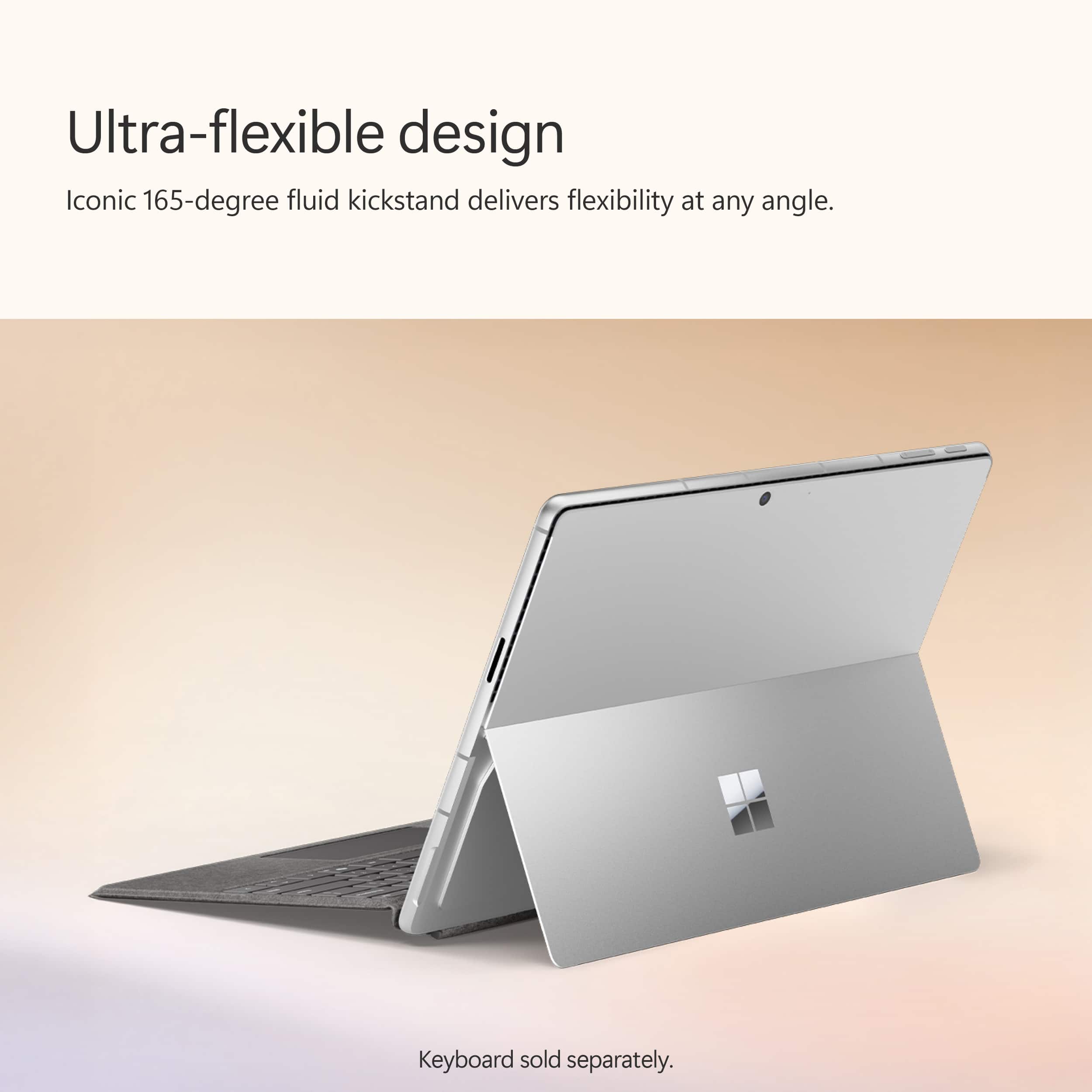
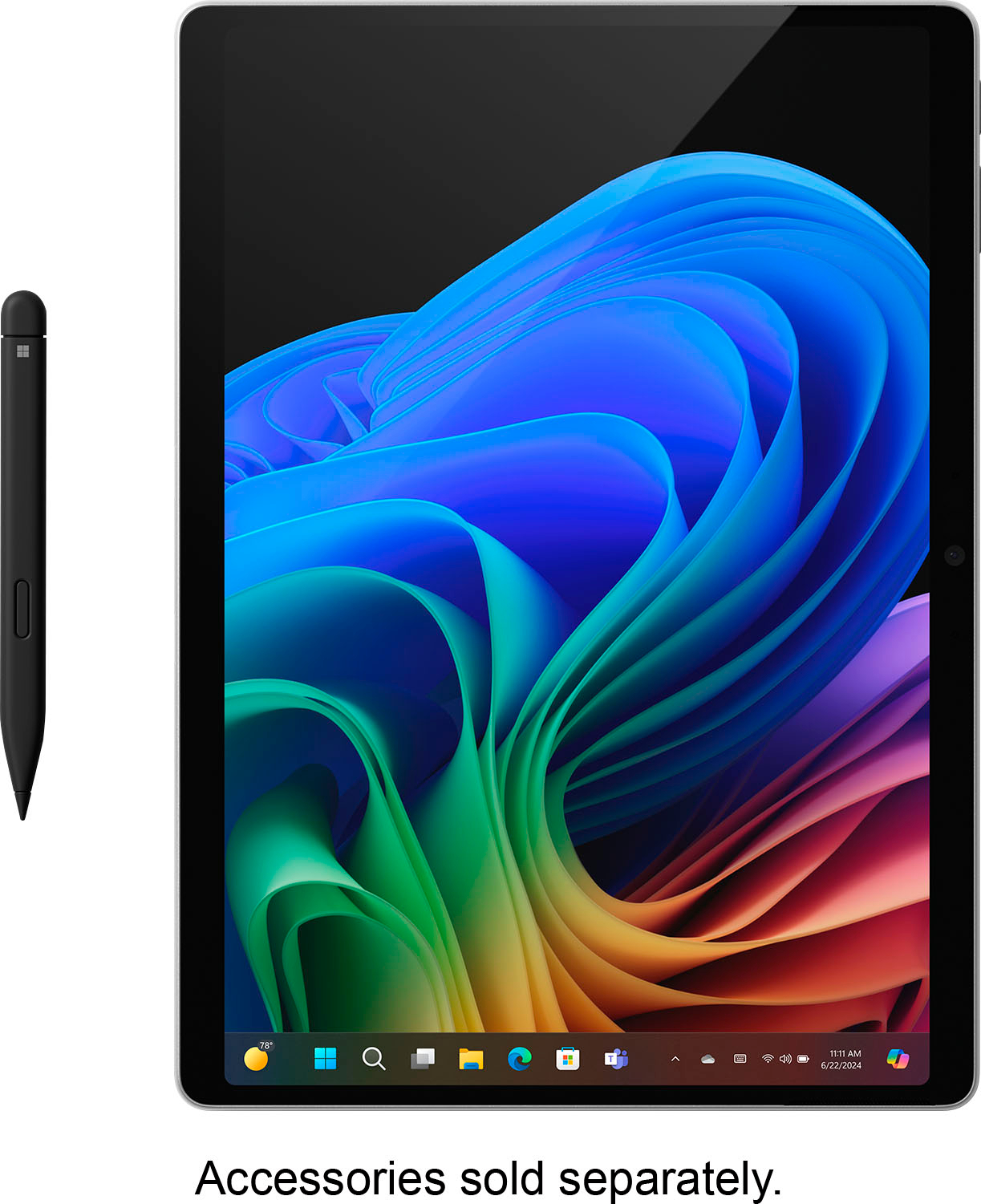
|Posted .This reviewer received promo considerations or sweepstakes entry for writing a review.The Surface Pro Copilot+ PC with Snapdragon Plus feels extremely fast and lets me do everything that I typically do on a laptop, and more. I initially tested it without the separately available keyboard and pen, and it felt remarkably familiar and usable. Skip to bottom for pros/cons. There was one odd thing I found, the volume controls a little backwards in landscape mode, when I pushed to the right, the volume slider decreased to the left for example. But in portrait orientation it works like you expect it to. Cocreator is a cool and a nice addition to MS Paint, but (being summer) for example when I asked it to draw a person diving into a pool, the person had three arms, which is typical of state-of-the-art AI art generation. After I wrote that, I went back and it offered a corrected image with two arms, is it learning from criticism? Studio Effects really helps video quality for meetings, it will gradually shift the framing as you move, and it has high quality filtering tools that easily make us older people look younger. It can also blur the background. The controls are near the Wi-Fi settings on the bottom right of the screen near the clock. The display quality is unbelievable, it's a high resolution for a small screen, and the contrast (bright and dark colors) make images and video look beautiful. The rotating Bing wallpapers look incredibly nice on this Surface Pro. Windows Hello login with Face Unlock works well for logging in, it works faster and more reliably at different angles when compared with my 13" iPad Pro (m4). I decided to try out cloud gaming with a paired Xbox controller (not included). The Surface Pro included a free month of Xbox Game pass, which I already had a subscription to. It appeared to push back my next payment by a month when I claimed it. Cloud gaming was mostly very smooth and fast as well as sharp, when I tried it with a fast-paced racing game and two slower paced adventure games. I very much like that cloud gaming doesn't fill up the local storage with downloaded games, but I dislike that games won't play as well over a slower internet connection such as a mobile hotspot or weak hotel Wi-Fi. I develop software as a hobby/small-business, and one of the first things I tried was installing Visual Studio on this Surface Pro. This may be one of the only tablets where you can create apps on the tablet itself, so to me this is useful, and I have already started porting one of my apps to the Windows platform now that I have this ability/tool. Thanks to OneDrive, which I was already using, I can go back and forth between the tablet and the laptop for development. The copilot AI graphic tools may help me develop better graphics to use in my apps. There were some Wi-Fi issues which seemed specific to connecting to Eero Max 7 at speeds over 5Gbps. Sometimes it worked, other times the whole wi-fi system in windows (options, network list) kept disappearing and reappearing like the driver was resetting. I found a post on reddit confirming I am not alone with this experience. The only way to fix that loop was to turn off the auto connect option for that network. It seemed to be a more common problem further from a router. On Wi-Fi 5 and Wi-Fi 6e I had no problems. Reading about the Surface Pro, I was impressed to see that it used around 72% recycled material in the enclosure. This makes me feel a little better about past and future e-waste/e-cycling. While it includes a magnetic charger which frees up a USB-c port, you can also charge with USB-c. Using a 100-watt USB-c charger, it charged near 1% per minute. As far as battery life, I measured 5-10% battery use one hour, and 15-20% usage the next hour, so obviously your mileage depends on usage. I made sure to buy the protection plan, as if this broke, it might otherwise be expensive to replace. Pros ------- -Integrated locally running AI tools improve the experience -Can do anything a laptop can do, even without the keyboard and pen accessory -Windows has a lot of support (software, updates, tech support options) -Can buy Microsoft protection plan -Lightweight -Much better battery life than traditional Windows PCs -The Windows touch interface feels mature -Wi-Fi 7 support (needs improvement, but this is my only device besides my routers that support this) -High quality display Cons ------- -Wi-Fi 7 connection (driver) seems to crash/reset frequently with an Eero Max 7 wi-fi system. On other networks (Wi-Fi 6E, Wi-Fi 5) there are no issues. This is likely something that will be patched (Software). -Poor Adobe app support, only Photoshop, Lightroom, and Acrobat appeared to be available. -Desktop/Laptop app support is better than support for kinds of apps found on other tablets (no cable TV app for our TV service, for example)
This review is from Microsoft - Surface Pro - Copilot+ PC - 13” Touchscreen - Snapdragon X Plus - 16GB Memory - 512GB SSD - Device Only (11th Ed) - Black
I would recommend this to a friend - Pros mentioned:Portability
Rated 5 out of 5 stars
Surface Pro
Posted .This reviewer received promo considerations or sweepstakes entry for writing a review.Even though it's been a recent purchase and I’ve only been using it for about a month, I’m really glad I decided to get the Surface Pro. I went with the 13-inch model, and it's the perfect size for school, compact enough to carry around easily, but still big enough to comfortably read, write, and multitask. The battery life has been good so far. The processor is fast and responsive, which makes switching between apps and tabs smooth, especially helpful when I’m working on assignments. I chose the Surface Pro for school, and it’s been great for that. There's plenty of storage space, so I’ve been able to download all my textbooks and documents without worrying about running out of room. I also like how lightweight it is, making it easy to carry in my backpack. So far, I haven't run into any issues. It’s early, but based on my experience so far, I’d definitely recommend it to other students or anyone looking for a reliable and portable laptop/tablet combo.
This review is from Microsoft - Surface Pro - Copilot+ PC - 13” OLED Touchscreen - Snapdragon X Elite - 16GB Memory - 512GB SSD - Device Only (11th Ed) - Black
I would recommend this to a friend Rated 1 out of 5 stars
Incompatible PC is WORTHLESS
||Posted .This reviewer received promo considerations or sweepstakes entry for writing a review.The ARM Processor is not compatible with most everything we use. This is garbage.
This review is from Microsoft - Surface Pro - Copilot+ PC - 13” Touchscreen - Snapdragon X Plus - 16GB Memory - 256GB SSD - Device Only (11th Ed) - Platinum
No, I would not recommend this to a friend- Pros mentioned:Screen quality
Rated 4 out of 5 stars
Excellent 2-in-1 device with very limited AI help.
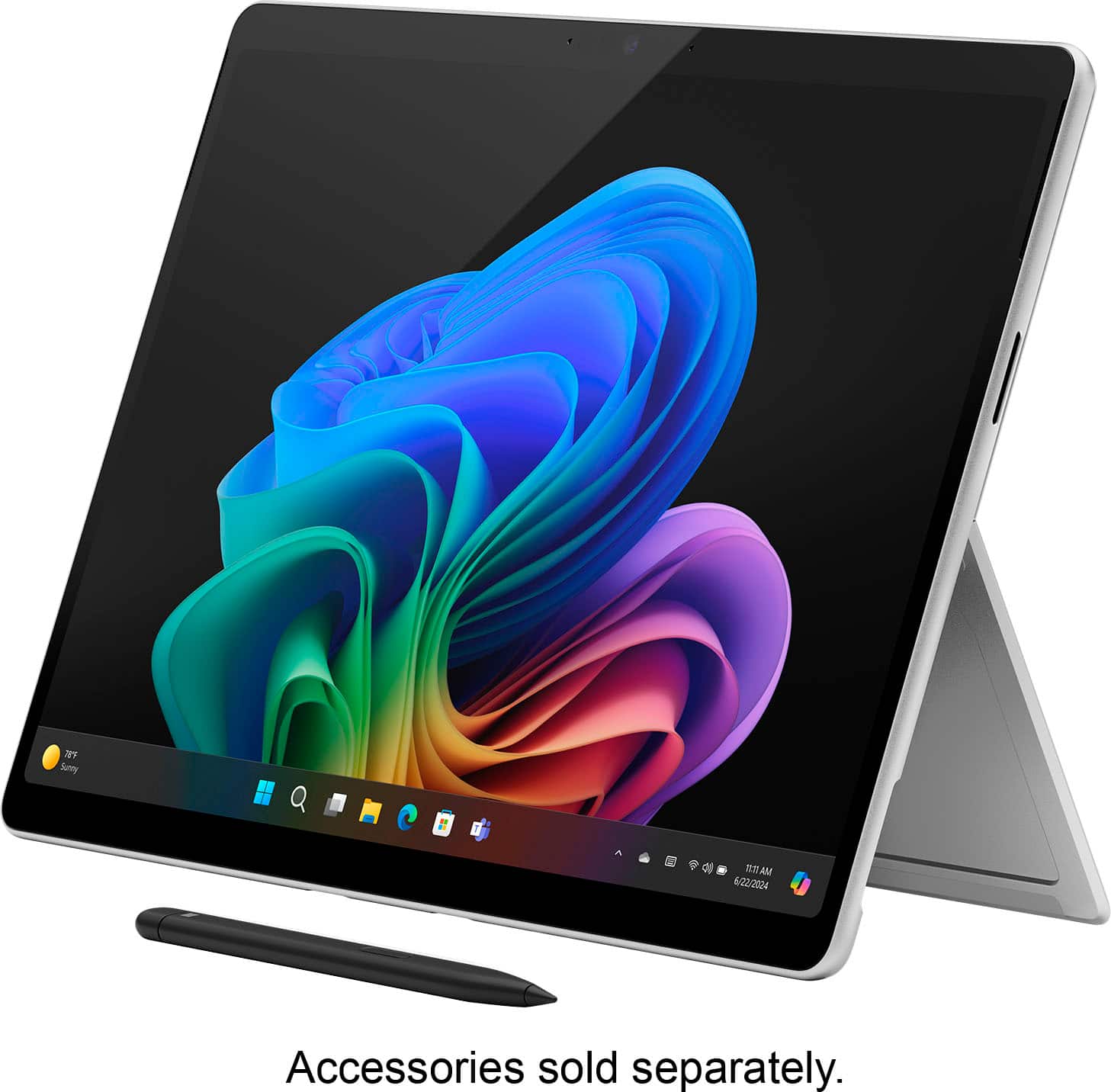
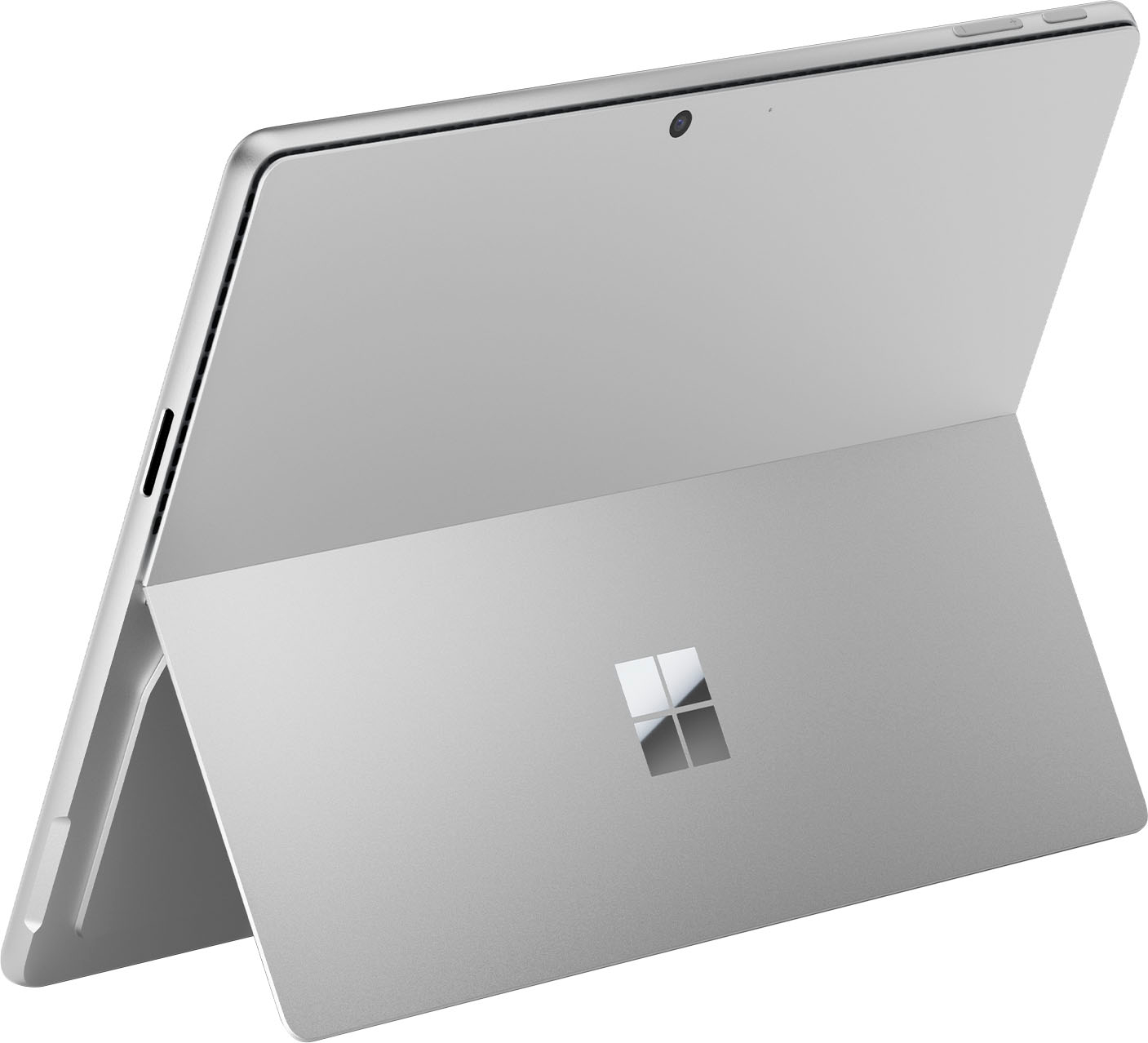
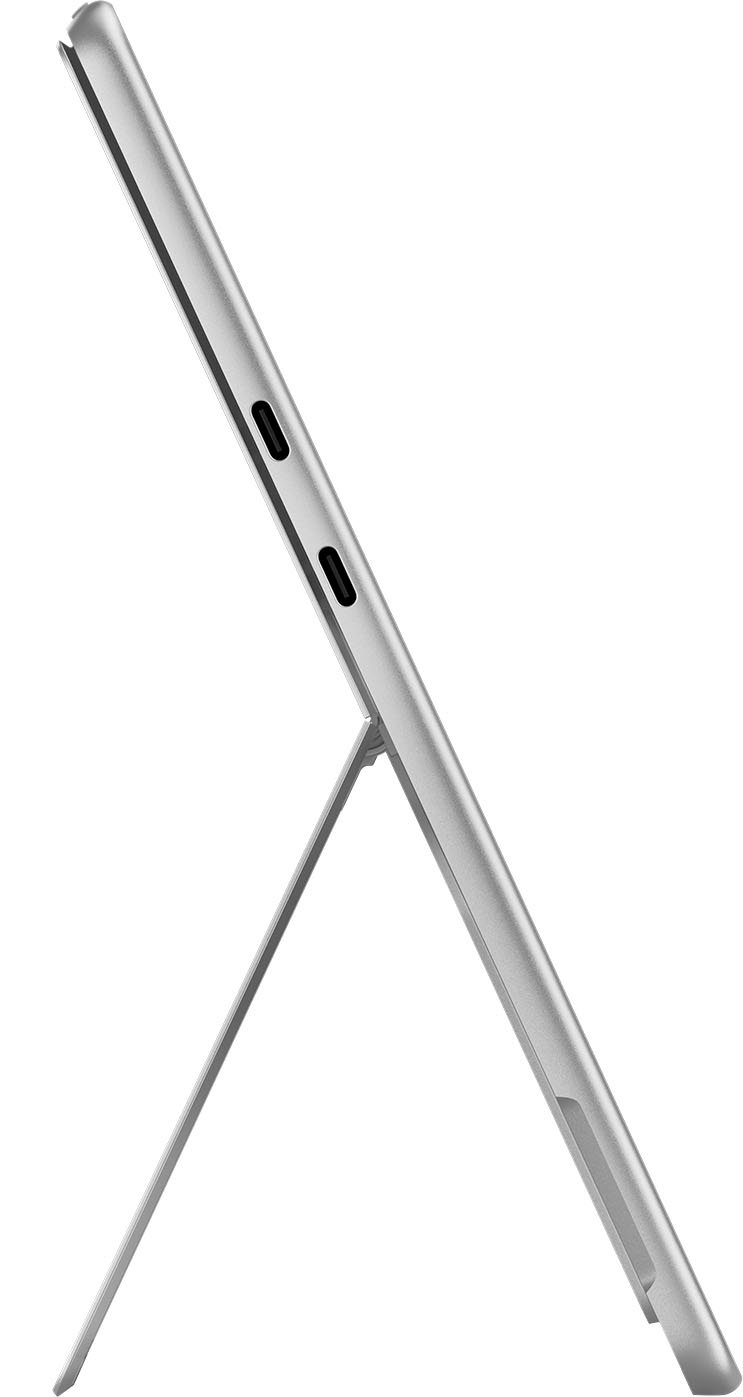
|Posted .This reviewer received promo considerations or sweepstakes entry for writing a review.Microsoft - Surface Pro — Copilot+ PC (Edition 11) — 13" — Snapdragon X Plus — 16GB Memory — 512GB SSD – Black The Surface Pro I have has the LCD IPS screen (2880 x 1920 resolution) with 266 PPI and not the more expensive OLED screen version. However, the IPS screen is beautiful, in my opinion. It has a good color range with sRGB and Vivid color profiles, and its refresh rate is a dynamic 120 Hz making it very responsive and smooth. Also, it offers HDR support as well for a bright and sharp picture. Altogether, it offers a really good experience watching videos, reading documents and working with various office programs. The screen aspect ratio is 3:2, which offers a better view for documents or browsers. It offers Windows Hello, and I have to say that it is the quickest at identifying your face than any other computer I’ve used before with Windows Hello – as soon as you see the camera blink to scan your face, it opens the screen instantly. It has two 2-watt speakers directed to the front with Dolby Atmos, and for me, the best sound I’ve heard from a 2-in-1 device, or laptop in my experience. I’m not saying there aren’t some out there with even better sound, but in my experience dealing with various tablets, laptops and 2-in-ones, it’s the best sound I’ve heard. The speakers can reach 82.4 dB without distortion and are more than loud enough to be heard in a noisy environment. But it isn’t just loudness of sound, but very good quality and richness of sound for such a device. Although there aren’t a lot of ports on the Surface Pro, the ones available are powerful. There are 2 USB-C 4 ports (fully as capable as Thunderbolt 4 ports without the Thunderbolt name, which belongs to Intel and not Microsoft). These powerful ports can be used to run Thunderbolt docks or just USB-C 4 docks for as many peripherals as you need. The Surface Pro has a proprietary charging port (65 watts and fast charging), but you can more slowly charge your Surface Pro through the lower USB-C port (lower of the two) on the left side of the device – the charging port is on the right side of the device. If you use your Surface Pro 11 as your desktop, it will power two external monitors as well plus your other devices. Regarding battery life, you can read all sorts of reports on the web about that. Suffice it to say for my part, my first day I turned on my Surface Pro 11 at 5AM with my battery at 100% and when I shut it down at 9:30PM it had 34% left. I was doing updates, allowing OneDrive to copy over everything onto my device and generally doing ordinary office work off and on during that time along with researching with the browser. Admittedly, none of this was a continuous heavy load which would have caused the battery to run down sooner. Doing more regular work during a couple of days, my battery rate looked like this: 8:19AM to 5:04 PM from 100% to 22%, 8:20 AM to 5:54PM 100% to 31%. Obviously, your battery usage will vary, but I believe that the Surface Pro 11 will get you through the normal work or class day without having to recharge assuming you’re running on battery all day. But, if you have to recharge, using the proprietary charger will have you going from about 30% to 100% in about 1.5 hours. My Surface Pro 11 comes with a speedy 512 GB SSD that is easily upgradeable through a nifty plate that comes off the back of the device located under the built-in kickstand that Surface Pro’s have been noted for since the first one. Popping open the plate shows the SSD that can be removed without opening the device further. A review of my Surface Pro 11 wouldn’t be complete without mentioning the Snapdragon X Plus processor. It is the slightly less powerful processor compared to the version offering the Snapdragon X Elite processor. I have to say that others have commented online that in ordinary use, they cannot tell the difference when using the Plus processor. I only mention that here to say that I’ve not used a Surface Pro 11 with the Elite processor, but I think the online comments are correct. If you look at the specs of both processors and watch others use them, you really can’t see a difference other than what may show on some of the bench tests. My experience with the lower priced Plus version is that the device is snappy in every respect. Windows open quickly and the various processes you set in motion do not exhibit slowness of any sort. In real world use I seriously doubt the actual user is going to be aware of the small difference between these two processors. The real point talking about the Snapdragon processors is to say that they are ARM processors and not Intel or AMD processors found on nearly every computer you’ve heard about until this year. Snapdragon ARM chips and their ilk run just as fast or even faster than x86 chips, but they require less energy and produce less heat in use – your phones and tablets generally run on ARM chips. But ARM processors require software written for them and not x86 processors. There is good availability for software to run on the Surface Pro 11 with more coming this year. I use Microsoft’s 365 Office Suite and they all run perfectly. In fact, I run a number of other programs that run properly as well. To do this in the interim requires an emulator (virtual system allowing programs written for Intel and AMD to run on the Surface Pro 11’s ARM Snapdragon chip). Those programs I use that are not written yet for ARM run perfectly fine on Microsoft’s emulator named Prism. In fact, I can’t tell the difference running these non-ARM programs on my Surface Pro 11 with Prism compared to running them on my Intel based laptop. Based on my experience, you’ll probably not find a problem running your usual stuff on the Surface Pro 11. I would also say that if you’re into heavy graphics/video/photo/audio editing or gaming, you need to check with the manufacturers of the special use software you use to see if it is compatible with ARM at this time. Lastly, a few words about AI. The Surface Pro 11 has a NPU (Neural Processing Unit – read, ‘dedicated processor for running AI work’) so it can handle AI programming separately from the work you CPU ordinarily handles. Some of the AI features available on the Surface Pro 11 are: Paint’s Cocreator – you can do a stick drawing or slightly better if you have the talent, include a bit of text input to guide it as to what you’d like, and it will produce a “better” image of what you’re trying to draw. Then you can give it a little more input to have it increase the quality of the picture you’re looking for. Certainly, the product could be used to illustrate an article if needed. Of course, just asking CoPilot (launched from your task bar) for an image based upon your text input will probably get you a better image overall. Photos App – you can do as mentioned above with your photos in the Photos app where you have a little better interface to work with on your photos. Live Captions – if you have any video to play, or you’re receiving live streaming, it will display subtitles of what is being said for you to read if needed, but if you’re not just using any computer running the web app version of CoPilot for the subtitles, the NPU on the Surface Pro 11 will enable translation of about 44 languages into English from any audio you’re receiving from a video on your device you’re watching or that is being streamed live to you through your Surface Pro 11. Sometimes the translation can hitch a bit, but that is expected with any translation software I’ve heard of. Windows Studio Effects – this AI app allows you, during video calls, to adjust your light exposure if you need additional or less light and provide automatic framing (keeping the camera on your face if you’re moving around during the video call) as well. In addition, it will show your eyes in contact with the other party(s) involved in the call even if you’re looking off to the side at notes or a teleprompter! It also offers several degrees of background blur if you don’t want your space to distract from your call or provide too much personal detail around you to others on the video call. This app works quite well in all respects, but at this time many video conferencing apps provide similar tools, so this isn’t just available through CoPilot’s AI. Here’s my bottom-line on all this: The Surface Pro 11 CoPilot + PC is a great & powerful device. The AI capability is disappointing & limited & hamstrung for such an ice-breaking device.
This review is from Microsoft - Surface Pro - Copilot+ PC - 13” Touchscreen - Snapdragon X Plus - 16GB Memory - 512GB SSD - Device Only (11th Ed) - Black
I would recommend this to a friend Rated 5 out of 5 stars
Power, Portability, and Innovation in One Device
|Posted .This reviewer received promo considerations or sweepstakes entry for writing a review.After using it for sometime, I feel comfortable enough to discuss my impressions and firsthand experiences with the recently released Microsoft Surface Pro Copilot+ PC 11 edition. This device carries on the company's tradition of exquisite, upscale design. Its magnesium alloy body is very well-made, light, and robust. Because it weighs little under two pounds, this device is incredibly portable despite possessing sophisticated technology. Among other advantages, the 13-inch OLED touchscreen is notable for its outstanding viewing angles, deep blacks, and brilliant colors. Because of the crisp, bright display, it's excellent for a variety of tasks, including viewing movies and conducting business. With its 16GB RAM and Snapdragon X Elite processor, this Surface Pro offers remarkable performance. It easily handled anything I threw at it. It was swift and incredibly responsive. Whether using heavy software such as Adobe Photoshop or juggling several apps at once, the tablet never froze. The strong processor and lots of RAM enable a seamless and effective user experience, the Surface Pro does not have the issues with battery life that many other high-end computers do. I was able to get around 10 hours of mixed use out of it after working on documents, viewing movies, and using the internet. For the duration of the workday, it can operate without requiring a plug. The Surface Copilot+ provides more than enough space for the majority of users thanks to its integrated 4th generation 512GB SSD. Fast file and program access is guaranteed by the SSD, along with fast startup times. This time, the SSD is easily replaceable for more capacity if necessary. It is housed in a container beneath the tablet's rear kickstand. The Surface Pro comes with a limited number of connectivity choices. It contains two USB-C ports in addition to a Surface Connector. The addition of USB-C is really helpful as it allows you to use a large range of accessories and gadgets. In order to guarantee dependable and efficient connection, it also supports Wi-Fi 7. The most recent enhancements and features of Microsoft's operating system, including AI integration, are available to the Surface Pro Copilot+ when it runs Windows 11. Because of how user-friendly and straightforward the interface is, it fully utilizes Windows 11's advancements for touch and pen input. The innumerable choices include live captioning for any content in any language, intelligent task management, AI-driven meeting notes, automatic video conference optimization, and customized settings. Given its integration with the rest of Microsoft's productivity suite, Office 365 ought to be the option of choice for all consumers. The Surface Pen (separately available) is a joy to use, and the OLED display is wonderfully responsive. It's excellent for taking notes, drawing, and other creative jobs because the pen input is smooth and accurate. Additionally, the touchscreen enables multi-touch gestures and performs them seamlessly. A powerful device, the Microsoft Surface Pro Copilot+ PC 13" 11 edition offers an exceptional feature-to-portability-to-performance ratio. It will appeal to pros and power users alike because of its stunning OLED touchscreen, robust hardware, and clever AI-driven features. The device's quality and capabilities outweigh its high price, making the purchase worthwhile. The Surface Pro Copilot+ is unquestionably a 2 in 1 worth taking into consideration if you're looking for one that is highly capable, multipurpose, and able to tackle a variety of jobs.
This review is from Microsoft - Surface Pro - Copilot+ PC - 13” OLED Touchscreen - Snapdragon X Elite - 16GB Memory - 512GB SSD - Device Only (11th Ed) - Dune
I would recommend this to a friendRated 1 out of 5 stars
MS Firmware problems
||Posted .This reviewer received promo considerations or sweepstakes entry for writing a review.The MS 13” Surfa Pro with SnapDragon Elite microprocessor has a firmware flaw where it does not recognize the keyboard when rebooted
This review is from Microsoft - Surface Pro - Copilot+ PC - 13” OLED Touchscreen - Snapdragon X Elite - 32GB Memory - 1TB SSD - Device Only (11th Ed) - Platinum
No, I would not recommend this to a friend- Pros mentioned:Screen quality
Rated 5 out of 5 stars
What a great tablet!
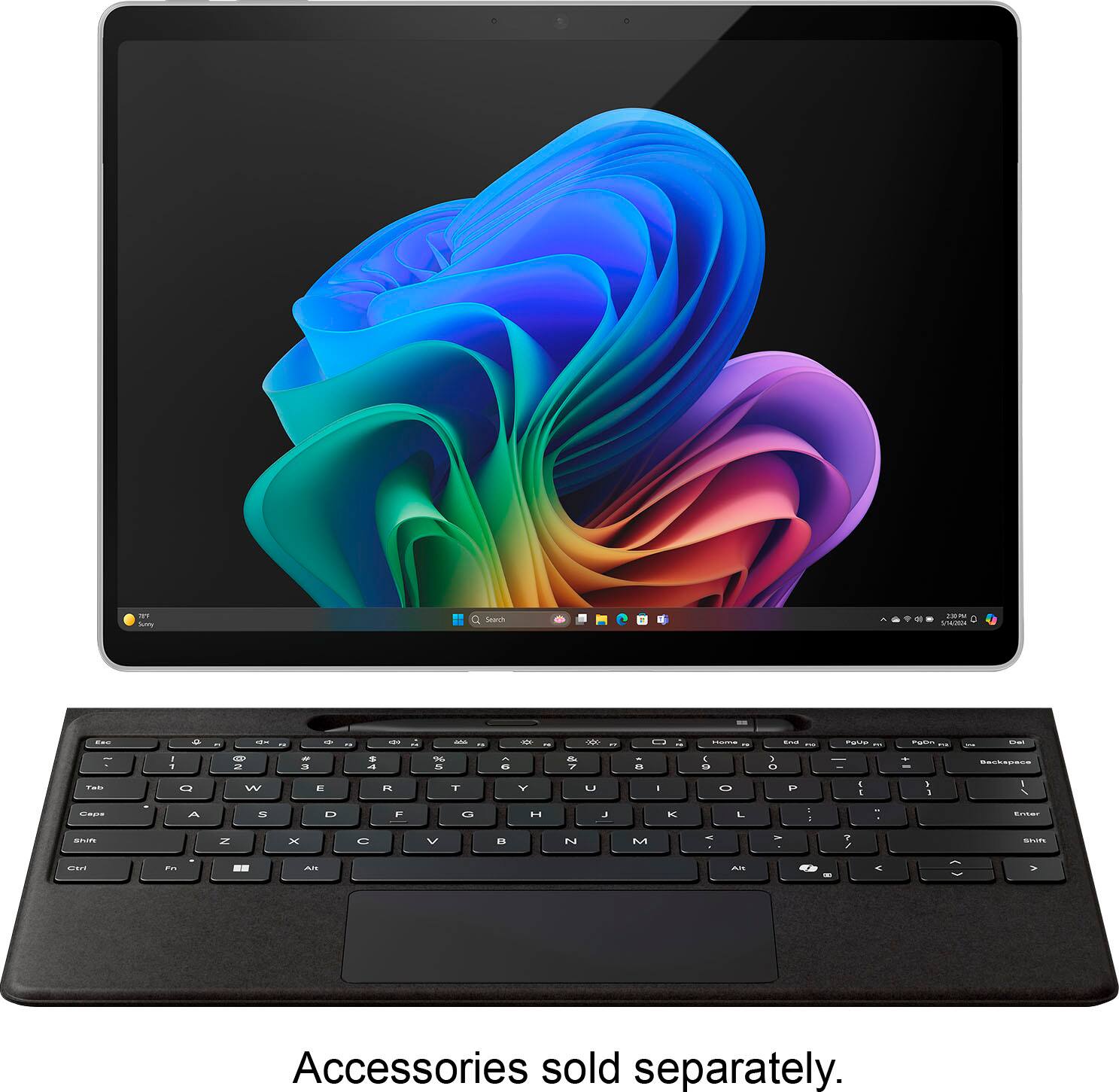
|Posted .This reviewer received promo considerations or sweepstakes entry for writing a review.The first thing I noticed about this Surface Pro was how nice it feels. The smooth edges and angled sides make it very comfortable to hold. It really feels like a premium device. It does have some heft to it but nothing like a laptop. I am strictly a tablet user (Android) and have been for the last few years. I did have a Surface3 which was awhile ago. This Surface is a whole new beast. Upon first start up (which boots up super fast) you go through the typical Microsoft setup, and of course wait for the updates. Then it's time to explore. I haven't used windows much lately and I wanted to try a tablet that was more like a “real computer”. So far windows 11 has been very intuitive and easy to navigate. I feel this is the best laid out version yet. Its still early for copilot and seems to be geared more toward creators right now. The live translate is very useful (it seems like so many youtube vids I want to watch are not in my language, now I don't have to skip them anymore) and having it help with searching and understanding larger amounts of data more quickly can save a lot of time. This surface pro with the Snapdragon processor is very snappy and fluid. So far there hasn't been any lag anywhere that I have noticed. We‘ll see how long it takes before i get faster than the computer... Basics like browsing the web, e-mailing, composing documents, and keeping up with current events are a joy. Windows hello works flawlessly so far, the camera recognizes me instantly for unlocking. I love the form factor of the tablet! So easy to carry around and take with you anywhere. The battery life is amazing. I'm an average user and it took almost 3 days before I had to charge it. Even if you need to charge it more often it only takes a little over an hour to get to full again. That is with the proprietary charger. It does charge with USB C also, which is great, but you will need a higher wattage charger. My fast charger for my galaxy tab 8 is recognized as a slow charger. It's nice it has two USB C ports, makes it easy to add a couple accessories, external monitor, or charge at the same time. The screen is beautiful and crisp. Colors are perfect and it gets quite bright for use outside. Its not oled but I don't know if I'd notice a difference. The 13” screen is just the right size, not too big or small. The only downside is it has no antiglare coating, so it does reflect everything. I may end up getting a matte screen protector for it, so easy fix. With this tablet using an arm processor, most things are good, however I have had some problems getting a couple games I like to play working. I did think windows was integrating android apps, I guess I have to do some research on fixes for that but with so many things being web based it hopefully will be easy. Or a future update will solve the problem. I really recommend getting the keyboard cover or a Bluetooth keyboard to pair with the surface if you do a lot of typing. That and the track pad give you more of a laptop experience while keeping the size and weight down. If you're familiar with the Surface, it still has the built in kick stand. It continues to be a solid and super useful feature. Its such a simple but brilliant idea! However you use it, this Surface Pro is a great tool to have.
This review is from Microsoft - Surface Pro - Copilot+ PC - 13” Touchscreen - Snapdragon X Plus - 16GB Memory - 512GB SSD - Device Only (11th Ed) - Black
I would recommend this to a friend Rated 1 out of 5 stars
printer driver problem
||Posted . Owned for 1 month when reviewed.This reviewer received promo considerations or sweepstakes entry for writing a review.I had to return this PC because the Snapdragon Chip would not recognize my printer drivers
This review is from Microsoft - Surface Pro - Copilot+ PC - 13” OLED Touchscreen - Snapdragon X Elite - 16GB Memory - 512GB SSD - Device Only (11th Ed) - Black
No, I would not recommend this to a friendBrand response from Snapdragon team
Posted .Hi WilliamG, We appreciate you bringing this to our attention. Every day, more applications are becoming supported, either natively or through emulation. For the latest list of popular supported apps, please check https://www.qualcomm.com/products/features/windowsapps.
- Pros mentioned:Overall performance
Rated 5 out of 5 stars
Practical and Promising
|Posted .This reviewer received promo considerations or sweepstakes entry for writing a review.[PROS] Long Battery Life: With the Surface Pro, I'm able to get well over a work-day's worth of usage. On average, I'm able to get 9-10 hours of battery life which is pretty good. I don't intend to use the device longer than that, but it's nice to know that I enjoy it cable-free. Extremely Responsive: Whether it was running AI commands or completing moderate to advanced tasks, I found the device to be snappy in performance. The Face ID unlock logged me in quickly, and all programs opened up without a hitch. Although this device is primarily marketed as a tablet, I didn't notice in drop-off in my productivity when it came to transitioning from my laptop to the Surface Pro. AI Integration: I appreciate Microsoft's effort in going all-in with AI. As more features are released, I'm pretty sure I'll be blown away by it's power. For now, I do find myself pleased with what's available thus far. For example, I was able to summarize a lengthy article with the Copilot button found within Microsoft Edge. Furthermore, it gave me options for additional follow-up regarding the contents. I was also able to use the chat feature to get more detailed answers for questions than I would through a digital assistant. Live captions did a good job well at translating despite me knowing that I'll seldom use it. My testing also included generating images which gave me good starting points for different designs. Excellent Design: I'm overly impressed with how the Surface Pro is constructed. Despite the display of this model being LCD, it still looks stunning with or without HDR enabled. The storage is easily accessible and upgradeable. Also, the camera can outclass many other tablets and laptops alike. [CONS] Aside from AI still being in an infancy stage as it relates to consumer products, I don't have much to gripe about when it comes to this device. I'm a fan of how the kickstand is made, and how well it props up the Surface Pro at different angles. However, I did have slight trouble with glossier and plastic surfaces. This could be remedied by adding some non-slip rubber feet to the bottom of the stand. [CONCLUSION] In conclusion, I find the Surface Pro Copilot valuable in nearly all areas of focus for me. The biggest benefit for me is in the domain of work/business/productivity. As time goes on, the AI features will increase causing them to grow more on me. The Surface Pro is noble attempt to get ahead of the AI curve, and I'm excited for it's future.
This review is from Microsoft - Surface Pro - Copilot+ PC - 13” Touchscreen - Snapdragon X Plus - 16GB Memory - 512GB SSD - Device Only (11th Ed) - Black
I would recommend this to a friend Rated 5 out of 5 stars
Portable Excellence
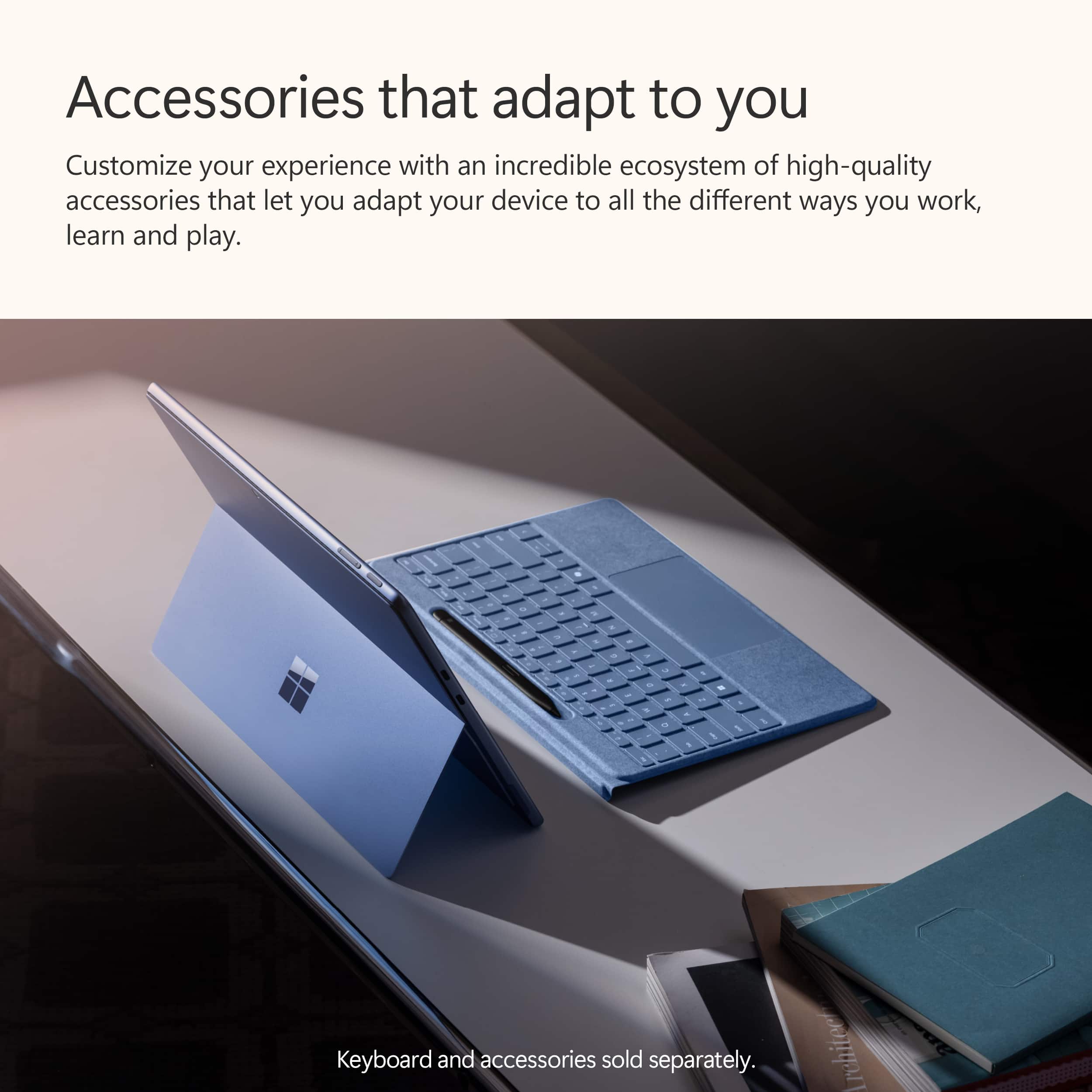
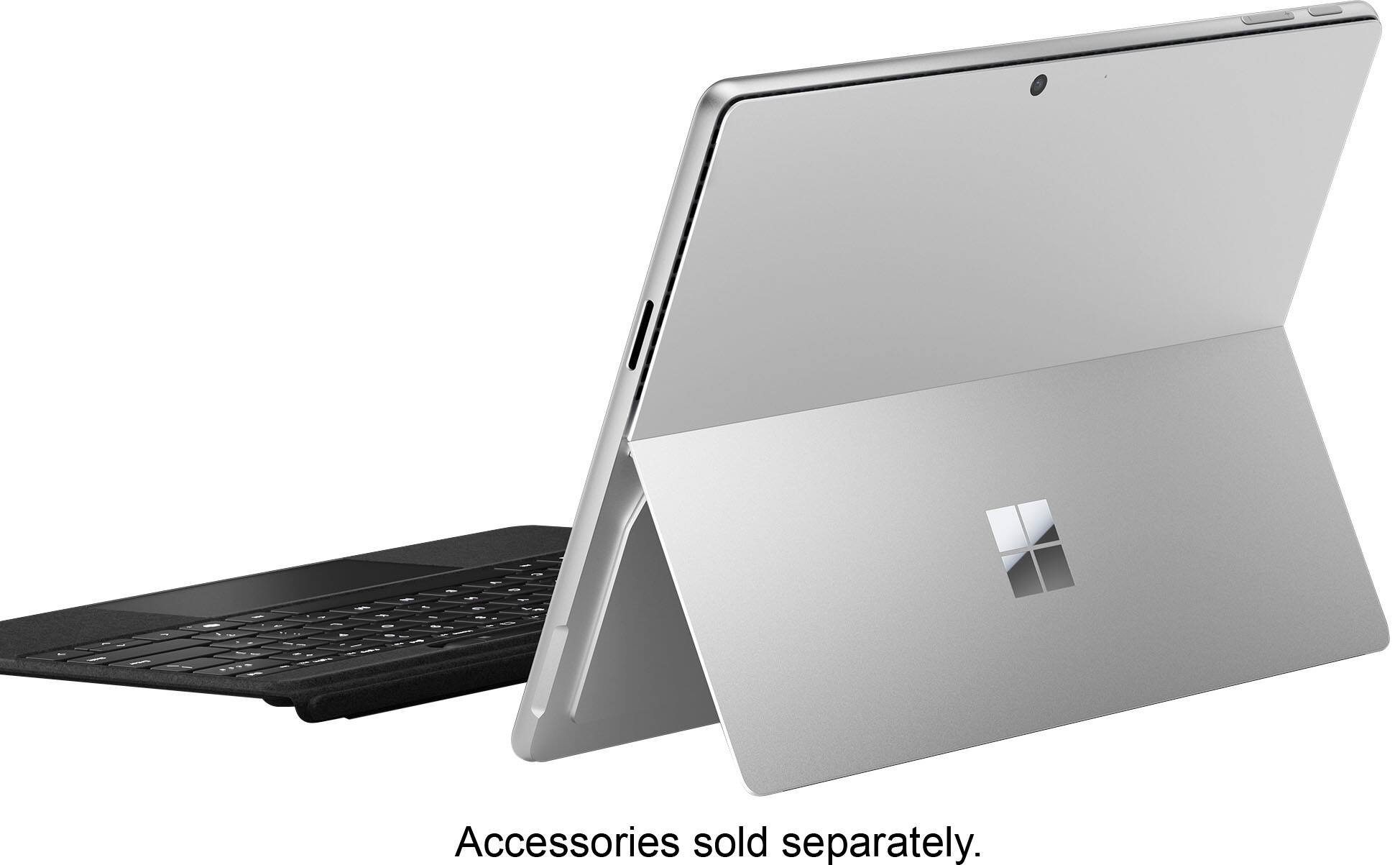
|Posted .This reviewer received promo considerations or sweepstakes entry for writing a review.This is the type of device that will make Windows, and Surface in particular, users extremely happy. It will also make users of other operating systems want to switch. It is a true computer yet also a tablet - a power house when you need it and all day battery life to keep it going. The battery has been incredible. I’m able to get through a full day, and then some, of work and play, with minimal battery loss while sleeping. I love the form factor - a thin table with a built-in kickstand that holds in any position. I also like that the hard drive is easily accessible - a magnetic cover under the kickstand is easily removed to reveal it. For me, it is best with the separate purchase of the keyboard and pen, but this is a really great value. I find no use for the surface connector and would rather have a third USB type C port on that side of the device. It has been able to run all of my needed applications (Office 365, Teams, Signal, WSL2, VS Code, Jetbrains apps, even MySql running through emulation works great). Windows Hello facial recognition is fast and secure and the AI features are useful. The Copilot app is helpful, Live Translate works very well, Image Creator in Photos works well and is fast, Paint CoCreator gives a good starting point for creating images. Even if you don’t use the AI features, the device is worth it for the new hardware alone. The Edge browser is fast, doesn’t drain battery, and works great for touch (especially the swipe gesture for going back). Although not a gaming laptop, I installed Steam and Hades 2. On medium settings, game play is excellent. This does drain battery a bit faster, but to be able to play games is a great bonus. My main laptop is an Apple MacBook Pro (M1) and this fits right into my set up. It works with the Caldigit TS4+ dock, connected to an Apple Studio Display. If you are mainly an Apple user, you can even install the iCloud app and have access to your photos, passwords, drive, and bookmarks. All of this great performance with the Plus processor, this is truly excellent. It is just unreal to me that this thin device is a full computer that can be used all day and has battery life to spare. I really enjoy using it during the day at my desk, taking a break and moving to another office on battery power, and then finishing up with some Hades 2 at the end of the day. This is simply an excellent computer.
This review is from Microsoft - Surface Pro - Copilot+ PC - 13” Touchscreen - Snapdragon X Plus - 16GB Memory - 512GB SSD - Device Only (11th Ed) - Black
I would recommend this to a friendRated 1 out of 5 stars
Snap Dragon Surface is a Nightmare
||Posted . Owned for 2 months when reviewed.This reviewer received promo considerations or sweepstakes entry for writing a review.Surface Pro with new Snap Dragon processer is basically a nightmare. I spnt the better part of a week and a hlaf installing before and reinstalling needed software after a system crash. It sgtarted with a PDF driver install the system didn't like. After the second crash I took it back for an exchange.
This review is from Microsoft - Surface Pro - Copilot+ PC - 13” Touchscreen - Snapdragon X Plus - 16GB Memory - 512GB SSD - Device Only (11th Ed) - Black
No, I would not recommend this to a friendBrand response from Snapdragon team
Posted .Thank you for providing your feedback. We appreciate your time and effort in sharing your thoughts. Rest assured, your comments will be forwarded to the relevant team
Rated 1 out of 5 stars
Where’s my computer? Best Buy took my money!
||Posted . Owned for 3 weeks when reviewed.This reviewer received promo considerations or sweepstakes entry for writing a review.Kinda hard to review an item I PAID for on June 28th and I STILL HAVE NOT RECEIVED THE ITEM. Best Buy sales associate guaranteed delivery by July 2nd. Paid over $2,000.00 and I still have not computer.
This review is from Microsoft - Surface Pro - Copilot+ PC - 13” OLED Touchscreen - Snapdragon X Elite - 16GB Memory - 512GB SSD - Device Only (11th Ed) - Black
No, I would not recommend this to a friend- Pros mentioned:Screen quality
Rated 5 out of 5 stars
Love it
|Posted .This reviewer received promo considerations or sweepstakes entry for writing a review.This tablet is great. It is excellent for work. First, the set up. Surprisingly, it took about 30 minutes to get set up. I started by only adding one of my email accounts, using outlook. There were no instructions for setting up the tablet, but it was relatively simple. The screw definition is very nice. The colors are rich and clear. Pictures are amazing, so rich in color. The build quality is pretty good. I wish the kick stand was a little thicker. You can adjust it to several positions. It folds up flat against the back of the tablet. The speakers are good. The volume buttons are at the top of the machine and work as expected. The screen times out pretty fast. I will need to try to adjust the time. The screen is not as responsive as I would like when screen times out. The touch screen is very responsive when selecting apps to open. The battery life is pretty good. So far a charge has lasted about 4 days, with light usage. The tablet is not really heavy, but a decent weight. I have been enjoying testing out copilot +. It’s like having a personal assistant on my tablet. When I make a request, it responds by trying out the results and then talking, reading them. I find it very informative, with thorough answers. The capabilities of this feature endless. I love it. The tablet responds very fast. I have had several apps open and one time and navigation was seamless. The tablet did not get warm or start lagging. The camera works very well when using it for face recognition to open tablet. I don’t play a lot of games, but did not have any issues with the few games I downloaded. I used a wireless keyboard and track pad, until I received the surface keyboard and connectivity was easy. I am still testing out this tablet and checking out its features, but so far , I love it. This will be my new work device. .
This review is from Microsoft - Surface Pro - Copilot+ PC - 13” Touchscreen - Snapdragon X Plus - 16GB Memory - 512GB SSD - Device Only (11th Ed) - Black
I would recommend this to a friend Rated 1 out of 5 stars
Poor customer service
||Posted .This reviewer received promo considerations or sweepstakes entry for writing a review.Best buy sent an incomplete order and then wouldn't send me the remainder of my order. They wanted me to drive over an hour to a store to pick up what they didn't originally send. I ended up returning it they were making it so difficult.
This review is from Microsoft - Surface Pro - Copilot+ PC - 13” Touchscreen - Snapdragon X Plus - 16GB Memory - 512GB SSD - Device Only (11th Ed) - Sapphire
No, I would not recommend this to a friend- Pros mentioned:Screen quality
Rated 4 out of 5 stars
Great Surface Pro But AI Functionality is Limited
|Posted .This reviewer received promo considerations or sweepstakes entry for writing a review.I love Surface devices. Microsoft has done an amazing job over the years blending Windows with in house hardware to create some of the best laptops. I have been using the Surface Pro for several years and typically upgrade every other release. Needless to say, I was excited to give this device a go. What's my favorite feature? First, it's the ARM processor. I have been a big fan of ARM devices due to their cooler running and enhanced battery life over the Intel/AMD processors. This makes this device a powerhouse. I am running the Plus version of the Snapdragon X processor and have had no speed or response issues. There has been some talk about applications needing to run in emulation if they are not specifically built on the ARM platform. I havent had any issues with this as most of the applications I run are on the web. However, this is something to keep an eye on and possibly check online with the apps you currently use to see if they have ARM versions or need to use emulation. Second, the screen is fantastic. With 120Hz refresh rate and 2880x1920 resolution it's very bright and the colors are deep and rich. Now for Copilot+ AI features. My initial assessment is the five features included currently are very basic and really don't set this set of functionality any different than what is already available outside of Windows. The Cocreator function is a fun thing to play with but it will take some more refining to make it a valuable tool. Restyle images is really not more than a cool application with no real use. I tried to see how this feature would be used to make an impact and really didn't find much beyond curiosity. Image Creator is interesting and I spent more time using this than any other copilot feature. AI really does a good job of envisioning what you ask it to make. However in the overall value for Windows, this is the third image based feature and really doesn't make Windows more powerful. The other disappointment is most of these features require online access to use. If you don't have access to internet, these features will not work. In summary, as far as a Windows 11 based Surface laptop, this is fantastic. For the Copilot+ features, it's somewhat half baked. However I have no doubt that Microsoft will be releasing new AI functionality and making them more useful as time moves on.
This review is from Microsoft - Surface Pro - Copilot+ PC - 13” Touchscreen - Snapdragon X Plus - 16GB Memory - 512GB SSD - Device Only (11th Ed) - Black
I would recommend this to a friend Rated 5 out of 5 stars
ARM and Surface Pro a match made in heaven
|Posted .This reviewer received promo considerations or sweepstakes entry for writing a review.The Surface Pro lineup now boasts a stunning OLED display, a first for Microsoft. With its captivating 120hz refresh rate, this display is a sight to behold. While the Surface Pro has always had impressive displays, this OLED display takes it to a new level. The display has also been upgraded with an improved anti-reflective coating, enhancing the viewing experience. This isn’t Microsoft's first rodeo of trying to gain traction with an ARM chipset on the Windows side. In the past, performance and software were a letdown if you chose an ARM version of the Surface Pro. Basic tasks like web browsing were fine, but things begin sour when you push that CPU. This year, Qualcomm released a new powerful ARM chipset called Snapdragon Elite, which is supposed to hang with Apple's M series processors. It’s amazing how efficient this chipsets are compared to their x86 counterpart. Also, the added benefit is having all that power available even when unplugged from a power source. Windows devices tend to lose performance when running on battery, but that is no longer the case. Less power is needed to perform this, which results in lower temps and improved battery life. It’s not perfect. Microsoft still has a long way to go to improve the emulation layer called prism, which helps translate x86 code to ARM so x86 apps can run on an ARM platform. If you rely heavily on x86 applications, I recommend an Intel version of the Surface Pro for native support. For those not dependent on x86 applications, the added benefits of a quieter, lower-running system are a welcome bonus. Co-Pilot AI is a hot topic, and Microsoft is fully embracing it. The Co-Pilot+ certification, a significant development, requires a minimum of 16 GB of RAM and 45 (tops) of NPU power. This powerful configuration allows all AI processes to be handled within the machine, improving battery life and enhancing privacy. Here are some of the new features from the Copilot+ update I was able to play with. Cocreator is another one interesting for those who are not good at drawing, like me. Paint now gains some new features, like AI-generated images based on your vision, text, or image prompts that will be generated on the right side of the screen. Live Captions can now be generated system-wide from any audio or video source playing on the screen and translated into English from 44 languages. Video calling also gains enhanced features like automatic framing, creative filters, and portrait blur, driven by the NPU instead of the CPU. The hardware is top-notch. It’s a beautiful-looking and very premium-feeling device. You won’t find any flex on this device. The HDR-capable Oled display is bright, colorful, and smooth, with a refresh rate of 120hz. There is a slight quirk if you’re using it as a tablet up close; you will get this screen door effect that mainly shows up under a bright white background. This is due to the touchscreen layer on Oled devices. Other devices with Oled touchscreen displays seem to suffer from this, too. I was surprised by how loud the speakers can get on the Surface Pro 11. I wasn’t expecting much with just two speakers. Bravo Microsoft. Great speakers and excellent display lead to an outstanding media consumption device. You get two USB 4-gen ports and a magnetic charging port for port selection. You still have the option to charge via the USB C ports. The front camera quality is excellent for video conference calls, and the rear camera is decent for taking pictures of documents. You also get Windows Hello authentication. The only upgrade available is the SSD. I was shocked to see how easily Microsoft made it to upgrade the SSD via a small door hidden behind the kickstand. Performance has been impressive so far. For some reason, Windows 11 runs much smoother with the Snapdragon X Elite, and I’m sure Microsoft has optimized it plenty. Even my other Windows devices, like the G14 2024 or Legion Go, don’t feel as smooth as the Surface Pro 11. This has actually led to a much better tablet experience too. The auto rotation is a lot smoother now compared to the jerky performance from previous Surface Pro devices. I kept the Windows power profile set to recommended. Battery life also has been stellar. This is where the ARM chip platform shines. Not only is the CPU power efficient, but it can also deliver performance with less wattage being utilized. Microsoft has done a great job with Windows 11 optimization for ARM. You will hardly hear the fans kick in unless you're doing intensive work like video editing or playing games. The Surface Pro 11 is a silent, cool-to-the-touch machine for everyday simple tasks. It will be hit or miss for gaming. Titles like Fortnite or any other game with anti-cheat software won’t run because they are incompatible with ARM. Qualcomm has a website set up for a list of compatible games. If gaming is a priority, this won’t be it. Overall, the experience was positive. The display is excellent, the battery life is impressive, and performance doesn’t take a significant hit on battery life. Unless you depend on x86 software, the Surface Pro 11 is worth consideration.
This review is from Microsoft - Surface Pro - Copilot+ PC - 13” OLED Touchscreen - Snapdragon X Elite - 16GB Memory - 512GB SSD - Device Only (11th Ed) - Dune
I would recommend this to a friendRated 1 out of 5 stars
Microsoft Surface is still a disappointment.
||Posted . Owned for 2 months when reviewed.This reviewer received promo considerations or sweepstakes entry for writing a review.Discovered that not all documents created on my existing Surface could not be forwarded to my new Surface. Also found out that BestBuy can still not work on the Surface. My old Surface needed a minor repair which could not be completed because the Surface computers ar glued closed.
This review is from Microsoft - Surface Pro - Copilot+ PC - 13” OLED Touchscreen - Snapdragon X Elite - 32GB Memory - 1TB SSD - Device Only (11th Ed) - Platinum
No, I would not recommend this to a friendRated 1 out of 5 stars
Not Compatible. Don't waste your money!
||Posted . Owned for 3 weeks when reviewed.This reviewer received promo considerations or sweepstakes entry for writing a review.Terrible. This is exactly like the previous "X" series. NOT COMPATIBLE with normal everyday programs or apps. Not even Google DRIVE. You will be forced, like me, to return and get an AMD or Intel processor laptop. Why, Microsoft???? I loved my Surface Pro 9.
This review is from Microsoft - Surface Pro - Copilot+ PC - 13” OLED Touchscreen - Snapdragon X Elite - 32GB Memory - 1TB SSD - Device Only (11th Ed) - Platinum
No, I would not recommend this to a friendBrand response from Snapdragon team
Posted .Thank you for your feedback. We’re continuously working to expand support for more applications, both natively and via emulation. Please visit https://www.qualcomm.com/products/features/windowsapps to see the most popular supported apps.
Rated 1 out of 5 stars
Geek Squad sucked at setup
||Posted . Owned for 3 weeks when reviewed.This reviewer received promo considerations or sweepstakes entry for writing a review.Geek Squad spent $250 of my Total membership and actually did nothing to set up except perform the Microsoft updates. We drove 400 mile running back and forth to obtain this item, we have complained to Corporate and have been stonewalled.
This review is from Microsoft - Surface Pro - Copilot+ PC - 13” Touchscreen - Snapdragon X Plus - 16GB Memory - 512GB SSD - Device Only (11th Ed) - Platinum
I would recommend this to a friendRated 1 out of 5 stars
Disappointing Purchase
||Posted . Owned for 2 weeks when reviewed.This reviewer received promo considerations or sweepstakes entry for writing a review.Would not recommend this product. This is the 2nd Surface Pro I have purchased thinking they may have improved since the 6 years of my 1st device and I was not satisfied. Very disappointed that I could only get through the part of setting up the WIFI section, thereafter I couldnt do anything and I kept having to restart in hopes of a different screen to pop up.
This review is from Microsoft - Surface Pro - Copilot+ PC - 13” OLED Touchscreen - Snapdragon X Elite - 16GB Memory - 512GB SSD - Device Only (11th Ed) - Black
No, I would not recommend this to a friend