Customer Ratings & Reviews

- Model:
- 8WV-00001
- |
- SKU:
- 10148499
Customer reviews
Rating 4.5 out of 5 stars with 736 reviews
(736 customer reviews)Rating by feature
- Value4.2
Rating 4.2 out of 5 stars
- Quality4.6
Rating 4.6 out of 5 stars
- Ease of Use4.6
Rating 4.6 out of 5 stars
to a friend
Customers are saying
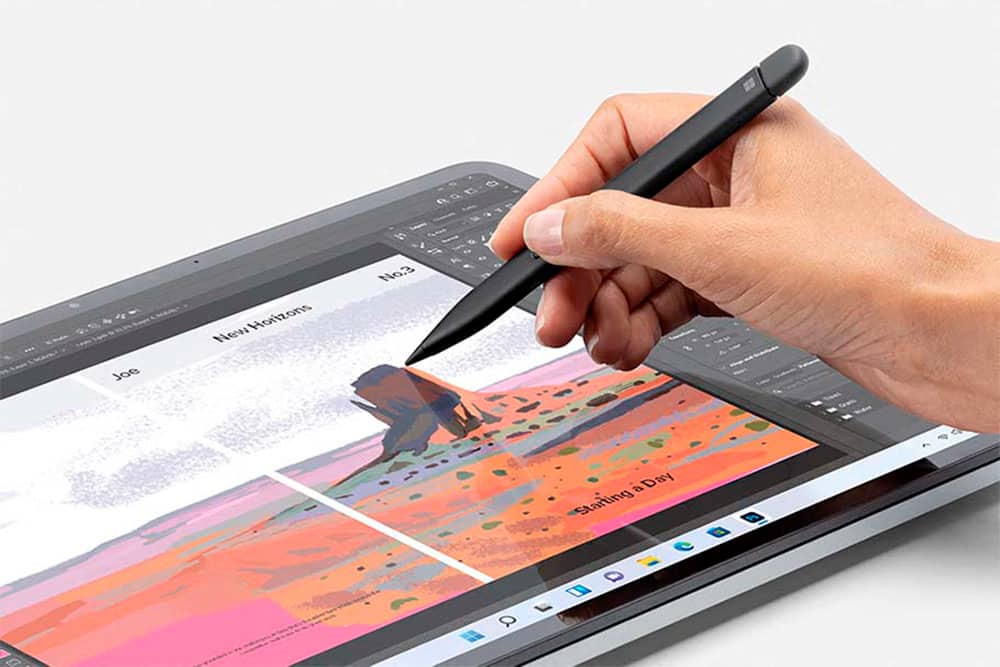
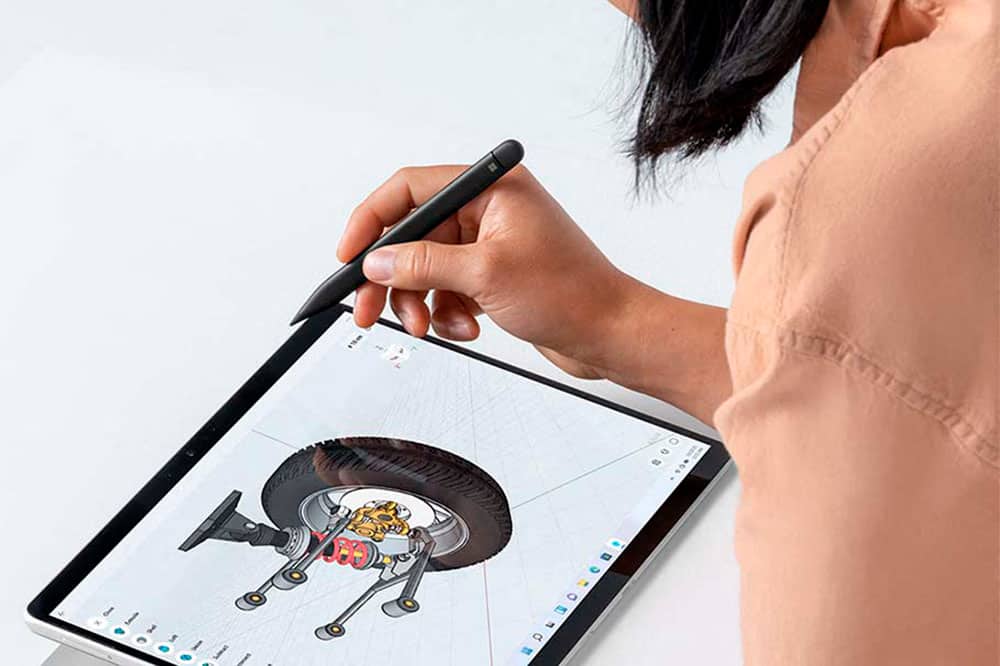
Customers find value in the Surface Slim Pen (2nd Edition)'s ease of use, overall performance, and lightweight design. Compatibility and accuracy are also appreciated, along with its comfortable feel and full-size pen experience. However, some customers have expressed concerns about the lack of an included charger and the product's high price.
This summary was generated by AI based on customer reviews.
Rated 5 out of 5 stars
Simply beautiful
||Posted .This reviewer received promo considerations or sweepstakes entry for writing a review.It is simple to use. I need to learn how to use all the features. I really enjoy the ease of use.
This review is from Microsoft - Surface Slim Pen (2nd Edition) - Matte Black
I would recommend this to a friendRated 5 out of 5 stars
Very pleased
||Posted . Owned for 10 months when reviewed.This reviewer received promo considerations or sweepstakes entry for writing a review.This pen has been so great. It is easy to grip and very light and feels good to draw with. Very pleased highly recommend!
This review is from Microsoft - Surface Slim Pen (2nd Edition) - Matte Black
I would recommend this to a friendRated 5 out of 5 stars
In style
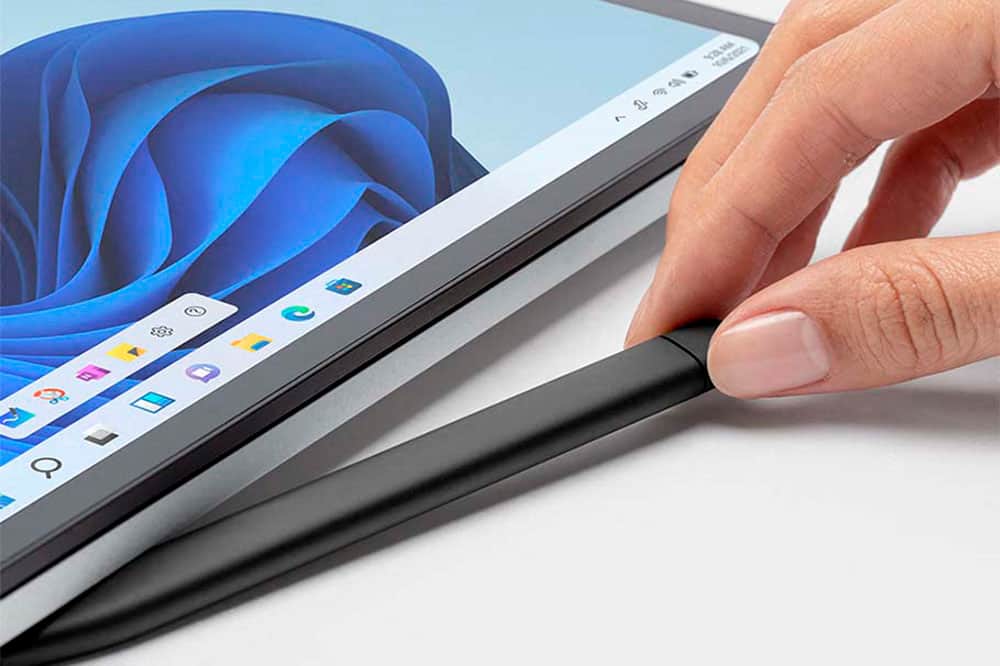
||Posted . Owned for 1 month when reviewed.This reviewer received promo considerations or sweepstakes entry for writing a review.I love this on my surface. The way it fits into the keyboard allows me to not have to worry like I would with an apple pencil. It seems like these stylus are easy to lose but this with the keyboard makes it feel very secure. This pen is responsive and it has some really cool features like erase with the back. I like how you can use it as a mouse, a stylus or a finger on the screen.
This review is from Microsoft - Surface Slim Pen (2nd Edition) - Matte Black
I would recommend this to a friendRated 5 out of 5 stars
Smooth and versatile
||Posted . Owned for 9 months when reviewed.This reviewer received promo considerations or sweepstakes entry for writing a review.Super smooth device which i originally thought I'd only use for sketching but frankly it serves as a very handy mouse. Selecting, taking notes etc, becomes super easy. Highly recommend!
This review is from Microsoft - Surface Slim Pen (2nd Edition) - Matte Black
I would recommend this to a friendRated 2 out of 5 stars
Just get a knockoff off Amazon
||Posted . Owned for 3 months when reviewed.This reviewer received promo considerations or sweepstakes entry for writing a review.This pen was reliable for years but then a recent update to the software made it so it leaves random spots whenever you pick up the pen. You know what doesn’t do that? Any $10 tablet pen with pressure functionality off of Amazon. Buy one of those. Save yourself from spending $90 each on two paperweights because you thought the first one you got was faulty only to find out it’s a software issue not a hardware issue.
This review is from Microsoft - Surface Slim Pen (2nd Edition) - Matte Black
No, I would not recommend this to a friendRated 5 out of 5 stars
Microsoft Slim Pen 2
||Posted . Owned for 1 week when reviewed.This reviewer received promo considerations or sweepstakes entry for writing a review.Great pen! Easy to use and feels very natural! Love it!
This review is from Microsoft - Surface Slim Pen (2nd Edition) - Matte Black
I would recommend this to a friendRated 5 out of 5 stars
New pen
||Posted . Owned for 1 month when reviewed.This reviewer received promo considerations or sweepstakes entry for writing a review.Great product. Quality and Accuracy is marvelous
This review is from Microsoft - Surface Slim Pen (2nd Edition) - Matte Black
I would recommend this to a friendRated 5 out of 5 stars
You need this for your surface device.
||Posted . Owned for 1 month when reviewed.This reviewer received promo considerations or sweepstakes entry for writing a review.This thing makes writing and drawing so nice. It’s a digital pen, not a stylus (I know, I know, that’s what it’s called). It is a massive distinction, and it is worth every penny. Purchased this for the SLS2, and so glad I did!
This review is from Microsoft - Surface Slim Pen (2nd Edition) - Matte Black
I would recommend this to a friendRated 5 out of 5 stars
Does its job
||Posted . Owned for 1 month when reviewed.This reviewer received promo considerations or sweepstakes entry for writing a review.This pen is compact and easy to use. I like the erase feature on it a lot and liked how it charges in my laptop keyboard. The only thing I'm not the biggest fan of is that it's really flat, so it can be a little awkward to hold.
This review is from Microsoft - Surface Slim Pen (2nd Edition) - Matte Black
I would recommend this to a friendRated 5 out of 5 stars
New pen works splendidly!
||Posted . Owned for 3 weeks when reviewed.This reviewer received promo considerations or sweepstakes entry for writing a review.Nice Slim pen works well with keyboard slot, Shouldn't be losing it any time soon!
This review is from Microsoft - Surface Slim Pen (2nd Edition) - Matte Black
I would recommend this to a friendRated 5 out of 5 stars
Good product
||Posted . Owned for 3 weeks when reviewed.This reviewer received promo considerations or sweepstakes entry for writing a review.The pen synced with my Surface Laptop without any problems. Feels pretty natural while writing with it.
This review is from Microsoft - Surface Slim Pen (2nd Edition) - Matte Black
I would recommend this to a friendRated 5 out of 5 stars
Nice Pen and works well
||Posted . Owned for 1 month when reviewed.This reviewer received promo considerations or sweepstakes entry for writing a review.Light weight and so far better than the last one that I had.
This review is from Microsoft - Surface Slim Pen (2nd Edition) - Matte Black
I would recommend this to a friendRated 5 out of 5 stars
Official pen!
||Posted .This reviewer received promo considerations or sweepstakes entry for writing a review.Exactly as described. Official pen from Microsoft.
This review is from Microsoft - Surface Slim Pen (2nd Edition) - Matte Black
I would recommend this to a friendRated 5 out of 5 stars
The dynamic duo of the surface!
||Posted . Owned for 1.5 years when reviewed.This reviewer received promo considerations or sweepstakes entry for writing a review.The perfect companion tool for the surface pro line up. Leaps and bounds better then the surface pen first generation. With automatic Bluetooth, and pressure sensitivity to rival the Apple Pencil this is a superb product for anyone.
This review is from Microsoft - Surface Slim Pen (2nd Edition) - Matte Black
I would recommend this to a friendRated 5 out of 5 stars
pen
||Posted . Owned for 3 weeks when reviewed.This reviewer received promo considerations or sweepstakes entry for writing a review.Love pen works great for work. Easy to easy use and easy to charge.
This review is from Microsoft - Surface Slim Pen (2nd Edition) - Matte Black
I would recommend this to a friendRated 4 out of 5 stars
Nice
||Posted . Owned for 2 weeks when reviewed.This reviewer received promo considerations or sweepstakes entry for writing a review.I like this pen, very slim and easy to use. Only problem I have is it keeps disconnecting from my Surface Duo. The pen part will still work but I have to reconnect it to use the shortcut by clicking once or twice with the top of the pen to open a program. Very annoying. I am going to try it with my Surface Peo 8 and see if it still disconnects.
This review is from Microsoft - Surface Slim Pen (2nd Edition) - Matte Black
I would recommend this to a friendRated 2 out of 5 stars
Requires a separately sold $30 proprietary charger
||Posted . Owned for 3 weeks when reviewed.This reviewer received promo considerations or sweepstakes entry for writing a review.The pen is fantastic and works great but I have to give it 2 stars because it does not come with a charger. It requires a proprietary charger that you have to purchase separately. At the moment I bought this no retailer had the charger in stock. I had to pay double the MSRP so I could get a charger for this device when I needed it. To connect the pen to your device you have to put it into a charger for 1 second. It does not register the touches when the pen is not connected. I was stuck with a $130 product that had no use until I could source that charger. Selling any device that requires a sold separately item to function at all is anti-consumer and a predatory tactic that should be banned.
This review is from Microsoft - Surface Slim Pen (2nd Edition) - Matte Black
No, I would not recommend this to a friendRated 4 out of 5 stars
So far, So good
||Posted . Owned for 1 month when reviewed.This reviewer received promo considerations or sweepstakes entry for writing a review.I haven't used it enough for too thorough of a review, although I will say that I love how easy it is to set up and use, and how the pen itself feels in your hand. My only complaint is that the drag seems heavy and delayed, but I suspect this might be a user error that can be fixed with practice and settings changes.
This review is from Microsoft - Surface Slim Pen (2nd Edition) - Matte Black
I would recommend this to a friendRated 5 out of 5 stars
They have it in stock!
||Posted . Owned for 1 month when reviewed.This reviewer received promo considerations or sweepstakes entry for writing a review.Mine broke and Best Buy had it in stock! Love it!
This review is from Microsoft - Surface Slim Pen (2nd Edition) - Matte Black
I would recommend this to a friendRated 5 out of 5 stars
Need to put it to use
||Posted . Owned for 2 months when reviewed.This reviewer received promo considerations or sweepstakes entry for writing a review.Works as intended, not really needed it, im no artist or anything but still got it anyway. Hopefully i find a use for it
This review is from Microsoft - Surface Slim Pen (2nd Edition) - Matte Black
I would recommend this to a friend