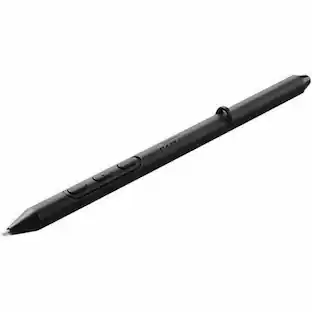
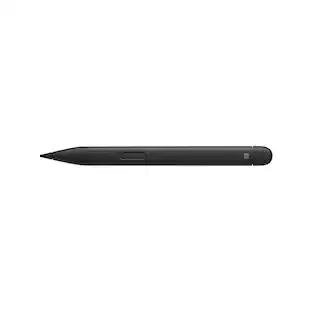
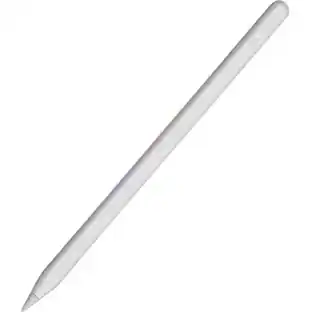
Microsoft - Surface Slim Pen (2nd Edition) - Matte Black
Customers are saying
Customers are positive about the product's ease of use, overall performance, and lightweight design, with many users praising its comfortable feel and high level of accuracy. Customers are negative about the lack of an included charger and the relatively high price point compared to similar options. While most users enjoy the device, a small number of reports mention concerns regarding connectivity issues and the durability of the pen tip.
Our most advanced pen
Turn ideas into reality with powerful creative tools supercharged by AI
Create, store, charge, repeat
Write, sketch, navigate, and recharge. Take handwritten notes and draw with the same feeling you get with pen on paper, with exceptional accuracy and a new storable design. Surface Slim Pen (2nd Edition) also delivers incredible shading and exceptional pressure sensitivity.¹
Fast, fluid, and perfect with your Surface
Our best performing pen yet, with real-time writing, pin-point accuracy, and incredible shading thanks to a sharper pen tip and improved design.
Note-taking, sketching, and navigating for everyone
Experience natural and intuitive note-taking, sketching, and navigating with the same feeling you get with pen on paper, thanks to feedback you control when paired with Surface Pro 8 or Surface Laptop Studio.³⁴⁵
Surface Slim Pen (2nd Edition) can help improve your productivity
You control the level of feedback you feel when you successfully select objects, hover, delete, and more.⁴
Always charged and ready
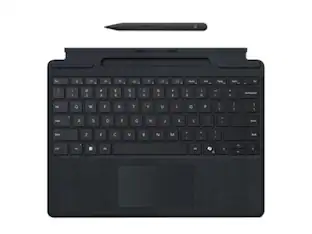
You'll always know where it is with built-in, wireless charging and secure storage in Surface Pro Signature Keyboard or Surface Laptop Studio.⁵
Capture ideas instantly
Brainstorm and sketch with others over Microsoft Teams or when using Microsoft Whiteboard. Plus, edit presentations on the spot, fill out and sign documents, or take personal handwritten notes in Microsoft Journal.⁵
- Model CompatibilityMicrosoft Surface Book, Microsoft Surface Book 2, Microsoft Surface Book 3, Microsoft Surface Duo, Microsoft Surface Laptop, Microsoft Surface Laptop 2, Microsoft Surface Laptop 3, Microsoft Surface Laptop 4, Microsoft Surface Pro X, Microsoft Surface Studio, Microsoft Surface Studio 2, Microsoft Surface Pro 3, Microsoft Surface Pro 4, Microsoft Surface Pro 5, Microsoft Surface Pro 6, Microsoft Surface Pro 7, Microsoft Surface Go, Microsoft Surface Go 2, Microsoft Surface Pro 8, Microsoft Surface Go 3, Microsoft Surface Laptop Studio, Microsoft Surface Duo 2Screen CompatibilityBuilt for Windows Ink (Active)Operating System CompatibilityWindows
Reviews
Rating 4.5 out of 5 stars with 753 reviews
- Ease of use (162)
- Overall Performance (88)
- Design (35)
- Weight (31)
- Compatibility (26)
- Charger (43)
- Price (25)
- Lag (4)
- Connectivity (3)
- Tip (3)
Customer Images
The vast majority of our reviews come from verified purchases. Reviews from customers may include My Best Buy members, employees, and Tech Insider Network members (as tagged). Select reviewers may receive discounted products, promotional considerations or entries into drawings for honest, helpful reviews.
Compare similar products

Write, sketch, navigate, and recharge. Take handwritten notes and draw with the same feeling you get with pen on paper, with exceptional accuracy and a new storable design. Surface Slim Pen (2nd Edition) also delivers incredible shading and exceptional pressure sensitivity.¹
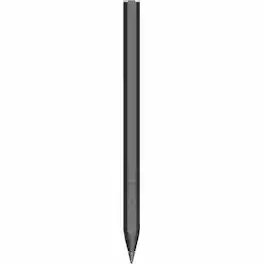
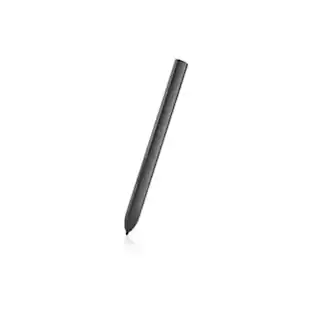
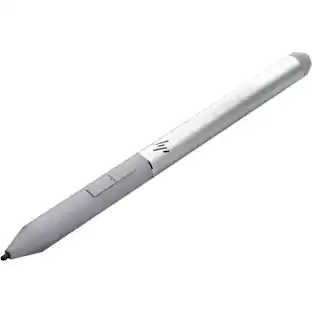
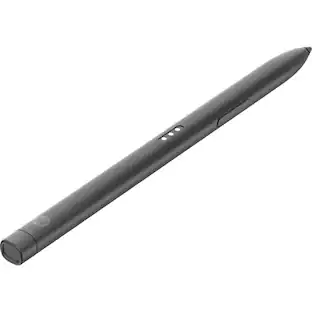
HP Rechargeable MPP 2.0 Tilt Pen - Active - Replaceable Stylus Tip - Black - Notebook Device Supported
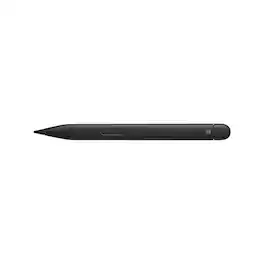
Before you settle for less, elevate your digital writing and sketching experience with the Microsoft Slim Pen 2, designed specifically for Surface Pro, Duo, Go, and Laptop Studio. This sleek, matte black pen seamlessly bridges the gap between traditional pen and paper and the digital world, offering unparalleled accuracy and a convenient, storable design. The Microsoft Slim Pen 2 is meticulously engineered to provide the most refined shading experience yet. Featuring a sharper pen tip and an enhanced design, it allows you to interact with your screen at the optimal angle for ultra-precise tilting and shading. With an impressive 4,096 points of pressure sensitivity, your digital writing and drawing will feel more natural and fluid than ever before.This innovative pen is compatible with a broad range of Surface devices for charging, which are sold separately. It securely stores and recharges when placed in the Surface Pro Signature Keyboard or when magnetically attached to the Surface Laptop Studio. Equipped with a haptic motor, the Slim Pen 2 replicates the tactile sensation of writing and drawing on paper, directly on your PC's screen. You can adjust the level of feedback you experience when selecting objects, hovering, deleting, and more, making your digital interactions more intuitive and responsive.As our best-performing pen to date, the Microsoft Slim Pen 2 offers real-time writing, pinpoint accuracy, and exceptional shading capabilities. It's ideal for note-taking, sketching, and navigating, providing a natural and intuitive user experience. Enhance your productivity with the Slim Pen 2, which is always charged and ready to use right out of the box, empowering you to unleash your creativity instantly.With built-in wireless charging and secure storage options in the Surface Pro Signature Keyboard or Surface Laptop Studio, you'll always know where your pen is. Capture your ideas instantly with the Microsoft Slim Pen 2, whether you're brainstorming and sketching with colleagues over Microsoft Teams, using Microsoft Whiteboard, editing presentations on the fly, filling out and signing documents, or taking personal handwritten notes in Microsoft Journal. Experience the future of digital writing and drawing with the Microsoft Slim Pen 2.

Surface Pen delivers a natural writing and drawing experience, with ink that flows out in real time with virtually no lag or latency. Tilt support lets you shade your sketches just like you would with a graphite pencil.¹ Surface Pen also delivers exceptional artistic precision - with 4,096 pressure points that respond to the lightest touch.
| Pros for Microsoft - Surface Slim Pen (2nd Edition) - Matte Black | |||
|---|---|---|---|
| Ease of use, Overall Performance, Compatibility, Design, Weight | Overall Performance, Battery Life, Connectivity | There were no pros for this product— | Ease of use, Overall Performance, Compatibility, Battery Life, Drawing |
| Cons for Microsoft - Surface Slim Pen (2nd Edition) - Matte Black | |||
| Price, Lag, Connectivity, Charger, Tip | There were no cons for this product— | There were no cons for this product— | Price, Lag, Connectivity, Tip Durability, Clip |
Specs
I think this would obviously pair with prior surfaces, but will the new features work on a Surface Pro 7?
Answered by MicrosoftOutreachTeamThank you for the question. Surface Slim Pen 2 is compatible and allows tilt functionality with Surface Pro 7; however, zero force inking will only work when Surface Slim Pen 2 is used with Surface Pro 8, Surface Pro X, Surface Laptop Studio, and Surface Duo 2.

Does this pen have a built-in wireless charging feature?
Yes, this pen has built-in wireless charging.
This question and answer was generated by AI based on customer and product data.What is the primary material used in making this pen?
The Surface Slim Pen (2nd Edition) is made of plastic.
This question and answer was generated by AI based on customer and product data.Is the stylus tip replaceable on this pen?
Yes, the stylus tip is replaceable on the Surface Slim Pen (2nd Edition).
This question and answer was generated by AI based on customer and product data.How long does the manufacturer's warranty last on this product?
This pen comes with a 1 year limited manufacturer's warranty for parts, but labor is not covered.
This question and answer was generated by AI based on customer and product data.
Customers often buy these together
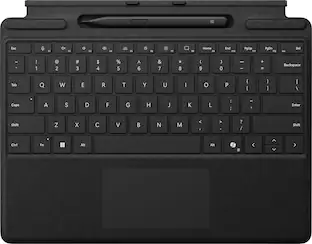 $249.99The price was $279.99
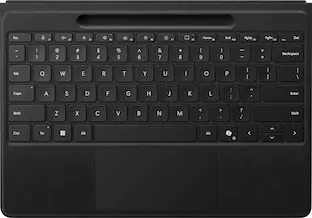 $329.99The price was $399.99


Customers ultimately bought
 $62.24The price was $82.99
 $114.00The price was $125.51







Explore tech essentials Sponsored
 Clearance$79.99The price was $199.00


Discover related products








Keep exploring
- $114.00The price was $125.51
 $52.99The price was $104.14
 $29.99The price was $39.99