Customer Ratings & Reviews

- Model:
- 8WV-00001
- |
- SKU:
- 6477996
Customer reviews
Rating 4.5 out of 5 stars with 735 reviews
(735 customer reviews)Rating by feature
- Value4.2
Rating 4.2 out of 5 stars
- Quality4.6
Rating 4.6 out of 5 stars
- Ease of Use4.6
Rating 4.6 out of 5 stars
to a friend
Customers are saying
Customers find value in the Surface Slim Pen (2nd Edition)'s ease of use, overall performance, and lightweight design. Compatibility and accuracy are also appreciated, along with its comfortable feel and full-size pen experience. However, some customers have expressed concerns about the lack of an included charger and the product's high price.
This summary was generated by AI based on customer reviews.
Rated 5 out of 5 stars
Not a must-have but nice flexibility
||Posted . Owned for 1 month when reviewed.This reviewer received promo considerations or sweepstakes entry for writing a review.My kids use their pens all the time for school with their ipads. Thought I would add it to my new ipro 9 and keyboard purchase. I like the look and feel of it. Limited us at this point but works as expected.
I would recommend this to a friendRated 5 out of 5 stars
Pen
||Posted . Owned for more than 2 years when reviewed.This reviewer received promo considerations or sweepstakes entry for writing a review.This pen has been so useful for my college work and comic book writing!!
I would recommend this to a friendRated 5 out of 5 stars
Amazing pen with robust features.
||Posted . Owned for 2 months when reviewed.This reviewer received promo considerations or sweepstakes entry for writing a review.I haven't used a pen in a long time. Finally got a Surface Studio Laptop and decided to give it a try. Wow, these devices have improved inaccuracy and features. If you have a new surface device and need something to draw with, look no future!
I would recommend this to a friendRated 5 out of 5 stars
Great stylus by Microsoft!
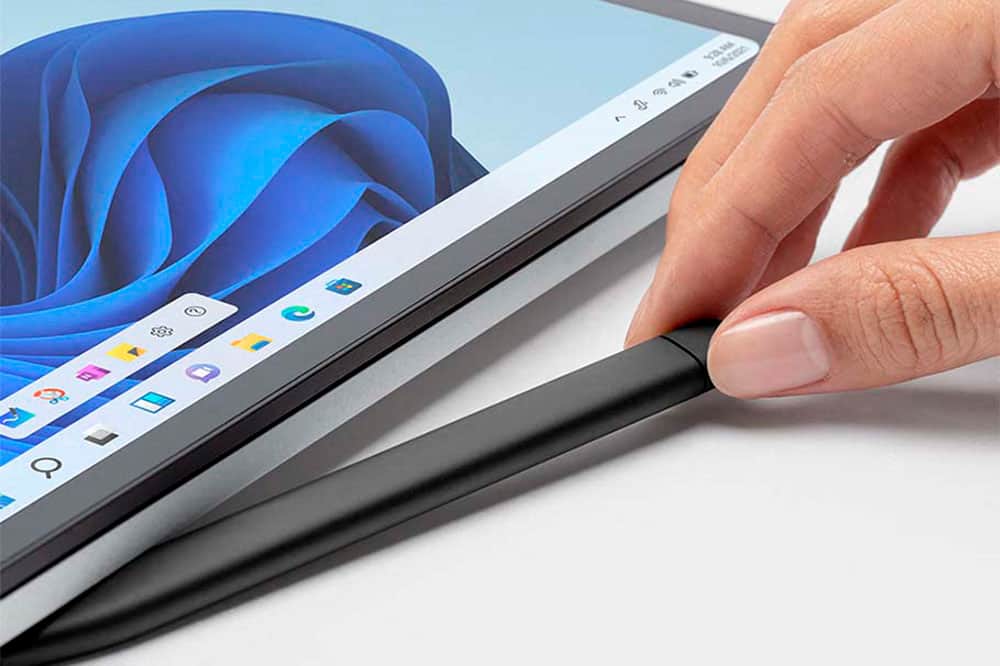
||Posted . Owned for 1 week when reviewed.This reviewer received promo considerations or sweepstakes entry for writing a review.The charging and storage port is super convenient on the surface studio laptop. The pencil has incredible accuracy and is lightweight too! Could be slightly less expensive or bundled with a $2000+ laptop.
I would recommend this to a friendRated 4 out of 5 stars
Microsoft pen
||Posted . Owned for 2 months when reviewed.This reviewer received promo considerations or sweepstakes entry for writing a review.Easy to use but battery life is too short I have to recharge it
I would recommend this to a friendRated 3 out of 5 stars
It's ok
||Posted . Owned for 3 months when reviewed.This reviewer received promo considerations or sweepstakes entry for writing a review.It's ok, the stylus isn't the most compatible with my Asus z13 as the mpp 2.0 support isn't the best. Thus results in poor line quality, however testing it on a old surface book 3 I had it works really well. This is also very expensive as the charger is another $45 but there isn't any USBC port to go wrong and it is very reliable with excellent build quality.
No, I would not recommend this to a friendRated 5 out of 5 stars
Love it
||Posted . Owned for 3 weeks when reviewed.This reviewer received promo considerations or sweepstakes entry for writing a review.I love how strong the magnetic hold is. I use a Surface Studio and the slim pen fits perfect under the base. I thought the shape would take awhile to get used to, however, it feels natural right away. Very responsive, good resistance, great overall!
I would recommend this to a friendRated 5 out of 5 stars
The best!
||Posted .This reviewer received promo considerations or sweepstakes entry for writing a review.The best! I buy this pencil for gift. And my friend liked this pencil.
This review is from Microsoft - Surface Slim Pen (2nd Edition) - Matte Black
I would recommend this to a friendRated 4 out of 5 stars
Surface Slim Pen 2
||Posted . Owned for 3 weeks when reviewed.This reviewer received promo considerations or sweepstakes entry for writing a review.The pencil itself is very convenient, I have a surface pro 8 and used the original pen. I recommend having a keyboard compatible with charging/holding the pen as it does not come with the charger required to operate it. You can buy it separately but it requires activation by a charger to "wake" the pen and begin use. Otherwise, it functions well and makes taking notes on my surface super convenient without having to type. Value and ease of use ratings suffer due to having to buy the charger separately, the employee I talked to said I didn't require the charger to use the pen however as I stated before this isn't the case; and considering the price tag this feature of needing a charger to activate was super inconvenient.
I would recommend this to a friendRated 5 out of 5 stars
Surface slim pen
||Posted . Owned for 3 weeks when reviewed.This reviewer received promo considerations or sweepstakes entry for writing a review.Great value for this Microsoft surface slim pen open box.
I would recommend this to a friendRated 5 out of 5 stars
The verdict
||Posted . Owned for 1 week when reviewed.This reviewer received promo considerations or sweepstakes entry for writing a review.Epilogue: The Verdict Dear reader, if you seek a stylus that dances, flirts, and whispers sweet nothings about wireless charging, the Surface Slim Pen is your muse. But if you prefer AAAA batteries and a stylus that doubles as a medieval quill, the classic Surface Pen awaits. Choose wisely, my friend. Your digital destiny hangs in the balance. And so, I raise my Slim Pen to the pixelated heavens and declare, “May your lines be straight, your doodles quirky, and your Ctrl+Zs ever forgiving!”
I would recommend this to a friendRated 5 out of 5 stars
Awesome Surface pen
||Posted . Owned for 1 month when reviewed.This reviewer received promo considerations or sweepstakes entry for writing a review.Great Surface pen. Smaller than the round old version and rechargeable. Thing to know is that to recharge this pen you will either have to buy an adapter or have the new Surface laptop. The pen cannot recharge using an older model of the Surface.
I would recommend this to a friendRated 5 out of 5 stars
Super easy to use and increased my productivity.
||Posted . Owned for 3 weeks when reviewed.This reviewer received promo considerations or sweepstakes entry for writing a review.I never thought I would have ever purchased a device like this, but I'm glad I did. I use it for almost everything. It has made my daily job so much easier. I also love how I can erase by turning it over and making an erase motion.
I would recommend this to a friendRated 5 out of 5 stars
Does the job
||Posted . Owned for 3 weeks when reviewed.This reviewer received promo considerations or sweepstakes entry for writing a review.Not a lot of instructions but once I figured it out I loved it
I would recommend this to a friendRated 5 out of 5 stars
Comfortable to use
||Posted . Owned for 3 weeks when reviewed.This reviewer received promo considerations or sweepstakes entry for writing a review.Writes and draws very smooth. The only negative thing I have is for $100+, it should have came with a charger. Had to purchase separate.
I would recommend this to a friendRated 5 out of 5 stars
The surface on which you can build an empire
||Posted . Owned for 4 months when reviewed.This reviewer received promo considerations or sweepstakes entry for writing a review.easily one of the best laptops I’ve ever owned just in terms of sheer versatility and flexibility. I couldn’t be happier. I own several Apple products, but the Microsoft surface has proven to be showstopper in terms of workhorse performance and reliability. I would highly recommend this for students and people who are using laptops to run their own business or work from home. It has the capacity to do menial task as well as complex business centric work.
I would recommend this to a friendRated 5 out of 5 stars
Great usability
||Posted . Owned for 1 month when reviewed.This reviewer received promo considerations or sweepstakes entry for writing a review.A must if you have a surface pro 8. Fits comfortably in my hand. The eraser button and side button are convenient features and automatically changes to erase mode when flipped upside down. Very responsive
I would recommend this to a friendRated 5 out of 5 stars
Make sure you will use it.
||Posted . Owned for 2 weeks when reviewed.This reviewer received promo considerations or sweepstakes entry for writing a review.Not a bad pen. Dont buy it if you dont know if you will use it. You probably wont. I dont. Thats on me though. Pretty much for drawing or notes. Otherwise you may not find a use. You wont use it for anything else. Mine just sits in the keyboard continuously charging
I would recommend this to a friendRated 4 out of 5 stars
Great
||Posted .This reviewer received promo considerations or sweepstakes entry for writing a review.Easy to use. Luckily I already bad the keyboard so I didn't need to buy a charger.
This review is from Microsoft - Surface Slim Pen (2nd Edition) - Matte Black
I would recommend this to a friendRated 3 out of 5 stars
Clicker breaks
||Posted . Owned for 6 months when reviewed.This reviewer received promo considerations or sweepstakes entry for writing a review.The clicker on the end of the pen that performs an action - in my case changes slides in powerpoint presentations - has broken on two of these. One immediately following the end of my warranty and the other within months. I have tried third party types that havent had the same functionality, so I keep spending money on these. For $100+ they are pricey to keep replacing. I gave some stars because there is still the writing function that works well.
I would recommend this to a friend