Customer Ratings & Reviews
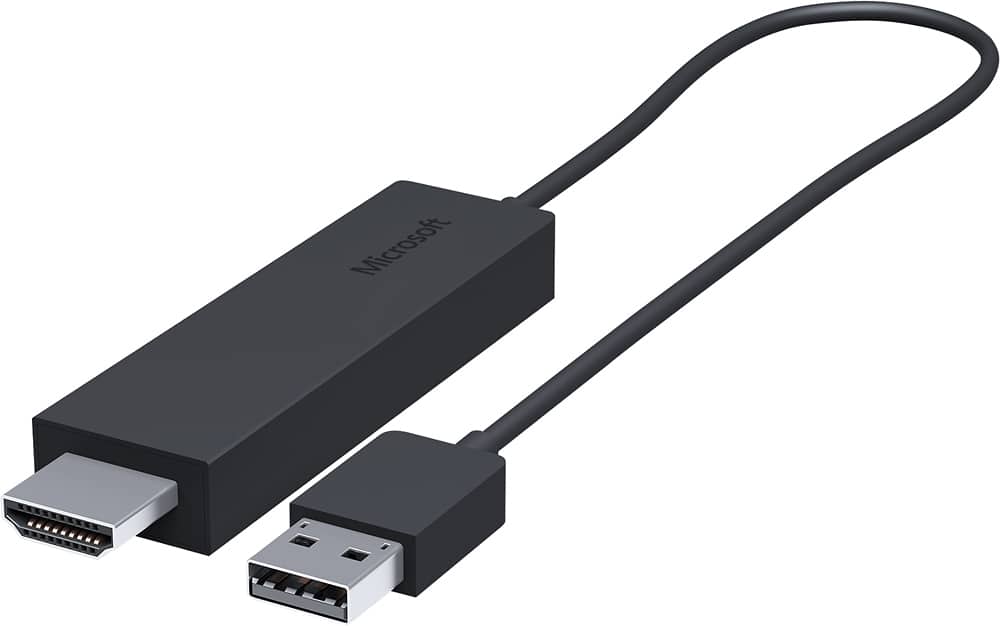
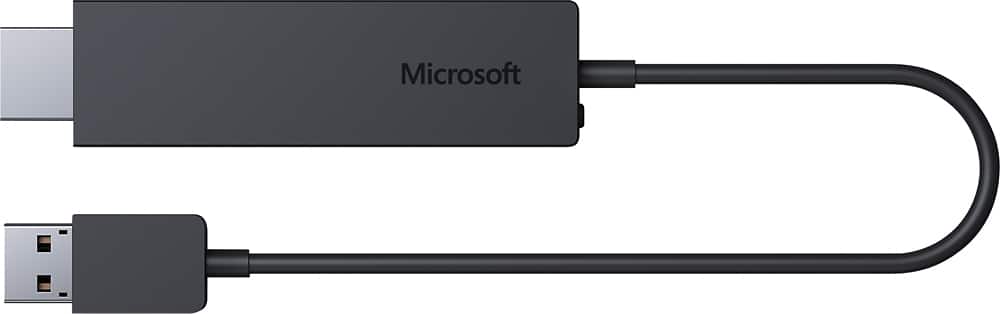
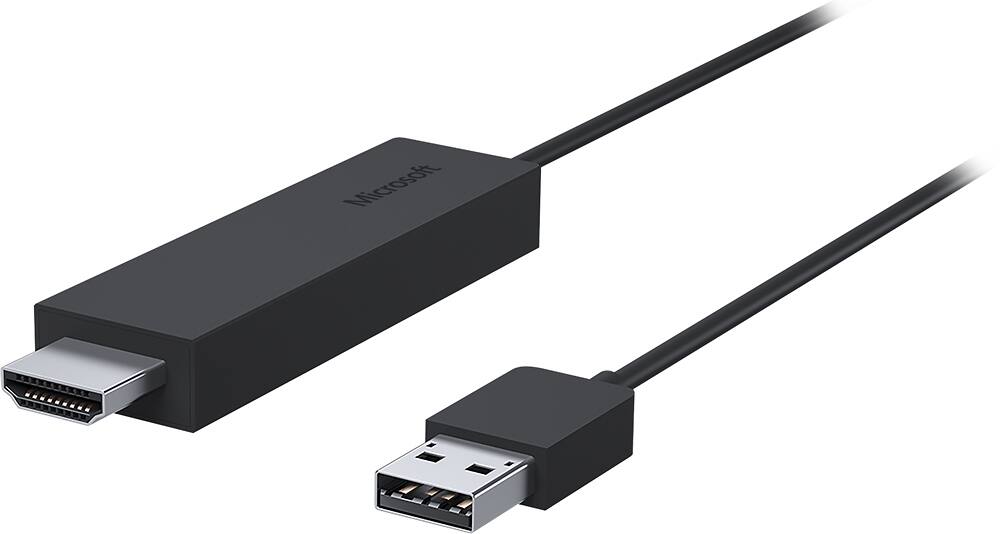
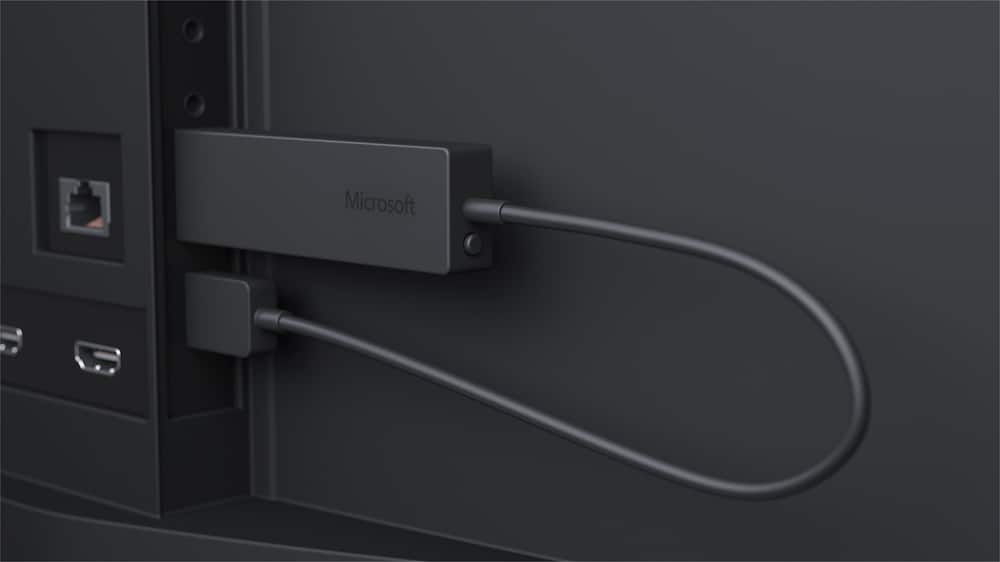
- Model:
- CG4-00001
- |
- SKU:
- 9373097
Customer reviews
Rating 4.2 out of 5 stars with 1204 reviews
(1,204 customer reviews)to a friend
Customers are saying
Customers love the Wireless Display Adapter's ease of use and wireless functionality, frequently praising its simple setup and good video quality. However, some users experienced connection issues and lag, while others found the price to be a significant drawback. The adapter's compatibility and range were also cited as areas needing improvement.
This summary was generated by AI based on customer reviews.
- Pros mentioned:Video quality
Rated 5 out of 5 stars
Cant go wrong with this one
||Posted .This reviewer received promo considerations or sweepstakes entry for writing a review.I tried using a 6 ft adapter cable at first because I didn't think a wireless connection from my Surface Pro 3 i5 to my Vizio Smart TV would be sufficient. Well, I quickly learned that a 6 ft adapter cable wasn't sufficient for convenience sake(psh, first world problems). So I returned the Insignia Cable and purchased this Microsoft Wireless Display Adapter for $10 more. Took it home, plugged it into the USB and HDMI ports on my TV, and seamlessly connected my SP3 to the Wireless HDMI Adapter. The convenience was solved immediately, but I still needed to test the connectivity. Fortunately, it quickly became clear that the wireless connection does not decrease the quality of the feed, audio or visual, in any way. Overall, I would highly recommend this product to all future customers. One of my friends actually took my advice, bought one, and couldn't be happier.
I would recommend this to a friend Rated 5 out of 5 stars
Great Wireless Adapter
||Posted .This reviewer received promo considerations or sweepstakes entry for writing a review.Great wireless adapter for your Microsoft Surface...Awesome watching video lectures on a big screen and still have the same sharpness.
I would recommend this to a friend- Pros mentioned:Ease of use, Screen size, Video quality
Rated 5 out of 5 stars
Best device I added this year!
||Posted .This reviewer received promo considerations or sweepstakes entry for writing a review.My wife and I both have Windows 8.1 notebooks that include the Intel Wireless Display chipset and Samsung Galaxy phones. We screen mirror what is on our phones and notebooks to our TV quite frequently using the Microsoft Wireless Adapter. It is so easy to setup and simple to use. Better than that, it works great! We have a 2010 Sony 60" KDL-EX720 Smart TV. In 2010 this TV did not include wireless network connectivity/Miracast, but it could be added by purchasing $100 wireless adapter. I checked out several alternatives that were less expensive and narrowed it down to three. 1) Purchase a Blu-Ray DVD player with WiFi and Miracast. 2) Purchase Roku or Amazon Live TV and use their screen-mirroring. 3) Purchase the Microsoft Wireless Adapter. My first choice was option 2. I got a great deal on the Amazon Live TV box from Best Buy. I am an Amazon Prime member, so I thought what the heck. Amazon Live TV is super cool and works great, but not to screen mirror with a Windows 8.1 notebook. After installing different wireless network adapter drivers and reading article/forum I could never successfully connect either notebook to the Amazon Live TV screen-mirroring feature. So, onto my second choice. My second choice was option 3. I purchased the Microsoft Wireless adapter. Best choice ever! 1) I opened the box. 2) Plugged the adapter into a free HDMI port and the USB port for power. 3) Changed the TV to the HDMI input. 4) Turned on mirroring on my Samsung Galaxy Note 4 and selected the Microsoft adapter and I was screen-mirroring. Easy Squeezy. After the initial setup, connecting is a quick two step process. 1) Change the TV input to the Wireless Adapter. 2) Turn on screen mirroring on your device. There is no navigation through a menu system. Simply change the input and go. The devices we are mirroring are Full HD 1080P. There is minimal lag or distortion in the video and audio quality. We did have one issue connecting my wife's Galaxy S5. It would not connect at first. The phone did not have the latest Android and Verizon software updates. It connected fine after installing all of the updates. This device is a big win and thumbs up from me. Buy it and enjoy it! Devices: Toshiba: E45T-B4204 HP: 15-u010dx Samsung Galaxy S4 Samsung Galaxy Note 4
I would recommend this to a friend - Pros mentioned:HdmiCons mentioned:Connection
Rated 5 out of 5 stars
Works great! Make sure to update firmware first!
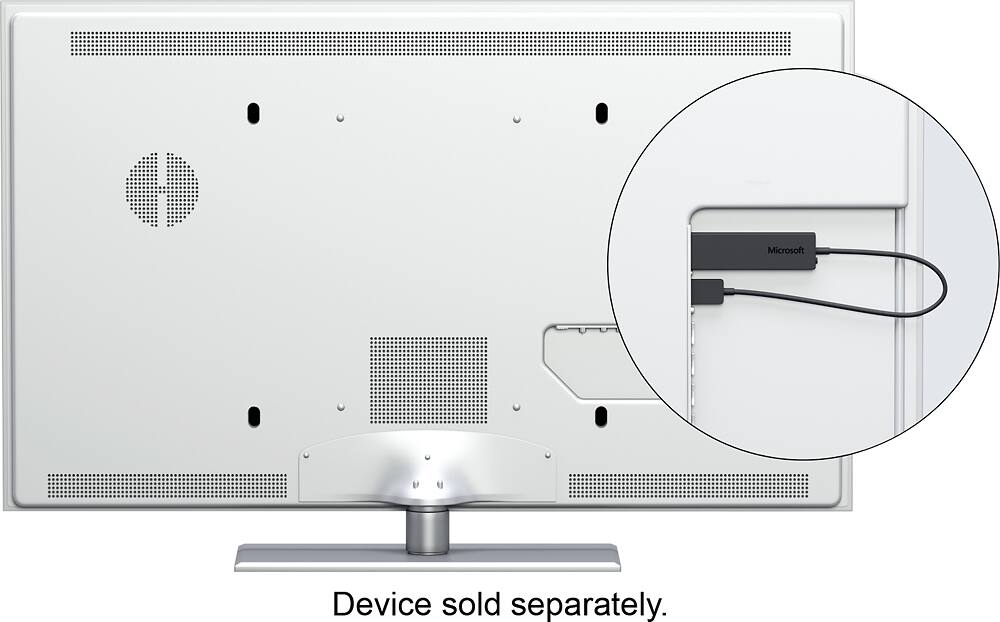
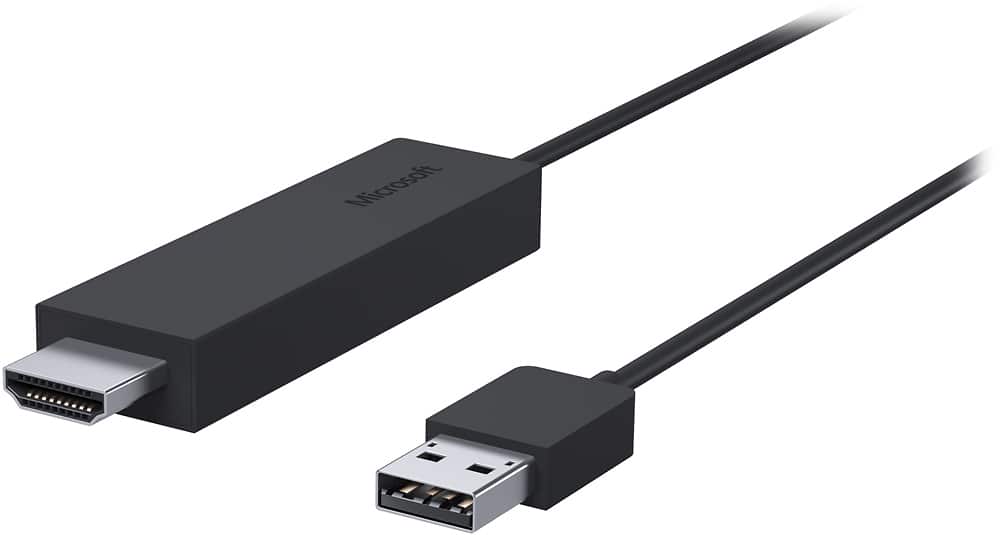
||Posted .This reviewer received promo considerations or sweepstakes entry for writing a review.Works great with my Surface 3 and Samsung tv! How to connect: One end of the adapter goes into the USB port of your television and the other end to the HDMI port of your television. It is a wireless adapter so nothing needs to be plugged into your computer/tablet. Select the appropriate HDMI input on your television, go to display settings on your computer/tablet, click connect to wireless adapter and select the Microsoft Display Adapter and you are set! IMPORTANT :In order to get the display adapter working flawlessly, without any connectivity issues, please download the Windows Display Adapter App (Win 10) and upgrade the firmware of the adapter. It is very important you do this or you may face connectivity drops or other bugs/issues. TIP: If your display is getting cropped or isn't fitting your television screen, adjust the television display options. I had my Surface 3 resolution set to 1920x1080 as I have a full hd TV, but it was still stretching outside my television display. I changed the display setting on my tv to 'Fit' which fixed the problem.
I would recommend this to a friend - Pros mentioned:Hdmi, Video quality
Rated 5 out of 5 stars
Works Great... if your device is Miracast capable
||Posted .This reviewer received promo considerations or sweepstakes entry for writing a review.Got this to test its Miracast mirroring capabilities. I tested it on an Acer 2 in 1 tablet (switch 10). Worked flawlessly... couldn't tell the difference between the sound and video over the Miracast peer to peer vs. a micro hdmi cable. Couldn't test it, however, on an Android device because Asus tablet I have won't Miracast. Elected to pass on it because 2 in 1 is too cumbersome to use as a tv remote... you want something hand held. And wasn't sure as to whether would get an Android or Windows device that was more portable and hand held. In the end, I did not... got an Iphone, which I'll use with Airplay for the same dealie. But, if you have a Miracast capable device, this is the best wireless hdmi cable out there.
I would recommend this to a friend - Pros mentioned:Video quality
Rated 5 out of 5 stars
Great way to stream to the TV without cords
||Posted .This reviewer received promo considerations or sweepstakes entry for writing a review.I travel a lot for work and occasionally would forget to bring the cable to connect my tablet to the hotel's TV. I read about alternative ways to project to the TV and decided to give this device a shot. Set up was super simple. Plug into the USB and HDMI ports on the TV and let the unit boot up. It also comes with a 6-inch HMDI extension cable just in case you need a slightly longer reach. I'm using a Win 8.x tablet, so it found the Wireless Display Adapter under the Settings > Devices > Project charm, and bam! you're connected wireless. I was up and running in less than 5 minutes. I had the tablet about 15-20 feet away from the TV and it never dropped a signal. Occasionally the video would pixelize but it cleared up pretty quick. I'm extremely pleased with this device. I can't wait to see if work with my other tablets.
I would recommend this to a friend - Pros mentioned:Ease of use, Video quality
Rated 5 out of 5 stars
Exactly what I wanted
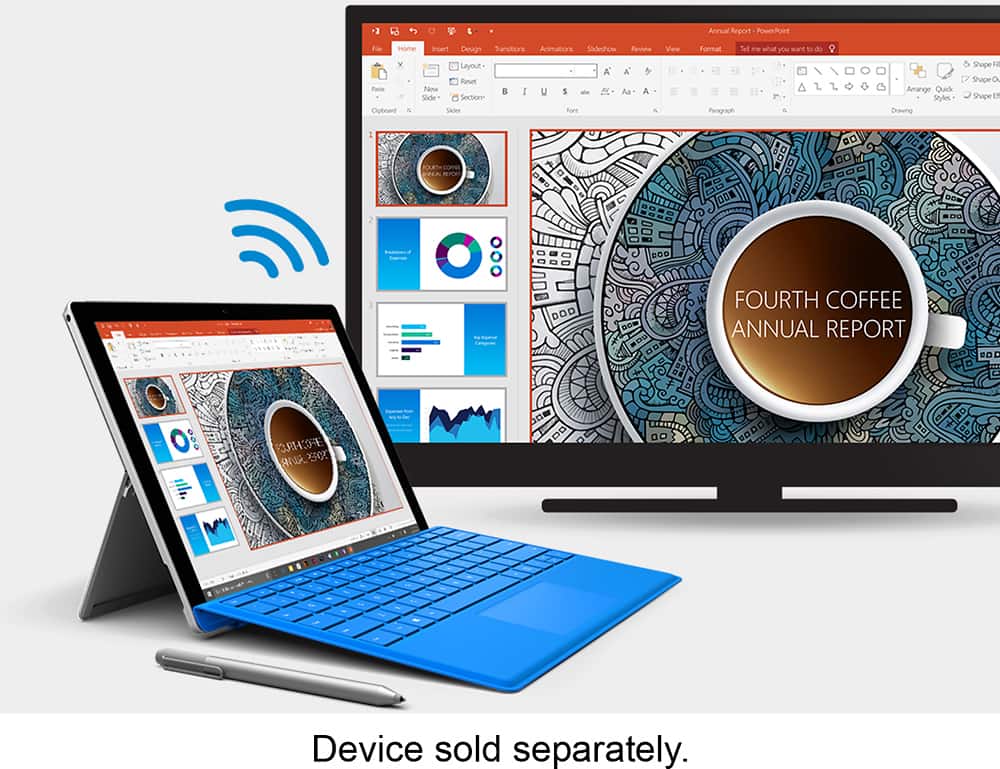
||Posted .This reviewer received promo considerations or sweepstakes entry for writing a review.I travel for business a lot and was looking for a way to watch Netflix and my iTunes movies that are on my Surface on hotel room TVs. This does it with no delay with a great picture! It is just the projection of the display, though, and not the audio, so keep that in mind if you buy it for the same purpose. Great for ppt presentations as well, without needing a hard line connection. Very easy to use, provided you have a screen with both a USB and HDMI connection.
I would recommend this to a friend - Pros mentioned:Ease of use, Screen size
Rated 5 out of 5 stars
Plays well with Android and Windows devices
||Posted .This reviewer received promo considerations or sweepstakes entry for writing a review.Very easy to use. Tried it out with my android phone and tablet as a screen mirror and on a windows 10 tablet as a second monitor this device just works and works well. The device does get warm with prolonged use but had no failures when it was in that state.
I would recommend this to a friend - Pros mentioned:Ease of use, Video quality
Rated 5 out of 5 stars
Streams HD quality movies smoothly & reliably!!
||Posted .This reviewer received promo considerations or sweepstakes entry for writing a review.I purchased the Microsoft Display Adapter after experiencing numerous problems getting my Toshiba computer's WIDI connection to work without frequent freezing and stuttering. The Microsoft Wireless Display Adapter worked perfectly right out of the box allowing me to stream movies and videos from my computer to my Samsung HDTV in full HD smoothly without any artifacts. Great product at a good price!
I would recommend this to a friend - Pros mentioned:HdmiCons mentioned:Lag
Rated 5 out of 5 stars
Excellent!
||Posted .This reviewer received promo considerations or sweepstakes entry for writing a review.Great improvement over version 1 from MS. Easily attaches to USB and HDMI on most HD displays. Separate power to the USB side is possible, but no power adapter is included. Most redundant adapters I have in my possession work fine though, but haven't needed them (yet). Plastic case, connecting both female ends of the cable actually helps remind me to remove the adapter before departing. Very little lag, nice UI from MS on the interface (found in the MS Store).
I would recommend this to a friend - Pros mentioned:Ease of use, Video quality
Rated 5 out of 5 stars
Good wireless display
||Posted .This reviewer received promo considerations or sweepstakes entry for writing a review.Very simple to use. I connected this to the big monitor in the conference room. I tested this with my surface tablet and a newer HP laptop both running windows 10. Mostly showing business graphics like PowerPoint slides. I did show some training videos and the sound and video was as clear as using an HDMI cord. I also used this with an android phone just to see if it would work, which it did. It is wireless so I think meant to be used in the same room as the monitor.
I would recommend this to a friend - Pros mentioned:Ease of use, Wireless
Rated 5 out of 5 stars
Works as advertised
||Posted .This reviewer received promo considerations or sweepstakes entry for writing a review.Although initially skeptical about whether it would work (it's a Microsoft product), I was subsequently very impressed. Took it out of the box, plugged it into my TV, turned on my laptop, changed the source using the TV remote and voila, my laptop's screen (desktop) was on the TV. I was amazed at how easy it was and that it worked so well. Plus it is wireless (no cables needed) and it will work on any TV. Great for showing photos on your HD TV from your laptop with no hassle.
I would recommend this to a friend - Pros mentioned:Video qualityCons mentioned:Lag
Rated 5 out of 5 stars
Delivers!
||Posted .This reviewer received promo considerations or sweepstakes entry for writing a review.I love the this device. I use it to cast pictures, YouTube videos and movies to my Epson projector (via a Pioneer receiver) form my Samsung Note 3 and SP3. Very little lag on Samsung Note 3 and almost no lag from SP3, great quality. My favorite feature is, when I work from home, the ability to use a TV as a second "monitor". The adapter is in a closet with all of my electronic equipment and I have never had an issue connecting to the adapter I'm usually about 20 feet away.
I would recommend this to a friend - Pros mentioned:Wireless
Rated 5 out of 5 stars
Works seamlessly with all my compatible devices.
||Posted .This reviewer received promo considerations or sweepstakes entry for writing a review.I didn't expect much from such a device since I have a Chromecast and rarely used that. But once I used this, I found out how much more convenient it was to connect and display local content on my TV. I've always used an HDMI to connect my devices. With this, I no longer have to do that to get the same results. Just plug the wireless display adapter into an HDMI port on the TV, plug the usb cable to a usb port on the TV (or to a power source if the TV doesn't have one). Then on your device, just find the wireless display adapter and connect to it. Done. Everything is mirrored from your device onto the TV. This seamlessly with Windows 10 and supported Android 4.4+ devices. The one thing that makes this item different than the Chromecast is that you don't need an internet connection for it to work, whereas the Chromecast requires a wireless connection in order to function. Perfect for traveling to places it's a hassle to connect to the wireless network (e.g. hotels, relatives/friend's place) or even places with limited to no wireless.
I would recommend this to a friend - Pros mentioned:WirelessCons mentioned:Lag
Rated 5 out of 5 stars
Works seamlessly great
||Posted .This reviewer received promo considerations or sweepstakes entry for writing a review.Amazing device, connects seamlessly with my Windows 8.1 laptop and Galaxy 5S phone. Initially I did notice some problems regarding lagging and taking too much time to connect, but once I installed the Microsoft Display Adapter App from Windows store it worked without any issues. I also like the small size of the device which is very handy to carry.
I would recommend this to a friend - Pros mentioned:Ease of useCons mentioned:Compatibility
Rated 5 out of 5 stars
This has changed my viewing experience
||Posted .This reviewer received promo considerations or sweepstakes entry for writing a review.I love my display adapter. I take it everywhere and I'm always letting people know how easy it is. I'm a student so I watch my PowerPoint presentations on the TV and write my assignments on screen from my Surface. I know longer have to transfer files to someone when I'm in class because I can hook it into the smartboard at school. So convienant.
I would recommend this to a friend - Pros mentioned:Ease of use, Video quality
Rated 5 out of 5 stars
Worked as advertised
||Posted .This reviewer received promo considerations or sweepstakes entry for writing a review.Simple to connect to HDMI & USB on my Samsung TV. Connecting my laptop using WIDI very easy using on screen instructions. Had it working within 5 minutes after taking the display adapter out of it's box. Picture is very good with no noticeable lag watching a movie.
I would recommend this to a friend - Pros mentioned:Hdmi, Video quality
Rated 5 out of 5 stars
Easy to use display adapter.
||Posted .This reviewer received promo considerations or sweepstakes entry for writing a review.The device worked well out of the box with my Windows 8.1 PC and Samsung tablet. I have a Chromecast as well but the video quality with this device is better with no noticeable jitter. I also use it for powerpoint presentations. As long as you have a HDMI and USB port on the display you will be good to go.
I would recommend this to a friend - Pros mentioned:Hdmi, Wireless
Rated 5 out of 5 stars
Simple and great!
||Posted .This reviewer received promo considerations or sweepstakes entry for writing a review.Being able to move around the conference room was the main reason why I purchased the wirelease display adaptor. I purchased it a little over a month ago, and have used it several times. It is very easy to connect to and works on any tv or projector with hdmi inpiuts. It far meets my expectations!
I would recommend this to a friend - Cons mentioned:Compatibility
Rated 5 out of 5 stars
Easy to use, works great with Surface
||Posted .This reviewer received promo considerations or sweepstakes entry for writing a review.Nothing to set up, just plug it in and connect to it from Windows 8/10. Much better then unreliable Chromecast, almost as good as AirPlay.
I would recommend this to a friend