Customer Ratings & Reviews
- Model:
- 5F7-00001
- |
- SKU:
- 4401800
Customer reviews
Rating 4.6 out of 5 stars with 1343 reviews
(1,343 customer reviews)Rating by feature
- Value4.4
Rating 4.4 out of 5 stars
- Quality4.6
Rating 4.6 out of 5 stars
- Ease of Use4.5
Rating 4.5 out of 5 stars
Customers are saying
Customers are impressed with the Xbox One Chatpad's ease of use and the quality of its keyboard. Many appreciate the added features like volume control and the included headset, although some find the size to be a limiting factor. Concerns were also raised regarding the impact on controller battery life.
This summary was generated by AI based on customer reviews.
- Pros mentioned:Volume control
Rated 5 out of 5 stars
Fast messaging
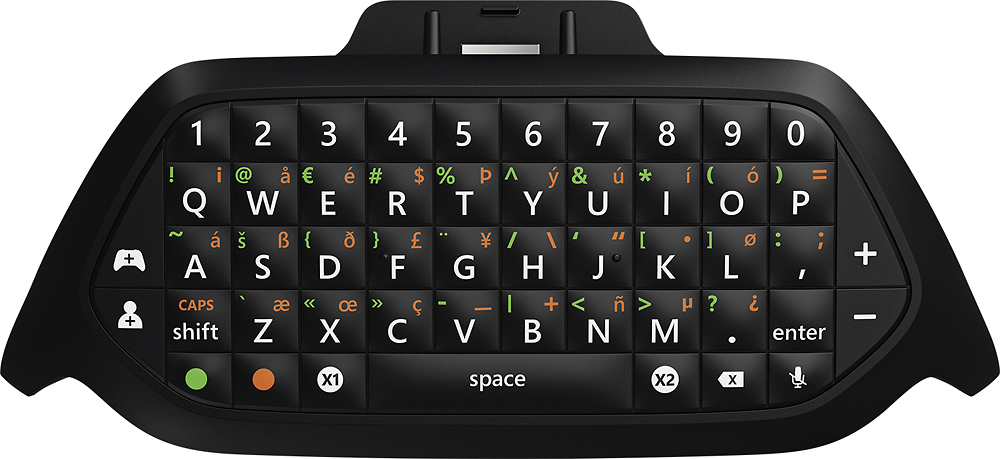
||Posted .This reviewer received promo considerations or sweepstakes entry for writing a review.Just like the Xbox 360 version. This unit has a bit more features. Like volume control for your headset. Amazing quality and back lit buttons make it easy to see at night. Feels great in the hands
I would recommend this to a friend - Pros mentioned:Ease of use
Rated 5 out of 5 stars
Glad I finally purchased this
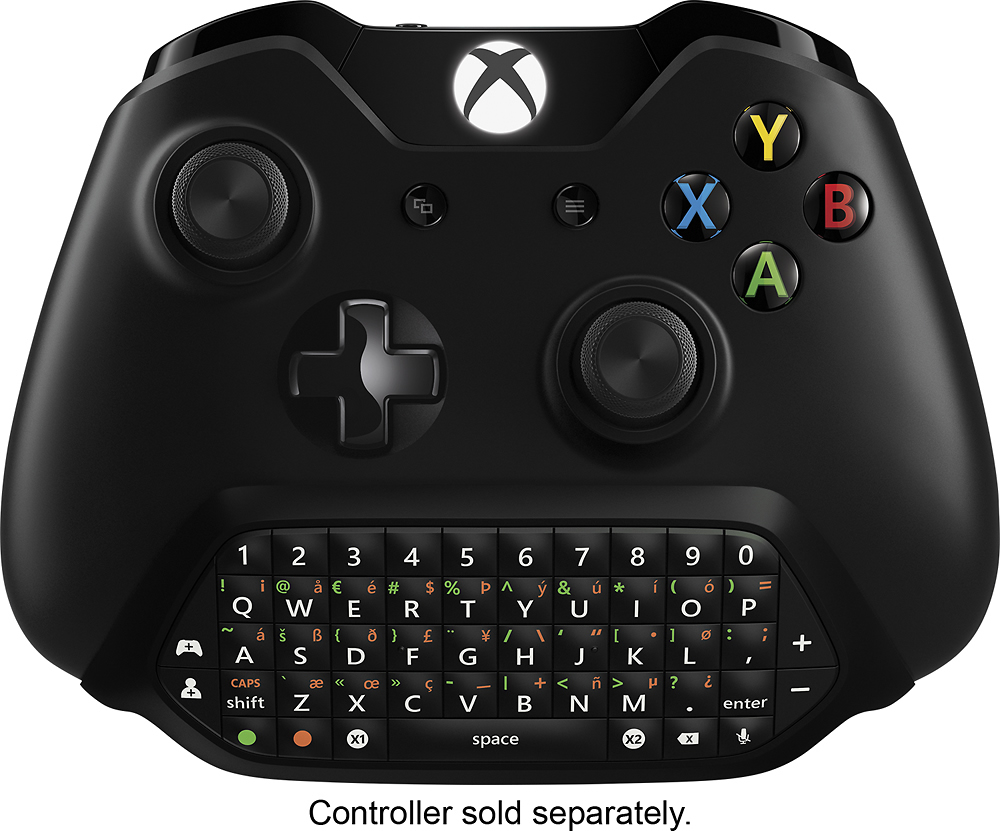
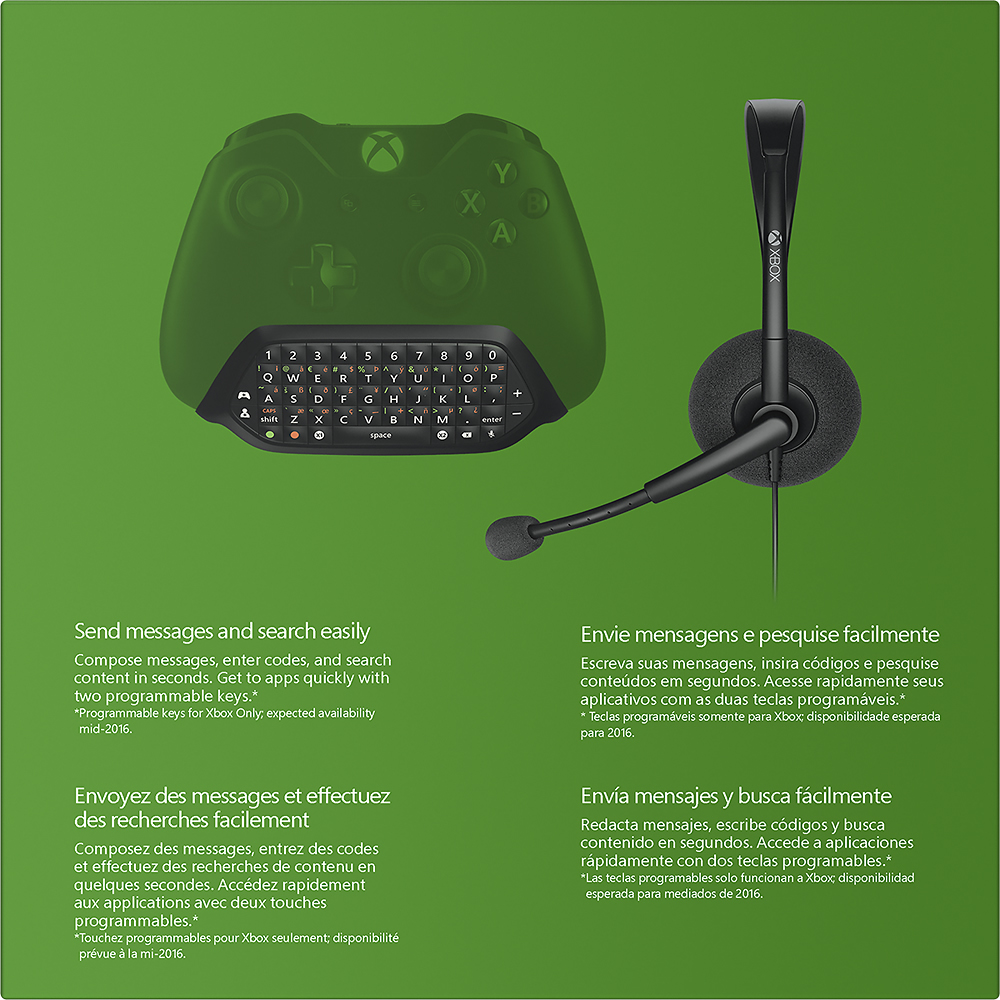
||Posted .This reviewer received promo considerations or sweepstakes entry for writing a review.I've waited and read reviews, and now I've been using it for a day now. It is way more convenient to type on the pad. Plus the ability to program two buttons to your liking. It fits great on an S controller. Just have to be gentle and careful attaching it. Wish I didn't wait so long to get. Would definitely recommend to every Xbox One owner.
I would recommend this to a friend Rated 5 out of 5 stars
Great controller keyboard
||Posted .This reviewer received promo considerations or sweepstakes entry for writing a review.I got this so I could play PC games with a controller and have keyboard access to use in game. I don't do a lot of typing but for what I do it works great. The design works well with the controller and is comfortable to hold.
I would recommend this to a friendRated 5 out of 5 stars
Essential for quick shortcut access and typing
Posted .This reviewer received promo considerations or sweepstakes entry for writing a review.I loved the original Chatpad on the Xbox 360 so I had to pick this one up. If you also had a Chatpad for the 360, this one is much lighter as the controller itself has a nice weight to it. When you plug it into the controller and power on the console, you'll be prompted for a controller update. Once that's done, you're ready to use it. There is also a one-ear headset included in the box for chat. NOTE: make sure you adjust the volume on the Chatpad so you can hear in-game audio and voice chat at the same time if you game with headphones. I couldn't hear my friends while chatting and thought the Chatpad was bad at first. One thing I noticed about this Chatpad is that with headphones (in my case, the Logitech G430), the in-game audio is much louder compared to connecting headphones directly to the controller and via standard adapter, which is a very good thing. Also, there's two special keys on the Chatpad: X1 and X2. X1 takes quick screenshots and X2 captures the last 30 seconds of Gameplay. Supposedly there will be a system update later in which allows customizing those keys to do what you want. Other than that, all of the keys illuminate and makes typing out messages much faster compared to spamming the d-pad and X button.
I would recommend this to a friend- Pros mentioned:Ease of use
Rated 4 out of 5 stars
Great for writing messages quickly
||Posted .This reviewer received promo considerations or sweepstakes entry for writing a review.I get messages a few times a day/week that I dread responding to because I hate moving the joystick around to each character. Writing a message one letter at a time can be tedious(depending on how long the message is) and can be extremely frustrating; if you accidentally back out before sending a message thus losing the entire message. Sure I can take out my smartphone and use the smartglass app but I am lazy, to be frank. This chatpad simplified things for me in every aspect of writing message via controller. I like the added weight it adds to the controller, make it feel more secure in my hands. The special customizable buttons are great too, especially if you link them to taking screenshots or recording clips. The only gripe I have is that when I hit the mute button(mic mute) while my headset is plugged in, then proceed to un-mute, my mic doesn't get turned back on. Leading me to unplug my headset and plug it back in. Not much of a hassle but I am lazy. Maybe I got a defective version but who knows. I have neither the time nor persistence to go on an exchanging spree to get one that won't have the same problem. All in all, great product for gamers who are tired of using their joystick to pick characters individually and those want a little more customizability.
I would recommend this to a friend - Pros mentioned:Ease of use, KeyboardCons mentioned:Size
Rated 5 out of 5 stars
Great Little Keyboard
||Posted .This reviewer received promo considerations or sweepstakes entry for writing a review.Very Good quality keyboard. No flex when pressing the keys. They keys look small, but the keys are very easy to type on with minimal mistakes. There's a pass through for headphones, and the keyboard is backlit! This was well worth the $25 I paid for it.
I would recommend this to a friend - Pros mentioned:Compatibility, Ease of use
Rated 4 out of 5 stars
It does the trick.
||Posted .This reviewer received promo considerations or sweepstakes entry for writing a review.I got this mainly so I could use my headphones that worked on my 360 on my new xbox one. The added bonus was the new ease of typing in codes since I don't have a kincect one. Works as well as the version I used on my 360 keypad. You do have to download new software to your controller to use it so make sure you have that cord handy before putting it on the controller. I didn't use the headphones that came with it for any real length of time but when I tried to use it instead of my turtle beach headphones for about 20 seconds it was really awful. I decided to put more effort into finding my other pair than to continue using it. Still a good purchase for the keypad and ability to use whatever gaming headphones you want without buying the special xbox one version plus you get an emergency headphone if that breaks. I'm sure it will do the trick for a night if you have no other options.
I would recommend this to a friend - Pros mentioned:Ease of use, Keyboard
Rated 5 out of 5 stars
A Great Solution for Capture
||Posted .This reviewer received promo considerations or sweepstakes entry for writing a review.Once Microsoft removed Kinect 2.0 from the Xbox One, capturing screenshots and clips became cumbersome. With chat pad buttons mapped to screenshots and video capture respectively, sharing your experience on Xbox One has never been easier. One button press gets it done. For messages, the chat pad is a tremendous improvement over the onscreen keyboard, but still not as convenient as using Xbox One Smartglass on your phone or tablet. That said, it saves me plenty of time in redeeming product codes and the sharing features alone are more than worth the asking price.
I would recommend this to a friend - Pros mentioned:Ease of use
Rated 5 out of 5 stars
Second Time's a Charm
||Posted .This reviewer received promo considerations or sweepstakes entry for writing a review.I bought a new HyperX Cloud headset that I wanted to use it instead of my wired Xbox chat mic. I also have a newer controller with the 3.5mm jack that I was able to plug straight into. I got tired of having to open menus up to adjust the volume, so I went to buy the stereo headset adapter. Through a little research I found that I would lose the mic monitoring (look it up if you don't know what it is - I had to) feature. Apparently this feature is disabled if you use the stereo headset adapter, but not if you just plug the headphone jack straight into the controller - weird. My only options that retained mic monitoring were the Turtle Beach stereo adapter, the chat pad, or the HyperX Cloud Pro which had an inline volume control. The chat pad was the cheapest option, so I went with it and I am glad I did. I didn't think I would use the keypad much, but I am finding myself typing a lot more messages to my friends or recent players. I originally bought this as an open box for $5 off MSRP. When I tried to use it, it wouldn't fit into the controller - either of my controllers actually. The pins wouldn't line up, so it was likely a manufacturing defect. So I returned it, and got another one that fit perfectly.
I would recommend this to a friend Rated 5 out of 5 stars
Works great for the PC.
||Posted .This reviewer received promo considerations or sweepstakes entry for writing a review.I was bummed when I originally got the chatpad for the 360, only to find out it doesn't work. Fast forward to today, and I decided to buy it. Compared it to the 360 chatpad, and it's much slimmer, and a bit lighter. Very useful for Final Fantasy XIV, allows me to chat without having to reach down, pull out my keyboard tray, and type a message. I do however need some time to adjust to key layout. Bonus Points: If you are using with an Elite controller, it will fit inside the case, while still attached to the controller.
I would recommend this to a friend- Pros mentioned:Ease of use
Rated 4 out of 5 stars
Great Product
||Posted .This reviewer received promo considerations or sweepstakes entry for writing a review.I use an elite controller. So, my opinion is based off that controller.... The chatpad definitely does what it's designed to do: alleviate the frustrations of using your controller's analog sticks to tediously select letters off the on-screen keyboard when entering text into your xbox .... but if you plan (like did) to just leave chat pad in your controller forever and game comfortably you might not be 100% satisfied. I think the chatpad makes the controller heavy and clunky and more awkward and uncomfortable to hold. This isn't very noticeable until you're gaming hard and you realize it's hurting your hands to hold the controller in such an awkward way...That being said I also took the paddles off the back of the elite controller because they weren't extremely useful for the games I am currently playing and they also feel a bit awkward...but this is all my opinion and others may have different experiences. All in all, I think the chatpad is great to plug in when a text screen appears and it becomes useful ... but it's not the most comfortable and it doesn't match up well with other headsets besides the one it comes with...it comes with a standard chat headset with a single ear piece... I tried plugging in my turtle beach XO one headset and it gave very poor/fuzzy sound quality ... other headsets may work but I was a bit sore that the xo one headset didn't compute well with the chatpad.
I would recommend this to a friend - Pros mentioned:Volume control
Rated 5 out of 5 stars
Great for texting and chatting
||Posted .This reviewer received promo considerations or sweepstakes entry for writing a review.Initially I was unsure how the feel would be in relation to my hand placement but I forget it's there. Nice streamline design. Makes my messages replies that much quicker but the money is in the fact I can have volume control for any headset I want to plug in. Definitely money well spent.
I would recommend this to a friend - Pros mentioned:KeyboardCons mentioned:Size
Rated 3 out of 5 stars
It's a chatpad for sure, but what else?
||Posted .This reviewer received promo considerations or sweepstakes entry for writing a review.For starters, I love a chatpad (or used to). The first one I used was on the Xbox 360 and it basically became a part of my controller in usefulness and comfort. I had to have it on my controller whenever and whatever I was playing. It was snug, it WAS a part of the gaming experience for me. Now it's years after the release of the XBOX ONE and this has just been released, so don't tell me they haven't had time to perfect an already decent idea. The headphone jack that's built in is ridiculous. It's inconsistent and I constantly have to adjust the headphone's wire (newer headphones, Turtle Beach, decent) to get it to stay working... the chatpad IS a nice keyboard and although it's not as cozy a fit as the 360 version, it does add the handy options of party chat volume vs game volume...when the headphone jack isn't being wonky. I own 2 of these now, both are having issues here and there. My headphones aren't the problem as I've tested them with other consoles and such. Needs a hotfix or patch soon.
No, I would not recommend this to a friend - Pros mentioned:Ease of use
Rated 5 out of 5 stars
Just what I needed
||Posted .This reviewer received promo considerations or sweepstakes entry for writing a review.This chatpad was easy to install and pops off easily. Back lighted with a touch of any key and it's so light you don't even know it's there until you need it.
I would recommend this to a friend - Pros mentioned:Ease of use
Rated 5 out of 5 stars
Great Chat Pad For Intense Gaming Sessions
||Posted .This reviewer received promo considerations or sweepstakes entry for writing a review.Works great no problems plugging into xbox one controller and headphone is decent if you don't have a headset mic, I'd prefer a real Surround sound headset w/ mic but that is just my opinion. Typing on the chat pad is better then entering it through the controller which saves a lot of time. Most noticeable if your in a multiplayer match and need to type something real fast so you can get back into the action that is when the chat pad is well worth the buy. If your not on xbox live and don't hardly play multiplayer matches then the chat pad really isn't needed or unless you use xbox one for social network then yes it would be worth the buy.
I would recommend this to a friend - Pros mentioned:Ease of use
Rated 5 out of 5 stars
Worthwhile Accessory
||Posted .This reviewer received promo considerations or sweepstakes entry for writing a review.The chatpad is for more than chatting. It is far easier and faster to use it than to chase a cursor all over an on-screen keyboard. it does not interfere with the controller, and it is extremely lightweight.
I would recommend this to a friend - Pros mentioned:Compatibility, Ease of use
Rated 5 out of 5 stars
Great for redeeming codes and online
||Posted .This reviewer received promo considerations or sweepstakes entry for writing a review.I had one of the chat pads for the 360 so I have to have it for the one. It works well for redeeming game codes and searching online. It is also compatible with the turtle beach headsets.
I would recommend this to a friend - Cons mentioned:Battery life
Rated 5 out of 5 stars
Great pick up
||Posted .This reviewer received promo considerations or sweepstakes entry for writing a review.The first week it drained my battery down to zero then I unplugged it and my battery said half way. This is the official Xbox plug and charge battery I'm talking about or the (forever battery I call it). Now I start my xbox without it attached then attach it and it seems to function well. I plug my turtle beach px24s in it and they work great. The X1 and X2 buttons are great for screen shots and replay clips. It Beats shouting: "Xbox, record that!" and having your xbox do nothing lol. Or trying to mute the TV and shout: "Xbox, record that!". Nope I just push X2 and bam! It's done and I continue playing.
I would recommend this to a friend - Pros mentioned:Ease of useCons mentioned:Size
Rated 4 out of 5 stars
Xbox One ChatPad
||Posted .This reviewer received promo considerations or sweepstakes entry for writing a review.Daughter got tired of trying to arrow over letters to enter alphanumeric characters - the Chatpad solved the problem. It takes up a little real estate but communication is much easier now.
I would recommend this to a friend - Pros mentioned:Compatibility, Ease of use, Headset
Rated 5 out of 5 stars
Chat Pad Saves Time, no hassle!
||Posted .This reviewer received promo considerations or sweepstakes entry for writing a review.This chat pad fits perfectly on my xbox elite controller and I'm sure it'll fit the regular controllers as well. Saves time for typing messages to other players or for searching something on the web/netflix/store! Definitely worth the price, and on top of that comes with a small headset that works if you don't have an upgraded headset.
I would recommend this to a friend